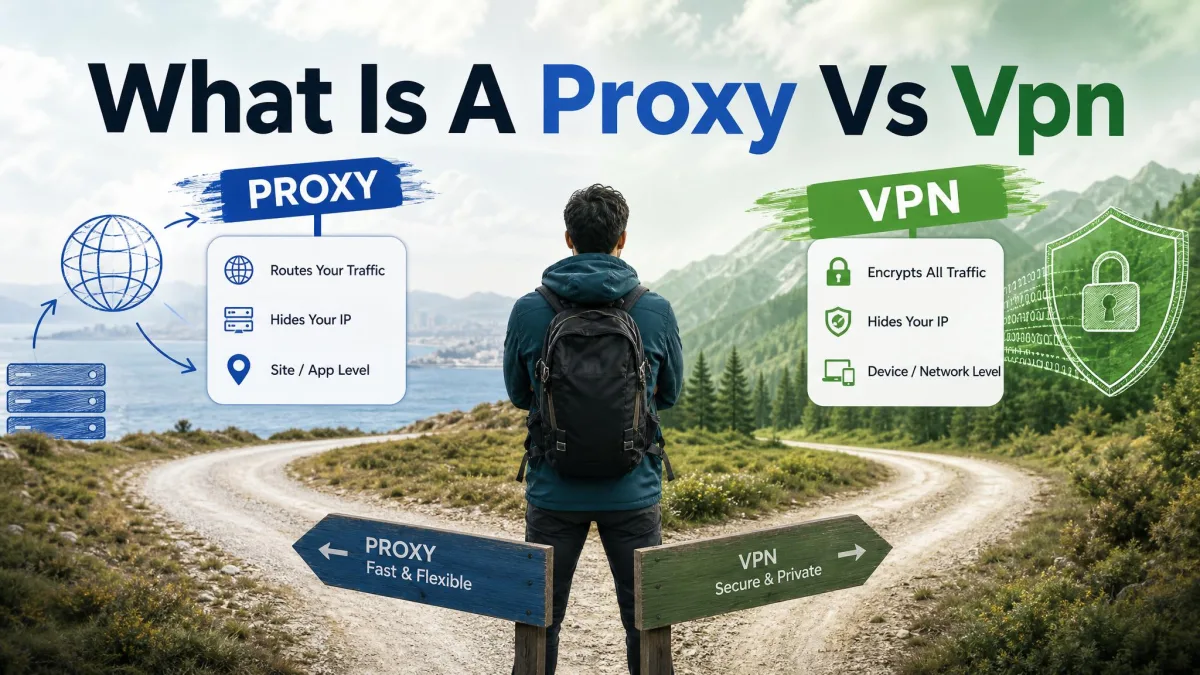
Almost everyone who has shopped for online privacy has hit the same doubt: do I really need a VPN, or is this just something the ads want me to buy? It is a fair question, and the honest answer is not a simple yes. A VPN is a genuinely useful tool for some people and some tasks, and close to pointless for others. The goal of this guide is to give you a balanced answer rather than a sales pitch.
We test VPNs for a living, running them through real speed, leak, and streaming checks before any of them earn a recommendation. That work has taught us where a VPN quietly helps, where it gets in your way, and where it does nothing at all. Below we walk through what a VPN actually does, who really needs one, the benefits worth caring about, and the drawbacks nobody in the ad copy mentions.
By the end you should be able to decide with confidence whether a VPN is worth it for the way you actually use the internet. There is no single right answer here, only the answer that fits your situation.
What Is a VPN and What Does It Do?
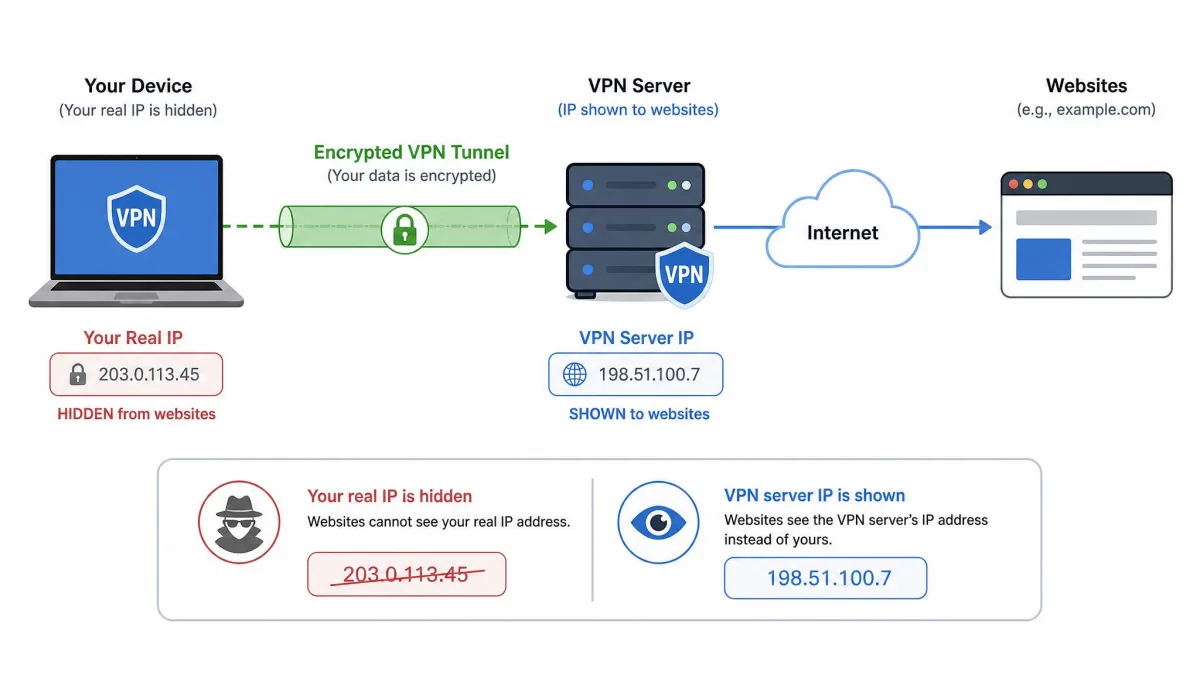
A VPN, short for virtual private network, is a service that routes your internet connection through an encrypted tunnel to a server run by the provider. Two things happen once that tunnel is up. Your traffic is scrambled so that anyone watching the local network cannot read it, and the websites you visit see the VPN server's IP address and location instead of your own.
The encryption is the part that does the heavy lifting. Leading services use AES-256, the same cipher standard trusted for sensitive data across the industry, and modern apps carry it over fast protocols like WireGuard. That combination is why a VPN can protect a login on a coffee-shop network that would otherwise be wide open to snooping.
The second effect, swapping your visible IP address and location, is what lets a VPN change which version of a website you see. It is the mechanism behind accessing content that is blocked in one place but available in another. Neither effect makes you invisible online, and that distinction matters for the rest of this guide.
Should You Use a VPN? (Who Really Needs One)
Whether you need a VPN depends far more on what you do online than on any general rule. The strongest cases for a VPN are public Wi-Fi, reaching geo-restricted content, getting around censorship, and connecting to a work network from outside the office. If none of those describe your week, the case is much weaker than the marketing suggests. Here is how the main groups of users break down.
Everyday internet users
If your online life is mostly browsing, social media, shopping on sites you already trust, and streaming from home, you probably do not strictly need a VPN. Most of that traffic already travels over HTTPS, which encrypts the connection between you and the site on its own. The privacy gap a VPN fills for casual home browsing is smaller than it used to be, and for many people it is small enough to skip.
That said, a VPN still adds a layer of privacy from your internet provider, which we cover below. If keeping your ISP out of your browsing habits matters to you, it can be worth it even at home. For most everyday users, though, it is a nice-to-have rather than a necessity.
Remote workers and businesses
This is one of the clearest yes cases. If you connect to a company network, handle client data, or work from cafes and shared spaces, a VPN is doing real work every time you sign in. Many employers require one precisely because it keeps sensitive traffic encrypted across networks they do not control.
For a business, the calculation is simple. The cost of a reliable VPN is trivial next to the cost of a leaked login or an intercepted file. If your job touches anything confidential, treat a VPN as basic equipment rather than an optional extra.
Travelers and public Wi-Fi users
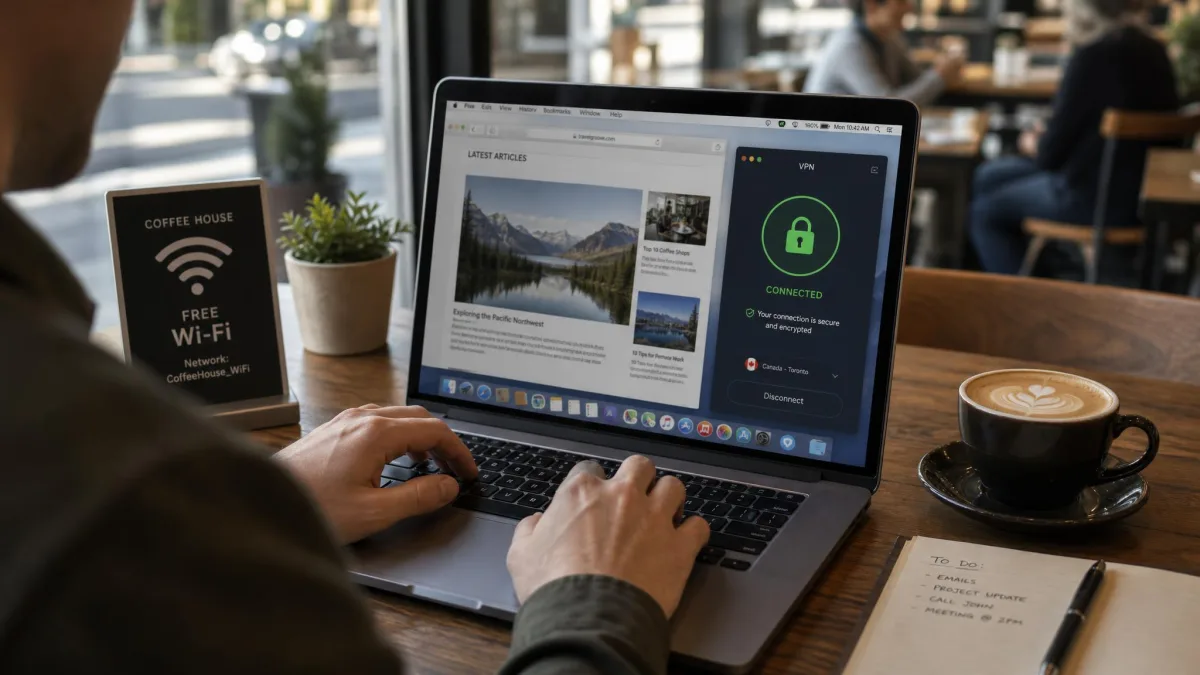
Travelers get more value from a VPN than almost anyone else. Hotel, airport, and cafe networks are exactly the environment where an encrypted tunnel earns its keep, because you have no idea who else is on the network or how it is configured. In our testing, connecting to public Wi-Fi is the single situation where we always reach for a VPN without hesitating.
Travel also brings the geo-restriction problem into focus. Services you pay for at home can look different or disappear entirely when you cross a border, and a VPN is often the simplest way to get back to the version you expect. If you spend real time on the road, a VPN is close to essential.
Gamers and streamers
For this group the answer is mixed. A VPN can help you reach game servers in other regions, reduce the odds of certain targeted attacks in competitive play, and get around some ISP throttling. Those are genuine wins for a specific slice of players.
For streaming, temper your expectations. Providers advertise access to overseas catalogs, but streaming platforms actively detect and block VPN connections, and the workarounds do not always hold. We have watched a server that unblocked a service one week get blocked the next. A VPN can help here, but do not buy one on the promise of reliable streaming access.
Reasons to Use a VPN (The Benefits)
Set the hype aside and a VPN still offers a handful of concrete benefits. These are the ones that hold up in real use rather than in a feature list. Not every benefit applies to every person, so read them against your own habits.
Protection on public Wi-Fi
This is the benefit we trust most. On an open network, an encrypted tunnel keeps your logins and activity unreadable to anyone else sharing the connection, and it blunts the reach of bad actors trying to spread malware or snoop on local traffic. Public Wi-Fi is a genuine risk area, and a VPN adds a meaningful layer of security there.
If you only ever want a VPN for one reason, this is a strong one. The moment you connect to a network you do not control, the value is immediate and easy to understand.
More privacy from your ISP and advertisers
Without a VPN, your internet provider can see the sites you connect to and can build a profile from that history. An FTC report on what ISPs know about you lays out just how much detail that can include and how it gets used. A VPN encrypts that traffic so your ISP sees only that you are connected to a VPN, not where you go next.
The privacy gain has limits, and honesty matters here. Encryption across the web has come a long way, and the EFF has documented how HTTPS is now close to everywhere, which already hides a lot of the detail. A VPN mainly shifts trust from your ISP to your VPN provider, so the privacy is real only if you pick a provider that does not log you.
A VPN does not make you anonymous. It moves your trust from your internet provider to your VPN provider, so the whole benefit rests on choosing one that does not keep logs.
— From our hands-on VPN testing
Access blocked and geo-restricted content
Changing your visible location is one of the most popular reasons people use a VPN. By connecting through a server in a different country, you can reach content and services that are blocked or restricted where you are. This is the same mechanism people rely on to get around censorship in places where the open internet is filtered.
The everyday version is more mundane and still useful. A news site, a library resource, or a service you already pay for might behave differently by region, and a different server often gets you the access you expected.
Safer streaming, downloading, and gaming
For downloading and peer-to-peer activity, a VPN keeps that traffic private from your ISP and hides your IP address from other peers, which is why many people prefer to run one for it. For gaming, it can route you to servers in other regions and sidestep some forms of throttling.
Streaming is the weakest link in this list, so we will keep repeating it: platforms fight VPN use, and results are inconsistent. Treat streaming access as a possible bonus, never the reason you sign up.
Pros
- Encrypts your traffic on public Wi-Fi and other networks you do not control
- Keeps your browsing private from your ISP and its advertising partners
- Hides your IP address and lets you reach geo-restricted or censored content
- Adds a layer of privacy for downloading and some region-locked gaming
Cons
- Slows your connection, and cheap services can drag speeds down badly
- Costs money for the reputable providers actually worth using
- Does not stop cookies, browser fingerprinting, or logged-in accounts from tracking you
- Can break banking, streaming, and shopping sites when left on
When You Might NOT Need a VPN (Drawbacks and Limits)
A balanced answer has to cover the downsides, because a VPN is not free of cost or friction. For a lot of casual users, these drawbacks tip the decision toward skipping it, at least at home. Understanding the limits is also how you avoid expecting protection a VPN cannot give.
Speed and connection trade-offs
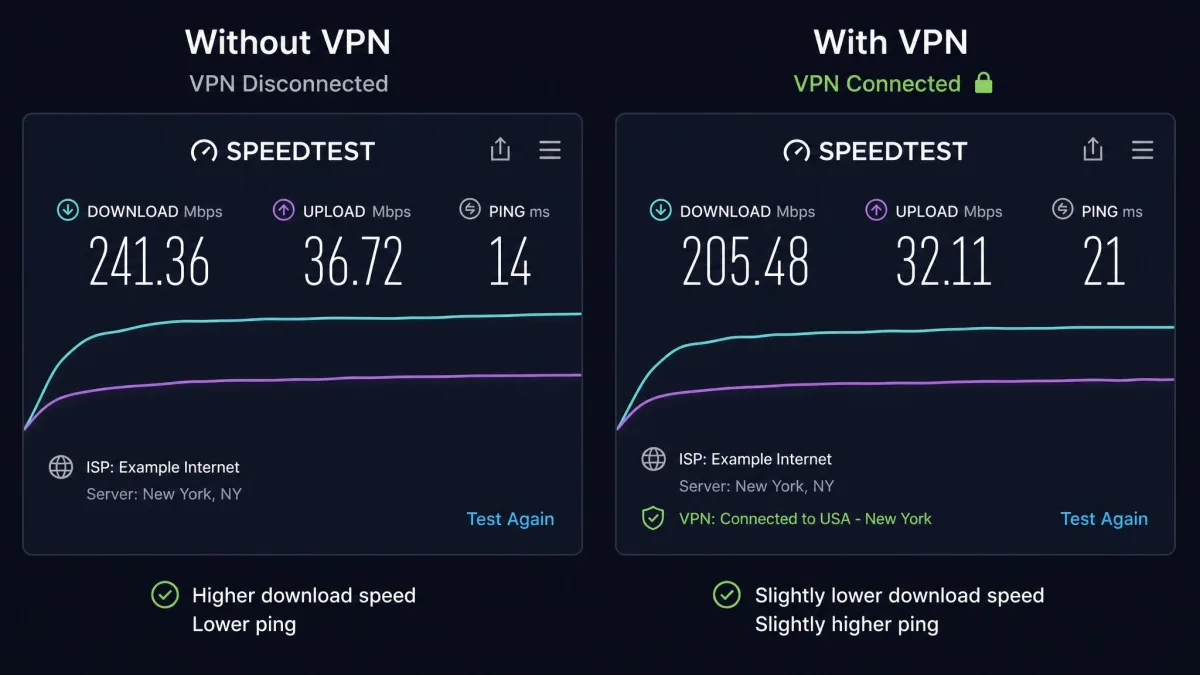
Every VPN slows your connection to some degree, because your traffic is taking a longer, encrypted path through an extra server. On a good paid provider the hit is small enough that you rarely notice it during normal use. On a cheap or free service, we have watched speeds drop to a crawl, especially on distant servers at busy times.
There is no single reliable percentage to quote here, because the impact depends on your provider, the server you pick, and your own connection. What we can say from testing is that server distance and provider quality matter more than any headline number. If speed is critical for you, choose carefully and test before you commit.
What a VPN can't protect you from
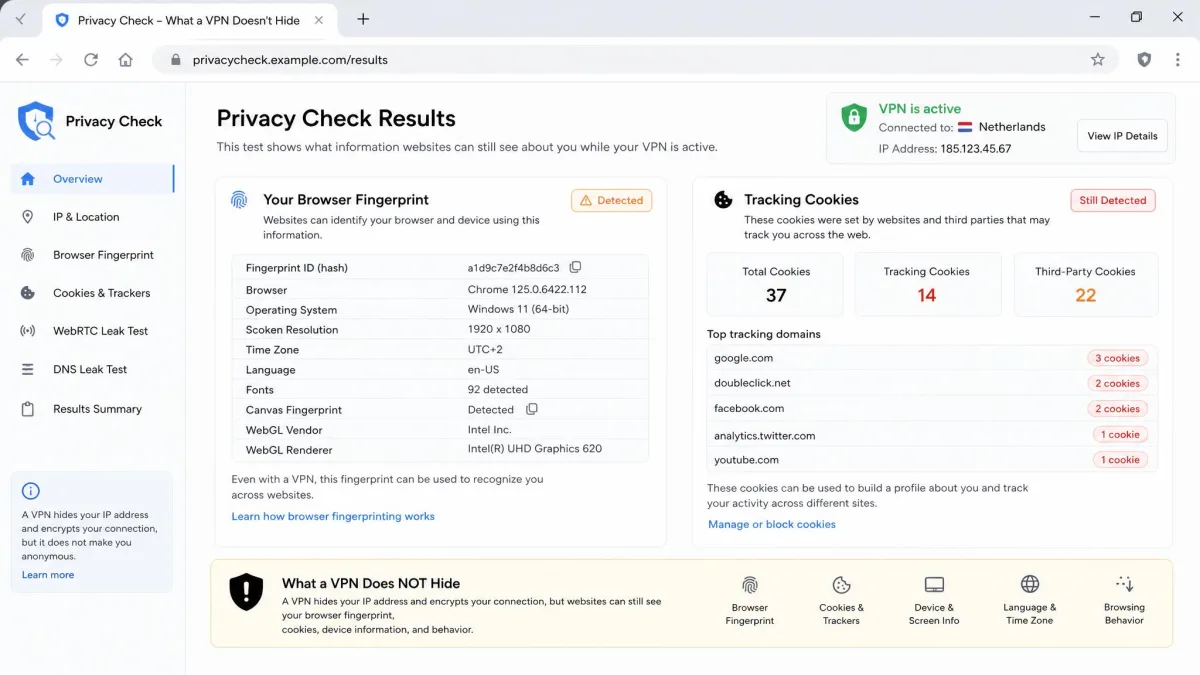
This is the most misunderstood part of the whole topic. A VPN encrypts your traffic and hides your IP address, and that is roughly where its powers end. It does not stop browser fingerprinting, so trackers can still partially identify you by your device and browser setup. It does nothing about the cookies you accept or the accounts you stay logged into, which are how most everyday tracking actually happens.
To close that gap you need different tools. A dedicated tracker blocker like Privacy Badger tackles the cookie and script tracking a VPN ignores. A VPN also will not save you from malware you download or a weak password you reuse. It is one layer of security, not the whole stack.
A useful way to think about it: a VPN protects your data in transit across the network. It does very little about what happens once you arrive at a site and start clicking, logging in, and accepting cookies. Those need separate habits and tools.
How to Choose a VPN: What to Look For
If you decide a VPN is worth it, the provider you pick matters more than the fact that you have one. The differences between a reliable service and a bad one are large, and a few criteria separate them. Here is what we check on every VPN before we trust it.
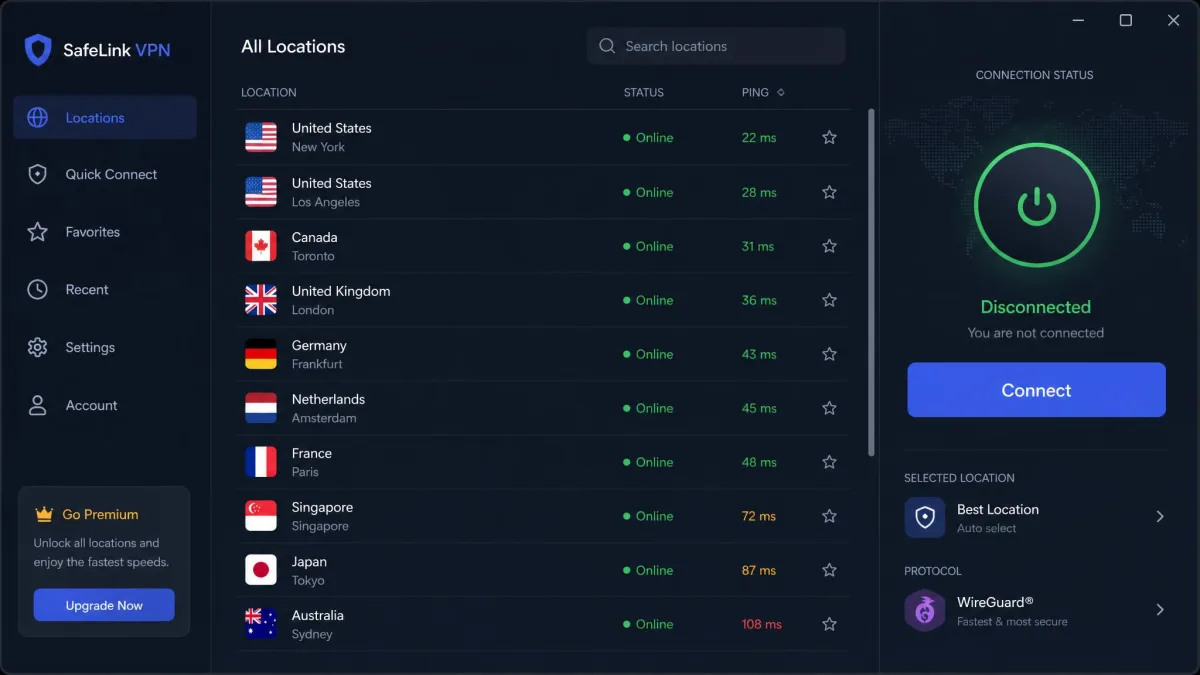
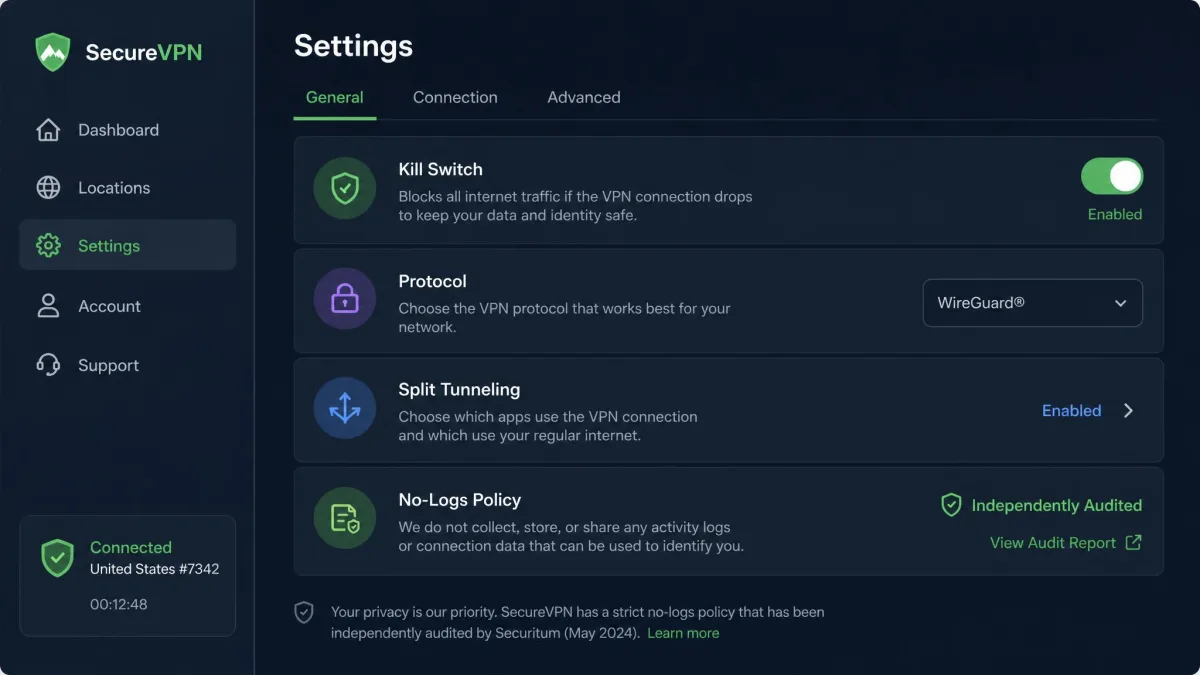
Start with the no-logs policy. The entire privacy benefit depends on your provider not keeping records of what you do, so look for a clear no-logs commitment, ideally one that has been independently audited. After that, check for a kill switch, which cuts your internet if the VPN connection drops so your real IP address does not leak. Strong AES-256 encryption should be the baseline, not a premium feature.
From there, weigh the practical stuff: a wide server network for more location options and less congestion, good speeds on the servers you will actually use, and useful extras like split tunneling, ad and tracker blocking, or obfuscation if you need to hide VPN use itself. Match those features to your reasons for wanting a VPN rather than chasing the longest feature list.
Prioritize an independently audited no-logs provider over one with the flashiest feature list. A no-logs policy that has been checked by an outside firm is the single best signal that the privacy you are paying for is real.
Free vs. Paid VPNs: Is It Worth Paying?
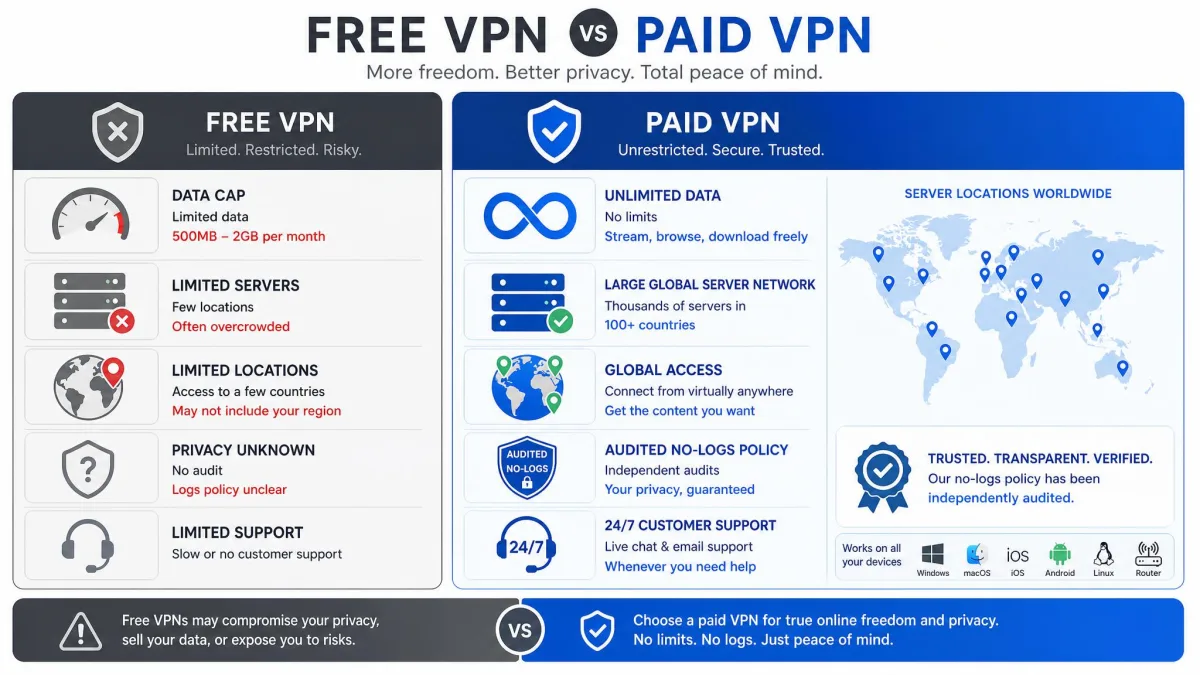
The free-versus-paid question comes up constantly, and the answer is more nuanced than "you get what you pay for," though that is part of it. Free VPNs commonly impose data caps, slower speeds, fewer server locations, and weaker encryption. For an occasional connection on a trip, that can be enough. For daily use, the limits get frustrating fast.
The bigger concern with free services is the business model. Running a VPN network is expensive, and some free providers cover the cost by logging and selling the very user data you turned to a VPN to protect. That inverts the whole point. A paid service you pay with money has a cleaner incentive to keep you private, though it still needs a no-logs policy you can verify.
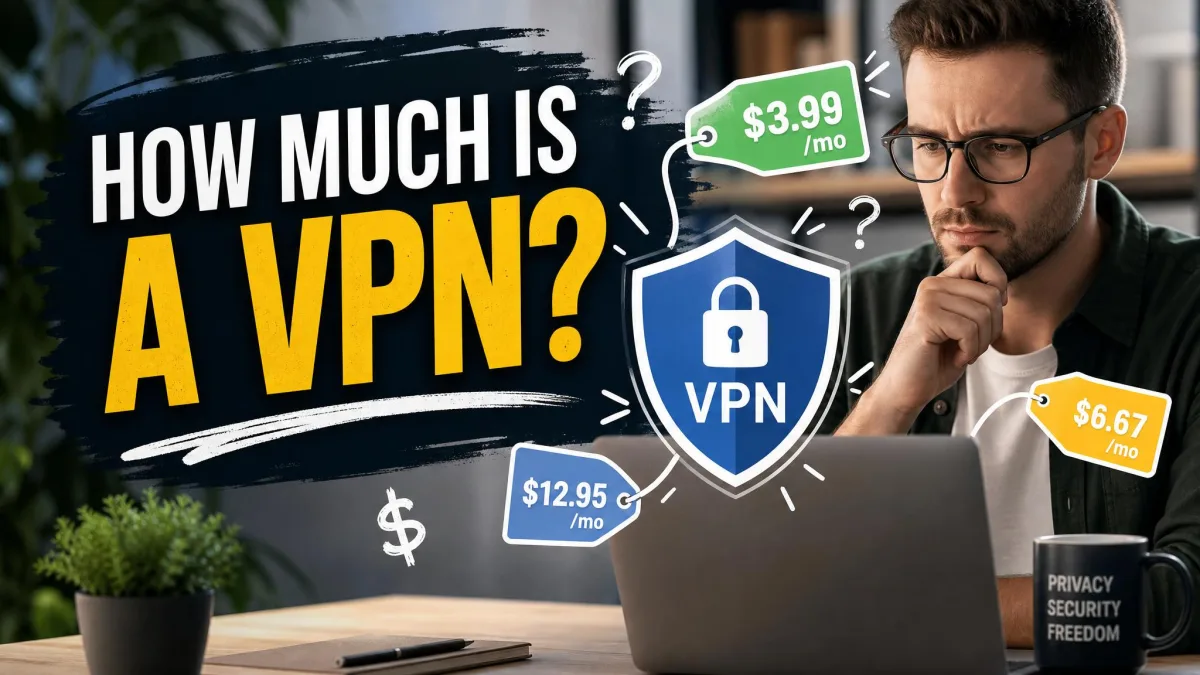
On price, premium services on rolling monthly plans typically run about $10 to $16 per month. Proton VPN Plus is $9.99 a month billed month to month, NordVPN and ExpressVPN both sit at $14.99, and Surfshark's Starter tier is $16.45. Committing to a one or two year plan drops the effective rate sharply, often into the range of roughly $2.50 to $3.50 per month on a two-year term. Those long-term rates are introductory first-term pricing, though, and they renew higher once the initial term ends, so read the renewal terms before you sign up rather than the headline number.
| Feature | Free VPN | Paid VPN |
|---|---|---|
| Price | $0 | About $2.50 to $16 per month depending on term |
| Data | Often capped | Unlimited bandwidth |
| Speed | Slower, often throttled | Faster, minimal hit on quality providers |
| Encryption | Often weaker | AES-256 standard |
| Servers | Limited locations | Large global network |
| Privacy risk | Some log and sell your data | No-logs policies on reputable providers |
Be cautious with free VPNs. A service that costs you nothing still has to make money somewhere, and for some providers that means harvesting and selling the browsing data you installed a VPN to keep private. If you cannot tell how a free VPN pays its bills, assume you are the product.
Should You Leave Your VPN On All the Time?
In principle, leaving a VPN on gives you constant protection. In practice, it causes enough friction that many people, us included, do not run it around the clock. The encryption is always welcome, but the connection quirks add up over a normal day.
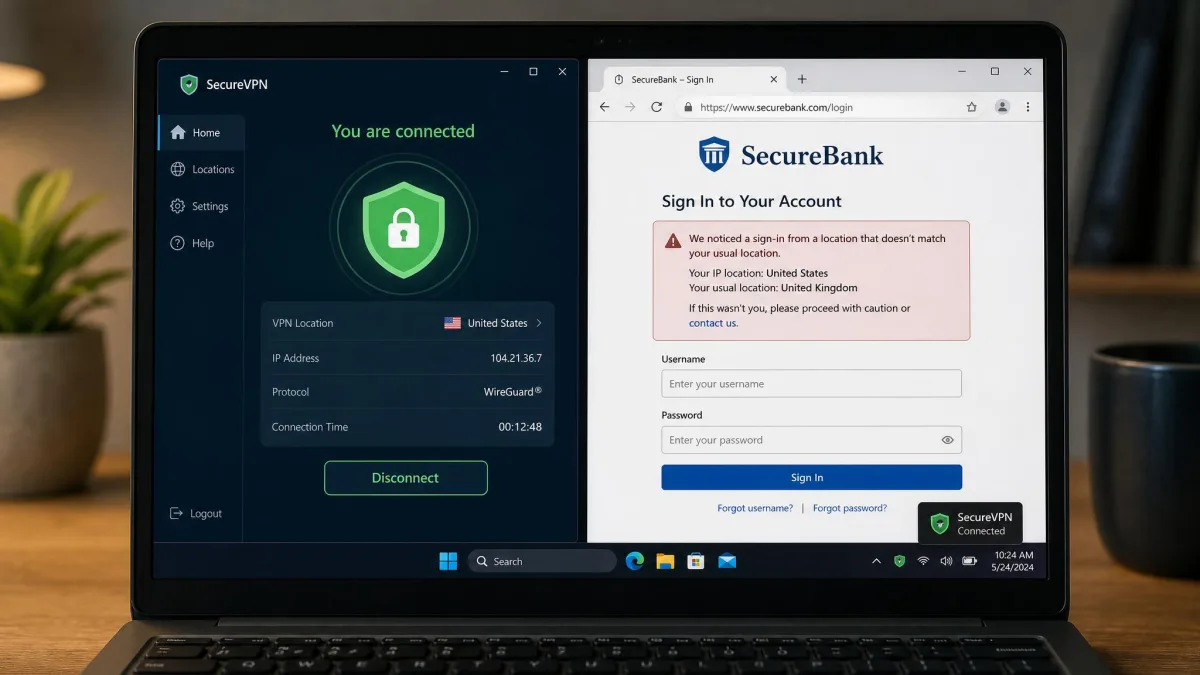
Banks and financial sites often reject logins when they detect a connection coming from a non-local VPN server. Streaming platforms may block you or serve the wrong catalog. We have seen Steam re-ask for credentials and a shopping site show the wrong country's language and prices, all because a VPN was quietly changing our apparent location. None of these are dangerous, but they are annoying.
The pattern that works best for most people is to switch the VPN on for the tasks that call for it and leave it off the rest of the time. Turn it on for public Wi-Fi, sensitive logins, private browsing, or reaching blocked content, and turn it off when you just want your bank and your streaming service to behave. That keeps the protection where it matters without fighting your own tools all day.
Verdict: Is a VPN Worth It for You?
So, should you use a VPN? The honest answer is that it depends on who you are and what you do online, and anyone who tells you it is essential for everyone is selling something. A VPN is a focused tool that does a few things very well and many things not at all.
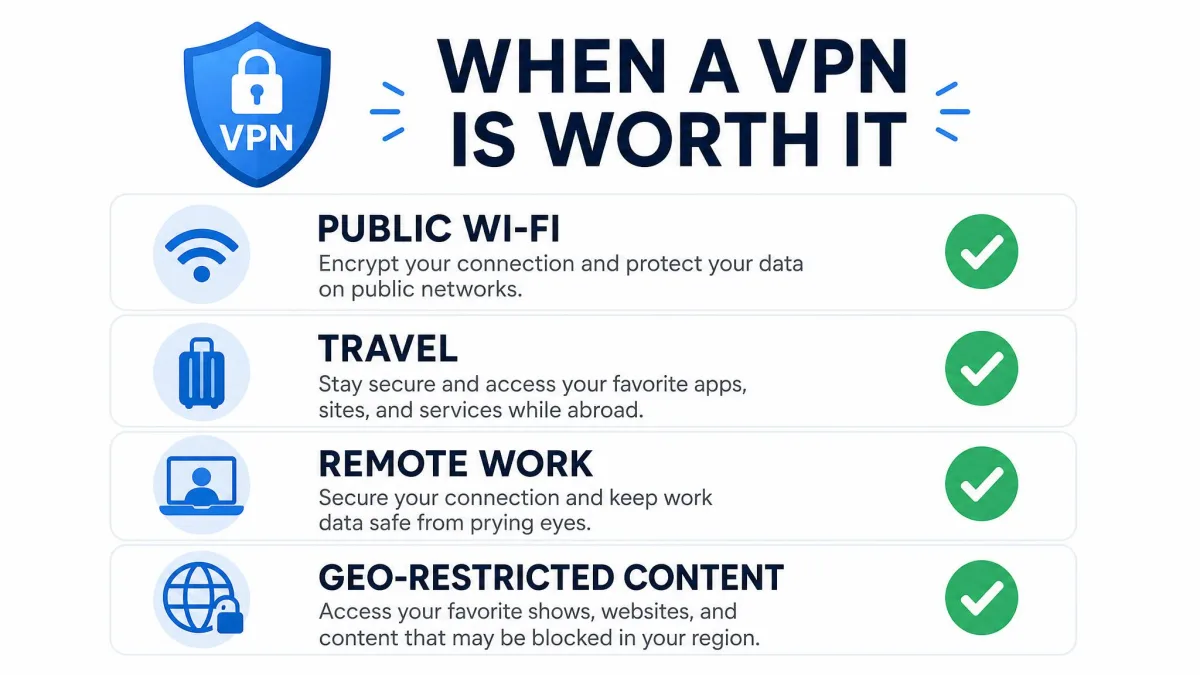
Use one if you spend time on public Wi-Fi, travel often, work with sensitive data, want to keep your browsing private from your ISP, or need to reach content that is blocked where you are. For those situations, a reputable paid VPN with an audited no-logs policy is genuinely worth it, and the cost is small next to what it protects. If your online life is casual home browsing on sites you already trust, you can skip it without losing much, since HTTPS is already doing a lot of the work.
Whichever way you lean, treat a VPN as one layer of privacy and security rather than a complete shield. Pair it with a tracker blocker, good passwords, and sensible habits, switch it on when it earns its place, and you will get the real benefit without the frustration. Decide based on your own internet, not the ad copy, and you will land on the right answer for you.