Every free VPN comes with a catch, and the catch is almost never printed on the download page. Some cap your data at a couple of gigabytes a month, some park you on a single crowded server, and some quietly fund the free version by collecting the data you installed a VPN to protect. We spent our time with the free plans of the services below, installing the current apps on Windows, macOS, Android and iOS and using each one the way an ordinary person would.
The good news is that a small group of free plans is genuinely safe to install. These come from companies with a paid product to protect, a published logging policy, and in the best cases an independent audit of that policy. They are still limited, and we will be blunt about where each limit bites, but none of them make money by selling you.
The rest of the free VPN market is a different story, and we name the apps we would not install on any device we care about. We also cover the alternatives that a lot of people actually want when they search for a free VPN: paid trials, money-back guarantees, Tor, secure DNS, and running your own server. Those routes often solve the problem better than a capped free tier does.
How we evaluated free VPNs and their alternatives
We started from the free plans themselves rather than the marketing pages, because free tiers change more often than paid ones. For each service we installed the current app, signed up only where an account was actually required, and then used the free version for the things people install a VPN to do: general browsing, messaging and email, and an attempt at streaming to see whether the free servers got through.
Five things decided the ranking. The first is the data cap, since a plan that runs dry in a week is not really protection. The second is speed and stability under load, because free servers carry more people per box than paid ones do. The third is the logging policy, and specifically whether anyone outside the company has ever checked it. After that we counted how many devices one free account covers and noted what the free version blocks outright, which is usually streaming, torrenting and server choice.
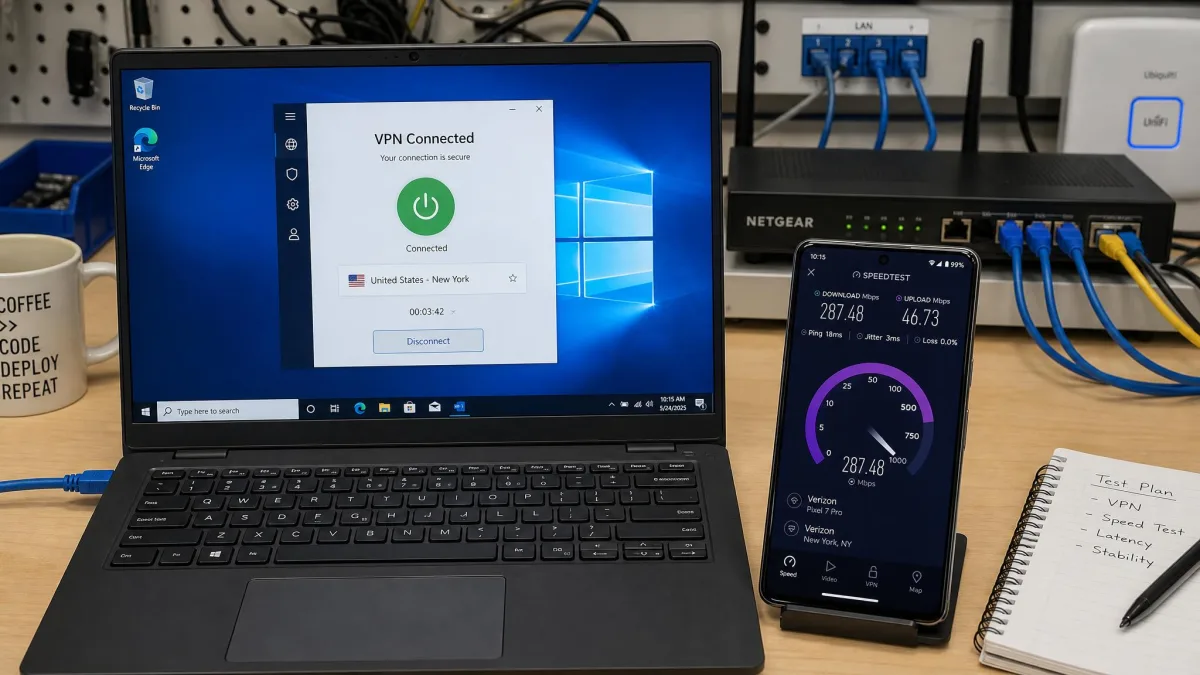
We paid for nothing to write this. Every plan here is the free version as offered to any new user, signed up with a fresh email address where an address was required at all. Where a company also sells a paid tier, we noted what moves behind the paywall, because that gap is the honest price of a free version.
Sign up for a free tier with an email address you keep for services, not your main one. Two of the plans here reward a confirmed address with extra data, and one asks for no address at all.
We also checked each service against the basics the EFF's guide to choosing a VPN sets out: who runs the service, where it is based, what it says it keeps, and whether the app is doing anything beyond routing traffic. That framework matters more for free products than paid ones, because the funding question is open by default.
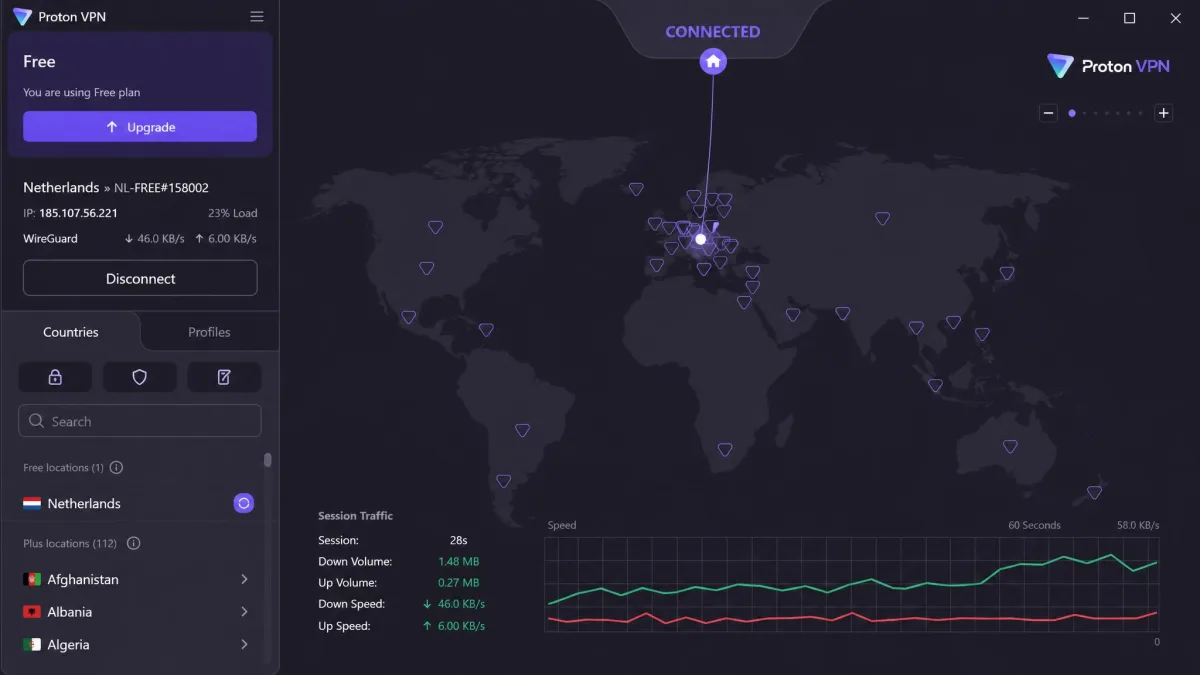
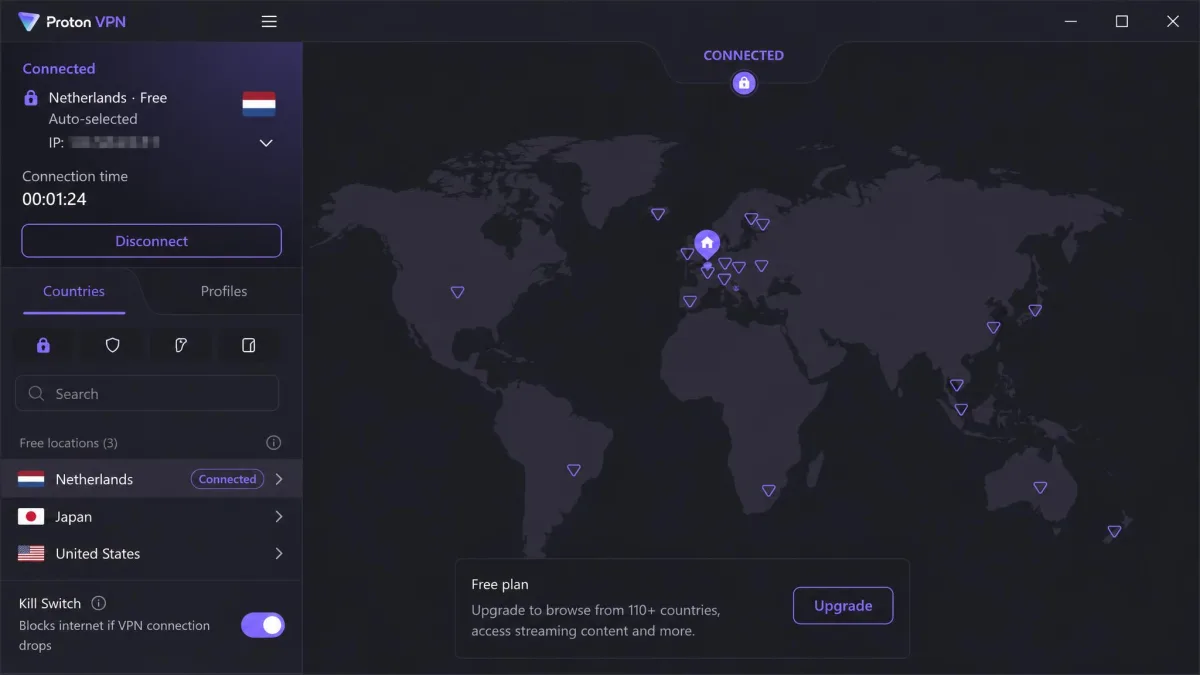
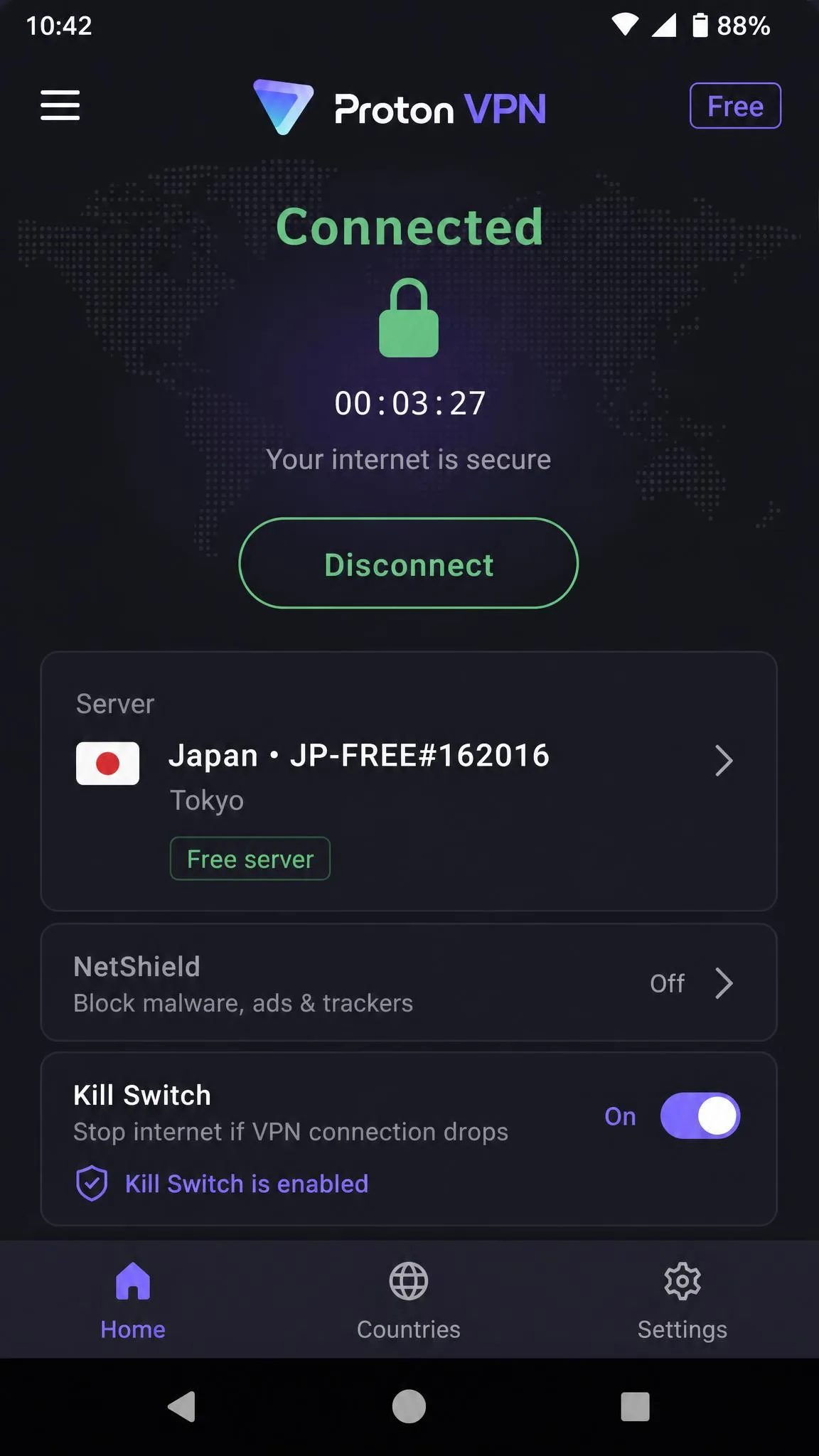
Stability turned out to matter more than raw throughput. Proton's free connections drop and reconnect on their own often enough to interrupt a video call or a long download, and a VPN that cuts out mid-call is one you switch off and forget to switch back on. That is the failure mode that decides whether a free plan stays installed.
The best free VPN alternatives in 2026
Seven services cleared our bar. They are ranked by how much genuinely usable protection the free version delivers, not by how loudly the company markets it.
1. Proton VPN Free - best overall free VPN alternative
Proton VPN Free is one of only two plans here with no data cap at all, and the only one that pairs that with an independently audited no-logs policy, which is why it wins. There is no artificial speed limit either, and Proton rates its servers at 1 Gbps or better, so the ceiling on the free plan is your own connection rather than a throttle. You get roughly 2,000 free servers to draw from, though free-server counts shift as Proton rebalances capacity between the free and paid pools.
The free plan behaves differently depending on when you use it. During the working day it is unremarkable in the best way, and pages load as though nothing is between you and the site. In the evening the free servers fill up, latency climbs and downloads slow noticeably against what the paid tier delivers on the same network. Add the self-initiated reconnects, which arrive without warning and land in the middle of video calls and long downloads, and the pattern is clear: this is a plan that is excellent when it is quiet and merely adequate when it is busy.
In daily use, then, the free plan is a browsing tool, and a good one. Traffic stays encrypted, the apps cover Windows, macOS, Android, iOS and Linux plus Chrome and Firefox extensions, and there are no ads anywhere in the product. Proton's servers are in around 10 countries on the free tier, although Proton has expanded that list more than once, so the exact count moves between releases. Free users cannot pick a country, so the app auto-connects to whichever free server it judges fastest, and there is no way to override that choice when it lands you somewhere far from home.
Streaming and torrenting are paid-tier features. Streaming sites and torrent clients simply fail on the free plan, so treat it as a privacy layer for everyday browsing rather than a way to change your Netflix region. The free plan also covers 1 device at a time.
What earns Proton the top spot is the trust question. Proton publishes an independently audited no-logs claim, which almost nothing else in the free market can say. That does not make the service immune to the law: Proton has handed a user's IP address to authorities under a valid Swiss order. No-logs means there is little to hand over, not that lawful requests get refused.
Pros
- No data cap and no artificial speed limit on the free plan
- Apps for Windows, macOS, Android, iOS and Linux plus browser extensions
- No ads and no upsell nagging inside the app
- Free traffic gets the same encryption paying subscribers get
Cons
- Free servers slow down noticeably at peak hours
- You cannot choose a country on the free tier
- Streaming and torrenting are blocked until you pay
- Only 1 device at a time
2. PrivadoVPN Free - best free option for streaming
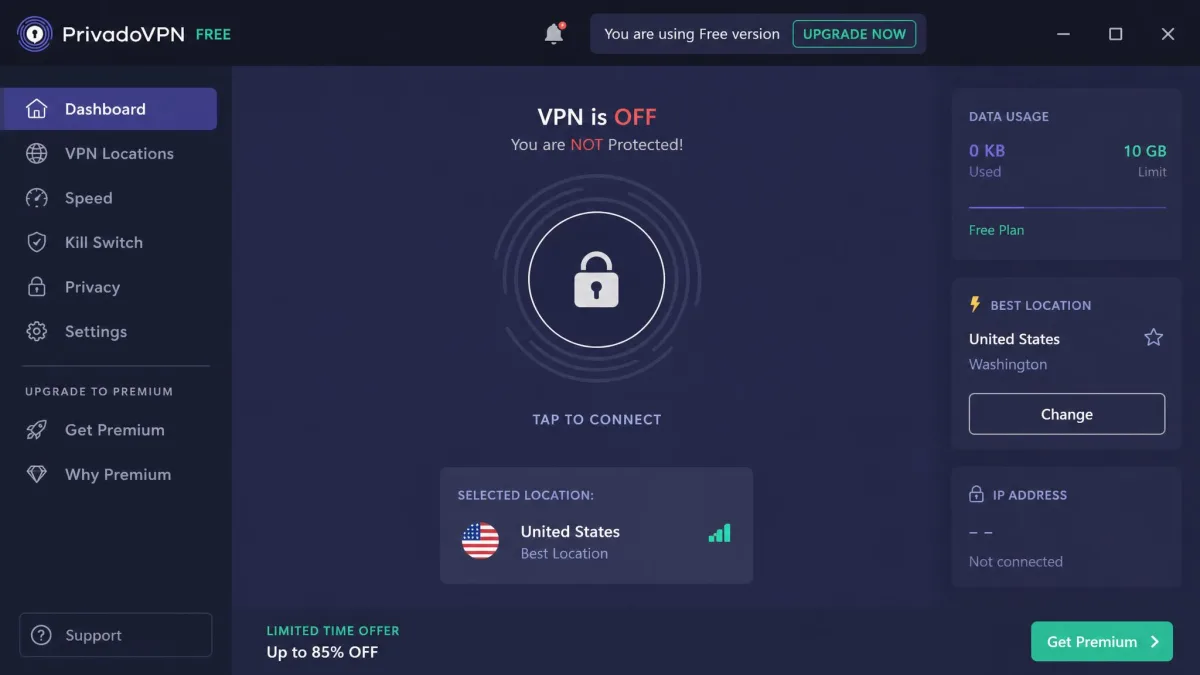
Proton will not let you pick a country at all; PrivadoVPN Free keeps a fixed list of 13, including the US, UK, Brazil, Argentina and Mexico, all on the same 10GB monthly allowance. That stability is the reason it earns the streaming slot: most free plans either pin you to one country or hide the useful ones behind a paid tier, and Privado does neither.
The free plan carries AES-256 encryption, a kill switch, split tunneling, an ad and malware blocker, and P2P support, which is unusual on a free tier. In use it is a capable browsing and light-streaming service, but the 10GB cap plus a 1 device limit makes it a poor fit for regular streaming or torrenting. You can watch a film or two, not a season.
Streaming is where the plan justifies itself and then runs out of road. Connect to the US free server and Netflix loads its US library rather than the proxy error that stops most free VPNs, and US-exclusive titles play in stable HD. The UK library opens the same way. Access to other catalogues, Canada, France, Germany and Brazil among them, comes and goes: which ones open varies by server and changes as Netflix reblocks IP ranges, so we would treat anything beyond the US and UK as inconsistent. Coverage of Disney+, Hulu, BBC iPlayer and Prime Video is not documented for the free plan. What ends a session in practice is not the unblocking but the counter, since 10GB works out to roughly 4 hours of HD Netflix.
One thing to keep in mind is jurisdiction. Privado moved its legal home from Switzerland to Iceland following Switzerland's March 2025 surveillance proposals, though that move is recent and some vendor pages still carry the older Swiss branding.
Pros
- 13 free server locations across four continents
- 10GB monthly allowance with full encryption
- Kill switch, split tunneling and ad blocking included free
- P2P allowed on the free plan
Cons
- 1 device only
- 10GB does not go far on video
- Jurisdiction messaging is inconsistent across its own pages
- Streaming results vary by platform and library

3. hide.me Free - best for data, with no account required
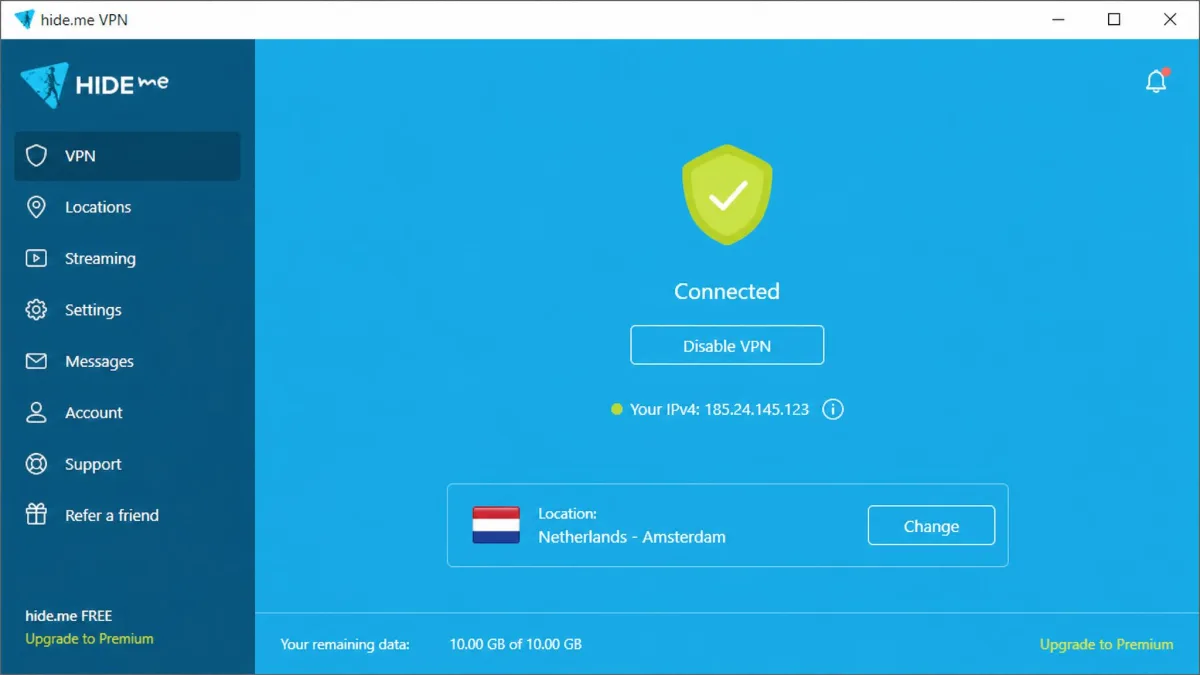
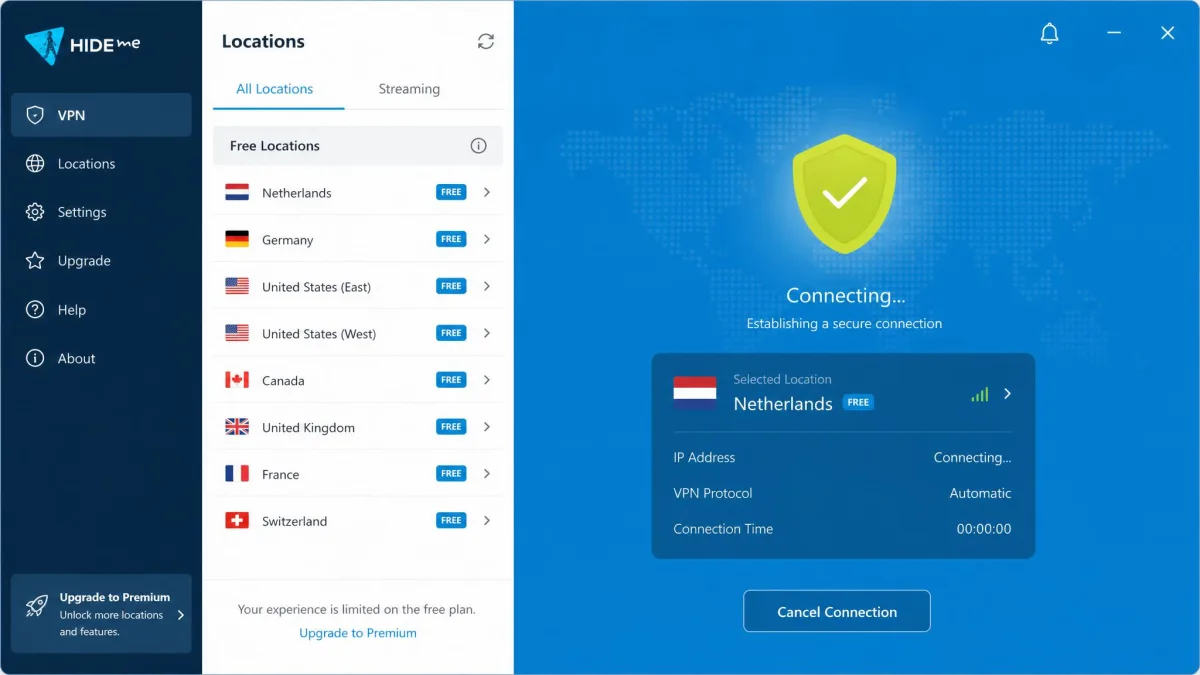
Privado at least wants an account; hide.me VPN does not ask for one. Its free plan installs and connects without an email address, and the first launch makes the point better than any feature list: you open the app, press connect, and you are through, with no sign-in screen, no verification mail and no payment form standing between you and the tunnel. If your objection to free VPNs is handing a company your identity before it protects it, this is the answer. The plan now offers unlimited data, upgraded from the old 10GB monthly limit, although that change is recent enough that older listings still quote the previous cap.
You get 8 free server locations, raised from 5, and 1 device at a time. The trade-off is speed and features. Free speeds lag the paid plan because the free locations carry the load and the streaming-optimized servers are locked. Free users are also shut out of the SmartGuard ad blocker, port forwarding and multihop, so what you have is a clean, anonymous, no-frills tunnel.
That is a fair deal for its audience. If you want protection on a public network without an account, a payment method or an email in anyone's database, hide.me is the shortest path to it.
Pros
- No account and no email address needed at all
- Unlimited data on the current free plan
- 8 free locations, up from 5
- Straightforward apps with no upsell clutter
Cons
- Free speeds trail the paid tier
- Streaming-optimized servers are locked to paying users
- No ad blocker, port forwarding or multihop on free
- 1 device at a time
4. TunnelBear Free - best for beginners and the widest free server list
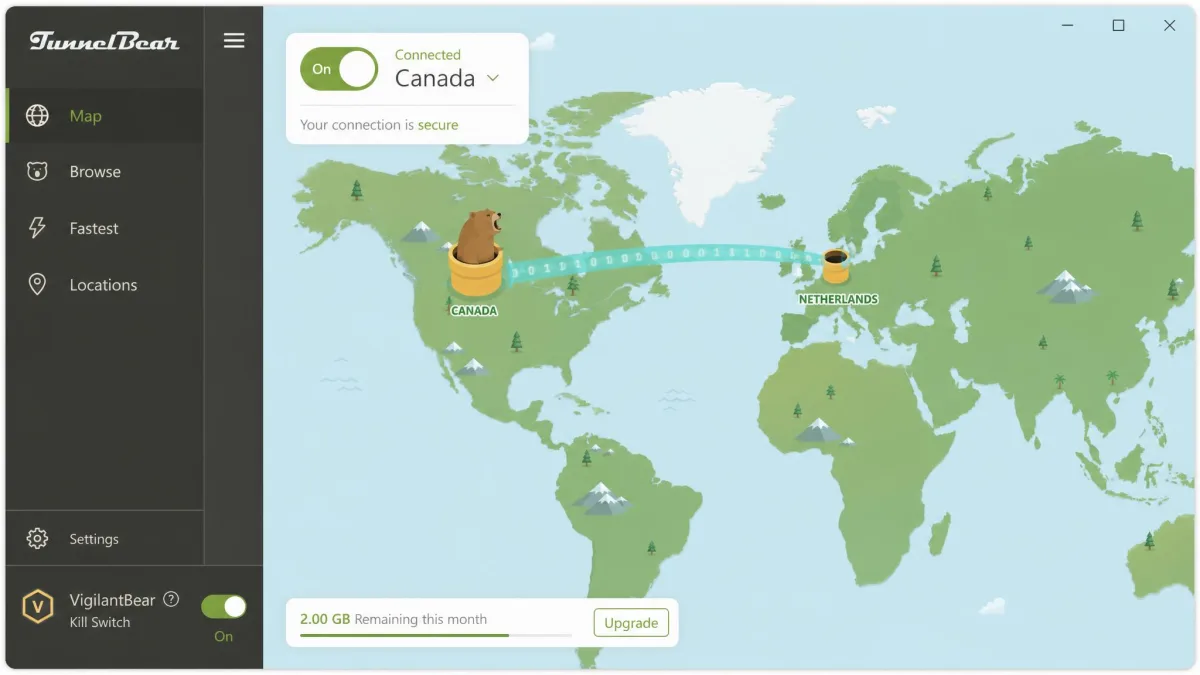
If hide.me is the plan for people who distrust signup forms, TunnelBear VPN is the app we would hand to someone who has never used a VPN and does not want to learn what a protocol is. The interface is friendly to the point of being cartoonish, and it works. It is also the only free plan here that opens the full server list, covering 47 countries, so you are not limited to whichever handful of locations the company assigns to free users.
The company backs that with the strongest audit record in the group. TunnelBear has now completed its 7th annual independent security audit, and it publishes the results. For a free product, being checked by outsiders seven years running is about as good a signal as the market offers.
The data cap is the problem, and it announces itself quickly. The free plan gives you 2GB a month, up from the old 500MB allowance. Start an HD stream on a fresh allowance and the whole month is gone in roughly 20 minutes, before the episode you picked has finished. There is a 10GB monthly anti-censorship bonus for users in countries TunnelBear treats as censorious, which is a genuinely useful policy but not one most readers will qualify for.
The free experience has also thinned out lately. Since the start of 2026 free users can no longer choose a server and the app picks one automatically, and split tunneling has moved behind the paywall. You still get the VigilantBear kill switch, GhostBear obfuscation and unlimited devices, so what remains is a well-secured, well-audited, very small allowance.
Pros
- Full 47-country server network available on the free plan
- Seven consecutive years of published independent audits
- Unlimited devices per account
- The easiest app here for a non-technical user
Cons
- Only 2GB a month, which HD video burns through quickly
- Free users can no longer choose a country
- Split tunneling is now paid-only
- Not reliable for unblocking streaming services
5. Hotspot Shield Basic - fastest free tier
TunnelBear trades speed for reach; Hotspot Shield Basic does the reverse. If raw speed is your only measure, it wins. It was the quickest free tier of the set, and the loss measured around 2-3% on most connections, which is small enough that browsing with it on feels no different from browsing with it off. Nothing about the connection tells you it is there.
Everything else is narrow. Free users are limited to basic US servers only, so it is useless for changing region, and it covers 1 device. The free allowance is the murkier part: it has been described both as a daily 500MB budget and as unrestricted bandwidth, and it appears to vary by platform and region. Assume 500MB a day until your own counter tells you otherwise.
The bigger question is accountability. The Center for Democracy and Technology filed a formal FTC complaint over its data handling, and that history is worth weighing against the speed. Fast is the feature here; it is not a privacy recommendation on the level of Proton or TunnelBear.
Pros
- The fastest free connection we measured, at roughly 2-3% loss
- Browsing feels no different with the VPN on
- Simple app that connects in one tap
- Available across the major desktop and mobile platforms
Cons
- US servers only on the free plan
- A formal FTC complaint has been filed over its data handling
- The free data allowance is inconsistently described
- 1 device, and no region switching
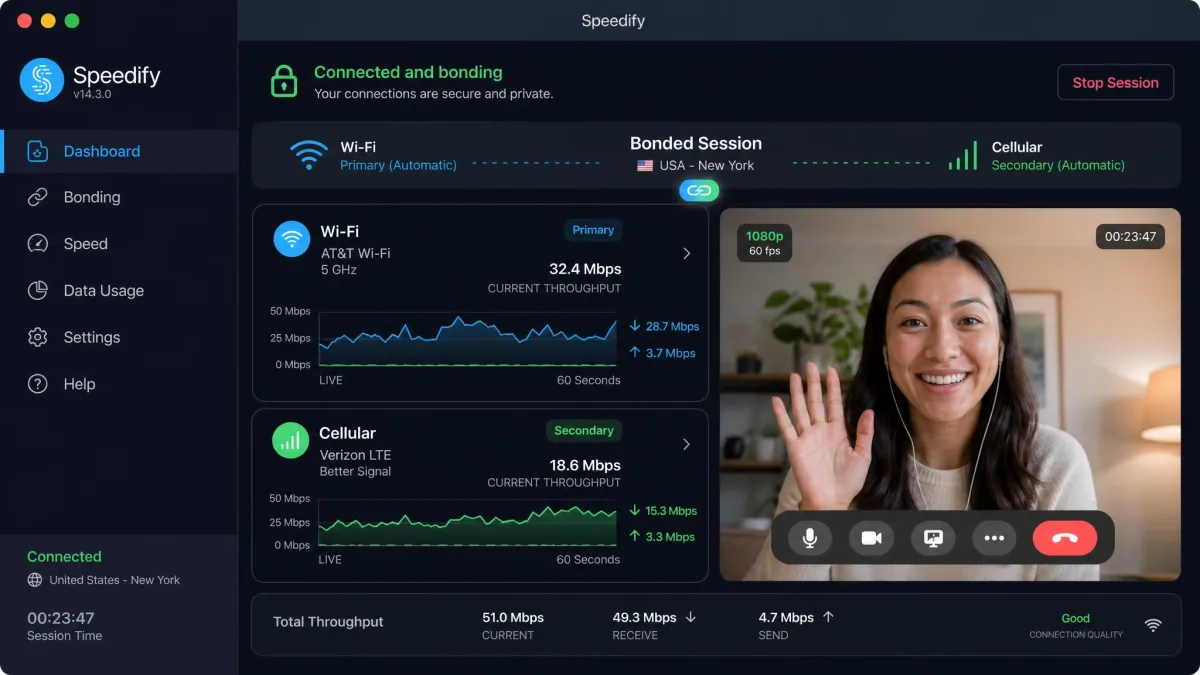
6. Speedify Free - best for unstable connections
Speedify solves a different problem from the rest of this list. It combines Wi-Fi and cellular into a single tunnel, an approach called channel bonding, and it is the only consumer VPN doing it. The effect is visible in use rather than theoretical: when the Wi-Fi link fails mid-session, a video call carries on over cellular without a visible break, and nobody on the other end notices anything happened. If you work from trains, cafés or a house with one bad corner, that behaviour is worth more than an extra gigabyte.
No account or email address is required, which is a nice touch. The catch is the allowance: 2GB a month is enough to prove the bonding works and not enough for daily use. Privacy is also the weakest here. Speedify operates under US jurisdiction, keeps some connection logs, and runs a proprietary closed-source protocol, so it is a reliability tool first and a privacy tool second.
Pros
- Channel bonding keeps sessions alive when one connection fails
- No email address or account creation needed
- Genuinely useful on flaky mobile and public networks
- Simple setup with sensible defaults
Cons
- 2GB a month is a demonstration allowance, not a usable one
- US jurisdiction with some connection logging
- Closed-source proprietary protocol
- Not a streaming or region-switching option
7. Tor Browser - the free alternative that asks you to trust nobody
Every plan above asks you to trust a company. Tor Browser does not, and that is why it earns a place on this list rather than a footnote below it. Your traffic passes through several volunteer-run relays, each one knowing only the step before and the step after, so no single operator sees both who you are and where you went. There is no account, no allowance, no upsell and no paid tier, because nobody is selling anything.
It is free in a way no VPN is, and it is slow in a way no VPN is either. Pages arrive in their own time, some sites refuse Tor connections outright, and video and large downloads are effectively off the table. The relay path also lands you in an unpredictable country, so it is a poor tool if the point is to appear somewhere specific.
What it does better than anything else here is anonymous reading and research on a laptop or an Android phone. Treat it as a companion to a free VPN rather than a competitor: the VPN is what you leave on for everyday browsing, and Tor is what you open for the session where being unidentifiable actually matters.
Pros
- No data cap, no account and no company to trust
- Multi-relay routing, so no single operator sees both ends
- Free and open source, funded by a non-profit rather than by users
- Strong tracker and fingerprinting defences built into the browser
Cons
- Noticeably slower than any VPN here
- Covers the Tor Browser only, not the rest of your device
- Some sites block Tor traffic outright
- No country choice and no use for streaming
Free VPN comparison: data caps, servers, speeds and streaming
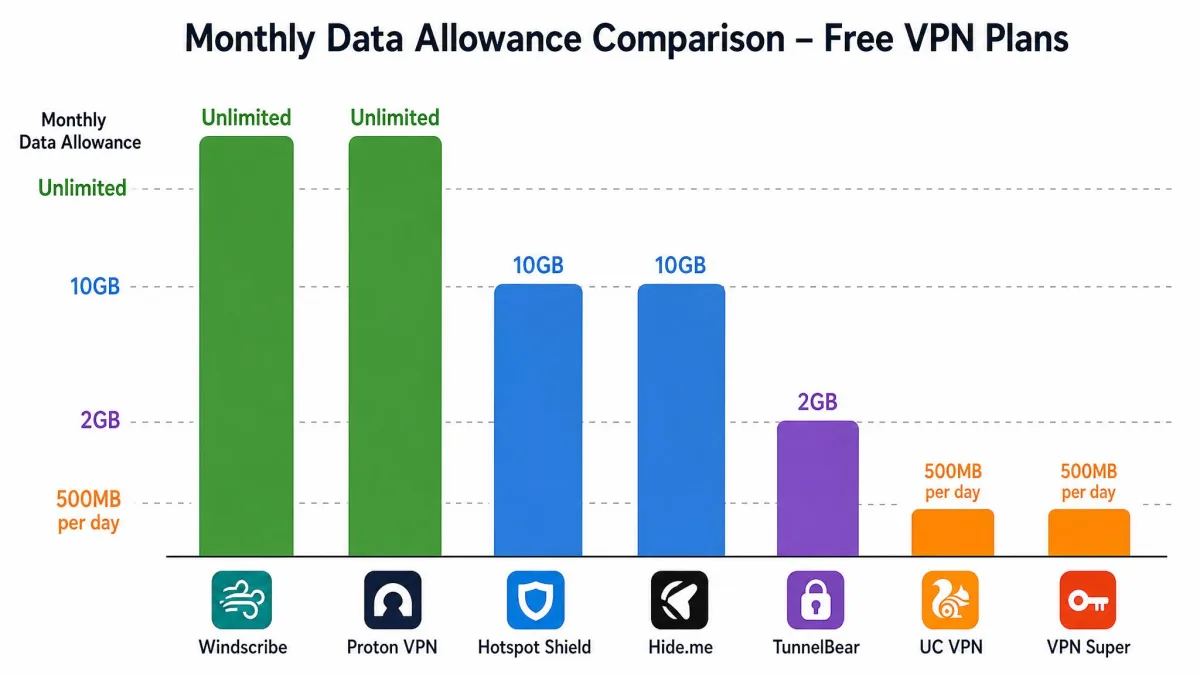
The table below is the fastest way to see where each free version draws its line. Read the data cap and the device count together, because a generous cap on a single device is a different product from a small cap across a whole household.
| VPN | Buy | Free data cap | Free server locations | Streaming unblocking | Max speed | Devices per account | Logging policy |
|---|---|---|---|---|---|---|---|
|
Check price → | No data cap | Around 10 countries | Rarely works | No speed limit, 1 Gbps servers | 1 device | Audited no-logs |
|
Check price | 10GB/month | 13 locations | Limited by the cap | Full encryption, capped by data | 1 device | No-logs claim |
 |
Check price | Unlimited, cap recently lifted | 8 locations | Blocked on free | Slower than the paid plan | 1 device | No-logs claim |
 |
Check price | 2GB/month | 47 countries | Not reliable | Full network access | Unlimited | Audited annually, 7th audit done |
 |
500MB/day | US servers only | Not for region change | About 2-3% speed loss | 1 device | Some data logged, FTC complaint filed | |
 |
2GB/month | Broad, varies | Not supported | Bonds Wi-Fi and cellular | 1 device | US jurisdiction, some logging | |
 |
Download free | No data cap | Volunteer relays worldwide | Not supported | Slowest option here | Unlimited | No operator sees both ends |
Two patterns fall out of that grid. Unlimited data and unlimited devices never arrive together, so you are choosing which limit you would rather live with. And the services with an audited logging policy are the ones with the tightest free feature sets, because auditing costs money that a genuinely free product does not generate.
Every free tier we used hits the same three walls: a ceiling on data or on speed at peak hours, a short server list, and streaming that mostly does not work.
— From our hands-on testing notes
Can a free VPN handle streaming, torrenting and gaming?
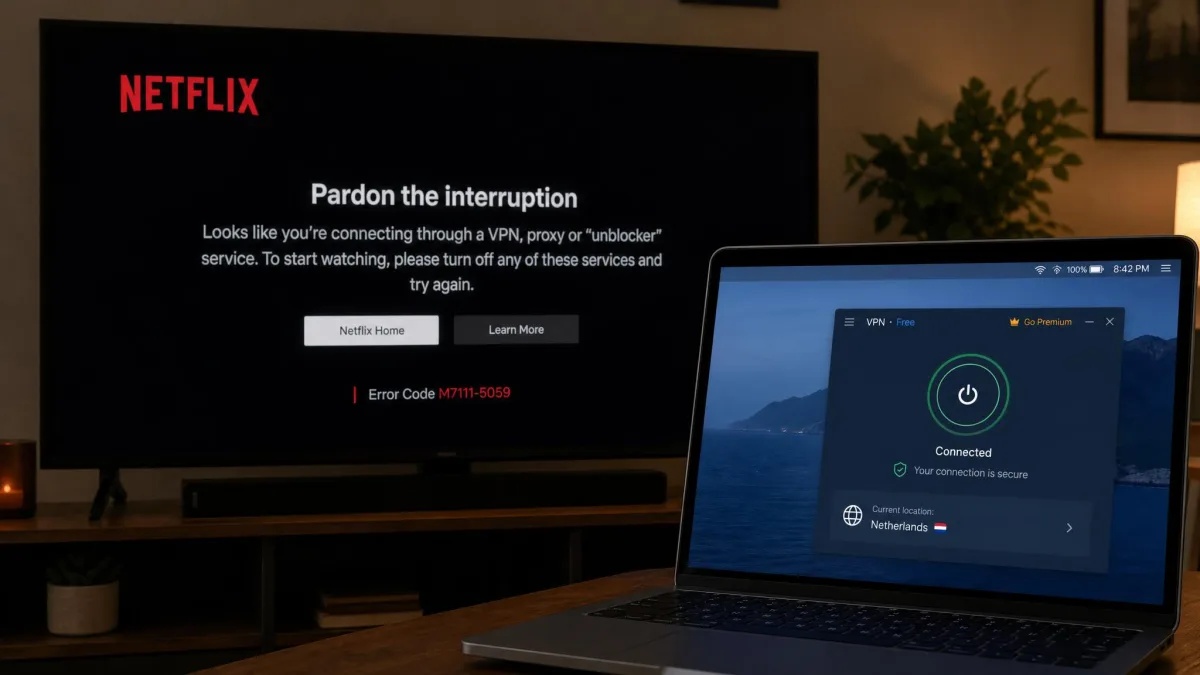
Streaming is where free plans fail most consistently. Netflix, in particular, has become good at spotting shared VPN addresses, and free server pools are the easiest to spot because thousands of users share a handful of them. Proton blocks streaming on free outright, and hide.me keeps its streaming-optimized servers for paying customers. PrivadoVPN's wider location list gives it the best odds of the group, and its 10GB cap then limits how much you can watch anyway.
Torrenting on a free VPN is more clear-cut. Proton blocks P2P on free, and most other free tiers either block it or make it impractical through the data cap. PrivadoVPN allows P2P on its free plan, which makes it the only realistic option here, and even then a 10GB monthly budget covers very little. Any torrent workload needs unmetered data and a service that permits it, which in practice means a paid plan.
Gaming is a question of latency rather than data. Free servers carry more users per machine, so ping suffers, and none of these services lets a free user choose a nearby server except TunnelBear, which now assigns one automatically too. Hotspot Shield's speed advantage does not rescue this, because it puts you on US servers regardless of where you live.
A VPN hides your traffic from your network and your internet provider, and it hides your home address from the sites you visit. It does not log you out of your accounts, block trackers on its own unless the app includes a blocker, or make a device that already has malware on it safe.
The risks of using a free VPN
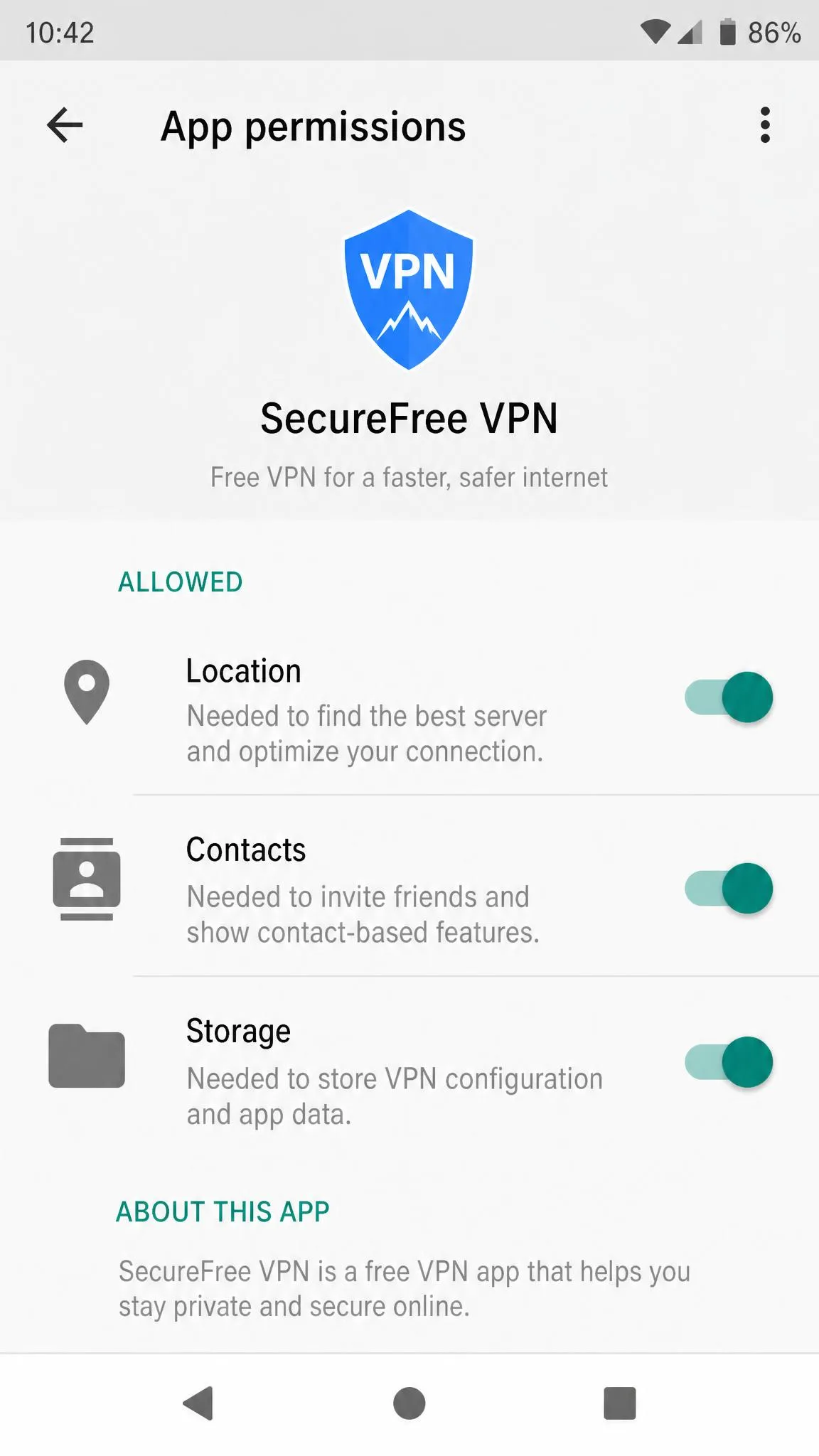
The services above are the exceptions. Across the wider free VPN market the numbers are poor: research on free Android VPN apps found that 38% contained malware or hidden trackers, and around 88% of free VPNs leak identifiable data in testing. A leaking VPN is worse than no VPN, because it produces the confidence without the protection.
None of this means the underlying worry is misplaced. Your internet service provider can see a lot about what you do online, and US wireless carriers have been fined for selling customer location data. Wanting to take that data out of your provider's hands is a reasonable goal. The mistake is handing it to a smaller company with less accountability instead.
How free VPNs make money
Running a VPN network costs money every month: servers, bandwidth, apps, support staff. When you are not paying, that money comes from somewhere else, and there are only four honest possibilities. The company sells a paid tier and treats the free plan as a shop window, which is what Proton, TunnelBear, hide.me, PrivadoVPN and Speedify all do. It shows advertising. It sells aggregate or individual data about what users do. Or it resells the users themselves as network capacity.
Only the first model leaves your interests and the company's interests pointing the same way. When you look at an unfamiliar free VPN, the single most useful question is what the paid product is. If there isn't one, the funding is coming from you in some other form.
Data logging, leaks and weak encryption
A logging policy is a promise, and promises vary in how checkable they are. Proton's is independently audited, and TunnelBear's has been audited annually for seven years running. Most free apps make a no-logs claim with nothing behind it, and some make no claim at all.
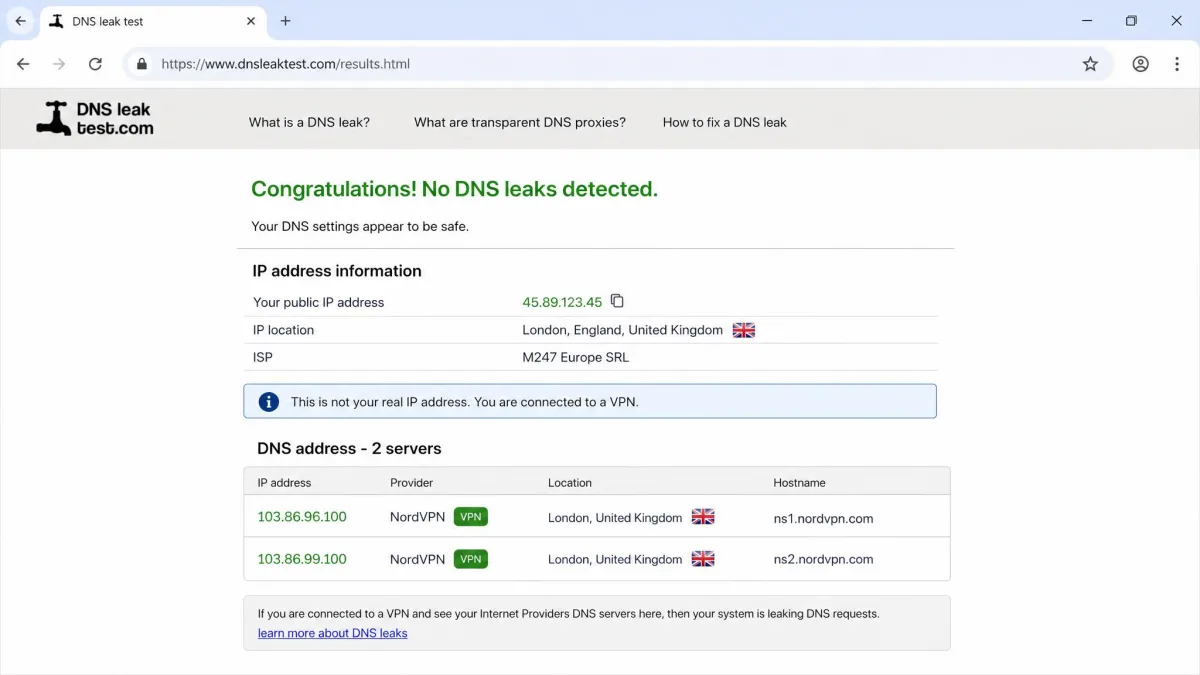
Leaks are the quieter failure. A DNS or IPv6 leak sends the very lookups you meant to hide straight to your provider while the app still shows a green connected badge. Encryption strength is rarely the weak point on a modern app, but obsolete protocols and self-invented ones do still appear in the cheaper corners of the app stores.
Test any VPN the day you install it. Connect, then run a DNS leak test and check your visible IP address. If either shows your own provider or your real location, the tunnel is not doing what the app says it is.
Ownership and accountability red flags
Ownership is the detail free VPN listings skip most often. Look for a named company, a stated country of incorporation, a real support channel and a privacy policy written for the product rather than pasted from a template. An app with millions of installs and no identifiable owner is a red flag on its own.
Watch for the peer-to-peer bandwidth model in particular, where the app routes other people's traffic through your connection in exchange for the free service. That arrangement makes your home network the exit point for strangers, and you carry whatever that traffic looks like.
Free VPNs to avoid
Some names come up often enough in searches that they need addressing directly.
Hola VPN is the clearest case. It resold user bandwidth through its sister company Luminati, logs activity, and had extensions pulled from the Chrome Store over malware. It is a bandwidth marketplace with a VPN interface on top.
Betternet VPN has a tracking problem. An academic study of Android VPN apps found Betternet's app embedded 14 different tracking libraries, which is a strange thing to find inside a privacy product.
Urban VPN appears on VPN warning lists over its data practices and its peer-to-peer bandwidth-sharing model, which is the same structure that made Hola untrustworthy.
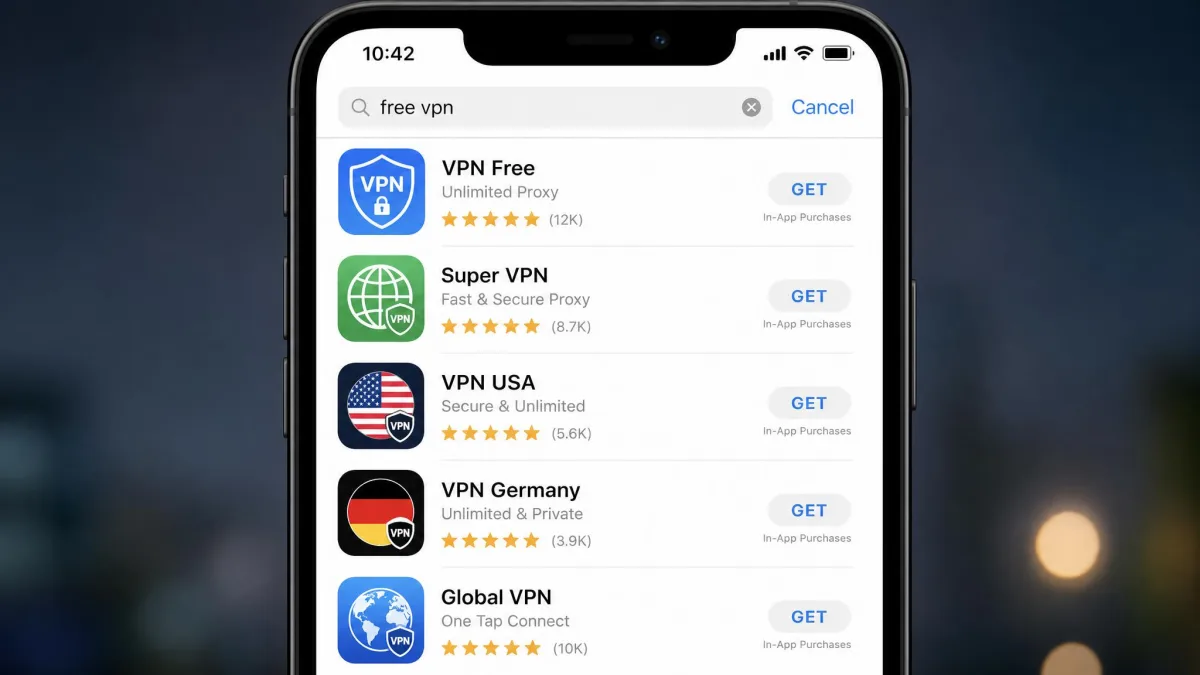
The wider category to avoid is the generic app-store VPN: a free app with a flag icon, a five-star rating, no named company behind it and no paid tier. Those apps are the bulk of the malware and leak statistics above, and there is no way to tell a harmless one from a harmful one by looking at the listing.
Free VPN apps that pay you, reward you, or ask to route other users' traffic through your device are trading your connection for the service. Even where that is disclosed in the terms, it is a trade most people would not knowingly accept.
Free vs. paid VPNs: what you actually give up
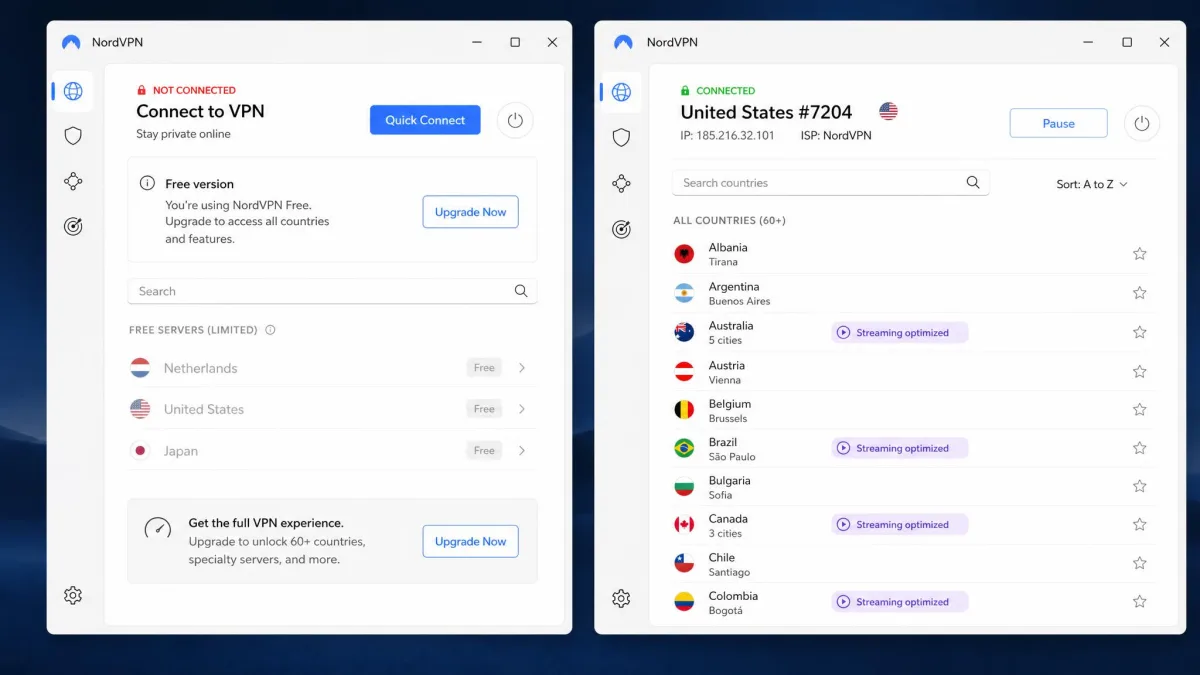
The gap between a good free tier and the paid version of the same product is remarkably consistent. Paid plans remove the data cap, open the full server list and let you choose a country. They also permit P2P, unlock the streaming-optimized servers and raise the device count to five or ten. Free plans keep the encryption and the core protection, which is the important half, and remove almost every convenience around it.
Speed is the other difference, and it is structural rather than deliberate. Free users are concentrated onto a small pool of servers, so those servers are busier. Even Proton, which applies no speed limit to free accounts, slows down in the evening because everyone is on the same handful of machines.
There is one thing free plans do not give up, and it is worth saying plainly: on the services in this list, the encryption is the same encryption paying customers get. A free Proton or TunnelBear connection on hotel Wi-Fi protects your traffic exactly as well as a paid one does. You are paying for capacity and choice, not for security.
Get the most out of a free tier by running it selectively rather than always-on. Turn it on for public networks, banking and anything sensitive, and leave it off for software updates and video, which is where the whole month's allowance goes.
How to choose a safe free VPN alternative
Start with the funding question, because it filters out most of the market in one step. If the company has no paid product, close the tab.
Then check the logging policy for an audit rather than a claim, since an unverified no-logs statement costs nothing to write. Look for a kill switch, which stops traffic if the tunnel fails, and confirm the app has one on the free tier and not only on the paid version.
Match the cap to your actual use next. Browsing, messaging and email are comfortable inside 10GB a month. Video is not, and if video is the point then a free plan is the wrong tool. Count your devices too, because most free plans cover one, and TunnelBear is the exception.
Finally, test the thing on day one. Check for DNS leaks, confirm your visible location changed, and see how the connection behaves over a full working day. Proton's free servers reconnect often enough that you would notice, and you would rather notice on your own schedule than in the middle of something that matters.
Beyond free VPNs: better alternatives worth considering
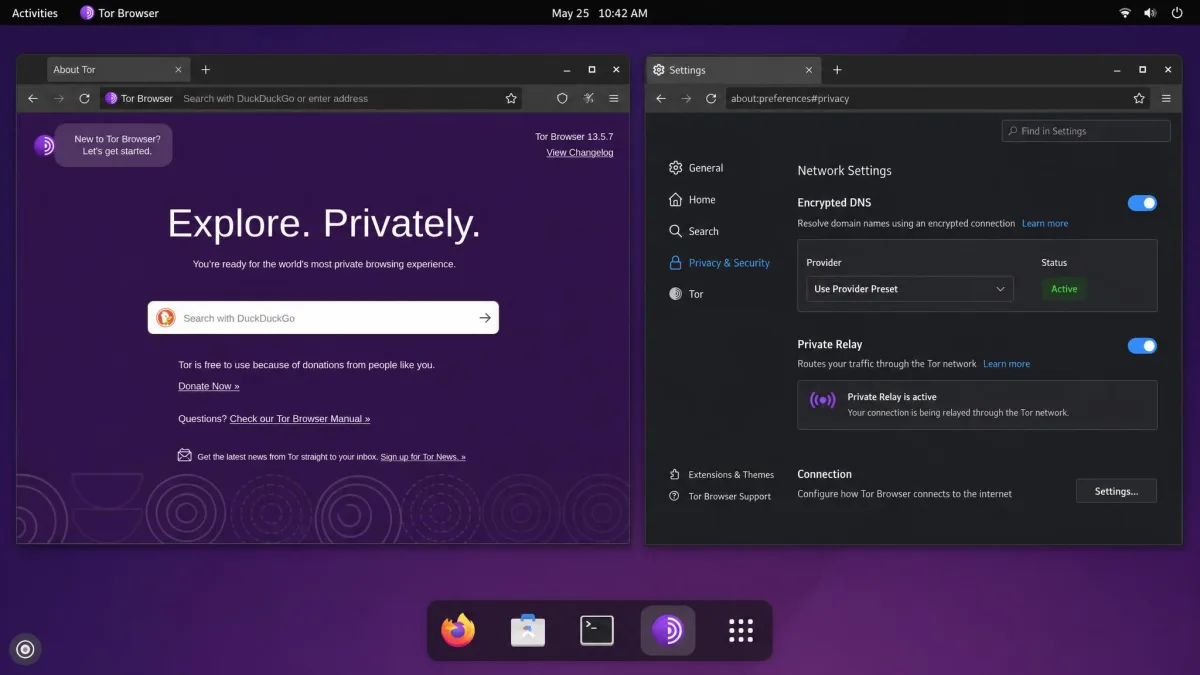
A lot of people searching for a free VPN do not actually want a free product. They want protection for a specific task without a subscription, and there are cleaner ways to get that. Tor Browser is one of them, and it is good enough to have earned a place in the ranking above; the three routes below sit alongside it.
Money-back guarantees and free trials on paid VPNs
Most major paid services carry a 30-day money-back guarantee, and several offer a genuine free trial on mobile. That gives you a full month of the unrestricted product, with no data cap, full server choice and working streaming, for the cost of remembering to cancel. If you need a VPN for a two-week trip or a single project, that is a better deal than any free tier, and it is the route we would take for anything involving video.
Browser-built-in proxies and secure DNS
Several browsers now include a proxy or private-relay feature, and every major browser supports encrypted DNS. These do less than a VPN: they cover browser traffic only, or lookups only, and they do not hide your address from the sites you visit. What they do cover, they cover for free and with no app to install, which makes secure DNS a sensible baseline for everyone regardless of what else you run.
Self-hosted VPN on a home router or VPS
Running WireGuard on your own router or a cheap virtual server gives you an unmetered, uncontested tunnel that nobody else shares. It is excellent for reaching your home network from outside and for trusting the operator, since the operator is you. It is not a privacy tool in the usual sense, because the server address points straight back at you, and it takes an afternoon of setup. For remote access rather than anonymity, it is the best value in this whole guide.
Common questions before you install
Two habits cause most of the disappointment with free VPNs. The first is treating a free plan as an always-on service, which burns the allowance on software updates and background video and leaves nothing for the moments that mattered. The second is judging safety by app store ratings, which measure how pleasant an app feels rather than what it does with your traffic. Consumer Reports has made a similar point about the gap between how VPNs are marketed and what they actually protect against.
Frequently asked questions
Is there a truly 100% free VPN?
Are free VPNs safe to use?
Are free VPNs legal?
Does a free VPN account expire if I stop using it?
Can I use a free VPN on a smart TV or a router?
When does a free VPN's data cap reset?
Do free VPNs slow down your internet?
What is the best free VPN for iPhone or Android?
Do free VPNs spy on you?
Verdict: which free VPN alternative should you use?
For most people the answer is Proton VPN Free, and it is not close. It is the only free plan we would run on a daily driver without reservation. Accept that it is a browsing tool rather than a streaming one, and put up with the evening slowdown, and it does its job well.
Choose hide.me instead if handing over an email address is the part you object to, or if you want a free plan with no allowance to watch. Take PrivadoVPN if you need to appear in a specific country, TunnelBear if you are setting a VPN up for someone else or want several devices covered, Hotspot Shield if speed is all that matters, and Speedify if your connection is the unreliable part of the problem. Open Tor Browser for the sessions where anonymity, not convenience, is the point.
And if what you actually need is a VPN that streams, torrents and covers the household, stop looking at free tiers. A month on a paid plan under its money-back guarantee gives you more usable protection than any free version here, and you can decide at the end whether to keep it.