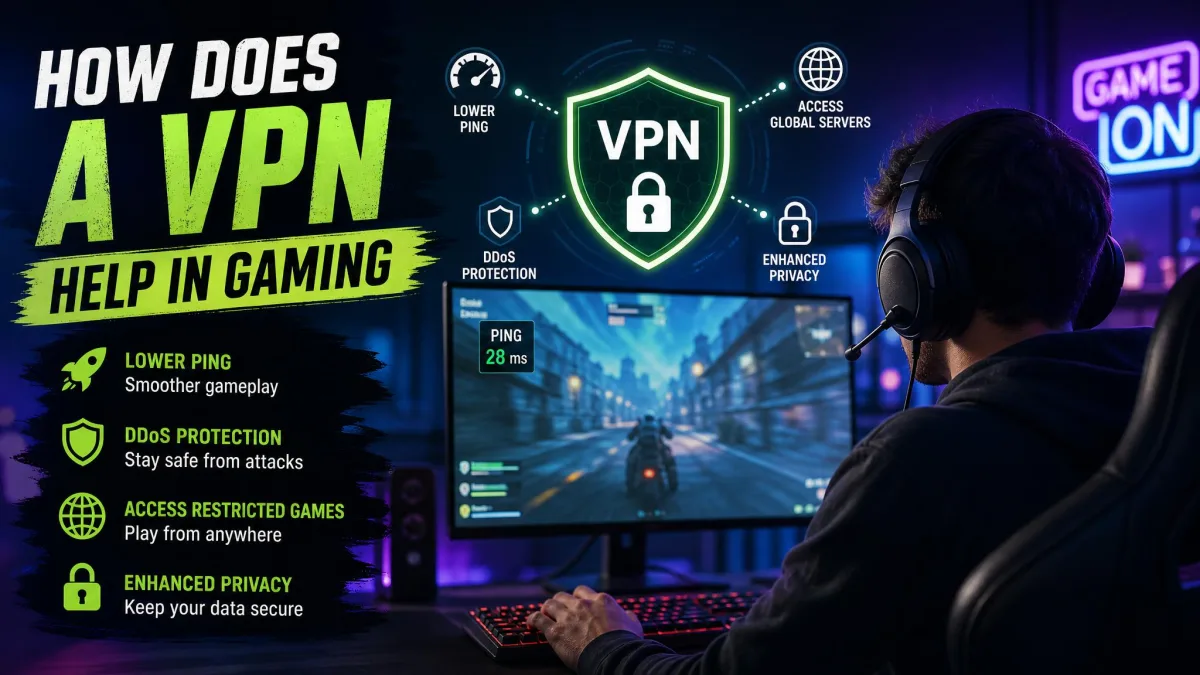
You are mid-match, the game freezes for half a second, and you rubberband back to where you stood two moves ago, which is the kind of moment that sends players hunting for a fix. Maybe your ping spikes every evening, or your ISP seems to slow gaming traffic once the whole street logs on, and somewhere in that frustration someone tells you a VPN will sort it out. Does it actually help, or is that just wishful thinking?
The honest answer is that it helps sometimes, in specific situations, and rarely in the way most people expect. A VPN can protect you from certain attacks, hide your IP address, and get around throttling, but it can just as easily add latency and cause connection problems if you set it up carelessly. We have run VPNs against real gaming connections long enough to know where the benefits are genuine and where the marketing runs well ahead of the facts.
This guide walks through what a VPN really does to your connection, then covers every benefit worth caring about, the limitations nobody advertises, and how to set one up so that it helps more than it hurts.
What a VPN actually does to your gaming connection
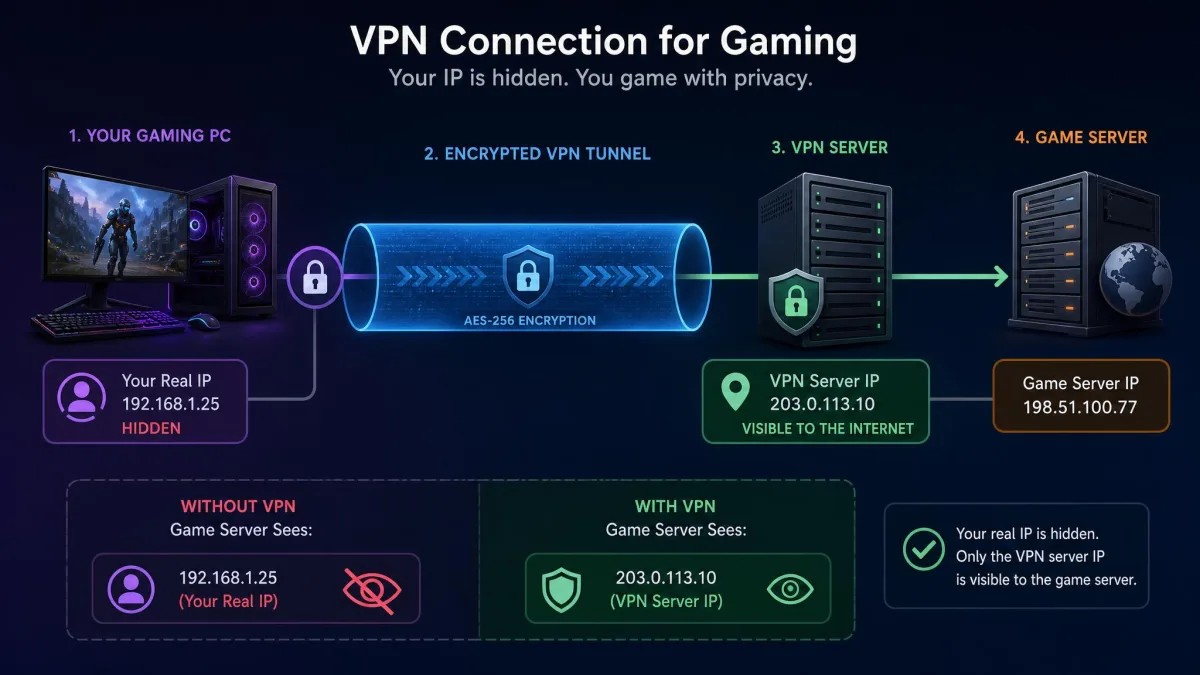
A VPN creates an encrypted tunnel between your device and a server run by the VPN provider, so your game traffic travels to that server first and then out to the game's servers. Everyone your connection touches, whether that is the game service or the other players in a lobby, sees the VPN server's IP address instead of your own.
That single change explains almost everything a VPN can and cannot do for gaming. It does not make your data travel faster, because nothing beats a direct route for raw speed, and all it really does is reroute your traffic and wrap it in encryption. Those two things have real consequences for privacy and security, and they come at a cost in latency.
So the useful way to think about a VPN is as a detour with a lock on it, where the lock protects you while the detour usually adds a little distance. Whether that trade is worth making depends entirely on what you are actually trying to fix.
How a VPN can help your gaming
Set aside the myth that a VPN is a magic speed boost, because its genuine benefits fall into two buckets: protecting your connection and getting you access you would not otherwise have. Here is where it earns its place.
Reduce ping and latency (when better routing helps)
Let's be clear up front, because this is where most of the confusion lives. In most cases a VPN raises your ping, since it routes your data over a longer path and adds encryption overhead, so the default effect is higher latency rather than lower.
There is one real exception, and it shows up when your ISP throttles gaming traffic or routes it badly, because a VPN can then send your data along a cleaner path and lower your ping. In one severe throttling case, ping fell from about 180ms to 60ms once a VPN took over the routing, but that is an outlier rather than what most players should expect. In our experience the rare throttling-relief case usually recovers only a few milliseconds under normal conditions, not a dramatic drop.
The takeaway is simple: a VPN does not lower ping in general, and it can help only when the un-VPN'd route was already bad. Confirming a real gain means testing your ping across several matches rather than trusting one lucky reading.
Ping and latency both measure the round-trip delay between your device and the game server. Cloudflare's explainer on network latency and ping is a good primer if you want the underlying mechanics.
Protect against DDoS attacks and swatting
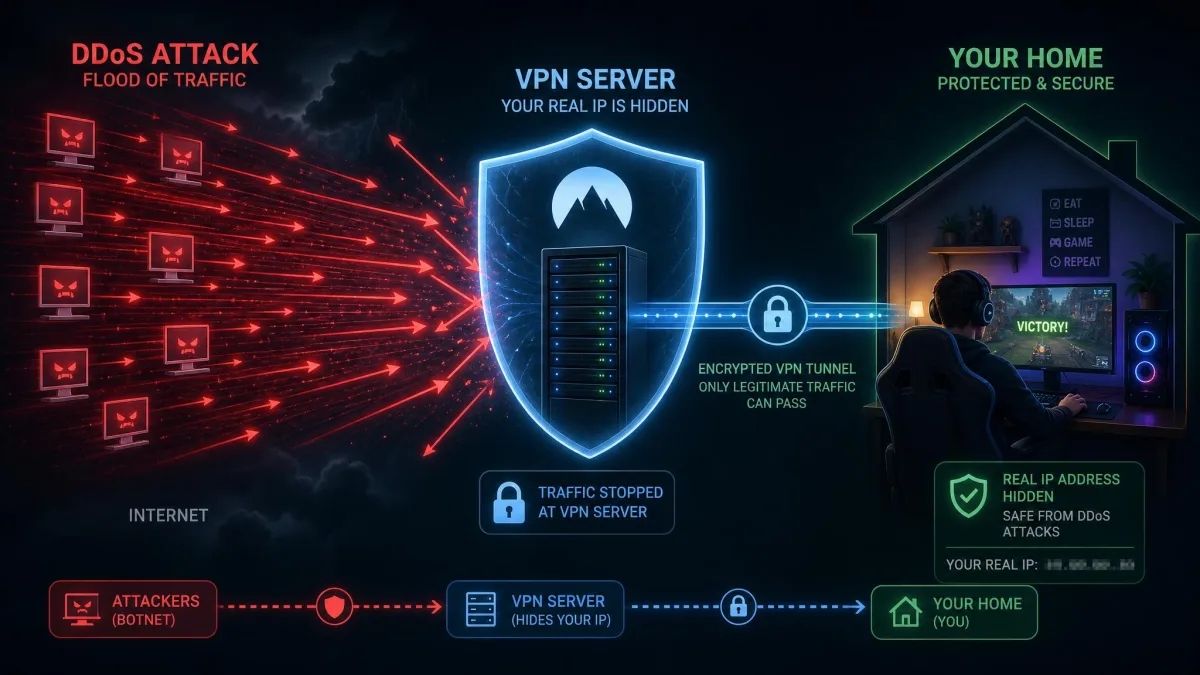
This is one of the strongest reasons to game with a VPN, especially in competitive titles where opponents can be spiteful. A DDoS attack floods your connection with junk traffic until it collapses, knocking you offline mid-match, and to aim one at you an attacker needs your home IP address.
A VPN hides that address behind the server's IP, so peers in a lobby can no longer see where to send the flood and cannot take your home connection down. Cloudflare's write-up on how DDoS attacks work explains the mechanics if you want detail. The important limit is that this protects you, the player, and not the game's servers, and it does nothing if an attacker already has your real IP from an earlier leak.
Hide your IP address for privacy and security
Even without an active attack, your IP address leaks more than you might like, because in peer-to-peer lobbies other players' devices connect more or less directly to yours. A determined opponent can pull your IP and roughly locate you, so a VPN that swaps in the server's address means peers and the game service see that instead of your real one.
For most players this is quiet, everyday protection rather than a dramatic feature, and it matters most in games with open P2P matchmaking or any time you would rather not hand strangers a data point about where you live.
Bypass ISP bandwidth throttling
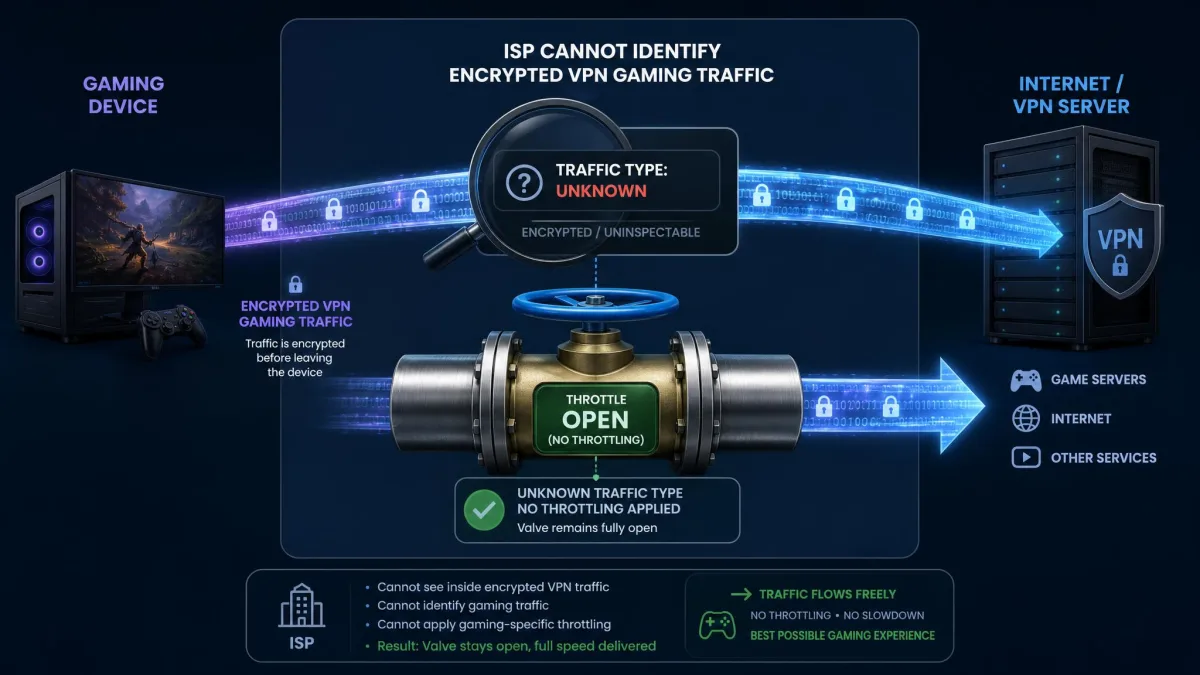
Some internet providers slow specific kinds of traffic once you cross a data threshold or during busy hours, and gaming can easily get caught in that net. Because a VPN encrypts your traffic, your ISP can no longer tell that a given stream is a game rather than an email, and it cannot selectively throttle what it cannot identify.
This is the mechanism behind the rare ping improvement we mentioned earlier, because if throttling is your actual problem then encryption sidesteps it. If your ISP is not throttling you in the first place, a VPN will not conjure a benefit out of nothing.
Unlock geo-restricted games and cheaper regional stores
Connect through a server in another country and, as far as a game store is concerned, that is where you are, which unlocks region-exclusive titles, lets you reach earlier regional release dates, and can surface cheaper regional store pricing on some platforms.
It works, and it is one of the more visible perks, but it can also violate a platform's terms of service, which is a risk we cover in the limitations below. Treat it as a real capability with real strings attached rather than a free lunch.
Buying games through a mismatched region to save money can break a platform's terms of service and, in the worst case, put your account or library at risk. Weigh the saving against what you would lose if the account were flagged.
Play safely on public or shared Wi-Fi
Gaming on a handheld or laptop over hotel, campus, or cafe Wi-Fi puts you on a network you do not control, alongside strangers you cannot vouch for. A VPN encrypts everything leaving your device, so anyone snooping on that shared connection sees scrambled traffic instead of your data, and your real IP stays hidden from the local network.
For anyone who games away from home regularly, this is the least glamorous benefit and one of the most practical.
The limitations: when a VPN hurts your gaming
A balanced answer has to spend real time here, because a VPN is not a free upgrade, and used badly it makes your connection worse. Here is what actually goes wrong.
Added distance can raise ping and cause lag
The single biggest cause of added lag is picking a server far from the game's servers, since every extra mile your traffic travels is extra round-trip time. In local testing latency rose from roughly 4ms to about 20ms once a VPN was in the path, and an overseas server can push it to 200ms or beyond, with extreme routes climbing much higher. Those numbers are illustrative of one setup and swing widely with distance, protocol, and hardware, but the direction is consistent, because distance always costs you.
A nearby server keeps the penalty small, while a distant one turns a VPN into the source of the very lag you were trying to escape.
In our own testing the pattern is boringly consistent: on a nearby WireGuard server the added ping is small enough to shrug off, but pick a server on another continent and the lag becomes impossible to ignore. Server choice, not the VPN itself, decides whether the experience holds up.
Connection slowdown and packet loss
Beyond raw ping, a VPN can add jitter, the variation in latency that makes a connection feel unstable, and in some setups it causes packet loss or outright disconnects. Peer-to-peer lobbies are especially sensitive to this, so a VPN there can trigger matchmaking problems or drop you from a session entirely.
It is worth killing one myth directly, because a VPN does not increase your FPS or smooth out stutters. Rubberbanding and stutter usually come from packet loss or jitter, which a VPN does not fix, and a poorly chosen server only adds to them. Budget routers without hardware acceleration make this worse, bottlenecking VPN throughput noticeably when you game through them.
Terms-of-service bans and legality
VPNs are legal to use in most countries, but that is not the whole story for gaming, because using one to buy games from a cheaper region, or to access titles not released where you live, can breach a platform's terms of service. Publishers and stores can flag or restrict accounts that do it.
We cannot give you a precise ban rate, since there is no reliable public figure and enforcement varies from platform to platform. Frame it as a genuine risk rather than a certainty, because geo-tricks can go against platform policy and, in the worst case, put your account in jeopardy. If an account holds years of purchases, think hard before gaming the region system to save a few dollars.
Pros
- Lower ping in the specific case where your ISP throttles or badly routes gaming traffic
- Hides your home IP to block DDoS attacks aimed at your connection
- Masks your IP in peer-to-peer lobbies for everyday privacy
- Bypasses ISP throttling of gaming traffic by encrypting it
- Unlocks region-locked games, earlier releases, and cheaper regional stores
- Protects you on public or shared Wi-Fi
Cons
- Usually raises ping because of the longer route and encryption
- Adds jitter and can cause packet loss or disconnects
- Can break party invites, voice chat, and P2P matchmaking through NAT changes
- Does nothing for FPS or stutters
- Geo-unblocking can violate platform terms and risk your account
- Adds the cost of a subscription
Is a VPN worth using for gaming? (quick decision guide)
Match your reason to the reality here. If you want lower ping in general, a VPN is the wrong tool and will probably make things slightly worse, but if your ISP is provably throttling your gaming traffic, it is worth testing, because that is the one case where it can genuinely help.
If your goal is security, the answer leans yes, since a VPN does exactly what you need to block DDoS attacks, hide your IP in P2P lobbies, or stay safe on public Wi-Fi. And if you want access to region-locked games or cheaper stores, it works, as long as you accept the terms-of-service risk that comes with it.
For most players on a healthy home connection, the right move is to use a VPN selectively, switching it on for the security or access you want and off again when you just want the lowest possible ping.
How to set up and use a VPN for gaming
If you have decided a VPN earns a place in your setup, a few choices separate a smooth experience from a laggy one. This section covers what to look for, the settings that matter, and how to get it running on your platform.
Choosing a gaming VPN: what to look for
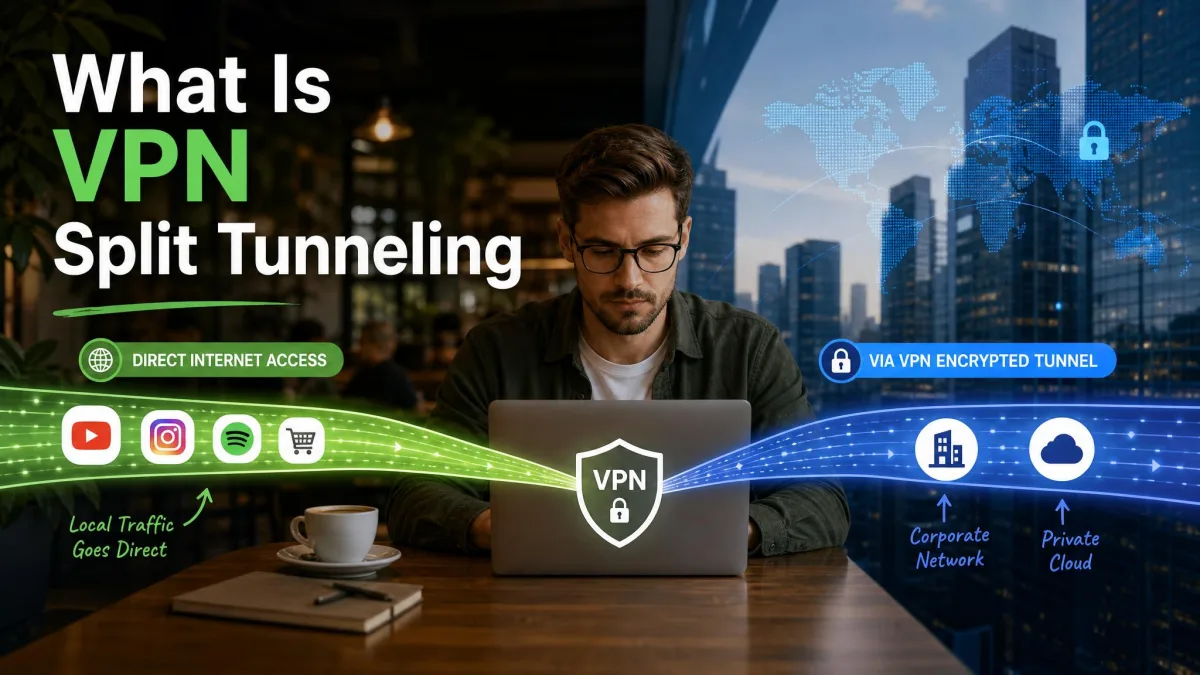
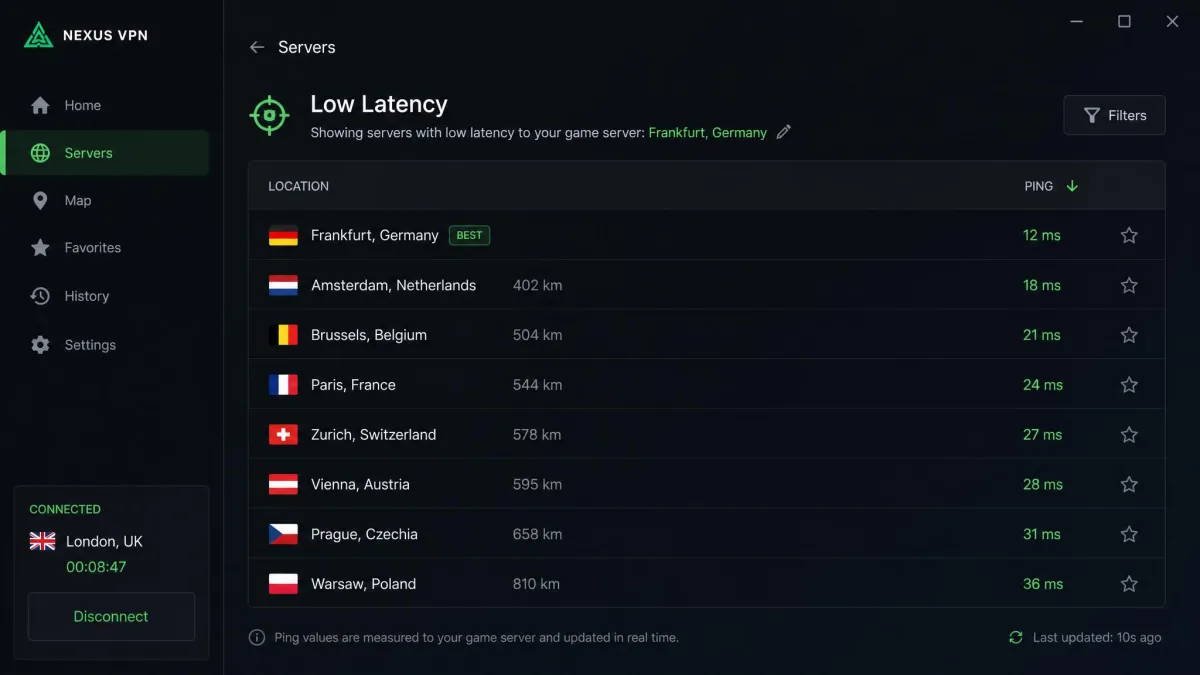
The features that matter for gaming are fairly specific, starting with a large server network so that you can find one close to the game's servers, and support for a fast protocol like WireGuard. Split tunneling lets you route only your game through the VPN while everything else goes direct, a kill switch protects you if the connection drops, and router support matters if you want to cover a console.
Reputable providers such as NordVPN and ExpressVPN check most of these boxes, but the feature set matters more than the brand name. Whatever you pick, make sure it offers the fast protocols and the split tunneling that keep gaming usable.
Best VPN settings (server location, protocol, split tunneling, kill switch)
Four settings do most of the work here. First, choose a server close to the game's servers rather than close to your home, since it is the route to the game that decides your ping. Second, use WireGuard where it is available, because WireGuard adds as little as 1 to 5ms of overhead in typical use against roughly 15 to 40ms or more for OpenVPN TCP, though the exact figures vary by device and network. Third, enable split tunneling so that only your game traffic goes through the tunnel while voice chat and downloads stay direct. Fourth, keep a kill switch on so that a dropped VPN never silently exposes your real IP mid-match.
One habit is worth building around all of this: benchmark your ping with the VPN on and off across several matches during peak evening hours, when throttling and congestion actually show up. A single check will not tell you the truth.
| Setup | Ping vs baseline | IP / DDoS exposure | ISP throttling |
|---|---|---|---|
| No VPN | Baseline | Home IP exposed to peers | Subject to throttling |
| VPN, distant server | Much higher | Home IP hidden | Bypassed |
| VPN, nearby WireGuard server | Near baseline | Home IP hidden | Bypassed |
Turn on split tunneling and route only the game through the VPN. It keeps party chat, downloads, and streaming on your normal connection, which avoids most of the NAT and matchmaking headaches a VPN can cause.
Setting up on PC, console (PS5/Xbox/Switch), and mobile
On a PC or Mac it is simplest, because you install the VPN app, sign in, pick your server and protocol, and launch the game. Mobile works the same way, with an app on your phone or handheld, which is especially useful for gaming on public Wi-Fi.
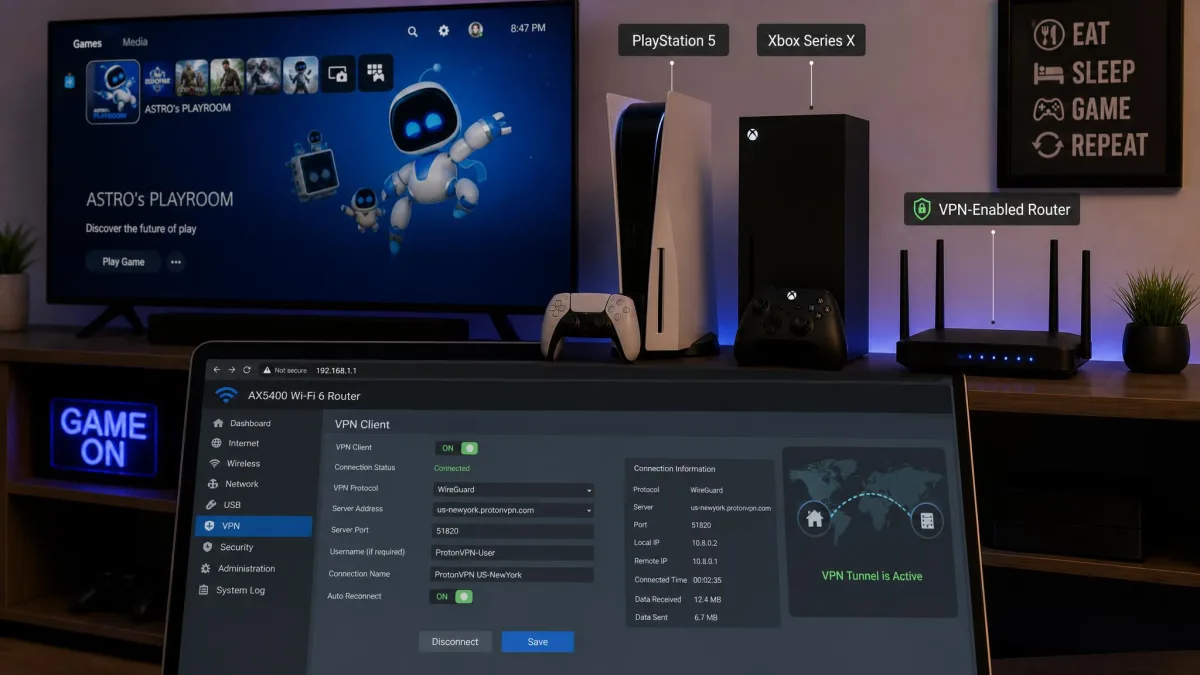
Consoles are the fiddly part, since the PS5, Xbox, and Nintendo Switch do not run VPN apps directly, so you route them through a VPN either by installing it on a compatible router or by sharing a VPN-connected computer's connection. Router setup covers the whole household at once, but a budget router without hardware acceleration will bottleneck your speed, so this is one place where the hardware genuinely matters.
Frequently asked questions
Does a VPN lower ping or reduce lag?
Can a VPN increase my FPS?
Is using a VPN for gaming legal, and can it get me banned?
What VPN settings are best for gaming?
Should I use a VPN on my PS5 or Xbox?
Can I use a free VPN for gaming?
Final thoughts
A VPN is not the speed cheat it is sometimes sold as, because for most players on a normal connection it will not lower your ping, and it does nothing for your frame rate. What it genuinely delivers is protection and access: hiding your IP to shut down DDoS attacks, keeping you safe on shared Wi-Fi, sidestepping an ISP that throttles gaming, and opening region-locked games or cheaper stores.
Use it for those reasons, set it up with a nearby server, WireGuard, split tunneling, and a kill switch, and it will help far more than it hurts. Switch it on when you want what it offers, and off again when all you want is the lowest possible ping.