A VPN kill switch is a feature that cuts your device's internet access the instant the encrypted VPN tunnel drops. Think of it as the emergency brake on a train: it does nothing at all until something goes wrong, and then it stops everything at once. Without it, your traffic quietly falls back to your normal connection, and your real IP address becomes visible to every site, app and network you were talking to.
That fallback is the whole problem. A VPN connection can fail for a second or two without any warning on screen, and in that window your device keeps sending data as if nothing happened. Below we cover how a kill switch works, the two main types, how to turn one on for each platform, and how to check that yours actually blocks traffic.
What Is a VPN Kill Switch?
The one-sentence version
A kill switch is a piece of the VPN app that watches the tunnel and blocks all internet traffic on your device the moment that tunnel stops working. It is a fail-safe, not a performance feature. You will never notice it while everything is fine, which is exactly the point.
The name sounds dramatic, but the behavior is simple. Connected means traffic flows. Not connected means traffic stops. There is no third state where data leaks through the open network while the app reconnects.
What happens without one
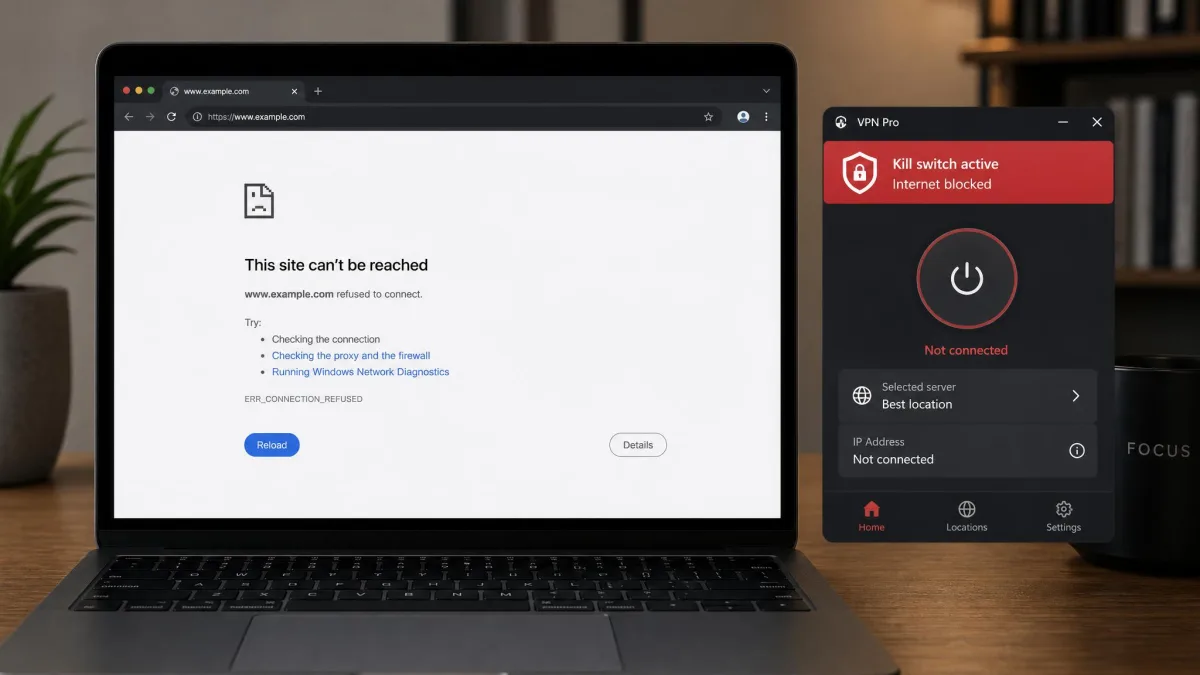
Without a kill switch, a dropped VPN is invisible. Your operating system does what operating systems always do: it finds another route and keeps going. Your browser keeps loading pages, your torrent client keeps seeding, your email keeps syncing, and none of it is secure any more, because it now travels unencrypted from your real IP address.
The exposure lasts as long as the outage does. That might be two seconds while your client hops to a healthier server, or an hour while a laptop sits unattended on a hotel network.
How a VPN Kill Switch Works
Monitoring the tunnel
The kill switch runs a constant health check on the connection. It watches the virtual network adapter the VPN creates, the state of the control channel to the server, and in many clients a heartbeat that expects a reply within a set interval. When one of those signals fails, or the adapter simply disconnects, the switch treats the tunnel as down. That is why a kill switch is part of the VPN app rather than something you bolt on afterward: only the client knows a healthy tunnel from a stalled one.
Blocking traffic at the firewall level
The blocking itself does not happen inside your browser. It happens at the operating system's firewall layer, which is the only place a rule can catch traffic from every app at once. On Windows, VPN clients drive the Windows Filtering Platform, the built-in system that lets software insert packet-filtering rules deep in the network stack. On Linux, clients write nftables or iptables rules, which are the kernel's own firewall tables.
The practical effect is a rule that says: allow packets only on the VPN adapter, drop everything else. When the tunnel comes back, the client removes or relaxes the rule and normal traffic resumes.
App-level and system-level kill switches use the same firewall machinery. The only difference is scope: one writes a rule covering the whole device, the other covers a named list of apps.
The timing gap most providers don't advertise
Detection is not instant. There is a short window between the tunnel failing and the client noticing and applying the block, and no VPN shrinks that window to zero. Providers rarely quantify it, and no credible measurement in milliseconds exists, so treat any specific number you see with suspicion. The gap matters most for software that reconnects aggressively, because a background sync process can fire off several requests in the time a heartbeat takes to time out.
A kill switch does not protect you against routing attacks that never break the tunnel. In the TunnelVision attack (CVE-2024-3661), a hostile DHCP server on your local network uses DHCP option 121, a standard feature for pushing custom routes that was introduced by RFC 3442 back in 2002, to steer your traffic around the tunnel. The VPN control channel stays up, the client still shows "connected," and the kill switch never fires. Windows, macOS, iOS and Linux are all affected. Android is not, because it ignores that DHCP option.
What Causes a VPN Connection to Drop
VPN connections are not fragile, but they fail often enough that a fail-safe earns its place. The usual causes:
- Weak or congested Wi-Fi, where packet loss breaks the tunnel before it breaks your browsing.
- Switching networks, for example moving from home Wi-Fi to mobile data, which forces a reconnect.
- Server-side problems, when the server you are connected to reboots, fills up or goes down for maintenance.
- Sleep and wake cycles, which suspend the network adapter and leave the client confused about its own state.
- Firewall or antivirus interference, where security software blocks the VPN protocol's port.
- The app crashing or being closed, which is exactly the scenario a strict kill switch is designed for.
Two of those catch people out more than the rest. Sleep and wake cycles break kill switches that survive every other failure, and IPv6 is usually what escapes when they break. Reboots are the other weak point, and almost nobody advertises it: your operating system has network access before the VPN app has even launched, so packets slip out during startup.
Types of VPN Kill Switches
System-level (internet) kill switch
A system-level kill switch, sometimes labelled an internet kill switch, blocks every connection on the device. Nothing reaches the network unless it goes through the tunnel. ExpressVPN's Network Lock works this way, and Proton VPN goes further on Windows and Linux with a permanent kill switch that blocks internet access unless the VPN is active.
This is the best option for privacy and the most disruptive one. An active download, a video call or a game session dies the instant the tunnel wobbles, with no warning beyond the connection going dead.
App-level kill switch
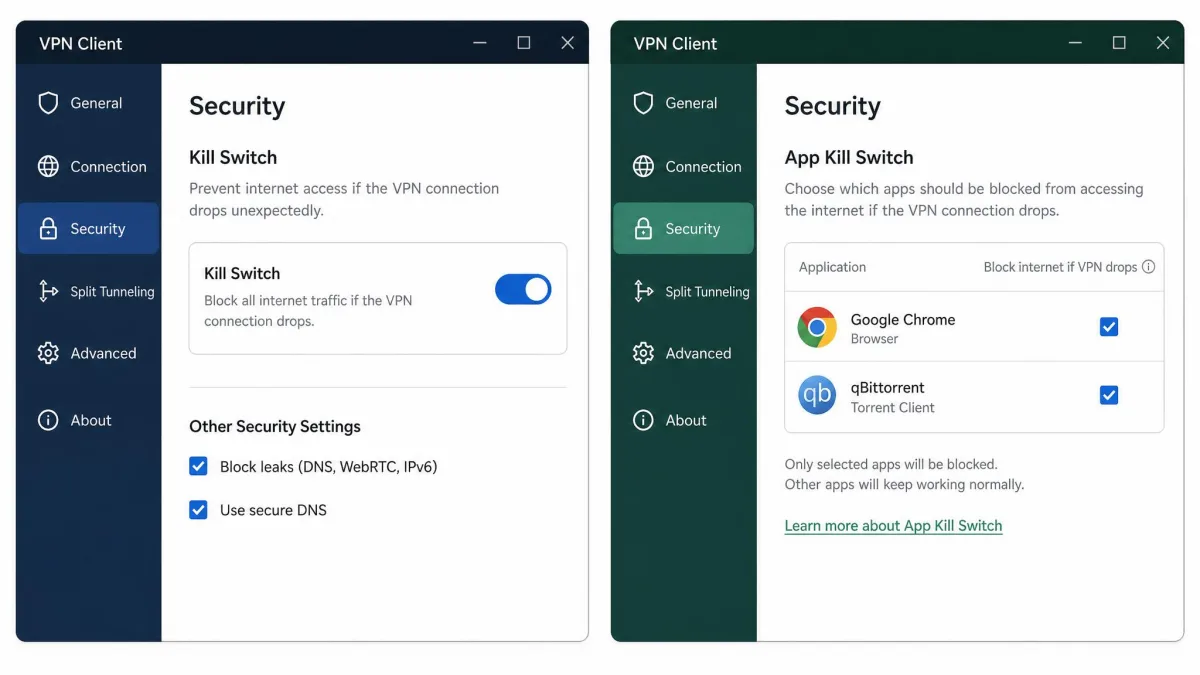
An app-level kill switch blocks only the apps you nominate. You might protect your torrent client and your browser while leaving your video calls untouched, which is the usual fix for the disruption complaint. NordVPN offers this per-app control alongside its system-wide option.
The trade is coverage. Anything not on your list keeps working normally when the tunnel drops, and if you forget to add an app, it is unprotected without ever telling you.
Always-on VPN and persistent kill switches
Always-on is a related but separate idea: the VPN starts at boot and is expected to stay connected. On Android it requires Android 7.0 or higher. Pairing it with lockdown mode, which Android exposes as "Block connections without VPN" and which requires Android 8.0 or higher, gives you a true OS-level kill switch that blocks any traffic not using the VPN.
A persistent kill switch keeps blocking even after you quit the app or restart the machine, which closes the reboot gap. It also means a device that cannot reach the VPN server cannot reach anything at all until you turn the feature off.
Why a VPN Kill Switch Matters
IP address and location exposure
Your real IP address is the most identifying thing a VPN hides. It maps to your internet provider and an approximate location, and it links every request in a session back to one household. A drop of a few seconds is enough for a site to log it.
Data leaks on public Wi-Fi and high-risk networks
On a shared network, losing the tunnel means more than a logged IP. Anything not separately encrypted becomes readable to whoever else is on that network, and the network operator sees every destination you visit. This is where the failure people notice least does the most damage: seeding a torrent or leaving a machine unattended when the server drops out, with nothing on screen to flag it.
Who needs one most
Anyone on public Wi-Fi regularly, anyone sharing files, and anyone whose privacy carries consequences: journalists, researchers, people working around network censorship. If you use a VPN only to watch a different streaming catalogue, a kill switch is a nice-to-have. If you use one to stay private, it is the difference between protection and the appearance of protection.

Downsides and Limitations of a Kill Switch
The kill switch ships turned off on several major clients, so the protection does nothing until you go into settings and enable it yourself. Surfshark, for example, offers soft and strict modes and leaves the feature off by default.
Once it is on, the friction matters. Wanting to browse without the VPN for a moment means connecting first and then manually switching the kill switch off, and that is enough of a nuisance that people leave it disabled. A system-level switch also has no idea which connections you care about, so it takes down the video call along with the torrent.
Implementation quality varies more than it should. Windows rules are frequently IPv4 only, and Linux clients often omit IPv6 rules entirely and fail to restore firewall state on disconnect. A PureVPN Linux client flaw tracked as CVE-2025-59692 left the kill switch failing after suspend and resume, with IPv6 leaking straight out.
And a kill switch is not a defence against every leak. TunnelCrack research, presented at USENIX Security in 2023 as "Bypassing Tunnels: Leaking VPN Client Traffic by Abusing Routing Tables," evaluated more than 66 VPN apps across five platforms and found two attack classes, LocalNet and ServerIP, that trick a client into sending traffic outside the tunnel while it still believes it is connected. LocalNet is tracked as CVE-2023-36672 and CVE-2023-35838. Every iOS app tested was vulnerable to it, and over a third of Linux clients were too.
How to Turn On a VPN Kill Switch
Windows
Open your VPN app, go to Settings, then look for Connection, Security or Privacy depending on the client. Enable the kill switch, and if the app offers a choice, pick the system-wide or "always" option rather than the app-level list. Make sure the setting survives a restart, then confirm it is still on.
macOS
The path is the same, but the naming differs. Look for a Network Lock, Internet Kill Switch or Advanced tab. macOS clients enforce blocking through the system packet filter, and they need permission to install a network extension the first time you enable the feature. Approve that prompt in System Settings under Privacy and Security, or the switch silently does nothing.
Android and iOS
On Android, the OS-level option is the strongest one available on any consumer platform. Open Settings, tap Network and internet, then VPN, then the gear icon beside your VPN entry, and turn on both the always-on VPN and "Block connections without VPN." Android is honest about the trade: you get a warning that there is no internet until the VPN connects, plus a notification that cannot be swiped away while the connection is down.
iOS has no true OS-level kill switch, so behavior depends entirely on the APIs Apple allows. iOS does not terminate connections that were already open when the VPN connects, so long-lived sessions keep talking outside the tunnel, and no VPN app can end them on its own. Apple later exposed a kill switch capability that lets clients block those pre-existing connections. Where a client does not offer it, toggling airplane mode on and off after connecting is still the practical way to force lingering connections back through the tunnel.
Router-level protection
Running the VPN on your router protects every device behind it, including ones with no VPN app at all. Most VPN-capable router firmware can add firewall rules that block WAN traffic whenever the tunnel is down. The catch is that there is no per-device signal when the tunnel drops, so a phone on your network simply loses the internet with no explanation.
Turn the kill switch on, then confirm it survives the three events that break most clients: a reboot, a sleep and wake cycle, and a network change from Wi-Fi to mobile data. A switch that only works while the machine stays awake and on one network is not much of a switch.
How to Test Whether Your Kill Switch Actually Works
You cannot politely ask a VPN to fail, which is why most people meet their kill switch by accident within the first few days of daily use. You can, however, simulate a failure. The tests that actually expose a weak kill switch are these:
- Force-quit the VPN process from Task Manager or Activity Monitor, then immediately reload a page. Nothing should load.
- Pull the network cable or toggle airplane mode, wait a few seconds, then restore the connection and watch whether traffic flows before the VPN reconnects.
- Switch from Wi-Fi to a phone hotspot mid-transfer, which is the change-of-network case that catches clients out most often.
- Reboot with the VPN set to launch at startup, then check whether anything reached the internet before the tunnel came up.
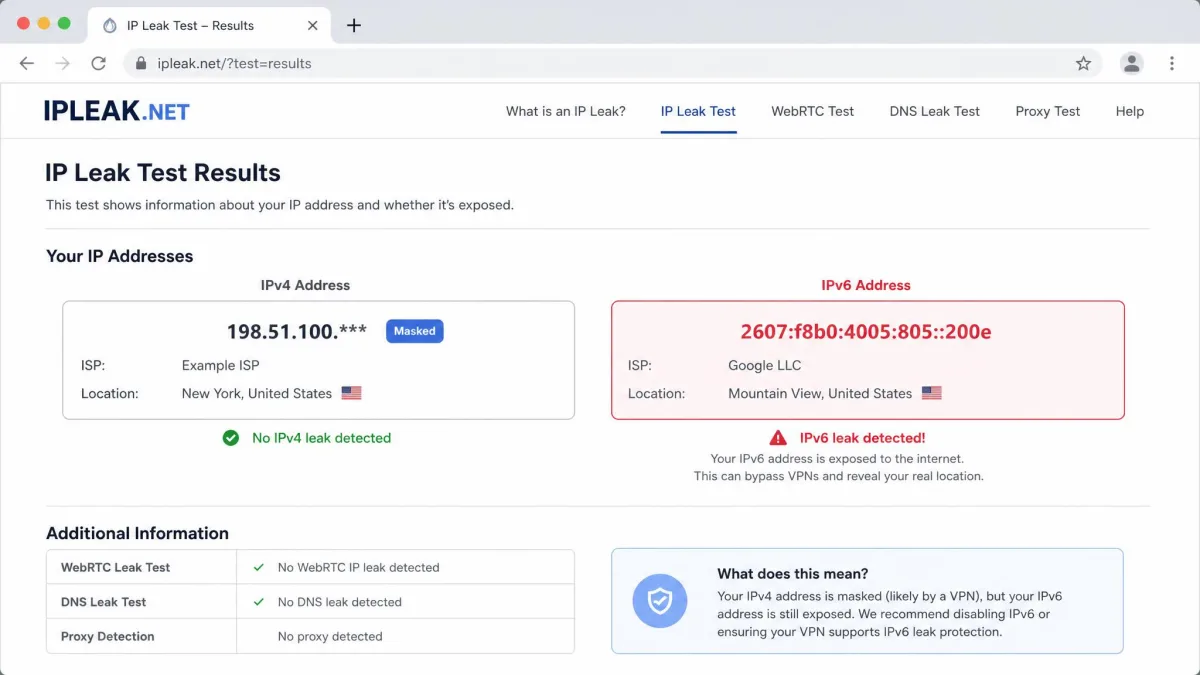
- Sleep the machine and wake it, then run an IP and IPv6 leak check before touching anything else.
Run a leak test after each one, and check IPv6 specifically rather than trusting a generic "your IP is hidden" result. Independent stress testing shows how common the failures are: RTINGS bought and tested 23 VPNs for its kill-switch robustness test, and in a 2025 round covering 20 popular services, 17 leaked data in at least one failure scenario. That tested set has grown over time, so the count tracks one round rather than a fixed statistic. Free apps were the worst offenders, with nearly all of them leaking IPv6 traffic. For how these failures are measured in a controlled environment, a 2025 academic testbed study is worth reading.
Kill Switch Support by Platform and VPN Type
Support is not equal across operating systems, and the differences come from what each OS lets a VPN app do rather than from how much a provider cares.
| Platform | System-level support | App-level support | Known leak behavior |
|---|---|---|---|
| Windows | Yes, enforced through the Windows Filtering Platform | Yes, on most major clients | Rules are often IPv4 only; vulnerable to TunnelVision (CVE-2024-3661) |
| macOS | Yes, via the system packet filter | Limited | Affected by TunnelVision; consistently vulnerable to the LocalNet attack |
| Android | Yes, OS-level via Block connections without VPN (Android 8.0+) | Yes, per-app allow and deny lists | Strongest of the five: immune to TunnelVision, roughly 25 percent LocalNet exposure, ServerIP fixed from Android 12 |
| iOS | No true OS kill switch; app-implemented only | No | Every iOS app tested was LocalNet-vulnerable; pre-existing connections survive VPN connect |
| Linux | Yes, via nftables or iptables rules | Varies by client | IPv6 rules frequently omitted; firewall state not restored on disconnect (CVE-2025-59692) |
| Router | Yes, firewall rules block WAN traffic when the tunnel is down | No | Protects every device behind it, but gives no per-device signal that the tunnel dropped |
Provider behavior varies on top of that. The same service's switch can hold firm on Android and prove unreliable on iOS, so a review of a Windows client tells you little about the same brand's iPhone app. NordVPN's kill switch, for example, fires only after an established connection drops rather than before you have ever connected, which is worth knowing before you test it. NordVPN's kill switch documentation is a fair model of what a provider should publish about the feature.
Kill Switch vs. Split Tunneling vs. Always-On VPN
These three get confused constantly, partly because they share a settings screen.
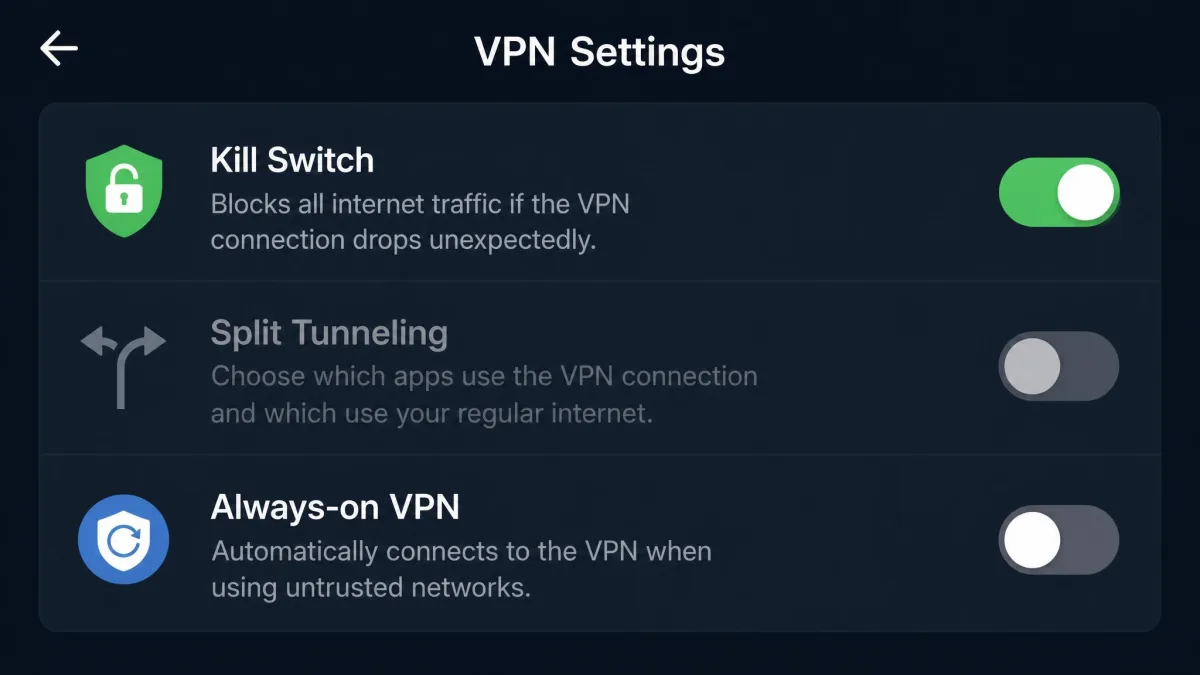
- A kill switch stops traffic when the VPN fails. It is reactive and it is about failure.
- Split tunneling deliberately routes chosen apps or sites outside the tunnel while the VPN is working normally. It is proactive and it is about exceptions.
- Always-on VPN starts the connection at boot and keeps it running. It is about availability, not blocking.
They combine in ways that bite. Split tunneling and a system-level kill switch fight each other, because one lets traffic outside the tunnel and the other stops it. Always-on without lockdown mode is a common half-measure: the VPN restarts itself, but nothing blocks traffic in the gap before it connects.
The Bottom Line
A kill switch is the one VPN setting that turns a privacy tool into a reliable one. It costs nothing while the connection is healthy, and it protects you in the seconds you would otherwise never know about. Turn it on, then verify it against a reboot, a sleep and wake cycle, and a network switch, because plenty of clients pass the easy test and fail those three.
Keep its limits in mind. A kill switch handles a tunnel that drops. It does not handle a tunnel that is quietly bypassed while the client still reports a healthy connection, which is exactly what the TunnelVision and TunnelCrack research showed. Enable it, test it, and pick a provider that publishes what its switch actually blocks.