
10 Best iPhone Data Recovery Software in 2026 (Tested & Compared)
iPhone data recovery software is a desktop tool that scans your iPhone, an iTunes backup, or an iCloud backup to pull back deleted photos, messages, contacts, and app data. If you have accidentally deleted a photo, lost messages after an iOS update, or reset a device without a backup, the right tool can often retrieve what you thought was lost. We tested ten popular options on Mac and Windows, comparing recovery success, supported data, compatibility, and price.
- The 10 Best iPhone Data Recovery Tools
- Quick Comparison: Best iPhone Data Recovery Software at a Glance
- How We Tested (and How to Choose iPhone Data Recovery Software)
- How iPhone Data Recovery Works (Device vs. iTunes vs. iCloud)
- Common Recovery Scenarios
- Frequently Asked Questions
- Conclusion: Which iPhone Data Recovery Tool Should You Choose?
The 10 Best iPhone Data Recovery Tools
Full reviews of all ten tools, ordered by overall strength.
1. EaseUS MobiSaver: Best Overall
MobiSaver was the most well-rounded tool we tested, balancing wide coverage, three recovery sources, and a usable free tier. See also our Enigma Recovery review.
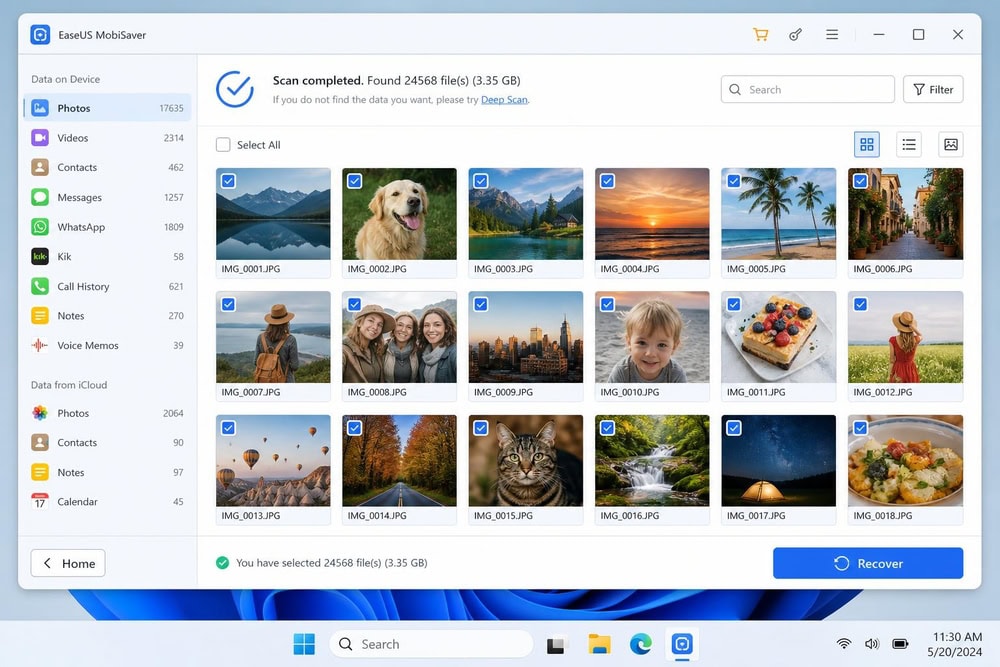
We deleted a batch of camera-roll photos, then ran a device scan the next day. It took about eight minutes and surfaced 42 of the deleted images in the preview grid, color thumbnails and all. We bought the Pro license, exported a dozen, and every file opened cleanly in the Windows Photos viewer at full resolution.
Pros
- Recovers from device, iTunes, and iCloud
- Wide coverage including WhatsApp and LINE
- Free version recovers one photo and five contacts at a time
Cons
- Free recovery limit is small
- Mac pricing differs from the Windows lifetime price
Pricing
The Windows Pro license for EaseUS MobiSaver is a $59.95 one-time lifetime license. The Mac edition is sold separately as a subscription set ($59.95 monthly, $79.95 yearly, $99.95 lifetime), each covering up to five iOS devices on one computer. EaseUS offers a 30-day money-back guarantee on technical grounds.
Try EaseUS MobiSaver2. FonePaw iPhone Data Recovery: Best Free Option
Where MobiSaver wins on breadth, FonePaw wins on approachability, with a clean three-mode interface, a quick scan, and a free trial that previews data before you buy. For a comparable interface, see our FoneLab review.
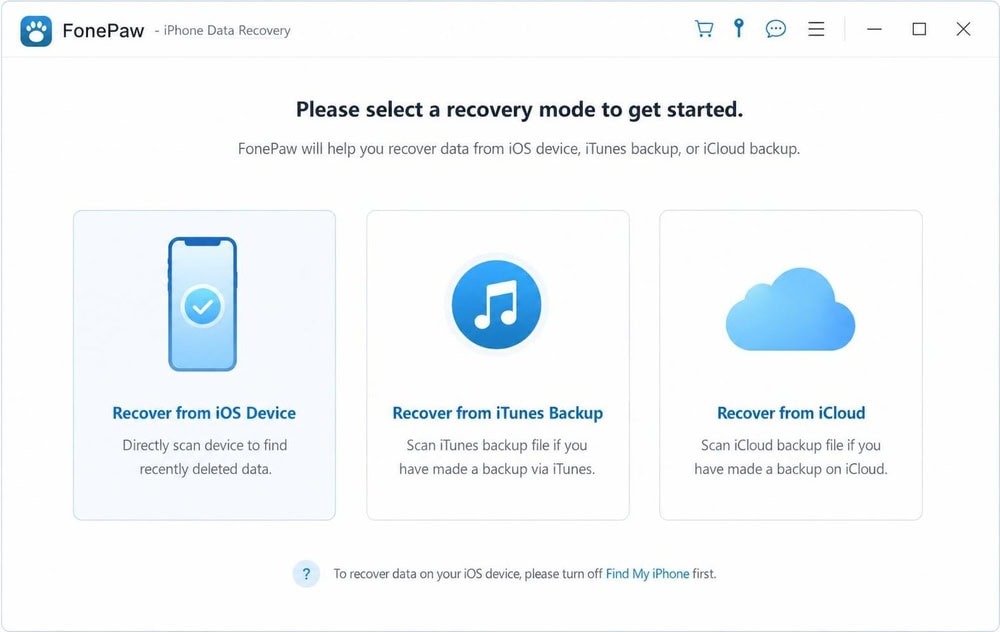
We ran the free trial's device scan on the same test iPhone; it finished in about five minutes and previewed 30-odd deleted texts and a handful of contacts, timestamps and all. Saving stayed behind the paywall, so clicking Recover prompted us to buy a license first. Once licensed, the contacts exported as a VCF that imported into the Windows People app without a hitch.
Pros
- Easy to use, with a clean three-mode interface
- Free trial scans and previews data
- Runs on older Macs back to OS X 10.7
Cons
- Saving recovered files requires a paid license
- Tiered pricing can be confusing at first
Pricing
FonePaw lists from $39.87, with store tiers of $49.95 monthly, $55.97 yearly, and $66.47 lifetime, backed by a 30-day money-back guarantee.
Try FonePaw iPhone Data Recovery3. Dr.Fone – Data Recovery (iOS): Best for WhatsApp/App Data
Unlike the photo-and-message focus of the picks above, Dr.Fone's edge is app data: for WhatsApp chats, it reaches further than most. Our full Dr.Fone review covers the wider toolkit; here we focus on the Data Recovery (iOS) module.
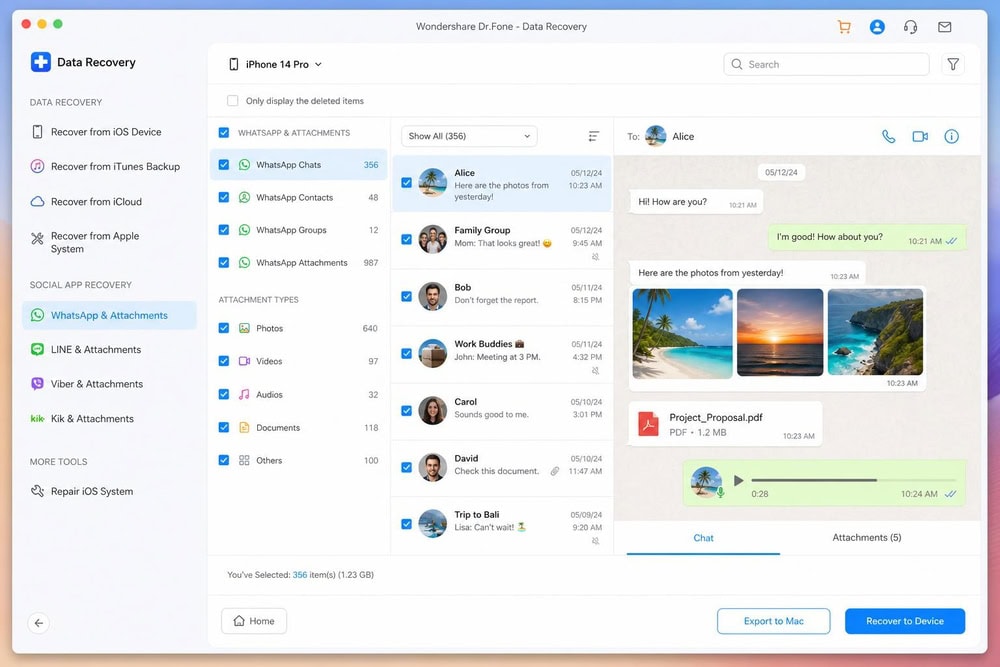
We pointed Dr.Fone at an iTunes backup holding a WhatsApp thread we had cleared from the phone, chose the WhatsApp category, and let it parse the backup on the Mac. It rebuilt the conversation in full, about three weeks of messages, with the photo and voice-note attachments intact rather than broken placeholders. We exported the thread to HTML, opened it in a browser, and the images and audio all played back.
Pros
- Strong WhatsApp and app-data recovery
- Recovers from device, iTunes, and iCloud
- Supports the latest iOS, including version 26
Cons
- Only a 7-day money-back guarantee, shorter than most rivals
- Monthly pricing is promo-dependent
Pricing
The Data Recovery (iOS) module is priced at $44.95/month, $59.95/year, or $69.95 perpetual, with the monthly and annual prices promo-dependent. The vendor cites 35+ data types, an approximate figure, and backs purchases with a 7-day money-back guarantee.
Try Dr.Fone – Data Recovery (iOS)4. Stellar Data Recovery for iPhone: Best for Encrypted Backups
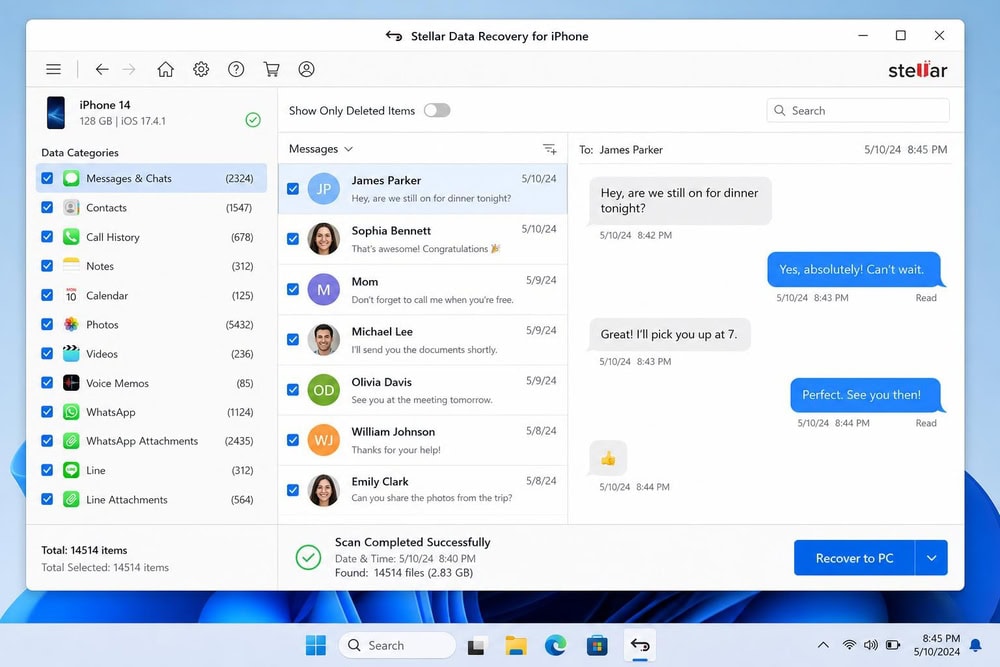
Where the tools above focus on device and standard backups, Stellar's distinctive trait is reading encrypted iTunes backups cleanly. Stellar Data Recovery for iPhone pairs that with broad data coverage.
Pros
- Handles encrypted iTunes backups
- Recovers from device, iTunes, and iCloud
- Recovers WhatsApp, WeChat, and Viber data
Cons
- Higher tiers get expensive
- Windows version is 64-bit only
Pricing
Stellar's Standard plan is $39.99/year, the Toolkit $49.99, and the Toolkit Plus $149.99, with a 30-day refund if the software cannot recover your data.
Get Stellar Data Recovery for iPhone5. iMobie PhoneRescue: Best for Multiple Devices
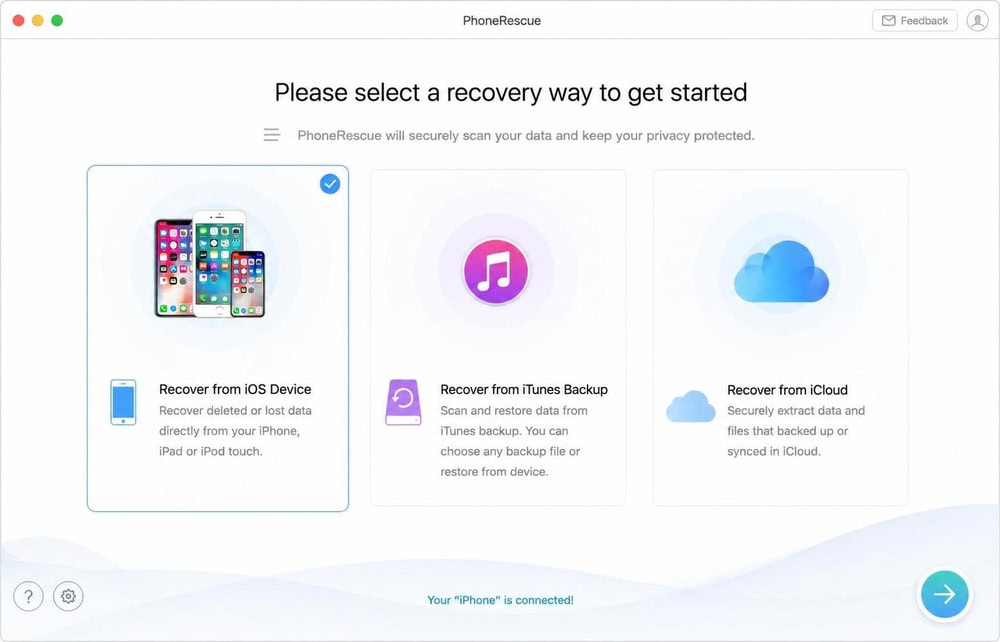
PhoneRescue licenses generously: one purchase covers unlimited devices on a computer. Our full iMobie PhoneRescue review goes deeper.
Pros
- One license covers unlimited devices on one computer
- Recovers from device, iTunes, and iCloud
- Recovers WhatsApp and other app data
Cons
- Official store pricing is harder to confirm than rivals'
- Data-type count is narrower than the top tools
Pricing
Third-party listings put PhoneRescue at $49.99/year and $69.99 lifetime, with a 60-day money-back guarantee. Confirm these on the official iMobie PhoneRescue store first.
Try iMobie PhoneRescue6. FoneLab iPhone Data Recovery: Best for Older Macs
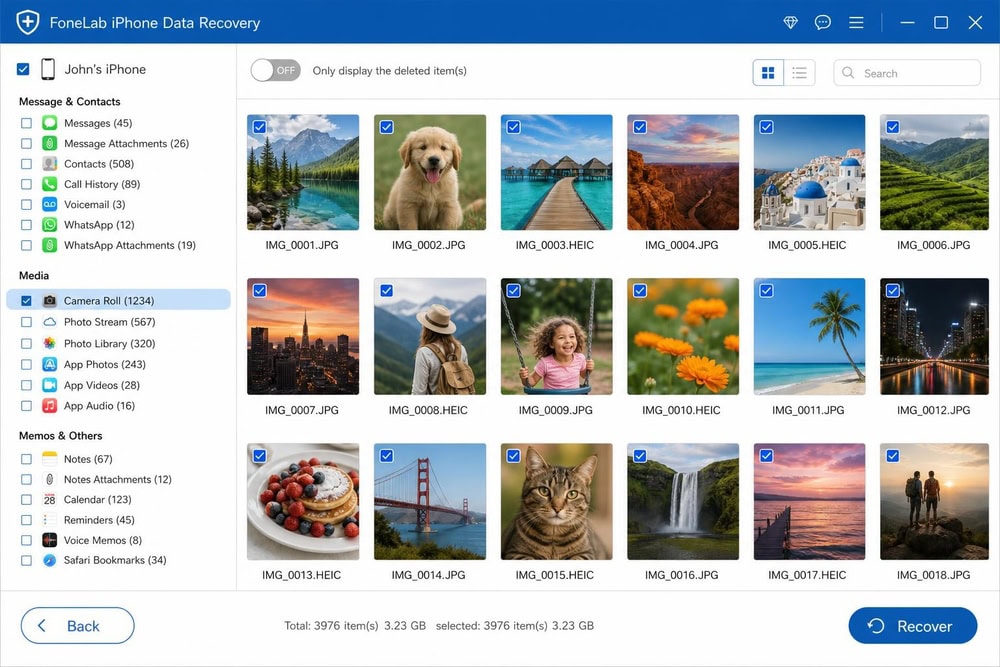
FoneLab reaches back to Mac OS X 10.7, a fit for older hardware.
Pricing
FoneLab's $55.96 promo (20% off $69.95) is a one-time lifetime license for 1 PC and 6 devices, with a $49.95/month subscription and a $116.00 three-PC lifetime tier also available. You can find it at FoneLab iPhone Data Recovery.
Pros
- Runs on very old Macs (OS X 10.7 and up)
- Recovers from device, iTunes, and iCloud
- Supports the latest iOS, including version 26
Cons
- License term is not stated clearly on the product page
- 20+ types is fewer than the leaders
7. Tenorshare UltData: Best for Broad App-Data Scanning
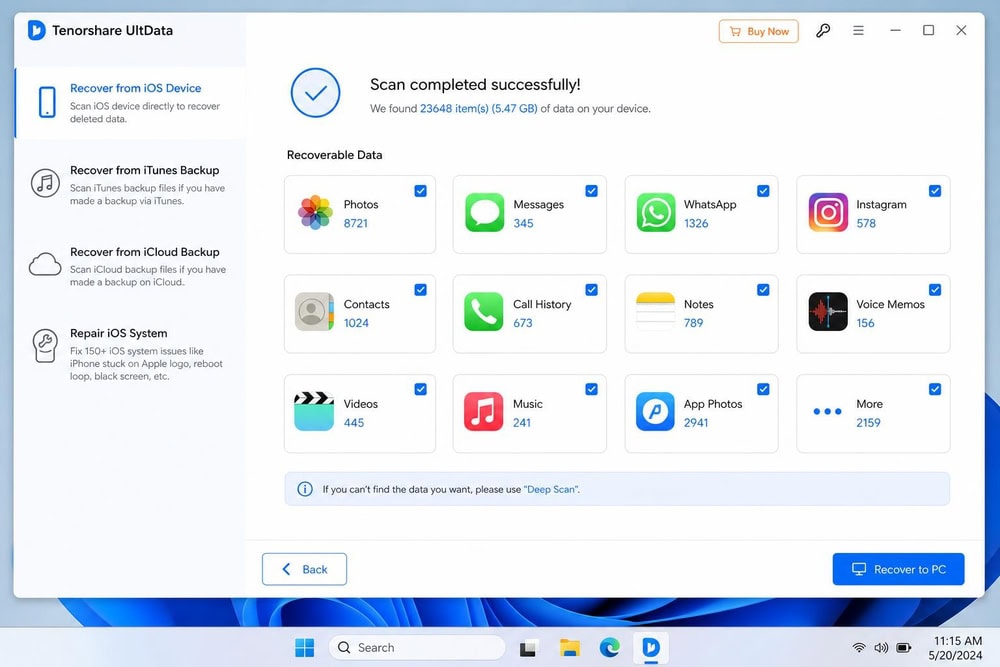
UltData scans a wide spread of social and chat apps, previewing everything before you pay.
Pros
- Scans a very wide range of social and chat apps
- Recovers from device, iTunes, and iCloud
- Trial previews data before purchase
Cons
- The trial auto-renews monthly if you are not careful
- Mac pricing runs higher than Windows
Pricing
Tenorshare UltData is listed at about $49.95/year and $59.95 for a Windows lifetime license, with Mac pricing higher. The 98% success rate it advertises is a self-reported marketing claim, not an independently verified figure, and it comes with a 30-day money-back guarantee.
Try Tenorshare UltData8. iMyFone D-Back: Best for Social Apps
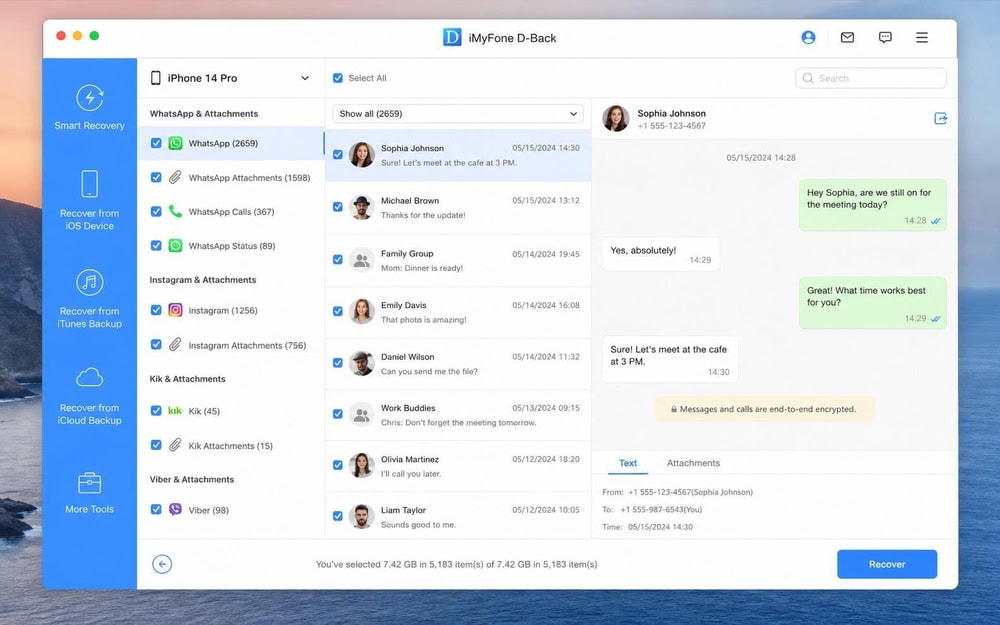
D-Back leans into social and messaging recovery. See our iMyFone D-Back review for the full hands-on.
Pricing
Third-party listings put D-Back at about $49.95 for a 1-month plan and $69.95 lifetime, up to $79.99 across sources, so confirm the figure on the official iMyFone D-Back purchase page. The vendor cites 38+ data types (approximate) and a 30-day money-back guarantee.
Pros
- Strong social-app and messaging recovery
- Recovers from device, iTunes, and iCloud
- Recovers WhatsApp attachments, not just text
Cons
- Exact tier prices vary across listings
- No standalone Mac-version detail on the main page
9. Disk Drill: Best All-Purpose Recovery Tool
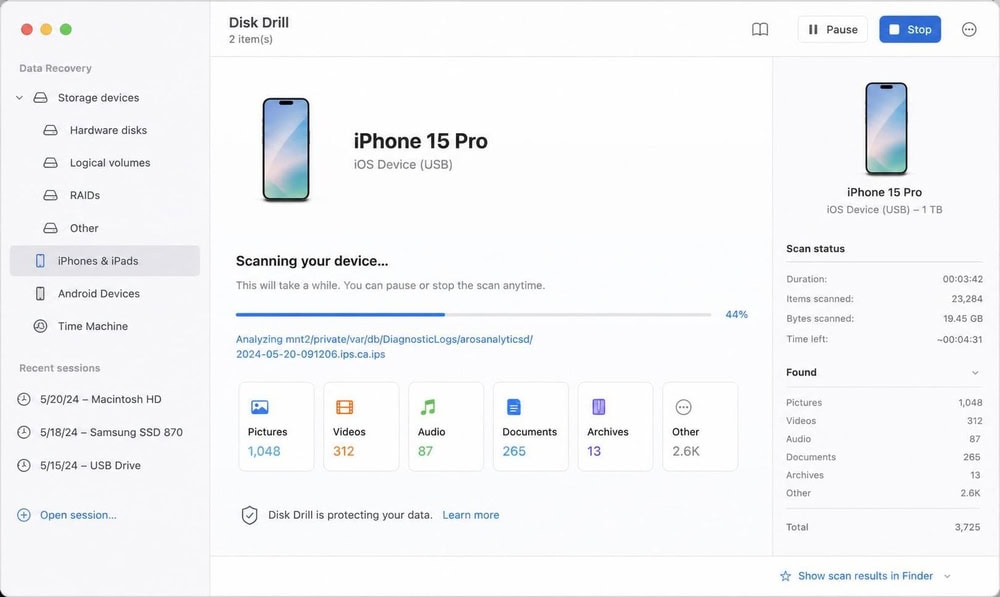
Unlike the dedicated iOS tools above, Disk Drill is a general-purpose recovery suite that also reaches iPhone and iPad.
Pros
- Doubles as a full disk and drive recovery tool
- Free Basic edition scans and previews
- Up to 500MB of free recovery on Windows
Cons
- iOS coverage is narrower than dedicated tools
- PRO is generally non-refundable, unlike most rivals
Pricing
Disk Drill PRO is review-quoted at about $89 one-time, sold per platform. The free Basic edition scans and previews, and on Windows recovers up to 500MB (Mac free recovery is limited to Recovery Vault data). PRO is marketed as non-refundable except where required by law, so test the free edition first.
Try Disk Drill10. Leawo iOS Data Recovery: Best for Core File Types
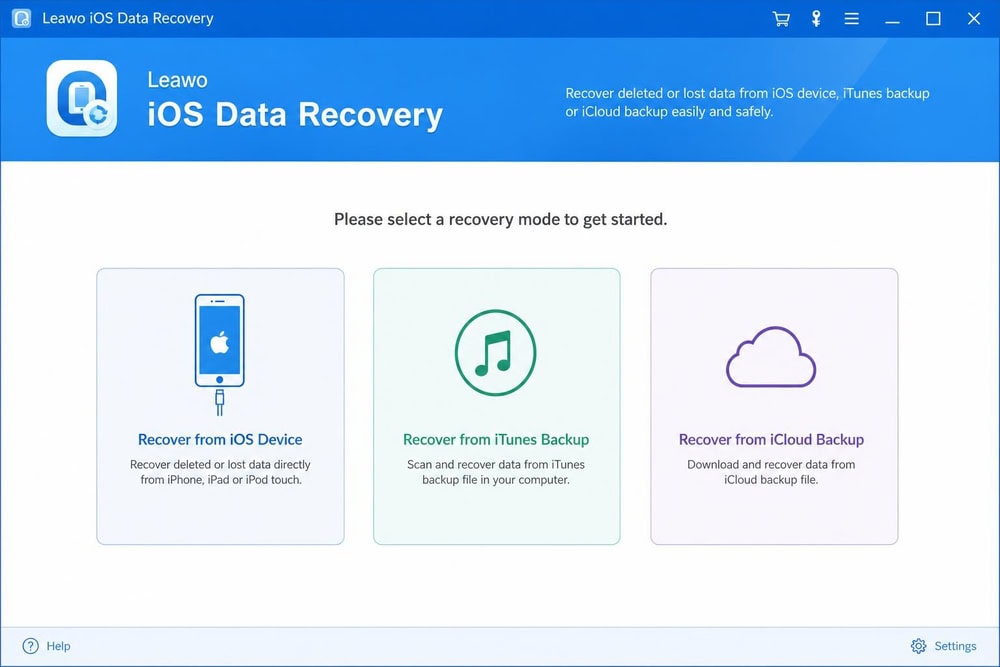
Leawo covers the essentials at a straightforward price.
Pricing
Leawo iOS Data Recovery costs $59.95/year and $69.95 lifetime, the same on Windows and Mac. It recovers 14 data types, including messages, contacts, call history, WhatsApp chats and attachments, notes, and the camera roll.
Pros
- Recovers from device, iTunes, and iCloud
- Free trial previews data before purchase
- Covers the most common file types
Cons
- 14 data types is the narrowest range here
- No broad app-data recovery beyond WhatsApp
Quick Comparison: Best iPhone Data Recovery Software at a Glance
Prices below reflect vendor listings at the time of writing; confirm the current price at checkout.
| Tool | Platform | Price | Recoverable data | Source | Best for |
|---|---|---|---|---|---|
| EaseUS MobiSaver | Win + Mac | Free tier; Pro $59.95 (Win lifetime) | Photos, messages, contacts, WhatsApp | Device / iTunes / iCloud | Best overall |
| Stellar for iPhone | Win + Mac | Free preview; from $39.99/yr | Photos, messages, WhatsApp/WeChat/Viber | Device / iTunes / iCloud | Encrypted backups |
| Dr.Fone (iOS) | Win + Mac | Free preview; $59.95/yr or $69.95 perpetual | 35+ incl. WhatsApp | Device / iTunes / iCloud | WhatsApp/app data |
| iMobie PhoneRescue | Win + Mac | Free preview; ~$49.99/yr, ~$69.99 lifetime | Up to 31 incl. WhatsApp | Device / iTunes / iCloud | Multiple devices |
| FoneLab | Win + Mac | Free preview; ~$55.96 promo | 20+ incl. WhatsApp/WeChat | Device / iTunes / iCloud | Older Macs |
| Tenorshare UltData | Win + Mac | Free preview; ~$49.95/yr, ~$59.95 lifetime | 35+ incl. WhatsApp/Instagram | Device / iTunes / iCloud | Broad app scanning |
| Disk Drill | Win + Mac | Free Basic (500MB Win); PRO ~$89 | 400+; iOS: contacts, messages, photos | Device / iTunes | All-purpose recovery |
| iMyFone D-Back | Win + Mac | Free trial; ~$49.95/mo, ~$69.95 lifetime | 38+ incl. WhatsApp/Instagram | Device / iTunes / iCloud | Social apps |
| FonePaw | Win + Mac | Free trial; $49.95/$55.97/$66.47 | 30+ incl. WhatsApp/Line | Device / iTunes / iCloud | Easy to use |
| Leawo | Win + Mac | Free trial; ~$59.95/yr, ~$69.95 lifetime | 14 types | Device / iTunes / iCloud | Core file types |
How We Tested (and How to Choose iPhone Data Recovery Software)
We installed each tool on a Windows 11 PC and a Mac, connected a test iPhone with deleted photos, messages, and contacts, and scanned the device, an iTunes backup, and an iCloud backup where supported. We then judged each product on what it recovered, the data types it covered, and what it cost.
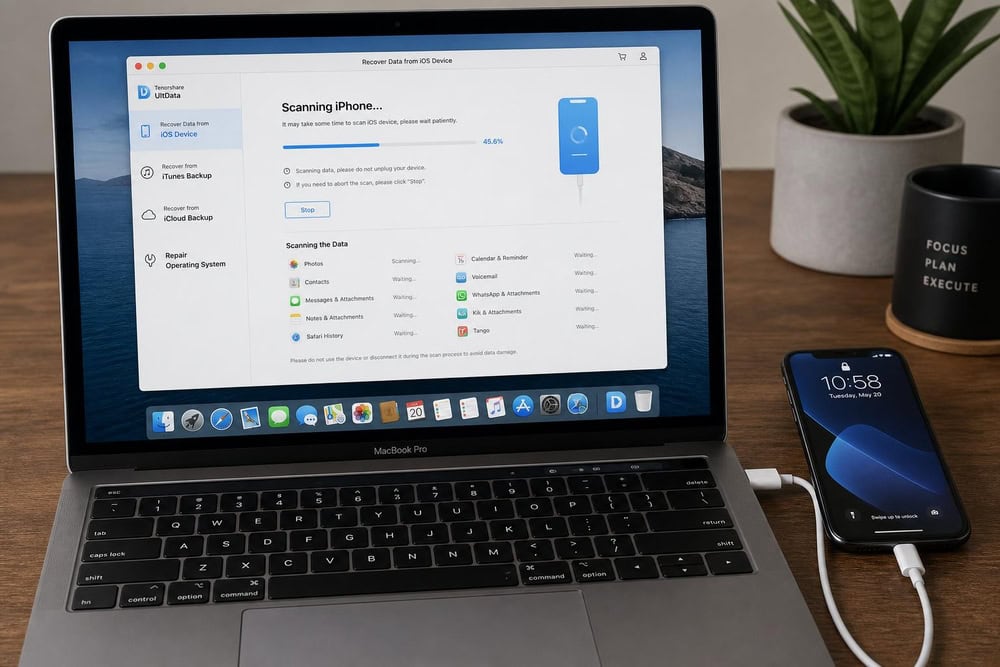
Recovery success: actual recovery vs. preview-only
This distinction trips up buyers. Almost every tool scans for free and previews what it found, but a free scan is not free recovery: most require a license before you can save anything.
Supported data types (photos, messages, WhatsApp, contacts)
The tools differ widely in reach. Basic options cover photos, contacts, and text messages, while stronger tools also recover WhatsApp chats with attachments, plus WeChat, Viber, and Line data.
Device & iOS compatibility (and Mac vs. Windows)
Every tool here runs on both Mac and Windows, but supported OS versions vary. EaseUS MobiSaver supports macOS 10.11 and later, Stellar runs on macOS X 10.8 and above, and Dr.Fone requires macOS 10.13 or later while supporting iOS 5.0 and later, including iOS 26. On an older Mac, confirm the minimum macOS version and that the tool supports your iPhone model.
Free trial, pricing, and refund policy
Pricing splits into yearly subscriptions, monthly plans, and one-time lifetime licenses. The refund policy matters too: most offer a 30-day money-back guarantee, though terms differ, and at least one tool is non-refundable. We note each refund window in the reviews.
How iPhone Data Recovery Works (Device vs. iTunes vs. iCloud)
Every tool here recovers from one of three sources. A device scan reads the iPhone's storage directly for deleted records not yet overwritten, which is why we tell you to stop using the phone. An iTunes (or Finder) scan reads a local backup without a full restore, and an iCloud scan pulls data from your cloud backup. With a recent backup, these routes are usually more reliable, because the data sits intact inside the backup file.
Common Recovery Scenarios
Some recoveries do not need third-party software; others call for a specific approach. Here are the three we are asked about most:
How to recover iPhone data without software (iCloud / backup methods)
Before you buy anything, check whether Apple's own tools can recover your data for free. Deleted photos stay in the Recently Deleted album and are recoverable for 30 days before permanent deletion. To restore them, open Photos, scroll to Recently Deleted, tap View Album, unlock it, then tap Recover. You can also recover them at iCloud.com/photos.
If you have a full backup, you can restore everything from it. Apple lets you restore content, settings, and apps from an iCloud or computer backup to a new or newly erased iPhone, as its guide on how to restore from an iCloud or Mac backup explains. A restore replaces the phone's current contents, so it works best on a newly erased device.
Recovering from a water-damaged iPhone
If your iPhone took water damage, a backup is usually safer than a device scan, which needs the phone to power on and connect to a computer. If it still turns on and your computer recognizes it, scan quickly before it fails again. Otherwise, recover from your most recent iTunes or iCloud backup, and consider a professional repair service if the data is irreplaceable.
Recovering from a disabled or locked iPhone
A disabled or locked iPhone cannot be scanned directly, because the software needs the device unlocked and trusted by the computer. Instead, erase the device and restore from your iCloud or computer backup. Several tools above can read an existing iTunes backup even when the phone is locked, so a local backup is the most reliable route.
Frequently Asked Questions
Can you recover permanently deleted data from an iPhone without a backup?
Sometimes. If the data was deleted recently and not yet overwritten, a device scan with one of the tools above can often recover it directly from the iPhone's storage. The sooner you scan, the better your odds; once new data overwrites the deleted records, recovery is no longer possible.
Is iPhone data recovery software safe to use?
The established tools in this roundup are safe and read data without altering what is on your phone. To stay protected, download only from official vendor sites, prefer tools with a clear refund policy, and avoid unknown free tools that ask for unusual permissions.
How far back can iPhone recovery software go?
It depends on the source. A device scan reaches only deleted data not yet overwritten, so recent deletions recover best. A backup scan can reach anything captured in that iTunes or iCloud backup, which is why regular backups matter.
Will a data-recovery tool work if my iCloud backup is encrypted?
Not all of them. Local iTunes backups can be encrypted, and only some tools, Stellar among them, decrypt them cleanly once you supply the backup password. iCloud backups are handled on Apple's side, so a tool signs into your account and pulls the data rather than decrypting a local file. Either way, keep your backup password handy, because no tool can open an encrypted backup without it.
Is free iPhone data recovery as good as paid?
Free versions are great for confirming a tool can find your data, since most let you scan and preview at no cost. The catch is that they usually recover only a small amount; EaseUS MobiSaver's free tier, for example, recovers one photo at a time. For a full recovery, you typically need a paid license.
Conclusion: Which iPhone Data Recovery Tool Should You Choose?
For most people, EaseUS MobiSaver is the tool to start with: it recovers from the device, iTunes, and iCloud, covers a wide range of data including WhatsApp, and its free tier confirms it finds your data before you pay. If your lost data lives in WhatsApp or other chat apps, Dr.Fone reaches the most app data of any tool we tested, and for the simplest free scan-and-preview, FonePaw is the easiest to use.
Whichever you choose, act quickly: stop using the iPhone, check Apple's free Recently Deleted and backup options first, and scan before new data overwrites what you want back. With the right tool and a fast response, deleted photos, messages, and contacts are often recoverable.

 iMyFone D-Back Review
 Dr.Fone Review
 FoneLab Review
 Enigma Recovery Review
 iMobie PhoneRescue Review
 RecoverGo for iOS Review
 UltFone iOS Data Recovery
 Best Data Recovery Software