
Disk Drill Review: Is It Safe, Legit, and Worth It?
We tested Disk Drill v6 on both a Mac and a Windows laptop, running real recovery jobs against a freshly formatted USB drive, a deleted-photo folder, and an SSD partition we wiped on purpose. This review records what we saw: how much data came back, how long scans took, what the free plan recovers before it asks for money, and whether the "is Disk Drill a scam" worry on Reddit holds up.
Disk Drill is one of the most visible names in consumer data recovery, so most people arrive asking the same three things. Is it safe, legitimate, and worth paying for?
Disk Drill at a Glance: Our Verdict
Disk Drill is a legitimate, well-established recovery tool from CleverFiles, and in our tests it recovered the majority of our deleted and formatted files without drama. The free tier on Mac previews and recovers up to 500MB at no cost. Serious recovery work pushes you toward the one-time Pro license.
Pros
- Strong scan and recovery rate in our hands-on tests across formatted and deleted-file scenarios
- Clean, near-identical interface on Mac and Windows that beginners can follow
- Free 500MB recovery allowance on Mac, plus bonus tools (Recovery Vault, S.M.A.R.T. monitoring, cleanup)
- One-time lifetime Pro license rather than a recurring subscription
Cons
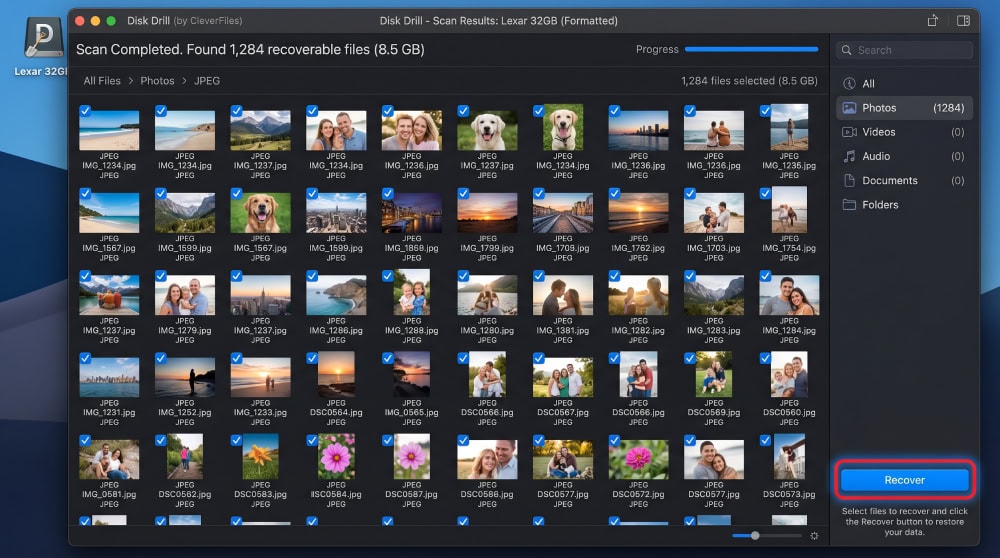
- You must buy Pro to unlock actual recovery; the scan is free but restoring is not
- The Windows free tier is more limited than Mac and only previews recoverable files
- The "scam" and "malware" perception online needs context, even though the app itself is safe
What Is Disk Drill? (CleverFiles, Platforms & Versions)
Disk Drill is a data recovery application developed by CleverFiles, which has shipped the product since 2010. It runs natively on macOS and Windows and covers the everyday cases: emptied trash, accidental deletion, formatted drives, lost partitions, and unreadable external media.
We tested Disk Drill v6, which keeps the same workflow on both platforms: scan a drive, preview what can come back, then recover it. CleverFiles is a real, registered vendor, and you download the app from the official Disk Drill website. That record settles part of the legitimacy question before our own testing.
Free vs Pro vs Enterprise (and Mac vs Windows differences)
Disk Drill comes in three editions: Free, Pro, and Enterprise. The Free edition scans and previews on both platforms, and on Mac it also recovers up to 500MB at no charge. On Windows, the free edition scans and previews but does not perform the recovery itself, which is the biggest difference between the two operating systems.
Pro removes the cap and unlocks unlimited recovery on the licensed machine, and Enterprise adds multi-seat and commercial-use terms. The bonus tools are available in the free build, so you can explore the suite before deciding to pay.
Is Disk Drill Safe and Legit? (Addressing the "Scam" Concerns)
Disk Drill is safe and legitimate. It is a genuine product from an established vendor, the installer we downloaded from the official CleverFiles site was clean, and recovery is read-only by design, meaning it reads from your drive rather than writing over it. The "scam" framing usually comes from one of two places: the free-to-scan, paid-to-recover model surprising users, or someone downloading a cracked copy from an unofficial mirror.
On Reddit, some Disk Drill users have voiced worry after a scan, mostly about whether the tool damaged their drive or whether paying was worth it. The recurring answer is that the app is not malicious, and the frustration is about pricing, not safety. The Trustpilot rating for Disk Drill reflects that mixed but legitimate picture, with most complaints centered on refunds and the paywall. Peer reviewers agree, including TechRadar's Disk Drill review.
Key Features
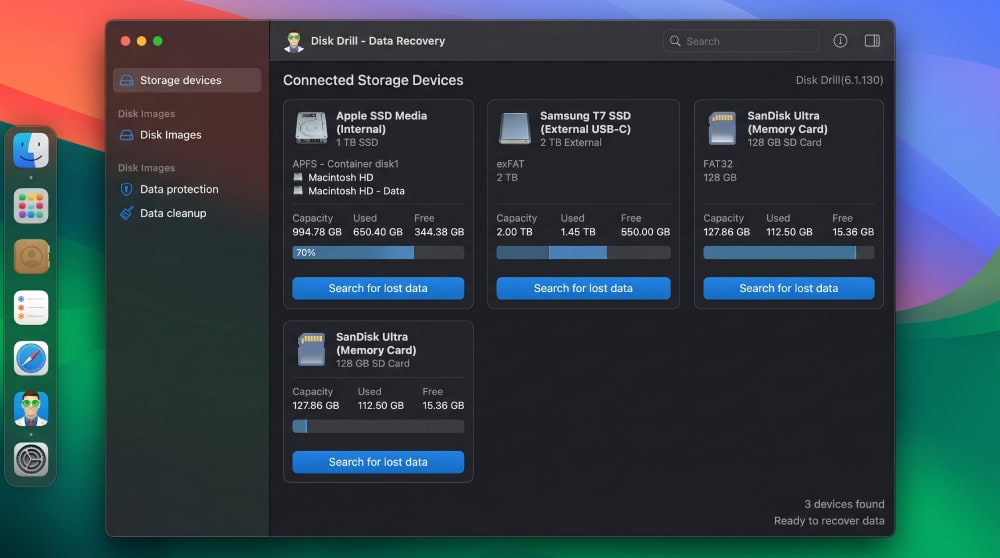
Disk Drill bundles its recovery engine with supporting tools, and that combination is a big part of why it appeals to non-technical users.
Recovery Engine, Scan Modes & Supported File Systems
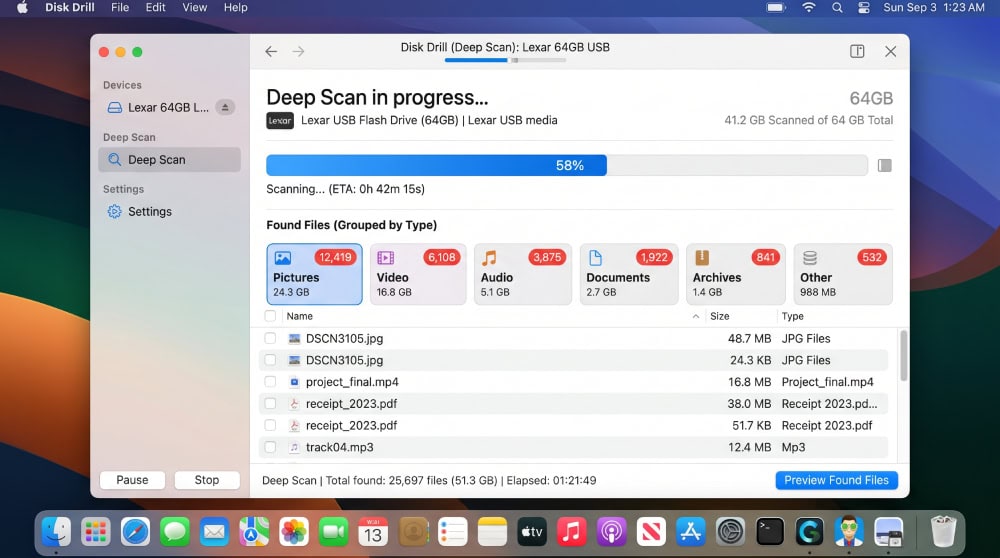
The recovery engine is the core of the product. It offers a Quick Scan for recently deleted files and a Deep Scan that reconstructs files by signature when the file system no longer points to them. We ran Quick Scan first for speed, then fell back to Deep Scan when files we expected did not appear.
Disk Drill reads the file systems you are likely to encounter: APFS and HFS+ on Mac, NTFS, FAT32, and exFAT on Windows, plus EXT4 from Linux volumes. It recovers hundreds of file types, and the preview pane let us confirm a photo or document was intact before recovering it.
Extra Tools (Recovery Vault, S.M.A.R.T., Cleanup, Backup)
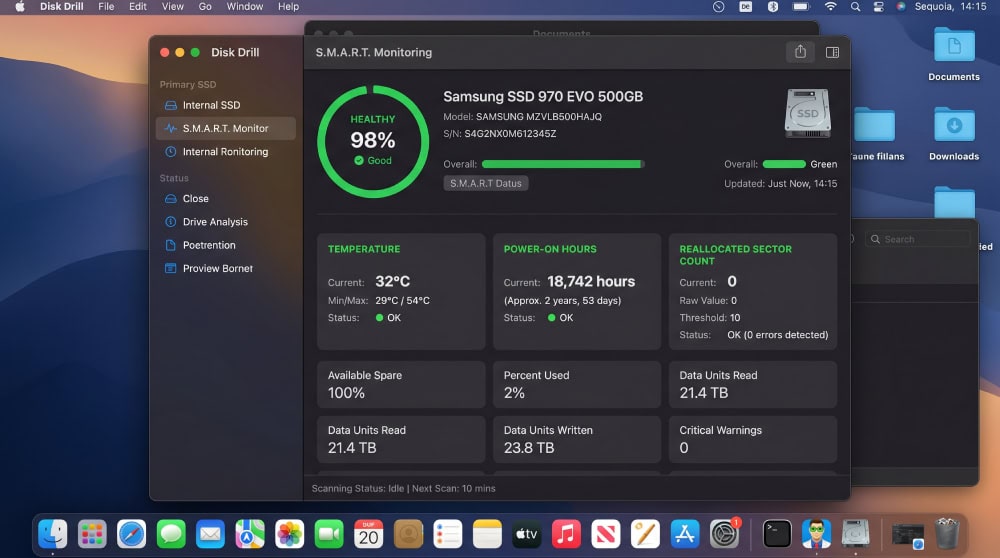
Beyond recovery, Disk Drill adds Recovery Vault, a background feature that keeps a reference to deleted files so they are easier to bring back later. It reads S.M.A.R.T. health data so you can see whether a drive is failing, runs disk cleanup to free space, and can create a byte-for-byte backup image of a struggling drive so you recover from the copy instead of the original.
That backup-to-image option is the feature we would push every user toward. When a drive is unstable, imaging it first and scanning the image protects the failing hardware from extra wear during a long Deep Scan.
How We Tested Disk Drill: Hands-On Recovery Results
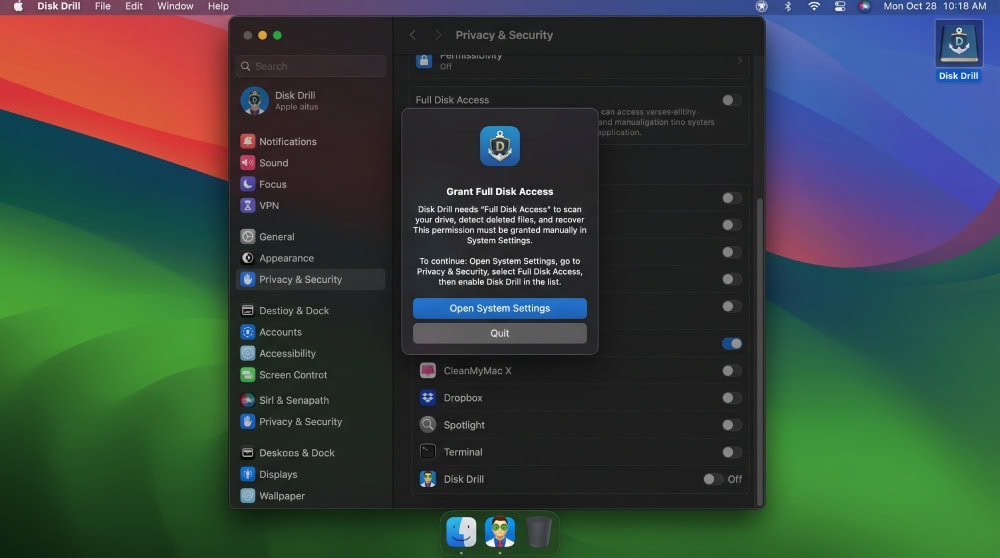
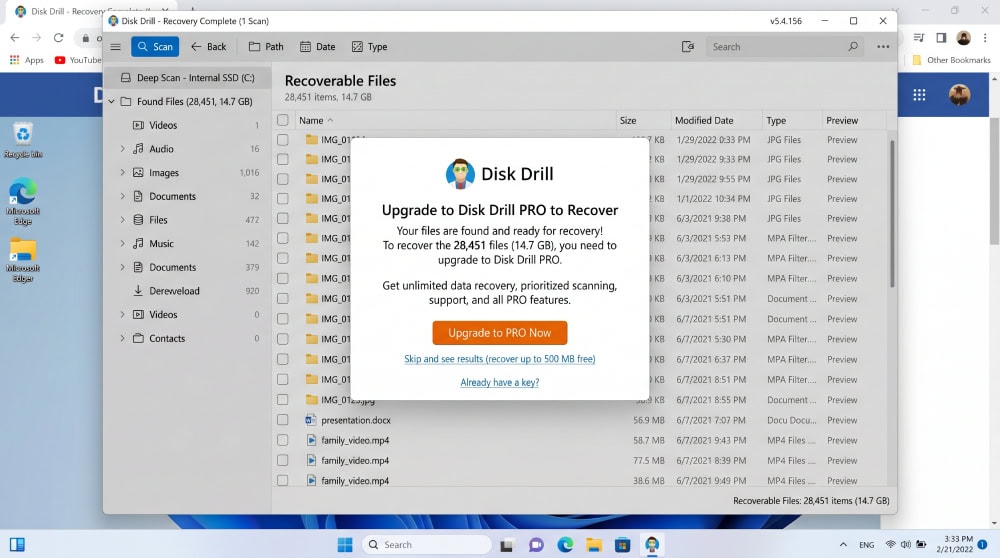
We ran Disk Drill v6 through three deliberate recovery scenarios so the results would reflect real use rather than a single lucky scan. Installation on both platforms was quick: download from CleverFiles, run the installer, grant full-disk access on the Mac, and we were scanning within a couple of minutes.
Disk Drill performed well on the everyday cases, emptied trash and a formatted external drive, and more modestly on the SSD partition, where the drive's own housekeeping erases data no software can retrieve. Across all three tests, the preview-before-recover workflow worked as advertised.
Disk Drill Pricing: How Much Does It Cost?
Disk Drill's pricing model is its biggest selling point against subscription rivals, because the Pro license is a one-time purchase rather than a recurring fee. The free edition is genuinely free for scanning and previewing on both platforms, and on Mac it recovers up to 500MB before asking you to upgrade. You can review the current tiers and the Disk Drill PRO pricing on the vendor's own page, since promotional prices shift over time.
| Plan | What you get | Recovery limit | License | Price |
|---|---|---|---|---|
| Free | Scan, preview, bonus tools | 500MB Mac; preview-only Windows | Free | $0 |
| Pro | Unlimited recovery, all features | Unlimited | One-time, lifetime | See current vendor price |
| Enterprise | Pro plus commercial use | Unlimited | One-time, multi-seat | See current vendor price |
Is the Lifetime License Worth It?
For most home users, the one-time Pro license is the better deal because data loss is occasional rather than constant. You pay once and use it whenever something goes wrong, instead of renewing a subscription you only need a few times a year. If you recover data for a living, Enterprise covers the commercial-use terms that Pro does not.
Disk Drill Alternatives (Recuva, EaseUS, Stellar)
Disk Drill is not the only option, and it is fair to weigh it against the usual rivals. Recuva is the budget pick, free for basic recovery but Windows-only and dated. EaseUS Data Recovery Wizard is a close feature match with a strong Windows reputation but a subscription-leaning price. Stellar Data Recovery is the deep-recovery specialist, often stronger on severe corruption but pricier.
| Tool | Platforms | License model | Best for |
|---|---|---|---|
| Disk Drill | Mac, Windows | One-time lifetime | Clean cross-platform recovery |
| Recuva | Windows | Free / one-time | Cheap basic recovery |
| EaseUS Data Recovery | Mac, Windows | Subscription-leaning | Windows-first users |
| Stellar Data Recovery | Mac, Windows | Tiered one-time | Severe corruption |
What Real Users Say (Reddit, Trustpilot, G2/Capterra)
Real-user sentiment lines up with our testing. On Reddit's data recovery community, the verdict is that Disk Drill works for common cases and is not dangerous, even when users were nervous mid-scan. On Trustpilot and on G2's Disk Drill reviews, scores are mixed: happy recoveries on one side, refund and paywall complaints on the other. People are satisfied with the recovery itself and frustrated mainly when they expected free recovery on Windows.
Frequently Asked Questions
I ran a scan and now I'm worried it damaged my drive. Did Disk Drill hurt it?
No. A scan only reads from the drive, so the scan itself does not alter or damage your data. The real risk is what you do next: if you keep using or saving files to that drive, you can overwrite the deleted data before you recover it.
Is Disk Drill free, and what does the free version actually recover?
The free edition scans and previews on both Mac and Windows. On Mac it also recovers up to 500MB at no cost. On Windows the free version previews recoverable files but does not restore them, so you need Pro to complete recovery there.
How much does Disk Drill cost, and is the lifetime license worth it?
Disk Drill Pro is sold as a one-time lifetime license rather than a subscription, with an Enterprise tier for commercial use. For occasional home recovery, the one-time license is usually the better value because you pay once and keep it.
Does Disk Drill work on both Mac and Windows?
Yes. Disk Drill runs natively on macOS and Windows with a near-identical interface. The main difference is that the free Mac edition recovers up to 500MB while the free Windows edition only previews recoverable files.
Can Disk Drill recover from a formatted drive, SSD, or external drive?
Yes for formatted and external drives, where our Deep Scan recovered the majority of test files. SSD recovery is more limited because TRIM erases deleted data at the hardware level, so results there are partial regardless of which recovery tool you use.
Final Verdict: Is Disk Drill Worth It?
Disk Drill is safe, legitimate, and worth it for most people who need occasional data recovery without committing to a subscription. In our testing it recovered the majority of our deleted and formatted files, handled the everyday cases cleanly, and only fell short on an SSD partition where no software can beat the drive's own TRIM behavior. The interface is the friendliest in the category, and the one-time license is a real advantage over rivals that rent you the software.
The honest caveats are the Windows paywall and the free-to-scan, paid-to-recover model that catches some users off guard. Neither makes the product a scam; they are pricing decisions you should understand going in.
Try Disk Drill from the official website

 Dr.Fone Review
 iMyFone D-Back Review
 FoneLab Review
 FonePaw Review
 iMobie PhoneRescue Review
 RecoverGo Review
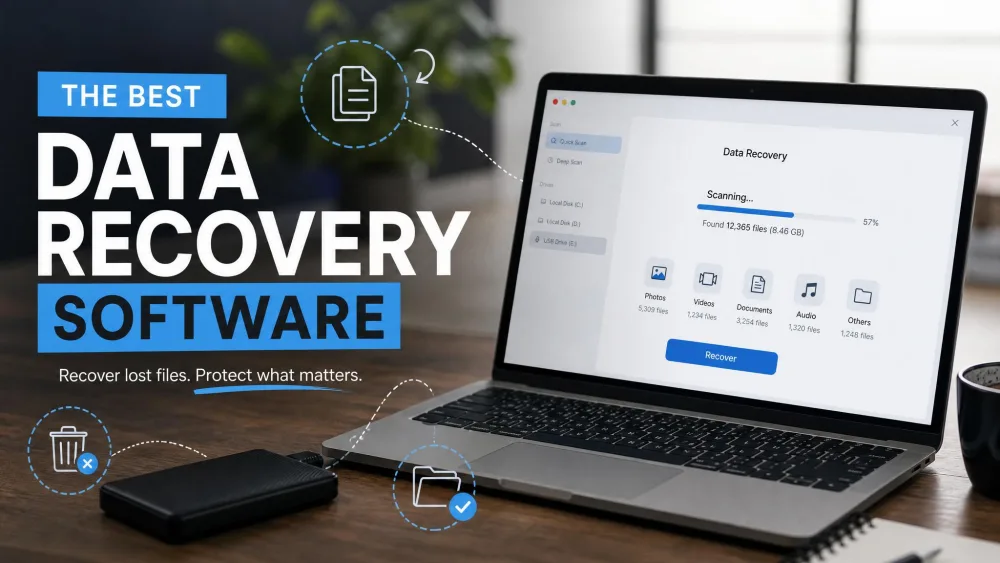 Best Data Recovery Software
 Best iPhone Data Recovery