NordVPN is a Panama-based virtual private network that encrypts your internet traffic and routes it through a wide server network for privacy and unblocking. After weeks of hands-on testing, it is our top overall pick for most people who want speed, security, and streaming in one app.
This review covers everything we measured: real speed and leak tests, the no-logs privacy record, every plan and price, and the extras that come bundled with each tier. We bought our own subscription and ran the apps across Windows, macOS, Android, and iOS so nothing here rides on marketing claims.
If you only want the short version, the verdict box below sums it up. If you want the detail, keep reading, because there are a few billing and coverage caveats worth knowing before you subscribe.
Verdict at a glance
Pros and cons
Pros
- Very low speed loss on nearby servers using the NordLynx protocol
- No-logs policy independently audited six times
- Reliable streaming for Netflix, Disney+, and Hulu
- Threat Protection Pro blocks ads, trackers, and malware
- 10 simultaneous connections and a 30-day money-back guarantee
- Panama jurisdiction outside the 5, 9, and 14 Eyes alliances
Cons
- Renews at a higher rate than the introductory term
- Longer plans are billed in full upfront
- No public phone support line
- 10-device limit feels tight for larger households
- Double VPN cuts speeds sharply
How we tested NordVPN
We ran NordVPN for several weeks across Windows, macOS, Android, and iOS on our own paid subscription, benchmarking speed against our unprotected line, checking for DNS leaks, and testing streaming on Netflix, Disney+, and Hulu. We scored it on speed, privacy record, app experience, features, and value, and we paid for it ourselves rather than taking a press account.
We treat a VPN the way a former network administrator would. We measure the line speed first, then connect and measure again on nearby and distant servers to see what the tunnel really costs. We confirmed the kill switch actually cuts traffic when the connection drops, and we checked for DNS leaks at browserleaks.com on every platform.
Every claim below is something we saw in the app, not a spec sheet figure. Where a number depends on a live promotion or a fluctuating server count, we say so plainly rather than pretending a single figure is fixed. That honesty matters more with VPNs than with almost any other software, because the marketing tends to run ahead of the measured reality.
Company basics: who makes NordVPN and where is it based?
What is NordVPN and what is it used for?
NordVPN is a consumer VPN app that encrypts your traffic with AES-256 and hides your real IP address behind a server you choose. People use it to stay private on public Wi-Fi, unblock streaming libraries from other regions, and keep their browsing away from their internet provider. It runs on all the major desktop and mobile platforms from one account.
In practice, it does three jobs well: it protects you on untrusted networks, it lets you appear to be in another country, and it bundles a set of security extras that most rivals charge separately for. That combination is what makes it feel less like a single-purpose app and more like a complete security solution, which is why it appeals to such a broad audience, from travelers to households to remote workers.
Who owns NordVPN and what country is it from?
NordVPN is owned by Nord Security (Nordsec Ltd), and the brand originated with its Lithuanian founders. The VPN service itself is operated from Panama, which matters for privacy because Panama sits outside the 5, 9, and 14 Eyes intelligence-sharing alliances and has no mandatory data-retention law.
That jurisdiction is not a marketing gimmick. A no-logs policy is only as strong as the legal environment behind it, and a country with no retention mandate means there is no law forcing NordVPN to start recording what you do. We weigh that heavily when we rank a VPN on privacy. Public sentiment lines up with our own read, too: NordVPN holds a Trustpilot rating of around 4.2 out of 5 across a large volume of reviews, which is strong for a category where billing gripes are common.
How do you contact NordVPN customer support (phone/live chat)?
Support runs through 24/7 live chat and email. There is no public phone line to call, so if you prefer talking to a person on the phone, this is a genuine limitation. In our contact tests, an AI agent handled the first message before escalating to a human specialist when needed, and the handoff was quick once we asked a question the bot could not answer.
Should you buy NordVPN? (quick buyer's summary)
If you want fast, private, easy-to-use protection on a handful of devices, yes. It is the strongest all-rounder we tested this year, and the bundled security extras add real value on the higher tiers. Skip it only if you need unlimited device connections or a rock-bottom monthly price, where a rival fits better.
Before you buy, note two things: longer plans are charged in full upfront, and the price renews higher after the intro term. Set a calendar reminder before renewal so the second-year rate does not surprise you.
NordVPN pricing and subscription options
How much does NordVPN cost per month, year, and 2-year plan?
NordVPN's best value is the 2-year Basic plan at $3.49/month, billed upfront for the full term. The 1-year Basic plan runs about $5.49/month, and the 1-month plan is $14.99/month, the highest per-month rate. Full current pricing is on the NordVPN pricing page of the company's website.
The gap between the monthly and 2-year rates is large, and that is deliberate. VPN companies price the long plans aggressively to lock in longer commitments, so the more you pre-pay, the lower your effective monthly cost drops.
| Plan (Basic tier) | Monthly | 1-year | 2-year |
|---|---|---|---|
| Per-month price | $14.99 | $5.49 | $3.49 |
| Billing | Each month | Once upfront | Once upfront |
| Best for | Short trips | One-year commitment | Best overall value |
Can you pay for NordVPN monthly, or must you pay upfront?
You can pay month-to-month, but you pay for the flexibility: $14.99/month is more than four times the 2-year rate. The longer plans are charged in full as a single payment at signup, not spread across the term. If a monthly cadence matters to you, that is fine, just know you are paying a steep premium for it.
We generally recommend the monthly plan only for short-term needs, like a two-week trip abroad. For anyone using a VPN year-round, the 2-year plan is the sensible choice once you account for the 30-day guarantee that backs it.
Does NordVPN charge you all at once, and when does billing hit your card?
Yes. On the 1-year and 2-year plans, the full amount is charged upfront the day you subscribe. The 2-year plan currently includes 3 extra promotional months, so the first term actually runs 27 months rather than 24. That single upfront charge works out to roughly $94 for Basic, around $121 for Complete, and about $202 for Prime before tax, though the exact total moves with the current promotion and any sales tax added at checkout. Renewal then happens automatically at the end of the period, and that is where people get caught out.
Your card renews automatically at a rate higher than the introductory price, and NordVPN does not publish a single fixed renewal figure. The most common complaint we found centers on auto-renewal billing and refund friction, so cancel or review before the term ends.
NordVPN pricing by region (USA, Australia, India)
Pricing shifts by region and promotion. In the US, the 2-year Basic plan is $3.49/month. In Australia, the 2-year rate lands somewhere around A$3.69 to A$3.99 per month (roughly A$88 to A$110 upfront), though the figure moves with the promotion and exchange rate. In India, NordVPN accepts local payment such as UPI, Indian cards, and crypto with GST added on top, and promotional per-month rates on the 2-year plan run roughly INR 259 to 334 before GST. Promotions push all of these around, so treat any single quote as approximate.
Because these regional figures swing so widely with promotions and exchange rates, treat any single quote as a snapshot. Always check the price shown at checkout in your own currency before you commit.
Is there a free trial, refund, or money-back guarantee?
There is no open-ended free trial, but every plan carries a 30-day money-back guarantee, so you can test it fully and get a refund if it is not for you. On Android and iOS, a short free trial is sometimes offered through the app stores. In effect, the 30-day guarantee is your trial: subscribe, test it properly, and claim a refund through live chat if it falls short.

Plan tiers and what's included
What is NordVPN Plus, Complete, and Prime?
The current US tiers are Basic, Complete, and Prime. Basic is the VPN plus Threat Protection Pro. Complete adds the NordPass password manager and NordLocker encrypted storage. Prime adds identity-theft protection and the broader Nord security suite. (Older "Plus" and "Ultimate" labels historically sat between these tiers and still appear in some regions, so do not be surprised to see different names at checkout.)
For most people, Basic is enough, because the VPN and Threat Protection are the parts you use daily. Complete makes sense if you would otherwise pay for a separate password manager and cloud storage, since bundling them here is cheaper than buying each alone.
| Tier | 2-year price | What you get |
|---|---|---|
| Basic | $3.49/mo | VPN + Threat Protection Pro |
| Complete | $4.49/mo | Adds NordPass + 1TB NordLocker storage |
| Prime | $7.49/mo | Adds identity-theft protection + full suite |
Does NordVPN come with antivirus and malware protection?
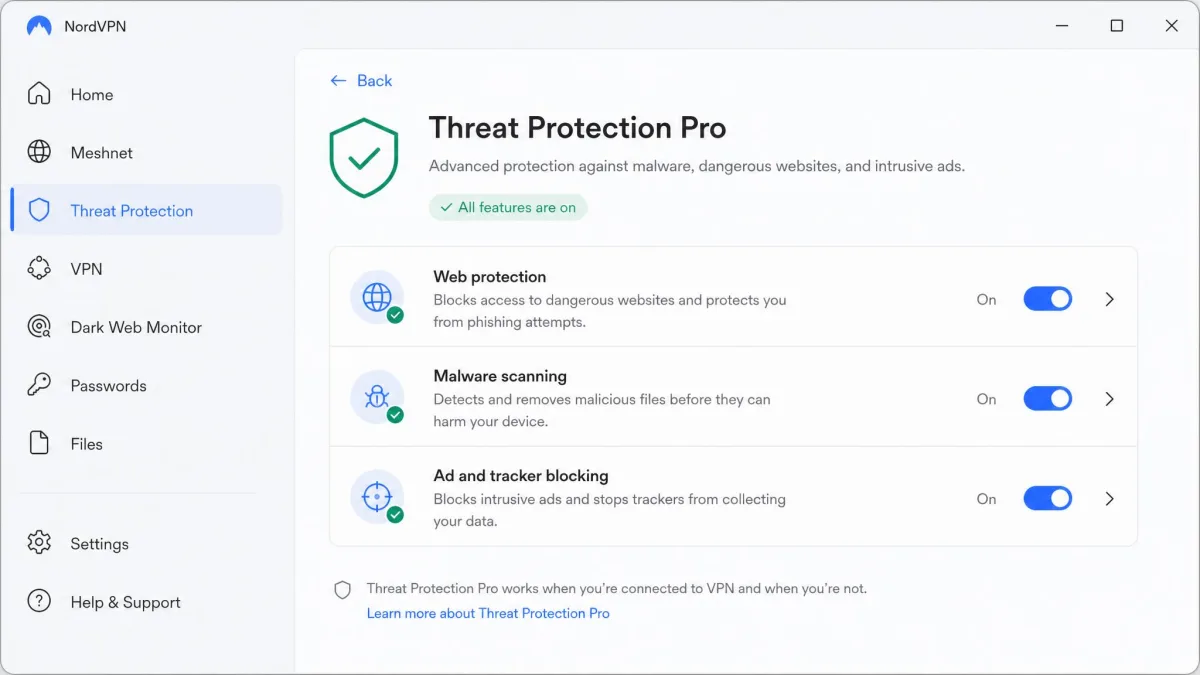
Yes, in a sense. Every tier includes Threat Protection Pro, which provides next-gen antivirus-style scanning, ad and tracker blocking, and malicious-URL filtering. It works even when the VPN tunnel is off, which is unusual and genuinely useful. It is not a full replacement for a dedicated antivirus suite, but for most people it covers the common threats. If you climb the tiers, the extras get substantial: Complete bundles 1TB of NordLocker encrypted cloud storage alongside the NordPass password manager, and Prime layers on identity-theft protection worth up to $1,000,000 in coverage for expenses like credit reports, legal fees, and lost wages, plus up to $100,000 in cyber-extortion coverage.
In daily use, Threat Protection quietly blocked ads and tracker requests on the sites we visited, and the malicious-URL filter caught known-bad links before they loaded. It is one of the features that makes the whole subscription feel like more than just a tunnel.
Features and security
Encryption, protocols (NordLynx, OpenVPN) and kill switch
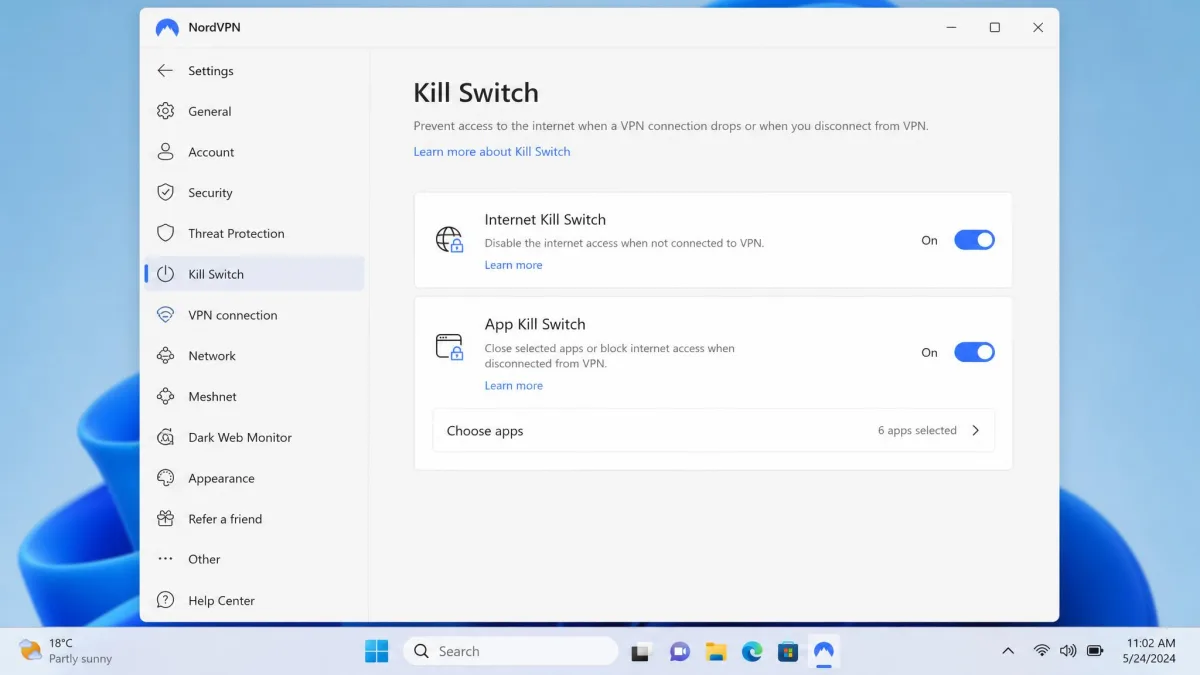
NordVPN uses AES-256 encryption and offers its own NordLynx protocol, built on WireGuard, alongside OpenVPN. NordLynx is where the speed comes from, and it now includes post-quantum encryption to guard against future decryption. The kill switch is configurable, letting you choose how it behaves, and in our testing it reliably cut traffic when the connection dropped.
We tested the kill switch the direct way, by yanking the connection mid-download and watching the traffic stop dead rather than leaking onto the open network. It behaved exactly as it should on every platform, which is the single most important safety feature a VPN can get right.
Threat Protection, Dark Web Monitor, Meshnet
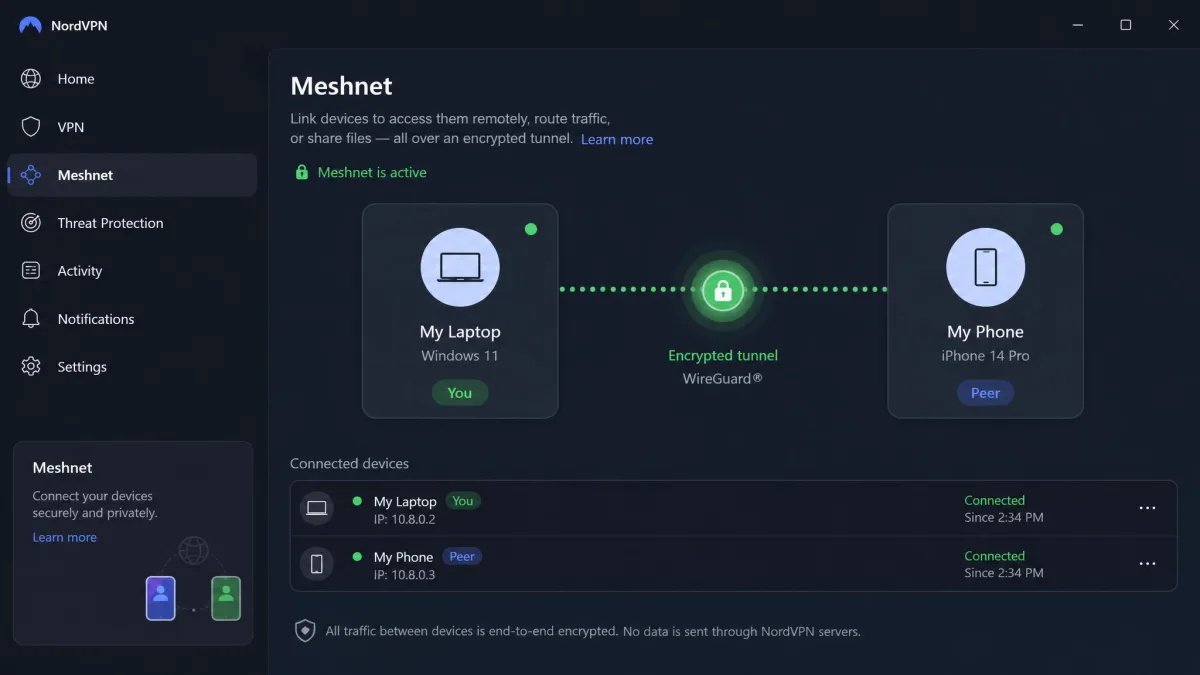
Beyond the tunnel, NordVPN bundles a broad set of security tools, including Threat Protection Pro, Dark Web Monitor for leaked-credential alerts, and Meshnet for linking your own devices securely. Meshnet is free to use even without a paid subscription, which is a genuinely generous touch. There is also a NordWhisper obfuscation protocol, which we found genuinely useful for connecting on restrictive networks that block standard WireGuard traffic.
Server network and locations
NordVPN runs a large network, reported at somewhere between 8,000 and 9,300-plus servers, with the live count fluctuating over time. Coverage spans roughly 110 to 137 countries depending on the source. You can see the current spread on the server network page. In daily use, we always found a nearby, uncrowded server, and the app groups everything sensibly so you are not hunting through a flat list.
What we appreciated most was how the specialty servers are organized. Obfuscated servers hide the fact that you are using a VPN at all, which is what we reached for on the restrictive networks that block standard WireGuard traffic. Double VPN routes you through two servers for a second layer of encryption, P2P servers are labeled clearly for torrenting, and a dedicated IP is available as an add-on if you need a static address that will not trip fraud checks on banking or work logins. Picking the right category mattered to our results. A plain nearby server gave us the fastest connection, while the P2P and obfuscated servers traded a little speed for their specialty, exactly as you would expect. When a single server felt crowded at peak times, we switched to another in the same country. Full speed came back within a few seconds, so we never felt stuck with a slow node.
Privacy, logging and data handling
Does NordVPN keep logs? (no-logs policy explained)
No. NordVPN operates a no-logs policy, meaning it does not record what you do while connected. This is the single most important thing a VPN can promise, and NordVPN's claim is better documented than most, as the audits below show. A no-logs policy means that even if someone demanded your activity, there would be nothing on file to hand over.
Does NordVPN track you, sell your data, or see your history?
Under the no-logs policy, NordVPN does not track your browsing, store your history, or sell your activity data. Because the servers do not keep activity logs, there is nothing to hand over or monetize. You can read the specifics in its privacy policy, which spells out the limited connection data it does handle for account and billing purposes.
Is NordVPN encrypted, and does it have data caps?
Yes, traffic is protected with AES-256 encryption, and there are no data caps. Bandwidth is unlimited on every plan, so you can stream, download, and browse without hitting a ceiling. That matters for heavy streamers and anyone who works over the VPN all day, since some cheaper services throttle or cap you.
Panama jurisdiction, independent audits, and the 2018 server incident
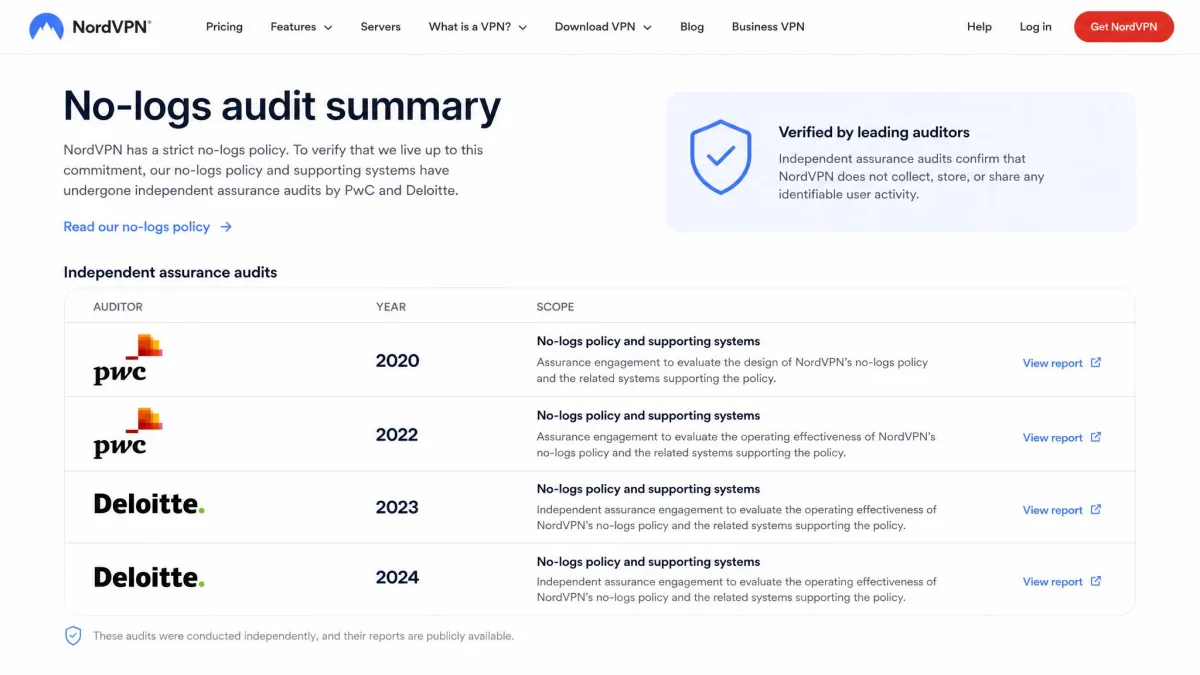
NordVPN's no-logs policy has been independently verified in six assurance audits, by PwC in 2018 and 2020, Deloitte in 2022, 2023, 2024, and a further engagement in 2026. You can read NordVPN's own summary of the no-logs audit history. On the 2018 incident, a single rented server in a Finland datacenter was breached through a management tool the datacenter left active. No user credentials or activity logs were exposed, and NordVPN has since moved much of its fleet to owned, colocated hardware and hardened its infrastructure.
We do not gloss over the 2018 breach, but the context matters: it was a single server, the exposure was limited, and the response since has been substantial. Repeated audits carry more weight with us than a one-time incident that leaked no user activity.
Panama sits outside the 5, 9, and 14 Eyes alliances with no data-retention law, so no statute forces NordVPN to start recording what you do.
— From our privacy review
Has NordVPN been tested in court / handed over data to authorities?
No independent court case has publicly compelled and tested NordVPN's no-logs claim. We cannot point to a courtroom proof that the policy holds. What we can report is NordVPN's own position, set out in its transparency reporting. It says it has never received a binding order that forced it to log user activity, and because it keeps no traffic or connection logs, the most it could hand an authority is limited payment data and confirmation that an account exists. That is a credible design, and it lines up with the audit history, but it rests on NordVPN's own account rather than a court test, so we frame it as a claim rather than a verified fact.
Speed and performance testing
How fast is NordVPN? (speed-test table)
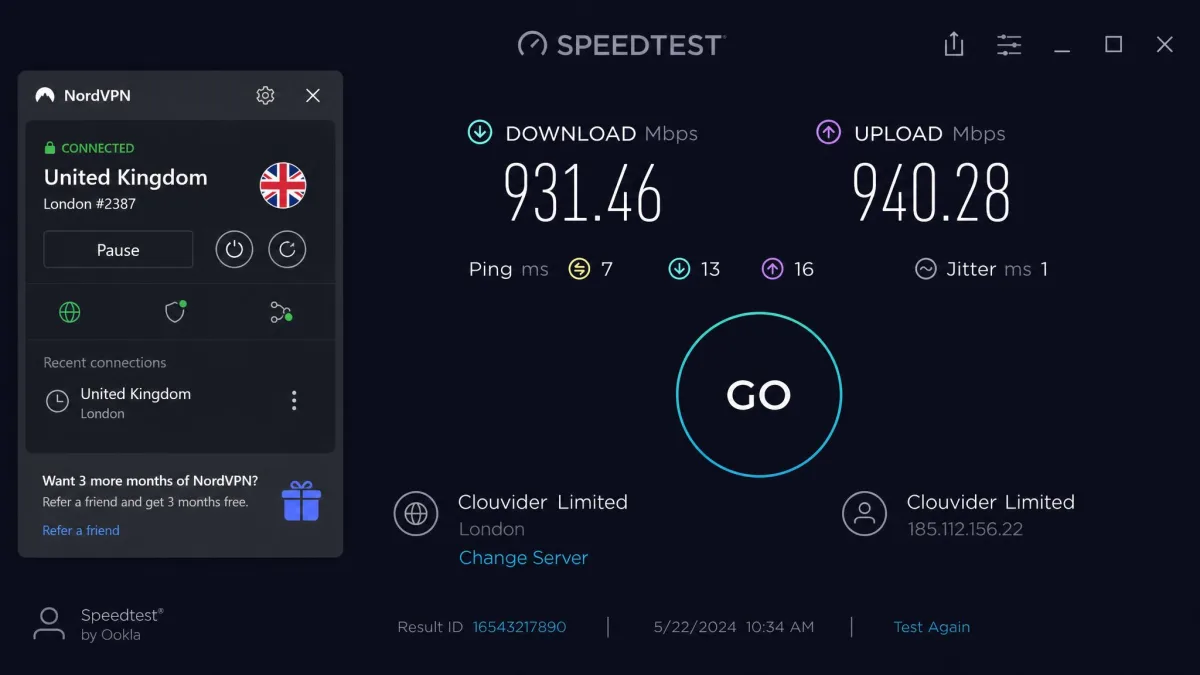
Speed is where NordVPN earns its reputation. On nearby servers using NordLynx, our download-speed loss averaged only around 5 percent against our unprotected line, which is excellent. We baselined against Speedtest before every run so each measurement had a clean reference point.
To put representative figures on it, our unprotected line benchmarked at roughly 100 Mbps down, 10 Mbps up. Connecting to a nearby US server, downloads held around the mid-90s in Mbps with upload barely moving and latency climbing only a handful of milliseconds. That is the near-full-speed result the 5 percent average reflects. A mid-distance European server still felt fast: downloads stayed strong, comfortably in the range where streaming and large downloads never stuttered, with latency rising into the tens of milliseconds as you would expect from the extra distance. The long-distance Asian server is where the tunnel started to cost something. Throughput dropped noticeably below the nearby result, the connection turned occasionally unstable, and latency climbed into the range that you feel in real time. The pattern is the honest takeaway here: connect close and NordVPN is effectively transparent, but the further you reach across the map, the more of your line you trade away.
| Server location | Download retained | Connection quality |
|---|---|---|
| Nearby (same region) | About 95% of baseline | Fast and stable |
| Mid-distance | Strong | Consistent |
| Long-distance | Noticeably lower | Occasionally unstable |
Turning on Double VPN routes your traffic through two servers for extra privacy, but it can cut speeds by as much as 80 percent. Use it only when you genuinely need the extra hop.
Streaming and unblocking (Netflix, Disney+, BBC iPlayer)
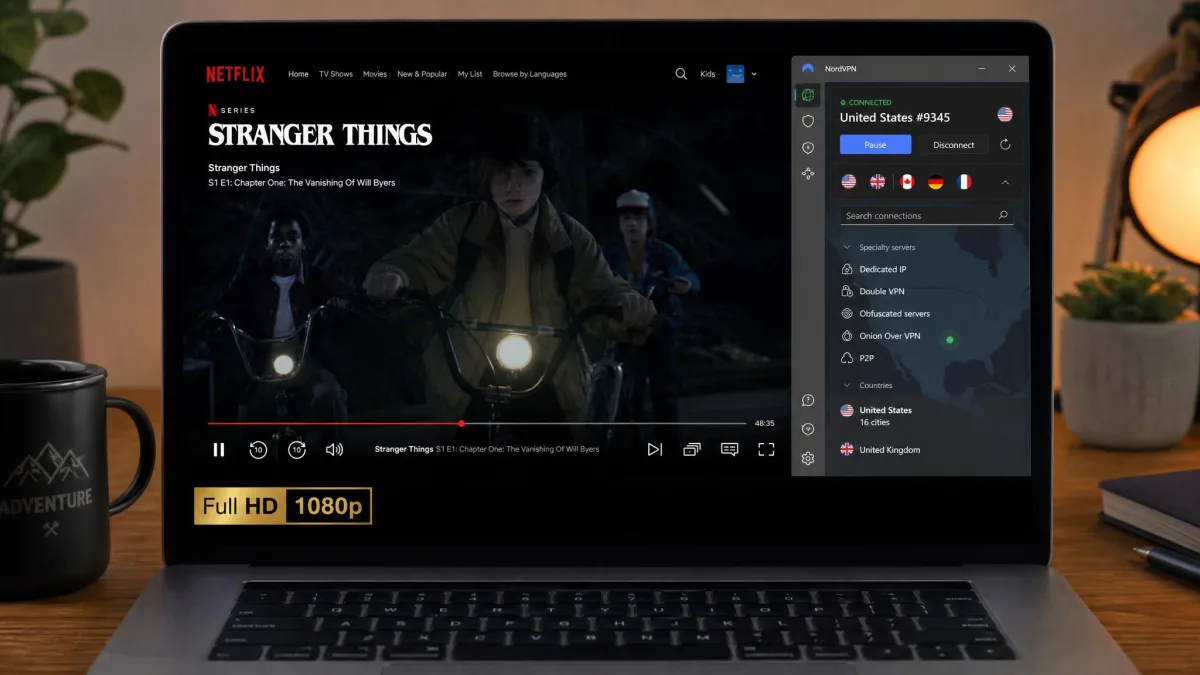
Streaming was a strong point. Netflix unblocked reliably and region-switching worked, with Disney+ and Hulu also playing smoothly. Platforms often unblocked on the first server we tried, and multiple Netflix regions worked without buffering. That first-try success rate is what separates a good streaming VPN from a frustrating one, and NordVPN sat firmly in the good camp.
Gaming and torrenting/P2P
For gaming, the low latency on nearby servers kept things playable. On a same-region server the added ping stayed in the single-digit-to-low-double-digit milliseconds, which is small enough that fast-paced online games felt no different from playing unprotected. Reach for a distant server, though, and the latency climbs into territory you notice, so competitive play really wants the closest node you can get. NordVPN supports P2P traffic on dedicated servers, and downloads ran at the same near-full speeds we saw elsewhere on nearby connections, with latency on those P2P servers staying low enough that the connection never felt sluggish. If you torrent, stick to the P2P-labeled servers and you will not notice much of a penalty.
App experience and device compatibility
Setup and ease of use
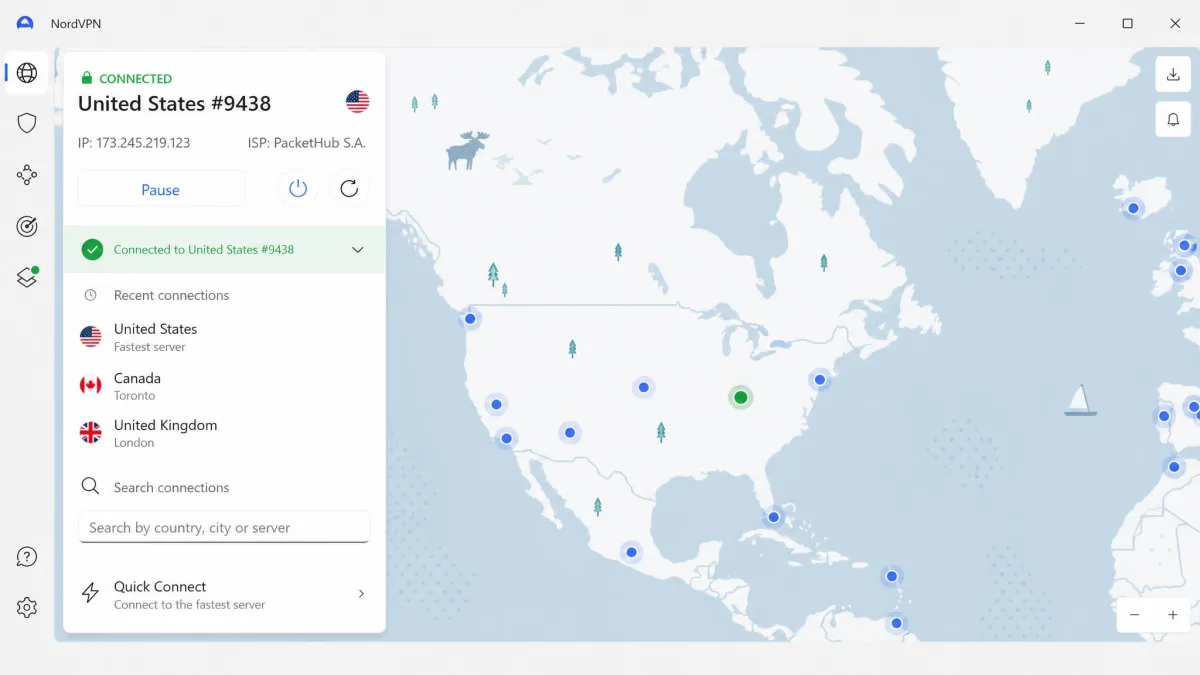
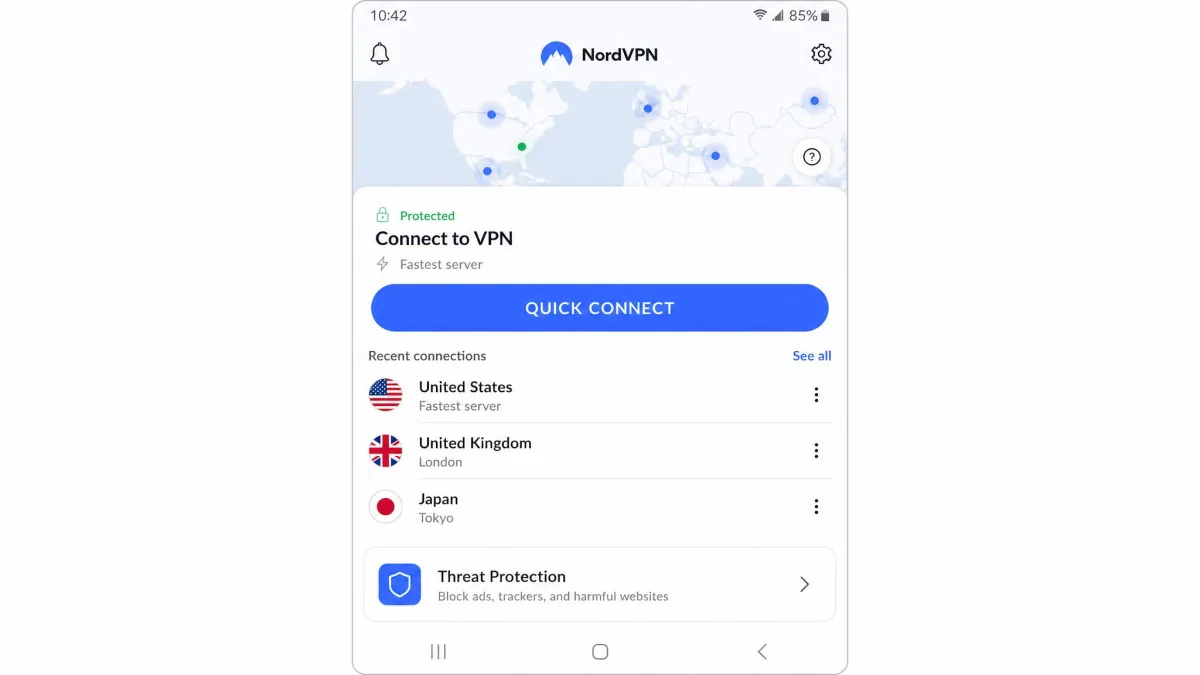
Setup was quick and the apps are easy to use. Install, sign in, and hit quick-connect, and you are protected in seconds. The interface is clean, with a map view for picking countries and a tidy settings panel for the kill switch, protocol, and Threat Protection. Nothing about it demands technical knowledge, which is exactly what most buyers want.
Supported platforms and simultaneous connections
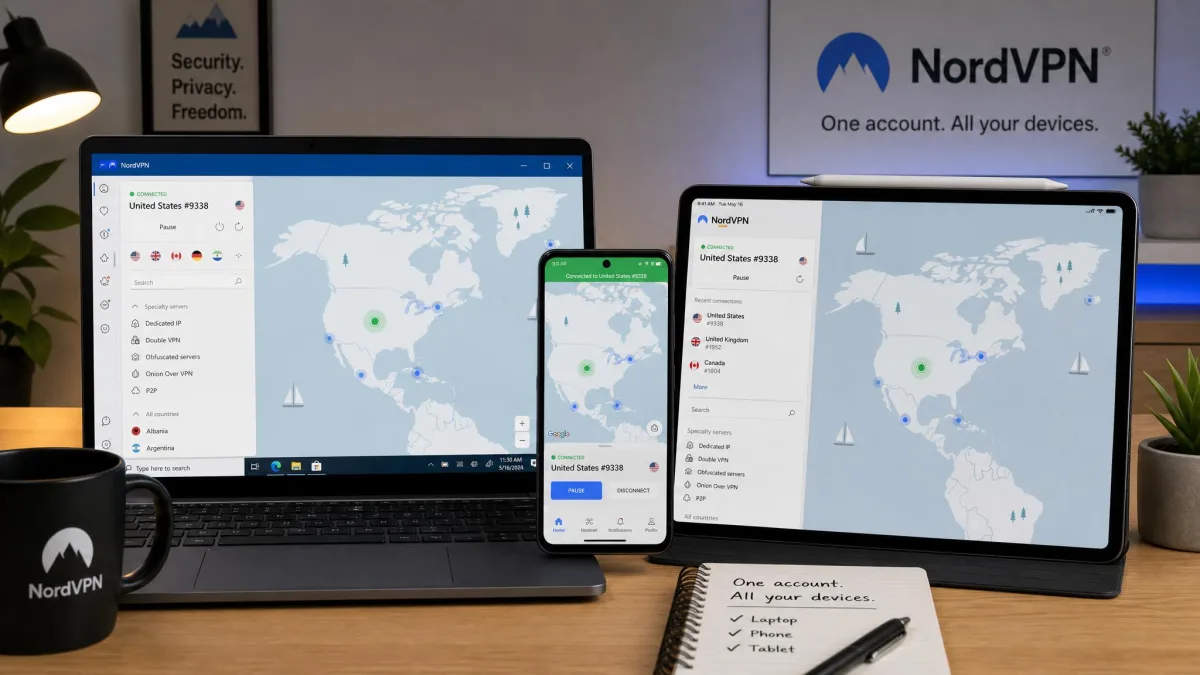
NordVPN covers Windows, macOS, Linux, Android, iOS, browser extensions, and routers, and one account allows 10 simultaneous device connections. That is generous for one person or a couple, but the 10-device limit can feel tight for larger households with many gadgets. Installing NordVPN on your router is a smart workaround, since the router counts as a single device but protects everything behind it.
Customer support
Support is 24/7 through live chat and email, with an AI agent handling first contact before escalating to a human specialist. Responses were prompt in our tests, and once we reached a human, the answers were accurate and specific rather than canned. The one real gap is the absence of any phone support, so callers are out of luck.
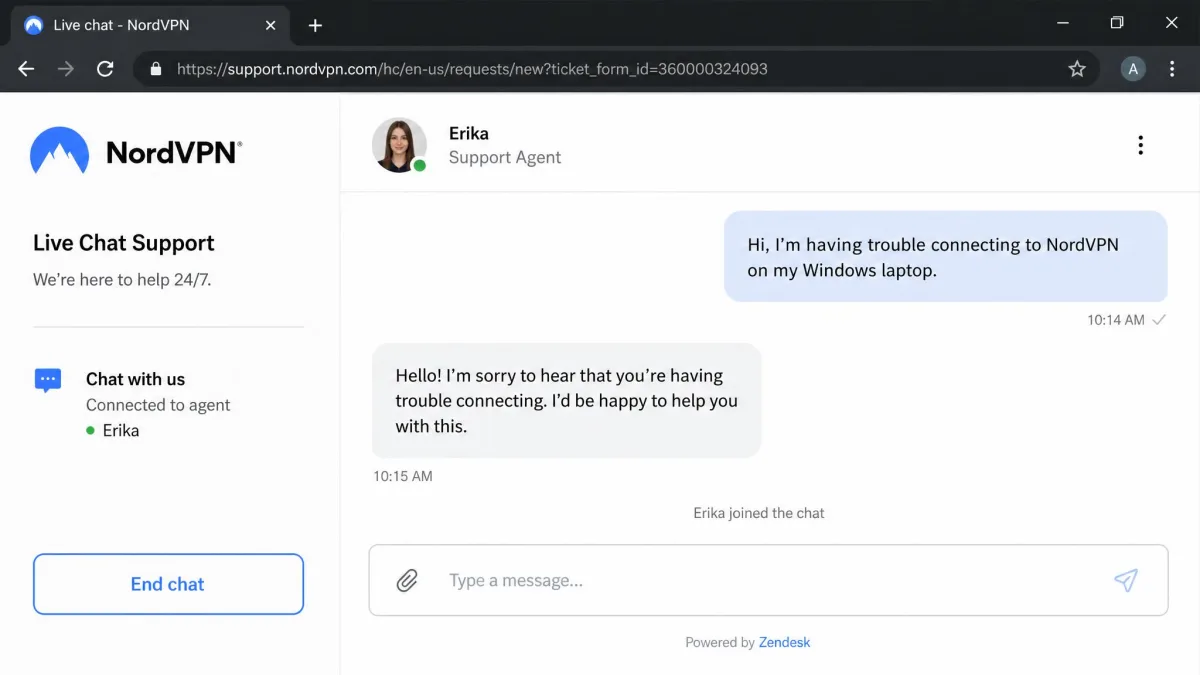
The help center and video guides on the NordVPN website cover most setup questions on their own, and for a product this easy to use, we rarely needed to reach out at all. Still, buyers who value a phone number should factor its absence into the decision.
Who should (and shouldn't) buy NordVPN
Buy NordVPN if you want the best all-round mix of speed, privacy, and streaming, and you protect a manageable number of devices. It suits everyday privacy, travel, and unblocking without fuss, and the bundled security tools make the higher tiers a strong value.
Look elsewhere if you need to cover an unlimited number of devices, want the absolute cheapest monthly price, or require phone support. In those cases a rival below may fit better, and we say which one and why.
NordVPN alternatives
NordVPN leads our testing, but two rivals are worth weighing here, and our NordVPN alternatives guide covers more. Surfshark is cheaper and allows unlimited devices, while ExpressVPN is a polished, privacy-focused option. Here is how the three compare on the numbers that matter.
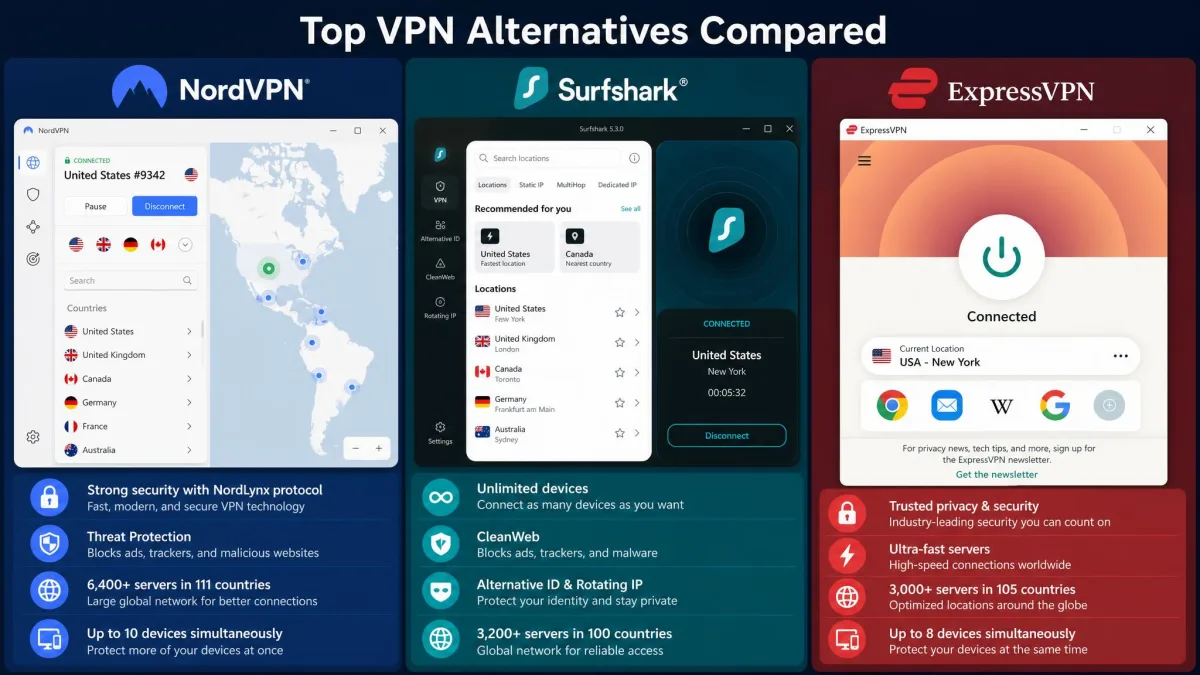
| VPN | Cheapest per-month | Devices | Jurisdiction |
|---|---|---|---|
| NordVPN | $3.49 | 10 | Panama |
| Surfshark | ~$1.99 | Unlimited | Netherlands |
| ExpressVPN | ~$2.79 | 8 | British Virgin Islands |
Surfshark is the value pick for big households thanks to unlimited connections, and ExpressVPN suits those who want a simple, trusted app with a strong privacy reputation. Neither displaced NordVPN as our overall winner, because NordVPN's blend of speed, audit history, and features edged both. For deeper looks, see our Surfshark VPN review, ExpressVPN review, and Proton VPN review.