A phone goes missing in one of two ways: you set it down and forget where, or someone walks off with it. Either way you want the same thing, to see it on the map fast and lock it before anyone reads your messages. The good news is that the most reliable tools are already built into your phone and cost nothing.
We have spent years putting phone-tracking tools through their paces, and one lesson comes up again and again: the methods that work are the ones you set up before the phone disappears. Every dependable option below needs an account signed in and location switched on ahead of time. Nothing trustworthy locates a phone retroactively, so the number-only services you see advertised are almost always a dead end.
This guide covers the free, built-in methods for both platforms first, then location sharing, third-party locator apps, tracking without an app, and the honest limits of doing it discreetly. We keep the legal side clear and short so you know where the line sits.
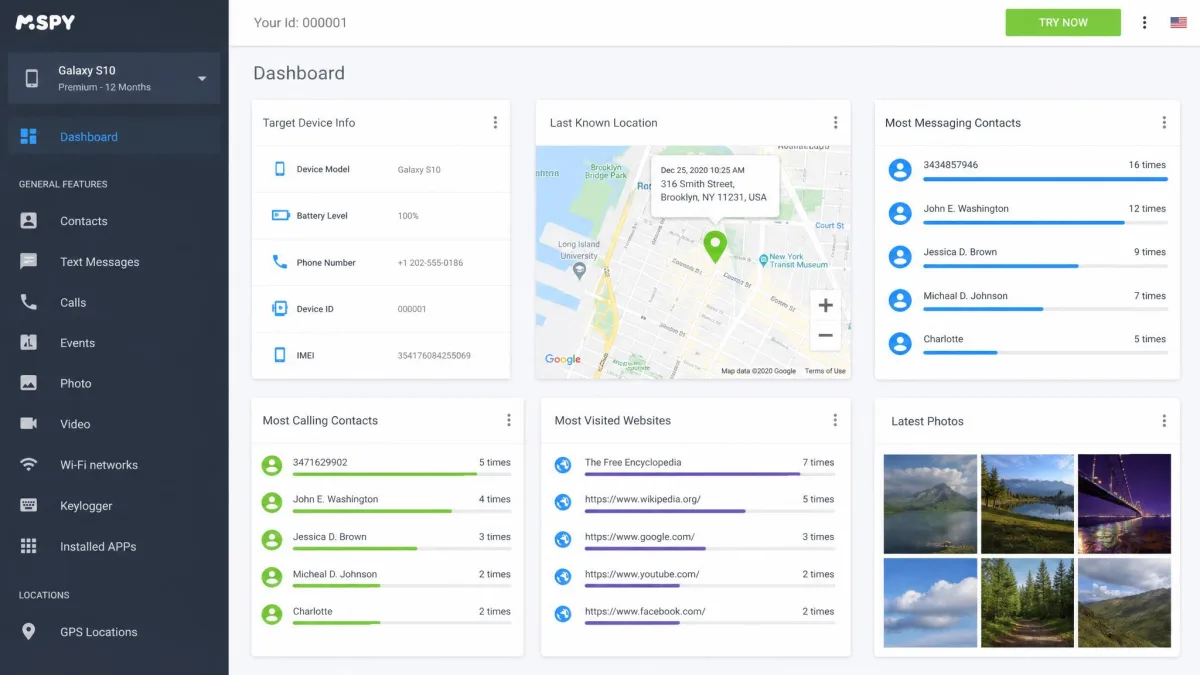
If you need more than finding a lost handset, a dedicated monitoring app gives you continuous location plus messages, calls, and app activity on one dashboard. These are the two we recommend, one for each platform.
How to Track an Android Phone
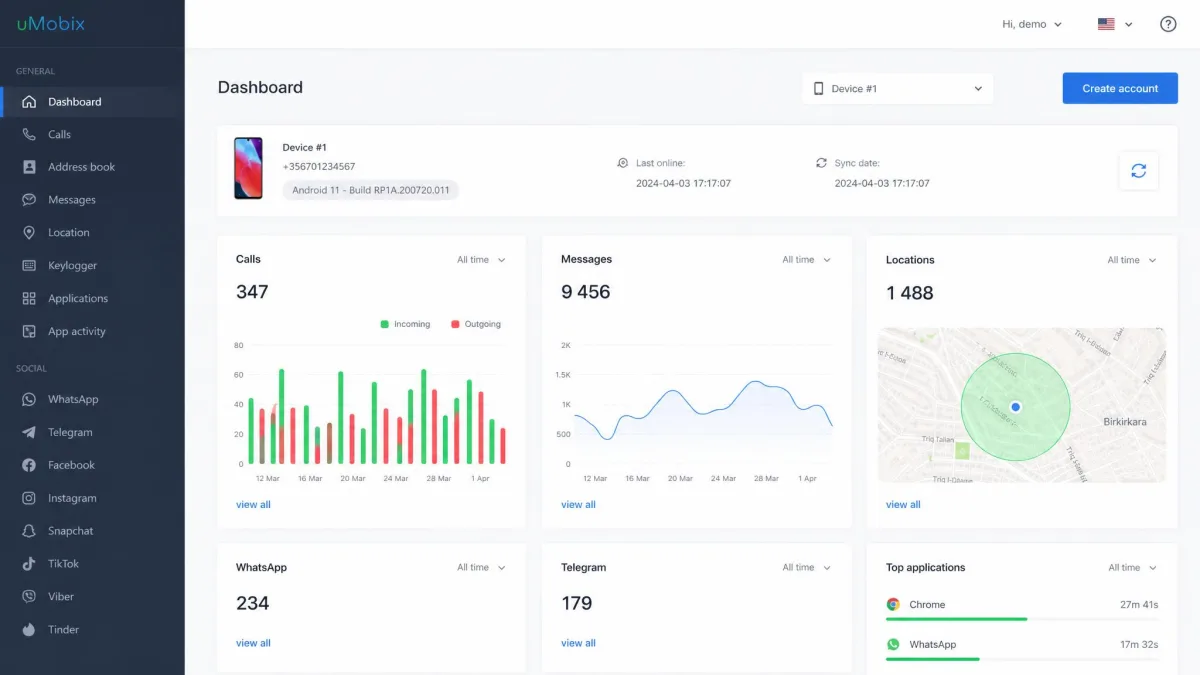
For full, continuous tracking of an Android phone, uMobix is our top pick. It syncs location in near real time and adds messages, calls, and app activity on one dashboard, which is more than any free finder does. If you only want to locate your own lost handset, the free built-in tools below cover that at no cost.

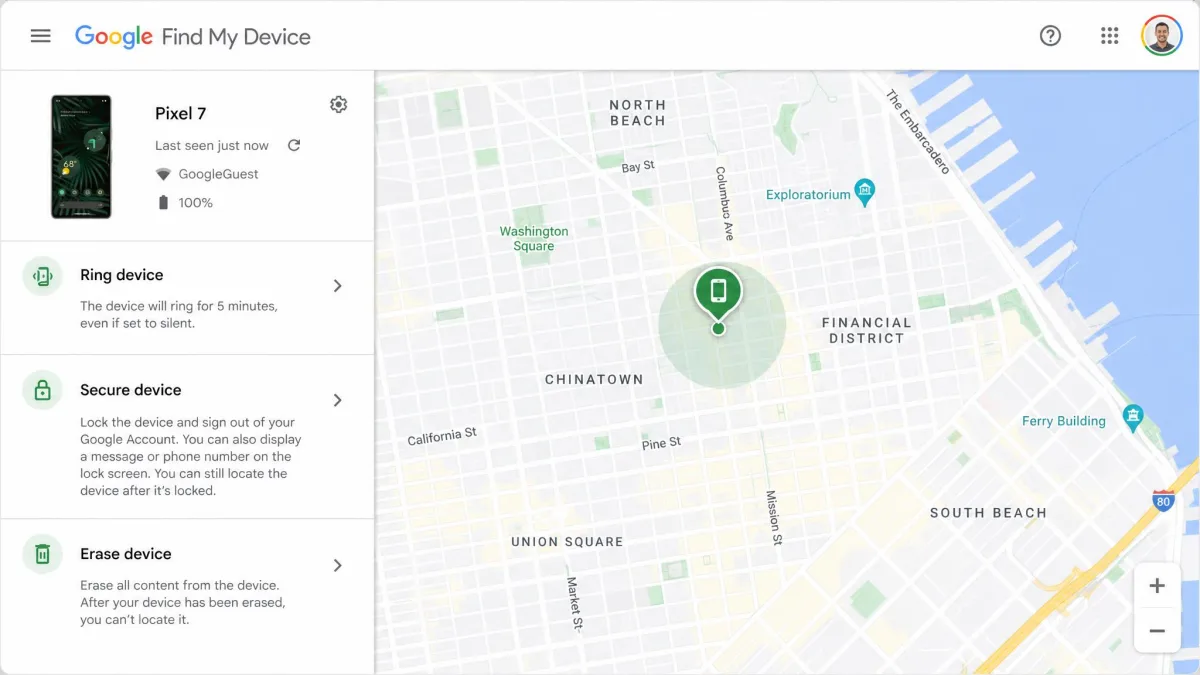
Every Android phone ships with a free finder built in, and it is the first place to look. Google Find My Device, rebranded as Find Hub, lets you locate the handset on a map, play a sound, lock the screen, and erase the device remotely. It is free, and it runs from any web browser or from the finder app on a second Android phone. Since the Find My Device network rolled out in 2024, it can even locate an offline phone through nearby Android devices over Bluetooth, though the fullest offline experience lands on newer hardware.
Find My Device only works if you turned it on before the phone went missing. Open Settings, tap Google, then Find My Device, and confirm it is on. You also need the phone signed in to a Google account with location switched on. It takes a minute now and saves the whole rescue later. Apple and Google both publish the same setup steps if you want to set up Find My Device properly.
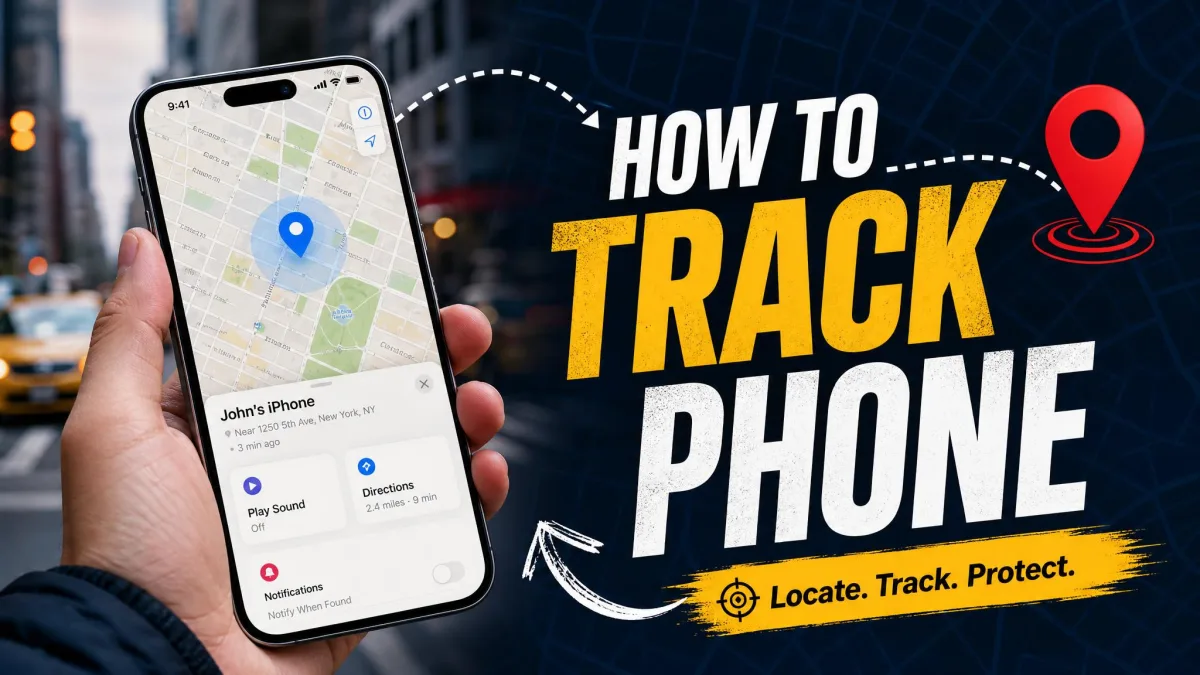
To track your phone, sign in to your Google account at the finder site on any computer or borrowed phone. Your devices appear in a list, and selecting one drops a pin on the map at its last reported location. From there you can make it ring at full volume for five minutes, which is enough to dig it out of a sofa, or you can lock the screen and post a message with a callback number.
Google Maps location sharing
Finding your own lost phone is one job. Keeping tabs on a family member who agrees to it is another, and Google Maps location sharing handles it cleanly. Real-time location sharing is free and built into Google Maps, so nobody has to install a separate app. Open Maps, tap your profile picture, choose Location sharing, and pick a person and a duration.
You can share for a preset window or leave it running until you turn it off. The person you share with sees your name, your live location on the map, your battery level and charging status, and your arrival and departure times. A plain link even works for people who do not use Google. It is the least intrusive way to let loved ones see where you are, because both sides opt in and either can stop it at any moment.
Samsung SmartThings Find (Find My Mobile)
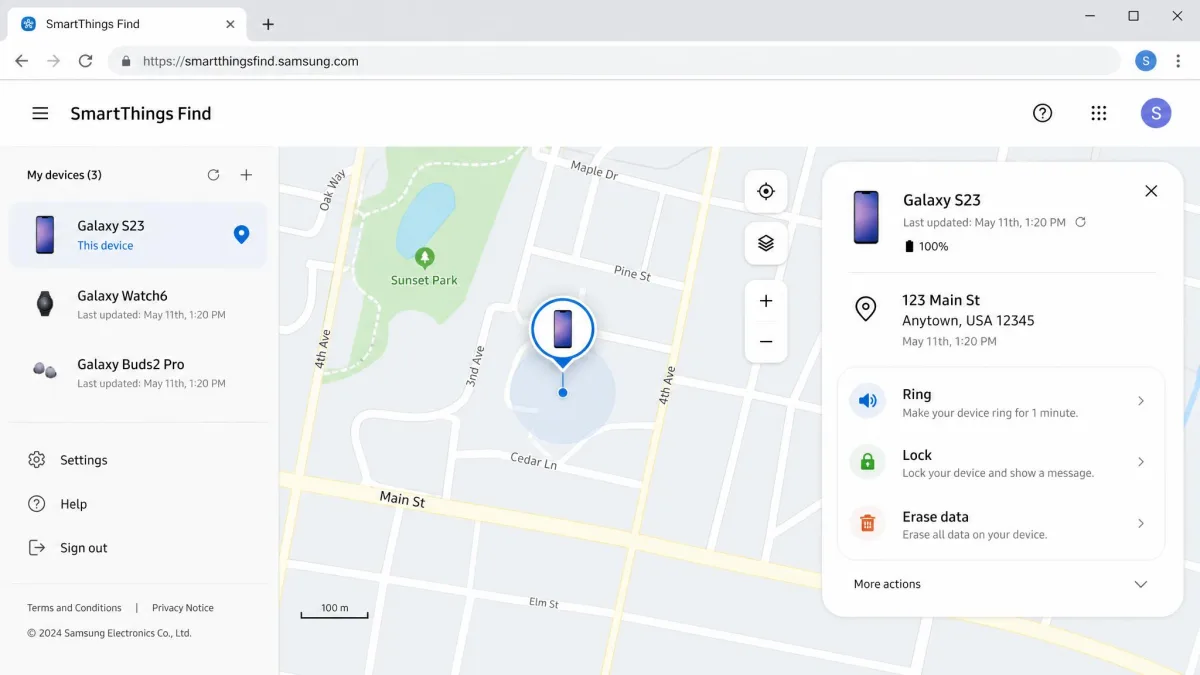
Samsung Galaxy owners get a second finder on top of Google's. Samsung Find My Mobile now redirects to SmartThings Find, and it can locate, ring, lock, and wipe a Galaxy device, with offline finding for handsets that support it. It is bundled with your Samsung account, and no separate fee is published for it, though Samsung's page does not print a price outright.
You need a Samsung account signed in on the Galaxy phone for this to work. If you have both a Google and a Samsung account set up, you effectively have two independent ways to find the same phone, which is a genuine advantage when one service is slow to report a location.
Google Family Link (track your child's Android)
For a child's Android phone, Google Family Link is the tool built for the job. It is free with no premium tier, and alongside location tracking it handles screen-time limits and schedules, app approval, and content filtering. You set it up on your child's device, link it to your account, and their location shows in the app.
One detail catches parents off guard. At age 13, or the applicable local age, the child can end parental supervision themselves, and you get notified when they do. Family Link is designed for genuine parenting, not covert monitoring, and that age cutoff is a deliberate part of the design.
How to Track an iPhone
For full monitoring of an iPhone, mSpy is our top pick. It works through iCloud credentials rather than an installed app and pulls location, messages, and app use into one dashboard. To simply find your own lost iPhone, the free built-in Find My covered below does the job.

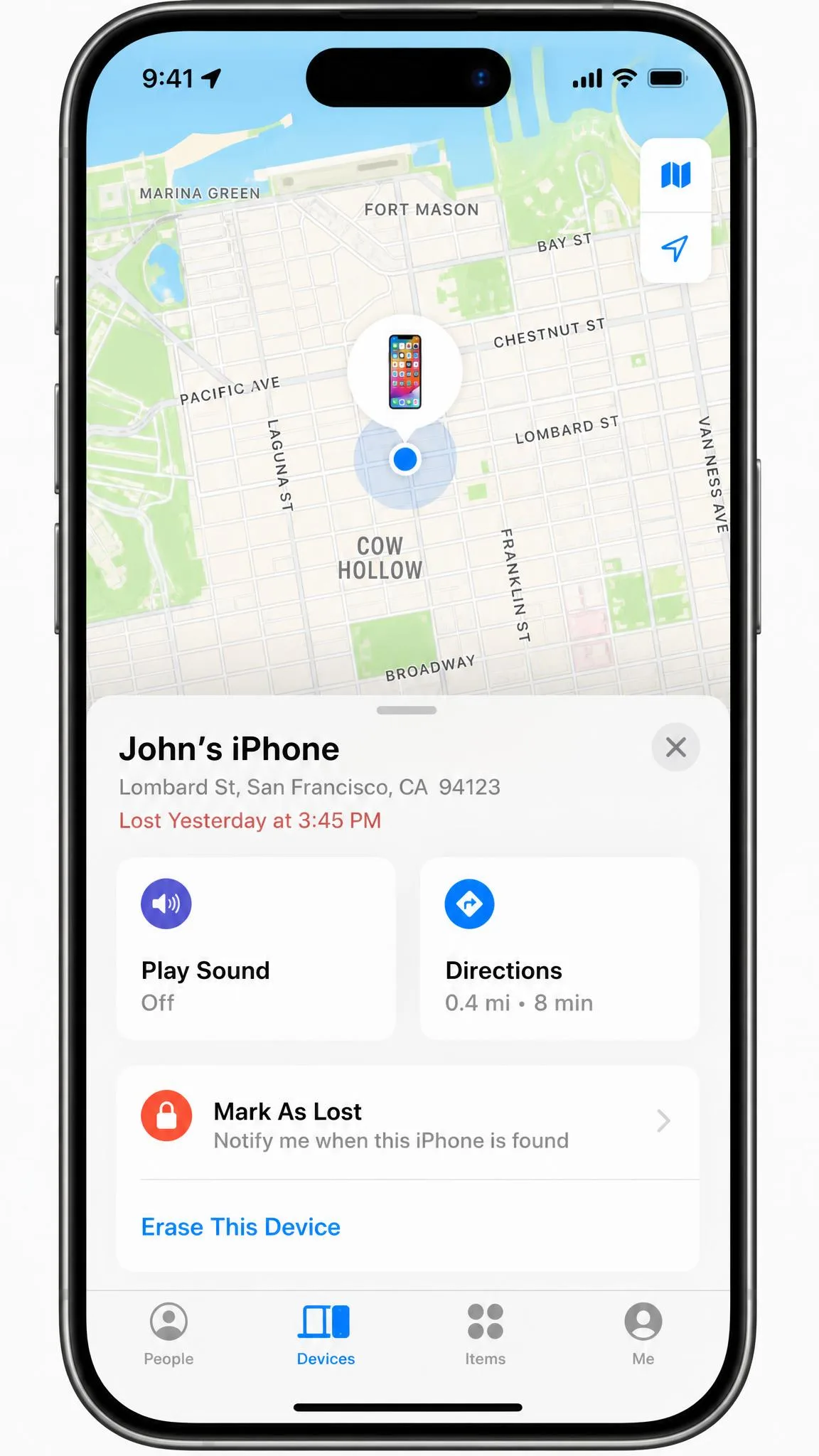
Apple's system mirrors Google's and is just as capable. Find My is free, built into every iPhone, and lets you locate the phone on a map with turn-by-turn directions, play a sound, mark the phone as lost, and erase it remotely. When you are close to the phone, Precision Finding uses Ultra Wideband to guide you to it within a few feet.
In our experience, Find My runs roughly 5 to 15 metres accurate outdoors and 10 to 50 metres indoors, tightening to a few feet with Precision Finding up close. That is accurate enough to walk to the right room, though not always the right drawer, so the play-sound feature earns its keep once you are in the building.
Find Devices on iCloud.com
If your iPhone is the thing that is missing, you do not need another Apple device to find it. Open a browser on any computer, sign in to iCloud, and use Find Devices to see everything on your account on one map. Apple's own Find My how-to walks through every action step by step, and the web version carries the same locate, sound, lock, and erase controls as the app.
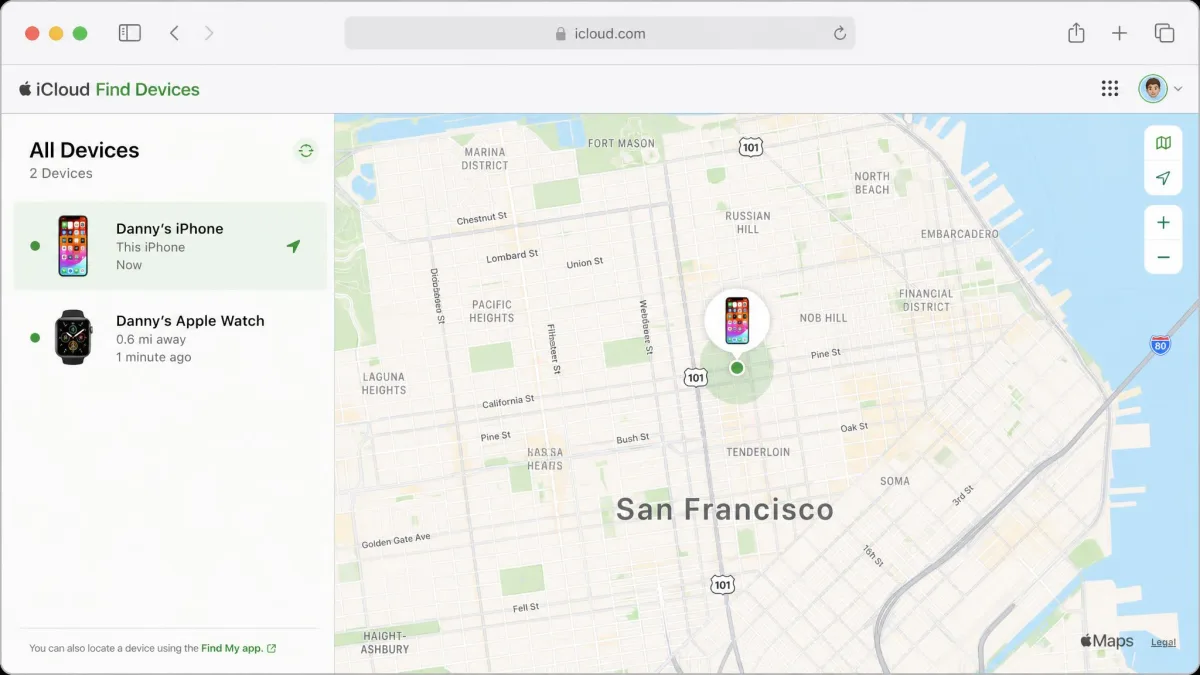
This is the route to remember when your only Apple device is the lost one. A friend's Windows laptop and your Apple Account password are all it takes to get a pin on the map.
Mark as Lost, play a sound, lock, or erase
When a phone is genuinely gone rather than misplaced, Mark As Lost is the setting to reach for. It locks the screen, shows a custom message with a contact number, and suspends payment cards, all in one step. If you are certain the phone is not coming back, you can erase it remotely, and Apple's guidance is worth reading before you find your lost iPhone and act.
Remote erase through Find My needs two-factor authentication turned on. Erasing is a last resort, because a wiped phone is much harder to track afterward. The one saving grace is that erased devices running iOS 15 or later can still be located, so you keep a thread even after a wipe.
Track an iPhone that's offline or turned off
A dead battery or a switched-off phone does not always mean a dead end. With the Find My network enabled, an iPhone shows its last known location for up to seven days after it goes offline, pieced together from nearby Apple devices over Bluetooth. That window buys you real time to act.
Be clear about what you are seeing, though. When an iPhone is off or out of signal, Find My drops to a last known location that can be a day or two old. The pin points to where the phone was, not where it is right now, so treat an offline location as a starting point rather than a live track.
How to Track a Cell Phone Location Without Installing Software
Plenty of people want to track a phone location without installing software, and the honest answer is that the best no-install tools are the ones already baked into the operating system. You do not download anything, because the finder is part of the phone.
Built-in OS tracking (no third-party app needed)
Both platforms count as no-install tracking. Find My Device on Android and Find My on iPhone are built in, run from a browser, and need no third-party app on the phone you are finding. If the phone was signed in to its Google or Apple account with location on, you already have everything you need. This is the single most reliable way to find a phone, and it costs nothing.
Google Maps Timeline / location history
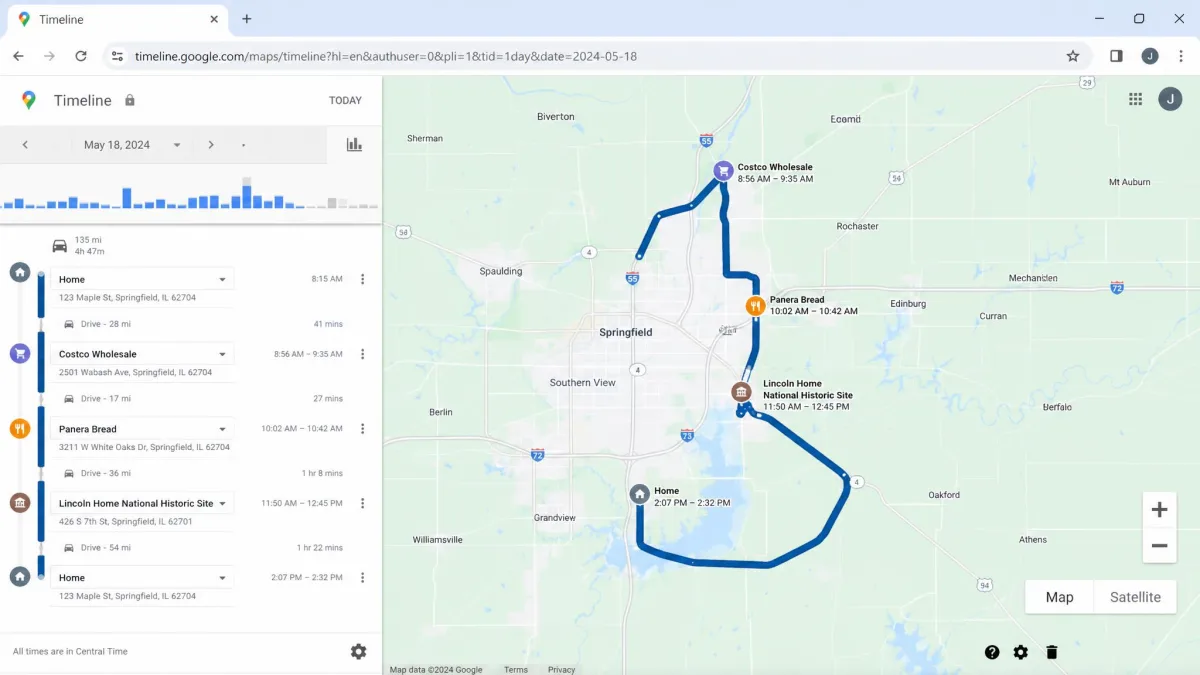
Beyond live finding, Google Maps Timeline quietly records where a phone has been, if location history was enabled on the account. Signing in to the same Google account on a computer lets you review recent places the phone visited. It will not show a live dot, but a recent history entry can point you to the last place the phone was active, which is often enough to retrace your steps.
Carrier and network location services
Your mobile carrier can also locate phones on your plan, for a fee, without installing anything on the handset. Most US carriers sell a family-locator add-on tied to the account rather than the phone. Verizon's version, for example, puts location tracking on its paid Family Plus tier at around $14.99 a month, or less as a plan perk, and the free base tier does not include it. Pricing and tier names vary by carrier and region, so check your carrier's family-locator service before you assume a number.
Web-based number-to-location link services (and their limits)
This is where we have to be blunt. Consumer sites that claim to locate any phone by number alone are largely scams. Real cell-network location, the kind that powers emergency 911, is not exposed as a public lookup you can buy for a dollar.
Number-only tracking sites reel people in with $1 trials and fake live-map animations, then charge recurring fees that are hard to cancel and hand back locations that are simply wrong. In one test, a phone sitting at home showed up as being in another city entirely. Save your money and use the built-in finders instead.
How to Track a Phone Location by Phone Number or IMEI
The dream of typing a number into a box and watching a phone appear on the map does not match how tracking actually works. A phone number is a routing address, not a GPS beacon, and there is no legitimate consumer service that turns one into a live location.
There are two narrow exceptions worth knowing. Google's Remote Lock can lock a lost Android screen using just a phone number, with no sign-in required, though it locks rather than locates. And an IMEI number, the unique hardware ID you find by dialing star-hash-zero-six-hash, is used by carriers and police to flag or blacklist a stolen phone. You report the IMEI to your carrier or to the police, and they act on it. You cannot plug an IMEI into a website and see a map, and any site claiming otherwise is selling the same fantasy as the number-lookup scams.
How to Track a Phone Without Them Knowing
People search for how to track a phone without them knowing for all sorts of reasons, and most of them are legitimate: a worried parent, a partner who shares a plan, a caregiver watching over an elderly relative. The methods below can run discreetly, but discretion and legality are not the same thing, so read the warning in this section carefully.
Installing tracking or monitoring software on another adult's phone without consent can violate the Computer Fraud and Abuse Act (18 U.S.C. 1030) as well as state wiretap and stalking laws. No relationship status, not marriage and not being the parent of an adult child, creates an exception to the consent rule. The safe ground is your own devices, your own minor children, and anyone who has agreed to be tracked.
Discreet built-in options (iCloud / Google account access)
The quietest legitimate method uses the account you already share. If you have access to a family member's iCloud or Google credentials with their knowledge, you can view that phone's location through Find My or Find My Device without an app appearing on their screen. Family Sharing on Apple devices formalizes this: once someone opts in to Family Sharing location, their position shows up for the family group. It is discreet in the sense that no icon nags them, but it still rests on their consent.
Dedicated monitoring and family-locator apps
When built-in sharing is not enough, dedicated apps step in, and they split into two camps. Family locators like Life360 sit in the open. Life360's paid tiers run from Silver at $7.99 a month up through Gold at $14.99 and Platinum at $24.99, and the free plan caps you at 2 Places and 2 days of location history. Each tier price covers the whole circle rather than each member, and the app has to be installed on the tracked phone with location permission granted, so everyone knows it is there.
Monitoring apps are the covert end of the market, and they are also the most capable once you have consent. For Android, uMobix is the one we recommend: it installs on the target phone and reports location, messages, calls, and app activity in near real time. For iPhone, mSpy works through iCloud credentials and two-factor codes rather than an installed app. mSpy Premium runs around $11.66 a month on the annual plan, or $48.99 for a single month, and one subscription covers one device. These tools are the ones the consent warning above is really about, so do not point them at another adult's phone without permission.
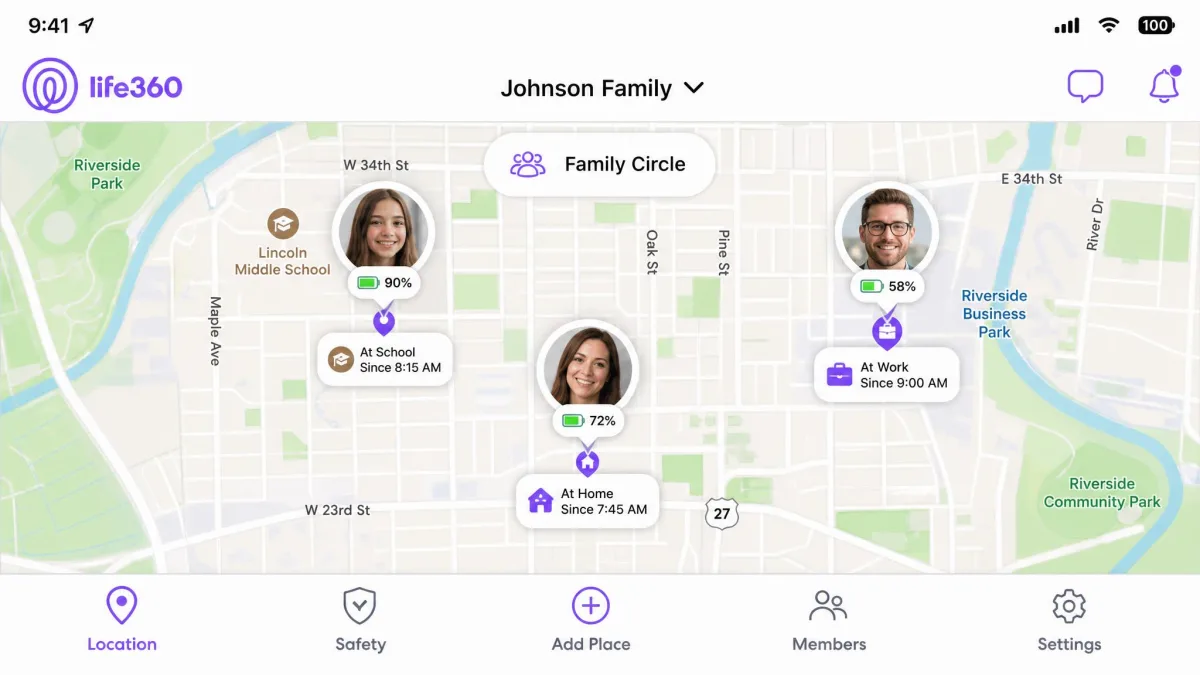
In our testing, family locators are less magical than the marketing suggests. Life360's map shows the last position it received, so a stale update can leave a family member frozen at an old address for a couple of hours and look exactly like a lie. Pins can land up to half a mile off, and phantom trips nobody actually took sometimes appear in the drive history. Constant GPS tracking also makes it a heavy battery drain, and the app itself warns that background location use can drain the battery quickly.
If a locator app keeps showing stale positions, the usual culprit is the phone, not the service. Background-app restrictions and battery-saver modes on both iOS and Android quietly stop family-locator apps from refreshing, which is the most common cause of a location that will not update. Exempt the app from battery optimization and the freezes usually stop.
How to tell if someone is tracking you (and stay safe)
Tracking cuts both ways, so it helps to know the signs someone is watching your phone. Sudden battery drain, unexpected data use, a device you do not recognize in your Google or Apple account, and unfamiliar apps are the classic tells. Open your account's device list, sign out anything you do not recognize, and change your password. The FTC warns that stalkerware is a real and growing problem, and the agency has acted on it: it banned the stalkerware maker SpyFone and its CEO from the surveillance business in 2021 and ordered the harvested data deleted.
Best Apps to Track a Phone (Comparison Table)
With so many methods on the table, here is how the main options stack up side by side. The built-in finders win on price and reliability, while the paid apps buy you extra features like history and multi-person circles.
| Method/App | Buy | Platform | Free? | Works without install? | Real-time vs history | Works offline? |
|---|---|---|---|---|---|---|
|
Check price → | Android | No (paid plans) | Needs install on target | Real-time + history | Depends on sync |
|
Check price → | Both | No (from ~$11.66/mo) | Android needs install; iPhone via iCloud | Real-time + history | Depends on sync |
| Google Find My Device / Find Hub | Android | Yes | Built-in (no third-party app) | Real-time | Yes (newer devices) | |
| Apple Find My / iCloud | iPhone | Yes | Built-in | Real-time | Last location up to 7 days | |
| Samsung SmartThings Find | Android (Galaxy) | Yes (bundled) | Built-in | Real-time | Yes | |
| Google Maps location sharing | Both | Yes | Built-in (consent-based) | Real-time + Timeline | No | |
| Google Family Link | Android (child) | Yes | App on child device | Real-time | No | |
| Life360 | Both | Limited free; $7.99-$24.99/mo | App on tracked phone | Real-time + history | No | |
| Carrier locator (Verizon Family Plus) | Both | No (~$14.99/mo) | Carrier account, no install | Real-time | No | |
| Number-only lookup sites | Both (claimed) | "Trials" then fees | Claims no install | Claimed real-time | Largely scam |
What to Do If Your Phone Is Lost or Stolen
Speed matters when a phone goes missing, and a calm sequence beats panic every time. The finders above give you four actions, and the order you use them in depends on whether the phone is lost or stolen.
Start by locating the phone on the map from a browser. If the pin is somewhere safe, like your own home or office, play a sound so you can walk to it and dig it out. If the location looks wrong or the phone is clearly gone, do not go knocking on doors. Instead, lock the screen right away and post a callback message, which protects your data and gives an honest finder a way to reach you.
If your phone is stolen rather than lost, lock it, report the theft to the police with the phone's IMEI number, and contact your carrier to suspend the line. Only erase the device once you have given up on recovery, since a wiped phone is far harder to trace. Your accounts matter more than the hardware, so change your important passwords the same day.
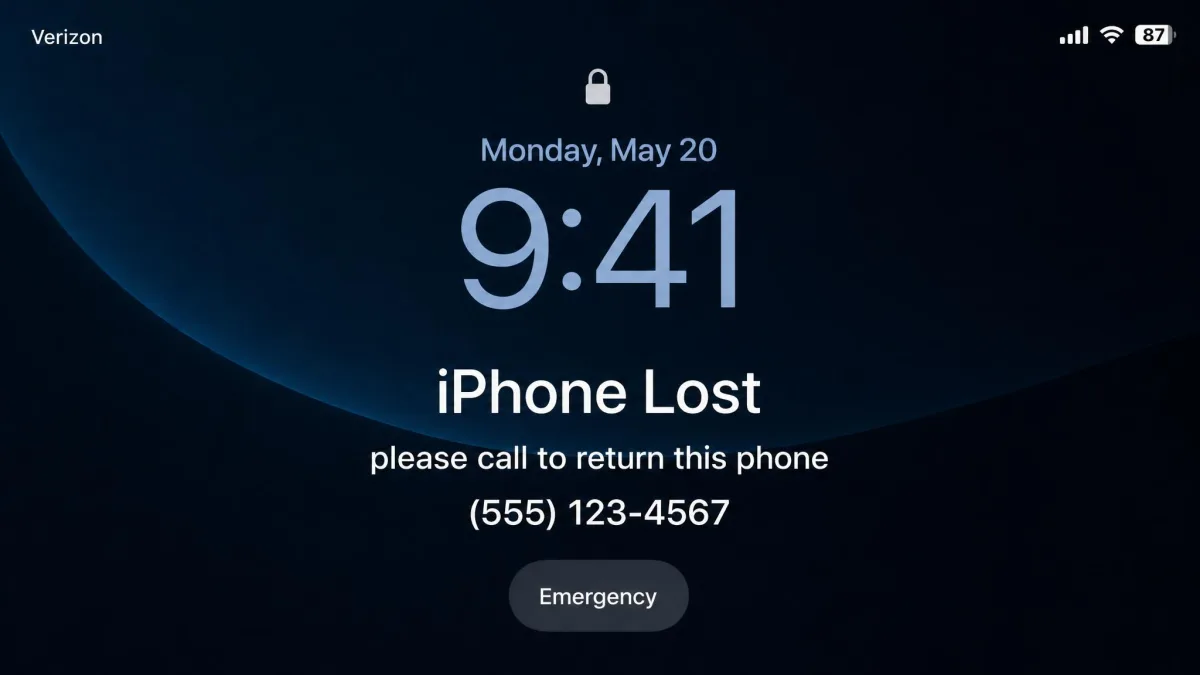
Erasing is the final step, not the first. Once you are sure the phone will not come back, wiping it clears your personal data from the device. On a modern iPhone you keep a location thread even after the wipe, but on most phones an erase ends the trail, so treat it as the point of no return.
How Phone Tracking Actually Works (GPS, Wi-Fi, cell towers, IMEI)
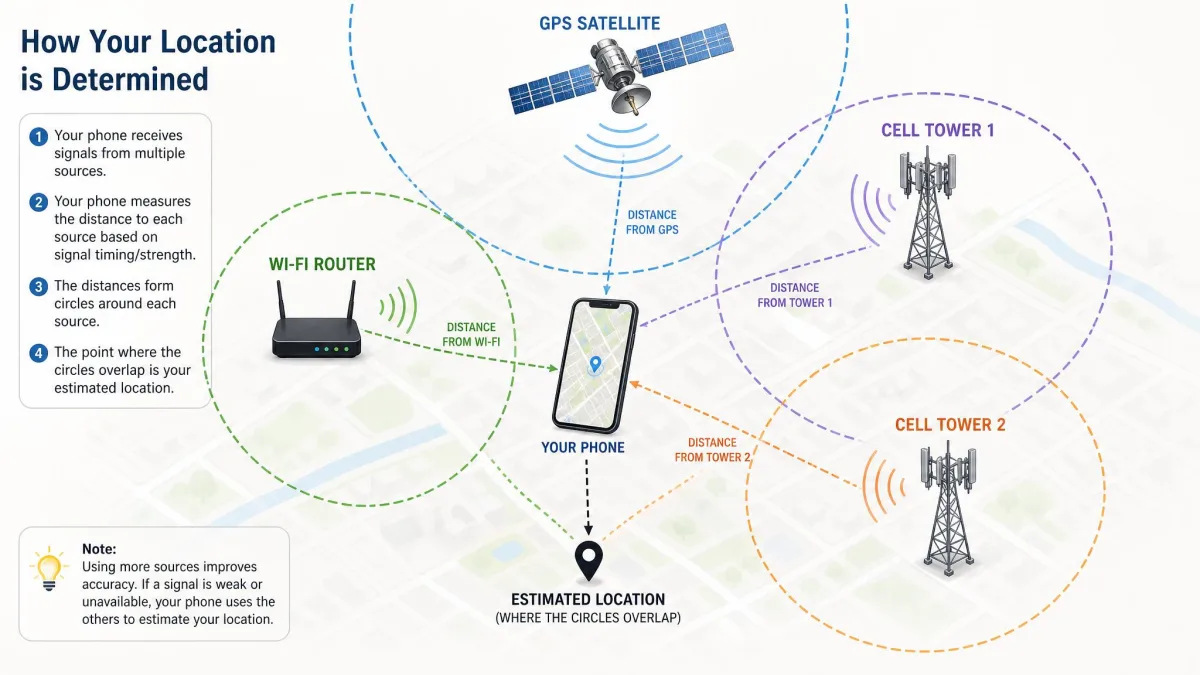
A phone figures out where it is by combining three signals. GPS satellites give an outdoor fix down to a few metres, nearby Wi-Fi networks sharpen it indoors, and cell towers provide a rough fallback that can be off by hundreds of metres.
The finder services read that position from the phone and relay it to your account. This is why the phone has to be powered on, online, and signed in for live tracking to work, and why an offline phone can only report where it last checked in. The IMEI, by contrast, identifies the hardware itself rather than its location, which is why it is useful for blacklisting a stolen handset but useless for pinning it on a map.
Before You Start: What You Need and What's Legal
Two things separate a smooth rescue from a frustrating one: setup and permission. Both need sorting before, not after, the phone goes missing.
When tracking is allowed (your own device, your child, with consent)
Tracking your own phone is always fine. Tracking your minor child's phone is legal and is exactly what tools like Family Link are built for. Tracking another adult is legal only when they have given informed consent, which is the whole idea behind Google Maps sharing and Life360, where the tracked person opts in and can opt out.
The covert-tracking gray area, briefly
Covert tracking of an adult who has not consented is where people get into legal trouble, and the law does not bend for relationships. As the consent warning earlier spelled out, installing monitoring software on another adult's phone without permission can break federal and state law regardless of whether you are married to them. When in doubt, ask for consent or do not track. It keeps everyone safe and keeps you on the right side of the line.
Frequently Asked Questions
Can I track a phone for free without them knowing?
How accurate is phone location tracking?
Can you track a phone that's turned off?
Can you track a phone by number alone?
Is it legal to track someone's phone?
Does tracking drain the battery?
Conclusion
Tracking a phone in 2026 is easier and cheaper than the ad-riddled corners of the web suggest. For most people, the free finder already on the phone does everything you need: it puts the device on the map, rings it, locks it, and erases it if the worst happens. Set up Find My Device or Find My today, before you ever need them, and a lost-phone crisis becomes a two-minute browser task.
For keeping track of family, choose the option everyone can see. Google Maps sharing and consent-based locators keep loved ones connected without crossing a line. When it comes to phone tracking, the honest, built-in path is also the one that actually works.