Every time you connect to the internet, your traffic crosses networks you do not control. Your home router, the coffee shop hotspot, your internet provider, and every hop in between can see where you go and, on unencrypted sites, what you send. A secure VPN closes most of that exposure by wrapping your connection in strong encryption and hiding your real IP address. Done well, it means the person at the next table on cafe Wi-Fi, your internet provider, and the sites you visit all lose their easy view of what you are doing online.
The problem is that the market is crowded, and plenty of services promise "military-grade" protection while quietly logging your activity or leaking your DNS requests. We wanted to know which VPNs actually keep you safe when you put them under pressure, so we tested the major providers on the things that matter for internet security: encryption strength, kill switch reliability, no-logs audits, leak protection, and real-world speed.
This guide ranks the best VPNs for internet security in 2026 and explains what we found. We ran each service through the same battery of speed, leak, and streaming checks, compared their security features side by side, and picked the ones we would trust with our own daily traffic. If you only want the short version, the top picks are just below.
We approach every VPN the way a network administrator would. Before any service earns a spot here, we connect it across Windows, macOS, Android, and iOS, force the connection to drop to see whether the kill switch holds, and run leak tests to confirm nothing slips out around the tunnel. The numbers and verdicts below come from that hands-on work, not from a spec sheet.
Our Top VPN Picks at a Glance
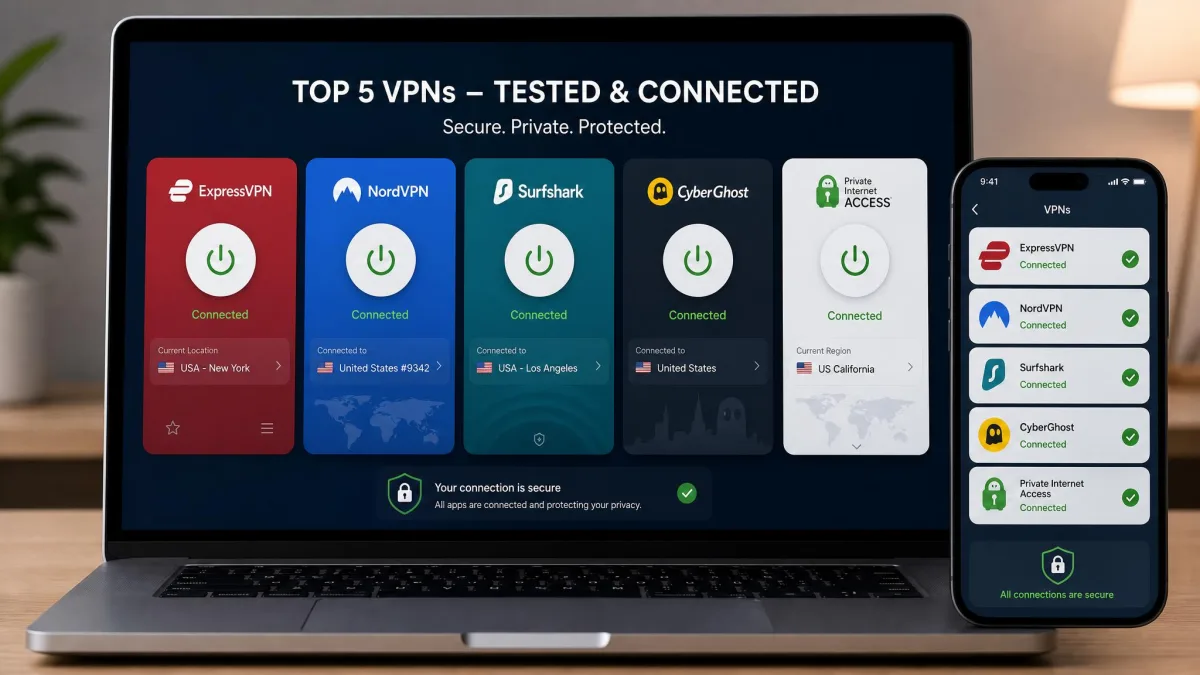
Here are the services we recommend most for internet security, with the short reason each one made the list.
The Best VPNs for Internet Security
We scored these five picks on encryption, privacy track record, leak protection, speed, and everyday usability. They appear in the order we would recommend them for most people who want internet security first. Each pick won its slot for a specific reason, so read past the ranking to the one that fits how you actually use the internet.
1. NordVPN: Best Overall for Security
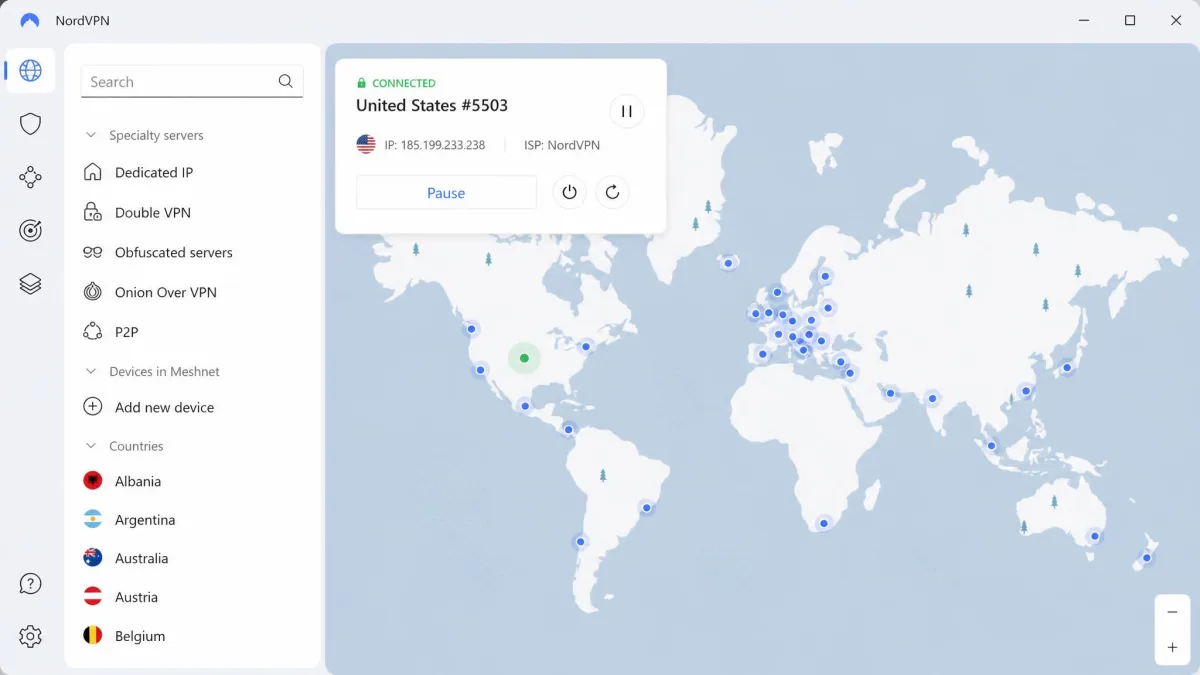
NordVPN is the service we reach for when someone asks for one VPN that does everything well. It runs AES-256 encryption over OpenVPN and ChaCha20 through NordLynx, its WireGuard-based protocol, and it has added post-quantum encryption on NordLynx to guard against future attacks on today's captured traffic. The no-logs policy has been independently audited multiple times, by Deloitte and PwC, which is the kind of repeated outside scrutiny we like to see. That combination of strong encryption, a proven privacy record, and a wide feature set is why it wins overall: it does not force you to trade one for another the way narrower services do.
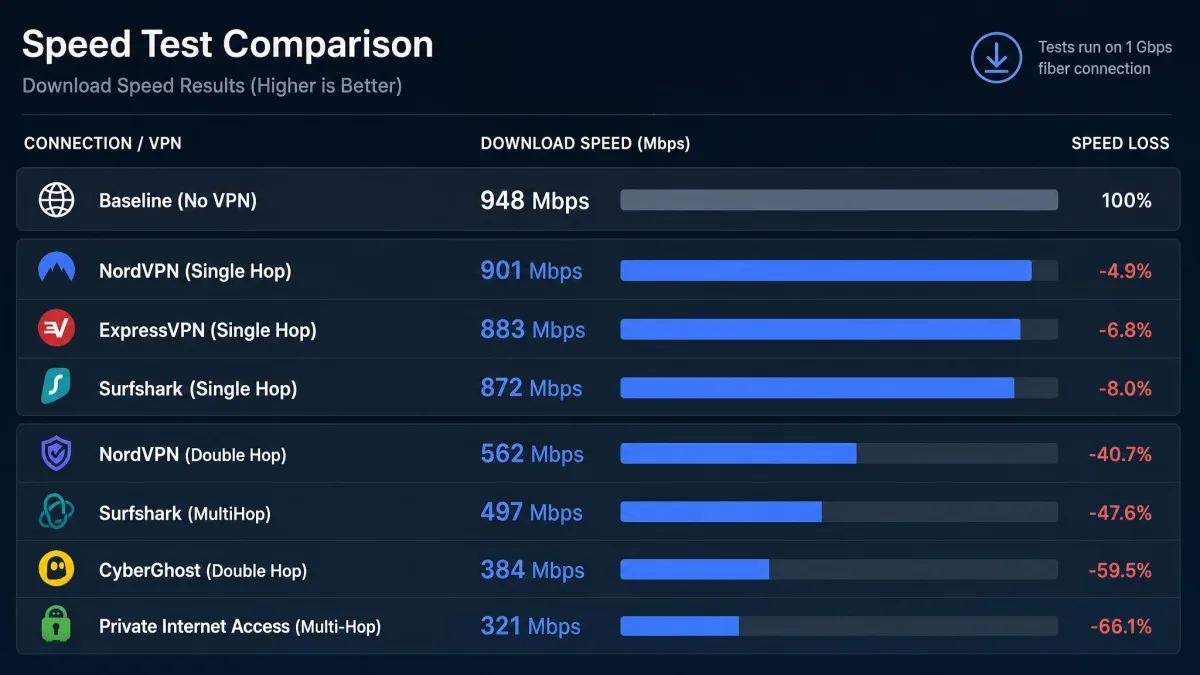
Speed is where NordVPN separated itself in our testing. Download and upload loss was among the lowest of any major provider we measured, so streaming and large downloads felt close to our unprotected baseline. When we switched on Double VPN, which routes your traffic through two servers for extra protection, speeds fell by as much as 80 percent. That is a fair trade for the added cover, but it is a mode to use deliberately rather than leave on all the time. For normal browsing, the single-hop NordLynx connection is what you want, and it is quick enough that most people forget the VPN is even on.
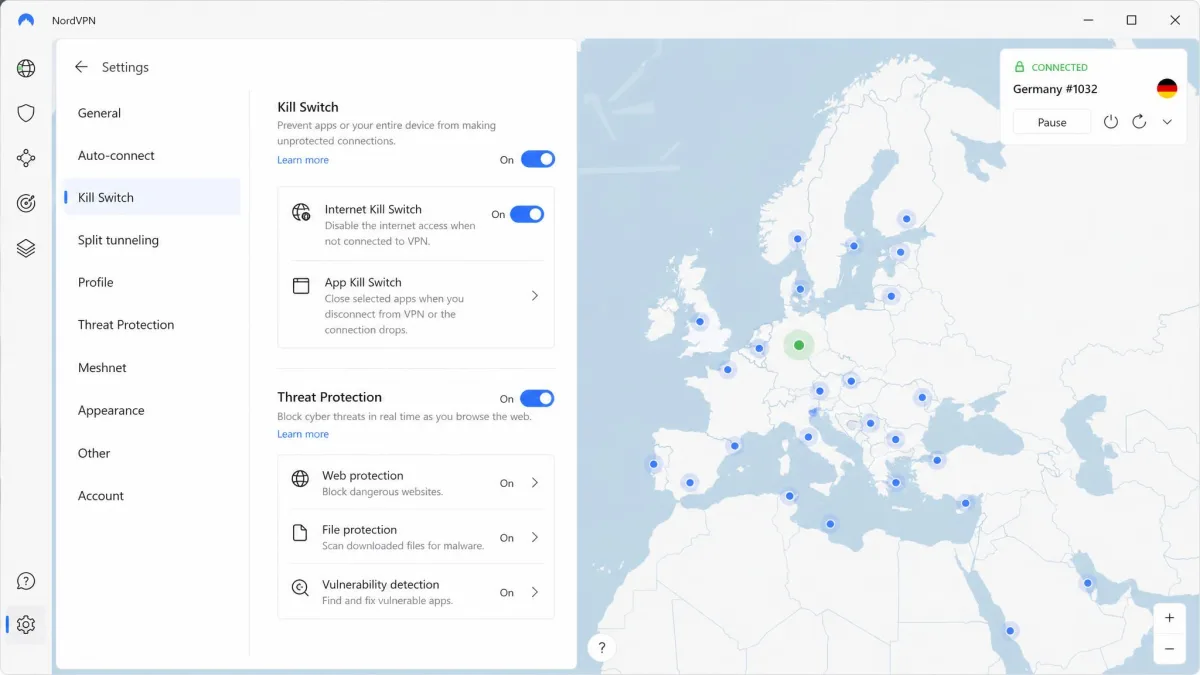
On features, NordVPN is deep. You get an automatic kill switch, DNS leak protection, Threat Protection to block trackers and malicious sites, Onion over VPN, a dedicated IP option, and Meshnet for linking your own devices. It is based in Panama, outside the 5, 9, and 14 Eyes alliances, and comes with a 30-day money-back guarantee. One honest caveat: the price climbs noticeably when the intro term renews, so budget for the second-year rate, not just the headline number. You can see current plans at NordVPN.
Setup is about as painless as VPNs get. The apps default to the fastest protocol and the nearest server, so a first-time user can be protected with a single click, while advanced users can pin a specific protocol, enable the kill switch at the system level, and route only chosen apps through the tunnel. During our leak checks the DNS requests stayed inside the tunnel on every platform, and forcing the connection to drop cut our traffic instantly rather than exposing the real IP. For anyone who wants strong internet security that does not demand constant fiddling, this is the easiest of our picks to live with day to day.

Pros
- Very low speed loss, around 5 percent in our tests
- AES-256 plus post-quantum encryption on NordLynx
- No-logs policy audited multiple times
- Panama jurisdiction, outside major surveillance alliances
Cons
- Renewal price rises sharply after the intro term
- Double VPN cuts speeds heavily when enabled
We rate NordVPN 9.2 out of 10. It is the pick for people who want strong internet security without giving up everyday speed.
2. Proton VPN: Best for Privacy and No-Logs
Where NordVPN optimizes for all-around balance, Proton VPN leans hardest into privacy. It comes from the team behind Proton Mail and is based in Switzerland, a country with strong privacy law and no membership in the Eyes alliances. The no-logs policy is audited annually by Securitum, and the apps are open source and independently audited, so the privacy claims are verifiable rather than promised. Coming from the same team as Proton Mail, the service treats privacy as the product rather than a feature bolted on for marketing.
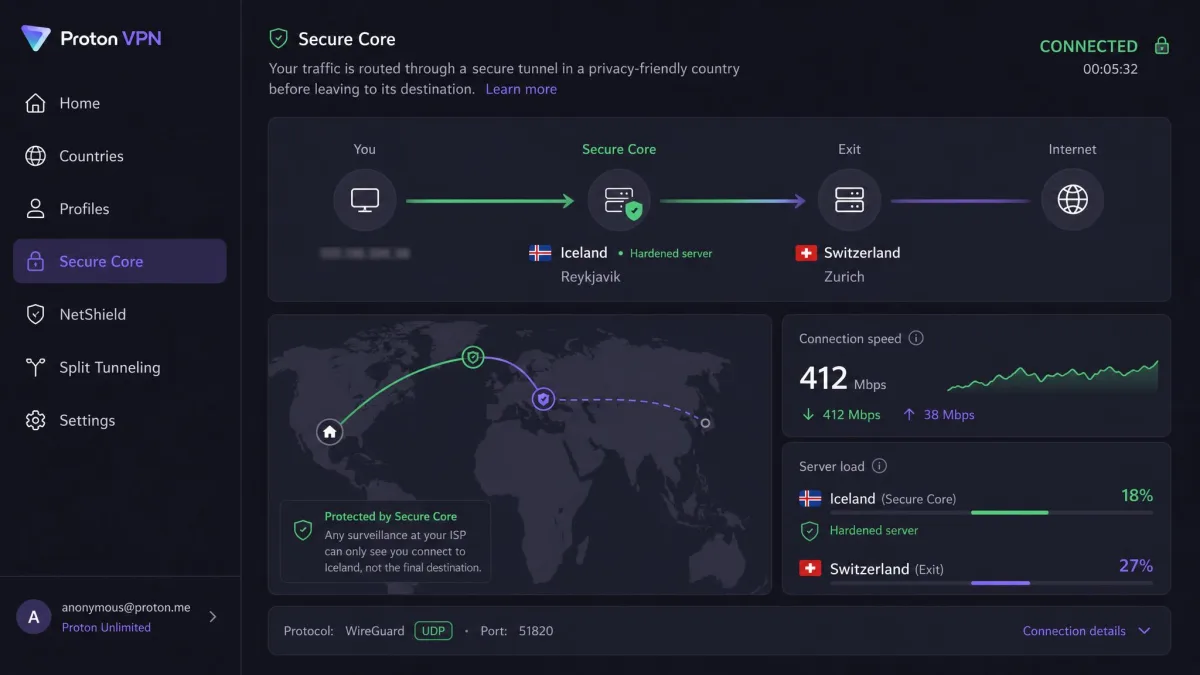
The security stack is excellent. Proton VPN uses AES-256 with WireGuard and OpenVPN, an always-available kill switch, and DNS leak protection, and it rolled out post-quantum encryption for all users in 2026. Its Secure Core feature routes your traffic through hardened servers in privacy-friendly countries before it leaves the network. When we tested Secure Core, the extra hop noticeably slowed the connection, which is the expected cost of routing through a second country for more protection.
Two things are worth knowing before you subscribe. First, the paid Plus plan supports 10 simultaneous connections and adds NetShield ad and malware blocking, VPN Accelerator, and Tor over VPN. Second, the money-back guarantee is prorated to the unused portion rather than a full refund, unlike most rivals, so cancel promptly if it is not for you. Plans and details are at Proton VPN.
What sets Proton apart in daily use is how much of its security is verifiable rather than promised. Because the apps are open source, independent researchers can inspect exactly what the software does, and the annual Securitum audits check that the no-logs policy holds. NetShield blocks ads and known malware domains without breaking sites, and VPN Accelerator claws back much of the speed that distance normally costs. If your priority is being able to prove, not just trust, that a VPN protects you, Proton makes the strongest case of any service here.

Pros
- Swiss jurisdiction with strong privacy law
- Open-source apps, audited no-logs every year
- Secure Core multi-hop and Tor over VPN
- Post-quantum encryption for all users
Cons
- Secure Core noticeably slows the connection
- Refunds are prorated, not full money-back
We rate Proton VPN 9.0 out of 10. It is the choice when a verifiable privacy record matters more than raw convenience.
3. Surfshark: Best Value and Multiple Devices
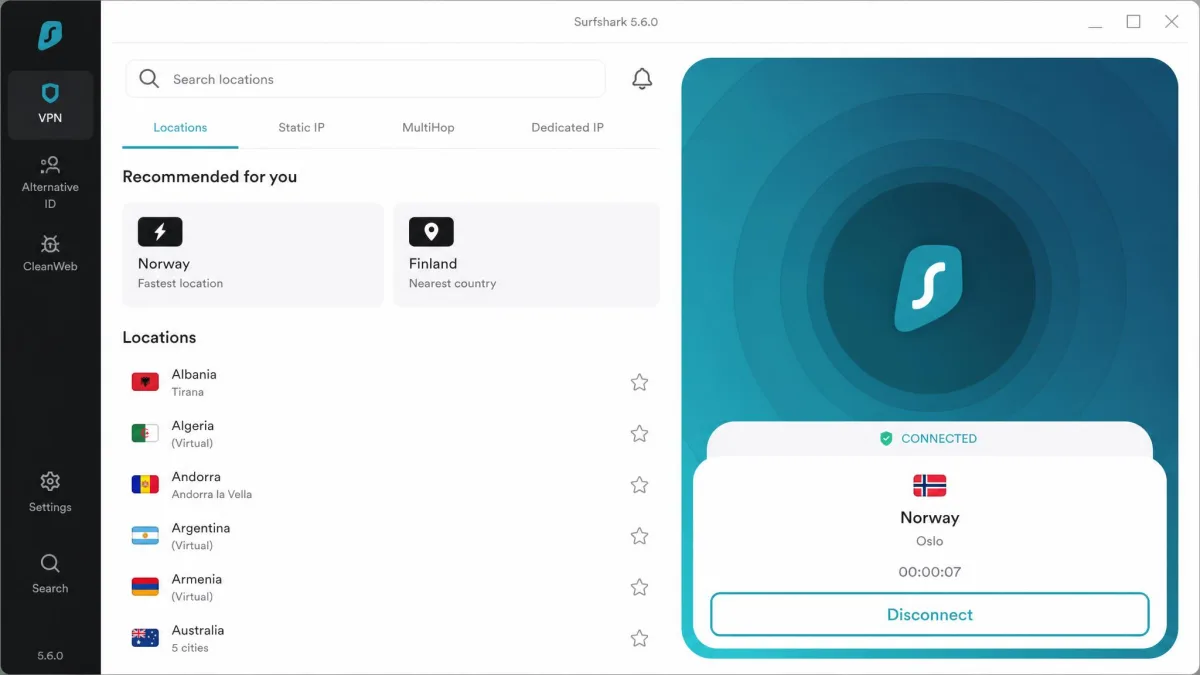
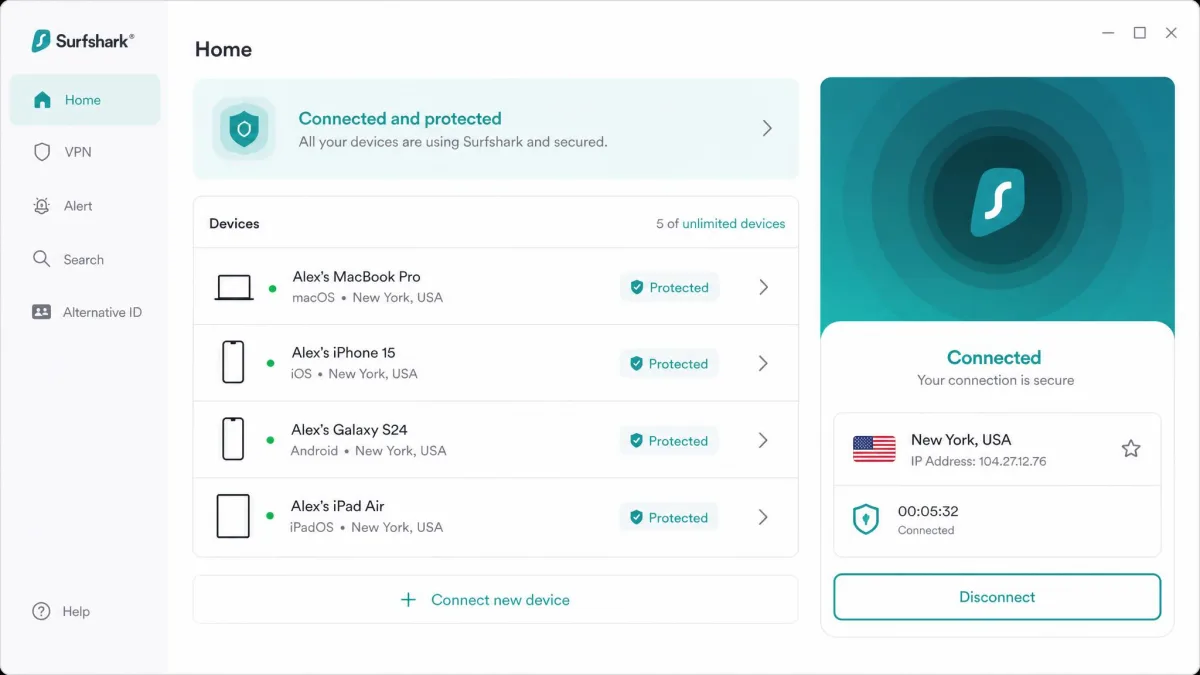
Surfshark takes a different angle from the two picks above: it aims to protect an entire household for the price of protecting one person. The standout is unlimited simultaneous connections on a single account, which means your phones, laptops, tablets, and smart TVs can all run the VPN at once. In our testing, covering an unlimited number of devices on one plan was a genuine advantage for families and shared homes.
The security foundation is solid. Surfshark uses AES-256-GCM with WireGuard, OpenVPN, and IKEv2, plus a kill switch, CleanWeb ad and malware blocking, MultiHop, and RAM-only servers that wipe on every reboot. Its no-logs policy was independently audited by Deloitte in 2025. Speed held up well after the company upgraded its network to 10Gbps servers, delivering fast, reliable connections in our tests. As with rivals, the MultiHop option slows the connection significantly, so save it for when you want the extra routing rather than everyday browsing.
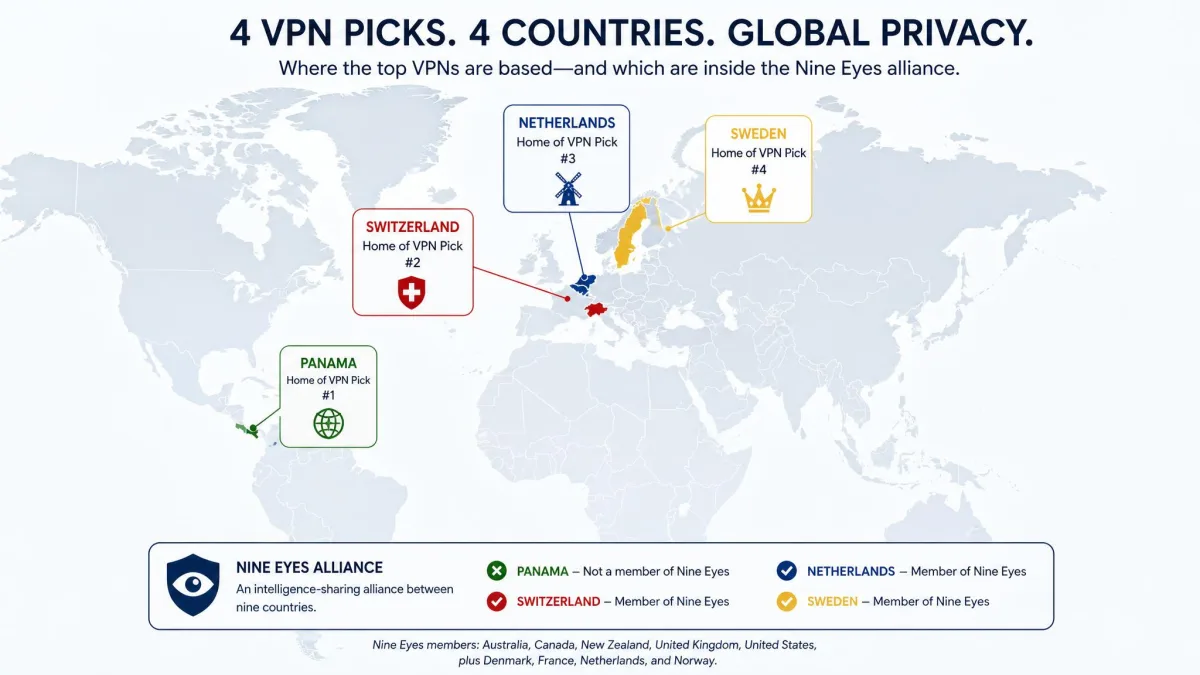
The main trade-off, however, is jurisdiction. Surfshark is based in the Netherlands, which is privacy-friendly but sits inside the Nine Eyes alliance, unlike Panama or Switzerland. The audited no-logs policy and RAM-only servers offset a lot of that concern, but privacy purists may prefer the picks above. Pricing is the lowest here, and a 30-day guarantee plus a 7-day app-store trial let you test it first. That trial is a genuine advantage, because it lets you confirm the speeds and the unlimited-device coverage on your own hardware before any money leaves your account. See current deals at Surfshark.
We put the unlimited-device claim to a real test by connecting a laptop, two phones, a tablet, and a smart TV to the same account at once, and every device stayed protected without the plan complaining or throttling. CleanWeb covers ad and tracker blocking across all of them, and the Bypasser split-tunneling tool can keep local banking apps off the VPN while everything else stays encrypted. For a household that would otherwise pay per device, that single-account coverage is the feature making Surfshark punch above its price.

Pros
- Unlimited simultaneous connections on one account
- Lowest price in this roundup
- Fast speeds on upgraded 10Gbps servers
- Audited no-logs plus RAM-only servers
Cons
- Netherlands base sits inside the Nine Eyes alliance
- MultiHop slows the connection significantly
We rate Surfshark 8.8 out of 10. If you need to protect many devices without paying per seat, this is the one.
4. Proton VPN Free: Best Free Secure VPN
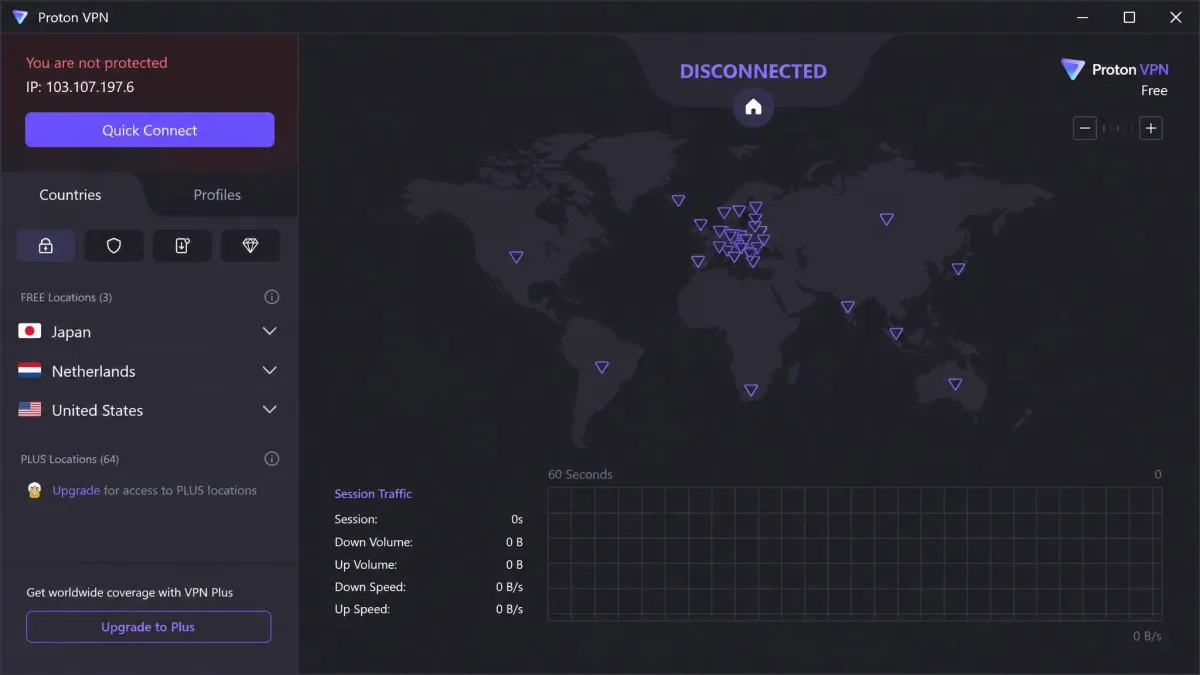
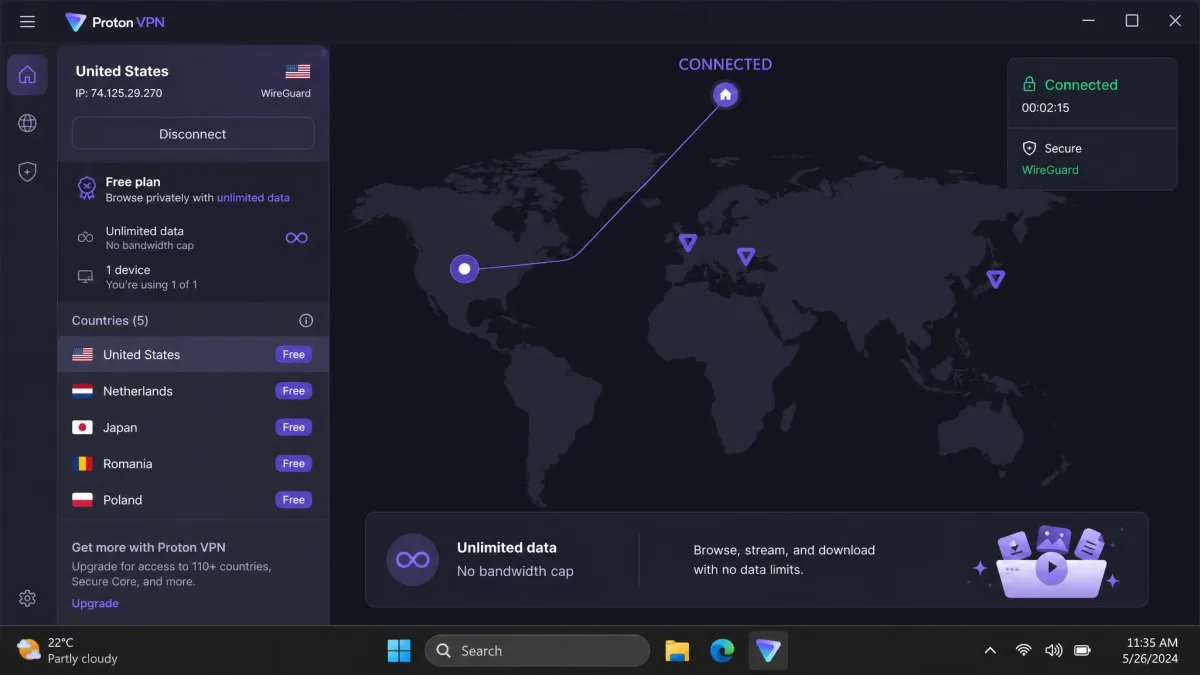
Most free VPNs are a bad trade, funded by selling the very data a VPN should protect. Proton VPN Free is the rare exception, which is why it earns a spot of its own. The free plan is permanent, with unlimited data and no bandwidth cap, and it inherits the same AES-256 encryption, audited no-logs policy, and Swiss jurisdiction as the paid tiers. That combination is almost unheard of at no cost.
The limits are honest and clear. The free plan blocks streaming and torrenting, allows only one device at a time, and leaves out split tunneling and ad blocking. When we ran it, everyday browsing and email were well protected, but the single-device cap and lack of streaming access make it a security tool rather than an all-purpose plan. There are no data caps to trip over, which is the trap most free VPNs set.
We recommend Proton VPN Free for anyone who needs to protect basic browsing on public Wi-Fi without paying, or who wants to try Proton's security before upgrading. If you later need more devices or streaming, the paid Plus plan is a natural step up. Start with the free plan at Proton VPN.
The reason the free plan is trustworthy comes down to how Proton makes money. Paid subscribers fund the free tier, so there is no incentive to log or sell free users' data, and the same audited no-logs policy covers everyone. That is the opposite of the ad-funded free VPNs that treat your browsing as the product. The single-device limit is the main friction: you cannot protect a phone and a laptop at the same time on the free plan, so it works best as protection for one primary device. Even so, for someone who just wants to browse safely on public Wi-Fi without spending a cent, no other free plan comes close on trust.

Pros
- Permanent free plan with unlimited data
- Same encryption and no-logs audit as paid tiers
- No bandwidth cap and no data selling
Cons
- One device only, no streaming or torrenting
- No split tunneling or ad blocking
We rate Proton VPN Free 8.4 out of 10 as a free option. It is the best way to get real protection online without spending anything.
5. Mullvad: Best for Anonymous Privacy
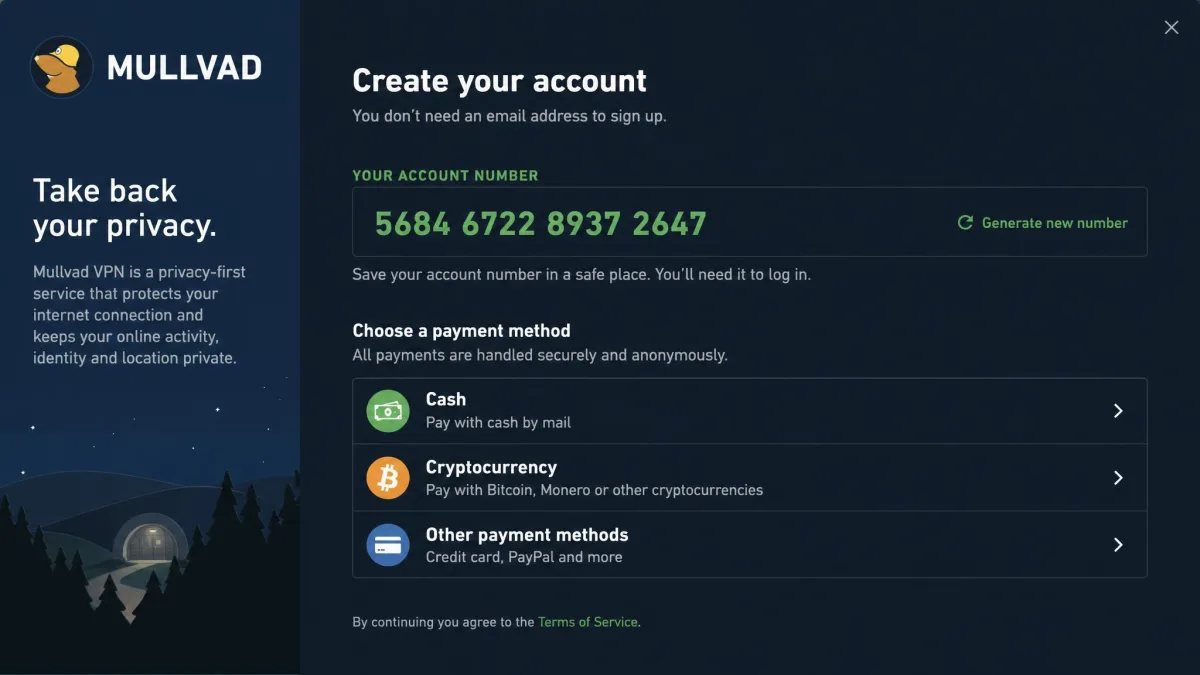
If the picks above balance security with convenience, Mullvad refuses to compromise on privacy at all. It is the pick for people who want to reveal as little about themselves as possible. Mullvad does not ask for an email address or any personal information. Instead it issues a random account number, and it accepts cash and cryptocurrency, so you can pay and sign up without tying the account to your identity. That design is the whole point of Mullvad: it collects as little about you as technically possible, so there is nothing to leak even if the company wanted to.
The privacy record is the strongest here. Mullvad has been through more than ten independent audits, by firms including Cure53, and in a 2023 police search the authorities seized no customer data because there was none to take. It runs WireGuard only, having retired OpenVPN in January 2026, with ChaCha20 encryption, an always-on kill switch, and DAITA traffic-analysis defense. When we forced repeated connection drops, the always-on kill switch held every time and never leaked our real IP. Support is email only, but replies came in roughly six hours.
Mullvad is not for everyone. Streaming access to Netflix and similar platforms was inconsistent in our testing, and the service dropped port forwarding in 2023 and offers no streaming optimization. Its settings use technical language and manual configuration rather than simple toggles, so setup takes more effort than the polished apps above. Multi-hop routing roughly halves your speed. Pricing is refreshingly simple: a flat 5 EUR per month with no tiers or discounts, five simultaneous connections, and a 14-day guarantee. See it at Mullvad.
The manual approach cuts both ways. Setup took us longer than the polished apps above, because options are labeled in technical terms and expect you to understand what they do, but that same transparency is part of why privacy researchers trust Mullvad. DAITA, its defense against traffic-analysis attacks, is the kind of feature you rarely see spelled out so plainly. If you are comfortable reading a settings screen carefully and you value anonymity over hand-holding, Mullvad rewards the effort. If you want a VPN that just works with one tap, one of the earlier picks will suit you better.

Pros
- Anonymous account numbers, cash and crypto accepted
- More than ten independent audits
- Always-on kill switch held through forced drops
- Flat, simple 5 EUR per month pricing
Cons
- Inconsistent streaming, no port forwarding
- Technical settings and manual configuration
We rate Mullvad 8.7 out of 10. It is the specialist pick when anonymity is the whole point.
VPN Comparison Table: Security Features Side by Side
The picks above each win for a different reason, so it helps to see their core security features together. This table lines up encryption, kill switch, no-logs audits, device limits, jurisdiction, and price for every VPN we recommend.
| Product | Buy | Encryption / protocol | Kill switch | No-logs / audit | Simultaneous connections | Jurisdiction | Price |
|---|---|---|---|---|---|---|---|
|
Check price → | AES-256, NordLynx (ChaCha20) | Yes | Audited (Deloitte, PwC) | 10 | Panama | Around $3.49/mo(2yr) |
|
Check price | AES-256, WireGuard | Yes | Audited (Securitum, annual) | 10 | Switzerland | Around $2.99/mo(2yr) |
|
Check price | AES-256-GCM, WireGuard | Yes | Audited (Deloitte 2025) | Unlimited | Netherlands | Around $2.49/mo(2yr) |
|
Check price | ChaCha20, WireGuard only | Yes (always-on) | 10+ audits (Cure53) | 5 | Sweden | Flat 5 EUR/mo |
A pattern stands out here. Every recommended VPN runs modern encryption, an audited no-logs policy, and a working kill switch, so the real differences come down to jurisdiction, device limits, and how much convenience you want alongside the security.
Other VPNs We Tested (and VPNs to Avoid)
Not every service that markets itself on security earns the label. We connected to and tested a wider set of providers before settling on the five picks above, and a few patterns are worth passing on so you can spot the weak options yourself.
The clearest warning is free VPNs outside a handful of trusted names. Running a global server network costs money, and providers that charge nothing usually make it back somewhere. Independent studies of free Android VPN apps have repeatedly found trackers, weak or absent encryption, and data sharing with third parties. Unless a free plan comes from a company with an audited no-logs policy, like Proton, we would not route sensitive traffic through it. The math is simple. Bandwidth and servers are expensive, and a company that gives them away has to earn revenue somewhere, whether that is injecting ads, throttling you toward a paid tier, or selling the browsing data a VPN is supposed to hide. A trustworthy free plan exists only where paying customers subsidize it, which is exactly the Proton model.
Avoid any VPN that cannot point to an independent audit of its no-logs policy, keeps you on outdated protocols, or is based in a country with mandatory data retention. A VPN that logs your activity moves the risk, it does not remove it.
Among paid services, the ones we passed over generally fell down on one of three things. Some had no recent third-party audit, so their privacy claims were unverified. Others posted slower speeds or leaked DNS requests in our checks, which defeats the purpose. A few were fine on security but locked essential features, like the kill switch, behind higher tiers. The five picks above cleared all of those bars, which is why they made the list and the rest did not.
A second thing to watch for is jurisdiction dressed up as a selling point. Some providers advertise an exotic offshore base as proof of privacy, but a friendly address means little without an audited no-logs policy and transparent ownership behind it. We treat an independent audit, clear company information, and a track record of standing up to data requests as far stronger signals than the country on the letterhead. Marketing language like "military-grade" tells you nothing on its own, because AES-256 is the baseline every serious VPN already meets.
How We Tested and Ranked These VPNs
Every score in this guide comes from hands-on testing rather than marketing copy. We license or sign up for each service ourselves, install the apps across Windows, macOS, Android, and iOS, and put them through the same set of checks so the comparison is fair. Testing on every major platform matters because a VPN that is excellent on Windows can be missing a kill switch or split tunneling on iOS, and those gaps only show up when you actually use the app.
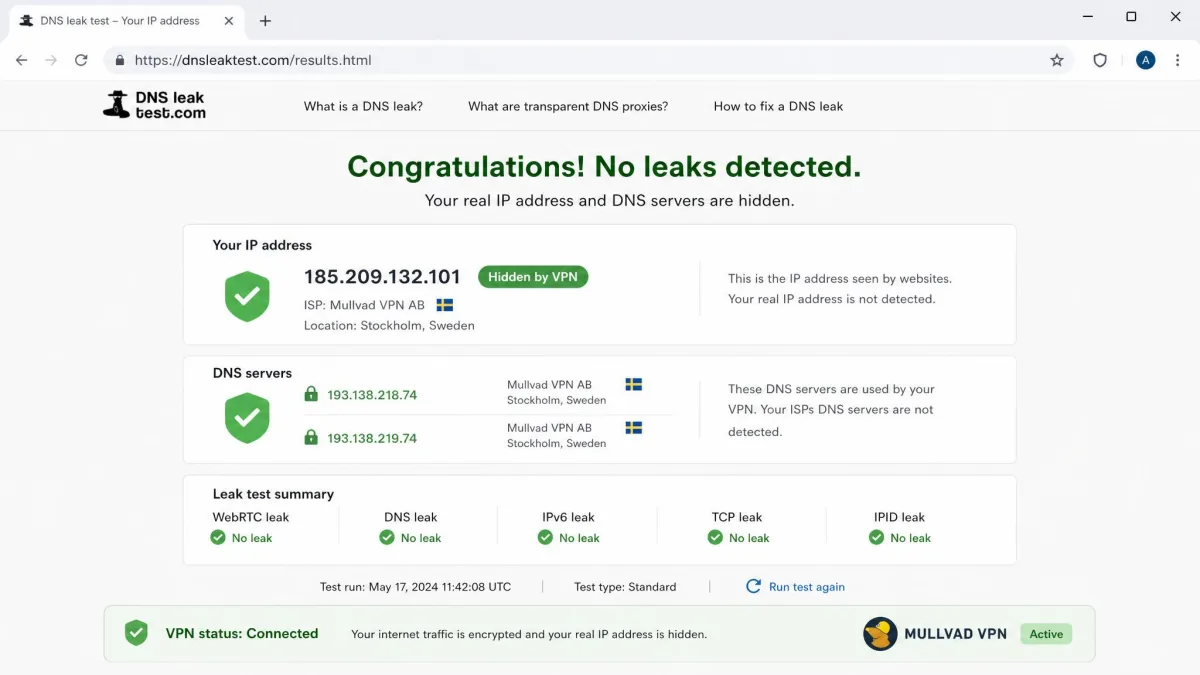
For speed, we measure a baseline without the VPN using Speedtest, then repeat the test on nearby and distant servers with the VPN active, and record the percentage of download and upload speed lost. For security, we confirm the encryption and protocols on offer, then verify there are no leaks using whatismyipaddress.com to check that our real IP and DNS requests stay hidden. We also force the connection to drop to confirm the kill switch cuts traffic instead of exposing it.
Beyond the lab numbers, we weigh the things that decide whether a VPN is trustworthy over time: whether the no-logs policy has been independently audited, where the company is based, and how transparent it is about its infrastructure. We score each service on encryption strength, privacy track record, leak protection, speed, and everyday usability, then rank them for internet security specifically rather than for streaming or torrenting alone. That focus is why the order here differs from a general roundup. A service can be a streaming champion and still land lower with us if its privacy record is thinner, and a service that is inconvenient for everyday use can rank highly if its security and anonymity are best in class, as Mullvad does.
We also buy or subscribe to every service with our own money and accept no free accounts from vendors, so nothing here is shaped by a provider relationship. We retest when a VPN ships a major change, like a protocol switch or a network upgrade, because a result from a year ago may no longer reflect what you would experience today. When sources disagree on a detail, such as an intro price that shifts with promotions, we say so plainly rather than pretend a single number is fixed.
When you test a VPN yourself, run a leak check both right after connecting and again after your connection drops and reconnects. A VPN that passes on a stable connection can still expose your IP during the brief window when the network flaps.
What Makes a VPN Secure? (Encryption, Kill Switch, No-Logs, Leak Protection)
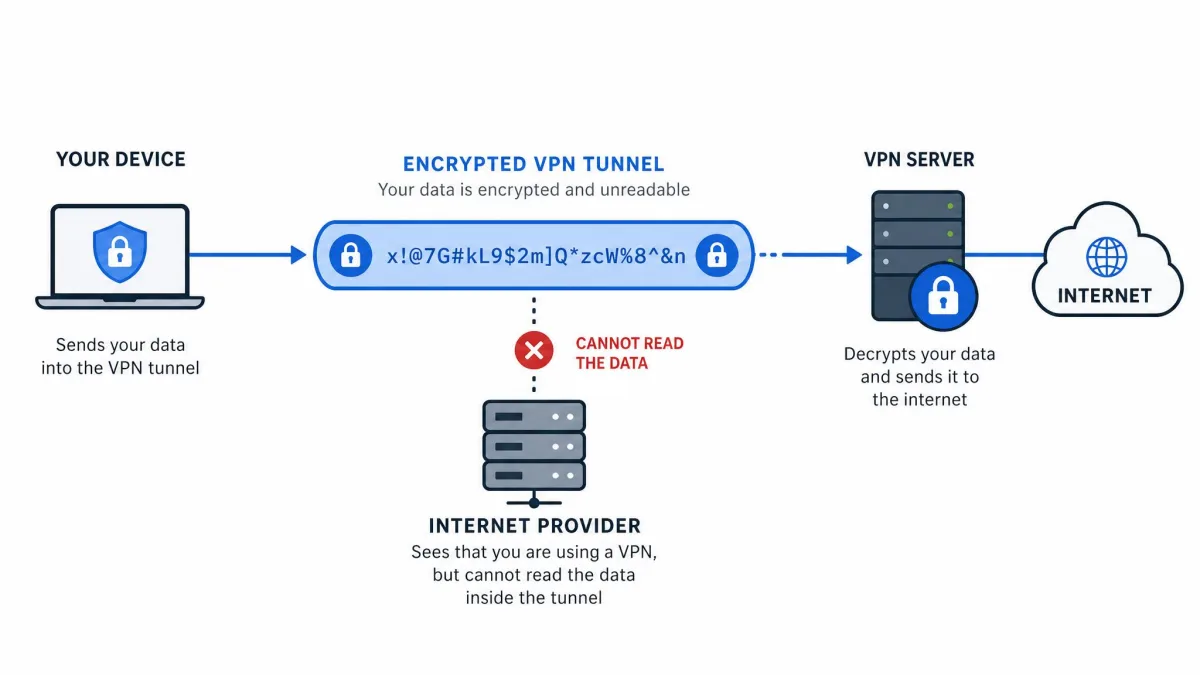
A VPN is only as good as the security features underneath it. At its core, a VPN creates an encrypted tunnel between your device and a server run by the provider, then sends your traffic out from there. Your internet provider sees only that you are connected to a VPN, not which sites you visit, and the sites you reach see the VPN server's address instead of yours. That is the whole security proposition, and four features decide how well a given service delivers it. They are the criteria we weighted most heavily when ranking the picks above, and understanding them makes it easy to judge any service, not just the ones here.
Encryption and protocol
Encryption is what turns your readable traffic into scrambled data that no one on the network can interpret. The standard to look for is AES-256, which is the same class of encryption used to protect classified information, or ChaCha20, which pairs with the modern WireGuard protocol. WireGuard and its variants, like NordVPN's NordLynx, are faster and leaner than the older OpenVPN, and every pick in this guide runs one of them. Forward-looking providers are already adding post-quantum encryption to protect today's traffic from tomorrow's attacks. The concern there is worth taking seriously: an attacker can capture encrypted traffic now and store it, hoping to decrypt it years later when quantum computers mature. NordVPN and Proton VPN have both moved to counter that, and Surfshark has begun rolling post-quantum protection out across its apps. For most people the practical takeaway is simpler. Any service on AES-256 or ChaCha20 with a modern protocol is using encryption that no one is breaking by brute force, so the protocol choice matters more for speed than for whether your data is safe in transit.
Kill switch
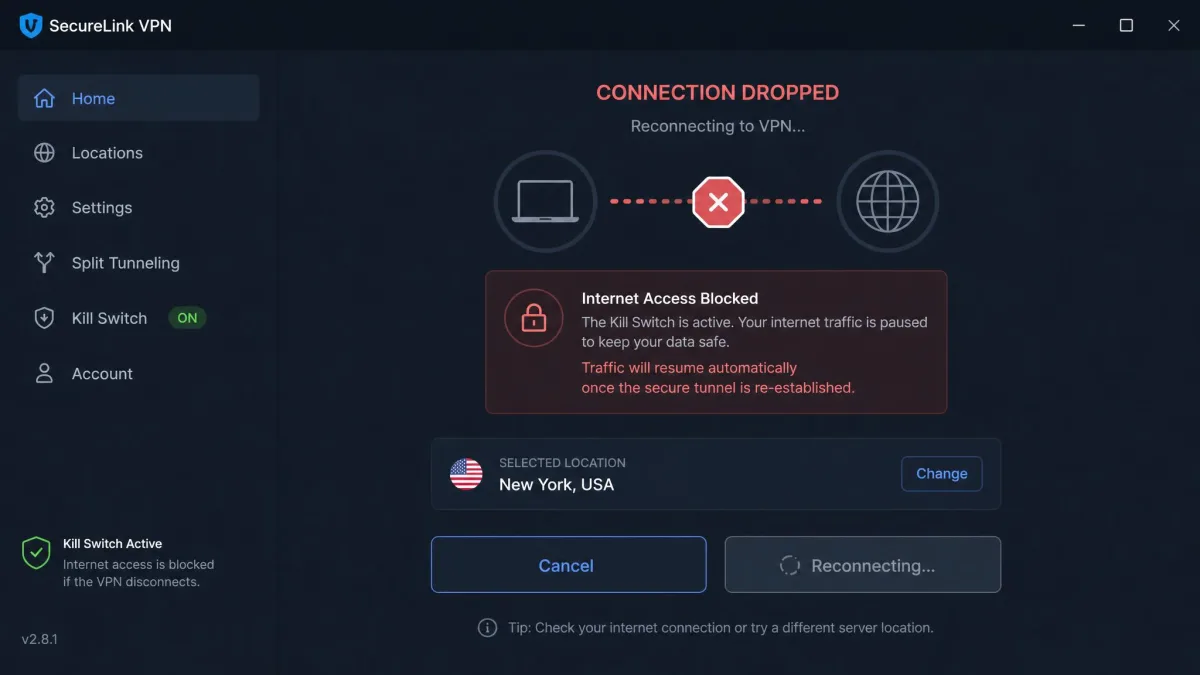
A kill switch is your safety net for the moment a VPN connection drops. Without one, your device silently falls back to the open internet and exposes your real IP address until the tunnel reconnects. With one, all traffic is blocked until protection is restored. This matters most on unstable networks, like public Wi-Fi, where connections come and go. We test it by forcing drops and confirming nothing leaks, and every recommended VPN passed. There are two flavors worth knowing about. A standard kill switch blocks traffic only while the VPN app is running, while an always-on or system-level kill switch, like Mullvad's, blocks all traffic whenever the tunnel is not active, even before the app starts. The always-on version is stricter and better for high-risk situations, though it can be briefly inconvenient if you need to reach a captive-portal login page on public Wi-Fi before the VPN can connect.
No-logs policy and audits
A no-logs policy means the provider does not record what you do while connected. The important word is verified. A promise in a privacy policy is easy to make, so we give the most weight to providers whose no-logs claims have been checked by an independent auditor, and ideally more than once. Mullvad's 2023 police search, which turned up no customer data to seize, is the strongest real-world proof a no-logs policy can get. When you read a no-logs claim, look for two details: what exactly the provider does not log, and who verified it. The gold standard is a policy that keeps no connection logs and no activity logs, confirmed by a named auditor within the last year or two. Repeated audits carry more weight than a single one, because they show the policy still holds as the service changes. Every pick in this guide clears that bar, which is why we trust their claims rather than taking them on faith.
Leak protection and jurisdiction
Even with encryption on, a VPN can leak your identity through DNS requests or IPv6 traffic that slip outside the tunnel. Good services include DNS leak protection and route those requests through their own servers. Jurisdiction matters too, because the country a VPN is based in decides what data it can be compelled to hand over. Panama, Switzerland, and Sweden sit outside or on the edge of the major surveillance alliances, which is why they are common homes for privacy-first services. Surfshark's Netherlands base is the one nuance among our picks, since it sits inside the Nine Eyes alliance, but its audited no-logs policy and RAM-only servers, which hold nothing to a physical seizure, offset much of that concern. The lesson is that jurisdiction is one factor among several. A privacy-friendly country with weak technical protections is no safer than a less ideal country with strong ones, so we weigh the whole picture rather than the flag alone.
How to Choose a Secure VPN
The right VPN depends on what you are protecting and how you use the internet. The picks above cover the main cases, but a few questions help you narrow the field quickly.
Start with your threat model. If you mostly want to protect everyday browsing and public Wi-Fi, any of our picks will do, and the decision comes down to price and device count. If you want the strongest possible privacy and anonymity, weight jurisdiction and audit history heavily, which points to Mullvad or Proton VPN. If you are covering a whole household, unlimited connections make Surfshark the obvious value. If you spend a lot of time on public Wi-Fi in cafes, airports, and hotels, prioritize a rock-solid kill switch and automatic connection, since those are the networks where an exposed moment does the most damage.
Platform coverage is easy to overlook until it bites you. Confirm the VPN has a full app for every device you own, not just Windows and Android, and check that the features you care about, like the kill switch and split tunneling, exist on each one rather than only on the desktop. If you plan to protect a router, a game console, or a smart TV, look for router support or the unlimited connections that let you run the VPN everywhere at once. Setting the VPN on your router protects every device on the network in one move, including hardware that cannot run a VPN app of its own, which is a tidy way to secure a whole home.
Match the plan length to your commitment, not the discount. The lowest monthly prices always come from two-year plans, and they renew higher after the first term. If you are not sure you will keep the service, a shorter plan with a money-back guarantee costs more per month but avoids locking you in.
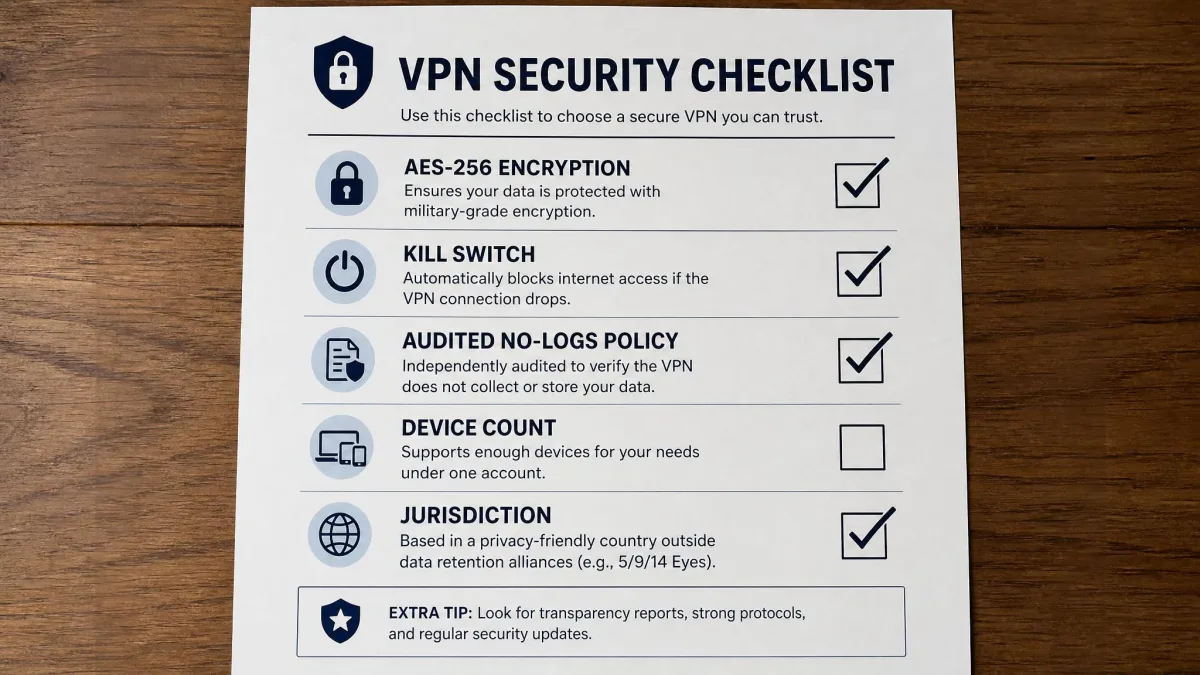
Next, check the non-negotiables. Confirm the service runs AES-256 or ChaCha20, includes a kill switch on the platform you use, and has an audited no-logs policy. Then look at speed if you stream or make video calls, and at device count if you have a lot of hardware. Finally, use the money-back guarantee as a real test drive: install the app, run a leak check, and see how the speeds feel on your own connection before you commit. A VPN that looks perfect on paper can still disappoint on your specific network, so the test drive is the step we would never skip.
If you want to dig into specific use cases, we cover VPNs for public Wi-Fi, VPNs for privacy, and VPNs for home networks in separate guides, along with platform picks for Mac and PC.
VPN vs. Antivirus: Do You Need Both?
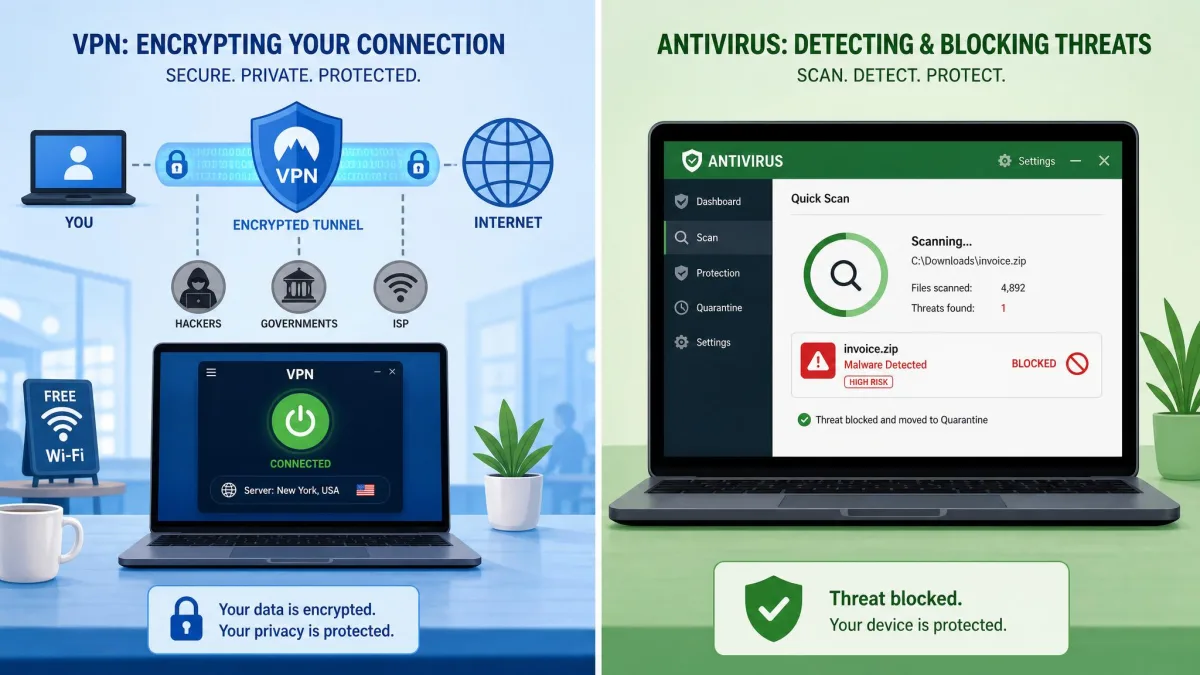
One of the most common questions we get is whether a VPN replaces antivirus. It does not, and the two protect you in different ways. A VPN secures your connection: it encrypts your traffic and hides your IP address so no one on the network can watch what you do. Antivirus secures your device: it detects and removes malware, ransomware, and malicious files that have already reached your computer.
Think of it as the difference between a sealed envelope and a locked door. The VPN is the sealed envelope that keeps your mail private in transit. Antivirus is the locked door that stops threats from getting inside your machine. A phishing email that tricks you into installing malware is not something a VPN can stop, and a snoop on public Wi-Fi is not something antivirus can block. Running both is not overkill, it is simply covering the two different ways you are exposed online. It helps to be precise about what a VPN actually protects. It hides your browsing from your internet provider and from anyone sharing a network with you, it masks your IP address from the sites you visit, and it makes public Wi-Fi far safer to use. It does not make you anonymous to services you log into, it does not remove malware, and it does not stop you from handing over data on a phishing page. Knowing those limits is what keeps a VPN a useful tool rather than a false sense of security.
The good news is that they layer well together, and some services bundle both. NordVPN's Threat Protection and Surfshark's CleanWeb add malware and tracker blocking on top of the VPN, which narrows the gap, though neither fully replaces dedicated antivirus. For most people, the safest setup is a reputable VPN for your connection and a trusted antivirus for your device. We compare the combined options in our antivirus with VPN guide.
If you would rather manage one subscription, a bundle can make sense, but judge each half on its own merits. A VPN thrown in with an antivirus suite is not automatically as capable as a dedicated service, and the same is true in reverse. The picks in this guide are chosen for their security as VPNs first, and the built-in blocking tools they include are a useful bonus rather than a reason to skip antivirus entirely.
Bottom Line: Our Verdict
After testing the major providers on the security features that actually matter, NordVPN is our top pick for internet security in 2026. It combines strong AES-256 and post-quantum encryption, a repeatedly audited no-logs policy, a reliable kill switch, and the lowest everyday speed loss we measured, all in apps that are easy to live with.
That does not make it the only right answer. Proton VPN and Mullvad are better if a verifiable privacy record is your first priority, Surfshark is the best value for covering many devices, and Proton VPN Free is the one free plan we trust. Any of the five will genuinely protect your connection, which is more than most of the market can say. The best VPN for you is the one that matches your priorities, whether that is speed, a verifiable privacy record, device count, or cost. All five have earned our trust through the same hands-on testing, so you can choose on fit rather than worrying about whether the basics are covered.