Search for an Android spy app and you get two kinds of results. There are a handful of established monitoring products, and then a long tail of clones, rebadged dashboards and outright scams. The scams take your card details and deliver nothing. Telling the two groups apart from a landing page is close to impossible, because every one of them promises the same features in the same order.
So we bought plans and installed the main contenders on our own Android test phones, and we lived with those dashboards for a few weeks. For the remaining apps we worked through published capability, pricing and support terms, and we say plainly below which is which. Throughout, we looked at what each app actually captures, how much hands-on time the install needs, and whether the data keeps flowing after a reboot or a system update. We also looked at what happens when you try to get your money back.
This guide ranks the seven monitoring apps we would recommend to a parent, an employer or anyone else with a lawful reason to monitor a device. We also cover the parts most round-ups skip. That means the legality of it, whether you need root access, and how to tell if one of these apps is running on your own phone.
We have been testing monitoring and parental-control software at this desk for over a decade, and the pattern never changes. The app that wins is rarely the one with the longest feature list. It is the one that keeps syncing on day thirty.
Best Android Spy Apps at a Glance
Here is how the seven apps ranked after testing. Prices are the best effective monthly rate on each vendor's longest plan, which is where these products are genuinely affordable. Short plans cost three to four times as much per month.
| Product | Buy | Best for | Price/month | Root required | Call recording | Free trial |
|---|---|---|---|---|---|---|
 |
Check price → | Overall Android monitoring | $11.67/mo | No | No | No, 14-day refund |
 |
Check price | Real-time social media | $12.49/mo | No | No | No, live demo |
 |
Check price | Keystrokes and messages | $9.99/mo | No | No | No |
 |
Check price | Advanced feature set | $34.92/mo | Only for interception | Yes | No |
 |
Check price | Budget monitoring | $11.66/mo | No | Yes | Disputed |
 |
Check price | Parental monitoring | $9.17($8.32 promo) | No | Limited | No |
 |
Check price | Employee monitoring | $7.50(from $90/yr) | No | Yes | No |
How We Tested and Ranked These Apps
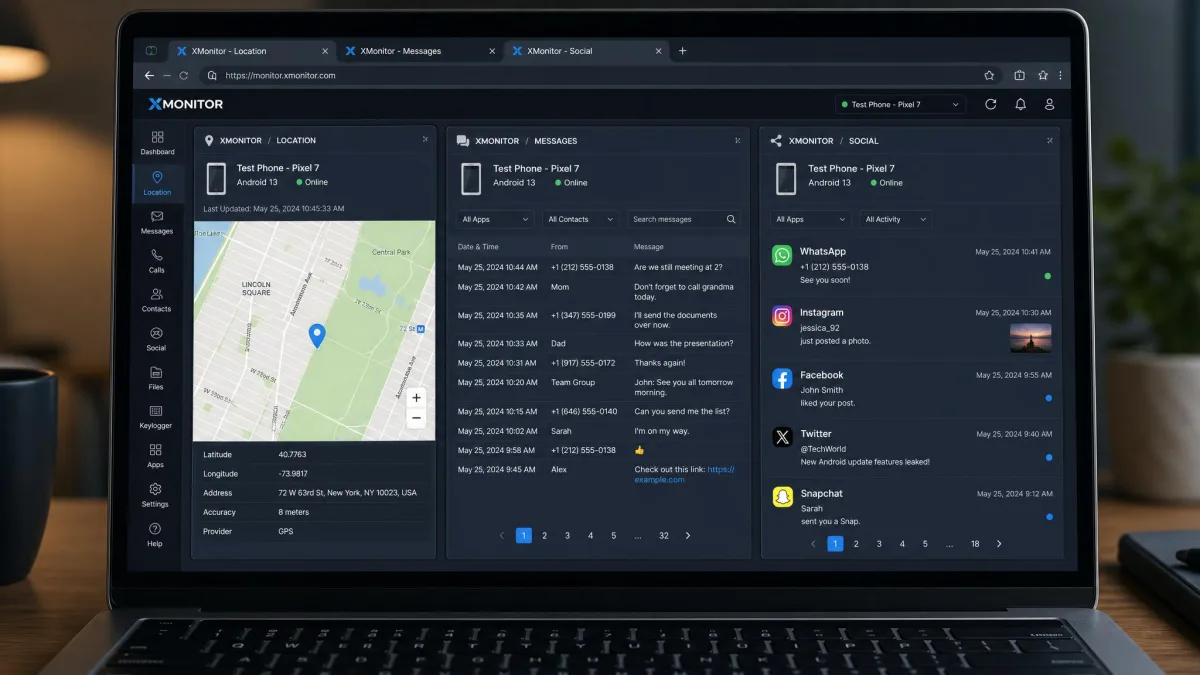
We paid for every plan ourselves. The apps we installed went onto Android test phones we own, ran for several weeks, and were judged on what they captured rather than what they claimed. Where we are working from published capability rather than a bench result, the review says so. We checked message and call logging against known activity. We compared reported GPS positions with the phone's real location, opened social apps to see what reached the dashboard, and rebooted and updated the devices to see what survived.
Two findings shaped the ranking more than anything else. First, when an app appears to stop working, the cause is almost always a missing permission rather than a broken app. Location, notification access and usage access are the usual culprits. Second, Android battery optimisation quietly kills background syncing. The monitoring app has to be excluded from optimisation, or the dashboard goes stale within a day. Every app on this list needs both jobs done at install time.
We also read the support and billing picture, because that is where this category goes wrong. Billing and refund handling drives most of the angry customer feedback here, not tracking accuracy. Trustpilot's mSpy page carries a 2.7 out of 5 average across more than 6,000 reviews. The ratings split sharply between five stars and one star, which tells you the product works and the checkout experience frustrates people.
1. mSpy - Best Overall Android Spy App
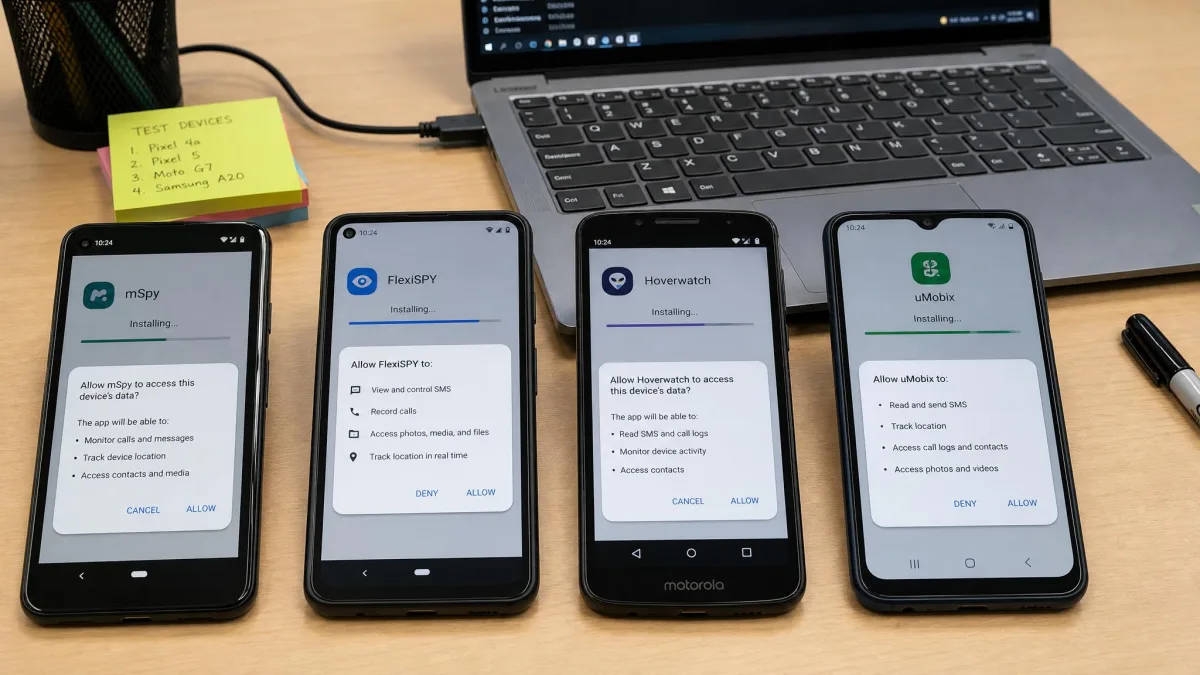
With that method in mind, here is the app we kept going back to. mSpy is not the cheapest and it is not the most advanced. What kept us in it was the dashboard. The left-hand rail groups messages, location, social apps and browsing rather than burying them behind filters, so a non-technical buyer can find things on day one, and all of it runs on a normal unrooted phone.
Setup took us just under ten minutes with the phone in hand. That physical access requirement is the most common complaint we see from buyers, who discover it only after paying. Plan for it. Once installed, the app hides itself from the app drawer and runs as an innocuous background service.
The one consistent weakness is sync speed. We sent a test message from the phone and then sat with the dashboard open, and the message did not appear straight away. New data takes a while to upload, so the dashboard sits behind the device rather than alongside it. Everything arrived eventually and nothing went missing, but if you need to see a conversation the moment it happens, uMobix is faster.
On the capture side you get call logs and SMS including deleted messages, real-time GPS with geofencing alerts, and a keylogger that records typed text across every app. Social monitoring covers WhatsApp, Instagram, Snapchat, Facebook and Telegram, and the app also logs browsing history, bookmarks and Wi-Fi networks, records the screen, and lists installed apps. Stealth mode is on by default, and none of the core features ask for root.
Pros and Cons
Pros
- Published pricing with a documented refund path
- Grouped dashboard rail is easy for non-technical buyers
- Live chat support and published pricing
- 14-day money-back guarantee on a first subscription
Cons
- Data can lag behind the device
- Needs 5-10 minutes of physical access
- Short-term plans are expensive
Pricing
The 12-month plan works out at $11.67 per month. That is the figure to judge mSpy on. Shorter plans are far pricier, running roughly $39.99 to $48.99 for a single month and around $27.99 per month on the quarterly plan. mSpy runs rotating promotional rates, so the short-term price shown at checkout moves. There is a 14-day money-back guarantee on a first subscription, with exclusions. Renewal pricing is not published on the main pricing page and varies by the plan you started on, though the annual plan is reported to rise to about $16.67 per month.
2. uMobix - Best for Real-Time Social Media Monitoring
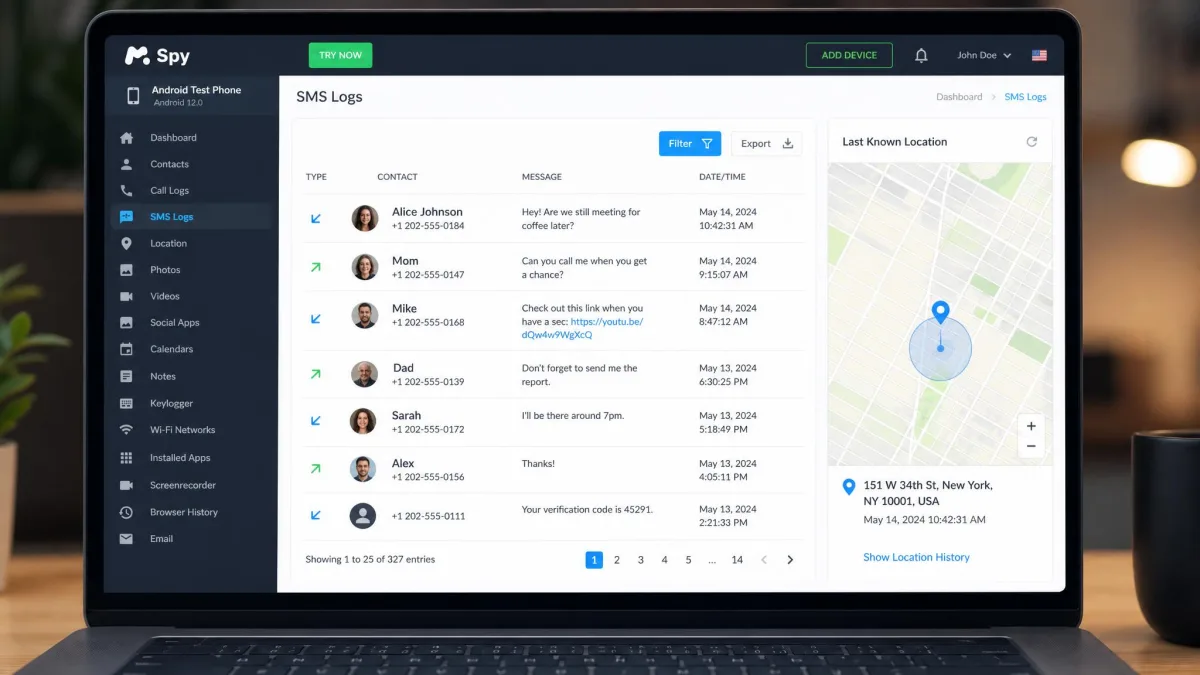
Where mSpy trades immediacy for breadth, uMobix does the opposite. If your reason for monitoring is social apps, it is the sharper tool. Its live screenshot feed periodically grabs the screen and streams it to your dashboard. You see conversations in context rather than as scraped text, and nothing else here matches it for immediacy.
The feed also taught us the most useful lesson of the whole test. Partway through our first week the screenshots simply stopped arriving, and the dashboard sat frozen on a capture from hours earlier. We went back to the phone and found usage access had never been granted, and the feed resumed within minutes of turning it on. Almost every apparent failure in this category traces back to a permission rather than a broken app.
The other gap is audio. uMobix logs calls but does not record them, which is a real problem if call content is the reason you are buying. It publishes its prices clearly and staffs live chat, which counts for something in a category where support is often an email address and a wait.
Key Features
- Live screenshots and screen recording
- Instagram, WhatsApp, Snapchat, Facebook and TikTok capture
- Call logs, SMS and deleted-content recovery
- GPS with full location history
- Keylogger and browser history
- Front-camera snapshots and app blocking
Pros and Cons
Pros
- Best real-time visibility of any app tested
- Deleted content capture works well
- Open live demo dashboard before you buy
- Responsive live chat support
Cons
- No call recording, only call logs
- Permission-heavy setup
- Billing disputes are prominent in public feedback
Pricing
uMobix charges $49.99 for one month. Three months costs $29.99 per month, billed $89.97. Twelve months drops to $12.49 per month, billed $149.88. There is no free trial, but the uMobix live demo dashboard is open to anyone. That is the next best thing, and worth ten minutes before you spend anything. Its Trustpilot listing spans 678 reviews and skews mixed, with billing disputes prominent among the negatives.
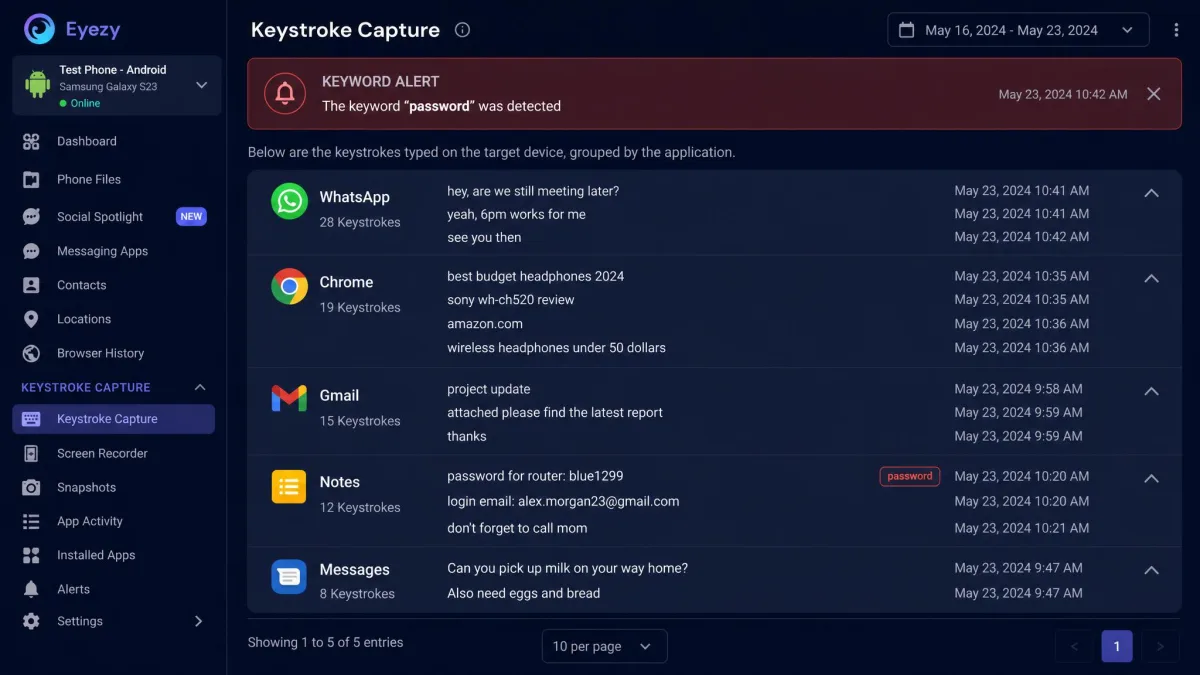
3. Eyezy - Best for Keystroke and Message Capture
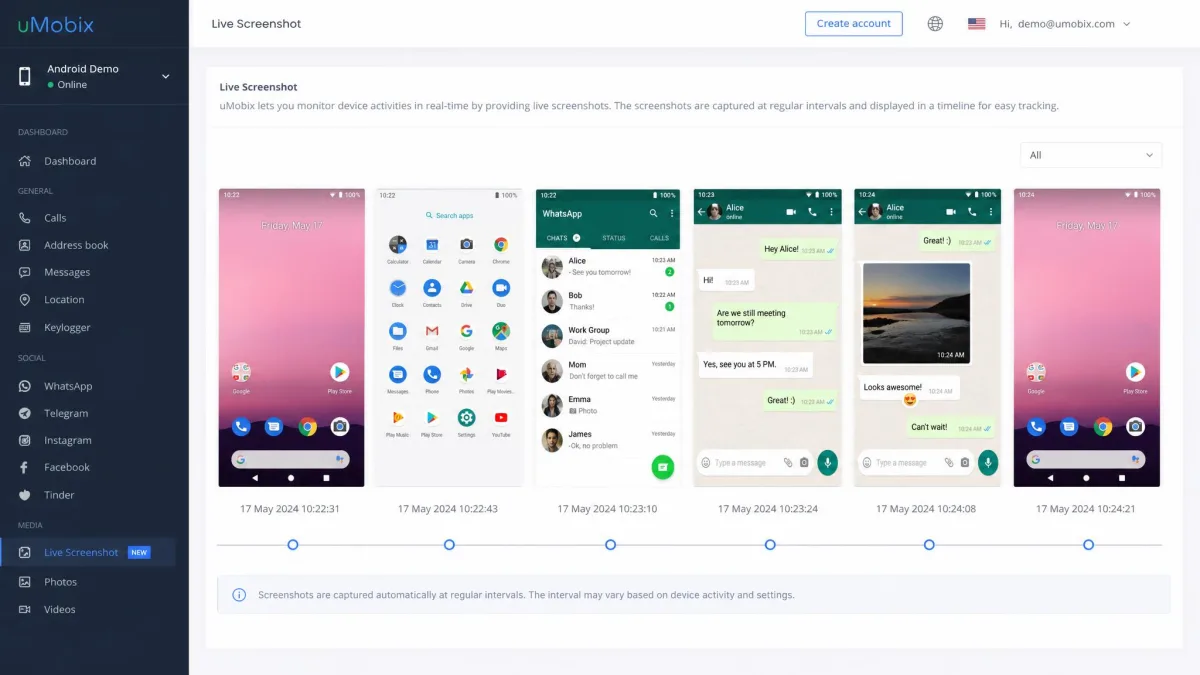
uMobix costs real money for that immediacy, and Eyezy is the answer if you would rather not spend it. At $9.99 per month on the annual plan it undercuts most of this list. It still covers messages, social chats, location and files. Its Keystroke Capture keylogger is the core of the product, and Magic Alerts pings you on keywords or geofence crossings. That alerting is the feature we leaned on most, because it removes the need to sit watching a dashboard.
Sync speed is the trade-off, and we found that out by trying to use it live. We typed a run of test messages on the phone and refreshed the Eyezy dashboard beside it, expecting them to trickle in. They did not, and the day's capture only filled in later. Treat Eyezy as a review-at-the-end-of-the-day tool rather than a live feed and it does the job well. Support is email-led, where mSpy and uMobix both staff live chat.
Key Features
- Keystroke Capture keylogger across apps
- Magic Alerts for keywords and geofences
- Social Spotlight for chat app monitoring
- Pinpoint GPS location tracking
- Plans Breaker calendar view and Files Finder for photos and video
- Connection blocker, no root required
Pros and Cons
Pros
- Cheapest full-featured app on the list
- Keyword and geofence alerting is genuinely useful
- Strong photo and video capture
- Simple, modern dashboard
Cons
- Slower to sync than rivals
- Email-only support
- No refund window we could confirm
Pricing
Eyezy costs $47.99 for one month, $27.99 per month on the 3-month plan and $9.99 per month on the 12-month plan. There is a 14-day refund window on a first subscription, but it comes with strings attached. It covers technical faults support cannot fix. It does not cover a change of mind, an incompatible device or missing account credentials. Approved refunds also arrive minus a 9% processing deduction. Trustpilot rates eyeZy 3.7 out of 5, with about 64% of reviewers awarding five stars, which is the strongest public score in this group.
4. FlexiSPY - Best Advanced Feature Set
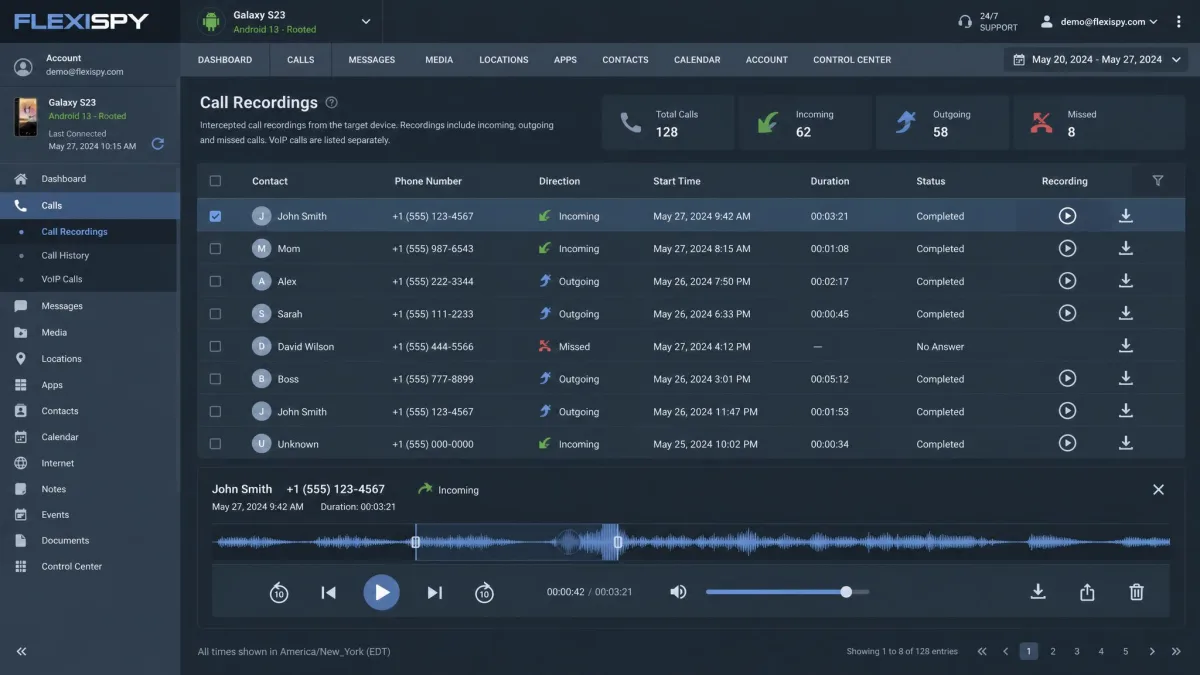
Everything above runs happily on a stock phone. FlexiSPY is where that stops. On published capability it is the only app here that intercepts live calls, records call audio, captures ambient room sound and takes remote camera photos. If you need any of that, nothing else on this list will do. If you do not, you are paying a lot for capability you will never open.
What Rooting Costs You
Call interception and live call recording need a rooted Android device. Rooting means unlocking the bootloader, wiping the phone and voiding the warranty. That is not a five-minute job and it is not reversible in any casual sense. A rooted handset also fails integrity checks, so banking apps and payment services start refusing to run. Everything else in FlexiSPY works without root, so most buyers should stay on the unrooted side of the line.
Key Features
- Live call interception and call recording
- Ambient recording through the microphone
- RemCam remote camera and mic access
- Keylogger and password capture
- Full social app coverage plus SMS and MMS
- GPS tracking and location history
Pros and Cons
Pros
- Only app with true call interception
- Ambient and remote camera recording
- Deepest feature set of anything tested
- Works unrooted for standard monitoring
Cons
- By far the most expensive option
- Root needed for its headline features
- Overkill for parental use
Pricing
The Extreme tier is the one with interception. It runs $119 for one month, $239 for three months and $419 for twelve months. The entry Lite tier sits somewhere around $29.95 to $49.95 per month. That Lite price differs between FlexiSPY's own order page and current review round-ups, so check the total at checkout before you confirm.
5. Hoverwatch - Best Budget Option
FlexiSPY asks you to unlock a bootloader before it does its best work. Hoverwatch asks for nothing of the sort, and it is the old hand of this group, with an age that shows in both directions.
Where Hoverwatch Shows Its Age
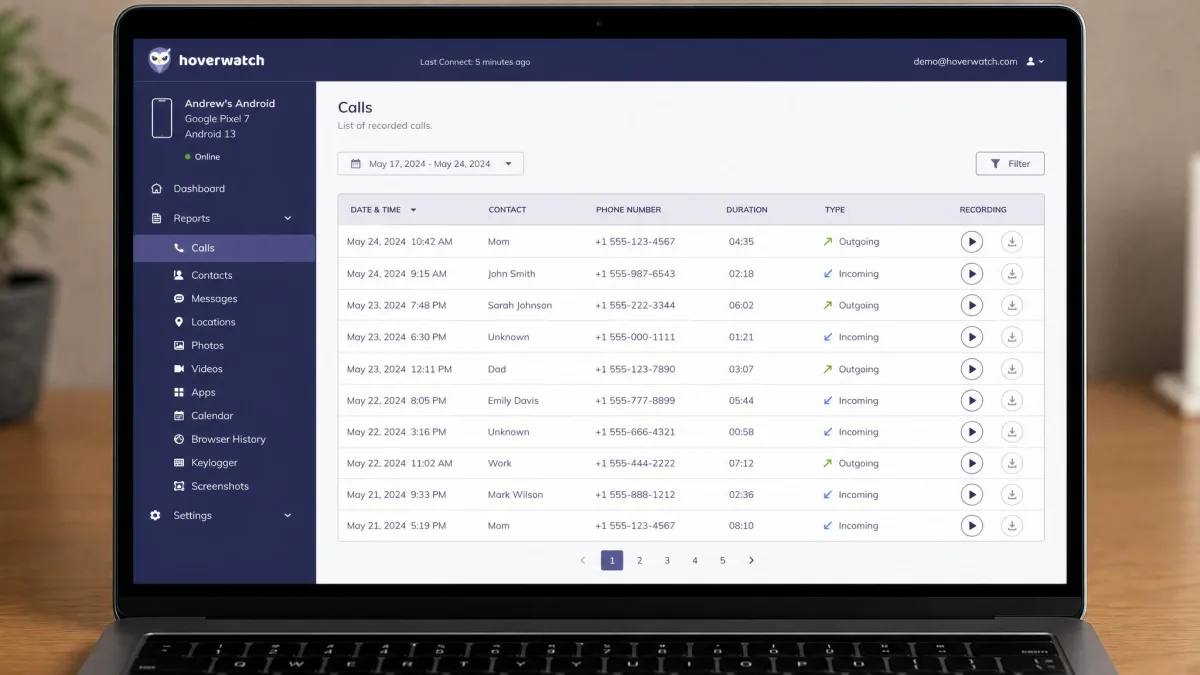
The dashboard looks a decade old, and social coverage is thinner than the newer apps here. Trial availability is inconsistent too. Whether one is offered depends on the signup path and appears to change between promotions, so do not count on it. The multi-device plans are where the value sits, rather than the single-device tier.
The age cuts the other way as well. Hoverwatch supports Android 4.0 and above, the same floor several rivals here publish, so an ageing handset is not a barrier. The genuine differentiator is that it records call audio without root, and at this price nothing else does. Our assessment of Hoverwatch rests on its published capability, pricing and support terms rather than a spell on our own test bench.
Key Features
- Call recording without root
- SMS, GPS and internet history
- Front-camera photo when the phone is unlocked
- Periodic screenshots and social chat capture
- SIM change alerts
- Multi-device plans for families
Pros and Cons
Pros
- Call recording at a budget price
- Supports Android 4.0 and up
- Good value on multi-device plans
- Works without root
Cons
- Dated dashboard
- Trial availability is inconsistent
- Social coverage is thinner than rivals
Pricing
Hoverwatch runs about $11.66 per month on the 12-month Android plan. Multi-device tiers cost more but cover several phones on one account. Treat any advertised trial as a promotion rather than a standing offer.
6. KidsGuard Pro - Best for Parental Monitoring
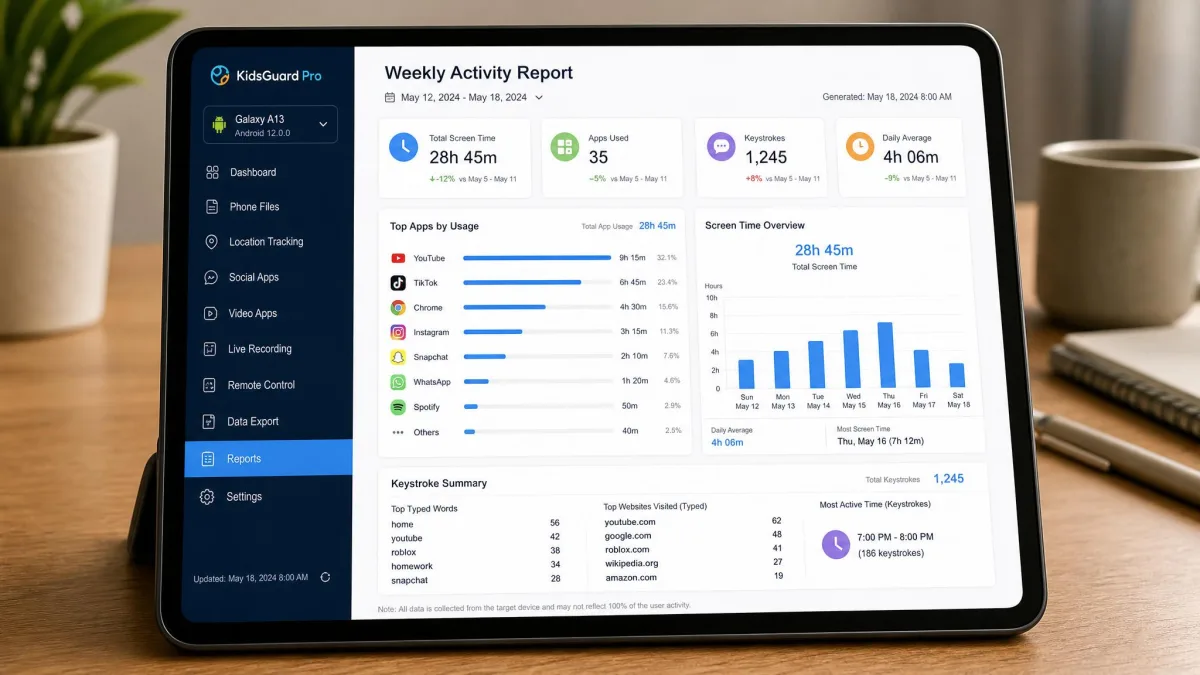
Most of the apps above are built for someone conducting an investigation. KidsGuard Pro is built for a parent, and the difference shows in the reporting. App activity summaries, screen recording and fast keystroke sync make it easy to see patterns over a week instead of scrolling raw logs.
The speed genuinely surprised us. We typed a short message on the test phone and switched straight to the dashboard, and the keystrokes were already sitting there within seconds. Nothing else in this group came close on that one measure. Location was the opposite story. Readings were inaccurate at times, drifting by enough that we would not rely on it as a primary tracker.
Key Features
- Keylogger with near-instant sync
- Screen recording and remote screenshot capture
- Call and SMS logs
- GPS tracking with geofencing
- WhatsApp, Snapchat and Instagram capture
- App activity reports, no root required
Pros and Cons
Pros
- Lowest effective monthly price on the list
- Fastest keystroke sync we saw
- Parent-friendly activity reports
- Remote screenshots on demand
Cons
- Location readings can be inaccurate
- No confirmed refund window
- Reporting focus makes raw log digging harder
Pricing
KidsGuard Pro costs $39.99 for a 1-month plan, $59.99 quarterly and $109.99 for a year. That list year works out at $9.17 per month. ClevGuard discounts the annual plan often, and the promotional rate lands near $8.32 per month, so check which of the two you are being charged at checkout. Either way it is the lowest effective rate of any app we tested.
7. XNSPY - Best for Employee Monitoring
KidsGuard Pro is aimed at one family phone. XNSPY escalates the same idea to a whole fleet.
Built for a Fleet, Not a Family
Judged on published capability rather than a bench run, XNSPY is a fleet tool first. Watchlist alerts on keywords, contacts and locations, remote lock and wipe, email monitoring and Wi-Fi network logging are all aimed at company-owned devices. This is the tool built with a compliance officer in mind. It supports Android 4.0 and up, so it copes with a mixed fleet of older handsets. It also records calls and ambient audio without needing root, which is rare at any price.
The pricing is the sticking point for consumers. At $35.99 for one month it is priced per seat, not per parent, and the value only appears once you buy the year.
Key Features
- Keyword and watchlist alerts
- Call recording and ambient mic recording
- Remote lock and wipe
- Email monitoring and Wi-Fi network logging
- GPS history and social app logs
- Employee-oriented activity reporting
Pros and Cons
Pros
- Compliance-grade alerting and reporting
- Call and ambient recording without root
- Remote lock and wipe for lost devices
- Supports older Android versions
Cons
- Expensive on short plans
- Annual pricing varies by edition
- No free trial offered
Pricing
XNSPY costs $35.99 for one month, $60 quarterly and $90 for a year on the tier we bought. That annual figure is $7.50 per month, which is the rate in our comparison table. It sells Basic and Premium editions at different annual rates, so the yearly total depends on the edition you pick, with quotes running between about $59.99 and $89.99. No free trial is offered.
Android Spy App Comparison Table
The at-a-glance table above covers price, root and call recording. The differences that decided our ranking sit one level deeper. They are how fast data reaches the dashboard, how many minutes of physical access the install needs, and how each vendor handles refunds. mSpy, Hoverwatch and KidsGuard Pro all cluster between $9 and $13 per month on annual plans. For most buyers the choice comes down to sync speed and social coverage rather than cost.
Features That Actually Matter in an Android Spy App
One level deeper, then. Feature lists in this category are close to identical. These are the four that changed our ranking.
Call and Message Logging
Every app logs calls and SMS. Almost none record call audio. Only FlexiSPY, Hoverwatch and XNSPY do, and FlexiSPY's live interception needs root. If audio matters, your shortlist is three apps long, not seven. Deleted-message capture is the other separator, and mSpy and uMobix handle it best.
GPS Location Tracking
Real-time location is the feature people trust most and check least. Accuracy is not uniform across this list. KidsGuard Pro's readings drifted often enough to matter, which is why we would not use it as a primary tracker. Geofencing, which alerts you when the device enters or leaves an area, is more useful day to day than watching a map.
Social Media and Browsing Monitoring
Coverage varies more than the marketing suggests. WhatsApp, Instagram, Snapchat and Facebook are near-universal. TikTok and Telegram are not. uMobix's live screenshots sidestep the whole problem by capturing whatever is on screen. That is the most reliable way to monitor an app the vendor has not specifically added. Browsing history and bookmark capture is standard across the list.
Stealth Mode and Undetectability
Every app here hides itself from the app drawer and task manager, and they all do that part well. What none of them can hide is data usage. A monitoring tool uploads constantly, so anyone running a data-usage report will see an unfamiliar process moving megabytes. Treat "completely undetectable" as marketing.
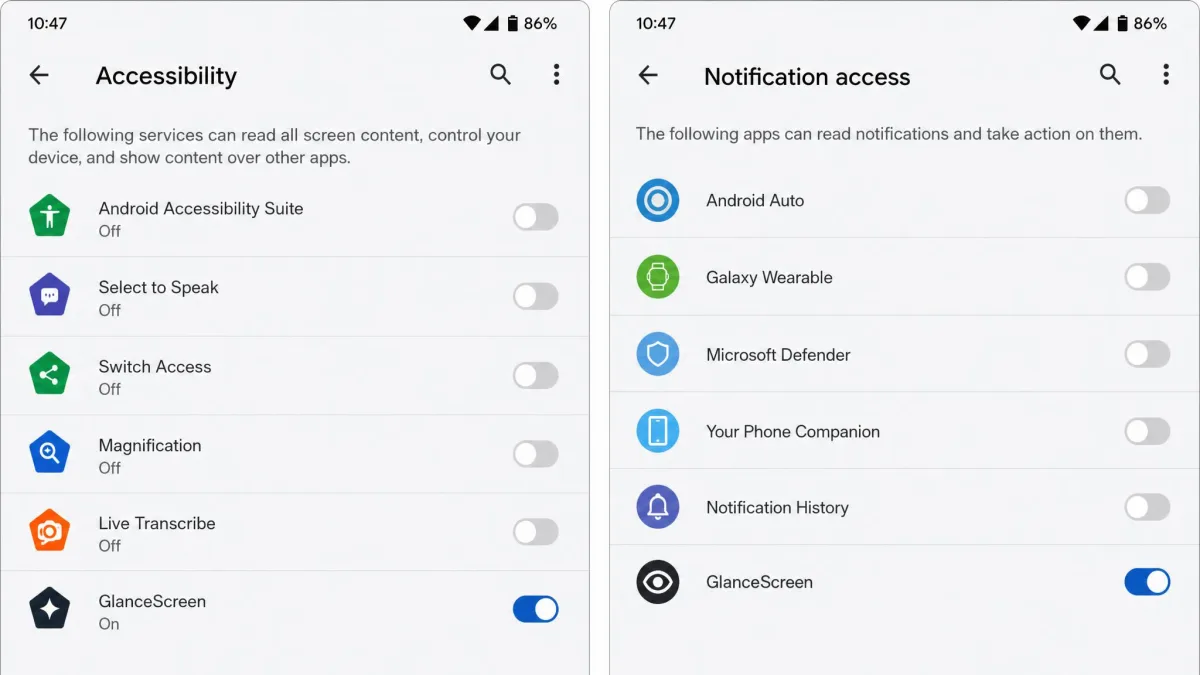
Android's permission model is the reason these apps behave the way they do. Accessibility, notification access and usage access are what let a monitoring app read messages from other apps. Google surfaces those permissions in Settings, so they are the first place an informed user will look.
Free vs Paid Android Spy Apps
That $9 to $13 cluster is the floor for a paid tool, which raises the obvious question. There is no free app that does what the products on this list do. Free monitoring options such as Google Family Link cover location and app limits, but they stop well short of message or social capture. Family Link also has a history of connectivity issues and bugs. Free anti-theft tools in this space can feel buggy in daily use too.
If location and screen-time limits are all you need, use Family Link and spend nothing. If you need messages, social apps or call logs, you are in paid territory. The honest budget is $100 to $150 for a year. Anything advertising full monitoring for free is either harvesting your data or collecting card details for a subscription you did not read carefully.
How to Install a Spy App on Android, Step by Step
The process is nearly identical across every app here. Budget 5-10 minutes with the phone unlocked and in your hands.
Step 1: Choose a Plan and Create an Account
Buy the plan first, because the installer link is generated from your account. Pick the longest plan you are comfortable with, since monthly billing costs three to four times more per month. Save the confirmation email. You will need the registration code on the device.
Step 2: Prepare the Target Device
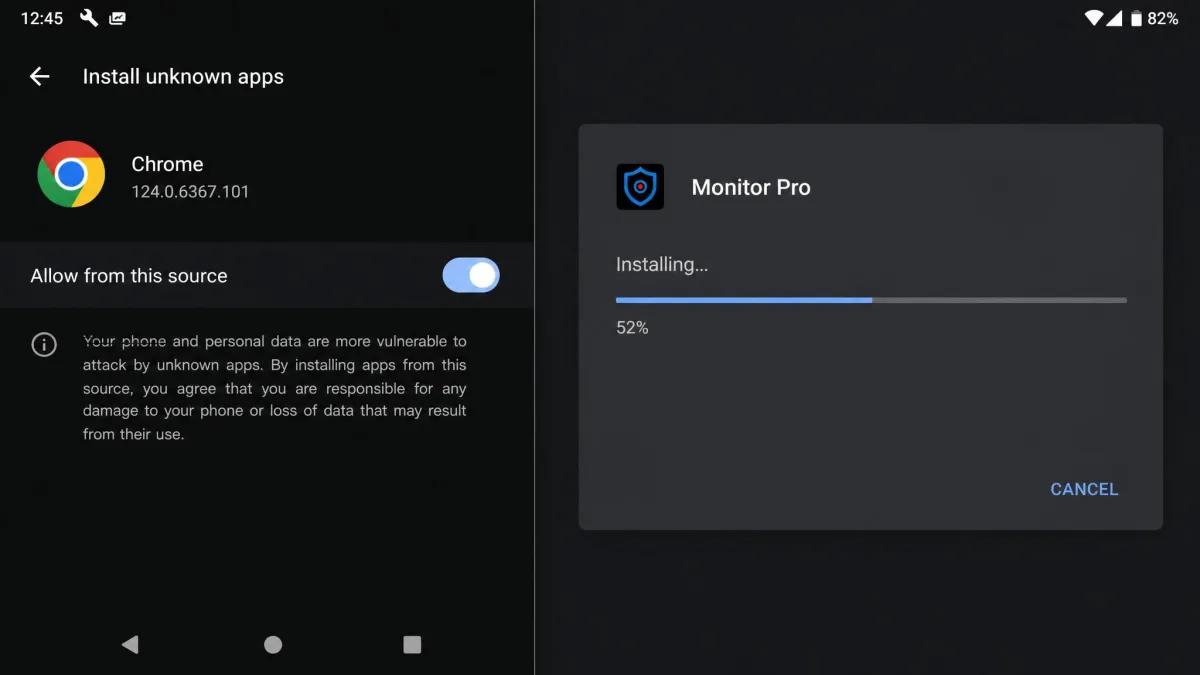
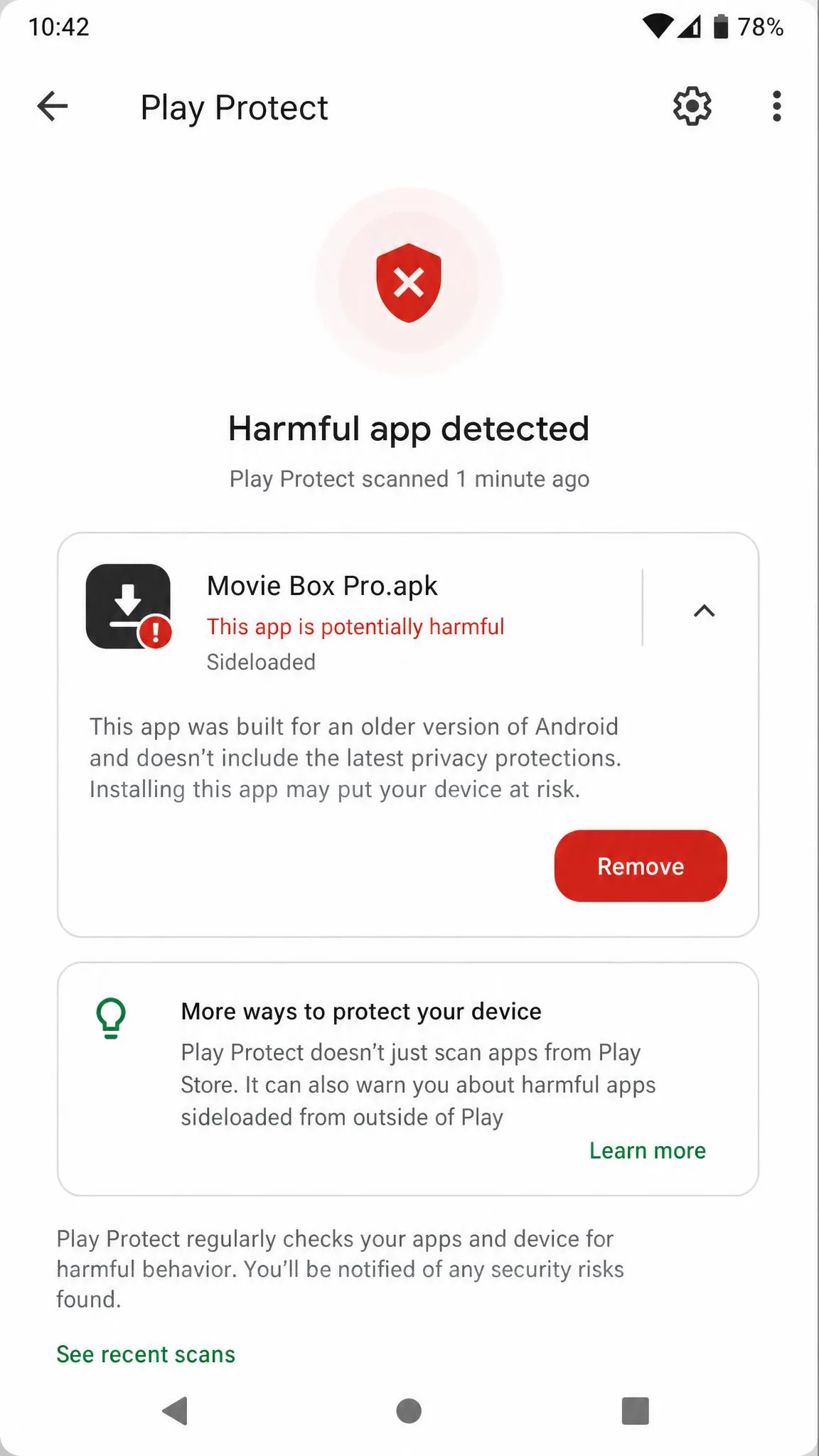
Open Settings, then Security, then Install unknown apps, and allow installs from the browser you will use. Turn off Google Play Protect temporarily, since it scans sideloaded apps and can flag monitoring APKs. Then exclude the new app from battery optimisation once it is installed. Skip that step and background syncing stops.
Step 3: Install and Hide the App
Download the APK from the link in your account, install it, and sign in with your registration code. Grant every permission it asks for, including location, notification access and usage access. Skipping one is the most common reason monitoring silently fails. The app then removes its own icon from the drawer.
Step 4: Start Monitoring From the Dashboard
Sign in to the web dashboard on your own device. First data usually appears within a few minutes, though some apps take longer to populate historical logs. Check back after 24 hours to confirm the sync is still running. That is the test that really counts.
Before you hand the phone back, open the dashboard on your own device and confirm data is arriving. Fixing a permission later means getting physical access all over again.
Do You Need to Root the Target Device?
For almost everyone, no. Mainstream Android monitoring apps run on unrooted phones from Android 4.0 onward. That covers calls, messages, GPS, keylogging, social apps and browsing. Root is only needed for interception-grade features, which in practice means FlexiSPY's live call interception and call recording.
Rooting wipes the phone, voids the warranty, breaks banking apps and makes the device conspicuously unusual. Unless live call audio is the entire reason you are buying, skip it.
Is It Legal to Use a Spy App on Android?
Monitoring software is legal to sell and legal to use in defined circumstances. Using it on another adult without their knowledge usually is not.
In the United States, the Wiretap Act, 18 U.S.C. 2511 prohibits the intentional interception of wire, oral or electronic communications. Reading someone's live messages or recording their calls without consent can fall squarely inside that prohibition. State laws add their own consent rules on top. Employers monitoring company-owned devices generally need a written, acknowledged policy.
The safe uses are narrow and well established. They are monitoring your own device, monitoring a minor child in your custody, and monitoring a company-owned device with a signed policy in place. Monitoring a partner is not on that list.
Installing a monitoring app on an adult's phone without their consent may be a criminal offence and can expose you to civil liability. Laws vary by country and by state. Get legal advice before monitoring anyone other than your own child or your own device, and never treat a vendor's marketing page as a legal opinion.
How to Tell if a Spy App Is on Your Own Phone
If you suspect your own phone is being monitored, the giveaways are behavioural rather than visual. Faster-than-usual battery drain, overheating during idle periods and unexplained data usage are the practical signs. These apps hide themselves well from the app drawer and task manager. They cannot hide their data usage, so a data-monitoring tool exposes them.
Check Settings for apps holding accessibility, notification access or usage access permissions that you do not recognise. Then run a scan with Google Play Protect, which scans sideloaded apps and can flag monitoring APKs.
If you find something and want it gone for certain, a factory reset removes any non-OEM monitoring app. It is blunt, but it is the reliable route. Back up your photos first, and change your Google account password from a different device afterwards.
Use Cases: Parents, Employers, and Partners
Parents are the clearest case. A minor child in your custody can lawfully be monitored in most places. KidsGuard Pro or mSpy will give you app activity, location and messages without much technical work. Being open with an older child about the fact that monitoring exists usually works better than hiding it.
Employers can monitor company-owned devices, but the policy comes first. It should be written, acknowledged, and limited to work data. XNSPY exists for exactly this, with watchlist alerts and remote wipe aimed at fleet management rather than individual snooping.
Partners are the case we advise against. Monitoring another adult without consent is the scenario the Wiretap Act was written for. It is where buyers of these apps get into legal trouble. There is no version of this guide that makes that lawful.
Frequently Asked Questions
Are Android spy apps legal?
What if the target device is already rooted?
Can I install a spy app remotely without touching the phone?
Are there genuinely free Android spy apps?
I think I have found one on my phone. What should I do next?
Will it drain the battery or show in the app drawer?
What happens if the phone updates Android?
Verdict: Which Android Spy App Should You Choose?
The routing below assumes you have a lawful reason to monitor and can get the phone in your hands once.
Choose mSpy's keylogger and social coverage for general monitoring. Choose uMobix if real-time social visibility is the whole point, and Eyezy if you want a similar job done for less. KidsGuard Pro suits a parent who wants weekly reports rather than raw logs, though not one who needs precise location. Hoverwatch is the pick for an ageing handset, and XNSPY for a fleet of company phones. FlexiSPY earns its price only if you genuinely need recorded call audio and have a device you are willing to root.