Proton VPN is a privacy-focused VPN service run by the same Swiss company behind Proton Mail, and after weeks of hands-on testing our verdict is simple: it is one of the safest, most trustworthy VPNs you can buy, and its free plan is the best in the business. If you want the short version, Proton VPN is safe, legit, and worth it for most people, especially anyone who cares about privacy first and speed a close second.
We put the apps through real-world speed runs, leak checks, and streaming sessions across Windows, macOS, Linux, Android, and iOS. We tested the free plan for weeks alongside the paid tiers, we read the audit reports, and we tried to break the connection to see how the kill switch behaves. This review covers everything: pricing, the free plan, security features, the no-logs policy, streaming, torrenting, platform support, setup, troubleshooting, and how Proton stacks up against NordVPN and ExpressVPN.
Our overall take is that Proton VPN gets the hard things right. The privacy story is genuinely strong, backed by independent audits and Swiss jurisdiction, and the paid apps are fast enough that you forget the VPN is even on. The rough edges are minor by comparison, and we will be honest about each one as we go. Whether you are choosing your first VPN or switching from a rival, this review should tell you exactly what you are getting.
Proton VPN at a Glance (Verdict & Score)
Proton VPN earns a spot near the top of our VPN rankings because it does not force a trade-off between privacy and everyday usability. The paid apps are fast, the security features run deep, and the company's track record on transparency is one of the best in the category. When it comes to trust, few services can match a provider that publishes its source code and submits to yearly independent audits.
That does not mean it is flawless. Support is slower than we would like, a couple of features clash with each other, and the free plan is deliberately limited to push you toward paying. But weighed against what it does well, those are small complaints. For a privacy-first buyer, this is close to an ideal VPN.
Pros and Cons
Here is the shortlist of what we loved and what frustrated us across testing.
Pros
- Swiss jurisdiction, no-logs policy, and open-source apps audited five years running
- The best free plan available, with unlimited data and no ads
- Fast, stable paid speeds that held up through hours-long sessions
- Reliable streaming on Netflix, Disney+, HBO Max, and BBC iPlayer
- Deep security toolkit: Secure Core, NetShield, kill switch, split tunneling, port forwarding
Cons
- Feature sets differ between the Windows, Mac and mobile apps
- Support is email-only with no 24/7 live chat, and replies can be slow
- The app and website can feel clunky, and paid features lack in-app tutorials
- Getting a refund after cancellation can be fiddly
- Free plan blocks streaming, torrenting, and manual server choice
Proton VPN Specs & Ratings
The table below sums up the essentials at a glance. Server totals move constantly and different sources count them differently, so treat the network figures as a broad range rather than a fixed number.
| Spec | Details |
|---|---|
| Company / jurisdiction | Proton AG, Switzerland |
| Logging policy | No-logs, independently audited |
| Protocols | WireGuard, OpenVPN, Stealth |
| Servers | 20,000+ (Proton's figure) |
| Countries | 149 |
| Simultaneous devices | 10 (paid), 1 (free) |
| Free plan | Yes, unlimited data |
| Money-back guarantee | 30-day |
| Our rating | 9.0/10 |
What Is Proton VPN and How Does It Work?
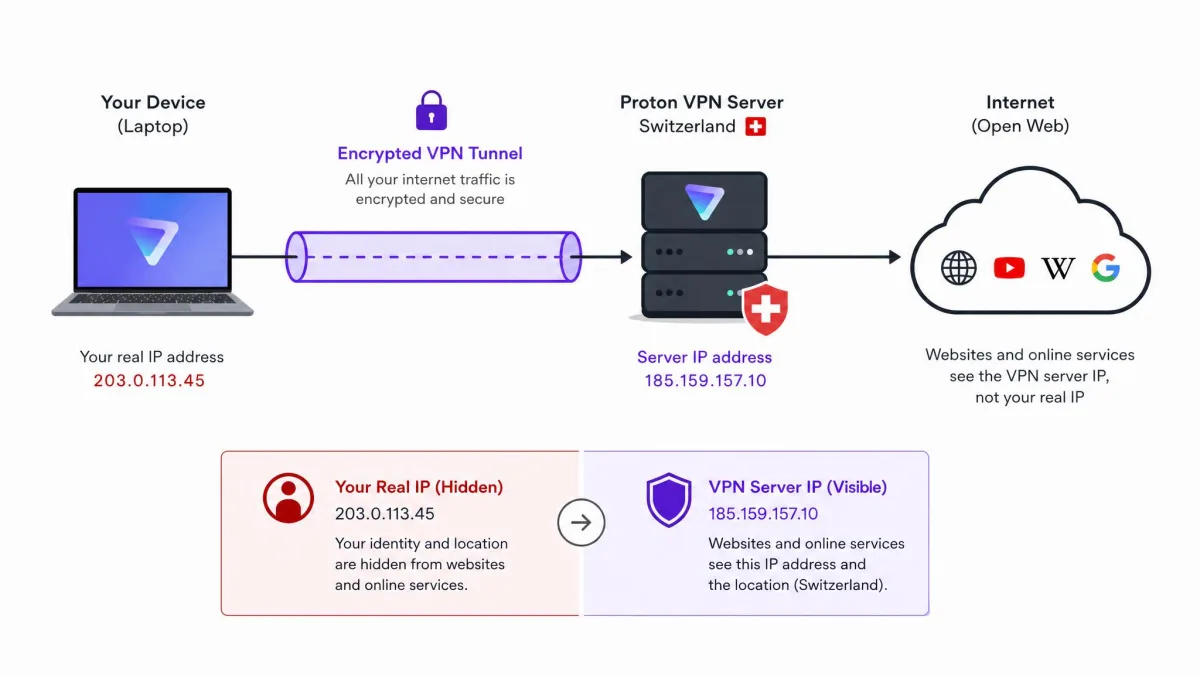
Proton VPN is a virtual private network from Proton AG, the Swiss company that started with the encrypted email service Proton Mail. Like any VPN, it routes your internet connection through an encrypted tunnel to one of its servers, hiding your real IP address from the websites you visit and shielding your traffic from your internet provider or anyone watching the network. When you connect, your data leaves your device encrypted, travels to a Proton server, and reaches the wider internet with that server's IP address instead of yours.
What sets the service apart is the privacy engineering around that basic function. Proton runs its own physical server infrastructure, encrypts your traffic with modern protocols, and adds features like Secure Core, which sends your traffic through a second hardened server before it exits to the internet. You choose a server, either by picking a country or letting the Smart feature auto-select the fastest option, and the app handles the rest. For most people the daily experience is a single tap to connect and a single tap to disconnect.
The company positions itself as a privacy tool first, and that focus shows in the details: no activity logs, open-source apps that anyone can inspect, and a jurisdiction chosen specifically to keep user data out of reach of surveillance alliances. Proton VPN is available across Windows, macOS, Linux, Android, and iOS, so you can protect every device you own with one account.
It helps to understand what a VPN does and does not do, because a lot of marketing oversells it. A VPN hides your IP address and encrypts your traffic between your device and the VPN server, which stops your internet provider, a public Wi-Fi snoop, or a network administrator from seeing what you are doing. It does not make you anonymous in an absolute sense, and it does not replace good habits like strong passwords and two-factor authentication. What Proton VPN adds on top of the basics is a set of privacy guarantees you can actually verify, which is the whole reason it is worth taking seriously in a crowded market.
We tested Proton VPN over several weeks across a Windows 11 laptop, a MacBook, an Ubuntu machine, and both Android and iOS phones, running speed and leak checks on paid and free servers and streaming through long evening sessions to see how the connection held up in normal use.
How Much Does Proton VPN Cost? Plans, Pricing & Deals
Proton VPN keeps its lineup relatively simple: a genuinely free plan, a VPN-only paid plan called VPN Plus, and an all-Proton bundle called Proton Unlimited. As with every VPN, the longer the commitment, the lower the monthly rate, and the multi-year deals renew at a higher price once the promotional term ends.
VPN Plus runs $9.99 per month on monthly billing, drops to about $3.99 per month on the 1-year plan (a rate that also moves with promotions), and falls to around $2.99 per month on the 2-year plan. That 2-year figure is a promotional rate that shifts with Proton's periodic sales and renews higher, so read the renewal terms before you buy. Proton Unlimited, which bundles the VPN with Proton's other paid apps, is $12.99 per month monthly, $9.99 per month on the 1-year plan, and around $7.99 per month on the 2-year plan.
| Plan | Monthly | 1-year (/mo) | 2-year (/mo) | Devices |
|---|---|---|---|---|
| Free | $0 | $0 | $0 | 1 |
| VPN Plus | $9.99 | $3.99 | $2.99 | 10 |
| Proton Unlimited | $12.99 | $9.99 | $7.99 | 10 |
Compared with rivals, Proton's pricing is competitive rather than the outright cheapest. On a like-for-like 2-year plan it undercuts NordVPN and lands close to ExpressVPN and Surfshark, but the free plan changes the value equation entirely, since it means you can protect one device forever without paying a cent. Payment options include cards and PayPal, and privacy-minded users can even pay in ways that reveal less about themselves, in keeping with Proton's approach.
The 2-year prices for VPN Plus and Proton Unlimited are promotional rates tied to seasonal sales. They renew at a higher price, so check the renewal line at checkout before committing.
Free Plan vs Paid: What's the Difference?
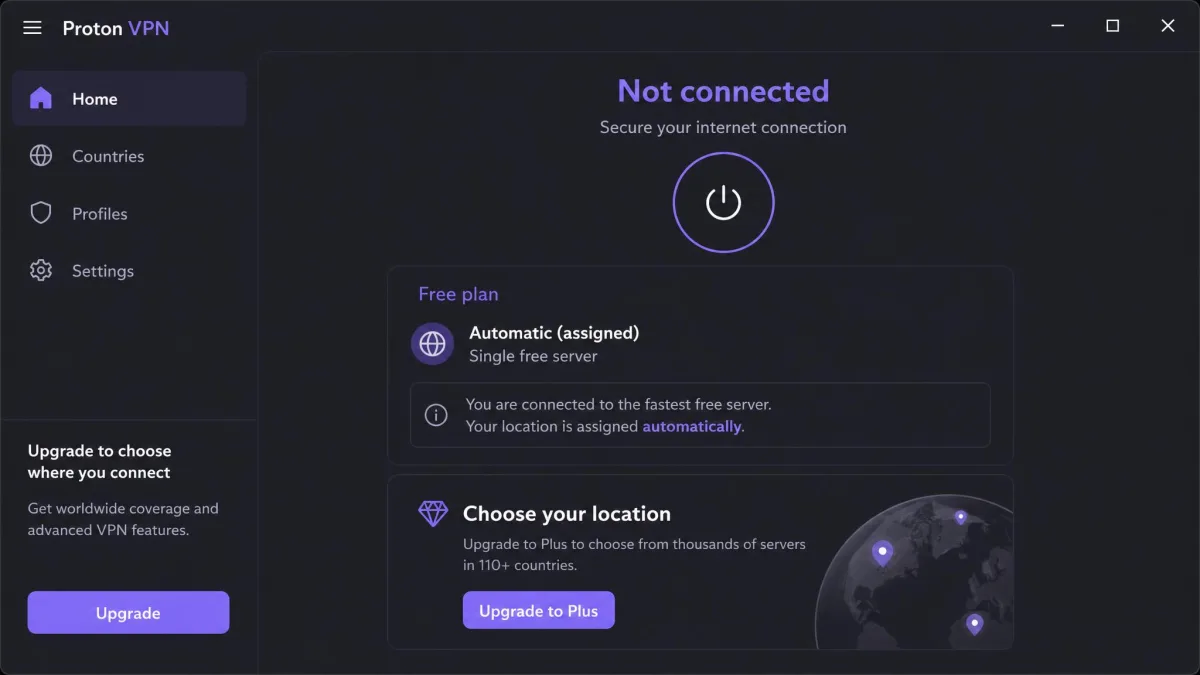
The free plan gives you the core Proton VPN protection, unlimited data, and no ads, but it holds back the extras that make a VPN fun to use. On free, you get servers in 10 countries, one device at a time, and no ability to pick a specific server, since the app auto-connects you to the fastest free option. Streaming support, torrenting, Secure Core, NetShield, and the fastest servers all sit behind a paid plan.
Upgrading to VPN Plus or Proton Unlimited unlocks the full network of 149 countries, up to 10 simultaneous devices, streaming and P2P support, and the complete security toolkit. In short, the free plan is excellent for private everyday browsing, while the paid plans are what you want for streaming, downloading, and protecting a whole household. Think of the free plan as a permanent taster and the paid plans as the full meal.
Proton VPN Plus, Premium and Unlimited Tiers
If you only want the VPN, VPN Plus is the plan to choose. It includes the entire server network, all the security features, streaming and torrenting support, and coverage for up to 10 devices. There is no separate "Premium" tier despite the name floating around online; VPN Plus is the premium VPN plan.
Proton Unlimited is the step up for people already living in the Proton ecosystem. It bundles VPN Plus with Mail Plus, Drive Plus, Pass Plus, and Calendar, so if you use Proton's encrypted email, password manager, or cloud storage, the bundle can be better value than paying for each separately. For VPN-only users, though, VPN Plus is the smarter pick, and you can always upgrade to Unlimited later if you decide you want the rest of the Proton suite.
Deals, Discounts, Coupon and Gift Codes
Proton runs discounts as periodic seasonal sales rather than fixed coupon or gift codes, so the best "deal" is almost always the longer commitment during one of those sale windows. As far as we can tell, Proton does not publish a fixed, official coupon or gift code, so the third-party "coupon" codes you will run into tend to be unreliable, with sites advertising conflicting codes and discount depths that rarely hold up at checkout. The real savings appear to come instead from Proton's own periodic seasonal sales, which typically land around events like Black Friday, Cyber Monday, and Proton's winter or anniversary promotions, and during those windows the 2-year Plus plan often drops to roughly $2.99 per month.
If you see a site advertising a magic Proton VPN promo code, treat it with caution. The genuine savings come straight from Proton's own pricing page when a sale is live, and Proton's biggest discounts usually land around Black Friday and its own anniversary events.
Free Trial, Refunds & Money-Back Guarantee
Proton VPN does not offer a conventional time-limited free trial, and it does not need to. The free plan is an open-ended trial with no expiry, so you can use the service indefinitely before deciding whether to pay. On top of that, every paid plan is backed by a 30-day money-back guarantee, and refunds are prorated based on how much of the plan you used.
That combination is one of the most generous in the category. You can run the free plan for as long as you like, upgrade when you want streaming or faster servers, and still have 30 days to change your mind on the paid plan. In practice it means you take on almost no risk when you try Proton, which is not something we can say about many VPNs.
How to Cancel or Get a Refund
To cancel, sign in to your Proton account, open the subscription settings, and switch off auto-renewal or downgrade to the free plan. Your paid features stay active until the end of the current billing period. To claim a refund within the 30-day window, you contact Proton support and request it against your paid plan.
In our experience the process works, but it is not always smooth. Getting a refund after cancellation can be fiddly, and the auto-renewal and plan-downgrade steps confuse some buyers, so give yourself a few minutes and follow the account settings carefully rather than assuming a single button handles everything.
Cancelling auto-renewal is not the same as requesting a refund. If you want your money back, cancel first, then contact support within the 30-day window to actually claim the prorated refund.
Proton VPN Free Plan: Is the Free Version Any Good?
The free plan is the reason Proton VPN has the reputation it does. Most free VPNs cap your data, throttle your speed, or bombard you with ads, and a worrying number of them monetize by selling user data. Proton does none of that, which makes its free plan genuinely different rather than a bait-and-switch.
What You Get on the Free Plan (and the Limits)
On the free plan you get unlimited data with no bandwidth cap, no ads, and the same no-logs privacy as paid users. The unlimited-data free plan feels genuinely usable for everyday browsing, unlike the data-capped rivals that run dry after a few hundred megabytes. In our weeks with it, it comfortably handled browsing, email, and general daily use.
The limits are real, though. You are restricted to one device at a time, you cannot choose a specific server (the app picks the fastest free one for you), and the free servers can feel slower with less stable connections than the paid tier. Streaming, torrenting, Secure Core, and NetShield are all off the table on free. If you try to torrent on a free server, the connection drops, which is Proton's way of keeping P2P on paid infrastructure.
Proton VPN Free Countries
The free plan gives you access to servers in 10 countries. Based on current listings those are Canada, Japan, Mexico, the Netherlands, Norway, Poland, Romania, Singapore, Switzerland, and the United States. That is a strong spread for a free tier, covering North America, Europe, and Asia, and it means you can get a US or European IP address without paying anything.
You cannot manually pick which of those countries you land in on free, since the app auto-selects, but the range still covers the most common needs like reaching US-based services or getting a European exit point. It is a far cry from the single-country, heavily throttled free tiers that many rivals offer.
How Private Is the Free Plan?
As private as the paid plans. The free plan runs on the same secure infrastructure, the same encryption, and the same no-logs policy as the paid plans. It shows no ads and keeps no activity logs, and because Proton's business model is paid subscriptions rather than data harvesting, there is no incentive to sell your browsing. This is the crucial difference between Proton's free plan and the free VPNs you should avoid. A 2024 study of free Android VPNs found many leaked data or hid risky ownership; Proton sits at the opposite end of that spectrum. We compare the free and paid tiers' protections side by side in our look at the free plan's privacy trade-offs.
Privacy & Trust: Logs, Audits and Jurisdiction
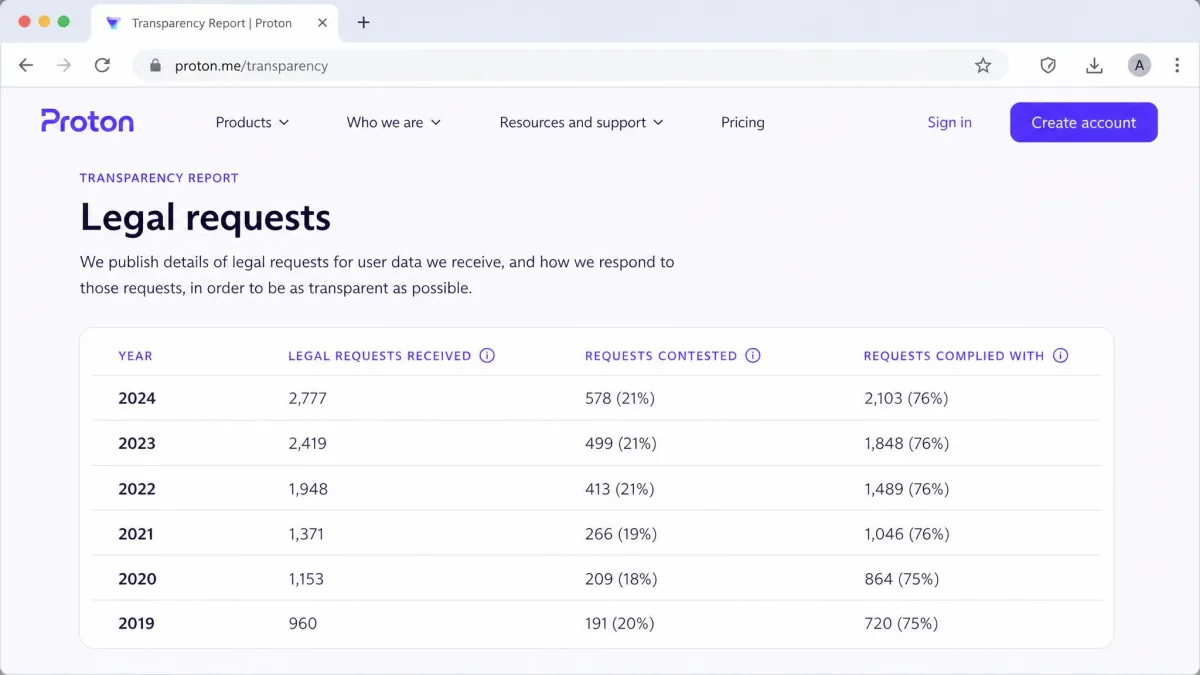
Privacy is where Proton VPN is strongest, and it is the main reason we rate it so highly. It keeps no activity logs, and the security firm Securitum has audited that claim every year since 2022, five audits in a row. All of its apps are open source, so anyone can inspect the code running on their device. The service is run by Proton AG, the Swiss company behind Proton Mail, whose majority shareholder since 2024 has been the nonprofit Proton Foundation. Switzerland sits outside the EU and US intelligence-sharing alliances, and Proton's transparency report shows hundreds of legal orders since 2017 that produced no VPN user data, because there were no logs to hand over. We found no credible report of the VPN service ever being breached.
For the full evidence, including the 2021 Proton Mail court case, the proposed Swiss surveillance rules and past software flaws, see our breakdown of Proton VPN's audits, legal requests and Swiss privacy law.
Security Features
Proton VPN's security toolkit is one of the deepest in the category, and most of it is available across the apps rather than locked to a single platform. Here is what each piece does and where it fits.
Encryption & VPN Protocols (WireGuard, OpenVPN, Stealth)
Proton VPN supports WireGuard and OpenVPN, the two protocols most worth using, plus a Stealth protocol built for obfuscation on restrictive networks. By default the app uses a Smart setting that auto-selects the best protocol for your connection, which is what we would recommend for most users. WireGuard is the fast modern default, OpenVPN is the battle-tested option for maximum compatibility, and Stealth disguises your VPN traffic so it can slip past networks that try to block VPNs. All of it is wrapped in strong, modern encryption. The apps also include DNS and IPv6 leak protection, routing your DNS queries through the encrypted tunnel rather than out to your provider, so your browsing is not exposed alongside the tunnelled traffic. For most people the Smart default is the right call, and switching to WireGuard or OpenVPN by hand keeps the same leak protection in place.
Kill Switch
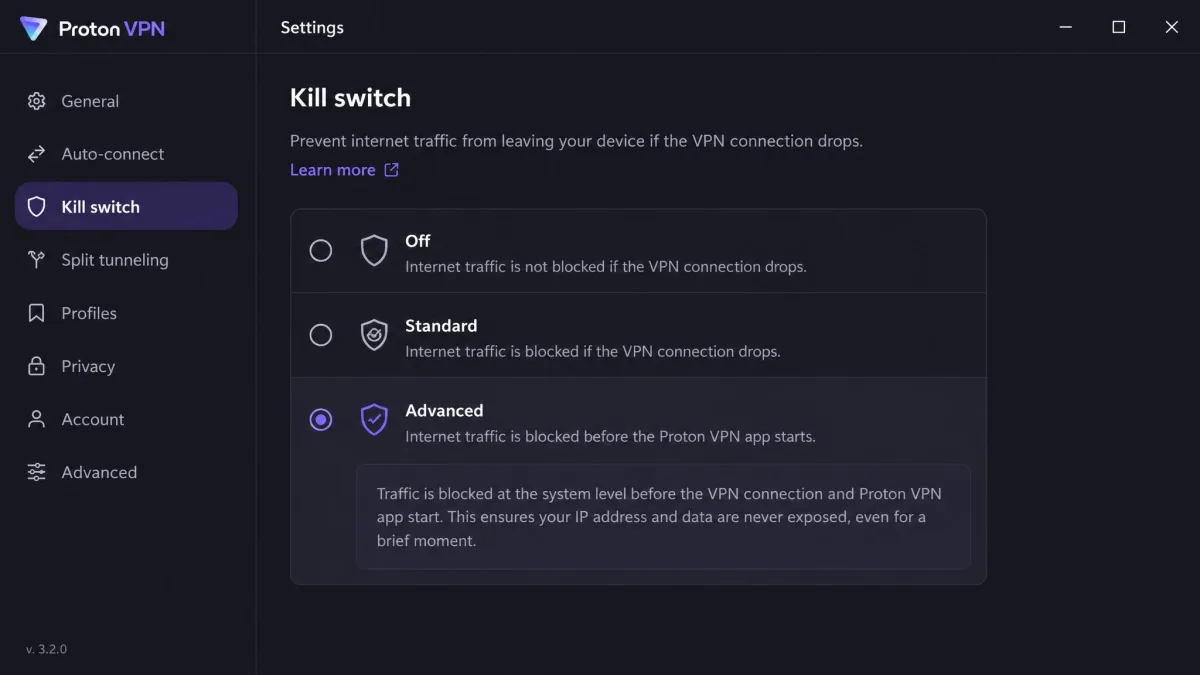
The kill switch cuts your internet if the VPN connection drops, so your real IP never leaks during a reconnect. Proton offers both a standard kill switch and an Advanced (permanent) mode that keeps the block in place even across reboots until you deliberately turn it off. The behaviour is what you want from the feature: the instant the tunnel drops, internet access is cut, and it is restored only once the connection comes back, so there is no window where traffic falls back to the open connection and exposes your real IP. That reliability matters, because a kill switch that fails silently is worse than none at all.
Secure Core (Multi-Hop)
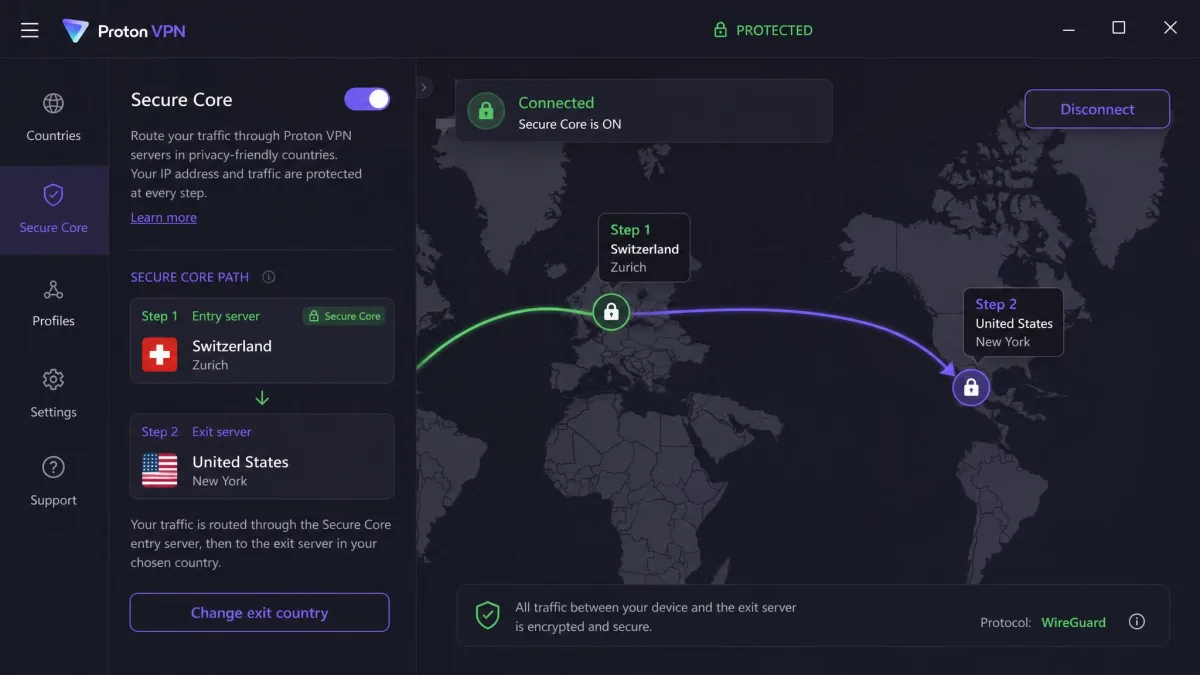
Secure Core is Proton's multi-hop feature, and it is a standout. Instead of sending your traffic straight to an exit server, it routes it first through a hardened server in privacy-friendly Switzerland, Sweden, or Iceland, then out to your chosen country. That means even if an exit server were compromised, an attacker would only see traffic coming from the Secure Core server, not your real IP. The trade-off is speed: Secure Core connections carry noticeably higher pings because traffic double-hops through a second country, so we keep it for when privacy matters more than raw speed. In practice, the extra hop was easy to feel on latency-sensitive tasks like video calls, while ordinary browsing and streaming stayed perfectly usable. We treat it as a tool to reach for deliberately when the threat model calls for it, not as an always-on default.
NetShield Ad & Malware Blocker
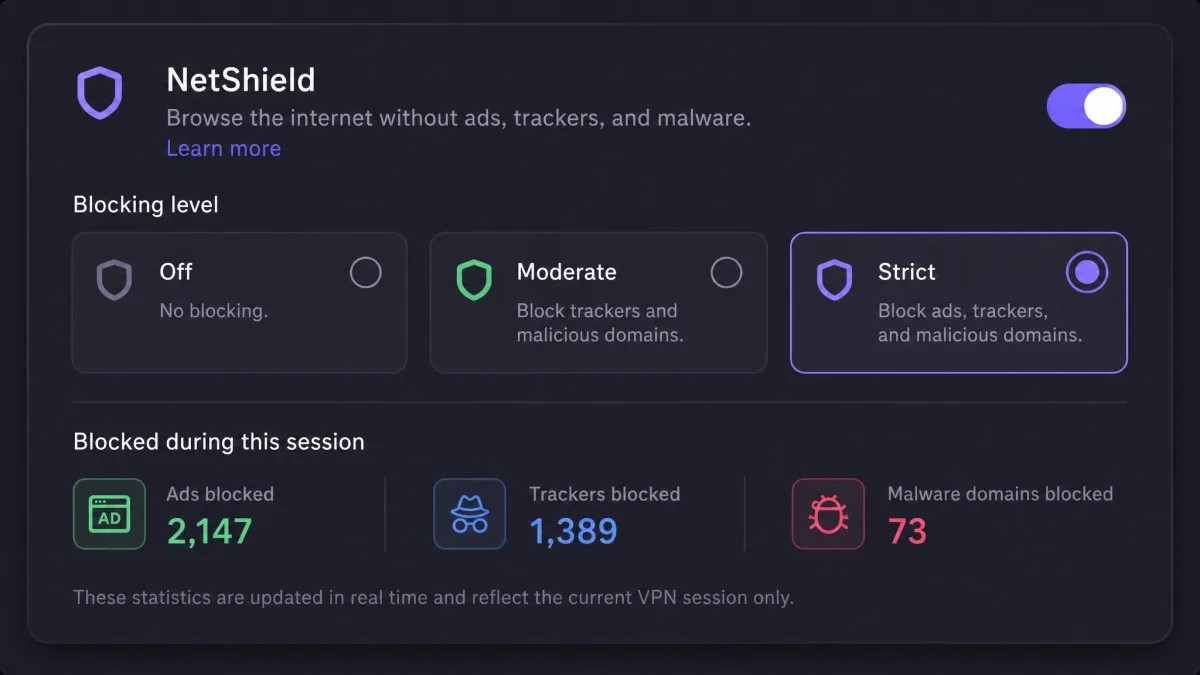
NetShield is a DNS-based blocker that filters ads, trackers, and known malware domains at the network level, before they ever load. Because it works at the DNS layer, it cleans up pages across every app on your device, not just the browser. You get a choice of blocking levels, one that stops malware only and one that also strips ads and trackers, and the app keeps a running tally of what it has blocked so you can see it working. It will not fully replace a dedicated content blocker, but it is a genuine value-add on the paid plans that runs quietly in the background.
Dedicated IP & Port Forwarding
A dedicated IP is available as a paid add-on on business and paid tiers, useful if you need a consistent IP address for accessing work systems or avoiding the shared-IP CAPTCHAs that come with regular VPN servers. Port forwarding is supported on Proton's P2P-designated servers, which helps with torrenting and certain peer-to-peer applications by letting incoming connections reach your client directly, so your client can connect to more peers. These are more specialist features, but their presence shows how complete the toolkit is, and it is the kind of depth you usually only find on VPNs pitched squarely at power users.
Split Tunneling
Split tunneling lets you route some apps or sites through the VPN while others use your normal connection. Proton offers it for apps and IP addresses on Windows and Android, and for apps only on Mac. It is handy for keeping, say, your banking app off the VPN while everything else stays protected. Earlier Windows builds made you choose between split tunneling and the kill switch, a real trade-off since you gave up leak protection to gain routing flexibility. A February 2026 Windows update lets the two run together, which removes what used to be the app's most awkward compromise.
Server Network & Locations
Proton VPN's server network is large and spans a wide range of countries, which matters for both speed (a nearby server is faster) and access (more countries means more content libraries and exit points). Proton currently puts the network at more than 20,000 servers, while third-party counts start at around 16,000, so treat any single figure as a snapshot of a network that changes constantly.
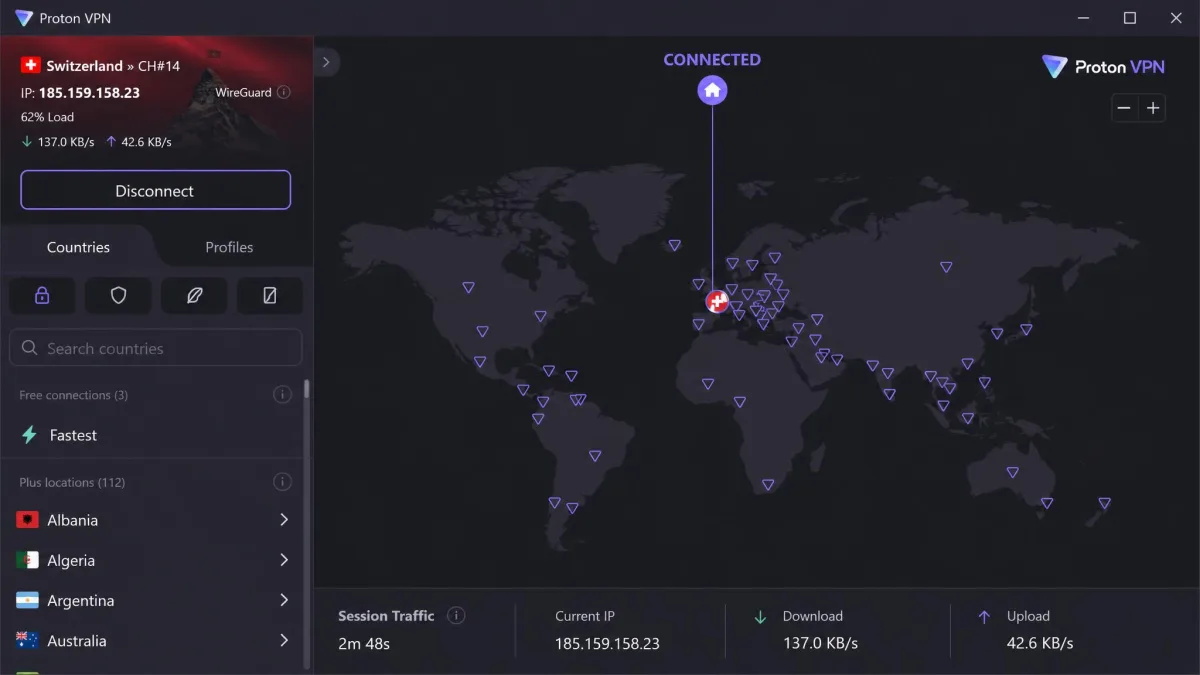
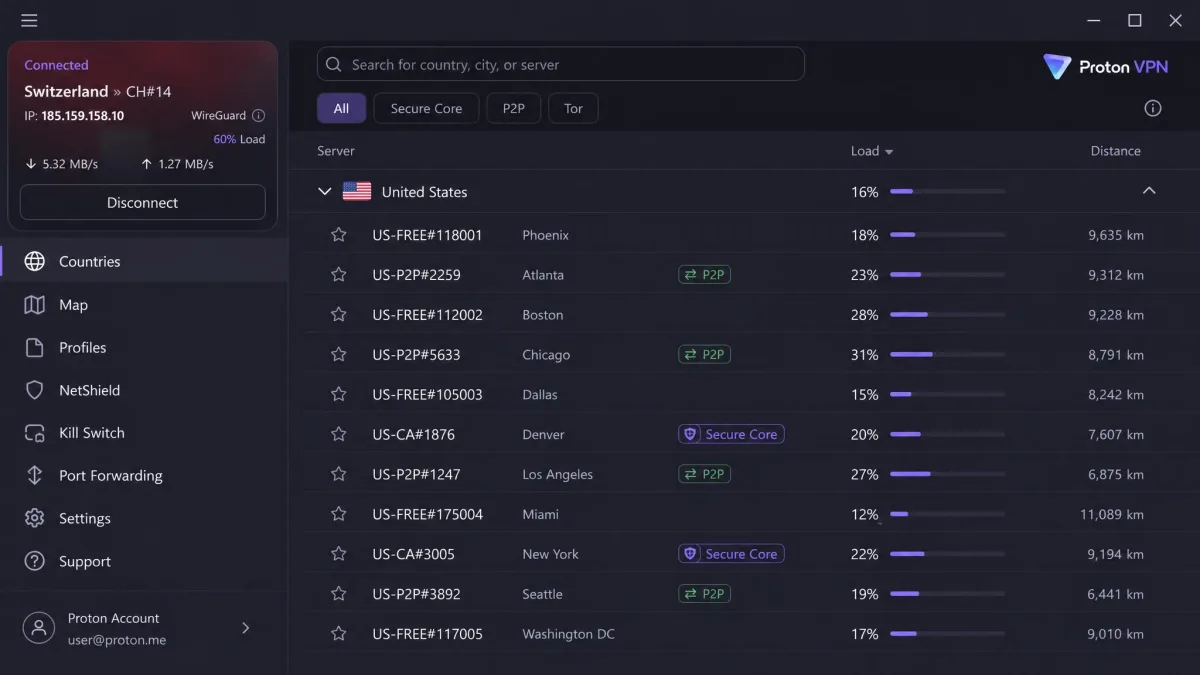
Country coverage is similarly a moving target. Proton now lists servers in 149 countries, and the count keeps growing over time. Either way, the practical takeaway is the same: wherever you are, there is almost certainly a nearby Proton server, and you have a broad choice of exit locations for streaming and access. The app also shows server load as a live percentage next to each location, so you can pick a lightly loaded server rather than a busy one, which generally means a faster connection. Servers are labelled with icons for Secure Core, P2P, and streaming, so once you know what you need, finding the right location is quick rather than guesswork.
Speed and Performance
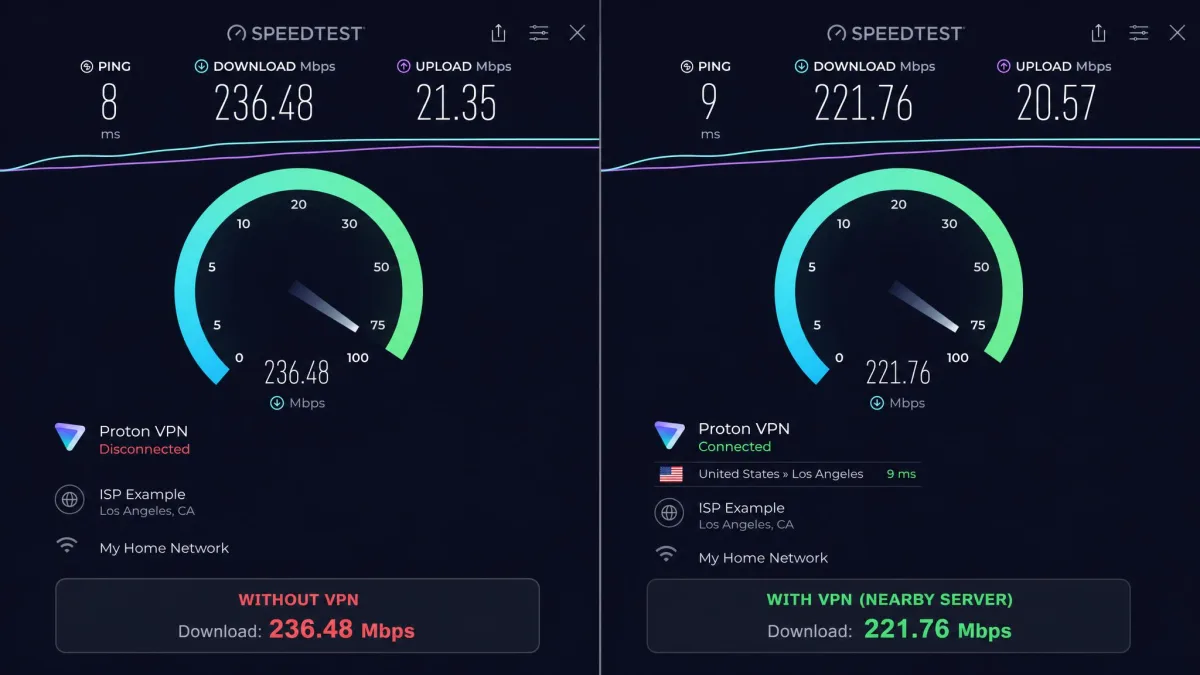
Speed is where Proton VPN quietly impresses. On the paid tier, fast US servers benchmarked in the 500 to 700 Mbps range on our gigabit line, which is fast enough that the VPN never became the bottleneck for anything we did, from 4K streaming to large downloads. To put that in context, the fastest nearby servers cost us only a small slice of our unprotected line speed, and even mid-distance European servers held comfortably into the hundreds of megabits. More importantly, paid-plan speeds held steady through long sessions, with no sudden slowdowns or unstable throughput during testing, which is the part that separates a genuinely fast VPN from one that just posts a good number on a single quick test.
The VPN Accelerator technology helps here, and in practice the connection felt consistent rather than spiky. We ran repeated back-to-back tests on the same server across a long evening and the throughput barely moved, which matches the steady behavior we look for. Secure Core is the exception, since the double-hop adds latency by design, and you can watch the ping climb the moment you enable it. But for standard single-hop connections the performance is genuinely top-notch. Free servers are a different story: they can feel slower and less stable than paid, which is expected given the shared load and limited locations, and during busy hours the gap between free and paid was easy to notice. For gaming and video calls, where latency matters as much as raw throughput, a nearby single-hop paid server keeps latency low enough to suit real-time use, so long as you stay off Secure Core.
Streaming: Does Proton VPN Work With Netflix & Others?
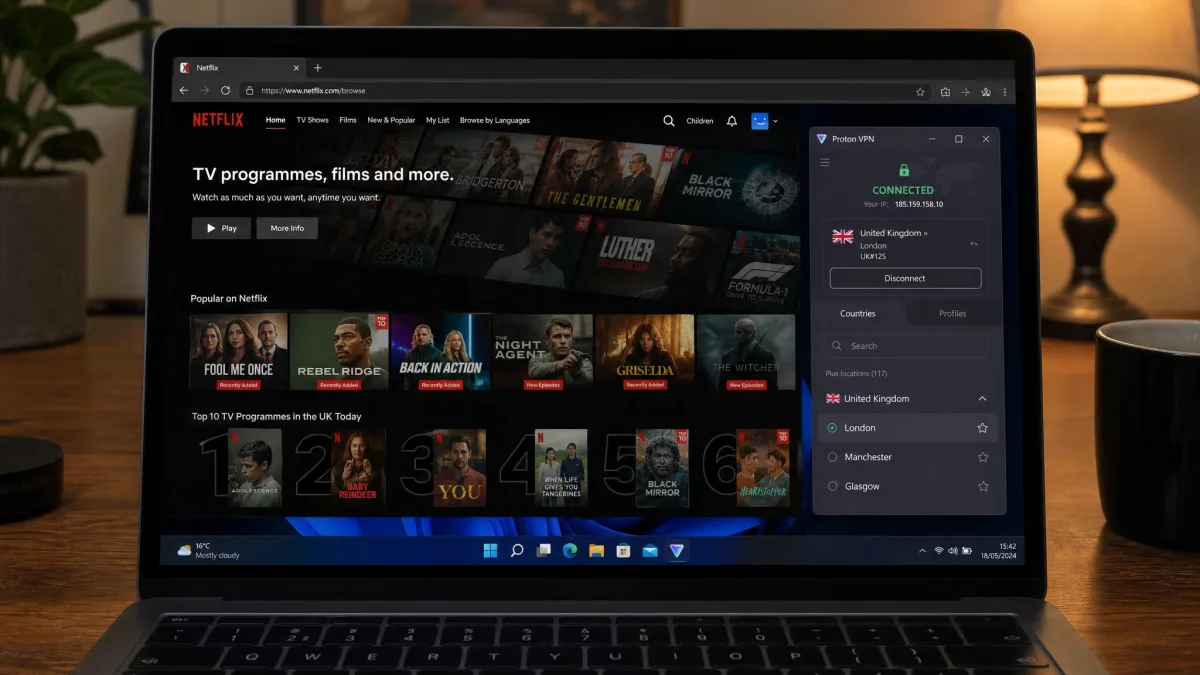
Yes, on paid plans Proton VPN is a strong streaming VPN. In our testing, Netflix, Disney+, HBO Max, and BBC iPlayer all unblocked reliably on paid servers, including in HD and 4K. We streamed on US paid servers for hours with no disconnects and no major speed drops, which is exactly what you want from a streaming VPN: not just that it unblocks a library, but that it holds the stream without buffering. On Netflix, US-library titles loaded without the dreaded proxy error, and switching between a couple of US servers was enough whenever one location acted up. Disney+ and HBO Max behaved the same way, playing in high definition after a short initial load, and BBC iPlayer picked up a UK server cleanly so we could reach UK-only shows.
Proton also unblocks Hulu and Amazon Prime Video on paid plans, and in practice these behaved like the rest, loading their libraries once we were on the right regional server. The one caveat is that streaming is a paid-only feature; the free plan does not support it. If streaming is your main reason for wanting a VPN, you will need VPN Plus or Proton Unlimited. Proton marks streaming-friendly servers in the app, so you do not have to guess which location to pick for a given service, and leaning on those flagged servers gave us the most consistent results. The overall picture is a VPN that treats streaming as a first-class use case rather than an afterthought, provided you are on a paid plan.
Torrenting & P2P Support
Proton VPN supports torrenting and P2P on its paid plans, using dedicated P2P-optimized servers and offering port forwarding to improve download performance. Combined with the no-logs policy, Swiss jurisdiction, and a reliable kill switch, it is a sound choice for private torrenting. Because the kill switch held firm in our testing, you can leave it on while downloading and trust that a dropped tunnel will not expose your real IP mid-transfer, which is exactly the protection torrenters need most.
The important limitation is that P2P is a Premium feature. Free servers actively drop the connection if you try to torrent, so torrenting simply is not an option on the free plan. On paid, though, we had no trouble connecting to P2P servers and running downloads with the kill switch active for safety. Port forwarding, available on those P2P servers, lets incoming connections reach your client so it can find more peers, which is what keeps download speeds healthy on a busy torrent. The app clearly labels which servers allow P2P with a dedicated icon, so you can pick the right one without trial and error.
Apps & Platform Compatibility
Proton VPN covers essentially every platform most people use, with native apps rather than clunky manual configuration. Coverage spans Windows, macOS, Linux, Android, iOS, ChromeOS, Android TV, and Amazon Fire TV Stick, plus browser extensions for Chrome and Firefox.
Windows (incl. Windows 11), Mac & Linux (Ubuntu)
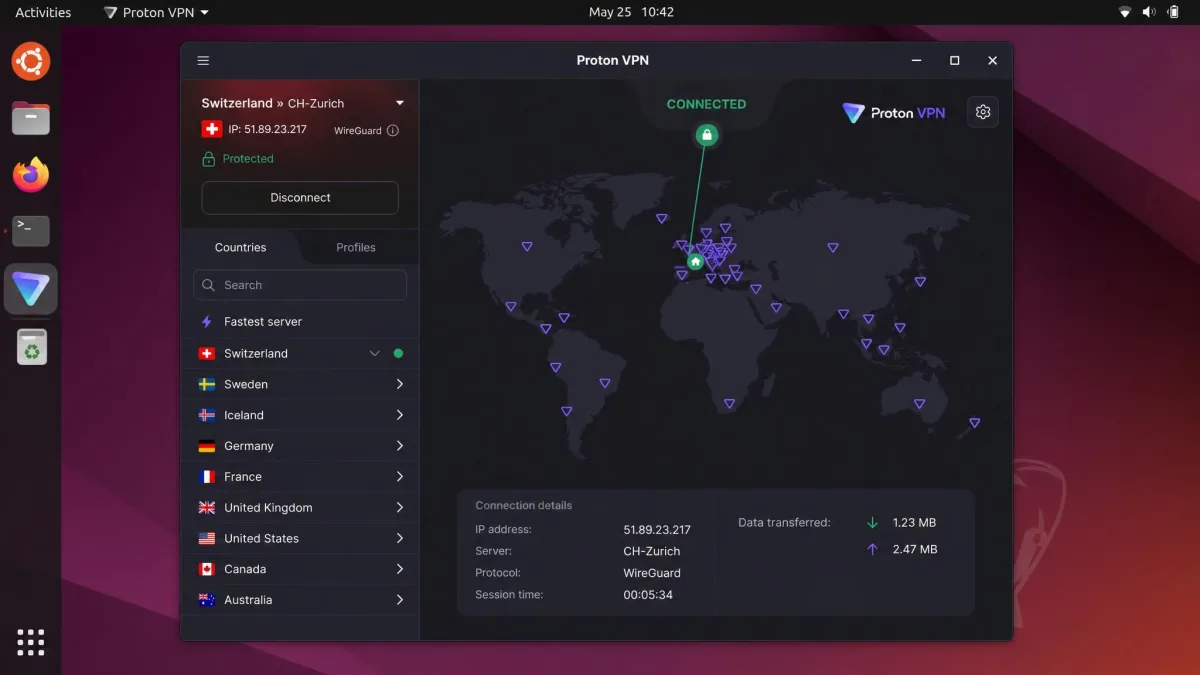
The Windows app, including on Windows 11, is the most full-featured, with split tunneling, the permanent kill switch, and all the protocol options. The macOS app is clean and covers the core features well. Linux users, including on Ubuntu, get a proper app with a graphical interface rather than command-line-only access, which is rare among VPNs and a real plus for the privacy-minded Linux crowd. Across all three desktop platforms the daily experience was consistent and stable in our testing.
Android, iOS, APK & a Note on Mod/Premium APKs
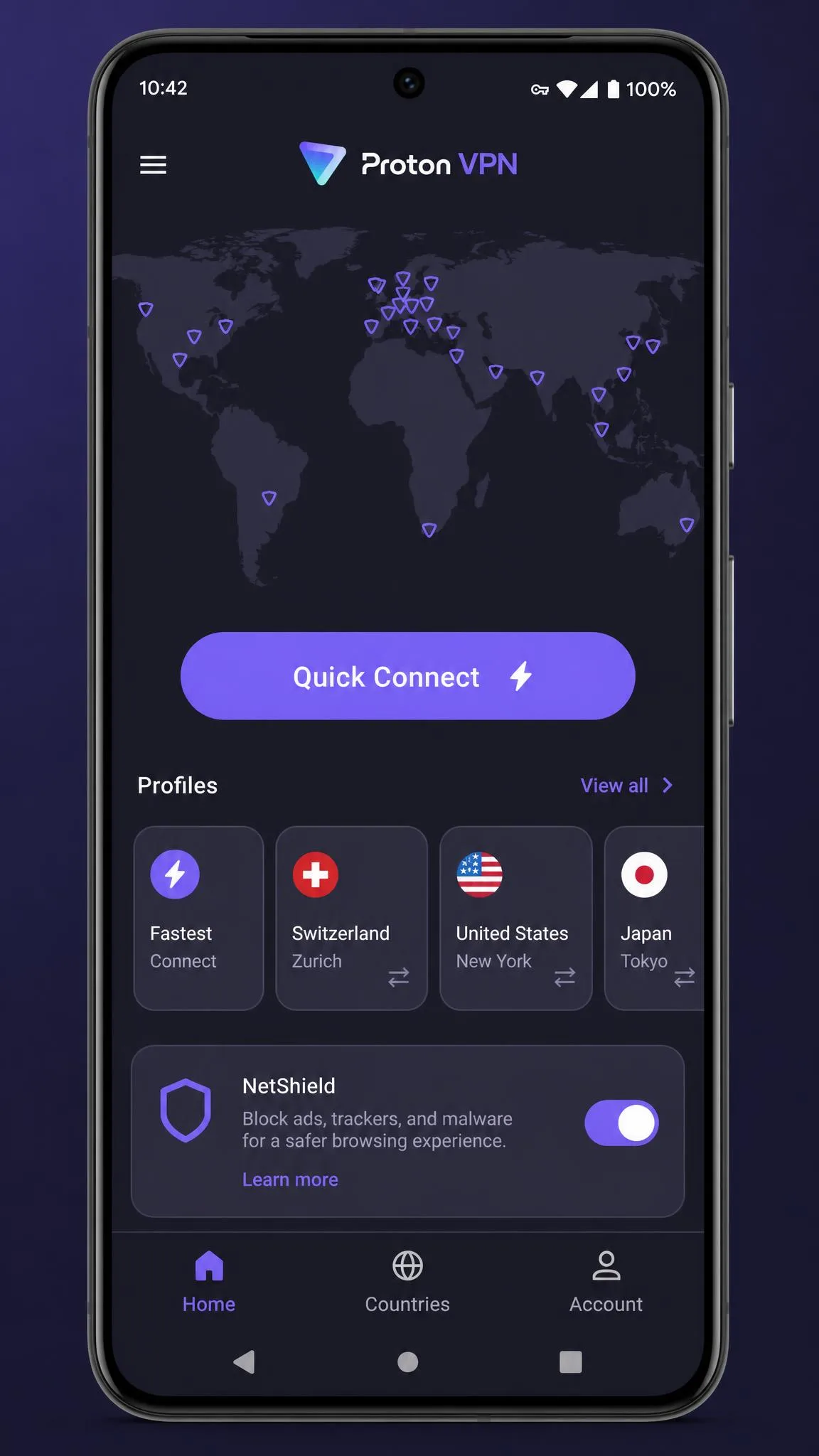
The Android and iOS apps are polished, and split tunneling is available on Android. You can install the Android app from the Play Store, or Proton offers a direct APK download from its site for devices without Google services. One firm warning: avoid any third-party "mod" or "premium unlocked" Proton VPN APK you find outside official channels. Those files are a common malware vector and defeat the entire point of running a security app. Proton already gives you a free plan, so there is no reason to risk a cracked build.
Never install a "premium" or "mod" Proton VPN APK from an unofficial site. These cracked builds are a common way to sneak malware onto your phone. Use the Play Store or Proton's official APK only.
Chromebook, Firestick, Smart TV & Router
Proton VPN runs on ChromeOS via the Android app, so Chromebook users are covered. There are dedicated apps for Android TV and the Amazon Fire TV Stick, which makes big-screen streaming straightforward, and you can set it up at the router level for whole-home coverage or devices without native support like some smart TVs and games consoles. Router setup takes more effort than a one-tap app, but it protects everything on your network at once, including gadgets that cannot run a VPN app themselves.
Browser Extensions (Chrome, Firefox)
Proton offers browser extensions for Chrome and Firefox. It is important to understand what they do: the extensions protect only your browser's traffic in a proxy-style setup, not your whole device the way the full app does. They are handy for a quick browser-only connection, but for full protection you want the desktop or mobile app running.
How to Download, Install & Set Up Proton VPN
Getting started with Proton VPN is quick, and the free plan means you can be up and running without paying anything.
Create an Account and Sign Up
To sign up, head to Proton VPN's website or download the app and choose to create an account. You provide an email and password, pick your plan (the free plan requires no payment details), and verify your account. Proton deliberately asks for very little personal information, which fits its privacy-first stance. Once your account exists, you can sign in on any supported device with the same credentials.
How to Use Proton VPN Day to Day
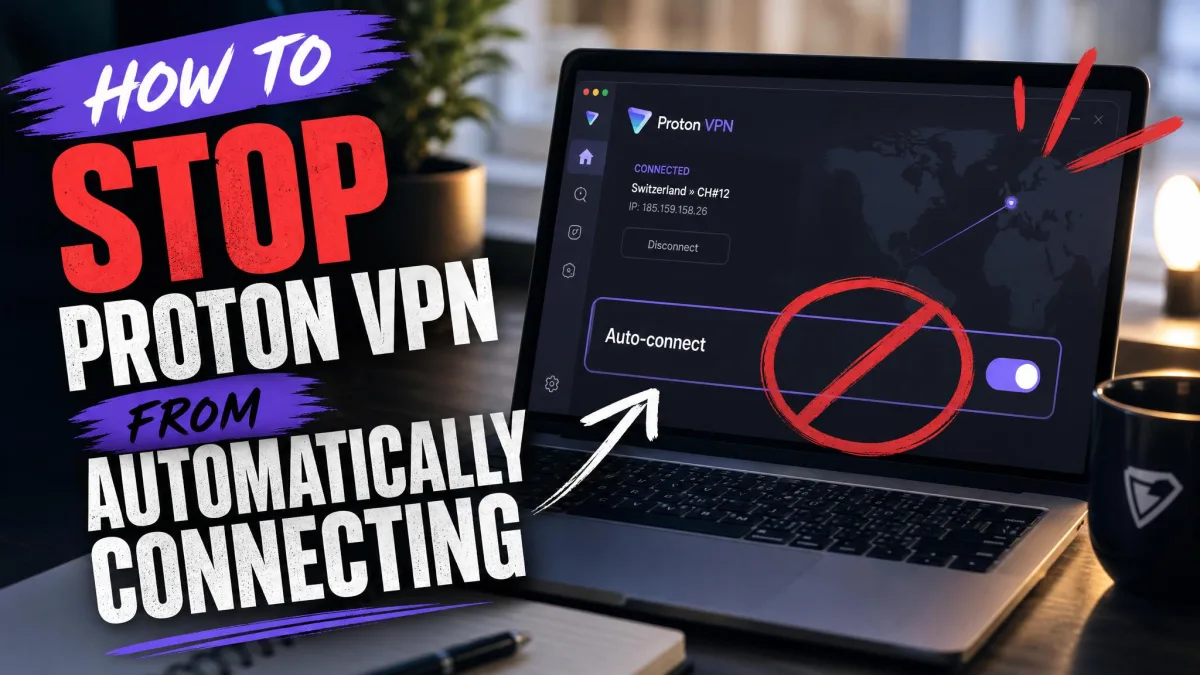
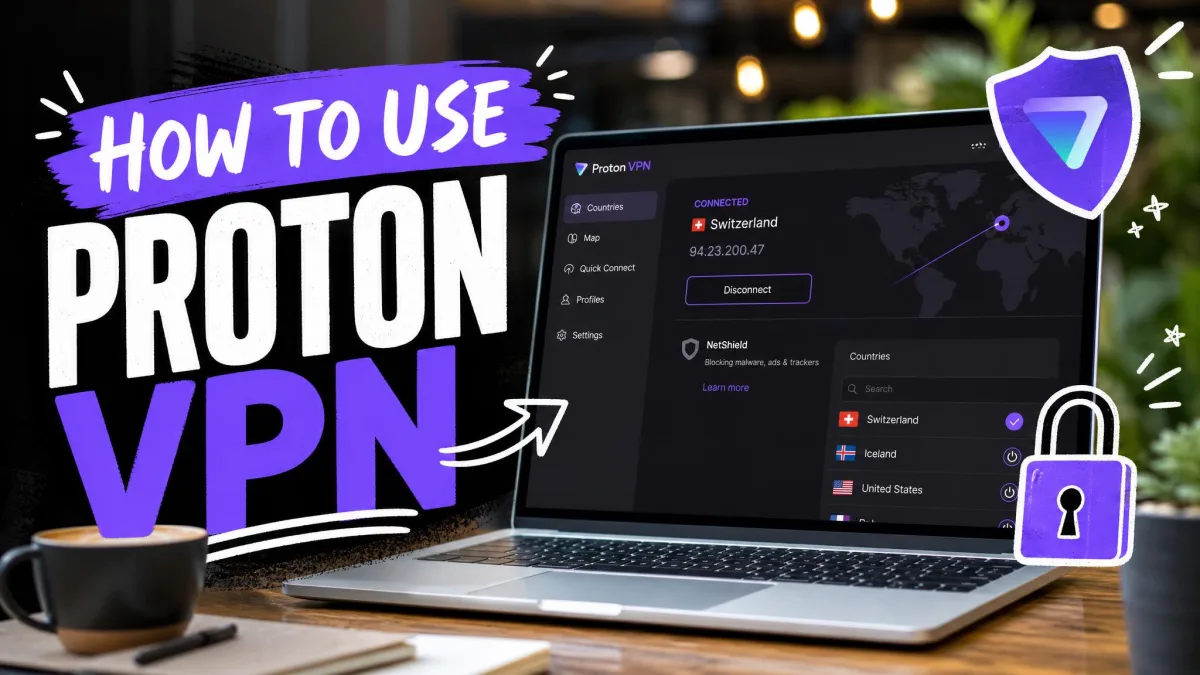
Day to day, using Proton VPN is as simple as opening the app and tapping the connect button, which drops you onto the fastest available server. To choose a specific country, you pick it from the server list, and paid users can filter for Secure Core, P2P, or streaming-friendly servers. You set your protocol to Smart, leave the kill switch on, and forget about it. For most people the whole routine is a single tap in the morning and nothing else to think about. Our companion guide on how to use Proton VPN walks through the day-to-day settings in more detail, and if you would rather it not launch on its own, see how to stop Proton VPN from auto-connecting.
Troubleshooting: Proton VPN Not Connecting / Not Working / Not Opening
If Proton VPN is not connecting, not working, or not opening, the fixes are usually quick. First, try switching protocols: if the Smart default is struggling, manually select WireGuard or OpenVPN, and use Stealth if you are on a network that blocks VPNs. Second, change servers, since an individual server can be overloaded or down. Third, restart the app or your device, which clears most temporary glitches.
If the app will not open at all, reinstalling the latest version usually resolves it. On restrictive networks (some workplaces, schools, or countries), the Stealth protocol is your best bet for getting a connection through. And if the kill switch is blocking all internet because the VPN cannot connect, turning it off temporarily lets you troubleshoot before turning it back on. When none of that works, the knowledge base has step-by-step guides for the most common errors.
If nothing connects and you have no internet at all, check whether the permanent kill switch is on. It blocks traffic by design when the VPN is down, so disable it briefly while you troubleshoot, then re-enable it once you reconnect.
Customer Support
Support is Proton VPN's weakest area. There is no 24/7 live chat; customer support relies mainly on email and can be slow to respond. For a service this polished elsewhere, the lack of live chat is a genuine gap, especially for newcomers hitting a setup snag. When we raised a query by email, the reply was helpful and detailed once it arrived, but the wait meant it was no use for anything urgent, and a buyer stuck at a checkout or connection error will feel that delay keenly.
The saving grace is a thorough online knowledge base and support library that answers most common questions without needing a human. Between the documentation and the community, we rarely got truly stuck, and most of the issues we ran into during testing were solved by a support-article search rather than a support ticket. Still, if you value instant hand-holding, the email-only model is worth knowing about before you buy. It is a shame, because it is the one part of the experience that feels behind the rest of the product. If fast live support is a must-have for you, it is one of the few areas where a rival like NordVPN pulls ahead.
Proton VPN in India & Other Regions
Proton VPN handles India differently from most regions, and it is worth understanding why. After India's 2022 CERT-In law required VPN providers to log and store user data, Proton removed its physical servers from the country rather than compromise its no-logs promise. You can still get an Indian IP address, though: Proton delivers Indian IPs via Smart Routing from Singapore-hosted servers, so your traffic is handled outside India while still giving you an India exit point.
For users elsewhere, the broad country network means Proton works in the vast majority of regions, and the Stealth protocol helps in places that actively try to block VPN traffic. China is the hardest of those, and we cover what to expect there in does Proton VPN work in China. The India approach is a good example of Proton choosing privacy over convenience, which is exactly the philosophy that runs through the whole service. It is a small inconvenience for Indian users in exchange for a promise the company clearly takes seriously.
Proton VPN Alternatives (How It Compares)
Proton VPN's closest rivals are NordVPN and ExpressVPN, with Surfshark a strong budget option. The table below lines them up on the specs that matter most. Note that the cheapest rates are promotional multi-year prices that renew higher, and server counts vary by source.
| Product | Cheapest (2-yr /mo) | Servers | Countries | Devices | Free plan |
|---|---|---|---|---|---|
|
$2.99 | 20,000+ | 149 | 10 | Yes (unlimited data) |
 |
$3.59 | 9,300+ | 137 | 10 | No |
 |
$2.49 | 3,000+ | 113 | 10 | No |
 |
$2.49 | 3,200+ | 100 | Unlimited | No |
Against NordVPN, Proton wins on transparency and the free plan, while Nord edges ahead on live-chat support that runs around the clock and a slightly larger single-brand marketing presence. If instant support and a huge feature list matter most to you, Nord makes a real case, but Proton's audited open-source apps and Swiss base give it the stronger privacy story. Against ExpressVPN, Proton offers a bigger network and a free tier, while Express leans on its proprietary Lightway protocol and famously simple apps; Express is the easier hand-off for a complete beginner, but you pay more and get no free plan to fall back on. Surfshark undercuts everyone on device count with unlimited simultaneous connections, which is tempting for a big household, but it has no free plan and a shorter privacy track record than Proton's five years of published audits. If you want maximum privacy assurance plus a real free option, Proton is the pick. It is also worth comparing against privacy purists like Mullvad, the value-focused Private Internet Access, and the streaming-friendly CyberGhost.
Who Should Use Proton VPN? (Final Verdict)
Proton VPN is the right choice for anyone who puts privacy first without wanting to sacrifice speed or streaming. It is ideal for privacy-conscious users who value audited no-logs claims and Swiss jurisdiction, for anyone who wants a genuinely usable free VPN, and for streamers and torrenters who upgrade to a paid plan. Linux users in particular get a real graphical app, which is rare.
It is a slightly weaker fit if you need instant live-chat support, or if you want every feature on every platform, since the apps differ in what they offer. Those are real limitations, but for the core job of a VPN, keeping you private and secure while staying fast, Proton VPN is one of the best we have tested, and for most people it is well worth the money. Start on the free plan, and upgrade to VPN Plus when you want the full network and streaming.