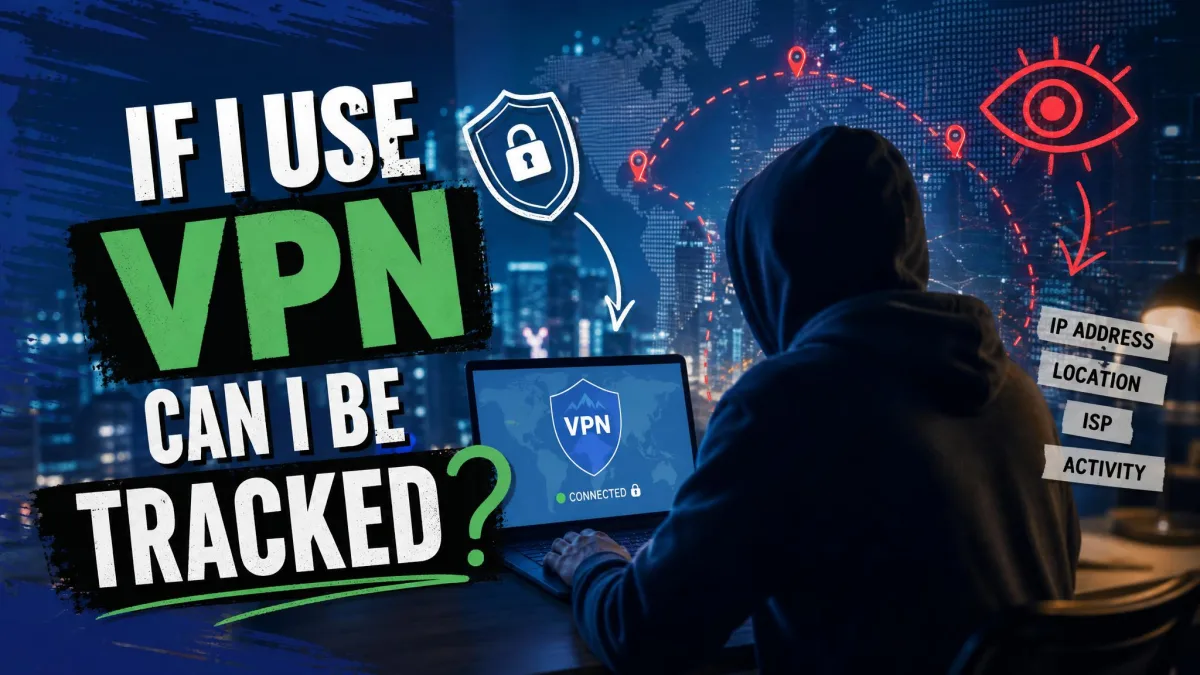
Here's the honest answer: a VPN makes you much harder to track, but it does not make you invisible. It hides some of the most valuable signals about you, and it leaves others wide open. So the useful question isn't "can I be tracked?" but "who can still track me, and how?"
This guide walks through both sides. We'll explain what a VPN actually hides, the ways you can still be followed even with one running, and which specific parties, your ISP, your employer, Google, advertisers, still have a line of sight. Then we'll cover how to reduce the tracking that remains and pick a VPN that doesn't become part of the problem.
The short answer: can you be tracked with a VPN?
Yes, you can still be tracked, but a good VPN closes off some of the biggest channels. It hides your real IP address and stops your internet provider from seeing which sites you visit. That alone blocks a lot of routine, network-level surveillance.
What it can't touch is everything happening above the network: the cookies in your browser, the accounts you log into, and the unique fingerprint your device gives off. A VPN protects the pipe your data travels through. It does nothing about what you carry into a website once you arrive.
Think of a VPN as one strong layer, not the whole wall. It's necessary for privacy, but on its own it's rarely sufficient.
How a VPN works and what it actually hides
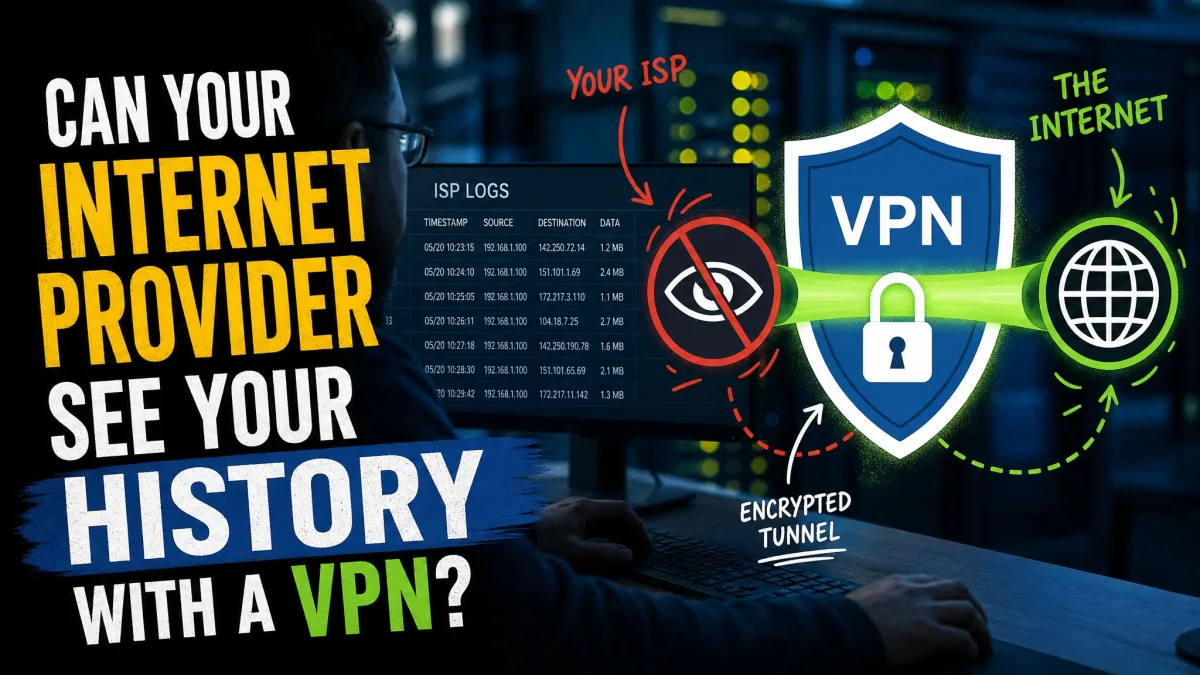
A VPN creates an encrypted tunnel between your device and a server run by the VPN provider. Your traffic goes into that tunnel, comes out at the server, and reaches the wider internet from there. Websites see the server's IP address, not yours.
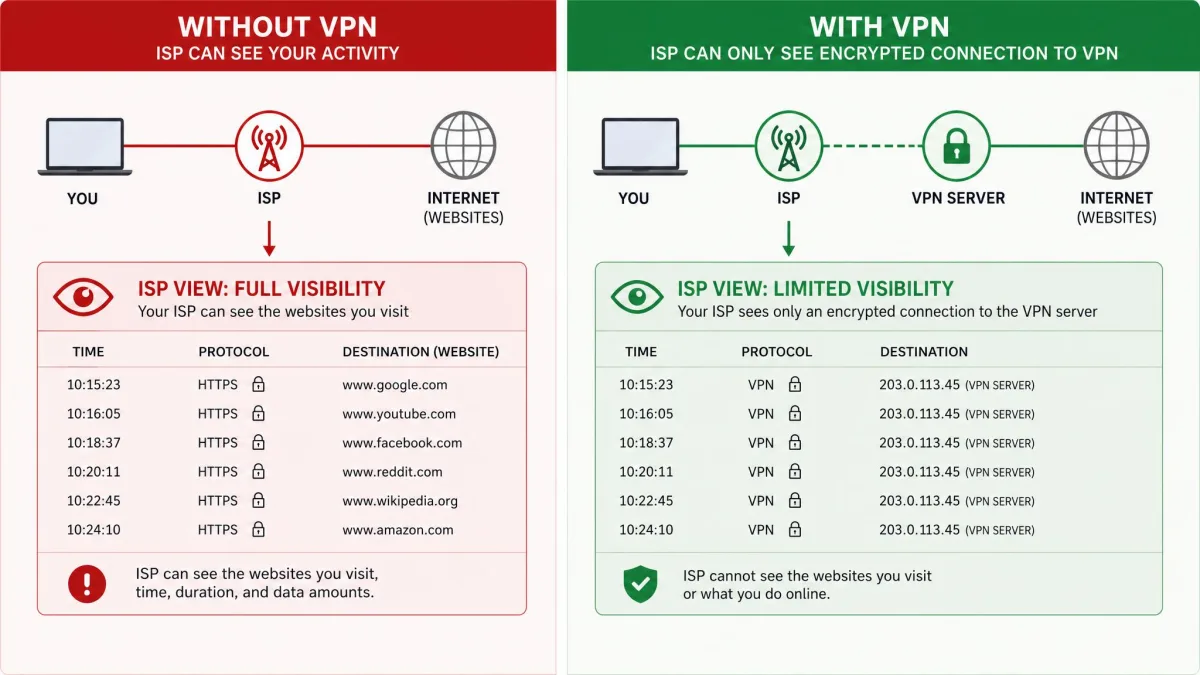
That secure tunnel does two useful things. First, it replaces your real IP address with the server's, so the sites and apps you use can't read your true location or network identity. Second, it encrypts the contents of your connection, so anyone watching the line, most obviously your ISP, can see that you're connected to a VPN but not what you're doing inside it.
This is why a VPN is so effective against untargeted, mass collection. When your provider can't see your destinations, it can't build the browsing profile it would otherwise assemble. That's a real gain in day-to-day privacy, and it's the part most people are actually buying.
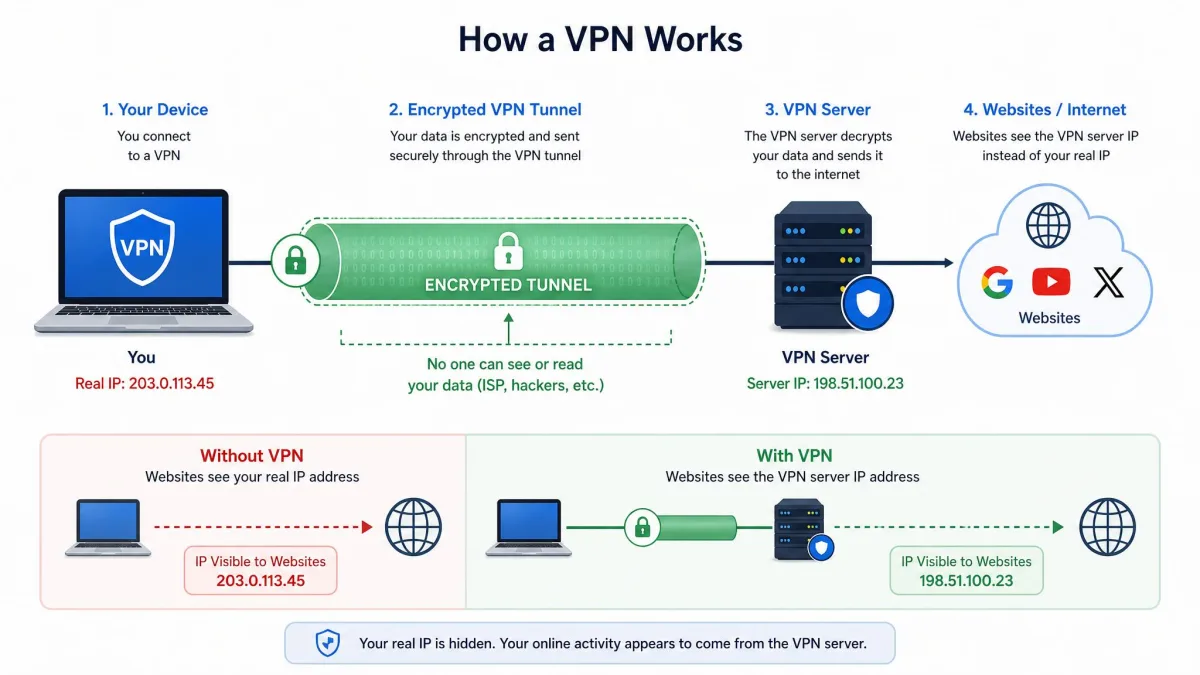
But note the boundaries. A VPN hides the network path. It does not log you out of your accounts, clear your cookies, or change how your browser looks to a tracking script. Keep that line in mind, because almost every "you can still be tracked" case lives on the far side of it.
How you can still be tracked even with a VPN
The network is only one way to identify you. Once you're browsing normally, plenty of other signals keep working no matter which server you're routed through.
Cookies
Cookies and third-party trackers are stored in your browser, and they persist across IP changes. Switch on a VPN, switch servers, hop countries: the cookie an advertiser dropped last week is still sitting there, still tied to you. Because tracking cookies don't care about your IP address, a VPN doesn't stop cookie-based tracking at all. Clearing cookies or using a browser that blocks third-party ones does far more here than any server switch.
Browser fingerprinting
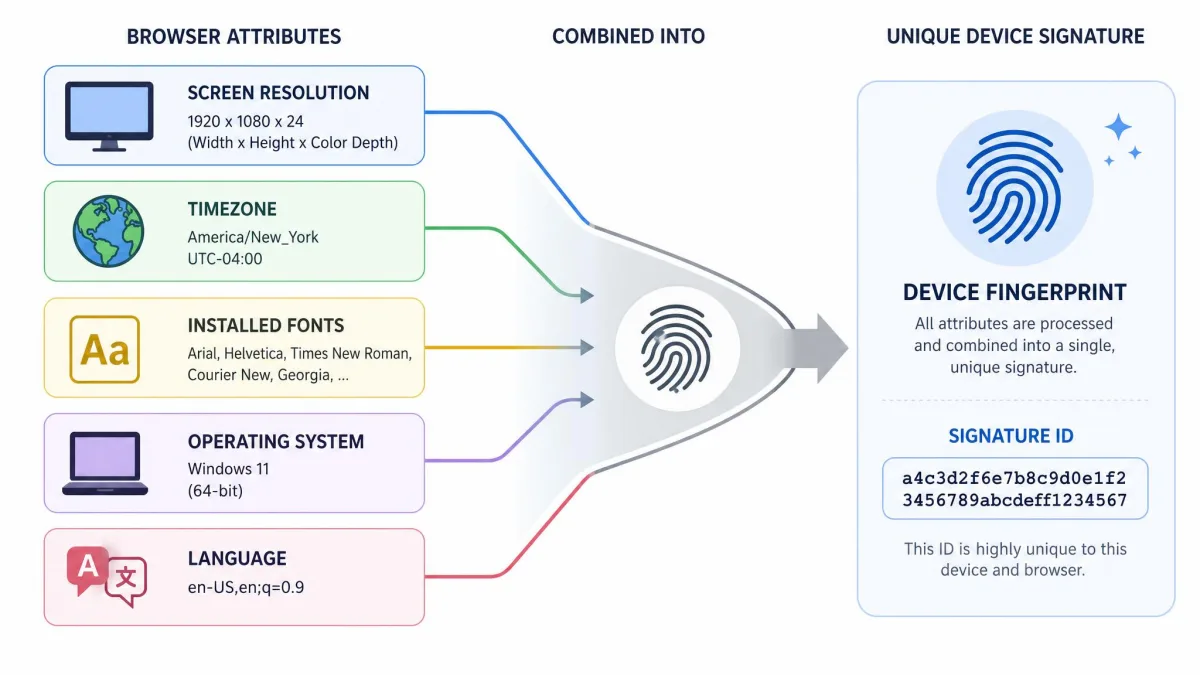
Browser fingerprinting builds a near-unique signature from your screen size, operating system, timezone, installed fonts, and dozens of other device traits. Put together, those details can single out your browser from millions of others, and a VPN doesn't mask any of them. You can change your apparent location all you like; the fingerprint stays the same.
DNS, IP, and WebRTC leaks
A leak is when data slips outside the tunnel and exposes something the VPN was supposed to hide. There are a few common ones.
A DNS leak happens when your device sends its DNS requests to your ISP's resolver instead of through the VPN. The connection looks protected, but the list of sites you visit is quietly going straight to your provider. In our testing, this is one of the most common ways a connection that appears secure still gives the game away.
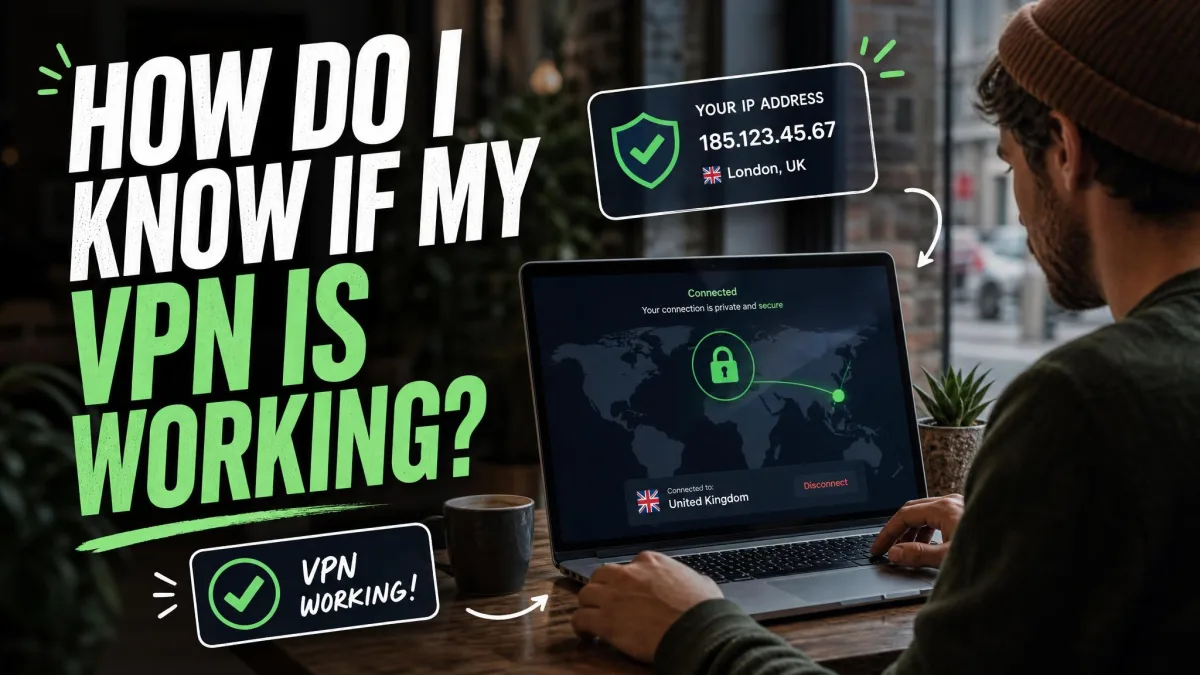
WebRTC is the other frequent culprit. This browser feature, used for things like video calls, can reveal your real IP address even while the VPN is connected, unless you disable or block it. We've seen a browser leak the real IP through WebRTC while the VPN tunnel itself was working perfectly. It's worth running a quick leak test after you connect.
A VPN that leaks is worse than no VPN, because it gives you false confidence. Run a DNS and WebRTC leak test after connecting, and confirm your provider offers built-in leak protection.
Logging into your accounts
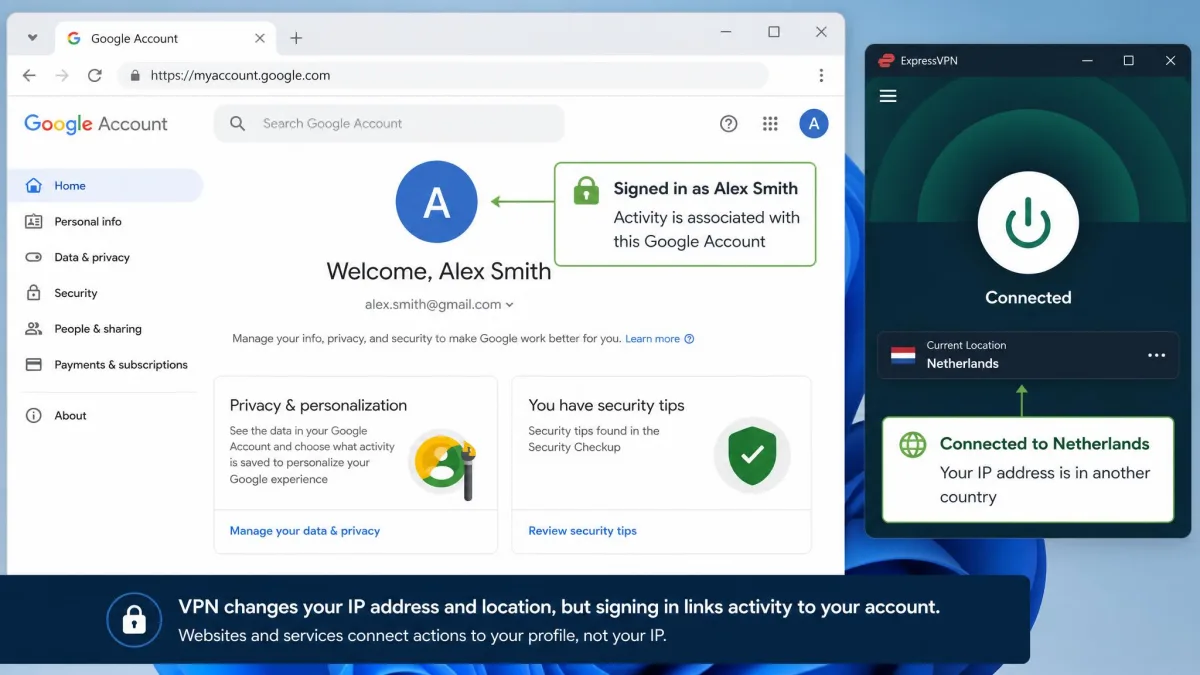
This is the one people forget. The moment you sign into Google, Facebook, or any other account, you've handed that service your identity directly. Staying signed in re-links your activity to your profile no matter which VPN server you're using. The IP is irrelevant once you've told the site exactly who you are.
Malware
A VPN encrypts data as it leaves your device. Spyware and keyloggers run on the device itself, so they capture your keystrokes and screen before any encryption happens. That means malware bypasses the VPN entirely. If something malicious is already on your machine, the tunnel protects none of it.
The payment trail
If you pay for a subscription, buy something, or link a card, those payment details tie the account back to your real identity. It's an identity backdoor a VPN can't close. This matters most for people who need genuine anonymity rather than everyday privacy.
Who can still track you through a VPN?
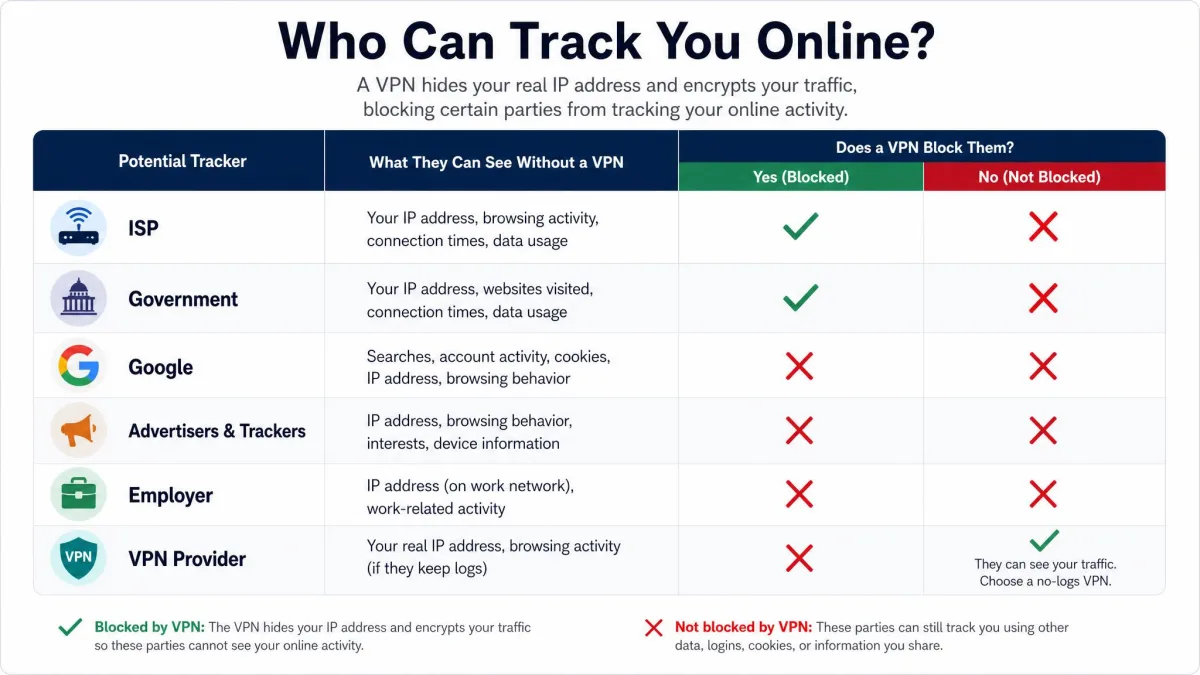
"Tracking" means different things depending on who's doing it. Here's how a VPN holds up against each of the parties people worry about.
Can your ISP track you?
This is where a VPN shines. Your ISP can see that you're connected to a VPN and the server's IP address, but not the encrypted contents or the destination sites. Without the VPN, your provider sees far more. An FTC staff report on what your ISP can actually see found that ISPs combine web-browsing, app-usage, and real-time location data to target ads, sort people into sensitive categories, and share location with third parties. That study covered six providers representing about 98% of the mobile internet market, so this isn't a fringe practice.
A VPN cuts off the raw material for most of that. Your provider can still measure how much data you use and when, and it can still apply deep packet inspection to confirm you're on a VPN, but the actual browsing history stays hidden.
Can the government or police track you?
Governments and law enforcement don't usually watch your traffic in real time. They ask your VPN provider for data through a legal request. What can actually be handed over depends entirely on whether the provider keeps logs. If there are no logs, there's nothing meaningful to give.
Real cases bear this out. When Swedish police raided a Mullvad data center in 2023 intending to seize servers, they left with nothing, because the infrastructure kept no user logs. Dutch authorities seized two Perfect Privacy servers in 2016 and recovered no user data for the same reason. The provider's logging policy, not the encryption, is what protects you here.
Can Google track you?
Yes, and a VPN barely dents this. Google tracks logged-in users through account integration and cookies stretched across its services, from Search to YouTube to Gmail. As long as you're signed into a Google account, your VPN's server location is just a detail; the account ties everything together. Signing out, using separate browser profiles, and limiting cross-service tracking do more here than any network change.
Can websites and advertisers track you?
Websites and ad networks lean on cookies and browser fingerprinting, the two methods a VPN doesn't address. So while a VPN hides your real IP from them, they can still recognise a returning visitor through stored cookies and reconstruct a profile from your device's fingerprint. This is why privacy-focused browsers and tracker blockers matter alongside a VPN, not instead of it.
Pair your VPN with a browser that blocks third-party cookies and resists fingerprinting. The combination covers both the network layer and the browser layer, which neither tool does alone.
Can your employer track you?
If you're on a work-issued device or a company network, assume yes. A VPN does nothing against monitoring software already installed on the machine, such as an employer's management agent. That software sees your activity directly, before anything is encrypted. On your own device using your own connection, a personal VPN keeps your browsing private from the network, but the company laptop is a different story.
Can your VPN provider track you?
This is the honest trade-off at the heart of using a VPN. The provider itself knows your real IP address, resolves your DNS queries, and can see which sites you visit. You're moving your trust from your ISP to your VPN company. That's exactly why a strict, ideally audited, no-logs policy is the single most important thing to check. Proton VPN's no-logs policy, for example, was confirmed by an external security audit, which is the kind of proof worth looking for.
Can P2P peers track you?
When you use peer-to-peer or torrent connections, every other peer in the swarm, including copyright-monitoring tools, can see the IP address you're connecting from. Without a VPN, that's your real IP, tied directly to the files you're sharing. With a VPN running correctly, the swarm sees the VPN server's IP instead, and that shared server address is what gets associated with your downloads rather than your own. That's the main privacy benefit for P2P.
The protection only holds if the tunnel is watertight, though, and there are several ways it quietly fails. An IPv6 address can leak out in the background even while the connection looks protected, because many VPNs only tunnel IPv4 traffic. A DNS leak, split tunneling, or a dropped connection without a kill switch can each expose your real address to those peers. So can a dedicated static IP assigned only to you, since it traces back to your account rather than being shared across many users like a standard VPN IP. And launching your torrent client before the VPN finishes connecting can hand your real IP straight to the swarm, so always confirm the server is up first.
Can you be tracked if your VPN connection drops?
Yes, and this is the moment most people never notice. If the VPN disconnects for a second, your device can fall back to your normal connection and send traffic unprotected, with no visible warning. Your real IP is exposed for as long as the gap lasts.
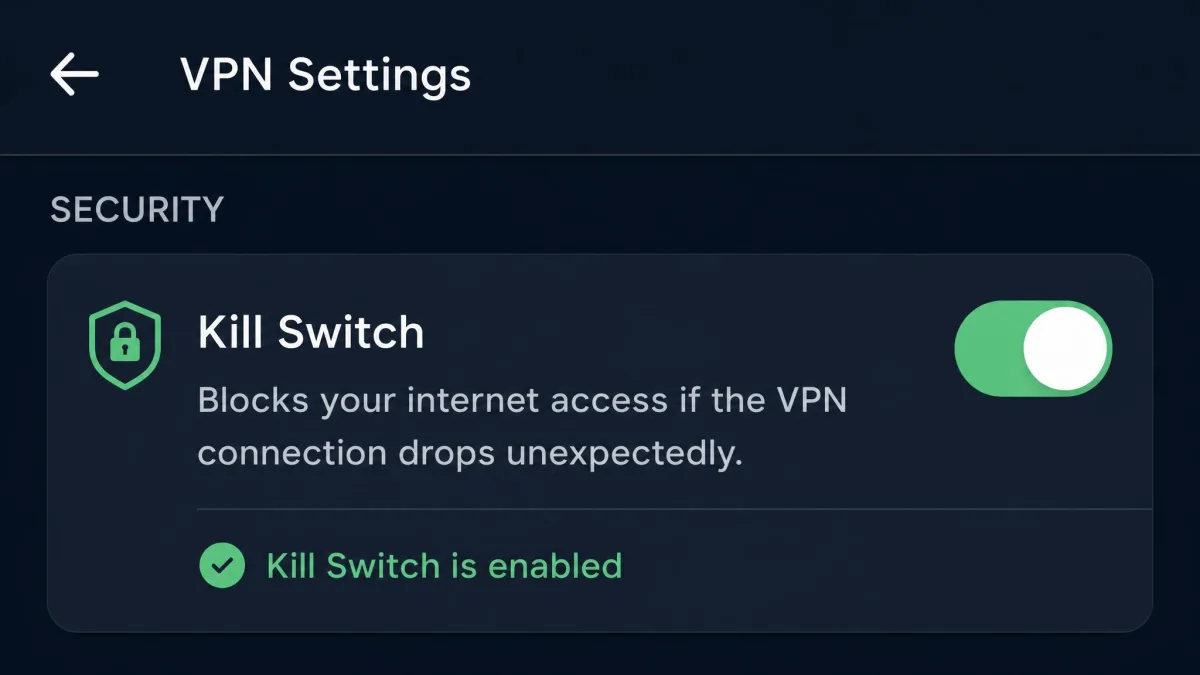
The fix is a kill switch. It automatically blocks all internet traffic the instant the VPN drops, so nothing leaks during the reconnect. We treat a kill switch as non-negotiable: without one, a brief drop on unstable Wi-Fi can undo everything the VPN was doing. It matters even more with torrents, where a drop of even a fraction of a second lets the client keep sharing on your real IP with no warning at all. Turn it on, and confirm it's actually active, because on some apps it's off by default.
Do free VPNs prevent tracking?
Some do a decent job; many make things worse. The problem is that running a VPN service costs money, and if you're not paying, the business often runs on your data instead.
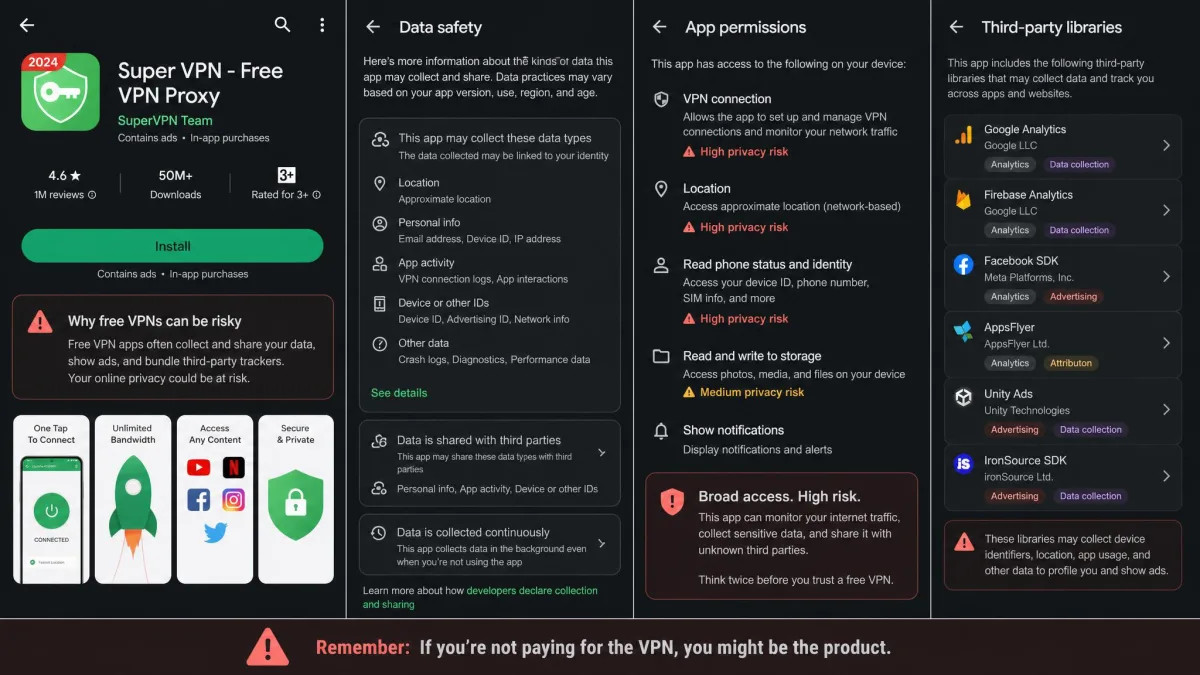
The evidence here is blunt. A study of hundreds of Android VPN apps analysed 283 of them and found that 38% contained malware or malvertising, 75% used third-party tracking libraries, and 18% used tunnelling protocols with no encryption at all. In other words, a large share of free VPN apps ship tracking baked into the app itself. The tool meant to protect your privacy becomes the thing tracking you.
Free VPNs frequently monetize by collecting and selling user data to advertisers and data brokers. Exact percentages vary by study and year, but the pattern is consistent enough that a free VPN with no clear no-logs policy should be treated as a tracker, not a shield.
That doesn't mean every free tier is dangerous. The reputable providers usually offer a limited free plan backed by the same no-logs policy as their paid one. The ones to avoid are the anonymous, ad-heavy apps with no track record and no audited policy.
How to reduce tracking and choose a secure VPN
If you want the most privacy a VPN can realistically give you, three features do the heavy lifting. Everything else is secondary.
No-logs policy
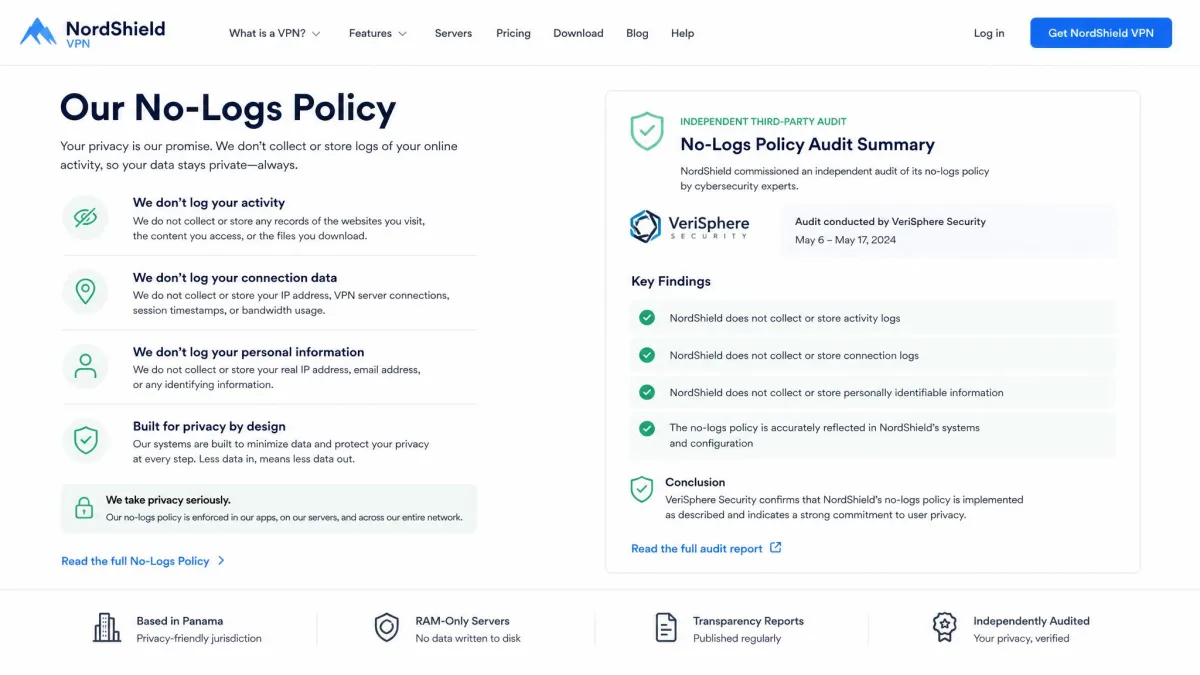
A no-logs policy means the provider doesn't keep records of what you do, so there's nothing to hand over in a legal request and nothing to leak in a breach. The strongest signal is an independent audit that verifies the claim, rather than a marketing line on the homepage. The Mullvad and Perfect Privacy cases above show what a genuine no-logs setup looks like when it's tested for real.
Kill switch
We covered why this matters above: a kill switch stops your real IP leaking during an unexpected drop. Make sure the VPN you choose includes one, on both desktop and mobile, and switch it on during setup.
Strong encryption and leak protection
Look for a provider using strong, modern encryption and built-in DNS and WebRTC leak protection. This is what keeps your requests inside the tunnel where they belong. A well-built app handles this automatically, which is a big part of what separates a reliable paid service from a sketchy free one.
Across the connections we've examined, the failures that actually expose people are rarely the encryption itself. They're the boring stuff: a DNS request slipping to the ISP's resolver, WebRTC quietly handing over a real IP, or a dropped connection with the kill switch left off. A VPN that handles those three well protects you far better than one with a longer server list and none of the safeguards.

Can you be fully anonymous online with a VPN?
No. A VPN is a privacy tool, not an invisibility cloak, and anyone promising complete anonymity from a single app is overselling it. It hides your IP and shields your traffic from the network, which is genuinely valuable, but the cookies, logins, fingerprints, and payment trails we've walked through all remain.
Full anonymity is a much harder project. It means combining tools, such as a hardened browser, careful account hygiene, and network layers like Tor, and accepting real trade-offs in speed and convenience. For almost everyone, the realistic goal isn't being invisible. It's being far less trackable, and a good VPN is the biggest single step toward that.
Conclusion: how trackable are you with a VPN?
So, can you be tracked if you use a VPN? Yes, but a good one shrinks the surface dramatically. It takes your ISP and network-level snoops largely out of the picture, hides your real IP from the sites you visit, and, with a no-logs provider, leaves nothing useful for anyone to request later.
What it can't do is follow you into your browser or your accounts. Cookies, fingerprinting, and being logged into Google all keep working regardless of your VPN. Treat the VPN as your foundation, add a privacy-minded browser and sensible account habits on top, choose a provider with a no-logs policy and a kill switch, and you've closed off the tracking that matters most.
FAQ
Is it legal to use a VPN?
Does incognito or private mode plus a VPN make me anonymous?
If I only use a VPN sometimes, does it still help?
Will a VPN stop targeted ads following me around?
Can a website tell I'm using a VPN?
Does a VPN protect me on public Wi-Fi?
Do I still need antivirus if I use a VPN?
Related reading