Monitoring an iPhone is harder than monitoring an Android phone. Most of the marketing in this category glosses over exactly why. Apple does not let a third-party app sit quietly in the background and read every message on the device, so the tools sold as iPhone spy apps work around that limit. They read the target device's iCloud backup instead. That single design choice shapes everything that follows: what you can see, how fresh the data is, whether you need the phone in your hand, and how much you should expect to pay.
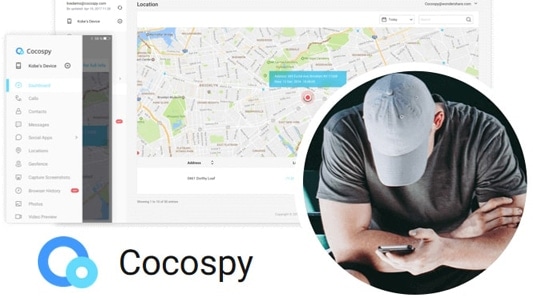
The other thing the sales pages rarely mention is that this is a category where products disappear. Two of the names that still fill "best iPhone spy app" lists, Cocospy and Spyic, stopped working in 2025 after a breach. The websites and cloud storage came down with them, and the buyers who paid lost both their money and their privacy. So we went in with two questions. Which of these apps actually deliver on an iPhone, and which of them are safe to hand your card details to?
We spent several weeks working through the setup flows, dashboards, plan pages and refund terms of every app below. This is how each one held up.
9 Best Spy Apps for iPhone
Every app below was scored on iOS specifically. Several of these products are far stronger on Android, and we have not let that flatter their iPhone ratings.
1. mSpy - Best Overall iPhone Spy App
mSpy for iPhone is the app we came back to most often. It is the one we would recommend to somebody setting up parental monitoring for the first time. Setup runs through iCloud Sync with no jailbreak required, and there is a Wi-Fi sync option once the initial connection is made.
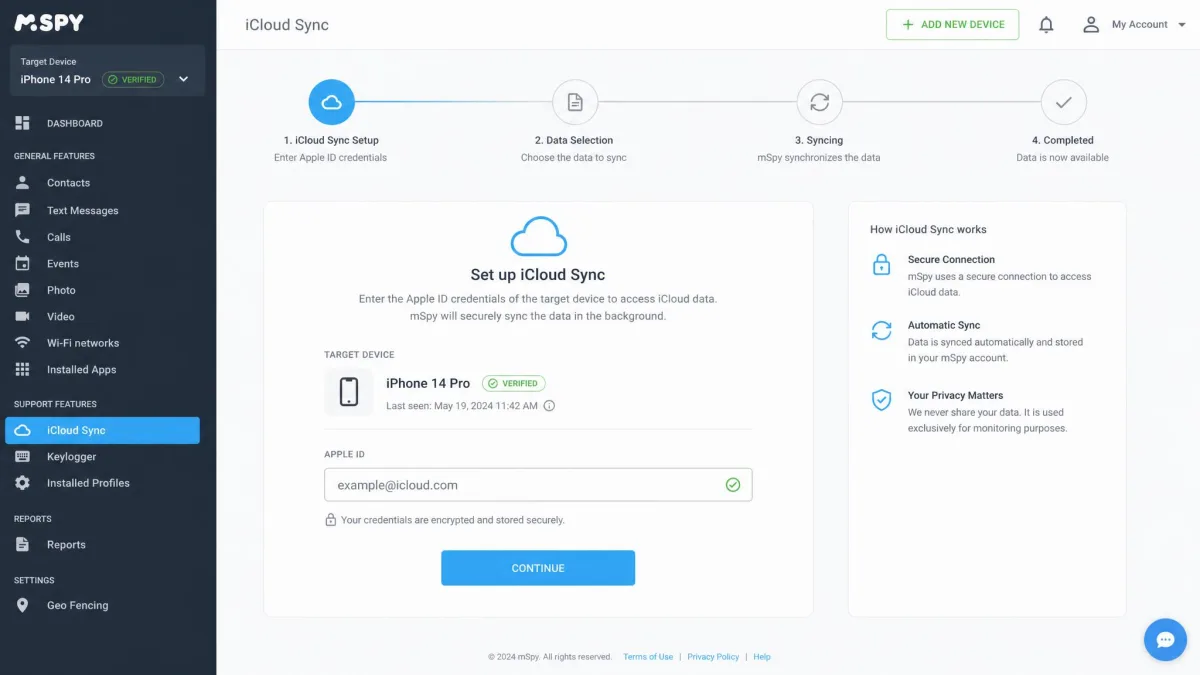
The setup run told us the most. We entered the target Apple ID, approved the two-factor prompt on the spare iPhone in front of us, and typed in the six-digit code. The wizard then told us plainly that the last iCloud backup was stale, rather than dropping us into an empty dashboard with no explanation. We forced a fresh backup from Settings on the handset, and the message and call logs filled in from there. That stalled-sync moment is exactly the failure the rest of the category handles badly.
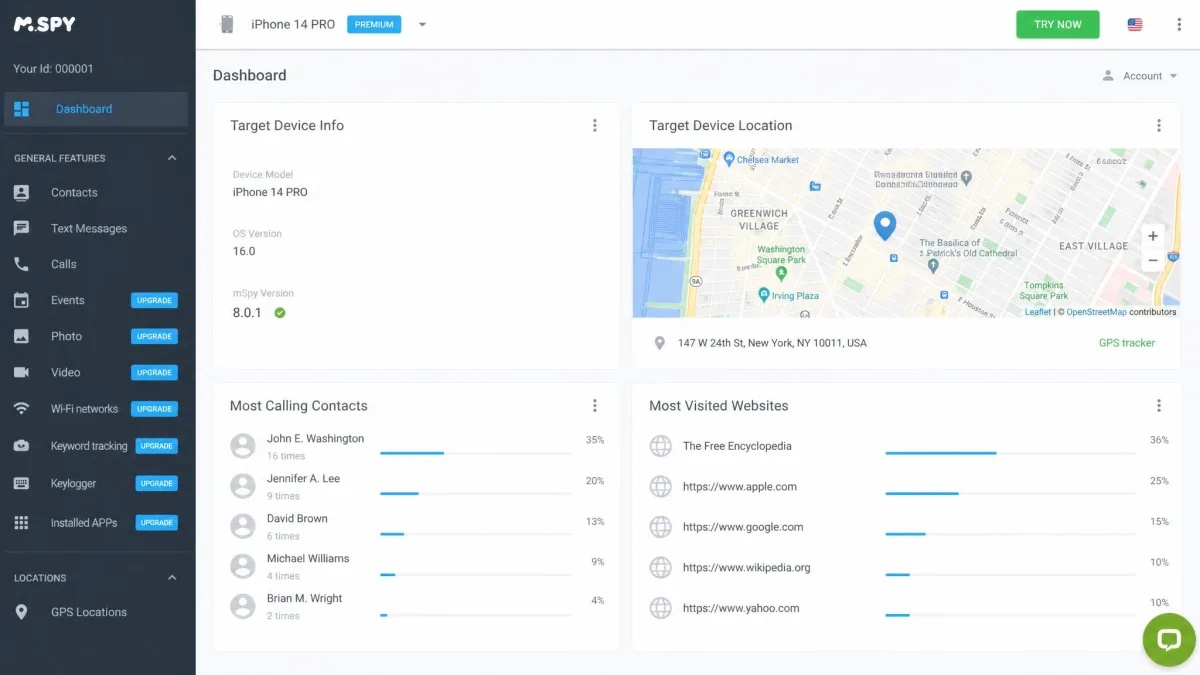
The coverage is the widest we found on iOS. Text and iMessage logs, call logs, GPS location with geofencing, browser history, and social app monitoring across WhatsApp, Instagram and Snapchat all arrive in the same view. The keylogger and screen recorder are available on supported platforms rather than on every iPhone configuration. That distinction is worth reading carefully before you buy. Our full mSpy review goes deeper on the Android side, and G2 hosts published user reviews if you want opinions beyond ours.
Key Features
- iCloud Sync setup with no jailbreak and a Wi-Fi sync option
- Text, iMessage and call logs in a single timeline
- GPS location with geofencing alerts
- Social app monitoring for WhatsApp, Instagram and Snapchat
- Browser history, plus keylogger and screen recording on supported platforms
- Web dashboard with a live demo you can try before buying
Pros
- The clearest setup flow of any app we tested on iOS
- Broadest iCloud data coverage in the group
- Sensible annual pricing at $11.67 per month
- Published user reviews on G2 you can read before purchase
Cons
- Renews at $16.67 per month, well above the intro rate
- No free trial, only a demo dashboard and a 14-day refund window
- Keylogger and screen recorder are not available on every iOS setup
Pricing
mSpy costs $11.67 per month on the 12-month plan. The 3-month plan is $28.00 per month, and a single month is $48.99. It renews at $16.67 per month on the annual plan, so budget for the second year rather than the first. There is a 14-day refund window with documented exclusions and no free trial. Those exclusions are not decorative. Refund policies in this category are strict, and they routinely exclude change-of-mind or wrong-plan purchases.
2. uMobix - Best for Real-Time Activity Tracking
Where mSpy wins on breadth, uMobix built its reputation on refresh rate. On a device that keeps a current iCloud backup, that difference shows. Activity lands in the dashboard faster than with most competitors here. The feature set is identical across every tier, which we like. You are choosing a plan length rather than deciphering a feature matrix. One license covers one device.
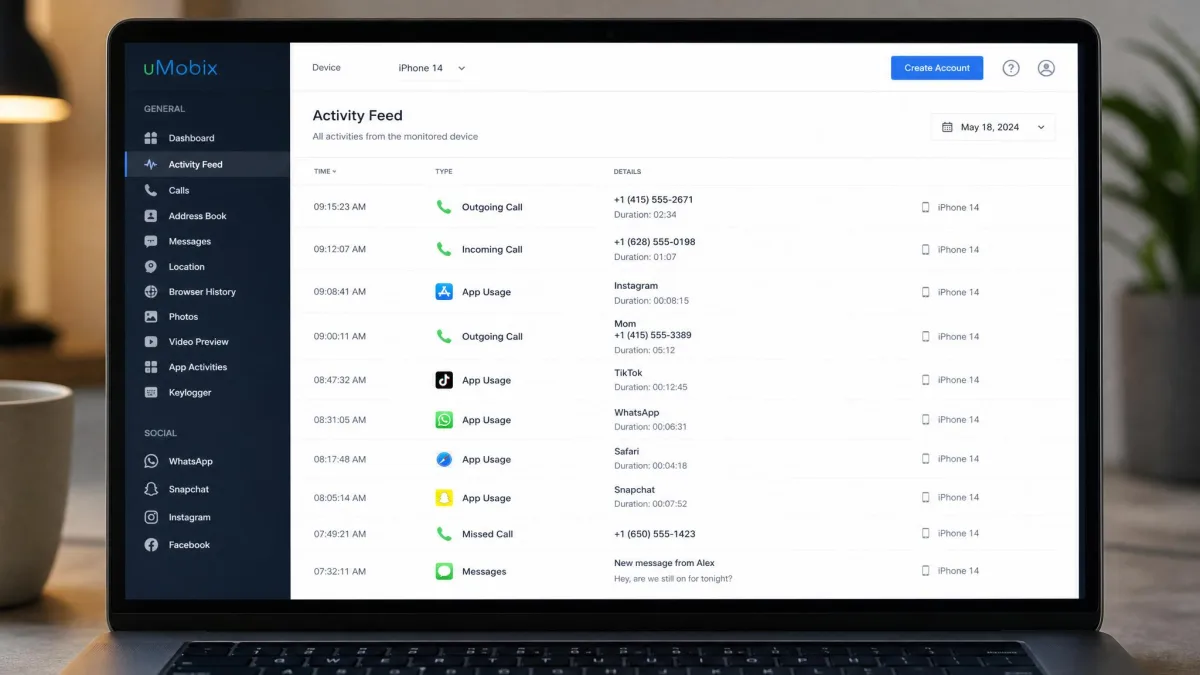
The complication is iOS itself. uMobix's iPhone coverage has been unstable through 2026. Plan pages still list iPhone tiers, but Apple's security restrictions have narrowed what the build can do on a modern handset. Confirm iOS support on the plan page before you pay. Our standing uMobix review tracks the Android build, which is unaffected.
Key Features
- Call logs, SMS logs and browser history
- GPS tracking and a full installed app list
- Social media monitoring across the major chat apps
- Identical feature set on every plan tier
- Keylogger on Android
Pros
- Fastest activity refresh of the iCloud-based apps we tested
- Same features on every tier, so there is no upsell maze
- A $1 paid trial lets you see the real dashboard cheaply
Cons
- iOS availability is unsettled and should be confirmed at checkout
- One device per license, with no multi-device discount
- Keylogging is an Android feature, not an iPhone one
Pricing
uMobix is $12.49 per month on the 12-month plan. A single month of the full plan is $49.99. There is an iOS-only Basic package at $29.99 for one month, and $79.99 for three months of iOS coverage, which works out to about $26.66 per month. Instead of a free trial you get a paid trial priced at $1. That dollar is the cheapest way to see whether the data actually flows on your target device.

3. Eyezy - Best for Social Media and Keylogging
If uMobix sells on speed, Eyezy sells on alerting. It is the most social-first app on this list. It monitors an iPhone or iPad through iCloud backup sync with no jailbreak, using the target Apple ID and password. The standout feature is Magic Alerts.
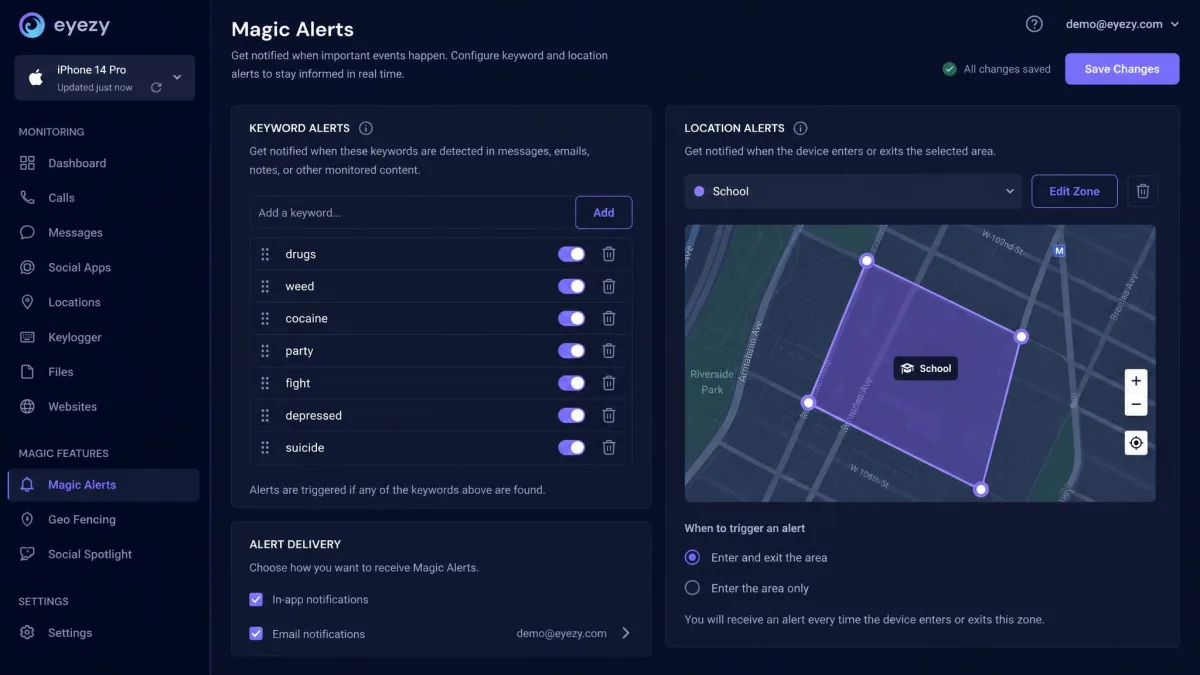
Magic Alerts is the part we actually leaned on. We set a keyword trigger and drew a location zone on the map, then left the dashboard alone for the rest of the day. The alerts arrived without us scrolling a single message thread. That is the whole point of the feature: you are not hunting through a log for something you already suspect. Nothing else here alerts as cleanly.
Plans Breaker pulls calendar entries, Files Finder surfaces stored photos and documents, and the keylogger runs on supported platforms. GPS and geofencing are included, and Eyezy offers three plan lengths on both Android and iOS. The honest caveat is value. Eyezy costs more than mainstream parental control apps without a matching jump in features. It earns its place through the alerting rather than through breadth.
Key Features
- iCloud backup sync setup with no jailbreak
- Magic Alerts for keyword and location triggers
- Social app and chat monitoring
- Plans Breaker for calendar entries and Files Finder for stored files
- GPS with geofencing
- Keylogger on supported platforms
Pros
- Keyword alerting is the best implementation in this roundup
- Strong coverage of chat and social apps
- Three plan lengths on iOS as well as Android
Cons
- Priced above mainstream parental control apps for a similar feature set
- The advertised annual rate moves with promotions
- Mic and video capture sit behind the pricier Ultra tier
Pricing
Eyezy is about $7.99 per month on the annual Premium plan, though the annual rate moves with promotions, so the checkout figure can differ from the advertised one. A single month is $38.39. The 3-month plan works out to $22.39 per month. The Ultra tier with mic and video capture starts at $19.99 per month.

4. Spyera - Best for Long-Term Monitoring Setups
The three apps above all sell on monthly value. Spyera does not. It is the veteran of this group, and it is aimed at people who want monitoring running continuously rather than as a one-off check. The iCloud tier follows the same pattern as the rest of the no-jailbreak field. Sign in with the target Apple ID, wait for a backup, read the dashboard. The deeper capabilities, including call recording, sit behind the on-device path and the platform restrictions that come with it.
What You Are Actually Paying For
We priced the Smart Phone plan against the iCloud tools sitting beside it in this roundup, and the gap is startling. Spyera asks $389 a year where mSpy asks $11.67 a month, and the iCloud data that comes back is broadly the same set of messages, calls and locations. Then we read the money-back terms and found the vendor quoting the window inconsistently across its own pages. Refunds here are not granted automatically, so treat the guarantee as something you may have to argue for.
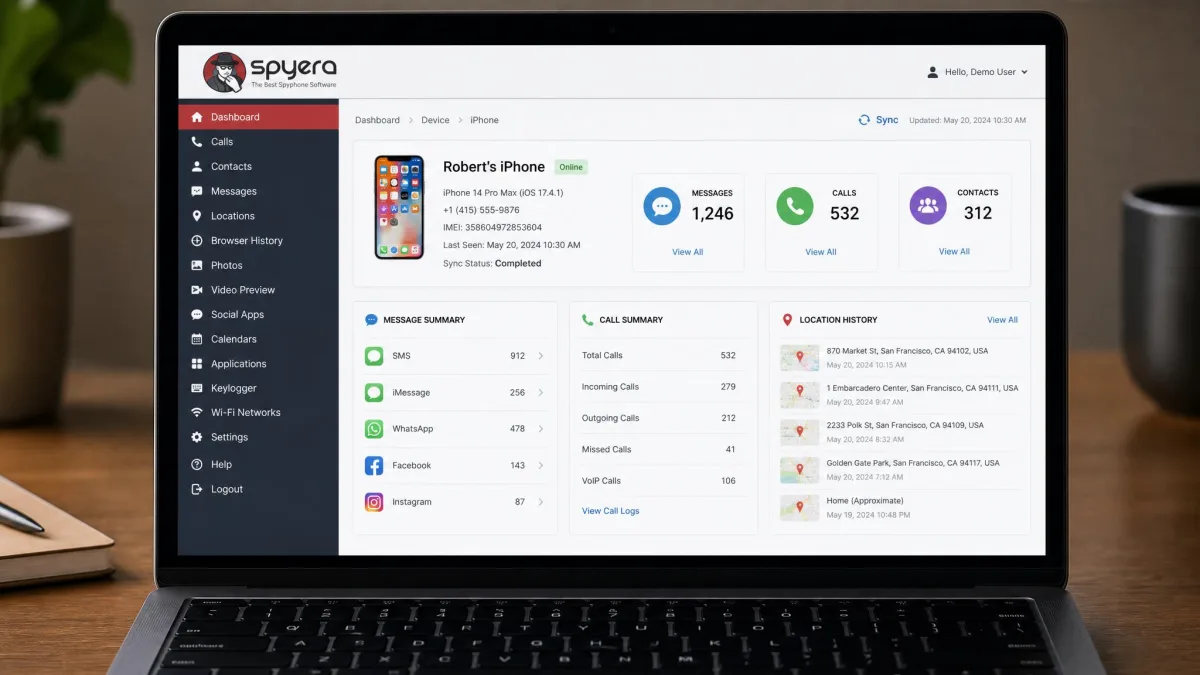
It is still a credible choice if you want a vendor with a long operating history, which counts for more in this category than it does in most. Every tier carries the same 240-plus features, keylogger included. The decision you are making is about which device you want to cover, not which capabilities you unlock. Our Spyera review covers the wider platform support.
Pros
- Established vendor with a long operating history
- Broad platform support beyond iPhone
- Advanced capture options on supported platforms
Cons
- Dashboard design lags the newer competition
- Pricing sits at the premium end of the category
- The deepest features are not available through the iCloud-only route
Pricing
The Smart Phone plan is the one that covers an iPhone. It is $89 per month or $389 per year, about $32.42 per month. The Tablet plan covering an iPad is $69 per month or $279 per year. The Computer plan is $49 per month or $199 per year, and the All-in-One bundle covering one smartphone, one tablet and one computer is $479 per year, sold annually only. Every tier includes the same 240-plus features. That puts Spyera at the very top of the price range for this category, several times the cost of the iCloud-based tools.
5. KidsGuard Pro - Best for Parental Monitoring
Unlike everything above it, KidsGuard Pro from ClevGuard is explicitly parental. It is also the only entry here that ships two separate iOS products, and that split matters more than the marketing suggests.
The Two iOS Builds, Compared
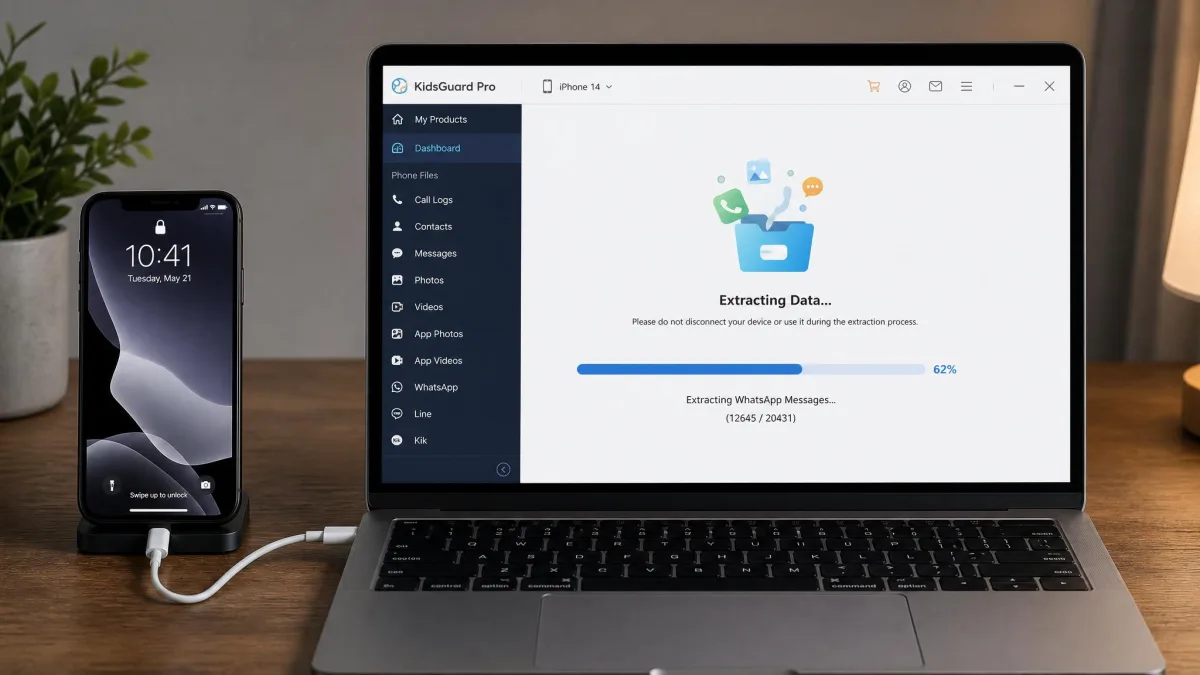
We set up the iCloud tier first, and it behaved like the rest of the no-jailbreak field, covering 8 file types and nothing beyond them. Then we cabled the same spare iPhone to a laptop running the ClevGuard desktop client and ran the iPhone Monitoring extraction. That pull returned over 20 file types, a visibly wider set than the iCloud tier had managed. The catch surfaced the moment we unplugged. The tethered build offers no real-time or near-real-time monitoring, so fresh data means plugging in again.
So you are choosing between breadth and freshness rather than getting both. For a parent with the child's phone in the house each evening, the tethered route is the stronger one. For anyone monitoring remotely, it is not an option at all.
Pros
- The tethered build covers over 20 file types, the widest data set on iOS here
- Clear parental framing rather than covert-surveillance marketing
- Competitive annual pricing
Cons
- The tethered build needs a computer and physical access to the iPhone
- No real-time or near-real-time monitoring on the fuller product
- The iCloud-only tier covers far fewer data types
Pricing
KidsGuard Pro is $29.99 for one month of iPhone monitoring. Three months is $49.99, about $16.66 per month. The annual plan is quoted at $89.99, roughly $7.50 per month. That annual iOS rate differs between the vendor's pricing page and its checkout, so read the figure in the order summary rather than trusting a comparison table.

6. XNSpy - Best for Call and Message Logs
KidsGuard Pro asks for a cable. XNSpy asks only for an iCloud login. It is the budget option we would genuinely still recommend, provided you go in with the right expectations.
Pricing First, Because That Is the Point
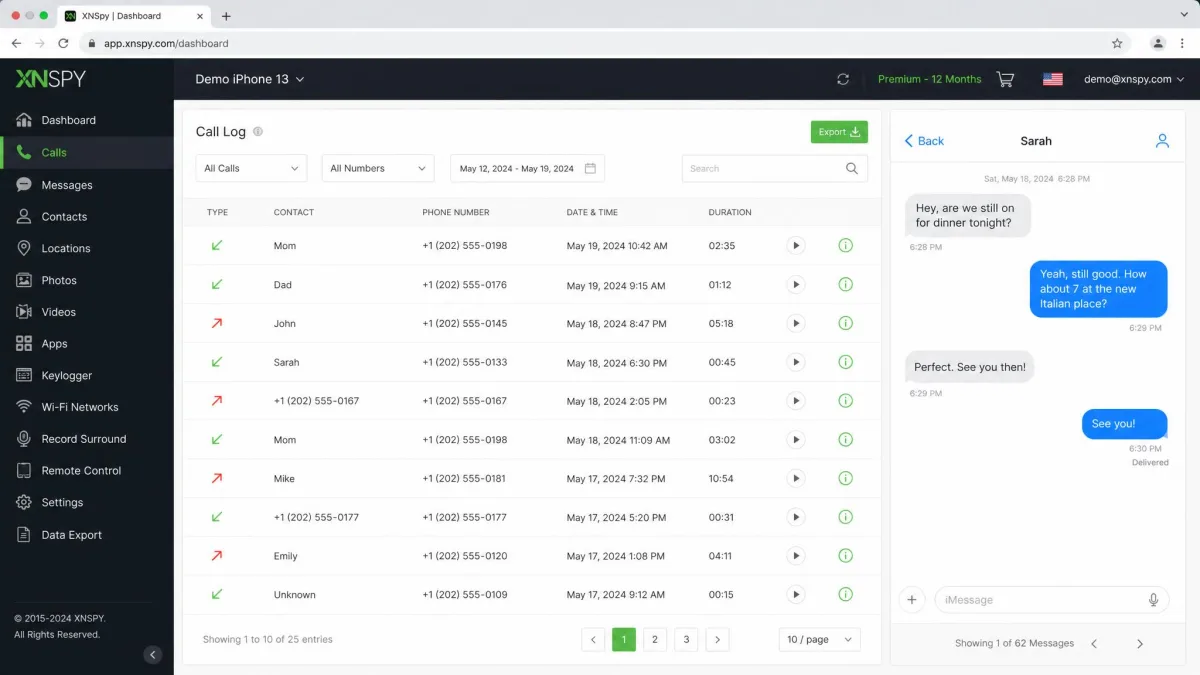
The Basic edition is $59.99 billed annually, roughly $4.99 per month. Premium is $89.99 billed annually, roughly $7.49 per month. Quarterly billing is $41.99 for Basic and $59.99 for Premium, and a single month is $29.99 for Basic or $35.99 for Premium. Those annual figures are the lowest running costs in this roundup. One caveat is worth carrying to checkout. The buy page displays them under an active 40% off promotion, so the list price behind them is higher and your rate may move when the promotion changes.
The Log Fidelity
Log quality is where XNSpy earns the money. We ran a week of calls and messages through the spare iPhone and read them back in the dashboard. The SMS and iMessage threads came through with timestamps and contact names intact, alongside a clean call history. Adding a flagged contact to the watchlist then produced an alert without us going looking for the thread. Email and browser history sat in the same view, which is more than the price suggests.
The part to ignore entirely is the jailbroken iOS build, which only supports up to iOS 9.02. That path is effectively dead on modern hardware. Treat XNSpy as an iCloud product on iPhone and nothing more. Read our XNSpy review for the platform breakdown.
Pros
- Cheapest per-month pricing in this roundup on the annual plan
- Watchlist alerting punches above the price
- Straightforward iCloud setup on iPhone
Cons
- The jailbroken iOS build tops out at iOS 9.02 and is obsolete
- Sold annually, so there is no cheap way to test it for a month
- Quoted rates depend heavily on the current promotion
7. FlexiSPY - Best Advanced Feature Set
Everything so far has stayed inside Apple's rules. FlexiSPY does not, and that is both its advantage and its problem. It is the most capable product on this list and the one we recommend to the fewest people.
What Jailbreaking Actually Costs You
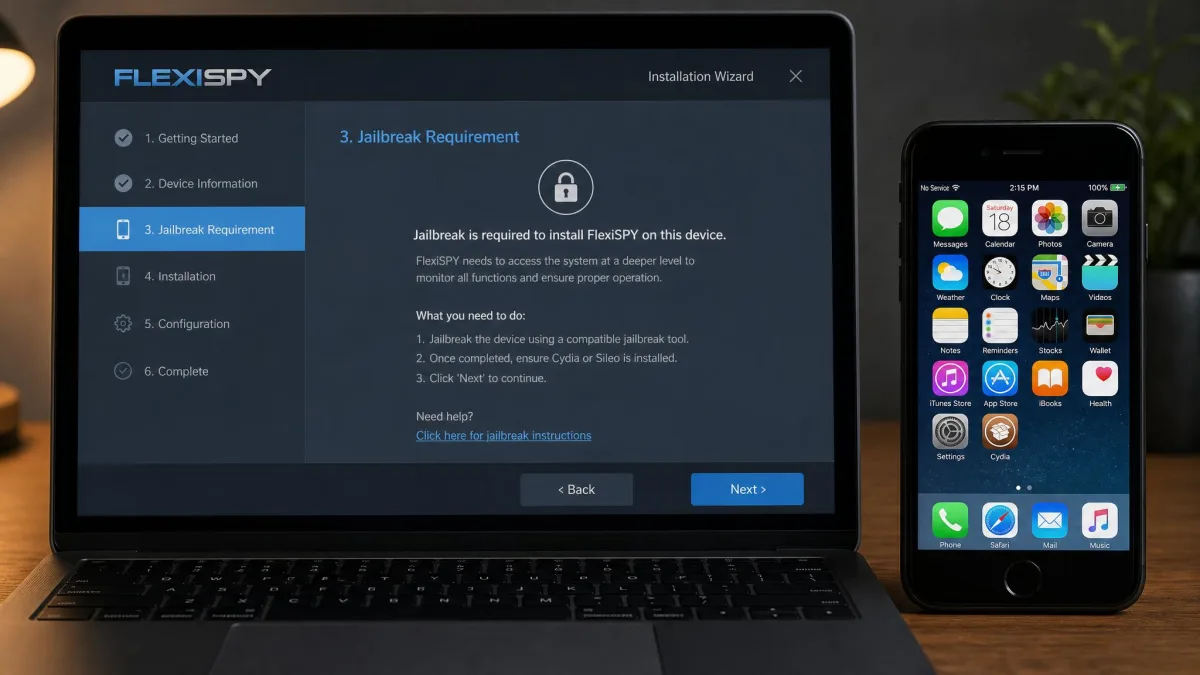
The iPhone install requires a jailbroken device, and we hit that wall before any feature could be tested. Our spare handset was running a current version of iOS, so the install could not proceed at all until the phone came off Apple's protections. That is the trade in one sentence. A jailbroken iPhone loses Apple's security guarantees, breaks on iOS updates and needs re-jailbreaking afterwards, and the deepest FlexiSPY features are gated behind exactly that state.
What sits on the other side of the wall is genuine. Call recording, call interception, ambient recording, remote camera access, keylogging and a password cracker are all really there, and no iCloud-based competitor comes close on capability. If you are monitoring a family member's daily-driver phone, the maintenance burden makes this a bad trade. If you have a specific, lawful requirement that nothing else meets, FlexiSPY is the only app here that meets it.
Pros
- The only app here with genuine call recording and interception
- Capability no iCloud-based product can match
- Deep instant messenger and social app capture
Cons
- Requires a jailbroken iPhone, with all the risk that carries
- The most expensive product in this roundup by a wide margin
- Entry pricing is quoted inconsistently
Pricing
The Extreme plan is $119 per month, which is the top of this category. Entry pricing sits around $29.95 per month. The Lite tier is quoted at two different monthly figures depending on the checkout path, so read the order summary before you confirm.
8. Apple Screen Time and Find My - Best Free Option
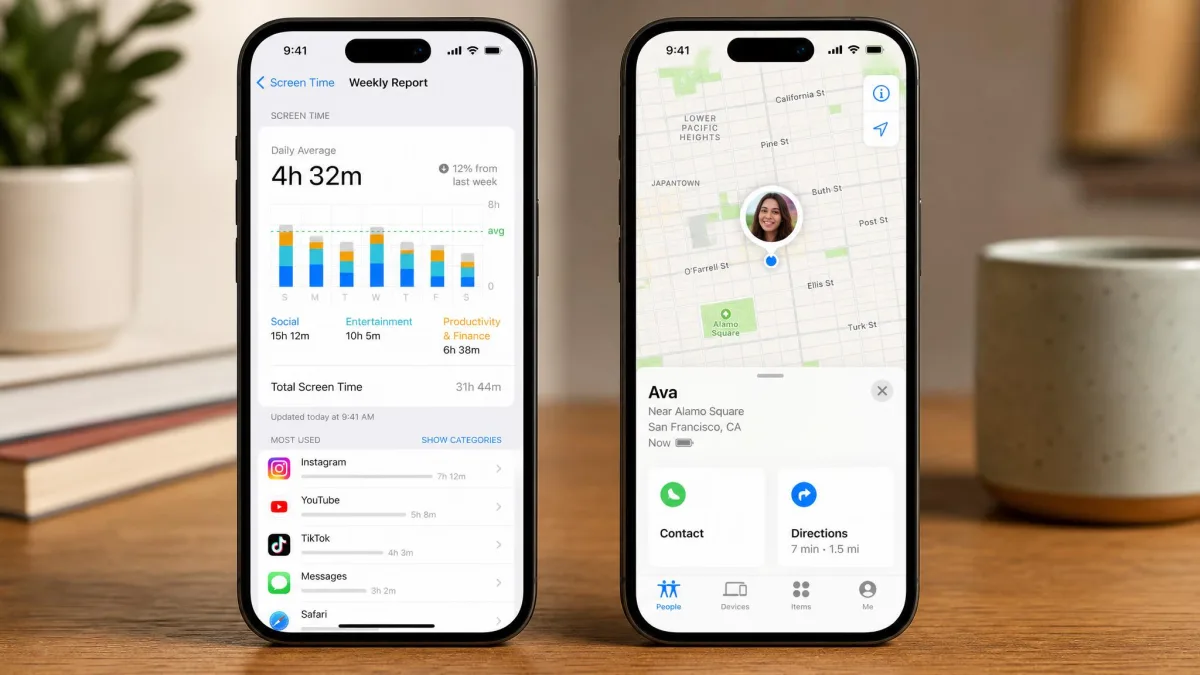
After FlexiSPY's price tag, the eighth pick reads as a corrective. It is not a purchase at all, and for a meaningful share of readers it is the right answer anyway. Apple ships Screen Time and Find My on every iPhone. Together they cover app time limits, content and privacy restrictions, purchase approvals, weekly usage reports and continuous location sharing. There is no subscription, and nobody's Apple ID password changes hands.
What It Covers, and What It Will Not
We set both up on the spare iPhone before any paid app touched it, and the whole thing took a few minutes inside Settings. Location appeared in Find My straight away, and the weekly report populated with app categories and screen time without a single credential leaving the device. Then we looked for the things buyers actually come here for, and they were not there. No message content, no call logs, no social app conversations. Apple also makes no attempt to be covert, so the child can see the arrangement.
That is the trade, and it is a straightforward one to evaluate before you spend anything. If your question is which apps a twelve-year-old is using at midnight, or where the phone is right now, Apple answers it for free. There is no tier to choose and no renewal to diarise, so set this up before you buy anything else on this list.
Pros
- Free, permanent, and supported by Apple rather than a third-party vendor
- No Apple ID password handed to anyone, which removes the biggest risk in this category
- Visible to the person being monitored, which keeps a family arrangement honest
Cons
- No message content, call logs or social app monitoring
- Location sharing without geofence alerts, so you check rather than get told
- A capable teenager can notice it, and in some cases work around it
9. SpyX - Best for Quick iCloud-Only Setup
Back on the paid side, SpyX is the fastest app here to get running. The iPhone setup runs on the target iCloud login with no on-device install. There is no desktop client, no tethering and no jailbreak step. If you want visibility today rather than after an evening of configuration, this is the one.
SpyX is also the app where we most often hit the stalled dashboard problem. The interface advertised roughly an hour to populate, and the next day it was still showing only Contacts, Reminders and Calendar. We went back to the target iPhone, forced a fresh backup from Settings, and the messages and call history appeared shortly afterwards. Past that first stall it covered messages, calls, location and social apps reliably.
What shows up quickly in daily use is what is missing. There is no keylogger and no call recording. Location is plain GPS reporting rather than zone alerts, so you are checking the map rather than being told when something happens. Our SpyX review covers the dashboard in more detail.
Key Features
- Install-free iCloud setup on iPhone
- Message and call logs
- GPS location reporting
- Social app monitoring
- A clean, fast web dashboard
Pros
- The quickest setup of the nine apps
- Clean dashboard that is easy to read at a glance
- Competitive annual pricing at $11.66 per month
Cons
- No keylogger and no call recording
- Location is GPS reporting only, without true geofencing
- Refund terms are restrictive and thinly documented
Pricing
SpyX is $49.98 for the 1-month plan. The 3-month plan is $28.32 per month, and the 12-month plan is $11.66 per month. That annual figure is a fraction under the mSpy rate. The two are close enough that the feature gap, rather than the price, should decide between them.

Quick Comparison: Best iPhone Spy Apps at a Glance
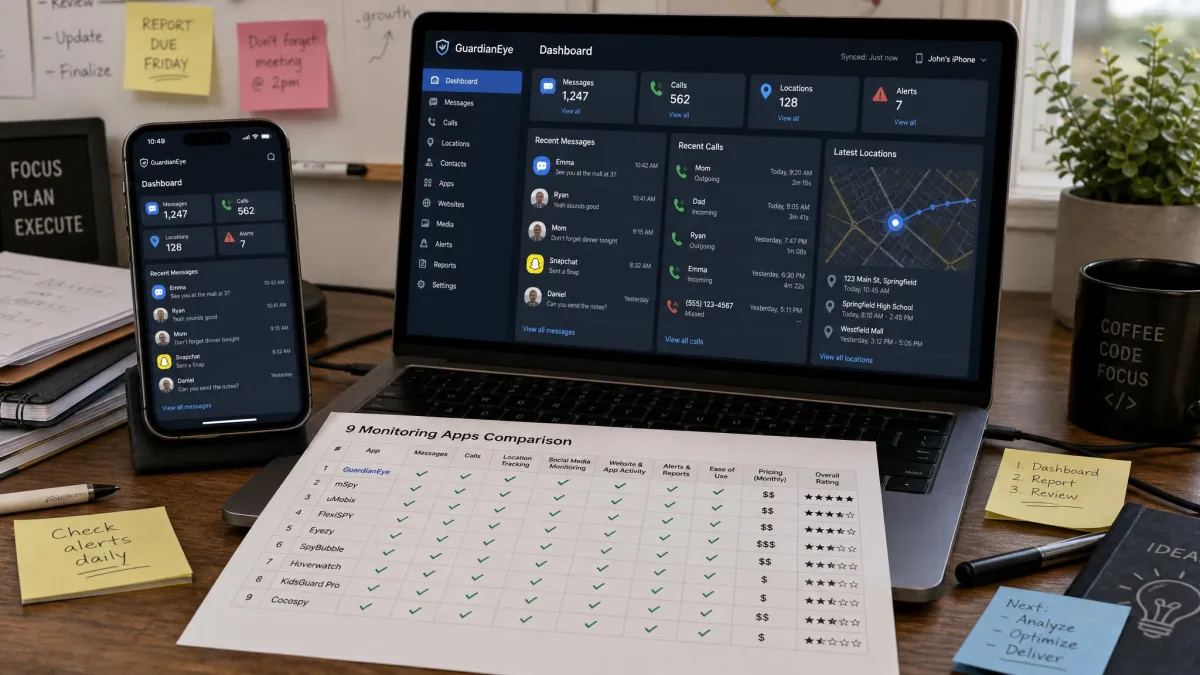
Here is how the nine apps compare on the points that decide most purchases. Does the iPhone have to be jailbroken? Does the whole thing run from an iCloud login? What do you actually pay per month, and which monitoring features are included rather than merely implied?
| Product | Buy | Jailbreak required | Works via iCloud only | Price per month | Social media monitoring | GPS and geofencing | Call recording | Free trial or demo |
|---|---|---|---|---|---|---|---|---|
|
Check price → | No | Yes | $11.67on 12 months | Yes | Yes, with geofencing | No | Demo, 14-day refund |
|
Check price | No | Yes | $12.49on 12 months | Yes | GPS yes | No | $1 paid trial |
|
Read our review | No | Yes | About $7.99on 12 months | Yes | Yes, with geofencing | No | Demo only |
 |
Read our review | No on the iCloud tier | Yes on the iCloud tier | $389 per year,about $32.42 | Yes | Yes | On supported platforms | Demo only |
|
Check price | No | Yes on the iCloud tier | About $7.50on 12 months | Yes | Yes | No | Demo only |
 |
Check price | Only for the legacy iOS build | Yes | $4.99on the Basic annual plan | Yes | Yes | On supported platforms | Demo only |
 |
Check price | Yes | No | $119on the Extreme plan | Yes | Yes | Yes | Demo only |
 |
Apple support | No | No, built into iOS | Free | No | Location sharing, no geofence alerts | No | Free, built in |
|
Check price | No | Yes | $11.66on 12 months | Yes | GPS only, no true geofencing | No | Demo only |
Two names you will see on almost every competing list are missing here on purpose. Cocospy and Spyic are not in the table because they are not products you can buy any more. We explain what happened to them further down.
A third name is missing for a simpler reason. Hoverwatch turns up on plenty of iPhone roundups, but it does not monitor an iPhone at all. The vendor says so plainly, citing Apple's security policies. It lists Android, Windows and macOS as the only supported targets. It is a reasonable Android-side option at $9.99 per month per device on the 5-device Professional plan. It is no use whatsoever if the phone you care about is an iPhone.
How We Tested and Chose These iPhone Spy Apps
We licensed the apps ourselves rather than working from vendor demo accounts. Then we ran each one against the same starting point. That was a spare iPhone signed into its own Apple ID, with iCloud Backup enabled and two-factor authentication turned on. It is the configuration nearly every reader will actually be dealing with.
The first thing we scored was setup. Every iCloud-based tool asks for the target Apple ID and password, and every one of them stalls at the same two points. Either two-factor authentication has not been re-approved on the target device, or iCloud Backup is switched off in Settings. Nothing in the dashboard tells you which of the two is the problem. So we scored apps on how clearly they surfaced that failure, not on how fast the easy path ran.
Then we scored data flow. This is where the marketing and the reality diverge most. After a first sync, a dashboard can advertise roughly an hour to populate. The next day it can still be showing nothing but Contacts, Reminders and Calendar. Forcing a fresh iCloud backup on the target iPhone is usually what makes a stalled dashboard catch up, and we did that on every app before judging its coverage. We also checked the ceiling rather than just the floor. No-jailbreak tools cannot reach data Apple does not sync to iCloud, so live notifications and in-the-moment messages stay out of range. That is true regardless of which logo is on the dashboard.
Finally we scored the commercial terms, because they matter more here than in most software categories. We read every refund policy. We priced every plan length rather than the headline rate, and we checked renewal pricing, which in this category is materially higher than the intro rate. We also looked at each vendor's security history. Anything with an unresolved breach was down-ranked.
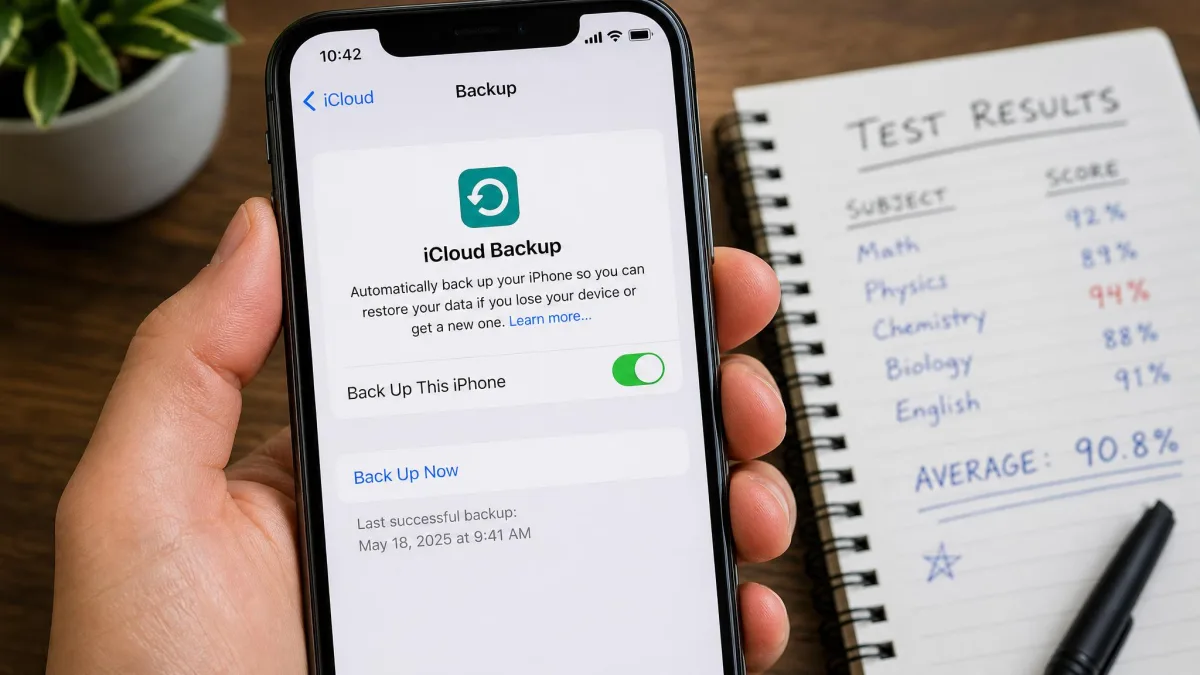
The single most useful habit we picked up while testing is a small one. Before you blame the app, open Settings on the target iPhone and check the last successful backup timestamp. Most of the cases where an app appeared broken turned out to be a stale backup instead.
What Happened to Cocospy and Spyic
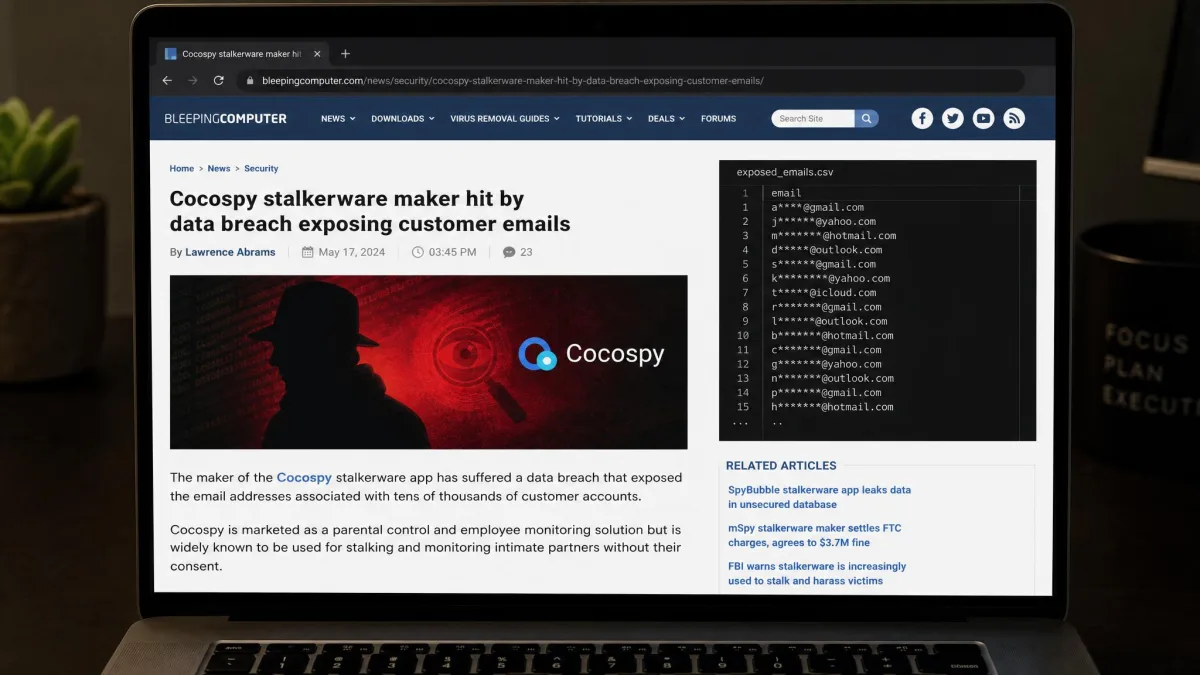
Cocospy and Spyic appear on nearly every competing roundup, usually as the budget no-jailbreak option. They should not. Both went offline in 2025, along with Spyzie, after a breach. Their websites and cloud storage were removed, and the services stopped working.
The breach data was collected on February 14, 2025. It exposed 2.65 million unique customer email addresses across Cocospy and Spyic. That number is the part worth sitting with, because it is not a count of monitored people. It is a count of buyers. A breach in this category exposes both sides at once. The monitored person's messages, photos and call logs go out, and so does the buyer's own email address, sitting in a public dataset that identifies them as a purchaser of stalkerware.
Any price you still see quoted for Cocospy is a leftover from archived plan pages. Any site currently selling under either name deserves your suspicion rather than your card number. We mention this not to score a point against two dead products. It is the clearest illustration of the risk you take on when you buy in this category at all. Vendors here can vanish, and when they do, your data does not vanish with them.
Before you pay any vendor in this category, check whether they have had a breach and how they handled it. You are handing over an Apple ID, a password and your own billing details. The history of this industry says that combination has been leaked before.
How iPhone Spy Apps Actually Work
Understanding the mechanism is the fastest way to see through the marketing, and it takes about two minutes.
iCloud Backup Sync (No Jailbreak, No Physical Access)
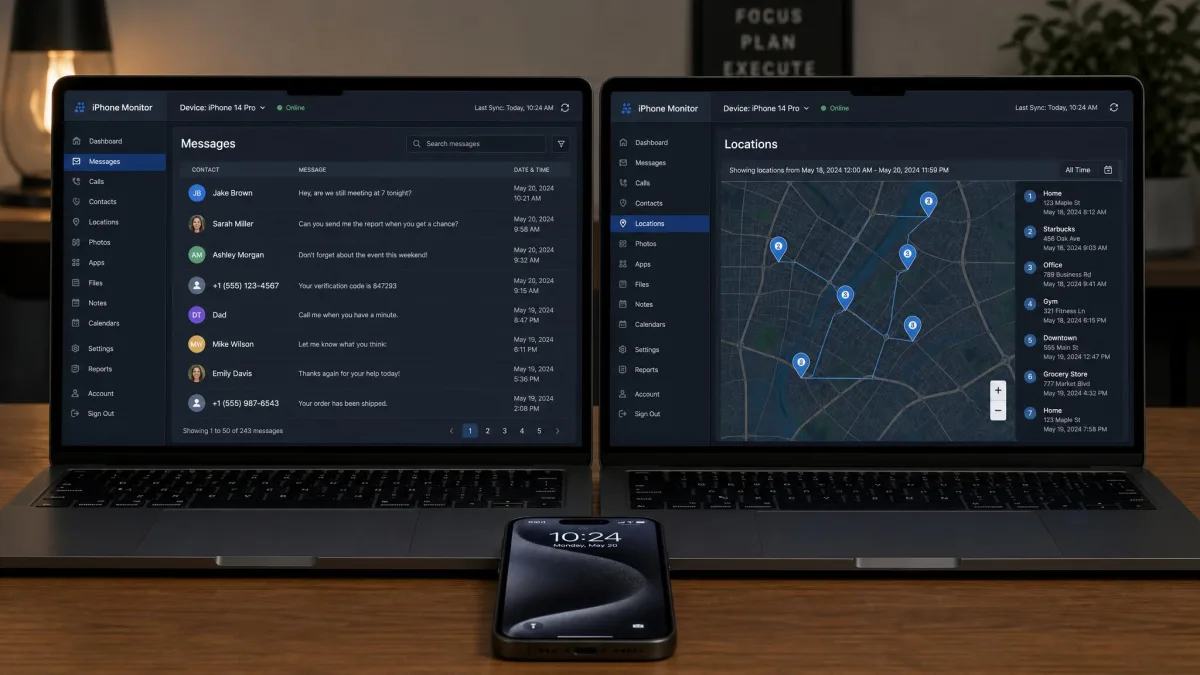
Every no-jailbreak app on this list works the same way underneath. You supply the target Apple ID and password, the service signs in to iCloud on your behalf, and it reads the device's iCloud backup. Messages, call history, photos, browser history, contacts and location all come from that backup rather than from the phone itself.
The consequence is the single most important thing to understand about iPhone monitoring. Your dashboard is only as current as the last backup. An iPhone backs up to iCloud when it is locked, charging and on Wi-Fi. A device that is rarely plugged in overnight produces a dashboard that lags by days. Forcing a fresh backup on the target device is what makes a stalled dashboard catch up, and every app we tested behaved better after we did it.
There is a second consequence that no vendor advertises. No-jailbreak tools cannot reach data Apple does not sync to iCloud. Live notifications, in-the-moment messages and anything an app stores outside the backup all stay out of range. If a sales page promises live message interception on a non-jailbroken iPhone, it is describing something the platform does not permit.
On-Device Installation and When Jailbreaking Is Needed
The alternative route is installing software on the iPhone itself, which on iOS means jailbreaking. FlexiSPY is the clearest example in this roundup, and its capability advantage is genuine. Call recording, call interception and ambient recording all need code running on the device.
The cost is high. Jailbreaking removes Apple's security protections from the phone you are trying to protect. It breaks on iOS updates and needs redoing afterwards. KidsGuard Pro offers a middle path that avoids jailbreaking entirely. You tether the iPhone to a computer and pull a fuller extraction over the cable, which covers over 20 file types rather than 8. It is not real-time, but it does not compromise the device either.
Do You Need to Jailbreak an iPhone to Spy on It?
For the overwhelming majority of readers, no. FlexiSPY is the only entry here that requires it. Seven of the paid apps monitor an iPhone with no jailbreak at all, using nothing but the iCloud login. The data they return covers messages, calls, location, browser history and the major social apps.
Jailbreaking buys you exactly three things that iCloud sync cannot deliver: call recording, live call interception, and ambient microphone recording. If none of those three are on your list, jailbreaking is a cost with no return. It voids the warranty, exposes the device to malware that Apple's protections would otherwise block, and breaks every time iOS updates.
An iPhone running a current version of iOS often cannot be jailbroken at all, because the public jailbreaking tools lag Apple's releases by months or years. The XNSpy jailbroken build topping out at iOS 9.02 shows how far behind that path has fallen.
What You Can Monitor: Messages, Calls, GPS Location, Social Media
Here is what the iCloud route reliably delivers across the apps we tested, and what it does not.
Messages. SMS and iMessage logs come through on every app here, including timestamps and contact names. Deleted messages appear only if they were present in a backup that the service has already read. That is why the apps that check in most frequently return the most content.
Calls. Call logs, with numbers, direction, duration and timestamps, are standard across the category. Call recording is not. Only FlexiSPY offers it on iOS, and only on a jailbroken device.
GPS location. Location history is standard, but geofencing is not. mSpy, Eyezy and KidsGuard Pro give you geofencing alerts that fire when the device enters or leaves a zone you draw. SpyX reports position without the alerts, so you have to go looking rather than being told. Apple's own Find My works the same way.
Social media. WhatsApp, Instagram, Snapchat and Facebook Messenger content shows up on the stronger apps, and this is where the gap between products is widest. Instagram activity in particular depends on what the app writes into the device backup, so coverage varies more than the feature grids suggest.
Browser and app activity. Browser history, installed app lists and app usage are widely covered. This information is often the most useful for parents, because it shows patterns rather than single conversations.
What no iCloud-based app delivers is live notifications, screen mirroring, microphone access, or anything happening on the device right now. Every one of those needs code on the phone.
Are iPhone Spy Apps Hidden and Undetectable?
On the iCloud route there is nothing installed on the iPhone to find, which is why vendors describe these apps as hidden. That is technically accurate and practically misleading. The sign-in itself leaves traces. Apple sends an email and an on-device notification when a new device or browser signs into an Apple ID, and the account's device list shows the session afterwards.
No independent stealth benchmark exists for iPhone monitoring apps, and the reason is structural rather than accidental. Security apps on iOS cannot inspect the areas of the system where monitoring tools operate. Nobody is in a position to measure detection rates on an iPhone the way they can on Android. The independent stalkerware detection testing that does get published is run against Android samples, and those numbers say nothing about iPhone stealth. Treat any specific percentage on an iPhone sales page as marketing.
What we can tell you is how detection actually happens in practice. Four signals give these tools away. An unexpected Apple ID sign-in alert, a device you do not recognise in the Apple ID device list, faster battery drain from more frequent backups, or a two-factor prompt arriving out of nowhere. On the jailbreak route, detection is trivial. A package manager sitting on the home screen is not subtle.
If you are on the other side of this question and want to check your own iPhone, Apple's Safety Check is the fastest place to start.
iPhone Spy App Pricing: What You Should Expect to Pay
The pricing pattern in this category is consistent and worth naming plainly, because it is designed to be confusing.
Single-month pricing is punitive. mSpy is $48.99 for one month, uMobix is $49.99, SpyX is $49.98, and Eyezy is $38.39. Annual pricing is where the real numbers live. The same products land between $4.99 and $12.49 per month once you commit to twelve months. That is a fourfold to tenfold difference for identical software, and it exists to push you onto the long plan.
The second pattern is renewal. Intro pricing is not renewal pricing, and the gap is material. mSpy renews at $16.67 per month against an $11.67 intro rate, and that is representative rather than unusual. A second year costs more than the first across this category. Price two years rather than one when you compare.
The third pattern is trials. Most vendors here offer a demo dashboard rather than a free trial, so the only way to evaluate the real data flow is to buy first. The uMobix $1 paid trial is the exception, and for that reason it is the cheapest genuine evaluation available in this roundup. The mSpy 14-day refund window is the next best thing, with one caveat. Refund policies here are strict and routinely exclude change-of-mind or wrong-plan purchases.
Buy the shortest plan that a refund policy will actually cover, confirm the data flows on your specific target device, and only then move to an annual plan. Paying $48.99 once to avoid being locked into a year of software that does not work on your setup is good value for money.
How to Choose the Right iPhone Spy App
Work through these in order. The first two eliminate most of the field before price ever enters the conversation.
- Settle the consent question first. If you cannot monitor openly and lawfully, no app on this list is the right answer. This is the filter, not a footnote.
- Decide whether you need live data or a daily picture. iCloud sync gives you a daily picture. Nothing on the no-jailbreak route gives you live activity.
- Check whether you will have the phone in your hand. With two-factor authentication on, you need it once for the approval step, and possibly again if the session is later revoked.
- Match the feature list to your actual question. Call recording rules out everything except FlexiSPY. Keyword alerting points at Eyezy. Widest data coverage points at mSpy or the tethered KidsGuard Pro build.
- Price the second year, not the first. Compare renewal rates alongside intro rates before you decide anything.
- Read the refund policy before the feature list. In a category with no free trials, the refund terms are your only protection.
- Check the vendor's security history. Two products on every competing list are gone because their vendor was breached.
If you are still weighing platforms, our guide to the best spy apps for Android covers the same ground on the other side of the fence, where the technical picture is very different.
Is It Legal to Use a Spy App on an iPhone?
This is the part of the article that matters most, and the answer is not the same everywhere. What follows is general information rather than legal advice. The safe rule is simple. If the person being monitored has not agreed to it, assume you are on the wrong side of the line.
Where Monitoring Is Generally Legal
Monitoring a minor child's device as their parent or legal guardian is generally lawful in most places. So is monitoring a company-owned device under a written, disclosed policy that the employee has acknowledged. Monitoring another adult who has given informed, ongoing consent is also generally lawful. The common thread is that somebody either consented or is legally under your care.
For parents, it is also worth knowing that Apple's own Screen Time parental controls cover content limits, app restrictions and usage reporting at no cost. For many families that is the right tool. A monitoring app is a step beyond it, and worth taking deliberately.
Where It Crosses the Line Into Stalkerware
Installing monitoring software on a partner's, ex-partner's or adult family member's iPhone without their knowledge is stalkerware. It carries criminal exposure in many places under wiretapping, computer misuse and stalking laws. Signing into somebody else's iCloud account without permission is itself unlawful in many places, entirely separate from what you do afterwards.
Regulators have acted on this. The FTC action against stalkerware developers in 2019 was the first case brought against the developers of stalking apps, and enforcement attention has grown since.
Do not use any app on this list to monitor an adult without their knowledge and consent. Beyond the legal exposure, the Cocospy breach showed that buyers of covert monitoring software end up in public datasets that identify them by name and email address.
Free iPhone Spy Apps: Do Any of Them Work?
Not in the way the search results imply. Apps advertised as free iPhone spy apps generally fall into three groups. Some are a demo dashboard populated with fake data. Some are a stripped tier that shows contacts and nothing else. The rest are an outright scam harvesting the Apple ID credentials you type in.
The credential-harvesting group is the dangerous one. It is common enough that we would treat any free tool asking for a target Apple ID as hostile until proven otherwise. You are handing over a login that unlocks messages, photos, payment methods and location.
There is a legitimate free option, and it is Apple's own. Screen Time and Find My together cover app limits, content restrictions, usage reports and location sharing. There is no cost, and no credentials change hands. For a parent keeping an eye on a child, that combination handles a real share of what people buy these apps for. Our roundup of the best parental monitoring apps for iPhone covers the middle ground between Screen Time and full monitoring.
How to Install and Set Up an iPhone Spy App (Step by Step)
The iCloud installation route is the same across every no-jailbreak app here. The whole process takes about fifteen minutes if the target device cooperates.
- Buy a plan and create your account on the vendor's site. You will land in a setup wizard.
- On the target iPhone, open Settings, tap the Apple ID name at the top, then tap iCloud, and confirm that iCloud Backup is switched on. Tap Back Up Now and wait for it to finish.
- Note which data categories are included in the backup. Anything toggled off will never appear in your dashboard.
- In the vendor's setup wizard, enter the target Apple ID and password.
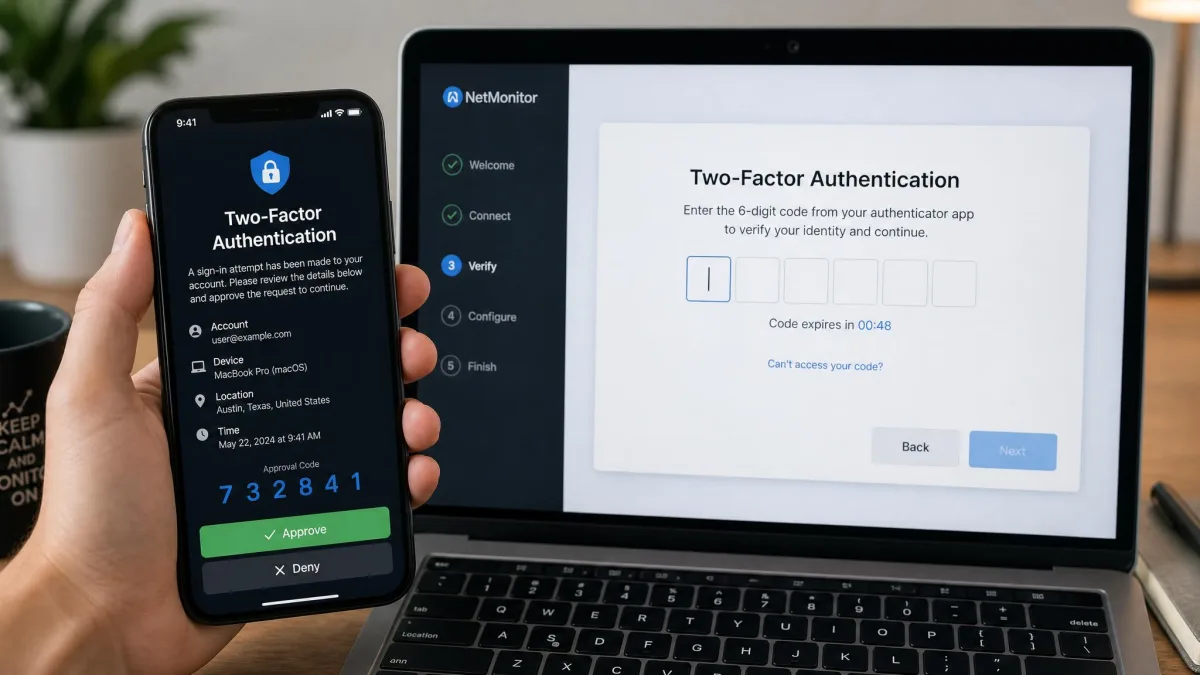
- When the two-factor code arrives on the target iPhone, approve the sign-in and enter the six-digit code in the wizard. You need the phone in your hand for this step.
- Wait for the first sync. Vendors advertise about an hour. Give it longer, and expect the first view to be sparse.
- If the dashboard is still showing only Contacts, Reminders and Calendar after a day, go back to the target iPhone and force another backup. That is what unsticks it.
Our companion explainer on how spy apps work covers the underlying mechanics on both platforms.
How to Tell If Someone Installed a Spy App on Your iPhone
If you are here because you suspect your own iPhone is being monitored, the checks are quick.
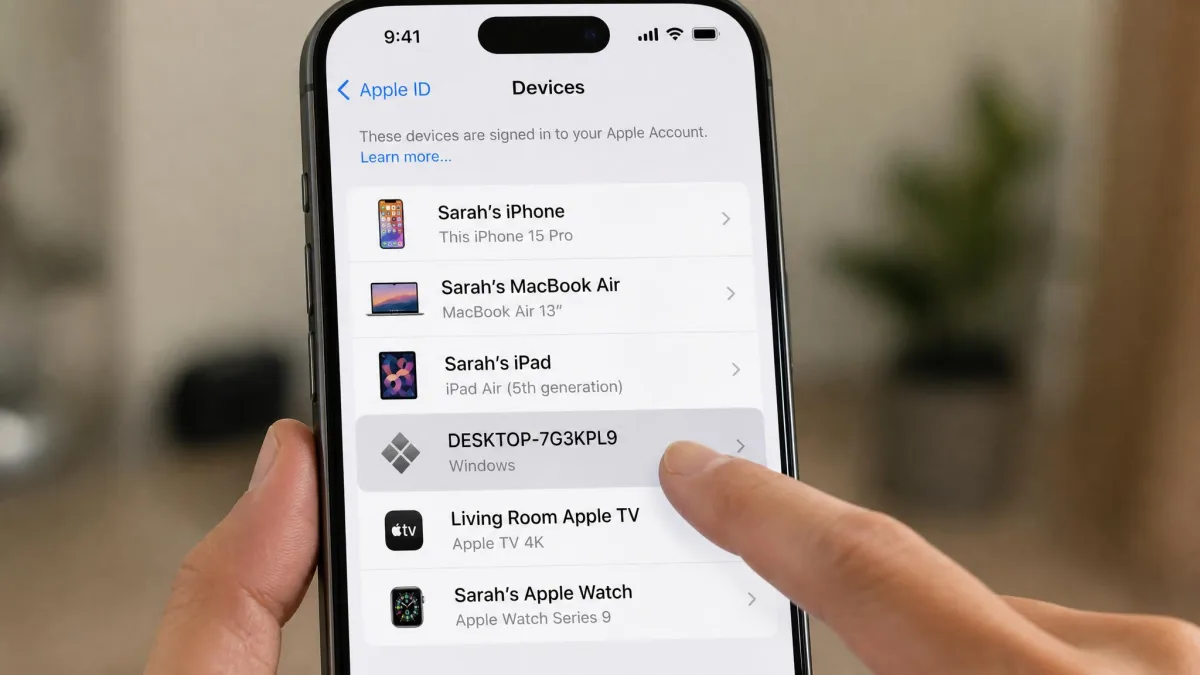
Open Settings, tap your name, and scroll to the device list. Any device or browser session you do not recognise means somebody else has access to your account. While you are there, check whether iCloud Backup was recently enabled by someone other than you. Then look at the sign-in history on your Apple ID account page.
Next come the practical signals. Unexplained battery drain, unexpected two-factor prompts, Apple ID sign-in emails you did not trigger, and a home screen icon you do not recognise, which on a jailbroken phone often means a package manager.
If anything looks wrong, change your Apple ID password from a device you trust. Sign out every other session, and turn two-factor authentication on if it is off. Then run Apple's Safety Check, which walks through shared access and revokes it in one place. Claims that these apps can bypass two-factor authentication on an iPhone do not hold up in practice. A strong password with 2FA enabled genuinely does shut the iCloud route down.
Frequently Asked Questions
Can I spy on an iPhone with just a phone number?
Can I monitor an iPhone without iCloud credentials?
Do these apps work when two-factor authentication is turned on?
Can I see deleted messages on a monitored iPhone?
What happens to my dashboard if the target changes their Apple ID password?
Does the monitored iPhone show the sign-in in Screen Time or only in the device list?
Can I move a licence to a different iPhone mid-term?
Does an iCloud-based app keep working after the target updates iOS?
Are iPhone spy apps really undetectable?
Are iPhone spy apps legal to use?
Final Verdict: Which iPhone Spy App Should You Pick?
For most people, mSpy is the answer. At $11.67 per month on the annual plan it is priced fairly against a single-month rate of $48.99, and it covers more of the iPhone than any other app here without touching the device. Buy the twelve-month plan and note the $16.67 renewal in your calendar. Use the 14-day refund window to confirm the data flows on your specific device before you settle in.
The other picks sort themselves quickly. If you are a parent and can plug the phone into a computer, the tethered KidsGuard Pro build gives you the widest data set here. If you want visibility this afternoon with nothing to install, SpyX is the fastest route in. If your budget is the constraint, the XNSpy Basic plan at $4.99 per month is the cheapest credible option. And if you genuinely need call recording, FlexiSPY is the only app that provides it, at the cost of jailbreaking a phone you probably should not be jailbreaking.
Whichever you choose, two things will decide whether you are happy in three months, and neither is on a feature grid. Does the target iPhone back up to iCloud regularly? Did you have the right to monitor it in the first place? Get both of those right and this software does what it promises. Get either one wrong and no app on this list can help you. For the wider picture across platforms, see our roundup of the best spy apps overall.