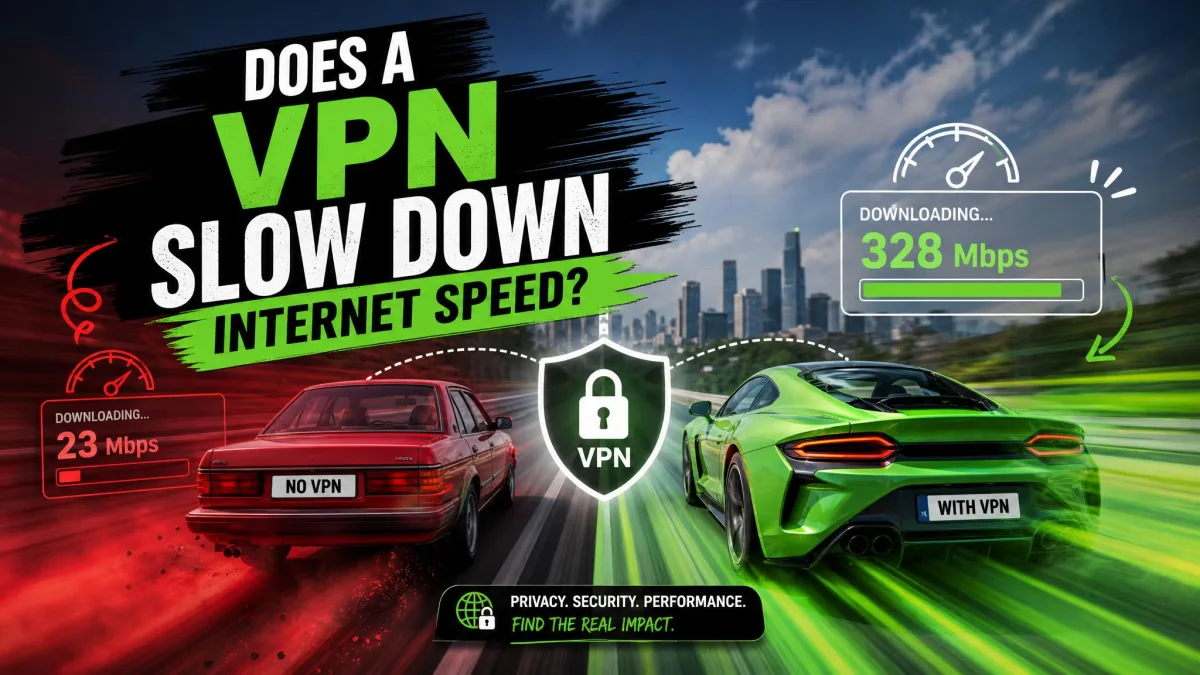
If your connection feels sluggish the moment you flip on a VPN, you are not imagining it, and you are not doing anything wrong. A VPN does slow your internet, but usually less than you think, and often by an amount you will never notice while browsing or streaming. The honest answer is that it depends on two things you control: which server you pick and which protocol you run.
We have spent years testing VPNs against real speed, leak, and streaming benchmarks, and the pattern is remarkably consistent. On most connections the slowdown is small, and in a few cases a VPN can actually make throttled traffic faster. Below we explain why the slowdown happens, how much to expect, how to measure it yourself, and the fixes that reliably win the speed back.
The fastest fix is almost always the simplest: connect to the VPN server closest to you and switch your protocol to WireGuard (or a WireGuard-based option like NordLynx). Those two changes recover most of the lost speed in seconds.
The short answer: yes, but usually less than you think
Yes, a VPN slows your internet, because it adds encryption and an extra stop between you and the sites you visit. But the size of that hit varies enormously by provider. In one test of 30 VPNs on a fast baseline, the average speed loss was about 20.67%, yet the best performer lost only 6.26% while the worst gave up 62.77%. Half of the VPNs tested kept their speed loss under 15%.
That spread is the whole story. The gap between the fastest and slowest VPNs is huge, so which service you pick matters far more than the simple fact that you are using one. A good VPN on a nearby server costs you a sliver of speed. A poor one on a distant server can cut your connection in half.
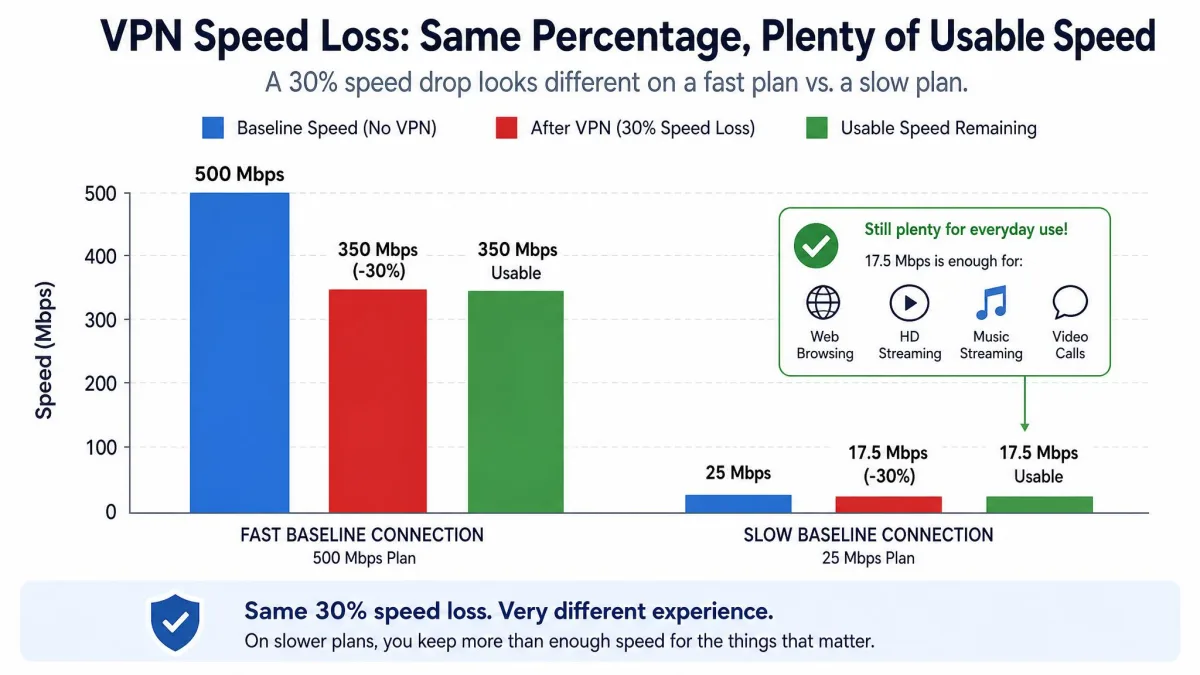
Here is the reassuring part. At the average 20.67% loss, a 250 Mbps line drops to roughly 198 Mbps, which is still far above the 15 to 25 Mbps needed for 4K streaming. The percentage matters less than what is left over, and for everyday use, what is left over is almost always enough.
Why does a VPN slow down your internet?
A VPN reroutes and encrypts everything you send. That protection is the point, but it also adds work and distance that a plain connection never has to deal with. If you want the full picture of how a VPN actually works, the routing and encryption steps are where the slowdown is born. Four factors do most of the damage, and understanding them makes every speed fix later on obvious.
Encryption and decryption overhead
Every packet you send through a VPN gets wrapped in encryption on your device and unwrapped at the server, then the reply is encrypted and unwrapped again on the way back. That processing takes a moment, and it adds a little bulk to each packet. A VPN typically increases data usage by roughly 5 to 15% versus an unencrypted connection because of this overhead, though the exact amount depends on your protocol and cipher.
On a modern phone or laptop the processing cost is tiny, so encryption alone rarely explains a big slowdown. It is the steady tax you pay for privacy, and it is the smallest of the four factors for most people.
Distance to the VPN server
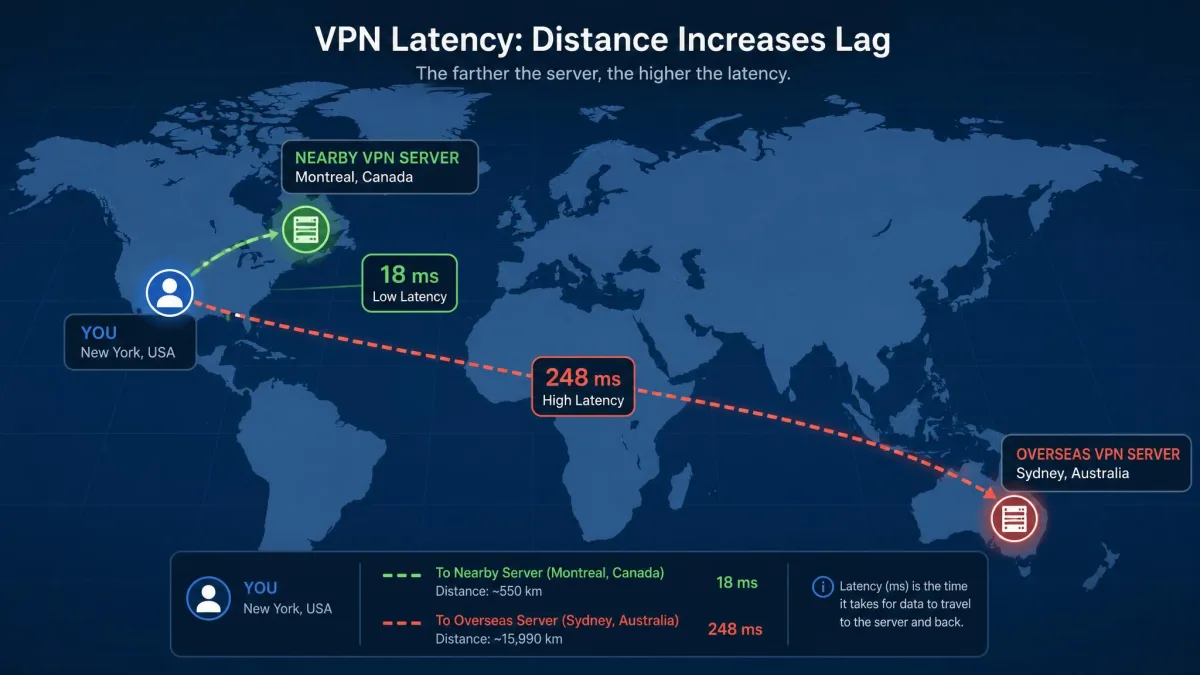
This is the big one. When you connect through a VPN, your traffic no longer takes the short route to the nearest content delivery network. Instead it travels to the VPN server, gets decrypted, and only then heads to its destination. The farther that server sits from you, the longer every round trip takes.
The effect is dramatic on a fast line. Connect a gigabit connection to a nearby server and download speed can settle around 200 Mbps with ping rising only slightly, from about 4ms to 17ms. Point the same connection at a distant server, say Toronto from a US line, and speed can collapse to around 32 Mbps while ping climbs to 43ms. That is close to a 96% drop, caused almost entirely by distance. Ping climbs steeply as the server gets farther away, and routing through another continent adds far more latency than a server one state over.
Server load and congestion
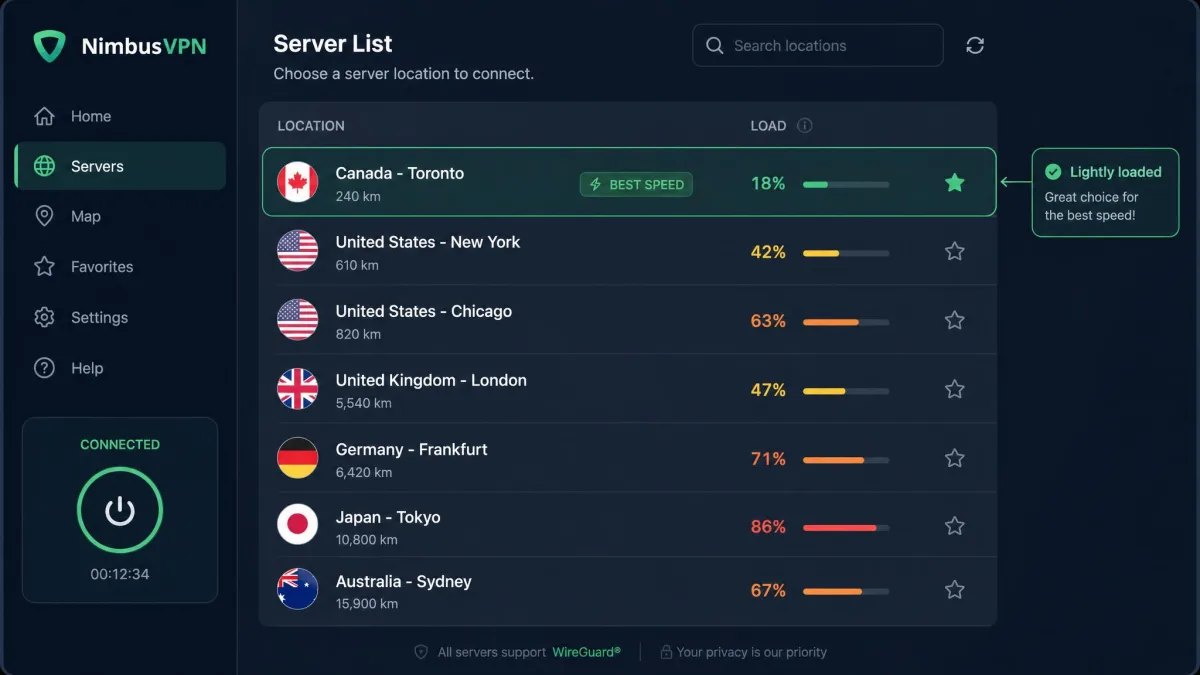
A VPN server is shared. When too many people pile onto the same one, it bogs down, and both speed and reliability suffer. A crowded server can feel slow even if it is physically close to you, because the hardware and its uplink are stretched thin.
The fix is easy once you know to look for it. Switching to a less busy server, frequently restores speed that congestion quietly stole. Many apps show server load right in the list, and picking a lightly loaded server near you is the sweet spot.
Your VPN protocol
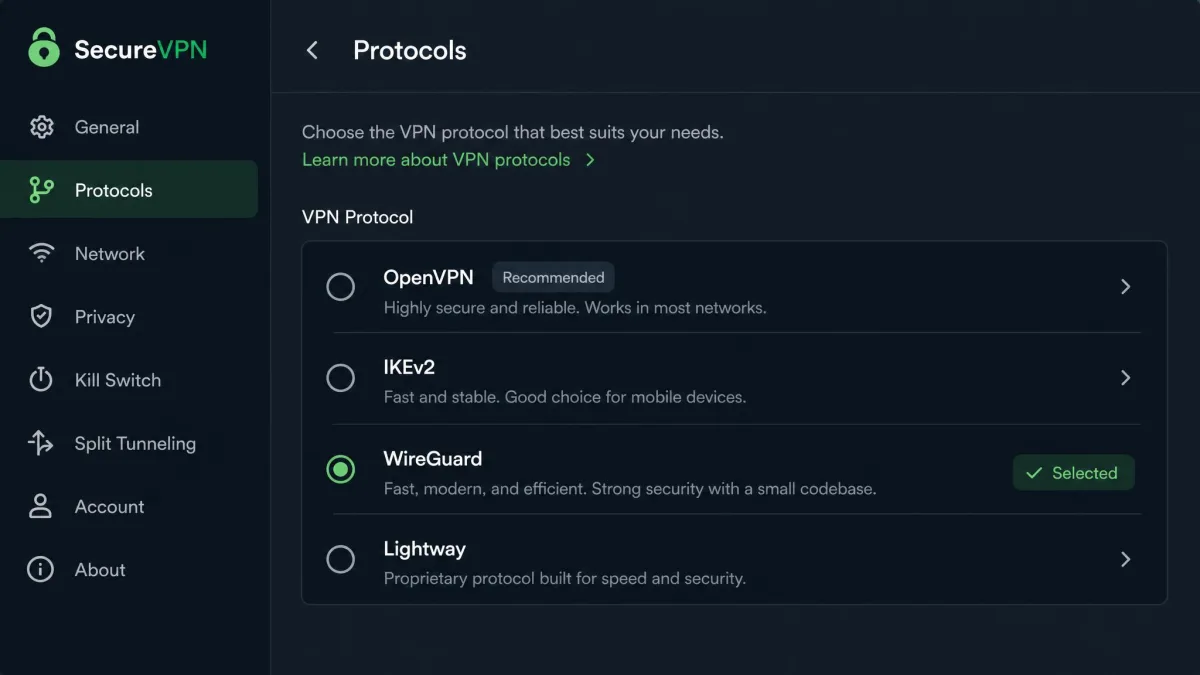
The protocol is the ruleset your VPN uses to build its encrypted tunnel, and the choice has a real effect on speed. Common VPN protocols, roughly from fastest to slowest, are WireGuard, NordLynx (a WireGuard-based protocol), Lightway (ExpressVPN's protocol), IKEv2, and OpenVPN. OpenVPN is the most battle-tested for privacy but the slowest of the common set.
The difference is not subtle. WireGuard measured roughly 57% faster than OpenVPN in recent testing, and lighter protocols consistently win. In one per-protocol comparison the download-speed drop ranged from about 2.7% on Lightway and 5.08% on WireGuard up to 8.41% on OpenVPN. The exact percentages shift with your hardware and route, but the ordering holds: WireGuard-class protocols are fast, OpenVPN is safe but slower.
How much does a VPN actually slow you down?
There is no single "how much" number, and anyone who gives you one is oversimplifying. The honest range runs from a few percent to more than half, driven mostly by your baseline speed and how far away your server sits.
Typical speed loss ranges (with our test data)
For a realistic picture, the 30-VPN average of 20.67% is a good anchor for a fast connection, with the best services under 7% and the worst past 60%. On very fast baselines the drop looks alarming: a gigabit line can fall by 80% to a nearby server and by more than 95% to a distant one, and one setup even measured a 77% Wi-Fi drop. Those ceiling figures come from fast lines and far servers, not typical use.
Here is the counterintuitive part that testing makes clear. The percentage drop looks dramatic on very fast connections but matters far less on slower baselines, where the speed left over is still plenty for browsing and streaming. If you have a 100 Mbps plan and lose 20%, you still have 80 Mbps, which streams 4K on multiple screens at once. The number that matters is not the percentage you lost, it is the speed you keep.
A VPN adds extra hops by design: your traffic goes to the VPN server and gets decrypted before reaching the destination, instead of routing straight to the nearest content delivery network. That detour is why distance dominates every other cause of slowdown.
When a VPN can actually speed things up (ISP throttling)
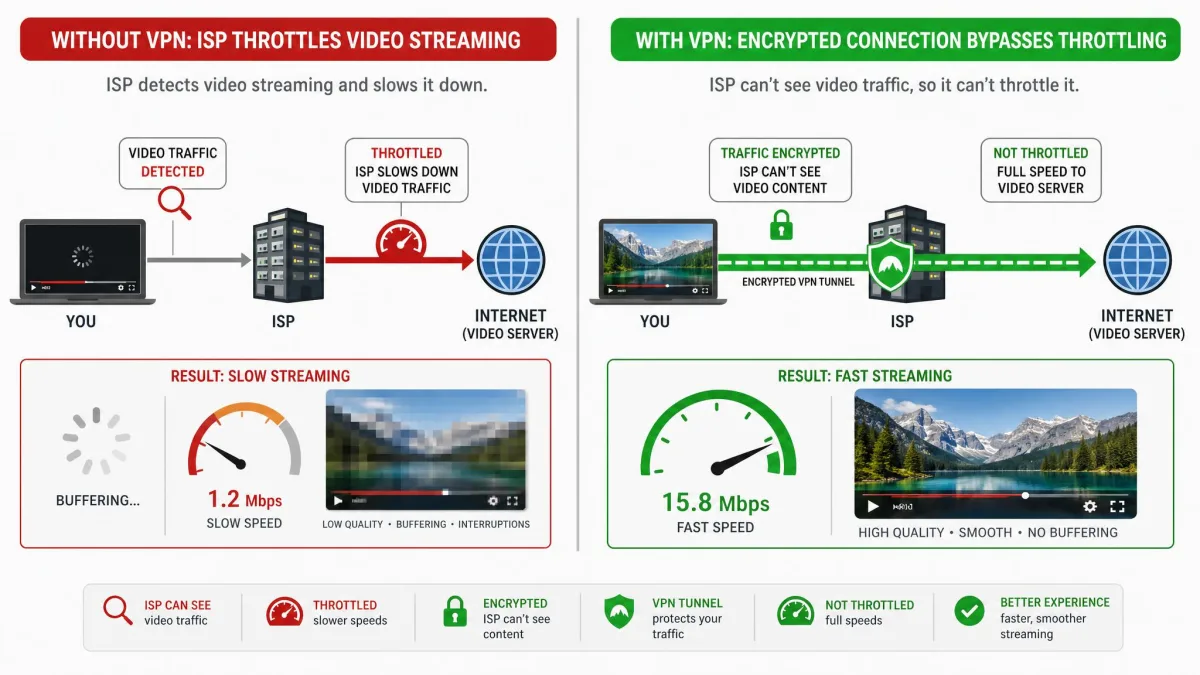
Sometimes a VPN makes you faster, and it is not a trick. Internet providers routinely slow specific traffic types, especially video. Northeastern University research on carrier throttling found ISPs throttled video streaming roughly 70% of the time. In those tests AT&T throttled Netflix in 70% of trials and YouTube in 74%, while T-Mobile slowed Prime Video, Netflix, and YouTube across a majority of tests.
A VPN encrypts your traffic so your provider cannot tell you are streaming, which stops throttling based on content type. When throttling is present, a VPN has achieved up to 20% faster speeds by hiding what the traffic is. The catch is simple: this only helps when your ISP is actually throttling you. On an unthrottled line a VPN will not raise your raw speed, it can only avoid an artificial slowdown that was already there.
The gap between the fastest and slowest VPNs is enormous, so which provider you pick matters far more than the fact that you are using a VPN at all.
— From our hands-on VPN speed testing
How to test your VPN speed
You do not have to guess how much a VPN costs you. A three-minute test gives you real numbers for your connection, your location, and your provider, which beats any generic average.
Run a baseline speed test without the VPN
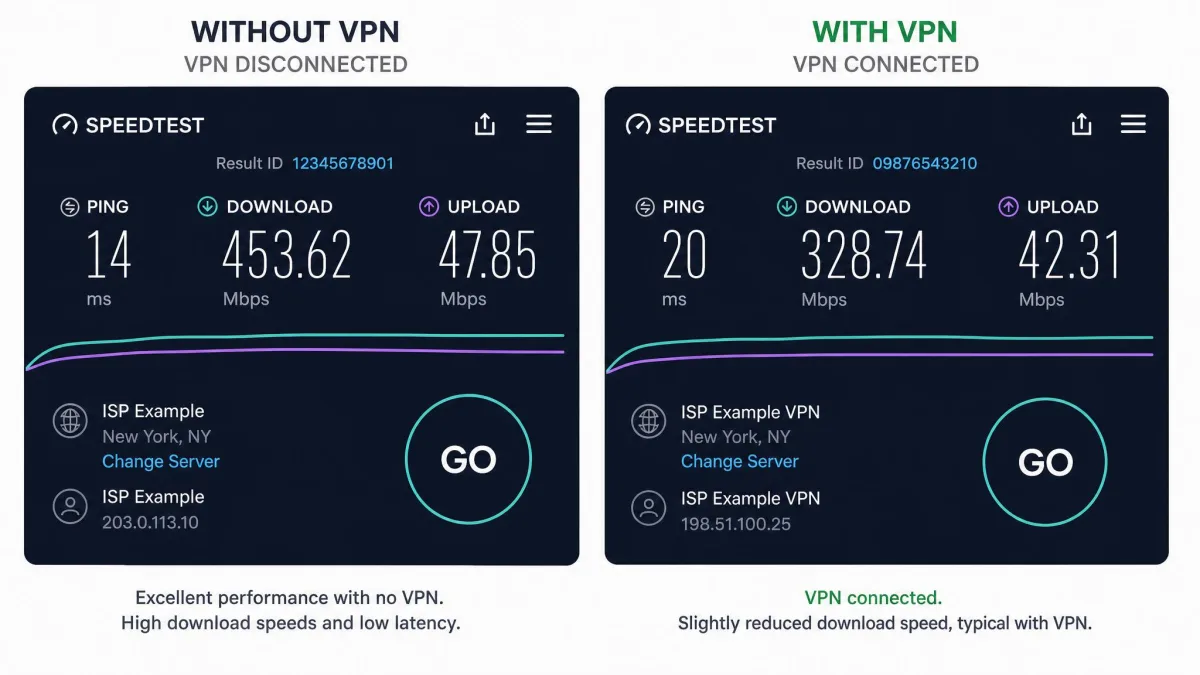
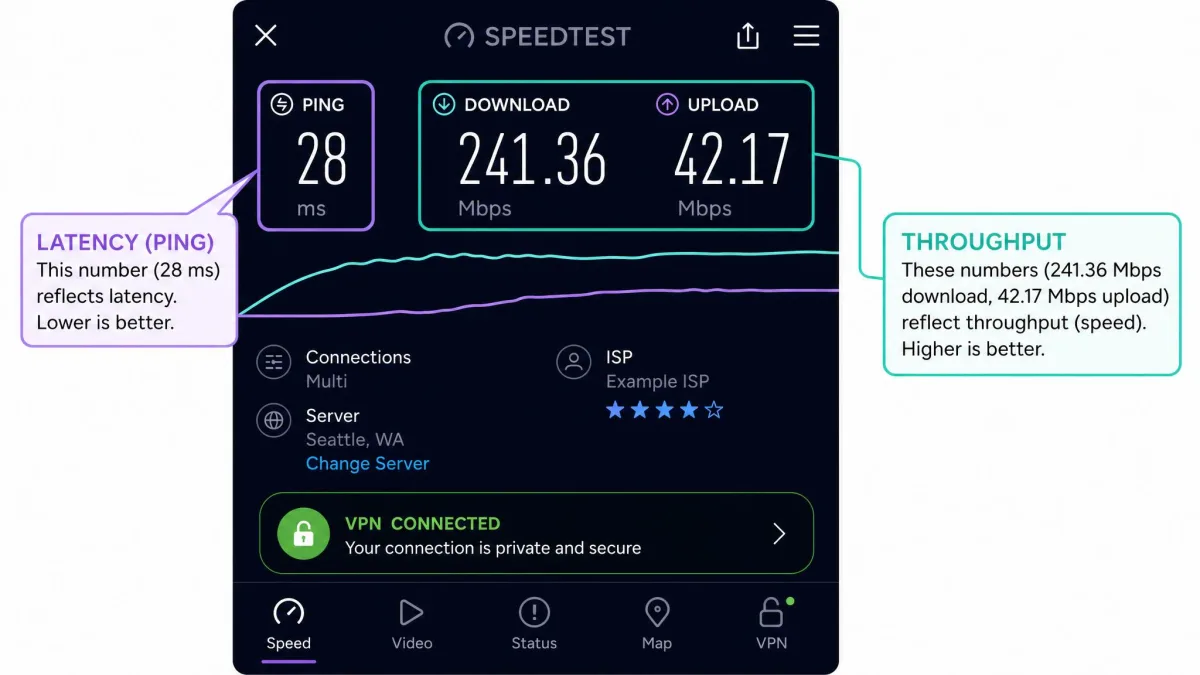
First, disconnect the VPN entirely and run a speed test to record your normal download, upload, and ping. Do it a couple of times and take the typical result, since background downloads and Wi-Fi interference can skew a single run. This baseline is the number every VPN result gets measured against.
Test again while connected
Now connect the VPN, pick the server you actually use, and run the same test again from the same device. Keep everything else identical: same Wi-Fi or cable, same browser, nothing large downloading in the background. Testing the server you rely on daily tells you far more than testing whatever server happens to be fastest.
Compare download, upload, and ping
Line up the two results and look at all three numbers. Download speed drives streaming and page loads, upload matters for video calls and cloud backups, and ping (latency) decides how responsive everything feels. For latency in particular, tools like Netflix's Fast.com make it easy to check your ping alongside download speed. If ping jumped hard, distance is your culprit; if download cratered but ping barely moved, suspect server congestion or an old protocol.
How to make your VPN faster
Once you know where the slowdown comes from, the fixes are quick and mostly free. These are the changes that reliably win speed back, in the order we reach for them.
Connect to a nearby server
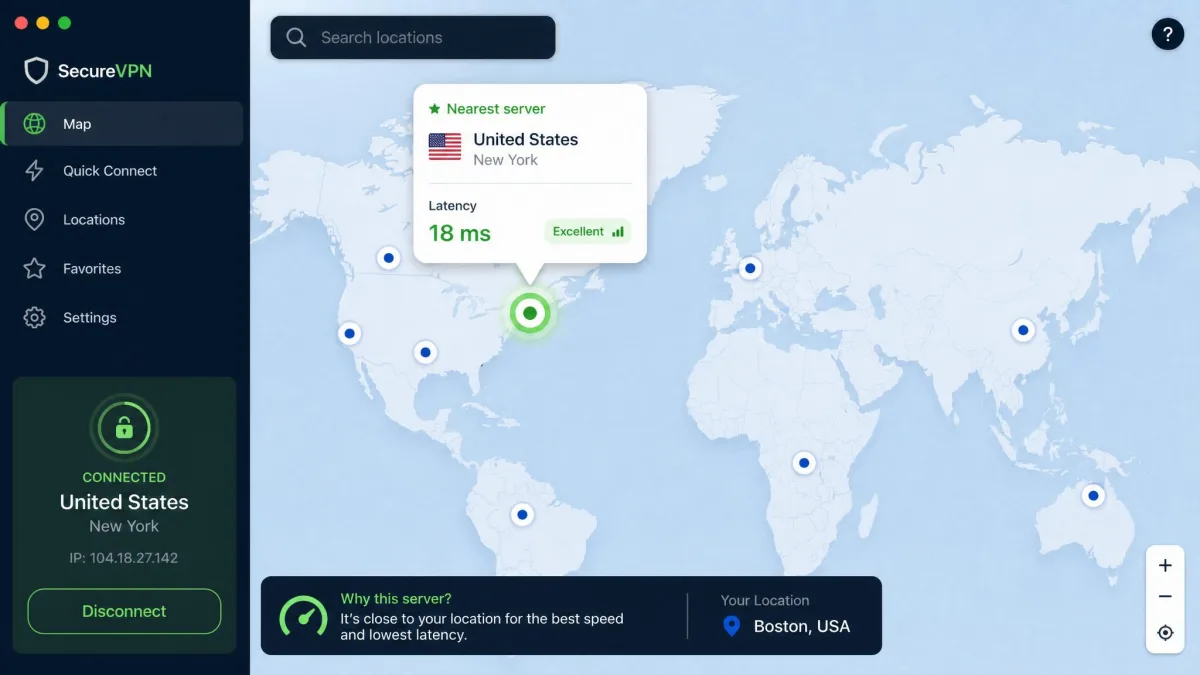
Picking a server geographically close to you is the single most effective way to cut the time it takes to route your data and keep speeds high. Unless you specifically need to appear in another country, choose the nearest server your provider offers. This one change often recovers more speed than everything else combined.
Switch to WireGuard or a lighter protocol
Dig into your app's settings and set the protocol to WireGuard, or its branded equivalent like NordLynx or Lightway. Switching from OpenVPN to WireGuard is a reliable, noticeable speed boost. OpenVPN is still the better choice when maximum privacy is the priority, but for everyday speed the lighter protocol wins.
Use a wired connection
Wi-Fi adds its own variability on top of the VPN, and the two stack up. Plugging into Ethernet removes wireless interference, which steadies both speed and ping. If your fastest device sits near the router, a cable is a free upgrade.
Avoid free VPNs
Free VPNs are consistently the slowest, because they cram many users onto a handful of overloaded servers and often cap bandwidth on purpose. They also carry real privacy trade-offs. If speed matters at all, a reputable paid service is worth it, and the difference in daily experience is large.
Free VPNs do not just run slower. Many fund themselves by logging and selling your browsing data, which defeats the reason most people use a VPN in the first place. If a service costs nothing, look hard at how it makes money.
Enable split tunneling
Split tunneling lets you route only the apps that need protection through the VPN while everything else uses your normal connection. Send your browser through the tunnel and let a big game download or a streaming app run direct, and you keep privacy where it counts without taxing everything else. It is one of the most underused speed settings in any VPN app.
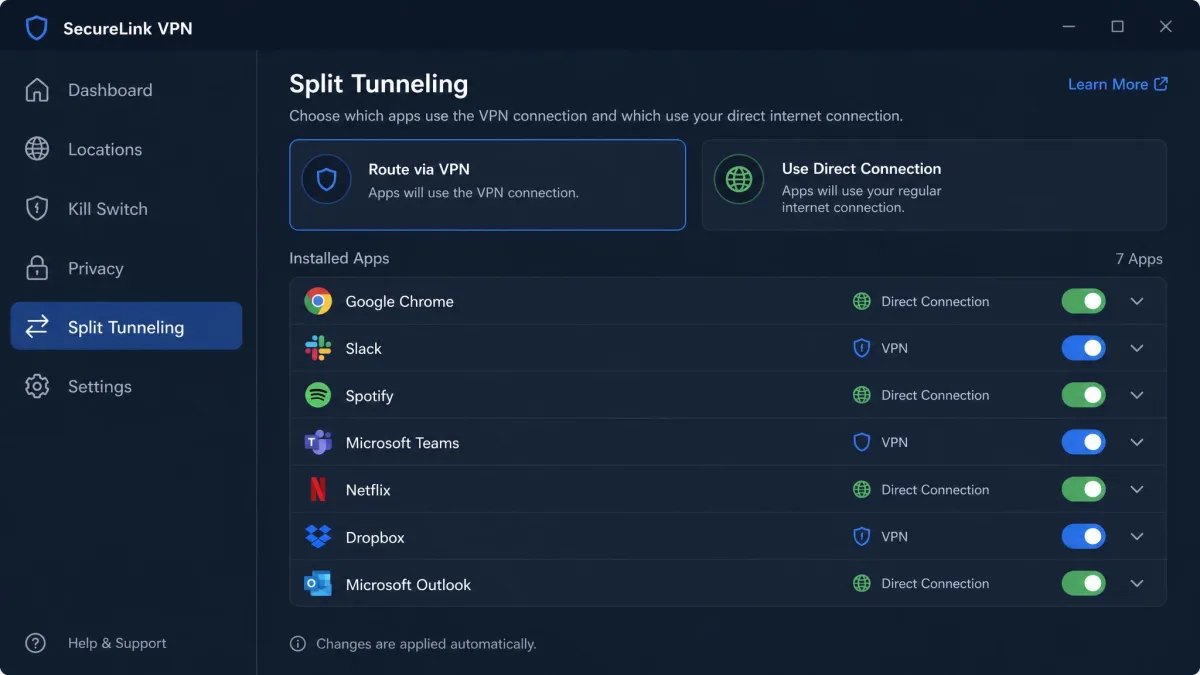
Update or switch your VPN app
An outdated app can miss protocol and server optimizations that affect speed, so update first. If you are still crawling after trying a nearby server, WireGuard, and a fresh install, the provider itself may simply be slow, and switching services is the real fix.
The fastest VPNs for minimal slowdown
Because the spread between providers is so wide, choosing a fast one does most of the work for you. Several services consistently rank among the fastest in 2026, with sub-10% speed loss reported for NordVPN, Surfshark, Proton VPN, IPVanish, and Private Internet Access, while ExpressVPN also sits in the top tier. The three we see most often at the front of the pack are below.
| Provider | Buy | Fastest protocol | Speed retention (2026 test) | Speed tier |
|---|---|---|---|---|
 |
Check price → | NordLynx (WireGuard-based) | ~87% | Fastest overall |
 |
Check price | WireGuard | ~74% | Fastest local downloads |
 |
Check price | Lightway / Lightway Turbo | ~54% standard, much higher on Turbo | Top tier |
NordVPN, running its WireGuard-based NordLynx protocol, retained on average about 87% of baseline speed and came out fastest of the three major providers in one recent comparison. Surfshark, also on WireGuard, kept roughly 74% of its speed and posted the fastest local download of the group at around 1615 Mbps. ExpressVPN's figures swing the most by test, from about 5% loss on nearby servers to roughly 54% retention on standard Lightway over long distances, with the newer Lightway Turbo clocking well over 1300 Mbps transatlantic.
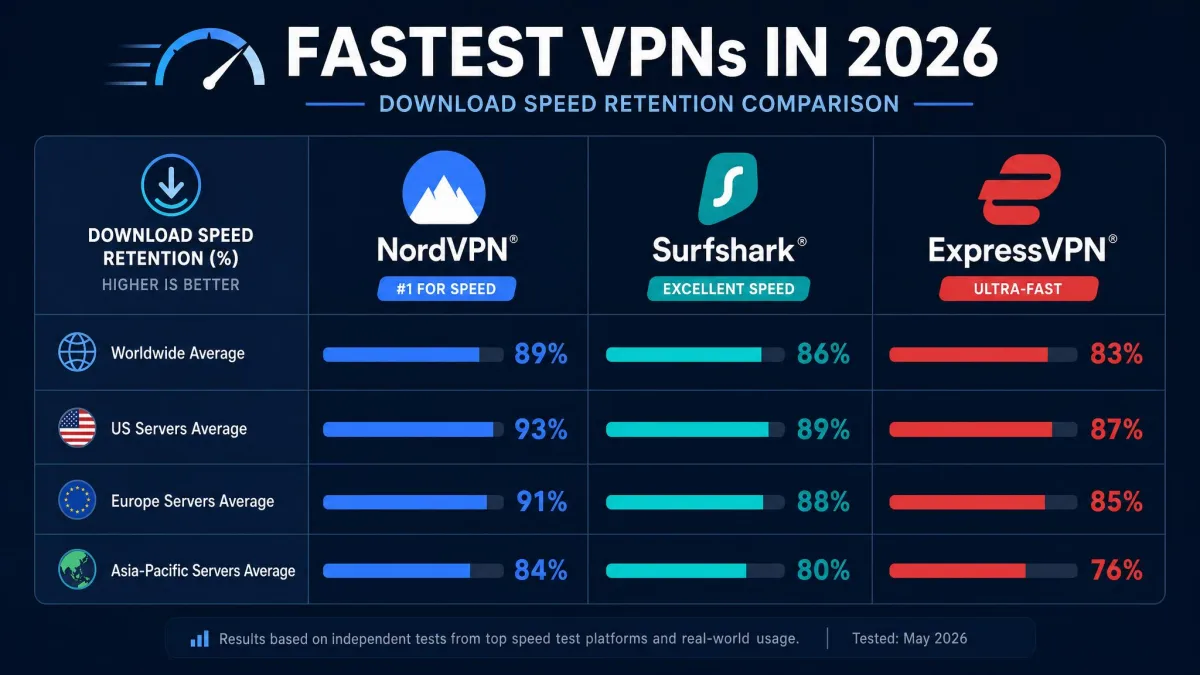
If you want the safest bet for staying fast, NordVPN is the one we point most people to first. Its cheapest plan works out to $3.49 a month on the two-year term, billed upfront, with a 30-day money-back guarantee if the speeds do not hold up. Pay month to month and it is $14.99, and the discounted rate covers only the first term before it renews higher.
The bottom line on what to expect
The only figure that describes your connection is the one you measure yourself. Run the three-minute baseline test, connect to the server you actually use, and compare. If the speed you keep clears what your streaming, calls, and games need, the slowdown is a non-issue no matter how large the percentage looks. If it does not, work back through the fixes above: a closer server, WireGuard, a wired link, and, as a last resort, a different provider.