Proxies and VPNs get confused constantly, because from the outside they look identical: a website sees a different IP address than the one your internet connection actually uses. The dividing line is encryption and scope. A proxy passes one app's traffic through an intermediary server and usually leaves that traffic unencrypted, while a VPN wraps every connection your device makes in an encrypted tunnel. That single difference decides which tool is right for unblocking a video, and which one you want on public Wi-Fi. Below we walk through how each one works, where they genuinely differ, and which we would pick for the situations most readers land here with.
Proxy vs VPN at a Glance
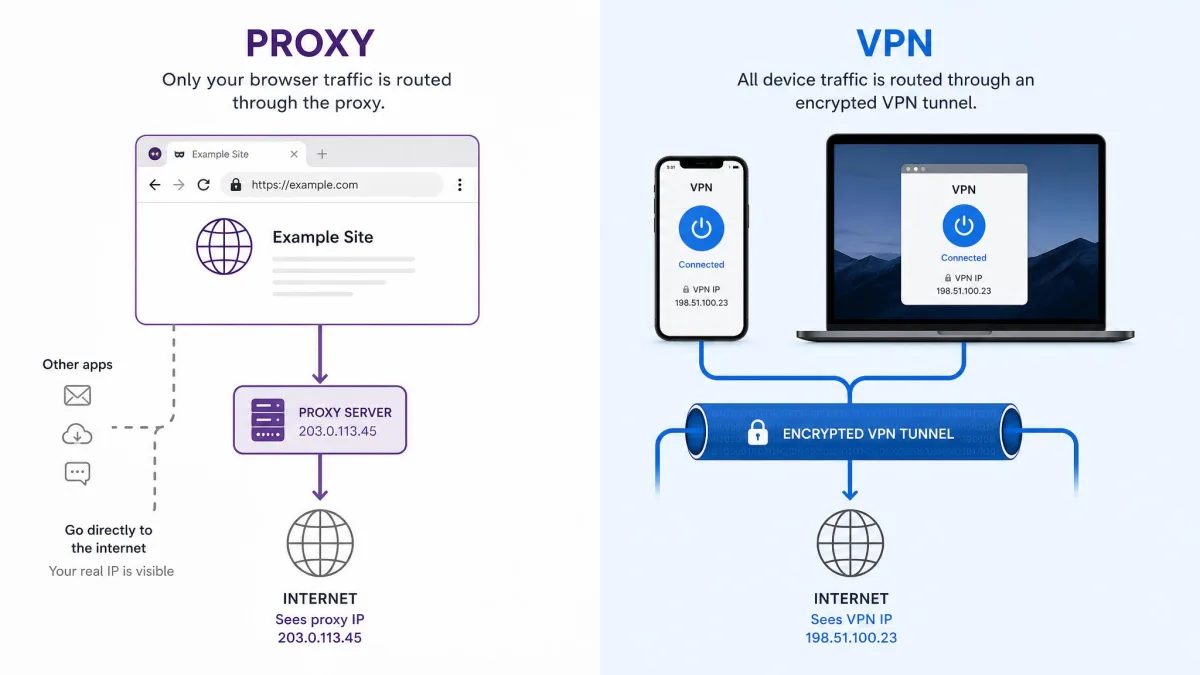
Here is the head-to-head before we get into mechanism. Read the encryption row first, because most of the other differences follow from it.
| Row | Proxy | VPN |
|---|---|---|
| Encryption | None by default; SOCKS5 leaves confidentiality to separate specifications | Full tunnel encryption, AES-256 with OpenVPN or ChaCha20 with WireGuard |
| Traffic scope | Per-application or per-browser | Device-wide from one connection |
| IP masking | Yes, for the configured app | Yes, for all traffic |
| Speed impact | Low, since there is no encryption overhead | Typically retains about 73% to 90% of baseline speed |
| Logging and trust | Operator is often anonymous; free proxies commonly log traffic, inject ads or sell data | Paid services publish no-logs policies and commission independent audits |
| Typical cost | Often free; commercial tiers are paid | Roughly $2 to $15 per month |
| Best use case | Geo-restricted browsing in a single app, caching, content filtering | Public Wi-Fi, whole-device privacy, sensitive data |
What Is a Proxy Server?
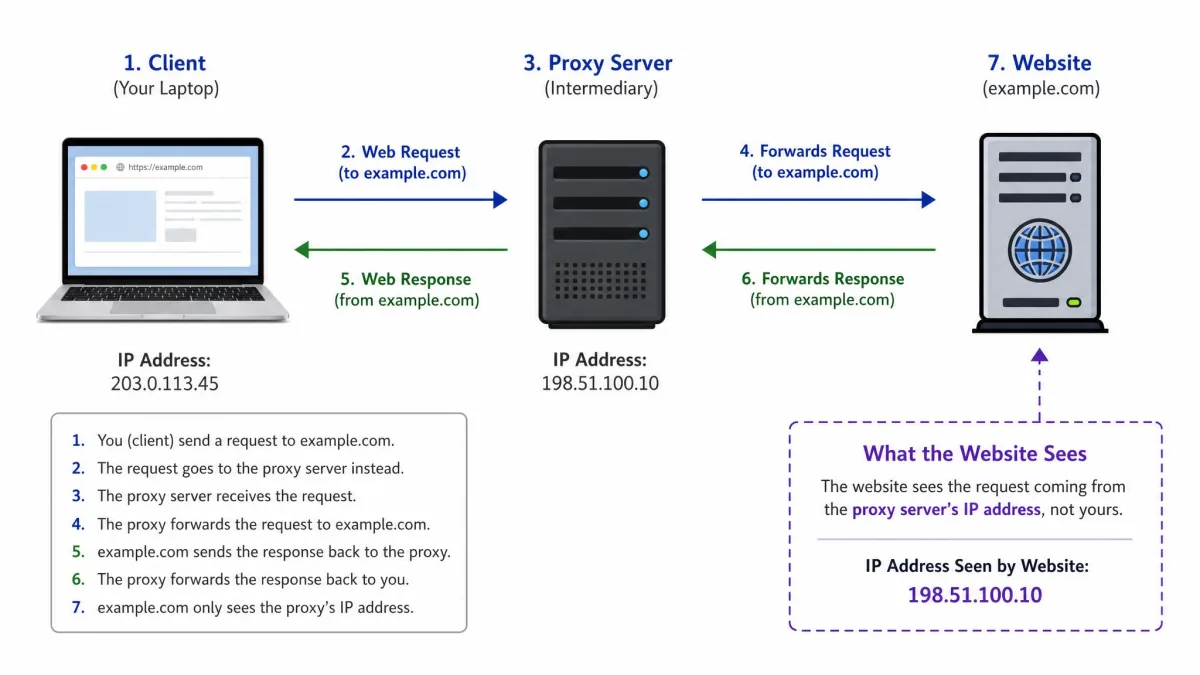
A proxy server is an intermediary server that sits between your app and the website you are trying to reach. Your request goes to the proxy, the proxy forwards it to the destination, and the reply comes back the same way. The website logs the proxy's IP address instead of yours, which is the whole reason most people set one up.
How a Proxy Works
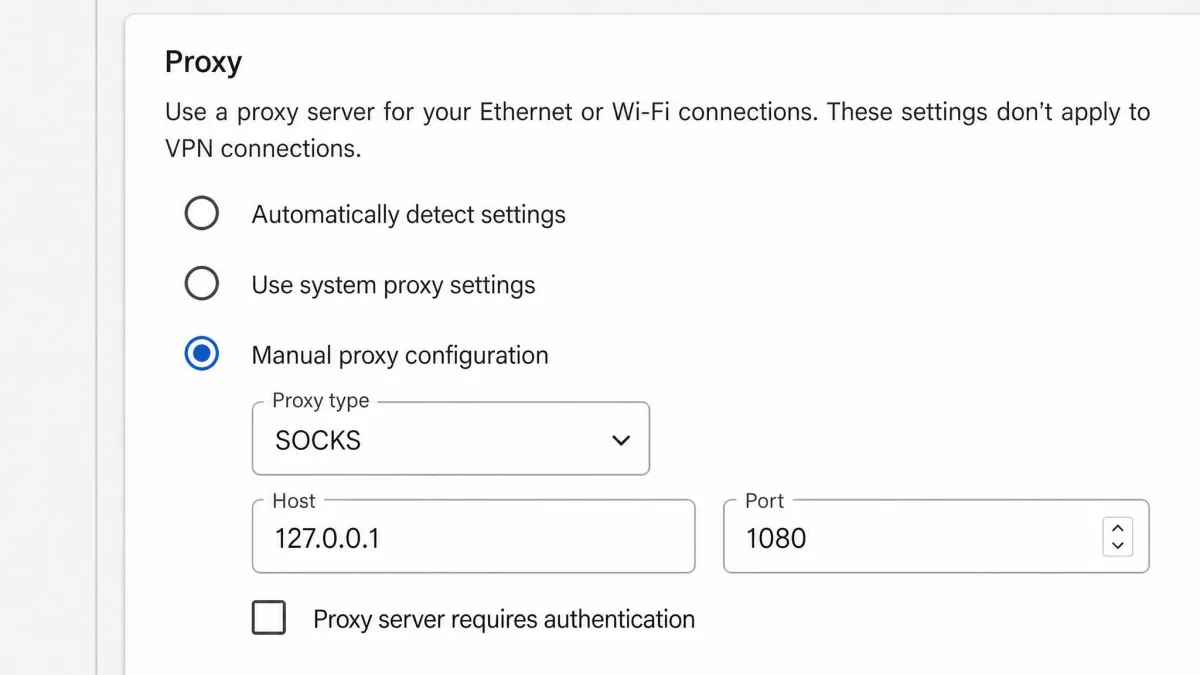
You point one application at the proxy's address and port, and that application starts routing through it. Everything else on the device carries on as normal. In practice this means proxy setup is per-app housekeeping: you edit the settings in your browser, then again in your torrent client, then again in whatever scraping tool you are running. Nothing is applied globally unless you deliberately configure a system-level proxy, and even then coverage depends on which apps respect that setting.
The proxy also decides what to do with the request in transit. Some cache content to speed up repeat visits, some filter categories of sites, and reverse proxies sit in front of servers to spread load across a pool of machines.
Types of Proxies (HTTP, SOCKS, Transparent, Residential)
The category is broad, and the label matters because it tells you what the proxy can carry.
- HTTP proxies handle web traffic and conventionally sit on TCP port 80, with encrypted sessions passed through using a CONNECT tunnel on 443. They understand web requests, which is what lets them cache and filter, but they only handle web requests.
- SOCKS proxies work a level lower and forward almost any protocol: FTP, email, IRC, BitTorrent. The current version is defined in the SOCKS5 specification, published in March 1996, and the service is conventionally located on TCP port 1080. SOCKS5 defines no-authentication, GSSAPI and username/password methods, and compliant implementations must support GSSAPI.
- Transparent proxies are the ones you never chose. They intercept traffic on port 80 with no browser configuration at all, which is exactly how hotel and cafe captive portals filter or redirect what you are browsing before you have touched a setting.
- Residential proxies route through real ISP-issued addresses on physical devices such as phones and home computers, so the traffic looks like an ordinary person browsing rather than a data centre. That is why they are the expensive tier and why sites find them hardest to block.
What a Proxy Does Not Do
A plain HTTP or SOCKS proxy does not encrypt anything. RFC 1928 does not specify encryption at all, leaving confidentiality to separate method-dependent memos, so traffic between your device and the proxy server travels in plaintext. On a shared network that means the hop most likely to be watched is the one still exposed. HTTPS on the site you are visiting protects the contents of that session, but the proxy itself adds nothing on top.
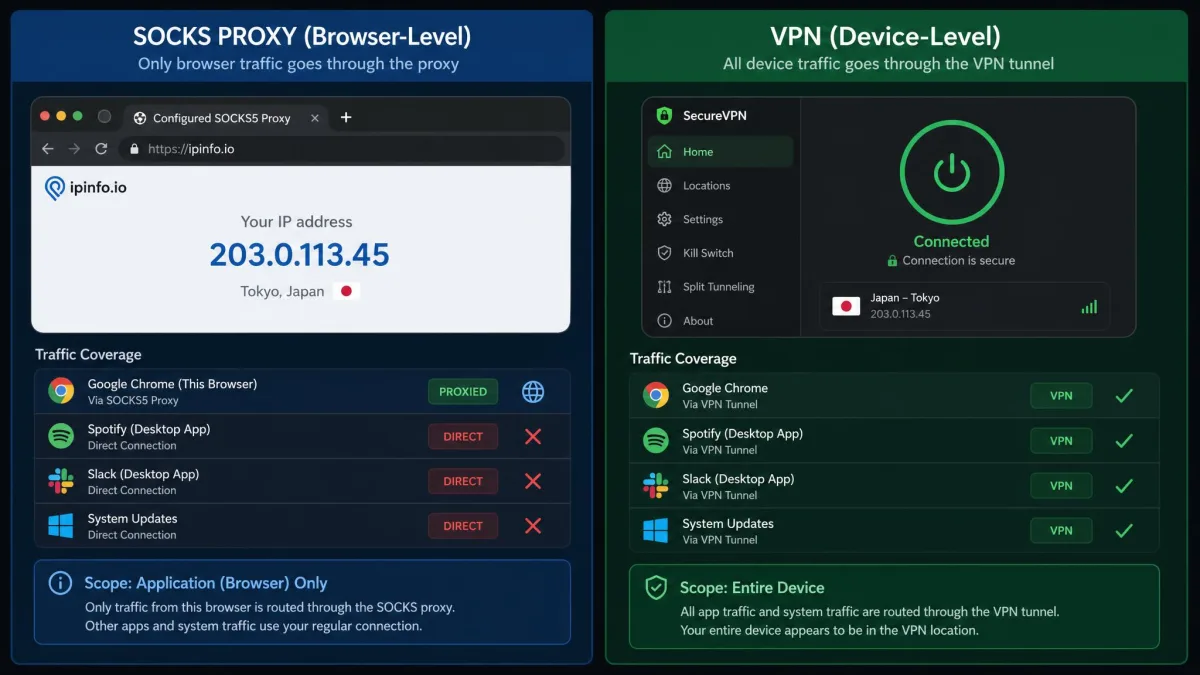
Scope is the other gap. A browser-extension proxy protects that browser and nothing else, so a background updater, a mail client or a game launcher still leaves the machine on your ordinary connection with your ordinary IP address. Users who assume a proxy has covered the whole device are usually wrong about that.
What Is a VPN?
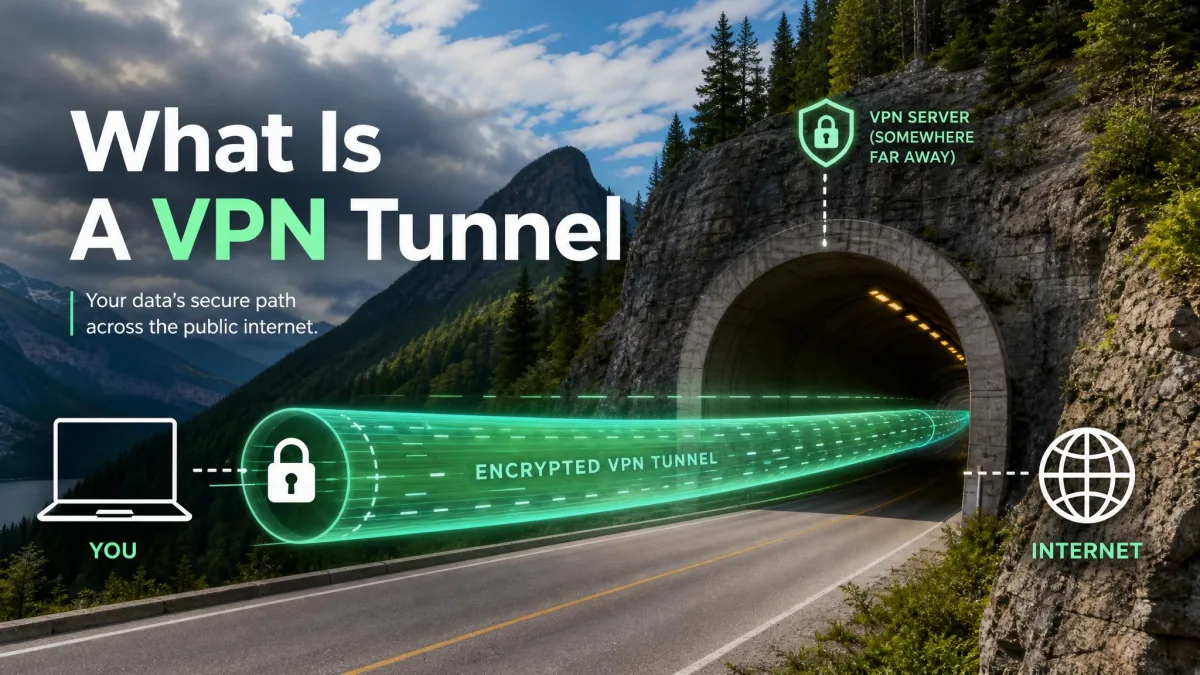
A virtual private network creates an encrypted tunnel between your device and a server run by the VPN provider, then sends all of your internet traffic through it. It is best understood as a specific, encrypted type of forward proxy that carries the whole connection rather than a single app's.
How a VPN Works
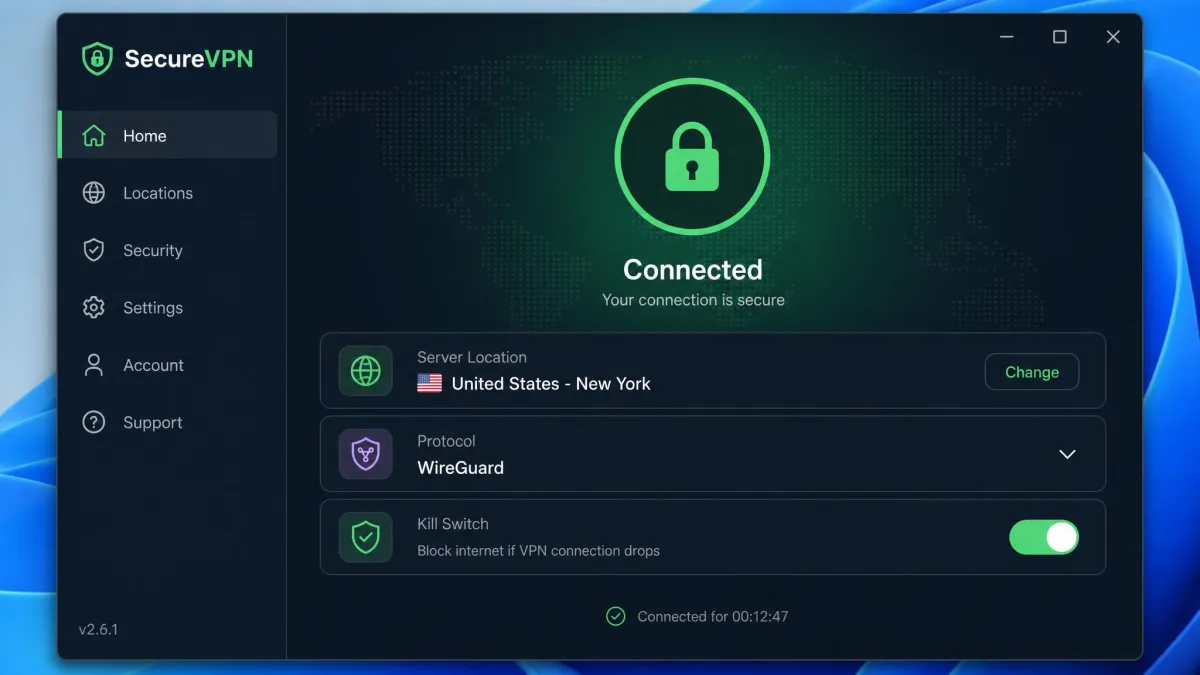
You install a client, sign in, and pick a server location. From that moment the operating system routes traffic into the tunnel, so every app is covered by one connection rather than eight separate configurations. DNS lookups go inside the tunnel too, which closes an old leak where the site names you requested were still visible even when the traffic was not.
Good clients add a kill switch that cuts the connection if the tunnel drops, split tunnelling if you want certain apps outside it, protocol choice, and router-level installation for devices that cannot run the app themselves. Split tunnelling and browser-extension modes deliberately narrow the scope, so device-wide is the default rather than a guarantee.
What Encryption Actually Protects
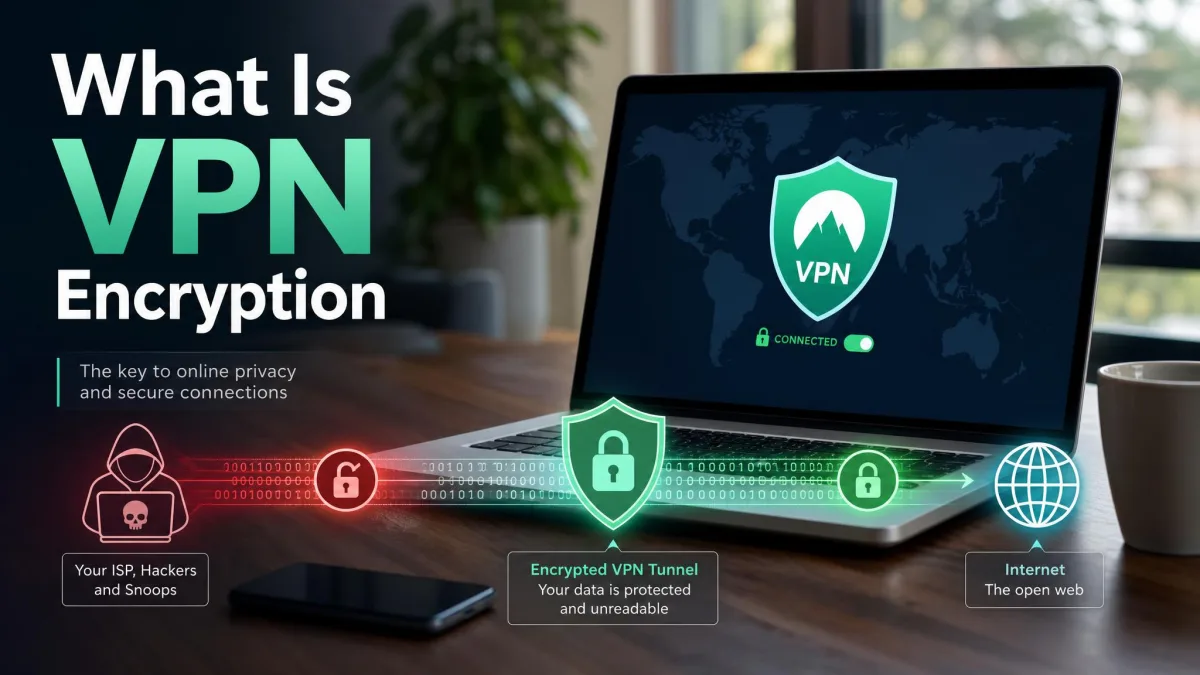
Encryption is what turns rerouting into privacy. OpenVPN commonly uses AES-256, and WireGuard uses ChaCha20 with Poly1305 for authenticated encryption, Curve25519 for key exchange and BLAKE2s for hashing, listening on UDP port 51820 by default. What that buys you is concrete: whoever runs the network you are sitting on sees an encrypted stream to a VPN server and not the sites, the app traffic or the contents.
It is worth being precise about the limits. Encryption does not make you anonymous to a site you log into, it does not stop tracking cookies, and it does not protect you from the VPN provider itself. That last point is why the logging policy matters as much as the cipher.
Proxy vs VPN: The Key Differences
Encryption and Security
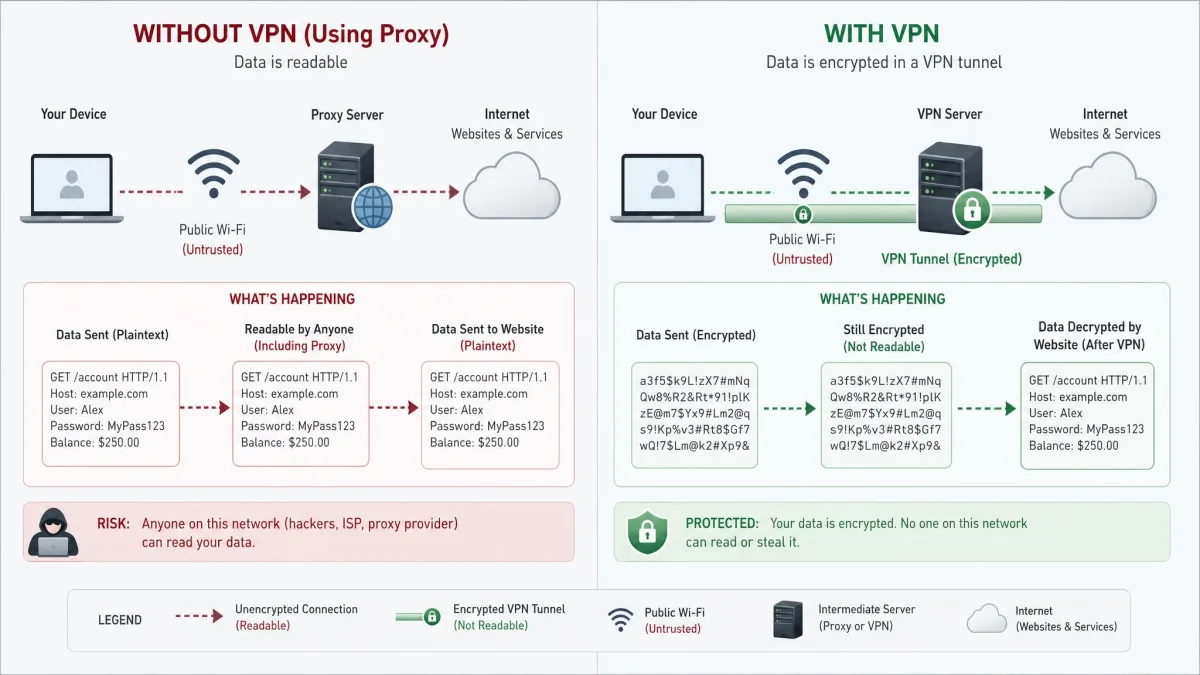
If your reason for looking into either tool is security on a network you do not control, the proxy is not really a candidate, and the VPN is. A VPN encrypts everything between your device and the VPN server, which is what turns a change of address into actual protection. That is also why the two tools stop being interchangeable the moment the network itself is the thing you are worried about.
On public Wi-Fi, a plain proxy leaves the exposed part of the journey exposed. The traffic between your device and the proxy server is still plaintext, so anyone in a position to watch that network is in the same position they were before you configured it.
Privacy and Logging
With a public proxy there is generally no reliable way to learn who runs the server or what happens to the traffic passing through it. Free proxy operators need revenue from somewhere, and the common answers are logging traffic, injecting ads and banner scripts into pages, or selling browsing data. Paid VPN services with published no-logs policies and independent third-party audits carry a level of accountability that an anonymous proxy operator simply does not offer. Neither model is automatically trustworthy, but only one of them can be checked.
Scope: App-Level vs Device-Level
Proxy configuration is applied per application, so the browser you set up is protected and the rest of the device is not. A VPN applies device-wide from a single connection. The practical test we use is simple: count the apps that touch the internet on your machine, and ask whether you are willing to configure each one. Most people are not, and that answer alone settles the choice.
Speed and Performance
Proxies add little overhead because there is nothing to encrypt. VPNs do add overhead, though far less than their reputation suggests. Leading services retain roughly 73% to 90% of baseline download speed depending on protocol, server distance and the underlying link, so on a 500 Mbps line you would typically still see 400 to 450 Mbps. Retained speed varies widely with distance and baseline connection, so treat any single percentage with suspicion.
Two settings move that number more than the brand on the app. Distance is the first: the slowdown is most noticeable on distant servers, while nearby servers on WireGuard-family protocols feel close to the unprotected connection. Protocol is the second. Switching a client from OpenVPN to a WireGuard-based protocol is usually the single biggest throughput improvement available in the settings, with comparative testing putting WireGuard roughly 57% faster, though that margin shifts with server load and route.
If your VPN feels slow, change the protocol to WireGuard and pick a server in or near your own country before you blame the service. Those two settings account for most of the difference in everyday use.
When to Use a Proxy
A proxy is a good choice when you want to change what one application looks like, and privacy is not the point. Checking how a website renders from another location, reaching geo-restricted content in a single browser, running a scraping job that needs to spread requests across addresses, caching repeated requests on a network, or filtering categories of sites for a school or office are all jobs a proxy does well and cheaply.
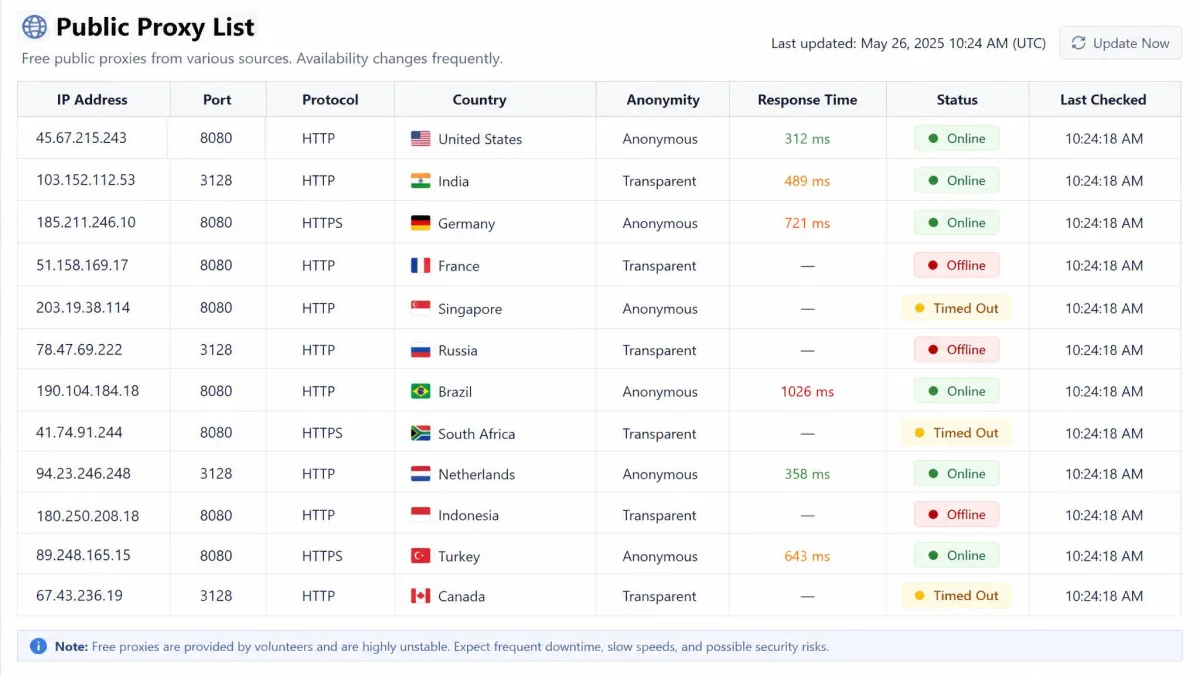
The trade-off is trust and coverage. If the data passing through would embarrass you in the wrong hands, this is not the tool. Free proxy lists are also unstable: entries go offline, throttle, or stop resolving without notice.
When to Use a VPN
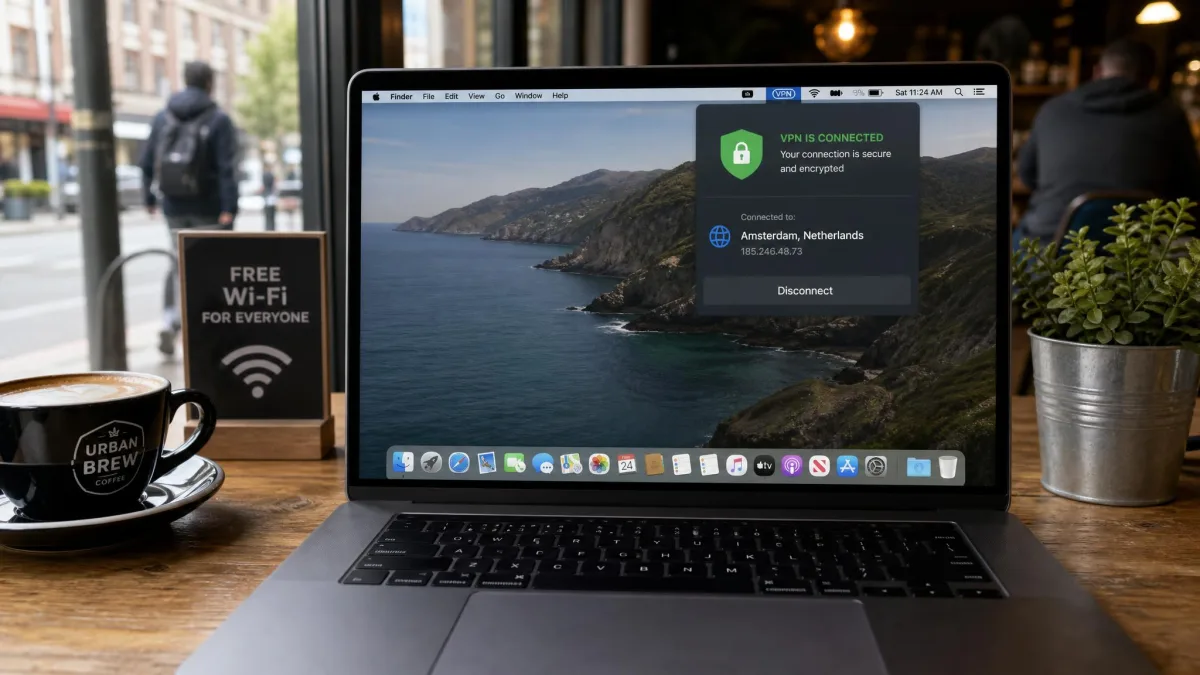
Use a VPN when the goal is privacy or security rather than a single app's apparent location. Public Wi-Fi in an airport, hotel or cafe is the clearest case, because you have no idea who runs the network or what is between you and the internet. Working with client data on the move, keeping your browsing away from an ISP that logs it, and hiding your location across the whole device all land on the same side.
It is also the right answer for anyone who does not want a configuration project. One connection, every app covered, and no per-application settings to forget. If you want the step-by-step, our guide on how to use a VPN covers the setup end.
Can You Use a Proxy and a VPN Together?
Yes, and occasionally it is useful. The usual arrangement is a VPN running device-wide with a proxy configured inside one application, so that app exits through a different address than the rest of your traffic. Scrapers and people managing multiple accounts do this deliberately.
For everyone else it is rarely worth it. Running a proxy behind a VPN adds a second hop and a further speed cost on top of the VPN's own overhead, and the privacy gain is close to zero, because the VPN was already encrypting the traffic the proxy would have carried in the clear.
A Word on Free Proxies and Free VPNs
Free versions of both tools are where this comparison gets uncomfortable, and the evidence is not vague. A CSIRO and ICSI analysis of 283 Android VPN apps listed on Google Play found that over 38% contained some form of malware. In the same study, 18% implemented tunnelling protocols with no encryption at all, 75% used third-party tracking libraries, and 82% requested access to sensitive data such as contacts and text messages. IPv6 traffic leaked outside the tunnel in 84% of the apps analysed, through a mix of misconfiguration and missing support. Some were caught injecting JavaScript into user traffic for advertising, and a handful performed TLS interception in transit.
Free proxies carry the same structural problem without the marketing. The operator is anonymous, the revenue has to come from the traffic, and the tool that was supposed to give you privacy is the thing reading your browsing.
Intermediaries are only as good as the operator behind them, and that includes volunteer-run networks. A single actor controlling 23% of Tor exit nodes ran SSL stripping attacks at that peak, downgrading HTTPS to plaintext HTTP to swap cryptocurrency addresses, and still held 4% to 6% of exit capacity months later after more than 1,000 servers were removed.
If budget is the constraint, a reputable provider's limited free tier or a cheap paid plan is a better answer than an unknown one. Our roundup of free VPN alternatives covers the options that survive scrutiny.
Proxy vs VPN: Which Should You Choose?
For almost everyone reading this, the answer is a VPN. It encrypts everything, it covers the whole device from one connection, and the accountability of a paid service with an audited no-logs policy is worth more than the small speed cost. Consumer subscriptions typically run about $2 to $15 per month, though the monthly-equivalent figure swings with plan length and renewal terms.
Choose a proxy when the job is narrow and technical: one app, a location change, a caching or filtering role, and no sensitive data in the stream. It is a cheap, fast, single-purpose tool, and it is a poor general-purpose privacy product. When it comes to the everyday question of what to run on a laptop you take outside the house, the VPN is the better choice and it is not close.
We test VPNs against real-world speed and leak benchmarks before recommending them, and protocol choice moves the numbers more than branding does.
Frequently Asked Questions
Does a proxy hide my activity from my ISP?
Can I use a proxy and a VPN together?
If I already use a VPN, do I need a proxy?
What is an HTTPS or encrypted proxy, and is it enough?
Is a VPN always secure?
Free VPN vs free proxy, which is better?
If you want the mechanism in more depth before you set anything up, what a VPN actually does is a reasonable next read.