ExpressVPN is a paid premium VPN that encrypts your internet traffic, hides your IP address, and routes your connection through servers in other countries. In plain terms, it is one of the most polished and best-known services in the category, and it charges a price to match. The question that brings most people to a review like this one is simple: is it good, and is it worth the money when cheaper rivals promise similar features?
We spent time with ExpressVPN across Windows, macOS, and mobile, running the kind of real-world speed, leak, and streaming tests we put every VPN through before it earns a recommendation. Our test machines included a Windows laptop on a gigabit fiber line and an Android phone on both Wi-Fi and mobile data, and we measured against a clean baseline using standard speed-test tooling. This review pulls those results together with the current pricing, the plan structure, the security record, and the day-to-day feel of the apps.
The short version is that ExpressVPN leads the pack on speed, reliability, and trust, and it stumbles mainly on price. Below we break down exactly where it earns its premium and where you might reasonably look elsewhere.
Is ExpressVPN good? Our verdict (bottom line + rating)
ExpressVPN is very good, and for most people it is worth the price if speed, reliability, and a strong privacy record sit at the top of their list. In our testing it did the boring things well, which is exactly what you want from a VPN. Connections came up fast, speeds stayed high, leak tests came back clean, and the streaming services we tried loaded in HD without much fuss.
Where it loses ground is cost. It is not the cheapest option, and it does not pretend to be. If your budget is the deciding factor, a rival like Surfshark will protect you for less. If you want a service that quietly gets out of the way and rarely gives you a reason to doubt it, ExpressVPN is one of the few that consistently delivers.
We tested ExpressVPN the way we test every VPN: real speed runs against a clean baseline, DNS and IPv6 leak checks, and live attempts to stream from several regions. We paid for our own subscription so nothing about the experience was staged for us.
ExpressVPN pros and cons
No VPN is perfect, and it helps to see the trade-offs in one place before we dig into the detail. Here is how ExpressVPN stacked up across our testing.
Pros
- Excellent, consistent speeds that stayed close to our baseline in daily use
- Audited no-logs policy backed by RAM-only servers and a British Virgin Islands jurisdiction
- Reliable streaming across Netflix, Disney+, Hulu, Prime Video, and BBC iPlayer
- Clean, beginner-friendly apps that installed in under three minutes on every device
- Post-quantum encryption and the fast, low-battery Lightway protocol
- 24/7 live chat that answered within about a minute in our tests
Cons
- Noticeably more expensive than most rivals, and the best rate covers the first term only
- Some power-user features are missing, including port forwarding
- Lightway Turbo is Windows-only, and split tunneling is unavailable on recent macOS
- No truly free tier, only a trial and a refund window
ExpressVPN at a glance (specs table)
The table below sets ExpressVPN alongside two popular rivals, NordVPN and Surfshark, on the specs people compare most. The rival figures are directional context for a single-product review rather than fresh test numbers of our own.
| Product | Countries | Devices | Cheapest long-term rate | Streaming |
|---|---|---|---|---|
 |
113 | 10 to 14 (by tier) | About $2.49 to $2.79/mo | Excellent |
 |
110+ | 10 | About $3 to $4/mo | Excellent |
 |
100 | Unlimited | About $2 to $2.50/mo | Very good |
ExpressVPN runs servers in 113 countries, including every one of the 50 US states, on a network of more than 3,000 servers spread across roughly 160 locations. Its device allowance is tier-based, from 10 connections on the entry plan up to 14 on the top tier, and unlimited when you install it on a compatible router.
How much is ExpressVPN? Plans, pricing, and deals
Pricing is the part of any ExpressVPN review that dates fastest, so treat the numbers here as current signals rather than fixed figures, and check the live page before you buy. ExpressVPN now sells three named tiers, Basic, Advanced, and Pro, and each is available at 1-month, 1-year, and 2-year lengths. The tiers differ mainly in device count and a few extra features rather than in core VPN quality.
As a rough guide at the time of writing, the entry Basic plan runs somewhere in the region of current monthly pricing on the ExpressVPN order page of around $12.99 to $15.99 a month if you pay month to month, dropping to roughly $2.49 to $2.79 a month on the 2-year Basic plan. The premium Pro tier's headline monthly figure climbs higher, into the region of $20 a month or more. Prices shift with every promotion, so check the official order page for the live figure before you buy.
The deepest discount applies to the first term only. Whichever length you pick, the price steps up when the plan renews, so factor the renewal rate into your decision rather than just the headline introductory rate.
Long-term plans also tend to bundle extra free months on top of the term, a rotating promotion rather than a permanent fixture, so the exact bonus changes over time. You do not need a coupon code to claim it; the current offer is applied automatically at checkout on the official deals and order pages.
Subscription lengths and best value
The math on ExpressVPN is the same as most VPNs: the longer the commitment, the lower the monthly rate. The 1-month plan is the most expensive way to buy and only makes sense for a short, specific need, such as a single trip. The 1-year plan lands in the middle. The 2-year plan is comfortably the best value and the one we would pick, especially with the bonus months factored in.
Our advice is to weigh the renewal price, not just the intro rate. The first term is cheap, the second is not, so a 2-year plan spreads that attractive first-term pricing over the longest possible window before the increase kicks in.
Is there a free version? Free trial and 30-day money-back guarantee
There is no genuinely free version of ExpressVPN, and any site offering a "free full" build should be treated with suspicion. The two legitimate ways to use it at no cost are straightforward. Every new subscriber gets a 30-day money-back guarantee, which is a full refund if you cancel within the window, and it works as a no-strings trial if you plan ahead. On mobile, there is also a 7-day free trial through the App Store and Google Play.
Avoid any cracked, pirated, or "free full APK" build of ExpressVPN. These modified installers are a common malware and account-theft vector, they defeat the entire point of a privacy tool, and we do not cover them here. Install only from the official site or an official app store.
What is ExpressVPN and how does it work?
At its core, ExpressVPN does what every VPN does: it opens an encrypted tunnel between your device and one of its servers, so your traffic is scrambled in transit and your real IP address is hidden behind the server's address. Websites and services see the VPN server's location instead of yours, which is what lets you appear to browse from another country. You can read the full company overview on the official ExpressVPN site.
What separates a premium service from a basic one is how well it does this under load, and how much you can trust the company holding the keys. ExpressVPN encrypts with AES-256 and RSA-4096 keys, uses perfect forward secrecy so keys are regenerated regularly, and runs its entire fleet on RAM-only servers that wipe on every reboot. It is headquartered in the British Virgin Islands, outside the 14 Eyes intelligence-sharing alliance.
Lightway protocol, Network Lock, and split tunneling
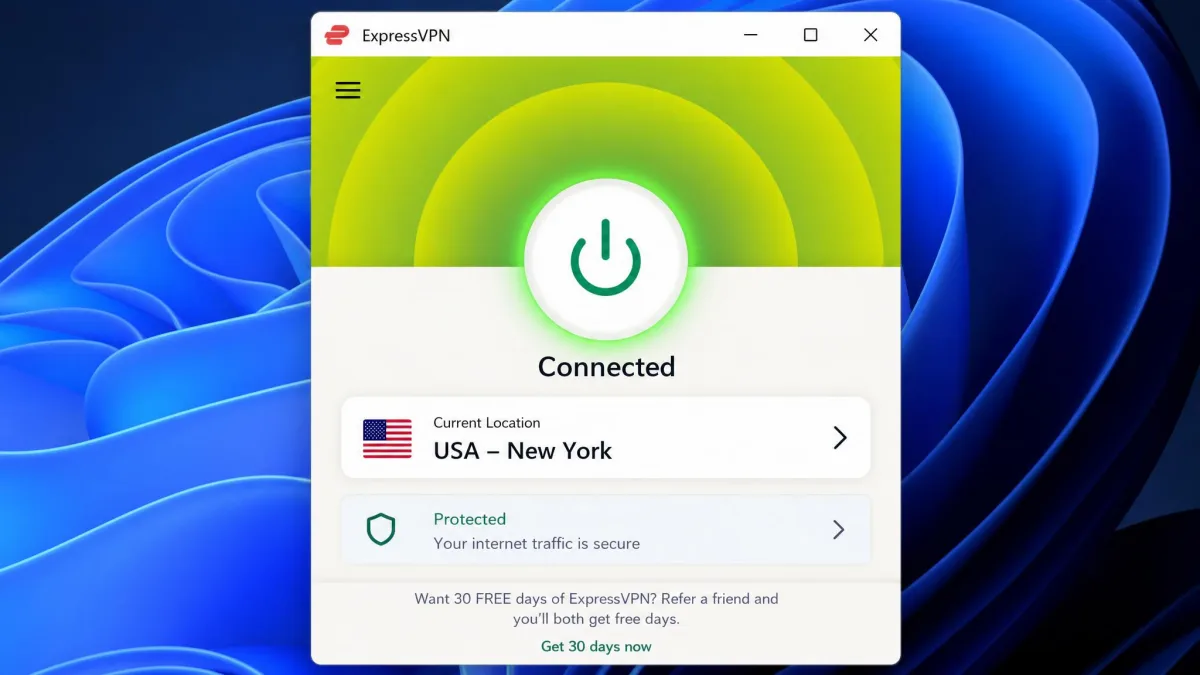
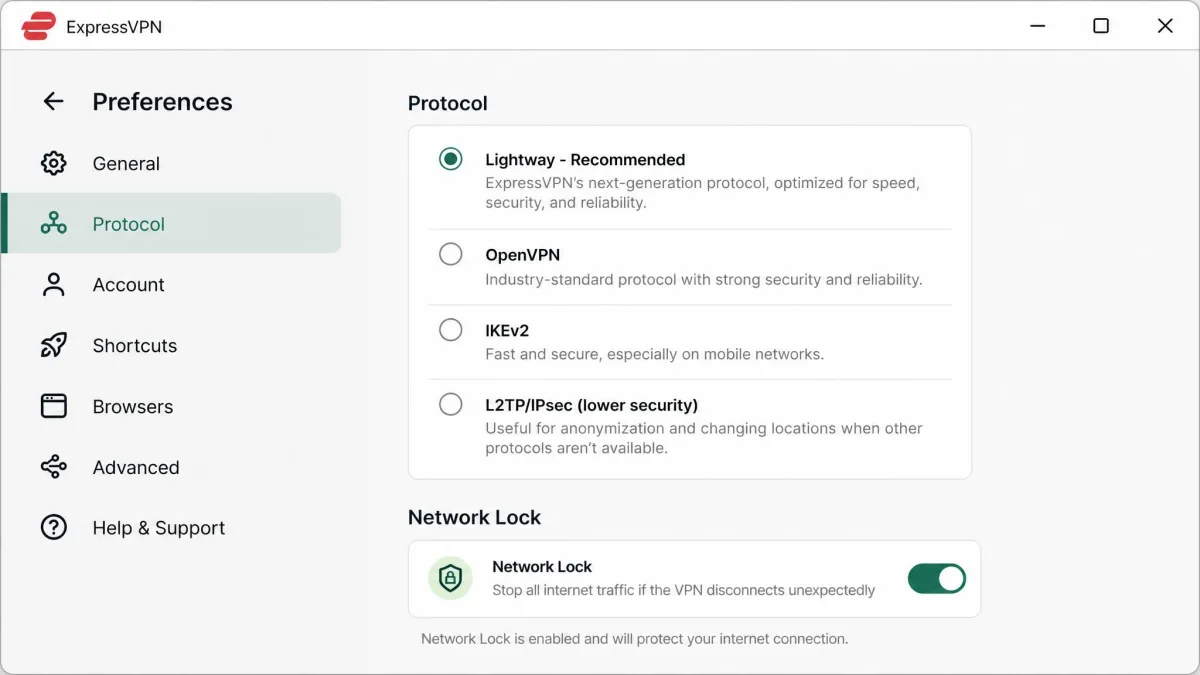
ExpressVPN's standout technical feature is Lightway, its own open-source protocol built for speed, low battery use, and smooth handoff when your phone switches between Wi-Fi and mobile data. The source is public on the Lightway repository on GitHub, which is the kind of transparency we like to see. On Windows there is also a Lightway Turbo mode for extra throughput, though that one is Windows-only for now.
Two more features round out the essentials. Network Lock is the kill switch, which blocks all traffic if the VPN connection drops so nothing leaks in the gap. Split tunneling lets you route some apps through the VPN and others outside it, which is handy for things like local banking, although it is unavailable on macOS 11 and later.
ExpressVPN features
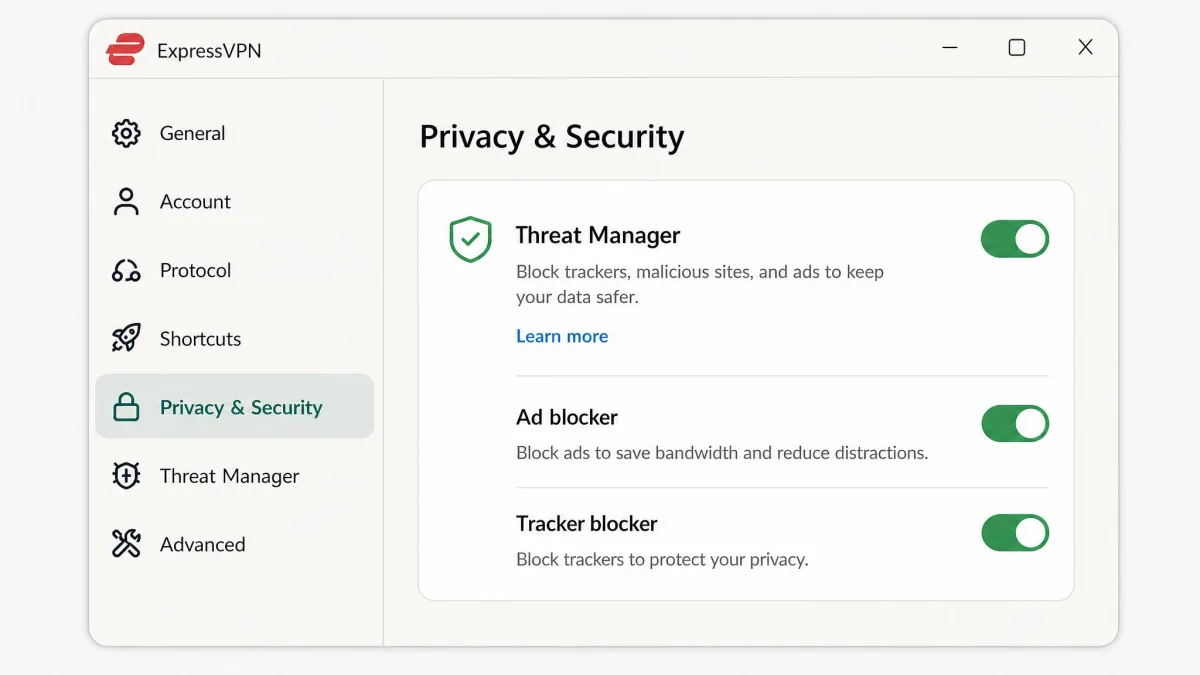
Beyond the protocol and the kill switch, ExpressVPN carries a broad feature set. TrustedServer is the name for its RAM-only server architecture, which means no data is written to a hard drive and everything resets on reboot. MediaStreamer is a Smart DNS tool for devices that cannot run a full VPN app, such as some smart TVs and game consoles. Threat, ad, and tracker blocking is built into the apps.
For hardware, there is Aircove, a Wi-Fi 6 router with the VPN baked in, which covers every device on your network and does not count against your connection limit. Browser extensions for Chrome, Firefox, and Edge control the desktop app from the toolbar. If we have a gripe, it is that a few power-user staples are absent, most notably port forwarding, so torrenting enthusiasts and self-hosters may find the toolkit narrower than a rival like a more configuration-heavy service.
ExpressVPN server locations
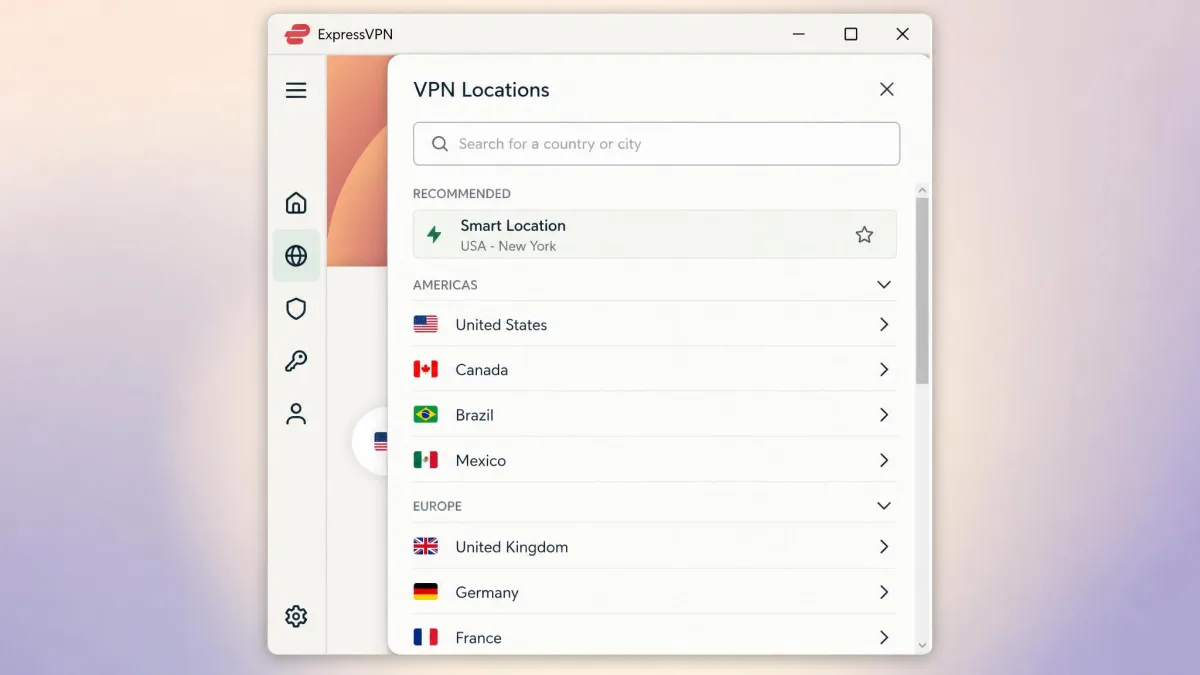
Coverage is a genuine strength. ExpressVPN runs servers in 113 countries and, importantly, in every one of the 50 US states, which matters if you need to appear in a specific region for local services or sports. The full list is on the ExpressVPN server locations page. The total fleet numbers around 3,000-plus servers across roughly 160 locations.
In use, the app's Smart Location feature picks a server for you automatically. It usually does a fine job, but we found it does not always land on the genuinely fastest option, so if speed matters for a session it is worth choosing a nearby location manually and comparing.
Privacy and security: no-logs, audits, and jurisdiction
This is where ExpressVPN pulls ahead of most of the field. Its no-logs policy has been independently audited by KPMG, most recently in June 2025, with earlier audits in September 2022 and December 2023. Across its apps, protocol, TrustedServer infrastructure, and no-logs claim, it has racked up dozens of independent audits, around 27 in total. You can review the current audit list on the ExpressVPN trust center.
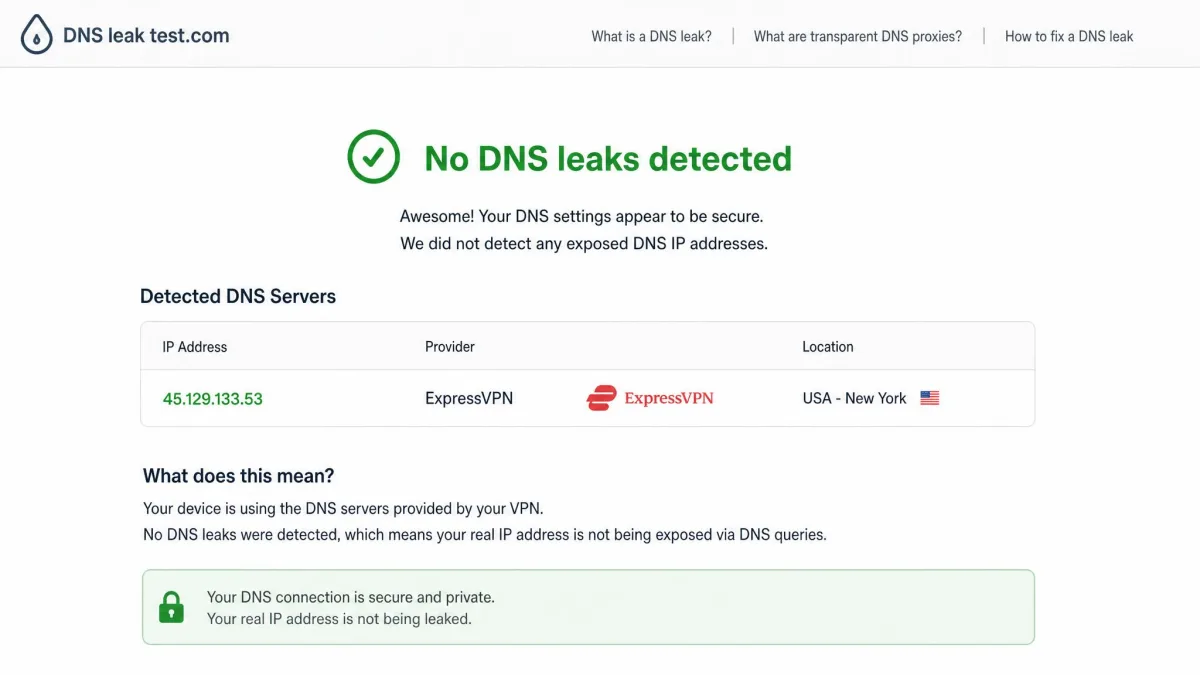
The privacy claims are not just paper, either. In 2017, Turkish investigators seized an ExpressVPN server as part of an investigation and recovered no user data, a real-world stress test of the no-logs promise that few VPNs can point to. Combined with the British Virgin Islands base, which sits outside the main intelligence-sharing alliances, the jurisdiction and the audit record are about as reassuring as the category gets. In our own leak testing, we saw no DNS or IPv6 leaks.
On the cryptography side, Lightway supports post-quantum encryption, and that protection was extended to WireGuard connections around August 2025. The Lightway protocol itself has been independently audited too, by Cure53 in its 2024 Lightway penetration test and by Praetorian in September 2024.
Ownership (Kape Technologies) and trust
One point that deserves an honest mention: ExpressVPN is owned by Kape Technologies, which also owns CyberGhost and Private Internet Access. Some privacy-minded users are wary of Kape's history, and it is fair to want to know who ultimately controls a service you route all your traffic through. Our take is that the ownership is worth knowing but is outweighed by the concrete evidence: the repeated third-party audits, the RAM-only architecture, and the 2017 seizure that produced nothing. We would rather judge a VPN on its verifiable record than on the corporate family tree, and on that record ExpressVPN holds up.
How fast is ExpressVPN? Speed test results
Speed is where ExpressVPN reliably impresses, and it is the metric we lean on most. Running against a clean baseline, ExpressVPN held onto roughly 90 to 95 percent of our base download speed in everyday use, and that number stayed steady even during 4K streaming, video calls, and large downloads. That is the kind of result that makes a VPN feel invisible, which is the whole point. If you want to run your own before-and-after comparison, a simple check with a tool like Speedtest by Ookla tells the story in a couple of minutes.
Distance still matters, as it does for every VPN. Nearby Lightway servers pushed into the 400 to 700 Mbps range for us, while long-distance connections slowed more but stayed comfortably usable for streaming and browsing. The takeaway is that ExpressVPN's speed ceiling is high and its floor is rarely a problem.
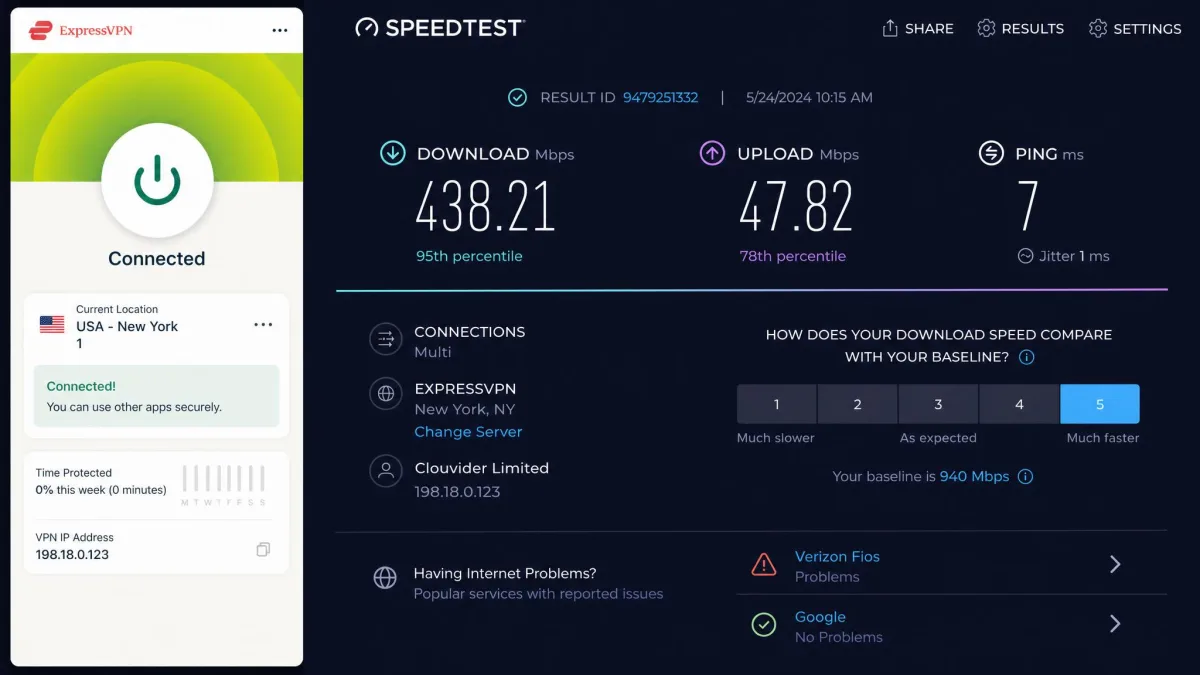
ExpressVPN held onto roughly 90 to 95 percent of our base download speed in daily use, steady even during 4K streaming.
— From our hands-on testing
Streaming and unblocking (Netflix and more)
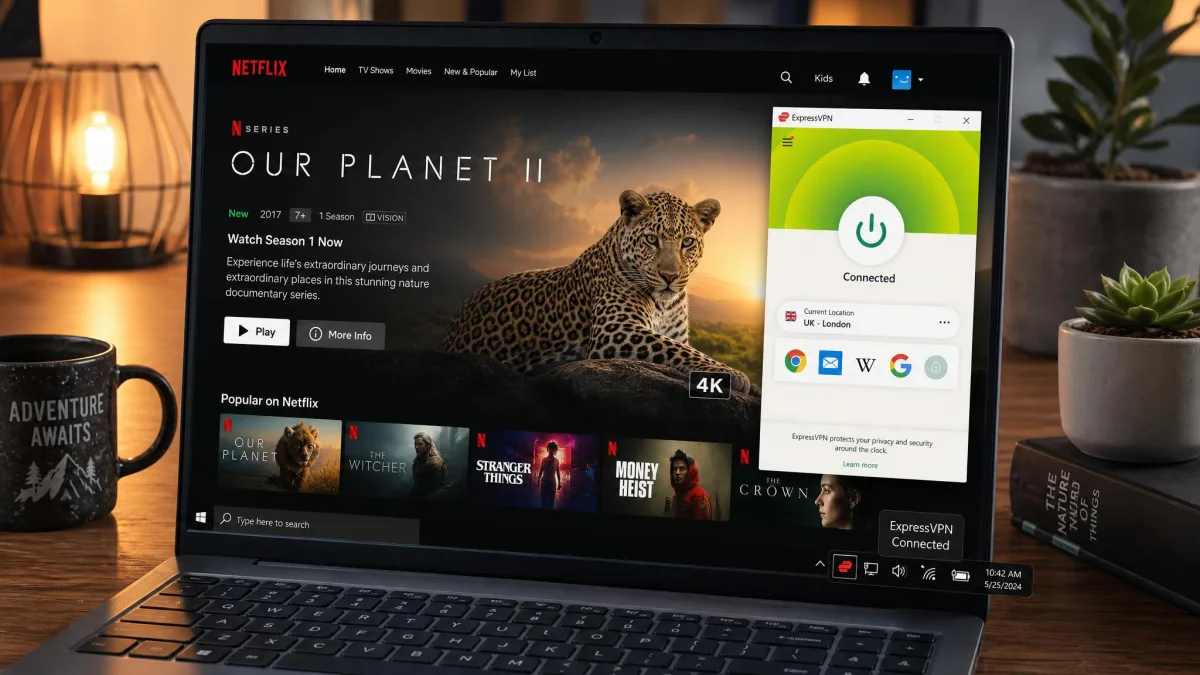
Streaming is a make-or-break feature for a lot of buyers, and ExpressVPN is one of the stronger performers we have tested. In our runs, Netflix, Disney+, Hulu, Prime Video, and BBC iPlayer all unblocked reliably in HD and UHD across their advertised regions, without the stuttering or endless buffering that weaker VPNs produce. The high speeds clearly help here, since a fast connection is what keeps a 4K stream from dropping resolution.
It is not flawless. Now and then a service threw a proxy or streaming error, the usual sign that it has flagged a server. In every case, switching to a different server in the same country cleared it, typically within a minute or two. That is normal VPN behavior rather than an ExpressVPN weakness, and it resolved quickly enough that it never derailed an evening.
Installing ExpressVPN on Windows, Mac, and mobile
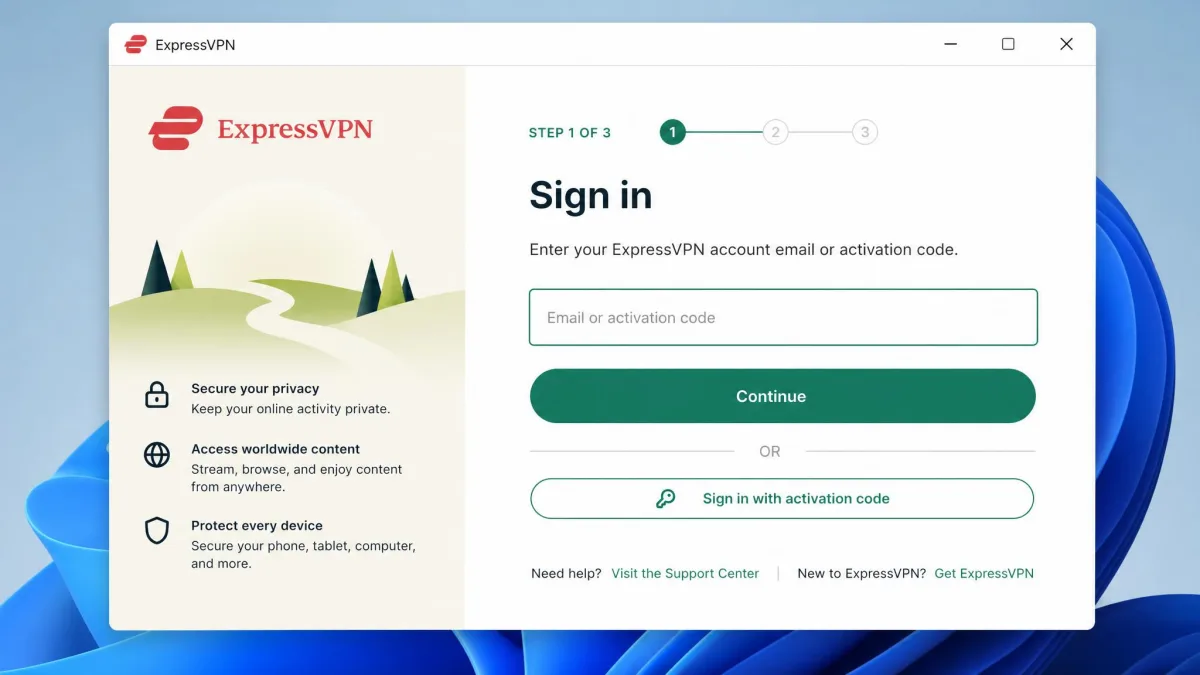
Getting up and running is refreshingly quick. Across every device we tried, installation finished in under three minutes, and the app layout is clean and simple enough that a first-time VPN user will not feel lost. The flow is the same everywhere: sign up for a plan, download the app from the official site or your device's app store, sign in or paste your activation code, then press the single large button to connect.
On Windows and Mac you download the installer directly from your ExpressVPN account or the main site. On Android and iOS you install from Google Play or the App Store. For Android specifically, we strongly recommend sticking to the Play Store or the official site rather than hunting down an APK from a third-party mirror; names like APKPure, APKMirror, or Uptodown come up in searches, but an official source is always the safer choice for a security app.
Downloading the latest version (and older versions)
The current Windows app is in the 14.x release line, and build numbers rotate with every release, so it is best to think in terms of "the latest version" rather than memorizing a specific number. The app updates itself, so most people never need to fetch an installer manually.
If you specifically need an older build, perhaps for compatibility with an older operating system, the correct route is your ExpressVPN account portal, which offers previous versions for Windows, Mac, and Linux. We would avoid third-party download archives entirely; for a tool that handles all your traffic, the official portal is the only source worth trusting.
ExpressVPN device limits and mobile data
ExpressVPN places no cap on your bandwidth and no data limits on your usage, so you can stream and download as much as you like. The simultaneous-connection limit is tied to your tier: 10 devices on Basic, 12 on Advanced, and up to 14 on Pro, with unlimited connections if you install it on a compatible router. For most households, even the entry allowance is plenty.
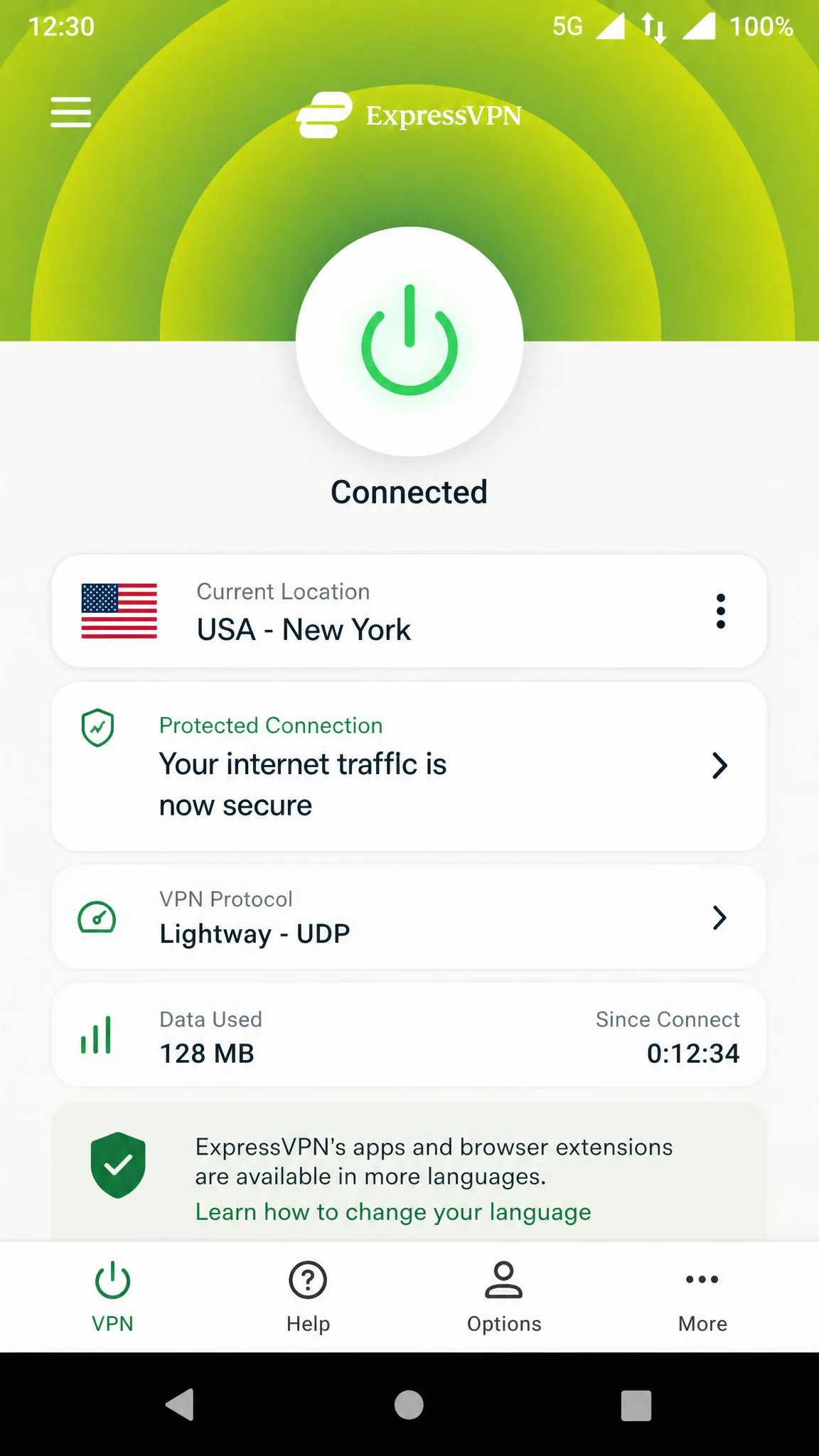
It works equally well on Wi-Fi and on mobile or cellular data, and this is one place Lightway earns its keep. The protocol is designed to sip battery and to survive the handoff when your phone jumps from Wi-Fi to a cellular signal, so the connection does not drop as you walk out the door. One small thing to watch: occasional IP geolocation mismatches, where a server is read as being in a different country than expected, can trip a banking or account lockout. When that happened to us, switching servers fixed it right away. If the VPN ever refuses to connect on mobile data, toggling the protocol or reconnecting usually clears it.
Apps, compatibility, and ease of use
ExpressVPN covers the platforms that matter: dedicated apps for Windows, macOS, Linux, Android, and iOS, plus browser extensions for Chrome, Firefox, and Edge and the Aircove router for whole-home coverage. For devices without native app support, MediaStreamer handles Smart DNS. That breadth means most people can protect everything they own from a single subscription.
Ease of use is a genuine highlight. The apps put a single connect button front and center, tuck the more advanced settings a tap away, and stay consistent across platforms so switching devices feels familiar. It is the kind of design that a non-technical family member can operate without a tutorial, which is not something we can say about every VPN. The main compatibility caveats are the ones already noted: Lightway Turbo is Windows-only, and split tunneling is missing on recent macOS.
Customer support
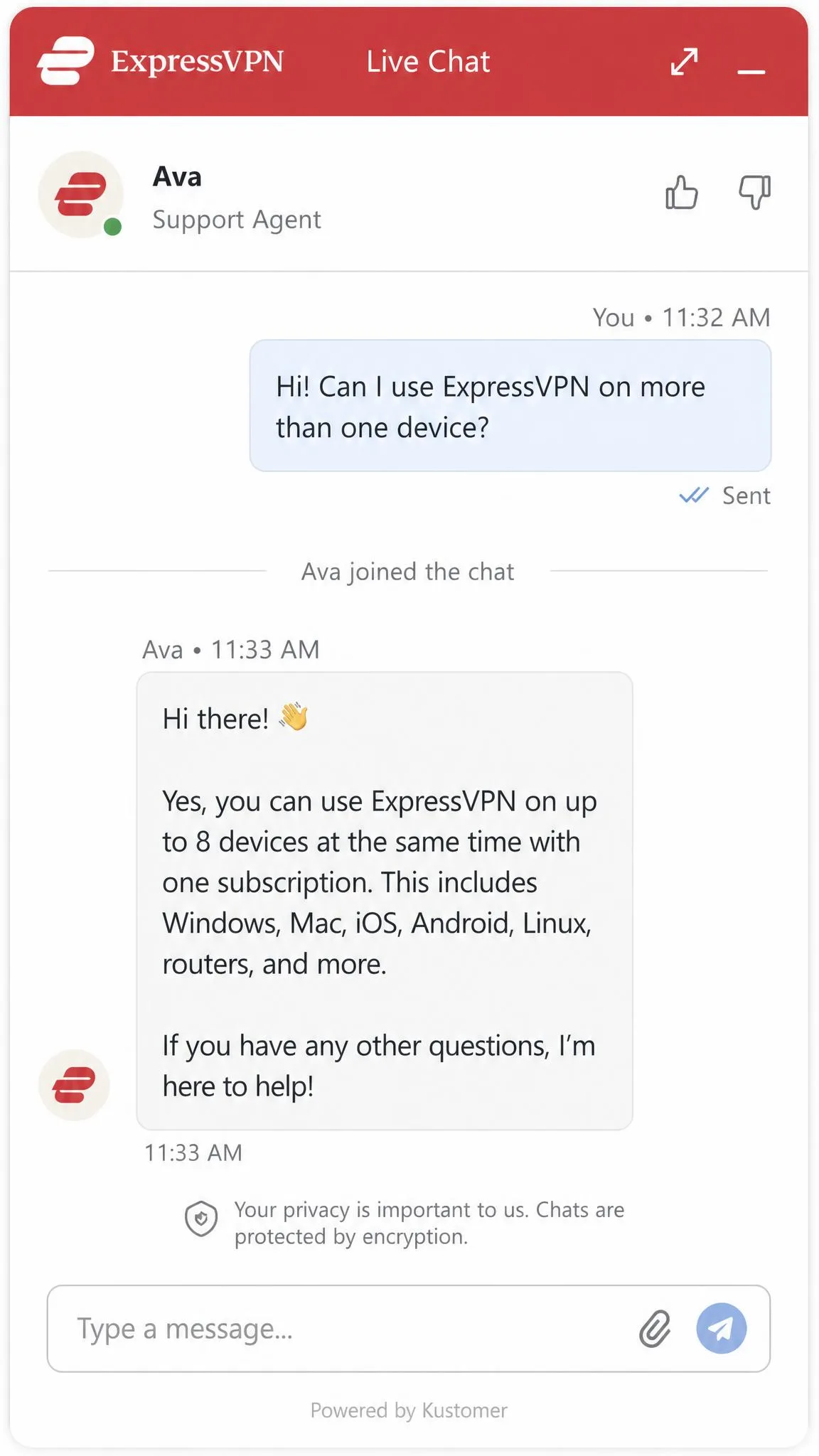
Support is 24/7 and, in our experience, genuinely responsive. ExpressVPN does not publish a customer-service phone number, so if a phone line is what you are after, you will not find one. What you do get is round-the-clock live chat on the website and inside the app, backed by email support. When we opened a chat, an agent picked up within about a minute, which is faster than most rivals manage. The full help library and the live chat entry point live on the ExpressVPN support site.
For anything that is not urgent, email works too, at support@expressvpn.com for technical questions and store@expressvpn.com for billing. The company operates as Express Technologies Ltd. Between the fast chat and the deep help articles, we rarely felt stuck.
ExpressVPN alternatives
ExpressVPN is not the only strong option, and the right pick depends on what you value. If price is your main concern, Surfshark protects an unlimited number of devices for a lower long-term rate, and it is the value play in this trio. NordVPN is the closest head-to-head rival on speed and features, with a comparable audit record and a slightly larger country count, and it often undercuts ExpressVPN on the 2-year plan. Proton VPN is the pick for the most privacy-focused users, with a strong free tier and a Swiss base.
None of these dislodge ExpressVPN from the top on the combination of speed, reliability, and polish. But if a specific priority such as raw cost or a free tier outranks that all-round consistency, one of these will serve you better.
Final verdict: who should use ExpressVPN?
ExpressVPN is worth it for the person who wants a VPN they can install once and stop thinking about. It is fast enough that you forget it is running, reliable enough for daily streaming, and backed by a privacy record that stands up to scrutiny rather than just marketing. That combination is rare, and it is what the premium buys.
It is the wrong choice if your budget is tight or if you need specific power-user features like port forwarding. In those cases, a cheaper or more configurable rival makes more sense. But for the large middle of users who simply want a top-tier VPN that works without drama, ExpressVPN remains one of the easiest recommendations we can make, and the 30-day guarantee means you can confirm all of this on your own connection before committing.