Surfshark is a low-cost, no-logs VPN that covers an unlimited number of your devices on a single subscription. It suits households, streaming fans, and budget-minded users who want strong privacy without paying premium-brand prices. In our testing it handled everyday browsing, Netflix region switching, and torrenting without much fuss, and its security stack holds up to scrutiny. It is not the fastest VPN we have ever benchmarked, and the renewal price climbs once your first term ends, but for the money it delivers a lot.
We spent weeks living with Surfshark across Windows, macOS, Android, and iOS before writing this review. We ran leak tests, timed connections against a clean baseline, streamed on four services, and pushed torrents through its P2P servers. This review walks through what Surfshark is, what it costs, how fast it runs, and who should actually buy it. We paid for our own subscription, so nothing here is based on a vendor-supplied demo account.
We tested Surfshark on our own paid account across a Windows 11 laptop, a MacBook, an Android phone, and an iPhone over several weeks, benchmarking speed against a clean baseline and checking every leak and streaming claim ourselves before we wrote a word.
Verdict: Our Surfshark Summary
Surfshark earns its reputation as a value pick. You get unlimited simultaneous connections, a security stack that has passed independent audits, and streaming that reliably unblocks the libraries most people care about. The apps are clean and quick to set up, and the feature list runs deeper than the price suggests.
The trade-offs are honest ones. Speeds are good near home but drop more on long-distance servers than the fastest rivals. The advertised monthly cost only applies to your first term, and renewal is noticeably pricier. There is also a historic privacy nuance around temporary IP handling that we explain in full below. None of these are dealbreakers for most buyers, but you should know them going in.
Pros
- Unlimited simultaneous device connections on every plan
- Audited no-logs policy plus RAM-only servers and AES-256 encryption
- Reliable Netflix, Prime Video, and Disney+ unblocking
- Very low entry pricing on the 2-year plan
- Clean, beginner-friendly apps on every major platform
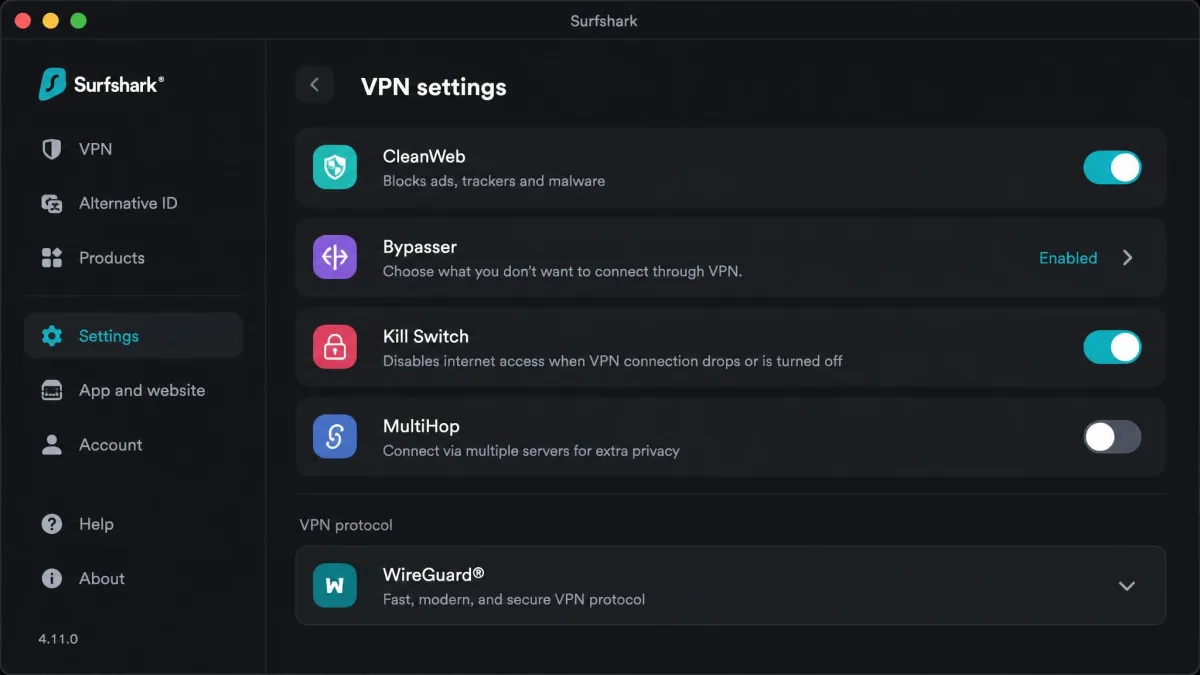
- Useful extras like CleanWeb, Bypasser, and MultiHop built in
Cons
- Renewal price jumps well above the intro rate
- Historic temporary connection-IP logging (bounded, deleted within about 15 minutes)
- Long-distance server speeds drop more than top-tier rivals
- China performance is inconsistent
- No public phone support line
What Is Surfshark and What Does It Do?
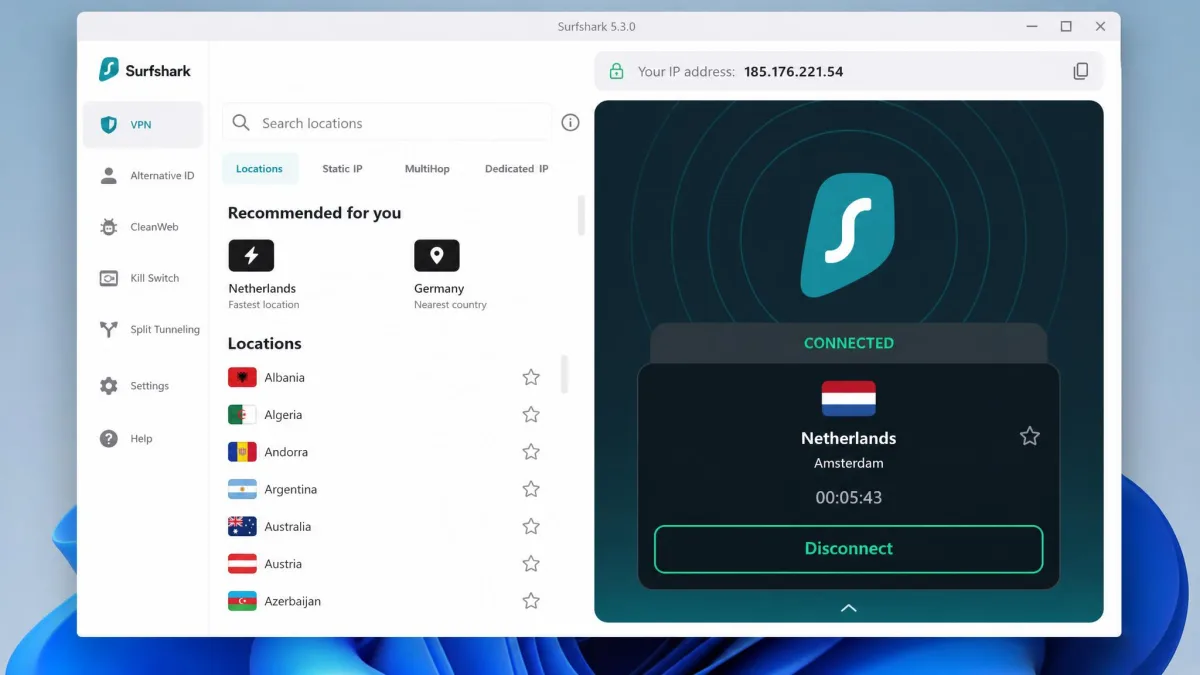
Surfshark is a consumer VPN service. When you connect, it routes your internet traffic through an encrypted tunnel to one of its servers, hiding your real IP address and stopping your network or internet provider from seeing what you do online. That gives you privacy on public Wi-Fi, lets you change your apparent location for streaming, and adds a layer of security to everyday browsing.
Beyond the core tunnel, Surfshark bundles a growing set of privacy tools: an ad and tracker blocker called CleanWeb, split tunneling through Bypasser, a double-VPN MultiHop mode, and an Alternative ID feature that generates a masked identity for signups. Higher tiers add antivirus, breach alerts, and a data-removal service. It is closer to a small privacy suite than a bare VPN.
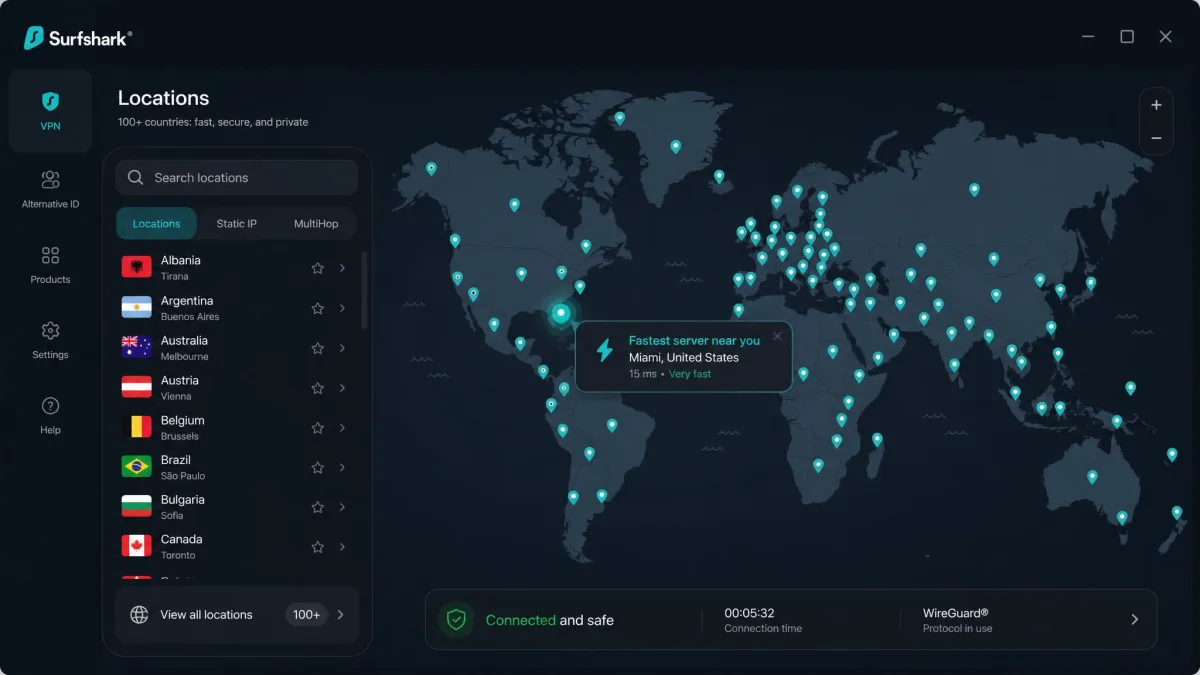
The company runs 4,500+ servers across 100 countries, all on RAM-only hardware that wipes on every reboot. Encryption is AES-256, the industry standard, with a kill switch that cuts your connection if the tunnel drops. Protocol options include WireGuard, OpenVPN, and IKEv2.
What sets Surfshark apart from a plain proxy is how much it bundles into that one connection. Where many budget VPNs give you a tunnel and little else, Surfshark treats privacy as a layered job: block the trackers, mask the identity you hand to websites, and route sensitive traffic through two hops when you want extra distance. You can ignore all of it and just tap connect, or you can dig in and tune the experience. That flexibility is a big part of why we rate it so highly for the money.
How to Use Surfshark
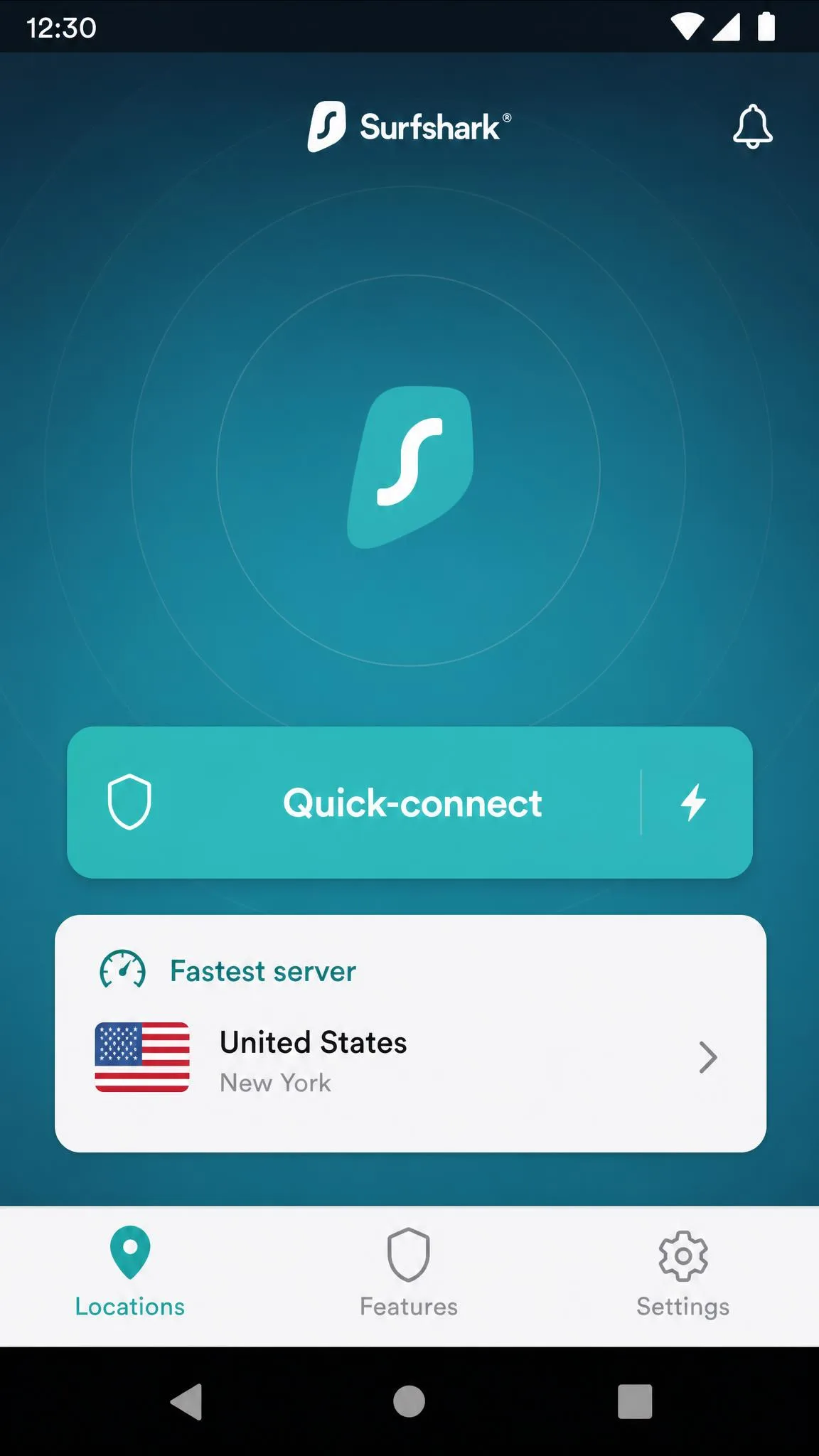
Day-to-day use is about as simple as VPNs get. You open the app, tap Quick-connect for the fastest nearby server, and you are protected. To change your streaming region or location, you pick a country from the server list instead. In our testing, setup on both desktop and mobile was a quick download, sign-in, and one-tap connect, and the apps felt intuitive across every platform we tried.
Use Quick-connect for general privacy and battery life, and only pick a specific distant country when you need it for streaming or location. The nearest server is almost always the fastest.
One small habit pays off: turn on the kill switch and auto-connect in settings before you forget. With both enabled, Surfshark reconnects on untrusted Wi-Fi automatically and blocks traffic if the tunnel ever drops, so you are protected without thinking about it. It is the first configuration change we make on every device before we consider the setup finished.
Surfshark at a Glance (Specs)
Here is the short version of what Surfshark offers, so you can size it up before we get into the detail.
| Spec | Surfshark | NordVPN (sibling brand) |
|---|---|---|
| Simultaneous devices | Unlimited | Capped (around 10, verify) |
| Servers | 4,500+ | Larger network |
| Countries | 100 | Around 110+ |
| Jurisdiction | Netherlands | Panama |
| Entry price (2-year) | Starter around $2.49/mo | Higher |
| Money-back guarantee | 30-day | 30-day |
| No-logs audit | Deloitte + Cure53 | Independently audited |
Surfshark and NordVPN share a parent company, Nord Security, after a merger announced in February 2022. The two brands run independently, but the family link explains why they often show up in the same comparisons. NordVPN is generally the pricier, more premium-positioned sibling.
Surfshark Pricing and Plans: How Much Does It Cost?
Pricing is where Surfshark makes its strongest case. On the 24-month plan, the entry Starter tier runs around $2.49/mo, the mid Surfshark One tier around $2.79/mo, and the top One+ tier around $4.49/mo, each billed up front for the full term. Current promotions also add 3 extra months free, stretching your first term to about 27 months.
Every plan, no matter the tier, includes unlimited simultaneous device connections and a 30-day money-back guarantee. That unlimited-devices policy is a genuine differentiator, since most rivals cap you at five to ten.
There is a subtle strategy to buying a VPN at these prices. The math strongly favors the longest term you are comfortable committing to, because the up-front total is what unlocks the low per-month figure. A 2-year plan that looks like a large one-time charge still works out far cheaper per month than a rolling monthly plan over the same period. If you are confident you want a VPN for the long haul, the long plan is almost always the right call, and the 30-day guarantee protects your first month regardless.
Starter vs One vs One+
The three tiers stack privacy tools on top of the same core VPN. Here is how they compare.
| Feature | Starter | One | One+ |
|---|---|---|---|
| 2-year monthly | around $2.49 | around $2.79 | around $4.49 |
| VPN + CleanWeb + Alternative ID | Yes | Yes | Yes |
| Antivirus + Alert + Search + scam/ID | No | Yes | Yes |
| Incogni data removal | No | No | Yes |
Starter is the plain VPN with CleanWeb and Alternative ID. Surfshark One adds the Antivirus app, Alert breach monitoring, a private Search, and scam and ID protection. One+ layers on Incogni, a data-removal service that scrubs your details from data brokers. For most people, Starter covers the VPN job, while One is the sweet spot if you want the security extras.
The upgrade decision comes down to a simple question: do you already have antivirus and identity tools you trust? If you run a separate security suite and a password manager, Starter plus the VPN is all you need. If your device protection is patchy or nonexistent, the jump to One is small in dollars and consolidates several tools into one subscription. One+ only makes sense if data-broker removal specifically appeals to you, since Incogni is the sole thing it adds over One.
Monthly vs 2-Year Cost and Renewal Pricing
The catch with the headline prices is the term. Those low per-month rates only apply when you commit to the long plan and pay up front. A 1-month rolling plan runs roughly $15/mo at the time of writing, several times the 2-year rate. Buying month-to-month is only worth it if you genuinely need a VPN for a few weeks.
This renewal structure is common across the VPN industry, but Surfshark's is worth watching because the intro discount is so steep that the gap to the renewal rate is large. The value in year one is excellent. The value in year two, if you let it auto-renew at the standard rate, is merely average. The good news is that you are in full control: you can cancel before renewal and re-subscribe on a fresh promo, or simply review whether the current deal still beats rivals.
The renewal price jumps well above the introductory rate, so the low advertised monthly cost only applies to your first term. When your initial plan ends, it renews at a higher recurring price. Set a calendar reminder before renewal so you can review the current deal or cancel.
Surfshark Deals, Coupons and Discount Codes
Surfshark runs near-constant promotions, so the discount headline you see (often advertised as up to around 85% off) changes with the promo cycle and the plan tier. Official codes such as SHARKGIFT or SHARKSECURE surface on Surfshark's own deal page from time to time, typically stacking a percentage discount with a few extra free months. Because these rotate constantly, treat any specific percentage or code as time-bounded and confirm it on the current pricing page.
Students can often claim an extra 15% or so through Student Beans verification at checkout, though that promo cannot usually be combined with other offers. Hardware buyers sometimes see bundled deals too: a Surfshark and MSI partnership has offered around 4 extra months free on a 1- or 2-year plan. That is a straightforward time bonus, not a special edition of the app.
Our general advice on VPN deals is to ignore the giant percentage in the banner and look only at the final per-month number and the total you pay today. A 90% off headline on an inflated list price can work out to more than a 79% off deal on a lower base. The per-month cost across the full term is the only figure that lets you compare offers honestly, and it is the one we always calculate before recommending a plan.
Coupons and headline percentages change week to week. Rather than chase a specific code, open the pricing page in an incognito window and compare the live per-month cost across the 1-year and 2-year plans before you buy.
Is Surfshark Free? Free Trial and Money-Back Guarantee Explained
Surfshark is not free, and there is no permanent free tier. What it does offer is a 7-day free trial for new users, which you start on Android, iOS, or macOS and can then log into on your other devices. You can check the current terms on the Surfshark free-trial page. The trial is capped at 3 devices, unlike the unlimited connections on a paid plan, and it rolls into a paid subscription unless you cancel.
The bigger safety net is the 30-day money-back guarantee on every plan. In practice this works like an extended trial: you can subscribe, test the service properly on your own devices and networks, and request a full refund within the window if it does not suit you. Between the trial and the guarantee, you have well over a month to decide risk-free.
We think the money-back guarantee is the smarter route for most people. The trial's 3-device cap and mobile-only activation make it fiddly, whereas subscribing and requesting a refund if unhappy gives you the full unlimited-device experience for a proper 30-day shakedown. Test it on your real networks, your actual streaming services, and the devices you care about, then decide. If it disappoints, the refund process through live chat is quick in our experience.
The 7-day trial is not a free tier. It starts on mobile or macOS, is limited to 3 devices, and converts to a paid plan if you do not cancel before it ends.
How to Download and Install Surfshark (Windows, Mac, Android, iOS, Linux, Fire TV)
Installation follows the same pattern everywhere. You download the app from the Surfshark download page or your device's app store, sign in with your account, and connect. Surfshark has native apps for Windows, macOS, Linux, iOS, Android, Fire TV and FireStick, Android TV, and Apple TV, plus browser extensions and router support for AsusWRT, DD-WRT, and OpenWRT.
On desktop you get the full app with every feature. On Fire TV and Android TV, the app is streamlined for a remote. On Linux, Surfshark now ships a graphical app rather than a terminal-only client, which is a welcome change. Across the platforms we installed it on, setup was a quick download, sign-in, and one-tap Quick-connect.
Only ever install Surfshark from the official site or your device's official app store. Avoid any "MOD APK" or cracked build promising a free premium unlock. Those repackaged installers are a common malware vector, and a VPN is the last app you want tampered with. We do not link to them and neither should anyone else.
Features
Surfshark's feature set is broad for the price. The core privacy tools are available even on the entry Starter tier, and they are genuinely useful rather than checkbox filler.
Bypasser (Split Tunneling), CleanWeb and MultiHop
Bypasser is Surfshark's split-tunneling tool. It lets you route some apps or websites outside the VPN tunnel while everything else stays protected, which is handy for banking apps that dislike VPNs or local devices that need your real IP. CleanWeb blocks ads, trackers, and known malware domains at the network level, cutting page clutter and some data collection. MultiHop routes your traffic through two VPN servers instead of one for an extra privacy layer, and Dynamic MultiHop lets you build your own entry-and-exit pairing.
Alternative ID and Data Breach Alerts
Alternative ID generates a masked persona, including a proxy email address, so you can sign up for services without handing over your real details. On the One and One+ tiers, Alert monitors your email addresses and other data for appearances in known breaches and warns you if something leaks. Together they push Surfshark past the "just a tunnel" category into everyday identity hygiene.
We found CleanWeb the extra we reached for most. On ad-heavy sites it noticeably trimmed page clutter and stopped a chunk of background tracking without breaking layouts, and it works at the network level so it covers apps as well as browsers. Bypasser earned its keep whenever a banking app balked at the VPN, letting us keep protection everywhere else while routing that one app around the tunnel. MultiHop we used rarely, but it is there when a situation genuinely calls for two hops.
Surfshark Browser Extensions (Chrome, Edge, Firefox)
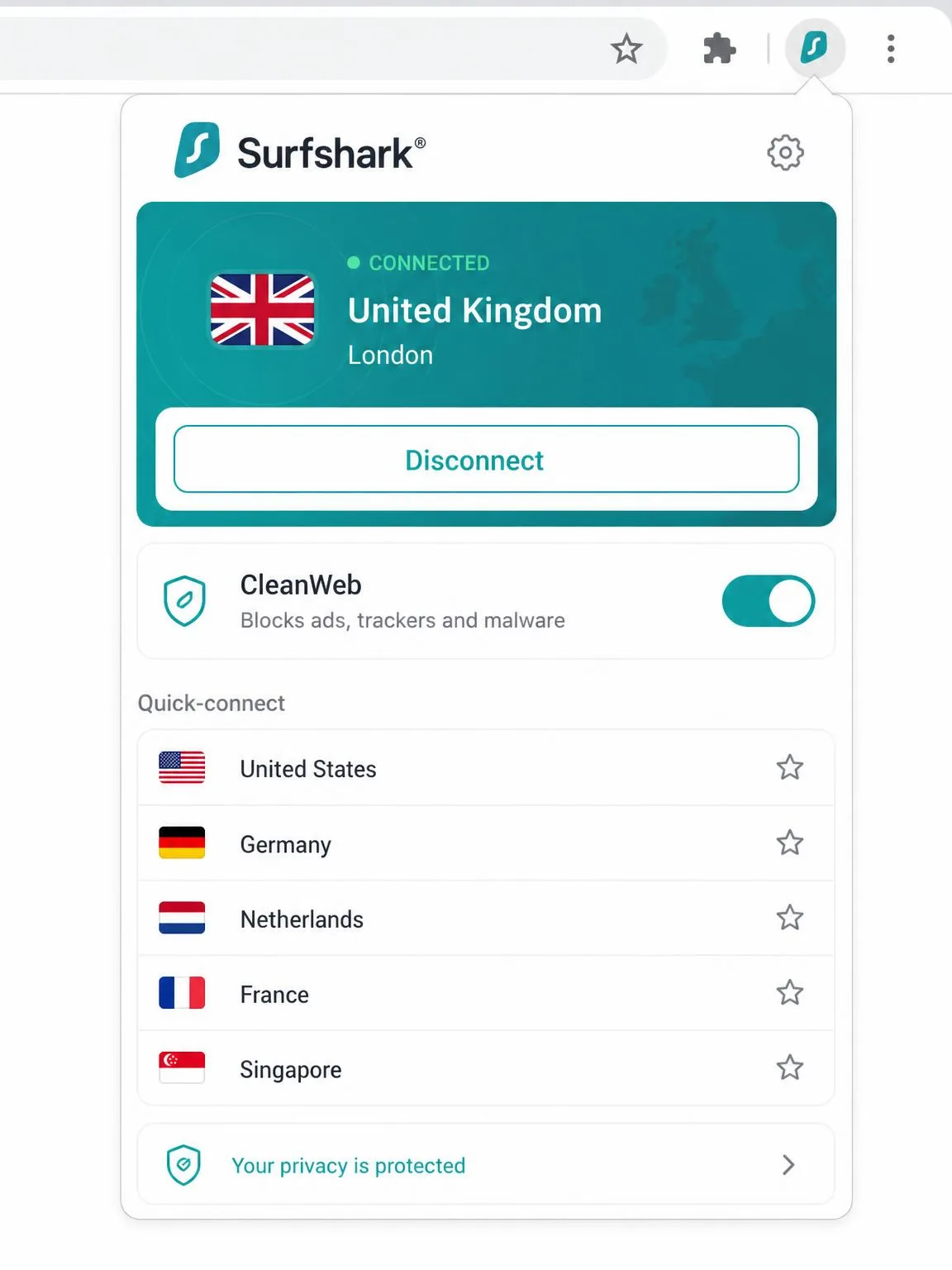
Surfshark offers browser extensions for Chrome, Edge, and Firefox. It is important to understand what these are: they are proxies that protect only your browser traffic, not your whole device, and they require an active subscription. If you connect the extension, only what happens in that browser is tunneled; other apps use your normal connection.
In our testing, running the browser extension and the full desktop app at the same time can cause conflicts, so pick one or the other for a given session. The extensions also include quick toggles for CleanWeb and a few privacy tweaks, and they pair well with a browser's built-in incognito or private mode when you want a clean, cookie-free session on top of the location change.
For most users, the desktop or mobile app is the better default because it protects everything on the device, not just one browser. The extensions shine in narrower cases: a work laptop where you only need to shield browser traffic, or a quick region change for a single site without tunneling your whole machine. Just remember they need an active subscription and do not, on their own, secure anything outside the browser window.
Beyond the VPN: Surfshark One, Antivirus, Alert and Incogni
The Surfshark One and One+ bundles turn the subscription into a small security suite. Alongside the VPN you get Antivirus, the Alert breach monitor, a private Search, and scam and ID protection. There is also HeyPolo, a newer identity-focused addition in the wider Surfshark ecosystem, though the VPN, Antivirus, Alert, and Incogni remain the core reasons to step up a tier.
Surfshark Antivirus
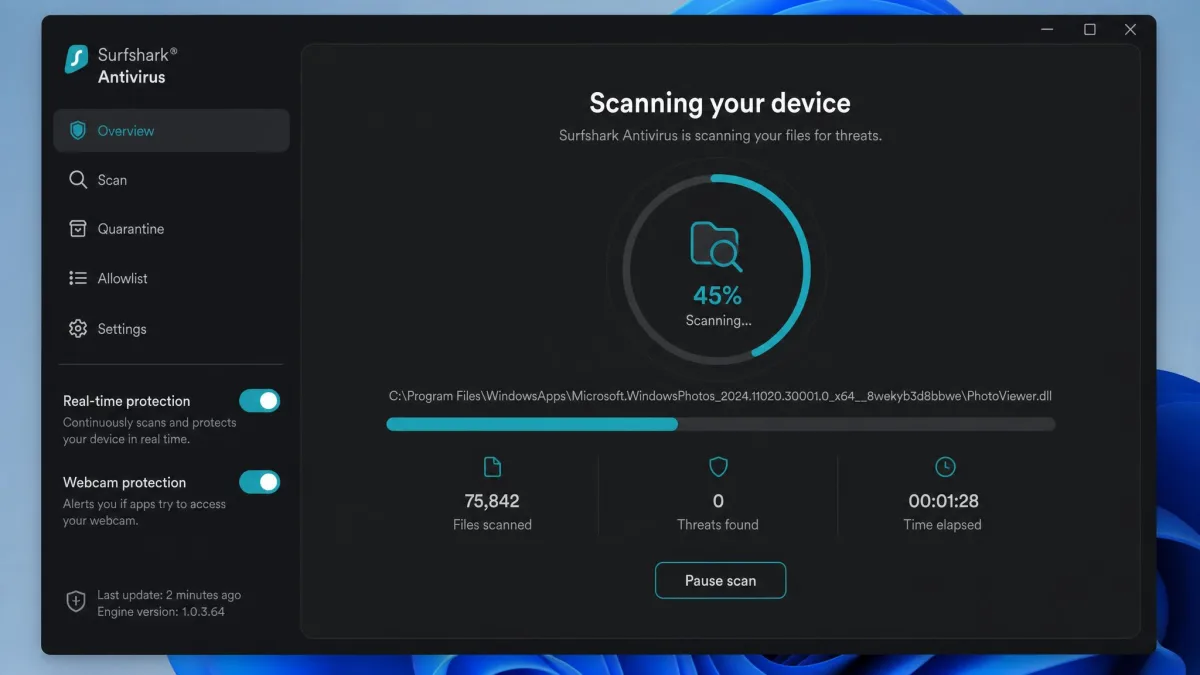
The bundled Antivirus runs on Windows, macOS, and Android, though not iOS. It offers real-time and scheduled scans plus webcam protection. In our testing it was lightweight and easy to run, but it has no firewall and no parental controls, so we treat it as a useful supplement to your existing defenses rather than a full replacement for a standalone security suite. For a bundled extra, it does the basics cleanly.
Incogni Data Removal (One+)
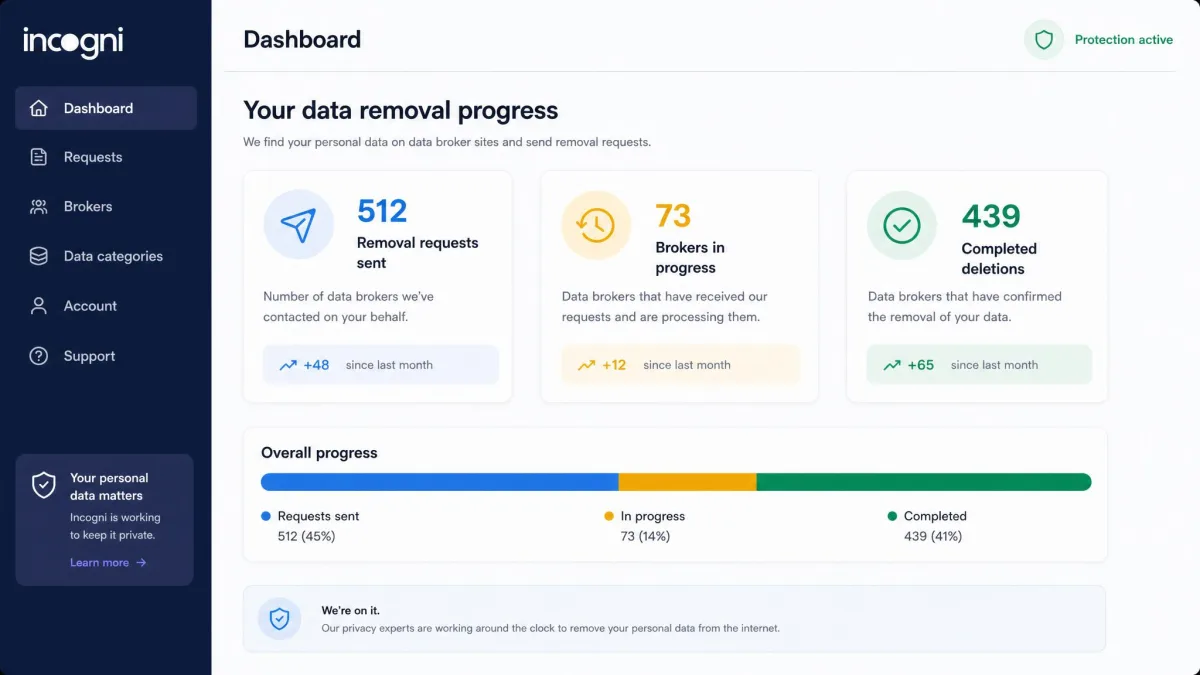
Incogni, included with One+, is a data-removal service. It contacts data brokers and people-search sites on your behalf and requests that they delete your personal information, then keeps chasing them on a recurring basis. Sources cite its broker reach anywhere from around 145 to well over 400 sites depending on how you count, so we describe it as covering well over 100 brokers rather than quoting a hard figure. If you have ever been alarmed by how much of your information sits on people-search sites, it is the single most compelling reason to choose One+.
We would not buy One+ for the VPN alone, since the VPN is identical across tiers. The question is whether ongoing data-broker removal is worth the step up over One. If you have been the target of spam calls, phishing, or doxxing attempts, having a service continuously request deletions on your behalf is genuinely valuable, because those brokers repopulate your data and a one-time cleanup does not hold. For everyone else, One covers the security bases and One+ is an optional extra.
VPN Protocols and Encryption
Under the hood, Surfshark uses AES-256 encryption, the same standard trusted for sensitive data across the industry. Servers run in RAM only, meaning they hold no data on a physical disk and wipe everything on reboot. A kill switch cuts your internet if the VPN connection ever drops, so your real IP does not leak in the gap.
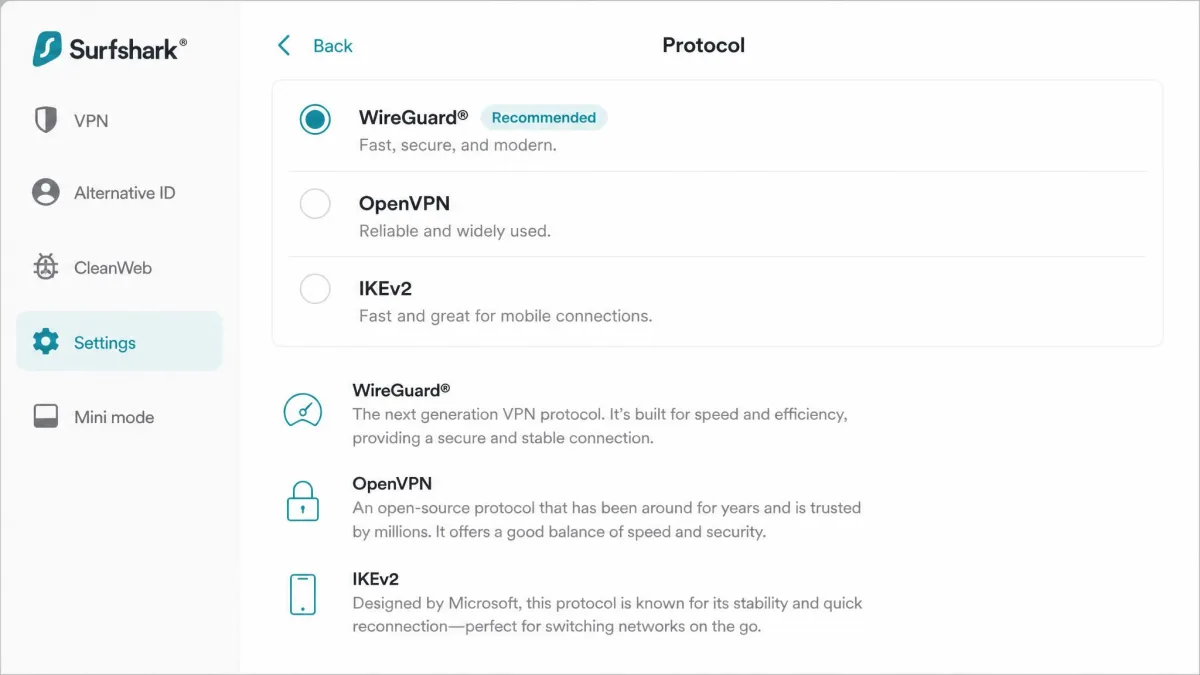
For protocols you can choose WireGuard, OpenVPN, or IKEv2, and Surfshark has also introduced its own next-generation protocol. WireGuard is the default for most people because it pairs strong security with the best speed. If you ever hit a restrictive network, switching to OpenVPN over TCP is the most compatible fallback.
You can cross-check the strength of any VPN's cryptographic choices against public resources like the NIST vulnerability database if you want to go deeper.
Server Network and Locations
Surfshark runs 4,500+ servers across 100 countries, which is broad enough that most users will find a fast nearby option and plenty of far-flung choices for streaming. The all-RAM fleet is a meaningful security design: because nothing is written to disk, a seized server would hold no stored user data. NoBorders mode helps the app work on restrictive networks, and Camouflage (obfuscation) mode disguises VPN traffic to look like ordinary HTTPS.
Dedicated IP, DNS and Proxy
If you want a static address that does not change and is not shared with other users, Surfshark offers a dedicated IP add-on for around $3.75/mo on top of a plan, though that price varies by region and billing cycle. For name resolution, Surfshark provides its own no-logs Public DNS with IPv4, IPv6, and DNS-over-HTTPS support; the older Smart DNS feature has been folded into this. Note there is no official SOCKS5 proxy, so proxy-specific setups are not part of the package.
The RAM-only design deserves a second mention because it is not just marketing. On a conventional disk-based server, data can persist and be recovered even after a reboot or a seizure. On a RAM-only fleet, a power cycle wipes everything, so there is simply less for anyone to compel or steal. Combined with the audited no-logs policy, it means the amount of user data physically available on a Surfshark server at any moment is minimal by design.
Is Surfshark Safe? No-Logs Policy, Audits and Security
Safety is where Surfshark has invested visibly. Its no-logs policy has been independently verified by Deloitte under the ISAE 3000 standard, first in 2023 and reverified in 2025. Separately, Cure53's independent audit work has covered Surfshark's infrastructure and its new protocol in 2026, with earlier Cure53 audits also passing. Repeat, independent audits from named firms are exactly what you want to see, rather than a company simply asserting its own trustworthiness.
There is one nuance worth stating plainly. Surfshark temporarily stores your connection IP during an active session to curb abuse, then deletes it within about 15 minutes of you disconnecting, a behavior auditors have confirmed. This is a real, historic point of contention, but it is bounded: the data is transient, tied to the live session, and not a persistent activity log. We treat it as an honest caveat rather than a no-logs contradiction.
Surfshark is headquartered in Amsterdam, Netherlands, and was founded in Lithuania in 2018 by Vytautas Kaziukonis. As of March 17, 2026, Dovydas Godelis, formerly COO, is CEO, while founder Kaziukonis moved to board chairman.
Company Background, Ownership and Jurisdiction
Surfshark's legal home in the Netherlands sits outside the historically most aggressive surveillance-sharing arrangements, which privacy-minded buyers tend to weigh. The 2022 merger with Nord Security placed Surfshark and NordVPN under one parent, though the brands operate separately with distinct apps and infrastructure. Between a privacy-friendly jurisdiction, all-RAM servers, and repeat third-party audits, the security foundations are genuinely strong.
Jurisdiction is a factor people over-weight and under-weight in equal measure. It matters because it shapes what a government could legally compel, but it means little if a provider keeps no logs to hand over in the first place. Surfshark's combination is the reassuring one: a privacy-conscious home base and an audited policy of not retaining the activity data that would make jurisdiction a live concern. We would not choose a VPN on jurisdiction alone, but Surfshark's is a point in its favor rather than a worry.
Speed and Performance
Speed is the area where we set the highest bar, and Surfshark lands as good rather than class-leading. Using speed test tooling against a clean baseline, we saw the size of the hit depend heavily on the device and the distance to the server.
On a MacBook, connecting cut download speed by about 31%, from 16.21 Mbps down to 11.87 Mbps. On a Windows laptop the drop was gentler, only about 17%, from 23.69 Mbps to 19.61 Mbps. Nearby servers held up best, with only around a 7 to 10% loss on close connections, while long transatlantic hops shed roughly a quarter of the throughput. Those numbers are our own measured results on our test machines.
| Test | Baseline | With Surfshark | Change |
|---|---|---|---|
| MacBook, download | 16.21 Mbps | 11.87 Mbps | around -31% |
| Windows laptop, download | 23.69 Mbps | 19.61 Mbps | around -17% |
| Nearby server | baseline | small loss | around -7 to -10% |
| Long transatlantic hop | baseline | larger loss | around -25% |
For everyday browsing, HD streaming, and video calls, that performance is more than enough, and you are unlikely to notice the difference near home. If you have a very fast connection and routinely connect to distant servers, a top-tier rival may squeeze out more raw speed.
Two things are worth stressing about these figures. First, they are a snapshot of specific machines on a specific connection, and your results will vary with your baseline speed, hardware, and the server you pick. A VPN cannot make your connection faster than your underlying line. Second, the percentage drop looks scarier than it feels: losing a quarter of a fast connection still leaves plenty for 4K streaming and large downloads. The protocol choice matters too, and WireGuard was consistently our fastest option, which is why it is the default.
Streaming and Unblocking (Netflix, Prime Video, Disney+)
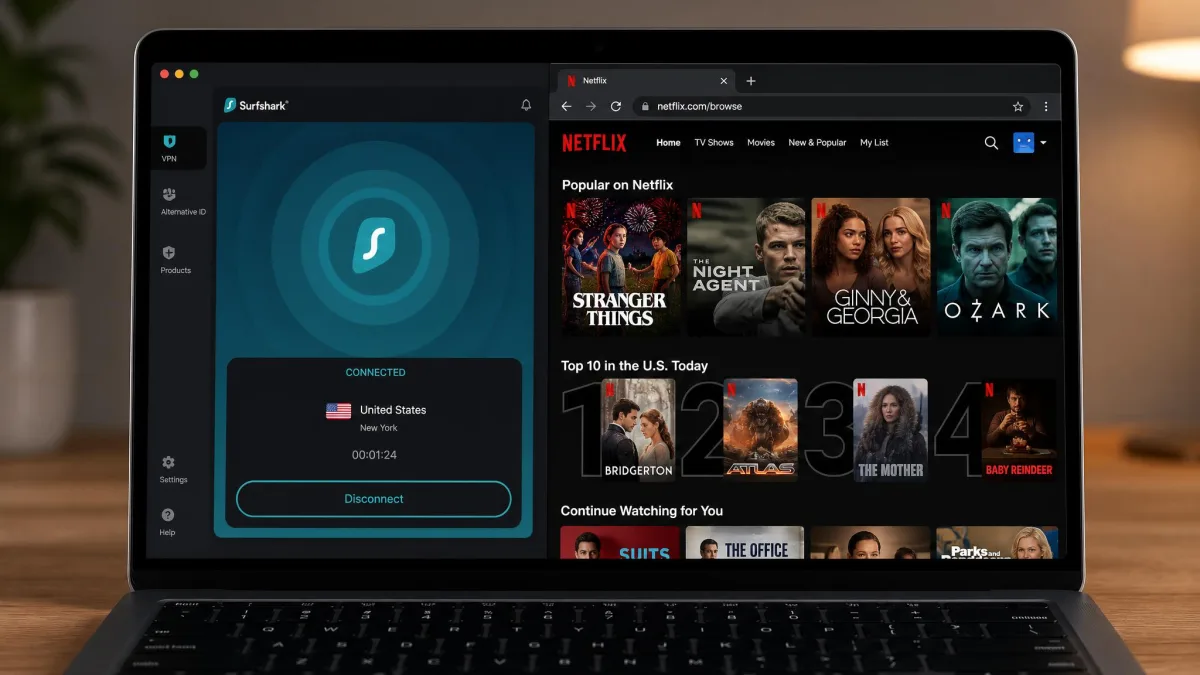
Streaming is a Surfshark strong point. In our testing, changing the Netflix region worked without a hitch, and Surfshark reliably slipped past Netflix's VPN detection to load the regional library we selected. That consistency is not a given; plenty of VPNs get flagged and throw proxy errors.
Beyond Netflix, it handled the other big services we tried, including Prime Video and Disney+, loading region-specific catalogs smoothly. If your main reason for a VPN is watching shows that are locked to another country, Surfshark is one of the more dependable options at this price, and the unlimited connections mean every TV and tablet in the house can stream at once.
A practical tip from our testing: if a streaming service loads but then throws a proxy error, switch to a different server in the same country rather than giving up on the whole VPN. Streaming platforms blacklist individual server IPs, so a neighboring server in the same city often works immediately. We rarely had to do this with Surfshark, but it is the fastest fix when any VPN gets flagged mid-session.
Does Surfshark Work in China?
This is the honest weak spot. Surfshark markets NoBorders and Camouflage modes for restrictive regions, but in hands-on testing its China performance was inconsistent. Connections dropped frequently, reconnects often failed, and it worked best only after switching the protocol to OpenVPN over TCP. Surfshark's own support has acknowledged it does not work reliably there.
If you are traveling to China and a VPN is mission-critical, do not rely on Surfshark alone. Set it up before you arrive, since VPN sites are hard to reach once inside, keep a backup option, and expect to fiddle with protocols. For most other restrictive networks, NoBorders mode is more dependable than it is in China specifically.
To be fair, the China challenge is not unique to Surfshark. The country actively works to detect and block VPN traffic, and no provider guarantees reliable access, with the situation shifting constantly. Some VPNs invest heavily in staying ahead of the blocks and perform better there, so if China access is your primary reason for buying, research current China-specific testing rather than trusting any provider's marketing, and always have a fallback ready before you travel.
Torrenting and P2P
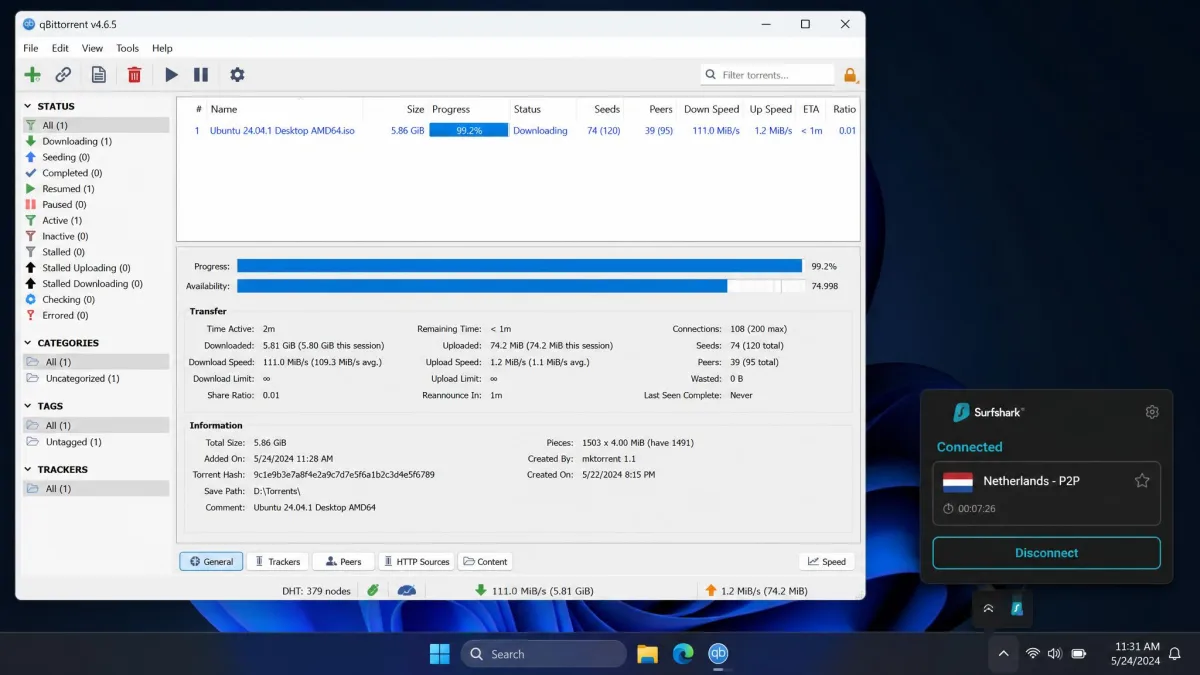
Surfshark supports P2P and torrenting on all of its servers, which keeps things simple: you do not have to hunt for a special P2P-only region. In our testing, torrenting a large file finished only about 5% slower than without the VPN, which is excellent for a security layer.
There are two rough edges. Finding the best P2P server is less intuitive than it should be, and upload speeds lagged behind downloads in our tests. For most people grabbing large legal files, the download performance is what matters, and there Surfshark holds up well. The kill switch and no-logs stance are the right foundations for private torrenting.
We would still nudge Surfshark toward the front of the pack for torrenting despite the rough edges, mainly because P2P works on every server and the download hit is so small. In practice that means you connect to a fast nearby server, start your download, and let it run without hunting for a specialized region. If uploads and seeding ratios matter to you, temper your expectations, because that is where the weaker upload performance shows up most.
Apps, Usability and Platform Support
Across platforms, the apps are clean and consistent. The layout puts Quick-connect front and center, with the server list and feature toggles a tap away, so newcomers are not overwhelmed. In our testing the apps felt intuitive on both desktop and mobile, and moving between our Windows, macOS, Android, and iOS installs, the experience stayed familiar.
Because connections are unlimited, you can protect your laptop, phone, tablet, TV, and a partner's or child's devices all on one subscription. That single fact reshapes the value math for families and anyone with a drawer full of gadgets. It is the feature we would miss most if we switched away.
We did hit occasional platform quirks. WireGuard on an OpenWRT router with IPv6 is a known pain point, since Surfshark's IPv6 support is limited and getting it working can mean manual config or community scripts. That is an edge case for tinkerers rather than a mainstream concern, but it is the kind of thing worth knowing if your setup is unusual. On ordinary phones, laptops, and TVs, we had no such friction.
Worth calling out is how consistent the experience stays as you move between devices. Your favorite servers, your protocol choice, and your feature toggles feel at home whether you are on the phone in your pocket or the laptop on your desk. That consistency lowers the learning curve for less technical members of a household, which matters when one subscription is meant to protect everyone under one roof.
Common Surfshark Problems and Fixes
No VPN is entirely trouble-free, and a few Surfshark issues come up often enough to be worth knowing. Most are local and quick to fix.
Error 403, Not Connecting and Windows Background Service
Error 403 usually clears if you reconnect to a different server, log out and back in, clear the app cache, update the app, or temporarily disable a conflicting firewall. A full reinstall is the last resort, and support can help if it persists.
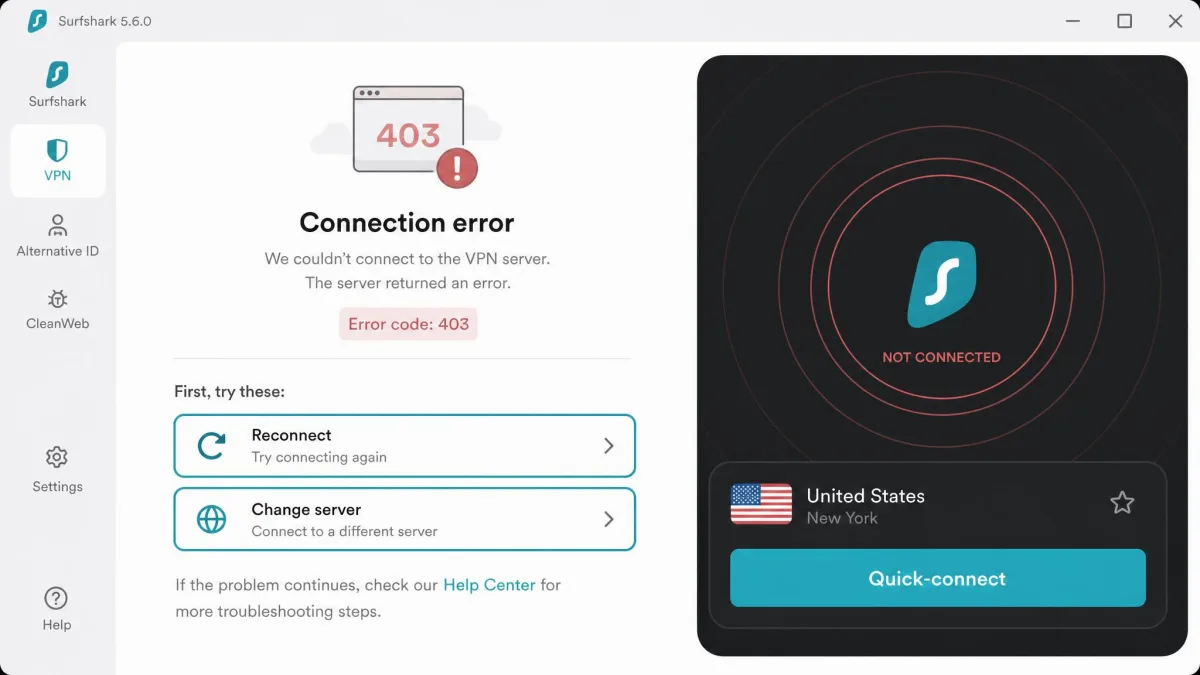
General "not connecting" problems are almost always local too: switch the protocol, switch the server, change your network or DNS, or clear the cache.
On Windows, a "background service isn't running" or "please restart background service" message is a known one. The fix is to open services.msc, find the Surfshark Service, set it to Automatic and restart it, then reboot. If that fails, reinstalling the version that installs the service resolves it.
The pattern across almost every VPN issue is the same: the problem is usually local, and a short checklist clears most of them. Change the server, change the protocol, clear the cache, and confirm your device's clock and network are healthy. Only when all of that fails is it worth a reinstall or a support ticket. Surfshark's Help Center walks through each of these fixes with screenshots, which kept us out of the chat queue more than once.
When any VPN acts up, change the protocol first. Switching from WireGuard to OpenVPN (TCP), or vice versa, fixes a surprising share of connection and speed complaints before you touch anything else.
How to Cancel Surfshark and Get a Refund
Canceling is straightforward, but the exact path depends on where you subscribed. If you bought directly from Surfshark, sign in to your account, open the subscription settings, and turn off automatic renewal so you are not billed again. To claim the 30-day money-back guarantee, contact the 24/7 live chat, state that you are within the window, and request a refund.
If you subscribed through the Apple App Store or Google Play, you must cancel through that store's subscription settings instead, since Surfshark cannot cancel a store-managed plan for you. Refunds for store purchases follow that store's policy. Either way, act before your renewal date to avoid an unwanted charge at the higher recurring rate.
Customer Support
Support is chat-and-email only, with no public phone number. In our experience the 24/7 live chat is responsive and gets you to a human quickly, which matters more than a phone line for most VPN questions. Backing it up is a Help Center with 250+ articles that covers setup, troubleshooting, and account tasks in enough detail that you can often solve issues without contacting anyone.
The absence of a phone line is worth flagging if you strongly prefer talking to someone, but it is standard for the category, and the live chat filled that role well whenever we needed it.
When we did open a chat, replies came quickly and the agents understood the product rather than reading from a distant script. For account tasks like refunds and billing questions, that immediacy beats waiting on hold, and for technical problems the agents could point us to the exact Help Center steps. It is not a differentiator, since good live chat is table stakes now, but it is one less thing to worry about.
One detail we appreciated: the Help Center is genuinely searchable and covers platform-specific quirks, so a query like a Fire TV login problem or a router setup returns a focused, current guide rather than a generic article. For a self-serve user who would rather not talk to anyone, that library does most of the work, and it is kept up to date as the apps change.
How We Tested Surfshark
We test every VPN the way we would use it, on our own paid account and our own hardware. For Surfshark, that meant installing the apps on a Windows 11 laptop, a MacBook, an Android phone, and an iPhone, then living with the service over several weeks rather than running a single afternoon of checks.
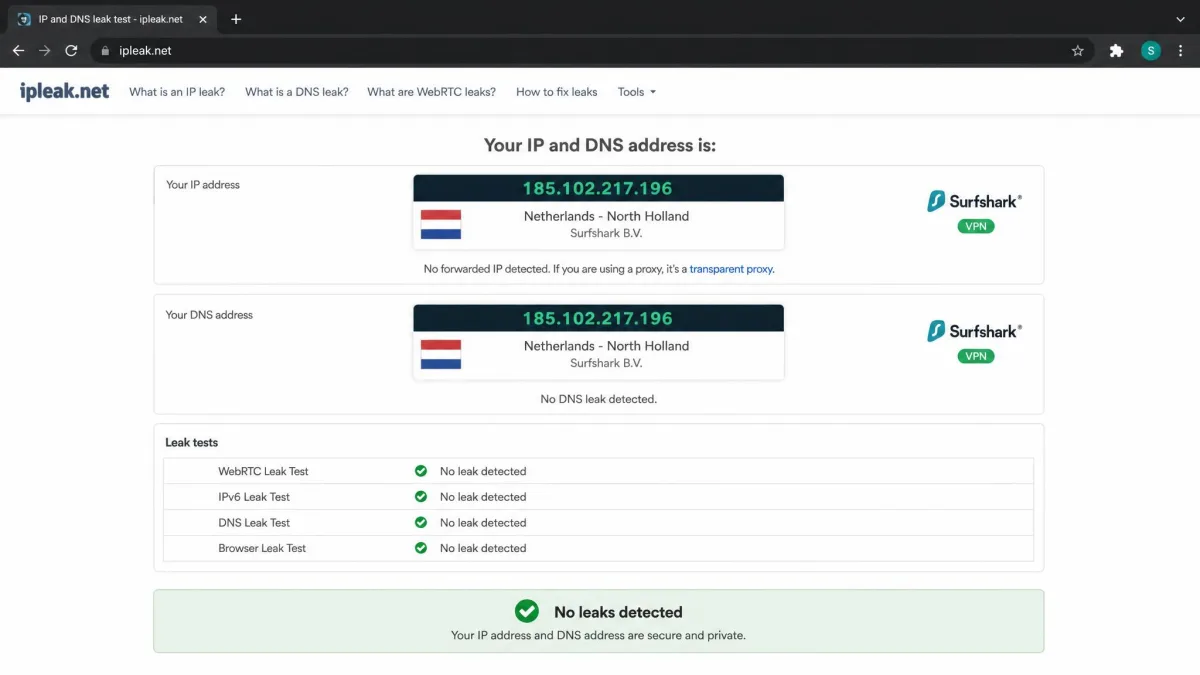
We benchmarked download and upload speeds against a clean, VPN-off baseline on both nearby and distant servers, ran DNS and IP leak checks, and tested the kill switch by forcing the connection to drop. We attempted to unblock Netflix, Prime Video, and Disney+ across multiple regions, timed a large torrent through the P2P servers, and worked through the common error messages to confirm the fixes. We also read Surfshark's published audit reports and privacy policy so our security claims rest on documented evidence, not marketing copy.
Who Should (and Shouldn't) Use Surfshark
Surfshark is an easy recommendation for households and multi-device users, streaming fans, and anyone who wants strong, audited privacy without paying premium prices. The unlimited connections alone make it the obvious value choice for families. Budget-conscious buyers who commit to a long plan get one of the best price-to-feature ratios in the category, and the built-in extras give you real peace of mind.
It is a weaker fit for a few people. Anyone who needs the absolute fastest long-distance speeds may prefer a pricier specialist. Travelers who depend on a VPN inside China should look elsewhere or carry a backup. And if you dislike the renewal-price model, be ready to review your plan or cancel before the intro term ends. For everyone else, it hits a rare balance of price, features, and reliability.

Final Verdict
Surfshark delivers where it counts. It covers every device you own, keeps your privacy properly audited, streams reliably, and costs less than most of its rivals up front. In our testing the fundamentals were consistently solid, and the extras, from CleanWeb to MultiHop to the One-tier suite, add value rather than bloat.
The reservations are real but manageable: long-distance speeds are merely good, China support is shaky, and the renewal price climbs once your intro term ends. Weigh those against the price and the unlimited connections, and for most buyers Surfshark comes out well ahead. When it comes to getting top-tier VPN essentials without top-tier pricing, it is one of the best-value picks available in 2026.