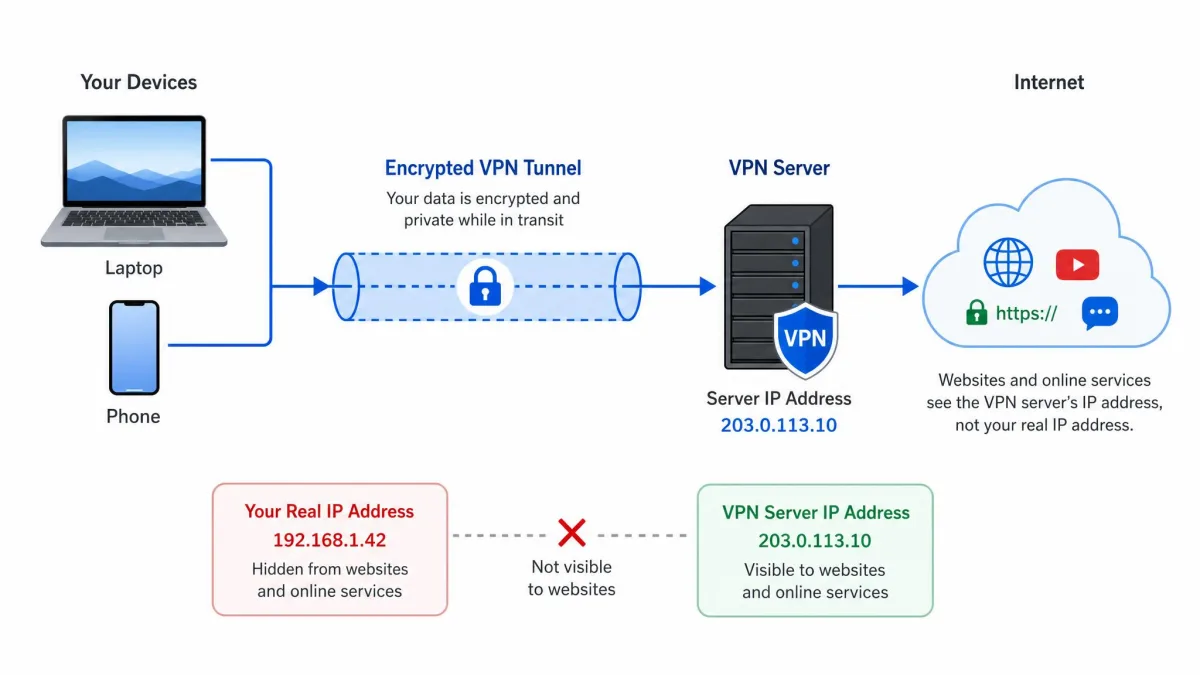
A VPN, or virtual private network, is a service that builds an encrypted tunnel between your device and a server it controls, then sends all of your internet traffic through that tunnel. The result is simple to describe: the sites you visit see the server's IP address instead of yours, and anyone watching the connection in between, including your internet service provider, sees only scrambled data.
That is the whole idea in two sentences, but the mechanics underneath are worth understanding, because they explain what a VPN can protect and what it cannot. We have spent years testing VPNs against real speed, leak, and streaming benchmarks, and the way a service handles the tunnel, the encryption, and the server routing is what separates a reliable one from a frustrating one.
In this guide we will walk through each step of how a VPN works, from the moment you tap connect to the point where your traffic reaches the wider internet. We will cover the encryption and the handshake, the main protocols you will run into, the different types of VPN, and, just as importantly, the things a VPN will not do for you. Everything here reflects how these systems behave when you actually use them day to day.
What is a VPN? (quick definition)
A virtual private network is a technology that extends a private, secure connection across a public network like the internet. In plain terms, it lets your device act as if it were sitting inside a private network somewhere else, even when you are connected over public WiFi at an airport or a coffee shop.
The word "virtual" matters here. There is no physical private cable running from your laptop to the VPN server. Instead, the private connection is created in software, layered on top of the ordinary internet connection you already have. Your data still travels across the same public infrastructure, but it does so inside a protected channel that other parties cannot read.
NIST defines a virtual private network as a protected network connection that uses encryption and authentication to secure traffic as it crosses an untrusted network. That definition captures the two jobs a VPN does at once: it encrypts your traffic so it cannot be read, and it verifies that the two ends of the connection are who they claim to be.
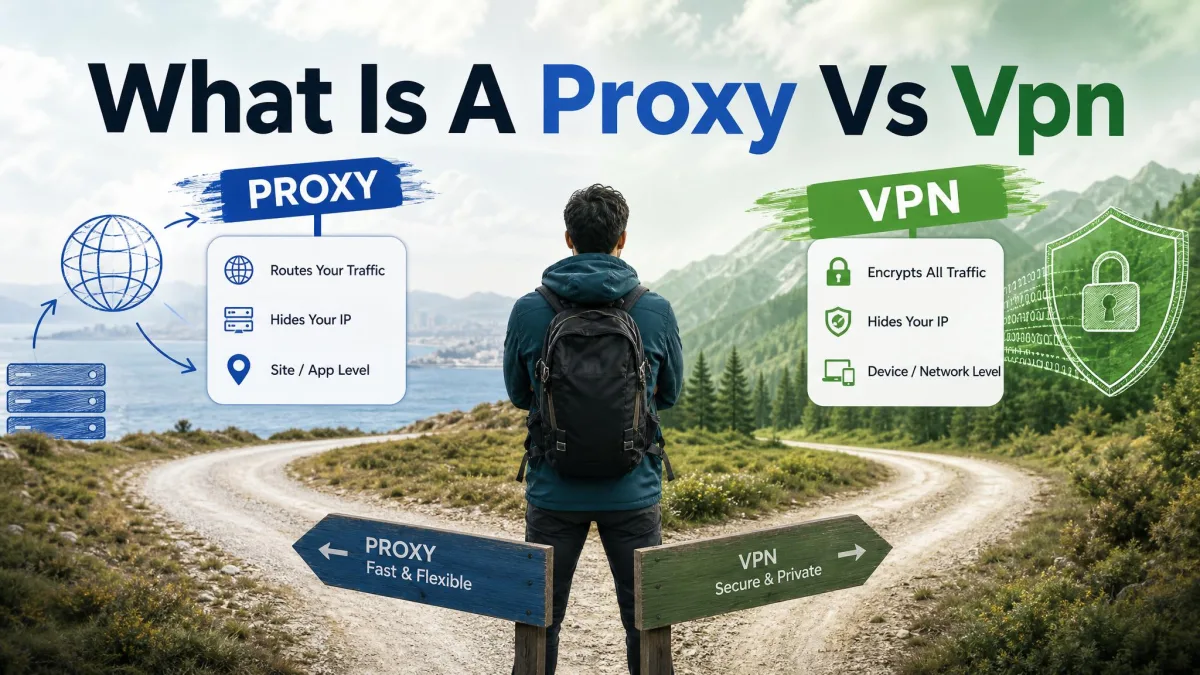
A VPN and a proxy are not the same thing. A proxy simply reroutes one app's traffic and usually adds no encryption. A VPN encrypts everything leaving your device and routes it at the system level, which is why it protects far more than a browser proxy does.
How a VPN works, step by step
When you open a VPN app and tap connect, several things happen in the space of a second or two. Your device and the VPN server introduce themselves, agree on how to encrypt the connection, build the tunnel, and then start passing traffic through it. Let us break that sequence into its three main stages.
Connection and the encrypted tunnel
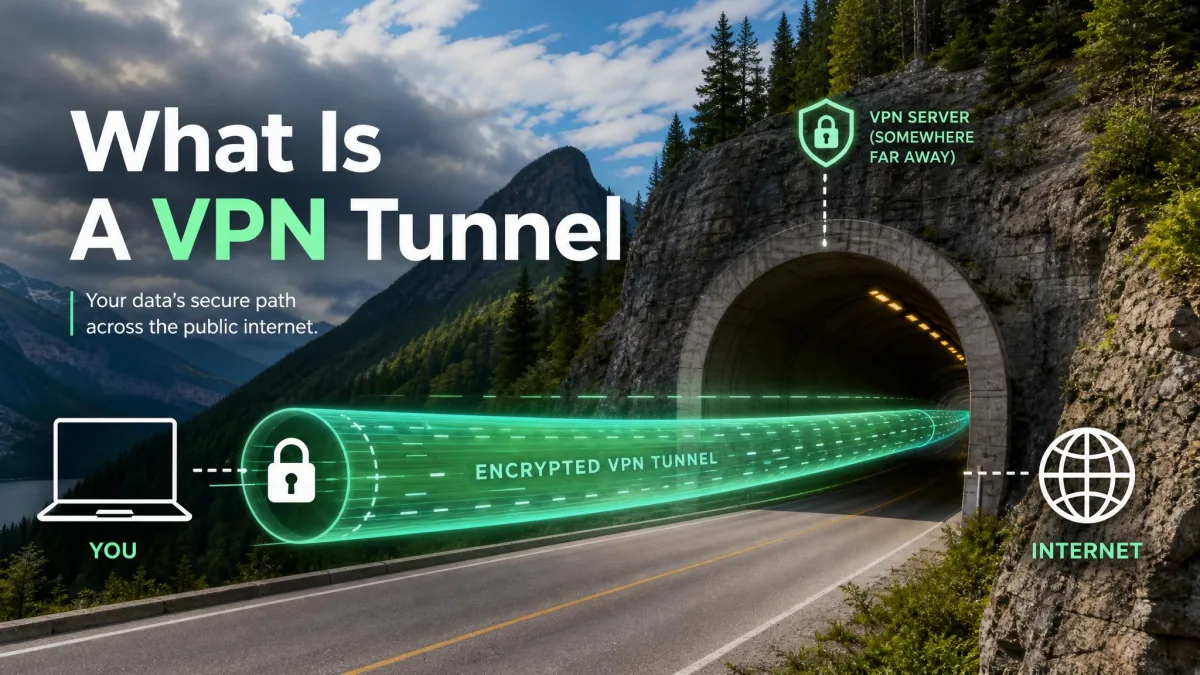
The first stage is establishing the tunnel. Your VPN client, the app running on your device, reaches out to a VPN server you have selected, often chosen by location. The two machines open a connection and prepare to wrap every packet of data you send inside an outer layer of encryption.
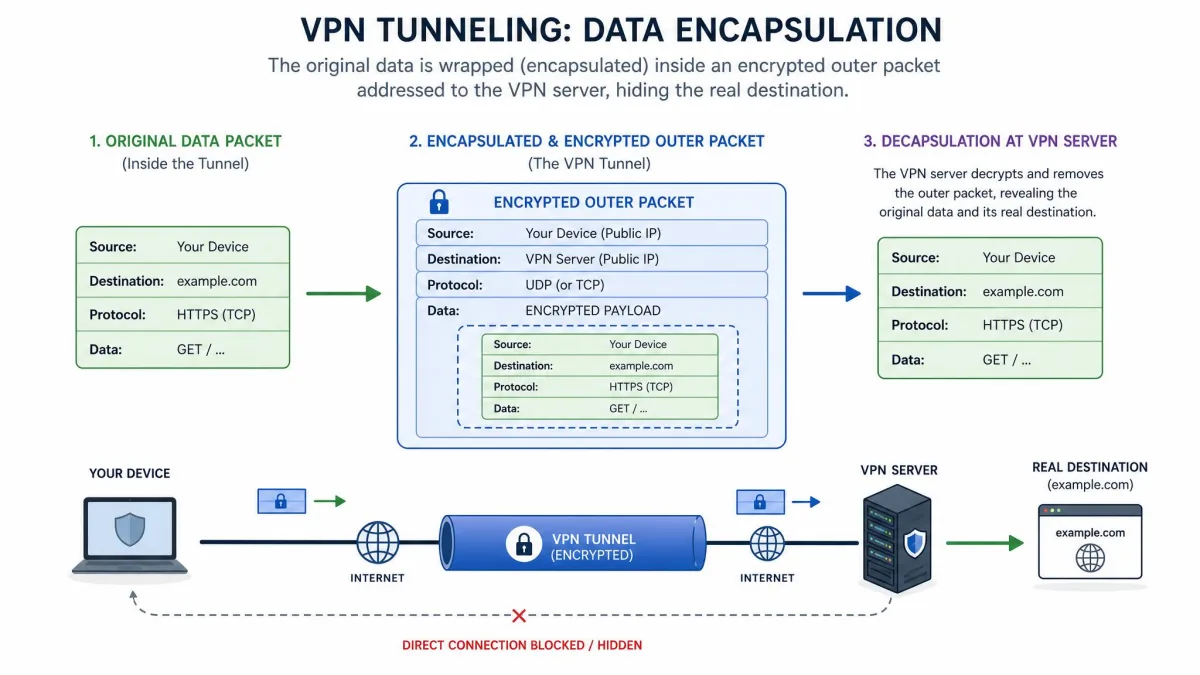
This wrapping is called encapsulation, and it is the heart of tunneling. Each of your original data packets, the small chunks that make up any internet request, gets placed inside a new packet that the VPN protocol creates. The inner packet holds your real request and its destination. The outer packet is addressed only to the VPN server. Anyone inspecting the traffic on the network in between sees the outer packet, which reveals nothing about where you are actually going or what you are sending.
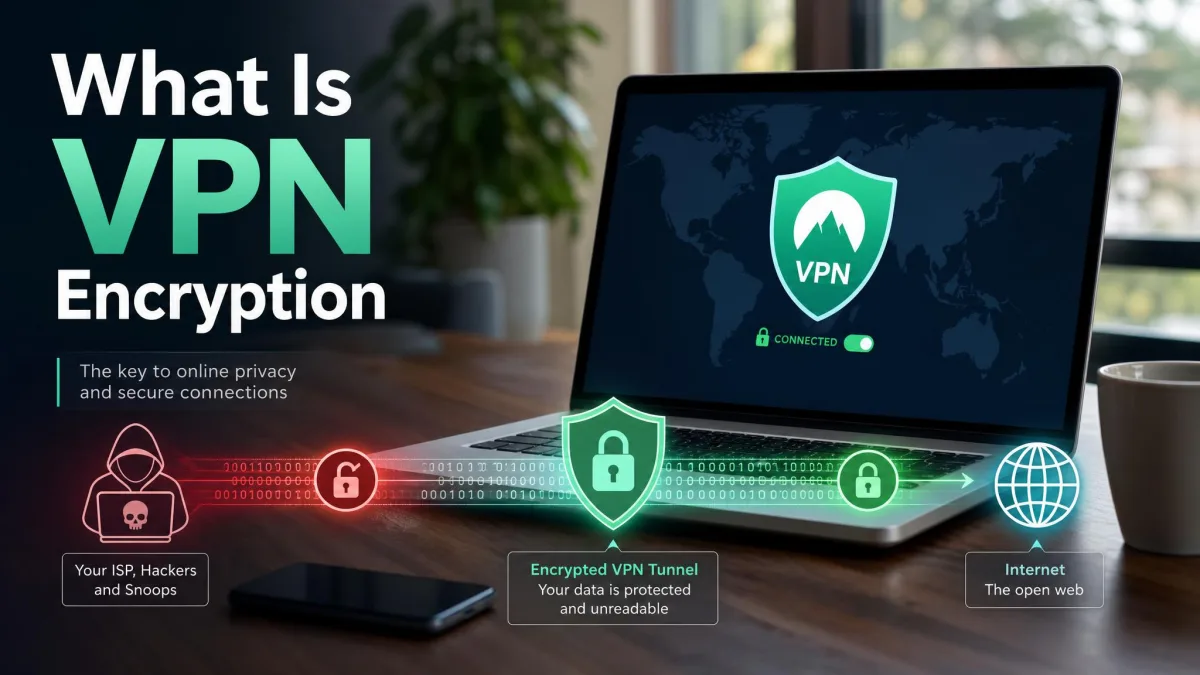
Because the inner packet is encrypted before it is encapsulated, the tunnel is both private and self-contained. Your ISP can see that you have an active connection to a VPN server, and roughly how much data is moving, but not the contents or the true destinations. That is the difference a tunnel makes.
Encryption and the handshake
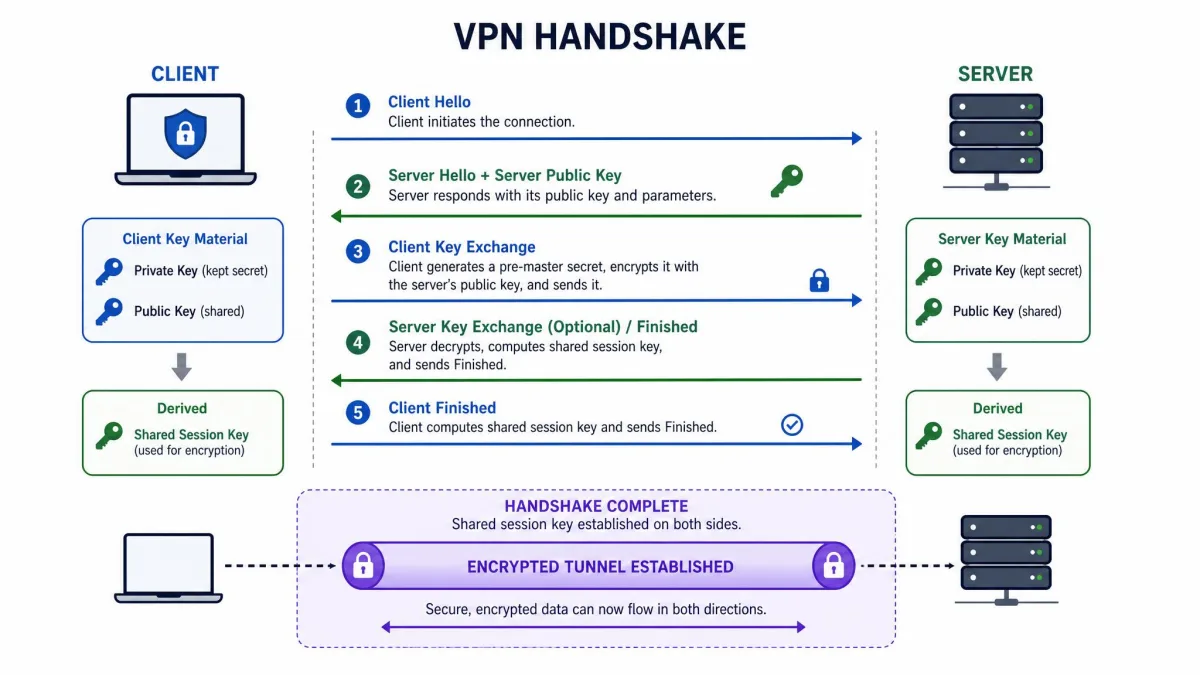
Before any of your data flows, the two ends of the connection perform a handshake. This is a short, structured negotiation where the client and the server agree on which encryption methods they will use and then securely establish the secret keys that will protect the session.
The handshake solves a genuinely hard problem: how do two machines that have never spoken agree on a secret key while a stranger might be listening? They do it with asymmetric cryptography, which uses a public key that anyone can see and a private key that never leaves its owner. The public key locks data that only the matching private key can unlock. Using this, the client and server exchange enough information to derive a shared session key without ever sending that key across the wire in a readable form.
Once the shared key exists, the connection switches to symmetric encryption for the actual data, because symmetric ciphers are far faster for moving large volumes of traffic. The handshake, in other words, uses slow but clever public-key math just long enough to set up a fast, shared secret. Modern protocols also refresh these keys periodically, a practice called Perfect Forward Secrecy, so that capturing one key does not expose the entire session.
When you compare VPNs, look for Perfect Forward Secrecy in the encryption details. It means each session, and often each part of a session, uses a fresh key, so a single compromised key cannot unlock your past traffic.
Routing through the VPN server and IP masking
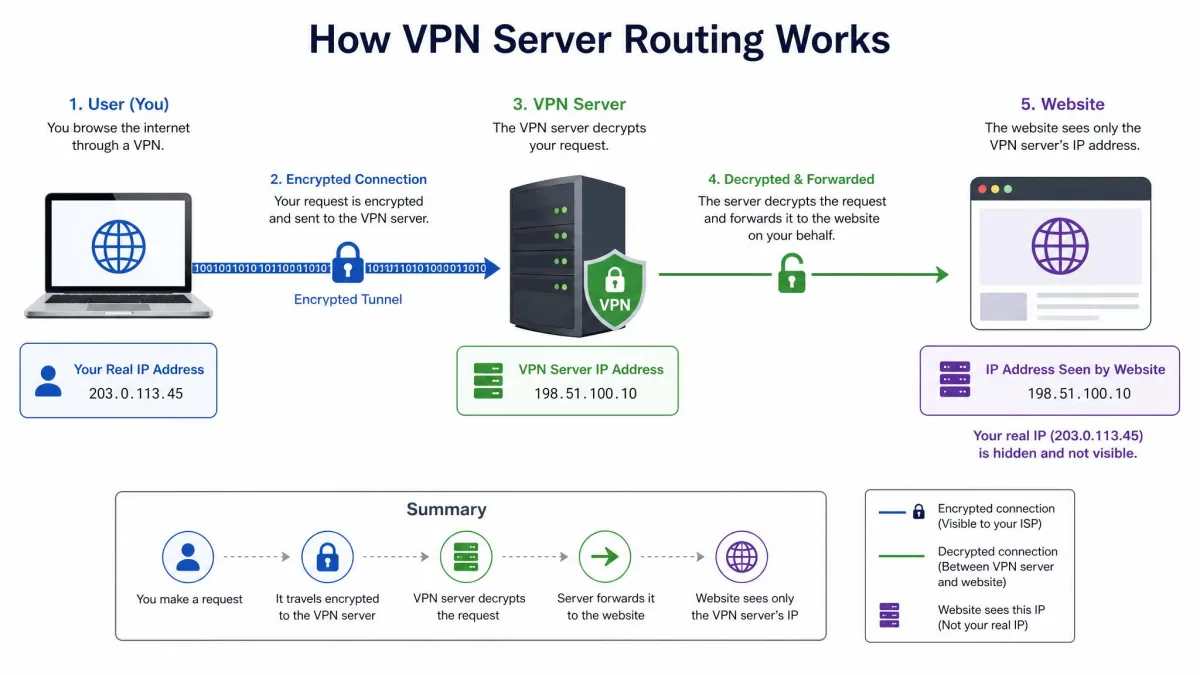
Once the tunnel is up and encrypted, your traffic starts to flow. Every request leaves your device, travels through the tunnel to the VPN server, and is decrypted there. The server then forwards your request to its real destination on the open internet, waits for the response, encrypts it, and sends it back through the tunnel to you.
The important consequence is IP masking. Because the server makes the request on your behalf, the website or service you are reaching sees the connection as coming from the server's IP address, not yours. Your real IP, which normally reveals your approximate location and ties activity back to your ISP account, stays hidden behind the server. Connect to a server in another city or country and, as far as the wider internet is concerned, that is where you are.
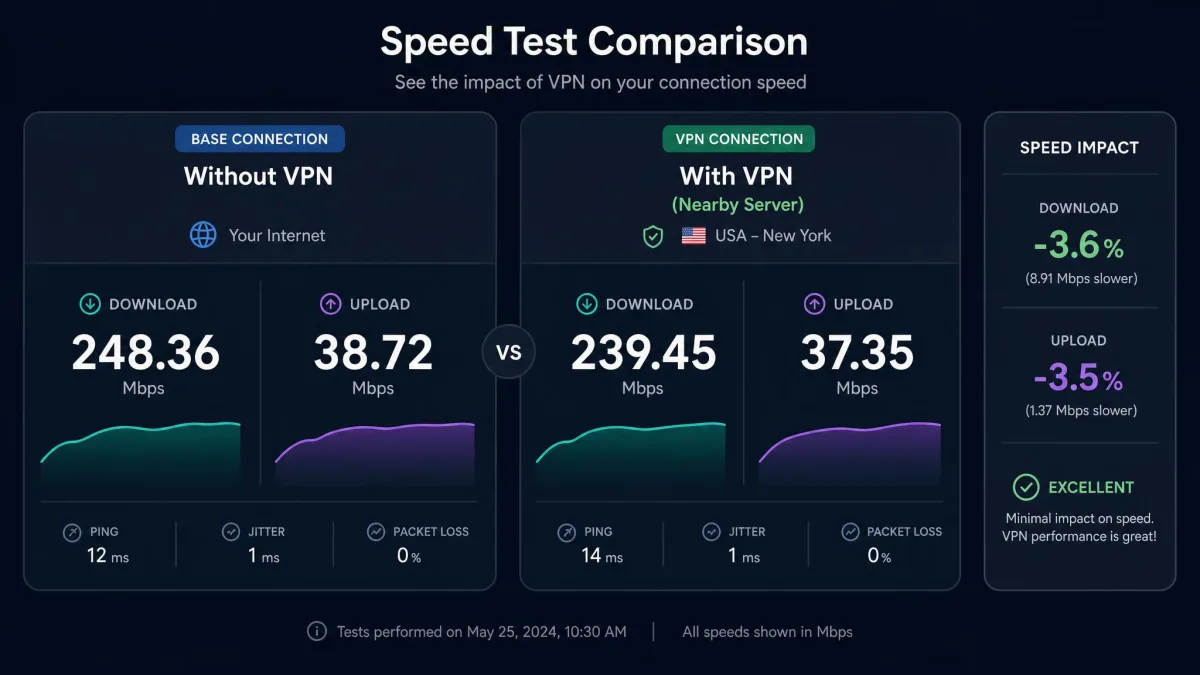
This is also why server choice affects everything you notice about a VPN. A nearby, lightly loaded server feels almost like no VPN at all. A distant or crowded one adds delay to every round trip.
What a VPN actually does (and hides)
It helps to be precise about what changes when the tunnel is active. A VPN hides your real IP address and your approximate location from the sites and services you connect to. It hides the content and destinations of your traffic from your ISP, from network administrators, and from anyone sharing or snooping on a public WiFi network. And it protects data in transit on untrusted networks, which is exactly where interception is easiest.
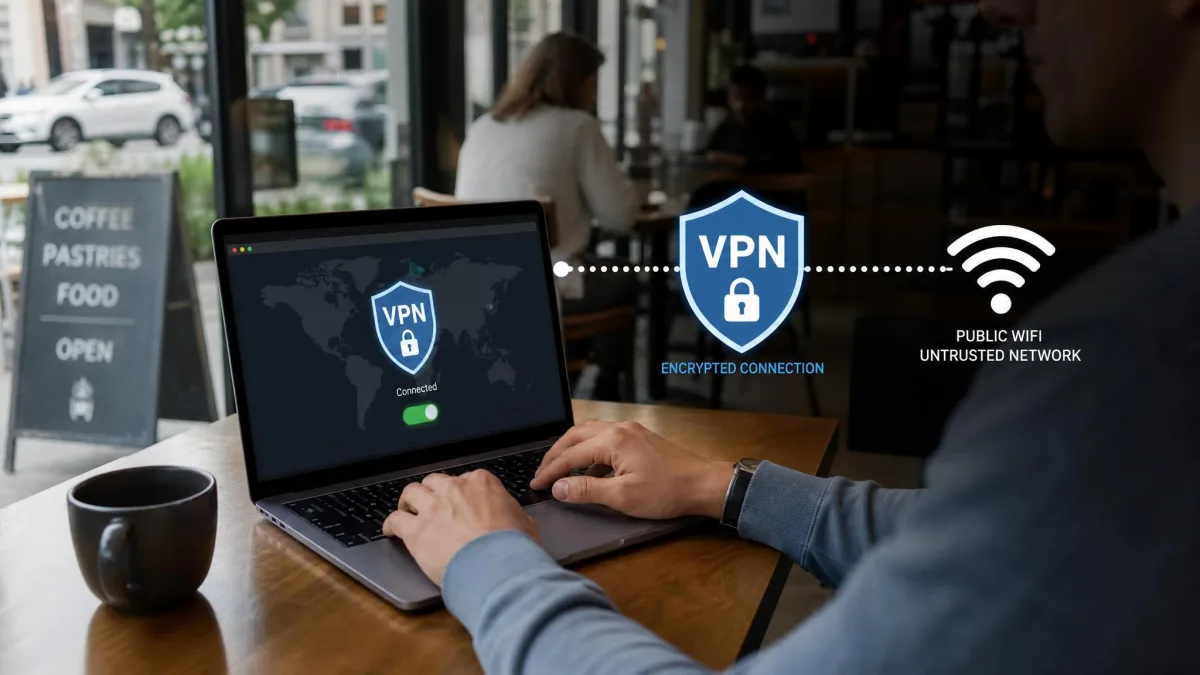
In our own use, the most reassuring part is what happens on public WiFi. On an open network, unencrypted traffic can be captured by anyone with the right tools on the same access point. With a VPN active, that captured traffic is meaningless, because it is encrypted end-to-end between your device and the server before it ever touches the shared network.
There is a limit worth naming right away, though. A VPN hides your IP address and browsing activity from your ISP, but website cookies already stored in your browser can still track you across sites. The tunnel changes how your traffic travels, not what your browser has agreed to store. We will return to these limits in detail later, because they are where most misunderstandings live.
VPN encryption explained
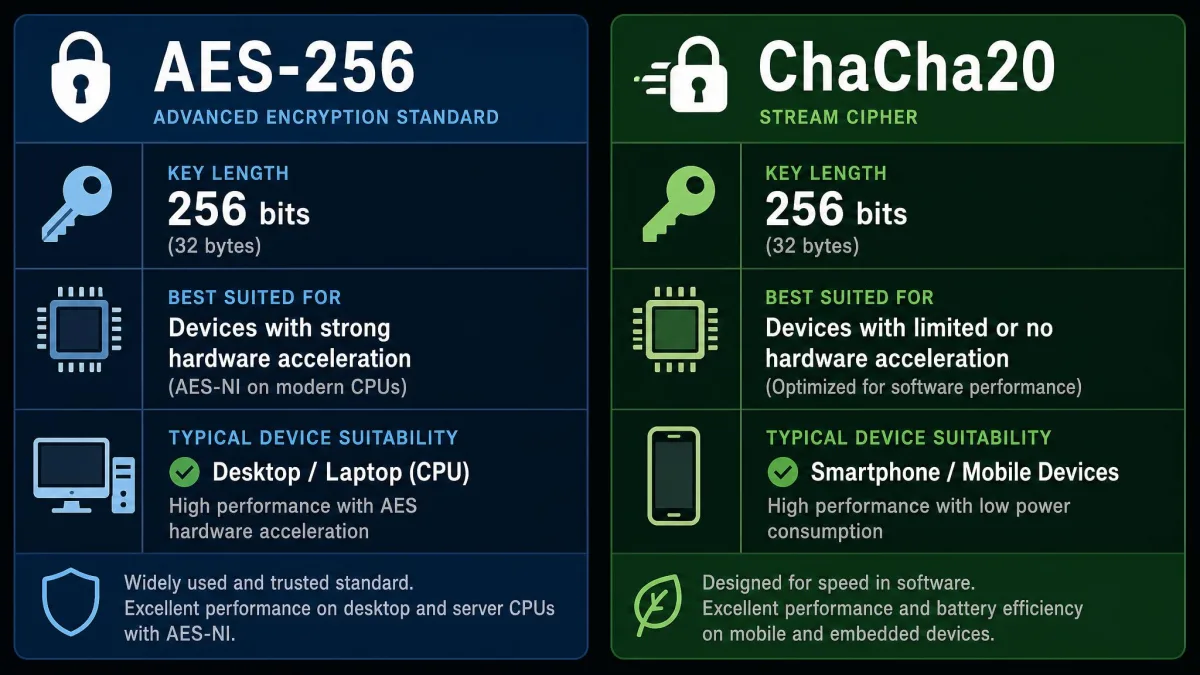
Encryption is the part that makes the tunnel worth having, so it is worth understanding what modern VPNs actually use. Consumer VPNs today protect the data channel with strong symmetric ciphers, most commonly AES-256 or ChaCha20. Both are considered secure by current standards, and the practical difference between them is more about speed on different hardware than about safety.
AES-256 is the long-standing workhorse. The "256" refers to the key length in bits, and a 256-bit key space is so large that brute-forcing it is not realistically possible with current or foreseeable computing. It is the same class of encryption trusted for sensitive government and banking data, which is why you will see it advertised so heavily.
ChaCha20 is a newer stream cipher that tends to run faster on devices without dedicated AES hardware acceleration, such as many phones. That is one reason it has become popular in modern protocols. When paired with the Poly1305 authenticator, as it is in WireGuard, it provides authenticated encryption, meaning it protects both the secrecy and the integrity of your data so tampered packets are rejected rather than trusted.
Two layers are working together here. The symmetric cipher, AES-256 or ChaCha20, protects the bulk of your traffic quickly. The key exchange and authentication, handled during the handshake with public-key methods, make sure the right parties hold the right keys. A VPN is only as strong as the weaker of those two layers, which is why the protocol a service uses matters so much.
VPN protocols (OpenVPN, WireGuard, IKEv2/IPsec, L2TP)
A VPN protocol is the set of rules that governs how the tunnel is built, how the handshake runs, and how your data is encrypted and moved. The protocol you use has a direct effect on speed, stability, and how easily the connection slips through restrictive networks. These are the four you are most likely to meet.
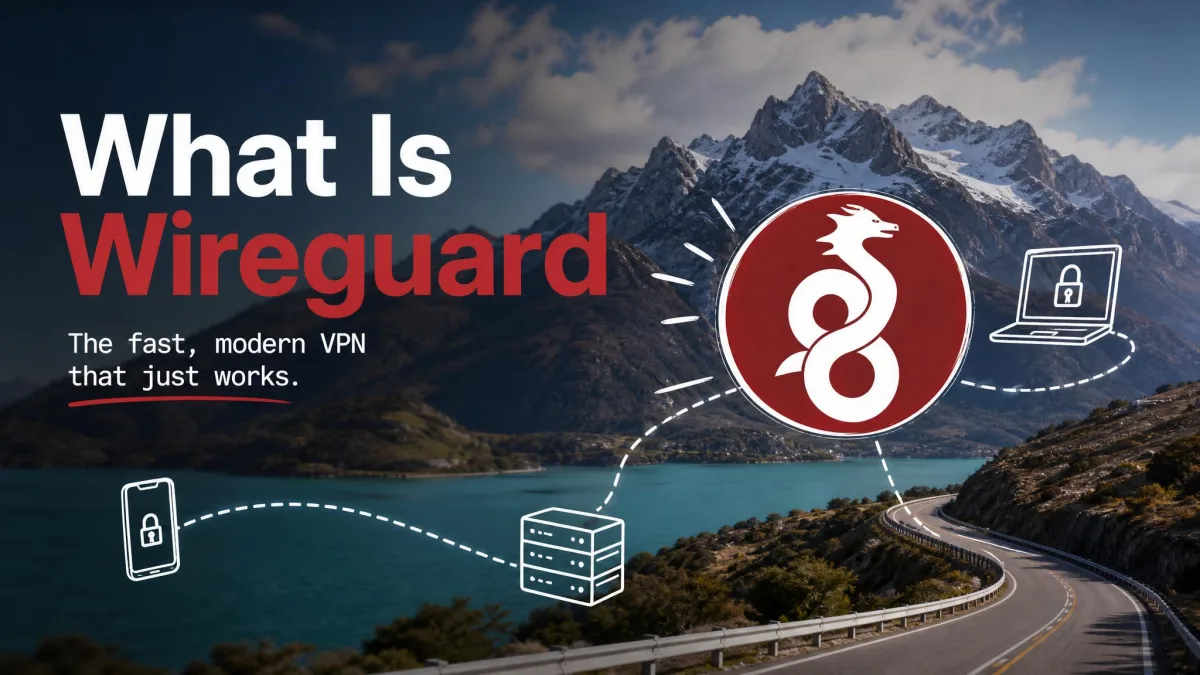
WireGuard is the modern favorite, and for good reason. It uses a lean, modern codebase built around ChaCha20-Poly1305 for encryption and Curve25519 for its key exchange through the Noise protocol framework. It runs over UDP, with a default server port of UDP 51820, and its handshake is fast enough that reconnections feel instant. WireGuard was merged into the mainline Linux kernel in early 2020, and in our testing its connections stay far closer to full line speed than older protocols, which is why streaming feels smoother on WireGuard-based setups. It is newer than OpenVPN, so it has had less time under review, but it is widely deployed and well regarded.
OpenVPN is the mature, battle-tested standard. First released in 2001, OpenVPN uses the OpenSSL library and supports strong encryption up to 256-bit, including AES-256. Its official port is 1194, and it can run over either TCP or UDP, which gives it real flexibility: the TCP mode is slower but slips through firewalls that block other traffic. It is open-source, heavily audited, and highly configurable. The trade-off is speed, since it carries more overhead and is generally slower than WireGuard.
IKEv2/IPsec is the protocol you want when you move around. It is stable and fast, and its standout trait is how quickly it reconnects after a network change, which makes it excellent on phones. It is usually paired with IPsec to handle the encryption. Its main weakness is that firewalls can block the ports it relies on.
L2TP/IPsec is the older option. Layer 2 Tunneling Protocol carries no encryption of its own, so it is always paired with IPsec to secure the data. It is generally slower than WireGuard or IKEv2 and is mostly kept around for legacy compatibility rather than chosen for performance.
| Protocol | Cipher | Default port | Speed | Best for |
|---|---|---|---|---|
| WireGuard | ChaCha20-Poly1305 | UDP 51820 | Fastest, 5-10% loss typical | Mobile, streaming, general use |
| OpenVPN | AES-256 / ChaCha20 | 1194 (TCP/UDP) | Moderate | Compatibility, configurability |
| IKEv2/IPsec | AES via IPsec | UDP 500/4500 | Fast, quick reconnect | Switching networks on mobile |
| L2TP/IPsec | AES via IPsec | UDP 1701/500/4500 | Slower, legacy | Older devices, compatibility |
If you are unsure which protocol to pick, WireGuard is the right default for most people and most tasks. Keep OpenVPN in mind for situations where a network is actively blocking VPN traffic, since its TCP mode is the best at getting through.
Types of VPN (remote-access, site-to-site, mobile, SSL)
Not every VPN is the consumer app you install to browse privately. The term covers several different arrangements, each built for a different job.
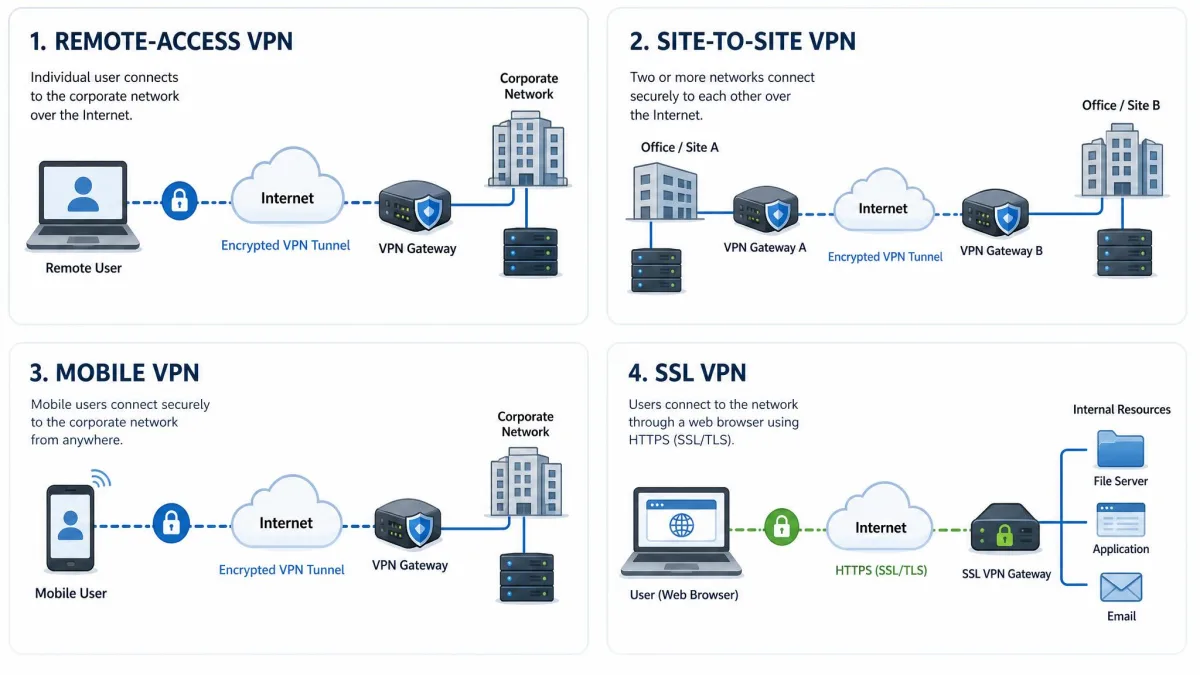
A remote-access VPN is the type most people mean. It connects an individual device to a private network or to a provider's servers, encrypting that user's traffic. Every commercial VPN app you download falls into this category, as does the corporate client that lets an employee reach the office network from home.
A site-to-site VPN connects entire networks to each other rather than connecting a single user. A company with offices in two cities can link both local networks over the internet so they behave as one, with the tunnel running between routers or gateways instead of on individual laptops. Staff on either side reach shared resources without running a VPN client themselves.
A mobile VPN is built to survive network changes. Instead of dropping when your device moves between connections, it keeps the session alive as the underlying network shifts. That is a meaningful difference in practice, because connections drop most often exactly when a device switches networks, such as a phone moving between cellular and WiFi or a laptop moving from WiFi to ethernet.
An SSL VPN runs through a web browser using the same encryption that secures websites, so a user can reach internal applications without installing a dedicated client. This browser-based approach is popular for giving contractors or occasional users limited, secure access to specific tools.
Benefits of using a VPN
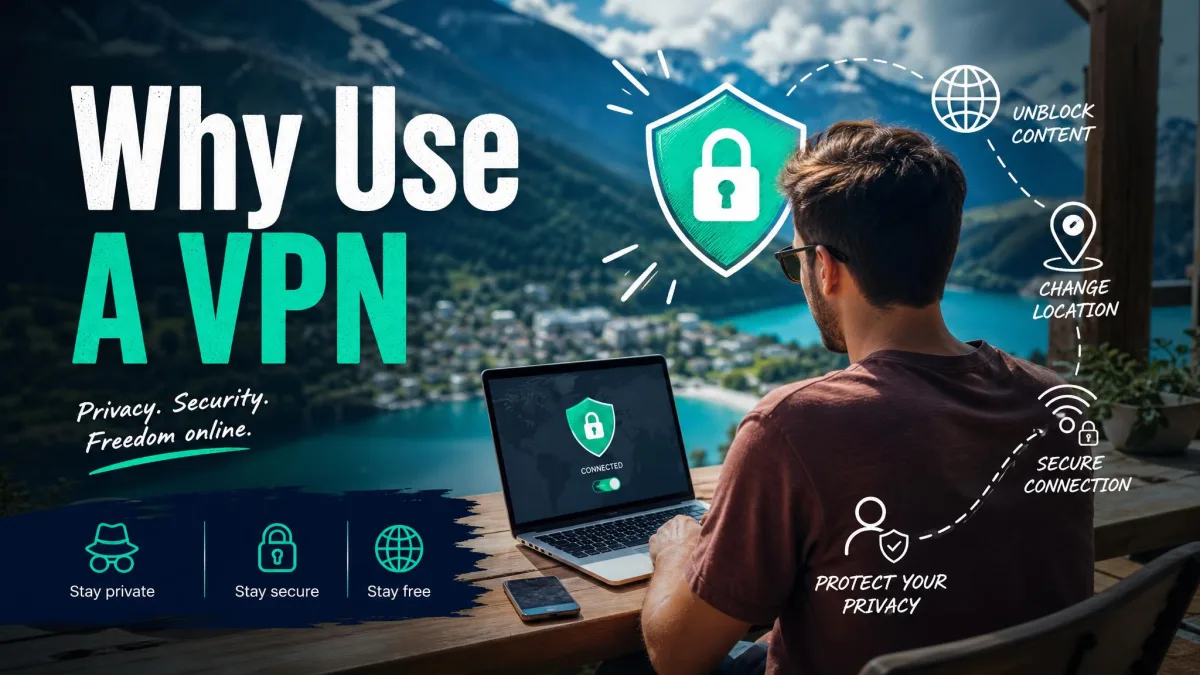
Once you understand the mechanics, the practical benefits follow naturally. Here is what a VPN genuinely does well, based on what we look for when we test one.
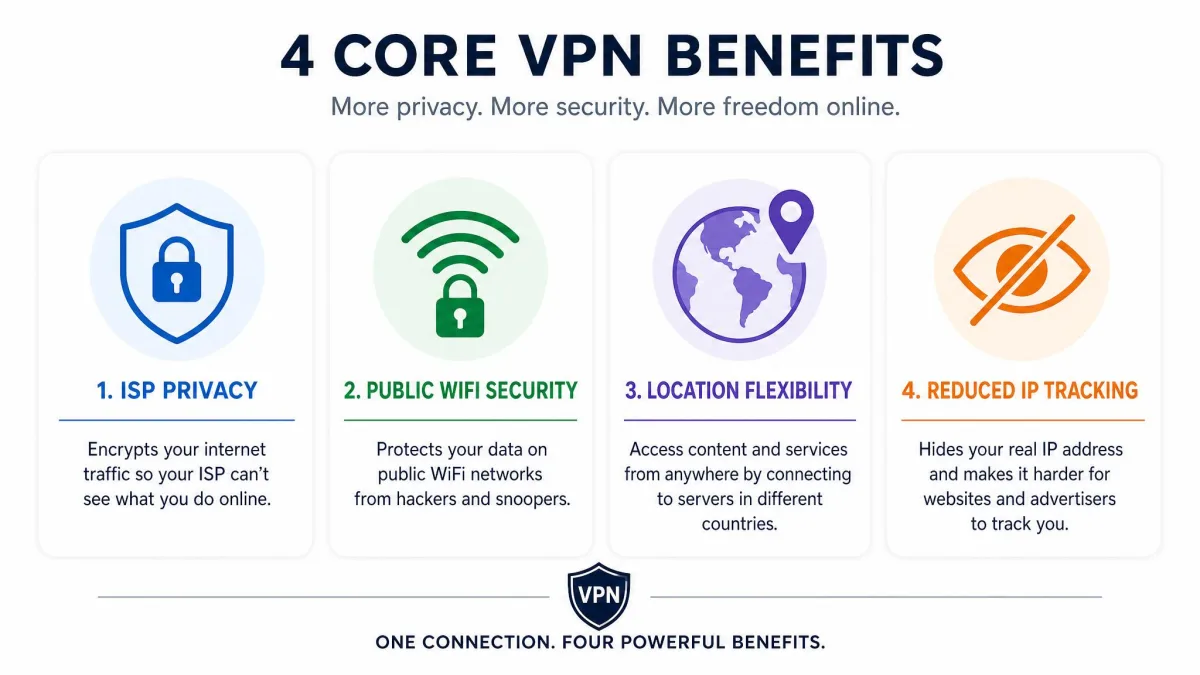
The clearest benefit is privacy from your ISP and from network operators. Because your traffic is encrypted inside the tunnel, your provider can no longer log which sites you visit or build a profile from your browsing. On networks you do not control, the same encryption keeps administrators and eavesdroppers out of your data.
The second is security on public WiFi. Open networks are the easiest place for someone to intercept traffic, and a VPN neutralizes that risk by encrypting everything before it leaves your device. For anyone who works from cafes, hotels, or airports, this alone justifies the tool.
The third is location flexibility through IP masking. Because sites see the server's IP, you can connect through a server elsewhere and access services as if you were there. This is what people use to reach content libraries or services that behave differently by region, and it is why we run streaming benchmarks across multiple server locations before recommending a VPN.
Finally, a VPN reduces the ordinary tracking that depends on your IP address. It does not make you anonymous, but it does remove one of the most persistent identifiers that advertisers and data brokers rely on.
Pros
- Hides your IP address and approximate location from the sites you visit
- Encrypts all traffic, protecting you on public and untrusted WiFi
- Stops your ISP from logging or profiling your browsing
- Lets you connect through servers in other regions
- Secures every app on the device, not just the browser
Cons
- Encrypting and rerouting traffic reduces connection speed
- A trustworthy provider costs money, and free services cut corners
- Does not make you anonymous or stop cookie-based tracking
- Some sites and services actively block known VPN servers
- Only protects data in transit, not malware or the sites you log into
What a VPN does NOT protect you from
This is the section we wish more guides led with, because a VPN oversold is a VPN misused. Understanding the boundaries is what lets you rely on the tool correctly.
A VPN does not make you anonymous. It hides your IP address, but you remain logged into accounts, and the services you sign into still know exactly who you are. If you check your email through a VPN, your email provider still sees your email. The tunnel changes the path your traffic takes, not the identity you carry into the sites you use.
A VPN does not stop cookie-based or browser-based tracking. Cookies already stored in your browser continue to identify you across sites regardless of your IP. Browser fingerprinting, which builds an identifier from your device and browser configuration, also works independently of the VPN. To limit those, you need browser settings and extensions, not a tunnel.
A VPN does not protect you from malware or phishing. If you download a malicious file or hand your password to a fake login page, the VPN faithfully encrypts and delivers that mistake. It secures the connection, not your judgment about what to click.
And a VPN does not fully protect you from a provider you cannot trust. Your traffic is decrypted at the VPN server, which means the provider is in a position to see it. That is why a genuine no-log policy matters so much, and why the provider you choose is as important as the technology.
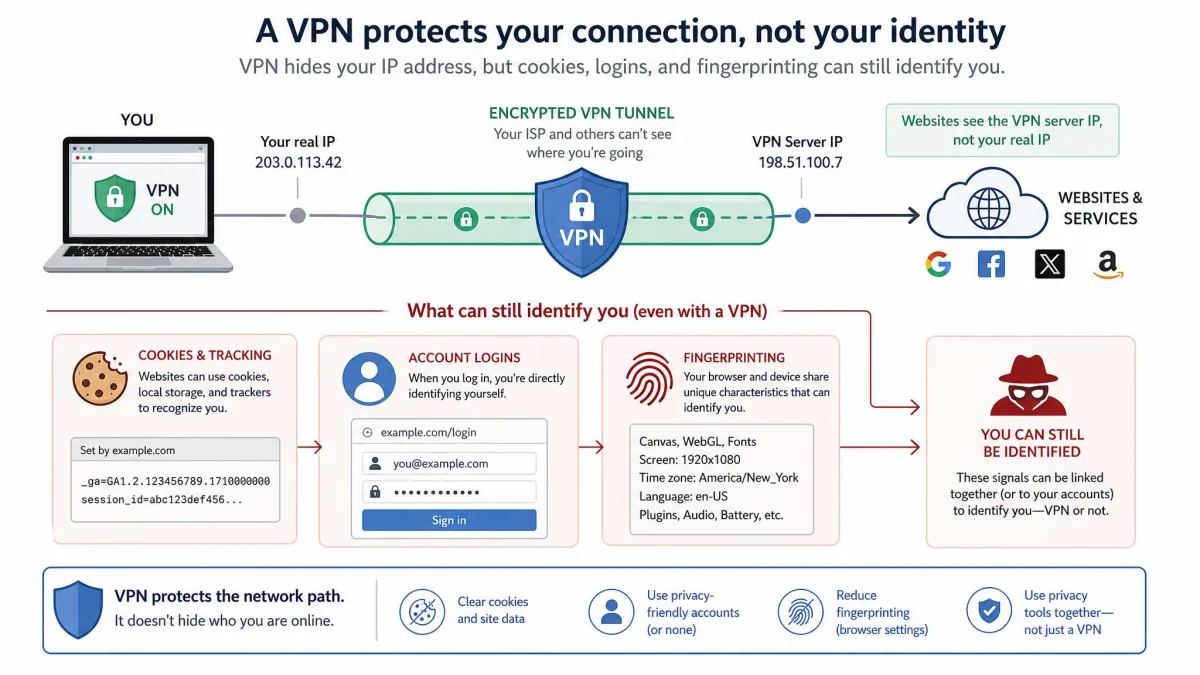
A VPN is one layer of protection, not a complete shield. Pair it with a modern browser, an ad and tracker blocker, unique passwords, and current security updates. Treating a VPN as total anonymity is the single most common and most costly misunderstanding.
Drawbacks and limitations
Beyond what a VPN cannot protect, there are practical trade-offs worth knowing before you rely on one every day.
The most noticeable is speed. Encrypting and rerouting your traffic adds overhead, so connection speeds drop noticeably unless you pick a high-performing server and a fast protocol. A quality VPN on a nearby server typically costs somewhere in the range of five to twenty percent of your base speed, and premium WireGuard-based setups often lose only five to ten percent. That range genuinely varies with server distance, protocol, and provider, so treat it as typical rather than a fixed figure.
Stability is the second trade-off. Connections drop most often when a device switches networks, and firewalls or antivirus software can clash with a VPN by blocking the ports it uses and cutting long-running connections. These are usually fixable by changing protocol or server, but they are the sort of friction you should expect.
Free VPNs deserve their own warning. In our experience, free services concentrate many users on a few overloaded servers, which produces slow downloads, constant streaming interruptions, and frequent session drops. Worse, a provider giving the service away has to make money somehow, and too often that means logging and selling the very data you installed a VPN to protect. A paid, audited provider is almost always the better choice.
There is also the safety trade-off built into how VPNs handle failure. A kill switch cuts your internet access the moment the VPN connection drops, which prevents your real IP from leaking, but it can feel like your connection has simply broken until the VPN reconnects. App-level kill switches take extra setup, too, because you have to list which apps to protect, and anything you forget stays exposed during a disconnect.
Frequently asked questions
Are VPNs legal?
Does a VPN make me anonymous?
What is a no-log VPN?
Can my ISP see that I am using a VPN?
Do VPNs stop malware?
Can I use a VPN on my phone?
Bottom line
A VPN works by building an encrypted tunnel between your device and a server, then routing your traffic through that server so the outside world sees the server's IP instead of yours. A handshake sets up the encryption keys, a strong cipher like AES-256 or ChaCha20 protects the data, and the protocol you choose, most often WireGuard today, determines how fast and stable the whole thing feels.
Understood correctly, it is a genuinely powerful privacy and security tool: it shields you from your ISP, protects you on public WiFi, and gives you flexibility over your apparent location. Understood incorrectly, it becomes a false sense of safety. A VPN does not make you anonymous, does not stop cookies or malware, and is only as trustworthy as the provider running the servers.
If you want to go deeper, it is worth reading up on how a VPN tunnel works at the packet level and what a VPN kill switch is so you are covered when a connection drops. Choose a reputable, no-log provider, pick a nearby server and a modern protocol, and you get most of the benefit with very little of the friction.