WireGuard is a modern, open-source VPN protocol that builds an encrypted tunnel between two devices over the internet. It was created by security researcher Jason A. Donenfeld, and it has become the protocol we reach for first when speed and simplicity matter. Where older protocols pile on options and configuration, WireGuard keeps the design lean and the code small.
That restraint is the whole point. The entire codebase runs to roughly 4,000 lines, which is small enough that a single reviewer can read it end to end. A smaller attack surface means fewer places for bugs to hide, and that is a large part of why WireGuard has spread so fast across VPN services, routers, and Linux servers.
We have run WireGuard on our own test machines across Windows, Linux, macOS, Android, and iOS, using it as a daily VPN and as a way to reach home lab servers. This guide explains what it is, how it works under the hood, where it beats OpenVPN and IKEv2, and whether you should switch to it. We paid for or self-hosted every setup we describe, so nothing here rides on a vendor's marketing.
What Is WireGuard?
WireGuard is a communication protocol and software that sets up secure, encrypted connections between devices. In plain terms, it is the machinery that powers the private tunnel a VPN uses to move your data safely across a public network. You install it on two peers, exchange a pair of keys, and from then on traffic between them is encrypted and authenticated.
The project describes itself as simpler and leaner than IPsec, and faster and more secure than OpenVPN. After months of daily use, we find that framing fair rather than boastful.
Two design choices define it. First, it uses a small, fixed set of modern cryptography with no negotiable options. Second, it presents itself to your system as an ordinary network interface, so the rest of the operating system treats VPN traffic like any other network. Those two ideas make it both easier to reason about and faster to run.
It is also genuinely free. WireGuard is free and open-source software, with the Linux kernel components licensed under GPLv2 and other implementations under permissive MIT, BSD, and Apache 2.0 licenses. There is no paid tier of the protocol itself, though the VPN services that use it still charge for their servers.
How Does WireGuard Work?
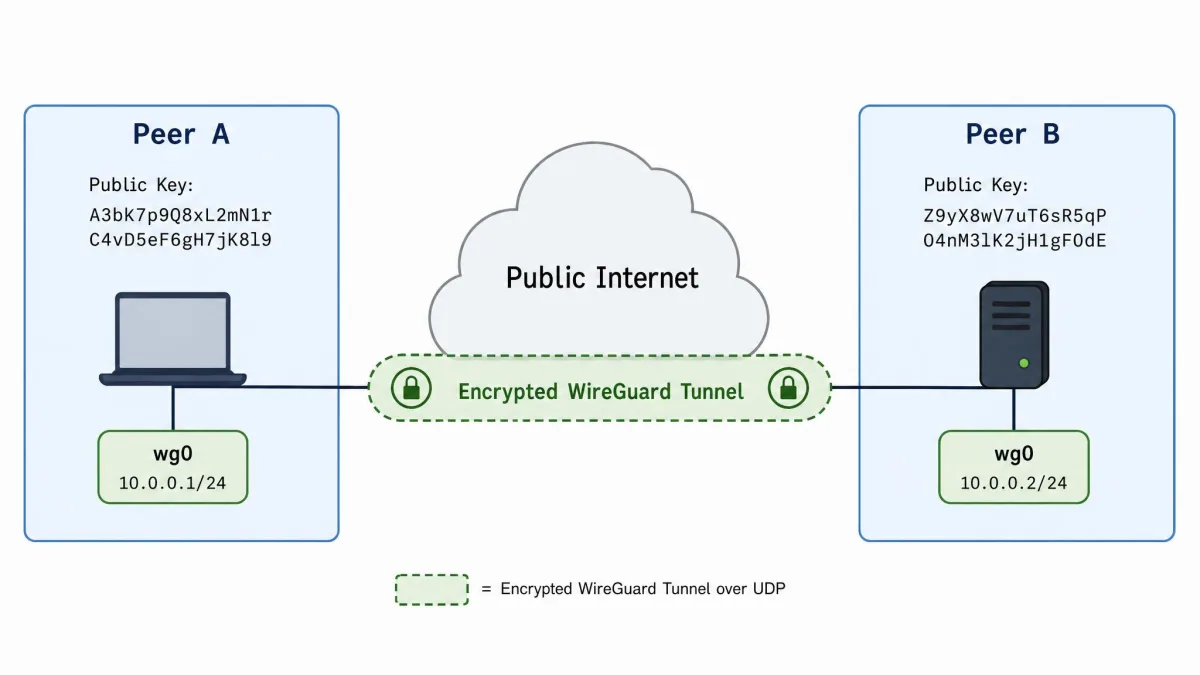
WireGuard works by adding a virtual network interface to your device, usually named wg0 or wg1. That interface encapsulates your IP packets, encrypts them, and sends them to a peer over UDP. To the rest of the system it looks like a normal network adapter, so routing, firewalls, and apps interact with it the way they would with any other connection.
Each peer is identified by a public key rather than a username or a certificate chain. WireGuard uses a model it calls cryptokey routing, which ties each peer's public key to a set of allowed IP addresses. That single association acts as both the routing table and the access-control list. If a packet arrives that does not match a peer's allowed IPs, it is dropped.
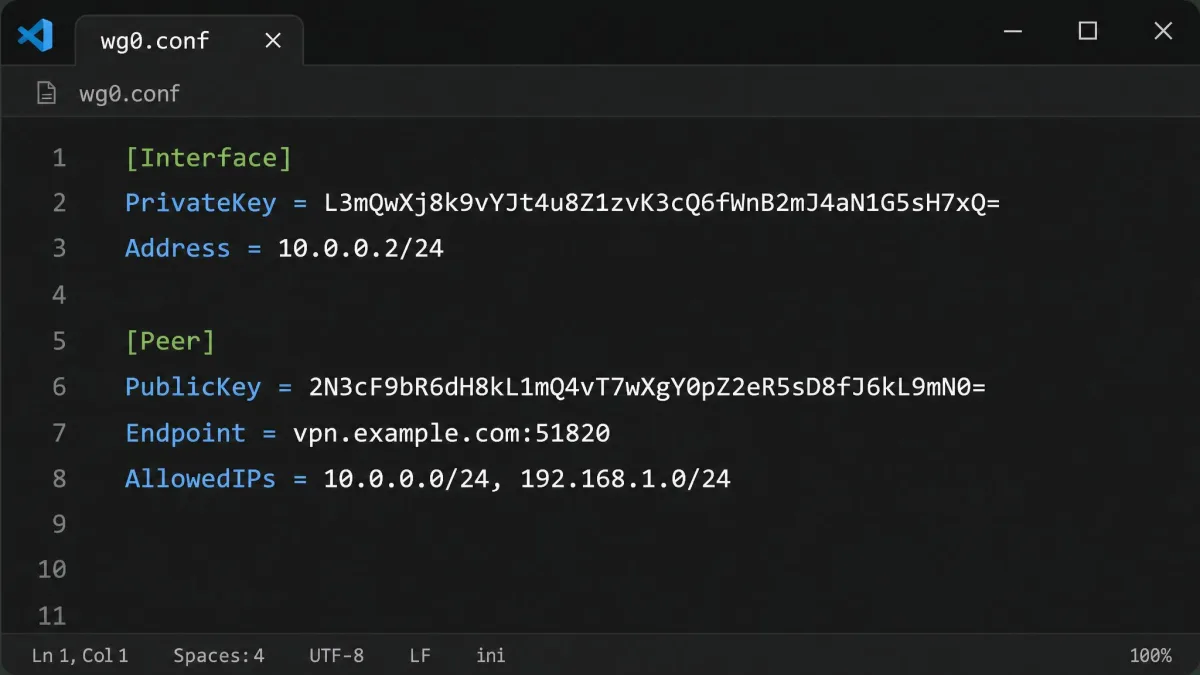
This is why the configuration files are so short. A working peer needs little more than its own private key, the other side's public key, an endpoint address, and a list of allowed IPs. There are no cipher suites to negotiate and no long option lists to tune. In our experience that brevity removes most of the ways people accidentally weaken a VPN.
The connection is also stateless in a useful way. WireGuard stays quiet when there is no traffic, and it re-establishes the tunnel automatically when data starts flowing again. That behavior is a big reason it feels so smooth when you move between networks.
WireGuard operates at the network layer inside a virtual interface, so it can carry any IP traffic between peers. It is not tied to a single application the way some tools are.
Cryptography: ChaCha20, Curve25519 and the Handshake
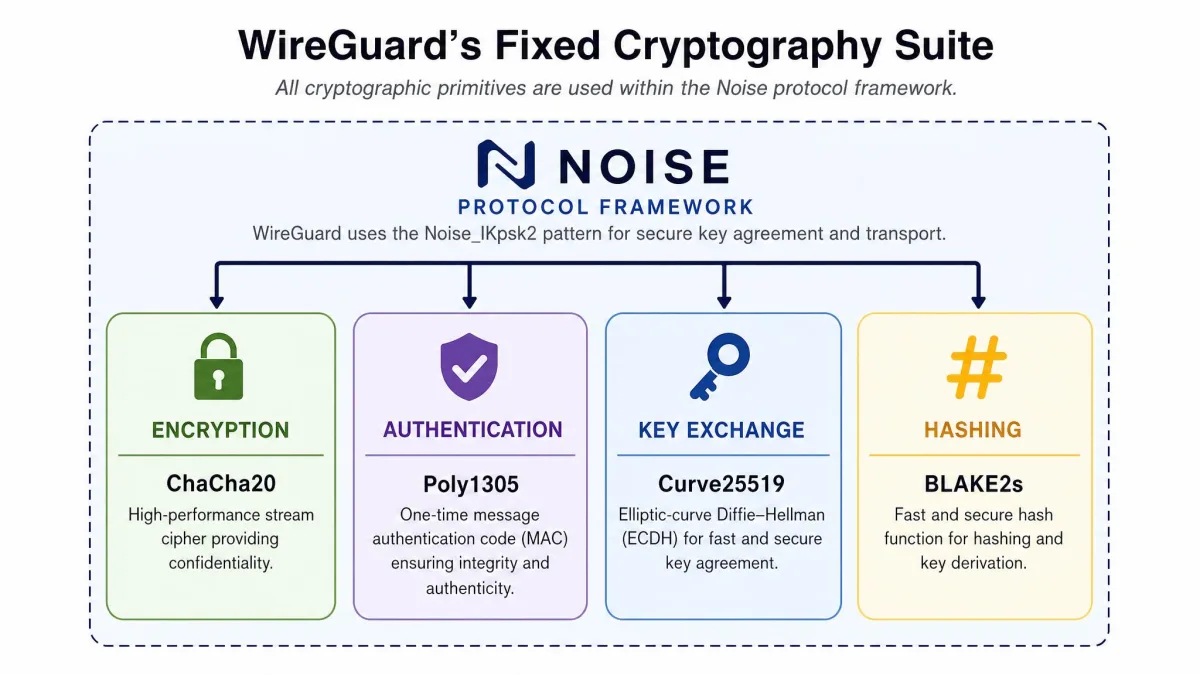
WireGuard does not let you choose your encryption, and that is a feature. It uses one fixed suite: ChaCha20 for encryption, Poly1305 for authentication, Curve25519 for key exchange, BLAKE2s for hashing, SipHash24 for hashtable keys, and HKDF for key derivation. The whole thing is built on the Noise protocol framework.
Fixed cryptography sounds limiting, but it removes a real risk. With protocols that negotiate options, a weak or outdated choice can slip through and undermine security. WireGuard sidesteps that entirely. If a primitive is ever found wanting, the answer is a new version of the protocol rather than a downgrade toggle.
The handshake uses the Noise framework's IK pattern, combining static and ephemeral Curve25519 keys. In practice this means each side proves its identity with its long-term key while also mixing in fresh, single-use keys for forward secrecy. If someone records your traffic today and steals a key later, past sessions stay protected.
ChaCha20 deserves a note of its own. It is a stream cipher that performs well on hardware without dedicated AES acceleration, which describes a lot of phones and small routers. That is one quiet reason WireGuard often feels quick on mobile devices.
Why WireGuard Uses UDP (Not TCP)
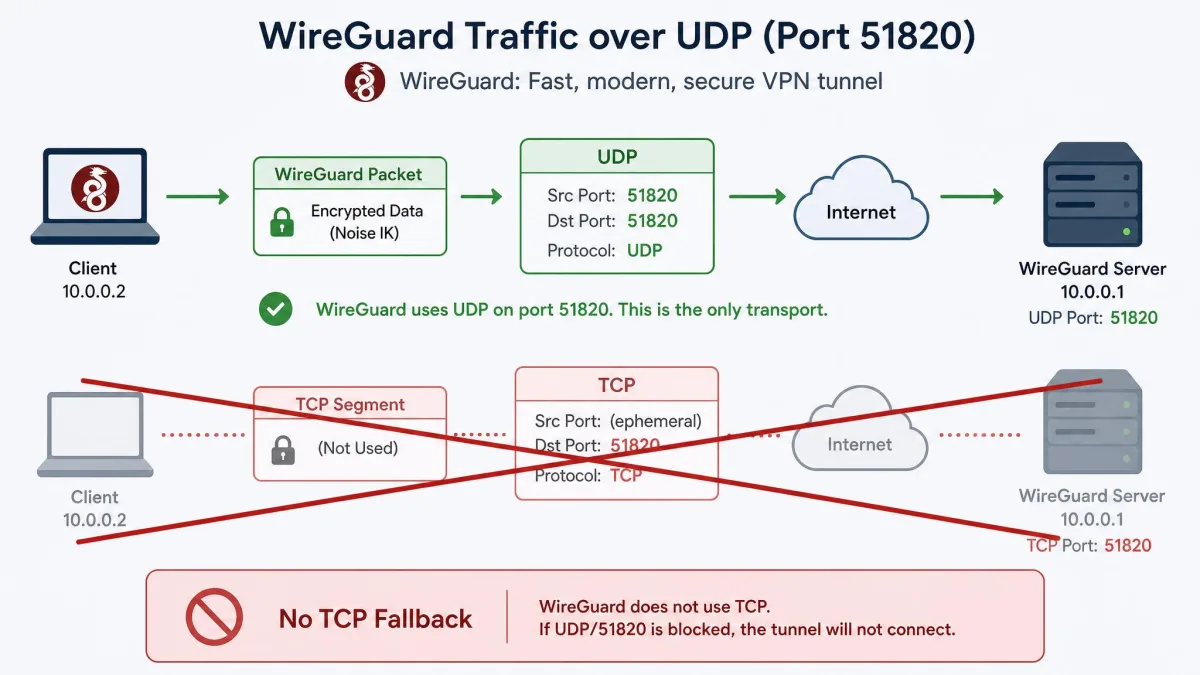
WireGuard runs over UDP only, on default port 51820. It does not support TCP at all. UDP is a connectionless transport, so it sends packets without the handshakes, acknowledgements, and retransmission logic that TCP adds. For a VPN carrying real-time traffic, that leaner approach usually means lower latency and higher throughput.
There is a well-known problem with running a VPN over TCP called TCP meltdown, where a TCP tunnel carrying TCP traffic fights itself over retransmissions and slows to a crawl. By staying on UDP, WireGuard avoids that trap. The applications inside the tunnel still use TCP where they need reliability, and that works exactly as normal.
The trade-off is real and worth stating plainly. Some restrictive networks block or throttle UDP, and because WireGuard has no built-in TCP fallback, it can be easier to block than a protocol that can disguise itself as ordinary web traffic. We cover that limitation in the cons below.
Because WireGuard uses only UDP and has no native obfuscation, some firewalls and captive networks block it outright. On such networks a provider's stealth mode or a different protocol may be your only way through.
WireGuard Pros and Cons
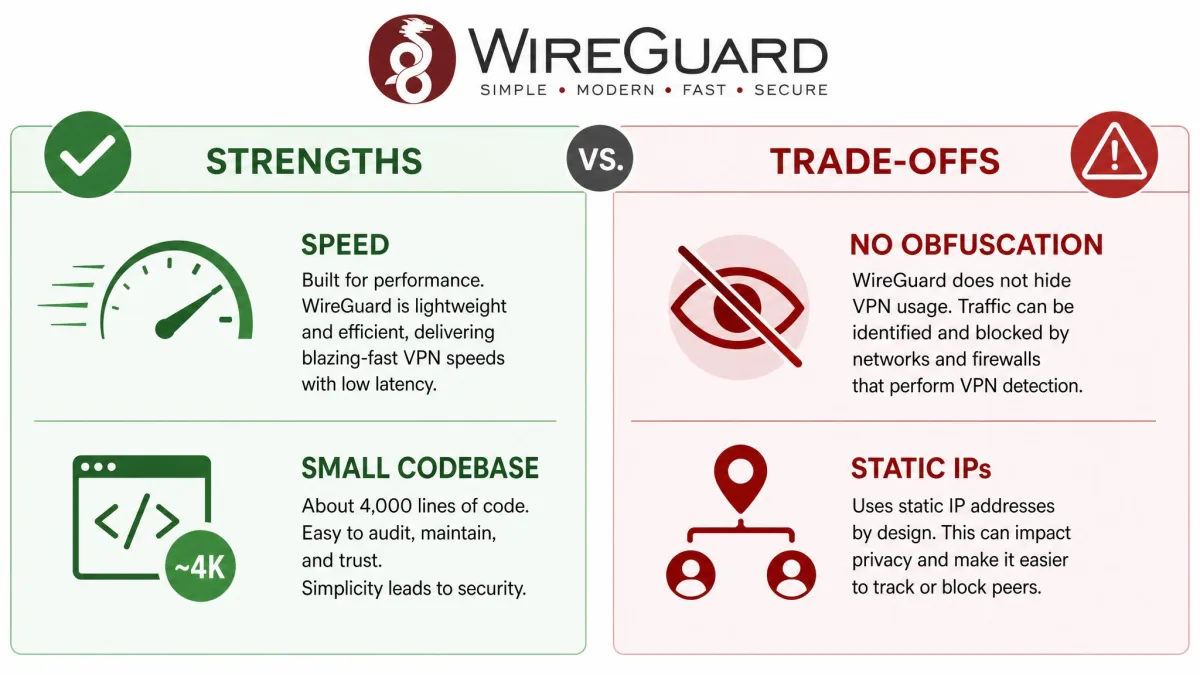
We have used WireGuard long enough to see both its strengths and its rough edges. It is our default protocol for most situations, but it is not the right tool for every network. Here is the balance as we see it.
Pros
- Very fast, with low latency and high throughput in everyday use
- Tiny 4,000-line codebase that is easy to audit and hard to misconfigure
- Fixed modern cryptography with no weak options to select by mistake
- Free, open-source, and built into the Linux kernel since version 5.6
- Runs across Linux, Windows, macOS, Android, iOS, and the BSDs
- Reconnects quickly and roams smoothly between networks
Cons
- No native obfuscation, so it is easier for firewalls to block
- UDP only, with no TCP fallback for restrictive networks
- By default it assigns static tunnel IPs and logs peer IPs to route
- Manual configuration scales poorly as you add more peers
- On macOS and iOS it runs in user space, trimming some speed
The pros dominate for most people, which is why so many VPN apps quietly switched their default protocol to WireGuard. The cons matter most in two cases: highly censored networks, and hand-built configurations that grow beyond a handful of devices. We return to both later.
WireGuard vs. Other VPN Protocols
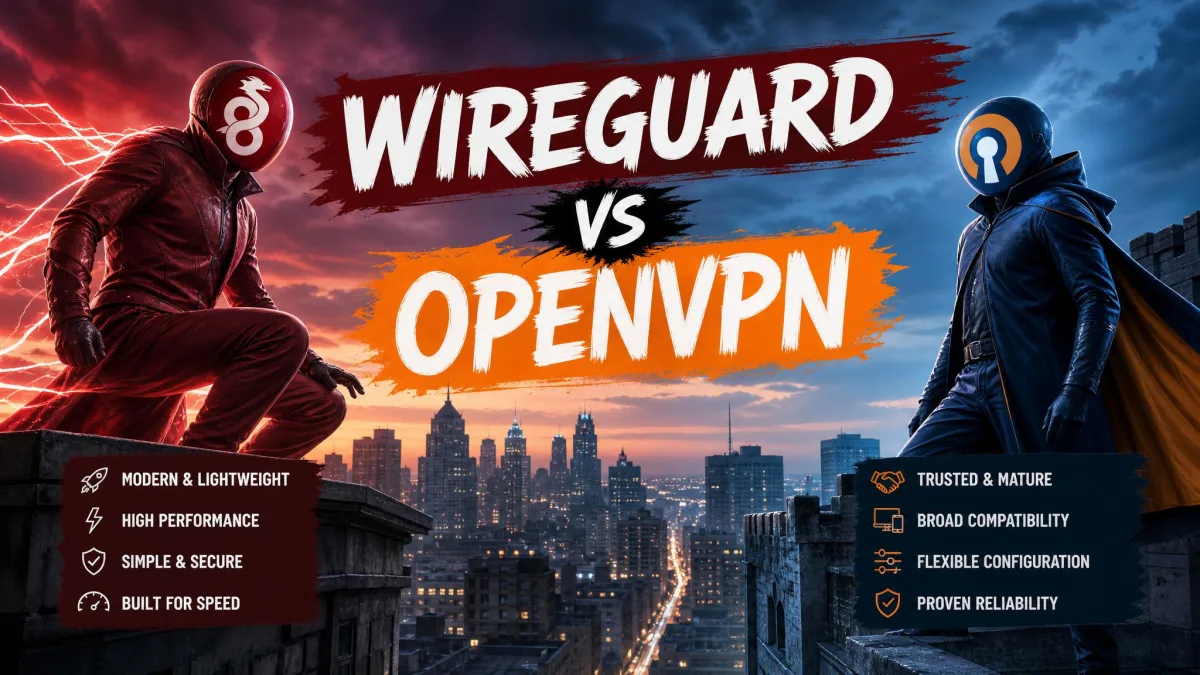
The easiest way to understand WireGuard is to line it up against the two protocols it most often replaces: OpenVPN and IKEv2/IPsec. Both are capable and widely deployed. The differences come down to speed, code size, and how much complexity you are willing to carry.
| Feature | WireGuard | OpenVPN | IKEv2/IPsec |
|---|---|---|---|
| Speed | Fastest, low latency | Good, higher latency | Fast |
| Encryption | ChaCha20 / Poly1305 / Curve25519 | AES via OpenSSL (configurable) | AES / IPsec suite |
| Codebase size | ~4,000 lines | Tens of thousands to several hundred thousand lines | Large (legacy) |
| Auditability | High (small codebase) | Moderate | Low (complex) |
| Compatibility | Broad, in Linux kernel 5.6+ | Very broad, mature | Native on many OSes |
| TCP/UDP | UDP only | UDP and TCP | UDP (IPsec) |
For a deeper head-to-head, we keep separate breakdowns of WireGuard vs OpenVPN and IKEv2 vs WireGuard, plus a broader look at the best VPN protocols compared.
WireGuard vs. OpenVPN
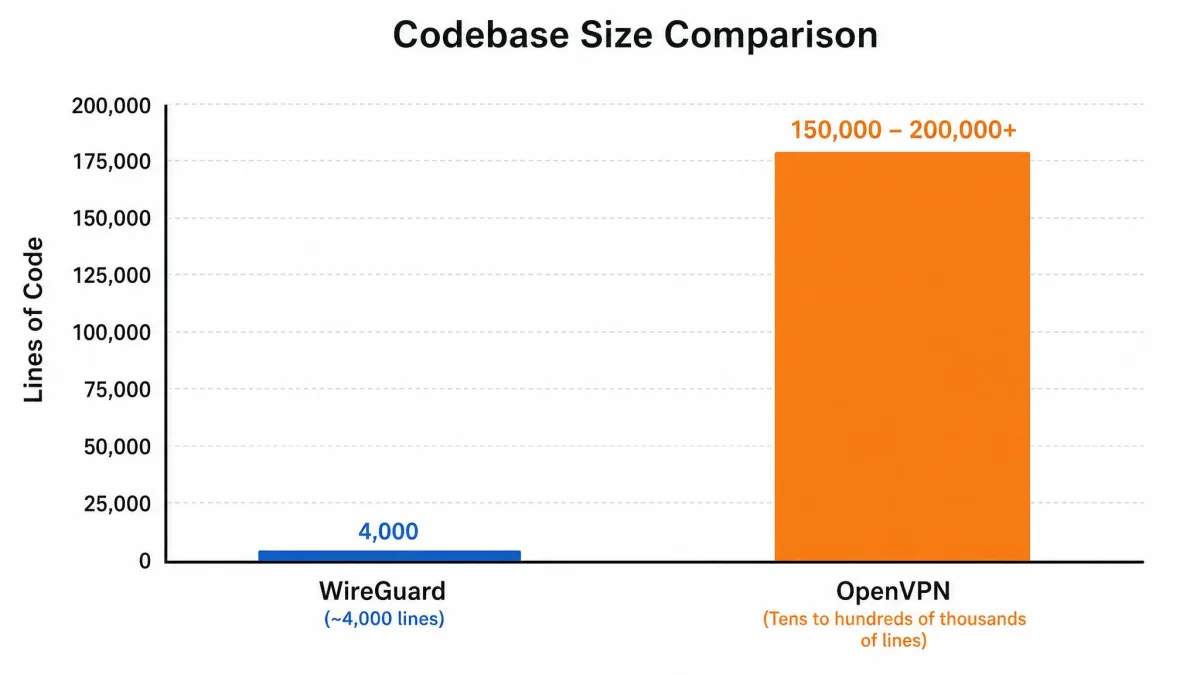
OpenVPN is the mature, battle-tested option, and it has years of audits and real-world deployment behind it. It is also far larger and more configurable. Its codebase runs from tens of thousands to several hundred thousand lines depending on what you count, against WireGuard's roughly 4,000. That size gap is the heart of the difference.
In our testing, WireGuard connects and reconnects noticeably faster than OpenVPN, and latency in everyday use is lower. Running at the kernel level on Linux and Windows, it also delivers higher throughput and lower CPU use than a user-space protocol like OpenVPN. On a laptop that shows up as less fan noise and better battery life on long sessions.
OpenVPN keeps one meaningful advantage. It supports both UDP and TCP, so it can fall back to TCP on port 443 and slip through firewalls that block everything else. WireGuard is easier for firewalls to block, because it lacks native obfuscation and rides only on UDP. If you regularly face aggressive censorship, OpenVPN or a provider's stealth layer is still the safer bet.
WireGuard vs. IKEv2/IPsec
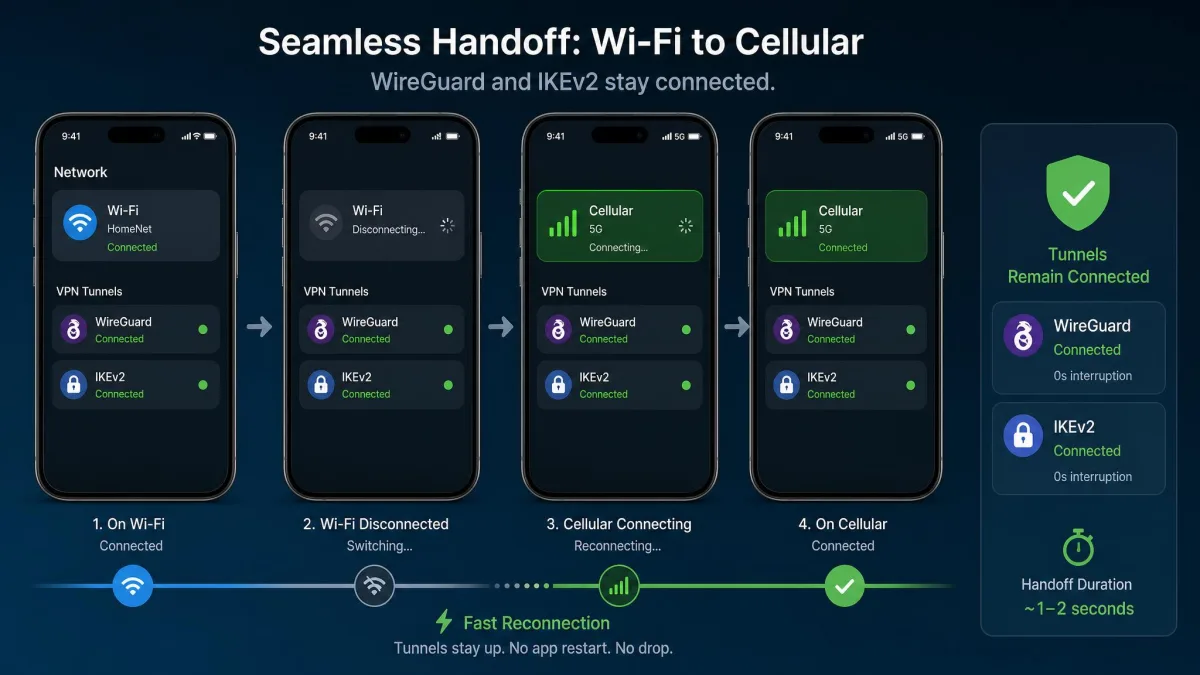
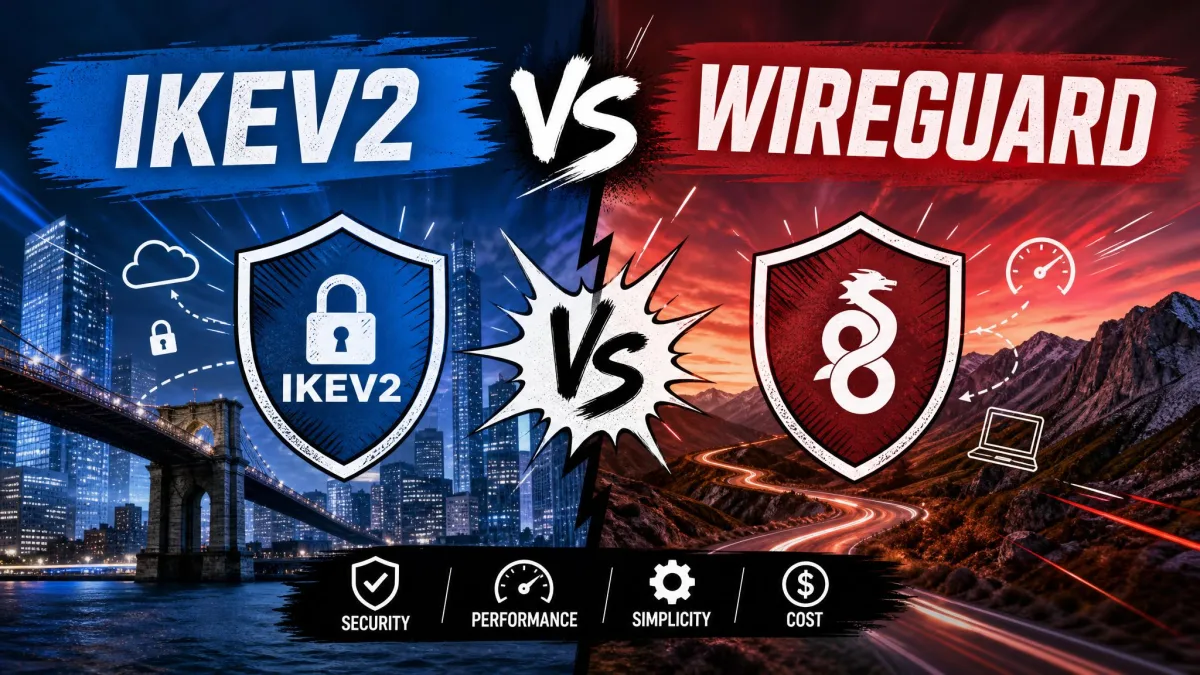
IKEv2/IPsec is the protocol you meet most often on phones, because many operating systems support it natively and it handles network changes well. It runs over UDP, commonly on ports 500 and 4500, and its MOBIKE feature makes it strong at mobile handoffs between Wi-Fi and cellular. It is fast and stable.
Against that, IKEv2/IPsec carries a large, older codebase that is far harder to audit than WireGuard. WireGuard matches its reconnection strength while staying much simpler under the hood. On our test phones both felt quick, but WireGuard's smaller footprint and modern cryptography make it the one we trust more when we cannot read every line ourselves. For background on the alternative, see our explainer on what is an IPsec VPN.
Is WireGuard Secure and Private?
On security, WireGuard is on strong ground. Its fixed, modern cryptography and tiny codebase are exactly the qualities auditors like, because there is so little to review and so few options to get wrong. Linus Torvalds even called it "a work of art" next to competing VPN protocols when it was merged into Linux. Forward secrecy in the handshake means a stolen key cannot unlock past traffic.
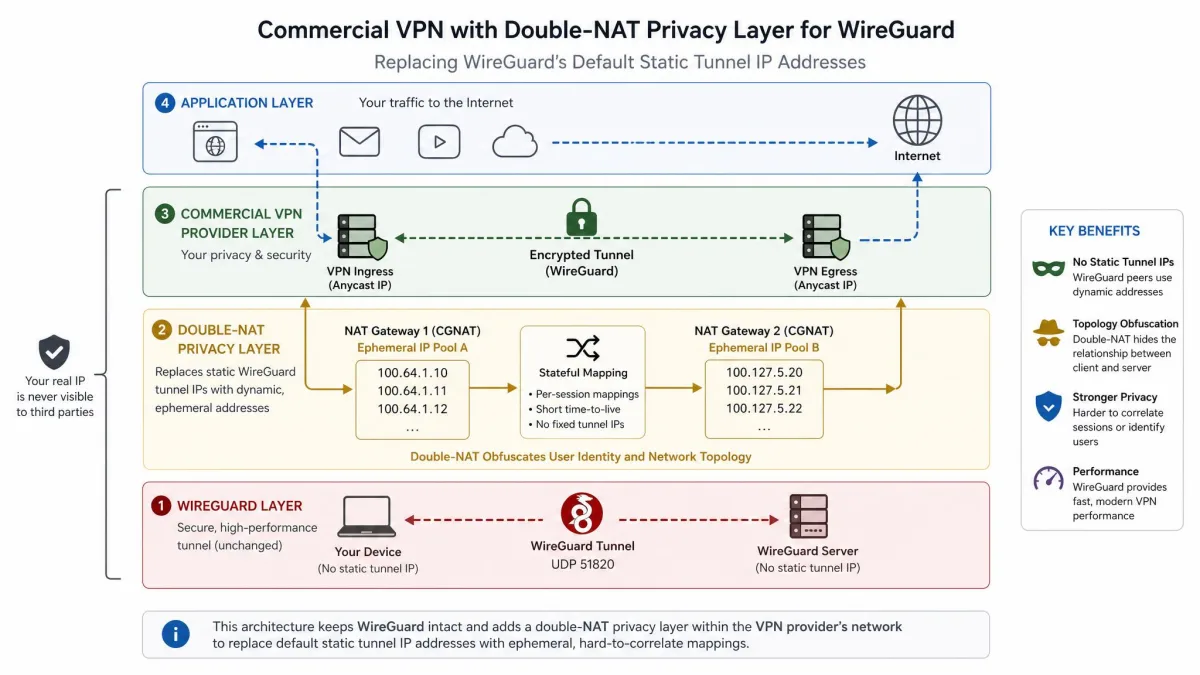
Privacy is more nuanced, and this is where honesty matters. By default WireGuard assigns static tunnel IP addresses and stores each peer's IP in order to route traffic. On a commercial VPN, a fixed internal address and retained peer data are not ideal for anonymity. That is a property of the bare protocol, not a hidden flaw, but it does need handling.
Providers solve this with custom layers on top. NordVPN's NordLynx, for example, wraps WireGuard with a double network-address-translation system that restores dynamic addressing and avoids storing identifying IPs. When you use WireGuard through a reputable no-logs provider, you get its speed without the default privacy caveat. The protocol is secure; the privacy depends on how it is deployed.
WireGuard's cryptography is settled and strong. Its privacy depends almost entirely on how the service around it is built.
— From our hands-on testing
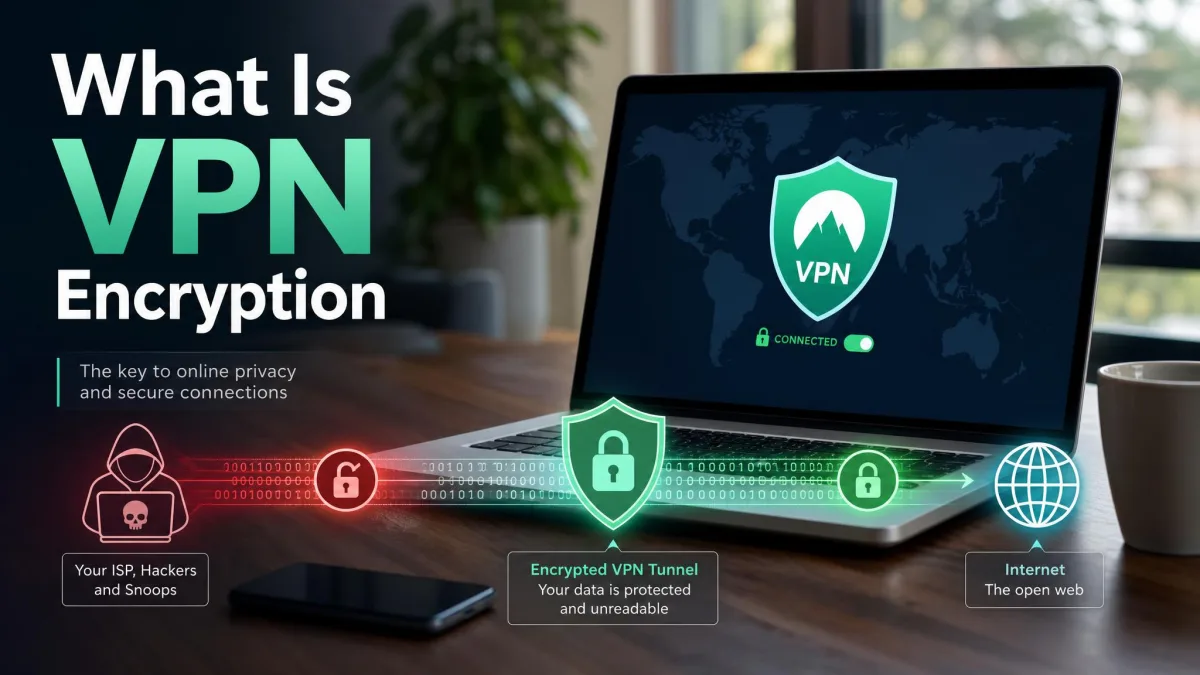
If you are still mapping out the basics, our guides on what is a VPN and how VPN encryption works give useful grounding before you weigh protocols.
What Devices and Operating Systems Support WireGuard?
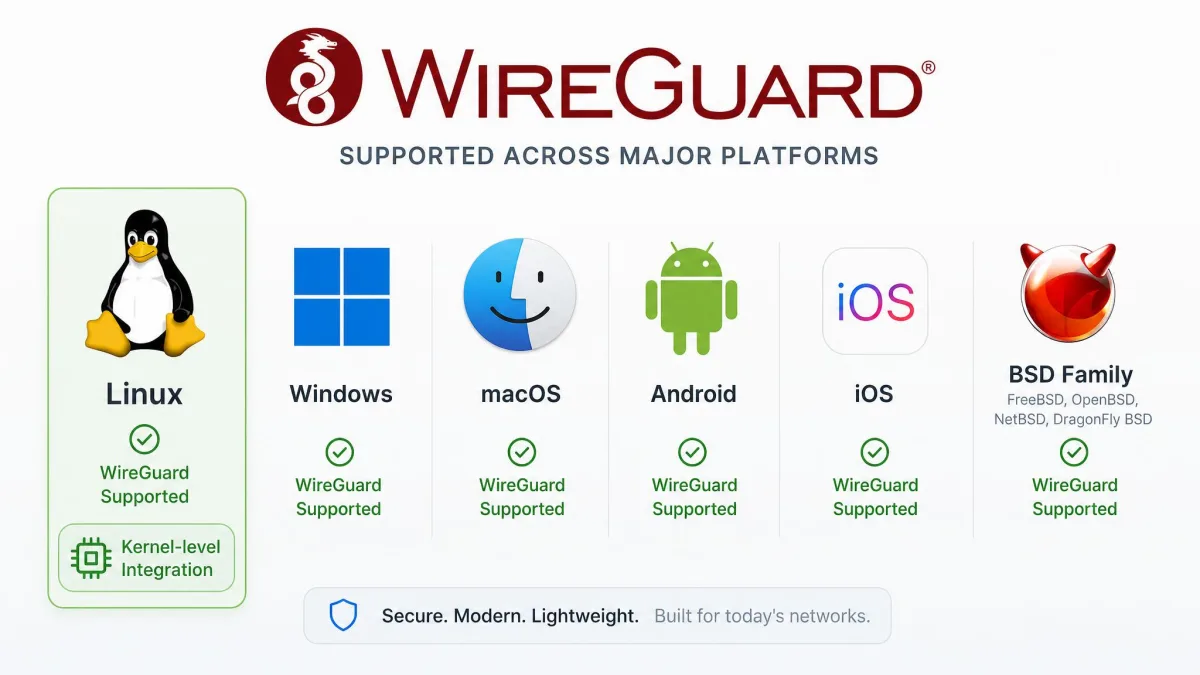
WireGuard is genuinely cross-platform, which is one reason it has spread so widely. There are official and well-maintained implementations for Linux, Windows 7 and later, macOS, Android, iOS, and the BSD family, including FreeBSD, NetBSD, and OpenBSD. In practice that covers almost every device most people own.
Its deepest integration is on Linux. WireGuard was merged into the mainline Linux kernel on January 28, 2020, and shipped in Linux kernel 5.6, released March 29, 2020. Running inside the kernel is what gives it that throughput and low CPU use on Linux servers and routers. On Windows it also benefits from a kernel-level driver.
There is one caveat worth knowing. On macOS and iOS, WireGuard runs in user space rather than in the kernel, which trims some of its speed advantage. In our testing the difference is modest for everyday browsing and streaming, and Apple devices still perform well. It is simply not the same raw throughput you see on a kernel-level Linux box.
For most readers, none of this requires action. If your VPN app lists WireGuard as a protocol, your device supports it. Manual installs are documented on the project's installation guides for every supported system.
How to Start Using WireGuard
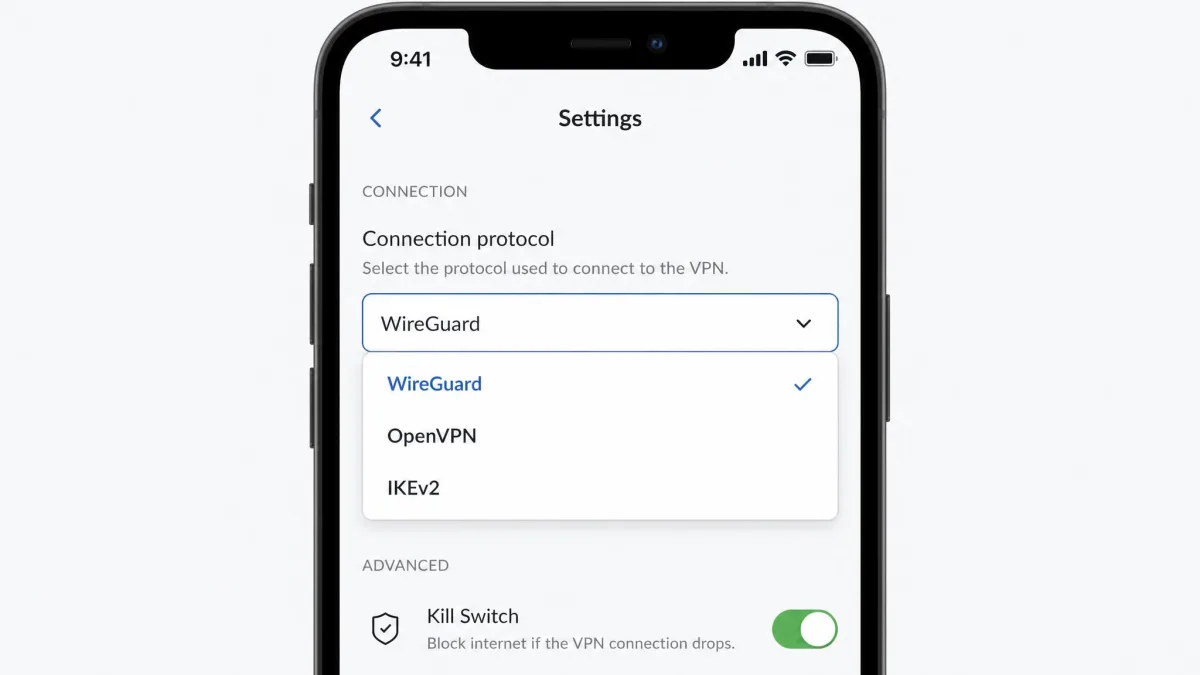
For most people, using WireGuard takes no real setup. If you use a commercial VPN, switching to WireGuard is usually just a setting toggle inside the app, with no manual configuration at all. Open the protocol menu, choose WireGuard or the provider's branded version of it, and reconnect. That is the whole process, and it is what we recommend for the vast majority of users.
If you want to run WireGuard yourself, between your own devices or to a home server, the manual path is still short by VPN standards. You install WireGuard, generate a key pair on each device, write a small configuration file listing the peer's public key and allowed IPs, and bring the interface up. A basic point-to-point tunnel can be working in minutes.
The friction appears as you scale. Configuring WireGuard by hand scales poorly, because every node you add must have its key shared with all the others. On a handful of devices this is fine. On a larger mesh it becomes genuinely unwieldy, and it is the part beginners struggle with most.
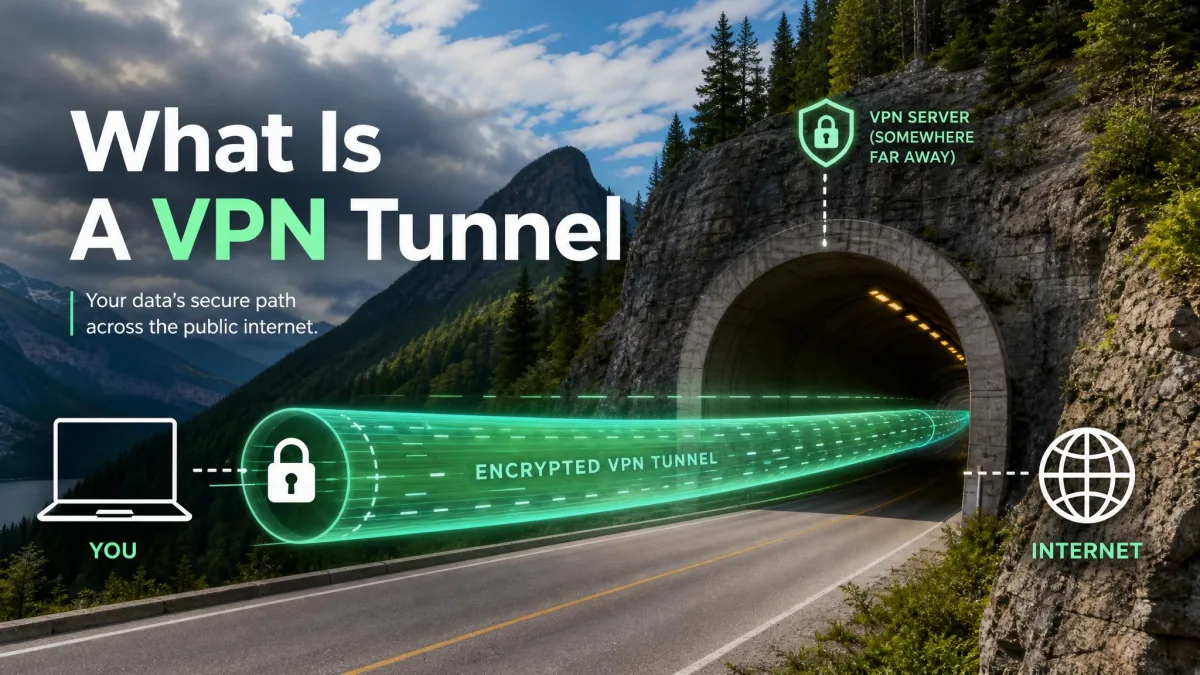
That is where managed overlays come in. Tools like Tailscale or Netmaker build on WireGuard and handle the key exchange and routing for you, which cuts the setup friction dramatically. The trade-off is that you add a layer of third-party trust. For a home network, the convenience is usually worth it. If you want the concept behind all of this, our piece on what is a VPN tunnel explains the fundamentals.
If you just want a faster VPN and not a networking project, skip the manual route entirely. Pick a reputable provider, switch the protocol to WireGuard in the app, and you get the speed with none of the key management.
Should You Use WireGuard?
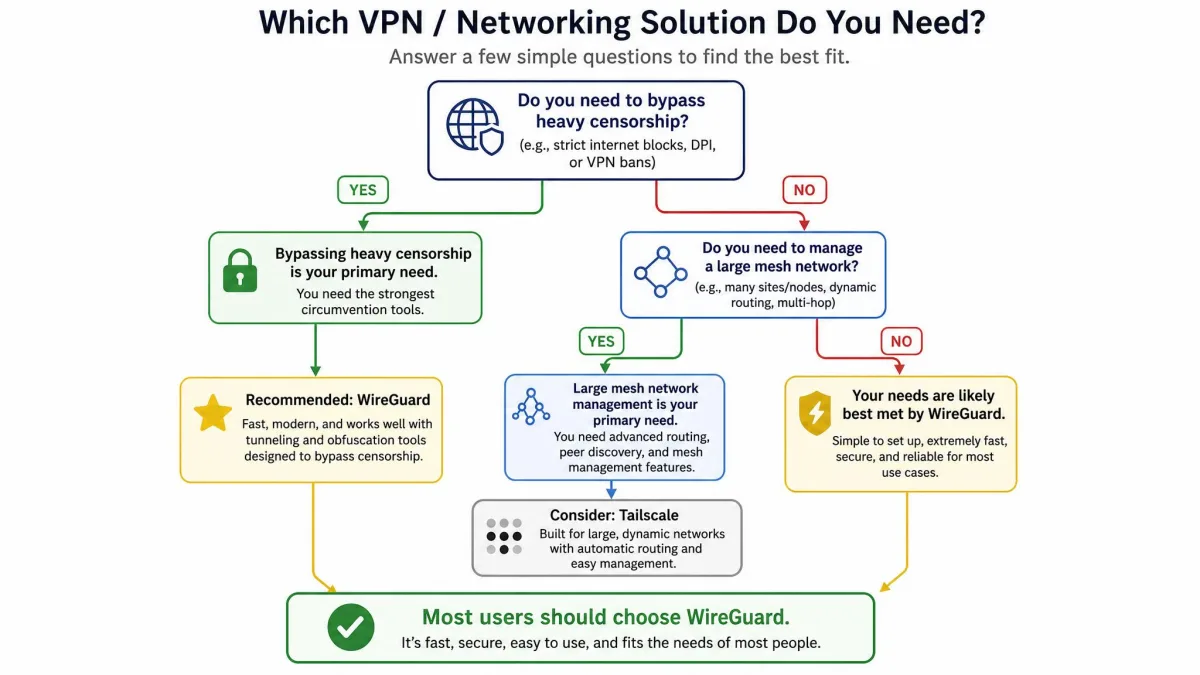
For most people, yes. WireGuard is the protocol we default to, and the reasons are consistent: it is fast, it is efficient on battery and CPU, its cryptography is modern and settled, and its small codebase inspires trust. If your VPN offers it, turning it on is one of the easiest performance upgrades available.
There are two situations where we would pause. The first is heavy censorship. On networks that block UDP or inspect traffic aggressively, WireGuard's lack of obfuscation is a real handicap, and a protocol that can wear a TCP disguise may serve you better. The second is a large hand-built network, where the manual key management grows tedious unless you add a managed overlay.
Outside those cases, the balance tilts firmly toward WireGuard. It gives you the speed of a lean, modern design and the security of code that experts can actually read. That combination is rare, and it is why the protocol has moved from a newcomer to the default choice across so much of the VPN world in just a few years.