
10 Best Phone Tracker Apps for 2026 (Android & iPhone)
A lost or stolen phone, a child walking home from school, an elderly parent who wanders, a delivery driver on a route. These situations send people looking for a phone tracker app. The right one shows where a device is in real time, alerts you when a loved one arrives or leaves a place, and helps you recover hardware before it is gone for good.
This roundup ranks the 10 best phone tracker apps for 2026 across Android and iPhone, with free and paid picks for every budget. We put each one through hands-on testing on real devices and share how it performed and which use case it fits best.
The 10 Best Phone Tracker Apps of 2026
We tested far more than 10 apps; these are the ones we would recommend to a friend. Each review covers what it was like to use, the features, pros and cons, pricing, and our verdict.
1. mSpy - Best for Stealth Monitoring
mSpy is the best cell phone tracker app and what I use to keep an eye on my son. It is fast to install, safely remains completely hidden, and provides me with a great deal more than just his location.
Key Features
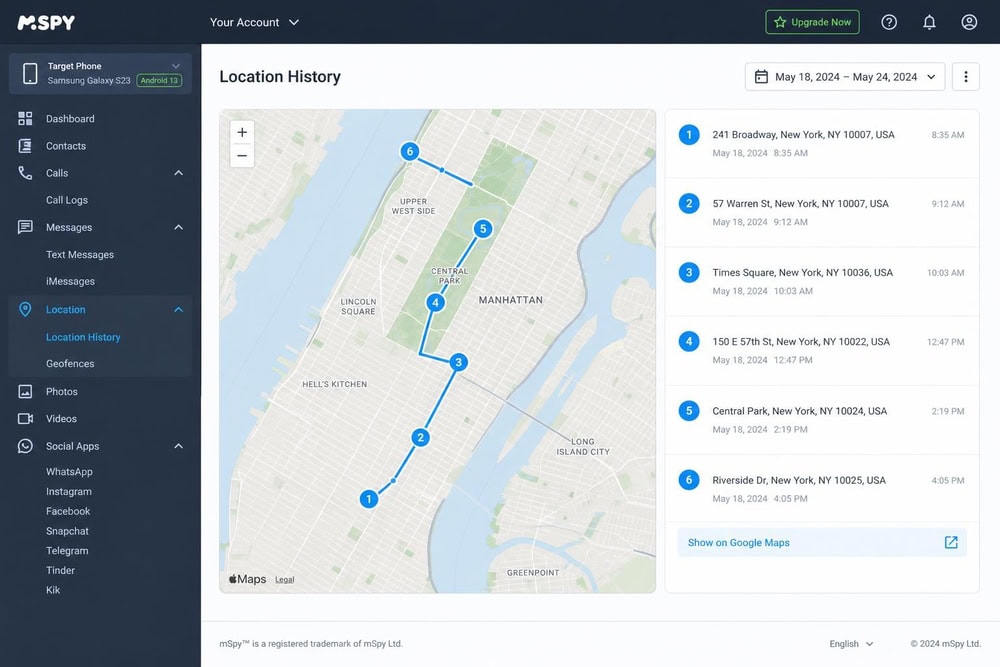
The app allows you to monitor the real-time location of the phone, overlaid on a map, and set up geofencing alerts that track when he enters or leaves specific areas. It also has the ability to record his device's screen, which allows me to keep track of what he is doing online. A keylogger feature records everything typed into the device including website addresses and passwords.
mSpy monitors popular messaging apps like Snapchat, Telegram, Kik, Skype, Tinder, Line, Viber, Instagram, Facebook Messenger, and WhatsApp for any potential inappropriate content. You can also view every text message sent from or received.
Live tech support is available, which can be a lifesaver if you have limited time to complete installation.
Pros & Cons
Pros
- Very broad activity monitoring
- Geofencing plus message and app insight
- Works across the widest range of iPhone and Android devices
Cons
- Full Android features may require rooting
- Refunds are reported as hard to obtain
Pricing
mSpy's annual plan starts at $11.67/mo as an introductory 12-month rate, with reviews reporting renewal near $16.67/mo. The 1-month plan starts at $48.99 as an intro price, also reported to renew higher. A 14-day refund window applies, but users say it excludes change-of-mind cases.
Our Verdict
Visit mSpy2. uMobix - Best for Advanced Monitoring
uMobix is another deep monitoring app with a near-live activity feed. It overlaps heavily with mSpy, but its refresh cadence and front-camera access stand out on Android (only).
What It Was Like to Use
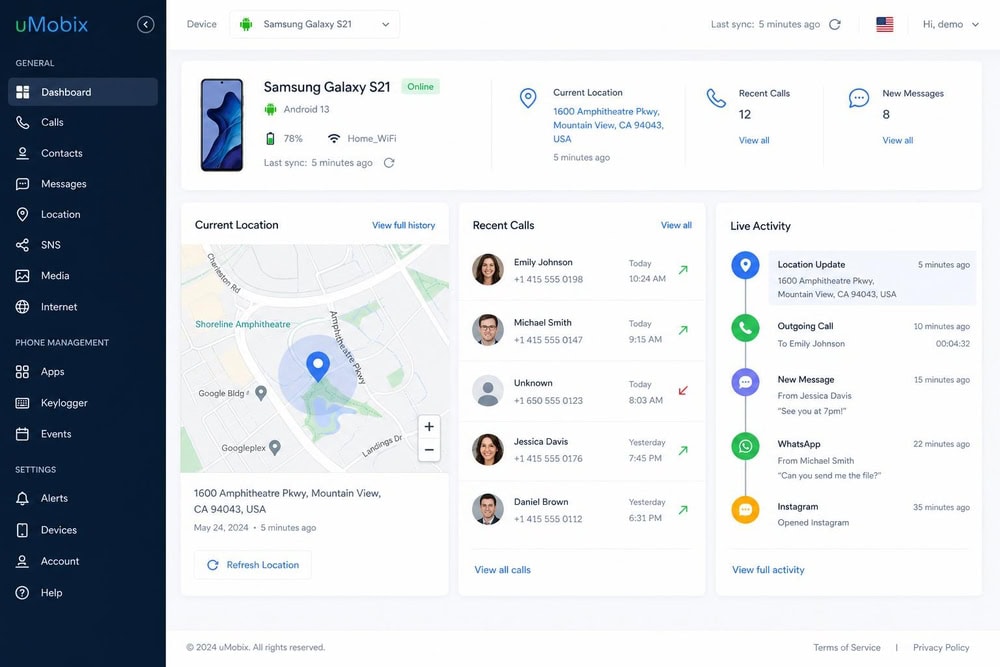
What stood out on our test Android was how quickly the activity timeline filled in. A call and a message on the monitored phone both surfaced in the dashboard without much lag, alongside the live location.
Key Features
GPS location, geofencing, call logs, SMS, social and messenger apps, browsing history, photos, Android front-camera access, and a keylogger, all in stealth.
Pros & Cons
Pros
- Frequently updating activity feed
- Strong Android feature set, including camera access
- Geofencing plus full message monitoring
Cons
- No iPhone/iOS version
- Refunds cover technical defects only
Pricing
uMobix's 12-month plan starts at $12.49/mo as an introductory rate, so budget for a higher renewal. Its refund policy is a 14-day window limited to technical defects, not change-of-mind.
Our Verdict
Visit uMobix3. Life360 - Best Overall
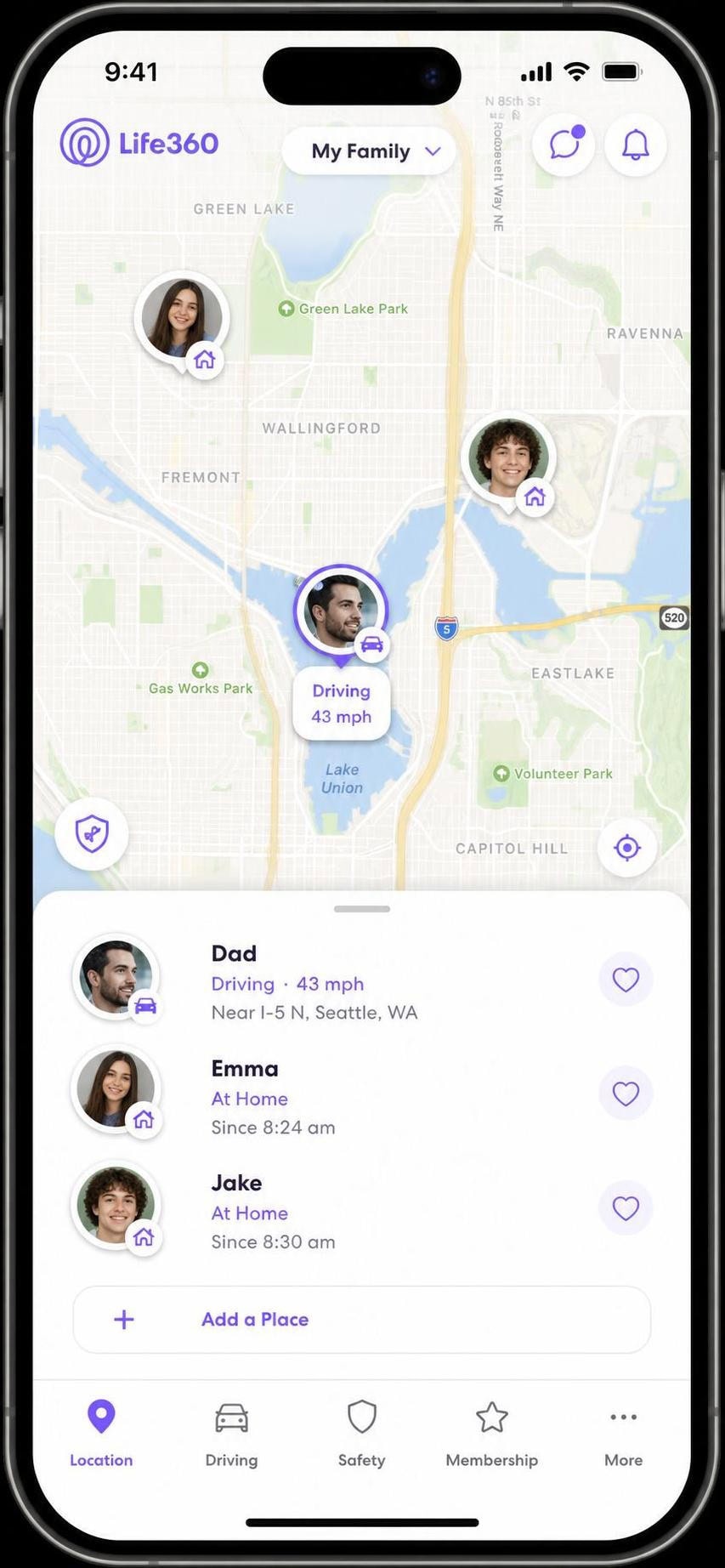
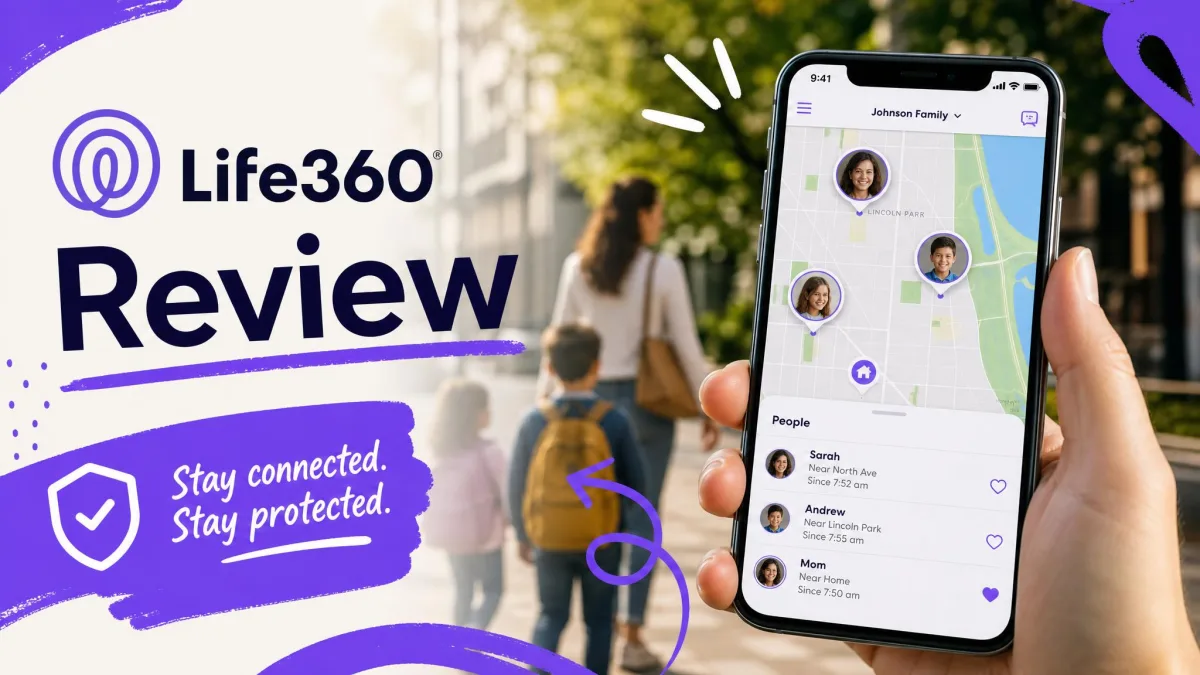
Life360 is the app most families end up using. It centers on a shared "Circle" where everyone's live location appears on one map, then adds safety extras well beyond a dot on a screen, striking the best balance of accuracy, features, and ease here.
What It Was Like to Use
We set a home geofence and walked our test phone to the corner and back. The Circle map kept pace, and the "left home" alert reached the second phone a beat after we crossed the boundary. On a later drive, Life360 flagged the trip as driving on its own, context a plain locator skips.
Key Features
Real-time sharing, place alerts and geofencing, location history, crash detection with 24/7 emergency dispatch, SOS alerts, roadside assistance, and stolen-phone reimbursement on paid plans.
Pros & Cons
Pros
- Polished live map both Android and iPhone users find easy
- Strong safety stack: crash detection, SOS, driver reports
- Generous free tier to get started
Cons
- Best features (30-day history, dispatch) need a paid plan
- Background location use can affect battery on older phones
- Some teens dislike being on a shared Circle
Pricing
The free tier includes 2 days of history and 2 place alerts. Paid plans start at Silver $7.99/mo ($49.99/yr), step up to Gold $14.99/mo ($99.99/yr, adding 30 days of history and dispatch), and top out at Platinum $24.99/mo.
Our Verdict
Get Life3604. FamiSafe - Best for Families / Child Safety
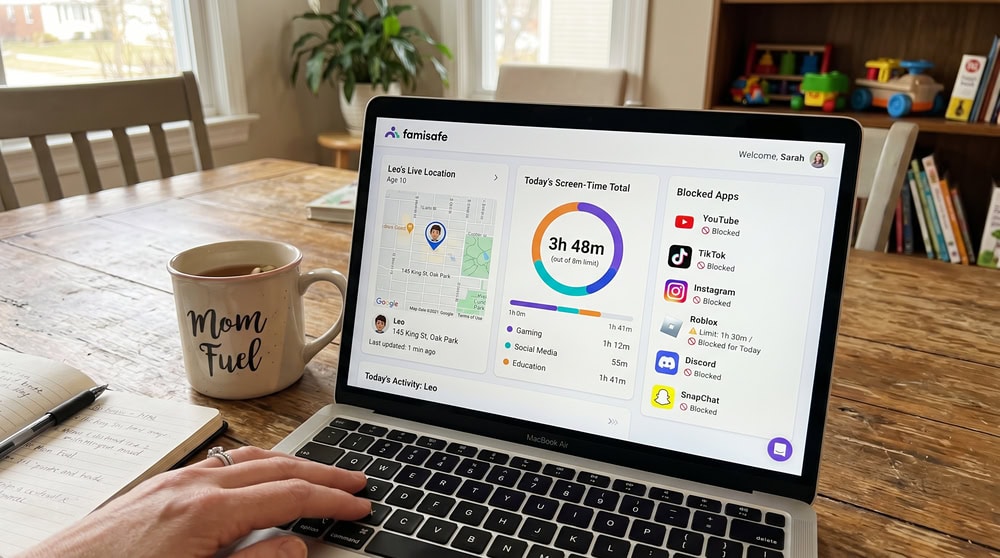
FamiSafe, from Wondershare, is built around parenting, not just locating a phone. Alongside real-time GPS and history, it bundles web filtering, app limits, screen-time controls, and content detection.
What It Was Like to Use
Setting up the test child profile, we walked through web-filter categories and an app-limit schedule before location even felt central, with a screen-time total beside the live map. The location worked cleanly, but FamiSafe is plainly a parenting console first.
Key Features
Real-time GPS and history, geofencing, web filtering, app blocking, screen-time scheduling, social-media monitoring across 30-plus apps, explicit-content detection, and a driving report.
Pros & Cons
Pros
- Deep parental controls beyond location
- Broad platform support, including Windows and Kindle Fire
- Social-media and content monitoring built in
Cons
- Renewal price can rise above the introductory rate
- More setup than a simple locator
- Refund eligibility varies by platform
Pricing
FamiSafe costs $9.99/mo, or $59.99/yr (about $4.99/mo) for up to 10 devices, with a 3-day free trial. The vendor lists a 7-day money-back guarantee, though eligibility varies and the intro price can climb on renewal.
Our Verdict
Try FamiSafe5. Find My Kids - Best Free Option
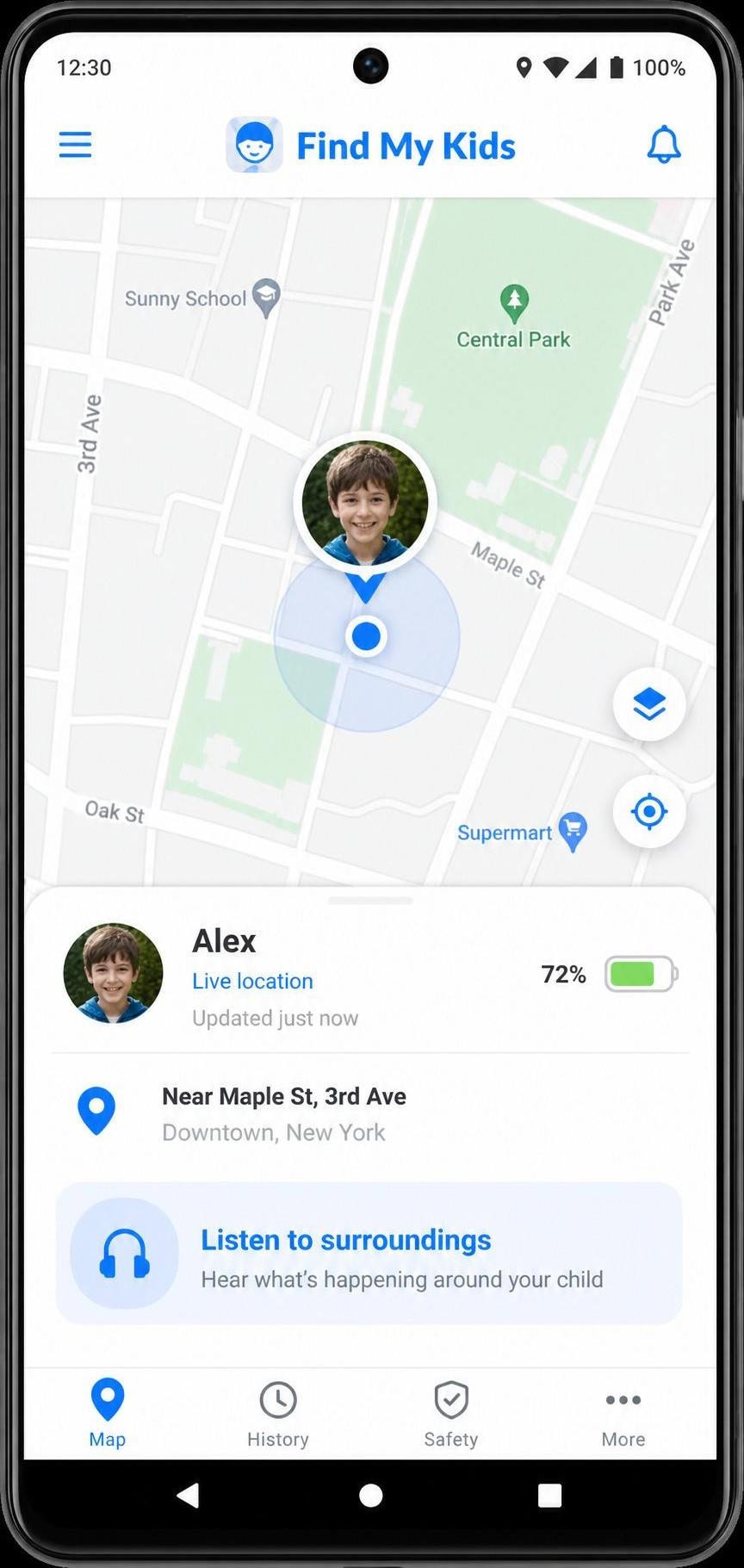
Find My Kids is purpose-built for younger children, and its free tier covers the essentials better than most. The standout is the companion child app, simple for the kid while giving parents real visibility.
What It Was Like to Use
We paired the parent app with the child-side Pingo app and left the test phone in another room. The low-battery alert fired as it drained, and the "sound around" feature pulled audio from the room, an obvious draw for parents of small children. The free tier handled location without constant paywall nags.
Key Features
Real-time GPS and movement history, geofence and movement alerts, the "sound around" listen feature, an SOS button in the Pingo child app, a loud signal, low-battery alerts, and app-usage stats.
Pros & Cons
Pros
- Genuinely useful free tier for basic location
- Child-friendly companion app with SOS
- Low-battery and movement alerts built in
Cons
- Geared to younger kids more than teens
- Some alerts can feel chatty
- Premium pricing varies by region
Pricing
A free tier covers basic location. Paid plans include a 3-day free trial, and third-party reviews report Premium around $16.99/yr, with a lifetime option near $25.99. App-store pricing varies by region, so check the listing.
Our Verdict
Get Find My Kids6. Apple Find My - Best for iPhone
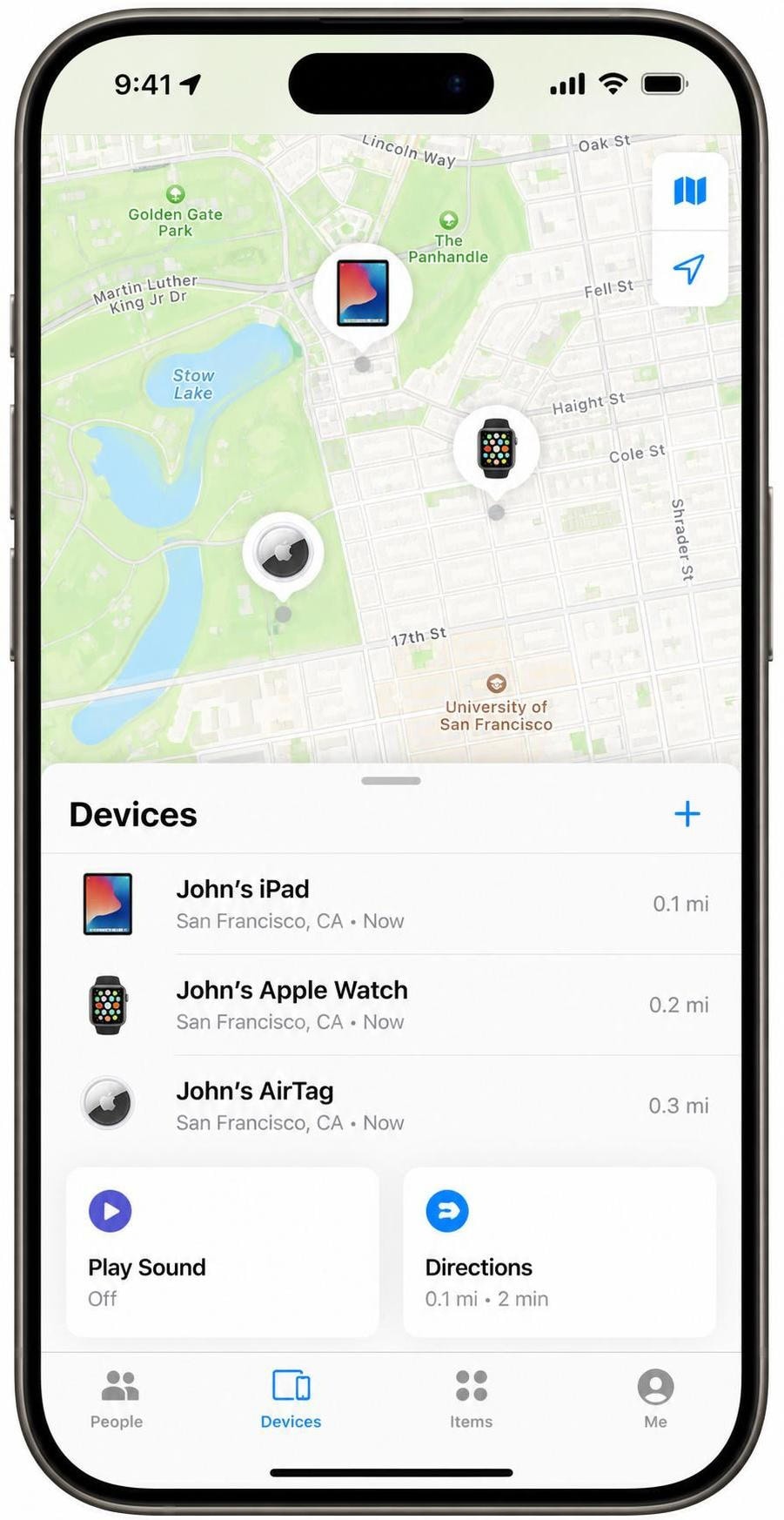
If you live in Apple's ecosystem, Find My is already on your iPhone, free, and remarkably good, leaning on a network of roughly a billion Apple devices to locate gear even when offline or powered off.
What It Was Like to Use
We powered down a test iPhone and tried to locate it anyway; Find My still pinned it to the right room, the trick that makes the network so useful for recovery. Family Sharing put household devices on one screen, and Lost Mode and Precision Finding worked as Apple describes. Sharing an item outside the family requires iOS 18.2 or later.
Pros & Cons
Pros
- Completely free and already installed
- Finds devices even when offline or powered off
- Massive, accurate Find My network
Cons
- Apple devices only, no Android support
- No real geofencing for people
- Item sharing needs iOS 18.2 or newer
Our Verdict
Set Up Find My7. Google Find My Device - Best for Android
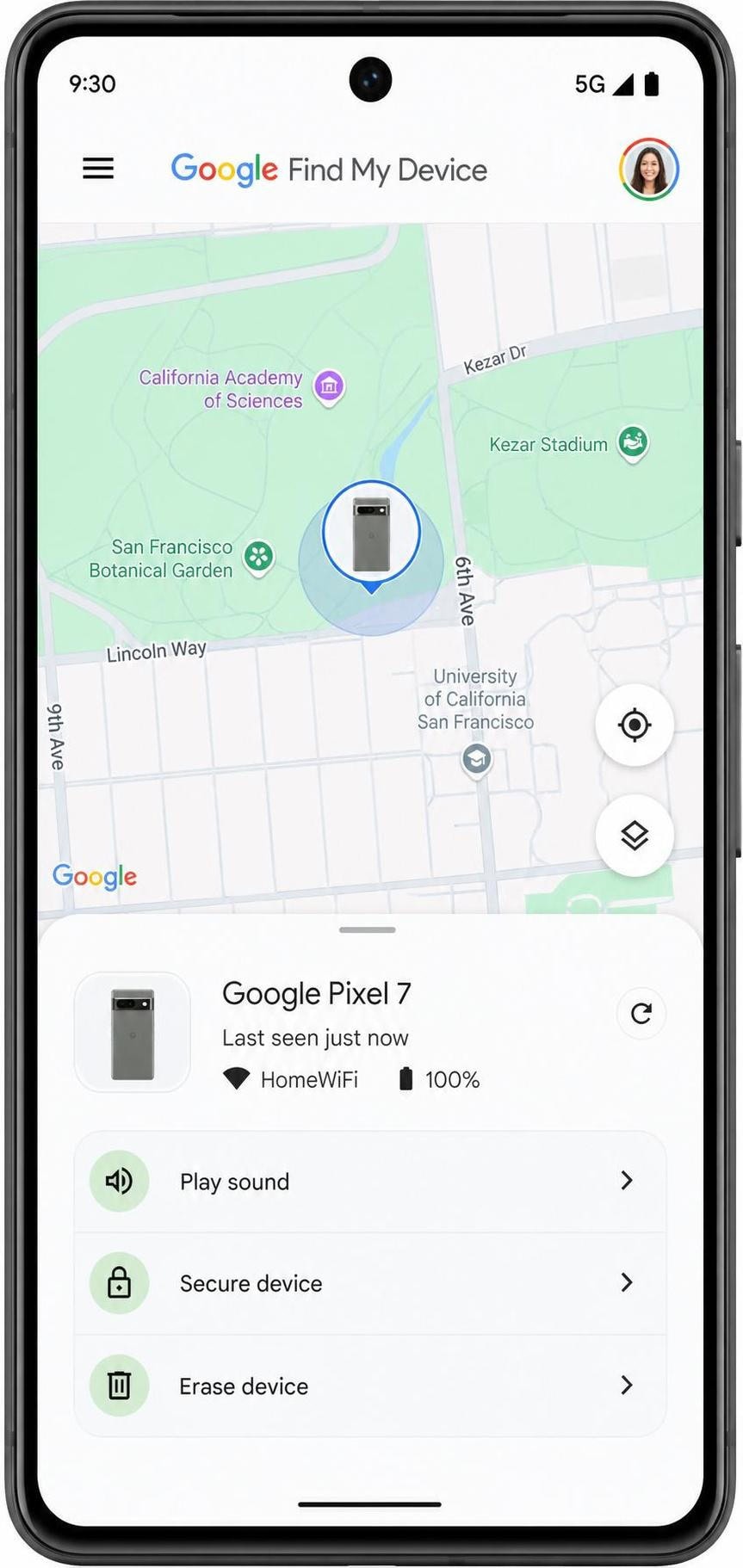
Google Find My Device is the free, built-in Android answer to Apple's finder, and the network upgrade made it far more capable, locating phones, tablets, and watches even offline, with the latest Pixel and Fold findable when powered off.
What It Was Like to Use
We "lost" a test Pixel down the back of a couch and triggered Play Sound; it rang from across the room and showed on the map. The unknown-tracker alert even flagged an AirTag in a nearby bag, a useful anti-stalking touch. Powered-off finding worked on the Pixel but is limited to newer hardware, and unknown-tracker alerts need Android 6 and up.
Pros & Cons
Pros
- Free and built into Android
- Offline finding through a huge device network
- Unknown-tracker alerts, including AirTags
Cons
- Android only, no iPhone support
- No people-style geofencing or history
- Powered-off finding limited to newer hardware
Our Verdict
Open Find My Device8. Glympse - Best for No-Install / Link Sharing
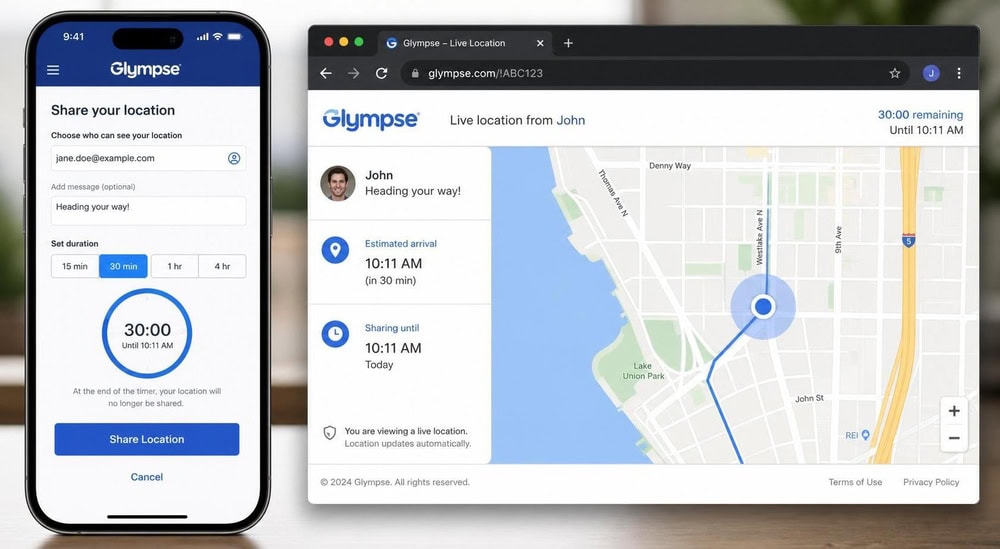
Glympse takes a simple approach: share your live location as a link with a self-expiring timer, and the recipient needs no sign-up and no app. It is the closest thing here to tracking without making the other side install anything.
What It Was Like to Use
We sent ourselves a Glympse link with a short timer and opened it in a plain browser on the other phone, no account, no install. The position updated as we walked, and when the timer expired the link stopped working. That self-expiring behavior is the whole appeal.
Key Features
Temporary link-based sharing, a self-expiring timer, private groups, saved "My Places," and a request-location feature. Recipients need no sign-up or app and can open the link in any browser.
Pros & Cons
Pros
- Completely free to use
- Recipients need no app or account
- Self-expiring links protect your privacy
Cons
- No geofencing or long-term history
- Built for sharing, not always-on tracking
- Less suited to monitoring a child full time
Pricing
Glympse is free to use, with no paid tier required for its core sharing features.
Our Verdict
Try Glympse9. iSharing - Best for Geofencing Alerts
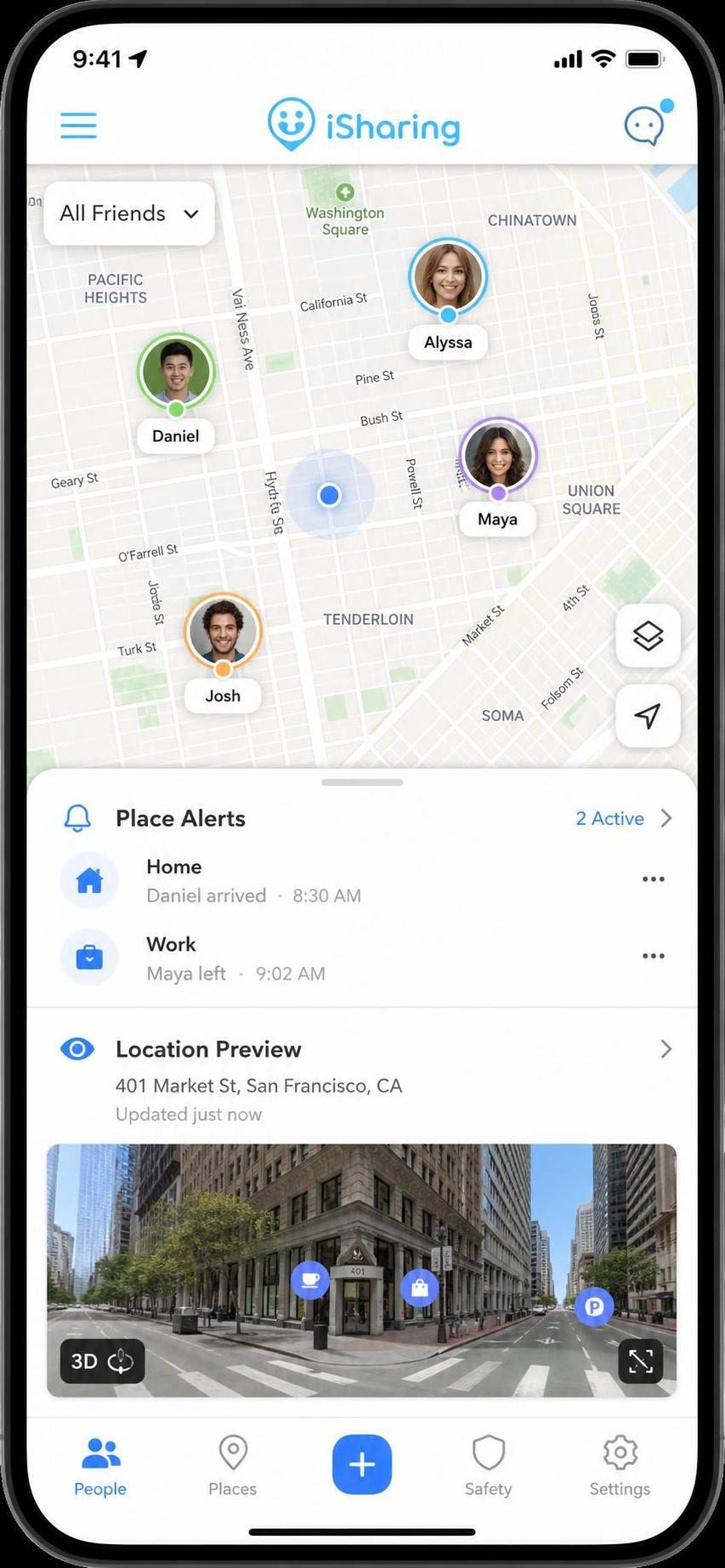
iSharing focuses on location sharing and place alerts and is generous with its free tier. If geofencing is your priority, its alerts and large free friend list make it easy to set boundaries for a whole group.
What It Was Like to Use
We drew a geofence around our test "home" and walked the phone past it. The place alert reached us shortly after we crossed the line, and tapping a friend's pin opened a 3D street-view preview rather than a flat marker. The free tier fit a group without paying.
Key Features
Real-time sharing, place and geofence alerts, history (up to 365 days on its top tier), 3D Street View, low-battery and driving alerts, an SOS with sound recording, inactivity alerts, a web app, and messaging.
Pros & Cons
Pros
- Generous free tier, up to 50 friends
- Strong geofencing and place alerts
- Long history on the top paid tier
Cons
- Exact paid-tier prices are not clearly published
- Some history features sit behind a paywall
- Feature depth can feel busy at first
Pricing
The free tier supports up to 50 friends and 7 days of your own history after an ad. The paid Silver, Gold, and Platinum tiers add longer history and a 7-day free trial, and they generally start in the single-digit dollars per month, but the vendor's pages do not publish exact USD prices and third-party figures conflict. Check the live store listing before subscribing.
Our Verdict
Try iSharing10. Qustodio - Best for Parental Control / Budget Pick
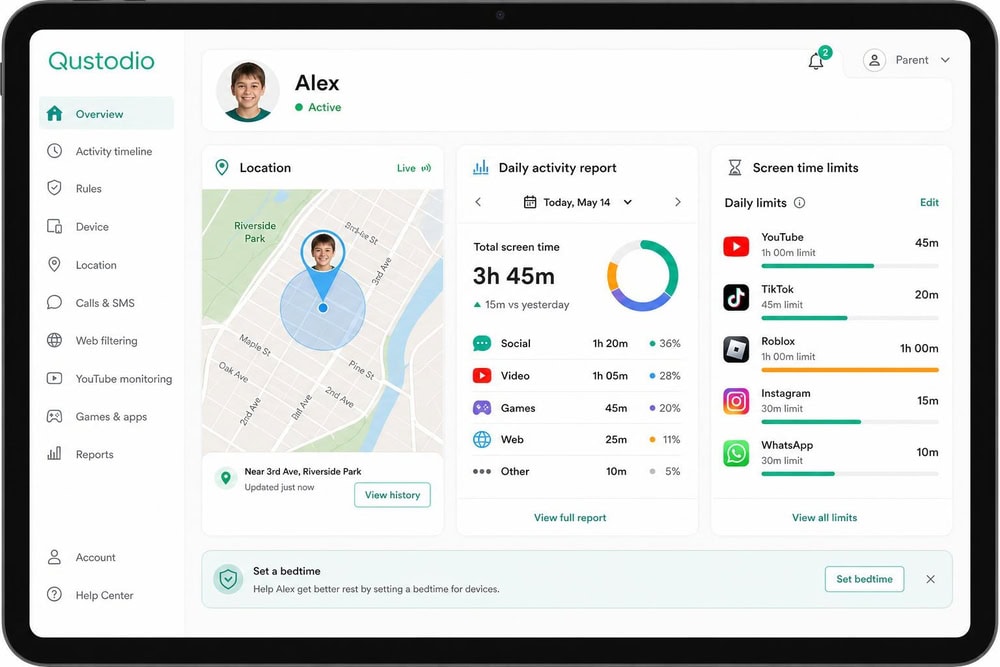
Qustodio rounds out our list as a well-rounded parental-control app with solid location features and strong value for parents who want web filtering, app limits, and location in one subscription.
What It Was Like to Use
Qustodio greeted us with a daily activity report rather than a bare map. We set per-app time limits and a web filter on the child profile, then confirmed the location pin was right. Like FamiSafe, it is a parenting suite that tracks location well, not the other way around.
Key Features
GPS location and history, geofencing and place alerts, a panic button, web filtering, app blocking and time limits, screen-time scheduling, YouTube and social monitoring, and daily and weekly reports.
Pros & Cons
Pros
- Complete parental-control suite with location
- Wide platform support
- 30-day money-back guarantee
Cons
- Location is one feature among many, not the focus
- Best features need the higher tier
- Annual billing only on paid plans
Pricing
Qustodio's Basic plan is $59.95/yr for up to 5 devices, and Complete is $109.95/yr for unlimited devices. There is a free trial of premium features with no credit card required, plus a 30-day money-back guarantee.
Our Verdict
Try QustodioBest Phone Tracker Apps at a Glance (Comparison Table)
How our 10 picks compare on platform, free tier, price, geofencing, and best use. Shortlist two or three, then read the reviews below.
| App | Platform | Free tier | Starting paid price | Geofencing | Best for |
|---|---|---|---|---|---|
| mSpy | Android, iOS | No | $11.67/mo (intro, annual) | Yes | Stealth monitoring |
| uMobix | Android, iOS | No | $12.49/mo (intro, annual) | Yes | Advanced monitoring |
| Life360 | Android, iOS | Yes (2 days history, 2 place alerts) | Silver $7.99/mo ($49.99/yr) | Yes | Families / overall |
| FamiSafe | iOS, Android, Win, Mac, Chrome, Kindle | Yes (1 device, limited) | $59.99/yr ($9.99/mo) | Yes | Child safety, cross-platform |
| Find My Kids | Android, iOS | Yes (basic location) | ~$16.99/yr (verify) | Yes | Best free / younger kids |
| Apple Find My | iOS, iPadOS, macOS | Free, native | Free | No (device finder) | Lost iPhone / Apple kit |
| Google Find My Device | Android (6+) | Free, native | Free | No (device finder) | Lost Android phone |
| Glympse | Android, iOS | Yes (full free) | Free | No (link sharing) | No-install link sharing |
| iSharing | Android, iOS | Yes (50 friends) | Verify store price | Yes | Geofencing alerts |
| Qustodio | Android, iOS, Win, Mac, Chromebook | Yes (limited free) | $59.95/yr | Yes | Parental control / budget |
How We Tested & Chose These Phone Tracker Apps
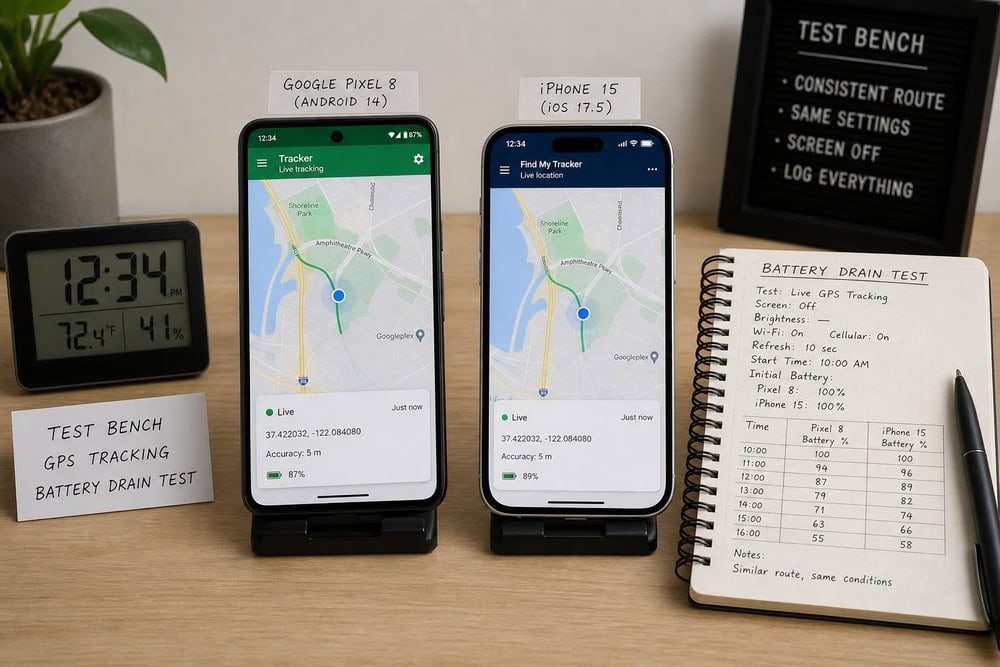
We scored on what you feel day to day: location accuracy on the move, geofence-alert speed, setup friction, platform coverage, and honest pricing, flagging any app whose renewal price climbs after the first term.
What to Look for in a Phone Tracker App (Buying Guide)
A parent watching a young child needs different things than someone recovering a stolen handset. These six criteria shaped our scoring and make a checklist.
Real-Time Location Accuracy & Update Frequency
A smartphone's GPS is typically accurate to within about 4.9 meters (16 feet) under open sky, widening to 5 to 30 meters near buildings. That figure belongs to the phone's chip, not any single app, so treat per-app accuracy claims with skepticism. Refresh frequency is configurable and trades speed against battery.
Platform Compatibility (Android & iPhone)
Most family apps run on both Android and iOS, but rarely identically; monitoring apps do far more on Android, since Apple's sandbox limits what any app sees on iPhone. Native finders are platform-locked. If your household mixes phones, confirm a cross-platform app covers every device.
Geofencing & Location History
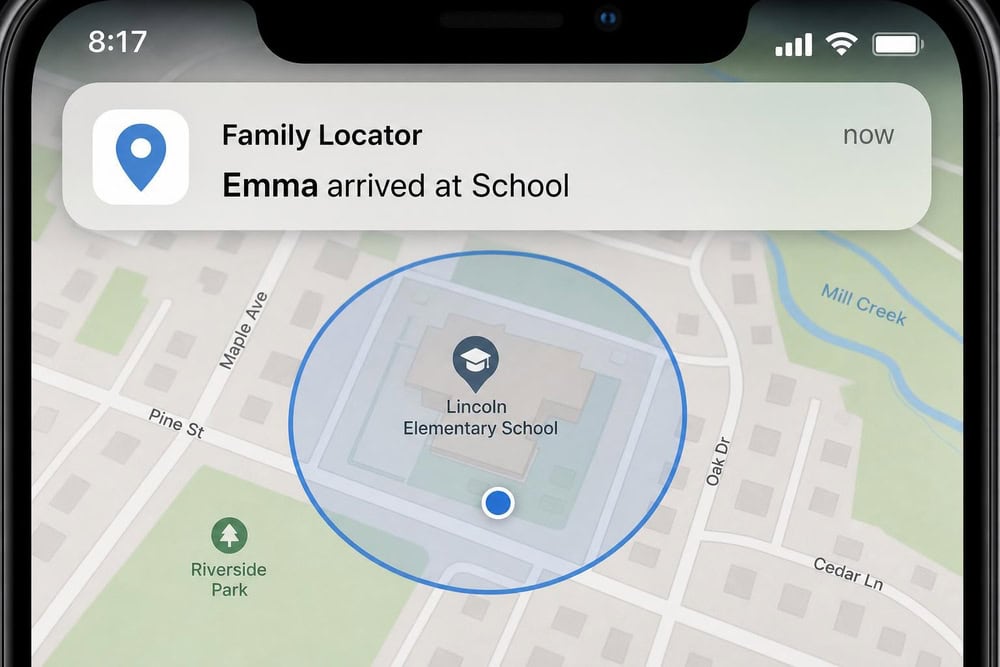
Geofencing draws a boundary around a place and alerts you when a phone enters or leaves; history fills the gaps. Free tiers usually limit both: Life360's free plan includes 2 days of history and 2 place alerts, while Gold extends history to 30 days.
Free Tier vs Paid Pricing & Refunds
Free apps handle the basics; paid tiers add history, unlimited places, and driving reports. Watch the renewal price: several monitoring apps quote a low intro rate that climbs after the first term. A money-back guarantee, where offered, lets you test paid features risk-free.
Legality & Consent
Tracking a phone you do not own, or an adult who has not agreed, can violate wiretap and stalking laws, and apps that hide themselves draw the most scrutiny. We cover the rules below.
Ease of Setup & Support
The best app is the one your family keeps installed. Look for a quick pairing flow, clear permission prompts, and reachable support. Native finders win because they are built in; monitoring suites take more setup and extra Android permissions.
How to Use a Phone Tracker App (Quick Setup)
Setup is similar across almost every app. Install it on both phones, then create or join a shared group. Next, grant location permission and set it to "Always" so tracking keeps working in the background. On iPhone, open Settings → Privacy & Security → Location Services and choose Always for the app. On Android, open Settings → Location → App permissions and set the app to "Allow all the time."
Once permissions are set, add your saved places and turn on entry and exit alerts. Finally, test it: walk the tracked phone past a geofence and confirm the alert reaches you. A two-minute test now beats finding a missed permission during a real situation.
Is It Legal to Track a Phone? Consent & Privacy
Tracking is a feature, not a free pass. Whether it is legal depends almost entirely on whose phone it is and whether that person agreed.
The safest path is openness. Family-locator apps work best when everyone in the Circle knows they are sharing location, which also keeps you on the right side of the law. If you are unsure where the line falls, the FTC's legal tracking and consent rules and the FCC's location-privacy protections are good starting points, and a survey of parents shows how divided the question can be.
Frequently Asked Questions
Can I track a phone for free?
Yes. Apple Find My and Google Find My Device are free and built in, and Glympse plus the free tiers of Life360, Find My Kids, and iSharing all locate a phone at no cost. Free tiers usually limit history and geofences.
What is the best free phone tracker app?
For younger kids, Find My Kids has the most useful free tier; for sharing your own location, Glympse is the simplest. To find a lost device, use the native finder for your platform: Apple Find My on iPhone, Google Find My Device on Android.
Can I track a phone without installing an app?
Sometimes. Glympse lets the recipient view a shared location in a browser with no app or sign-up, and the built-in Apple Find My and Google Find My Device tools locate your own lost phone without installing anything. Tracking someone else's phone with no app installed is not reliably possible and may be illegal without consent.
Why does the same person show a different location on two phones?
Usually because the two phones have different signal conditions at that moment. One may have a clear sky view while the other sits indoors and falls back on Wi-Fi or cell-tower positioning, which is less precise. Battery-saver mode, a stale last-known location, or a slower refresh setting can also leave one pin lagging behind the other for a minute or two.
Can my adult partner track me on a shared phone plan?
Being on the same plan does not by itself grant the right to track you. A carrier's family-locator feature generally needs the account owner to enable it, and tracking another adult who has not agreed can cross into wiretap or stalking law regardless of who pays the bill. Consent, not billing, makes it lawful, and the same applies to an adult child over 18.
Do phone tracker apps work on both Android and iPhone?
Many do, including Life360, FamiSafe, Find My Kids, Glympse, iSharing, and Qustodio, though the experience can differ by platform and monitoring apps like mSpy and uMobix do more on Android. Native finders are platform-locked: Apple Find My is Apple-only, Google Find My Device Android-only.
Can a phone tracker work without internet?
Partly. A phone needs data or Wi-Fi to report live location in real time, but networks like Apple Find My and Google Find My Device can locate a device offline by relaying its position through nearby phones, and some hardware can even be found when powered off.
Conclusion: Which Phone Tracker App Should You Choose?
The best phone tracker is the one that fits your situation and that your family keeps installed. For most households, Life360 is the all-around winner, blending live location, geofencing, and real safety features. Parents who want deeper controls should look at FamiSafe or Qustodio; Find My Kids covers younger children for free.
If you only need to recover a lost device, use the free finder on your phone: Apple Find My for iPhone, Google Find My Device for Android. For one-off sharing, Glympse is simplest; iSharing leads on geofence alerts. Whichever you choose, set permissions to "Always," test your alerts once, and track only phones you own or have clear consent to monitor.

 Best iPhone Tracker Apps
 Best Tracking Apps for Android
 Best Android GPS Trackers
 Best Spy Apps
 Best Android Monitoring Apps
 Life360 Review
 mSpy Review