MockGo and iMoveGo are desktop GPS spoofers, programs that make a phone report a location it is not really in. If you only need to fake an iPhone's position, either app will do it, and the choice comes down to price and route tools.
Add an Android phone and only one of the two can help. Foneazy sells MockGo for iOS alone, at $9.95 a month or $59.95 for a lifetime licence. WooTechy sells iMoveGo from $14.99 a month for Android, and the tier that also covers iPhones starts at $19.99 a month.
We give the edge to MockGo for iPhone owners, on price and on a map panel that is easier to read. iMoveGo earns its higher price the moment an Android handset is involved.
Below we settle price, features, device support, setup and ban risk.
MockGo vs iMoveGo at a Glance
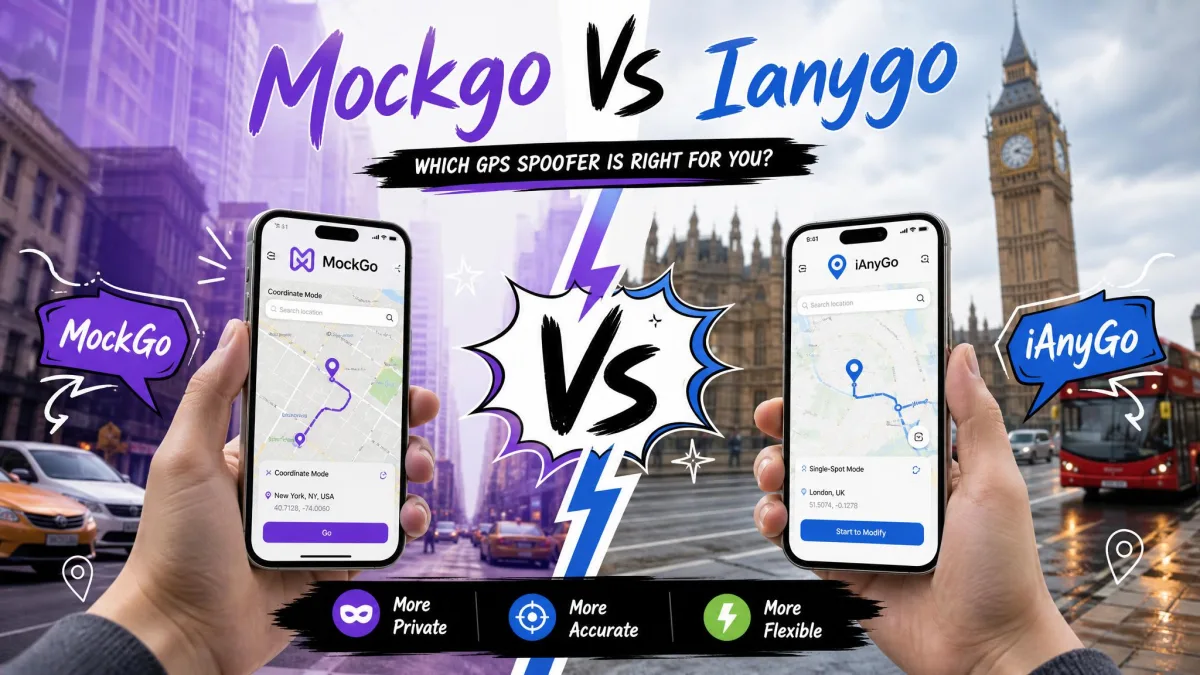
Both apps cover the same ground, and every mode one of them has the other has too. What separates them is which phones they touch, how fast they can pretend to move, and what a licence costs.
| Feature | Foneazy MockGo | WooTechy iMoveGo |
|---|---|---|
| Supported mobile OS | iOS 9 to iOS 26 only, no Android build | Android 7.0 to Android 16, plus iOS on the SVIP tier |
| Desktop OS | Windows 11 back to XP, macOS 10.12 to macOS 15 | Windows 11 back to Windows 7, macOS 10.10 to macOS 14 |
| Jailbreak required | No | No, but Android needs USB debugging |
| Teleport mode | Yes, plus Jump Teleport Mode | Yes, plus Jump Teleport |
| Two-spot route | Yes, One-Stop Mode | Yes, Two-Spot mode |
| Multi-spot route | Yes, Multi-Stop Mode | Yes, unlimited waypoints |
| Joystick control | Yes | Yes, 360-degree |
| Speed adjustment range | 3.6 km/h to 108 km/h | 3.6 km/h to 120 km/h |
| GPX import and export | Yes | Yes |
| Cooldown timer | Yes, keyed to the Pokemon GO cooldown chart | Yes |
| Saved and favourite routes | Yes | Yes |
| Devices per licence | 5 iOS devices from one PC or Mac | 5 on VIP or 10 on SVIP, no cap on the Android app |
| Free trial | Teleport and joystick 3 uses each, one-stop and multi-stop once each | About 5 location changes plus one two-spot route |
| 1-month price | $9.95 | $14.99 VIP, $19.99 SVIP |
| 1-year price | $39.95 | Not offered |
| Lifetime price | $59.95 | $89.99 VIP, $119.99 SVIP |
| Refund window | 30-day money-back guarantee | 30-day money-back guarantee |
One row does more work than the rest. iMoveGo only reaches an iPhone on its SVIP tier, so that is the price to hold up against MockGo's.

What Is Foneazy MockGo?
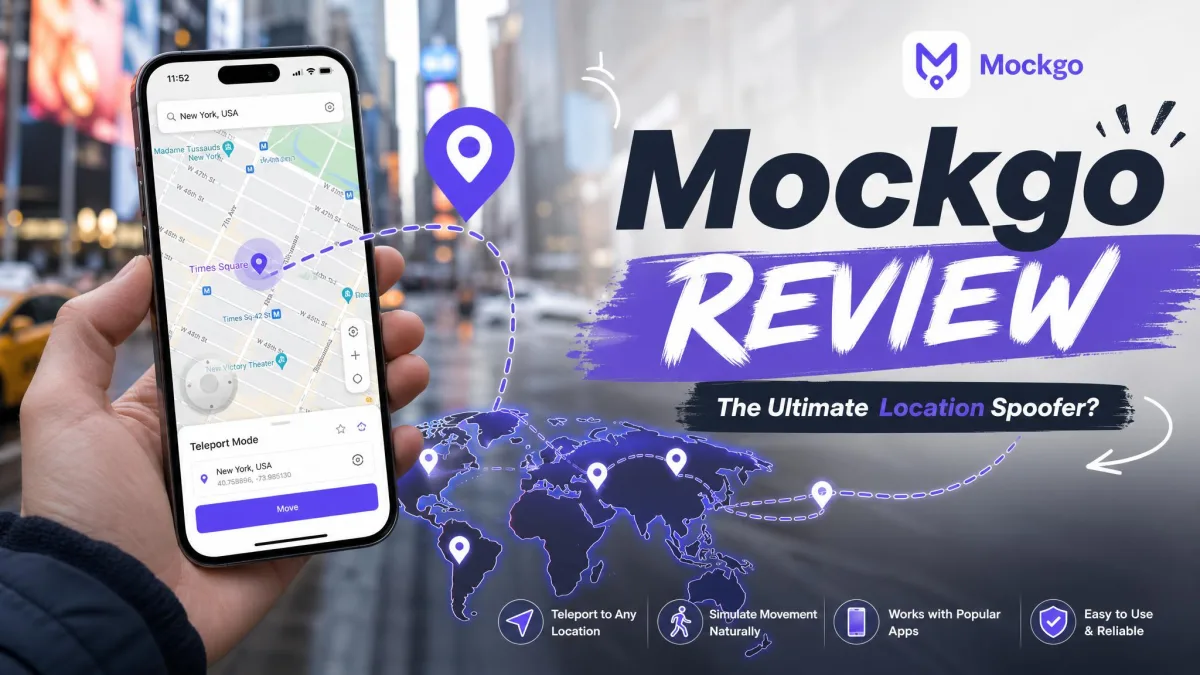
Foneazy MockGo is a Windows and Mac program that changes the GPS location of a connected iPhone. It drives the phone over USB from the desktop, so nothing gets installed on the iPhone itself.
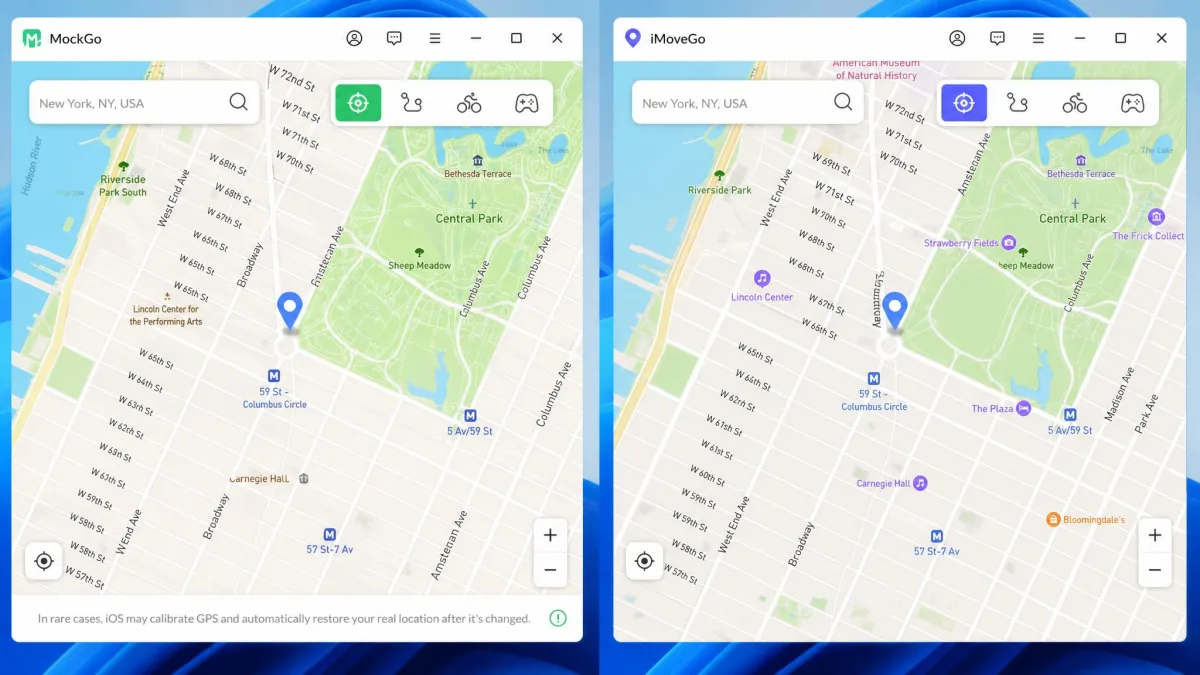
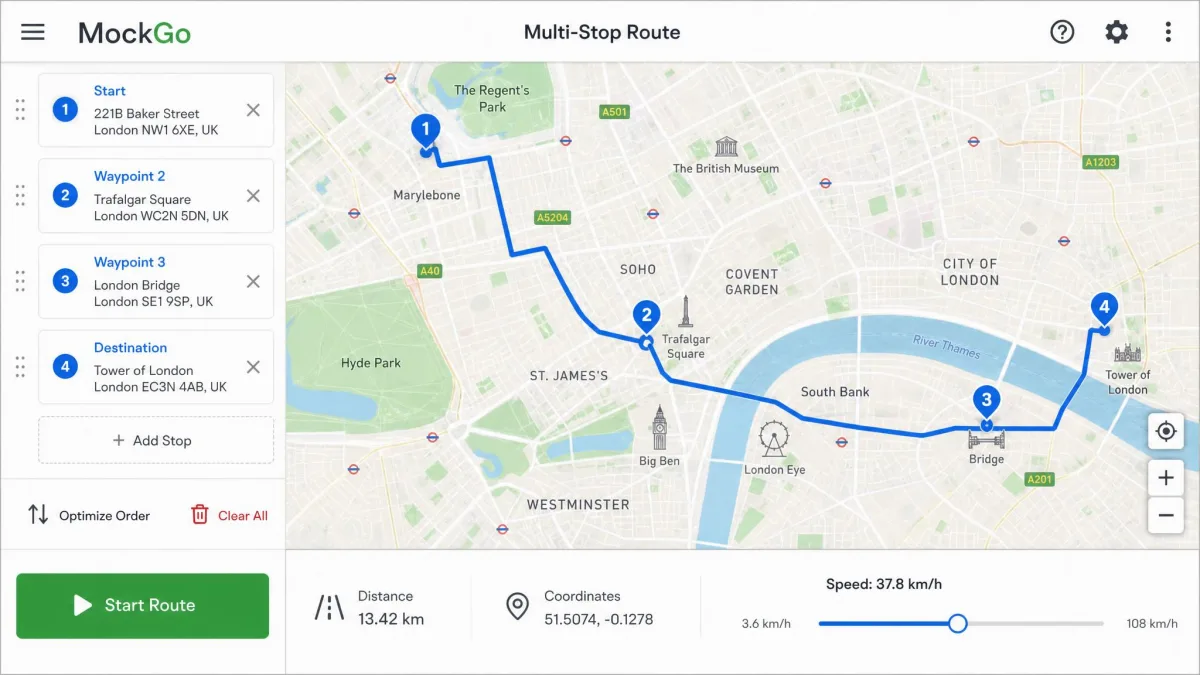
What we like most is how much the screen tells you. The interface reports distance, coordinates and the drawn route as a simulation runs, so it stays obvious where the phone thinks it is.
What Is WooTechy iMoveGo?
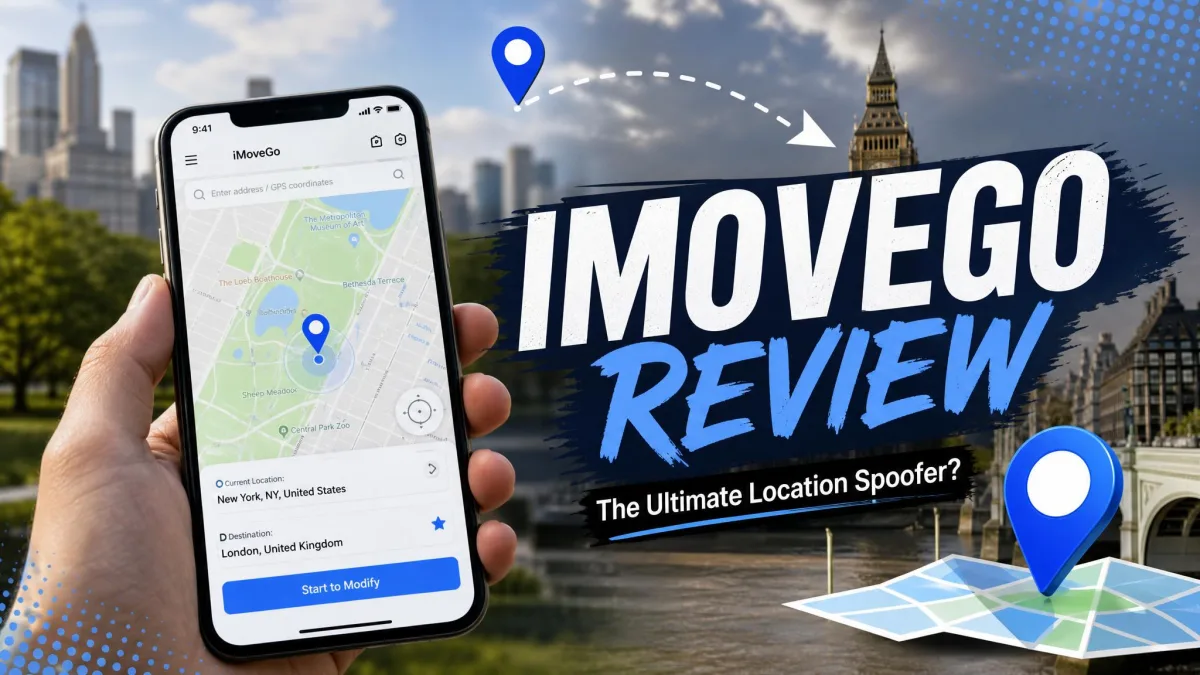
WooTechy iMoveGo is a Windows and Mac program that fakes location data on Android phones and iPhones alike. It connects over a USB cable or over Wi-Fi, and it asks very little of the computer.
It is the broader location changer of the two. Alongside teleport, Jump Teleport, Two-Spot and Multi-Spot routes and a 360-degree joystick, it adds geofencing and advertised support for Pokemon GO, Snapchat, Find My and Tinder.
The catch is what it takes to get comfortable with all of that. We found the interface harder to read on first use than a single-purpose teleport tool, and beginners reach the mode icons before they know what each one does.
Core Features Compared
Feature for feature, these apps are closer than their prices suggest, and the gaps show up at the edges.
One-Click Teleport
Both apps open on a map with a search bar. Type an address or a pair of coordinates, and the phone lands there with one click.
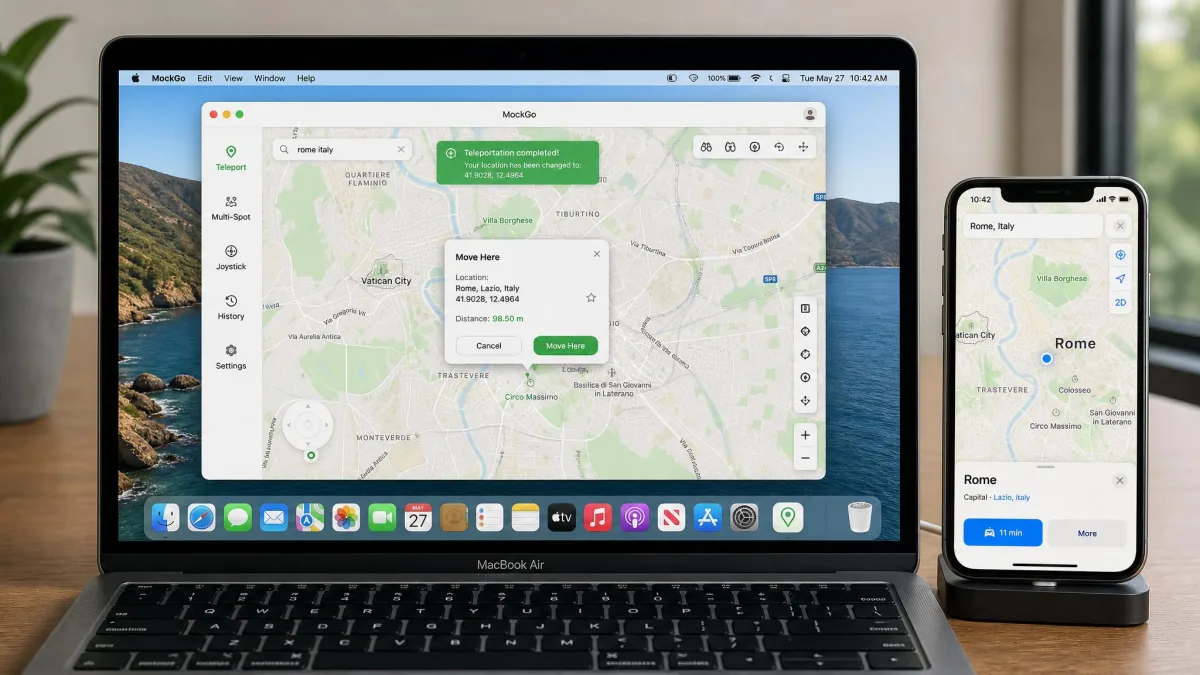
In MockGo, the first icon in the upper right opens teleport, and a Move Here button in the popup commits the jump. iMoveGo puts Teleport mode in the top right corner and commits with Move. Either one is easy to use at this level, and a place you save can easily be reused.
One difference shows up after the click. iMoveGo's location switching can lag, so the map on the computer updates before the phone does, and it is worth giving the handset a moment before you decide nothing happened.
Simulated Movement and Custom Routes
Both apps can simulate real-world movement rather than jumping, and in each case you pick a speed before the run starts.
MockGo walks the phone smoothly between the points you drop, at whatever speed you chose. Its realistic mode then varies that speed by up to 30% either side of your figure, refreshing every 5 seconds, so a jog does not read as mechanical. iMoveGo varies its tracked speed as well.
Joystick and Manual GPS Control
The joystick is the manual option. You hold a direction, the phone drifts that way, and that suits catching something in a game rather than covering distance.
iMoveGo's control swings through a full 360 degrees, which makes small corrections easier than nudging a drawn route. Neither joystick suits a long haul, though, because a route mode covers that ground without the constant input. When you need an exact spot rather than a direction, MockGo also takes coordinates typed in by hand.
GPX Import, Saved Routes and Cooldown Timer
A GPX file you already own can drive either app, which is the quickest way to reuse a route somebody else walked. MockGo cannot pull in a route drawn in Google Maps, so a customized path has to be drawn on its own map or loaded from a file.
Both apps also keep favourite places and finished routes, so a trip you fake often is a couple of clicks the second time.
The cooldown timer is the piece that changes how you work. MockGo's holds the next teleport back until the distance you just covered has been paid off, which takes the timing out of your hands.
Performance in Location-Based Games and Apps
Pokemon GO is what most buyers want these apps for, and it punishes careless teleporting. Move a long distance with the game still open and almost every Pokemon flees on contact.
The order that works is simple: close the game, connect the app, teleport, then open the game again.
Both apps also feed Snapchat, Tinder and Find My, because the change lands at system level rather than inside one app. Every location-based app on the phone reads the same coordinates, including the weather and delivery apps you never meant to move.
Pricing and Plans Compared
MockGo sells four terms. iMoveGo sells two tiers across three terms, with no yearly plan at all.
| Plan | Foneazy MockGo | iMoveGo VIP | iMoveGo SVIP |
|---|---|---|---|
| 1 month | $9.95 | $14.99 | $19.99 |
| 3 months or 1 quarter | $19.95 | $29.99 | $39.99 |
| 1 year | $39.95 | Not offered | Not offered |
| Lifetime | $59.95 | $89.99 | $119.99 |
| Covers iPhone | Yes | No | Yes |
| Covers Android | No | Yes | Yes |
Every figure on WooTechy's store is printed as a discount against a higher regular price, so both numbers move with whatever promotion is running.
At every term, MockGo costs about half of the iMoveGo tier that covers iPhones.
Free Trials and Refunds
Neither free trial is generous. MockGo allows 3 teleports and 3 joystick sessions plus one run each of one-stop and multi-stop mode, and iMoveGo stops after about 5 location changes and a single two-spot route.
Both vendors offer a 30-day money-back guarantee, and WooTechy's Trustpilot page sits at 4 stars across roughly 464 reviews, where partial rather than full refunds draw the complaints.
Subscription or Lifetime: Which Is Better Value?
The arithmetic here is unusually clean, because every lifetime licence on offer costs almost exactly six months of the matching monthly plan.
That makes a one-time purchase the easy choice for anyone who spoofs more than twice a year. MockGo's $59.95 lifetime licence sits only $20 above its annual plan, making that plan the weakest value of the four.
Device and Platform Support
MockGo is an iOS tool and nothing else: iOS 9 through iOS 26, every iPad model, and iPod touch generations 1 to 7, with no Android build to install.
iMoveGo reaches further, supporting Android 7.0 through Android 16, including Samsung, Pixel, Xiaomi, OnePlus, Oppo, Vivo and Motorola handsets. Its tech specs list iOS 7 through iOS 26 as well, but support for the newest iOS release moves with each build.
On the desktop, MockGo reaches as far back as Windows XP and as far forward as macOS 15, while iMoveGo stops one release short at macOS 14. A Mac on macOS 15 therefore rules iMoveGo out.
Ease of Use and Setup
Both apps are desktop-driven, so a session means sitting at a computer with the phone tethered. An iPhone can talk to iMoveGo over Wi-Fi from the start, while an Android phone needs a cable for its first connection.
How to Change Your Location with MockGo
Here are the simple steps, in the order they appear on screen.
- Install MockGo on your PC or Mac, open it and click Start.
- Connect the iPhone by USB cable, then tap Trust on the phone.
- On iOS 16 and later, turn on Developer Mode in Settings, Privacy and Security, then restart the iPhone.
- Click the first icon in the upper right to open Teleport Mode.
- Type an address or coordinates in the search bar and click Go.
- Click Move Here in the popup and the iPhone lands there.
MockGo picks up a connected iPhone as soon as the cable goes in, with no driver work in the normal case. The second, third and fourth icons switch to One-Stop, Multi-Stop and Jump Teleport modes.
Most failed connections trace back to the cable or to iTunes not recognising the iPhone, so start there. If a driver error survives that, switch off any VPN and remove the Apple Mobile Device driver in Device Manager before you plug in again.
How to Change Your Location with iMoveGo
The steps are close to MockGo's, with one extra on Android.
- Install iMoveGo on the computer, then connect the phone by cable or over Wi-Fi.
- On Android, enable USB debugging when the in-app guide prompts you.
- Click Teleport mode in the top right corner.
- Search an address or enter coordinates, then click Move.
- Switch to Two-Spot or Multi-Spot mode to draw a route, set a speed and click Move again.
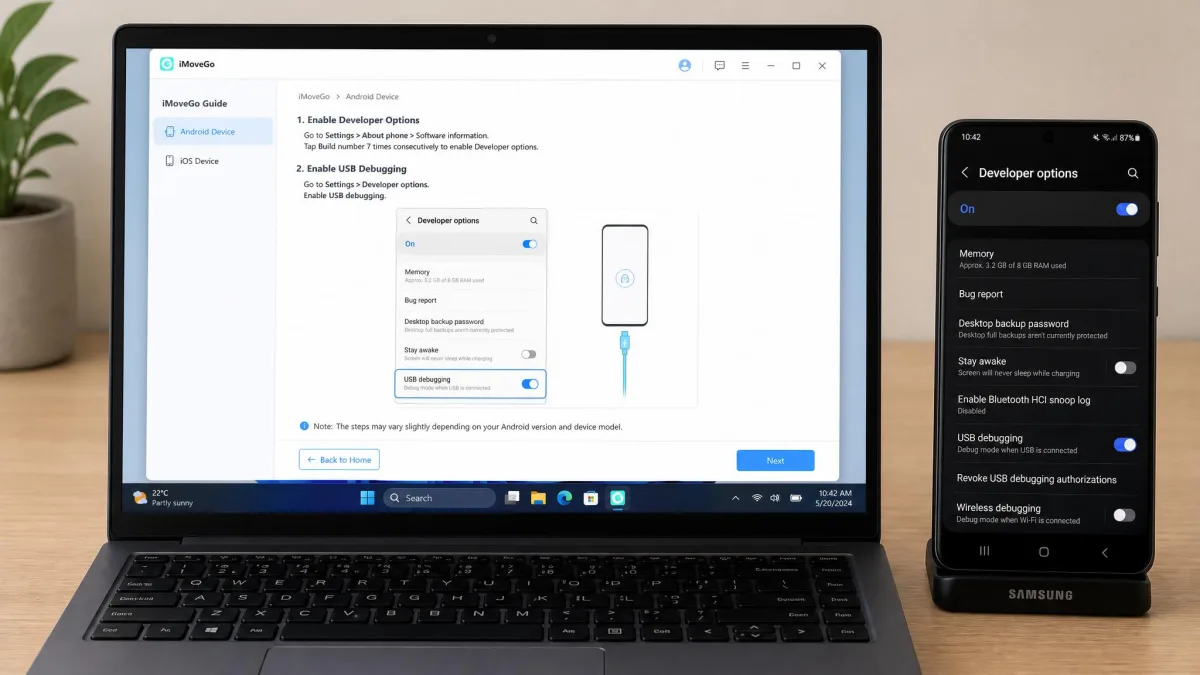
Turning on USB debugging is the step novices stall on, and the guide inside the app walks it through screen by screen.
Safety, Jailbreaking and Ban Risk
Neither app touches the phone's firmware, and the risk sits with the services you point them at. Consumer tools like these are a long way from GNSS spoofing in the strict sense, which means broadcasting fake satellite signals at a receiver.
These two change what the phone reports, not what the satellites send, and we cover what GPS spoofing is separately. Apple's own Location Services controls sit in Settings, Privacy and Security, and switching them off stops every app from reading a position.
The side effects on the handset are small, but they exist. A phone that has been spoofed with iMoveGo can get flaky about Bluetooth pairing, and refreshing location services or resetting privacy settings puts that right.
Faking your location breaks the rules of most services worth faking it for, and Niantic's policy names GPS location spoofing and third-party add-ons as cheating. Enforcement lands on the game account rather than on the software, and a money-back guarantee refunds a licence, not a suspended account.
Do You Need to Jailbreak Your iPhone?
No jailbreak is required, and no root on Android either. Both apps drive a connected phone from the desktop, which is why neither one needs deeper access.
The closest either app comes is a settings toggle that you switch on once and then forget about.
Cooldown Timers and Soft Bans
A cooldown is the wait a game expects between two positions that sit far apart. Teleport across a continent, come back too soon, and the game treats that movement as impossible.
No dependable published figure exists for how long a soft ban lasts in 2026. That leaves the timer as the one lever you actually control, and waiting a cooldown out is the dullest, cheapest insurance on this page.
Pros and Cons
We rate both apps as competent, and the reasons to pick one over the other are narrow. The grids below lean on what we saw in use, so the entries are the things that changed how a session went.
MockGo Pros and Cons
Pros
- Picks up a connected iPhone straight away, with no driver work in the normal case.
- Realistic mode varies your set speed by up to 30%, refreshing every 5 seconds.
- The cooldown timer holds the next teleport back on its own.
- The free trial reaches every mode, joystick included, before you pay.
Cons
- There is no Android build at all.
- The 5-device ceiling is the limit people hit first.
- It cannot import a route drawn in Google Maps.
- Getting the real position back can need a reboot, and the true location then takes minutes to settle.
iMoveGo Pros and Cons
Pros
- Covers Android 7.0 to Android 16 as well as iOS.
- Multi-Spot routes accept unlimited waypoints.
- A higher top speed than MockGo on simulated routes.
- Connects over Wi-Fi as well as by cable.
Cons
- The interface is unfriendly to beginners on first use.
- Location switching can lag behind the click.
- Support for the newest iOS release is disputed.
- Some Android setups end up with a customized Pokemon GO build the vendor does not document.
Alternatives Worth Considering
The category is crowded, and four other tools are worth a look before you commit.
- Tenorshare iAnyGo also skips the jailbreak, draws routes of up to 99 points and adds auto-catch for Pokemon GO. Its lifetime licence is quoted around $89.95, though that number moves with the discount running.
- iMyFone AnyTo starts at $14.99 a month and matches iMoveGo's 120 km/h ceiling, as our iMyFone AnyTo review explains.
- iToolab AnyGo costs $19.95 a month but tops out at 100 km/h.
MocPOGO starts around $19.95 a month with walking, biking and driving presets, but no GPX file support. Our MocPOGO review covers it, and we keep a ranked list of the best GPS spoofing apps plus a guide to the best location spoofers for iPhone.
The Verdict: Which Should You Buy?
Line the two price lists up next to each other and the answer for iPhone owners writes itself. Across teleport, routes, joystick control and cooldown handling the feature gap is narrow, while the gap in price and platform reach is not.
Choose MockGo If
- You only need to change the location of an iPhone, iPad or iPod touch.
- You would rather pay once than monthly, at $59.95 for a licence that does not expire.
- Your Mac runs macOS 15, which iMoveGo does not list.
Choose iMoveGo If
- You need to fake location data on an Android phone.
- You want unlimited route waypoints or a 120 km/h ceiling.
- You would rather connect over Wi-Fi than sit next to a cable.