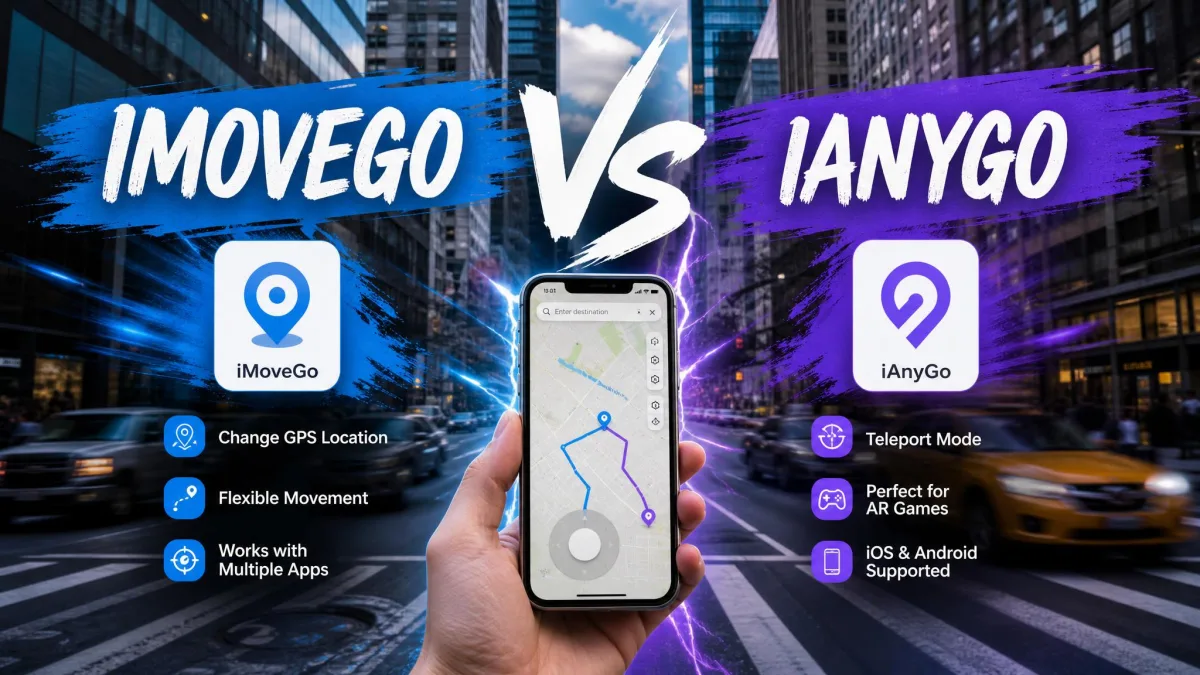
A GPS location changer is a desktop app that feeds your phone a fake position. The handset then reports that spot to every app reading location data, so games, dating apps and social feeds all follow along.
WooTechy iMoveGo and Tenorshare iAnyGo dominate that market. Both promise one-click teleport, joystick control and route simulation without jailbreak or root, at roughly the same price. The differences sit a layer down: device counts, route files, and how each behaves over a long session.
iMoveGo vs iAnyGo at a Glance
iMoveGo is the tool you grow into. The first session asks you to hunt for the mode you want, but once the map, the speed presets and the route modes make sense, it is the more capable planner of the two and rewards the time you put in.
iAnyGo is the tool you get along with immediately. The connection flow is quick, the joystick sits where you expect it, and the standalone phone apps mean some jobs never involve the computer at all. What it asks in return is patience when the connection wobbles.
Neither needs a jailbroken iPhone or a rooted handset, and both are available for Windows and Mac. Both default to one-click teleport, both include a cooldown timer, and both refund inside 30 days.
Side-by-Side Comparison Table
| Feature | iMoveGo | iAnyGo |
|---|---|---|
| Platforms | iOS and Android (iOS on SVIP) | iOS and Android, plus phone apps |
| Jailbreak required | No | No |
| Teleport mode | Yes, one click | Yes, one click |
| Route modes | Two-spot, multi-spot, jump | Single-spot, multi-spot, jump |
| Joystick control | 360-degree plus keyboard | Joystick plus keyboard |
| Simultaneous devices | 10 on SVIP, 5 on VIP | 15 |
| GPX import and export | Yes | Not documented |
| Cooldown timer | Yes | Yes |
| Free trial | 5 teleports, about an hour | 1 Hour, 5 modes |
| Monthly price | $14.99 | $12.95 |
| Lifetime price | $89.99 | $95.95 |
| Refund window | 30-day | 30-Day |
What WooTechy iMoveGo Is
iMoveGo is WooTechy's virtual-location software for Windows and Mac. You connect a phone to the computer, then drive its reported position from a map on the bigger screen.
iMoveGo Key Features
- One-click teleport to any point on the map
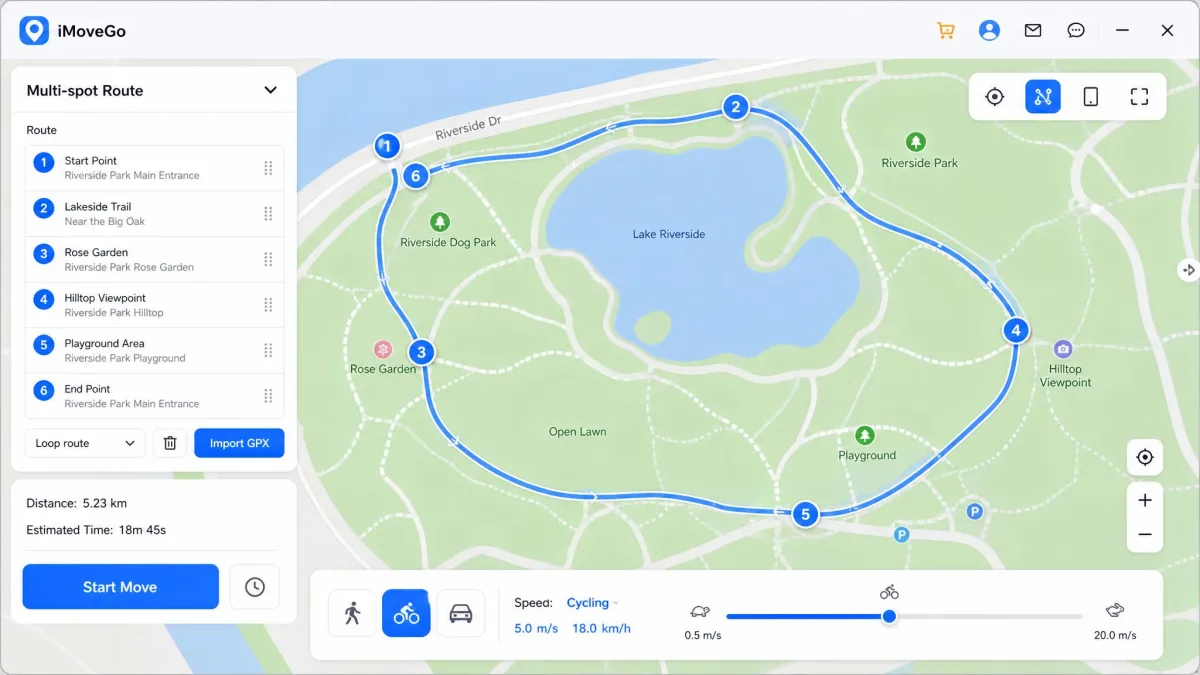
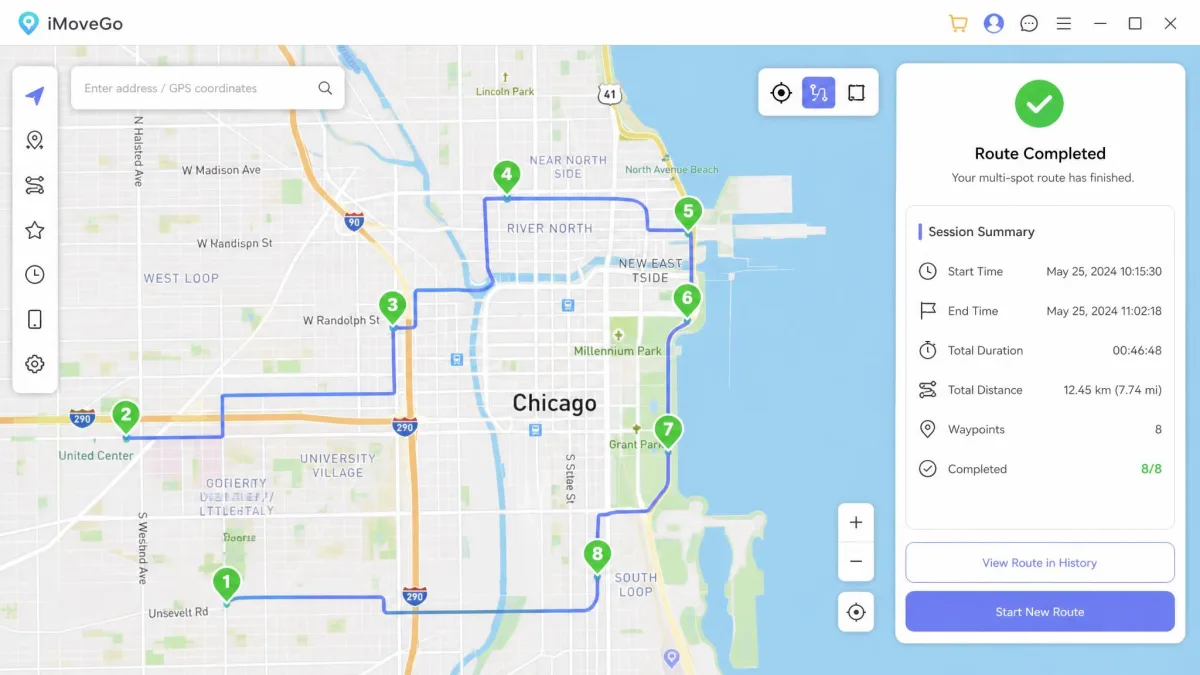
- Two-spot movement, plus multi-spot routes with unlimited waypoints
- Jump teleport, and pause or restart a route without rebuilding it
- 360-degree joystick with keyboard control
- GPX route import and export
- Speed from 3.6 km/h to 120 km/h, with walking, cycling and driving presets
- Cooldown timer, favourites list and a realistic movement mode
- Works with 15+ location-based apps including Pokemon GO, Snapchat and Tinder
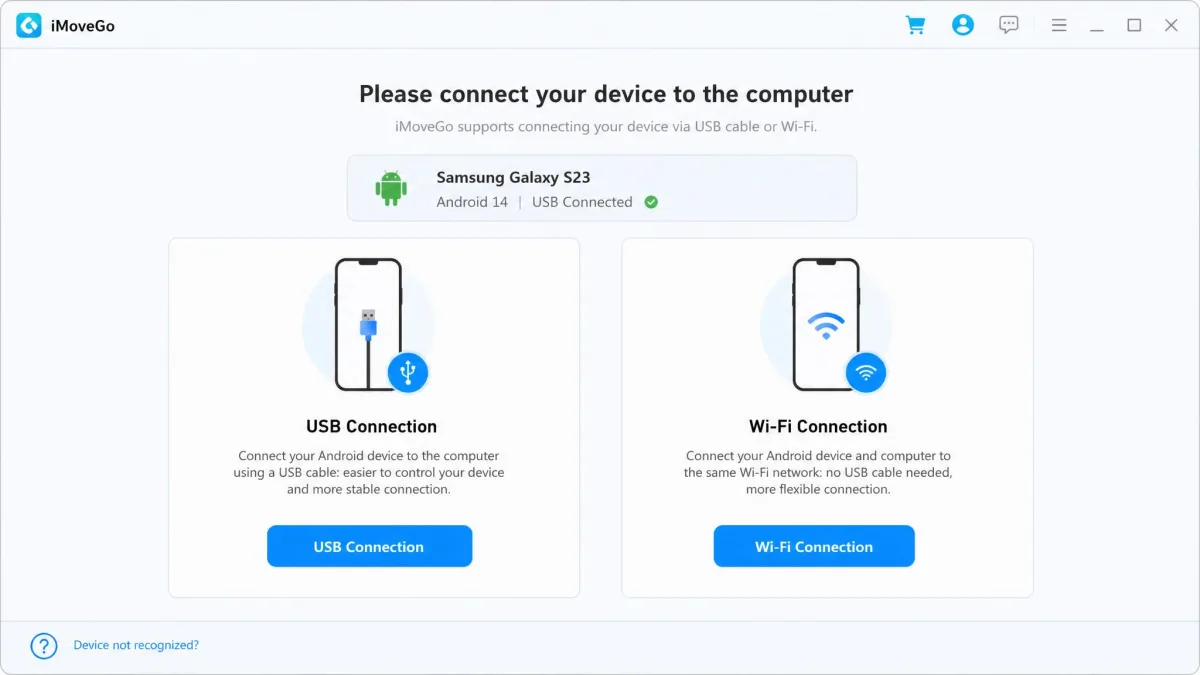
Setup is short. You install it, connect the phone over USB or Wi-Fi, pick a mode, then click a spot on the map.
Our first Android run showed how much of that happens without asking. Connecting the handset pulled the iMoveGo Assistant helper app onto the phone as part of the connection step, with no separate decision to make, and the device appeared in the sidebar a moment later. We clicked a spot on the map and the desktop pin moved at once, but the phone took a noticeable beat to catch up and report the new position. Then a customised build of Pokemon GO turned up on the handset without a clear prompt, which is the kind of surprise we would rather have been asked about first.
The rough edges show in daily use. Location switching can lag rather than applying instantly, and the interface is not obvious to a first-time user.
iMoveGo Pros and Cons
Pros
- The widest route toolkit of the two
- Fine-grained control over simulated movement speed
- Cheaper lifetime licence at $89.99
- Works with 15+ location-based apps, no jailbreak or root
Cons
- Location changes can lag behind the map
- Interface takes a session or two to learn
- Free trial caps out at 5 teleports
- iOS support sits behind the pricier SVIP tier
- Installs a modified Pokemon GO build on some Android phones

We go deeper on the software alone in our iMoveGo review.
What Tenorshare iAnyGo Is
iAnyGo is Tenorshare's location changer, and the more established name. Tenorshare's iAnyGo product listing documents iOS 14 through iOS 27, Android 4 through Android 16, and desktop support from Windows 7 through Win 11 and macOS 10.10 upward.
iAnyGo Key Features
- One-click teleport with a searchable map
- Single-spot and multi-spot routes, plus jump teleport
- Joystick and keyboard control for manual movement
- Auto-catch Pokemon inside the original app, with gym and route scanning
- Cooldown-timer guidance in the interface
- Bluetooth connection mode alongside USB
- iOS and Android apps as well as desktop software
- No jailbreak or root required on either platform
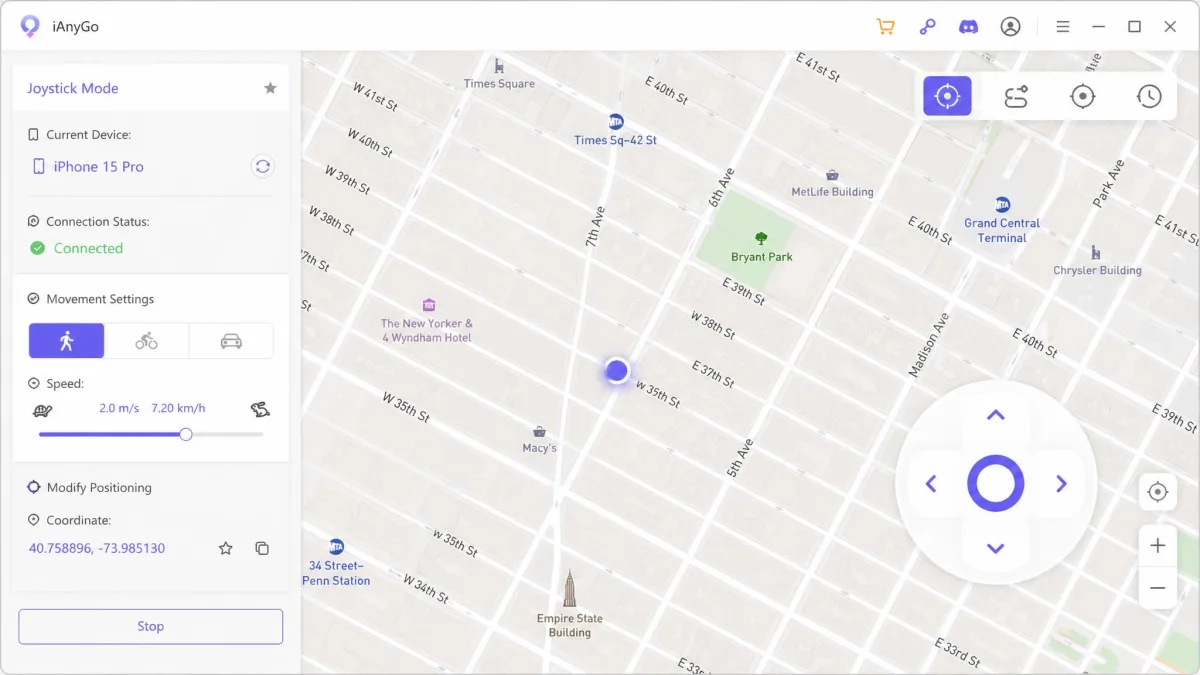
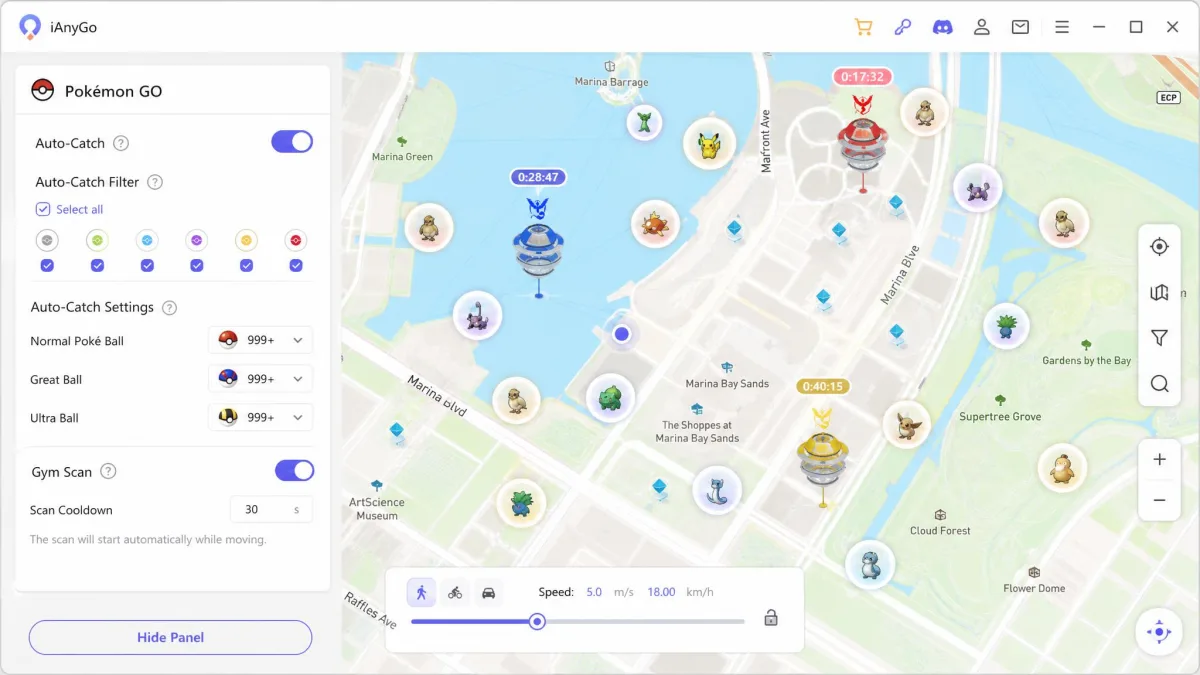
The joystick is the highlight. Movement feels smooth, the first connection is quick to set up, and iAnyGo installs cleanly on non-jailbroken iPhones.
The stability wobble arrived mid-session, several moves into an otherwise clean run, when iAnyGo stopped acknowledging the handset and put a "failed to detect location" error on screen. Nothing in the interface cleared it; only unplugging and reconnecting the device, or closing and restarting the software outright, brought the phone back. When the next move did go through, the spoofed position landed off target rather than on the pin we had set, and we had to run it again to get where we meant to be.
Setup has grown fiddlier too, since the Bluetooth path and its helper apps add steps.
iAnyGo Pros and Cons
Pros
- Standalone iOS and Android apps, not desktop only
- Documented support from iOS 14 through iOS 27
- Smooth joystick control and a fast first connection
- The most generous device allowance of the two
- Cheapest monthly entry point at $12.95
Cons
- Detection errors need a reconnect or restart
- Spoofed position occasionally jumps off target
- Bluetooth setup path adds steps
- Thin written guide for beginners
- GPX import and export is not documented

Our standalone write-up is our iAnyGo review.
Teleport Mode: One-Click Location Change Compared
Teleport is the mode most people use, and both handle it the same way. You search an address or click the map, confirm, and the phone reports the new position seconds later. The gap is reliability, not design. iAnyGo occasionally lands off target and needs a second attempt, while iMoveGo lands where you clicked but takes a beat to reach the phone.
Save your real home coordinates as a favourite before your first teleport. Restoring the true position later becomes one click instead of a hunt through the map.
Route Simulation Compared: Two-Spot, Multi-Spot and Jump Teleport
Route simulation is where iMoveGo pulls ahead. Two-spot mode moves you between a start and an end point, and multi-spot mode strings together unlimited waypoints you can pause and resume. Speed control is the concrete advantage. iMoveGo publishes an adjustable range from 3.6 km/h to 120 km/h, and its realistic movement mode varies the pace so the track does not read as a constant machine speed. iAnyGo's speed is adjustable but Tenorshare publishes no numeric range, so you set pace by feel.
GPX splits them further. iMoveGo imports and exports GPX, so a route built once can be reused, edited or shared as a file, which matters if you walk the same path every week or trade routes with other players. iAnyGo's documentation does not list GPX route import or export, so route files may not transfer between tools.
Joystick and Manual Movement Control Compared
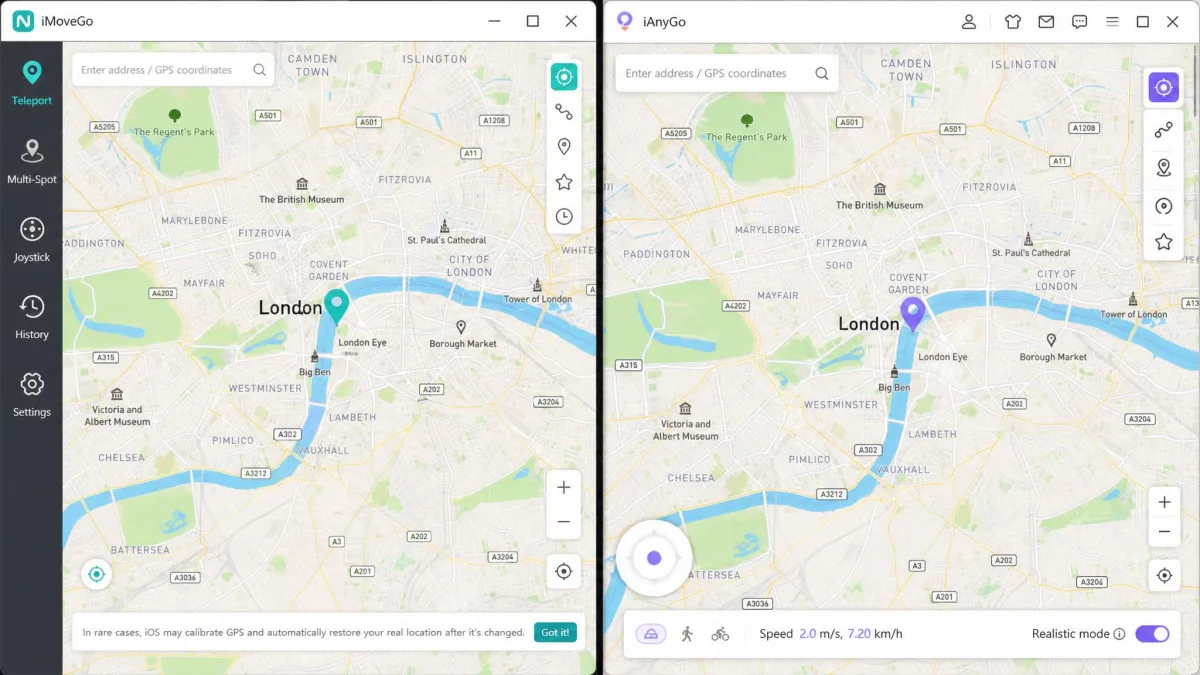
Joystick mode is for walking a path yourself instead of scripting it. Both give you an on-screen control plus keyboard keys. iAnyGo's joystick is the nicer one to hold, with direction changes that register without a stutter. iMoveGo answers with a 360-degree control that pairs with the same speed presets used for routes, which gives finer control over pace.
Joystick feel is the one place where iAnyGo clearly beats iMoveGo, and it is why players who walk their own routes tend to stay with it.
Device and OS Support: iOS, Android and Jailbreak Requirements
Neither app needs a jailbreak or root, which is the baseline expectation now. iAnyGo publishes the clearer support matrix, covering iOS 14 through iOS 27 and Android 4 through Android 16. iMoveGo supports Android 16 and lists iOS support on its product page. iAnyGo also ships standalone phone apps, so some jobs never need the computer.
iMoveGo's iOS 26 support is still rolling out and behaves inconsistently on the newest builds. If you run the very latest iOS release, test inside the refund window before you commit.
How Many Devices Each Tool Connects at Once
iAnyGo wins outright, relocating up to 15 devices at the same time. iMoveGo splits the count by tier, so SVIP covers 10 devices and adds iOS while VIP covers 5 devices per PC. For a single phone that is irrelevant. For households with multiple users playing together, it decides the purchase.
App Compatibility: Pokemon GO, Snapchat, Find My and Other Location-Based Apps
Both change the position that every location-aware app on the handset reads, so Pokemon GO, Snap Map, Find My, Tinder and Life360 all follow the spoofed coordinates with no per-app setup. iMoveGo names Pokemon GO, Snapchat and Tinder directly among its 15+ supported apps. iAnyGo goes further for one game, with auto-catch inside the original Pokemon GO app plus gym and route scanning. If you only need Find My to show a different city, either tool does the job identically.
Ease of Use and Interface
iAnyGo is the easier first hour. The connection flow is quick, the map is uncluttered, and the joystick sits where you expect it. iMoveGo asks more of you up front, and it took a session or two before we stopped searching for the mode we wanted. Both have documentation gaps. iAnyGo's guide is thin for a beginner, and iMoveGo's official user guide assumes you know the vocabulary. Neither is quite as user-friendly as the marketing suggests.
How to Change Your Location With Each Tool
The two flows are close enough that switching between them takes no relearning.
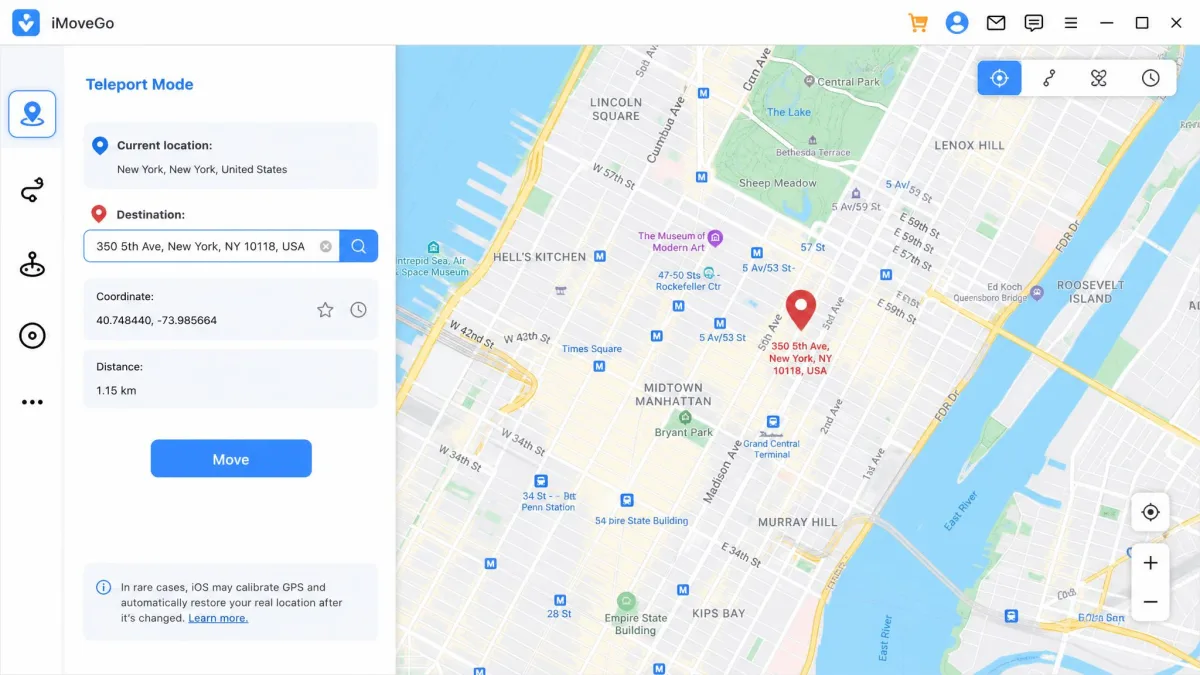
Changing Location With iMoveGo
- Install iMoveGo on your Windows or Mac computer and get started by opening it.
- Connect your iPhone or Android phone over USB, or pair it on the same Wi-Fi network.
- Approve the iMoveGo Assistant install if you are on Android 10 or newer.
- Choose teleport mode, then search an address or click the map.
- Confirm the destination and allow a moment for the phone to catch up.
To restore your real location, disconnect the device and restart the phone.
Changing Location With iAnyGo
- Install iAnyGo on your computer, or use the standalone iOS or Android app.
- Connect the phone over USB, Wi-Fi or Bluetooth, then wait for the device name to appear.
- Select the change-location mode from the list.
- Enter a target address or drop a pin, then start the move.
- Confirm the coordinates on the phone before opening any location-based app.
If you see a "failed to detect location" error, reconnect the device or restart the software. An unstable Bluetooth or Wi-Fi link is the usual cause of a mid-session drop.
Pricing and Free Trial Compared
iAnyGo is cheaper to try and iMoveGo is cheaper to keep. iAnyGo runs $12.95 per month, $22.95 quarterly, and $42.95 per year for 1 PC and 5 iOS devices. The 15-device tier is $59.95 per year, and the Windows lifetime licence is $95.95.
iMoveGo's VIP plan is $14.99 monthly or $29.99 quarterly, with a $89.99 lifetime licence. The SVIP tier costs $19.99 monthly or $119.99 lifetime, and that is the tier adding iOS support and the 10-device allowance.
Both carry a 30-day money-back guarantee. The free trials are the weak point. iMoveGo allows 5 teleportations and about an hour of joystick movement, while iAnyGo's runs for 1 Hour with access to 5 modes. Neither is long enough to judge a purchase, so treat the refund window as the real trial.
Safety, Cooldown and Ban Risk
Spoofing location breaks the terms of service for most location-based games. Niantic's terms of service prohibit falsifying your position, and enforcement runs from a soft ban up to a permanent strike.
The pattern that gets people caught is behavioural. Changing location too frequently, rather than the software itself, is what triggers detection.
Both tools include a cooldown timer for that reason, though neither vendor publishes a length in minutes, because the wait is set by the game rather than the app. The discipline works: iAnyGo has been run for close to a year on Pokemon GO without a strike when the cooldown is respected and jumps match plausible travel times.
No location changer is ban-proof, and neither vendor publishes a strike rate. Assume the account you spoof on is one you can afford to lose, keep jumps within plausible travel distance, and wait out the cooldown before you interact with anything in-game.
If you are changing location for privacy instead, hiding your city from a social app or a dating profile, none of this applies. It helps to understand how GPS positioning works before you rely on any of it.
Which One Should You Choose?
Choose iMoveGo If
- You build routes rather than teleporting once and stopping
- You expect to keep the tool long enough for the lifetime licence to pay off
- You care about setting a precise movement speed
- You are on Android, where the VIP tier keeps the cost down
Choose iAnyGo If
- You want joystick control that feels smooth from the first session
- You want phone apps as well as desktop software
- You play Pokemon GO and want auto-catch and gym scanning built in
- You would rather pay monthly than commit up front
Alternatives to iMoveGo and iAnyGo
Neither tool is the only choice, and we have compared both against the credible competition.
- iMoveGo vs iMyFone AnyTo covers the closest feature-for-feature rival.
- MockGo vs iAnyGo is worth reading if stability matters more than route depth.
- MocPOGO vs iAnyGo is aimed squarely at players.
- MockGo vs iMoveGo and MocPOGO vs iMoveGo fill in the rest of the field.
- iMoveGo vs FonesGo Location Changer is the budget-end comparison.
Very few of them match iMoveGo's route depth or iAnyGo's device count.