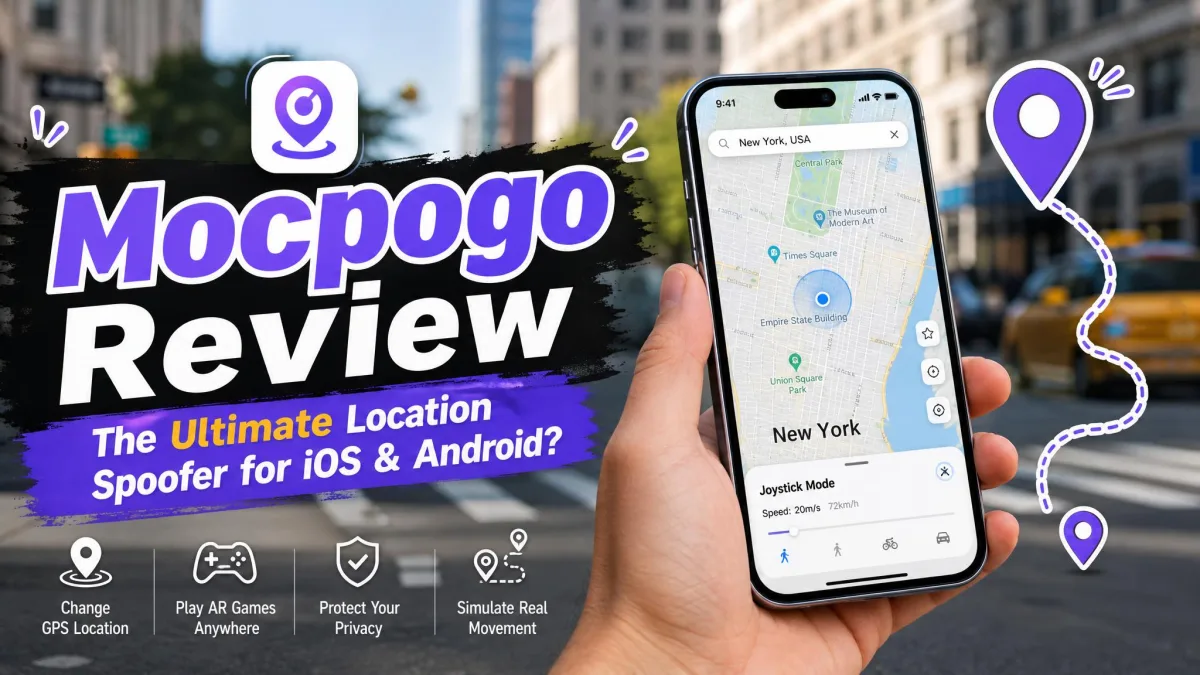
You want to change your GPS location on an iPhone or Android phone without rooting, jailbreaking, or trusting a sketchy sideloaded app. MocPOGO turns up in almost every search for that job, usually next to a discount banner and a promise that Pokemon GO will never notice.
That leaves three questions before you spend anything. Does it work, will it get your account flagged, and is the billing as clean as the checkout page suggests?
This review answers all three. We cover what MocPOGO is, the features we looked at closely, the safety and ban picture, the pricing including renewals and refunds, a step by step walkthrough, real user feedback, the common failures and their fixes, and how it compares against the main alternatives.
What Is MocPOGO?
MocPOGO is a GPS location changer sold by a developer of the same name. It runs as a desktop program for Windows and macOS, and as standalone apps for iOS and Android.
You connect your phone, click a point on the map, and every app on the device believes you are standing there. That covers location based games first, but the same trick works on Life360, WhatsApp, Instagram, Tinder, Bumble, and Google Maps.
The structural detail that matters is that MocPOGO is not one product. It is a family of platform specific licences, and the one you buy has to match the device you plan to spoof.
Licences are tied to a platform, not to your account. Buying the desktop version and then deciding you want the standalone Android app means a second purchase, so pick the right one at checkout.
Supported Devices and Operating Systems
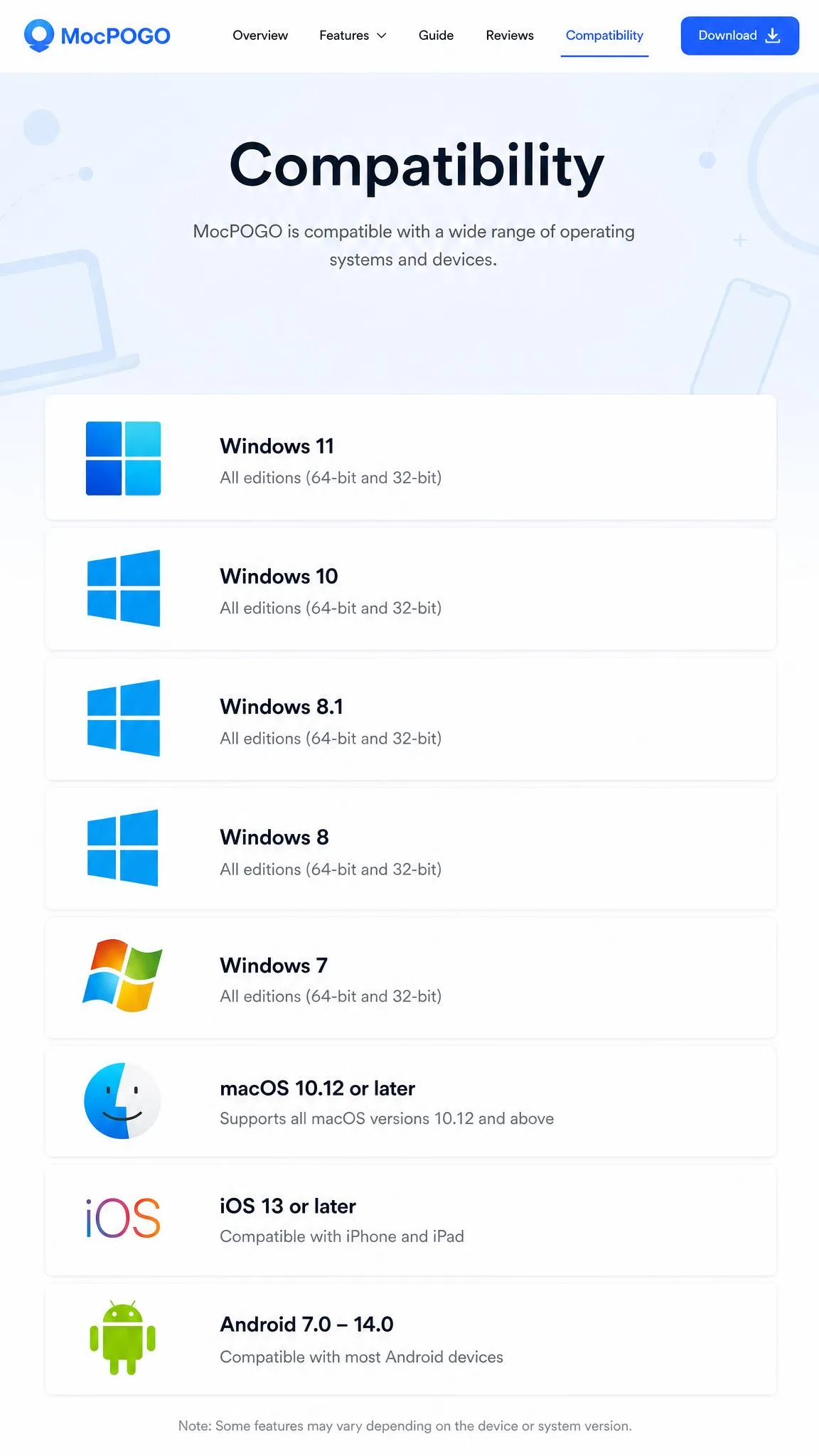
On the desktop side, MocPOGO supports Windows 11, 10, 8, and 7, plus macOS 10.12 or later. It handles iOS 13 and later, and the vendor lists support through current iOS releases.
Android coverage runs from Android 8.0 upward, though sources differ on the ceiling between Android 15 and Android 16. The top of that range moves each time MocPOGO ships an update, so the newest OS version may lag behind release.
One licence can control up to 15 devices at once, and no jailbreak or root is required on either platform.
How MocPOGO Works
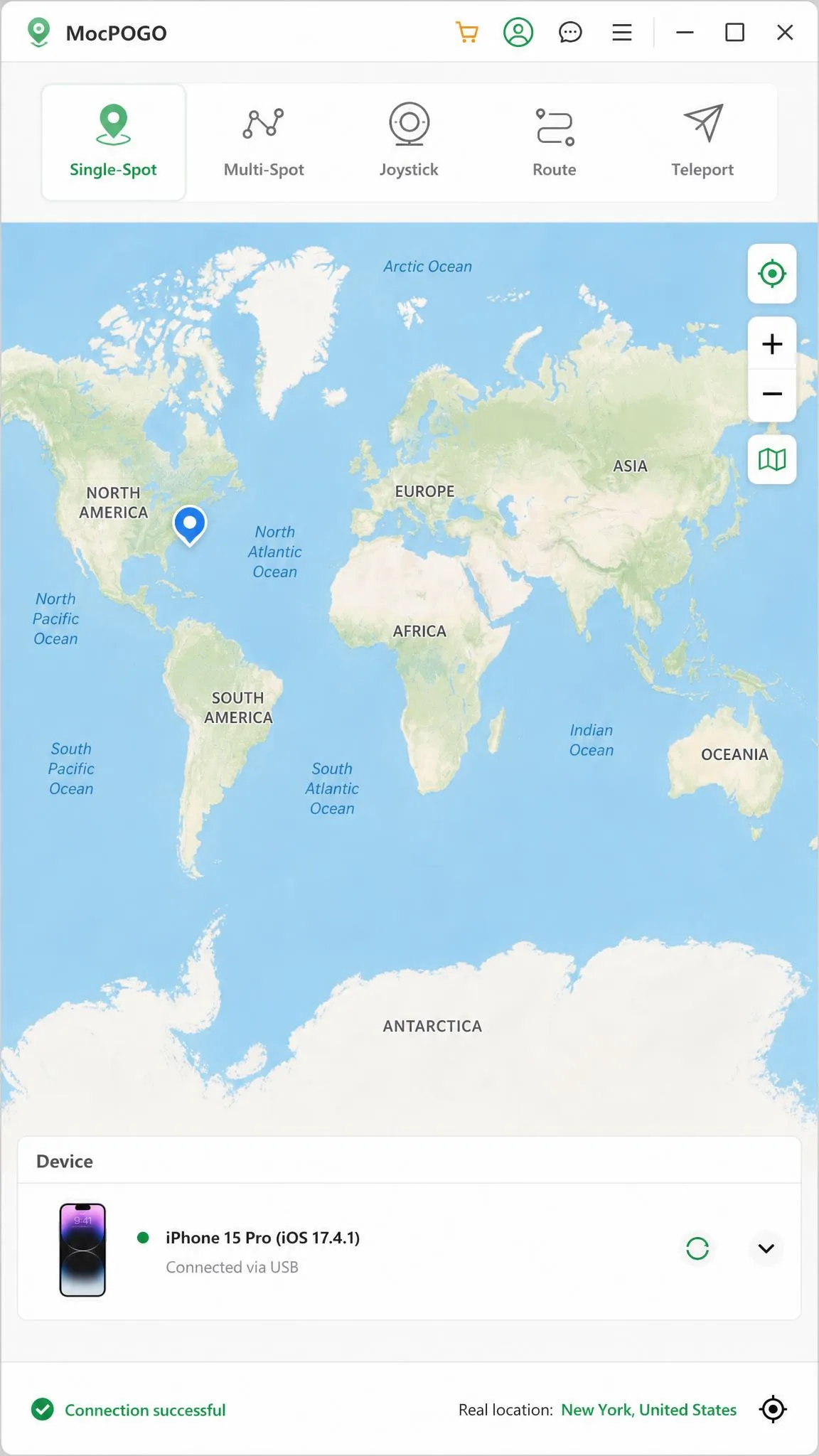
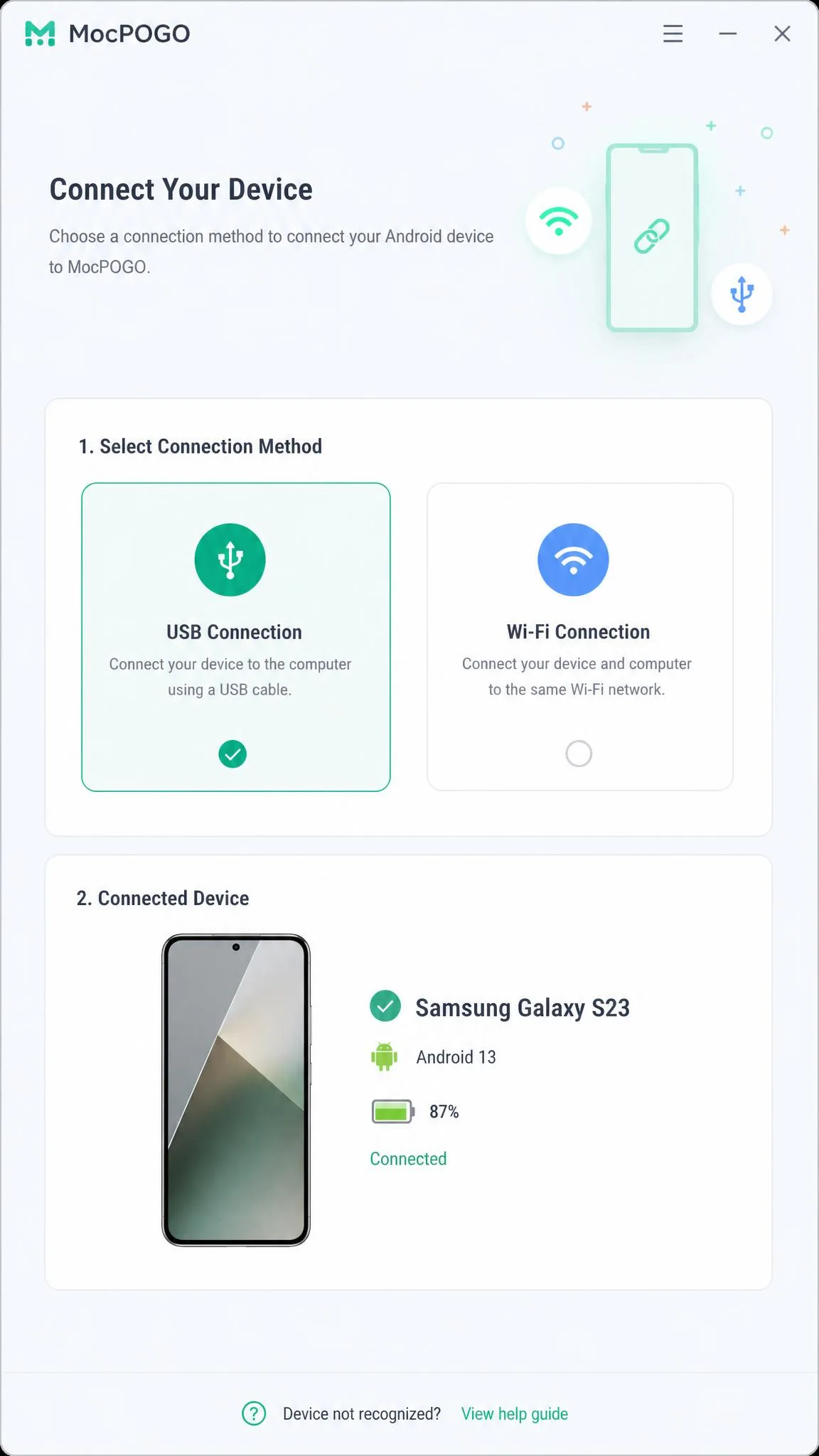
You install the desktop program on your computer, then connect your phone by USB cable or over Wi-Fi. The program reads the device, loads a world map, and hands you a search bar.
Enter an address or a pair of coordinates and confirm. The phone's reported GPS location changes instantly, and games read the new position as if the handset had walked there.
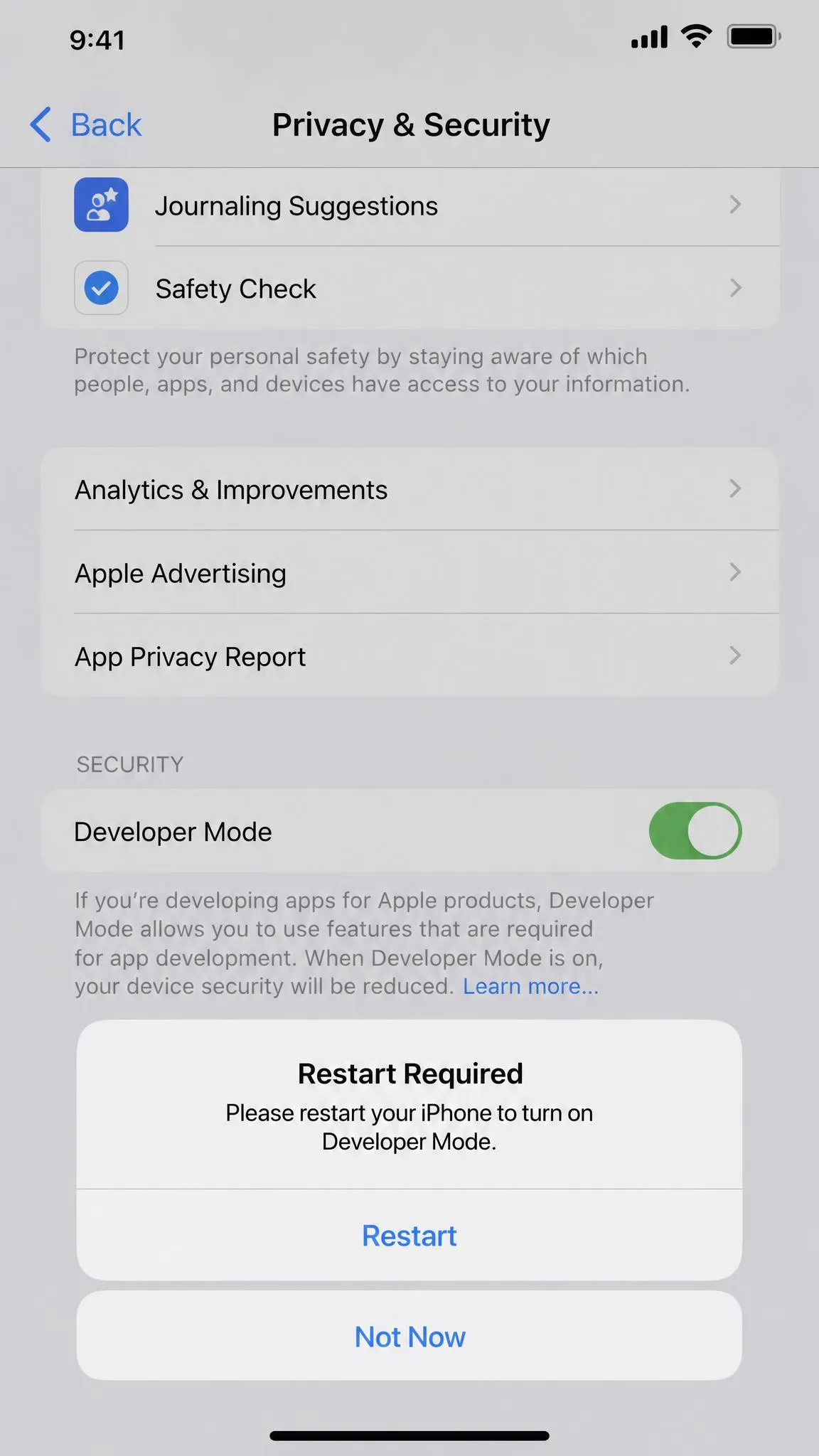
On iOS 16 and later this relies on Developer Mode being switched on, which is a one time toggle in the phone's settings. The Android apps run on the device itself, with no computer in the loop.
Connecting over Wi-Fi is fiddly enough that USB ends up being the reliable route.
MocPOGO Features We Tested
Teleport Mode
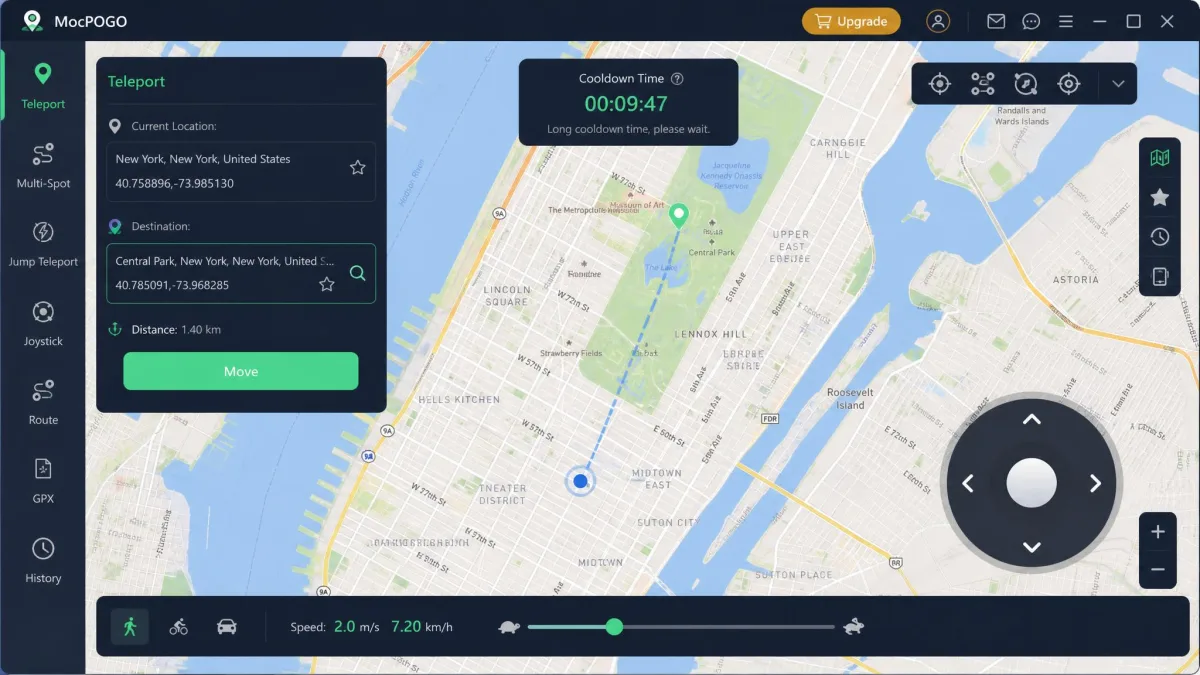
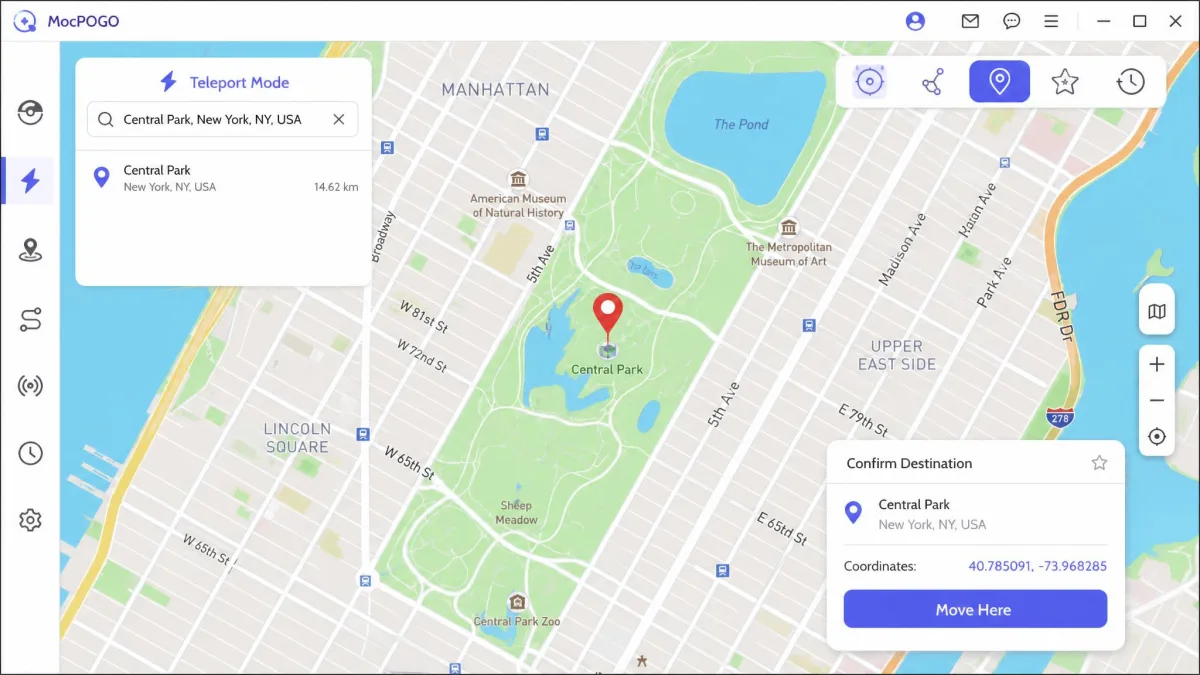
Teleport is the one click move. You search a place name, drop the pin, and the location changes with no travel simulation in between.
This is where the interface is at its cleanest. It is simple enough that a first time spoofer can teleport within a couple of minutes of installing.
Two-Spot and Multi-Spot Routes
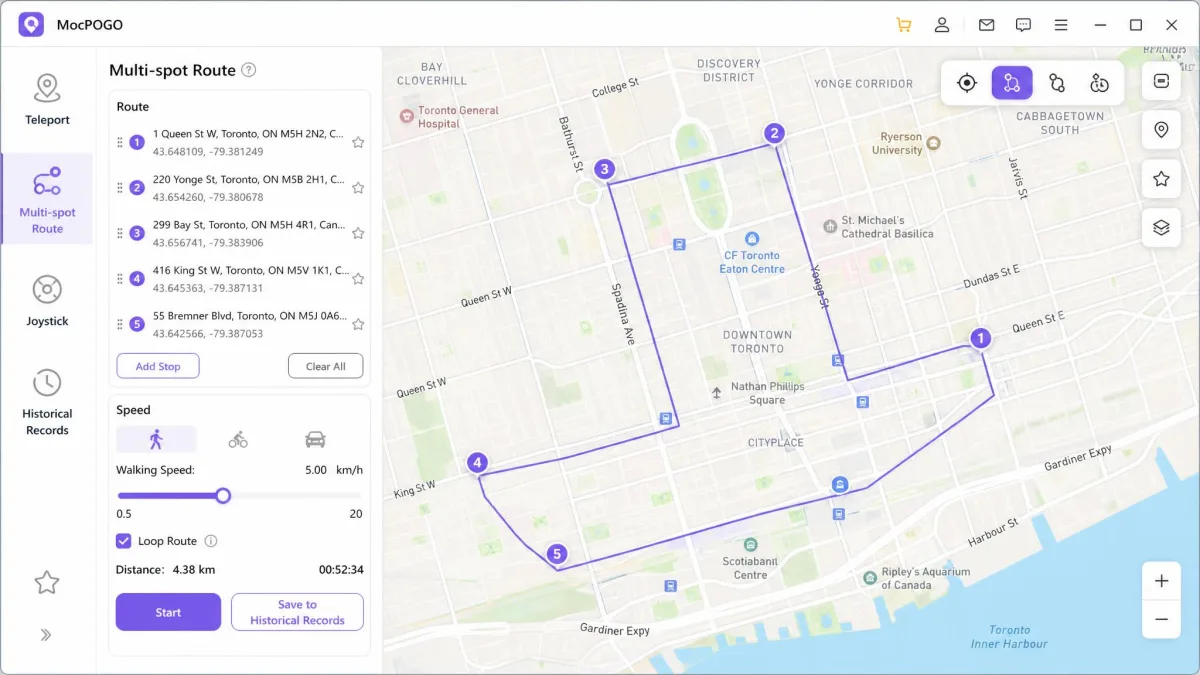
Two-spot movement draws a straight line between a start and an end, then walks your avatar along it at a speed you choose. Multi-spot lets you chain several waypoints into a longer path.
You can also import a GPX file, which matters if you want a route that traces real streets rather than cutting across a river. Routes can be looped, so a hatching walk can run unattended.
Joystick and Real-Time Movement
The joystick gives 360 degree control for live movement, which is what you want while a raid or a gym fight is in progress. Speeds are adjustable from 3.6 to 100 km/h, covering walking, cycling, and driving.
Anything at the top of that range looks obviously wrong to the game, so the walking speeds are the ones worth using.
Cooldown Timer and Route Speed Controls
MocPOGO includes a built-in cooldown timer, and this is what most distinguishes it from cheaper location changers. It counts down the waiting period after a jump so you know when it is safe to interact with anything in the game.
Guidance runs roughly 1 to 2 minutes for 1 to 5 km, 10 to 15 minutes for 10 to 25 km, 45 minutes for 100 km, and about 2 hours for 1,000 km or more. Those thresholds are community derived estimates rather than published values, so leave headroom above the listed times.
The cooldown timer is the feature we would tell a new spoofer to learn first. Ignoring it and jumping a long distance immediately is what produces soft bans and warning strikes, not the tool itself.
Is MocPOGO Safe and Legit?
MocPOGO is a real product from a real developer, with a working support desk, a published refund policy, and thousands of paying customers. It is not malware and it is not a fake download page.
We are not going to pretend those two readings resolve into one answer. Buy it expecting a functional tool attached to a billing operation that some customers have had a bad experience with.
Activation and billing hiccups turn up often enough to be a pattern, including licences that do not unlock after payment. Support replies can also be slow, which makes refund and cancellation requests drag.
Account Ban Risk in Pokemon GO
Spoofing your location breaks the Pokemon GO Terms of Service, and no third party app changes that. Account strikes, soft bans, and permanent bans all stay possible regardless of which tool you use.
What MocPOGO can do is reduce the behaviour that triggers detection. Respecting the cooldown timer, keeping speeds plausible, and avoiding jumps between continents in one session are the habits that keep accounts alive.
Players often ask whether MocPOGO is legit specifically because it advertises iOS spoofing without a jailbreak. Our answer is cautious rather than enthusiastic, which is the right register for any spoofer.
Never treat a spoofing tool as ban-proof. Use an account you can afford to lose, keep the cooldown timer visible, and stop playing for the day if the game starts returning location errors.
Privacy, Permissions, and Data Handling
The desktop program needs deep access to your connected device, and the mobile apps need location permissions to override the system position. That is unavoidable for this category of software.
The MocPOGO privacy policy is more specific than most in this category. It lists IP address, cookie information, the page requested, and operating system details pulled from crash reports, and it states plainly that the company does not collect your phone number, the content of your text messages, or your music, photos or videos. That collected data is sent in aggregate form to company servers in the USA for analysis.
Retention is where we would want tighter language. The policy sets no fixed retention window, saying instead that information is kept "for as long as required, allowed or for as long as we believe it useful" and may be disposed of at the company's discretion without notice, so how long your data survives is a vendor judgement call rather than a number you can hold them to. You can have your account information deleted by emailing the company, although it reserves the right to keep sales-transaction records for servicing and record keeping. There is no deletion toggle in the app, so clearing your data means writing to support and asking for it.
Sign in with an email address you keep for software purchases, and remove the desktop program when you are finished with a spoofing run.
MocPOGO Pricing and Plans
MocPOGO sells by platform and by term. The desktop plan for Windows and Mac starts at $9.95 per month, the standalone Android app plan runs $14.95 per month, and the iOS app plan is the most expensive at $19.95 per month.
| Plan | Price | Notes |
|---|---|---|
| Desktop, 1 month | $9.95 | Windows and macOS, auto-renews |
| Desktop, 1 quarter | around $19.95 | Promotional pricing moves the checkout figure |
| Desktop, 1 year | $39.95 to $49.95 | Sources disagree on the standing annual price |
| Desktop, lifetime | $79.95 | One payment, no renewal |
| Android app, 1 month | $14.95 | Runs on the phone, no computer needed |
| iOS app, 1 month | $19.95 | Highest entry price of the range |
Quarterly desktop pricing moves with the running promotion, so the checkout figure can differ from the listed one. The annual desktop price sits somewhere between $39.95 and $49.95 depending on the discount live at checkout.
What Each Plan Actually Includes
Every paid plan carries the full feature set, so you are buying a platform and a term rather than a tier of features. There is a free trial, but it covers a single device and strips out most of the useful features, so it answers very little before you pay.
Treat the 30-day money-back guarantee as your real evaluation window.

Hidden Costs, Renewals, and Refunds
The 1-month and 1-year plans carry automatic renewal, and MocPOGO states that support will cancel a subscription within 24 hours of a request.
A competing review goes further and alleges that every plan length auto-renews by default, framing the billing setup as a hidden subscription trap. That is a competitor's account rather than a verified finding, and which plan lengths default to auto-renew is not stated consistently, so check the renewal setting on the plan you actually buy.
What is not in dispute is the refund position. MocPOGO offers a 30-day money-back guarantee on all products, limited to a listed set of refundable circumstances, and refunds take 7-10 business days to land.
The exclusions matter more than the guarantee. Partial refunds of bundles are not granted, nor is dissatisfaction that comes from not reading the feature description, nor requests made after the trial period expires.
Most importantly, renewal charges are explicitly non-refundable where the subscription was not cancelled before the renewal date. Cancelling late costs you the whole term.
Put a calendar reminder two days before your renewal date the moment you buy. A renewal charge you did not want is the one charge MocPOGO's policy will not return, and support cancellations only take effect going forward.
How to Use MocPOGO Step by Step
Step 1: Install and Connect Your Device
Download the latest build from the official MocPOGO site and install it on your Windows PC or Mac. Launch the program and accept the device access prompt your operating system shows.
Connect your phone with a USB cable, unlock the screen, and tap Trust when your device asks. On iOS 16 and later, switch on Developer Mode in Settings, then Privacy and Security, and let the phone restart.
If the program cannot see your handset, change the cable before you change anything else. Charge-only cables carry no data, and they are the single most common reason a connection fails at this step.
Step 2: Set a Location or Route
Pick your mode from the icons above the map. Teleport for a single jump, two-spot or multi-spot for a route, joystick for live movement.
Enter an address or coordinates in the search bar and click the pin that appears. Confirm the move, and your device reports the new GPS location straight away.
For routes, drop your waypoints in order, set a walking or cycling speed, choose whether the route loops, and start it.
Step 3: Restore Your Real Location
Stop any running route, close the MocPOGO program, disconnect the cable, and restart the phone. The device picks up its genuine position on the next GPS fix.
Do not sign back into a location based game until the cooldown for your last jump has fully expired.
MocPOGO Pros and Cons
Pros
- No root or jailbreak required on either iOS or Android
- Built-in cooldown timer, which most rivals do not include
- Teleport, two-spot, multi-spot, joystick, and GPX import in every paid plan
- Controls up to 15 devices at once on a single licence
- Standalone Android app runs without a computer attached
- 30-day money-back guarantee on all products
Cons
- The app can crash mid-session, and crashes are the most common complaint attached to it
- Renewal charges are non-refundable once the renewal date passes
- The free trial covers one device and strips out most useful features
- Licences are platform-specific, so the wrong purchase means a refund and a rebuy
- Continuous spoofing on iOS keeps you tethered to a computer
- Support replies can be slow, which drags out refunds and cancellations
What Real Users Say on Trustpilot and Reddit
Feedback on MocPOGO splits cleanly in two. People talking about the spoofing itself are mostly satisfied, and people talking about billing are mostly not.
On MocPOGO's Trustpilot page, the score sits at 3.5 stars across roughly 48 reviews. That count differs by regional storefront and keeps climbing, so treat any single figure as a snapshot.
The positive reviews sound like this:
I'm really pleased with this program! It's been like being there, picking up locals...
And the reserved ones land on the same two friction points we hit:
Setting up Wi-Fi connection was a hassle, ended up sticking with USB. Also, the free trial is too limited...
The harshest published complaints are billing complaints. One logged case describes MocPOGO charging the customer and then failing to change the location at all.
Reddit is more measured. In early user reports when MocPOGO launched, the community treated it as one more entrant in a crowded field rather than a breakthrough.
Common Problems and Fixes
MocPOGO Not Connecting
Start with the cable. Swap to a known data cable, use a port on the computer itself rather than a hub, and unlock the phone before you plug it in.
If the device still does not appear, check that you tapped Trust on the handset and that Developer Mode is enabled on iOS 16 or later. The tool needs frequent updates because target apps keep changing their detection, so installing the latest build is a genuine fix rather than a support script deflection.
Location Not Changing or Snapping Back
Rubber-banding, where the avatar snaps back to the real location, shows up when Wi-Fi or Bluetooth scanning interferes with the spoofed position. Turning both off on the phone usually settles it.
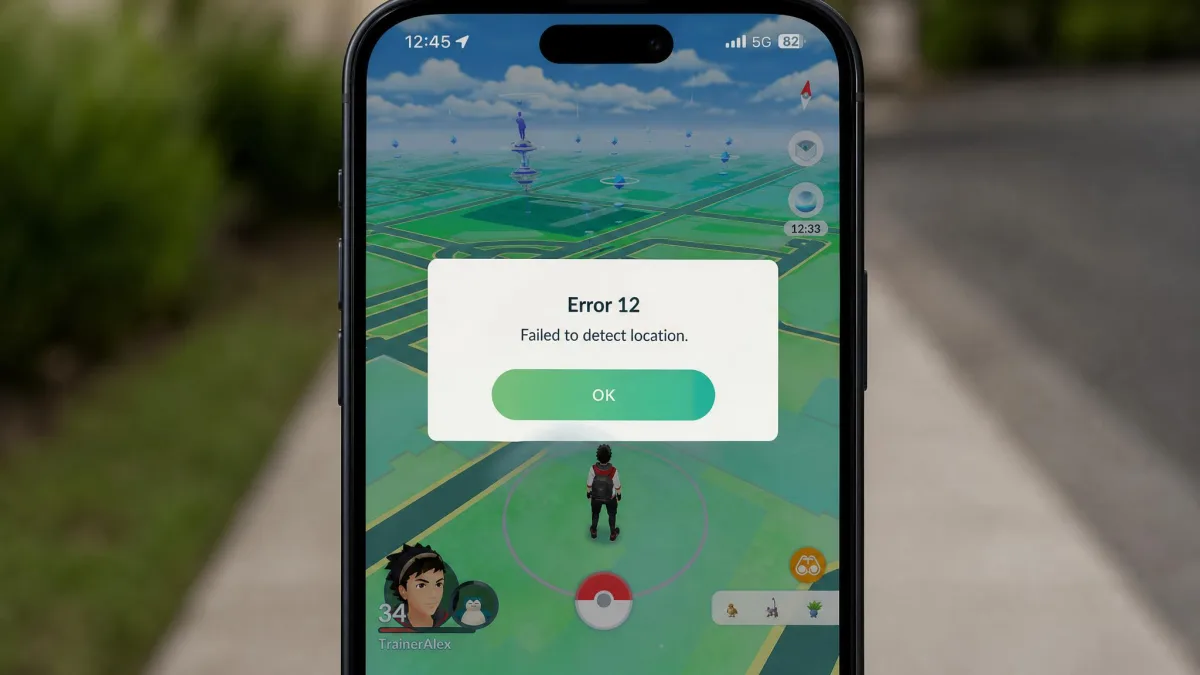
Pokemon GO's Error 12, failed to detect location, still appears and remains the hardest failure mode to work around. Force closing the game, restarting the phone, and re-establishing the spoof before you launch the game is the sequence that clears it most often.
MocPOGO vs the Main Alternatives
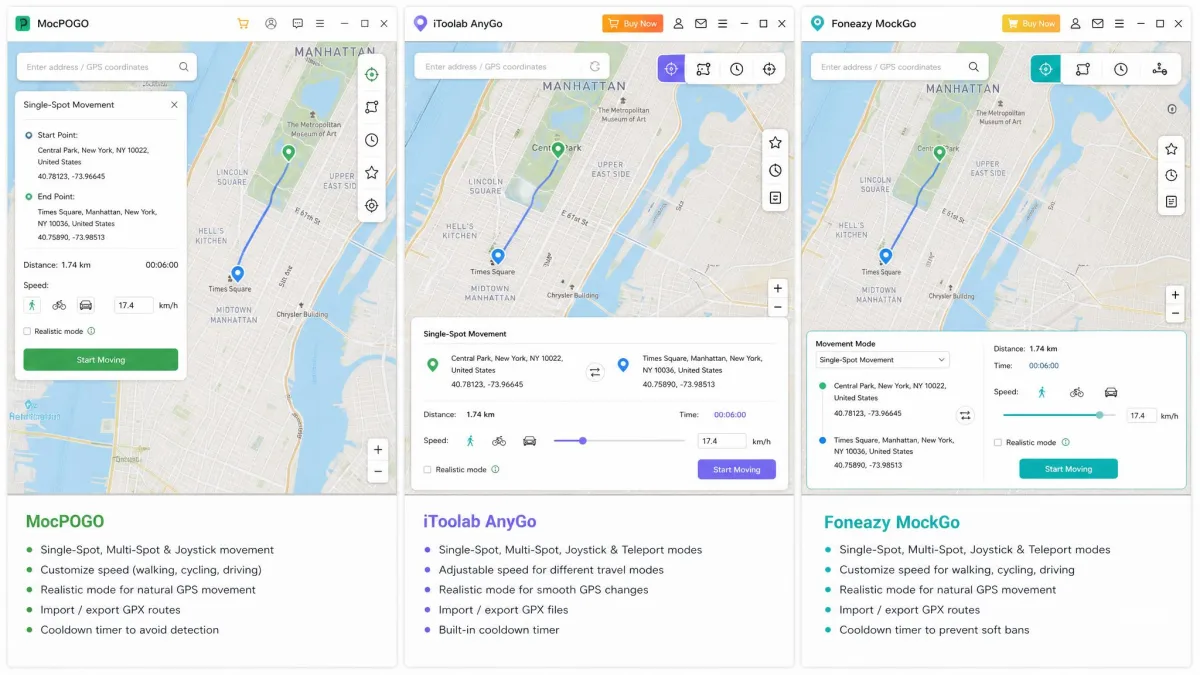
MocPOGO competes with a handful of near-identical desktop spoofers, and the differences are narrower than the marketing suggests.
| Product | Entry price | Lifetime | iOS | Android | Jailbreak or root | Joystick | Multi-spot | Cooldown timer | Refund |
|---|---|---|---|---|---|---|---|---|---|
|
$9.95/mo | $79.95 | iOS 13+ | Dedicated app | No | 360 degree | Yes, plus GPX | Yes | 30-day, conditional |
 |
$9.95/mo | approx. $59.95+ | Yes | Separate product | No | WASD and arrows | Yes, plus GPX | Not built in | 30-day |
 |
$9.95/mo | $59.95 | iOS-focused | Separate product | No | Yes | Yes, multi-stop | Not built in | 30-day |
Our MockGo review covers the closest competitor in detail. MockGo is cheaper over a lifetime licence at $59.95, but it covers 5 devices and 1 computer rather than 15, and it has no cooldown timer.
iToolab AnyGo for iOS is the other obvious swap, with the same $9.95 monthly entry price and a keyboard-driven joystick that some players prefer. Its lifetime price swings widely with seasonal promotions.
If you are still choosing a category rather than a product, our guides to the best Pokemon GO spoofers, the best GPS spoofing apps, and the best fake GPS location apps cover the wider field. Platform-specific picks live in our roundups for iPhone location spoofers and Android location spoofers.
Who Should Use MocPOGO (and Who Should Not)
MocPOGO fits players who want the cooldown timer built in and who run more than one device. It also suits anyone who prefers a standalone Android app over a desktop tether.
Skip it if you spoof rarely and want a one-time purchase, because MockGo's $59.95 lifetime licence covers the same core job for less. Our MockGo vs MocPOGO comparison weighs the two side by side.
Frequently Asked Questions
Is MocPOGO safe to use?
Will MocPOGO get my Pokemon GO account banned?
Does MocPOGO work without jailbreaking?
Is MocPOGO free?
How do I cancel a MocPOGO subscription?
Does MocPOGO work on both Android and iOS?
Why is MocPOGO not connecting to my device?
Final Verdict
MocPOGO does the job it advertises. Teleporting, routes, and the joystick all work as described, the cooldown timer is a genuine advantage over its rivals, and the no-jailbreak setup is as easy as this category gets.
What holds it back is everything after the map screen. Crashes, activation problems, slow support, and a renewal policy that keeps your money if you cancel a day late are all part of the picture, and the split between a 3.5 star Trustpilot score and a 39.3 out of 100 Scam Detector rating reflects that divide.
Buy it for the features, on the shortest term that suits you, with a renewal reminder in your calendar.