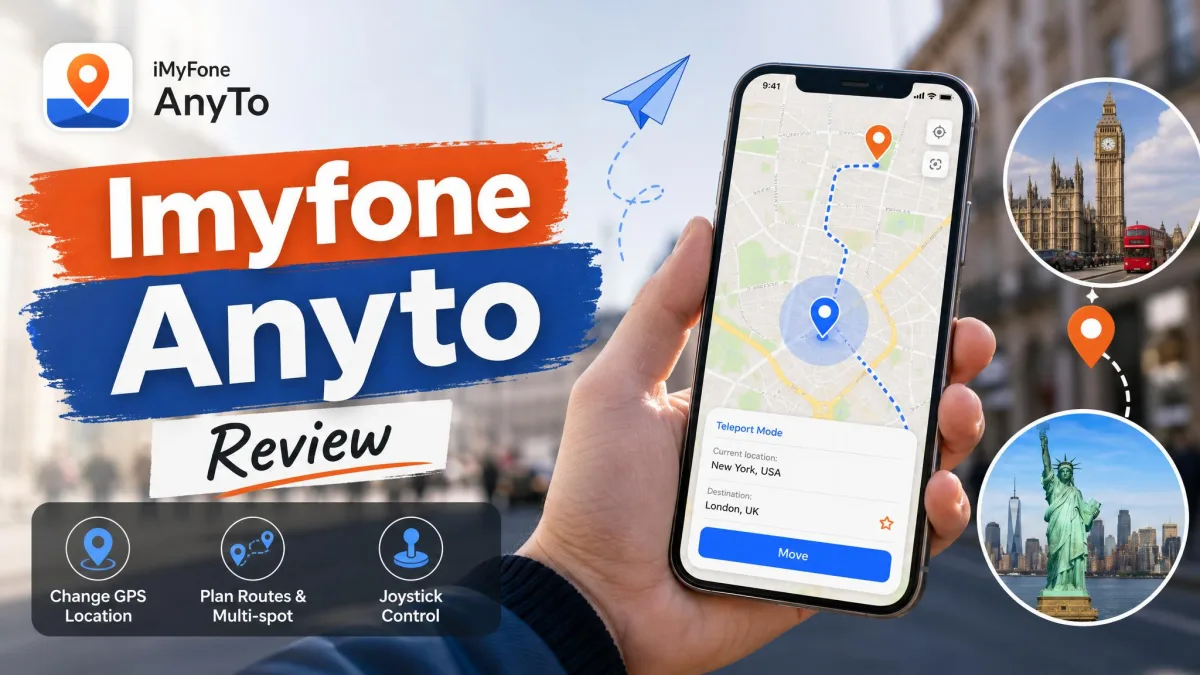
Most people who go looking for a GPS spoofer want one thing. They want their phone to report a location it is not actually in, without breaking anything. iMyFone AnyTo is one of the most heavily marketed answers to that problem, and yes, it still works in 2026.
It works with one catch the marketing skips. Spoofing on iOS only happens with the phone physically tethered to a computer first. That quietly contradicts the "change your location in one click" promise on the sales page, because there is no phone-only workflow at all. Once you accept that a Windows PC or a Mac has to stay in the loop, AnyTo is a capable, beginner-friendly location changer with the movement modes that location-game players actually use.
We ran AnyTo on both an iPhone and an Android handset, wired to a Windows machine and a Mac, and worked through teleport, two-spot, multi-spot and joystick modes before writing a word of this review.
What Is iMyFone AnyTo?
iMyFone AnyTo is desktop software that changes the GPS location your phone reports to apps. You install it on a PC or Mac and connect your handset. Then you drop a pin on a map, and every location-aware app on the phone believes you are standing there. It is sold as a location changer rather than as a spoofing tool, but that is what it does.
The important detail is that it works without jailbreaking an iPhone or rooting an Android device. That is what separates AnyTo from the older generation of spoofing software, and it is the single strongest reason to consider paying for it. The tethered computer is doing the work a jailbreak used to do.
Who It Is For
Three groups get real value here. Location-game players who want to walk routes without walking them come first. Then there are privacy-minded users who would rather not hand a fake address and their real coordinates to the same app. Last are people trying to reach geo-restricted content or services tied to a region they are not in.
If you only need to change your location once, the free tier will probably cover you. If you need it weekly, you are looking at a paid plan.
Supported Devices and OS Versions
iMyFone lists support for iOS 5 and up, including the iOS 27 beta, and Android 6.0 and up through Android 17. Third-party listings for the same software cite iOS 7.0 and Android 5.0 as the floor. Treat the exact minimum as approximate, because older builds lose feature support in practice anyway.
On the desktop side the requirements are light. Windows needs a 1GHz CPU, 256MB of RAM and 500MB of free disk space, and macOS 10.9 through 14 is supported. The top tier manages up to 10 iOS or Android devices at once from a single computer.
Location spoofing on iOS leans on the same Apple's Core Location framework that legitimate apps use to request your position. That is why a spoofed location propagates to every app at once rather than to one app at a time.
iMyFone AnyTo Features
The feature set is where AnyTo justifies its price. It is worth walking each mode individually rather than trusting the bullet list on the product page.
Teleport Mode (One-Click Location Change)
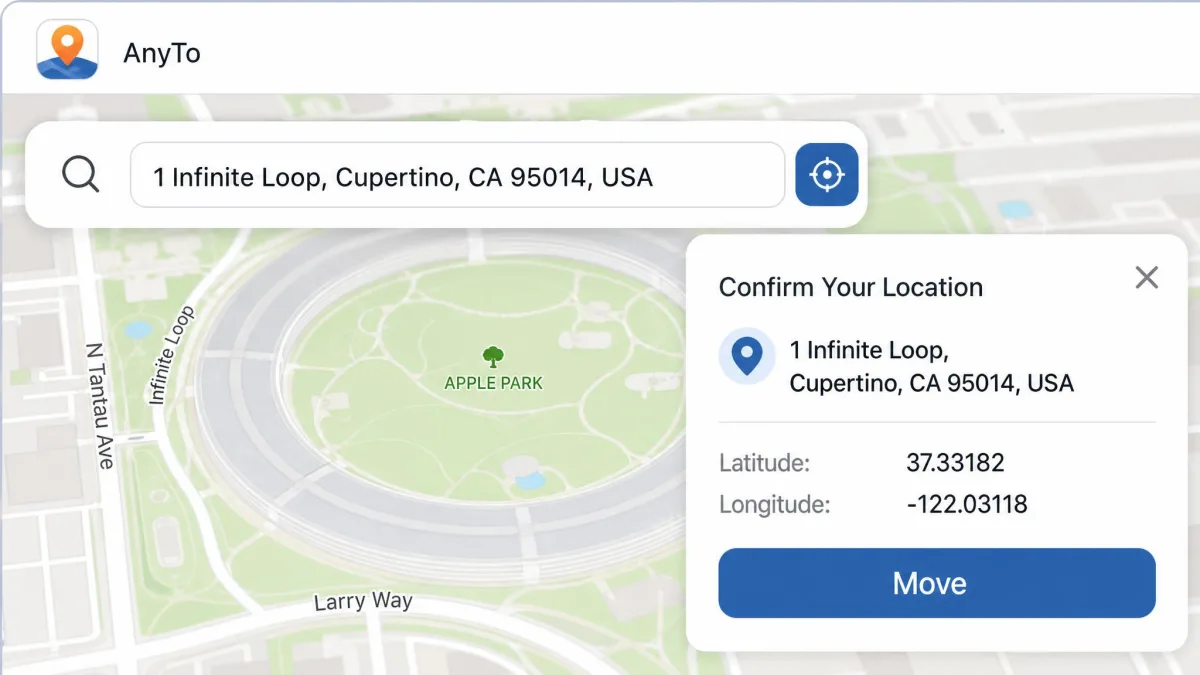
Teleport is the mode most people buy the software for. You search an address or click the map, confirm, and the phone's reported position moves there. The chosen position is applied system-wide once the device is connected, so every location-aware app on the handset reads the same coordinates.
This is the part of AnyTo that the "one click" marketing is describing, and within the app it is accurate. The click count only balloons if you include the connection steps that come first.
Two-Spot Mode
Two-spot mode draws a straight route between a start point and an end point. It then walks your phone along that line at a speed you choose. It is the simplest way to fake movement rather than fake a position, which matters for apps that get suspicious about a device that never moves.
Multi-Spot Mode
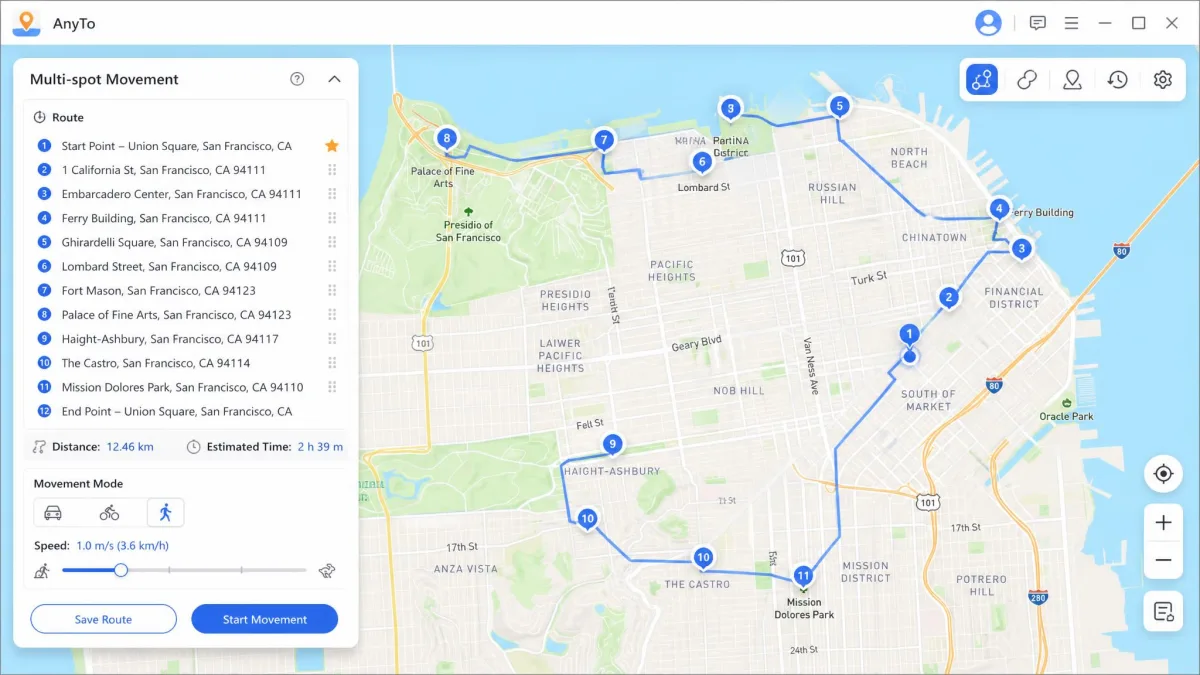
Multi-spot is the same idea with more waypoints. You can chain up to 100 stops into a single route. That is enough to trace a realistic loop through a neighbourhood rather than a suspicious straight line across a city. Routes can be saved and reloaded, and GPX import and export means a route you built once can be reused or shared.
Joystick and Movement Speed Control
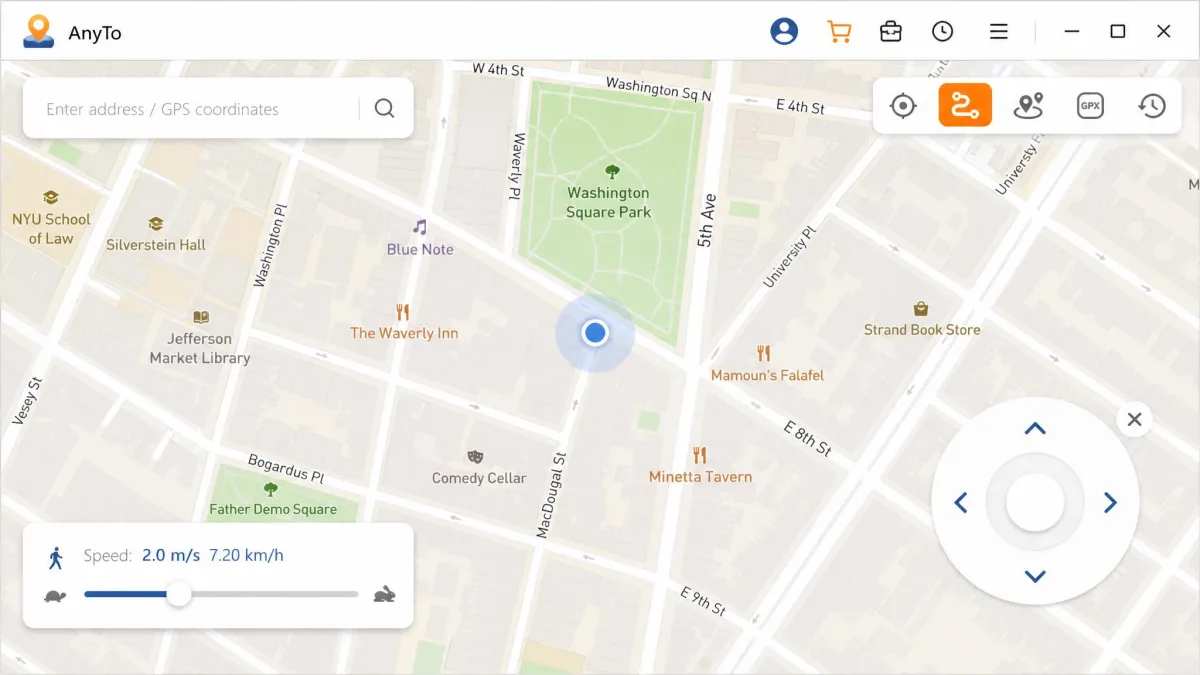
The joystick overlay gives you 360-degree directional control with the keyboard or the mouse. It is the most-praised feature among location-game players for exactly that reason. Movement feels smooth rather than stepped, which is what makes walking simulation usable for long sessions.
Speed is adjustable from 3.6 km/h up to 120 km/h, covering walking, cycling and driving. Setting a walking speed for a walking route is not cosmetic. A phone crossing town at 90 km/h while an app expects footsteps is exactly the pattern that gets flagged.
Route History and Saved Locations
Every route and pinned spot is saved and can be reloaded from the cloud on a later session. There is also a one-tap reset that returns the phone to its true GPS position. That is the button you want to know about before you need it.
Ease of Use and Interface
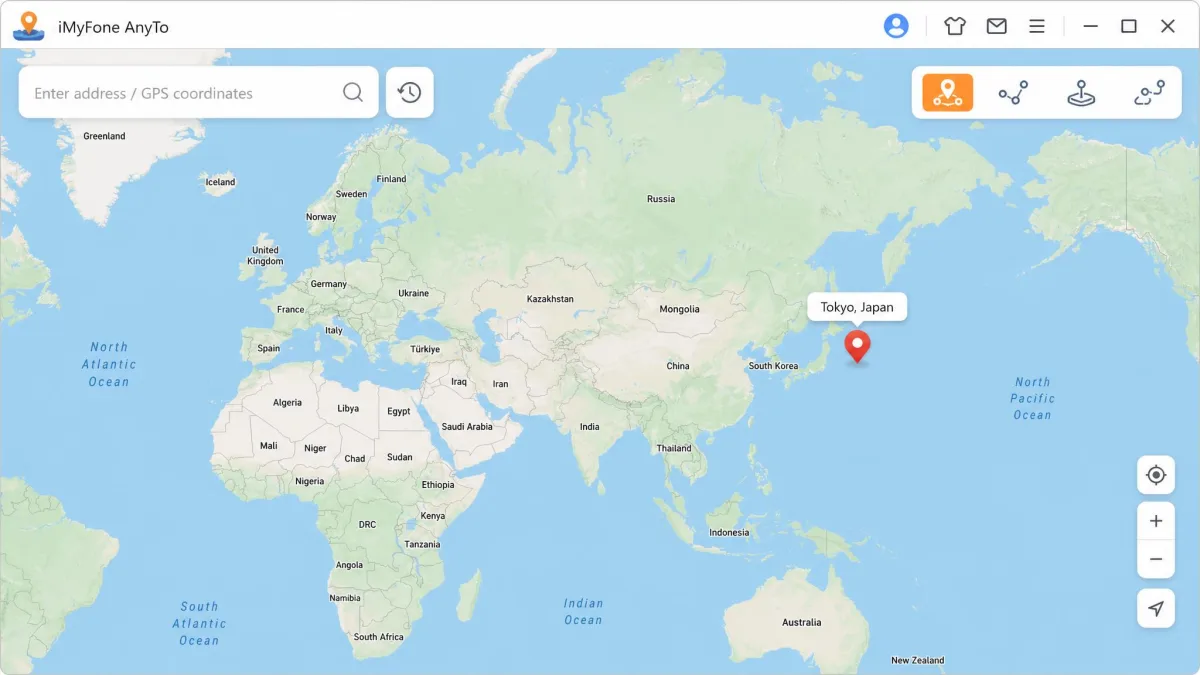
Walking the modes one by one takes a while to read, and almost none of it needs explaining in use. The map is the interface. A search bar sits at the top, the mode icons sit in the corner, and everything else is the map. It is beginner-friendly enough that no manual is needed, and we never had to hunt through a settings tree to find a basic control.
The rough edges are not in the layout. Glitches show up more often on newer phone models and OS builds than on older ones. The connection between phone and computer can also drop mid-session and need re-pairing. Neither is fatal, but both interrupt a long route.
The map is the interface, and that is the best thing about AnyTo. The worst thing is everything that has to happen before you reach the map.
— From our hands-on testing
How to Use iMyFone AnyTo (Step by Step)
Now for the part the sales page compresses into a single click. Here is what the process actually looks like from download to a changed location.
Changing Your iPhone Location
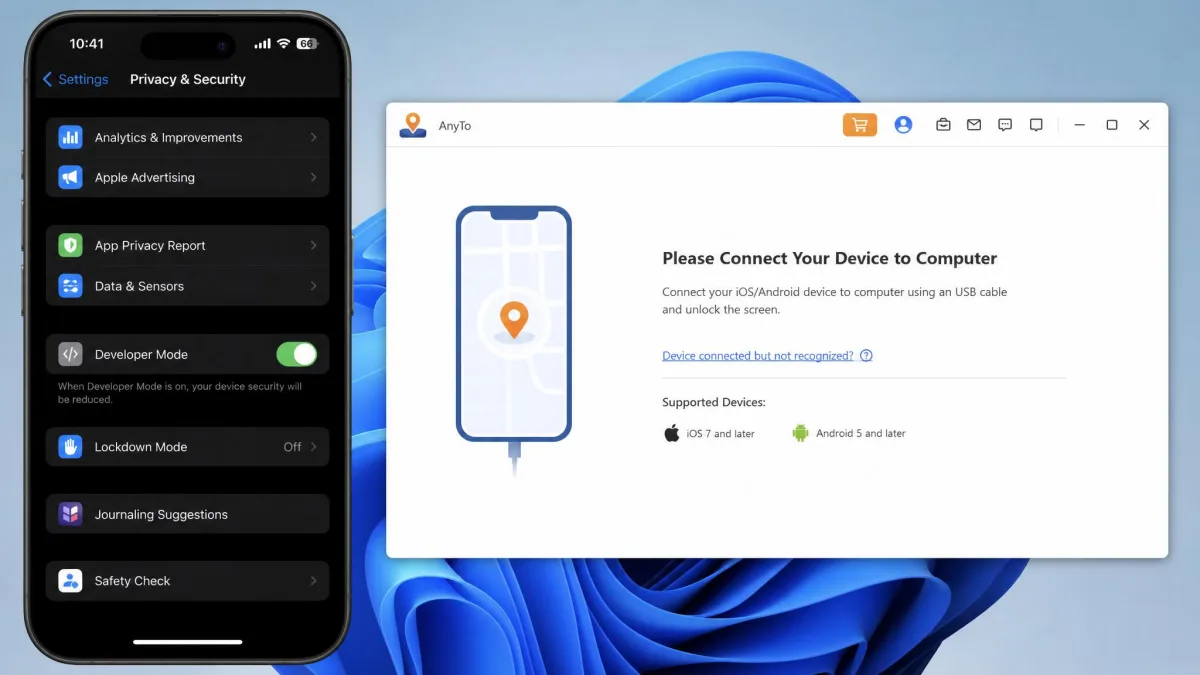
Our first run went like this. We installed the software on a Windows machine, launched it and accepted the on-screen agreement, then plugged the iPhone in with a USB cable and unlocked it. The phone asked whether to trust the computer, and tapping Trust was not the end of it: AnyTo then waited on Developer Mode, which lives in Privacy and Security on the phone and forces a restart before it takes effect. Only after that restart did the desktop window swap the connection prompt for the map. The whole sequence took roughly 2-3 minutes, and every session since has started at the map instead.
From the map, pick teleport mode from the icons in the top right. Search for the address you want or click the map directly, then press Move. Once the initial USB pairing is done, later sessions can run over Wi-Fi instead of a cable.
Do the first pairing before you actually need the software, not in the middle of a session. Getting Developer Mode and the Trust prompt out of the way once means every session afterwards starts at the map.
Changing Your Android Location
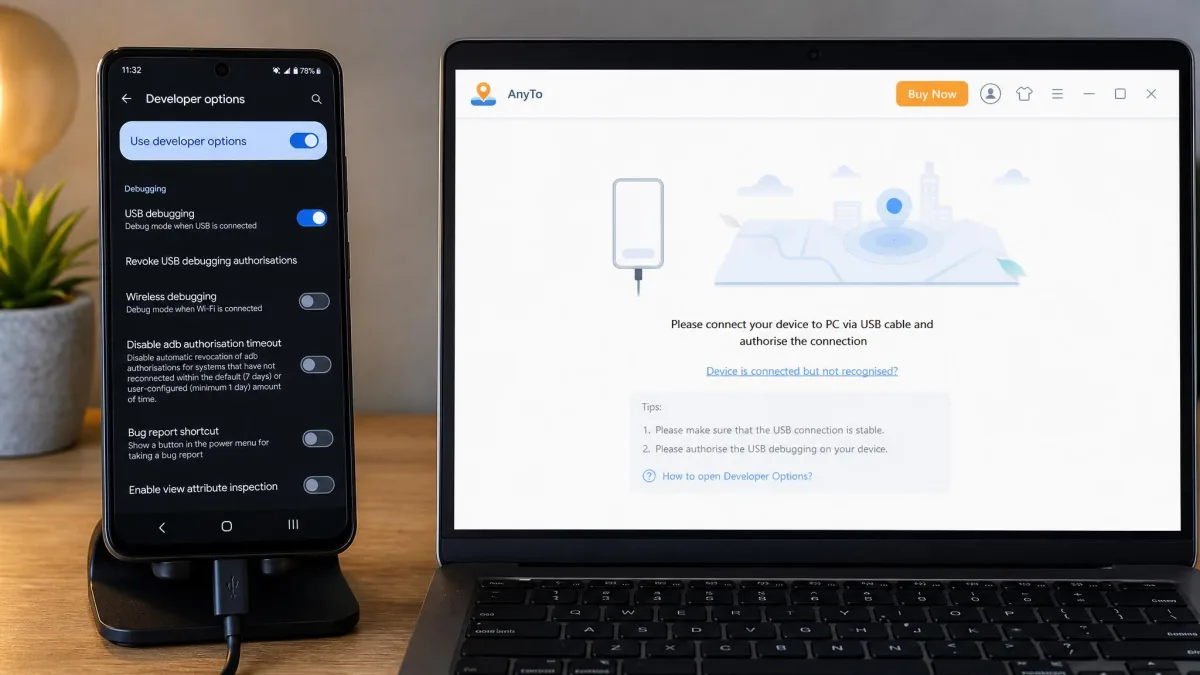
The Android path is the same idea with more consent screens. You connect the device, enable USB debugging in Developer Options, and grant the permissions the installer requests. Android installs demand extra permission steps during setup that iOS does not, so budget a couple of extra minutes for a first run.
After that, the mode selection, the search and the Move button behave identically to the iPhone version.
Simulating GPS Movement
For simulated movement, choose two-spot or multi-spot instead of teleport. Plot your points on the map, set the speed slider to something appropriate for the route, and set the number of repeat trips. Start the route and leave the software running, because closing the desktop app ends the simulation.
iMyFone AnyTo Pricing and Plans
Setup costs you minutes. Working out what AnyTo costs in money is the harder exercise. The official product page advertises it starting from $14.99, and beyond that entry figure pricing gets murky in a way that is worth understanding before you click buy.
List pricing for the VIP tier is commonly quoted at $14.99 monthly, $29.99 quarterly, $59.99 yearly and $89.99 for a lifetime licence. An SVIP tier sits above it at $19.99 monthly, $39.99 quarterly, $79.99 yearly and $119.99 lifetime, adding Pokemon data search and the 10-device connection. AnyTo's tier prices move constantly with rotating discount campaigns, so the checkout total often lands well under list price. SVIP pricing in particular is only visible at checkout. Treat every published figure as list price rather than what you pay.
There is a 30-day money-back guarantee on the purchase.
Subscriptions auto-renew by default, and billing complaints are the most common grievance attached to this software. Turn renewal off in your account immediately after buying if you only want a single term.
Is There a Free Version?
There is a free download, but calling it a free version oversells it. It is capped at 5 teleport uses and 1 two-spot run. The free joystick allowance is reported at around 15 minutes, though the vendor does not publish that figure and it has changed between releases.
That allowance runs out almost immediately. Five teleports and a single two-spot trip are not enough to evaluate the movement modes, which is the thing you most want to evaluate. In practice the free tier proves the connection works and nothing more.
Is It Worth the Money?
If you spoof regularly, yes, with a caveat. AnyTo prices higher than several comparable location changers offering the same movement modes, and the thin trial means you are buying largely on trust. The 30-day guarantee is the thing that makes that gamble reasonable.
We earn a commission if you buy through that link, at no extra cost to you. It does not change our rating.
Pros and Cons
Pros
- Changes GPS location on iPhone and Android without jailbreaking or rooting
- Map-first interface that needs no manual
- Full set of movement modes: teleport, two-spot, multi-spot and joystick
- Routes save to the cloud, with GPX import and export
- Speed control from 3.6 km/h to 120 km/h
- 30-day money-back guarantee
Cons
- Requires a tethered PC or Mac, so there is no phone-only workflow
- Free tier is capped at 5 teleports and one two-spot run
- Auto-renewing subscriptions cause frequent billing complaints
- Priced above comparable location changers
- Connection drops mid-session on some devices
- Support quality is inconsistent
Is iMyFone AnyTo Safe and Trustworthy?
This is the question that deserves a straight answer, so here it is. The software itself installs cleanly and does what it says. Whether AnyTo is trustworthy at all, versus a malware risk, is actively debated rather than settled. You can watch r/PokemonGoSpoofing users debating whether AnyTo is safe work through the same doubt in public.
Our position is that the download is legitimate commercial software from an established vendor. The risk that matters is not malware. It is what the apps you spoof against do when they notice.
Ban Risk for Pokemon Go and Other Location Games
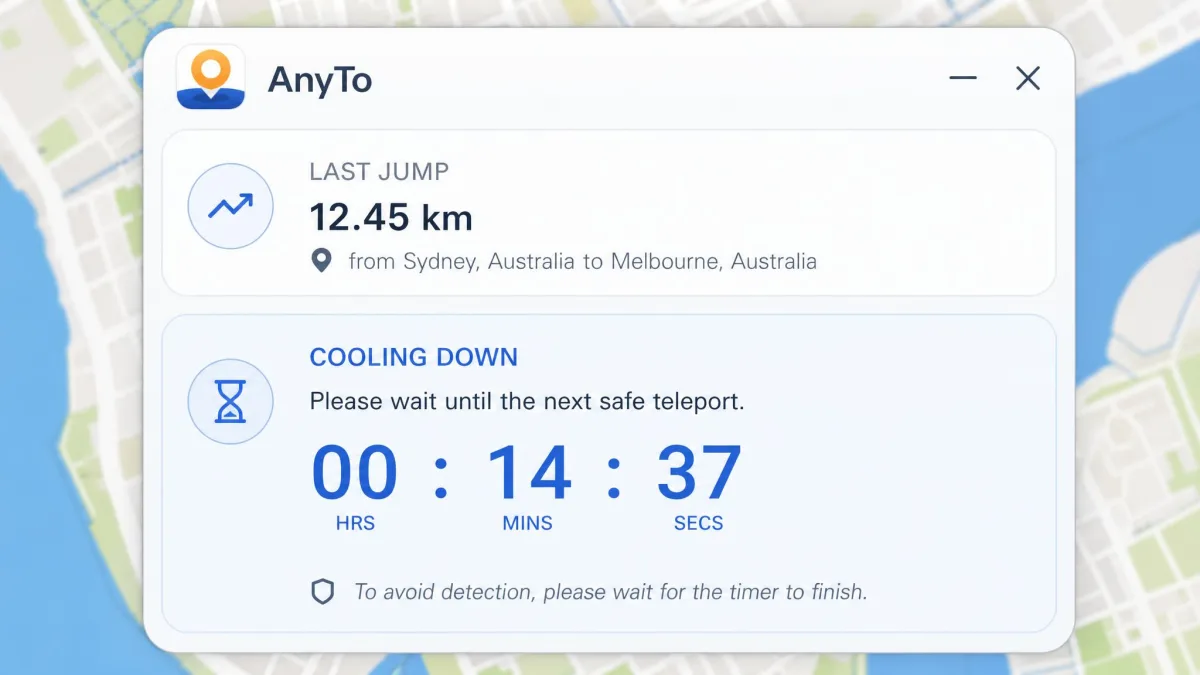
Spoofing violates the terms of service of essentially every location-based game, and no version of this software changes that. Frequent long-distance teleporting without waiting out the cooldown is the behaviour most likely to trigger detection. A Pokemon GO soft ban commonly lasts up to 7 days. Ban length depends on Niantic's strike stage and enforcement waves, so identical behaviour can draw a warning one month and a suspension the next. Players comparing reported ban experiences with AnyTo tend to favour a teleport-then-close-the-app approach over joystick or walking simulation.
Respect the cooldown timer between jumps. Teleporting a thousand kilometres and immediately interacting with the game is the single clearest signal you can send, and no spoofing tool can hide it for you.
Privacy and Data Handling
This is the weakest part of the picture. iMyFone publishes no clear data-retention statement covering AnyTo's location data specifically, and no independent audit of the software exists. We would not run it on a device holding sensitive work data.
What Real Users Say
Our own doubts about the vendor are worth checking against the crowd's. iMyFone's Trustpilot reviews carry an Excellent rating of roughly 4.6 out of 5 across about 8,015 reviews. That score is company-wide across every iMyFone product rather than AnyTo alone, and it drifts as new reviews land. Read it as a signal about the company rather than about this software.
Read the positive AnyTo entries closely and a pattern appears. They cluster around support agents resolving subscription and billing problems rather than around the spoofing itself, which tells you what most people end up contacting the company about.
iMyFone's own curated user reviews sit on the vendor's site and show only favourable testimonials, so treat that page as marketing.
Common Problems and Fixes
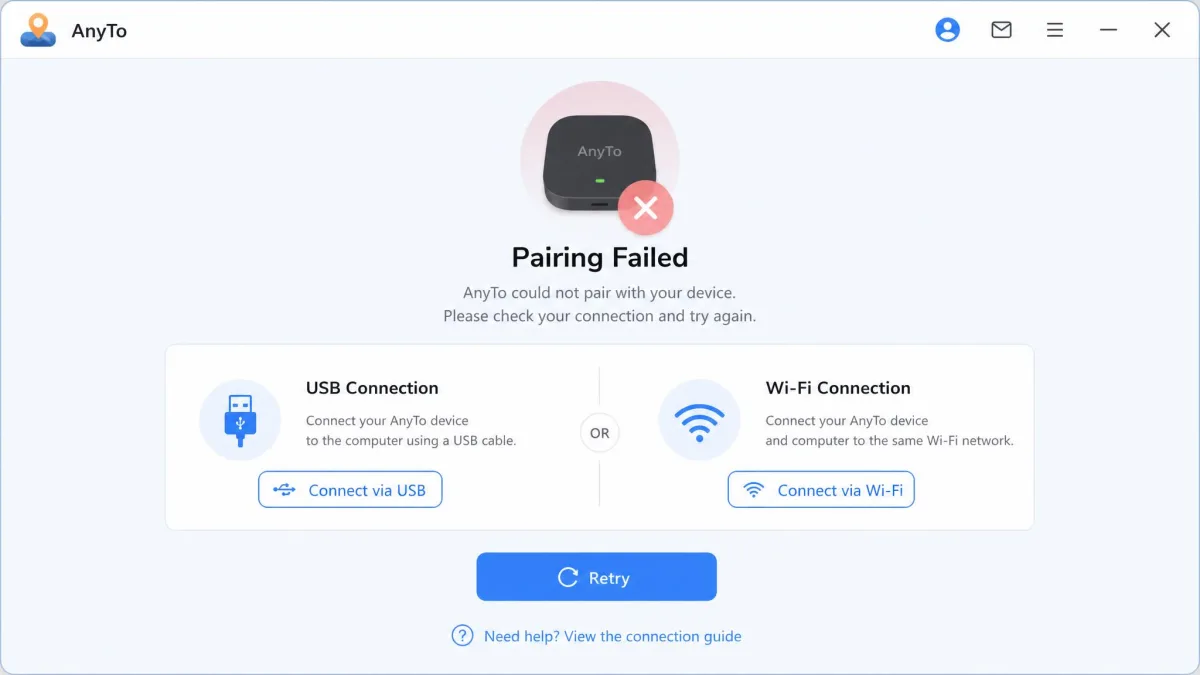
If AnyTo is not working, the fault is usually the connection rather than the software. Unplug and reconnect the USB cable, unlock the phone, and re-accept the Trust prompt. A dropped pairing mid-session is the most common failure, and re-pairing fixes it.
If the location changes on the map but not in your target app, force-close that app and reopen it. If Developer Mode or USB debugging got switched off by an OS update, turn it back on and restart the device.
For glitches on a very new handset or a fresh OS build, check for a software update before troubleshooting anything else. Newer models are where problems concentrate.
iMyFone AnyTo Alternatives
If the price or the desktop tether puts you off, three competitors cover similar ground. Our roundups of the best location spoofers for iPhone and the best Pokemon Go spoofers go wider still.
| Product | Buy | Price | iOS support | Android support | Devices at once | Free trial |
|---|---|---|---|---|---|---|
|
Check price → | From $14.99 | iOS 5 and up | Android 6.0 and up | 10 | 5 teleports, 1 two-spot |
 |
Check price | $12.95/month | iOS 14 to 27 | Android 4 to 16 | 15 | 1 hour desktop |
 |
Check price | Not published | iOS 5.0 and later | Android 5.0 and later | 5 | Download |
 |
Check price | Not published | iOS 9 to iOS 17 | Not supported | 5 | Download |
Tenorshare iAnyGo
Tenorshare iAnyGo is the closest match on features and the cheaper entry point at $12.95 per month for the desktop version. It covers iOS 14 through iOS 27 and Android 4 through Android 16, and routes up to 99 points. It connects 15 devices at once and offers a 1-hour desktop trial plus a 30 days money-back guarantee. Our AnyGo for iOS review covers the wider category.
Dr.Fone Virtual Location
Dr.Fone Virtual Location supports iOS 5.0 and later and Android 5.0 and later, and handles 5 devices at once. Speeds run from 3.6 km/h to 108 km/h with 360-degree and WASD joystick control. Its landing page advertises discounts but publishes no tier prices, which makes budgeting awkward. See our full Dr.Fone review for the wider toolkit.
EaseUS MobiAnyGo
EaseUS MobiAnyGo covers iOS 9 through iOS 17 on iPhone 4s and later, and runs on Windows 7 through 11. It supports 5 simultaneous devices with one-click teleport plus two-spot and multi-spot routes. Its product page documents iOS devices only, so Android users should look at other Android location spoofers.
Frequently Asked Questions
What happens to a lifetime licence if I change computers?
Is a refund available?
Can other people tell my location is fake?
Does the spoofed location survive a phone reboot?
Does changing my location affect my other apps?
What happens if my computer disconnects mid-route?
Final Verdict
The score above assumes you are the buyer AnyTo is built for. If you are not, the cheaper pick is Tenorshare iAnyGo, which covers the same movement modes for less per month and connects more devices at once. Choose it if you spoof occasionally, or if you need to drive several handsets from one machine.
For everyone else, the 30-day guarantee is what makes the purchase reasonable rather than a leap. The trial is too thin to answer the questions that matter, so the refund window is your real evaluation period. Use it deliberately: run a long joystick session and a multi-spot route in the first week, not in week five.
What we would want changed in the next release is smaller than it sounds. A published data-retention statement for location data would settle the trust argument, and a session that survives a mid-run disconnection would remove the one failure that spoils long routes. Neither is a redesign. Until they land, iMyFone AnyTo remains a recommendation with a desk attached to it.