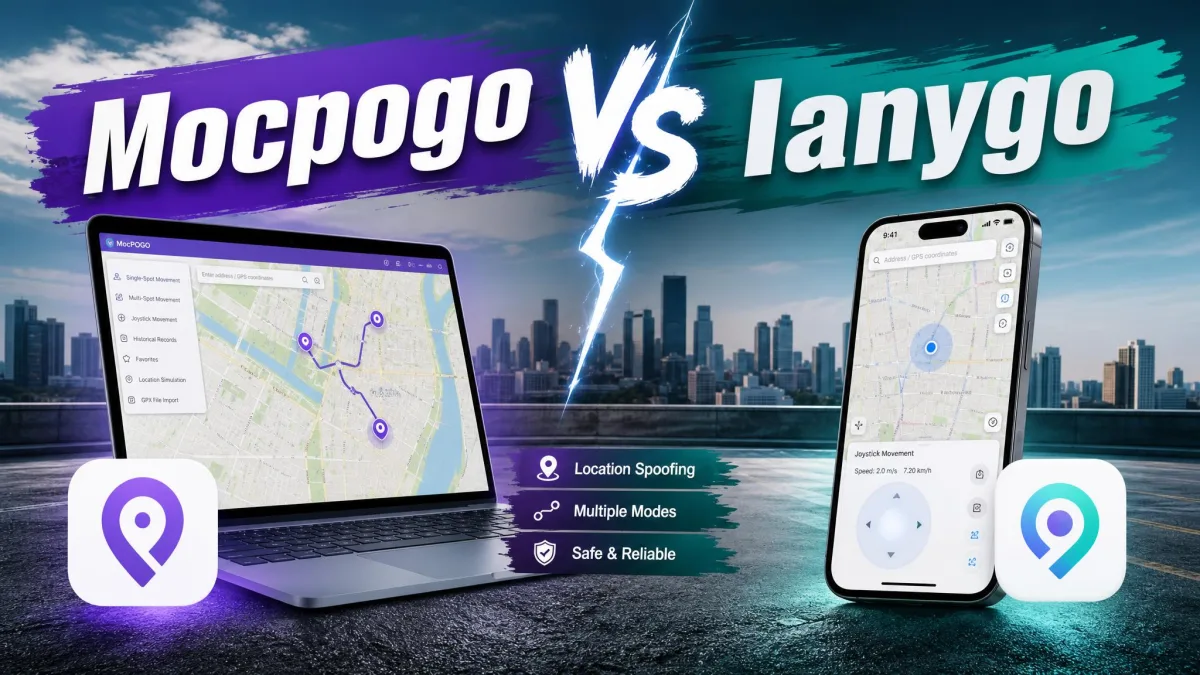
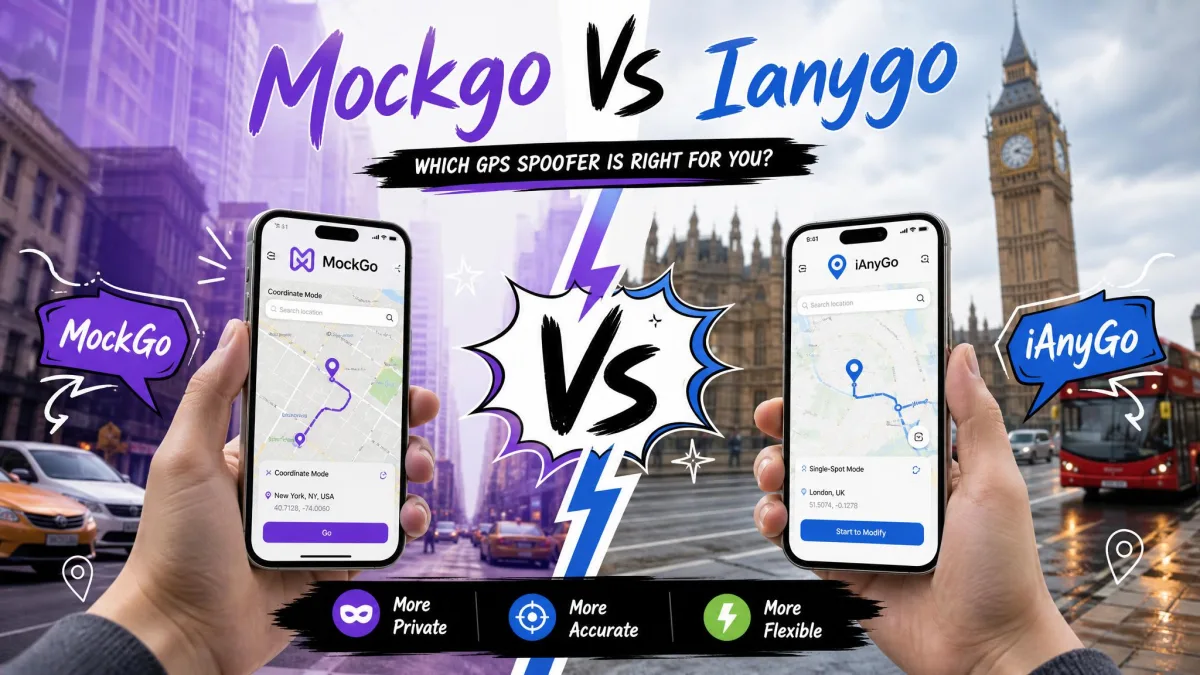
MockGo is Foneazy's desktop GPS spoofer for iPhone and iPad. It runs on a Windows or Mac computer and drives the phone over a cable. MocPOGO does the same job on iOS and Android, and its phone apps need no computer. Below we compare price, platform support, movement modes, cooldown timers and ban risk. Pokemon GO players and Android owners have one clear pick. iPhone owners chasing the cheapest route have another.
The Short Verdict
Neither app is a straight upgrade on the other, so the answer depends on the phone in your pocket.
That split holds across almost every section below.
MockGo vs MocPOGO at a Glance
Here is how the two line up on the things people shop for. Prices are list prices, and both vendors discount them often.
| Feature | Foneazy MockGo | MocPOGO |
|---|---|---|
| Phones it can control | iPhone and iPad only | iPhone, iPad and Android |
| Works without a computer | No | Yes |
| iOS version range | iOS 9 to iOS 26 | iOS 13 upward |
| Android version range | Not supported | Android 8.0 upward |
| Desktop app | Windows 11 back to XP, macOS 10.12 upward | Windows 11 to 7, macOS 10.12 upward |
| Jailbreak or root | Not required | Not required |
| On-screen joystick | Keyboard driven | 360-degree overlay |
| Top simulated speed | 108 km/h | 100 km/h |
| Cooldown handling | Intervals inside Jump Teleport | Countdown after each change |
| Devices per licence | 5 devices, 15 on business | 15 devices on 1 computer |
| Yearly price | $39.95 | $49.95 desktop |
| Lifetime price | $59.95 | $79.95 desktop |

What Each App Actually Does
Foneazy MockGo
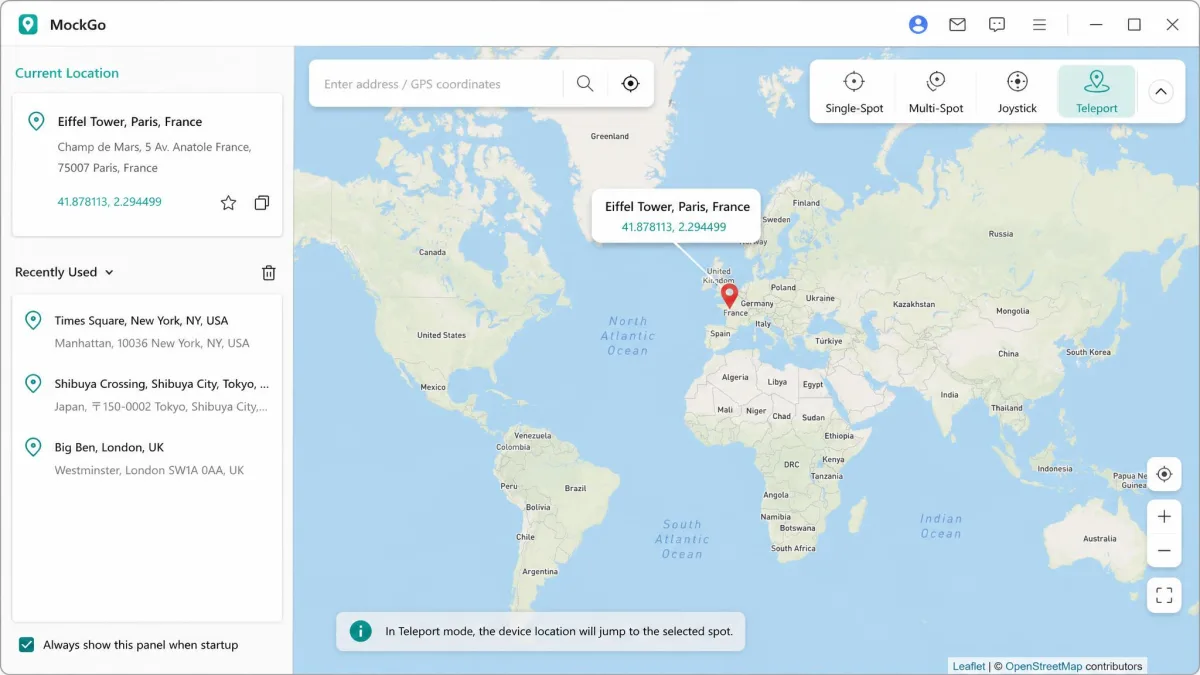
Foneazy MockGo is desktop software for iPhone and iPad. You run it on a PC or Mac and drive the phone over a cable. Its modes cover teleport, Jump Teleport with cooldown intervals, One-Stop and Multi-Stop routes, GPX import and a keyboard joystick. Teleport is the part we trust, because it lands the pin correctly on essentially every attempt. Our MockGo review: is it the best iPhone GPS spoofer? digs further into it.
MocPOGO
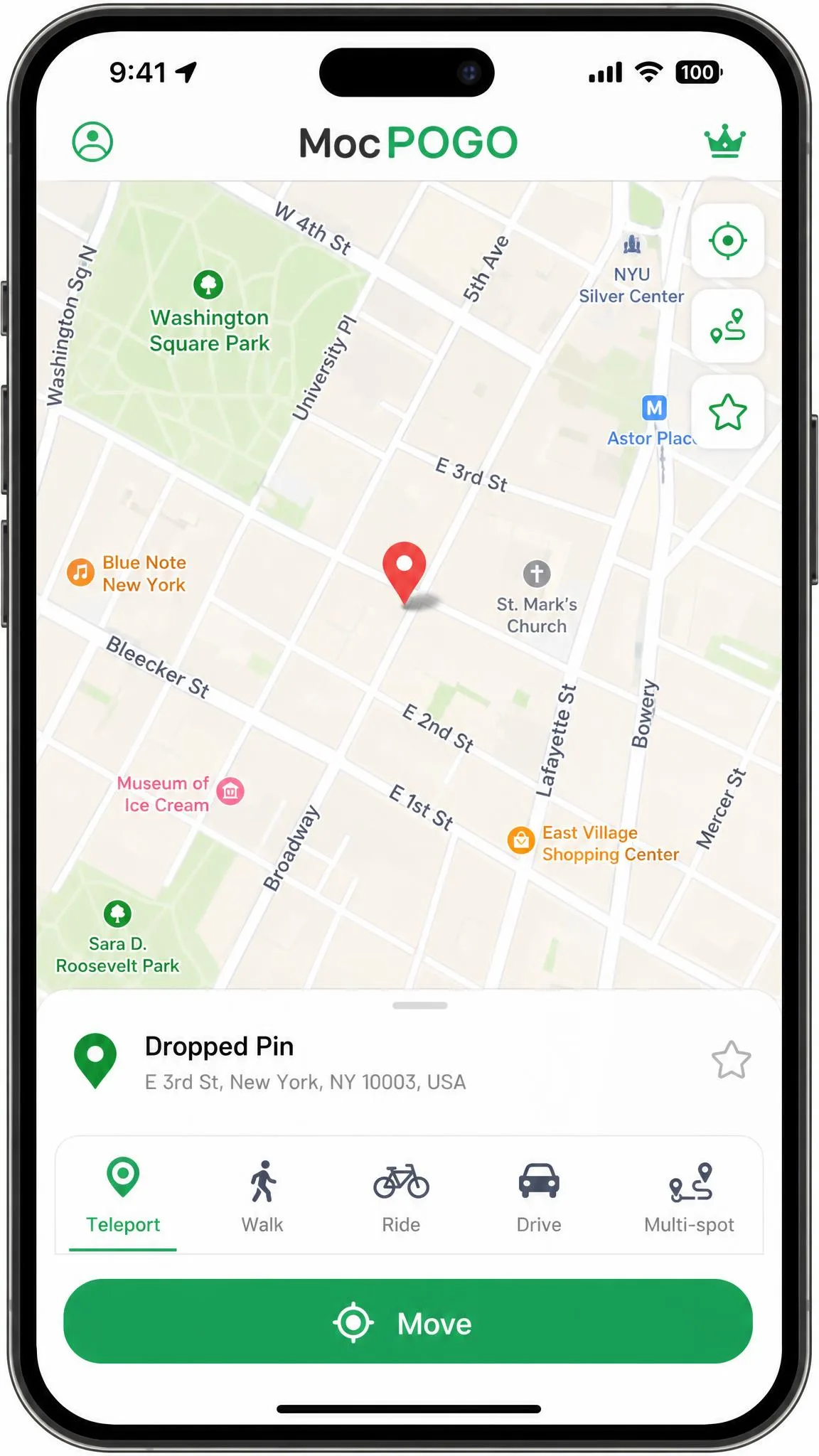
MocPOGO does the same job on more hardware. It ships native iOS and Android apps alongside Windows and Mac desktop builds. On iPhone the app is branded iSpotGo, and no jailbreak is needed. Its modes cover teleport, Two-Spot for egg hatching, Multi-Spot routes, a 360-degree joystick, GPX import and saved routes. The map is easy to work. You search a place, tap Teleport, and the location holds after you close the app. Our MocPOGO review: is it safe, legit, or a scam? covers buying it.
Platform and Device Support
iOS: with or without a computer
MockGo is desktop only, and that limit bites hardest. Nothing changes on the phone unless the computer is running with the cable attached. The product page lists a Wi-Fi option, but the cable is the connection that reliably holds.
MocPOGO's iOS app changes location on its own. Installation can route through a third-party channel such as TestFlight, and it asks for deep device permissions along the way.
Android, Windows and Mac
MockGo has no Android support at all. That settles the question for anyone carrying a Pixel or a Galaxy. Its desktop app runs on Windows 11 back to XP, and on macOS 10.12 upward, though that floor has moved between releases.
MocPOGO supports Android 8.0 and up, and its Play Store listing has passed 100K+ downloads. Connecting an Android phone to the desktop app means enabling USB debugging first.
Jailbreak and root requirements
Neither tool asks you to jailbreak an iPhone or root an Android phone, which is the reason both exist. Developer Mode and USB debugging are not jailbreaking. Both are switches inside the settings app, and both are reversible.
Location Modes: Teleport, Multi-Spot and Joystick
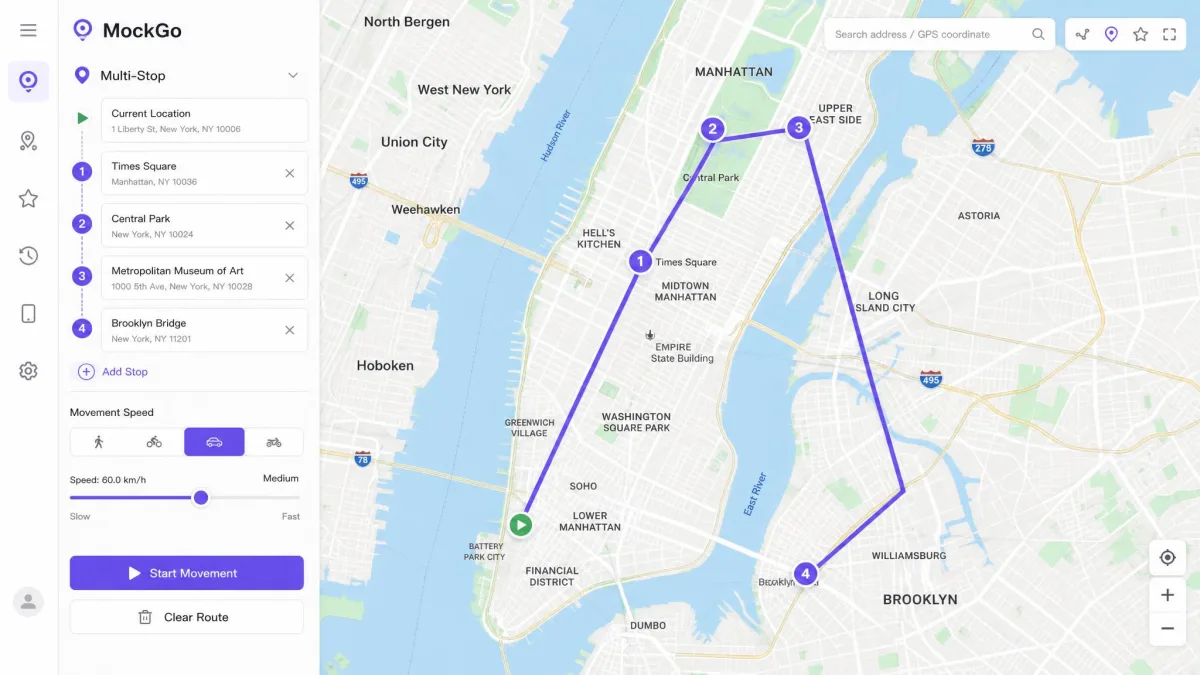
How MockGo handles movement
MockGo splits movement into One-Stop and Multi-Stop routes. Both follow real roads between the points you drop. Speed is adjustable to a ceiling of 108 km/h, and Realistic mode varies whatever you set by up to 30%. The joystick is the weak point. It lags behind the teleport and route modes, and it never feels crisp.
How MocPOGO handles movement
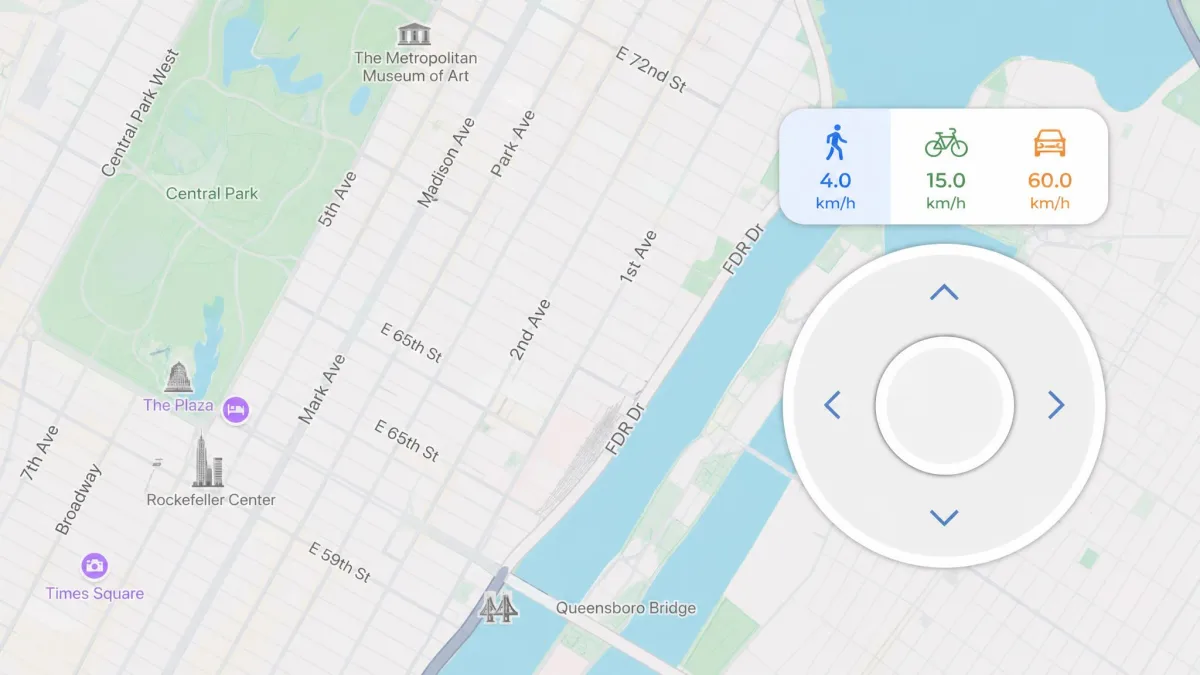
MocPOGO covers the same ground with different labels, and those buttons are poorly labelled during setup. Two-Spot walks a line between two points, which is what egg hatchers want. Multi-Spot strings together a custom route. The joystick is a 360-degree overlay with walking, cycling and driving presets, topping out at 100 km/h. The Android build is the less stable half, and it can run cleanly for days before dropping the joystick mid-session.
GPX import, saved routes and favourites
Both apps import GPX files, so a route built elsewhere can be replayed rather than redrawn. MockGo writes historical records automatically and keeps a favourites list. MocPOGO stores saved spots, saved routes and history, but its trial locks all three. Those are exactly the features worth judging before you pay.
Multi-Device Control
Both vendors advertise up to 15 devices, and the two claims are not equivalent. MockGo's individual licence covers 5 devices plus 1 PC or Mac, and the 15-device ceiling belongs to its business plan. MocPOGO advertises 15 mobile devices on every plan, though one option on its own iOS purchase page reads 5 iOS devices instead.
Which Games and Apps Each One Supports
MocPOGO is built around location-based games first. Its list runs from Pokemon GO and Monster Hunter Now through Ingress Prime and Dragon Quest Walk. Tinder, WhatsApp, Life360, Snapchat and 40 further apps follow behind them.
MockGo reads more like a lifestyle tool. Jurassic World Alive and Mobile Legends sit alongside Tinder, Bumble, WhatsApp, Life360 and Find My iPhone. Foneazy does name Pokemon GO there, but the claim is contested. If a game is the reason you are buying, MocPOGO is the safer bet.
Cooldown Timer and Ban Risk
What each app does to protect your account
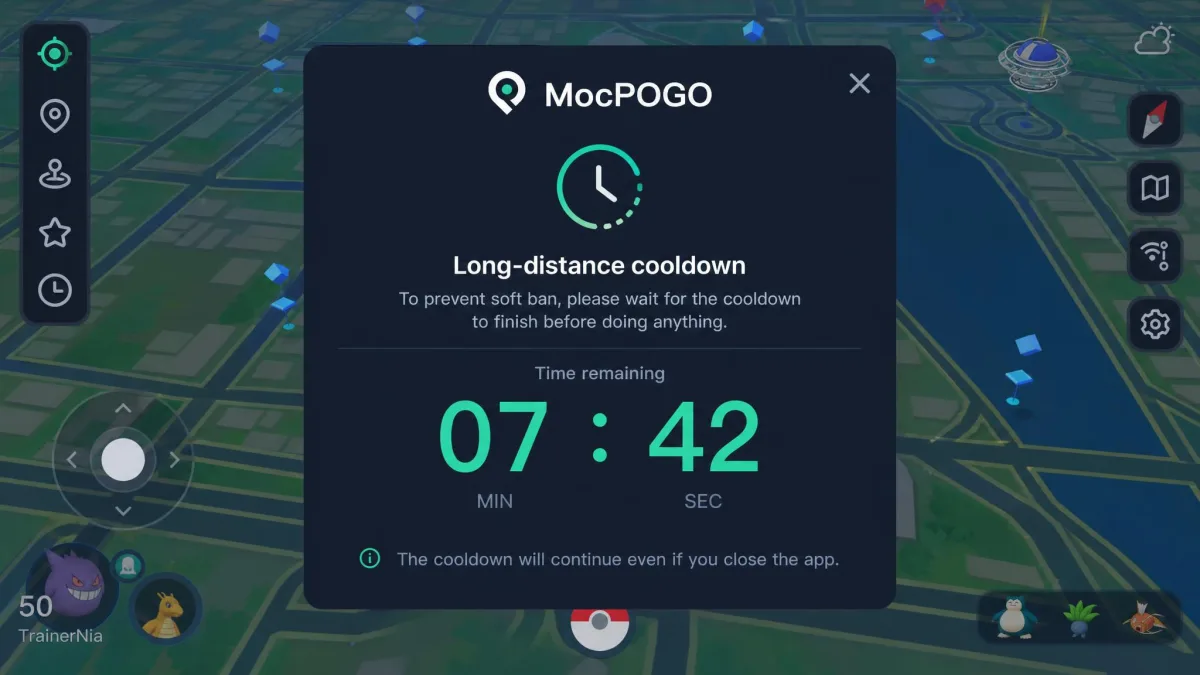
A cooldown is the waiting period Pokemon GO applies after your location jumps. Act too soon and the game flags the behaviour. The longest cooldown is 2 hours, while a jump of 100 km costs roughly 30 minutes. Catching Pokemon, spinning stops and gym activity all start the clock. Teleporting alone, hatching eggs and trading do not.
MocPOGO puts that countdown on screen straight after each change. It is the most useful thing either app does for your account. MockGo builds cooldown intervals into Jump Teleport instead, with no visible timer.
What Niantic's rules actually say
Niantic defines cheating to include falsifying location, which is exactly what both tools do. The first strike is a warning with downgraded gameplay for about 7 days. The second is a suspension of roughly 30 days. The third ends the account for good.
Niantic also says offenders are not always offered three strikes, because some behaviour is terminated immediately. No one publishes how often spoofers are caught, so treat any vendor promise of safety as marketing. Our explainer on what is GPS spoofing, and what are the risks? covers the detection side.
Using either app on Pokemon GO breaks Niantic's Pokemon GO terms of service, and a cooldown timer is not a defence against it. The policy applies to your account, not to the software, so the whole risk sits with you. Spoof on an account you could stand to lose.
Pricing and Value Compared
MockGo pricing
MockGo sells one product on four terms, and MockGo's pricing page shows each against a higher struck-through figure. An individual licence covers 5 devices and 1 PC or Mac. The business plan lifts that ceiling to 15 devices.
Refunds run on a 30-day money-back guarantee, and its exclusions are worth reading before you buy.
MocPOGO pricing
MocPOGO splits its price list by platform, and only the desktop ladder is stable enough to quote plainly. The iOS plan bundles the desktop app and costs twice the desktop-only price on the monthly and quarterly terms, and about half again as much on the yearly and lifetime ones. Android is priced separately again, at around $14.95 a month.
Those iOS tiers are sold almost permanently at a discount, so checkout rarely matches the published tier. Every plan below lifetime auto-renews by default, and the 30-day guarantee ships without published exclusions.
| Plan | Foneazy MockGo | MocPOGO desktop | MocPOGO iOS app |
|---|---|---|---|
| Monthly | $9.95 | $9.95 | $19.95 |
| Quarterly | $19.95 | $19.95 | about $39.95 |
| Yearly | $39.95 | $49.95 | about $79.95 |
| Lifetime | $59.95 | $79.95 | about $119.95 |
What each costs you over 12 months
Rolling monthly is the expensive route on both sides. An annual plan is the cheapest sensible option, and a lifetime licence only pays off after well over a year.
| Route to 12 months | Foneazy MockGo | MocPOGO desktop | MocPOGO iOS app |
|---|---|---|---|
| Monthly plan x 12 | $119.40 | $119.40 | $239.40 |
| Quarterly plan x 4 | $79.80 | $79.80 | about $159.80 |
| Annual plan | $39.95 | $49.95 | about $79.95 |
| Lifetime, year one | $59.95 | $79.95 | about $119.95 |
MockGo and MocPOGO price the monthly and quarterly terms identically, and MockGo undercuts the desktop app on the yearly and lifetime tiers, where it costs $10 and $20 less. Against the iOS plan it costs half as much. On the two terms most people actually buy, that gap is the strongest argument for the cheaper app. It only counts if MockGo does what you need.
Setup: Changing Your Location in Three Steps
Setting up MockGo
The chain is longer than MocPOGO's, but the prompts carry you through it without much guesswork.
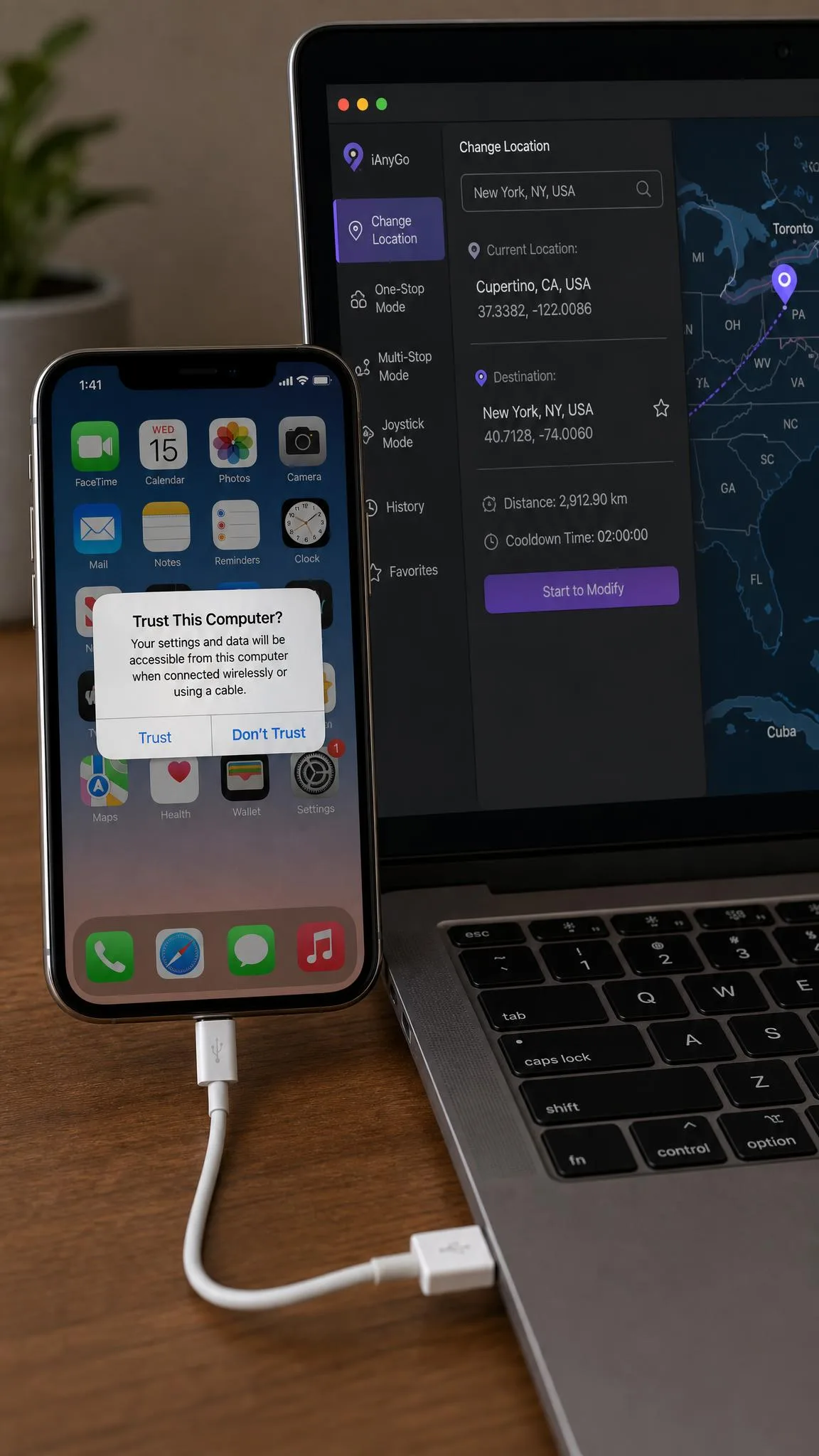
- Install MockGo on your Windows PC or Mac, with iTunes present on the same machine.
- Connect the iPhone with a USB cable, then tap Trust on the phone when the prompt appears.
- Search for your destination and click Teleport, or pick One-Stop or Multi-Stop to move along a route.
Setting up MocPOGO
Phone-only setup is the shorter path, and it is the one most people should take.
- Install the MocPOGO app from the vendor's site on iPhone, or from the Play Store on Android.
- Grant the location permissions it asks for, and switch on Developer Mode or USB debugging only if you are pairing with the desktop app.
- Search for a spot, tap Teleport, then check the cooldown countdown before you touch the game.
Movement simulation can glitch on MockGo. Before you reinstall anything, restart the phone and toggle Location Services off and on. That clears most stuck pins, and it costs you a minute instead of a support ticket.
Are MockGo and MocPOGO Legit? What Real Users Report
Both are genuine products that take real money, and both carry a track record worth reading first. iPhone owners who will not jailbreak still regularly ask whether MocPOGO is legit.
A word on what this comparison rests on. No independent page we found tests both tools side by side, so this piece is built from the vendors' own specifications, from Google Play listings, and from spoofing community threads. Where those sources disagree, we say so rather than picking the tidier number.
Reliability, activation and billing complaints
MocPOGO's worst failure mode is a licence that will not activate after the payment clears. That leaves the location features locked on a paid account. Crashes mid-session and failed device connections are the other recurring faults, and support can be slow on payment problems.
MockGo fails differently. Its desktop app can stop working after an iOS update and stay broken until Foneazy ships a new build, and reconnecting a phone after an iPhone upgrade can take more than one support session. Foneazy does answer email, which is the reason those sessions end at all.
App store standing
MocPOGO's Google Play listing has passed 100K+ downloads with an average near 3.0. That figure moves with the storefront you check. MockGo has no store rating to compare, because it never ships as a phone app.
Pros and Cons of Each App
Neither list is long on surprises, and the cons are where the money goes.
MockGo pros and cons
Pros
- Teleport lands the pin accurately on essentially every attempt
- Cheaper than MocPOGO on the yearly and lifetime tiers, and half the price of the iOS plan
- Reaches back to iOS 9 and the iPhone 5s, so old hardware still works
- Realistic mode keeps simulated movement from looking machine-straight
- Foneazy support answers email and can move a licence to a new computer
Cons
- No Android support at all, on any plan
- Nothing happens unless a computer is running with the cable attached
- The joystick lags behind the teleport and route modes
- The free trial allows teleport 3 times and the route modes once
- Pokemon GO compatibility is disputed rather than confirmed
MocPOGO pros and cons
Pros
- Native iOS and Android apps that work with no computer attached
- On-screen cooldown countdown after every location change
- Two-Spot egg hatching and Multi-Spot custom route building
- Covers up to 15 devices on a single licence
- Supports Monster Hunter Now, Life360, Tinder and 40 further apps
Cons
- Licence activation can fail after the payment clears
- Crashes mid-session and dropped connections are recurring faults
- Every plan below lifetime auto-renews by default
- A Windows licence will not transfer to a Mac
- The trial locks route history, saved spots and saved routes
Which One Should You Choose?
Choose MockGo if
- Every device you want to spoof is an iPhone or an iPad
- You want the cheaper licence, at $39.95 a year
- You are content driving the phone from a computer over a cable
- Your targets are Life360, Find My or dating apps rather than games
Choose MocPOGO if
- You play Pokemon GO or Monster Hunter Now and want cooldown timing on screen
- You need Android support, which MockGo does not offer
- You want to change location from the phone with no computer involved
- You are covering several phones, up to the 15 devices a licence allows
Alternatives Worth Considering
Neither app is the only route. If Pokemon GO is the whole reason you are here, start with our guide to the best Pokemon GO spoofers, tested and ranked. For a wider view, see the best GPS spoofing apps for iPhone and Android. We also keep shortlists of the best location spoofers for iPhone and the best location spoofers for Android.
Frequently Asked Questions
Is MocPOGO legit and safe to buy?
Is MockGo legit, and what happens to the licence if I change computers?
What happens if I get a strike in Pokemon GO?
How many devices can I spoof at once?
Do they still work on the latest iOS and Android versions?
Can I get a refund?
The Bottom Line
Buy the annual plan first, whichever app you choose. A lifetime licence only wins if the software outlives your next phone, and neither vendor can promise that.
Use the free trial before you pay, since Foneazy refuses refunds on purchases made without one. Then put the renewal date in your calendar. Everything below a lifetime licence renews by default on the MocPOGO side.