Apple blocks GPS spoofing at the operating-system level, which is why no App Store download can change the real GPS fix your iPhone reports. Every free "fake GPS" app in the store is working around a door that iOS keeps locked, and the results show it.
What still works in 2026 is a different shape of tool. You pair the phone with desktop software over a cable, or drive the location from Xcode on a Mac, and the phone then reports the coordinates you choose to Maps, to games and to any app that asks.
We went through the tools that are still maintained, checked pricing and device limits against each vendor's own store, and lined up what they can actually simulate. Here is how we picked them.

Can You Actually Spoof Your Location on an iPhone?
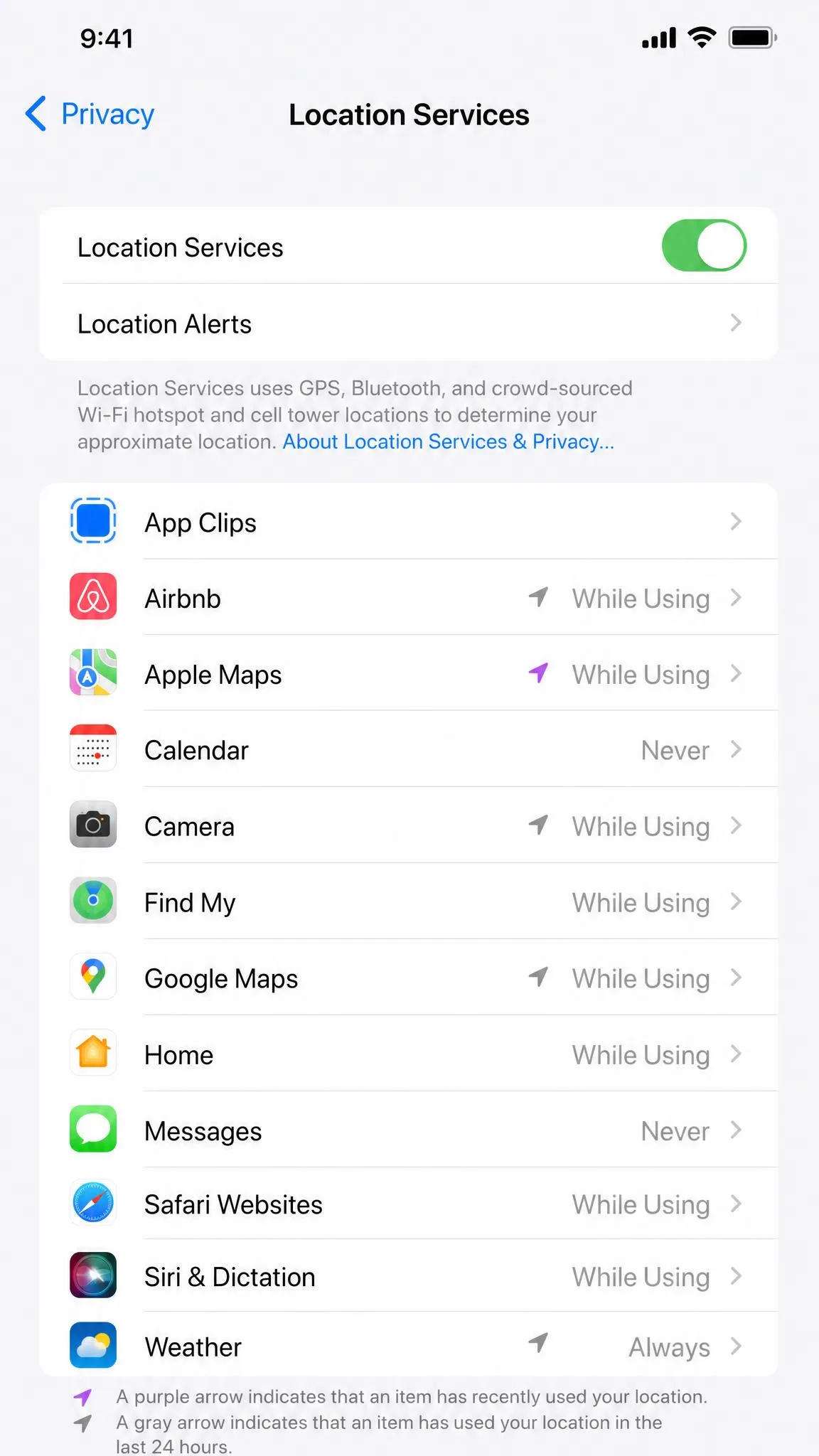
Yes, but not the way most people expect. Location Services reads GPS, Wi-Fi and cell data together, and Apple's guidance on Location Services describes a system the operating system owns end to end. An ordinary app has no permission to overwrite that fix for the rest of the device. If a tool promises to change your GPS location from the phone alone, treat the claim with suspicion.
What Apple Blocks and What Still Works in 2026
Free App Store listings that advertise a fake GPS location fail in a predictable set of ways. We see GPS rubber-banding, where the map drifts back to your real position after a few seconds. We see teleports that never land, Error 12 warnings, mock-location detection inside games, map desync and crashes after an iOS update.
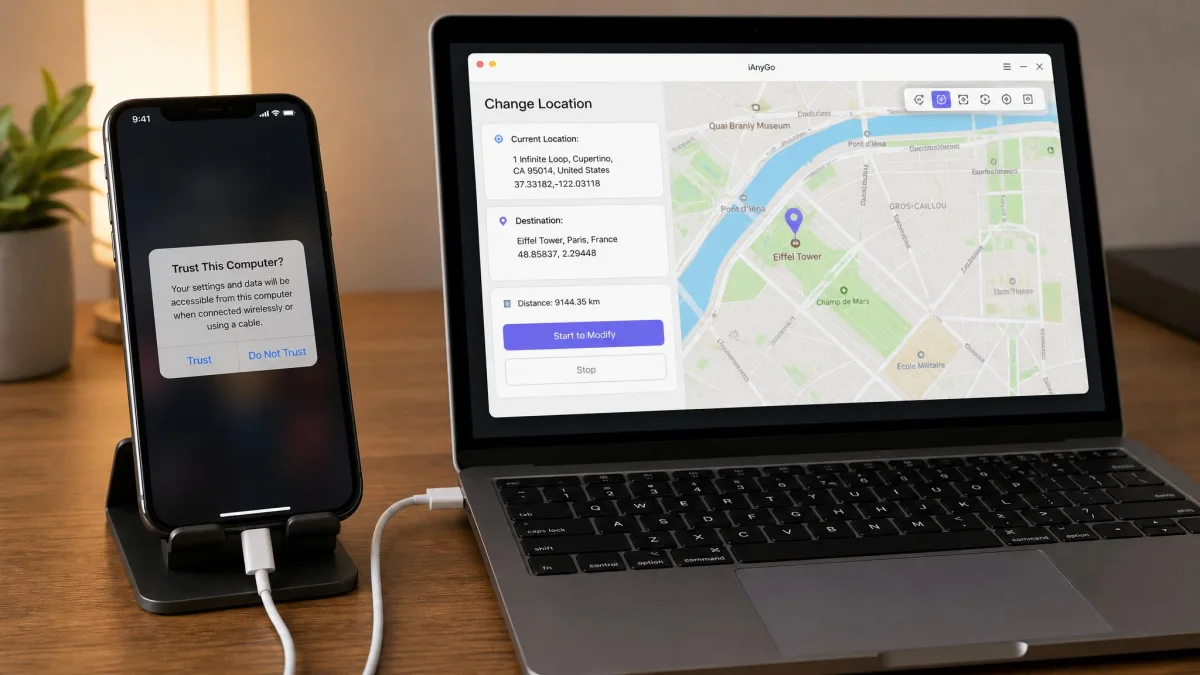
What works is the pairing model. Almost every reliable tool here is desktop software rather than an iPhone app, so your first spoof starts with a cable and a trusted-computer prompt. Once the session is running, the device reports the fake location system-wide, and apps you want to simulate movement for see it as ordinary GPS data.
Jailbreak vs No-Jailbreak Methods
Jailbreak tweaks such as GPS JoyStick still exist and run entirely on the device. They also require a jailbroken iPhone, which rules them out for almost everyone reading this. Jailbreaking voids your warranty and blocks system updates for no benefit a desktop spoofer cannot give you.
The third route is Apple's own. Apple's Xcode documentation on simulating location covers pushing a GPX waypoint or route to a connected device from a running debug session. It is free, sanctioned, and genuinely awkward if you are not a developer.
Do not jailbreak an iPhone purely to change your GPS location. You give up automatic security updates and warranty coverage to solve a problem that no-jailbreak desktop tools already solve.
How We Tested These iPhone Location Spoofers
We started with the tools still shipping updates in 2026 and dropped anything that needed a jailbreak. For each one we checked pricing, device limits and iOS support against the vendor's own store page rather than an affiliate summary, because these numbers move and round-ups repeat old figures for years. Then we looked at behaviour: whether the fake position holds steady over a long session, whether movement looks like a person rather than a jumping cursor, and how much survives when you unplug the phone.
Joystick movement and multi-spot route simulation held steady across long sessions on an iPhone 15 Pro running iOS 26.1, with no rubber-banding back to the real location. That stability, not the feature list, separates the tools we recommend from the ones we do not.
Two things surfaced across the group. Free tiers on paid tools are heavily feature-limited, the most common complaint we found, and advanced features often stay locked behind the desktop client, so a phone-only workflow gives up route simulation entirely.
Quick Comparison of the Best iPhone Location Spoofers
| Tool | Buy | Price | Jailbreak required | Route/joystick simulation | Devices supported at once | Best for |
|---|---|---|---|---|---|---|
|
Check price → | $14.99/mo | No | Yes | 15 simultaneous | Best overall, games |
 |
Check price | $9.95/modesktop | No | Yes | 15 devices | Movement control |
 |
Read Apple's docs | Free | No | GPX route only | 1 | The free developer route |
 |
Check price | Around$30 lifetime | No | Yes | 5 iOS/Android + 1 PC | Multi-device households |
 |
Check price | Seevendor pricing | No | Yes | Not stated | Route and speed simulation |
 |
Check price | $9.95/moto $59.95 lifetime | No | Yes | 5 devices | Find My and social apps |
 |
Check price | $4.97/mo,$19.97/yr | No | Yes | 5 mobile devices + 1 PC | Desktop users on a budget |
The Best Location Spoofers for iPhone
1. Tenorshare iAnyGo - Best Overall and Best for Pokemon GO
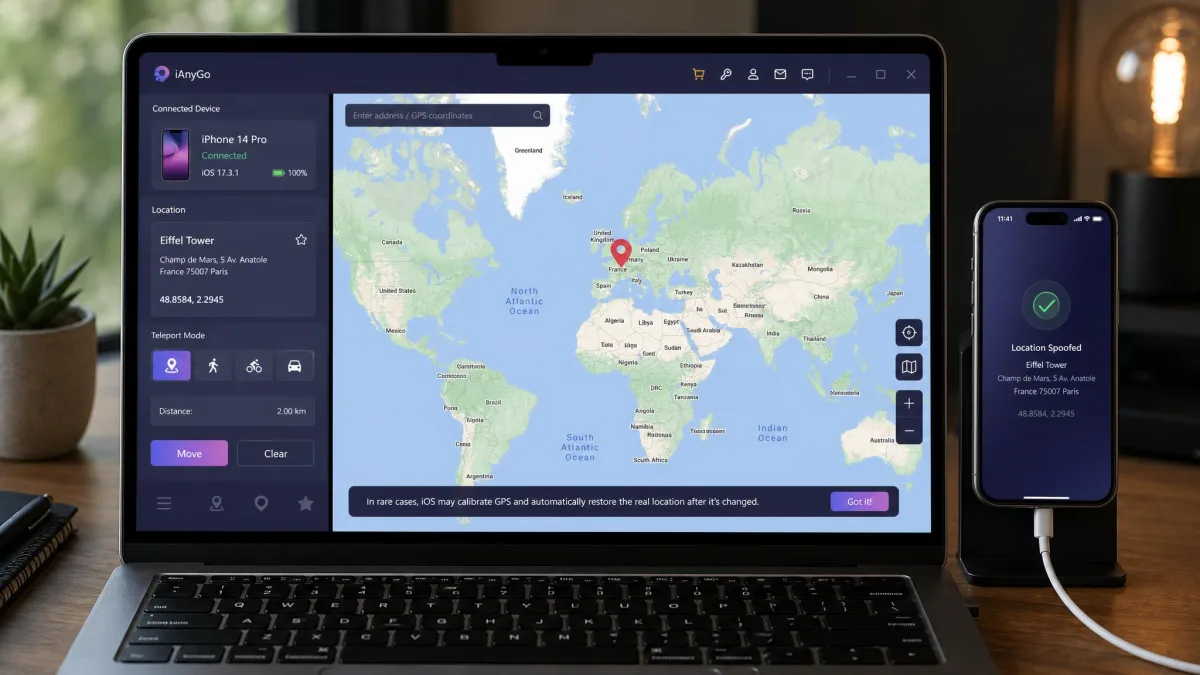
Tenorshare iAnyGo posted the highest success rate of the tools we looked at on iOS 18, and its design leans hard toward games. It offers single-spot, multi-spot, teleport, joystick and direct GPS change modes, GPX import and export, and adjustable speed up to 108 km/h.
The feature that stands out is the Pokemon GO cooldown timer, which cuts detection risk by stopping you jumping across the map faster than a human could travel. Multi-spot routes take up to 99 waypoints, so you can lay out a long realistic walk instead of a straight line.
You get a 1 hour free trial covering all five modes, a 30-day money-back guarantee and 15 simultaneous devices. It supports iOS 14 through iOS 27. Pricing is $14.99 per month on the official store, though iAnyGo's price varies by platform and by the discount running at checkout.
Pros
- Built-in Pokemon GO cooldown timer reduces detection risk
- Routes take up to 99 waypoints
- 1 hour free trial covers all five modes
- Live chat support alongside email
Cons
- Priced above most rivals month to month
- Advertised pricing shifts between platforms and promotions
- Needs the desktop client for the full mode list
2. iToolab AnyGo - Best for Movement Control
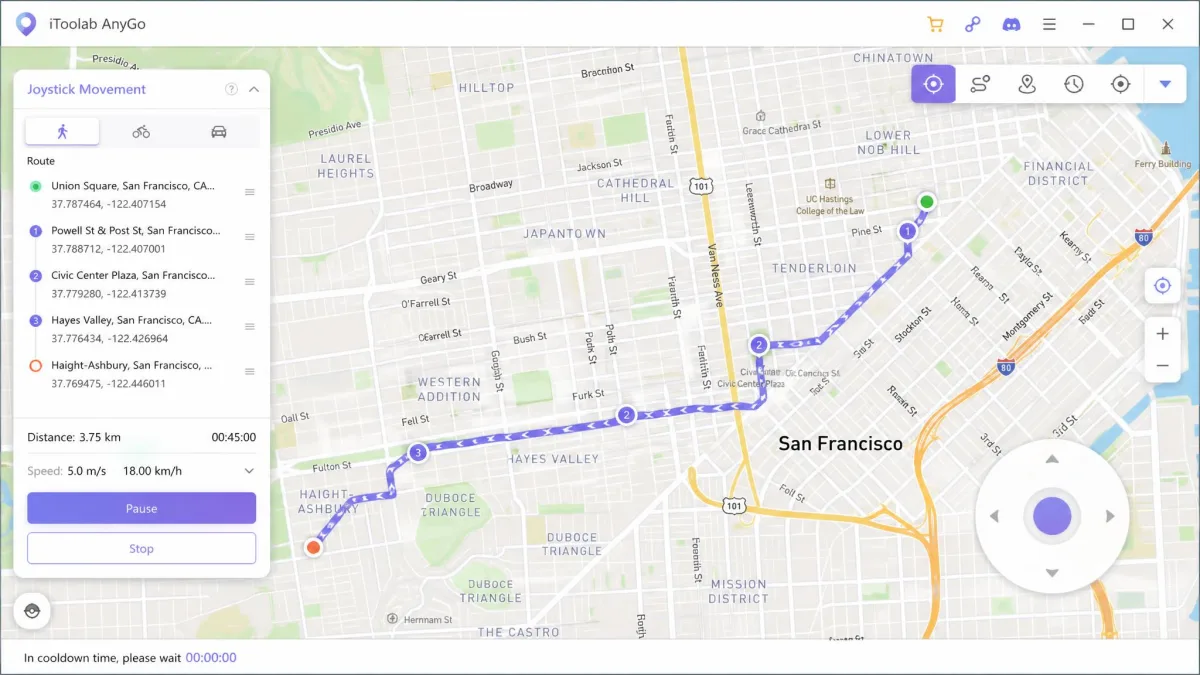
iToolab AnyGo is the tool for anyone who wants the most control over how a fake GPS location moves. After the usual pair-and-trust routine, the map view gives you a search box, a pin and a movement mode picker without burying anything.
The feature spread is the widest here: two-spot movement, multi-spot routes, jump teleport, joystick and keyboard control, GPX import and variable walking, cycling and driving speeds. Simulated speeds run from 3.6 km/h up to 100 km/h. It supports iOS 7.0 through iOS 27 and covers 50+ location-based apps and games, with no jailbreak needed.
Pricing is $9.95 per month for the desktop version against a $19.95 list price, or $19.95 per month for the AnyGo iOS app, which bundles Windows and Mac access. One personal licence covers 15 devices at once. Our longer write-up is in our iToolab AnyGo for iOS review.
Pros
- Widest movement toolkit: teleport, two-spot, multi-spot, joystick and keyboard
- 15 devices on one personal licence
- Speed control from 3.6 km/h to 100 km/h
- Supports iOS 7.0 through iOS 27
Cons
- Monthly billing adds up against lifetime rivals
- The iOS app tier costs twice the desktop tier
- No specific refund window named on the product page
3. Xcode and Developer Mode - Best Free Option
If you own a Mac, you can change your iPhone's reported GPS location for nothing. Xcode simulates a GPX waypoint or a full route on a connected device from a running debug session, with no purchase and no third-party software.
The catch is difficulty. This route is Mac-only and offers no friendly interface for a non-developer, so expect to spend an evening on your first attempt. You also need an Apple ID, a wired or paired device, and enabling Developer Mode on a device before Xcode will build and run to it. Until you turn that on in Settings under Privacy and Security, the iPhone shows up as an Unavailable Device.
Pros
- Free, with no subscription and no third-party client
- Apple's own sanctioned mechanism
- Handles GPX routes as well as fixed waypoints
Cons
- Mac only, and rated difficult for non-developers
- No joystick or live movement control
- Location is tied to a running debug session
4. iMyFone AnyTo - Best for Multi-Device Households
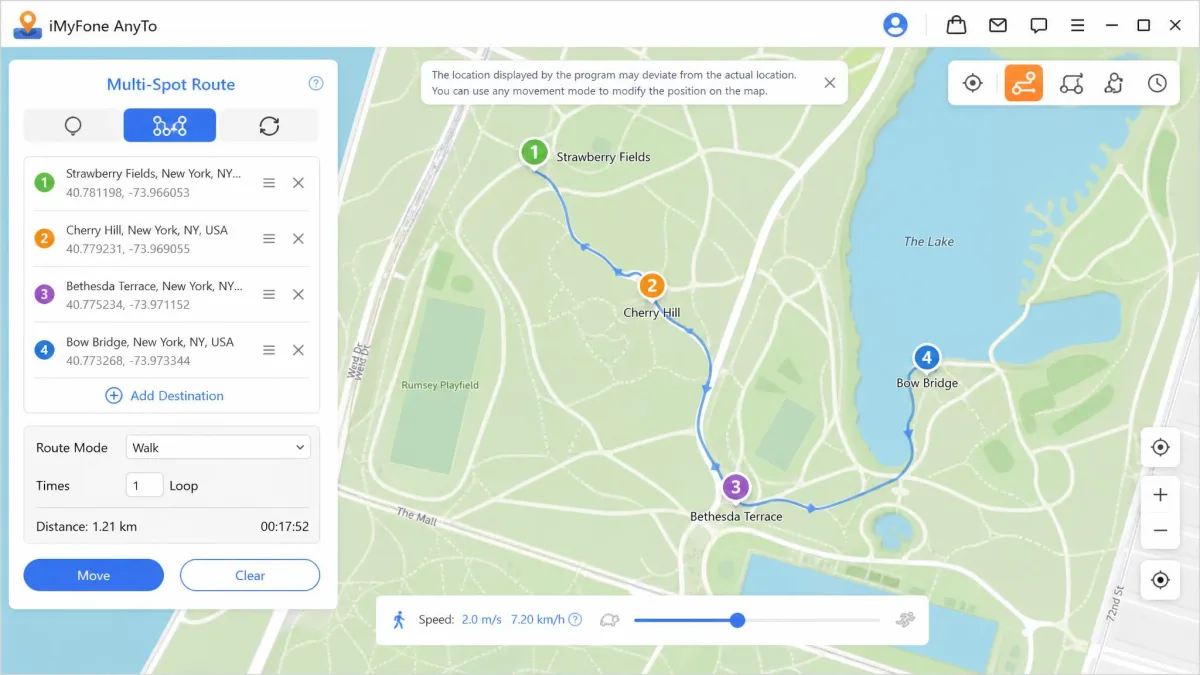
AnyTo covers the standard set well: one-click teleport, two-spot and multi-spot route simulation, joystick control and GPX import, with no jailbreak required. It works with AR games and social apps, and the interface is user-friendly enough that most people will not need the manual.
Its useful trick is Wi-Fi mode. AnyTo needs an initial USB pairing, and after that the phone can stay untethered while the desktop app keeps driving the location. One licence covers 1 Mac or PC plus 5 iOS or Android devices, and there is a 30-day money-back guarantee. A lifetime licence on the iMyFone AnyTo store runs around $30, though the listed price swings widely between the promotional page and standard list pricing.
Pros
- Wi-Fi mode frees the phone from the cable after first pairing
- Covers 5 iOS or Android devices plus a computer
- 30-day money-back guarantee
- Live chat support
Cons
- Advertised price varies a lot by promotion
- Still needs a computer for the initial pairing
- Short preset location list, so coordinates often go in by hand
5. UltFone iOS Location Changer - Best for Route and Movement Simulation
UltFone's iOS Location Changer is the one to look at if the movement itself is the point. It handles single-spot and multi-spot route simulation, jump teleport, joystick simulation and direct coordinate entry, with a one-click no-jailbreak setup.
Custom movement speeds run from 3.6 to 108 km/h, so you can match the pace to whatever you are simulating. It supports iOS 14 through iOS 27, and the desktop side needs Windows 7 or later or macOS 10.10 or later. The weak spot is transparency: the product page shows a bundled toolkit price and names no refund window, so read the terms before you buy.
Pros
- Fine-grained speed control from 3.6 to 108 km/h
- Direct coordinate entry for precise placement
- One-click setup with no jailbreak
Cons
- Standalone pricing tiers are not stated on the product page
- No refund window published
- Device limit not disclosed
6. Foneazy MockGo - Best for Find My and Social Apps
MockGo covers two-spot routes, multi-spot routes and jump teleport, plus a GPS joystick, GPX import and multi-device sync across iOS and Android. It drove synchronised movement across an iPhone, an iPad and an Android handset at once without crashing, which is the behaviour you want when several devices need to report the same place at the same time.
Pricing runs from $9.95 per month up to a $59.95 lifetime licence, with the caveat that MockGo's plans are discount-driven and the lifetime tier gets re-priced often. There is a 30-day money-back guarantee, and one licence drives up to 5 devices at the same time.
Pros
- Synchronised movement across several devices at once
- Lifetime option avoids a subscription
- 30-day money-back guarantee
- Works across iOS and Android
Cons
- Lifetime price changes frequently
- Email-only support, which is slower than live chat
- Free tier is heavily limited
Spoofing your GPS also moves your position in Find My, so anyone sharing location with you sees the fake place. If a family member relies on that map to know you got home safely, tell them before you start.
7. Dr.Fone Virtual Location - Best for Advanced and Desktop Users
Dr.Fone Virtual Location is the cheapest paid entry here at $4.97 per month on the Windows plan against a $14.95 list price, or $19.97 billed yearly. It teleports to any coordinate, simulates one-stop and multi-stop routes, offers joystick control and advertises support for iOS 27 and Android 16.
There is one thing to weigh. Wondershare stopped updating Virtual Location at the end of August 2024, and existing subscribers keep the current build for their term. The store page still advertises current iOS compatibility, so treat any currency claim carefully and lean on the up to 7-day money-back guarantee to test it yourself. Licensing covers 1 to 5 mobile devices with 1 PC, and our fuller assessment of the suite is in our Dr.Fone review.
Pros
- Lowest monthly price of the paid tools here
- Full teleport, route and joystick set
- Covers up to 5 mobile devices on one PC
Cons
- No longer receiving updates since August 2024
- Refund window is only up to 7 days
- Compatibility claims are hard to verify against a frozen build
Free Xcode and Developer Methods (No App Required)
The developer route is the only free method that does not fight iOS. You install Xcode on a Mac, open a project, connect the iPhone and enable Developer Mode in Settings under Privacy and Security, then push a GPX file containing a single waypoint or a sequence that plays back as movement. It costs nothing beyond the Mac you already own, and it gives you no joystick, no clickable map, and no location that persists outside the debug session.
Build your GPX file first. A route with timestamped waypoints plays back at a believable speed, while a file with two distant points and no timing produces a jump that looks exactly like what it is.
Do VPNs Change Your GPS Location on iPhone?
No. A VPN changes the IP address your traffic appears to come from, so websites that guess your position from that IP guess differently. It does not touch the GPS radio, Wi-Fi positioning or the coordinates Location Services hands to apps. For geo-restricted content in a browser, a VPN is the right answer. If you want Maps, a fitness tracker or a location-based game to believe you are somewhere else, only a spoofer that changes the GPS fix will do it.
How to Change Your iPhone Location Step by Step
The shape of the process is the same across every desktop tool here.
- Install the desktop client on your Windows PC or Mac and open it.
- Connect the iPhone by cable, then tap Trust on the phone and enter your passcode.
- Confirm the client shows your device as connected and the map view has loaded.
- Pick a mode: teleport for a fixed spot, joystick for free movement, or multi-spot for a route.
- Search for a place or type the coordinates, then confirm the pin.
- Open Maps and check that the blue dot sits where you put it.
For the longer walkthrough, see our guide on how to change location on iPhone.
Risks: Account Bans, Detection and Legality
Detection is a real engineering discipline, and Guardsquare's write-up on securing location trust walks through how apps look for the signals a spoofed fix leaves behind. Assume any app with something to lose is checking.
Games enforce this hardest. Under Niantic's published policy for Pokemon GO, a first strike is a warning and rare Pokemon may not appear for 7 days. A second strike is a temporary suspension, typically 30 days. A third strike is a permanent ban with the loss of all progress, Pokemon and items, though Niantic notes that offenders are not always given three strikes.
Legality is separate from terms of service. Changing your own device's reported location is not itself a crime in most places, but using it to defraud someone, to evade a court order or to break a contract you signed is a different matter. Breaking a game's rules is not illegal, and it will still cost you the account.
Which iPhone Location Spoofer Should You Choose?
For most people, Tenorshare iAnyGo is the pick. It posted the highest success rate we saw on iOS 18, covers 15 devices at once, and the 1 hour free trial across all five modes lets you confirm it works before paying. The Pokemon GO cooldown timer and 99-waypoint routes make it the natural choice for games as well.
If you want the deepest movement toolkit and the widest iOS support, take iToolab AnyGo instead. It costs less month to month on desktop and reaches back to iOS 7.0.
Choose iMyFone AnyTo if several people in the house need it and you value the untethered Wi-Fi mode, Foneazy MockGo for a lifetime price and synchronised devices, and UltFone if precise speed control is the point. Dr.Fone Virtual Location is the budget option with an asterisk, given the frozen development, and Xcode is there if you own a Mac and want to spend nothing.