A location spoofer overrides the coordinates your phone reports to everything else on it. You pick a point on a map, the app feeds those coordinates into Android through the Select mock location app setting, and every other app that asks for your position sees the place you chose instead of the place you are standing. That is the whole trick, and on a modern handset it does not need root.
People want that for ordinary reasons: testing a delivery app, keeping a social feed from broadcasting a home address, reaching geo-restricted content, or moving an avatar in a location-based game without walking. Our top pick is iMyFone AnyTo, because it is the most dependable spoofer here and comes from a vendor with a long track record. If you want a free app, Fake GPS Location by Lexa is tiny and does the one job cleanly.
One caveat before you install anything: none of these apps work until you enable Developer options and select your spoofer as the mock location app. Skip that step and the map will keep showing where you really are.
What a Location Spoofer Actually Does on Android
Android treats position as a service, not a hardware reading. Any app with the right permission can register as a location provider, and Developer options contains a switch that tells the system which app is allowed to supply a fake fix. A spoofer plugs into that switch.
That mechanism has limits worth knowing before you install anything. The technique is a controlled, local form of GPS spoofing, and it only rewrites what the operating system reports. It does not change your IP address, your Wi-Fi network name, or the cell tower your phone is talking to. Apps that cross-check those signals can still catch the mismatch. Our guide to what GPS spoofing is goes deeper on the underlying idea.
Mock Location vs a VPN: They Solve Different Problems
A VPN changes the IP address your traffic appears to come from. A location spoofer changes the GPS coordinates your device reports. Neither one does the other's job. A streaming service that geo-blocks by IP will not care what your mock GPS says, and a fitness app reading raw coordinates will not care what your VPN says. Users chasing geo-restricted content usually need the VPN. Users chasing a map pin need a spoofer. If an app checks both, you need both, and the two have to agree.
How We Picked and Tested These Spoofers
We started from the apps that actually still ship and update in 2026, then cut anything that demanded root on a normal handset. Each app was assessed on five things: whether it holds a fake fix without snapping back, whether it offers movement as well as teleporting, how much of the feature set survives in the free tier, how heavy the install is, how well it behaves when Google Play Services updates underneath it, and how long its developer has kept it working.
One finding shaped the rankings more than any feature checklist. A mock fix depends far more on the phone's own location settings than on the app you install, so an app that says so plainly on its listing scored better than an app that let you discover it after an hour of failed attempts. The setup section below covers exactly what to change and why.
We also weighted honesty about limits. Several simple fake GPS apps stop short of location-based game compatibility, and their developers say so outright on the listing.
We ranked on behaviour, not marketing copy. Dependability and a developer's track record counted for more than any single feature, and an app that tells you where it stops beat one with a vaguer promise.
The 8 Best Location Spoofers for Android
1. iMyFone AnyTo - Best Overall
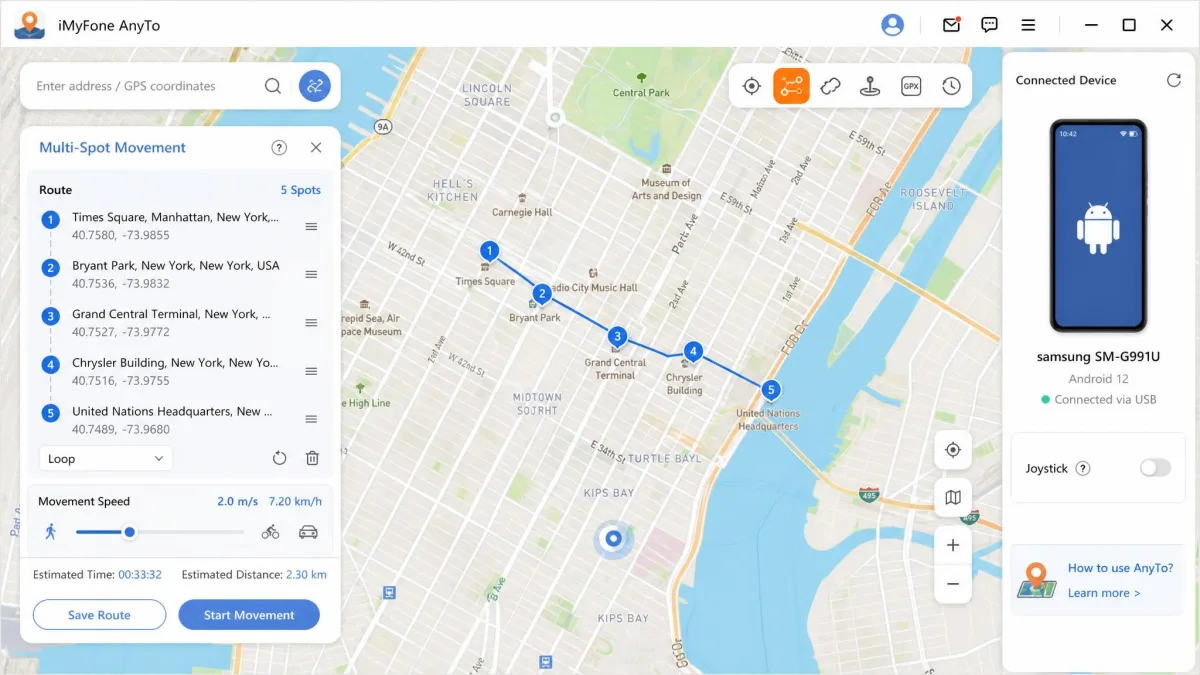
AnyTo is the only tool here that is not really a phone app. You install desktop software, tether the handset, and drive the spoofing from a computer. That buys you teleport mode, two-spot and multi-spot routes, a joystick, adjustable movement speed and GPX import and export, with no root or jailbreak needed. One licence covers one Mac or PC plus 5 iOS or Android devices, which is why households and testers pick it.
It ranks first because it is the spoofer we trust to keep working. The phone apps below are small projects that live or die by the next Google Play Services update, while iMyFone is an established vendor that keeps AnyTo current, listing support from Android 6.0 through Android 17. iMyFone's Trustpilot rating sits at roughly 4.6 out of 5 across about 8,000 reviews, and a 30-day money-back guarantee backs the purchase.
The tether is the trade-off you accept for that dependability. Plotting a multi-spot route on a full-size screen is genuinely easier than drawing one with a thumb, and the speed slider gives you a walking pace that holds all the way along the path. The fix is driven from the computer, so it suits spoofing you set up at a desk better than spoofing on the move, and if you need a phone-only tool, the free apps below are the place to look. The price runs around $9.95 per month, though AnyTo's pricing changes frequently with promotions and VIP tiers, so the checkout figure often differs from the listed one.
Pros
- Most complete route and speed controls
- Covers 5 devices per licence
- Works across Android and iOS
- GPX import and export
Cons
- Requires a tethered computer
- Paid only, with no free tier
- Advertised price shifts with promotions
2. Fake GPS Location by Lexa - Best Free Option
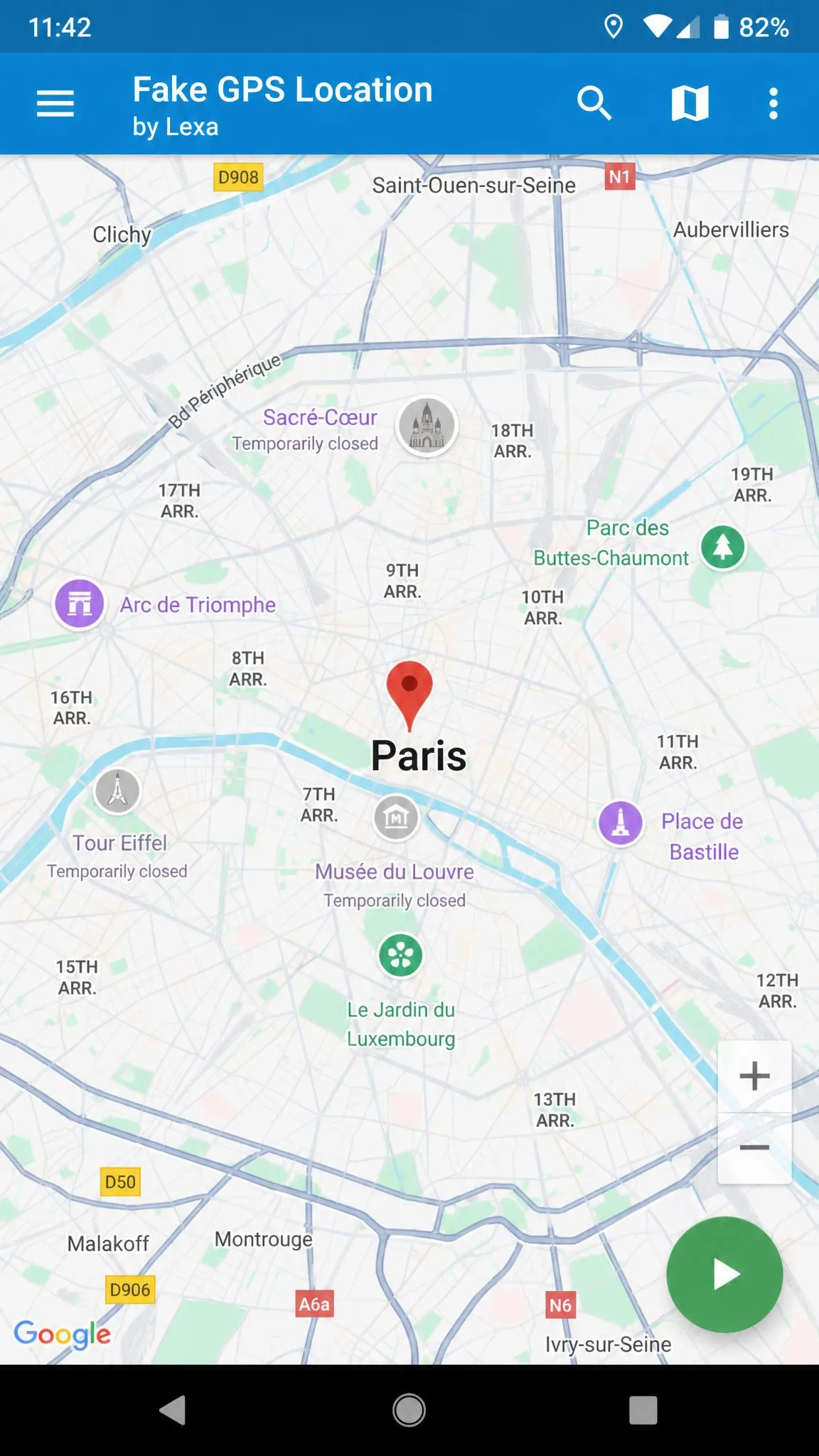
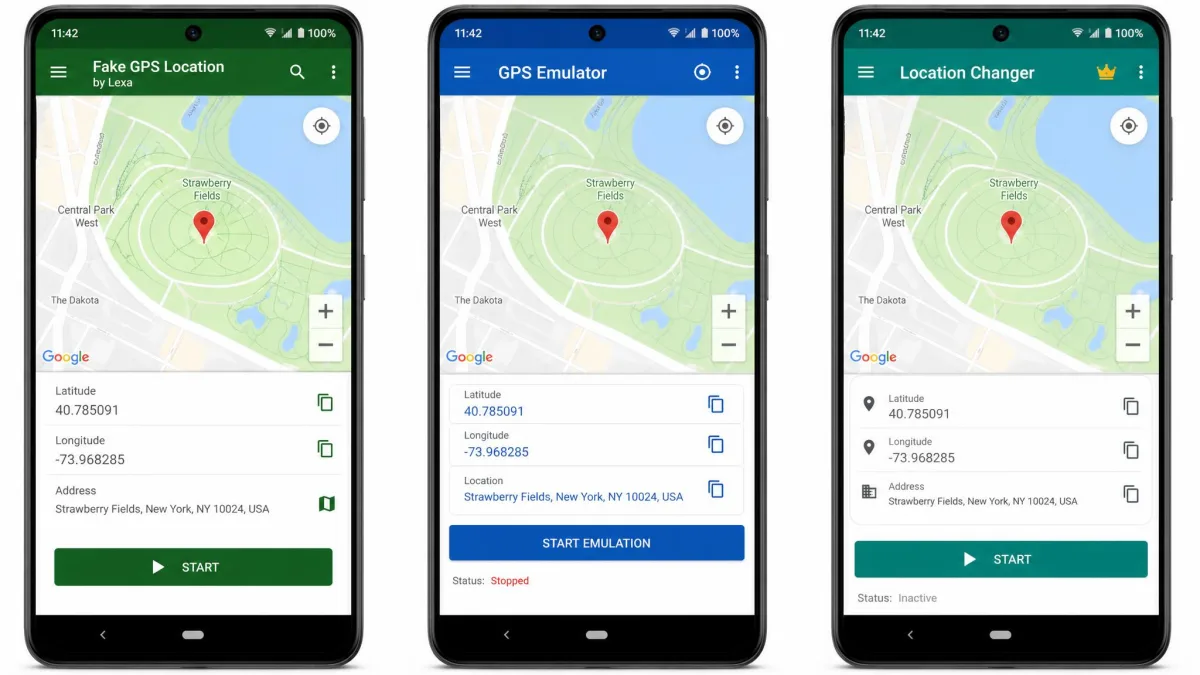
Fake GPS Location by Lexa is the free app we would install first on a phone that has never been spoofed. It is free with no paid tier, the install is unusually small, and the interface is a map with a play button. You tap a point or type latitude and longitude, press start, and the fake fix is live. Saved favourites and a history of previously used spots make repeat locations a single tap.
It holds up because it does not try to do much. There is no joystick and no route playback, so continuous movement is out. What you get is reliable teleporting that survives the Developer options handshake, which is exactly what most people need. It carries 4.7 stars across roughly 47.2K Play Store reviews.
Day to day, setting a spot takes two taps, one on the map and then play, and the map app reads the new position from there. The faked fix keeps applying after the app itself is closed and the screen is locked, and the phone only returns to its real position when you reopen the app and change it back. The age of the build shows in the small things: the response is jerky, and a teleport can land slightly off the point you tapped. One quirk worth knowing is that a device can stay stuck on the last faked position after the app is uninstalled. The developer's own remedy is to pull a fresh fix with a GPS status utility every half hour or so, or to reinstall the app, set your real location and leave it running for a few hours, and the problem usually clears within a day or two.
Pros
- Completely free with no upgrade prompts
- Very small install at 2.49 MB
- Saved favourites and location history
- No root required
Cons
- No joystick or route simulation
- Minimum Android version is inconsistent across listings
- Interface looks dated next to newer apps

The one thing to check before installing is compatibility. Available listings report that it runs on Android 5.0 and up, but the minimum version differs between the APK build and the current Play listing, so older handsets should check the store page first.
3. GPS JoyStick - Best for Movement and Routes
Where Lexa teleports, Fake GPS Location, GPS JoyStick walks. An on-screen joystick overlay sits on top of whatever app you are using and moves the fake position continuously, at a speed you set. It also records and plays back routes, clones apps for privacy mode, and can save your last location between sessions. More than 5 million installs and a last update of July 25, 2026 make it the most actively maintained app on this list.
It is also the most demanding to keep running. The joystick overlay disappears when aggressive battery or memory management force-closes the spoofing service, so whitelisting the app in your phone's cleaner settings is what keeps it alive through a long session. On Android 6.0 handsets with recent security patches, the developer's own guide says Google Play Services has to be downgraded to 12.6.85 or lower with Suspended Mocking enabled, which is more work than most people will want. AppBrain's community rating sits at 4.05 from about 100,000 ratings, and that rating has drifted between roughly 4.0 and 4.2 across recent versions.
Pros
- True joystick control for continuous movement
- Route recording and playback
- App cloning for privacy mode
- Free tier is genuinely usable
Cons
- Overlay gets killed by battery optimisation
- Older Android versions need a Play Services downgrade
- Free tier serves ads between actions

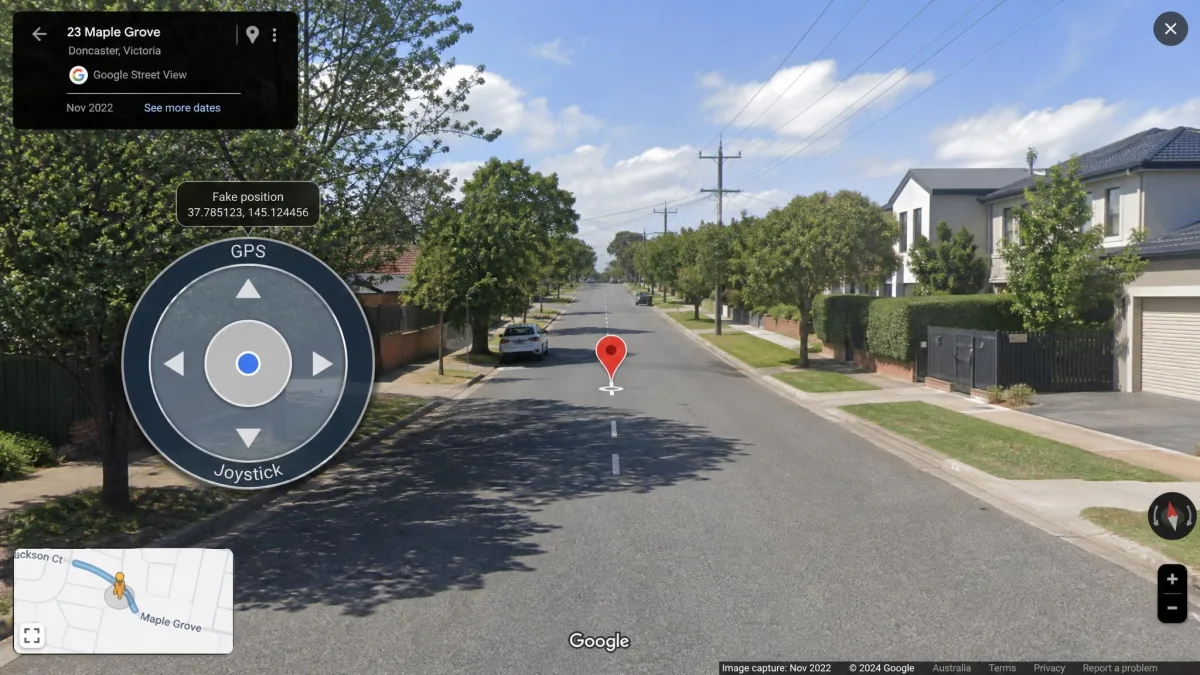
4. GPS Emulator - Best Lightweight Option
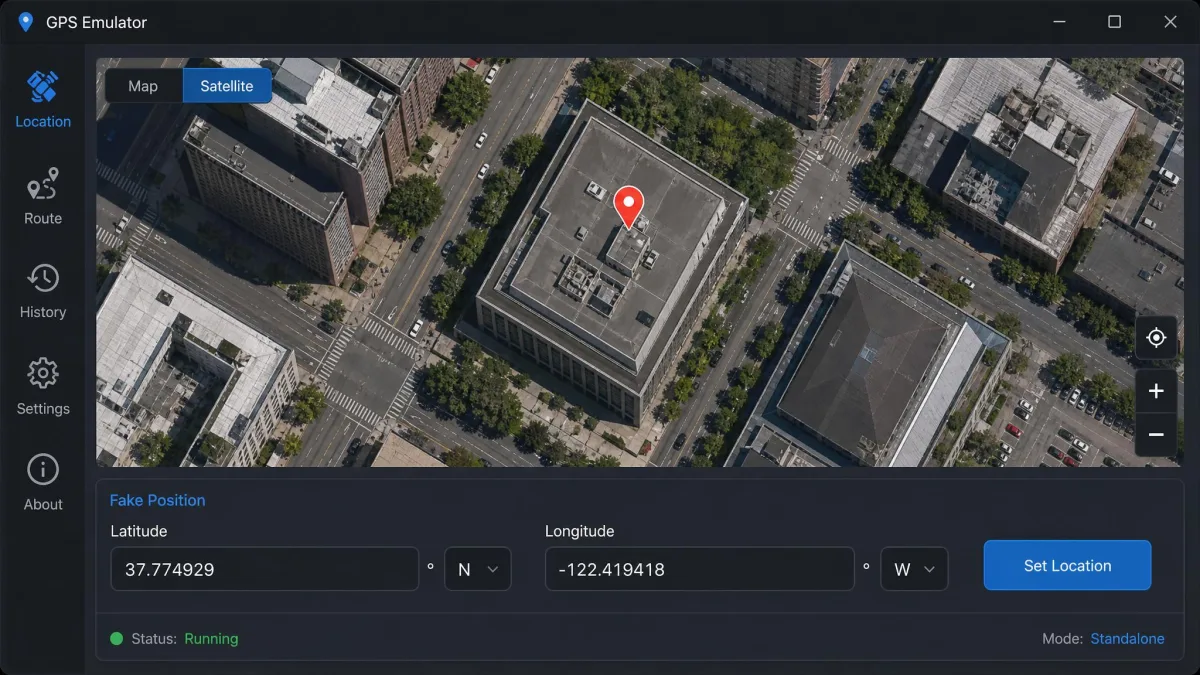
GPS Emulator takes the opposite approach to JoyStick: no movement, better map. GPS Emulator on Google Play offers standard, satellite and terrain views. It requires Android 7.0 or higher, sits at version 3.20, and has around 14 million downloads, with a rating of 4.78 on the listing we checked.
The satellite layer is what earns it a place here. Picking a coordinate on a plain road map means guessing which side of a street a building sits on, and a fake fix that lands across the road from where you meant it is a fake fix you have to redo. Switching GPS Emulator to satellite view removes the guesswork, because you place the pin on the roof you can see rather than on an unlabelled block. That precision is the trade-off for its install footprint, which is the number to watch: the store figure is about 27 MB, but the download size and the installed footprint are reported very differently, so budget for more space than the listing suggests. Speed customisation and saved locations round out a free feature set that covers most non-gaming needs.
Pros
- Satellite and terrain map views for precise placement
- Free with an optional premium tier
- Large, active user base
- No root required
Cons
- No joystick control
- Install footprint is bigger than advertised
- Needs Android 7.0 or newer

5. Mock Locations - Best for Route Simulation
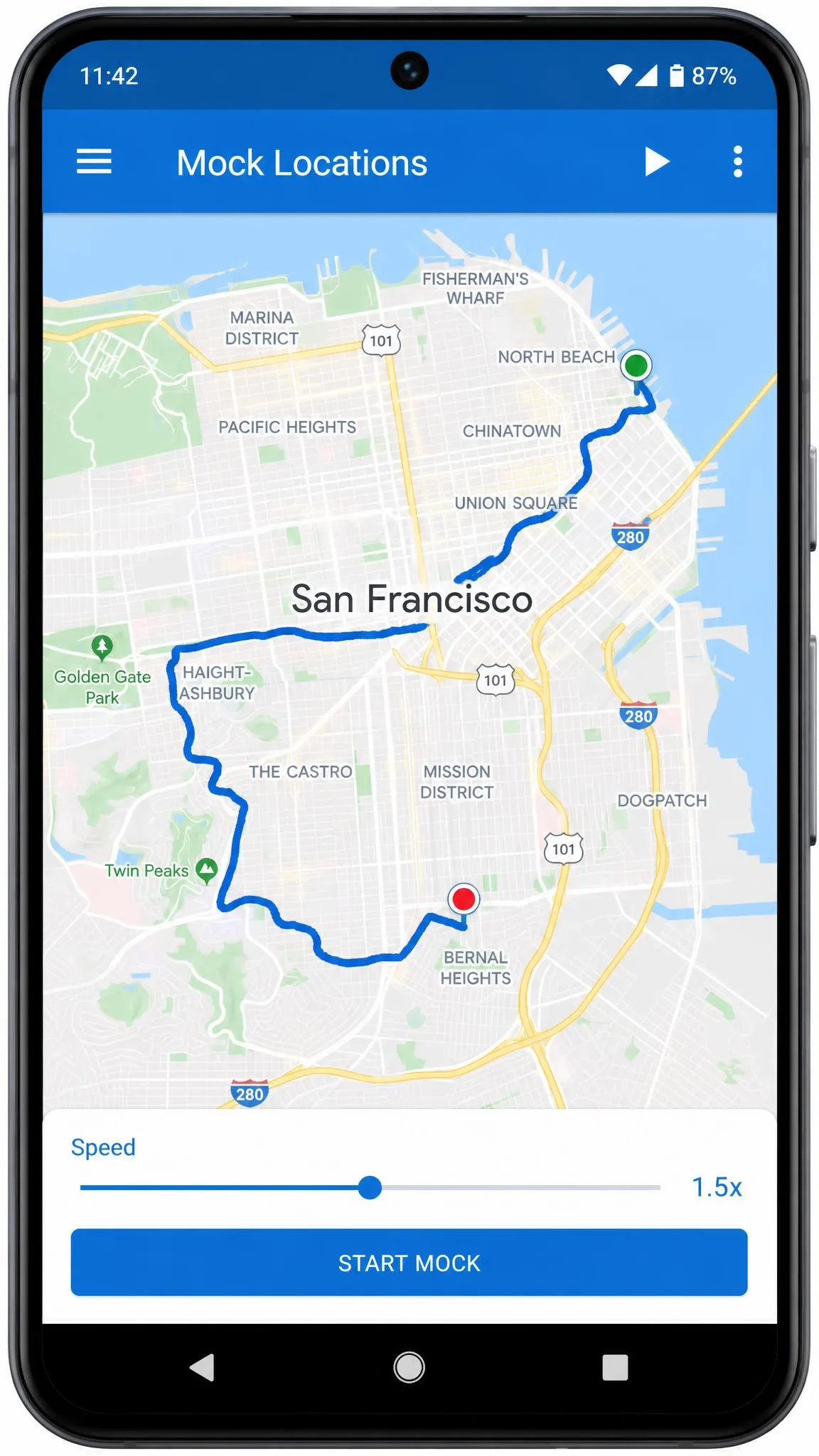
If GPS JoyStick is the arcade controller, Mock Locations is the flight planner. You draw a path on the map and the app moves your fake position along it at an adjustable speed, and it will play back a GPX file if you have a real recorded track to follow. Version 1.36.4 also includes joystick control and an optional root mode that, on rooted devices with the app moved to the system partition, works without the Allow mock locations setting at all.
The catch is the trial model, and it changes how you have to approach the app. Mock Locations gives its rootless feature set away for the first day after install and then gates it, so the clock starts the moment the install finishes rather than the moment you get round to using it. That turns evaluation into a single sitting: the route has to be drawn, run and re-run at a second speed before the gate closes, because dipping in over a week spends the window on the setup screens. Plan on a single evening with the app open and a route you already know, and you will have your answer before the gate closes.
Pros
- Draw-a-path route movement with adjustable speed
- GPX file playback
- Joystick included
- Optional root mode for advanced users
Cons
- Full free feature set lasts only 24 hours
- Pro unlock needed for continued rootless use
- Interface is busier than single-purpose apps

6. Fake GPS Location Spoofer - Best Simple Interface
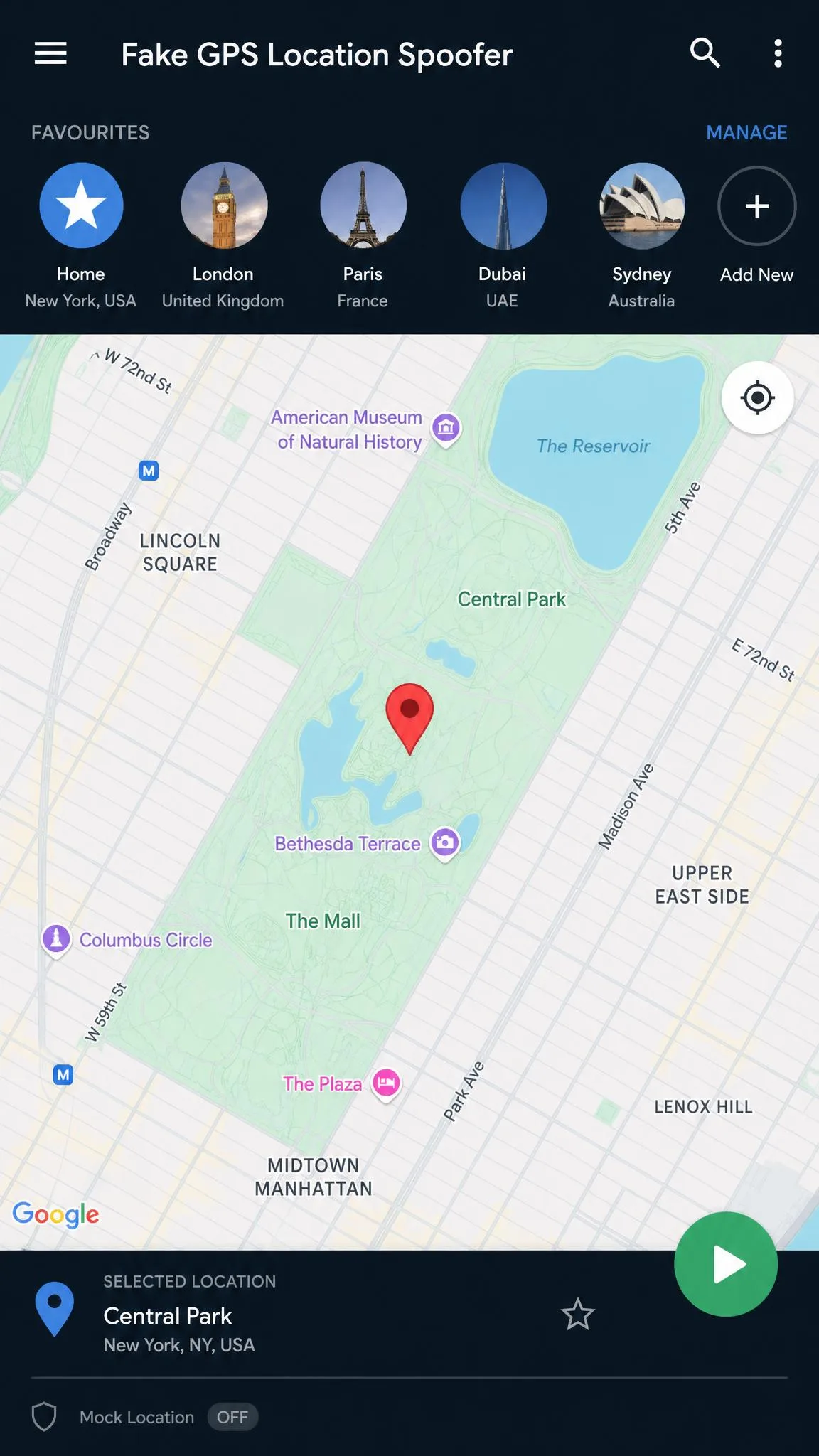
Fake GPS Location Spoofer strips the idea back to a map, a pin and a play button. Tap where you want to be, press start, stop when you are done. Favourites are there, GPX import is there, and no root is needed on Android 6.0 and later. The joystick is the one thing held back, sold as a paid upgrade at $3.99.
Its developer is also unusually direct about the phone setting that trips everyone up, and says so on its own store page rather than burying it in a support thread, which is worth a point on its own. The gap you feel is movement. Without the paid joystick, walking a route means placing a pin, pressing start, then going back and re-tapping the next point along the road, over and over, and the fake position jumps between those taps rather than sliding. A short high-street route is achievable that way, but it takes your full attention for as long as the route lasts, so this is an app for standing still somewhere else rather than travelling there.
Pros
- Cleanest, most obvious interface here
- Honest, up-front setup guidance on its store page
- GPX import in the free tier
- No root on Android 6.0 and later
Cons
- Joystick costs $3.99 extra
- Faking movement means repeated map taps
- No published install count

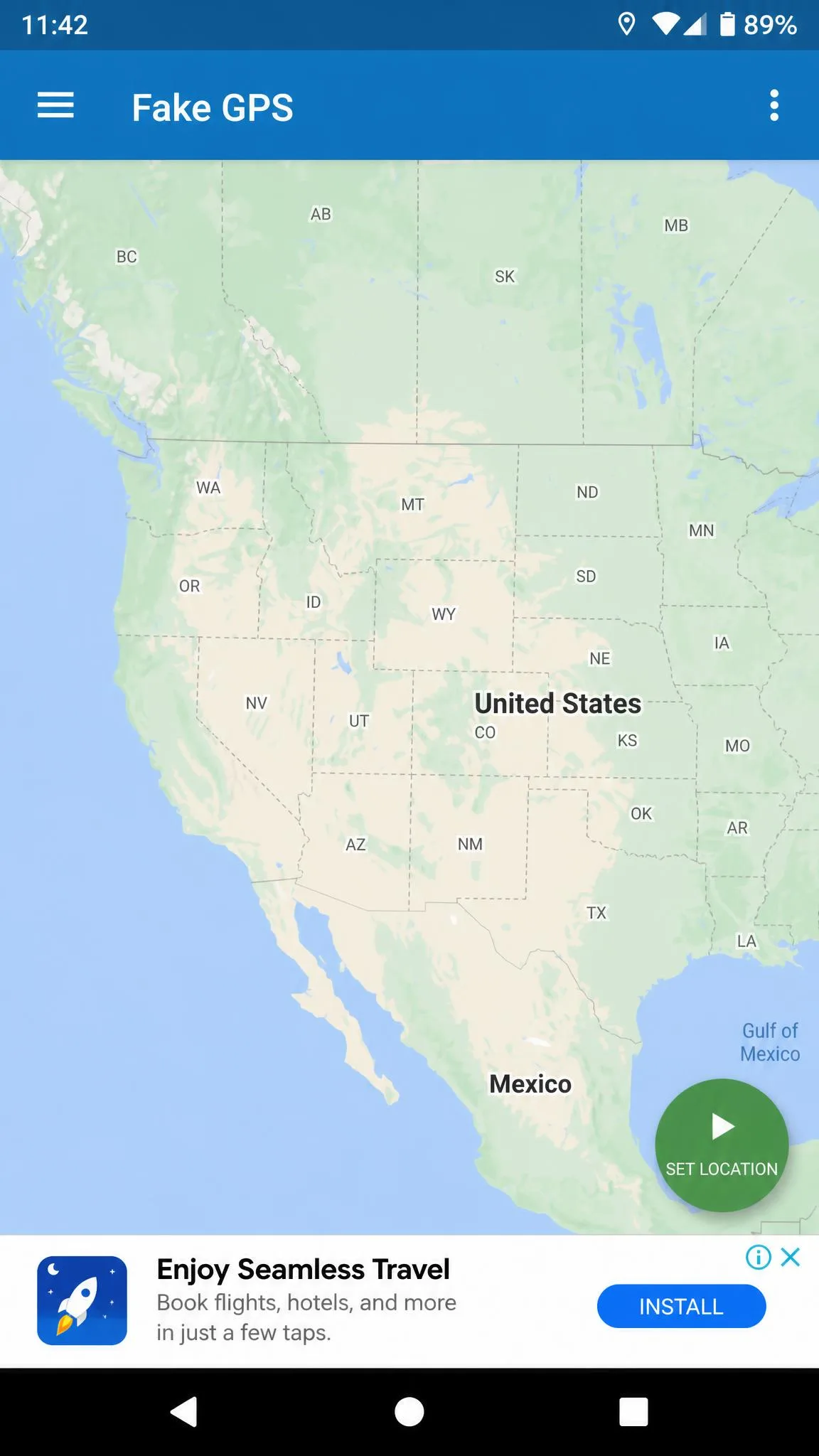
7. Fake GPS by New App Horizons - Best for Older Android Versions
Older handsets are where most of these apps quietly stop working, which is the gap Fake GPS by New App Horizons fills. It supports Android 5.1 and up, weighs about 8 MB, and sits at version 5.8.5 with roughly 10M downloads. The build is deliberately plain: one-click location simulation, aimed at developers and testers, free with ads.
There is no joystick, no route playback and no premium tier to upsell you. On a phone that cannot run GPS Emulator's Android 7.0 requirement, that narrow scope is the point.
Setup here is the shortest path of any app on this list: turn on the mock location setting in system preferences, pick a point on the world map and tap play. The build stays around 7.5 MB, which is why it still installs and runs comfortably on 5.x hardware where heavier apps struggle. Favourites and location history are present even in a stripped-back app like this, so a spot you use often does not have to be re-found on the map each time. The advertising is the trade-off, and it is not subtle: the free version serves full-page game interstitials rather than small banners, which is the complaint that comes up most often.
Pros
- Runs on Android 5.1 and newer
- Very small 8 MB install
- One-click simulation with no setup depth
- Free
Cons
- Ad-supported with no paid removal
- No joystick or routes
- No published star rating

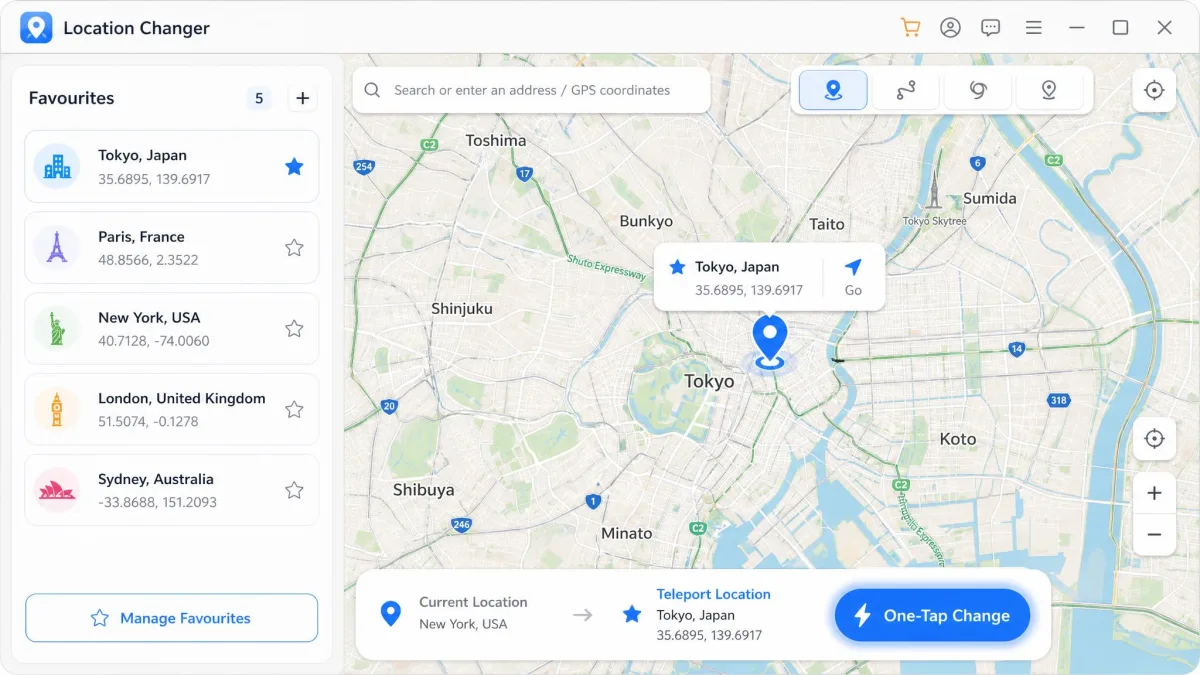
8. Location Changer - Best for One Tap Teleporting
Location Changer is the most polished of the free-tier apps, rated 4.6 from about 67,000 reviews. One tap teleports you, and the app also does multi-point route spoofing, joystick control, favourites and location history without root. Premium removes the ads and raises the multi-pin limit to 1,000 pins, billed as a monthly auto-renewing subscription whose price is not stated on the public listing summary.
For anyone who mostly wants to jump between a handful of saved places quickly, the free tier is enough. The pin ceiling only matters if you are mapping a long multi-stop route.
In daily use the free tier carries a lot of advertising, and the ad breaks run long enough to interrupt the rhythm of moving between points. The joystick itself is the strong part: you can drag it to a different corner of the screen and give it a set speed, which is what keeps a slow walking pace or a navigation-test route holding together instead of jumping. Sudden crashes and app malfunctions do happen mid-session, so a long multi-point run is worth saving as favourites before you start. The 1,000-pin ceiling, location history and favourites all sit behind the premium subscription, so what the free tier gives you is the capped version of multi-pin routing rather than the whole feature.
Pros
- Fast one-tap teleporting
- Joystick and multi-point routes included free
- Strong 4.6 rating across 67,000 reviews
- Location history and favourites
Cons
- Free tier is ad-supported
- Premium price is not published
- Subscription rather than one-time purchase

Quick Comparison: Features, Root Requirement and Price
| App name | Buy | Free or paid | Root required | Joystick control | Route simulation | Best for |
|---|---|---|---|---|---|---|
|
Check price → | Paid, from $9.95 | No | Yes | Yes, multi-spot | Best overall |
|
Visit Site | Free | No | No | No | Best free option |
|
Visit Site | Free with ads, paid upgrade | No | Yes | Yes | Movement and routes |
|
Visit Site | Free, premium tier | No | No | No | Lightweight option |
|
Visit Site | Free 24 hours, paid pro | Optional | Yes | Yes, GPX | Route simulation |
|
Visit Site | Free, $3.99 joystick | No | Paid add-on | GPX import | Simple interface |
|
Visit Site | Free with ads | No | No | No | Older Android versions |
|
Visit Site | Free, monthly premium | No | Yes | Multi-point | One-tap teleporting |
How to Choose the Right Location Spoofer for You
Start with the question of whether you need to move. Teleporting is a solved problem and any free app on this list does it, so if you only need to appear somewhere else, choose on size and interface and stop there. Movement is the dividing line, and only GPS JoyStick, Mock Locations, Location Changer and AnyTo handle it properly.
Then check your Android version, because it silently removes options. Android 5.1 keeps New App Horizons available, Android 6.0 opens up Fake GPS Location Spoofer, and Android 7.0 is the floor for GPS Emulator. After that, decide how you feel about ads and subscriptions. Free apps here are ad-supported or time-limited, and the free tiers lean heavily on advertising, with pop-ups between actions on several of them.
Before You Start: Turn On Mock Location in Developer Options
No spoofer works until Android knows which app is allowed to lie to it. This is a two-part setup, and it takes about a minute.
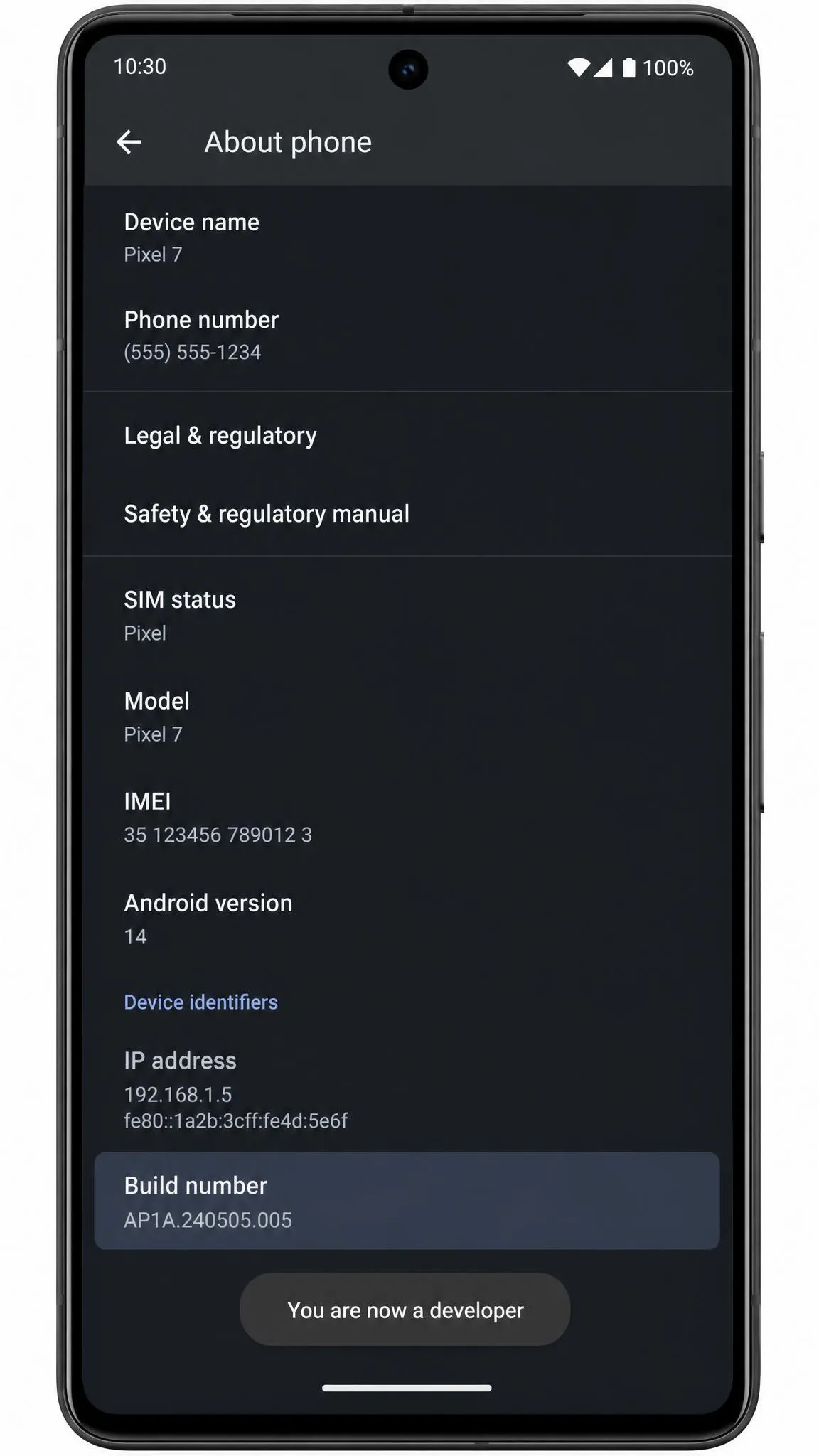
Step 1: Enable Developer Options
Open Settings, then tap About phone, then tap Build number 7 times. Enter your PIN if prompted, and Android will confirm that Developer options is unlocked. Per Android's developer options documentation, on Android 9 and later you then open Settings, tap System, tap Advanced, and tap Developer options. On Android 8.0 and 8.1 the entry sits directly under Settings, then System.
Step 2: Select Your Mock Location App
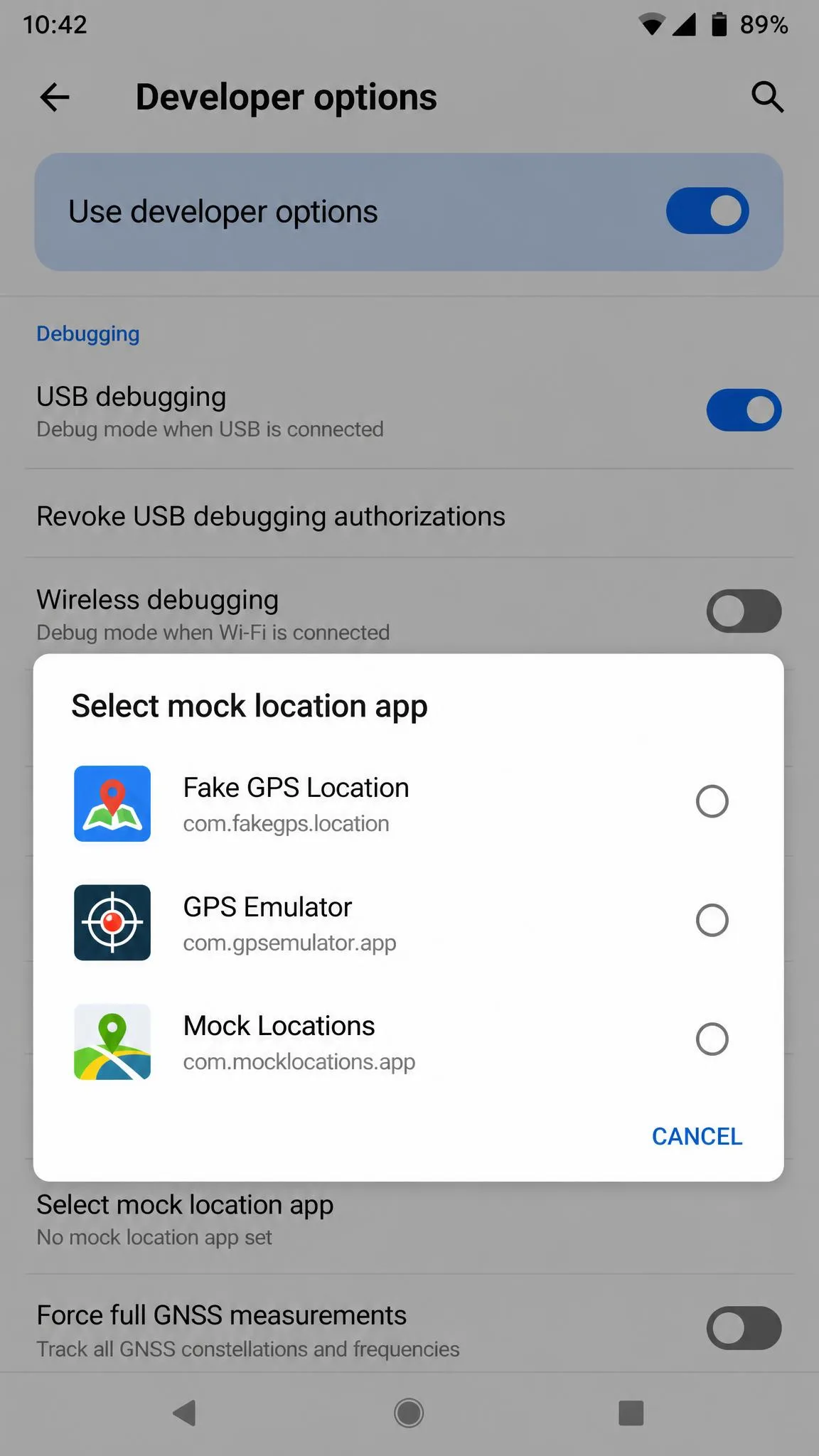
Install your chosen spoofer first, then open Developer options, scroll to Select mock location app, and tap your app in the list. If the app does not appear, close and reopen Developer options after launching the app once.
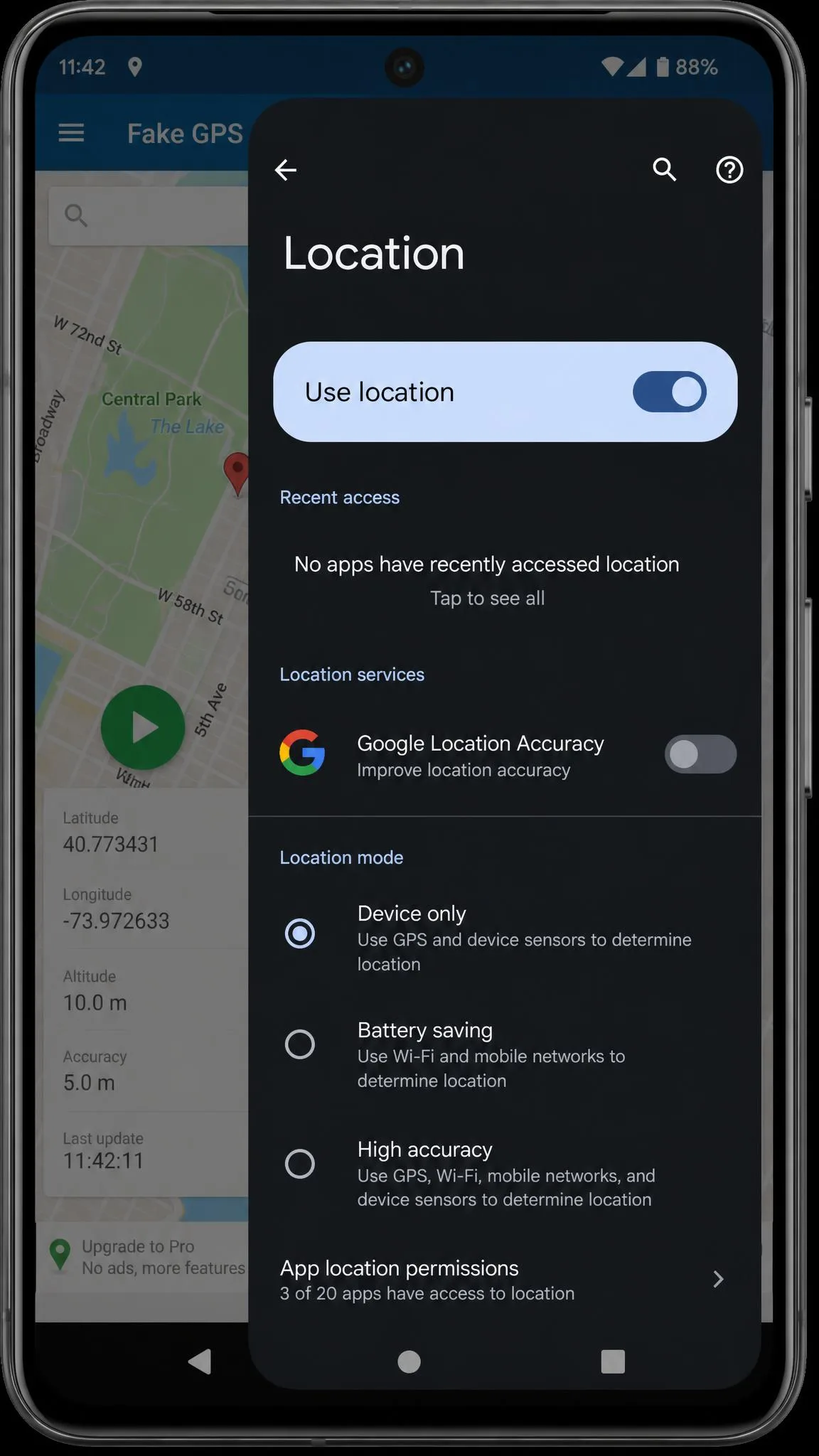
Before you test, open Settings, tap Location, and switch the mode away from High accuracy to GPS only or Device only. Leaving location mode on High accuracy is the single most common reason a fake fix fails to take.
Why Some Apps Still Show Your Real Location
Three things cause a spoof to fail after the setup looks correct. Google Location Accuracy uses Wi-Fi and cell triangulation to overrule the faked GPS fix, so the mock position snaps back to the real one. Turning off Wi-Fi and Bluetooth scanning under Location services is what makes a spoofed fix hold in Google Maps.
The second is caching. Google Maps can keep showing your old real position until you clear its cache under Settings, then Apps, then Maps, then Storage and cache.
The third is an update. After a Google Play Services update on Android 14, the mock location app selection can be dropped entirely, and you have to pick your app again in Developer options.
Is Location Spoofing Safe and Legal?
Changing the coordinates your own phone reports is not itself illegal in most places. What creates risk is what you do with it. Using a fake location to defraud someone, to bypass a court order, or to breach a contract you signed is a legal problem regardless of the tool. Using one to keep a social app from publishing your home address is not.
What Apps and Services Can Detect
Detection is mostly about inconsistency, not about spotting the spoofer itself. Your IP address, your Wi-Fi network, your cell tower and your GPS reading should all tell the same story, and a mock fix only rewrites one of them. Some services also check whether Developer options and mock location are enabled at all. Beyond that, some games blacklist the spoofing app by package name, which is why the original install sometimes has to be removed and replaced with a cloned copy before the game will launch. App-cloning approaches carry their own cost, because the clone can itself be flagged where the plain install would not have been.
Account Bans and Terms of Service Risk
Games are where the ban risk is concentrated. Niantic's Player Guidelines name falsifying location as cheating alongside unauthorised third-party software, and the discipline ladder is public. Strike 1 is a warning lasting about 7 days, with degraded gameplay and rare spawns hidden. Strike 2 suspends the account for 30 days. Strike 3 is permanent termination, and severe cases can skip straight to termination without prior strikes.
The trigger most people hit is speed. Teleporting a long distance and opening a location game immediately produces a soft ban, and waiting roughly as long as the real journey would take avoids it. That is also why several simple fake GPS apps state outright that they will not work with Pokémon GO.
Spoofing inside a location-based game risks your account, not just your session. Google Play's device and network abuse policy governs what these apps may do, and Niantic's ladder ends in permanent termination. If the account matters to you, do not spoof on it.
Common Problems and How to Fix Them
The joystick vanishing mid-session is the most reported problem, and the fix is the whitelisting step covered in the GPS JoyStick review above rather than anything wrong with your setup.
If real navigation stops working after you finish, that is expected behaviour rather than damage. Leaving mock locations enabled in Developer options can break normal GPS afterwards, so switch the setting off and restart the phone before you rely on real navigation again.
The subtler failure is a rating you cannot trust when you go shopping for an alternative. AppRecs puts a 43% review-manipulation risk on Lexa's 4.7-star average, with 85% of sampled ratings at five stars and 73% of those very short. That does not make the app bad, and it is still our free pick, but it does mean a high star count on any listing in this category deserves a sceptical read before it decides anything for you.