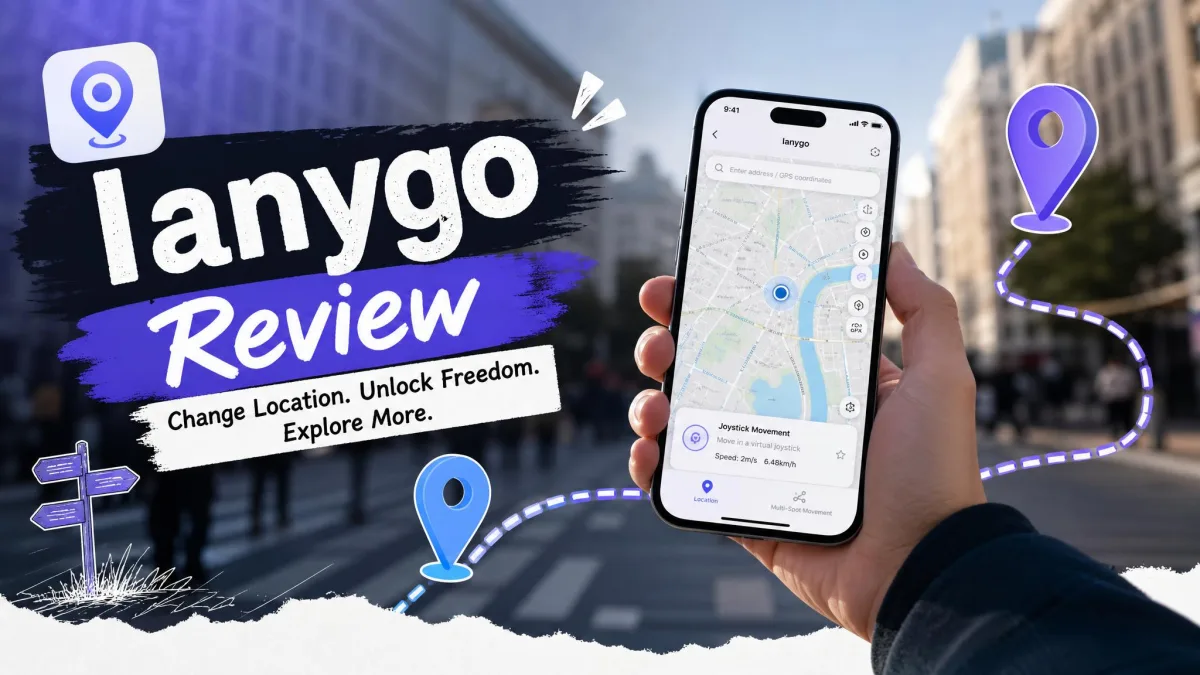
Changing the GPS location on an iPhone is harder than it sounds. Apple does not expose a location toggle, most free workarounds want a jailbreak, and the paid desktop tools all promise the same one-click fix without telling you what the setup actually costs you in time or risk. iAnyGo is Tenorshare's answer, and it is one of the most heavily marketed spoofers in the category.
We ran it against the things that usually break: the pairing handshake, Developer Mode, joystick movement inside a live game, and the billing page. Some of that went smoothly. Some of it did not.
This review works through the product the way a buyer meets it: what iAnyGo claims on its own pages, what the setup process demands of your phone before it will do anything, how the movement modes behave in the apps people actually use it with, and what the licence costs you over a year. Where a claim comes from Tenorshare's own specification rather than from use, we say so.
What Is Tenorshare iAnyGo?
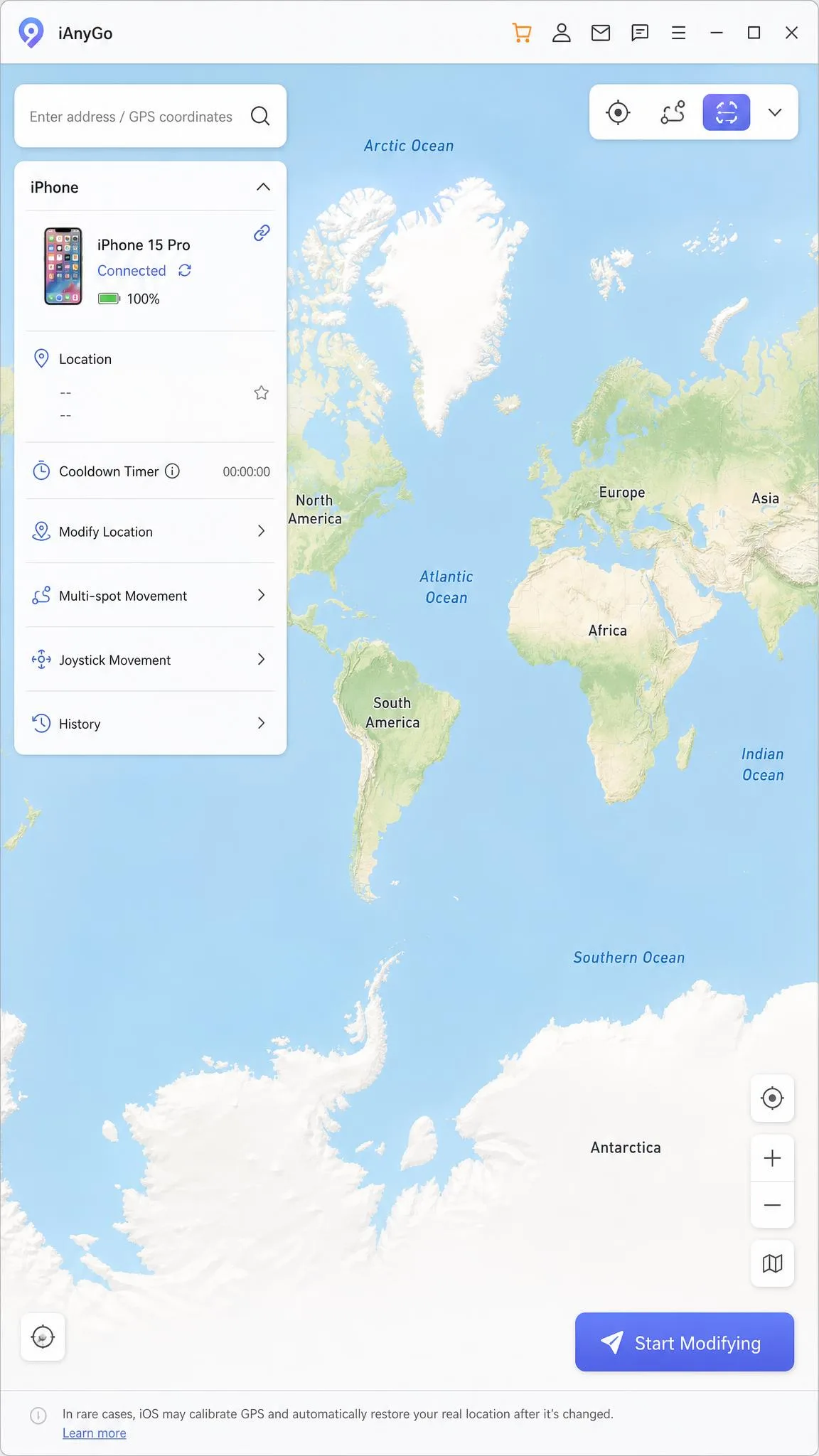
iAnyGo is a desktop app for Windows and Mac that changes the GPS location your iPhone or Android phone reports to every app on it. You install it on a computer, plug the phone in, pick a point on a map, and the phone starts telling apps it is somewhere else. No jailbreak and no root are needed, which is the whole reason paid tools like this exist.
Tenorshare has been shipping iPhone utilities for years, and iAnyGo is the location-spoofing product in that line. More specifically, it is a location changer with route simulation and a game controller bolted on.
The audience splits into two groups. Pokemon GO players want joystick movement and route loops. Everyone else wants to sit in one spoofed spot for a dating app, a streaming region, or a privacy reason. iAnyGo serves both, but it is clearly built with the first group in mind.
iAnyGo Key Features
iAnyGo counts five movement modes on its product page, though Tenorshare describes them slightly differently from one page to the next depending on whether jump teleport is counted on its own.
Change Location (single spot)
This is the mode most buyers need. You type an address or drop a pin, click Start Modifying, and the phone reports the new coordinates within a couple of seconds. In our testing the change showed up correctly in the native Maps app and not only inside the target game, which is a decent sanity check that the spoof is working at the system level rather than being faked for one app.
The interface here is genuinely simple. A map, a search box, and one button. A first-time user can change location without reading a manual.
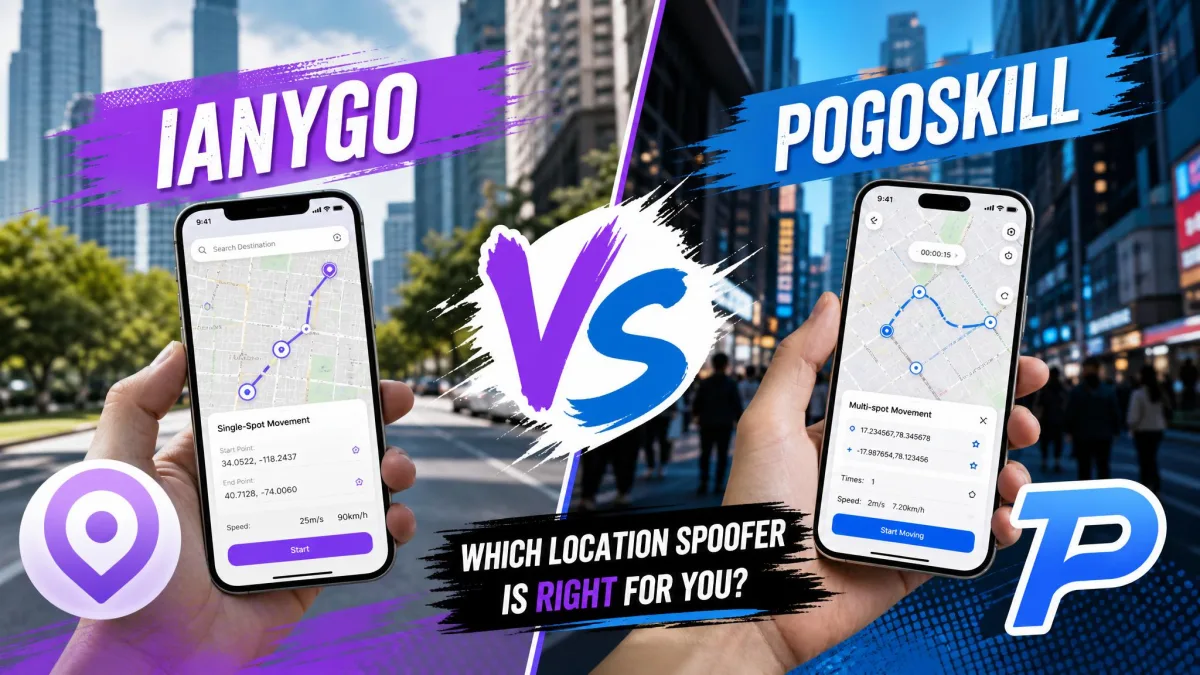
Two-Spot and Multi-Spot Movement
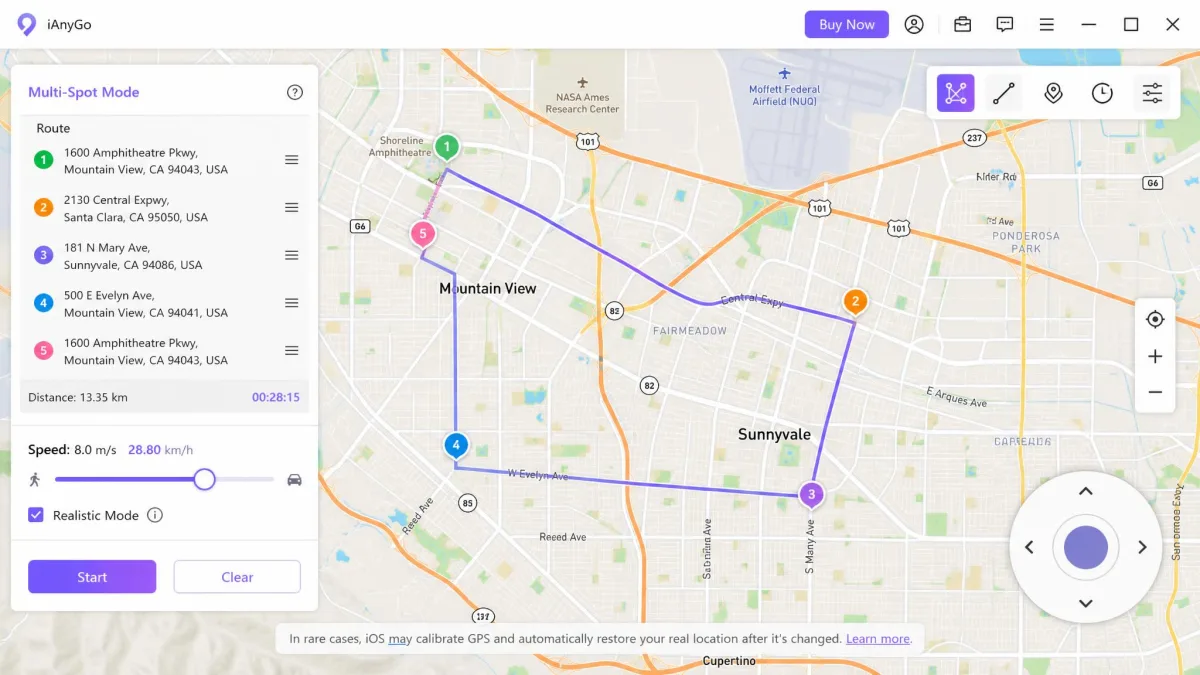
Two-spot movement walks a straight line between a start and an end. Multi-spot lets you place a chain of waypoints and accepts up to 99 of them, which is enough to trace a full neighbourhood loop rather than a short hop. You set the speed before you start, and the simulated speed runs up to 108 km/h.
Routes held a steady path through a full Pokemon GO session in our testing, without the drift or stalling that ruins a loop halfway through.
Joystick Movement
The joystick is the feature Pokemon GO players buy this for. You steer with the W, A, S and D keys or the arrow keys, and the response is real time. There is no lag between the keypress and the avatar moving, which matters when you are trying to stay on a path.
GPX Import/Export and Saved Routes
You can import a GPX file, export a route you built, and save favourites so you are not rebuilding the same loop every session. iAnyGo also keeps a history of the addresses you have used with timestamps. Auto-catch and PokeStop spinning are included, along with a built-in cooldown timer, and one licence controls up to 15 devices at once.
Device and App Compatibility
The phone side covers iOS 14 through iOS 27 and Android 4 through Android 16. The desktop client runs on Windows 11, 10, 8.1, 8 and 7, and on macOS 26 and earlier. Installation needs 200 MB of free disk space, and 1GB of RAM is the recommended floor.
App coverage is broader than the marketing suggests. Location changes carried across to Snapchat, Tinder and Instagram in our testing, not just to games, so this works as a general-purpose spoofer.
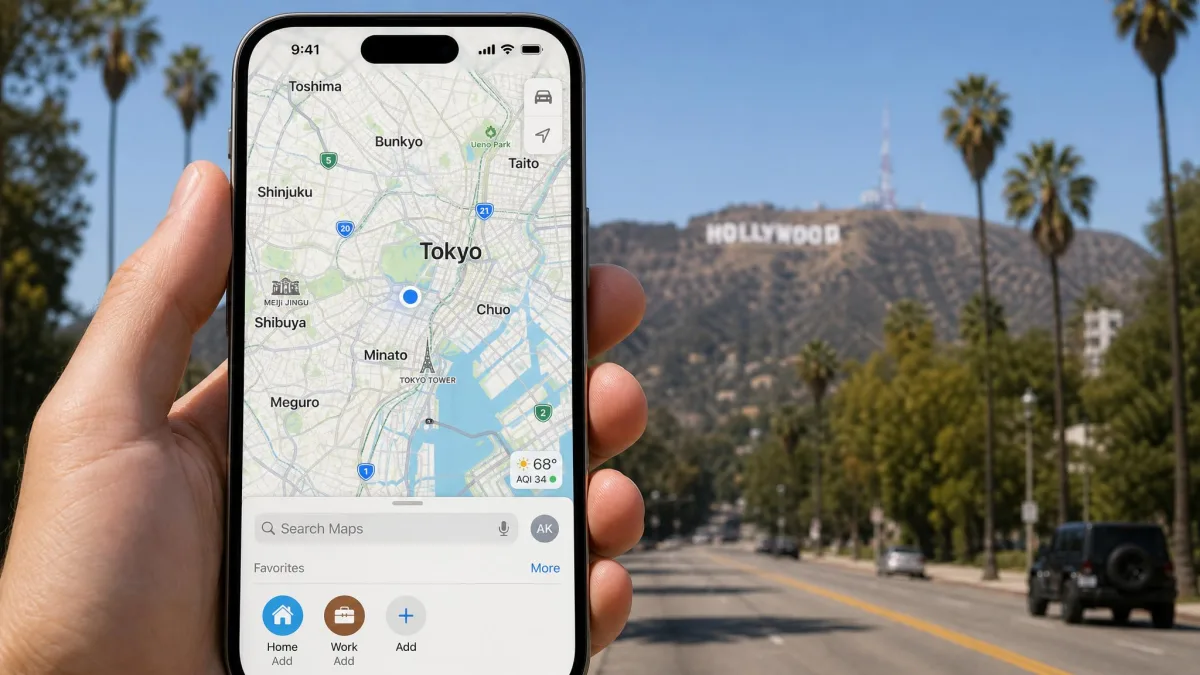
One limit is worth knowing before you buy. The phone and the computer have to sit on the same network. You cannot spoof a device you are not physically near, which rules out the "change my kid's location from the office" use case entirely.
How to Use iAnyGo to Change Your GPS Location
- Download and install the desktop client from Tenorshare's site, then launch it.
- Connect your phone over USB and tap Trust This Computer on the handset when the prompt appears.
- Enable Developer Mode on the iPhone when prompted, then restart the device.
- Pick Change Location from the mode list, then search for an address or drag the map pin.
- Click Start Modifying and wait a few seconds for the phone to report the new position.
- Open Apple Maps to confirm the spoof took before you open the app you actually care about.
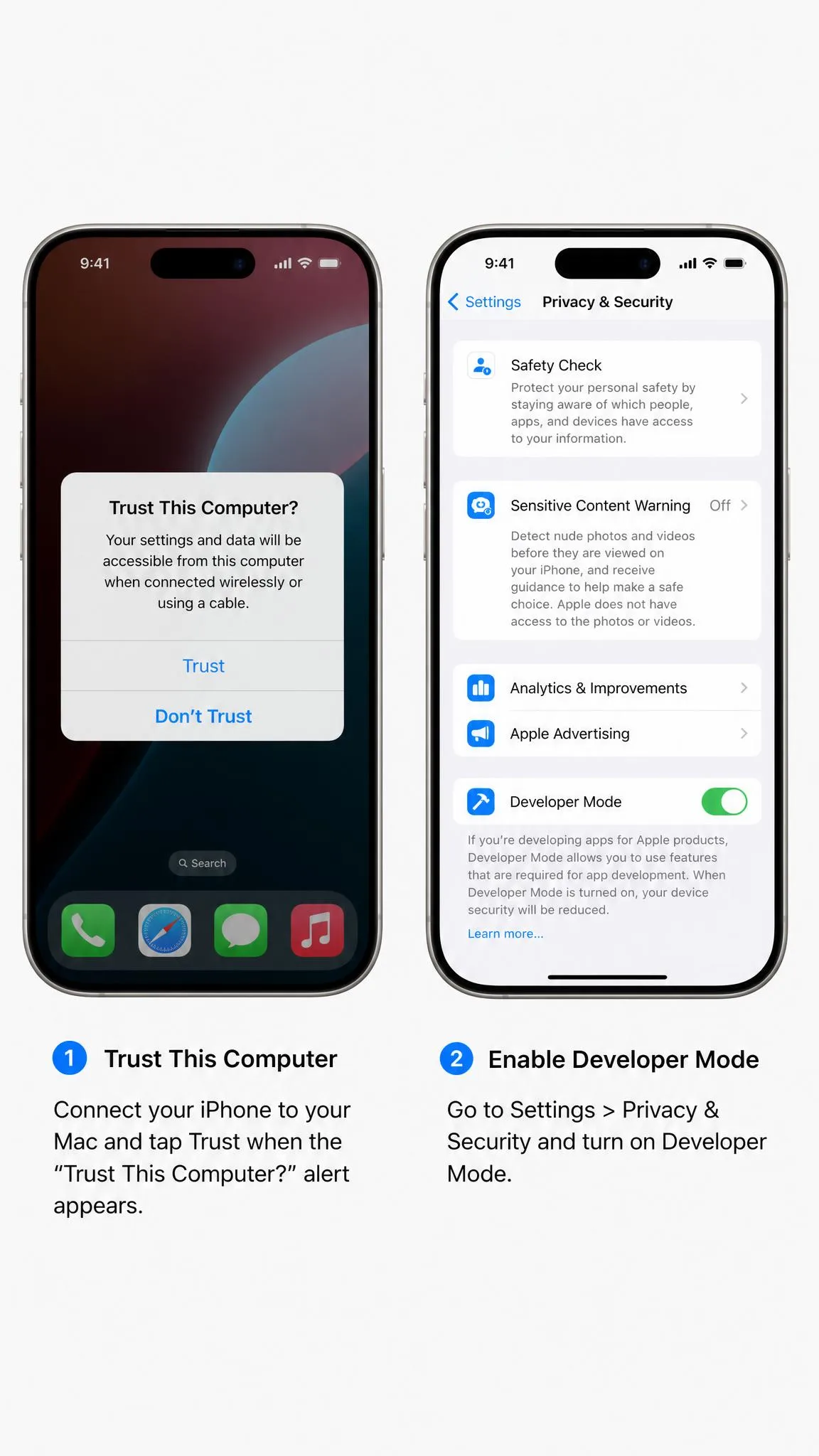
Two things went wrong for us often enough to flag. The Trust This Computer prompt does not always clear on the first try, and the fix is usually unplugging the cable and reconnecting it to refresh the connection. Separately, a "failed to detect location" error turned up intermittently mid-session and only cleared after disconnecting and reconnecting the device. Neither is fatal, but neither is the frictionless experience the product page advertises.
If setup stalls completely, it is often iTunes or stale Apple ID credentials from a previously paired Mac. Uninstalling iTunes or clearing those credentials gets the handshake moving again.
Enabling Developer Mode is mandatory, and you cannot switch it back off without a factory reset of the phone. If you plan to sell the device or hand it to someone else, decide whether you are comfortable with that before you start.
Is iAnyGo Safe? Ban Risk, Cooldowns, and Account Risk
Two separate questions hide inside this one. Is the software safe, and is using it safe for your account?
On the software: installers pulled from the official Tenorshare site scan clean. Cracked or pirated builds of iAnyGo are a genuine malware risk, and there is no reason to try one when the trial exists. If you want the mechanics, our explainer on how GPS spoofing works covers what the tool is doing to your device.
On accounts, be clear-eyed. Niantic's own policy names falsifying GPS location as cheating under the Pokemon GO Terms of Service. Under Niantic's three-strike policy, the first strike is a warning lasting about 7 days with degraded gameplay, the second is a 30-day suspension, and the third terminates the account. Niantic calls that termination permanent but publishes nothing about appeal outcomes, so treat reinstatement odds as unknown.
Cooldown discipline is what separates a quiet account from a struck one. Community testing puts the wait at roughly 30 minutes after a 100 km jump and around two hours minimum beyond 1,500 km, though that table is community-derived rather than published by Niantic and the safe interval shifts with each game update. Ignoring the timer between long jumps is the fastest route to a strike, since a desktop tool is harder to detect than a modified game client.
Two smaller notes. Restarting the phone drops the spoofed position and returns you to your real GPS location, which is a useful panic button. And spoofing can stop working entirely after a Pokemon GO update, staying broken until Tenorshare ships a patch.
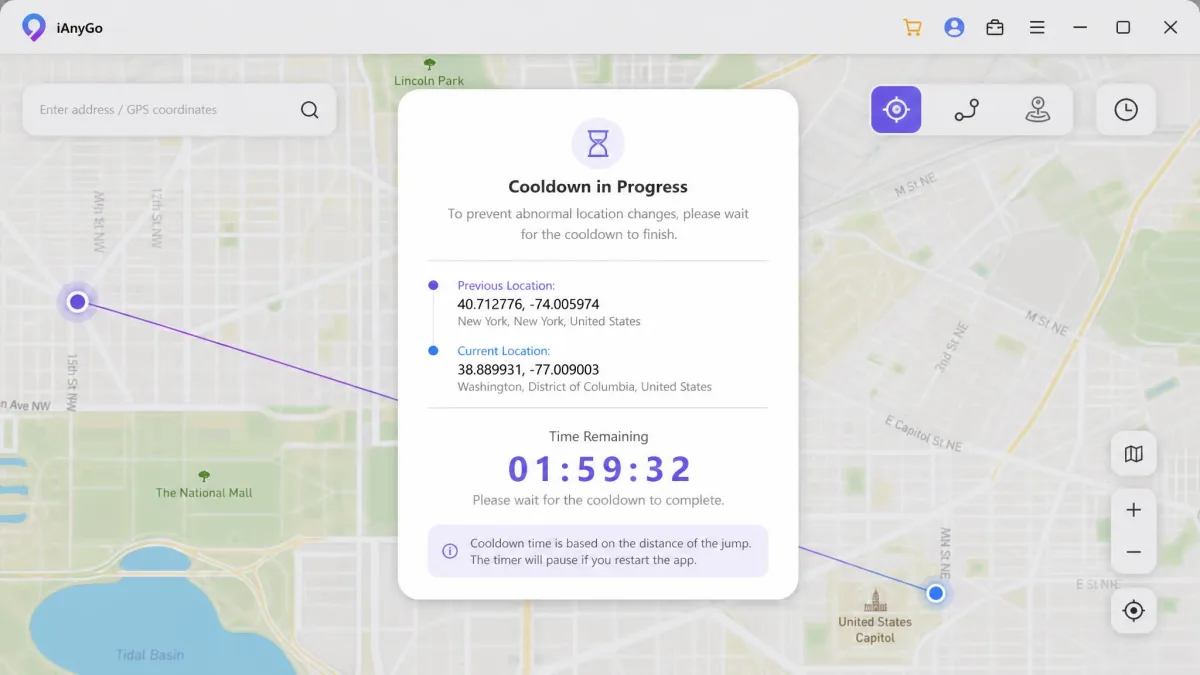
Set a timer on your phone the moment you make a long jump, and do not open the game until it goes off. The built-in cooldown counter is easy to ignore when you are mid-session.
iAnyGo Pricing, Auto-Renewal, and Refunds
| Plan | Price | Renews? |
|---|---|---|
| 1 month, single PC/Mac | around $12.95 | Yes, monthly |
| 1 quarter, single PC/Mac | $22.95 | Yes, quarterly |
| 1 Year, single PC/Mac | $42.95 | Yes, annually |
| Lifetime, single platform | $95.95 | No |
| Lifetime, cross-platform | $129.95 | No |
Tenorshare runs rotating promotional pricing, so the monthly rate at checkout moves between roughly $9.95 and $14.99 depending on when you land on the page. The longer plans are stable.
The structure matters more than the numbers. Every plan except lifetime auto-renews by default, and the licence bills again unless you cancel straight after purchase. That is legal, and FTC rules on negative-option billing require the terms to be disclosed, but it still catches people who bought one month for one trip.
There is a 30-day money-back guarantee on all plans. In practice it carries strict technical conditions, which makes refunds harder to get than the headline suggests. The two positions are both true: the guarantee exists, and the guarantee has teeth attached to it.
The free trial is not a real evaluation path. Joystick and route simulation stay locked behind a licence, so the trial only shows you the one mode nobody has doubts about.
Cancel auto-renewal in your Tenorshare account the same day you buy, not the day before renewal. The subscription bills on schedule whether or not you have opened the app since.

What Real Users Say: Trustpilot and Reddit Sentiment
Sentiment on iAnyGo is unusually split, and the split is informative rather than confusing.
Trustpilot reviews of ianygo.com rate the service around 4.7 out of 5 across roughly 127 reviews, with about 93% of them five-star and 5% one-star. That score moves as new reviews land, and some recent write-ups still quote a lower 4.3 out of 5 figure. Praise clusters on responsive customer support and fast, accurate location changes. The complaints cluster on installation problems and the app freezing, which lines up with what we hit during setup.
The positive reviews are about the map and the support desk. The negative ones are almost all about getting the thing installed in the first place.
— From our read of the Trustpilot listing
The Android companion app tells a different story, sitting near 2.7 out of 5 on Google Play. Store ratings drift release to release, but the gap between the desktop and mobile experience is wide enough to be a real signal rather than noise.
On Reddit, an r/PokemonGoSpoofing thread on iAnyGo mostly debates trial limits, and it circulates a registry-editing trick that deletes iAnyGo's trial-tracking keys to reset the free trial. That is a terms violation and we do not recommend it.
Battery drain is the thing nobody warns you about. Sustained GPS, Bluetooth and screen-on use flattens a phone noticeably over a long session, so plan on staying near a charger.
iAnyGo Pros and Cons
Pros
- Fast, accurate location changes that carry across to Maps, Snapchat, Tinder and Instagram
- Real-time joystick control on W/A/S/D or the arrow keys
- Multi-spot routes accept up to 99 waypoints with adjustable speed to 108 km/h
- Broad support, covering iOS 14 through iOS 27 and Android 4 through Android 16
- One licence controls up to 15 devices, and a built-in cooldown timer is included
- 30-day money-back guarantee on every plan
Cons
- Developer Mode is mandatory and cannot be undone without a factory reset
- Phone and computer must share a network, so remote spoofing is impossible
- Trust prompts and "failed to detect location" errors interrupt sessions
- Free trial locks joystick and route modes, so you cannot evaluate what you are buying
- Everything except the lifetime licence auto-renews by default
- Android companion app rates poorly compared to the desktop client
Best Alternatives to iAnyGo
| Product | Yearly price | Platforms | Joystick | Ban risk | Refund |
|---|---|---|---|---|---|
|
$42.95 | iOS + Android | Yes | Moderate, cooldown timer built in | 30-day money-back |
 |
$79.99 | iOS + Android | Yes | Moderate | 30-day money-back |
 |
$39.95 | iOS only | Yes | Moderate | 30-day money-back |
 |
$39.95 | iOS + Android | Yes | Moderate | 30-day money-back |
 |
$69.99, promotional | iOS + Android | Yes | Moderate, cooldown timer built in | 30-day money-back |
 |
$44.99, discounted | iOS + Android | Yes | Moderate | 7 days monthly, 30 days quarterly, 60 days lifetime |
 |
$0 | iOS via Xcode or jailbreak | No | High, modified clients get caught fastest | None |
Our iMyFone AnyTo review covers the closest like-for-like rival, and it is the one to try if iAnyGo's pairing refuses to cooperate. It is the priciest of the group at list, though iMyFone discounts it so continuously that the list price rarely matches checkout.
MockGo, another iPhone GPS spoofer, is the cheapest way in at $9.95 monthly and $59.95 lifetime, but it is iOS only with no Android device support. Plans cover 5 iOS devices and one computer.
Our FonesGo Location Changer review suits buyers who want Android and iOS coverage at $39.95 a year without the Tenorshare subscription structure. LocaRun and Fonelora are the two newer names worth a look, and both spoof iOS and Android from Windows and macOS clients without a jailbreak or root. LocaRun sells subscriptions only, with no one-time lifetime licence at all, and its billed rates are promotional: roughly $15.99 a month, $29.99 a quarter and $69.99 a year, each shown against a higher struck-through figure that moves with whatever discount is running. One subscription covers both the Windows and Mac builds and up to 10 devices, and there is a 30-day money-back promise on every plan. Fonelora runs a standing discount instead, which puts the monthly plan near $8.99, the year near $44.99 and a one-time lifetime licence near $62.99. Its refund window is the part to read carefully, because the 60-day guarantee in the marketing applies only to that lifetime purchase; the monthly plan gets 7 days and the quarterly plan gets 30. Each Fonelora plan covers one computer and up to five phones, spanning iOS 7 through 26 and Android 5 through 16. Feature for feature, both mirror iAnyGo's joystick and cooldown-timer set closely enough that the choice comes down to price and refund terms rather than capability.
If you are still shortlisting, our guides to the best virtual location changers of 2026, the best location spoofers for iPhone and the best Pokemon GO spoofers, tested put all of these side by side.
Frequently Asked Questions
How do I cancel iAnyGo's auto-renewal and get a refund?
Do I have to enable Developer Mode, and can I undo it?
What happens to my spoofed location if I restart my phone?
Will the free trial let me test the joystick before I pay?
Does iAnyGo work over Wi-Fi from another location?
Does it work with apps other than games?
Verdict: Who Should Use iAnyGo?
Is it worth it? For Pokemon GO players who want joystick and route control on both iOS and Android, yes, with conditions. The movement features are the best part of the product and they work as advertised. For anyone who just wants to sit in one fake city occasionally, the cheaper MockGo or FonesGo licences do the same job for less.
Buy the lifetime licence or set a cancellation reminder the day you subscribe. And accept the Developer Mode trade before you start, because that is the part you cannot take back.