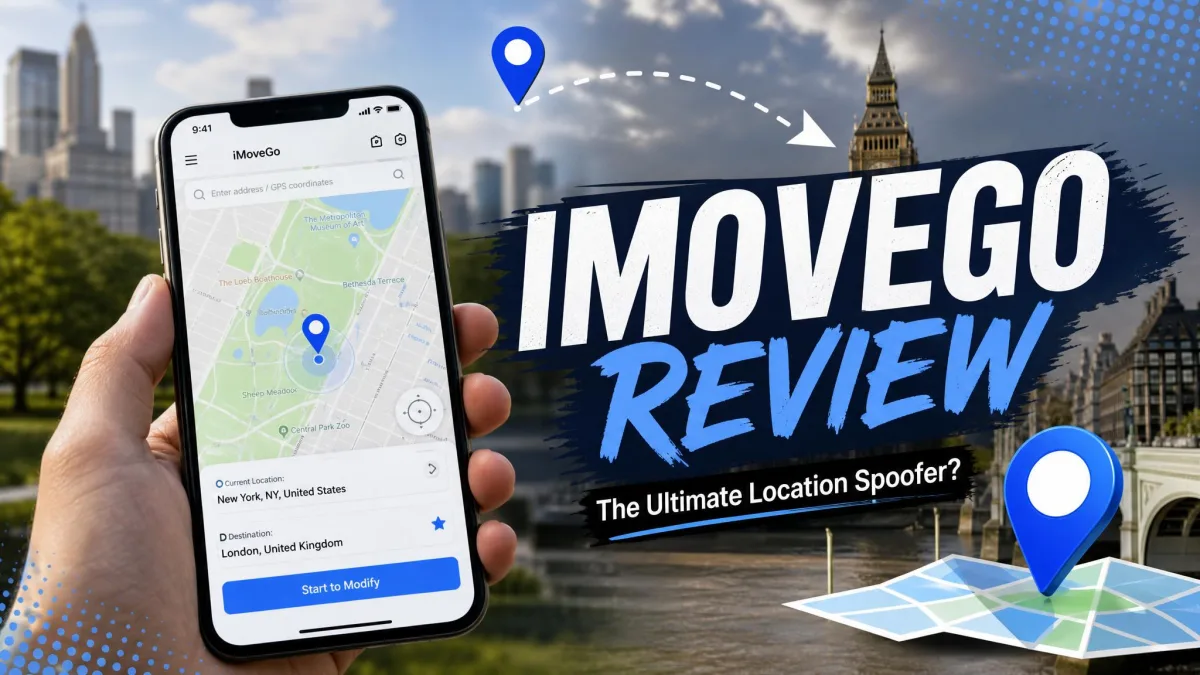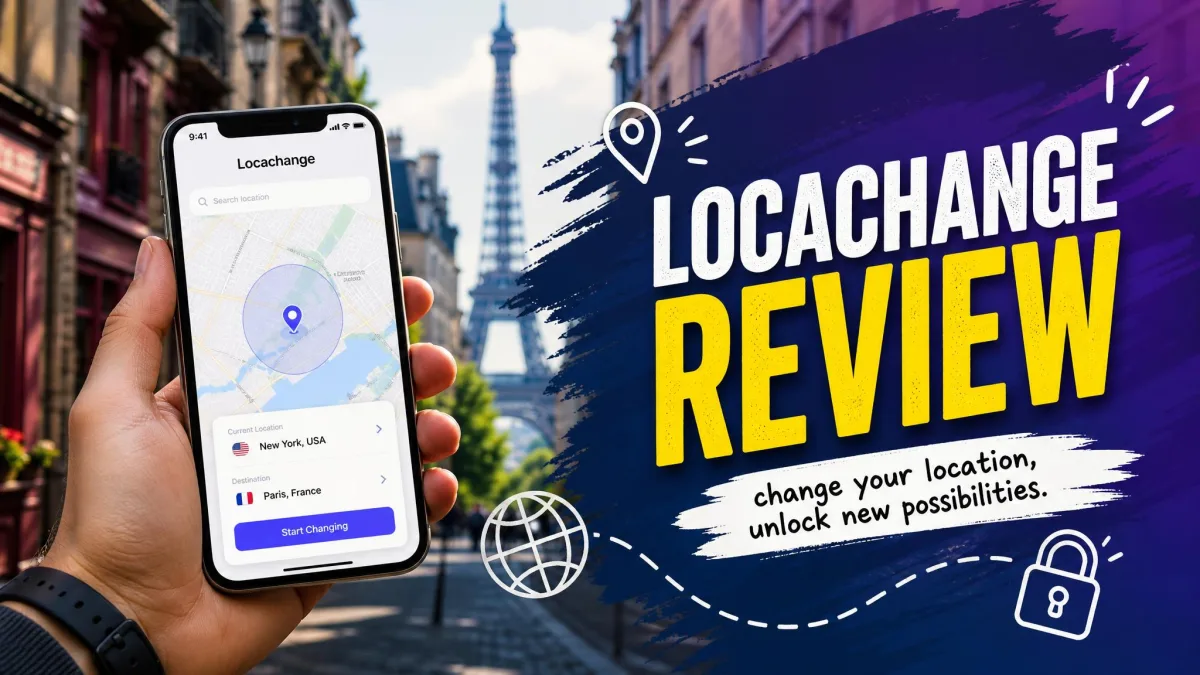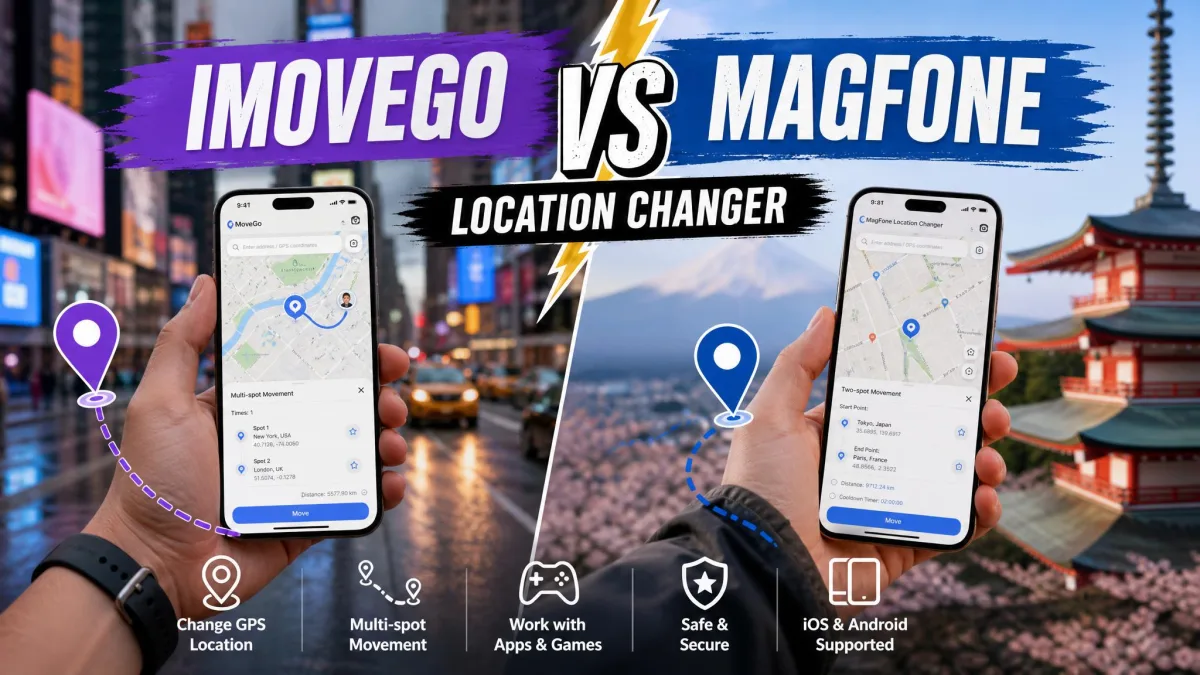
iMoveGo and LocaChange are desktop GPS location changers. Both let you pick a spot on a map and make your iPhone or Android phone report that spot to every location-based app on it.
Both promise one-click teleport, joystick control, and simulated walking routes with no jailbreak and no root. Both cover Pokemon GO, Snapchat, Tinder, Life360, and Find My.
Our pick is iMoveGo, for the reasons the sections below unpack.
We used both on Windows and Mac with an iPhone and an Android handset connected, and this comparison reflects what each one does and costs in 2026.
iMoveGo vs LocaChange at a Glance

| Product | Buy | Platforms supported | Jailbreak required | Teleport mode | Multi-spot / route | Joystick | GPX import/export | Cooldown timer | Devices per licence | Free trial | Monthly | Yearly | Lifetime | Refund |
|---|---|---|---|---|---|---|---|---|---|---|---|---|---|---|
|
Check price → | Windows, Mac, Android, iOS (iOS needs SVIP) | No | Yes | Yes | Yes, 360-degree | Yes | Yes | 10 (SVIP), 5 (VIP) | Yes, limited | $14.99 VIP / $19.99 SVIP | Not offered | $89.99 VIP / $119.99 SVIP | 30-day |
 |
Check price | Windows, Mac, Android, iOS | No | Yes | Yes | Yes, 360-degree | Not documented | Yes, reminder | 10 | 1 teleport, 15 min joystick | $19.99 | $79.99 | $119.99 | 30-day |
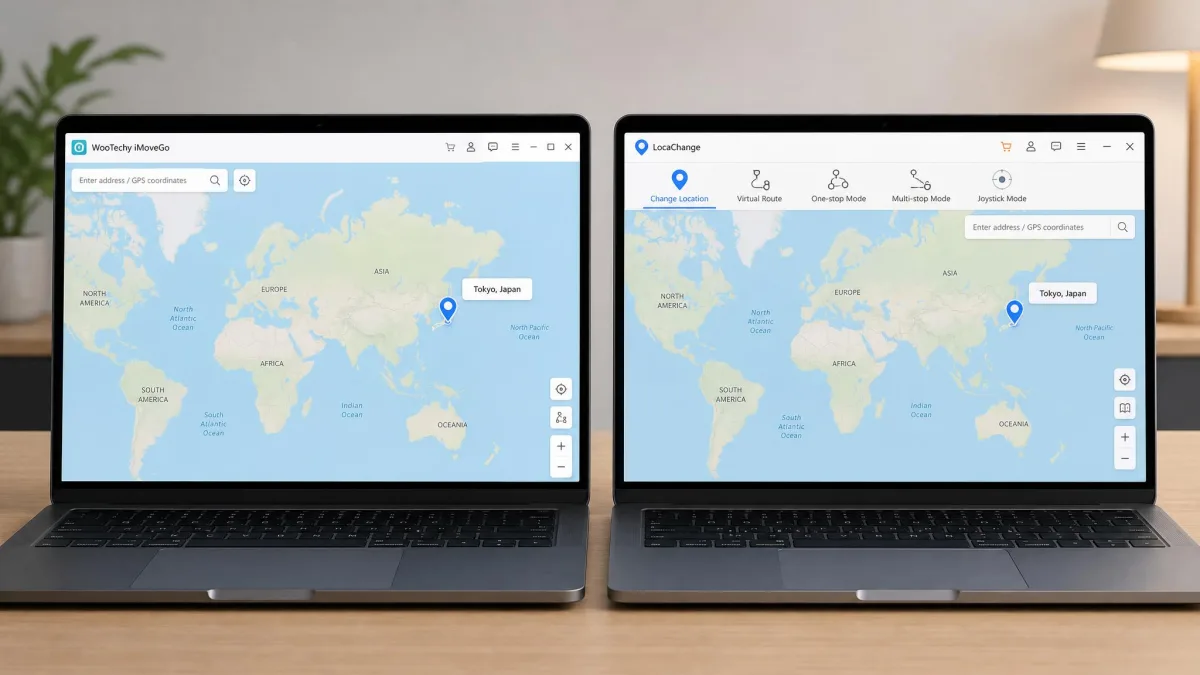
Feature-by-Feature Comparison
On paper these two tools cover almost the same list of features. The differences show up in how the modes are laid out and in what each vendor is willing to document.
Teleport and One-Click Location Change
Teleport is the headline feature on both. You search an address, click the map, and confirm, and your phone reports the new coordinates within a second or two.
iMoveGo can lag when you switch locations, and the map takes a moment to settle on the new spot. LocaChange lands more cleanly on the first attempt.
Both also offer jump teleport, which automatically hops between a saved list of points instead of drawing a path between them.
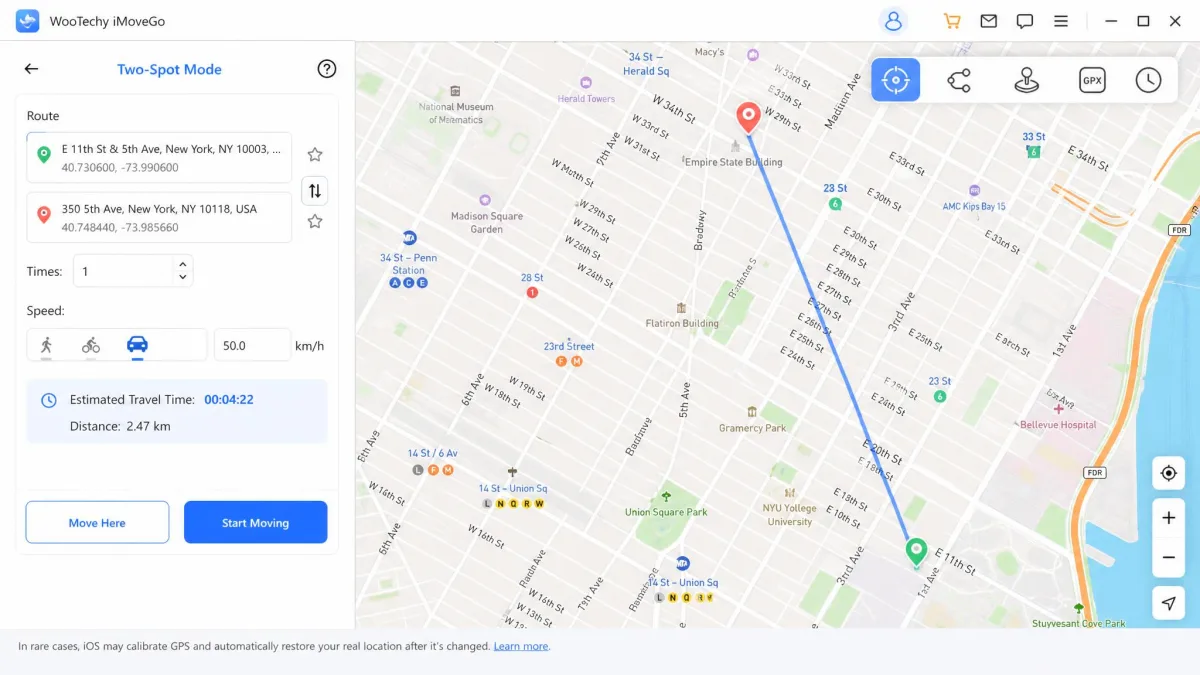
Movement Simulation: Two-Spot, Multi-Spot, and Jump Teleport
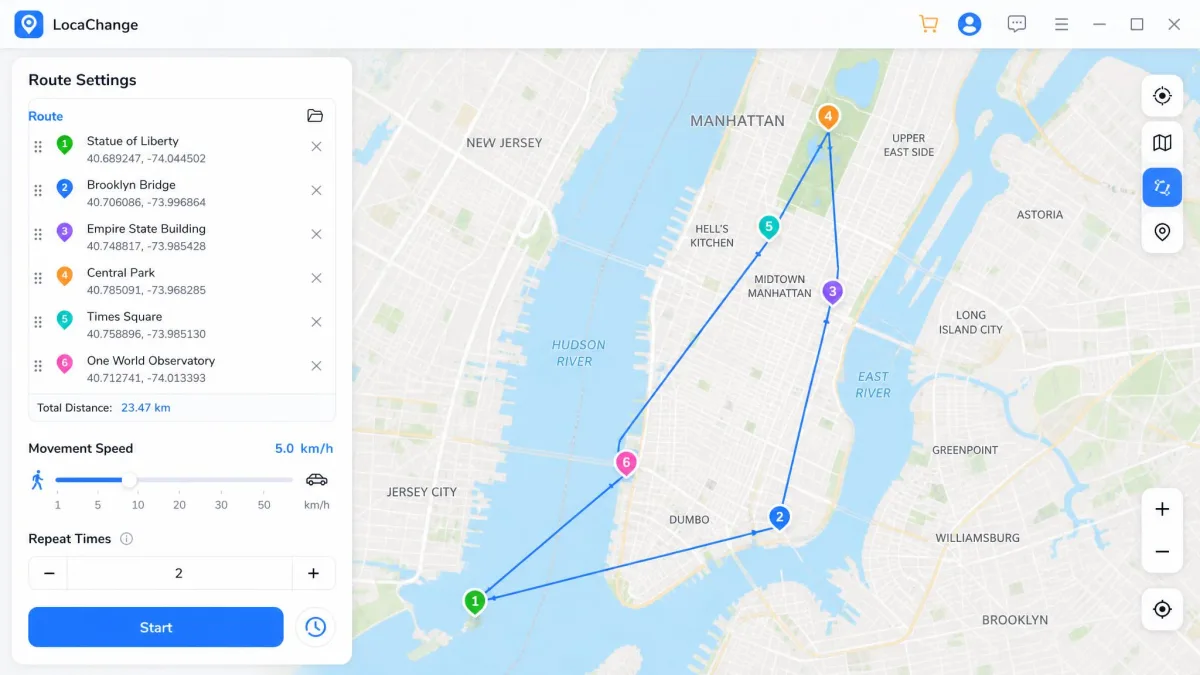
Two-spot mode draws a straight route between a start and an end point and walks your phone along it. Multi-spot mode is the one you want when the straight line would cut across a river. You click waypoints, and the path follows real streets. Both tools include both modes. LocaChange adds a fluctuation mode that nudges your coordinates slightly at rest, so the signal looks like a real phone sitting in a real pocket.
LocaChange holds a believable walking pace during simulated movement and behaves well with current apps. Its movement modes look similar to each other on the toolbar, though, and first-time users mix them up.
Joystick and 360-Degree Control
Both tools give you a 360-degree joystick that you steer with the mouse or the arrow keys. It is the mode you want for a game, because you control direction continuously rather than committing to a fixed route.
The joystick is where the free versions bite. LocaChange caps joystick mode at 15 minutes and allows a single teleport before you pay.
iOS spoofing on both tools needs a computer connection, because Apple blocks standalone spoofing apps on the App Store. Your iPhone must stay paired to a Windows PC or Mac over USB or the same WiFi network while the fake location is active.
Route Customization, Speed, and GPX Import/Export
Both tools let you set movement speed anywhere from 3.6 km/h at a slow walk up to 120 km/h at driving pace, and you can change it mid-route.
iMoveGo documents GPX import and export, so you can save a route as a file and replay it later. LocaChange does not list route-file import and export among its documented modes, so treat GPX handling there as not guaranteed. If you run the same loop every day, that file support is the single strongest reason to pick iMoveGo.
Cooldown Timer and Pokemon GO Specific Tools
Location-based games watch how far you appear to travel between actions. Move too far too fast and the game freezes your interactions for a period, the cooldown. Both tools show a cooldown timer. iMoveGo runs a countdown you can watch before your next jump. LocaChange presents its version as a reminder and pairs it with PoGo Atlas search tools, location history, and favourites.
Set your movement speed to match the story you are telling. A 3.6 km/h walk into a park reads as normal, while a teleport across a country followed by an immediate in-game action does not.
What Is WooTechy iMoveGo?
WooTechy iMoveGo is a desktop location changer for Windows and Mac that spoofs GPS on a connected iPhone or Android device. You can read the full write-up in our WooTechy iMoveGo review.
Its main features cover teleport mode, two-spot and multi-spot movement, jump teleport, a 360-degree joystick, a cooldown timer, and adjustable speed. It supports Pokemon GO, Snapchat, Tinder, Life360, and Find My without jailbreak or root.
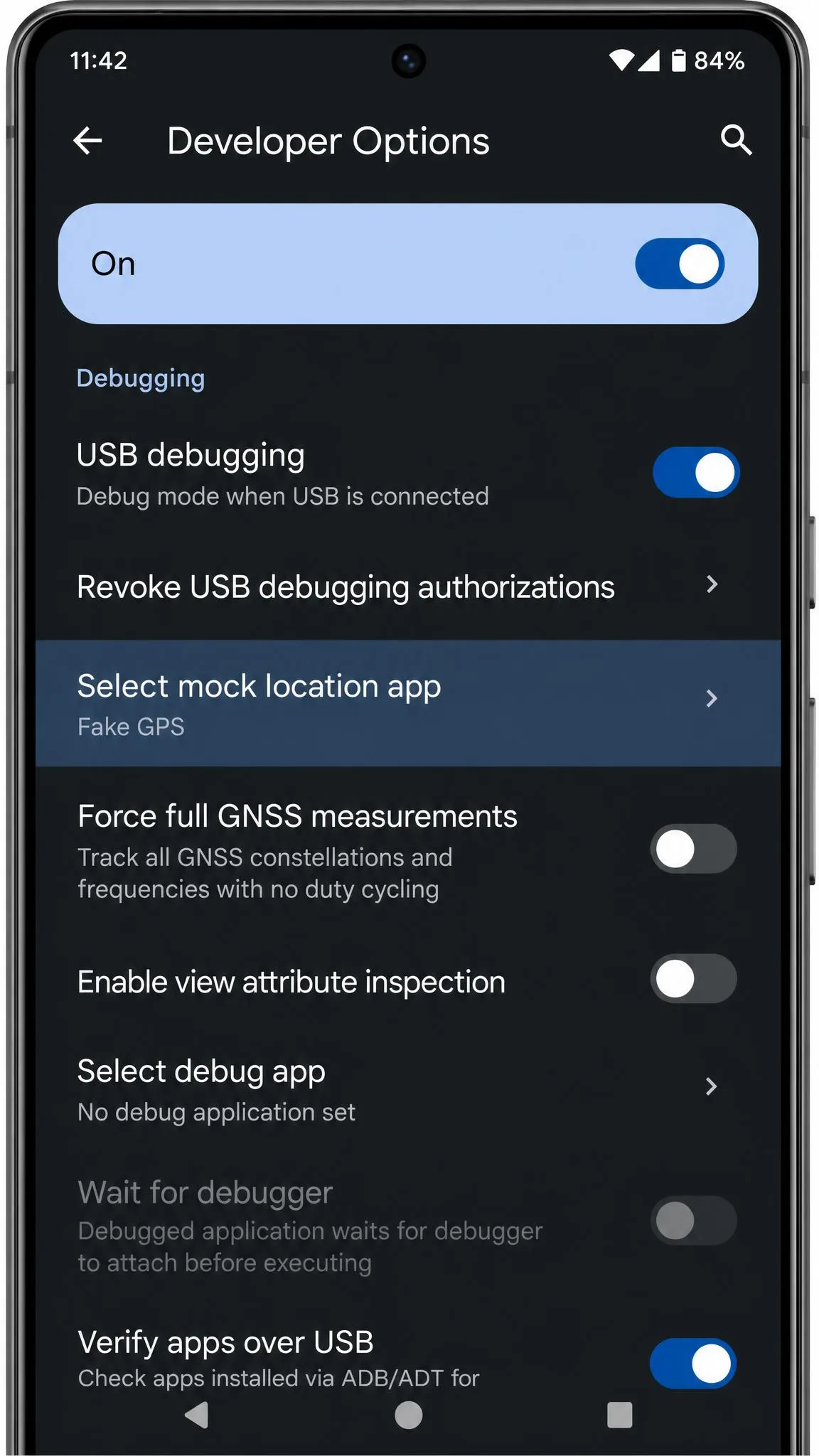
The Android side is where it gets interesting. With USB debugging switched on, the connection is quick and the app takes over the phone's location almost immediately, but the flow does not stop there. iMoveGo can push a customised Pokemon GO build onto the handset without a clear prompt, so the modified client arrives as part of what looks like ordinary setup. We stopped and read that screen twice. Decline it and the spoofing still works exactly as advertised through the official game app, which is the safer route, because a modified client is the thing that puts an account at risk.
WooTechy iMoveGo sells in two tiers. VIP is the cheaper one and covers Android only. SVIP is the tier that adds iOS.
What Is LocaChange?
LocaChange is the same category of tool with a friendlier front end and standalone iOS and Android apps alongside the desktop version. Our LocaChange review goes deeper on the app side.
It supports iOS 14 and up and Android 8 and up, and it runs on macOS 10.9 and later plus Windows 7, 8, 10 and 11. Its modes cover teleport, jump teleport, two-spot, multi-spot route mode, a 360-degree joystick, fluctuation mode, adjustable speed, and a cooldown reminder. LocaChange also keeps a location history and a favourites list.
Device and Platform Support
iOS, Android, Windows, and Mac Compatibility
LocaChange publishes clear floors: iOS 14 and up, Android 8 and up, macOS 10.9 and later, and Windows 7 through 11. That makes it easy to check an older device before you buy. Those numbers also help if you are trying to spoof a hand-me-down phone.
iMoveGo's official page claims support up to iOS 26 and Android 16. The newest iOS release is only partly covered, and support for it lands build by build. Verify your exact iOS version against the vendor page before paying.
On the low end, iMoveGo reaches back to iOS 7.0. Its desktop side runs on Windows 7 and later, or macOS 10.10 through macOS 14. The Android floor is less settled. The vendor's FAQ names Android 5.0 while its tech-specs list starts at Android 7.0, so the oldest Android release that actually works is unclear from the official pages.
How Many Devices Each Tool Covers
LocaChange covers up to 10 iOS and Android devices per licence through the desktop app. iMoveGo matches that at the SVIP tier: up to 10 devices on one PC or Mac. The cheaper VIP tier covers 5 devices and drops iOS support entirely, which is the detail most price comparisons miss.
If you plan to spoof an iPhone, the VIP price is not the price you will pay.
Do You Need to Jailbreak or Root?
No. Neither tool requires a jailbroken iPhone or a rooted Android phone, and that is true across every mode.
What you do need on iOS is the computer, because the phone connects to the desktop app and the desktop app feeds the coordinates. On Android, iMoveGo can work more directly once USB debugging is on, which is why its Android flow is shorter.
Ease of Use: Setup and Interface
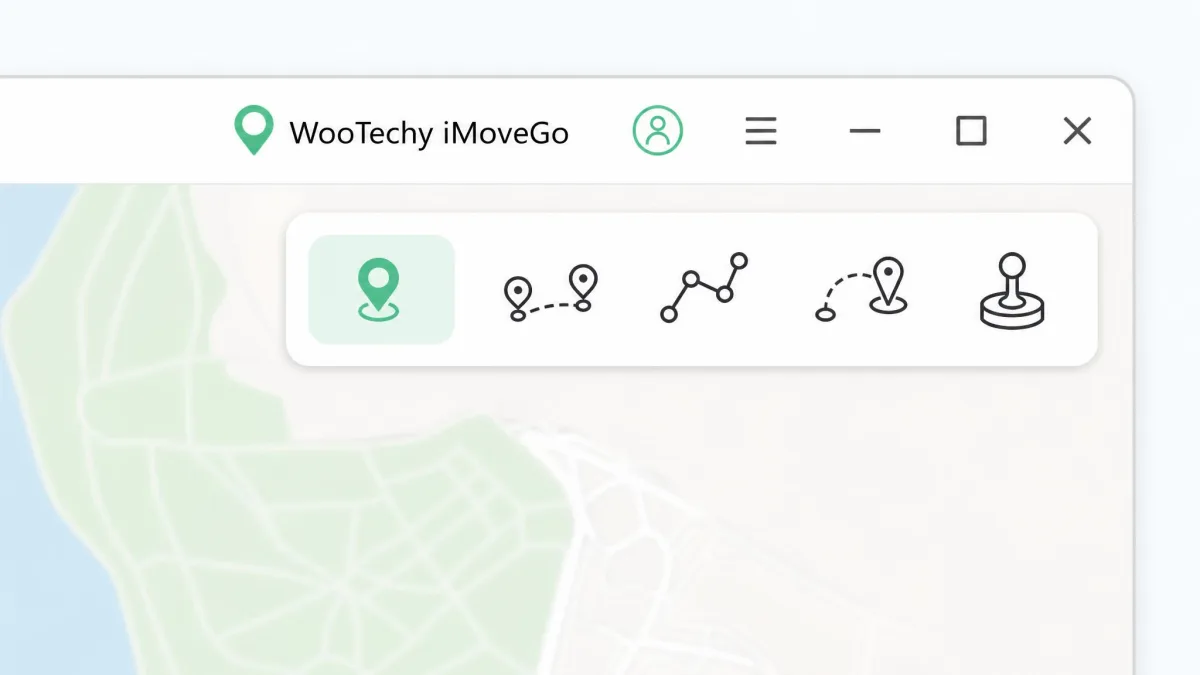
Both apps put a world map in the middle and a mode switcher along the top. LocaChange gets you moving in three steps. iMoveGo takes five, and its mode icons are the part that slows people down.
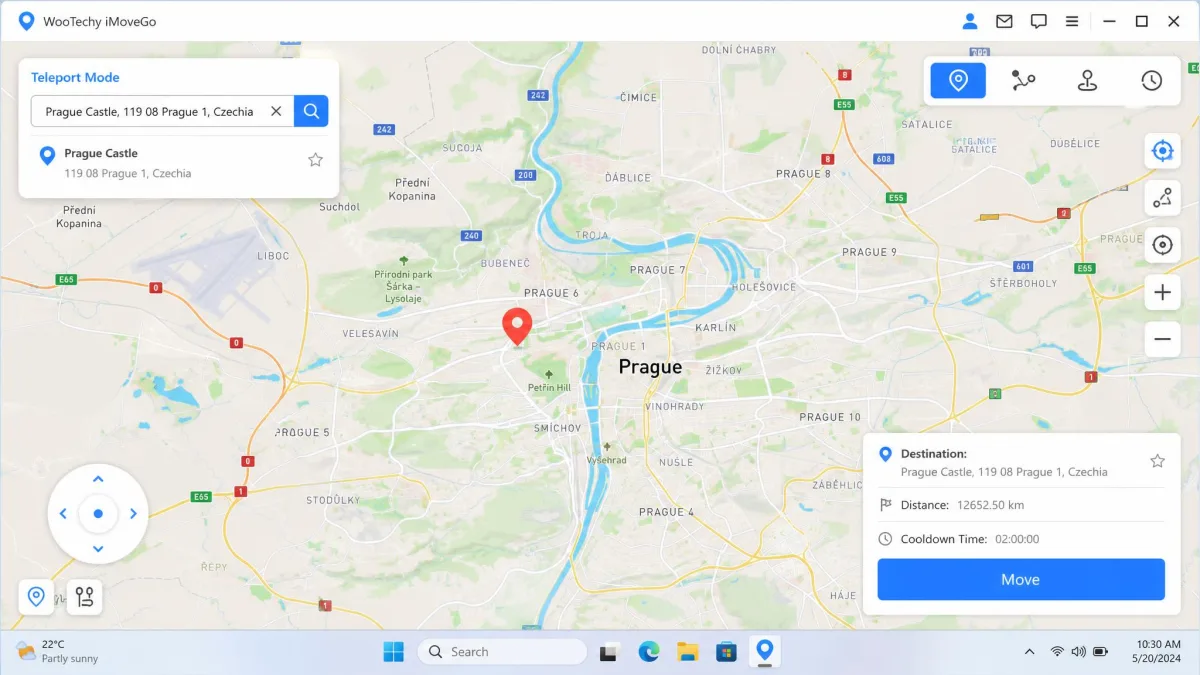
How to Change Your Location With iMoveGo
- Install iMoveGo on your Windows PC or Mac and open it.
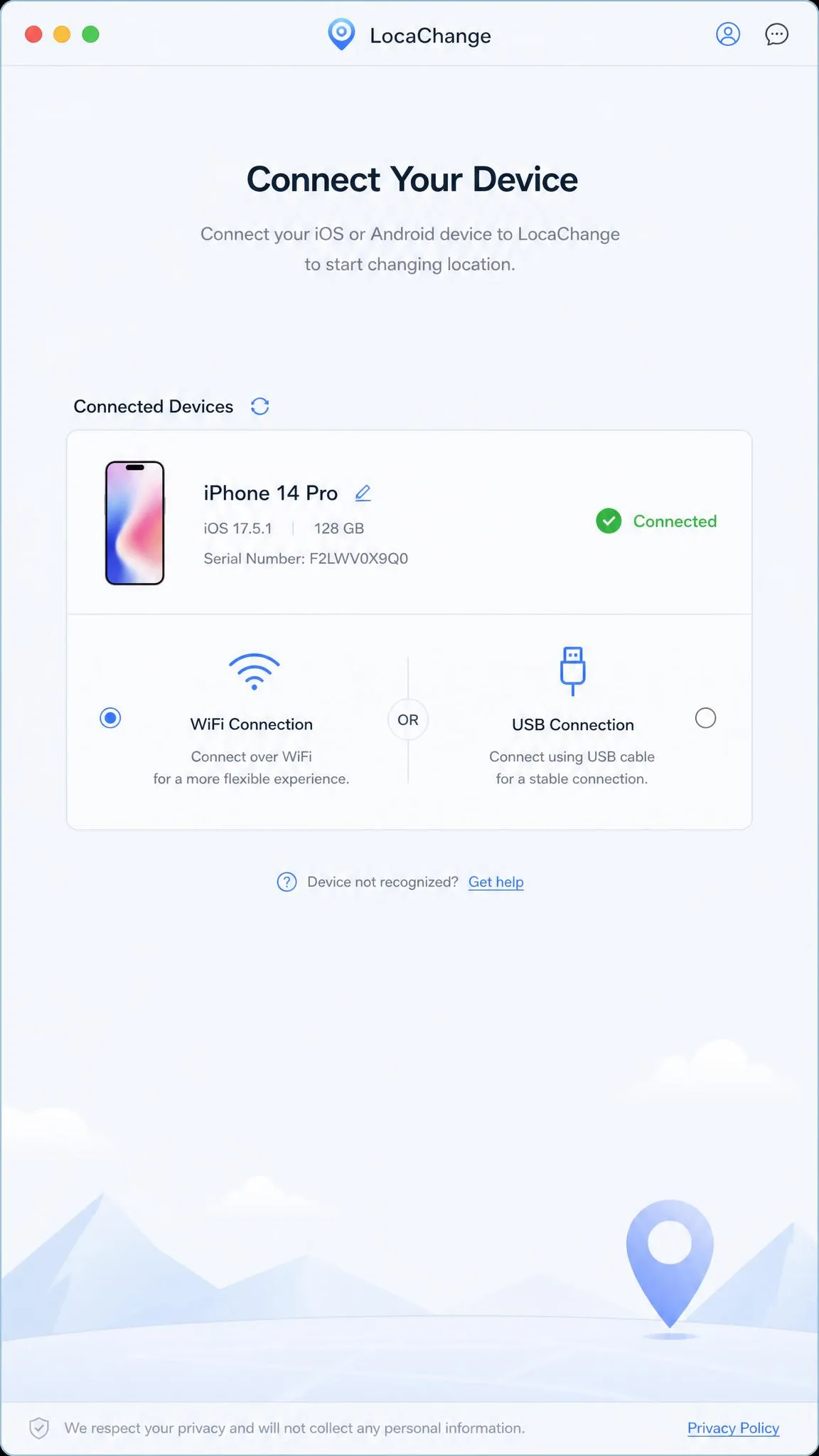
- Connect your iPhone or Android device by USB, or pick the WiFi option to connect over the same network.
- Select Teleport Mode from the icons in the top-right corner.
- Search an address or click a point on the map to set your destination.
- Click Move to apply the change, then check any location-based app to confirm it took.
iMoveGo's mode layout is not obvious on first run, and beginners take a while to work out which mode does what. On Android the flow is genuinely short: install, pick a point on the map, apply the change.
WooTechy publishes step-by-step screenshots in iMoveGo's official setup guide if you get stuck at the connection step.
How to Change Your Location With LocaChange
- Install LocaChange and connect your phone to the computer.
- Choose the WiFi connection when prompted, or stay on the cable.
- Work from the virtual map: search a place, drop a pin, and confirm the move.
That is the whole setup. The one place it went wrong for us was the very first connection: the phone sat on the desk, plugged in and unlocked, and LocaChange's device list stayed empty as if nothing were attached. We unplugged and reconnected, and when that changed nothing we swapped the cable for a different one. The handset appeared straight away, and the handshake held for every session afterwards. If your device does not show up on the first try, the cable is the thing to suspect before the software.
App Compatibility: Pokemon GO, Snapchat, Tinder, Life360, and Find My
Both tools change the system-level location data that apps read, so anything that asks the operating system where you are will see the spoofed coordinates. That covers Pokemon GO and other location-based games, Snapchat's Snap Map, Tinder's discovery radius, Life360 circles, and Find My.
The practical difference is not which apps work. It is how convincing the movement looks.
Apps that log a location trail, like Life360 and Find My, care about plausibility over time. A teleport that drops you in another country between two check-ins looks wrong to anyone reading the map. Use two-spot or multi-spot movement at a walking speed for those.
Dating apps and games behave the other way round. Tinder cares about where you are now, so a single teleport before you open the app is enough.
Turn off any battery optimisation that could suspend the connection mid-session. If the desktop link drops, your phone snaps back to its real GPS position, and apps that were watching will record the jump.
Pricing and Free Trial Compared
iMoveGo's VIP tier runs $14.99 for one month, $29.99 for a quarter, and $89.99 for a lifetime licence. The SVIP tier, which is the one that adds iOS, costs $19.99 monthly, $39.99 quarterly, and $119.99 for lifetime.
LocaChange charges $19.99 for one month, $39.99 for a quarter, $79.99 for a year, and $119.99 for lifetime.
Line them up and iMoveGo is the cheaper tool at monthly and quarterly, tied at lifetime for the iOS-capable tier, and cheaper still if you only need Android. LocaChange is the only one of the two with an annual plan, and at $79.99 it is good value if a year is the horizon you need.
Both carry a 30-day refund window, but LocaChange subscription cancellation is not self-serve and the refund path is unclear without contacting support. Its prices also sit above the market average for this category, and the per-day framing on its checkout page obscures that.
On free trials, LocaChange is the clearer of the two: 1 teleport and 15 minutes of joystick time. iMoveGo allows a limited number of teleports plus limited joystick time, but free-trial allowances change between builds and promotions, so the exact limits vary. Either way the trial runs out quickly, which makes both tools hard to try properly before paying.
Safety, Privacy, and Ban Risk
Spoofing your GPS is not illegal. It does breach the terms of service of most apps that rely on location, so the consequence is an account penalty rather than anything legal.
Pokemon GO treats GPS spoofing as a violation under Niantic's rules on GPS spoofing, and penalties escalate from a warning to a temporary suspension to a permanent ban. Neither iMoveGo nor LocaChange can protect an account from that.
Accounts stay clear of strikes when the cooldown timer is respected and teleport jumps are spaced out. The strikes come from modified game clients. That is exactly why the customised Pokemon GO build iMoveGo can push to an Android phone deserves attention before you accept it.
On privacy, both tools run locally, change only what your device reports, and never ask for your app passwords. The exposure is on the desktop side, since the app has deep access to your connected phone, so install only from the vendor's own site.
If you want to see what you are overriding, start on the phone. The iOS Location Services settings screen lists every app with location permission. On Android, the mock location provider is the developer setting these tools hook into to supply fake coordinates in place of the real GPS chip.
We keep a spare handset for this kind of testing rather than using a main phone. Location changers are reliable, but the account you attach to one is the thing you can lose, and a throwaway account on a spare device removes that worry entirely.
Pros and Cons
iMoveGo Pros and Cons
Pros
- Cheapest monthly and quarterly plans of the two, from $14.99
- Documented GPX import and export for repeatable routes
- Cooldown countdown you can watch before the next jump
- Adjustable speed from 3.6 km/h to 120 km/h
- Short, direct setup on Android
Cons
- iOS support costs extra, since the cheaper VIP tier is Android only
- Mode layout is not obvious on first run
- Map can lag when switching locations
- Can push a modified Pokemon GO build to Android without a clear prompt
- Newest iOS release is only partly covered
LocaChange Pros and Cons
Pros
- Three-step setup that beginners get through quickly
- Believable walking pace during simulated movement
- Standalone iOS and Android apps alongside the desktop version
- Clear free trial: 1 teleport and 15 minutes of joystick
- Only one of the two with an annual plan, at $79.99
Cons
- More expensive monthly and quarterly than iMoveGo
- GPX import and export is not documented
- Can fail to detect the phone on the first connection attempt
- Cancellation is not self-serve and the refund path is unclear
- Support can be slow to respond
Which One Should You Choose?
Choose iMoveGo If...
- You are on Android only, where the cheaper tier is the best value in this comparison.
- You run the same loop every day and want to save it and reload it rather than rebuild it.
- You play location-based games and want a cooldown countdown in front of you.
- You are equipping several phones in a household from one computer.
Choose LocaChange If...
- You want the easier first run and would rather not hunt for the right mode.
- You would rather use a standalone phone app than tether to a computer.
- An annual plan at $79.99 fits your usage better than monthly or lifetime.
- You are on an older device and want published minimums: iOS 14, Android 8, macOS 10.9.
Neither tool is a bad buy, making this a close call. The gap between them is smaller than the gap between either one and a free fake GPS app that stops working after the next update.