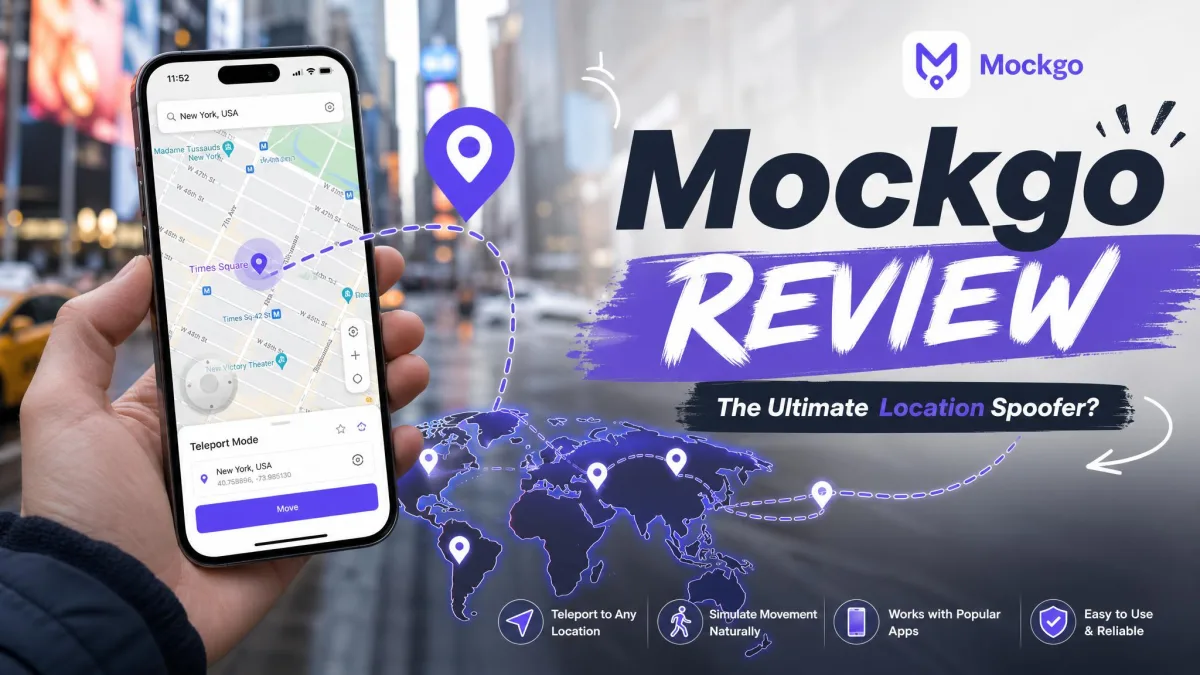
Changing your iPhone's GPS location sounds simple until you start shopping for an app to do it. Half the tools promise the same thing, the pricing pages hide the real cost, and nobody tells you what happens to your game account afterwards. MockGo is one of the names that keeps coming up, and it is the one we spent the most time with.
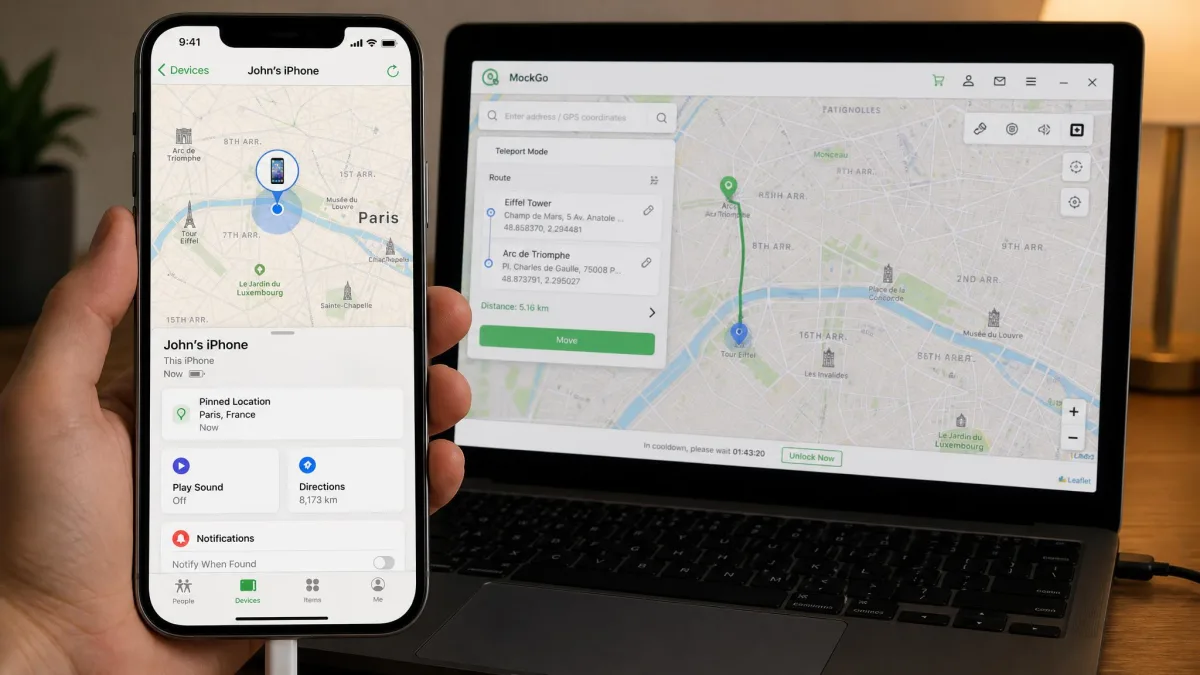
It is a desktop application from Foneazy that takes over your iPhone's reported GPS location while the phone stays connected to your computer. No jailbreak, no sideloaded profile, no Android version. You get teleport mode, joystick control, saved routes and a cooldown timer in one window.
This review covers what the app does, how the setup steps feel, what it costs, how safe it is with location-based games, and which alternatives are worth a look.
MockGo at a Glance
What Is Foneazy MockGo?
MockGo is a Windows and Mac application that changes the GPS location your iPhone reports to every app on it. You install the desktop client, connect the phone, pick a point on the map, and the phone believes it is there. Foneazy MockGo is the official product page, and it is where the trial download and the licence both live.
The important detail is what it does not require. There is no jailbreak, no developer certificate to re-sign every week, and no profile to install on the phone. That keeps the iPhone in a normal state, which matters if you ever hand it in for warranty service.
The desktop client is the whole product, so closing the app or unplugging the cable ends the spoof.
Who MockGo Is For
Pokemon GO players are the obvious audience, and they are the ones the marketing speaks to. They are not the only sensible users, though. Changing your GPS location also lets you test what a dating app or a marketplace looks like in another city before you move there.
Developers and testers are the third group. Faking a position beats driving across town to check a geofence. There is a privacy case as well: some people simply do not want every application on the phone knowing where they sleep. If you only need to shift a phone's position for casual use, the on-device fake GPS location apps we have covered elsewhere may be enough.
Platform and Device Compatibility
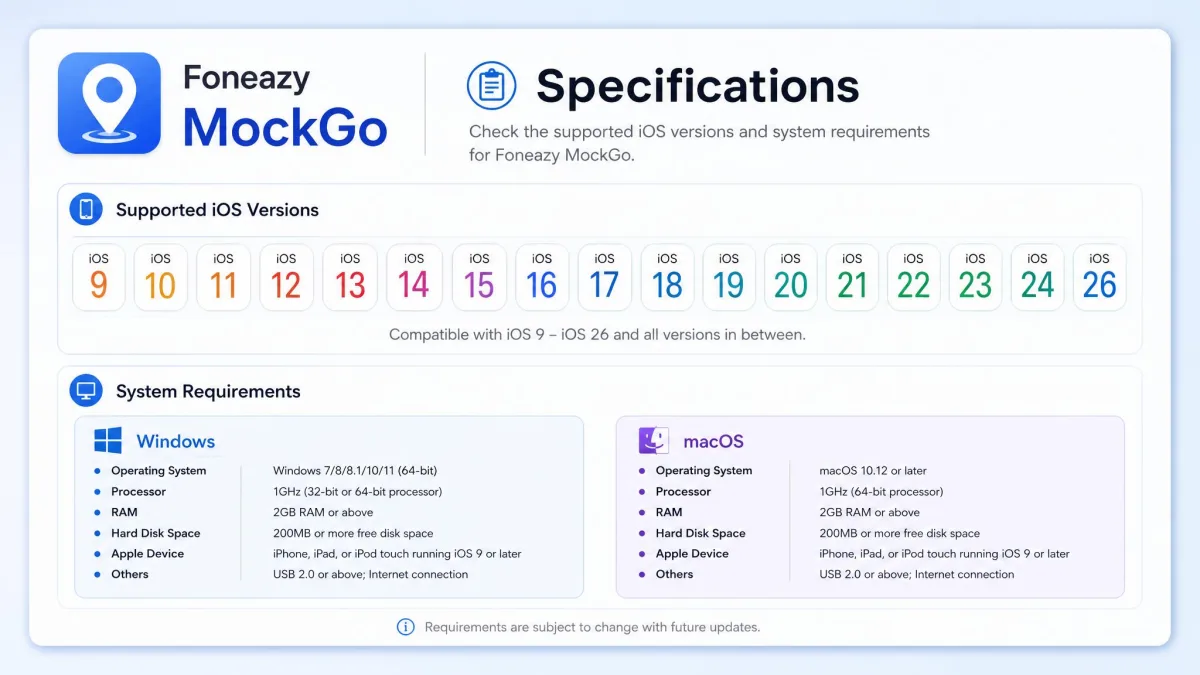
MockGo runs on Windows 11, 10, 8.1, 8, 7, Vista and XP. On the Mac side, Foneazy's spec sheet goes back to macOS 10.12 Sierra. Listings elsewhere claim support one release earlier, so owners of very old Macs sit in a grey zone.
Phone support is generous. The app covers iOS 26 all the way back to iOS 9, which is deeper than most rivals bother with. The limitation to know about is that MockGo controls iOS devices only, with no Android support of any kind.
MockGo needs iTunes installed on Windows even though you never open it. The drivers that ship with iTunes are what let the client talk to your iPhone.
How We Tested MockGo
We ran MockGo from a Windows desktop with an iPhone connected by cable, then repeated the key steps over Wi-Fi. Our focus was on the things that decide whether the app is worth paying for: does the teleport land, does the movement look natural, and does the spoof hold in real apps rather than just on MockGo's own map.
We checked each mode in turn and watched what the phone reported back in Apple Maps and Find My. We also read the pricing page line by line. The gap between the advertised price and the renewal price is where these tools usually catch people out.
Our verdict rests on repeat use rather than a single session. Teleporting once proves nothing; teleporting across several apps, on several days, is what shows whether a spoofer is dependable.
MockGo Features Reviewed
Teleport Mode
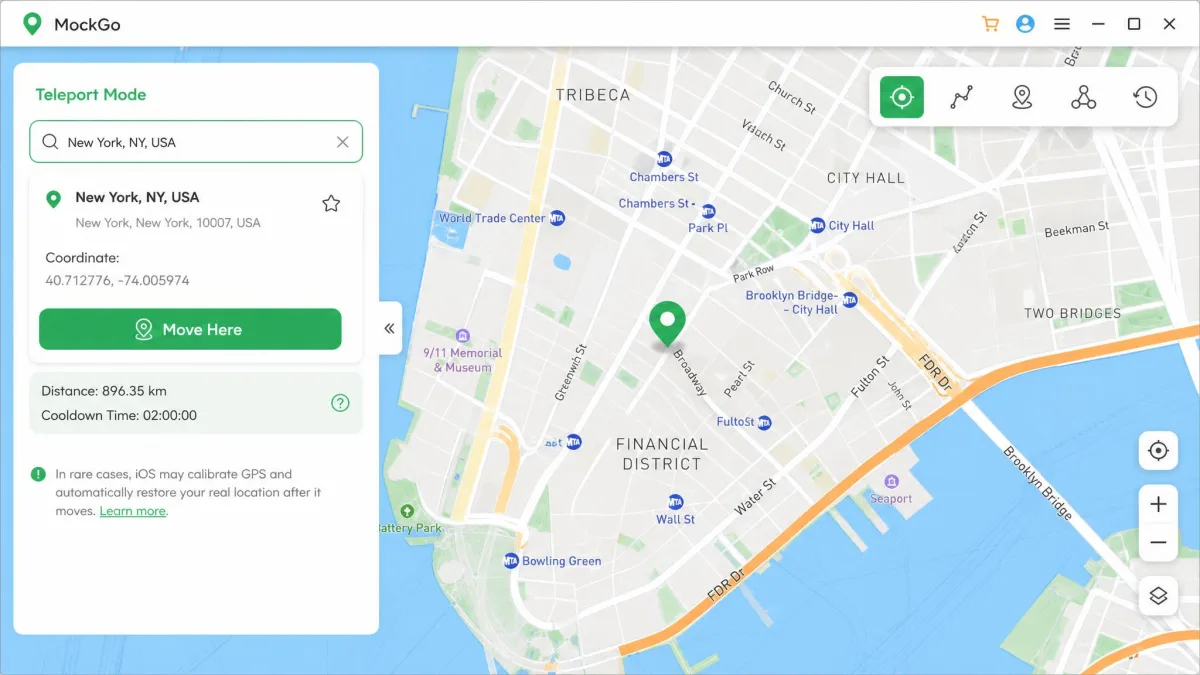
Teleport is the headline feature and the one that works best. You type an address or drop a pin, click to move, and the phone jumps there. In our testing it landed the new coordinates every time, across the location-based apps we tried it with.
The spoofed position is not cosmetic either. It carries through to Apple's Find My, which tells you the change happens at the level the whole system reads.
One-Stop and Multi-Stop Movement
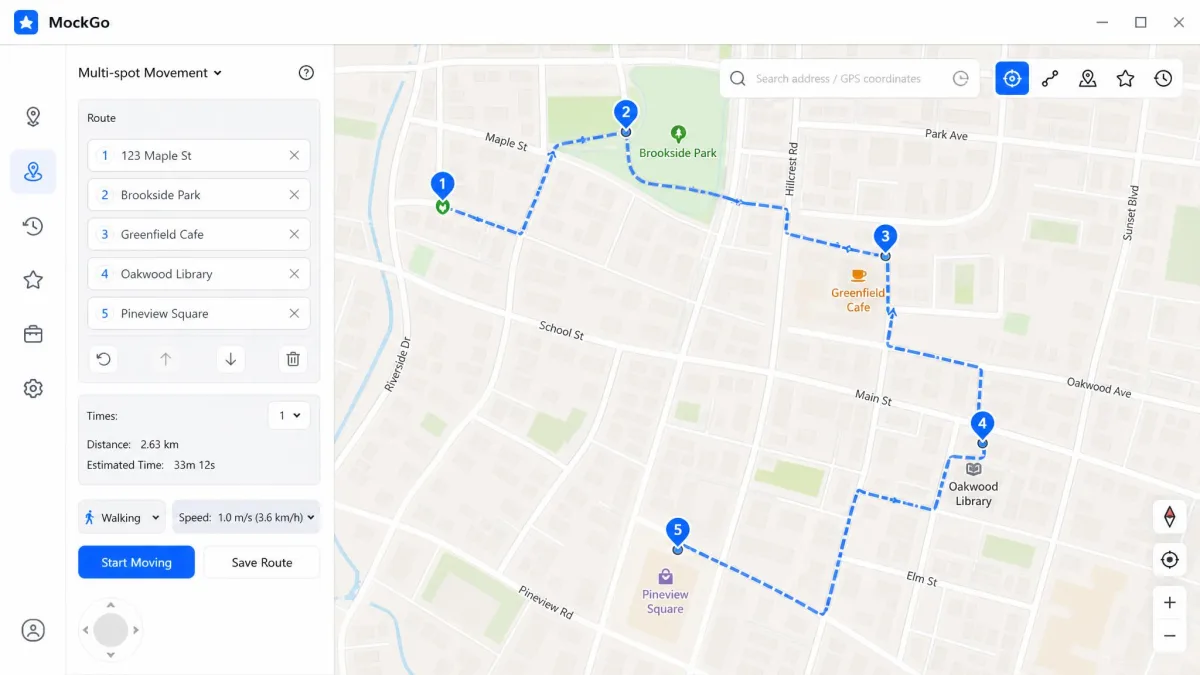
One-stop mode walks a straight line between two points at a speed you choose. Multi-stop mode strings several points into a route, which is what you want for anything that needs to look like a walk or a drive. Both let you set the speed first, and both can loop back to the start.
Joystick Control
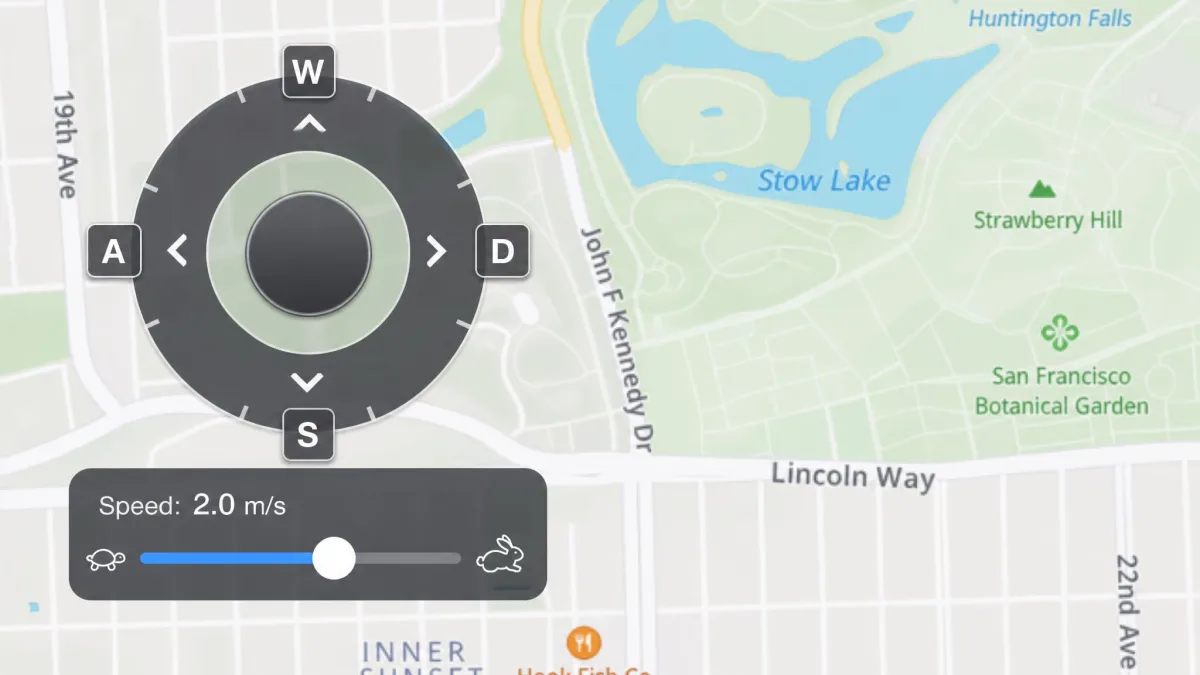
The joystick is where our enthusiasm cooled. You steer with the mouse, the trackpad or the W, A, S, D keys, with full 360-degree direction control, and on paper that is exactly right.
In practice it feels less responsive than it should. There is a noticeable lag between the input and the movement on screen, and that gap is enough to make fine control frustrating.
GPX Route Import
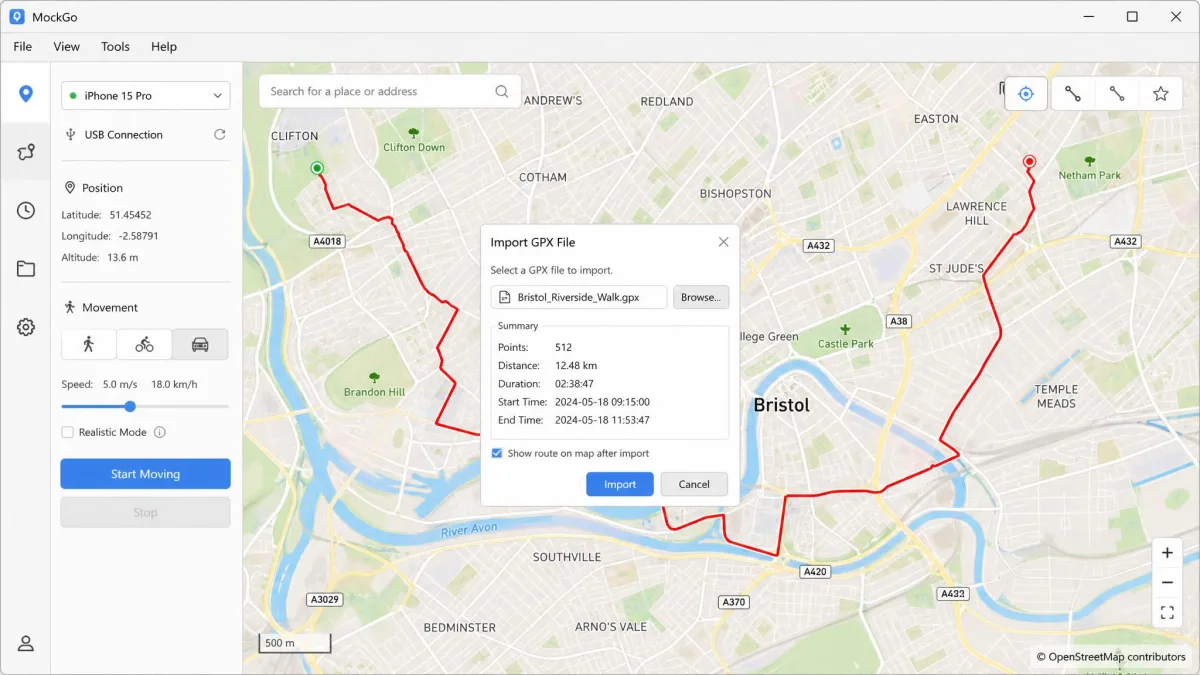
MockGo imports GPX route files, so a route someone else recorded becomes a route your phone walks. This is the fastest way to get a natural-looking path without clicking dozens of points by hand.
Pick GPX files recorded from real walks or rides rather than drawn by hand. Real files carry the small speed changes and slight wobbles that make a route look human.
Realistic Mode and Speed Control
Realistic mode is the cleverest thing in the app. It varies your chosen speed by plus or minus 30% and re-randomises every 5 seconds, so your movement is never a metronome. Combined with the speed slider, that is enough to pass as walking, cycling or driving without manual fiddling.
Cooldown Timer
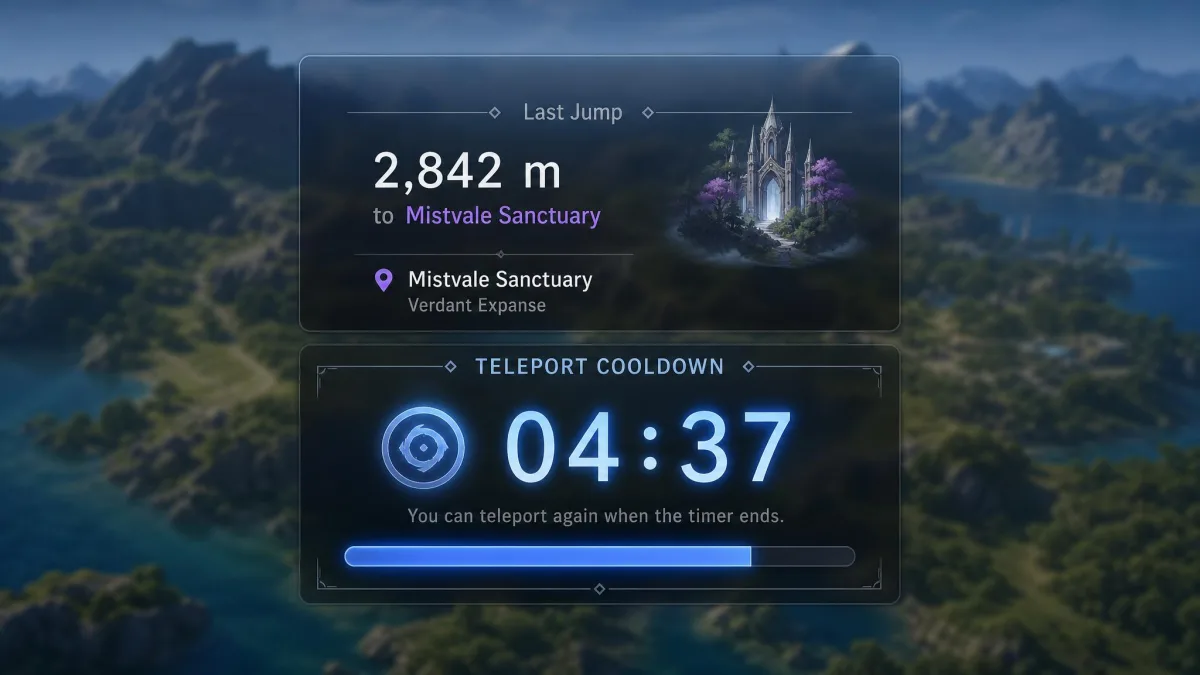
The client shows a cooldown timer after each jump. It is a small thing that does more for your account safety than any other single feature, and we come back to it below.
Multi-Device Control (Up to 5 iPhones)
Every consumer plan covers 5 mobile devices plus one PC or Mac, and the app can drive them at once. Multi-device control does work, though how well the spoof holds varies from one game or app to the next. The Business plan raises that ceiling to 15 mobile devices plus one computer.
Saved Favorites and Routes
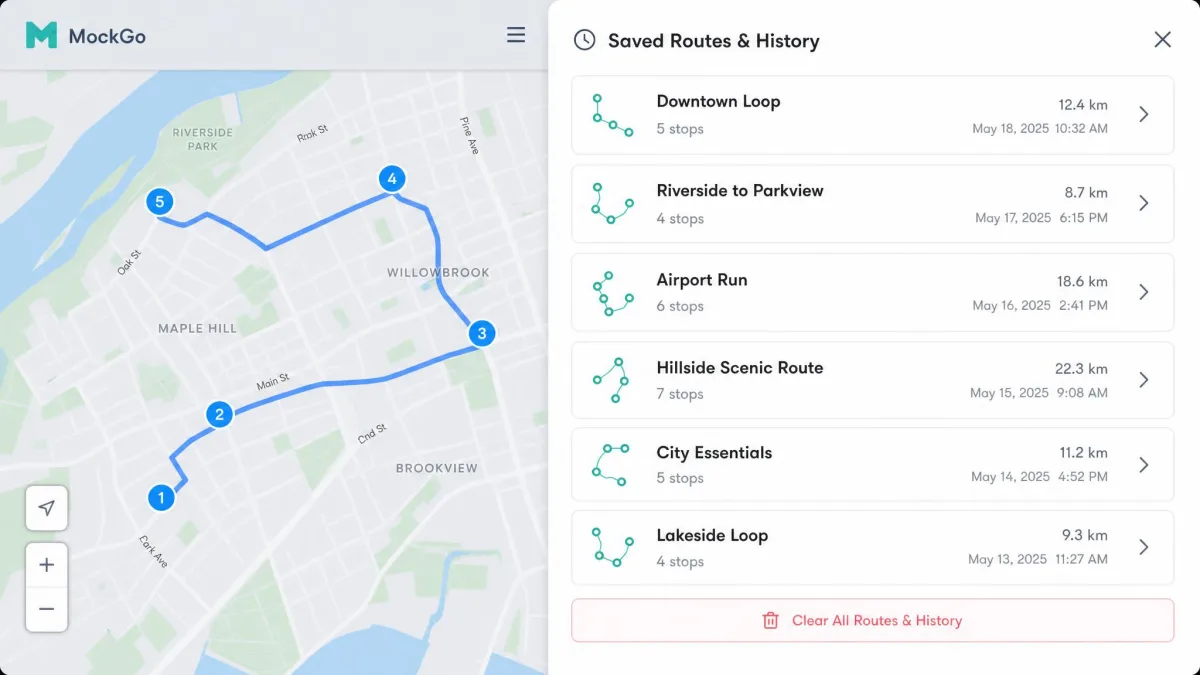
Favourites and history save you retyping addresses, and they are genuinely handy after a week of use. There is one irritation: saved trips can only be cleared as a whole, with no way to delete a single route from the history.
How to Use MockGo: Step by Step
Step 1: Install and Connect Your iPhone
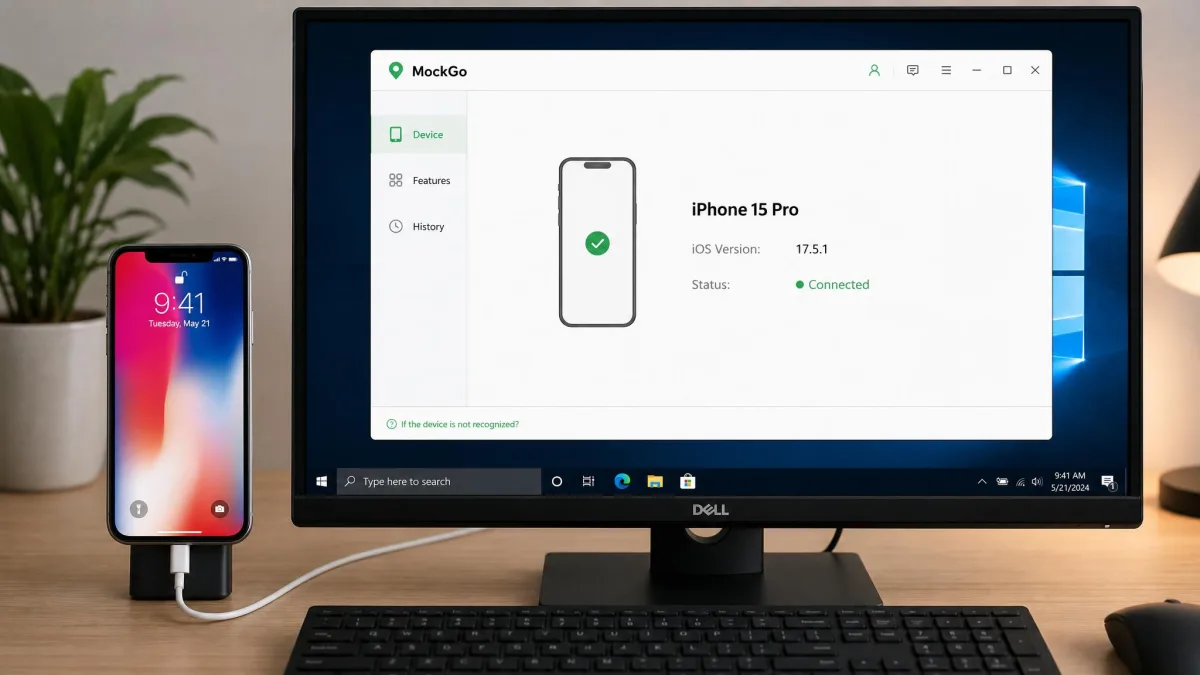
Setup runs through several steps in a row. None of them are hard, but you cannot skip any. Install the desktop client, install the latest version of iTunes for the drivers, then connect the iPhone over USB or Wi-Fi.
The phone will ask you to trust the computer. Tap Trust, enter your device passcode, and the client picks the device up.
Step 2: Pick a Destination or Route
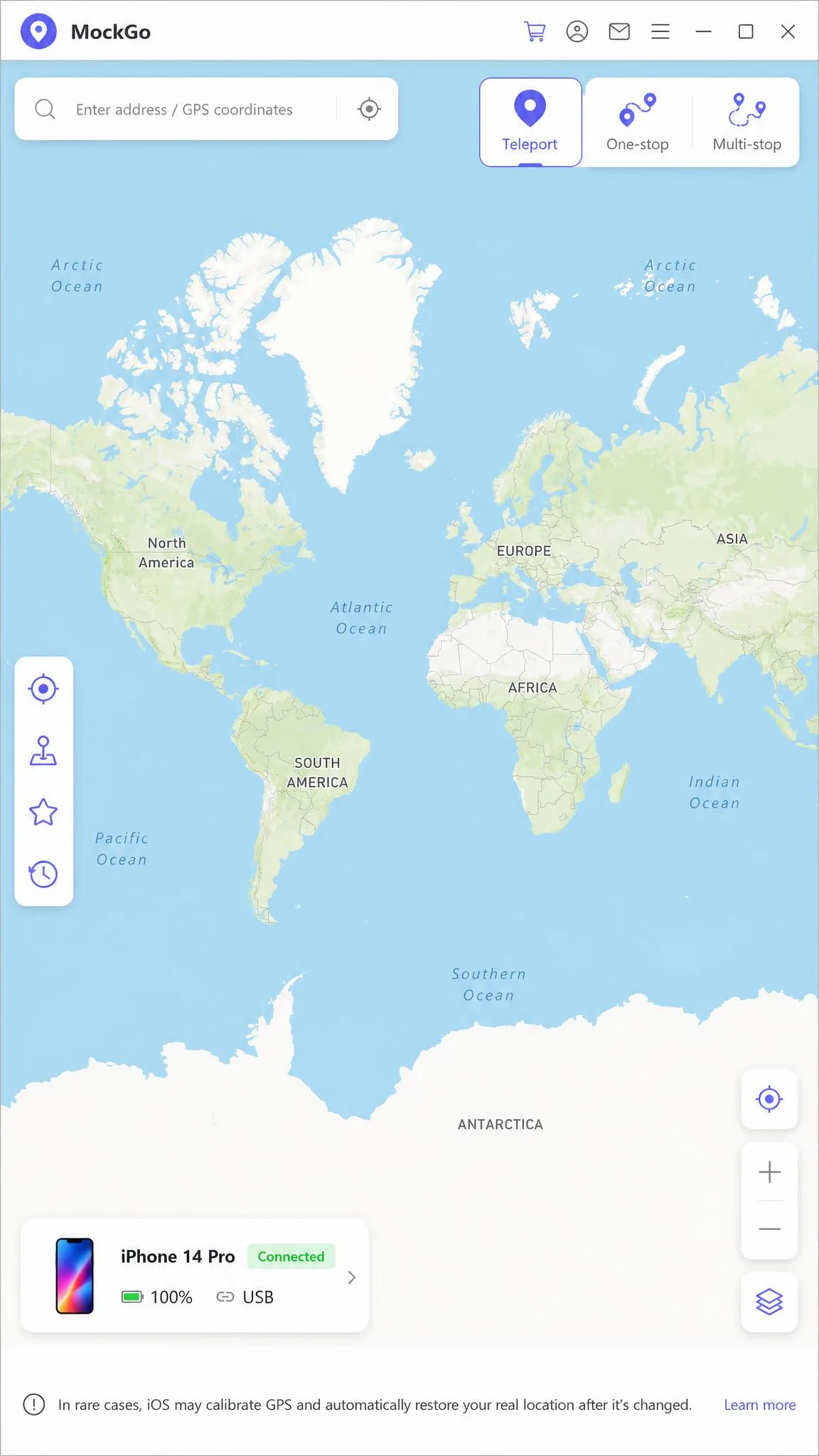
Click the teleport icon at the top right, type your destination in the search box, then click to move. For a route, switch to multi-stop mode, click each point on the map in order, set your speed, and start.
The main window labels every feature clearly, so picking teleport, one-stop or multi-stop takes no hunting.
Step 3: Move Realistically and Avoid Soft Bans
Turn on realistic mode before any route a game will see, then watch the cooldown timer and wait it out before your next jump.
One more habit is worth building if you play Pokemon GO. Teleporting a long distance while the game is still open makes nearby Pokemon flee immediately, so close the game first, teleport, then reopen it. For the general technique rather than the MockGo-specific one, Foneazy documents how to fake location on your iPhone.
MockGo Pricing and Plans
All of that capability sits behind four plans, and the list prices are almost always discounted on the pricing page.
| Plan | Price | Notes |
|---|---|---|
| 1-Month | $9.95 | List price $14.95 |
| 3-Months | $19.95 | List $29.95, marked Best Seller |
| 1-Year | $39.95 | List $49.95 |
| Lifetime | $59.95 | One-time payment, list $79.95 |
If you know you will use this for more than a few months, the lifetime licence at $59.95 is the only plan that stops the meter. Subscription plans auto-renew. Foneazy describes cancellation in general terms rather than as a fixed schedule, and you keep access through the period you have paid for.
Is There a Free Version or Trial?
There is a free trial, but it is metered by use rather than by time. You get one-stop and multi-stop mode once each, and teleport mode plus joystick three times each.
That is enough to confirm the app connects to your phone and little more. We found the trial restrictive enough that it does not give you a complete picture before buying, which is a shame given the joystick is the feature most people would want to test.
Refund Policy
All plans carry a 30-day money-back guarantee. That is the category norm, and it is the real trial here. Buy the plan, test it properly in the first week, and claim the refund if it does not suit you.
Is MockGo Safe and Legal?
Capability is one question, consequences are another. Spoofing your own phone's location is not illegal in itself, and plenty of the use cases above are unremarkable. The risk is contractual rather than criminal: you agree to terms with each app you use, and some of those terms forbid exactly this.
Ban Risk in Pokemon GO and Other Games
Niantic's terms of service prohibit falsifying location and using unauthorised third-party software, and they name account termination as a remedy. That is the honest starting point for any GPS spoofer review.
In practice, most enforcement people meet is a soft ban rather than a termination. The on-screen cooldown timer is the practical guard: teleporting again before it expires is what causes the ban, not the spoofing itself.
Community cooldown charts put the maximum wait after a very long teleport at 2 hours, with a short 1 to 5 km hop needing roughly a 2-minute wait. Those charts disagree about the distance at which the wait tops out. Treat the long end as approximate and wait longer than you think you need to.
Frequent teleporting can trigger account warnings for abnormal location changes even though MockGo itself needs no jailbreak. Niantic's terms of service allow account termination for falsified locations, so anyone spoofing a game account is accepting that risk knowingly.
Privacy, Jailbreak, and Account Safety
Because nothing installs on the phone, MockGo leaves the device unmodified. That is the strongest safety argument in its favour: no jailbreak required, no certificate to revoke, and the spoof ends when you disconnect.
Apple's location services documentation explains what apps can see, and it is worth reading if you plan to leave a fake location running. Anything that legitimately needs your real position will also be fooled. Keep that in mind if the phone is shared or sits on a family plan alongside iPhone tracker apps.
Spoofers exist only as desktop software for a reason. Apple's App Store Review Guidelines do not allow an App Store application to falsify system location, which is why every credible tool here runs from a computer.
Pros and Cons
Weighing all of that up, the ledger falls fairly clearly on both sides.
Pros
- Teleport mode lands reliably, and the change carries into Find My as well as third-party apps
- Realistic mode varies speed by 30% every 5 seconds, so movement never looks robotic
- Deepest iOS support in the category, from iOS 9 through iOS 26
- No jailbreak required, so the phone stays in a normal state
- 5 devices plus one computer on every consumer plan, with a 30-day refund window
Cons
- Joystick control lags behind the input, which hurts precise movement
- The free trial is metered by use and too limited to judge the app properly
- Saved trips can only be cleared as a whole, never one at a time
- iOS only, with no Android support at all
- Support can be hard to reach when something breaks mid-session
MockGo vs the Alternatives
MockGo is not the only desktop spoofer at this price, and the differences are mostly about breadth rather than the core teleport. We look at the wider field in our guide to the best virtual location changers, but these three are the ones you will weigh against MockGo directly.
| Product | Monthly | Lifetime | Mobile OS | Device limit | Free trial |
|---|---|---|---|---|---|
 |
$9.95 | $59.95 | iOS only | 5 + 1 computer | Use-count limited |
 |
$9.95 | Not offered | iOS and Android | 15 devices | 1-hour |
 |
$9.95 | Not published | iOS and Android | 15 devices | Not published |
 |
$9.95 | Not offered | iOS and Android | 5 + 1 computer | No |
Tenorshare iAnyGo is the closest rival. It costs the same $9.95 a month and controls up to 15 devices at once. It adds Android coverage as far back as Android 4, and it offers GPX export as well as import, though its standalone mobile apps cost $14.99 a month. It also gives you a 1-hour free trial on the desktop version, which tells you more in an hour than MockGo's use-metered trial tells you at all.
MocPOGO aims squarely at players, with a custom speed range from 3.6 to 100 km/h and stated support for 40 or more location-based games. Dr.Fone Virtual Location is the one to be careful with. Wondershare stopped updating it at the end of August 2024, so compatibility with newer iOS releases can lapse without notice.

Frequently Asked Questions
Does MockGo actually work in 2026?
Can you get banned for using MockGo?
What happens if the cable disconnects mid-route?
Does MockGo need a jailbreak?
Can I move my licence to a new computer?
Does a spoofed location affect other Apple services?
How do you evaluate it properly before committing?
How does MockGo compare to MocPOGO and iAnyGo?
Final Verdict: Should You Buy MockGo?
Buy it if your use is mostly teleporting with the occasional plotted route. That is the part of the app that never let us down, and the deep iOS support plus the no-jailbreak design make it the safest-feeling option in a category full of sketchy ones.
Skip it if you need joystick precision, or if there is an Android phone in the house. The manual steering is not something a price cut fixes, and iAnyGo and MocPOGO both cover Android and three times as many devices for the same monthly figure.
If you do buy, take the $59.95 lifetime licence rather than a subscription, and treat the first 30 days as the trial the free version does not give you. Test the joystick on day one, not day 29.