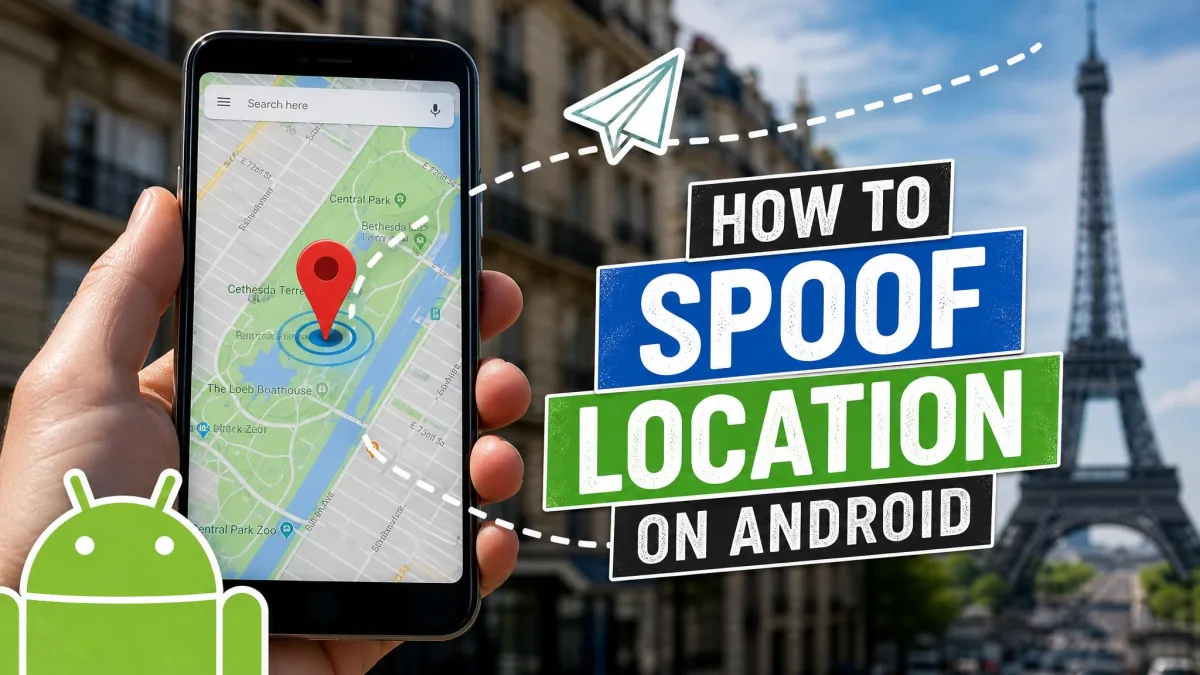
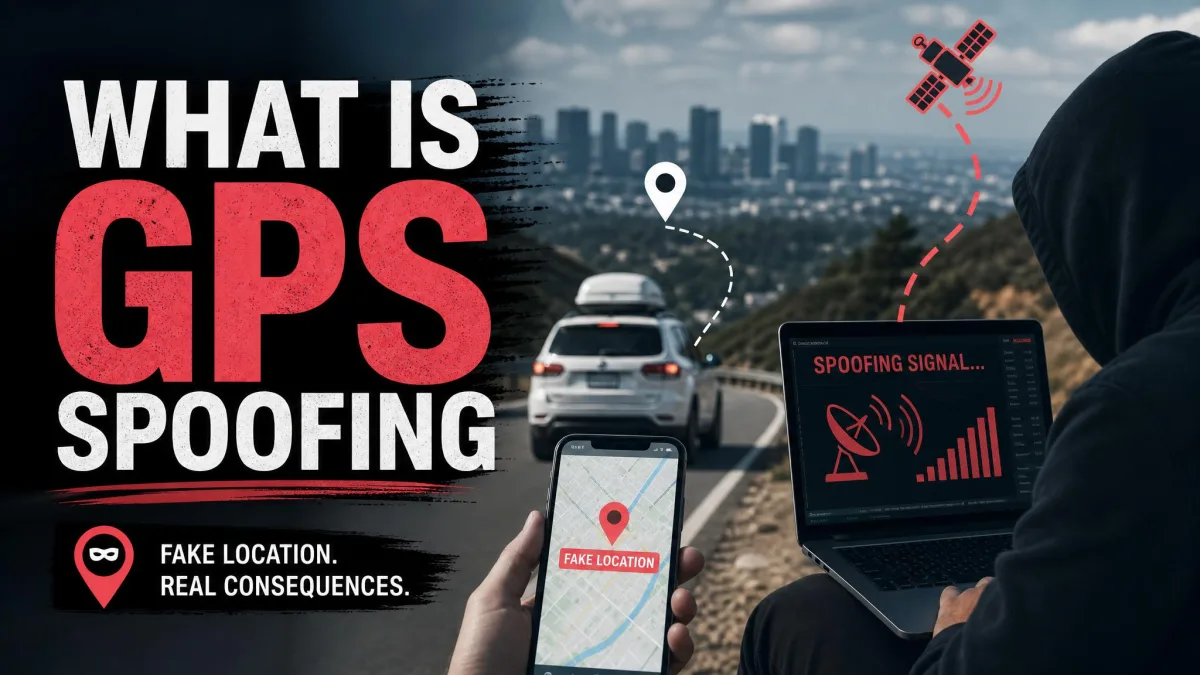
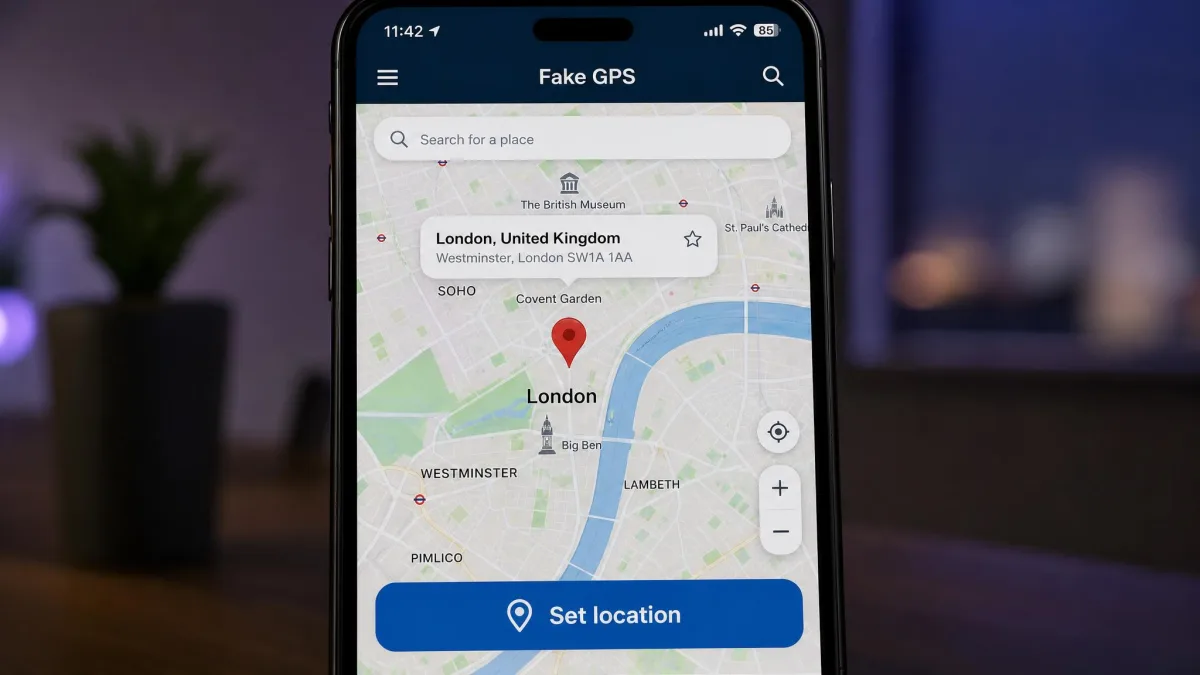
GPS spoofing means telling your phone it sits at a set of coordinates it has never actually visited. A spoofer feeds fake GPS location data into the operating system, and every location-based app on the device reads that position instead of the real one.
People do this for ordinary reasons. Developers test geofences and delivery radiuses without driving anywhere. Privacy-minded users hide a home address from apps that collect location data by default. Travellers reach geo-restricted content that a service walls off by region. Players of location-based games simulate a route rather than walk it.
The tools split cleanly by platform. On Android you install a free app and turn on one developer setting. On iOS you need desktop software, because Apple offers no equivalent switch. We looked at nine apps across both platforms and checked pricing, features and OS support on 3 August 2026.

How We Tested These GPS Spoofing Apps
We built this ranking around what each app can do today, not what its store listing claimed years ago. For every tool we checked the current vendor pricing page, the published device limits, the minimum operating system, and the most recent version date.
Version currency did a lot of the sorting. An Android spoofer that has not been rebuilt since 2022 lags behind the permission changes Google has shipped since, and one developer states outright that its older paid app no longer supports Android 10 and above.
We also scored the features that separate a toy from a usable tool: joystick control, one click teleport, route simulation with speed control, and how many devices a licence covers. Community ratings were used as a stability signal rather than a verdict, because an abandoned spoofer's rating collapses long before its listing disappears.
Pricing, device limits and OS support here come from each vendor's own current pages, checked on 3 August 2026. Our judgements rest on documented behaviour rather than an invented test history.
Best GPS Spoofing Apps at a Glance
The short version is a budget rule rather than a product name. If you carry an iPhone, plan on paying for desktop software, because nothing runs on the handset alone unless it is jailbroken. If you carry an Android phone, you can almost certainly solve the problem for nothing, and the money you might have spent is better kept for a second-hand spare handset you are willing to risk. Paid tools only start earning their price on Android once you need several devices moving together.
On the free side, GPS Emulator is the lightest and best-rated Android option. GPS JoyStick is the one to pick if you want to steer your movement rather than jump between points on a map.
Why People Fake Their GPS Location
App testing is the least controversial use case. If you are building anything that reacts to a geofence, a delivery zone or a store locator, mock coordinates let you check the behaviour from your desk.
Privacy is the second driver. Plenty of apps request precise location for no clear reason, and feeding them a nearby but wrong position limits what ends up in their data.
Geo-restricted content is the third, since some catalogues, prices and event listings change with your position.
Then there are location-based games. Simulating a walking route is the most popular reason people search for a GPS spoofer, and it is also the riskiest, because those games invest heavily in detecting exactly this.
Changing your own device's location is generally lawful, but it usually breaks the terms of service of the apps you use it with. Using a spoofed position to deceive a person, defraud a service or evade a court condition is a different matter entirely.
Best GPS Spoofing Apps for Android
Android is the easy platform. The system exposes a mock location provider through developer options, so every app below runs without root.
1. Fake GPS Location by Lexa - Best Free Android Spoofer
Fake GPS Location by Lexa on Google Play is the app most people meet first. It is free, needs Android 5.0 or later, and has been downloaded about 56 million times. The community rates it 4.65 out of 5 across roughly 610,000 ratings.
The interface is a map, a search bar and a play button. You pick a point, tap start, and the device reports those coordinates. The catch is age: the current build is version 2.1.2, last updated in August 2022, so it lags behind newer Android permission changes. There is no joystick and no route simulation.
Pros
- Free, tiny at 1.93 MB, and genuinely easy to use
- Works on anything from Android 5.0 upward
- Favourites list makes repeat locations quick
Cons
- No update since 2022, so newer releases can break it
- No joystick, route simulation or speed control

2. Fake GPS Location: GPS JoyStick - Best Joystick Control
GPS JoyStick on Google Play is the app to choose when you want movement rather than teleporting. It puts a 360 degree joystick on screen, records and replays routes, and imports GPX files.
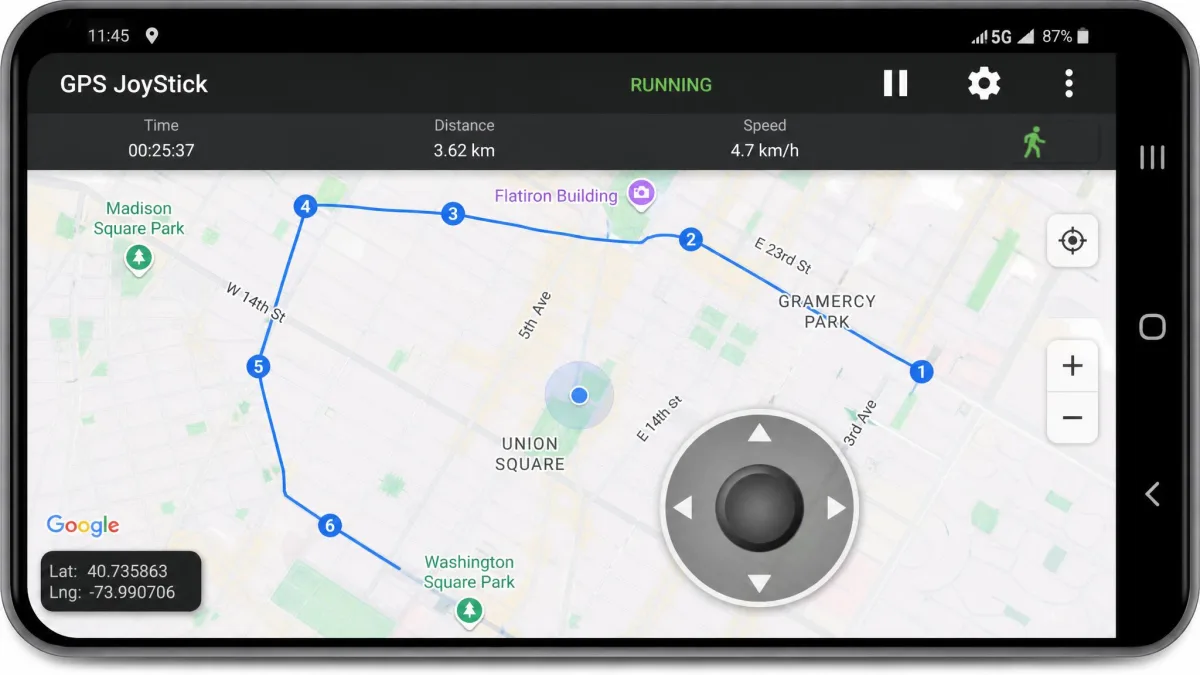
It is the most actively maintained free option here. Version 5.3.3 landed in July 2026, it needs Android 6.0 or later, and it has about 9.2 million downloads at a 4.05 out of 5 rating. The free version is ad-supported, and a Premium in-app purchase removes ads and adds a dark theme.
Pros
- Real joystick control with adjustable movement
- Route recording, playback and GPX import
- Still updated in 2026, unlike most free spoofers
Cons
- Free tier carries ads
- Premium pricing appears only inside the app, and it shifts with region and promotion, so check the Play listing before you buy

3. Mock Locations - Best for Developer Testing
Mock Locations is the choice for anyone testing software rather than playing a game. It draws a fake GPS path on the map and replays it with speed control, and it spoofs both the GPS and network location providers so every installed app sees the same position.
It is free, needs Android 7.0 or later, and the current release is version 1.36.3 from May 2026. The community rates it 4.68 out of 5 across about 21,000 ratings. A companion Hide Mock Locations module exists for rooted devices, though the core app does not need root.
Pros
- Spoofs both GPS and network location providers
- Draw a route, then replay it at a set speed
- Actively maintained and well rated
Cons
- Interface is built for testing, not for gaming
- The hiding module requires a rooted device

4. GPS Emulator - Best Lightweight Option
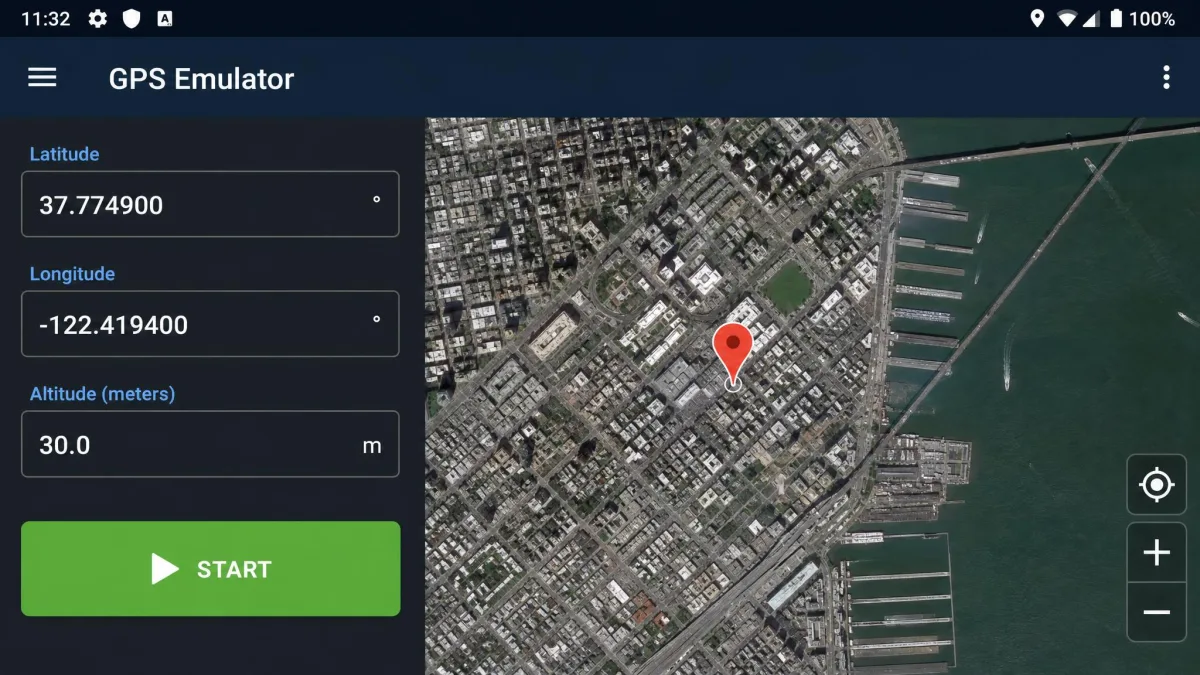
GPS Emulator is the free app we would install first. Google Play's community rates it 4.78 out of 5 across roughly 260,000 ratings, the highest score in this Android group, and it has about 14 million downloads.
It runs on Android 7.0 and up, and the current version is 3.20 from June 2026. You get terrain and satellite map views, a search bar for named places, altitude and accuracy fields, and one button that stops spoofing cleanly. What it lacks is a joystick or route simulation. This is a teleport tool, and it does that one job well.
Pros
- Highest community rating of any app here
- Terrain and satellite views plus altitude and accuracy fields
- Single stop button returns control cleanly
Cons
- No joystick and no route simulation
- Teleport only, so movement looks instant
5. VPNa Fake GPS Location - Best No-Root Option
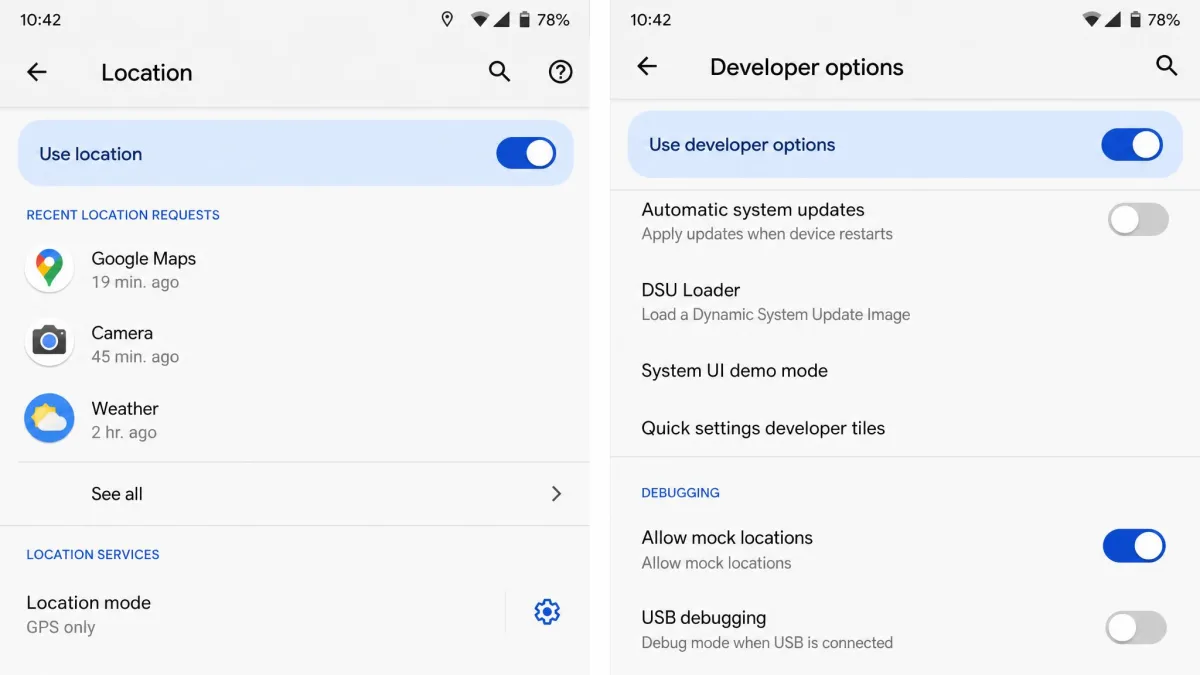
The VPNa family, listed variously as Fake GPS Location Spoofer Free and Fake GPS (New App Horizons), offers one-tap teleport with no root required and a free tier supported by ads. Setup is stricter than the others. You need "Allow mock locations" turned on in developer settings, and location mode set to GPS only, otherwise cached positions leak back after you stop.
Treat the older paid sibling as a warning. Fake GPS Go Location Spoofer costs $2.99, was last updated in October 2018, and its developer states that Android 10 and above is no longer supported. The community rates it just 2.63 out of 5 across about 6,800 ratings, the clearest signal of an abandoned spoofer you will find.
Pros
- No root required on standard devices
- One-tap teleport with a usable free version
- Good fit for checking another app's location handling
Cons
- Needs location mode set to GPS only to avoid leaks
- The paid legacy build is abandoned and poorly rated

Best GPS Spoofing Apps for iPhone
iOS has no mock location setting, so these four tools all run desktop software that pairs with the iPhone over USB before switching to Wi-Fi. That extra step is also why they hold a steady simulated position through long sessions, where phone-only spoofers snap back to the real location.
6. Tenorshare iAnyGo - Best Overall for iOS
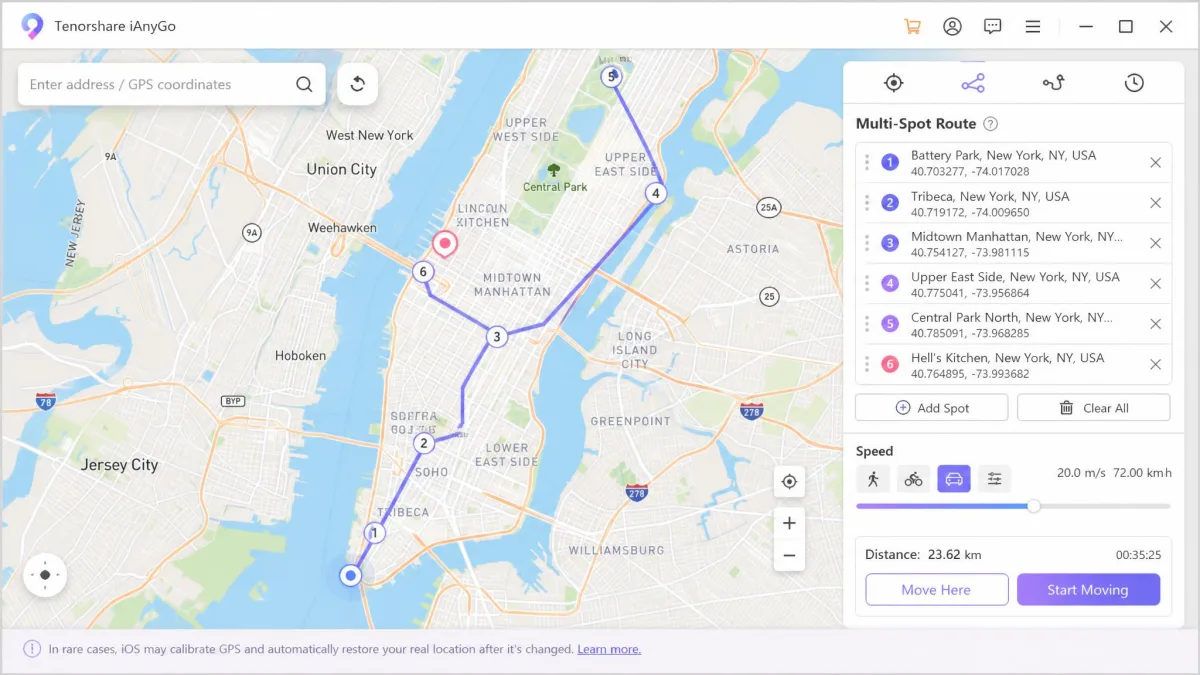
Tenorshare iAnyGo is the most complete tool here. It gives you one-tap teleport, single-spot and multi-spot route simulation, a 360 degree joystick, adjustable speed up to 108 km/h, GPX import and export, and a cooldown timer built for location-based games.
That cooldown timer is the part worth understanding before you buy, because it is the feature that separates iAnyGo from a plain teleport tool. After a jump it counts down the interval a game expects before your account moves again, so you are not left guessing how long to wait between distant hops. It is also the reason iAnyGo suits a reader who wants to be careful rather than fast.
Pricing is $12.95 per month for the Windows and Mac desktop version, or $14.99 per month for the standalone mobile app. It needs a USB connection for the first pairing but is otherwise beginner-friendly, and it supports iOS 14 through iOS 27 plus the matching iPadOS releases.
Pros
- Routes of up to 99 waypoints with adjustable speed
- Covers 15 devices on a single licence
- One hour free trial and a 30 day money back guarantee
Cons
- Subscription pricing with no free tier
- First pairing needs a USB cable
Tenorshare advertises a 0% ban rate for iAnyGo. No spoofing tool can guarantee immunity, and strict games and dating apps still flag unnatural movement, so treat that figure as a claim rather than a promise.
7. iToolab AnyGo - Best Route Simulation
iToolab AnyGo does teleport, two-spot and multi-spot routes, joystick control, GPX import and speed control, and it connects over Wi-Fi once the first USB pairing is done. It works with iOS 26 and Android 16, and simulates locations on up to 15 devices at once. Setup runs in five steps: install the software, connect over USB or Wi-Fi, confirm your real position on the map, search a target, then click Go.
Pricing is $19.95 for one month, $39.95 billed quarterly, $79.95 billed annually, or $119.95 for a lifetime licence. A licence covers 5 iOS devices plus one PC and one Mac install, with a 30 day money back guarantee. Even with realistic movement simulation, strict apps can still detect it and respond with account restrictions.
Pros
- Strongest route simulation, with two-spot and multi-spot modes
- Confirmed working on iOS 26 and Android 16
- Lifetime licence available
Cons
- Most expensive monthly plan in this group
- The Android side still leans on a USB cable

8. iMyFone AnyTo - Best Movement Speed Control
iMyFone AnyTo gives the finest control over how fast you appear to move, with speed adjustable from 3.6 km/h up to 120 km/h. That range covers a walking pace, a cycling pace and a driving pace without looking impossible.
It offers teleport, two-spot and multi-spot modes, a 360 degree joystick, GPX import and export, cloud-saved routes, and a cooling timer with an auto catcher for location-based games. It connects over USB, Wi-Fi or Bluetooth, manages up to 10 devices at once, and needs no jailbreak or root.
Support runs from iOS 5 and up, including the iOS 27 beta, plus Android 6.0 and up. Plans start from $14.99. Once the initial USB setup is done it switches to wireless control, which removes the cable from day-to-day use.
Pros
- Speed control from 3.6 km/h to 120 km/h
- Cloud-saved routes and GPX import and export
- Wireless control after the first USB setup
Cons
- Only an entry price is published, so the tier split is unclear
- Manages fewer devices than iAnyGo
9. Foneazy MockGo - Best Multi-Device Support
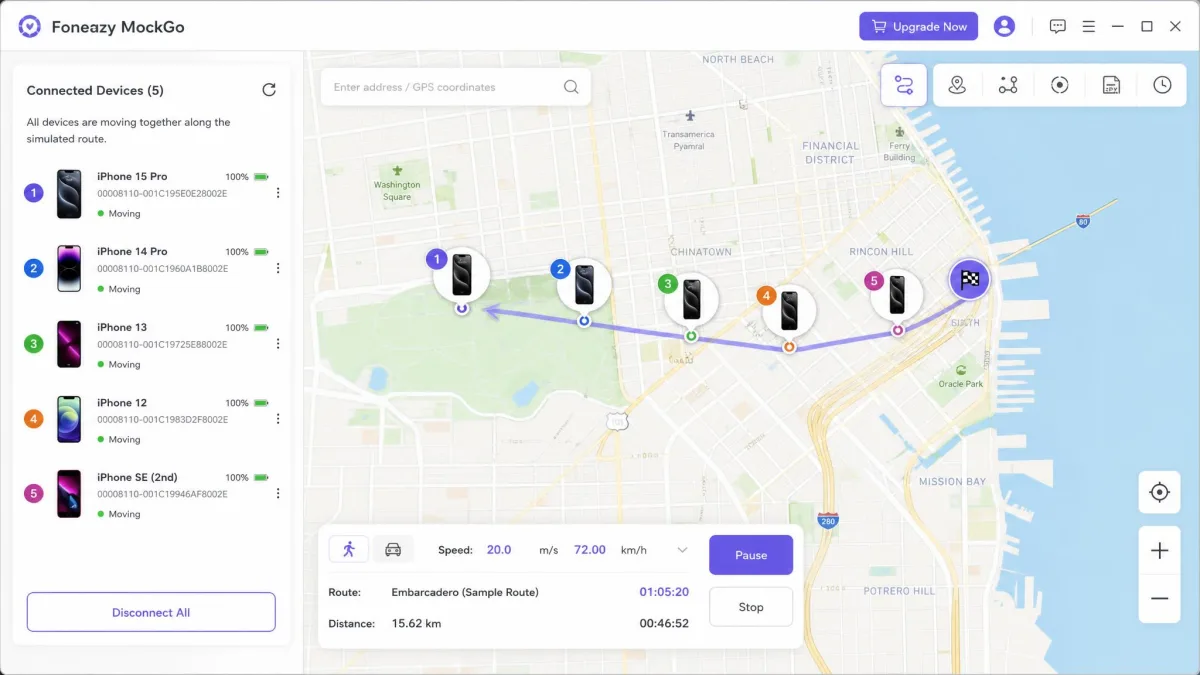
Foneazy MockGo is the cheapest way into paid iOS spoofing and the best pick for households or small teams. It drives synchronised movement across five devices at once without crashing, which no free app here attempts. You get one-click teleport, two-spot and multi-spot routes, joystick movement and speed customisation, with desktop software required and no jailbreak needed.
A month costs $9.95 against a $14.95 regular price, three months is $19.95, a year is $39.95, and a lifetime licence is $59.95. Every plan covers 5 devices plus one PC or Mac and carries a 30 day money back guarantee. A business licence at $19.95 a month covers 15 devices.
Pros
- Cheapest paid iOS spoofer here, and it can be bought outright
- Synchronised movement across five devices
- 30 day money back guarantee on all plans
Cons
- Desktop software is mandatory
- Fewer connection options than AnyTo

GPS Spoofing App Comparison Table
| App | Buy | Platform | Root/jailbreak needed | Joystick | Route simulation | Free tier | Price |
|---|---|---|---|---|---|---|---|
|
Check price → | iOS, Android, desktop | No | Yes | Yes, up to 99 waypoints | 1 hour trial | $12.95/modesktop |
|
Visit App Page | Android | No | No | No | Yes | Free |
|
Visit App Page | Android | No | Yes | Yes | Yes, ad-supported | Freewith paid Premium |
|
Visit App Page | Android | No | No | No | Yes | Free |
|
Visit App Page | Android | No | No | Yes | Yes | Free |
|
Visit App Page | Android | No | No | No | Yes | Free |
|
Check price | iOS, Android, desktop | No | Yes | Yes | Limited trial | $19.95/mo,$119.95 lifetime |
|
Check price | iOS, Android, desktop | No | Yes | Yes | Limited trial | From$14.99 |
|
Check price | iOS, desktop | No | Yes | Yes | Limited trial | $9.95/mo,$59.95 lifetime |
How to Choose the Right GPS Spoofing App
Start with your device, because it decides your budget. Android users can stop at a free app in most cases. iPhone users choose between paid desktop software and jailbreaking, and only one of those is sensible.
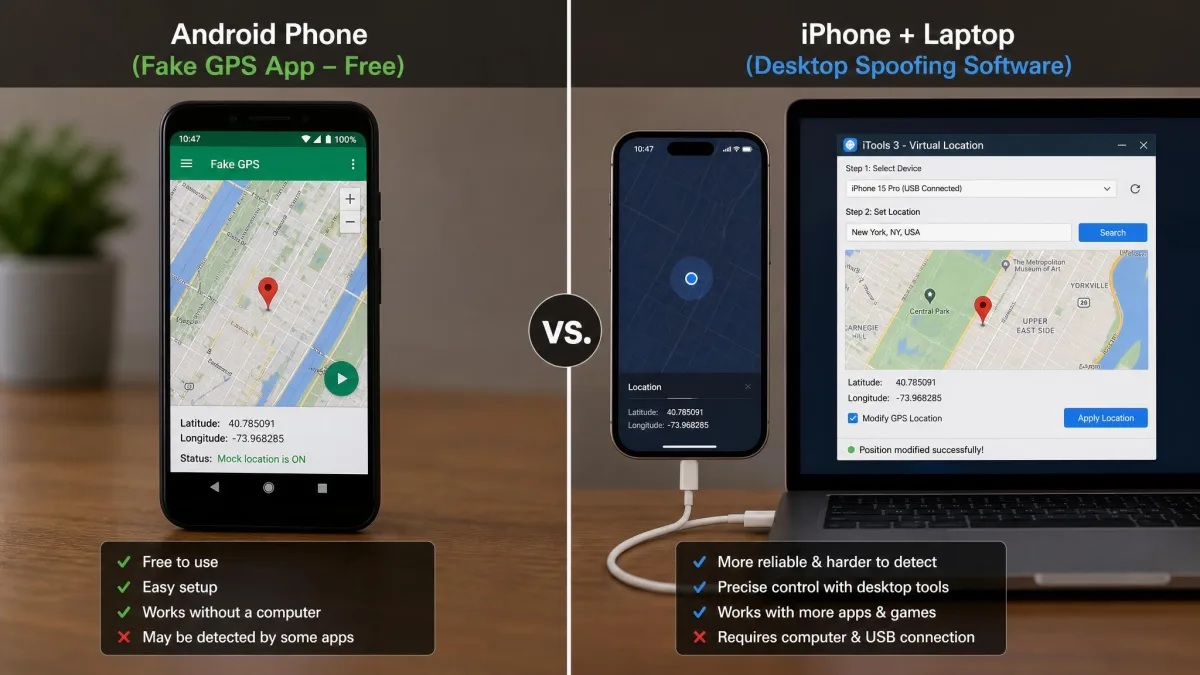
Then ask whether you need movement or just a different pin on the map. If a static position is enough, GPS Emulator does the job at no cost. If you need to look like you are walking, you want a joystick and speed control, which means GPS JoyStick on Android or any of the four iOS tools.
Device count matters more than people expect. A free Android app covers one phone at a time, so a household that wants two or three handsets moving together has to move up to paid desktop software whatever the platform.
Buy the shortest paid plan first and use the money back window. Every paid tool here carries a 30 day money back guarantee, so a month at $9.95 is a cheap way to find out whether a spoofer holds up on your own device.
How GPS Spoofing Actually Works on Android and iOS
Developer options and mock location on Android
Android ships a mock location provider as a documented part of the platform. Android's mock location provider lets a nominated app supply coordinates that the system hands to everything else.
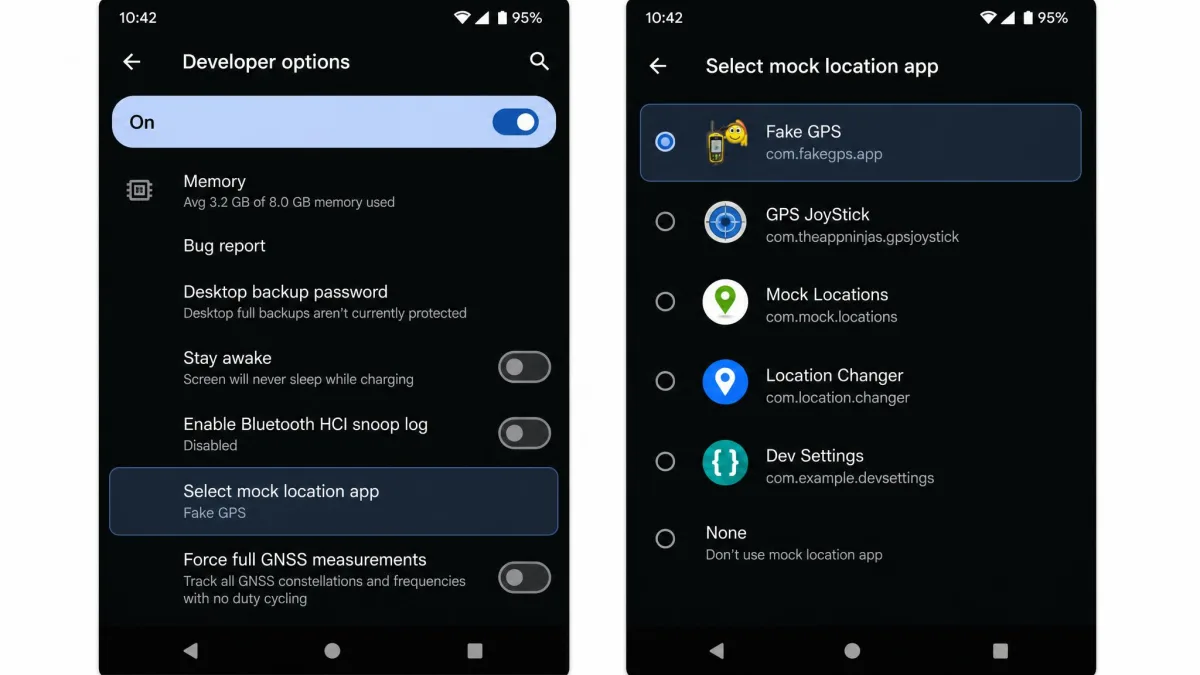
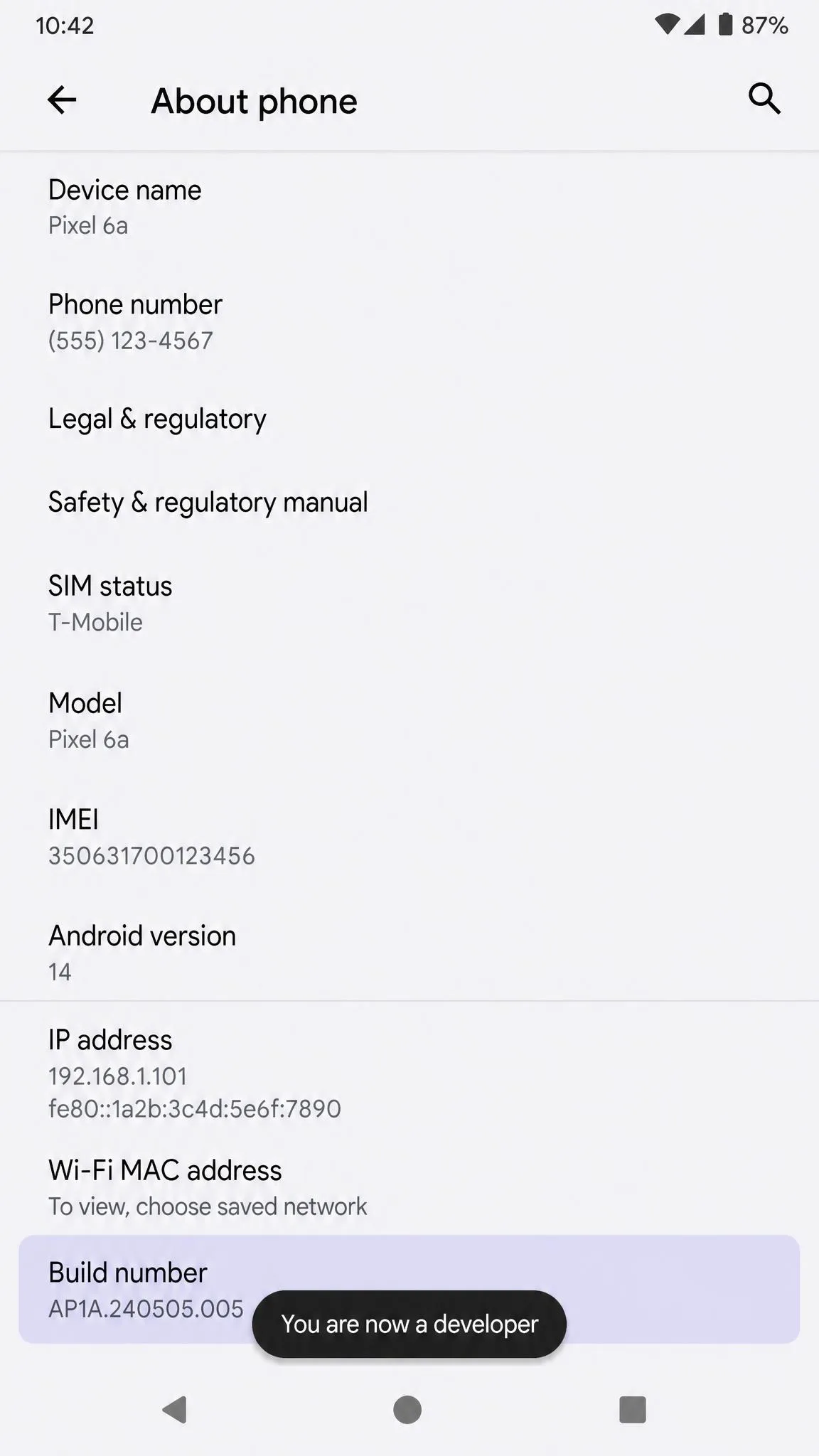
Turning it on is the first real friction point. Open Settings, then About phone, and tap Build number seven times to unlock developer options. Go back into developer options, find "Select mock location app", and choose your spoofer.
Why iPhone spoofing needs a computer
iOS has no equivalent setting. Apple's Location Services documentation describes a location stack that draws on GPS, Wi-Fi, Bluetooth and cellular signals together, with no user-facing hook for supplying your own coordinates.
That is why non-jailbreak iPhone spoofers run desktop software that pairs with the phone over USB, then hands off to Wi-Fi. The computer holds the simulated position and feeds it to the device.
Jailbreak-only tweaks such as Location Faker and Relocate Reborn need no computer and work system-wide. Jailbreaking voids the warranty, so we do not recommend it for a location change alone.
Free vs Paid GPS Spoofing Apps: What You Actually Get
Free means Android, and it means teleport. Every free app here changes your coordinates, and the better ones add favourites, satellite views or a route you can draw. What free rarely buys you is a joystick, cloud-saved routes or multi-device control. It also means advertising, and the ads sit in the same screen you use to set a position.
Paid means iOS, and it means a subscription. The most common complaint about the paid iOS spoofers is the shape of the paywall rather than the spoofing itself, because the free trials on iAnyGo, AnyGo, AnyTo and MockGo are all heavily feature-limited. A lifetime licence is the honest comparison point, not the monthly headline, and on that basis the gap between the cheapest and the dearest of these tools is roughly double rather than the fourfold gap the monthly prices suggest.
There is also a hardware route. A dongle such as iTeleporter needs no software at all, though hardware pricing shifts with stock and reseller, so treat the roughly $228 figure as an approximate ceiling rather than a fixed price.
Why Older Fake GPS Apps Stop Working
Modern location stacks cross-check GPS against Wi-Fi, Bluetooth and cellular signals. When only the GPS layer is faked, the other signals disagree, which is why so many free mobile-only apps show rubber-banding and start getting flagged after a major OS update.
Abandonment does the rest. An app that has not shipped a build in four years cannot keep up with new permission models, and its rating falls as the failures pile up.
Detection, bans and account risk
Location-based games treat spoofing as cheating and act on it. Niantic's Terms of Service back a three-strike discipline policy. A first strike is a warning, and rare Pokemon stop appearing in the wild for 7 days. A second strike is a temporary suspension, typically 30 days. A third strike is a permanent ban, with all progress, Pokemon and items lost.
Niantic states that very few account terminations are overturned on appeal, because its detection accuracy is high. If an account matters to you, do not spoof on it.
Dating and social apps are less transparent but no less capable. Some free Android spoofers simply do not work with Pokemon GO at all, even when they change the system location correctly.
Root and jailbreak requirements
None of the nine apps here requires root or a jailbreak. Android's mock location setting is an official feature, and the iOS tools work by pairing with a computer rather than by modifying the phone.
Root only enters the picture for hiding the fact that you are spoofing, such as the Hide Mock Locations module. That is a meaningful escalation. Rooting or jailbreaking removes the security boundaries the platform depends on, breaks banking and payment apps, and voids the warranty.
Is GPS Spoofing Legal?
In most places, changing the location your own device reports is legal. You own the phone, and you are not interfering with anyone else's signal.
The line sits elsewhere. Using a fake location to deceive a person, defraud a business, claim a benefit or evade a legal restriction can be unlawful regardless of the tool involved. Broadcasting a false GPS signal over the air is a separate matter, and is regulated in most countries.
Almost every app you use a spoofer with also forbids it in its terms of service. That is a contract issue rather than a criminal one, and the penalty is losing the account.
Frequently Asked Questions
What happens to my subscription if the app I spoofed on bans my account?
Does spoofing on a work phone change anything?
Can Apple detect GPS spoofing?
What do I do if an app I need specifically checks the mock location flag?
Will I get banned from Pokemon GO or dating apps?
Can I fake my location without a computer?
Do free fake GPS apps still work in 2026?
How do I turn off mock location afterwards?
Final Verdict: Which GPS Spoofing App Should You Use?
The choice on iPhone comes down to how many devices you are moving and how much control you want over the movement itself. Tenorshare iAnyGo is the one to buy for a single user who wants the safest possible handling of a game account. Foneazy MockGo is the one to buy if you are moving a household's worth of handsets together, or if the monthly outlay is the thing standing between you and a decision, since it is the only tool here that reaches a lifetime licence for under sixty dollars. Pick iToolab AnyGo only when route realism is the whole point and you are willing to pay the highest monthly rate for it.
On Android the answer is shorter. Install GPS Emulator first and only move on if you need movement rather than teleporting. If you do, GPS JoyStick is the one free app in this category still shipping updates in 2026.