You're weighing a GPS spoofer, and iMoveGo keeps showing up in every list you read. The questions are always the same. Does it still work, is it safe to use, and does the subscription justify itself when cheaper apps promise the same thing?
We ran the desktop client against both a phone on a cable and one paired over Wi-Fi, and we checked every price figure against WooTechy's own store on 4 August 2026.
Below you'll find what iMoveGo actually does, what each tier costs, how the setup goes, where the ban risk sits, and which alternatives are worth a look first.
iMoveGo at a Glance: Our Verdict
What Is WooTechy iMoveGo?
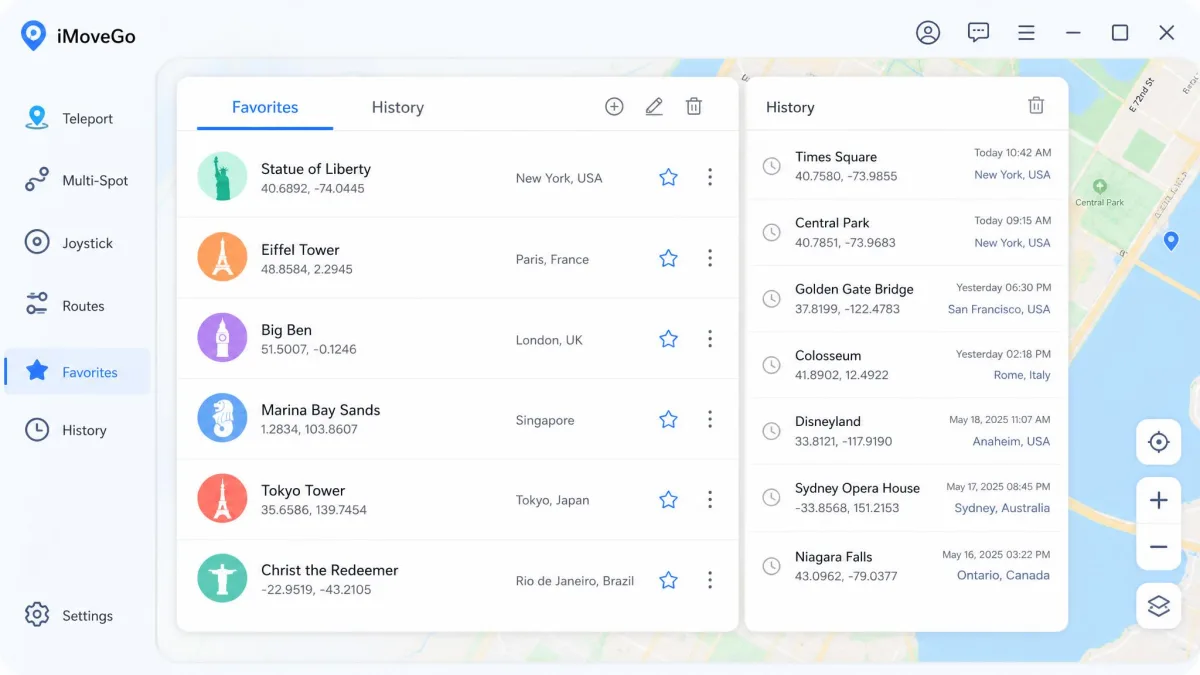
iMoveGo is a desktop GPS spoofing app that overrides the location your phone reports to any location-based app. You run WooTechy iMoveGo on Windows or macOS, connect your handset, then pick a point on the map. The phone starts reporting that spot instantly to Pokémon Go, Snapchat, Find My, dating apps and anything else reading GPS.
It is not a mobile-only app in the way people expect. The computer does the work and the phone follows.
Who It Is For
Pokémon Go players are the obvious audience, and most of the community discussion around this software comes from spoofers. It also gets used for privacy, for testing location-based features, and for keeping a home address out of a social app. If you only need to change your location once, the free trial may cover it; if you spoof weekly, the tier you pick matters more than the app you pick.
Key Features
The feature set is complete rather than unusual. Everything a serious spoofer expects is here, and the interface groups it sensibly along the top of the map.
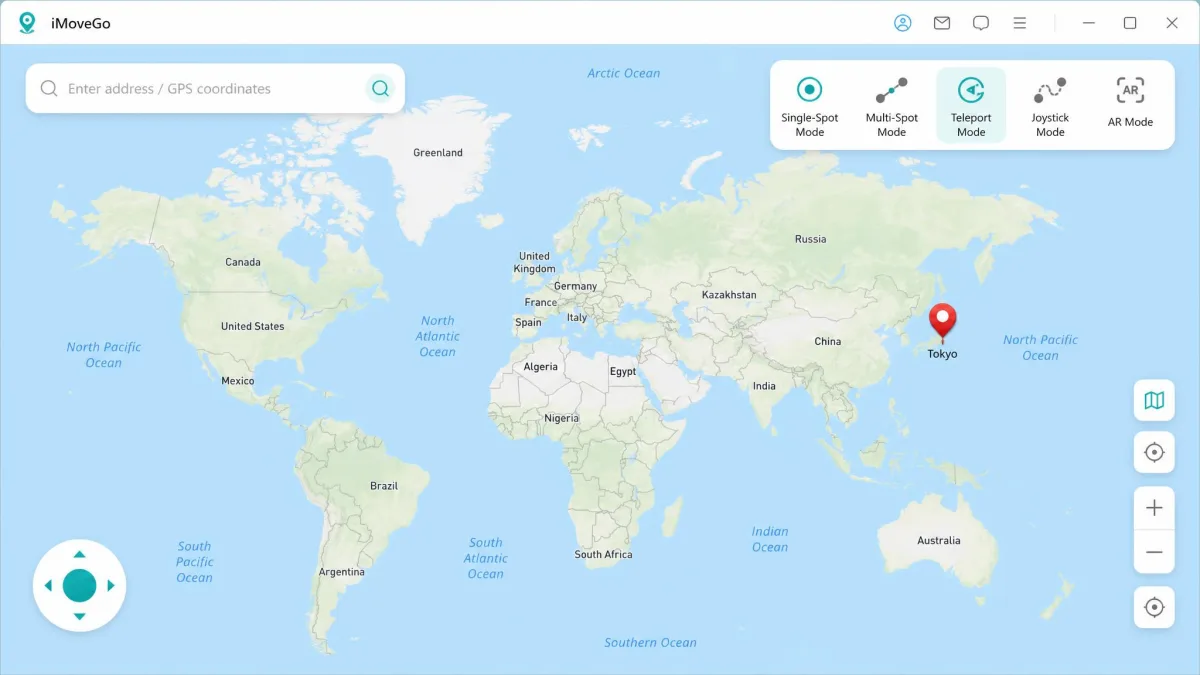
Teleport Mode
Jump teleport moves you to any point on earth in a few clicks: search an address, click the map, confirm. This is the mode the app handles best.
Two-Spot and Multi-Spot Route Movement
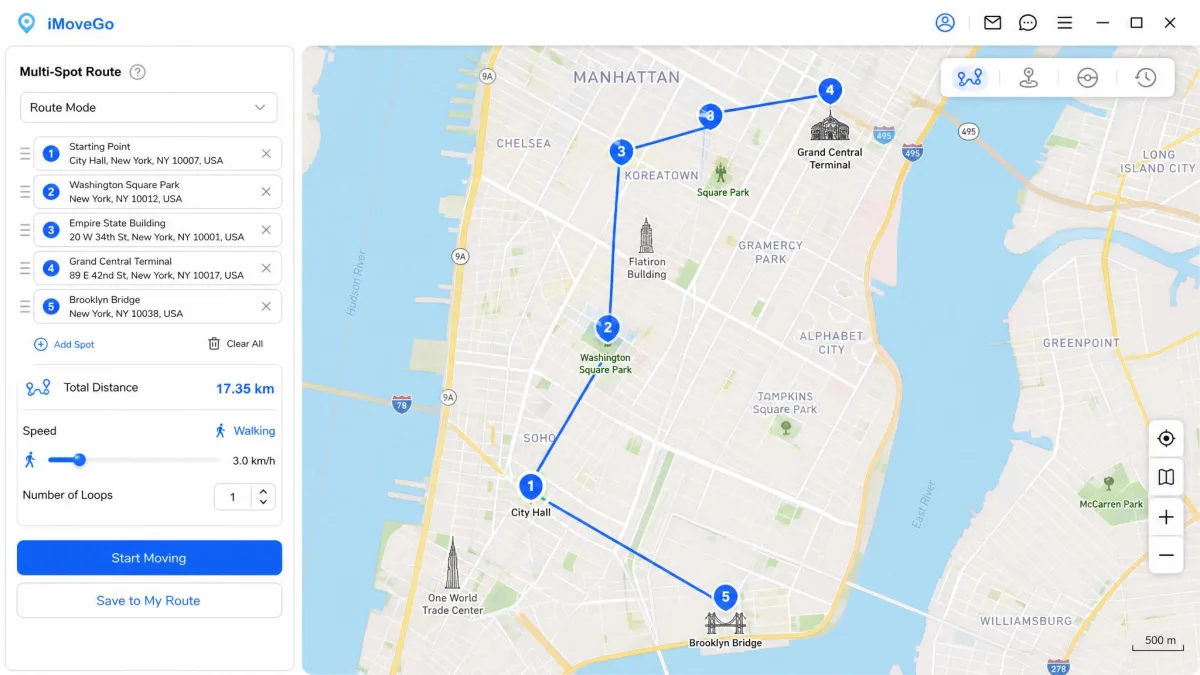
Two-spot mode walks you between a start and an end point along a route you draw, and multi-spot chains several waypoints into a longer path, which is what you want for a route that loops. Both take longer to get comfortable with than teleport does.
Joystick Mode and Realistic Speed Control
The joystick gives you free movement with the mouse or keyboard, and it reads as the most natural mode to an app watching your position. A speed slider sets a walking, cycling or driving pace so your movement doesn't look teleported.
GPX Import, Favorites, and the Cooldown Timer
You can import a GPX file to replay a real recorded route, and save spots you return to. A built-in cooldown timer exists to stop you changing location too frequently, which is a genuine safety feature rather than a limitation.
Save your regular spots as favorites on day one. Re-searching an address every session is the single biggest time sink in normal use.
Device Support and Setup Requirements
Neither platform needs a jailbreak or root, which is the main reason people choose a tethered desktop tool over a modified app.
iOS vs Android
Both iOS and Android devices are supported, but the tiers split them. The cheaper VIP plan is Android only, and iOS support arrives with SVIP. That's the detail buyers miss most often.
WooTechy advertises compatibility with the newest releases, including iOS 26 and Android 16. Compatibility claims for the very latest iOS release disagree between the vendor and independent listings, so check the current requirement list before you buy. VIP binds 5 devices to one computer; SVIP binds 10.
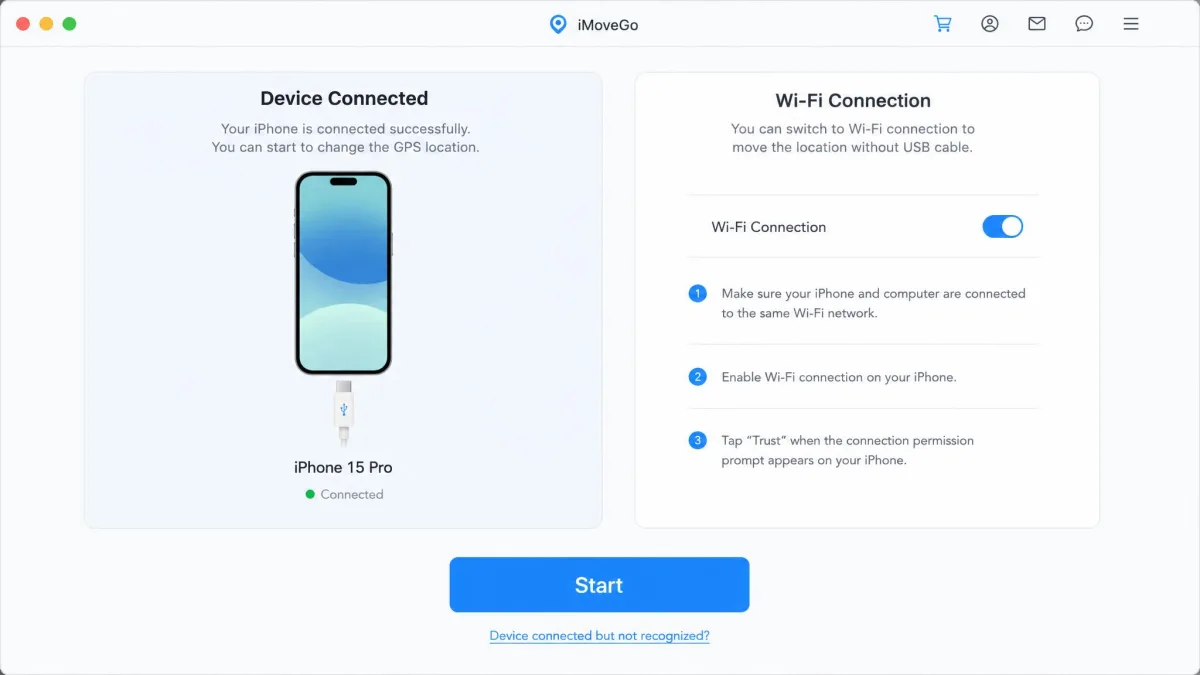
USB Cable vs Wi-Fi Connection
The first connection wants a USB cable. Once the device is paired, later sessions can connect over Wi-Fi on the same network, which is far more comfortable for long play sessions. How smoothly the whole thing runs also varies by handset model, so a friend's clean experience isn't a guarantee of yours.
iMoveGo Pricing: Is There a Free Version?
There's no free version, only a free trial that lets you test the main modes before paying. Reported trial allowances of a handful of teleports and about an hour of joystick time aren't published on the official page, so treat any specific number you read as unconfirmed.
| Plan | VIP (Android) | SVIP (adds iOS) |
|---|---|---|
| 1 month | $14.99 | $19.99 |
| 1 quarter | $29.99 | $39.99 |
| Lifetime | $89.99 | $119.99 |
Every plan comes with a 30-day money-back guarantee. Some licence and activation problems get fast, patient help, and others sit for days.
The quarterly licence is the one that makes arithmetic sense. It works out near ten dollars a month against the $14.99 monthly rate, and the lifetime plan removes the renewal question entirely.
Subscriptions cancel self-serve in WooTechy's Member Center using Cancel Subscription plus an emailed verification code. Licences bought as an activation code have to go through support instead.
Is iMoveGo Safe? Ban Risk and Account Considerations
The software itself is clean. Antivirus scans of the installer come back clear, so the desktop client isn't malware.
Account safety is a different question. Spoofing your position breaks Pokémon GO's Terms of Service, and no tool changes that.
Location-based games can serve an in-game warning while a spoofer is active, so ban risk is practical rather than theoretical. Respect the cooldown timer, keep movement speeds plausible, and never spoof on an account you can't afford to lose.
One route is riskier than the other. Driving the phone from the desktop client leaves the game untouched, while the mobile app route relies on a modified game client, which carries more detection risk. We'd stay on the desktop side.
How to Use iMoveGo Step by Step
Step 1: Download and Install
Download the desktop client for Windows or Mac from WooTechy and install it. The installer is small and the process is ordinary.
Step 2: Connect Your Device
Open iMoveGo, click Get Started, then connect your phone with a USB cable and trust the computer when prompted. Choose Wi-Fi for subsequent sessions once the device is paired.
Step 3: Pick a Mode and Change Your Location
Select Teleport Mode, search a destination or click the map, then click Move. Your phone reports the new location within seconds. For route modes, drop your waypoints first, set the speed, then start.
How iMoveGo Performed in Our Testing
From a cold start, we installed the client, connected a phone by cable and dropped a pin on the map. Having the handset report the new location took only a couple of minutes end to end, install included, which is quick by the standards of this category. Teleport is the mode that felt finished, and that first jump needed no instructions at all.
The long-distance jumps were where we hit friction. Teleporting across the world, the position refused to settle at first, and the fix was on our connection rather than in the app: changing the DNS on the network got the far-away spot to stick. That is not something the setup flow tells you, and it is the moment a first-time buyer is most likely to assume the software is broken.
Hardware made more difference than we expected. The newer handset tracked the map closely, while the older one lagged behind it with delayed position updates on the same route. Both phones also ran hot through an extended session and slowed down noticeably as they did, so the practical limit on a long spoofing run turned out to be the phone in your hand rather than anything on the desktop.
The route and joystick modes took the longest to get comfortable with. Drawing a multi-spot loop, our first attempts wandered off the path we meant to trace, and we redrew them twice before the movement looked plausible.
What Real Users Say
Community sentiment is more about money than function. Most of the debate on Reddit is spoofers debating whether iMoveGo is worth the monthly price, the recurring complaint is the subscription, not the spoofing.
In a r/PokemonGoSpoofing thread comparing iMoveGo to iAnyGo, experienced players treat the two as the same class of PC-tethered GPS overrider, and they're blunt that there's no such thing as risk-free spoofing.
WooTechy's Trustpilot profile carries a 4-star TrustScore across 464 reviews, though Trustpilot itself displays a notice that the company may be soliciting reviews in an unsupported way. Read that score with the caveat attached.
Pros and Cons
Pros
- Complete mode set: teleport, two-spot, multi-spot, joystick and GPX import
- No jailbreak or root needed on either platform
- Cable or Wi-Fi connection, with Wi-Fi available after the first pairing
- Cooldown timer built in to discourage risky location jumps
- 30-day money-back guarantee on every plan
Cons
- iOS support costs extra, sitting behind the $19.99 SVIP tier
- Monthly pricing is high next to AnyTo and MockGo at $9.95
- Route and joystick modes take practice to control well
- Phones heat up and slow down during long sessions
- Support response times are inconsistent despite the stated 24-48 hour window
- Latest-iOS compatibility claims disagree between sources
iMoveGo vs the Alternatives
iMoveGo's problem isn't capability, it's the company it keeps. Two rivals match the feature list at a lower monthly price, and a third costs more but manages more devices.
| Product | iMoveGo | iMyFone AnyTo | Tenorshare iAnyGo | MockGo |
|---|---|---|---|---|
| Platform support | iOS and Android (iOS needs SVIP) | iOS and Android | iOS 14+ and Android 7-15 | iPhone-focused, limited Android |
| Joystick | Yes | Yes | Yes, keyboard and 360-degree | Yes |
| Multi-spot route | Yes | Yes | Yes, up to 99 waypoints | Yes |
| Connection type | USB cable or Wi-Fi | USB cable or Wi-Fi | USB cable or Wi-Fi | USB cable |
| Free trial | Yes, limited | Yes, limited | Yes, 1 hour | Yes, limited runs |
| Monthly price | $14.99 VIP / $19.99 SVIP | $9.95 | $24.95 | $9.95 |
| Lifetime price | $89.99 VIP / $119.99 SVIP | Available | $129.95 | $59.95 |
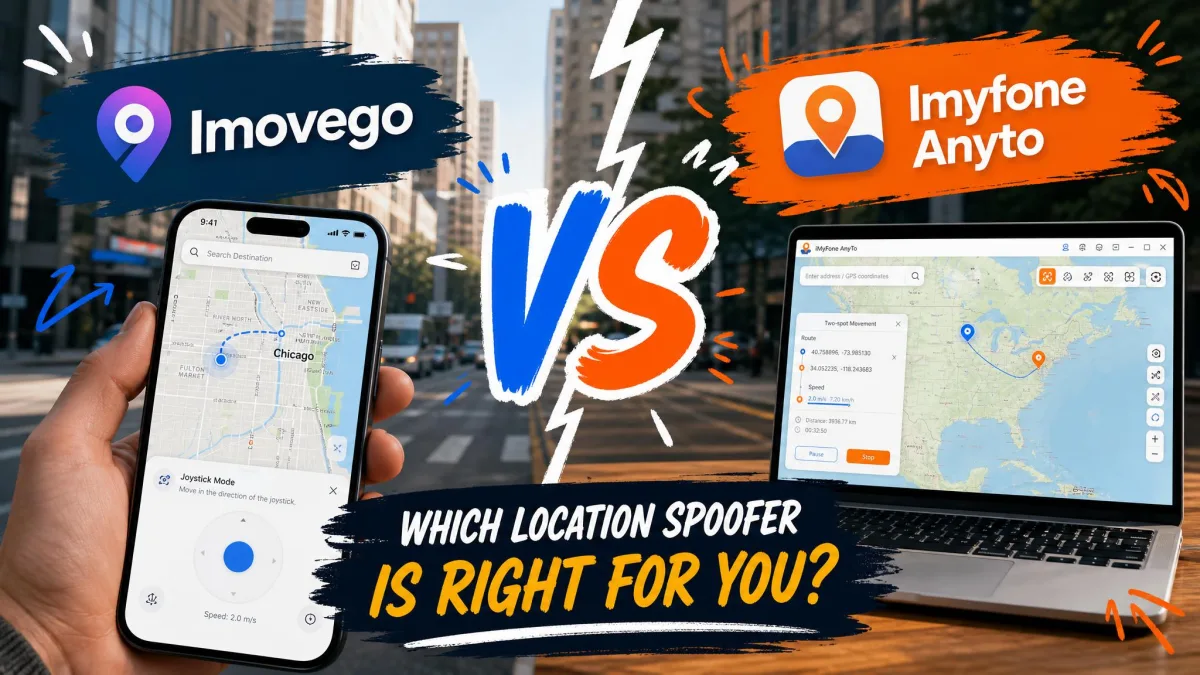
iMyFone AnyTo is the value pick at $9.95 a month with the same core modes. Foneazy MockGo matches that price and takes the lifetime crown at $59.95, but its Android coverage is thin. Tenorshare iAnyGo costs the most monthly at $24.95, and earns it only if you're driving up to 15 devices at once or need 99-waypoint routes.
Pick iMoveGo when you want the cleanest teleport experience and you're buying quarterly or lifetime. Pick AnyTo or MockGo when the monthly figure is what decides it.
Frequently Asked Questions
What actually happens to my account if I get caught?
What does the free trial actually let me do before I pay?
Does iMoveGo work without a jailbreak?
Does it work on Android without root?
What is the cooldown timer, and do I have to use it?
How do I cancel my iMoveGo subscription?
The Bottom Line
iMoveGo does the job. The mode coverage is comprehensive, the setup is quick, and the desktop-tethered approach keeps your phone unmodified, which matters more than most buyers realise.
What it doesn't do is win on price. Paying $19.99 a month for iOS support that AnyTo includes at $9.95 is a hard sell, and the community's complaint about the subscription is fair.
Buy the $29.99 quarterly or the $89.99 lifetime VIP plan and iMoveGo becomes easy to recommend for Android. Buy it monthly, and you'll spend a year paying a premium for a feature set the alternatives also have.