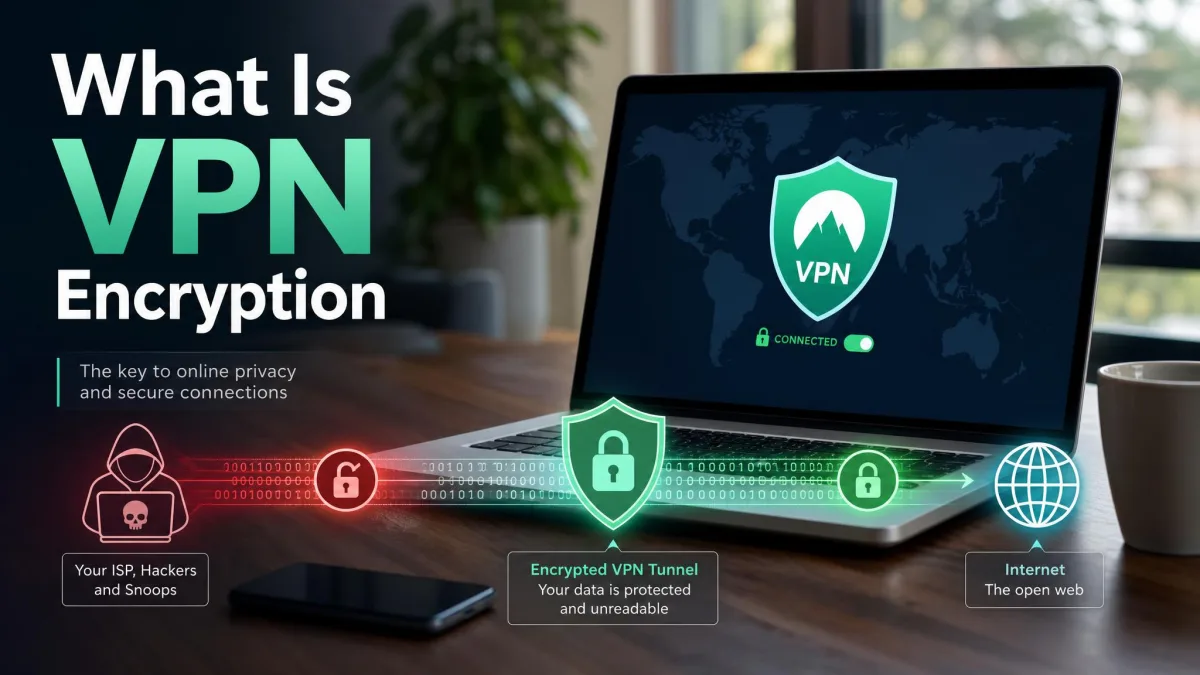
VPN encryption is the process of scrambling your internet traffic into unreadable code as it travels between your device and a VPN server, so no one in between can read it. That single idea is what turns a plain connection into a private one. In this guide we explain how it works, the algorithms and ciphers involved, the protocols that carry them, and why the phrase "256-bit AES" shows up on nearly every VPN's marketing page.
We will keep the tone plain and practical. You do not need a background in cryptography to follow along, and by the end you will know how to tell whether your own connection is actually encrypted.
What is VPN encryption?
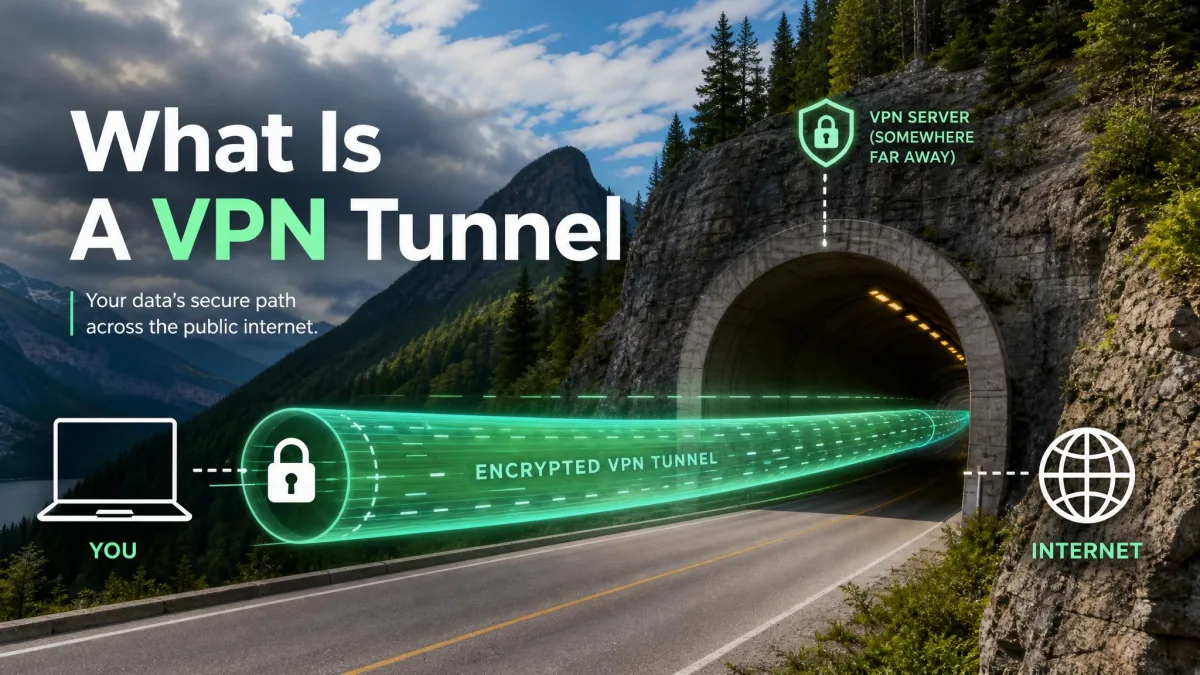
When you connect to a VPN, your device and the VPN server agree on a secret code. Everything you send, every web request, message, and download, gets converted into that code before it leaves your device. This is what people mean by a secure tunnel: your data travels inside an encrypted wrapper that only the two endpoints can open.
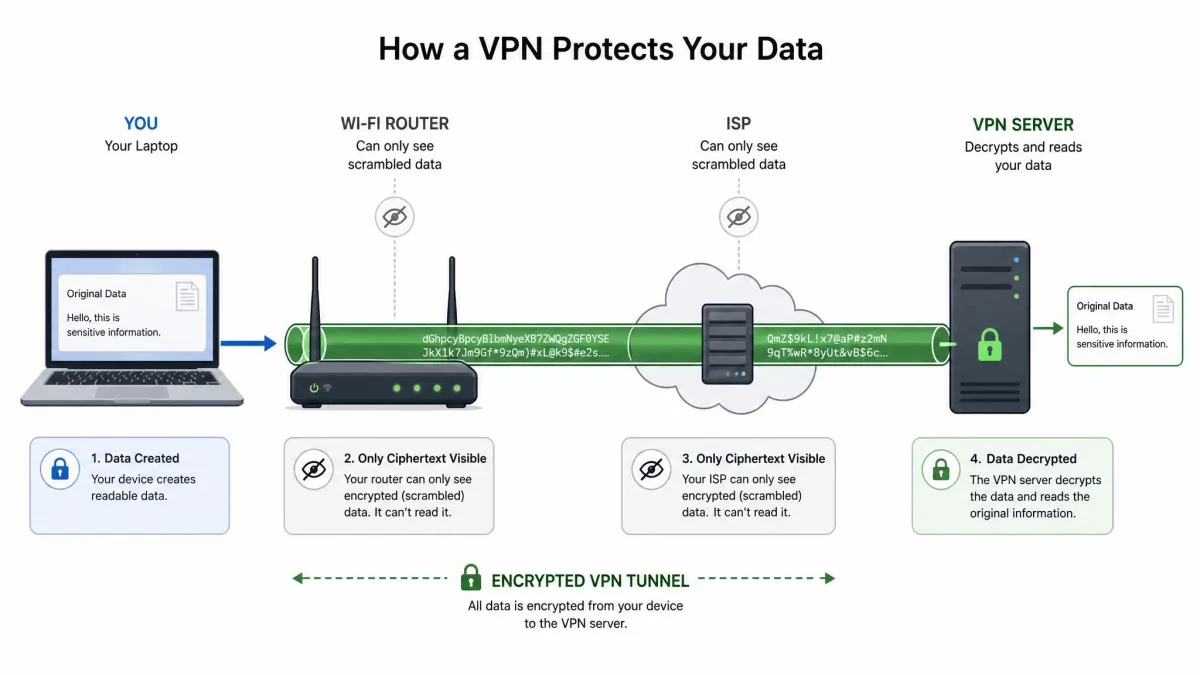
A VPN routes your device traffic through an encrypted tunnel to a remote server. Anyone watching the connection in between, whether a network operator or an attacker, sees only scrambled data. They cannot read the contents, and they cannot easily tell which sites you are visiting.
Encryption relies on two things working together: an algorithm (the cipher that does the scrambling) and a key (the secret value that controls it). The cipher is public and well studied. The key is private to your session. Change the key and the same cipher produces completely different output, which is why keys, not secrecy of the algorithm, are what keep your traffic safe.
Why VPN encryption matters (what it protects you from)
Encryption is not abstract. It changes who can see what you do online. Without it, your traffic crosses many networks in plain readable form, and several parties along the way have both the access and the incentive to look. Here is what encryption actually guards against.
Public Wi-Fi and network snooping
Open Wi-Fi at a cafe, airport, or hotel is convenient and largely unprotected. Anyone on the same network can attempt to intercept the traffic passing across it, and the tools to do so are freely available. A VPN encrypts your data in transit, so even if someone captures the packets, all they get is scrambled noise instead of readable information. Staying safe on public Wi-Fi is the single most common reason everyday users turn a VPN on.

ISPs and traffic logging
Your internet service provider sees every site you connect to, and in many regions providers are permitted to log that activity or share it. A VPN does not hide the fact that you are using a VPN, but it does hide what you do inside the tunnel. To your ISP, your browsing collapses into a single encrypted connection to one server, with the destinations and contents kept private.
Cyberattacks and data interception
Beyond passive snooping, encryption defends against active interception, where an attacker tries to sit between you and the sites you use to capture logins or inject content. Because a VPN authenticates the server and encrypts the session, tampered or intercepted data fails the integrity check and is rejected. The protection is not just secrecy; it is also knowing the data arrived unaltered.
Encryption protects data in transit, not data at rest. A VPN keeps prying eyes off your traffic while it moves, but it does not secure files stored on your device or protect you from malware you download.
How VPN encryption works
Under the hood, a VPN combines two different styles of encryption. One is fast and handles the bulk of your traffic. The other is slower but solves the hard problem of agreeing on a secret key over a network where anyone might be listening. Understanding how they fit together is the key to understanding the whole system.
Symmetric (private-key) encryption
Symmetric encryption uses one shared key for both scrambling and unscrambling. Because a single key does both jobs, it is extremely fast, which is exactly what you want for encrypting a continuous stream of web traffic. AES is the symmetric cipher at the heart of nearly every VPN, and it carries the actual payload of your connection once the tunnel is up.
The catch is obvious: both sides need the same secret key, and they cannot simply send it across the open internet where it could be captured. That is the problem asymmetric encryption solves.
Asymmetric (public-key) encryption and key exchange
Asymmetric encryption uses a matched pair of keys: a public key that anyone can hold and a private key that stays secret. Data locked with the public key can only be opened with the private key. This lets two strangers establish trust without ever sharing a secret in advance.
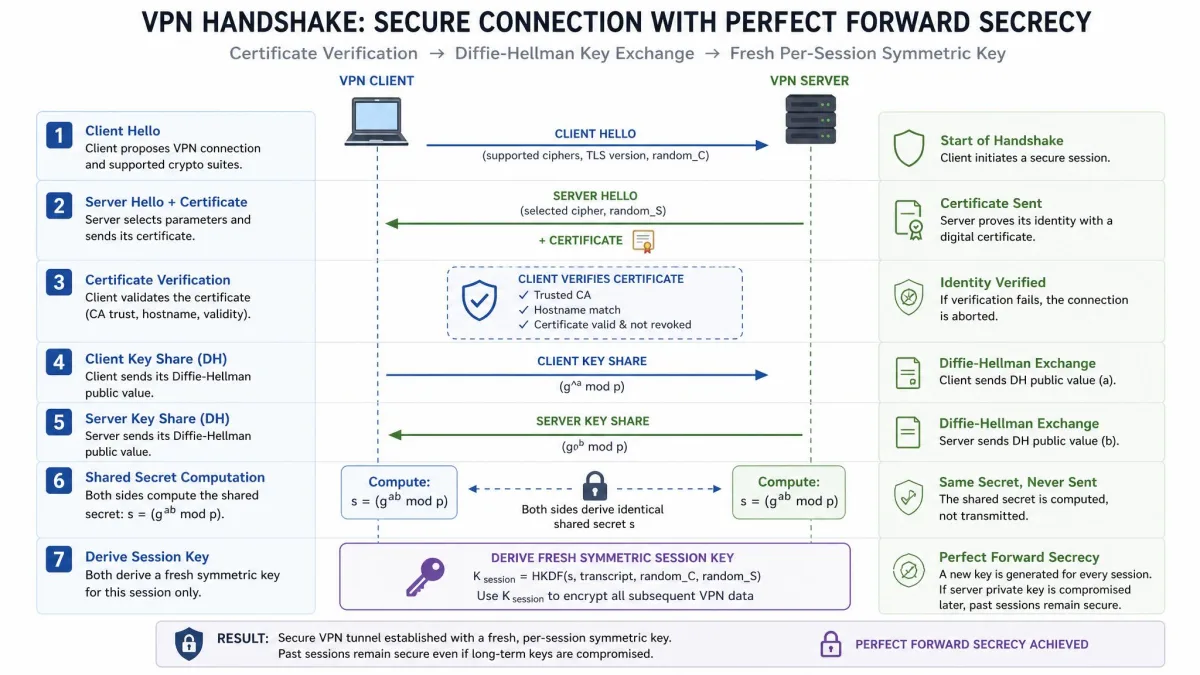
In a VPN, symmetric and asymmetric encryption work as a team. The fast symmetric cipher (AES) protects your data, while the asymmetric system (RSA and Diffie-Hellman) is used to authenticate the server and safely exchange the symmetric key. You get the speed of one and the trust model of the other.
The handshake and Perfect Forward Secrecy (PFS)
The moment your device connects, it runs a handshake with the server. During the handshake, the two sides verify certificates and negotiate a fresh symmetric key for the session. Diffie-Hellman key exchange is what lets them derive that shared key without transmitting it directly.
Ephemeral variants of Diffie-Hellman add Perfect Forward Secrecy. With PFS, every session uses a brand-new key that is discarded afterward. If an attacker ever recorded your traffic and later stole a key, they still could not decrypt past sessions, because those keys no longer exist. It is one of the most valuable properties a modern VPN can offer.
Types of VPN encryption algorithms and ciphers
Several algorithms show up across VPN products, each with a specific job. Some scramble bulk data, some exchange keys, and some verify integrity. Here are the ones worth knowing.
AES (Advanced Encryption Standard)
AES is the most widely used symmetric cipher in the world and the default across the VPN industry. It was standardized by NIST as AES (Advanced Encryption Standard) and published as FIPS 197 on November 26, 2001, becoming effective as a US federal standard on May 26, 2002. It was originally named Rijndael after its Belgian designers.
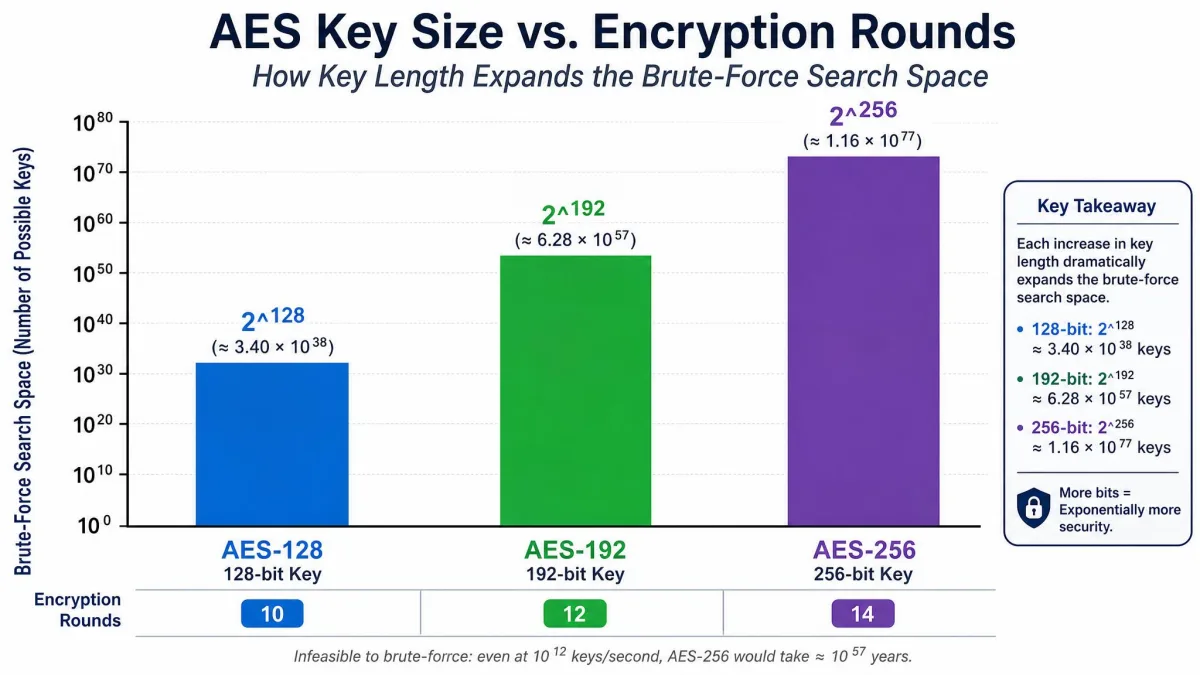
AES is a block cipher with a 128-bit block size, and it supports key sizes of 128, 192, or 256 bits. More rounds of processing go with longer keys: 10 rounds for 128-bit keys, 12 rounds for 192-bit keys, and 14 rounds for 256-bit keys. In VPNs it is commonly deployed as AES-256-CBC or AES-256-GCM, and the GCM mode is notable because it combines encryption and integrity checking in a single step.
You will often see AES-256 marketed as "military-grade" encryption. That phrase is a marketing convention rather than a formal technical grade, but the underlying cipher is genuinely strong and trusted worldwide.
ChaCha20
ChaCha20 is a modern stream cipher and the alternative to AES you are most likely to meet, because it is the cipher behind WireGuard. Paired with the Poly1305 authenticator, it forms an authenticated encryption scheme that is fast in software and efficient on devices without dedicated AES hardware, such as many phones. In practice it delivers AES-level security with excellent performance.
Blowfish and Camellia
Blowfish is an older symmetric block cipher that appeared in early OpenVPN configurations, often as Blowfish-128. It still works but has largely been superseded by AES for new deployments. Camellia is a comparably strong block cipher, similar to AES in design and security, that some providers offer as an alternative. Neither is a common default today, but you may still see them listed as options.
RSA
RSA is an asymmetric algorithm used for certificate authentication and key exchange rather than for encrypting your bulk traffic. It relies on the difficulty of factoring very large numbers, with key lengths of 1024, 2048, or 4096 bits. The 1024-bit size is now considered dated; modern practice treats 2048-bit as the minimum, with 4096-bit used where extra assurance is wanted. RSA is what lets your device confirm it is talking to the genuine VPN server.
Hashing and message authentication (SHA, HMAC)
Encryption keeps data secret, but hashing keeps it honest. A hash function produces a fixed fingerprint of a message, and HMAC combines that hash with a secret key so the receiver can confirm the data arrived unchanged and from the right sender. The SHA-2 family, including SHA-256, SHA-384, and SHA-512, handles this integrity and authentication work in most VPNs. The older SHA-1 is now considered outdated and is being retired.
Encryption, key exchange, and hashing are three separate jobs. A protocol's full security depends on all three: a strong cipher paired with a weak hash or an old key exchange is only as safe as its weakest link.
Encryption strength: key length and cipher modes
Key length is the number of bits in the secret key, and it sets the size of the space an attacker would have to search. Each added bit doubles that space, so a 256-bit key is not twice as hard as a 128-bit key; it is astronomically harder. Both AES-128 and AES-256 are considered effectively unbreakable by brute force with current technology.
That leads to a point many buyers miss: the practical difference between 128-bit and 256-bit AES is negligible for everyday users, because both are already beyond the reach of brute-force attacks. Providers advertise 256-bit because it is the strongest option and future-proof, not because 128-bit is exposed.
Cipher mode also matters. A mode describes how a block cipher processes a long message. Modern VPNs favor authenticated modes like GCM, which verify integrity as they encrypt, over older modes like CBC that need a separate authentication step. When you can choose, an AES-256-GCM or ChaCha20-Poly1305 configuration is the sensible default.
VPN protocols and the encryption they use
A protocol is the framework that ties everything together: it decides which cipher, key exchange, and hashing your VPN uses and how the tunnel is built and maintained. The cipher does the scrambling, but the protocol runs the show. Here are the ones you will encounter, from modern to legacy.
WireGuard
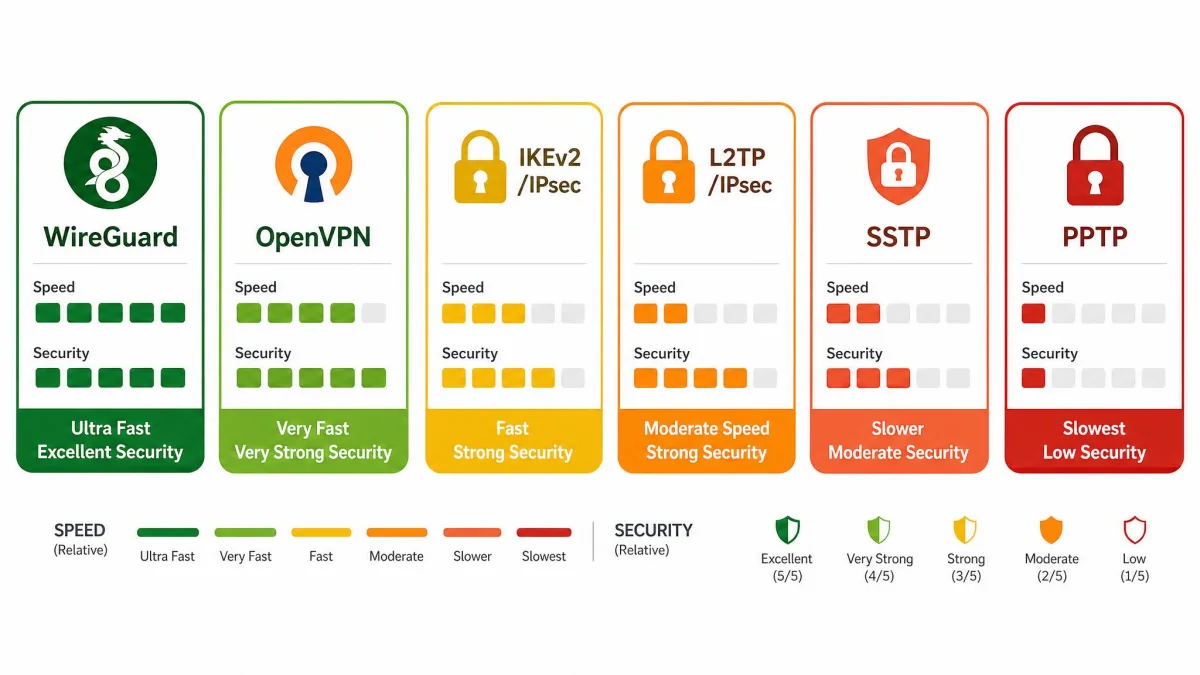
WireGuard is the newest mainstream protocol and the one built for speed. It uses a fixed, modern cipher suite rather than a menu of options: ChaCha20 authenticated with Poly1305 for encryption, Curve25519 for elliptic-curve key exchange, and BLAKE2s for hashing. Its handshake is built on the Noise protocol framework, specifically Noise_IK. That lean, fixed design is easier to audit and forms the basis for proprietary variants like NordLynx and Lightway.
In day-to-day use, WireGuard connects and streams noticeably faster than older protocols, which is why many providers now make it the default. If speed matters to you, it is the one to look for.
OpenVPN
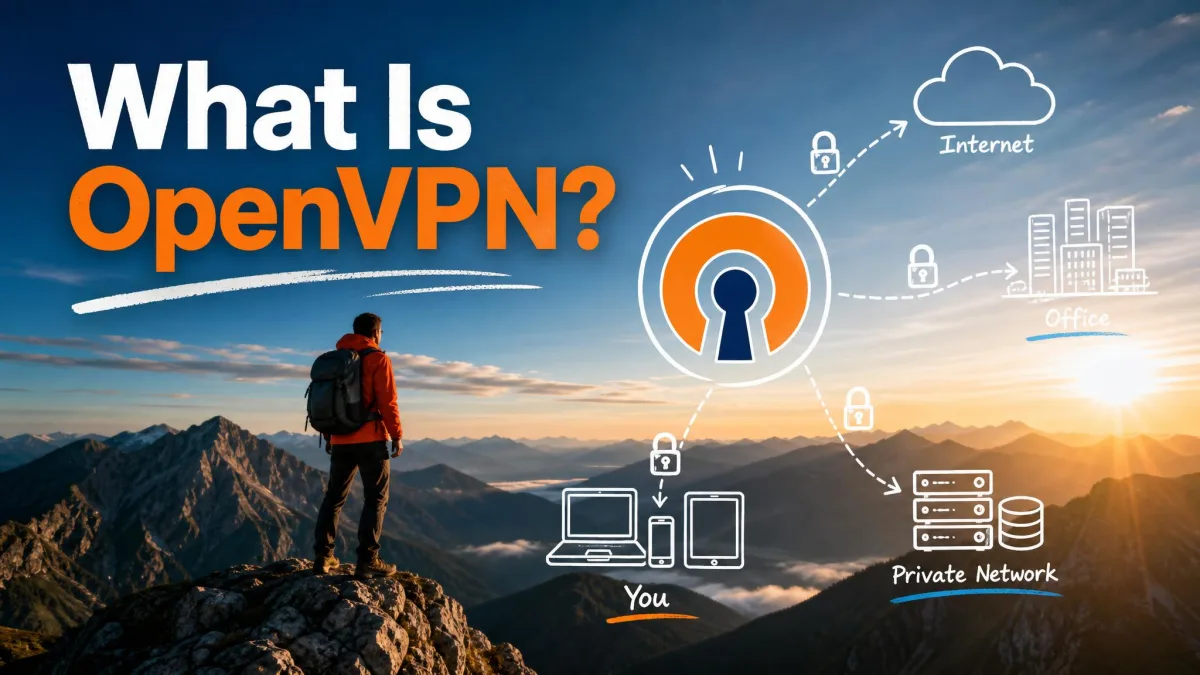
OpenVPN is the long-standing workhorse and the most widely deployed VPN protocol. It typically uses AES, most often AES-256-GCM or AES-256-CBC, with the key exchange handled through a TLS handshake and the cryptography provided by the OpenSSL library. You can read the configuration details in the OpenVPN community documentation.
OpenVPN is open-source, highly configurable, and battle-tested. It feels slower than WireGuard, but it connects reliably across almost any network and platform, which is why some providers still treat it as their most dependable default. Both framings are fair: WireGuard is faster, while OpenVPN offers the strongest all-round balance.
IKEv2/IPsec
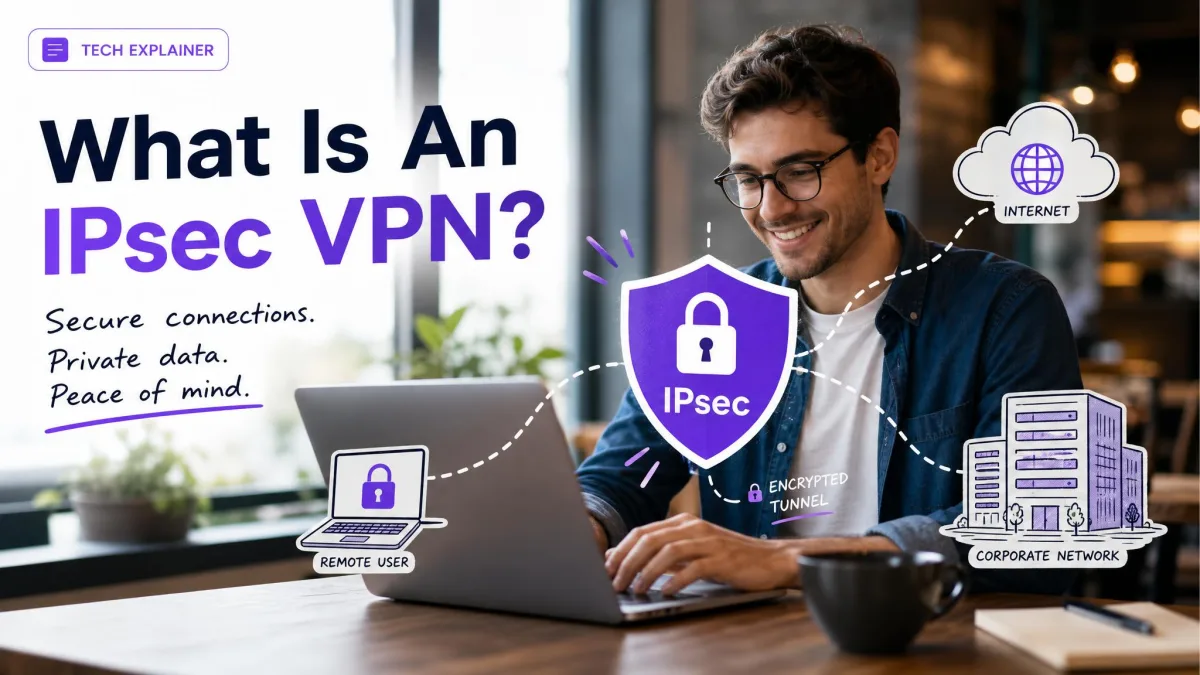
IKEv2 paired with IPsec uses AES encryption and supports Perfect Forward Secrecy. Its standout trait is how quickly it reconnects when the network changes. That makes it steady on mobile devices that constantly switch between Wi-Fi and cellular, so it is a popular choice for phones and tablets.
L2TP/IPsec
L2TP on its own provides no encryption at all; it simply creates the tunnel and relies on IPsec, typically with AES, to secure the contents. The encryption is strong, but the combination can be extremely slow in practice because of the double encapsulation involved. It is a workable fallback rather than a first pick.
SSTP and PPTP (legacy)
SSTP uses TLS with AES to encrypt data and is created and owned by Microsoft. The encryption is solid, but SSTP only works on Windows, so it is a dead end on Mac, Linux, iOS, and Android.
PPTP is the oldest option here and should be avoided for privacy. It uses the RC4 cipher with MPPE, and it is now considered outdated and insecure. PPTP is fast and easy to set up, but it provides no meaningful protection, so treat it as legacy only.
At a glance
| Protocol | Default cipher | Speed | Security | PFS |
|---|---|---|---|---|
| WireGuard | ChaCha20-Poly1305 | Fastest | Strong (modern) | Yes |
| OpenVPN | AES-256 (GCM/CBC) | Moderate | Strong | Yes |
| IKEv2/IPsec | AES | Fast | Strong | Yes |
| L2TP/IPsec | AES (via IPsec) | Slow | Strong | Yes |
| SSTP | AES (via TLS) | Moderate | Strong | Limited |
| PPTP (legacy) | RC4 (MPPE) | Fast | Weak/outdated | No |
The cipher does the scrambling, but the protocol decides how the tunnel is built, keyed, and kept honest. Choose the protocol first, and the right encryption follows.
How to choose the strongest VPN encryption
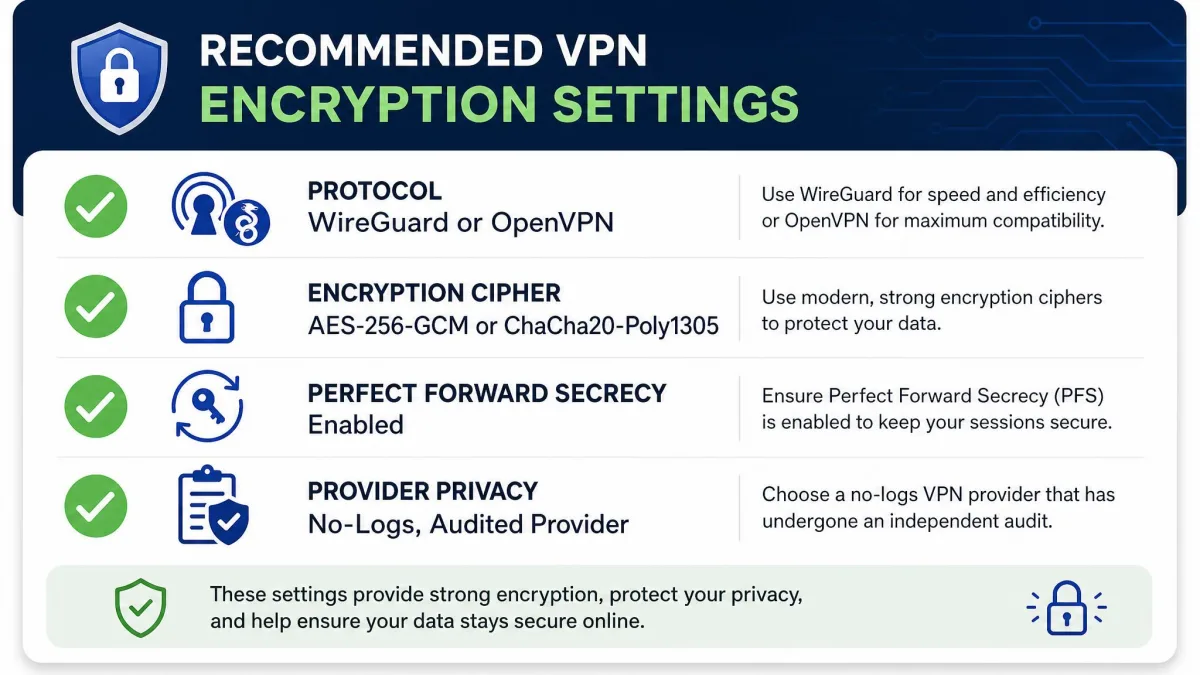
The good news is that the strongest options are also the easiest to pick, because reputable providers already default to them. Aim for one of two modern configurations: WireGuard with ChaCha20-Poly1305, or OpenVPN with AES-256-GCM. Either gives you top-tier encryption, a sound key exchange, and Perfect Forward Secrecy.
Avoid PPTP entirely, and reach for L2TP or SSTP only when nothing better is available. Look for providers that support PFS, use SHA-2 for integrity, and let you select the protocol rather than locking you into an old default.
One caveat is worth stating plainly: the real weak point is usually provider trust, not cipher strength. An untrustworthy provider can hand over data regardless of how strong the encryption is, because the tunnel ends at their server. A clear no-logs policy, independent audits, and a solid jurisdiction matter as much as the algorithm list.
Chasing ever-larger key numbers is the wrong metric. AES-256 is already unbreakable by brute force, so a provider's logging policy, audit history, and protocol choices tell you far more about your real privacy than the bit count on the box.
How to check if your VPN connection is encrypted
You do not have to take a provider's word for it. Checking whether your connection is actually encrypted is straightforward, and a few quick tests confirm the tunnel is doing its job.
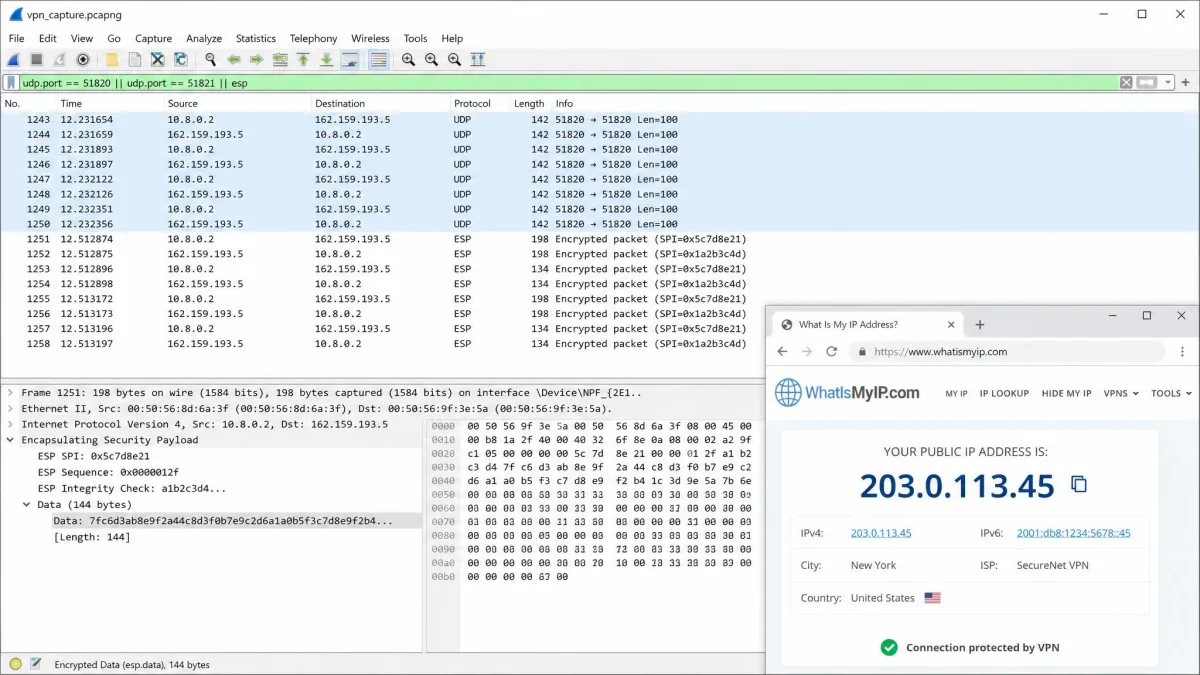
Start with an IP-address check: note your public IP before connecting, turn the VPN on, and confirm the address has changed to the server's. Next, run a DNS leak test at a site like DNSLeakTest.com to make sure your lookups are routing through the VPN and not leaking to your ISP. For a deeper look, capture your traffic with a packet analyzer such as Wireshark or GlassWire; on an encrypted connection the payloads appear as unreadable ciphertext rather than plain text.
If your IP changes, no DNS leaks appear, and the captured packets are scrambled, your traffic is encrypted and flowing through the tunnel as intended.
Conclusion
VPN encryption scrambles your traffic in transit so that ISPs, network snoops, and attackers see only unreadable code. It works by pairing a fast symmetric cipher, almost always AES or ChaCha20, with an asymmetric key exchange that safely sets up each session, and it is delivered by a protocol such as WireGuard or OpenVPN. Add Perfect Forward Secrecy and SHA-2 integrity checks, and you have a connection that is private, authenticated, and tamper-resistant.
For most people the best advice is simple: pick a trustworthy provider, choose WireGuard or OpenVPN with modern AES-256 or ChaCha20 encryption, and run a quick leak test to confirm it works. The bit counts and cipher names matter less than that the whole system, and the company behind it, are ones you can rely on.
Frequently asked questions
Does a VPN encrypt all my traffic?
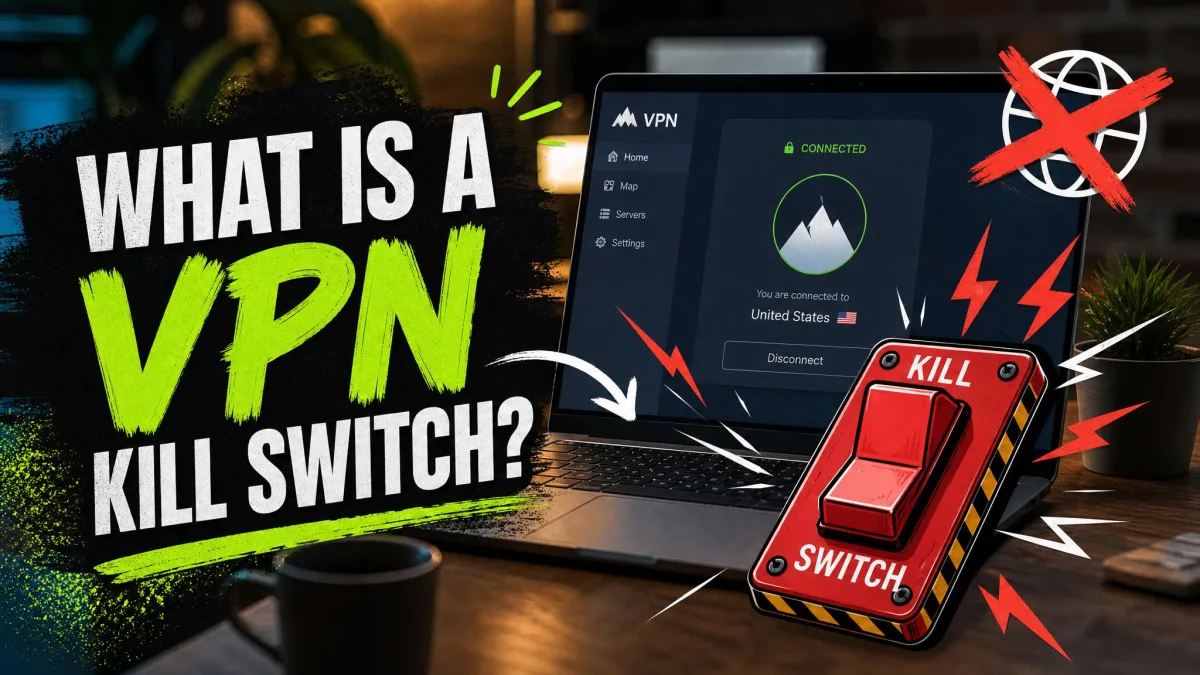
A properly configured VPN encrypts all the internet traffic leaving your device and routes it through the tunnel to the server. The main risk is a leak, such as a DNS or IPv6 request slipping outside the tunnel, which is why a leak test and a kill switch are worth having.
Are all VPNs encrypted?
Every genuine VPN uses encryption; the encrypted tunnel is what makes it a VPN rather than a plain proxy. The difference is in strength. Modern services use AES-256 or ChaCha20, while a legacy PPTP connection is technically encrypted but too weak to trust.
What is the strongest VPN encryption?
In practical terms the strongest widely used options are AES-256 (ideally in GCM mode) and ChaCha20-Poly1305, both paired with a modern key exchange and Perfect Forward Secrecy. Both are effectively unbreakable by brute force, so either is a sound choice.
How do I know my VPN is encrypted?
Compare your public IP before and after connecting, run a DNS leak test, and if you want proof, inspect your packets with a tool like Wireshark to confirm the data is scrambled. If the IP changes and no leaks appear, your connection is encrypted.