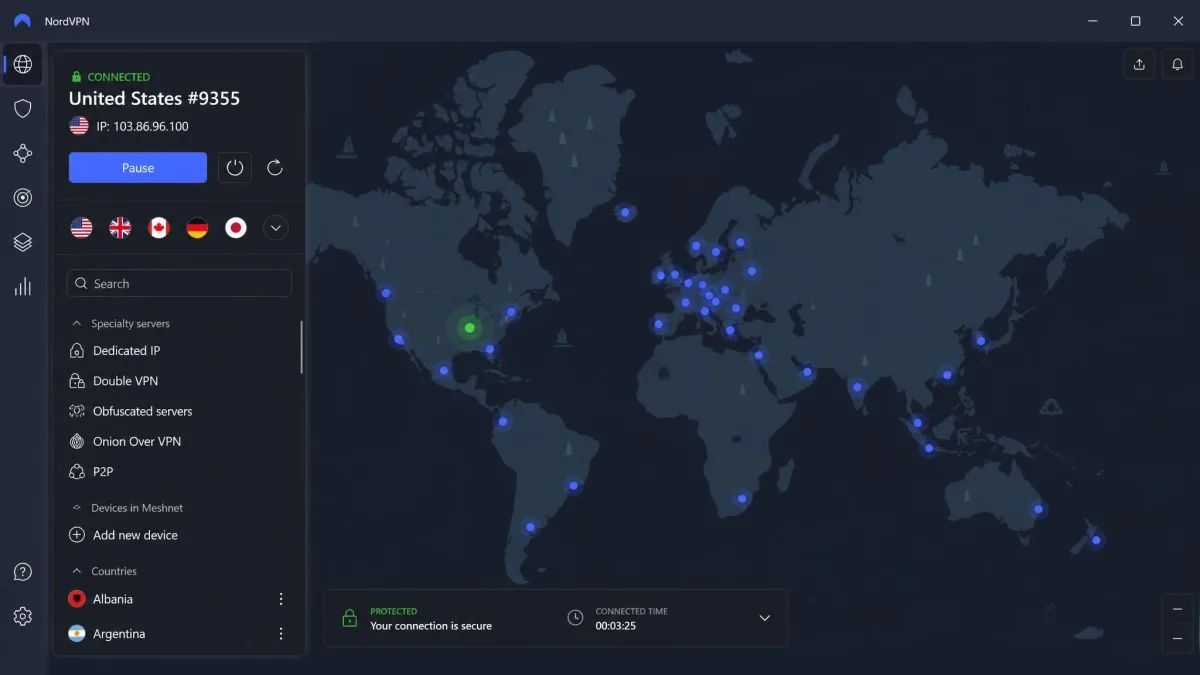
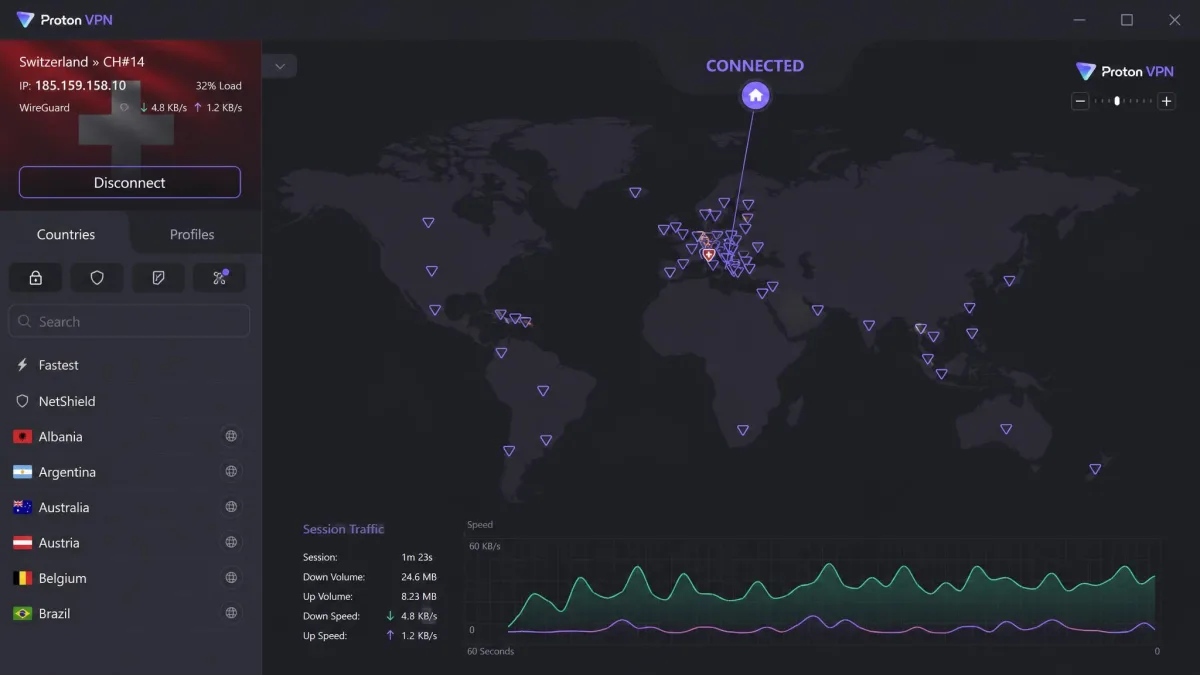
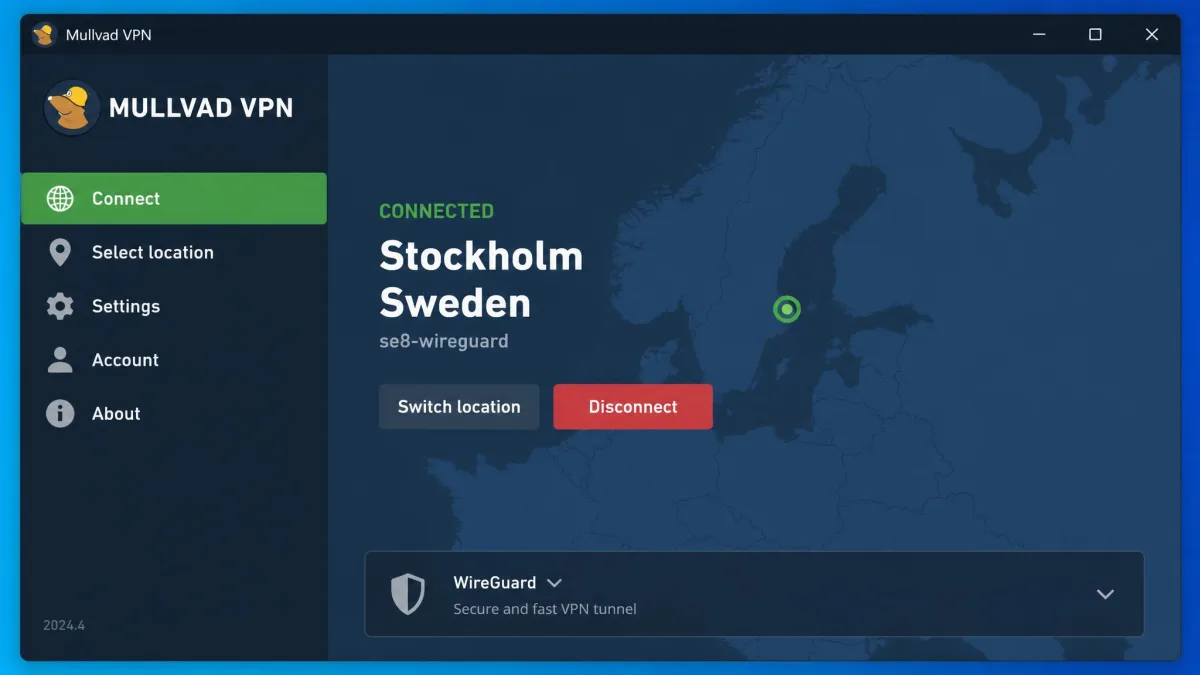
If you want the short version, NordVPN is the best VPN for privacy we tested this year, with Proton VPN close behind for anyone who wants a Swiss base and open-source apps. We reached those picks the boring way: we ran DNS, IPv4, IPv6 and WebRTC leak tests on every app, read each provider's independent no-logs audits line by line, and benchmarked download speeds on nearby and long-haul servers. Mullvad earns our pick for pure anonymity, since it never asks for your name, email, or address.
Privacy is not one feature you can check off. It is a stack of choices: where the company is based, whether a real auditor has confirmed the no-logs claim, whether servers run in RAM so a seized machine yields nothing, and whether the encryption will still hold up in a few years. We tested all six picks against that full stack, not just their marketing.
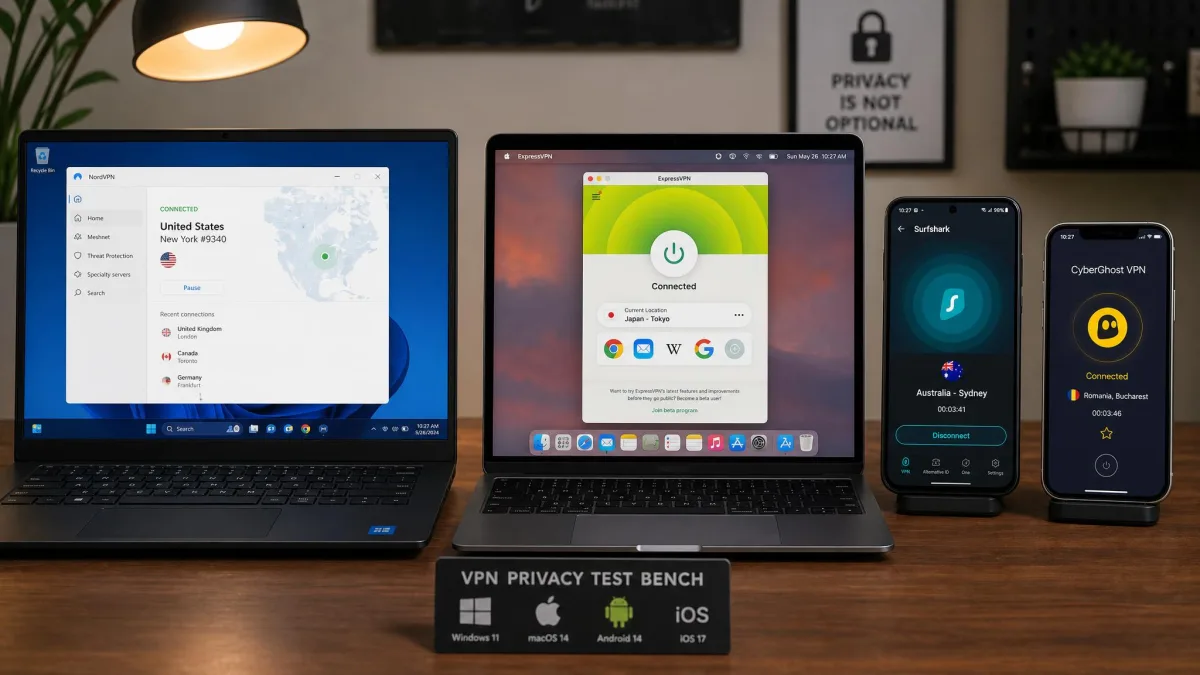
We are network people by background, so we care about what the connection actually does, not what the homepage says it does. Every app here ran on our own Windows, macOS, Android and iOS test machines, on accounts we paid for ourselves. Where a claim is about lived behavior, it comes from that hands-on work.
Best VPNs for Privacy: Quick Summary
Here are the three picks most readers land on, ranked by how they balance audited privacy, speed, and price in our testing.
Comparison of the Best Privacy VPNs
The table below lines up all six on the criteria that decide a privacy purchase: whether an outside auditor has confirmed no-logs and when, the legal jurisdiction, the encryption and protocols, whether the servers run in RAM, the approximate server count, how many devices you can connect at once, and the introductory price. Server totals shift constantly as each network is updated, so read those as approximate. Prices are introductory two-year rates that renew higher and vary by promotion and region.
| Product | Buy | No-logs audit (Y/date) | Jurisdiction | Encryption/protocols | RAM-only servers | Server count | Simultaneous devices | Price |
|---|---|---|---|---|---|---|---|---|
 |
Y / 6 audits, Deloitte 2025 | Panama | NordLynx (WireGuard), OpenVPN | Yes | ~9,300+ | 10 | ~$3.39/mo (2yr) | |
 |
Check price | Y / 5th annual, Securitum 2026 | Switzerland | WireGuard, OpenVPN, Secure Core | Yes | ~17,800+ | 10 | ~$2.99/mo (2yr) |
 |
Y / Cure53 + court 2023 | Sweden | WireGuard, OpenVPN, DAITA | Yes | ~700 | 5 | flat EUR 5/mo | |
 |
Check price | Y / KPMG 2024 (23 audits) | British Virgin Islands | Lightway, OpenVPN | Yes | ~3,000+ | 10-14 (by tier) | ~$2.99/mo (2yr) |
 |
Y / Deloitte 2025 | Netherlands | WireGuard, OpenVPN | Yes | ~3,200+ | Unlimited | ~$2.49/mo (2yr) | |
 |
Y / Deloitte 2025 (3 audits) | United States | WireGuard, OpenVPN | Yes | ~6,800+ | Unlimited | ~$1.33/mo (2yr) |
The simultaneous-device figures come from each provider's plan details rather than our own bench. NordVPN and Proton VPN's Plus plan each cover 10 connections at once, Mullvad allows 5 devices per account, and ExpressVPN has moved to a tiered limit that starts at 10 on Basic and rises to 12 on Advanced and 14 on Express Pro, so a single flat number no longer applies there.
What Is a VPN and How Does It Work?
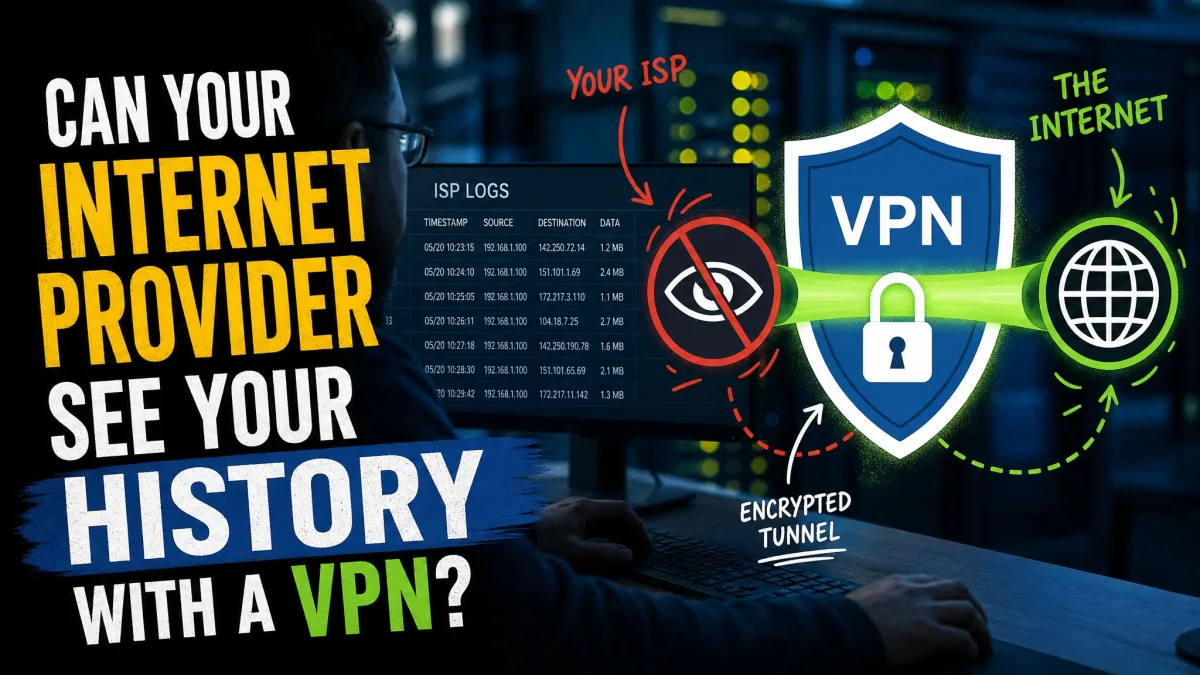
A VPN, or virtual private network, builds an encrypted tunnel between your device and a server the provider runs. Your traffic goes into that tunnel, so your internet provider sees only that you connected to a VPN, not which sites you visited. The site on the other end sees the VPN server's address instead of your own.
For privacy, two things matter about that tunnel. The encryption has to be strong enough that nobody can read what is inside it, and the company running the server has to keep no records of who connected where. Modern apps use WireGuard-based protocols, which are fast and well audited, and they add a kill switch that cuts your connection if the tunnel drops so nothing leaks in the gap.
A VPN is not a cloak of invisibility, and we will be blunt about that later on. But as one layer, it does a specific job well: it takes your browsing history away from your internet provider and hides your real address from the sites and apps you use. It also matters what protocol carries that traffic. WireGuard and its variants are fast and have been reviewed by outside cryptographers, while older protocols like OpenVPN still have a place for compatibility and manual setups.
A VPN changes who can see your traffic, not whether you can be identified once you log in somewhere. Signing into your real Google account over a VPN still tells Google it is you.
The Best VPNs for Privacy in 2026
We tested each of these against the same checklist: leak tests on four operating systems, a read of the latest independent audit, speed runs on nearby and distant servers, and a look at the fine print on jurisdiction and payment. Here is how they ranked.
1. NordVPN: Best Overall Privacy VPN
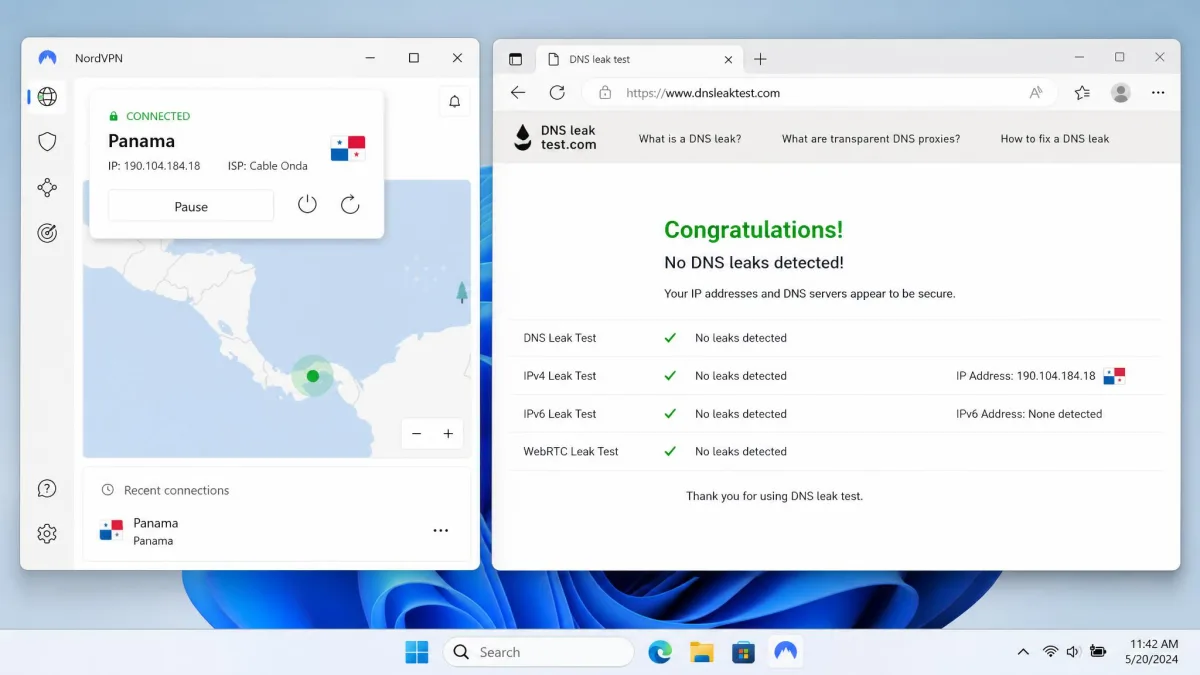
NordVPN is the pick we would hand to most people who care about privacy but still want a fast, everyday connection. It has been through six independent no-logs audits, the most recent by Deloitte in December 2025, which is more third-party scrutiny than almost any rival can point to. It is based in Panama, outside the 5, 9, and 14 Eyes alliances, with no mandatory data-retention law forcing it to keep records.
In our testing it passed DNS, IPv4, IPv6 and WebRTC leak tests cleanly on Windows, macOS, Android and iOS. The NordLynx protocol, built on WireGuard, held download speeds within about 10% of our baseline connection on nearby servers, which is fast enough that we forgot it was running. The entire network is RAM-only, so servers hold nothing on disk and wipe on every reboot. On a Panama server from the US, that roughly 10% drop meant large downloads and video calls ran without us noticing the tunnel at all.
Two honest caveats. The Double VPN feature, which routes you through two servers, cut our speed by roughly 80%, so treat it as a privacy tool for specific moments, not a default. And the app occasionally dropped without reconnecting on its own, which is exactly why we turned the kill switch on first and left it on.
The feature set is deep without feeling bloated. NordLynx is the day-to-day protocol, but you also get Threat Protection to block trackers and malicious domains, NordWhisper obfuscation for networks that try to detect and block VPN traffic, and post-quantum encryption for the long term. For everyday privacy we left it on the defaults and it simply worked, and the extras were there when a specific situation called for them. Across daily use on all four operating systems, the connection was stable enough that the kill switch rarely had to step in, which is the outcome you want.
Pros
- Six independent no-logs audits, the most recent by Deloitte in December 2025
- Panama base outside the 5, 9, and 14 Eyes alliances
- Entire network runs RAM-only, with speeds within about 10% of baseline
- Clean leak tests across Windows, macOS, Android and iOS
Cons
- Double VPN cuts speed sharply, around 80% in our runs
- The app can drop without auto-reconnecting, so the kill switch is a must
- Introductory pricing renews higher after the first term
Best for: Most people who want audited, no-logs privacy without giving up speed. Skip if: You need a truly anonymous signup with no payment trail. Price: ~$3.39/mo on the two-year plan (renews higher), 30-day money-back guarantee.
2. Proton VPN: Best for Privacy Purists (Swiss-Based)
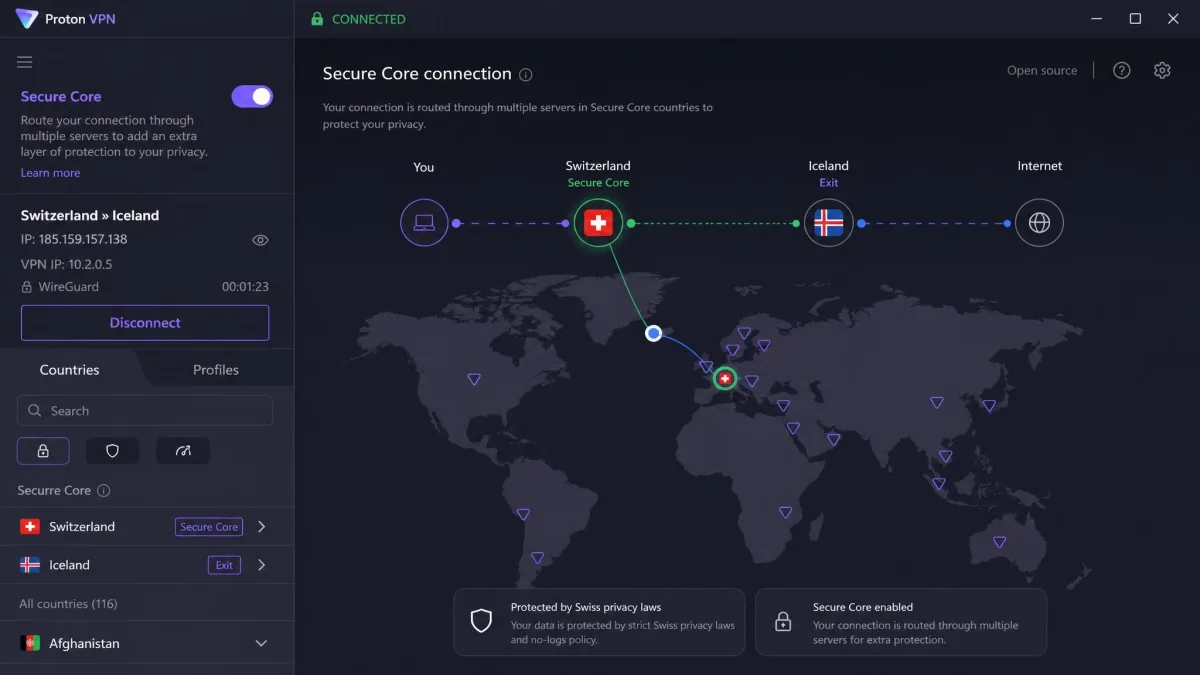
Proton VPN is what we reach for when the goal is maximum transparency. Its apps are fully open-source, it publishes a warrant canary and a transparency report, and it has now passed five consecutive annual no-logs audits, the latest by Securitum in 2026. It is based in Switzerland, outside the US and EU surveillance alliances, which has long been a privacy draw. You can read the details of how it handles data requests in Proton's transparency report.
Speed held up well. On WireGuard our download speeds dropped only around 8%, which is excellent even if Proton is not the outright fastest provider we tested. It passed DNS, IP and WebRTC leak tests without issue across servers in dozens of countries. Its Secure Core feature routes you through more than 100 hardened servers in Switzerland, Iceland or Sweden before you exit, which adds a real layer for high-risk users who worry about a compromised exit server. Users rate it well too, holding a 4.5 out of 5 average on Trustpilot, with praise centered on speed and the interface.
The app is also a pleasure to live with. NetShield blocks ads, trackers and malware at the network level, so you get some of the benefit of a tracker-blocking browser without installing anything extra. Switching servers is quick, and the layout is clear enough that a first-timer can find Secure Core without a manual.
One thing to watch on the horizon: a proposed Swiss ordinance could, if it takes effect, require larger VPN providers to log IP addresses and verify identity. It is not in force today and we do not treat it as current law, but it is worth knowing before you commit to a long plan for the Swiss base specifically.
Pros
- Fully open-source apps with a published transparency report and warrant canary
- Five consecutive annual no-logs audits, latest Securitum 2026
- Swiss base outside US and EU surveillance alliances
- Only around 8% speed drop on WireGuard, plus a genuinely usable free tier
Cons
- Not the outright fastest provider we tested
- Free-tier servers get crowded and slow at peak times
- A proposed Swiss logging ordinance is worth watching before a long commitment
Best for: Privacy purists who want open-source apps, a Swiss base, and a strong free tier. Skip if: You want the single fastest connection or the cheapest long-term deal. Price: ~$2.99/mo on the two-year plan (renews higher); free tier available.
3. Mullvad: Best for Anonymity (No Account, No Email)
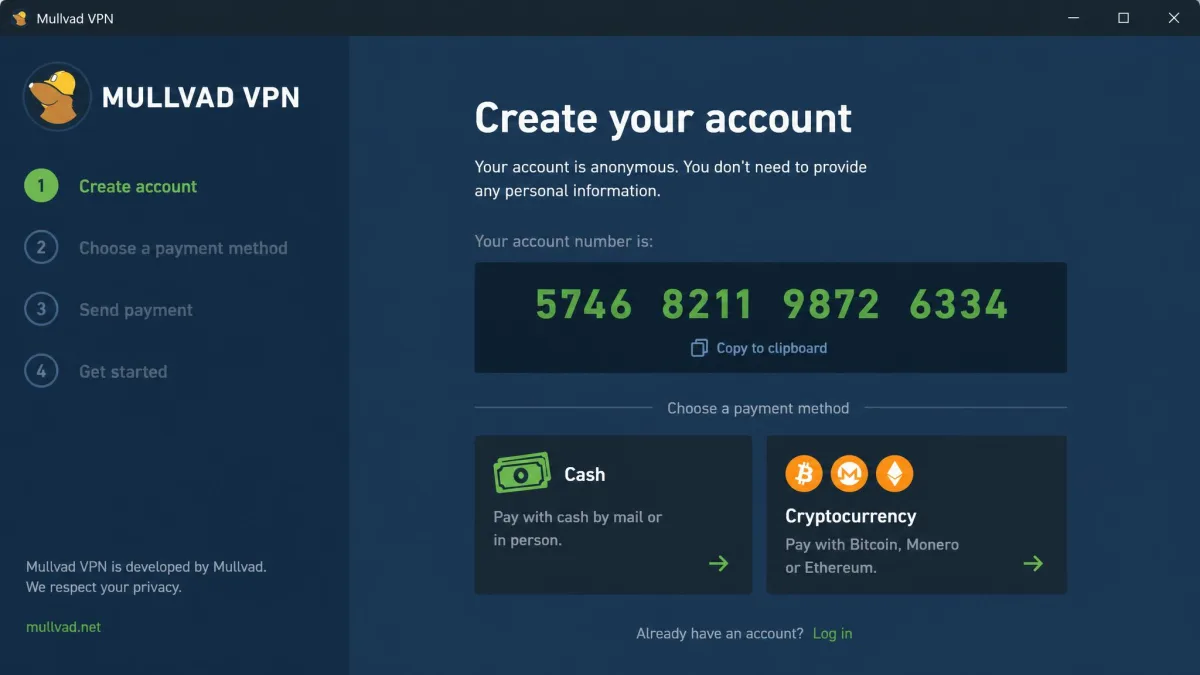
Mullvad takes a different approach from everyone else here, and it is the one we recommend when the goal is to leave as little trace as possible. It asks for no email and no personal details. At signup it generates a random account number, and that is your entire identity. You can pay in cash or crypto if you want to keep even the payment off your name.
Its no-logs stance is not just a policy, it has been tested in the real world. In 2023, Swedish police searched Mullvad's offices and left with nothing, because there was no user data to seize. The apps are open-source and have been audited by Cure53 and Assured AB, with the 2022 Cure53 audit finding no critical vulnerabilities. Mullvad is based in Sweden, and its DAITA traffic obfuscation feature works to defeat traffic-analysis attacks that watch packet timing and size.
The network is small, at roughly 700 servers, which is a real trade-off if you want servers in obscure countries. But the servers it has are quick and predictable, and in US testing we saw WireGuard speeds north of 700 Mbps on a single server rather than the wild swings a big network sometimes gives you. The flat pricing is refreshing: it costs the same EUR 5 per month whether you pay for one month or twelve, with no countdown-timer discount to pressure you.
Living with Mullvad is a deliberately plain experience, and we mean that as a compliment. There is no upsell, no bundle of extras, no account dashboard tracking your habits. You connect, you are protected, and the company knows almost nothing about you. For a certain kind of privacy-first user, that restraint is the entire point.
Pros
- No email or personal details required, just a random account number
- No-logs claim survived a 2023 Swedish police search that found nothing to seize
- Open-source apps audited by Cure53, plus DAITA traffic obfuscation
- Flat EUR 5/month with cash and crypto payment options
Cons
- Small network of around 700 servers limits location choice
- Only five simultaneous device connections
- No flashy streaming-unblock focus, so it is a privacy-first tool
Best for: Anyone who wants to sign up and pay with as little identifying information as possible. Skip if: You need a huge spread of server locations or built-in streaming tricks. Price: flat EUR 5/month, any billing length.
4. ExpressVPN: Best for Beginners
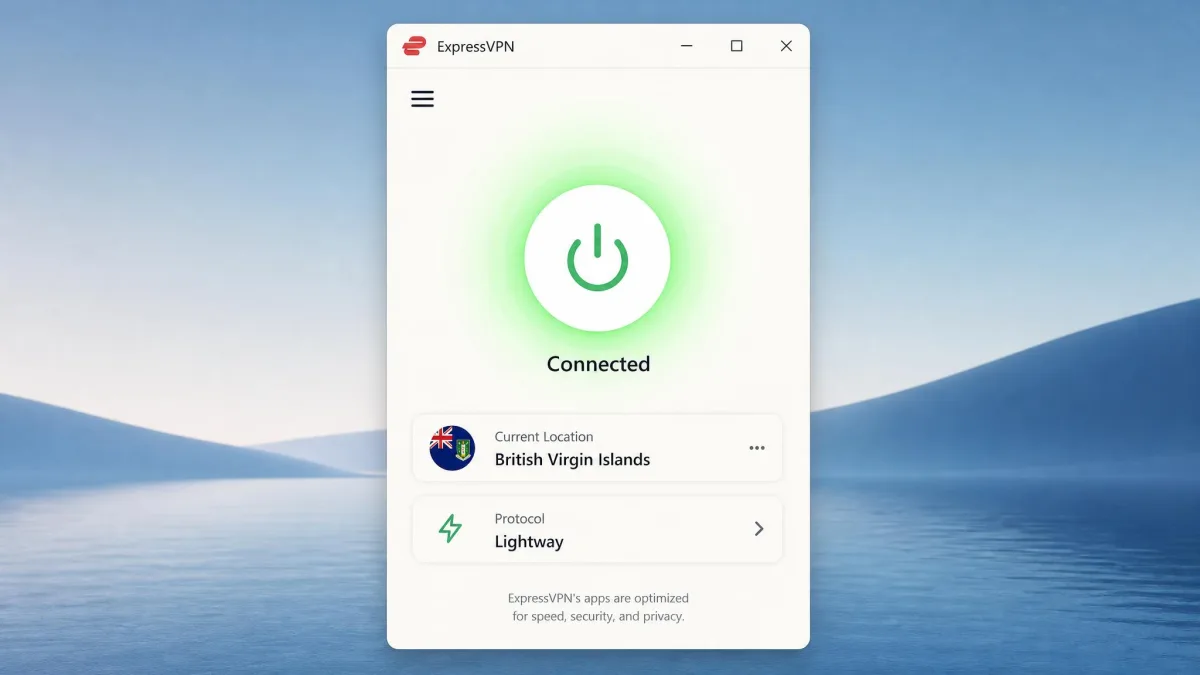
ExpressVPN is the one we hand to people who do not want to think about settings. The apps are the most polished and beginner-friendly of the group, and the defaults are sensible, so a first-time user is well protected without touching anything. Behind that simplicity is serious privacy engineering.
Every ExpressVPN server runs on its TrustedServer platform, which is RAM-only and reloads the operating system fresh on each reboot, so nothing is written to disk. The company has published 23 third-party audits, including KPMG no-logs audits in 2022 and 2024, and it is based in the British Virgin Islands, outside the 14 Eyes with no data-retention laws. Its Lightway protocol was audited by Cure53 in 2021 and is fast and light on battery, which shows on mobile where the connection reconnected almost instantly when we switched between Wi-Fi and cellular.
In testing, both ExpressVPN and Surfshark showed no DNS, IPv6 or WebRTC leaks, and their kill switches, called Network Lock on ExpressVPN, held firm when we forced the connection to drop. ExpressVPN reached roughly 600 to 750 Mbps on Lightway with consistently quick connections across its network, which is the kind of reliability that matters more day to day than a single record-breaking number. The main knock is price: it is one of the pricier picks here, and the discount lives on the longer plans.
Pros
- The most polished, beginner-friendly apps in the group
- TrustedServer platform makes every server RAM-only, reloaded fresh on reboot
- 23 published audits, including KPMG no-logs audits in 2022 and 2024
- Clean leak tests and a kill switch that held under forced drops
Cons
- One of the more expensive picks over the long run
- Fewer advanced privacy toggles than power users may want
- Server count is mid-pack at around 3,000+
Best for: First-time VPN users who want strong privacy with zero fiddling. Skip if: You are on a tight budget or want deep manual control. Price: ~$2.99/mo on the two-year plan (renews higher), monthly up to $14.99.
5. Surfshark: Best Budget Privacy VPN
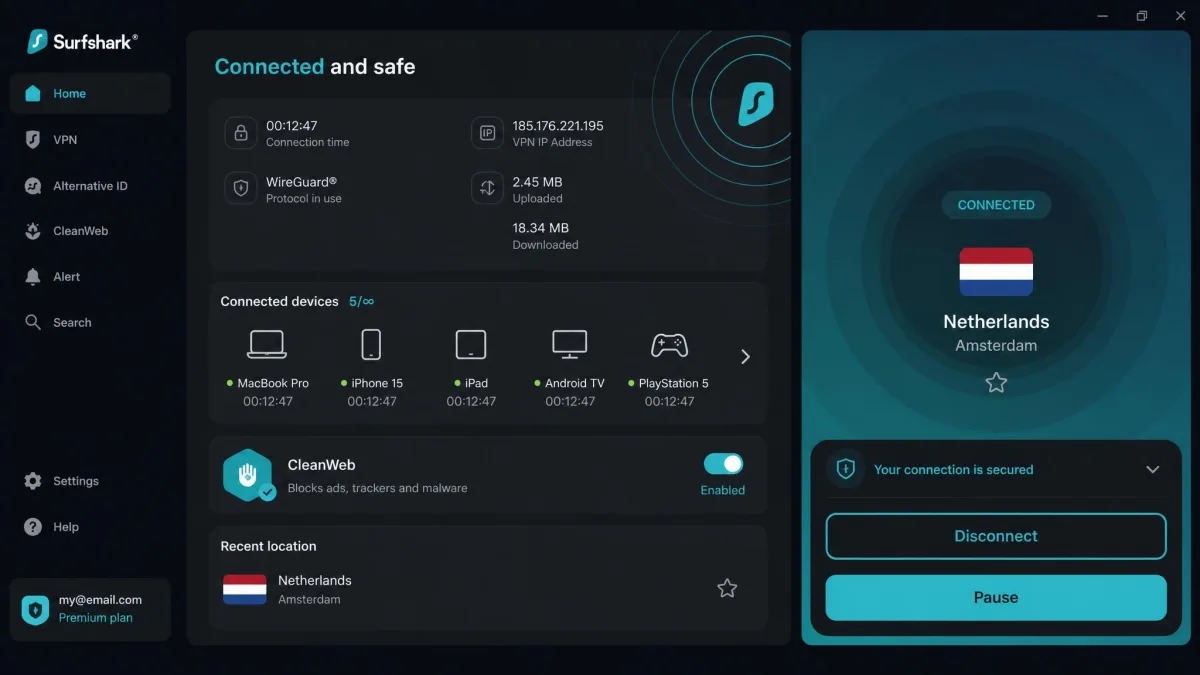
Surfshark is the value pick that does not cut the privacy corners to get there. It went through a Deloitte no-logs audit in June 2025 and a SecuRing infrastructure review in early 2026, its whole network is RAM-only, and its introductory two-year price is among the lowest here. The headline feature is unlimited simultaneous connections, which is genuinely rare and makes it the obvious pick for a whole household or a pile of devices.
Speed is a strength. Surfshark's WireGuard connections sat around 640 to 850 Mbps in our runs, close to NordVPN on modern hardware, and its streaming performance was class-leading. It bundles CleanWeb to block ads and trackers, MultiHop for double-server routing, and its route optimization work has trimmed latency on longer hops. The unlimited-device policy is the standout at this price, and we connected a laptop, two phones and a tablet at once with no drop in performance.
Because the network is RAM-only and audited, it clears the privacy bar we care about most. In our leak testing the apps stayed clean on DNS, IPv6 and WebRTC across every platform we tried. The kill switch held each time we forced the tunnel down, so nothing slipped out in the gap while the app reconnected. CleanWeb also did quiet, useful work in the background, trimming ads and known tracker domains before pages finished loading. MultiHop is the feature to reach for when a single hop is not enough, since it routes you through two servers for an extra layer between you and the exit.
The one nuance worth stating plainly is jurisdiction. Surfshark is based in the Netherlands, which is a 14 Eyes member, and some privacy-focused readers will count that against it. In its favor, the Netherlands has no mandatory data-retention law, and with a RAM-only, audited no-logs network there is little for anyone to request in the first place. We think the trade is reasonable at this price, but you should decide with both sides in view rather than take our word for it.
Pros
- Unlimited simultaneous connections, rare at any price
- Deloitte no-logs audit in 2025 plus a 2026 infrastructure review
- RAM-only network with WireGuard speeds close to NordVPN
- Class-leading streaming and a built-in ad and tracker blocker
Cons
- Netherlands base is a 14 Eyes member, a negative for some
- Introductory price renews notably higher
- Fewer advanced anonymity features than Mullvad
Best for: Households and multi-device users who want strong privacy on a budget. Skip if: You want a base fully outside the 14 Eyes alliances. Price: ~$2.49/mo on the two-year plan (renews higher).
6. Private Internet Access: Best for Transparency
Private Internet Access, or PIA, earns its spot on a record almost nobody else can claim: its no-logs policy has been proven in US federal court. When authorities sought user data, there were simply no records to hand over. That is the strongest kind of no-logs evidence, and PIA backs it with three Deloitte no-logs audits, in 2022, 2024, and 2025, plus a published PIA transparency report of government data requests.
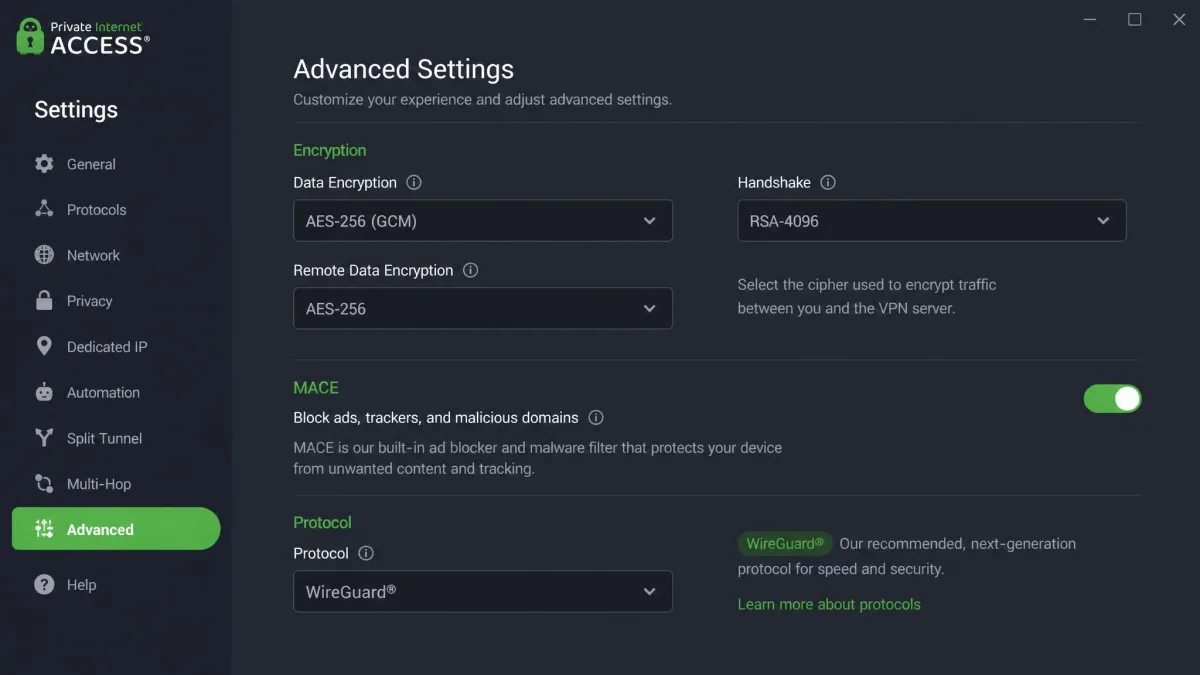
PIA is based in the United States, which reads as a red flag at first glance. But the court cases are exactly why jurisdiction matters less than logging policy: with a RAM-only network wiped on every reboot and no logs to keep, there is nothing to compel. The apps are open-source, and PIA offers deeper configurability than any other pick here, from encryption ciphers to the MACE ad-blocker. That no-logs claim held up when US authorities sought user data in court and no records existed to hand over, which is the outcome every provider promises and few have proven.
That configurability is a double-edged sword. Power users, and we count ourselves among them, love the control: we set custom ciphers, tuned the protocol per network, and enabled per-app rules. Beginners can find the sheer number of toggles overwhelming, and the defaults are less hand-holding than ExpressVPN's. Pricing is the lowest in the group on a long plan, which makes it a strong value if you are comfortable in the settings.
The privacy fundamentals held up in our own checks too. The apps passed leak tests across the platforms we ran them on, and the kill switch cut traffic cleanly when we dropped the tunnel by hand. MACE blocked ads and tracker domains at the DNS level, which is a nice touch for a provider aimed at tinkerers. The split-tunnel and per-app rules let us route only the traffic we wanted through the VPN, so a banking app could bypass it while everything else stayed inside the tunnel. That granular control is the whole appeal, and it is why we keep PIA on the bench for the readers who want to shape every setting themselves.
Pros
- No-logs claim proven in US federal court, with no records to hand over
- Three Deloitte no-logs audits and a published transparency report
- RAM-only, open-source apps with unmatched configurability
- Lowest long-term price in this roundup
Cons
- US jurisdiction will still deter some readers on principle
- The volume of settings can overwhelm beginners
- Interface is less polished than ExpressVPN or NordVPN
Best for: Power users who want court-proven no-logs and deep control at a low price. Skip if: You want the simplest possible setup out of the box. Price: ~$1.33/mo on the longest plan (renews around $4.70/mo).
What Makes a VPN Good for Privacy
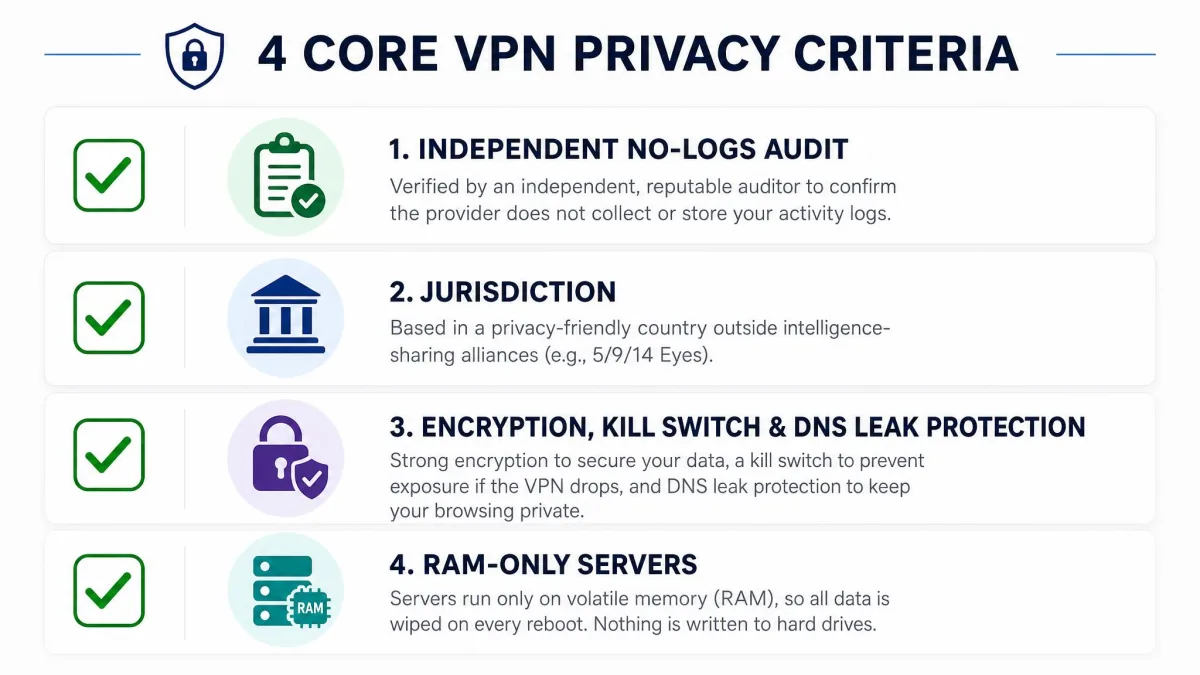
Server counts and flashy speed claims make for good ads, but they are not what protects you. When we score a VPN for privacy, four things carry most of the weight. Here is what each one means and why it matters.
The best VPN for privacy is not the one with the most servers. It is the one whose no-logs claim has been checked by someone who does not work there.
— From our hands-on testing
No-Logs Policy and Independent Audits
A no-logs policy is only as good as the proof behind it. Any provider can write "we keep no logs" on a homepage. What separates the field is whether an independent auditor has gone in and confirmed it, and how recently. NordVPN's six audits and Proton VPN's five straight annual audits are the gold standard here, and Mullvad and PIA both add the rarest proof of all: real cases where authorities came looking and found nothing to take.
When you compare policies, look for the auditor's name, the year, and whether the audit covered the actual server infrastructure rather than just the app. An audit from 2019 tells you little about the network you would connect to today. The best providers publish the full report, not a one-line summary, so you can see the scope and any findings for yourself. When we vetted this field, we opened each provider's most recent report and checked what it actually covered. NordVPN's Deloitte report and Proton's Securitum report both named the infrastructure in scope, which is what we want to see. A provider that will only show a press release rather than the report loses points with us every time.
Jurisdiction (14 Eyes) and Ownership
Jurisdiction is where the company is legally based, and it decides which government can compel it and under what rules. The 5, 9, and 14 Eyes are intelligence-sharing alliances, and a provider based inside one can, in theory, face more pressure. Panama (NordVPN), Switzerland (Proton VPN), and the British Virgin Islands (ExpressVPN) sit outside those alliances, which is a genuine plus.
But jurisdiction is not the whole story, and PIA is the proof. It is based in the United States, deep inside the alliances, yet its court record shows that if there are no logs, there is nothing to hand over. Ownership matters too: check who owns the provider and whether that parent company has a clean record. Read jurisdiction, ownership, and logging policy together, not in isolation. Surfshark is the case that made us do exactly that. Its Netherlands base is a 14 Eyes flag, so we weighed it against the country's lack of a data-retention law and the provider's audited RAM-only network. Once we lined up all three, the base alone stopped looking like a dealbreaker.
A VPN based inside a 14 Eyes country is not automatically unsafe. What matters is whether it keeps logs at all. No logs means nothing to compel, wherever the company sits.
Encryption, DNS Leak Protection, and Kill Switch
Strong encryption is the baseline, and every pick here uses well-audited WireGuard-based protocols or the equivalent. Beyond that, two protections do the quiet, critical work. DNS leak protection makes sure your browser lookups go through the tunnel instead of leaking to your internet provider. A kill switch cuts your traffic instantly if the tunnel drops, so nothing escapes in the gap.
We test both directly. We run DNS, IPv4, IPv6 and WebRTC leak checks on every app, and we force the connection to drop to confirm the kill switch actually holds. Every pick here passed, but the NordVPN reconnection quirk is exactly why we insist on turning the kill switch on before you rely on the app. The forced-drop test is the one that told us the most. We yanked the network mid-download on each app and watched whether a single packet slipped out before the kill switch caught it. On every pick here the traffic stopped dead, which is the behavior you are paying for. A VPN that leaks during that one-second gap has quietly failed at its only real job.
RAM-Only Servers and Post-Quantum Encryption
RAM-only servers store nothing on disk. Everything lives in volatile memory and is wiped on every reboot, so a seized or compromised server yields no historical data. NordVPN, ExpressVPN's TrustedServer, Mullvad, Surfshark and PIA all run RAM-only networks, and it is fast becoming the expectation rather than a bonus.
Post-quantum encryption is the forward-looking piece. Today's encryption could, in theory, be broken by a future quantum computer, and "harvest now, decrypt later" attacks bank on exactly that. The NIST FIPS 203 post-quantum standard is the finalized answer, and NordVPN already ships post-quantum encryption. If you want your traffic to stay private years from now, it is worth prioritizing. Among our picks, NordVPN is the one already shipping it in the consumer apps we tested, so it is the pick we would steer a long-horizon buyer toward. The rest are strong on RAM-only design today, and we expect post-quantum support to spread across the field over the next year or two.
How We Test and Rank Privacy VPNs
We buy or subscribe to every VPN ourselves, on standard consumer plans, so we see exactly what you would see. Nothing here is a vendor-supplied review account. Our background is in networking, so the tests lean on measurement rather than impressions.
Every app runs on our Windows, macOS, Android and iOS machines. On each one we run DNS, IPv4, IPv6 and WebRTC leak tests, then force the connection to drop to check that the kill switch holds and nothing leaks in the gap. For speed, we take a baseline reading, then measure download speeds on a nearby server and on a long-haul server, and we note how much the connection falls off. NordLynx staying within about 10% of baseline and Proton dropping only around 8% on WireGuard are the kinds of numbers that come out of those runs.
We do not stop at a single reading, either. We take each speed measurement more than once, at different times of day, because a server that is quick at breakfast can crawl at peak evening load. We test the default protocol first, since that is what most people will actually use, and then we switch to the alternatives to see how they compare. We also connect from a nearby city and from a server thousands of miles away, so the long-haul numbers show what a real overseas connection feels like. That is how we caught the NordVPN Double VPN penalty and the free-tier slowdown on Proton, since both only show up under the right conditions.
We also read the paperwork that most buyers skip: the latest independent audit for each provider, the jurisdiction and any data-retention law, the ownership, and the transparency report or warrant canary where one exists. We check the payment flow too, since a provider that accepts cash or crypto lets you cut one more identifying link. Scores weight audited no-logs, jurisdiction, and leak-test results most heavily, with speed and price as tie-breakers. A fast VPN that cannot show a recent audit does not outrank a slightly slower one that can.
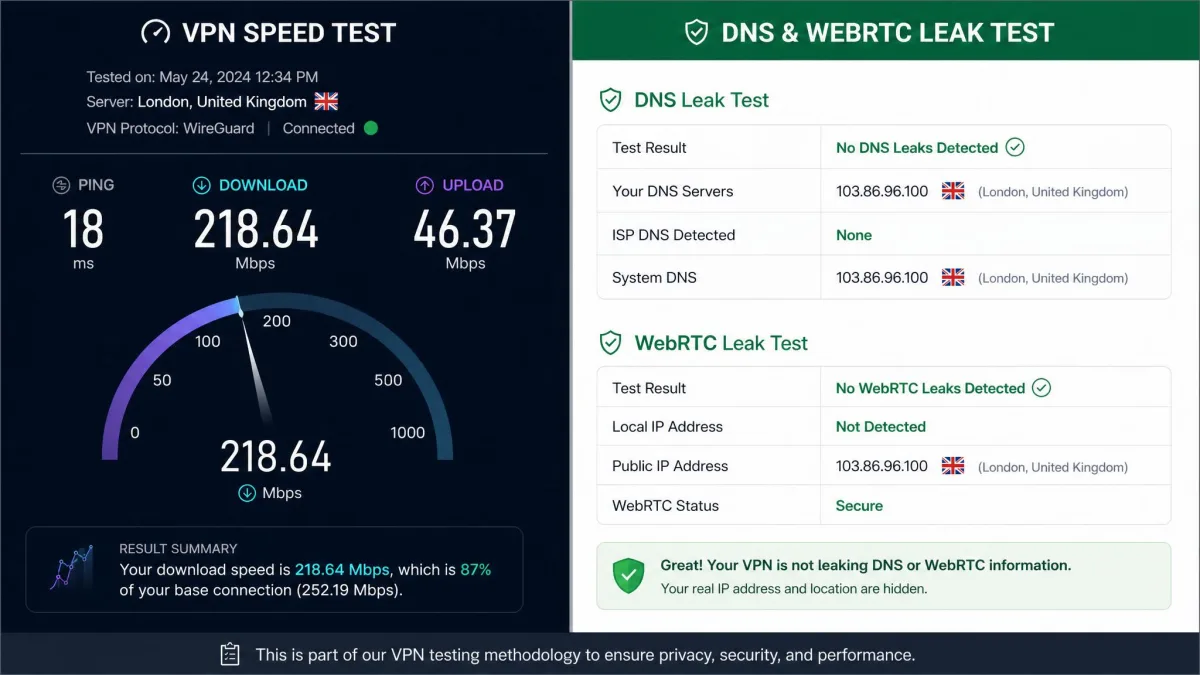
This round was a multi-week effort. Benching six providers properly is not a one-afternoon job: each service took us upwards of 40 hours on the bench, spread across roughly five to seven days per VPN with long stretches of continuous monitoring, and we keep re-testing through the year as the apps update. We ran everything on standardized hardware, a Windows 11 laptop as the main rig alongside macOS, Android and iOS devices, and we isolate each VPN so no other software muddies the readings. For the speed runs we establish a no-VPN baseline first, then run Ookla Speedtest around ten times per server and average the results, disconnecting and reconnecting partway through to mimic real use, and we repeat each location at peak and off-peak hours to smooth out congestion swings. Our own baseline is a fast fiber line, but the exact figure matters less than you would expect: a raw Mbps number only means something relative to the baseline it was measured against, which is why we report how much a connection falls off rather than leaning on a single headline speed.
We re-run leak tests after every major app update. A VPN that tested clean six months ago can regress, and a single leaking build undoes the whole point of paying for privacy.
VPNs by Use Case and Device
Not everyone is buying for the same reason, so here is the quick routing by need. For most people who want a fast, audited, everyday privacy VPN, NordVPN is the default. For the most transparent, open-source option with a Swiss base, choose Proton VPN. For maximum anonymity with no name attached, Mullvad is the clear pick.
Device and household needs shift the answer. If you want to cover an unlimited number of phones, laptops and tablets on one plan, Surfshark is the standout, and its apps are consistent across platforms. For beginners who want one button and strong defaults on any device, ExpressVPN is the smoothest. And if you are a tinkerer who wants to set up custom ciphers and per-app rules, PIA gives you the most control on desktop and mobile alike.
Check the simultaneous-connection limit before you buy for a family. Most picks here cover 5 to 10 devices, while Surfshark and PIA allow an unlimited number on a single account.
Best Free VPNs for Privacy (and Their Limits)
There is exactly one free VPN we are comfortable recommending on privacy grounds, and that is Proton VPN. Its free tier gives you unlimited data with servers in around 10 countries, and it runs on the same audited, open-source, no-logs infrastructure as the paid plans. That combination, unlimited data on a genuinely audited no-logs network, is close to unheard of in the free category.
The limits are real, though. Free-tier servers get crowded and noticeably slower at peak times, and they struggle to unblock restricted sites, so the free plan is best as a privacy tool rather than a streaming one. If you find yourself connecting daily, the paid tier removes those ceilings and opens the full server list.
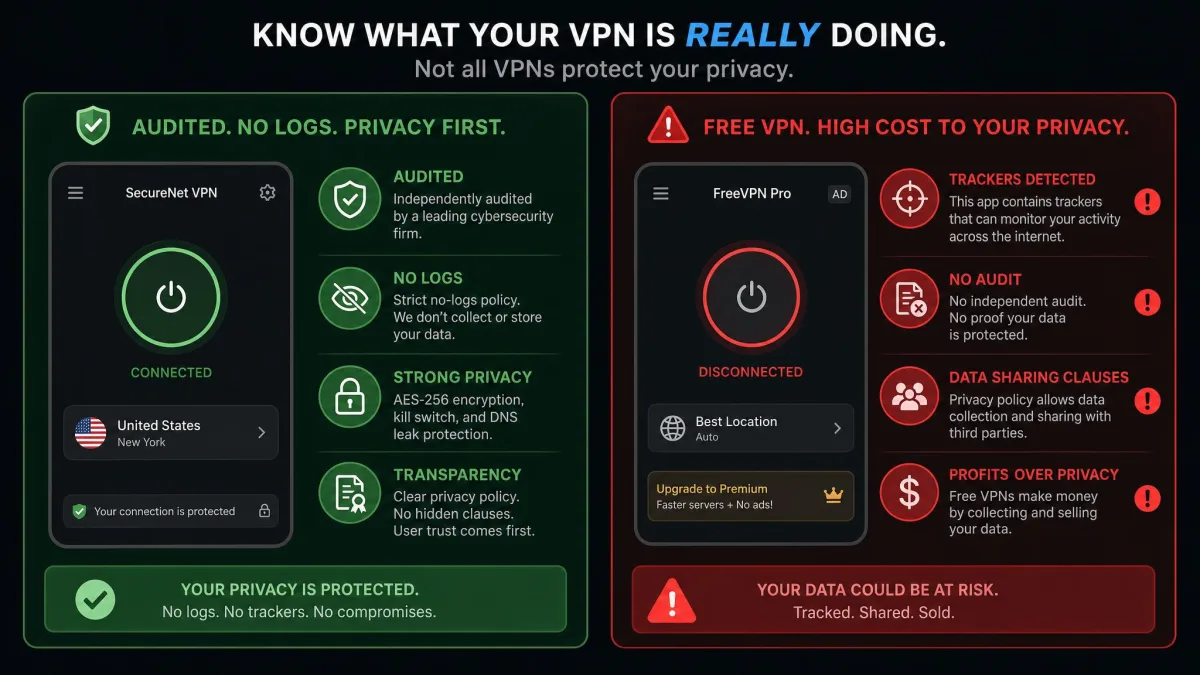
Beyond Proton, we would steer you away from most free VPNs entirely. Running a server network costs money, and a free provider that has not published an audit is often funding itself by logging and selling the very data you are trying to protect. If a free VPN shows you ads, has no audit, and asks for broad app permissions, treat that as a warning, not a bargain.
Most free VPNs are free because your data is the product. If there is no independent audit and no clear business model, assume the app is monetizing your traffic.
Other VPNs We Tested and VPNs to Avoid
We tested more than the six that made the ranking. Several well-known names fell short not on speed but on privacy fundamentals. Any VPN without a recent independent no-logs audit did not make our list, however fast or cheap it was, because an unaudited no-logs claim is just a promise.
The clearest category to avoid is free VPNs from unknown developers, especially on mobile app stores. Studies of free Android VPN apps have repeatedly found trackers, weak or absent encryption, and data leaks. If an app has no named company behind it, no audit, and a privacy policy full of data-sharing clauses, it belongs nowhere near your traffic. When in doubt, a paid pick from this list or Proton VPN's free tier is the safer choice.
We also treat browser-bundled and lifetime-deal VPNs with caution. A lifetime licence is only as good as the company behind it, and a provider that stops updating apps or publishing audits quietly becomes a liability. The best VPN for privacy is one that keeps proving itself, year after year, not one that sold you a one-time promise.
A VPN Is Only One Layer: What a VPN Can't Do
We are network people, and we will not oversell what a VPN does. It encrypts your traffic and hides your address, and that is valuable. It does not make you anonymous by itself, and treating it as a magic cloak is how people get a false sense of security.
A VPN cannot stop you from being identified once you log in. Sign into your real accounts and those services still know it is you, VPN or not. It does not block all tracking either. Browser fingerprinting, cookies, and ad trackers work at a layer a VPN never touches, which is why a tracker-blocking browser or extension is a useful companion. And it does little against data brokers who buy information you handed over elsewhere.
For real privacy, a VPN is one layer in a stack: an audited no-logs VPN for the network, a privacy-respecting browser for the ads and trackers, unique passwords with a manager, and two-factor authentication on your accounts. The VPN does the network job well. It was never meant to do the rest.
Pair your VPN with a tracker-blocking browser and a password manager. The VPN protects the connection, but tracking and account security are separate layers it does not cover.
Bottom Line: The Most Private VPN
After running the full battery on all six, NordVPN is the most private VPN we would recommend to most people. It pairs the deepest audit history in the field with a Panama base, an all-RAM network, post-quantum encryption, and speeds fast enough that you will leave it on. Proton VPN is the pick if open-source transparency and a Swiss base matter most to you, and Mullvad is unbeatable if your priority is signing up with no name at all.