You suspect someone is watching what you do on your phone, and you have heard that a VPN fixes it. Maybe a partner seems to know where you have been, or your battery drains overnight for no reason. It is a stressful place to be, so here is the direct answer before anything else. A VPN helps with one specific kind of spying, and it does nothing about the kind most people actually worry about. It encrypts the traffic leaving your device and hides your IP address, which shuts down snooping on the network you connect to. It does not remove spyware that is already installed, it does not turn off GPS, and it cannot stop apps you have granted permissions to. So a VPN is a useful piece of your privacy, but on its own it is not the answer. Below we walk through exactly where it helps, where it does not, and the steps that actually lock a phone down.
A VPN protects your data in transit: it encrypts traffic and masks your IP so people on your network cannot see your activity or real location. It does not scan for or remove spyware, it does not disable GPS, and it does not stop apps and accounts from tracking you. If someone has installed monitoring software on your phone, a VPN leaves it running.
The short answer: what a VPN does and doesn't protect against
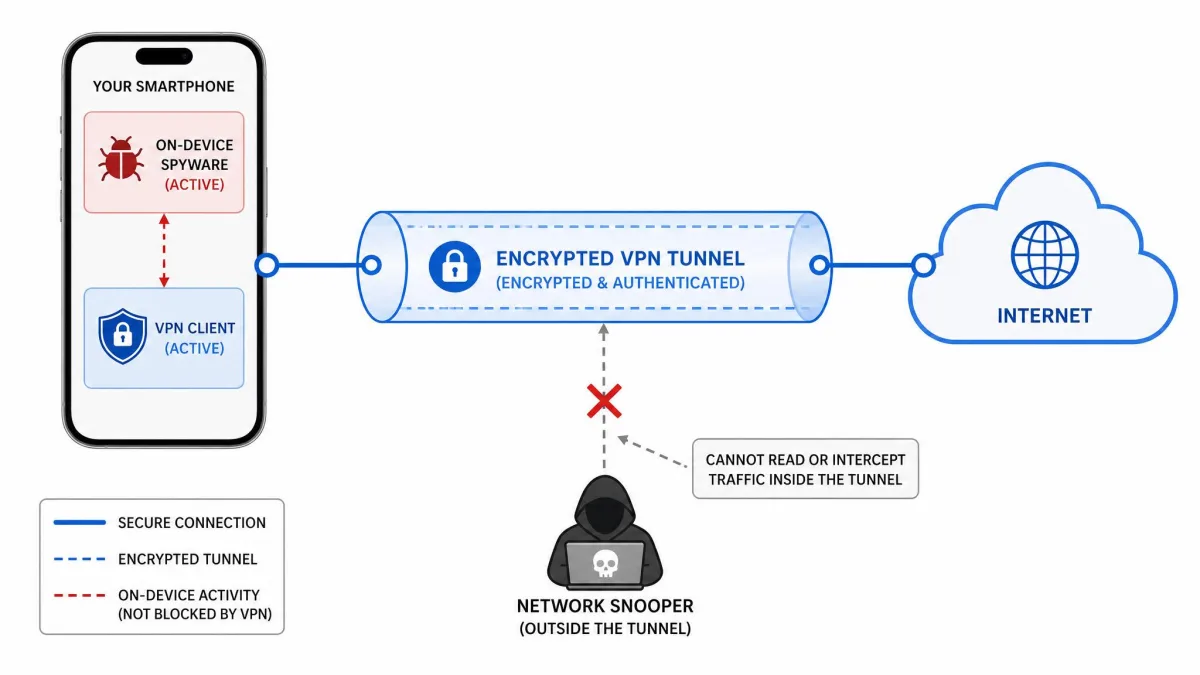
Think of a VPN as a sealed, private tunnel between your phone and the internet. Anything traveling through that tunnel is encrypted, so whoever runs the network you are on cannot read it. That is genuinely valuable, and it is why we recommend a VPN as a foundation. The catch is that the tunnel only protects data while it is moving. It has no reach into your phone itself.
That distinction is the whole story. Spying that happens on the network, like someone snooping on café Wi-Fi or an ISP logging the sites you visit, is exactly what a VPN blocks. Spying that happens on the device, like a hidden monitoring app reading your messages or tracking your GPS, sits completely outside the tunnel. A VPN never sees it and never touches it.
So if your worry is a stranger on public Wi-Fi, a VPN is close to a complete answer. If your worry is that someone you know has physical access to your phone and may have installed something, a VPN will not help you at all. Most people asking this question are in the second situation, which is why the honest answer is "partly, but probably not the part you mean."
What a VPN actually protects you from
Let us give the VPN its due, because it does real work. When you turn one on, three specific kinds of monitoring stop being possible for the people around you and the networks you touch.
Encrypting your traffic on public Wi-Fi
Public Wi-Fi is the classic weak spot. On an open network at an airport, hotel, or coffee shop, other people connected to the same access point can potentially intercept unencrypted data as it travels. A VPN closes that gap by encrypting your traffic before it leaves the device, so anyone capturing packets on that network sees only scrambled data. This is the scenario where a VPN earns its keep most clearly.
If you regularly connect to networks you do not control, this alone is a good reason to run one. The protection is automatic once the VPN is active, and it covers everything your phone sends and receives while connected.
Hiding your IP address and IP-based location
Your IP address is a rough location marker and a way to link your activity back to your connection. A VPN masks your real IP and shows the VPN server's address instead, so websites and services see the server's location rather than yours. That breaks IP-based location tracking and makes it harder to tie your browsing to your physical connection.
Be clear about the limit here, though. This hides your IP-based location only. It does not touch your phone's GPS, which is a separate system entirely. We will come back to that important gap shortly.
Blocking ISP and network-level monitoring
Without a VPN, your internet provider can see which domains and sites you connect to, even when the sites themselves use HTTPS. A VPN encrypts that traffic so your ISP cannot see which sites you visit, and it prevents network operators from viewing the contents of your encrypted connections. On a monitored home or office network, this stops whoever runs the network from building a picture of your browsing.
If you use a VPN for privacy, choose a provider with a strict no-logs policy backed by independent audits. A provider that quietly stores your activity logs undermines the whole point, so the company you trust matters as much as the encryption itself.
What a VPN cannot stop
Here is the part that surprises people, and the part worth reading twice. A VPN is built to protect traffic, not the device. Everything in this section happens on or through your phone in ways the VPN tunnel simply does not cover.
Spyware and stalkerware already on your phone
This is the big one. A VPN does not block spyware the way antivirus does, because it is designed to encrypt and protect internet traffic, not to scan files or processes. More importantly, a VPN cannot remove spyware already on a device. It has no access to your files or processes, so an already-infected phone stays infected no matter how many times you connect. Removing that software takes anti-malware tools or a factory reset, not a VPN.
If someone has installed monitoring software, that app can read your messages, log your keystrokes, and capture your location while the VPN runs happily alongside it. The tunnel protects the data going out to the internet, but the spyware is already inside the house.
A VPN will not detect or remove monitoring software that is already on your phone. If you believe someone has installed spyware or stalkerware, turning on a VPN does nothing to stop it. You need to scan for and remove the software directly, or perform a factory reset.
GPS and app-based location tracking
A VPN does not disable GPS tracking. GPS relies on satellite signals and your device's own sensors, not your IP address, so masking your IP has zero effect on it. If an app or a monitoring tool reads your GPS coordinates, a VPN never enters the picture.
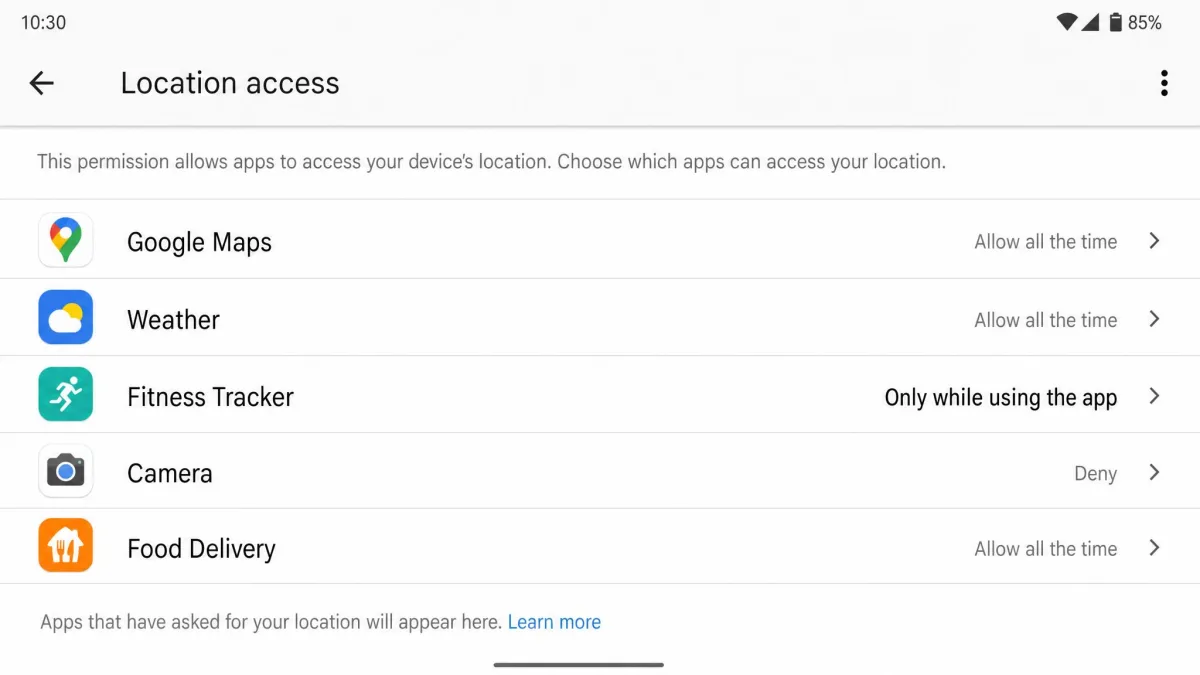
App-based tracking is the same story. A VPN does not stop apps you have granted permissions to, and those apps can still collect your location, contacts, camera access, and usage data. The permission you tapped "allow" on months ago is doing the tracking, and the tunnel does not revoke it.
App permissions and account-linked tracking
Every service you log into can still associate your activity with your account regardless of a VPN. When you sign into your email, social media, or a shopping app, you have identified yourself. The VPN hides your IP, but you have already told the service exactly who you are, so it can keep building its profile of you.
This is why locking down permissions matters more than most people realize. The tracking that follows you around is usually happening through accounts and app permissions you control, not through your raw network connection.
Device identifiers and advertising IDs
Your phone carries identifiers that apps can read, including an advertising ID used to link your behavior across services. A VPN does not hide the device identifiers and advertising IDs that apps can access. You can reset and limit these yourself in your phone's settings, but a VPN will not do it for you. It is simply the wrong tool for this job.
How someone can actually spy on your phone
Understanding the real methods makes the VPN's limits obvious. Most everyday phone spying does not involve some remote hacker breaking your encryption. It involves someone getting close to your device.
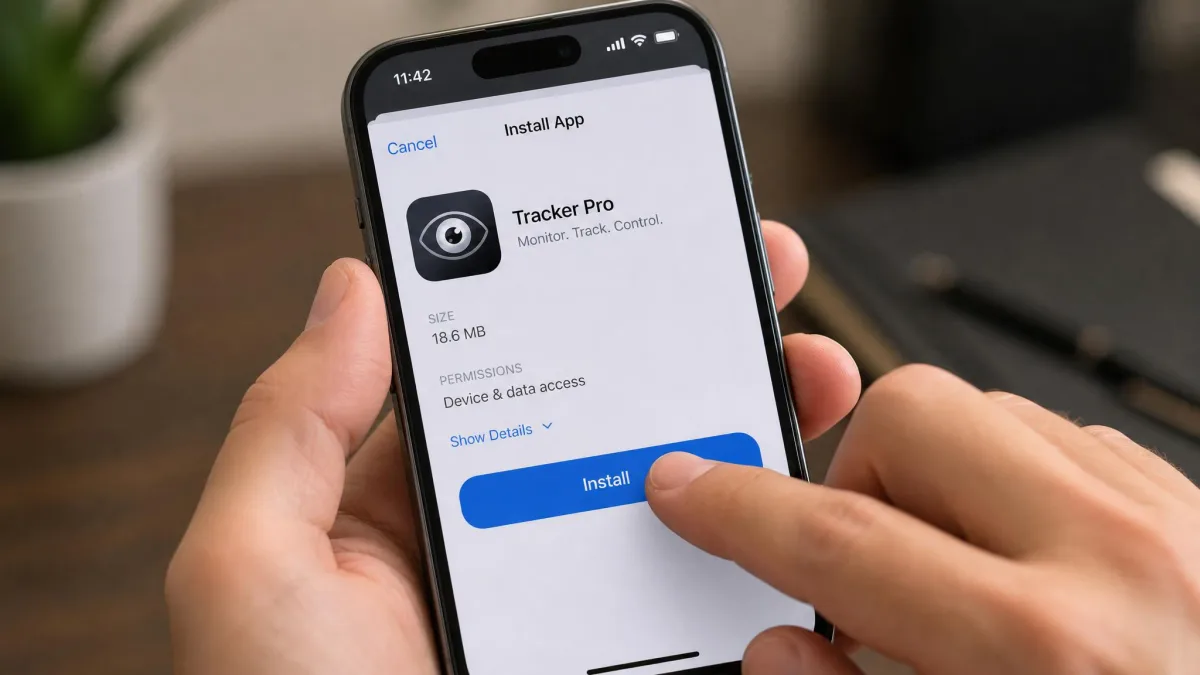
The most common route is monitoring software, often called stalkerware. This is software that lets someone secretly spy on another person's private life through their mobile device, running hidden without the user's knowledge or consent. Once installed, it can perform keystroke logging, screenshot capture, GPS location tracking, and video or audio recording, and it can access private messages, camera, and microphone. It is a near-total window into your phone.
Crucially, most phone spyware requires physical access to the device to install. Someone has to pick up your unlocked phone and set it up. That single fact explains why a screen lock is one of the most powerful defenses you have, and why a VPN is beside the point for this threat.
There are other paths, like malicious apps installed from outside official stores or accounts compromised through weak passwords, but installed monitoring software is the dominant one people are asking about. And none of it travels through the part of your connection a VPN protects.
Most phone spying starts with physical access. If you keep your phone locked with a passcode nobody else knows, you close the door on the single most common way monitoring software gets installed.
Signs someone is spying on your phone
There is no single symptom that proves you are being monitored, so treat these as possible indicators rather than proof. Plenty of them have innocent explanations. But when several show up together, it is worth investigating. In our experience testing monitoring tools, these are the patterns that most often accompany hidden software running in the background.
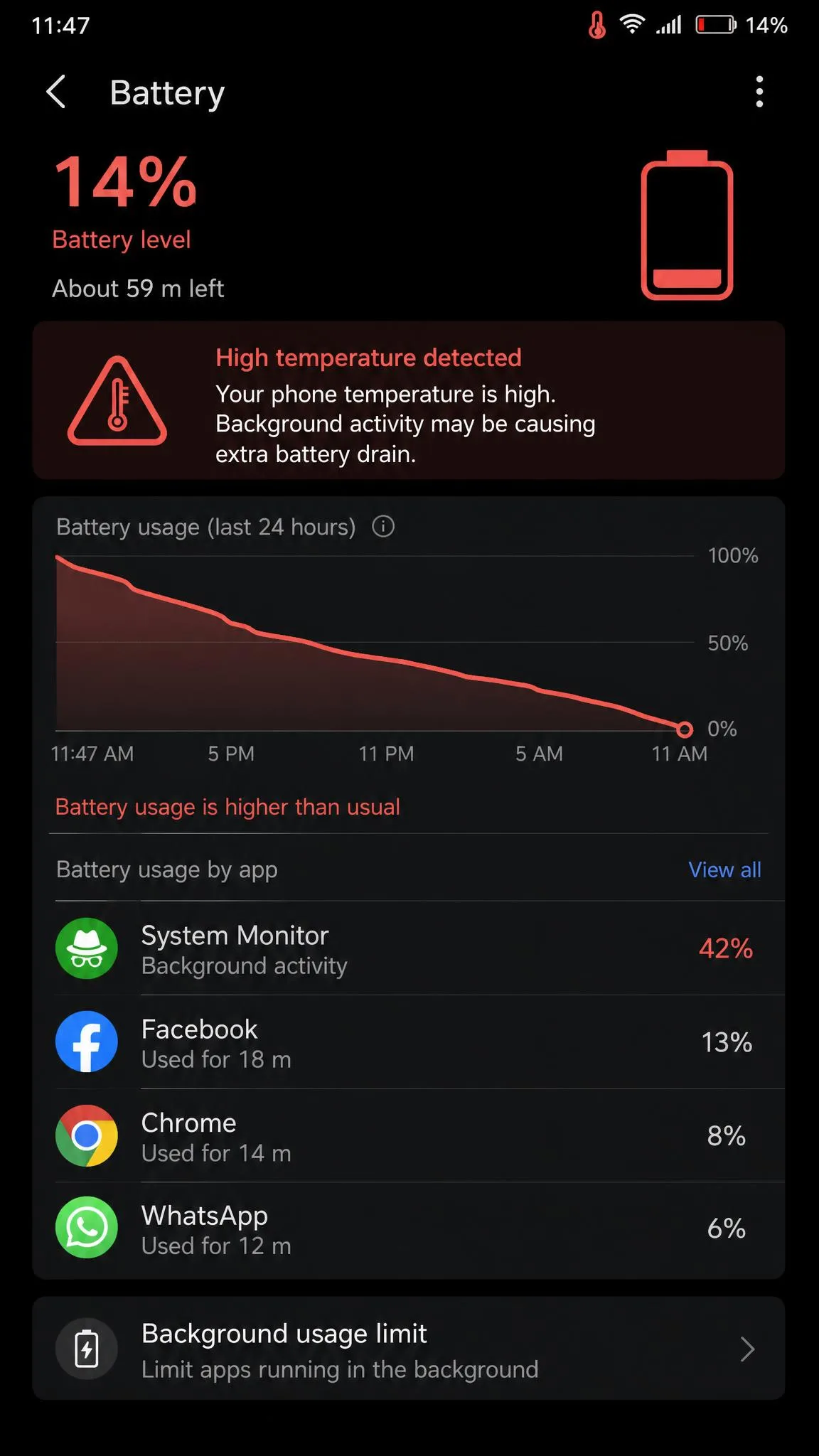
A monitored phone often shows unusual battery drain and overheating, even while idle or sitting in standby. Spyware running constantly in the background also tends to cause noticeable slowdowns and unusually long shutdown or reboot times. Another quiet tell is a sudden, unexplained spike in cellular data usage, which can point to a monitoring app uploading your information in the background.
Watch the screen, too. A display that lights up on its own in standby, or a phone that reboots without any input, can signal remote access. Some people report background crackles, beeps, or echoes during calls, or odd noises while the phone is idle. Those are less reliable on their own, but they get mentioned often enough to note.
Then there are the more concrete red flags. Strange texts full of random characters or symbols, or contacts telling you they received odd messages from your number, can indicate spyware. And unfamiliar apps or folders you never installed, or the "Unknown sources" setting silently enabled on Android, are among the strongest signs of all.
How to check if your phone is being monitored
If the signs above have you worried, you can check methodically instead of guessing. The approach differs a little between Android and iPhone, so we will cover both.
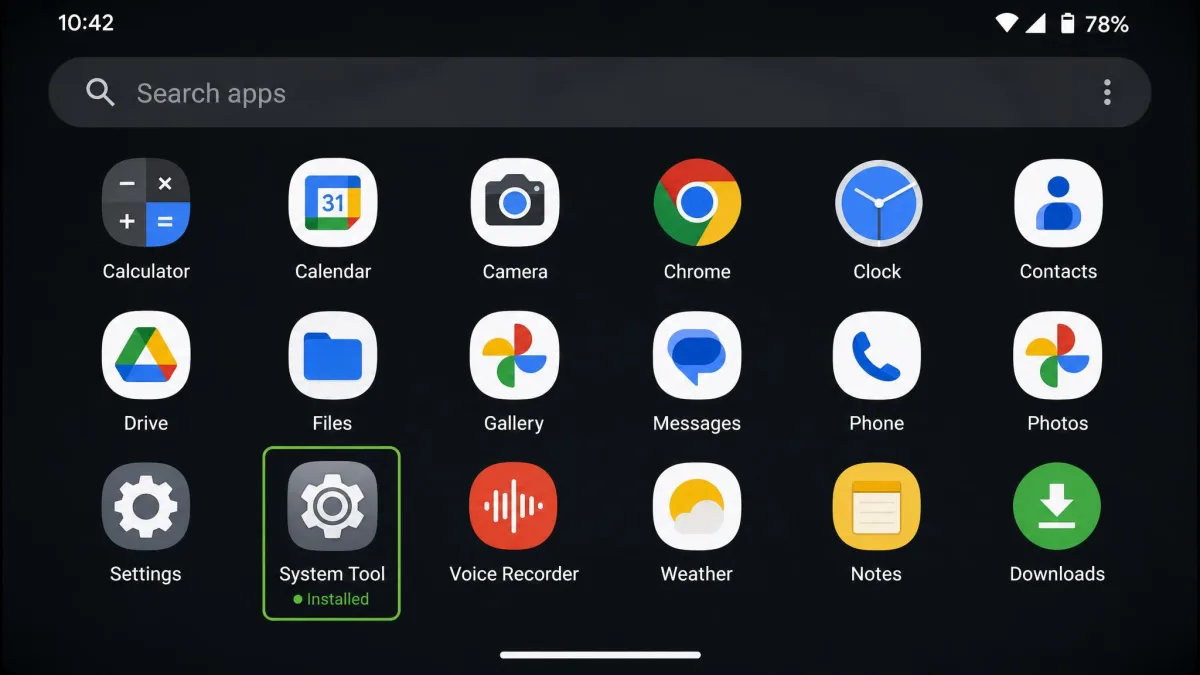
On Android, start in your app list. Open Settings, then Apps, then See all apps, and scroll for anything unfamiliar, especially names containing words like "spy," "monitor," "stealth," or "track." Hidden monitoring apps sometimes use bland or system-like names to blend in, so look for anything you do not remember installing. Then run a scan with Google Play Protect, which can flag known malicious apps. Also check whether "Unknown sources" or "Install unknown apps" has been enabled, since stalkerware on mobile is usually installed from outside official app stores.
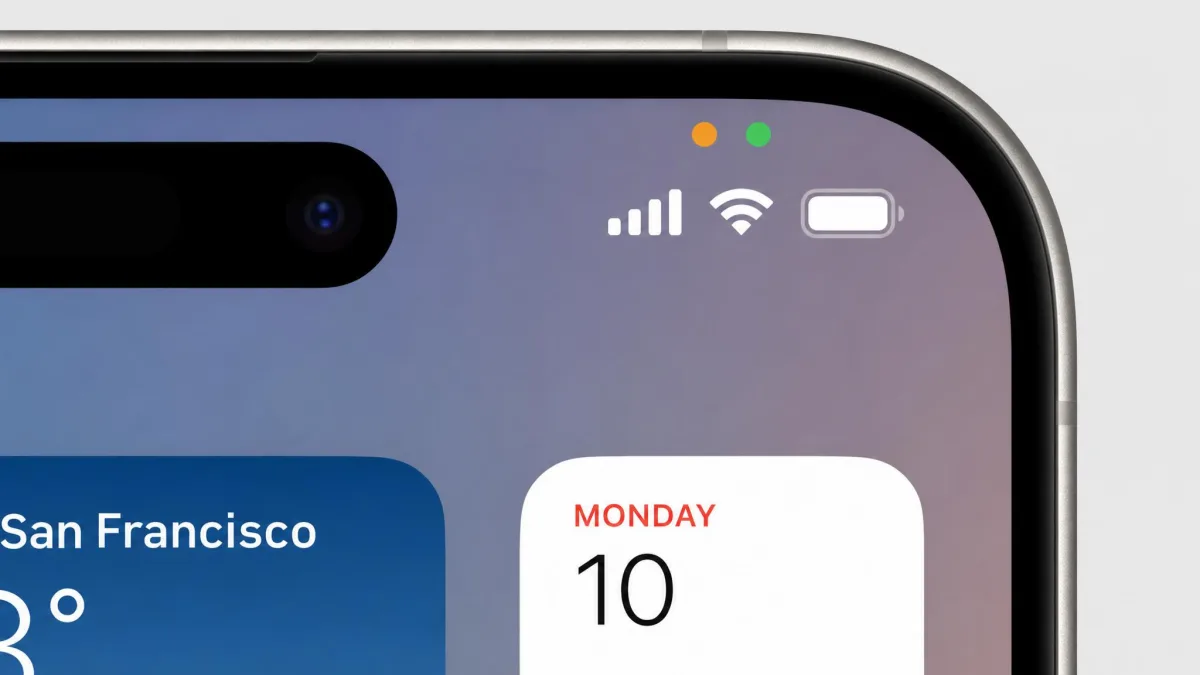
On iPhone, the built-in privacy indicators do a lot of the work. Since iOS 14, an orange or green dot appears at the top of the screen whenever an app uses your microphone or camera, so watch for those dots appearing when no app should be active. Review what each app can reach under Settings, then Privacy. One more thing to check: the presence of the Cydia app indicates a jailbreak, which is a red flag that unofficial spy software may be installed. A stock, un-jailbroken iPhone is much harder to compromise.
That last point is worth keeping in perspective. iOS is harder to compromise unless the phone is jailbroken, so iPhone spyware is far less common than on Android, though it is not impossible. There is also no reliable consumer detection app for iOS, so iPhone users lean on the built-in privacy indicators and permission review rather than a scanning tool.
How to find and remove spy software (Android and iOS)
If a check turns something up, or your suspicion is strong, removal escalates through a few stages. Start with the least drastic step and work up only as needed.
The first stage is simple: uninstall any suspicious app you found. On Android you can usually do this from the app list, though some monitoring tools resist removal or hide their uninstall option, which is itself a warning sign. The second stage is to update your operating system and all your apps, because updates patch the security holes that spyware exploits to get in and stay in.
The most dependable stage, and the one we reach for when something is genuinely stubborn, is a full factory reset. A reset wipes all third-party apps and any embedded spyware along with them. The trade-off is that it wipes everything else too, so a clean backup and a password change come first. After the reset, change your iCloud or Google account password so that whoever had access cannot simply log back in and re-establish control.
Before a factory reset, back up only your essential personal data like photos and contacts, not full app data, so you do not restore the spyware along with everything else. Change your account passwords from a different, trusted device once the reset is complete.
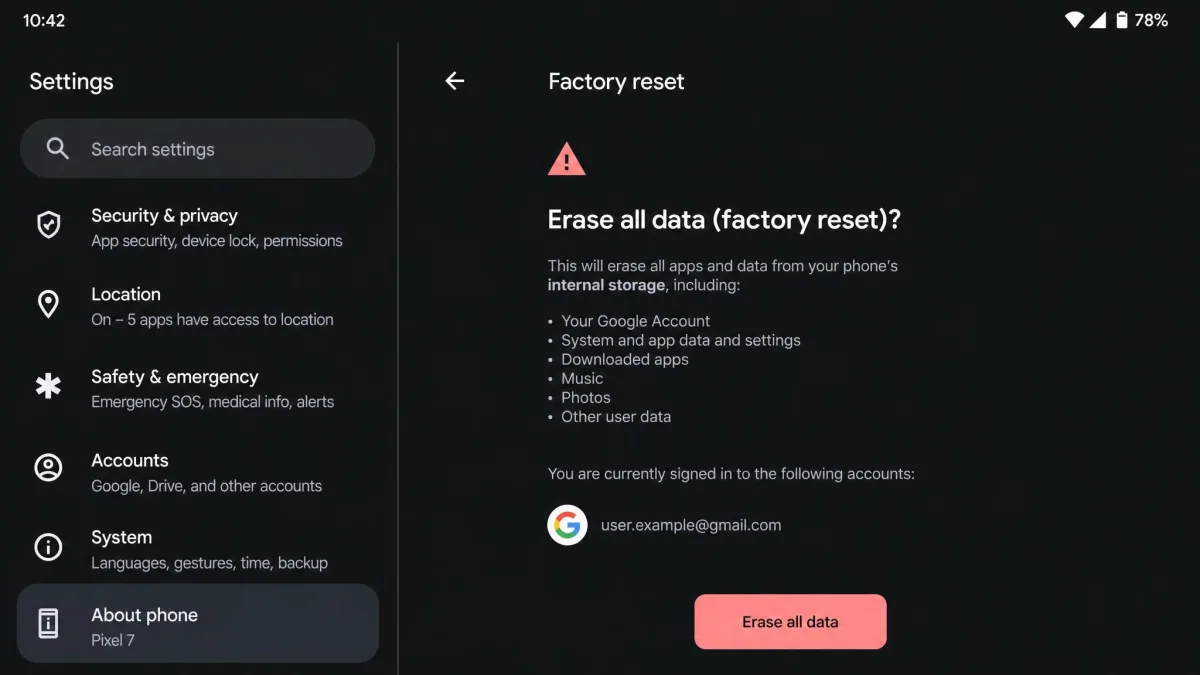
For anyone in a situation where a partner or someone in the household may be monitoring them, be careful about timing and safety. Removing stalkerware can alert the person who installed it.
How to stop someone from spying: layered protection
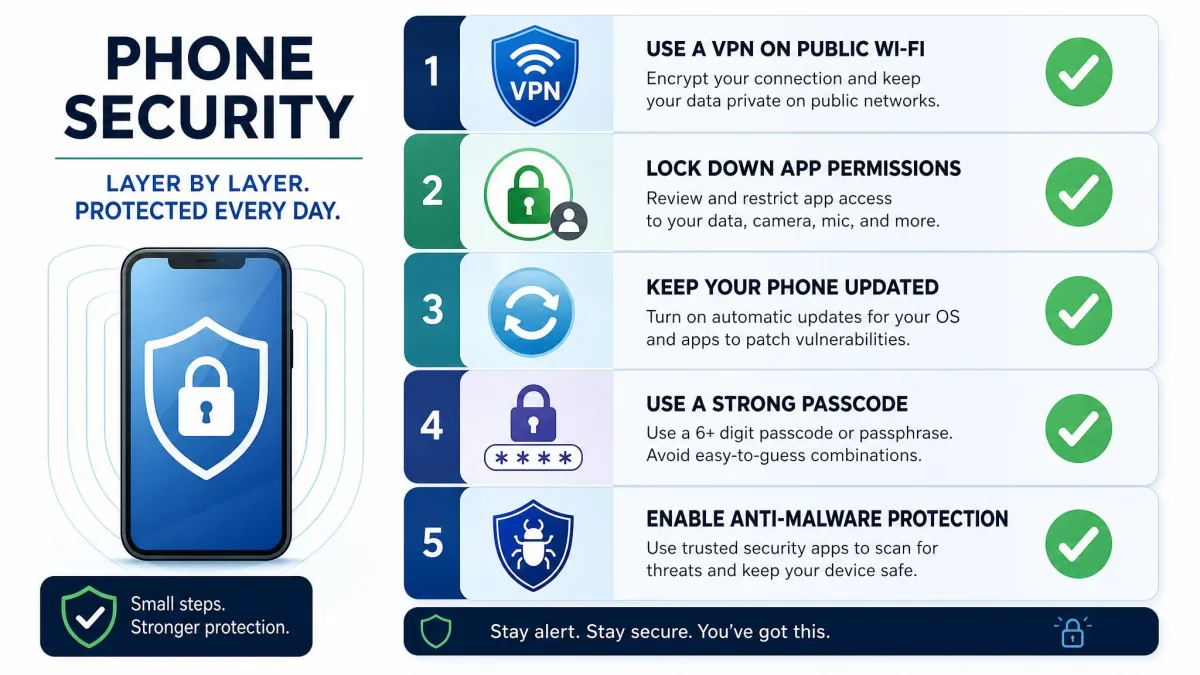
No single tool covers everything, which is the honest through-line of this whole guide. Privacy is layered, not a switch. A VPN is a solid foundation, but it leaves GPS, app permissions, and on-device spyware untouched on its own. Here is the stack we actually recommend, in the order that gives you the most protection for the least effort.
Use a VPN on public Wi-Fi
Keep the VPN for what it is good at. Turn it on whenever you connect to a network you do not control, so your traffic stays encrypted and your IP stays hidden. Pick a reputable provider with a no-logs policy, and treat it as one layer rather than the whole defense.
Lock down app permissions and location settings
This is where you close the tracking that a VPN cannot. Set location access to "Only while using the app" for anything that does not truly need it, and revoke permissions any app does not require to function. While you are in there, disable ad personalization and reset your advertising ID to limit cross-app tracking. This one afternoon of settings work does more against everyday tracking than any single app you can install.
Keep your device and apps updated
Keep your operating system and apps updated, because updates include the critical security patches that block known exploits. The easiest way to stay current is to enable automatic updates so you are never running a version with a hole someone already knows how to use.
Use screen locks and strong passwords
Since most spyware needs physical access, a screen lock is your front door. Use at least a six-digit passcode, or biometrics like fingerprint or face unlock, and do not share it. Pair that with strong, unique passwords on your Google or iCloud account so nobody can slip in through the cloud instead of the handset.
Add anti-malware / antivirus protection
This is the layer a VPN is not. A VPN and antivirus solve different problems: antivirus detects and removes spyware and malware, while a VPN protects your traffic and privacy. You need both for full coverage. On Android, a reputable anti-malware app plus Google Play Protect will catch most known threats. As covered above, iOS has no comparable consumer scanner, so iPhone users rely on the platform's own protections and careful permission review.
If you only do two things from this list, lock your phone with a strong passcode and audit your app permissions. Together they address the two most common ways people get spied on: physical access and over-permissioned apps.
When phone spying becomes a legal issue
It helps to know that a lot of phone spying is not just invasive but illegal. Installing monitoring software on an adult's phone without their consent, and using it to read their messages or track their location, can break wiretapping, computer-fraud, and stalking laws in many places. Consent and ownership are the pivots. Monitoring your own minor child's device is treated very differently from secretly monitoring a partner or another adult.
We are not lawyers, and the specifics vary by jurisdiction, so we will not pretend to give legal advice here. The practical takeaway is this: if you find monitoring software on your phone and you did not put it there, you may have both a security problem and a legal one. For broader background on your rights, the EFF publishes accessible digital privacy guidance from the EFF, and the FTC offers plain-language FTC guidance on protecting your phone and the data on it. If you feel unsafe, contact local support services before confronting anyone.
Frequently asked questions
Can a VPN stop spyware already on my phone?
Can my phone be tracked while using a VPN?
Can someone spy on my phone when it's off or in airplane mode?
How do I tell if spy software is installed?
Does a VPN hide my GPS location?
Do I need antivirus if I already use a VPN?
Final thoughts
So, does a VPN stop someone spying on your phone? It stops one specific type of it: the network-level snooping that happens on public Wi-Fi or through your ISP. That is worth having, and we recommend running a trustworthy VPN as part of your routine. But it is not the shield most people picture when they ask this question. A VPN cannot remove spyware from your phone, it cannot switch off GPS, and it cannot rein in the apps and accounts you have already given access to.
The reassuring news is that the steps that do work are all within reach. Lock your phone with a strong passcode, audit your app permissions, keep everything updated, add anti-malware protection, and use a VPN for what it does best. Stack those layers and you close nearly every common route someone would use to watch you. If the signs point to something already installed, scan for it or reset the device and change your passwords. You have more control over this than a single app can give you, and now you know exactly where each piece fits.