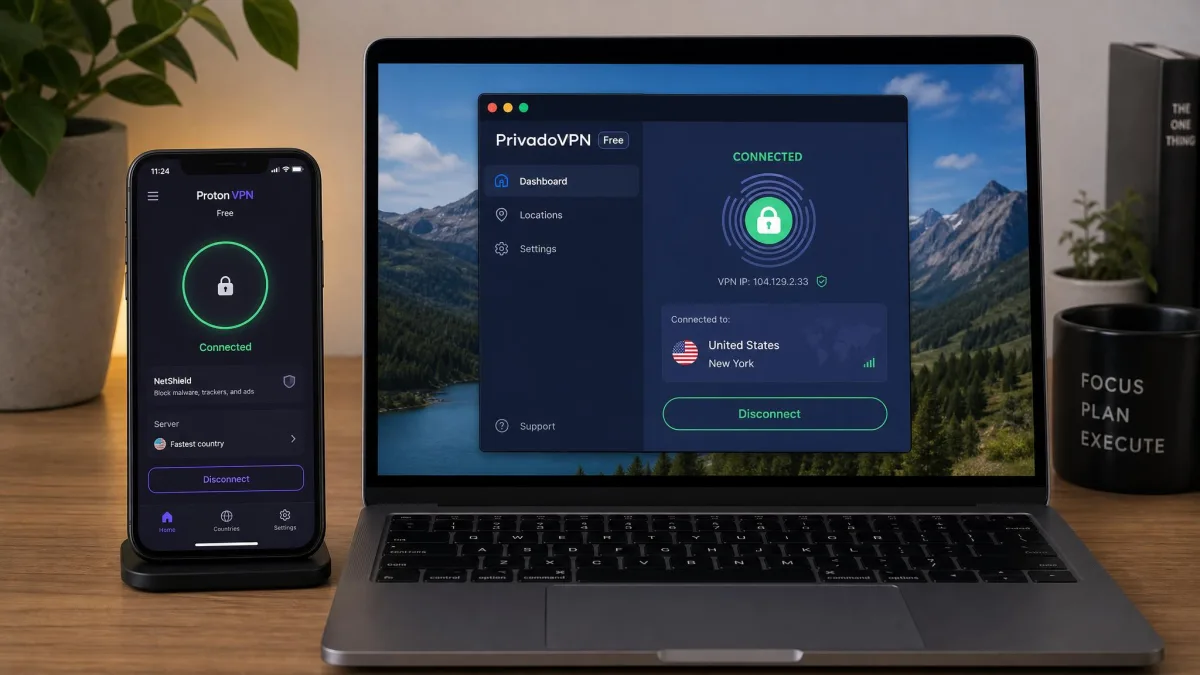
Most free VPNs are capped, throttled, or funded by something you would not agree to if the app asked you plainly. Some sell your data to third parties. Some inject ads into pages you visit. A small number have been used as infrastructure for outright crime. Out of the whole free market, we would install seven of them on our own devices, and only three of those without a caveat attached.
That is the short version, and it shapes everything below. A free VPN is not a smaller version of a paid one. It is a deliberately limited product built to move you onto a paid plan, and the way each provider chooses to limit you is the single most useful thing to know before you download anything. One gives you unlimited data and takes away your choice of country. Another gives you eleven countries and 10GB a month. A third gives you speed and keeps logs.
Below are the seven free plans worth your time in 2026, what each one actually gives you, and where each one quietly takes something back.
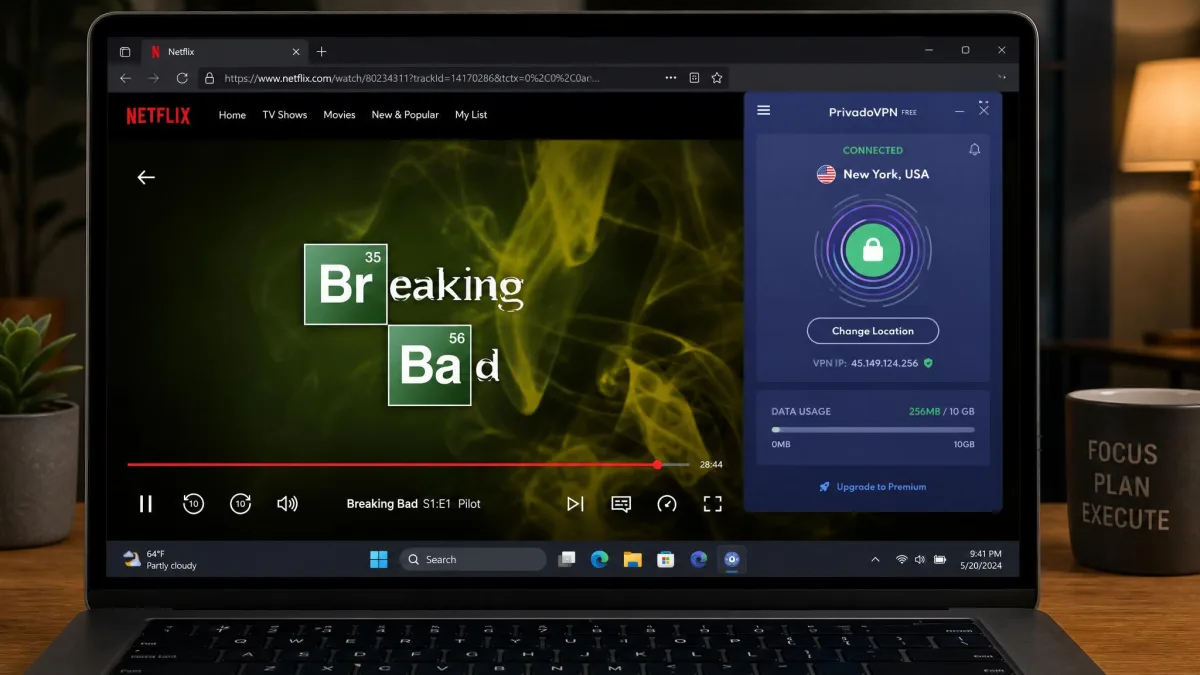
Quick Answer: The Best Free VPNs at a Glance
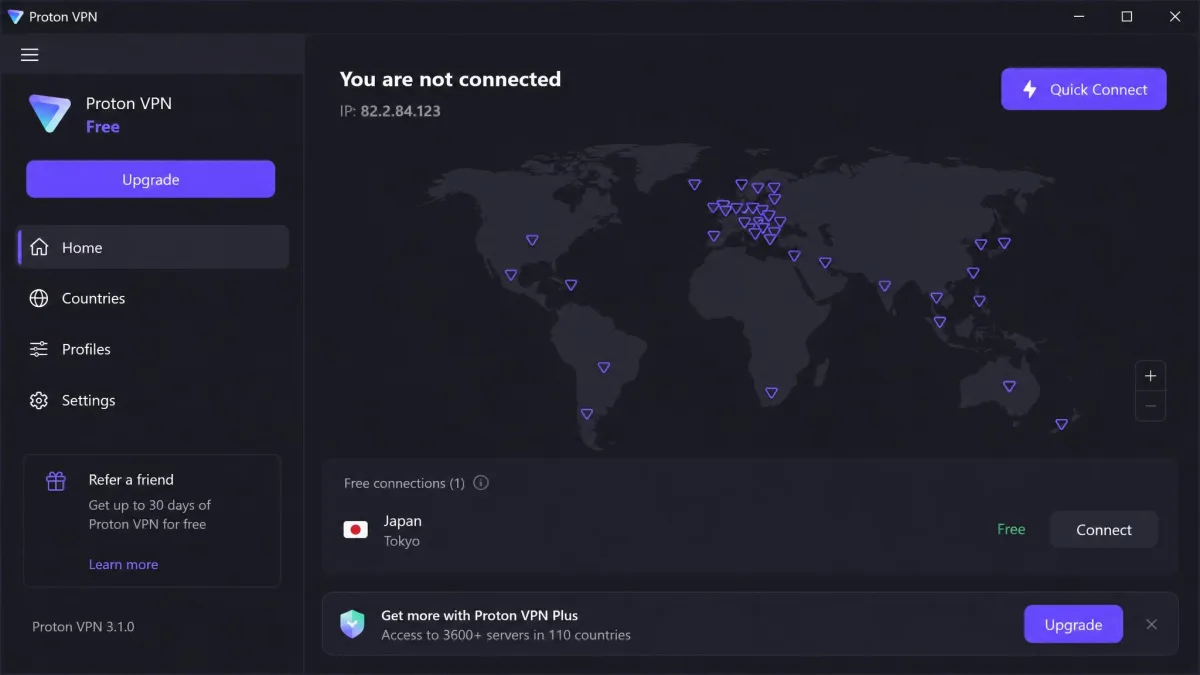
If you want one answer and nothing else, install Proton VPN Free. It is the only free plan on this list with no monthly data cap and no advertised speed cap, and it comes from a Swiss provider with open-source, audited apps and a strict no-logs policy. The trade-off is that you get one device at a time and no manual choice of country.
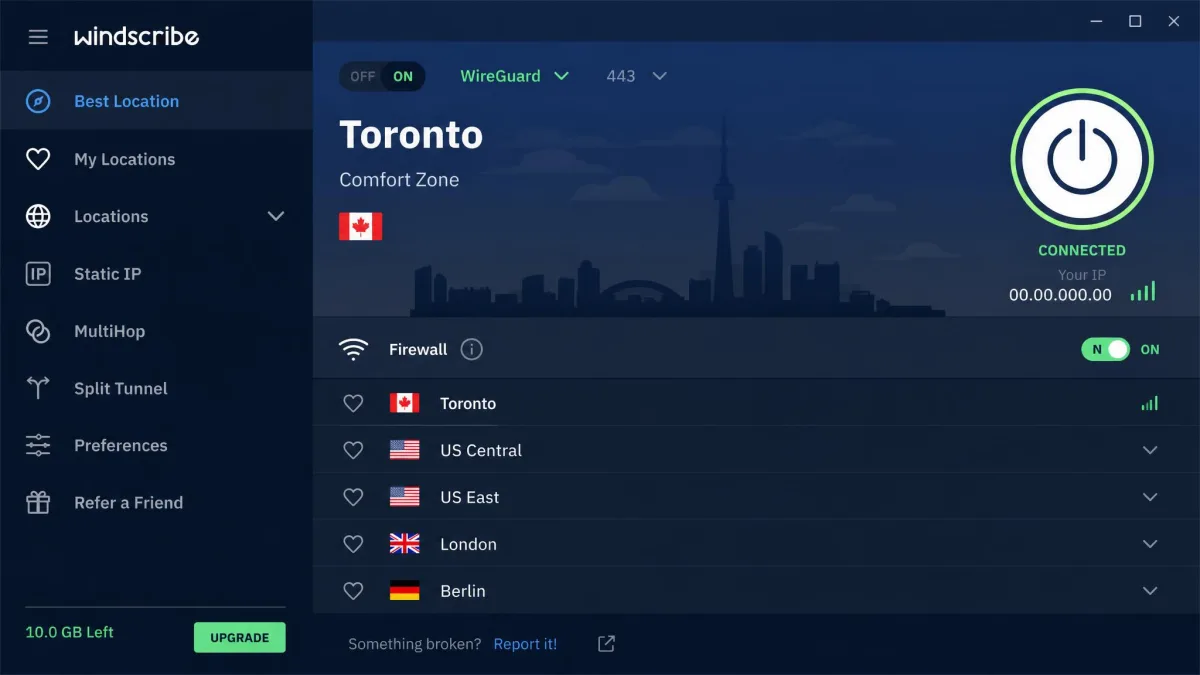
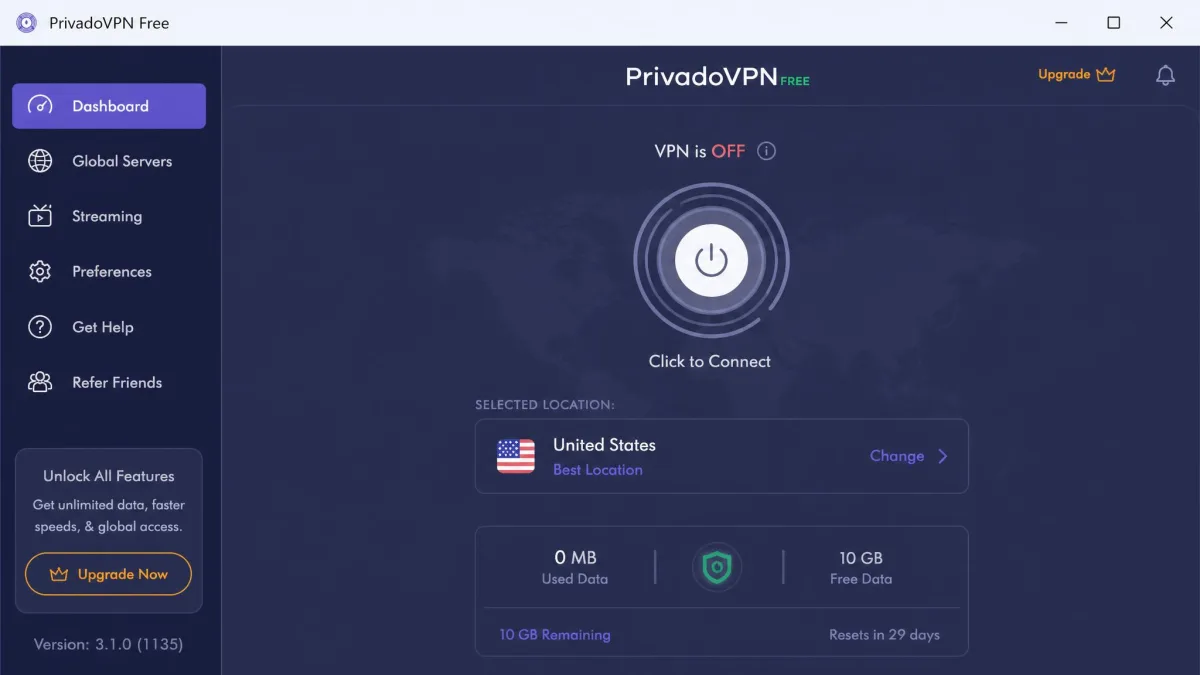
If you need more than one device covered, or you want ad and tracker blocking built into the free tier, use Windscribe Free instead. If your reason for wanting a VPN is streaming, PrivadoVPN Free is the only pick here that opens the big US catalogues without complaint.
Here is how the seven picks line up, ranked:
- Proton VPN Free is the best free VPN overall.
- Windscribe Free is the best for features and data allowance, at 10GB a month across unlimited devices.
- PrivadoVPN Free is the best for streaming, with 10GB a month and no torrenting restrictions.
- Hotspot Shield Basic is the fastest free VPN, but its free tier is ad-supported and logs more than we like.
- hide.me Free is the best free VPN without an account, since it needs no email address at all.
- TunnelBear Free is the best for beginners, with the simplest app of the group.
- ZoogVPN Free is the best lightweight option, with 10GB a month and a small, tidy app.
Side-by-Side Comparison of the Best Free VPNs
Read this table by column, not by row. The best free VPN for you is decided by which single limit you can live with.
| Product | Buy | Free data cap | Free server locations | Devices | Measured speed | Streaming | Logging policy | Account required |
|---|---|---|---|---|---|---|---|---|
|
Sign up free → | Unlimited | 10 countries | 1 device | 15% average loss | No | Audited no-logs | Yes |
 |
Visit site | 10GB per month | 10 locations | Unlimited | Slower than paid | Partial, not US Netflix | No-logs, RAM disk | Yes, email confirmed |
 |
Visit site | 10GB per month | 11 countries | 1 | 8% loss | Yes | No-logs | Yes |
 |
Visit site | 500MB per day | 1 US location | 1 | 2% loss, 2Mbps on sustained transfers | Yes | Logs IPs and domains | Yes |
 |
Visit site | Unlimited, speed capped | 8 countries | 1 | Roughly 2 to 10Mbps | Occasional | No-logs | No |
 |
Visit site | 2GB per month | Auto-assigned | No stated limit | Steady but data-limited | Partial | Audited no-logs | Yes |
 |
Visit site | 10GB per month | 5 locations | 1 | Reduced | No | No-logs | Yes, no card |
Free server counts move around more than any other number in this table. Providers rotate which locations sit behind the free tier, so the country list in your app may not match a review written six months ago.
The Best Free VPNs in 2026
1. Proton VPN Free: Best Free VPN Overall
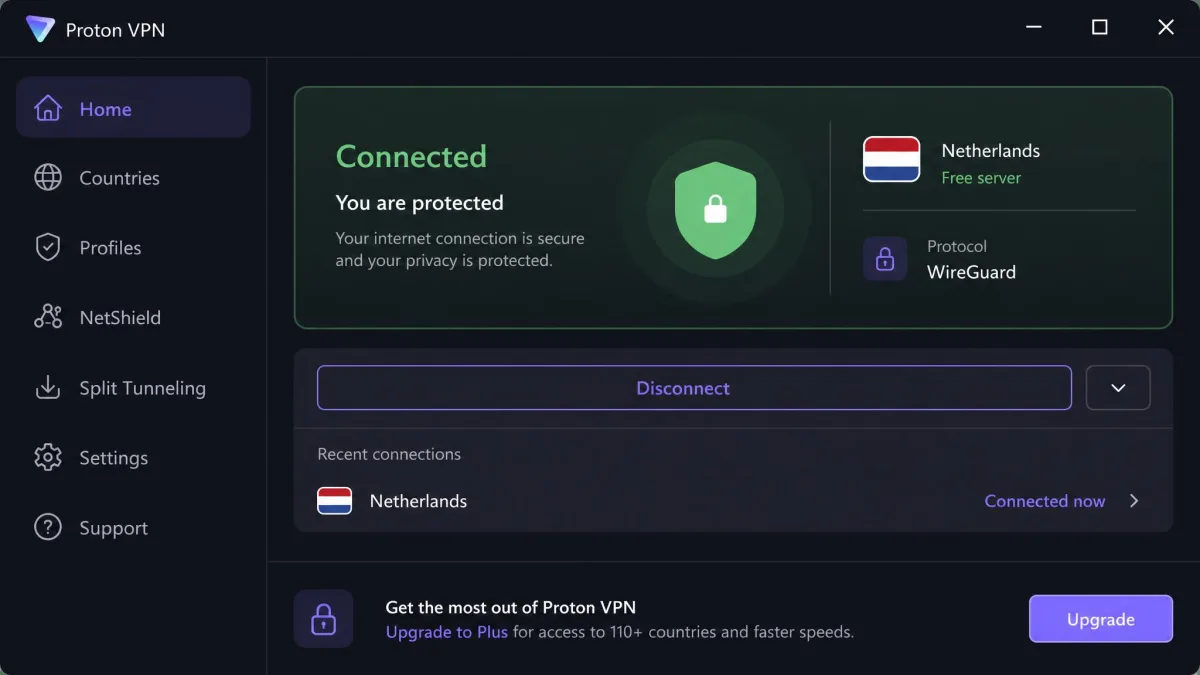
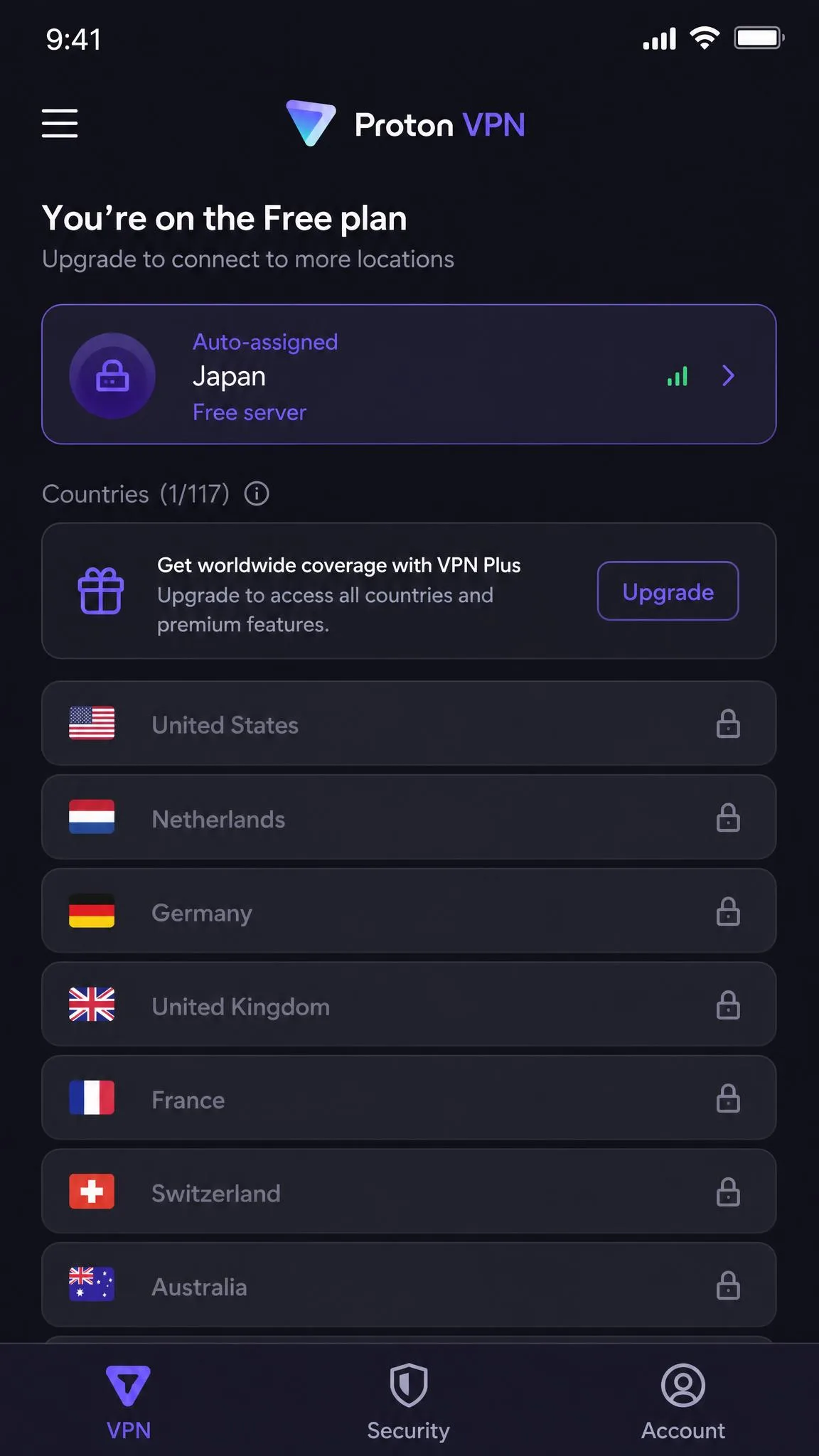
Proton VPN Free asks you to give up control rather than volume, and that is an unusual bargain in this market. You do not choose your country, you do not choose your server, and you connect one device at a time. What you get back is a plan you never have to ration.
Free Plan Limits: Data, Servers, Devices
You get 1 device at a time, so a phone and a laptop cannot both be connected on one free account. Proton's free country list has grown to 10 countries, though the count still varies by platform and app version. Free servers run at 1 Gbps, while paying customers get 10 Gbps hardware, which is the real mechanism behind the speed difference.
The free tier does not let you choose a server or a country. The app picks the fastest free server for you, and that decision is effectively final for as long as the session lasts.
Speed and Performance
Proton's free servers cost about 15% of your baseline speed on average, which is a good result for any VPN and an unusually good one for a free plan. That average hides some variance. Midway through one afternoon session the connection slowed enough that we went looking for a better endpoint, and the app refused, holding the assigned server for a minute or two before it would accept a reconnect at all. When it did let us back on, the peak we had seen earlier in the day had fallen from around 900 Mbps to roughly 335 Mbps on the same line, and the evening run never recovered the morning figure. A free server that feels quick at breakfast can feel ordinary by dinner, and you have no lever to pull. For browsing, email and video calls, none of that is noticeable. For a large download on a tight deadline, it is.
Privacy, Logging, and Security
This is where Proton pulls away from the rest of the free field. The service runs a strict no-logs policy, ships open-source apps that have been independently audited, includes a kill switch, offers the Stealth protocol for restrictive networks, and operates under Swiss jurisdiction. There are no ads in the free app. Paid-only extras are P2P support, Secure Core routing, dedicated streaming servers and NetShield ad blocking. The no-logs policy is not just a claim on a page either: Securitum published its fifth consecutive annual no-logs audit of Proton VPN on 19 June 2026, covering an on-site assessment run from 20 to 27 May 2026.
The practical limits are strict. Proton's free servers do not unblock Netflix, Disney Plus or HBO Max, and P2P connections are refused outright on the free tier. If either of those is your reason for wanting a VPN, skip to PrivadoVPN.
Pros and Cons
Pros
- Unlimited data with no monthly cap and no advertised speed cap
- Strict no-logs policy with open-source, independently audited apps
- Kill switch and Stealth protocol included on the free plan
- Swiss jurisdiction and no ads anywhere in the app
Cons
- One device at a time, so a phone and a laptop cannot both connect
- No manual server or country selection on the free plan
- Streaming services are blocked, and P2P is refused outright
- Free servers run at 1 Gbps against 10 Gbps for paid customers
We cover the paid tier in more depth in our Proton VPN review.
2. Windscribe Free: Best for Features and Data Allowance
Windscribe gives away more of its actual product than anyone else here. The free plan is not a stripped shell, it is the full app with a meter attached, and that includes the parts most providers reserve for paying customers.
Free Plan Limits: Data, Servers, Devices
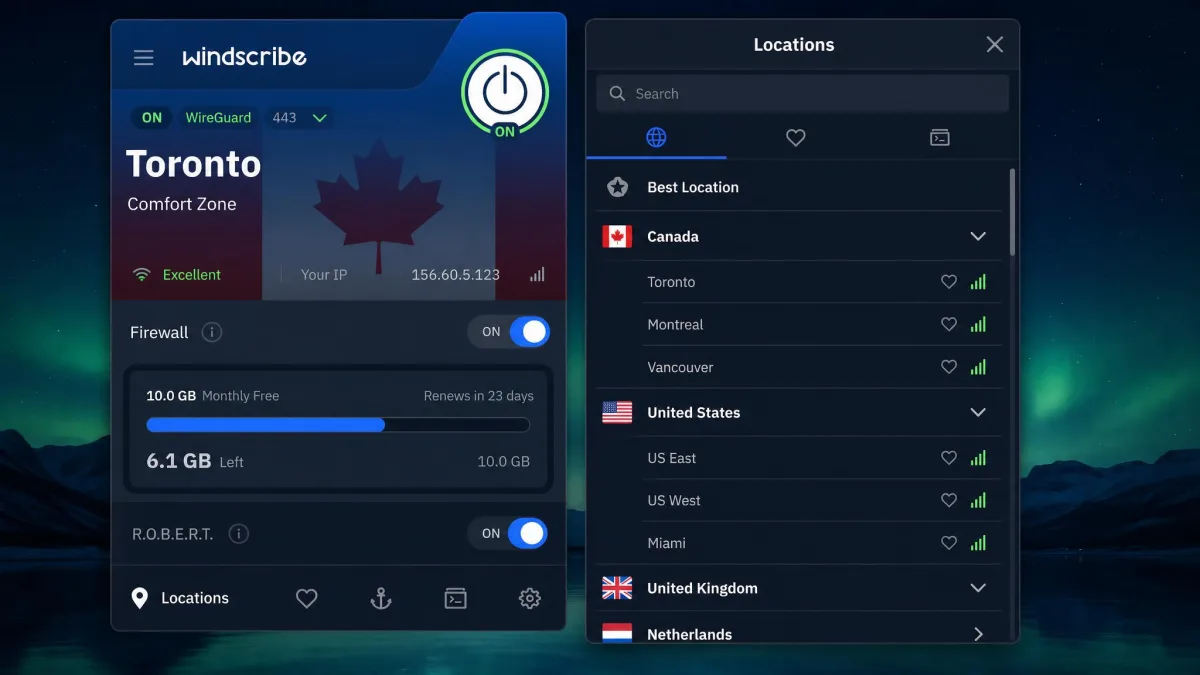
You get 10GB per month once you confirm an email address, spread across 10 free server locations. The device rule is the part that changes how you use it. A whole household can sit behind one free account at the same time, so the practical question becomes how quickly four people burn through a shared 10GB pool rather than who gets to be connected.
The wider network runs across 69 or more countries and 135 or more cities, so if you upgrade later, the jump in server choice is large. One caveat is worth knowing before you sign up: an account created with only a username and password gets 2GB a month. Confirming an email address and opting into promo emails is what raises the allowance to 10GB, and posting about Windscribe on X adds a one-time 5GB bonus on top.
Speed and Performance
We spent an evening pointing the free servers at video to see where the allowance actually goes. US Netflix was the first stop and it did not open at all on the free tier, returning the proxy error rather than a title, so we moved across to another Netflix region and to BBC iPlayer, both of which played without argument. By the time we stopped, the meter in the app had taken a visible bite out of the 10GB pool, and it was clear that a couple more evenings like it would finish the month.
Free connections run noticeably slower than the paid tier, which is Windscribe's chosen throttle rather than a hard cap. In practice, that is fine for browsing and standard-definition video and frustrating for anything larger. The 10GB allowance disappears fast on video regardless. An evening of HD streaming will clear a third of your month.
Windscribe's servers run from RAM disks, and the free plan supports both WireGuard and OpenVPN, plus browser extensions for Chrome, Firefox and Edge. Torrent traffic is blocked on the free servers.
Privacy, Logging, and Security
Windscribe runs a no-logs policy on RAM-disk servers, which means a server reboot wipes state rather than leaving anything on a disk to be seized. The free tier includes R.O.B.E.R.T., the provider's ad and tracker blocking system, which is unusual generosity for a free plan. The company is self-funded and does not pay for reviews. Trustpilot's community rates Windscribe 4.7 out of 5 across roughly 13,000 reviews, and Google Play users rate it 4.7 across around 296,000 ratings.
Streaming is a mixed result. US Netflix no longer opens on the free tier, though other Netflix regions and BBC iPlayer still work.
Pros and Cons
Pros
- Unlimited simultaneous devices, which no other free plan offers
- 10GB per month across 10 free server locations
- R.O.B.E.R.T. ad and tracker blocking included free
- RAM-disk servers, WireGuard support and browser extensions
Cons
- Requires a confirmed email address to unlock the full allowance
- Free connections run slower than the paid tier
- US Netflix no longer opens on free servers
- Torrenting is blocked on the free network
If you want the full picture on the paid plans, read our Windscribe review.
3. PrivadoVPN Free: Best for Streaming
Where Proton and Windscribe both give up on streaming, PrivadoVPN is built for it. PrivadoVPN Free is the pick for anyone whose honest answer to "why do you want a VPN" is a streaming catalogue.
Free Plan Limits: Data, Servers, Devices
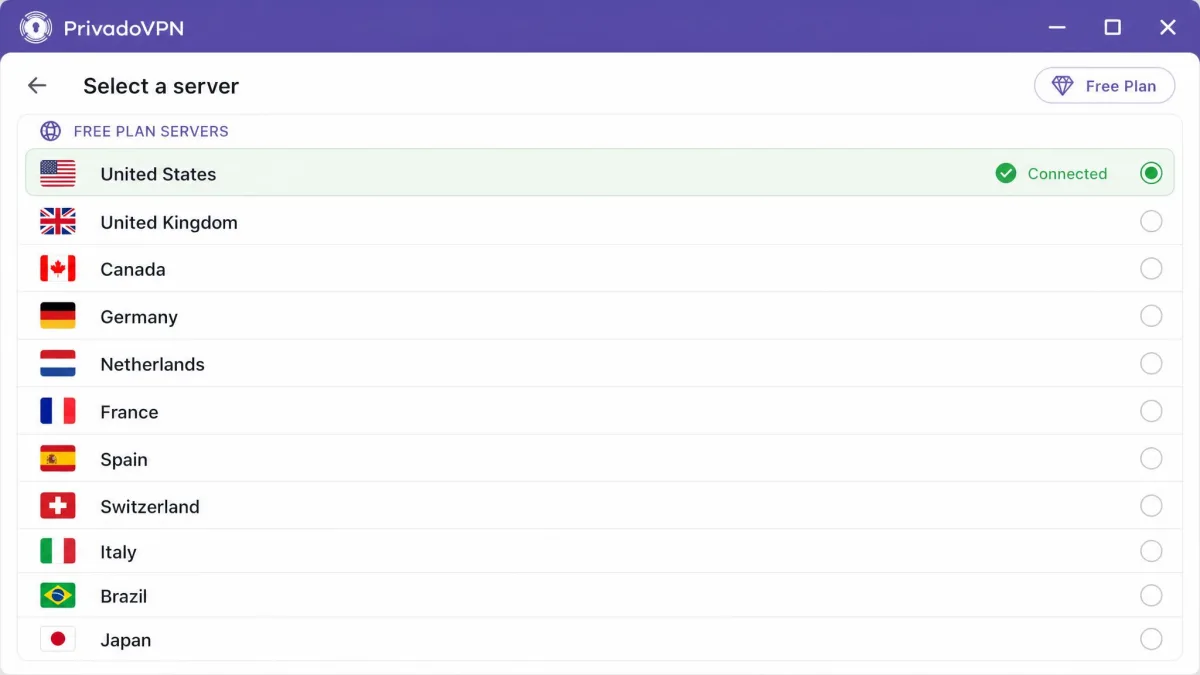
You get 10GB per month, 14 free servers spread across about 11 countries, and one connection at a time. Apps cover Windows, macOS, iOS, Android, Fire TV, Android TV and tvOS, which matters more than usual for a streaming pick, since the free plan is genuinely usable on a television.
Speed and Performance
PrivadoVPN's free servers cost about 8% of baseline speed, the lightest loss of any uncapped free plan we measured. Throughput stayed high enough for HD playback throughout, with 200 Mbps and above recorded, so the 10GB allowance runs out well before the speed does. That is the right way round for a free plan.
Torrenting is left unrestricted on the free tier, which is rare. Proton, Windscribe and Hotspot Shield all block it.
Privacy, Logging, and Security
PrivadoVPN uses AES-256 encryption and states a no-log policy, and the app bundles ad and tracker blocking, threat protection, parental controls, Smart DNS and an email relay. Paid plans carry a 30-day money-back guarantee if you decide to upgrade for the unlimited data. On jurisdiction, the company was founded in 2019 as Privado Networks AG in Zug, Switzerland, and moved its corporate home to Iceland in 2026 after Switzerland proposed extending surveillance obligations to VPN providers.
In use, the free servers opened US Netflix, HBO Max and Disney Plus on the first attempt rather than after a round of disconnecting and reconnecting, which is the difference between a streaming recommendation and a coin flip. Playback held at HD across a full evening on all three services, with throughput staying north of 200 Mbps on the free US server. What ended the session was the data meter rather than the picture quality, which is the correct failure mode for a streaming pick and the opposite of what every other free plan here does.
Pros and Cons
Pros
- The only free plan that reliably opens US Netflix, HBO Max and Disney Plus
- Just 8% speed loss, with 200 Mbps and above recorded on free servers
- Torrenting is allowed on the free tier
- Apps for Fire TV, Android TV and tvOS as well as the usual platforms
Cons
- 10GB per month runs out quickly at streaming bitrates
- One simultaneous connection only
- Corporate jurisdiction moved from Switzerland to Iceland in 2026
- Free server list is smaller than the paid network
4. Hotspot Shield Basic: Fastest Free VPN
Hotspot Shield Basic is the fastest free VPN we tested and the one we recommend most cautiously. Those two facts are related, and both come from the same design decision.
Fast, and Then Immediately Over
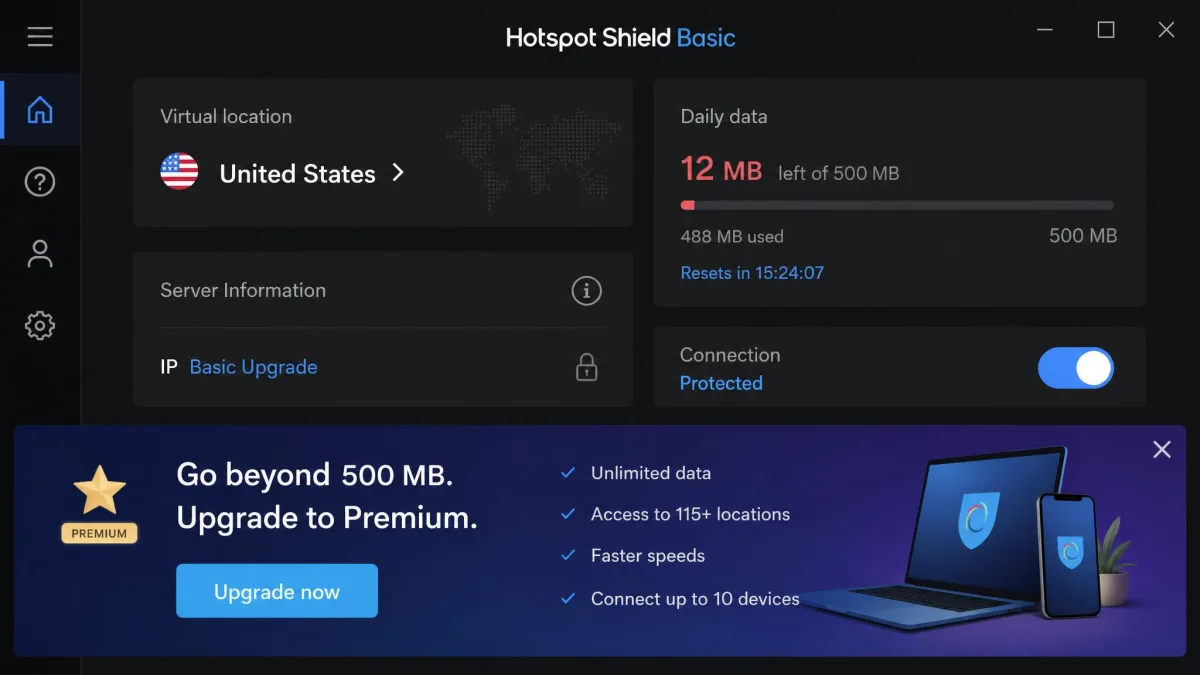
The free Basic plan gives you 500MB per day, one connection, and a single US server location, with the daily allowance extendable by watching ads. A 2Mbps ceiling applies to sustained transfers on the free tier, which is the throttle that shapes everything else. It is worth being precise about what that ceiling governs, because it is not a flat speed limit on everything you do. Short bursts and video sessions run close to your baseline line speed, and it is the long, steady transfer, a large download or a backup, that gets held down to a trickle. Apps cover Windows, macOS, iOS, Android and Chrome.
On everything short of that, Hotspot Shield barely dents your connection, losing about 2% over short hops and 3% over long ones thanks to its proprietary Hydra protocol. We started a 4K stream on US Netflix expecting the free tier to buckle, and it did not. The picture held at full resolution with no buffering pause worth noting, which no other capped free plan here manages. Then we looked at the meter. 4K pulls somewhere around twenty megabits a second, so the daily 500MB was gone inside the opening few minutes of the episode, well before anything interesting had happened on screen, and the app dropped us back to the upgrade prompt. What remained usable for the rest of that day was a handful of page loads and a map lookup.
That is the arithmetic, and it does not improve. The fastest free VPN we tested is realistically limited to light browsing and a quick login on public Wi-Fi, which means you cannot use the speed it gives you for the thing the speed is good at.
Privacy, Logging, and Security
This is the part that keeps Hotspot Shield at number four rather than number one. The free tier is ad-supported, and it logs IP addresses and visited domains, which undercuts the main privacy reason for installing a VPN in the first place. The service operates under US jurisdiction.
There is history here too. In August 2017, the Center for Democracy and Technology asked the FTC to investigate the service over alleged traffic interception and redirection. That complaint is old, and the product has changed since. We mention it because a free VPN's funding model is the thing you are actually buying into, and an ad-supported tier that logs domains is a funding model you should choose on purpose.
Pros and Cons
Pros
- The fastest free VPN we tested, at roughly 2% to 3% speed loss
- Holds 4K playback on US and UK Netflix while the daily allowance lasts
- Proprietary Hydra protocol performs well over long distances
- Wide app coverage including a Chrome extension
Cons
- Sustained transfers are held to about 2Mbps
- 500MB per day is gone within a few minutes of high-bitrate streaming
- The free tier is ad-supported and logs IP addresses and visited domains
- US jurisdiction and a past FTC complaint over traffic interception
5. hide.me Free: Best Free VPN Without an Account
hide.me Free solves a problem the others ignore. Every provider that asks for an email address before it will protect your traffic has created a record connecting you to the service. hide.me does not ask.
No Email, No Account, No Record
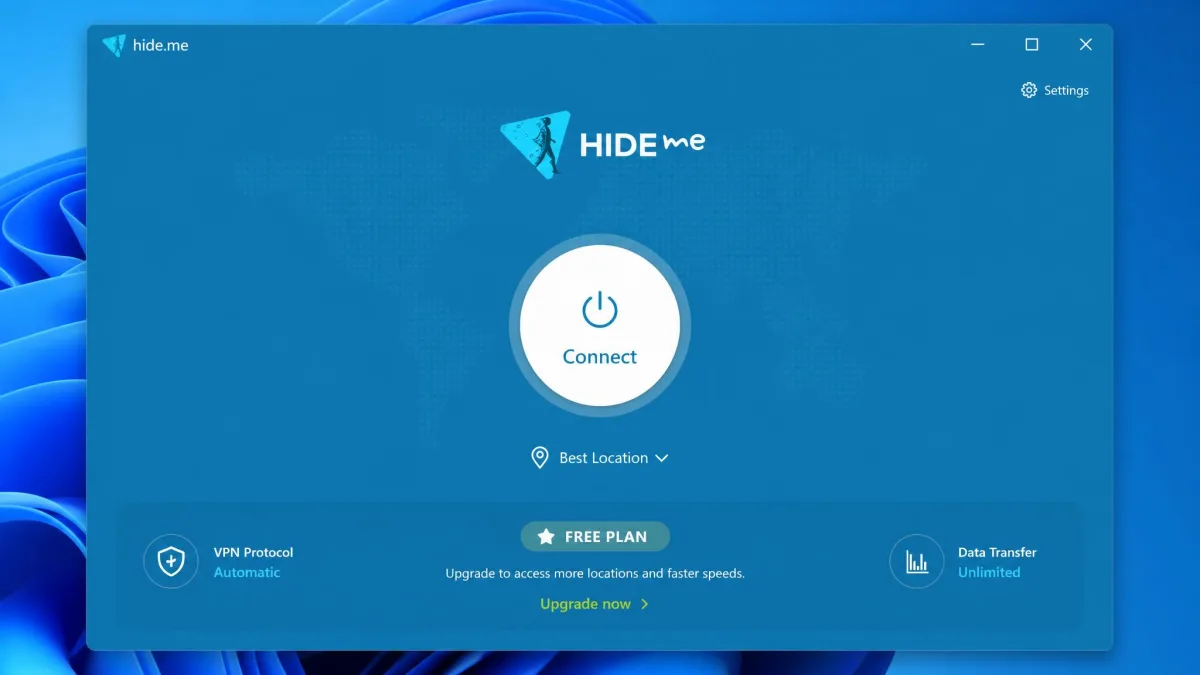
You install it, you connect, and you are done. No account, no email address, no confirmation link. The app opened on a clean machine and connected on the first tap, with no signup form anywhere in the flow, which is a genuinely different starting position from every other pick here.
That absence is also the privacy argument. hide.me runs a no-logs policy and supports WireGuard, IKEv2 and OpenVPN, with stealth guard and split tunneling available, but the part that matters most is that there is nothing to correlate because there was nothing to sign up with. Data on the free plan is unlimited, free servers sit in 8 countries, and you get 1 simultaneous connection. hide.me rotates which locations sit behind the free tier, so the country list in your app may not match what you saw last month.
What the Speed Ceiling Costs You
Free throughput is the trade. It runs roughly 2 to 10Mbps depending on server load and time of day, and that ceiling does the limiting rather than any data meter. On a quiet morning connection, text-heavy pages and email loaded without any sense that a VPN was involved at all. The same server in the evening stalled a standard-definition video badly enough that we gave up on it, and a large file transfer we started alongside it never really got going. Unlimited data at that rate is a generous browsing allowance rather than a streaming plan, and the free servers only occasionally slip past US Netflix or BBC iPlayer.
The compensation is reach. hide.me keeps connecting inside heavily censored networks such as China and Turkey, where other free apps hang on the handshake and never establish a tunnel at all. That is a narrow strength, but for anyone who needs it, it outweighs every speed number in this article.
Pros and Cons
Pros
- No account or email address required to use the free tier
- Unlimited data on the free plan
- Keeps connecting inside heavily censored networks
- WireGuard, IKEv2 and OpenVPN with stealth guard and split tunneling
Cons
- Free speeds run only about 2 to 10Mbps
- HD streaming is unreliable and Netflix access is inconsistent
- One simultaneous connection
- Free location list changes as hide.me rotates the tier
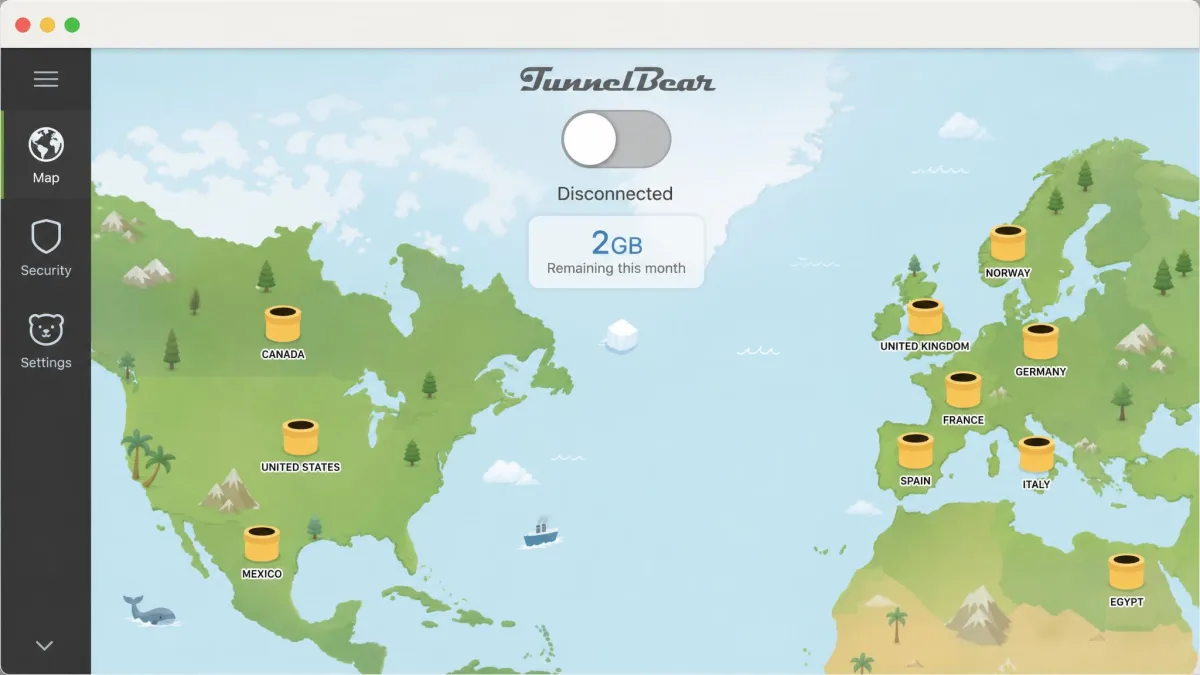
6. TunnelBear Free: Best for Beginners and Server Choice
TunnelBear asks even less of you than hide.me does, and it gives back less in return. TunnelBear is the free VPN we hand to someone who has never used one. There is one toggle. You turn it on. Nothing else asks you a question.
The One-Toggle App
Setup ran from download to connected in under two minutes, and at no point did the app present a protocol menu, a server list or a settings decision. That simplicity has a cost on the other side. The free tier no longer offers manual server selection, and there is no router or browser-extension coverage to fall back on. The wider network runs around 8,000 servers across 47 countries, so the choice exists, just not for you.
2GB a Month Is the Real Limit
You get 2GB of data per month. There is no stated per-account device limit, but the shared 2GB allowance is what actually limits multi-device use in practice. Speeds are steady rather than fast, and the meter stops you long before throughput does. 2GB is gone after roughly an hour of video. As a phone-only safety net for public Wi-Fi, it lasts a month comfortably. As a streaming plan, it lasts one film.
TunnelBear commissions independent security audits annually and publishes the results, which is a stronger transparency posture than most VPNs at any price. The audit cadence is stated as annual, but the most recent published report's date is not given. GhostBear handles obfuscation on restrictive networks and VigilantBear is the kill switch. If you are not sure why that second one matters, what is a VPN kill switch covers it.
The paid Unlimited plan starts at $3.33 per month, which is the cheapest upgrade path among our picks.
Pros and Cons
Pros
- The simplest free VPN app to set up, with a single toggle
- Annual independent security audits with published results
- Around 8,000 servers across 47 countries on the wider network
- Cheap upgrade path at $3.33 per month
Cons
- 2GB per month is the smallest usable allowance here
- No manual server selection on the free tier
- No router or browser-extension coverage
- The latest published audit year is not stated
7. ZoogVPN Free: Best Lightweight Option
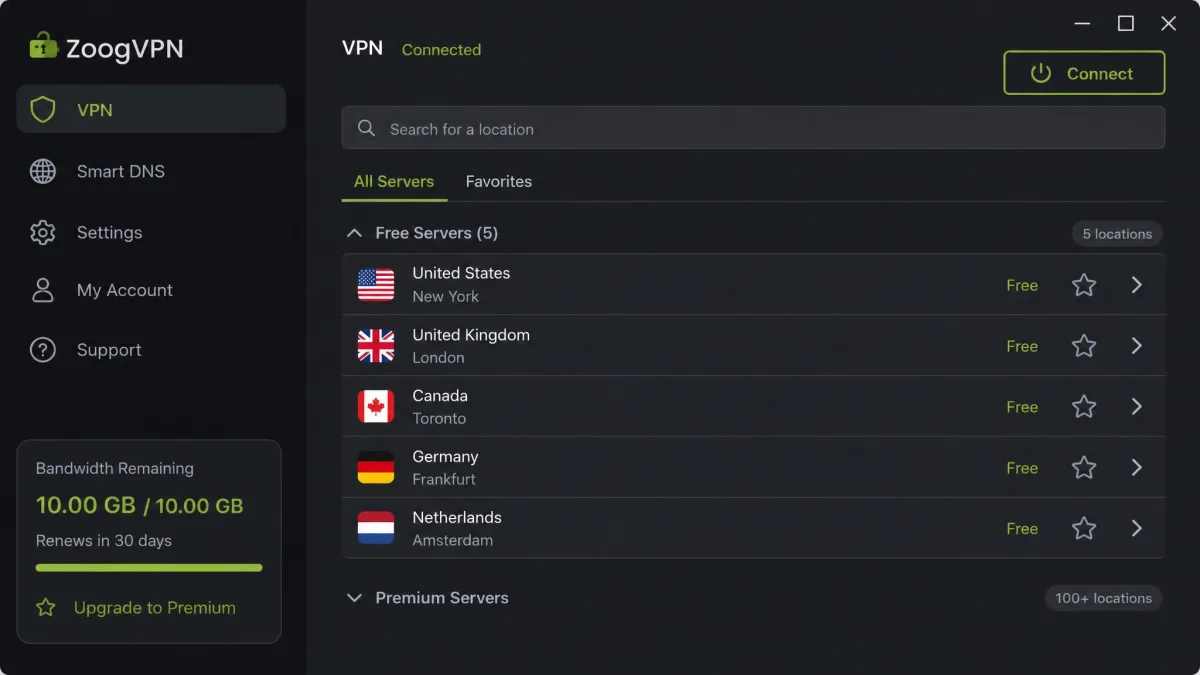
ZoogVPN Free is the smallest name on this list and the one that asks least of your machine. It earns its place on allowance and honesty rather than on any single standout feature.
The free plan give you 10GB of bandwidth per month, renewed monthly, across 5 free server locations, with 1 device connected at a time. Paid plans lift that to 10 devices. No credit card is required, though signup still needs an email address. Apps cover Windows, Mac, iOS, Android, Linux and routers, and Smart DNS is a paid extra.
ZoogVPN does not publish a free-tier speed figure. Expect somewhere between roughly 10 and 60 Mbps depending on location and load, and expect it to vary between sessions more than the larger providers do. The single-device limit is the harder constraint in daily use, since a phone and a laptop cannot both be covered at once.
ZoogVPN states a no-logs policy, and Trustpilot's community rates it 4.7 out of 5 across about 162 reviews. The 10GB allowance and the five locations are the honest core of this offer, and the app stays small and quiet while it delivers them.
Pros and Cons
Pros
- 10GB of bandwidth per month, renewed monthly
- No credit card needed to create a free account
- Apps for Windows, Mac, iOS, Android, Linux and routers
- Stated no-logs policy
Cons
- Only 5 free server locations
- One device at a time on the free plan
- No published free-tier speed figure, and results vary between sessions
- Only five free locations, and Smart DNS costs extra
How We Tested and Ranked These Free VPNs
We scored these seven free plans on the five things that decide whether a free VPN is worth installing: how much data you get, what the connection actually costs you in speed, whether the provider logs anything, what the free plan does to your streaming, and how much personal information you hand over before the app will connect.
Data caps came first because they are the limit most people hit on day one. We treated an unlimited plan with a speed cap, such as hide.me, as a different product from a metered plan at full speed, such as PrivadoVPN, rather than ranking one automatically above the other.
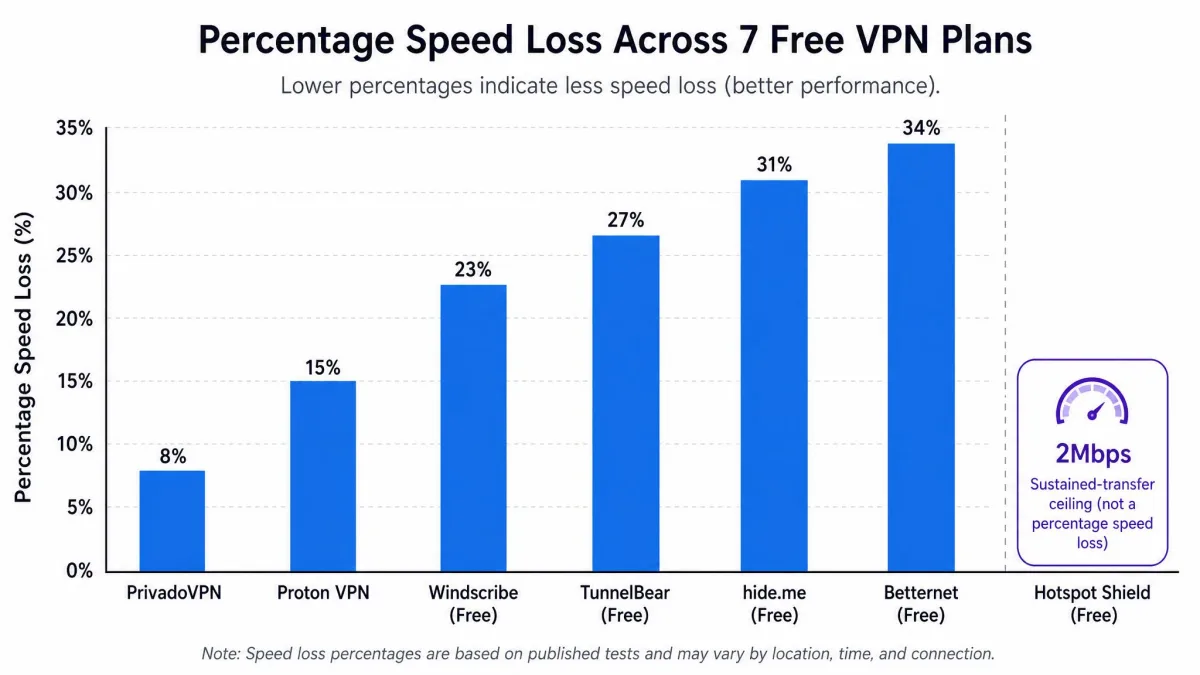
Speed was measured as a percentage of baseline rather than as a raw Mbps figure, because raw numbers say more about the test line than about the VPN. Proton's roughly 15% average loss and PrivadoVPN's 8% are comparable in a way that peak Mbps readings are not. Where a provider throttles to a hard ceiling instead, as Hotspot Shield does at 2Mbps on sustained transfers and hide.me does at roughly 2 to 10Mbps, we recorded the ceiling, since it matters far more than the percentage.
Privacy carried the most weight in the final ranking. An audited no-logs policy moved a provider up. Logging IP addresses and visited domains on a free tier, as Hotspot Shield does, moved one down regardless of how fast it was. Ad-supported free tiers were marked down on the same principle, because an advertising relationship is a data relationship.
Streaming and torrenting were scored as capabilities rather than as requirements. Most free plans block one or both, and a plan that says so plainly is better than one that leaves you troubleshooting.
We weighted these seven plans in a fixed order, and it is worth stating so you can disagree with it. The data cap came first, because it is the limit that decides whether a free VPN is usable at all. Speed came second, measured as a share of baseline rather than as a headline Mbps figure. Logging came third and carried veto power, since a fast free tier that records your IP address and the domains you visit has quietly inverted the reason you installed it. Streaming, torrenting and device counts settled the ties.
Are Free VPNs Safe? The Risks You Are Actually Taking
Those seven picks all cleared our bar, but it is worth being plain about what the bar is protecting you from. A VPN sees all of your traffic. That is not a side effect, it is the entire mechanism. You are moving your browsing from your internet provider to the VPN provider, and the only thing that makes this an upgrade is the second party being more trustworthy than the first. With a free app from a name you do not recognise, that assumption has nothing holding it up.
The seven picks above are safe in the ordinary sense. They come from companies with paid products, public privacy policies, and a business that would be damaged by a scandal. That combination is the actual safety mechanism, and it is why our list is short.
How Free VPNs Make Money
Running a server network costs real money every month, so every free VPN is funded by something. There are four honest models and one dishonest one.
The first is the loss leader, which is what Proton, Windscribe, PrivadoVPN, TunnelBear and ZoogVPN all run. The free tier is marketing. It is capped precisely enough to be useful and precisely enough to annoy you into upgrading, and the provider is content with that trade.
The second is advertising, which is Hotspot Shield's Basic model. You watch ads, the provider gets paid, and the app collects the data that makes ads worth paying for.
The third is bundling, where the VPN arrives attached to a security suite or a browser you were going to install anyway.
The fourth is the paid-referral model, where the free app pushes third-party offers alongside its own upgrade.
The fifth is not really a model so much as a business built on you. Some free VPNs sell your data to third parties, inject their own ads into pages, or resell your device's bandwidth to whoever wants to route traffic through a residential IP address. If an app is free, has no paid plan, has no company behind it that you can name, and asks for extensive permissions, that last category is where it most likely sits.
Treat any free VPN with no paid tier as an unanswered question. If you cannot work out within two minutes how the provider pays for its servers, do not install the app. A VPN you cannot fund is a VPN that is funding itself with something of yours.
Logging, Ads, and Malware in Free VPN Apps
The worst case is not hypothetical. In May 2024, the US Department of Justice announced the dismantling of the 911 S5 residential proxy botnet, which had compromised more than 19 million IP addresses across nearly 200 countries and routed over $5.9 billion in fraudulent pandemic relief claims. The network was distributed through free VPN apps used to build the 911 S5 botnet, and administrator YunHe Wang was arrested in Singapore that month. The apps involved, named in follow-up reporting, included MaskVPN, DewVPN, PaladinVPN, ProxyGate, ShieldVPN and ShineVPN. People installed a privacy tool and had their home connections rented out to criminals.
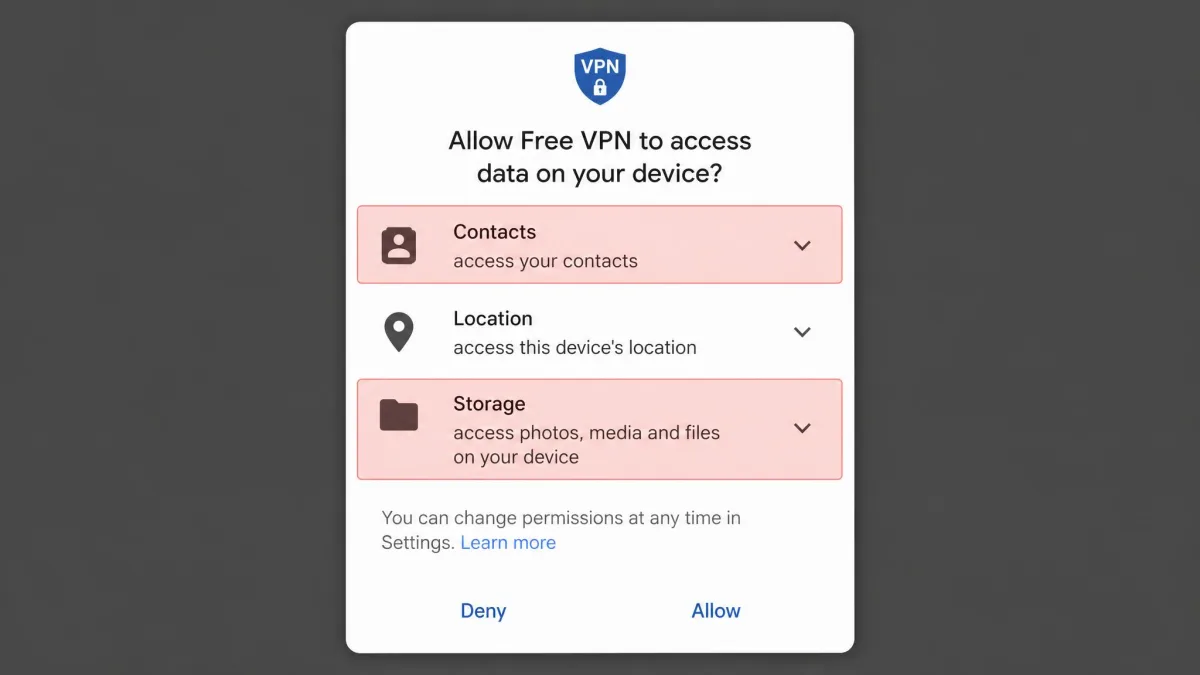
Less dramatic problems are far more common. Free apps request permissions they do not need. They embed advertising code that reports your activity to networks you have never heard of. They leak DNS queries outside the tunnel, so your internet provider still sees every domain you visit while the app displays a reassuring green shield. Analyses of app-store VPNs have found high rates of malware and data leakage, with one widely cited study putting malware in over 38% of free VPN apps and data leakage in over 84%. Those percentages come from an aging app sample and read as an order-of-magnitude warning rather than a current market rate, but the direction they point is not in dispute.
Encryption itself is rarely the weak link. The standards are public and well studied, and post-quantum work such as the NIST ML-KEM standard is already moving into VPN protocols. The weak link is who holds the keys and what they write down.
Free VPNs to Avoid
The funding models above have a mirror image, and this is where it turns up. We are not going to publish a list of every bad app, because the app-store churn is faster than any article can track. Here is the pattern to recognise instead.
Avoid anything from the 911 S5 family named above. Those apps are known criminal infrastructure, not a judgement call.
Avoid free VPNs that turn up repeatedly in malware and data-collection analyses. Betternet, Opera VPN and other app-store free VPNs appear in those analyses often enough to keep them off recommendation lists, and there are seven better options in this article with nothing to explain away.
Avoid free VPNs with no named company, no privacy policy you can read, and no paid plan. That combination has no honest funding model behind it.
Avoid free VPNs that request permissions unrelated to networking. A VPN app has no reason to want your contacts, your call log, or your photo library.
Avoid the free tiers of providers that have never submitted to an audit while claiming a no-logs policy. A no-logs claim with nothing behind it is a marketing line, and it is one anybody can write.
Browser extensions labelled as free VPNs are usually proxies, not VPNs. They only cover browser traffic, they frequently leak DNS queries, and several popular ones have been caught collecting browsing history. If you want browser-only coverage, at least know that is what you are getting. Our guide to proxy vs VPN explains the difference.
How to Choose a Free VPN
With the risks clear, the choice itself is short. Work through these in order and you will land on the right pick in about two minutes.
Start with what you actually need it for. Public Wi-Fi safety needs almost no data and rewards a plan you never have to think about, which points at Proton VPN Free or hide.me. Streaming needs speed and unblocking, which points at PrivadoVPN. Covering a family's devices points at Windscribe, because unlimited connections is the one thing money usually buys.
Then check the data cap against your real usage. Browsing and email run to a few hundred megabytes a day. HD video runs to roughly 3GB an hour. If you plan to stream at all, a 2GB monthly plan is not a plan.
Then read the logging policy, not the marketing page. You want an explicit statement that connection logs, IP addresses and visited domains are not retained, and ideally an independent audit backing it up. Anything vaguer than that is a choice you are making blind.
Then count the devices. Most free plans give you one connection. If you need a phone and a laptop covered at the same time, that single number eliminates five of our seven picks immediately.
Then check the protocol list. WireGuard is the modern default and is what you want for speed. OpenVPN is the reliable fallback. A provider offering only a proprietary protocol with no published specification is asking for more trust than it has earned.
Finally, check whether there is a kill switch. Without one, a dropped connection exposes your real IP address to whatever you were connected to, silently, for as long as it takes the app to reconnect. Proton, TunnelBear and Windscribe all include one on the free tier.
Install two free VPNs, not one. Pair an unlimited but slower plan such as Proton VPN Free for everyday browsing with a metered but fast plan such as PrivadoVPN Free for the occasional job that needs real throughput. Between them you cover almost everything a single paid subscription would, at no cost.
Free vs Paid VPN: What You Give Up
Every free plan on this list is a paid product with parts removed. Knowing which parts helps you judge whether the missing pieces matter to you.
Data Caps and Bandwidth Limits
This is the most visible difference and usually the first one you hit. Paid plans are uncapped as standard. Free plans run from 2GB a month on TunnelBear up to 10GB on Windscribe, PrivadoVPN and ZoogVPN, with Proton and hide.me offering unlimited data in exchange for other restrictions.
Put those numbers against real usage. 10GB covers a month of ordinary browsing, messaging and email comfortably. It covers about three hours of HD video. Hotspot Shield's 500MB per day sounds generous until you put it against a bitrate. At the 4K quality its free servers will happily carry, that allowance lasts a few minutes; drop the picture to standard definition and you stretch it to something closer to half an hour, refreshed daily.
Speed and Server Network Size
Paid tiers get better hardware. Proton says it plainly: free servers are 1 Gbps, paid servers are 10 Gbps. Free users are also concentrated onto a handful of endpoints, so congestion at peak hours hits free plans hardest. That is why the same free server can measure 900 Mbps once and 335 Mbps later the same day.
Network size compounds it. Windscribe's paid network covers 69 or more countries against 10 free locations. TunnelBear covers 47 countries against an auto-assigned free server. A larger network means a nearby server, and a nearby server is most of what determines your speed.
Streaming and Netflix Unblocking
Streaming services block VPN addresses in bulk, and providers spend real money rotating addresses to stay ahead. That money goes to paid servers first. Proton's free tier does not open Netflix, Disney Plus or HBO Max at all. Windscribe's free servers no longer reach US Netflix, though other regions and BBC iPlayer still work. PrivadoVPN is the exception, opening US Netflix, HBO Max and Disney Plus from its free servers, and Hotspot Shield holds 4K playback on US and UK Netflix for as long as its daily 500MB lasts.
If streaming is your main reason for wanting a VPN, a free plan is a compromise at best. PrivadoVPN's 10GB will cover roughly three hours of HD viewing a month, and then you wait for the reset.
Torrenting Support
Most free tiers refuse P2P outright. Proton blocks it on free servers and sells it as a paid feature. Windscribe blocks torrent traffic on the free network. PrivadoVPN is the outlier, leaving torrenting unrestricted on its free plan, though the 10GB monthly allowance is a hard practical limit on how much of it you can do.
A free VPN is not a cheaper paid VPN. It is a different product with a different funding model, and the limits are the product.
— From our free VPN testing notes
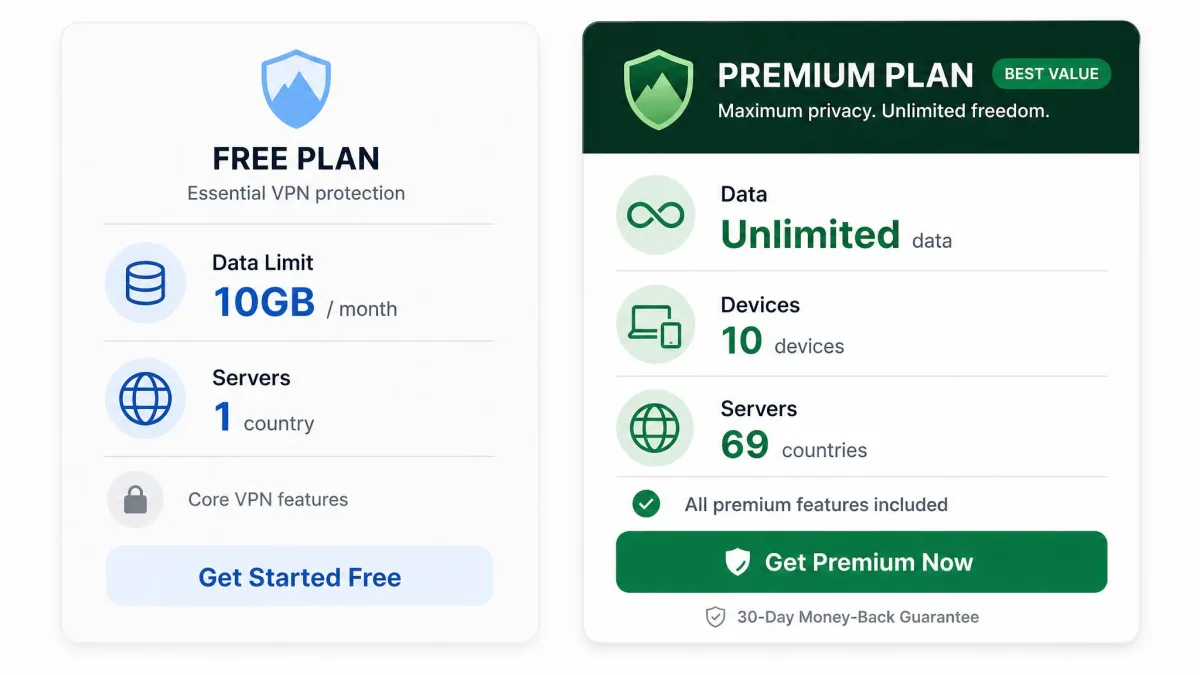
Free VPNs by Device: Windows, Mac, Android, and iPhone
Platform coverage on free plans is better than it used to be, but it is not uniform, and the gaps are rarely advertised.
Windows and Mac. All seven picks ship desktop apps for both platforms, and this is where the free experience sits closest to the paid one. Kill switches, protocol selection and split tunneling generally survive the cut on desktop. If you are covering a laptop on public Wi-Fi, any of the seven will do the job.
Android. Every pick has an Android app, and Android is also where the most dangerous free VPNs live, because publishing to the Play Store is easy and the review process does not audit a privacy policy. Install from the provider's own site link rather than searching the store, since typosquatted clones of popular VPN names are common. Windscribe's Android app carries a 4.7 rating across around 296,000 Google Play ratings, which is the kind of scale that makes a rating meaningful.
iPhone and iPad. iOS support is universal across our picks. Apple's per-app networking rules mean some features present on desktop, such as split tunneling, may be absent or behave differently on iOS.
Television and streaming boxes. This is where the field thins out sharply. PrivadoVPN is the only free plan here with apps for Fire TV, Android TV and tvOS, which is a large part of why it is our streaming pick.
Routers. ZoogVPN supports router installs, though the one-device free limit makes that impractical, since a router counts as your single connection. TunnelBear's free tier has no router coverage at all. Router-level protection is realistically a paid feature.
If you are setting a VPN up for the first time on any of these, how to use a VPN walks through the first connection.
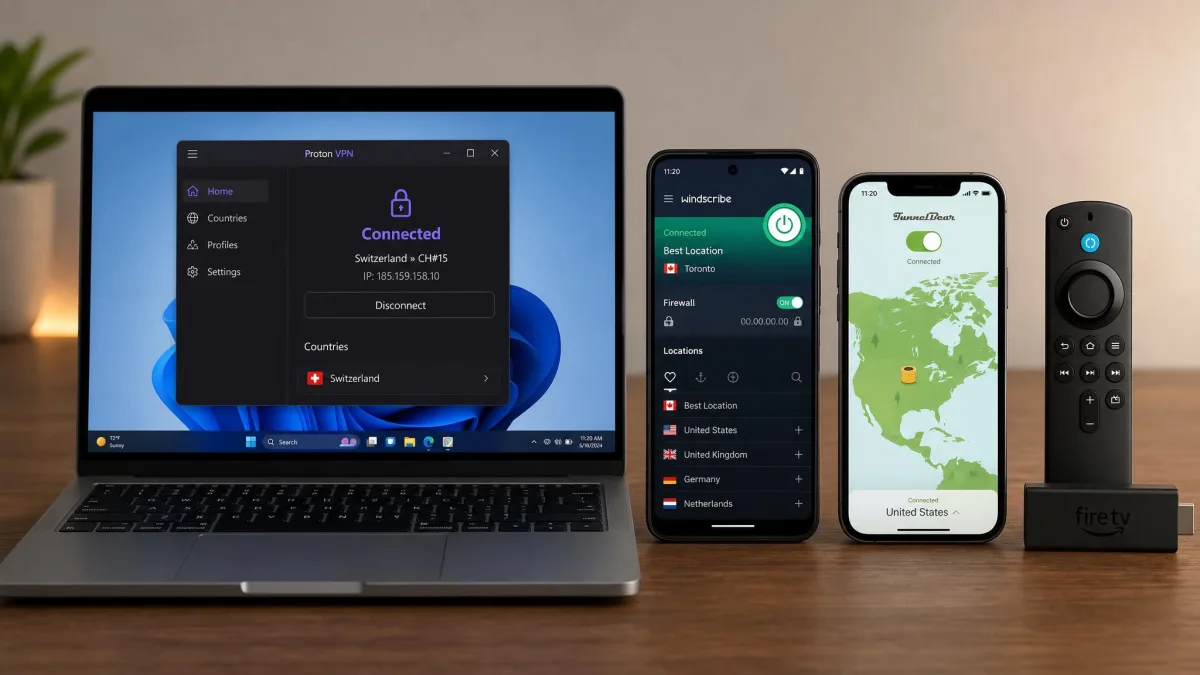
Free Trials and Money-Back Guarantees as an Alternative
There is a route most people overlook, and for short-term needs it beats every free plan in this article.
Paid VPNs sell a full-featured service with a refund window attached. PrivadoVPN offers a 30-day money-back guarantee on all its paid plans, and 30-day terms are standard across the industry. For a two-week trip, a temporary need to reach a home streaming service, or a single month of heavy use, taking a paid plan and cancelling inside the window gives you unlimited data, every server location, full streaming access and P2P support for nothing.
Two conditions apply. You have to actually cancel, so set a reminder on the day you sign up. And you have to be comfortable that a refund guarantee is a promise rather than a mechanism, so use a provider whose refund process is documented and whose reputation you can check before you pay.
The upgrade paths are not expensive either. TunnelBear's Unlimited plan starts at $3.33 per month, which is less than most people spend on coffee in a morning, and it removes every limit described in this article at once.
If none of this appeals and you want a fundamentally different approach to the same problem, we have a separate guide to free VPN alternatives worth considering covering proxies, Tor and self-hosted options.
Use a free plan for the ongoing background job of protecting everyday browsing on untrusted networks, and use a refunded month of a paid plan for the specific tasks free tiers refuse, such as streaming a full series or moving large files. That pairing costs nothing and covers everything.
Bottom Line: Which Free VPN Should You Use?
The picks are settled above. What is left is how you live with one, and three things are worth carrying away.
The first is that installing two free plans is usually smarter than agonising over the single best one. Proton VPN Free handles the background job of covering everyday browsing, and PrivadoVPN Free sits alongside it for the occasional evening that needs throughput and an unblocked catalogue. Neither costs anything, they stay out of each other's way as long as only one is connected at a time, and between them the gaps in either plan mostly close.
The second is that anonymity and speed pull in opposite directions on a free tier, and you have to decide which one you are buying. hide.me Free is the answer when handing over an email address is the part you object to, and its 2 to 10Mbps ceiling is the honest cost of that position.
The third is the exit condition, and it is the most useful test in this article. Count how often a limit interrupts you. Once a month is the free tier working as designed. Every few days means you have started spending time managing allowances, switching apps and waiting for resets, and that time is worth more than the few dollars a month a paid plan asks. At that point the upgrade stops being a purchase and starts being the cheaper option. If you are still working out what you need from one, what is a VPN is the place to start.
Best Free VPN FAQs
Can I run two free VPNs at once?
Are free VPNs safe?
Does unlimited data on a free VPN mean unlimited use?
Can I use a free VPN for Netflix or streaming?
Are VPNs legal?
How do free VPNs make money?
Is a free VPN good enough, or should I pay?