You want to change your GPS location on an iPhone or Android phone, and two names keep coming up. FonesGo Location Changer and iMyFone AnyTo both promise the same thing. You get a fake GPS position your apps believe, with no jailbreak and no root. Both are desktop tools that talk to your phone over USB or Wi-Fi. Both exist mainly because people want to play location-based games from the sofa. GPS spoofing simply feeds a device false position data, so apps read a location other than the real one.
Short answer first. One of these wins on value and one wins on ease of use, and the rest of this article is about which of those you actually care about.
Both tools were run through the same routine. Connect the phone, set a pin, watch how fast Google Maps and Snapchat catch up, then walk a route with the joystick. Where a claim below comes from the vendor rather than from using the app, we say so plainly instead of dressing it up.
FonesGo vs iMyFone AnyTo at a Glance
FonesGo Location Changer is designed around breadth of control. It supports iOS 13 and later, plus Windows 11/10/8/7 and macOS 10.12 or newer. Movement covers teleport, two-spot, multi-spot and a 360-degree joystick, with speed customizable up to 100 km/h.
iMyFone AnyTo covers the same ground with a slicker face on it. It supports Android 6.0 and up and offers five movement modes, including a dedicated game mode. Speed runs anywhere from 3.6 km/h to 120 km/h. Where it really pulls ahead is a set of extras built specifically for Pokemon GO, which we get to further down.
Neither app needs a jailbreak or root. Both let you reset back to your real GPS location in one click.
Feature-by-Feature Comparison Table
| Product | Buy | Supported OS | Movement modes | Simultaneous devices | Speed control | Price (monthly / yearly / lifetime) | Refund |
|---|---|---|---|---|---|---|---|
 |
Check price → | iOS 13+, Android, Windows 11/10/8/7, macOS 10.12+ | Teleport, two-spot, multi-spot, joystick | 15 | Up to 100 km/h | $9.95 / $39.95 / $79.95 | 30-day, conditional |
 |
Check price | Android 6.0+, iOS through current release, Windows and Mac | Teleport, jump teleport, two-spot, multi-spot, joystick, game mode | 10 on the top tier, fewer on entry plans | 3.6 to 120 km/h | $14.99 / $59.99 / $89.99 (VIP list) | 30-day money-back guarantee |
Both offer a 360-degree joystick and GPX import, and neither requires jailbreak or root. AnyTo adds GPX export, which FonesGo does not. FonesGo answers with favourite routes and a history list, so repeat trips take one click rather than a fresh redraw.
Movement Simulation Modes Compared
Teleport mode
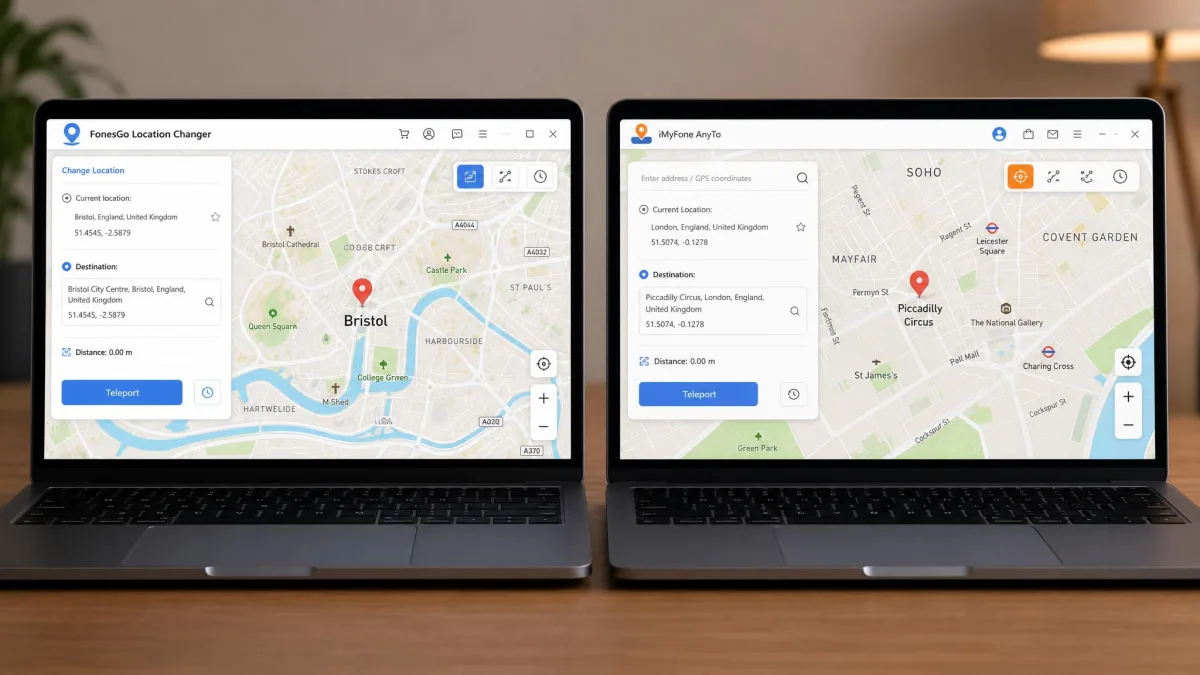
Teleport is the mode most users need. You search for a place or drop a pin, confirm, and the phone reports the new coordinates instantly. In both apps this is a 1-click action once the device is connected. A location set in FonesGo shows up straight away in Google Maps and Snapchat rather than lagging behind. That is the behaviour you want before you trust it with anything else.
AnyTo adds a jump teleport that hops between saved points. It is useful when you are cycling through the same few spots.
Two-spot and multi-spot routes
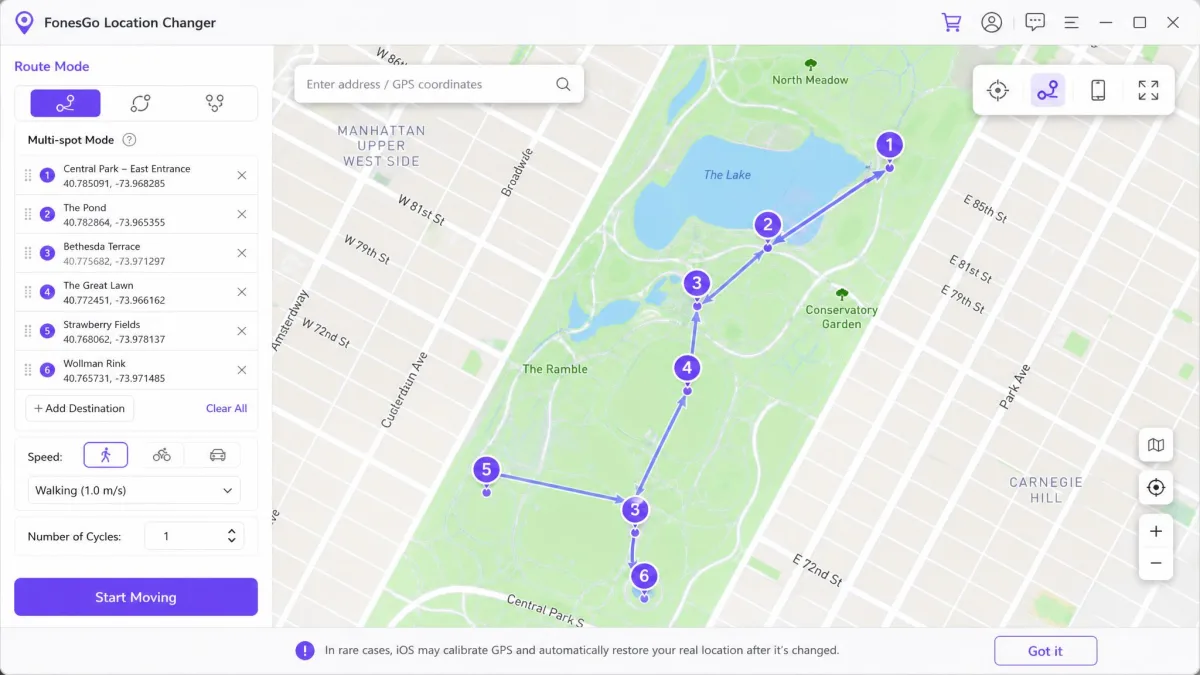
Two-spot movement walks a straight line between a start and an end. Multi-spot lets you click a series of coordinates and follow them in order. That is how you fake a realistic wander rather than a single implausible jump. Both apps offer both modes, and both let you loop a route or set the number of round trips.
Joystick control
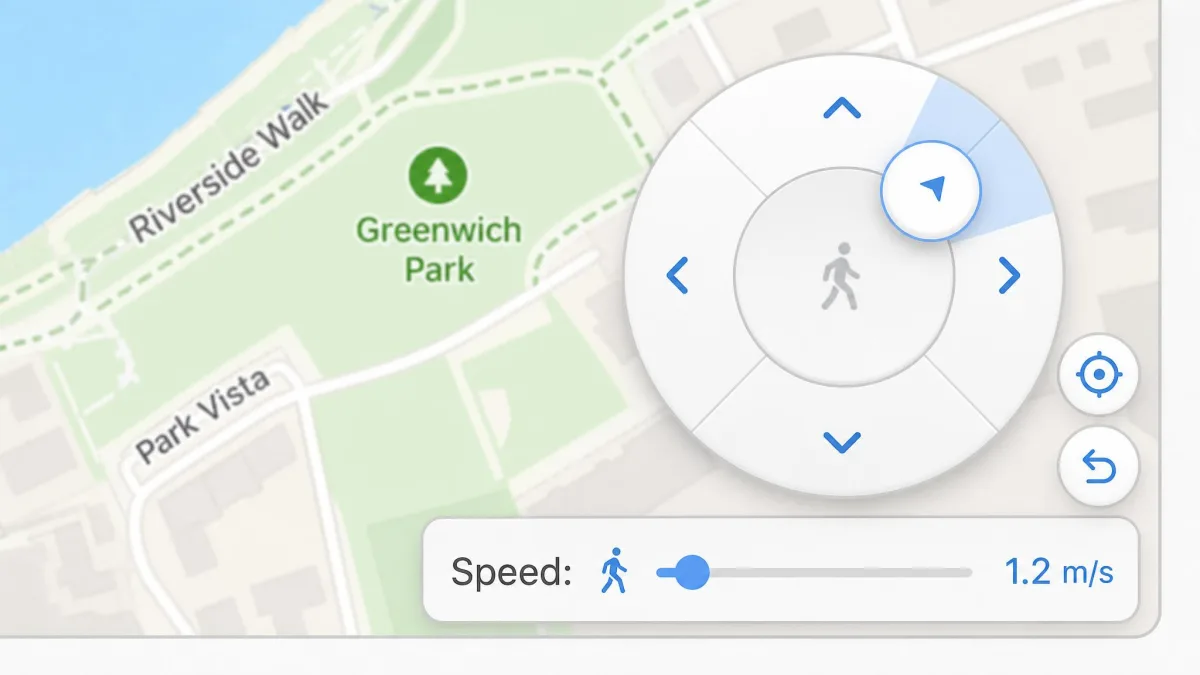
The joystick is what makes games playable rather than merely spoofed. AnyTo's joystick mode works by dragging the centre circle to lock a direction. Speed sits on a separate slider under the travel mode. FonesGo's joystick covers the same 360 degrees and can be steered from the keyboard, which is easier to hold steady over long sessions.
GPX import and speed control
Both accept a GPX file, so a route recorded elsewhere can be replayed. Speed is where they differ on paper. FonesGo tops out at 100 km/h. AnyTo runs from a slow 3.6 km/h walk up to 120 km/h. FonesGo also ships walking, biking and driving presets, which saves you guessing at a number.
Set your speed to a believable value for the mode of travel you are faking. A walking avatar moving at 60 km/h is the easiest thing in the world for a game to notice.
Ease of Setup: How Each Tool Works Step by Step
Setting up FonesGo Location Changer
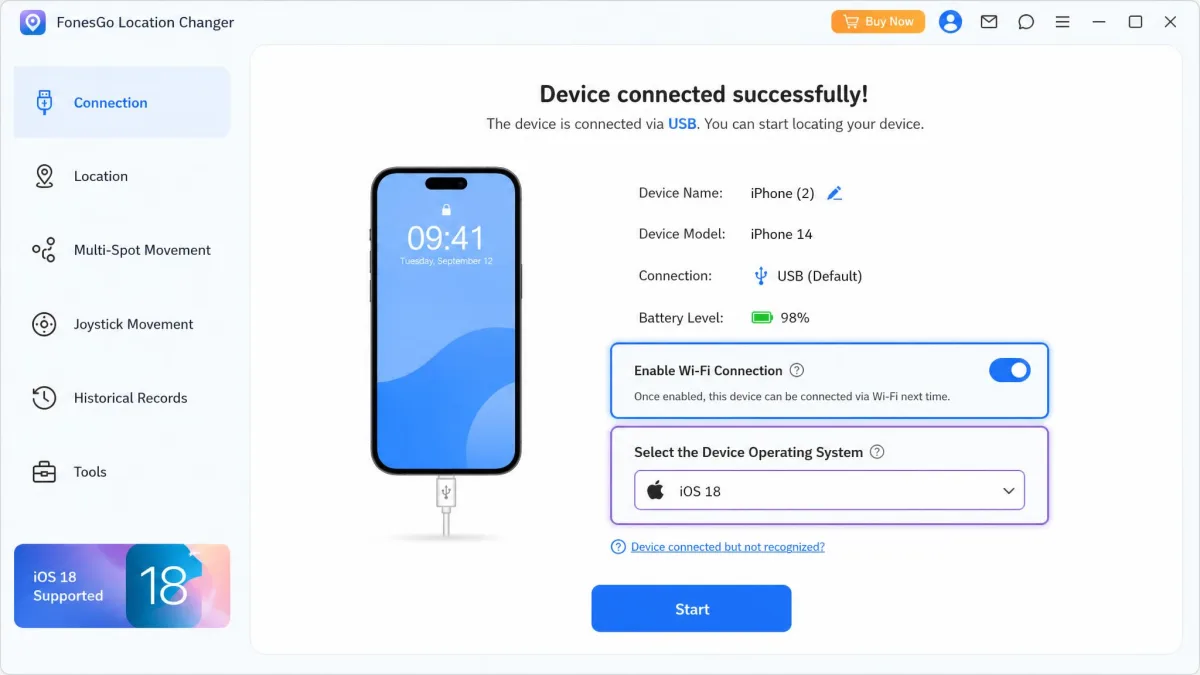
Setup is short. Connect by USB or Wi-Fi, launch the desktop app, pick the device OS, then drop a pin and hit Teleport. That is genuinely the whole sequence, and nothing in it requires a manual. The one friction point is that FonesGo generally wants a PC or Mac in the loop. Spoofing away from a desk gets awkward unless you buy the separate mobile app.
Setting up iMyFone AnyTo
AnyTo asks even less. Install, trust the computer on the phone, choose teleport mode, search an address, click Move. The one recurring annoyance is that the phone-to-computer link can drop and need re-pairing mid-session, so keep the cable handy even if you started over Wi-Fi.
If you want a fuller walkthrough of either app on its own, we cover them in depth in our FonesGo Location Changer review and our review of iMyFone AnyTo.
Device and Platform Support
iOS support (including the latest iOS versions)
Read the stated versions with care. FonesGo states iOS 13 and later. AnyTo lists a far older floor stretching up to the current beta. That floor sits well below the versions the desktop client is actually tested against, so real coverage is narrower than the marketing suggests. FonesGo's top supported iOS version moves with each Apple release, so the ceiling changes between updates. If you have just installed a brand-new iOS build, expect a wait. AnyTo glitches more often on brand-new phones and freshly released OS versions than on settled builds.
Worth knowing: Apple documents how iOS shares location data and offers its own developer location-simulation tooling for testing. That is the sanctioned route if your need is development rather than gaming.
Android support and whether root is required
Neither app needs root. AnyTo supports Android 6.0 and up, which covers almost anything still in use. FonesGo's Android coverage shifts with each platform release, so the supported ceiling varies by build. Android spoofing on both tools leans on the mock-location slot behind developer options. That is the same mechanism Google Play's developer-options requirements describe.
AnyTo has been exercised across separate iPhone and Samsung Galaxy handsets, on both iOS and Android, with the same procedure working each time. That is a good sign for anyone switching between devices.
Performance With Location-Based Games
This is the use case that sells both apps. FonesGo supports Pokemon GO and Monster Hunter Now directly. It holds a stable connection through a session without crashing or drifting off the set coordinates. Teleporting a long distance in Pokemon GO and immediately spinning a PokeStop can go through without a soft ban. Respecting the cooldown timer is what keeps it that way. Both apps include that timer, and ignoring it is the single most common way players get flagged.
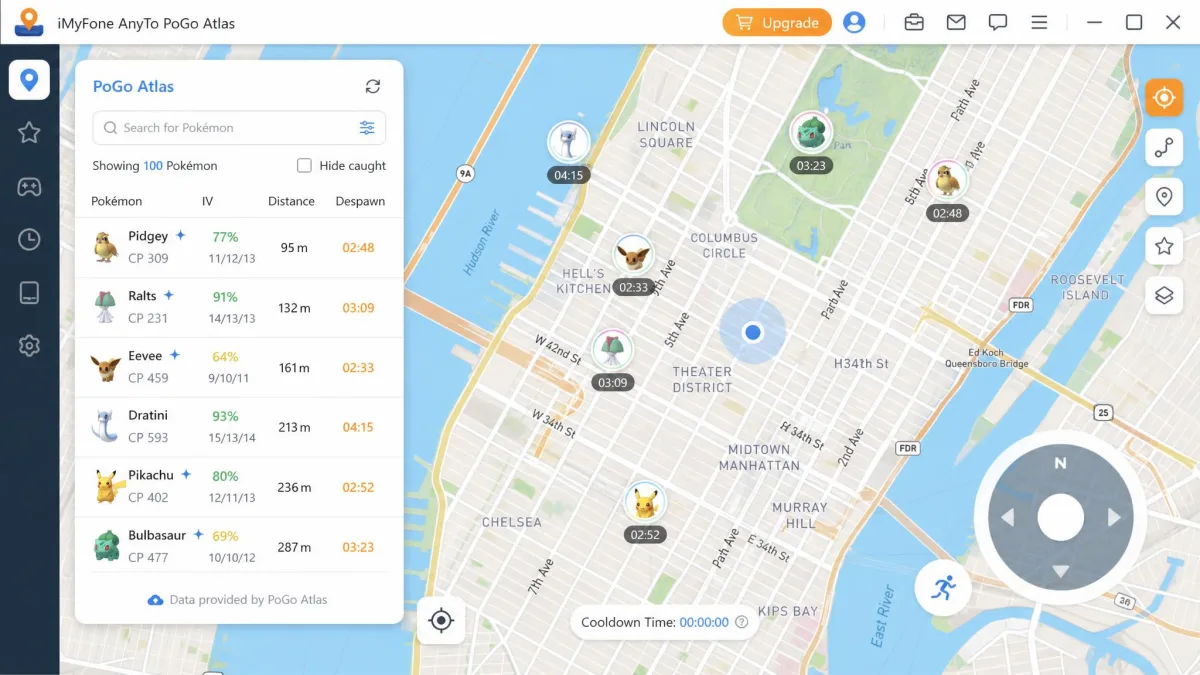
AnyTo goes further for Pokemon GO specifically. PoGo Atlas and PoGo Search help you find spawns before you move. The auto catcher and IV scanner reduce the tapping once you arrive. If Pokemon GO is the whole reason you are buying, that toolkit matters more than any price gap.
Pricing and Licensing: Which Costs Less?
FonesGo Location Changer pricing
Neither tool is cheap. FonesGo asks $9.95 per month for the desktop plan, $19.90 for three months, $39.95 for a one-year license and $79.95 for a lifetime licence. The native iOS app is $19.95 per month and bundles the Windows and Mac desktop versions. The native Android app is $14.95 per month. There is a free trial, but no genuinely free tier, so any real use needs a paid plan. The vendor states a 30-day money-back window. It is conditional on your case meeting the stated grounds, so not every request qualifies.
iMyFone AnyTo pricing
iMyFone AnyTo's paid plans start at $14.99 for the VIP monthly tier. VIP is listed at $29.99 quarterly, $59.99 yearly and $89.99 lifetime. SVIP starts at $19.99 monthly and rises to $119.99 lifetime, with the iGo iOS app and extra map skins included. iMyFone runs frequent promotions, so the yearly and lifetime figures you see at checkout are often well below list.
The 30-day money-back guarantee is stated plainly. Handling is inconsistent in practice. Some claims are paid in full quickly, and others come back as partial refunds, so do not treat the stated guarantee as a safety net.
Both tools price above several rivals in the same category, so cost is a genuine deciding factor rather than a rounding error.
Privacy, Safety, and Detection Risk
Start with the phone itself. Neither app modifies the operating system, and neither asks you to jailbreak or root, which removes the biggest security hazard in this category. Spoofing your location can also protect privacy in ordinary ways. It lets you hide your real whereabouts from social apps, or reach geo-restricted content without handing over your actual coordinates.
The risk lives on the game side, not the phone side. Niantic's three-strike policy on GPS spoofing runs warning, then temporary suspension, then permanent ban. With AnyTo, the desktop client is the safer route for gaming. The standalone iOS and Android apps carry more detection risk.
No location changer can promise you will not be banned, and any vendor claiming otherwise is overselling. Respect the cooldown timer between jumps, keep speeds plausible, and never spoof on an account you would be upset to lose.
Trustpilot's community rates iMyFone AnyTo 4.7/5 across more than 6,000 reviews. SmartCustomer's 370 reviewers average it at 3.0/5. Those two numbers describe different slices of the customer base, and the gap is mostly about billing and refunds rather than whether the app works.
Pros and Cons of Each Tool
FonesGo Location Changer pros and cons
Pros
- Cheapest entry price at $9.95 per month and $79.95 lifetime
- Controls up to 15 devices at once, more than any rival here
- Stable through long sessions with no drift off the set coordinates
- Walking, biking and driving presets plus GPX import and favourite routes
Cons
- Occasional bugs and inconsistent behaviour on some handsets
- No genuinely free tier, so real use needs a paid plan
- Usually wants a PC or Mac in the loop unless you buy the mobile app
- Uneven customer support, and pricing sits slightly above comparable tools
iMyFone AnyTo pros and cons
Pros
- Cleanest interface here, with the first teleport done in a couple of clicks
- Deepest Pokemon GO toolkit: PoGo Atlas, PoGo Search, auto catcher, IV scanner
- Widest speed range, from 3.6 km/h to 120 km/h
- GPX import and export plus cloud-saved routes
Cons
- Costs more, starting at $14.99 per month
- The phone-to-computer link can drop and need re-pairing mid-session
- Glitchier on brand-new handsets and freshly released OS versions
- Refund handling is inconsistent despite the 30-day guarantee
Which One Should You Choose?
The more useful question is who each tool is wrong for.
FonesGo is wrong for you if you spoof on the move. It expects a computer in the loop, so a train journey or a lunch break away from your desk means either carrying a laptop or paying again for the native mobile app. It is also wrong for the reader who wants one purchase to just work on a phone bought last week, because new handsets and fresh OS builds are exactly where the occasional bugs show up.
AnyTo is wrong for you if you only ever need a static pin. Paying the higher monthly rate for a game toolkit you will never open is money spent on features you do not use, and the pairing drop is a bigger irritant when your session is thirty seconds long than when it is two hours. It is also the wrong choice if you expect the refund policy to bail you out of a bad fit. Refund handling is inconsistent enough that we would not price the guarantee in at all.
If neither of those describes you, buy on budget. The monthly tiers are close enough that a single month of each costs less than committing to the wrong lifetime licence.
Alternatives Worth Considering
This category is crowded, and several rivals undercut both tools. TunesKit Location Changer, iToolab AnyGo and Tenorshare iAnyGo cover the same teleport and joystick basics. MocPOGO, MockGo, PoKeep and iMoveGo are the names that come up most often among Pokemon GO players. Dr.Fone Virtual Location is the option to look at if you already own other Wondershare software. We compare several of them head to head in our MocPOGO and FonesGo matchup.
Whichever app you choose, buy the shortest plan first. A monthly licence is enough to confirm the app works on your handset and your OS version before you commit to a lifetime price.