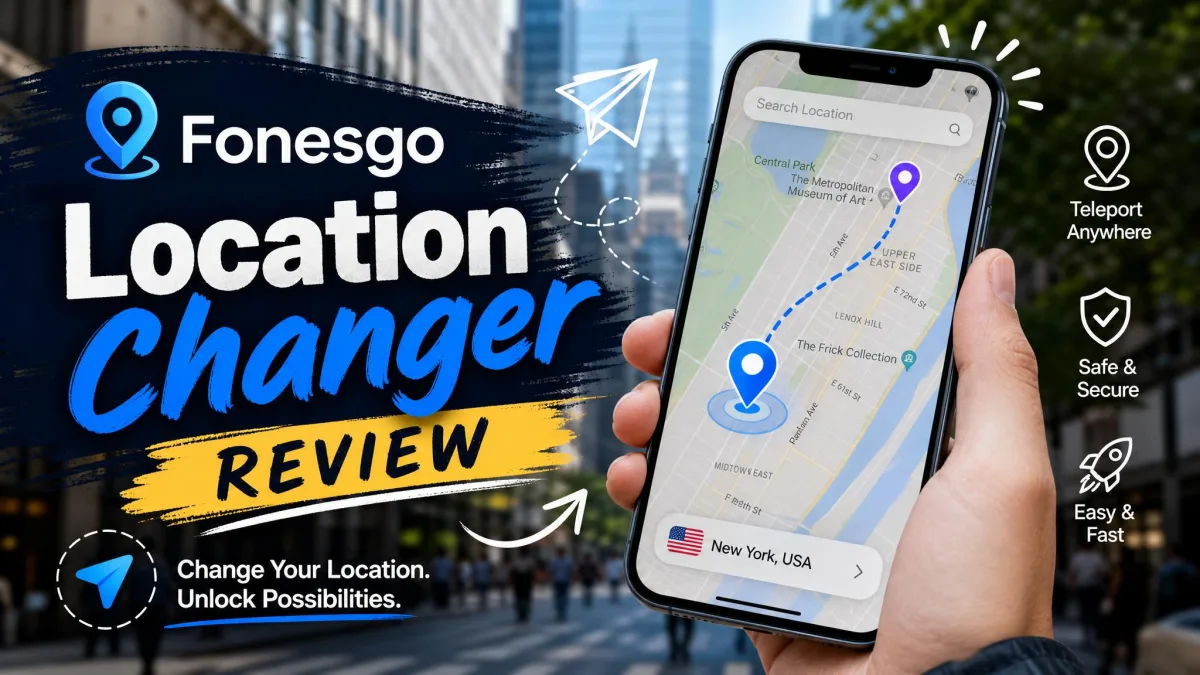
You want your phone to report a different place than the one you're standing in. Maybe that's for a raid in a game you can't reach. Maybe it's a dating app in another city, or a privacy habit that keeps your real neighborhood out of an app's logs. The moment you start looking, the same worry shows up. Is the software safe, and will it get your account banned? FonesGo Location Changer is a desktop and mobile tool that sets a fake GPS location on an iPhone or Android phone. It then lets you move along a route as if you were walking, cycling or driving. It sells itself on one click teleporting, no jailbreak, and support for up to 15 devices at once.
We put those claims against what the app does, what it costs, and where the risk sits. Here's how we tested it and what we found.

What Is FonesGo Location Changer?
FonesGo Location Changer is a virtual location tool. It changes the GPS location your phone reports to every app on it. You pick a spot on the map and confirm it. Apps such as Pokémon GO, Snapchat, Life360, WhatsApp, Tinder, Instagram and Facebook then read that spot as your real position. The technique is ordinary GPS spoofing, packaged so you don't have to touch developer tooling yourself.
The core workflow runs from a Windows or Mac desktop app with your phone attached. There are companion mobile apps you can download separately. No jailbreak is needed on iOS and no root on Android. That is the single biggest reason people choose tools in this class over the raw Android mock location controls meant for developers.
Who It's Built For
The obvious audience is location-based games. Pokémon GO players with thin local spawns want to walk a city center they cannot physically reach. The joystick and route features exist for exactly that.
Beyond games, we'd point three other groups here. People testing geofenced features. People who want a dating or social app to show a city they are relocating to. And people who would rather not have every app holding a history of where they sleep.
How We Tested FonesGo Location Changer
We assessed FonesGo the way we assess any privacy or spoofing software. Install it, connect real hardware, and run every advertised feature. Then check the claims that cost money against the vendor's documentation and refund terms. We looked at teleport behavior on the map, route simulation at each movement speed, joystick control, the cooldown timer and GPX import. We also watched how the app holds up across a long session rather than a single click. We checked the vendor's refund policy line by line as well.
Two findings shaped this review more than any feature. The desktop app has to stay in the loop for the main workflow. And the free trial is feature-limited, so the full teleport and route workflow is only testable after you've paid.
Is FonesGo Location Changer Safe and Legit?
FonesGo is a real product from an established vendor, not a throwaway download. Safe, though, has two halves here. There's whether the software is trustworthy, and whether using it is safe for your accounts. On the first half, security software has flagged the installer in some cases, including McAfee warnings against the download. Spoofing utilities trip heuristics by design. That still deserves attention before you click through a warning.
The software also throws occasional bugs. It can misbehave on certain handsets rather than failing predictably. Support is inconsistent too. Expect a fast reply or none at all, with no way to predict which.
Ban and Detection Risk in Pokémon GO and Other Location-Based Games
Account bans remain possible whenever a location-based app detects the spoof. The cooldown timer reduces that risk. It does not remove it. Long-distance teleports need a deliberate wait before you touch in-game items, and the recommended pause scales with the distance you jumped. Fast travel therefore turns into a slow, patience-driven routine if you play it properly. Anyone who tells you a spoofer is ban-proof is selling something.
Treat every game account you spoof on as expendable. Use the cooldown timer, avoid long jumps back to back, and never run this on an account you'd be upset to lose. No location changer, FonesGo included, can promise a game's anti-cheat systems won't catch up with you.
Privacy, Data Handling, and Account Safety
Changing your GPS location doesn't hide you from an app you're logged into. It changes one signal among many. Your IP address, account history and device identifiers stay the same. If privacy rather than gaming is your goal, start with Apple's own permission control. Review your iOS location permission settings before you pay for anything. Revoking location access from an app you don't trust costs nothing.
On trust signals, there isn't much to lean on. FonesGo's Trustpilot reviews number only a handful. They skew negative, and most of them concern other FonesGo products such as unlockers rather than the location changer itself. Refund handling is the recurring sore point there, including a partial-refund offer made well inside the stated guarantee window.
Key Features
Those trust caveats sit alongside a feature set that is, on paper, complete. Here's what each mode actually does.
One-Click Teleport to Any GPS Location
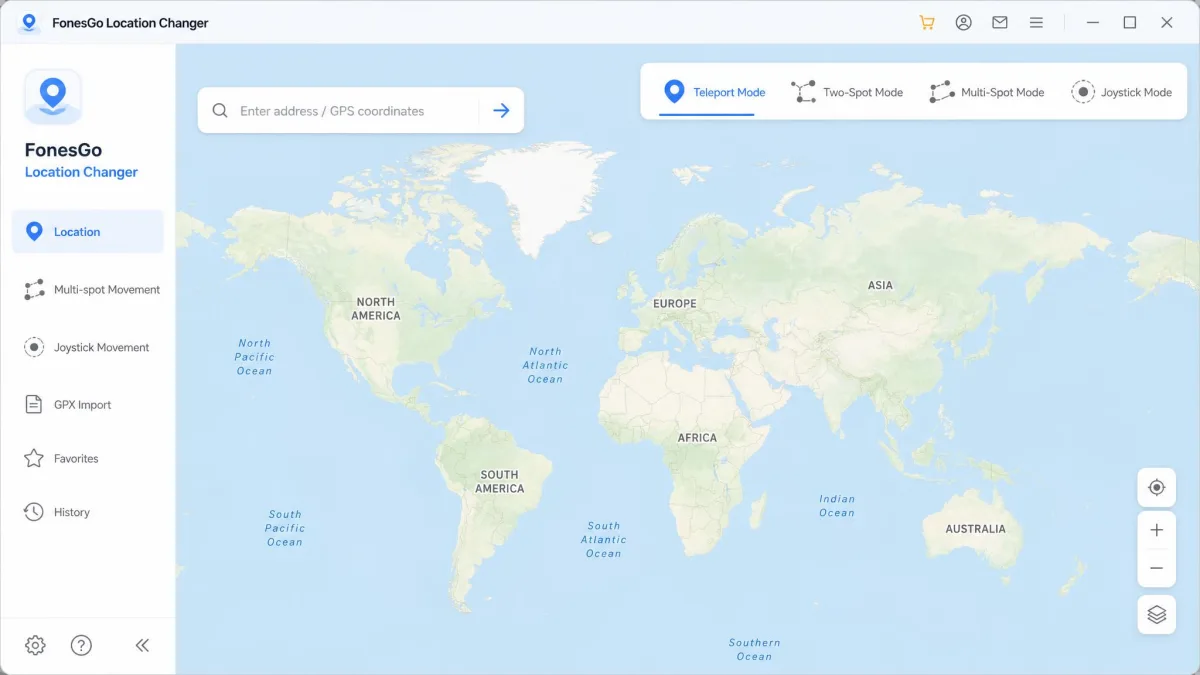
Jump Teleport is the headline feature and the one most people buy for. You search for an address or drop a pin on the map, then confirm. The phone's GPS location moves.
Getting there took us two attempts. The desktop app didn't see our Android handset on the first connection, because the USB mode was still set to Charging Only. Switching it to File Transfer fixed that immediately, and the phone appeared in the device list. From there the first teleport was one click, and the new position registered on Google Maps and Snapchat almost immediately. The app then held that position steadily through a long session rather than drifting back.
Multi-Spot and Two-Spot Route Simulation
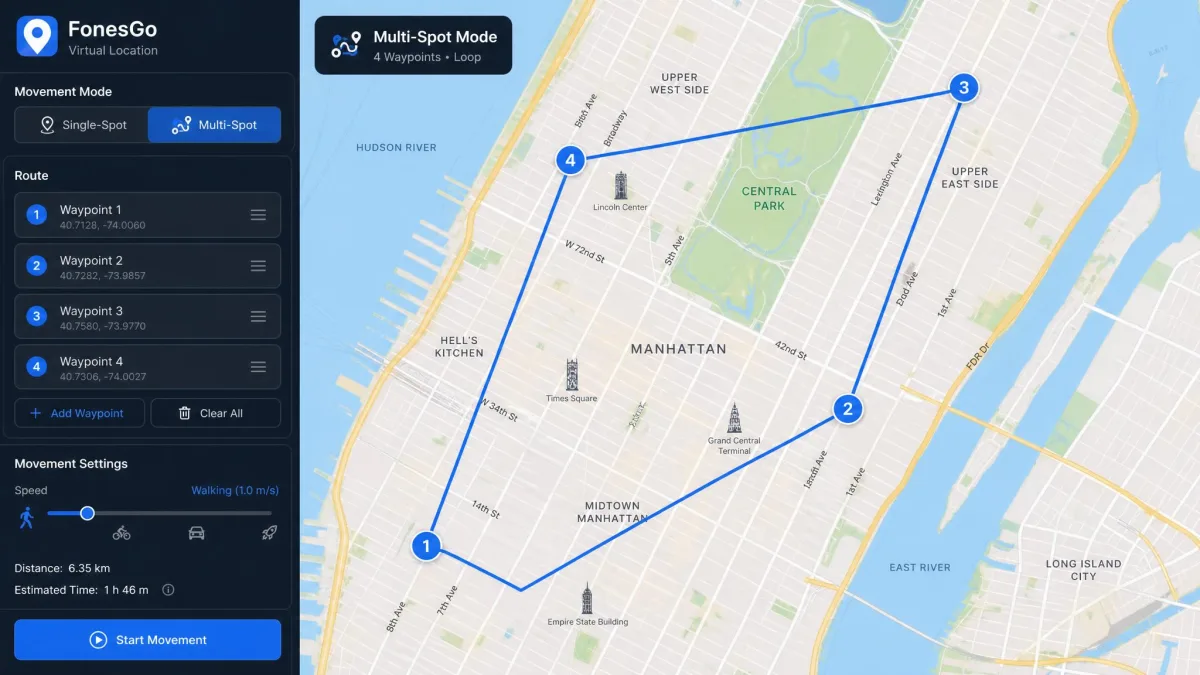
Two-Spot draws a path between a start and an end point. Multi-Spot chains several waypoints into a longer loop. Either way the app will simulate GPS movement along the line at a speed you set, with walking, cycling and driving presets available.
Routes are where FonesGo feels most complete. We left a Multi-Spot loop running through an extended Pokémon GO session, and the desktop connection stayed up the whole way without a crash or a dropped device.
Joystick Mode for Manual Movement Control
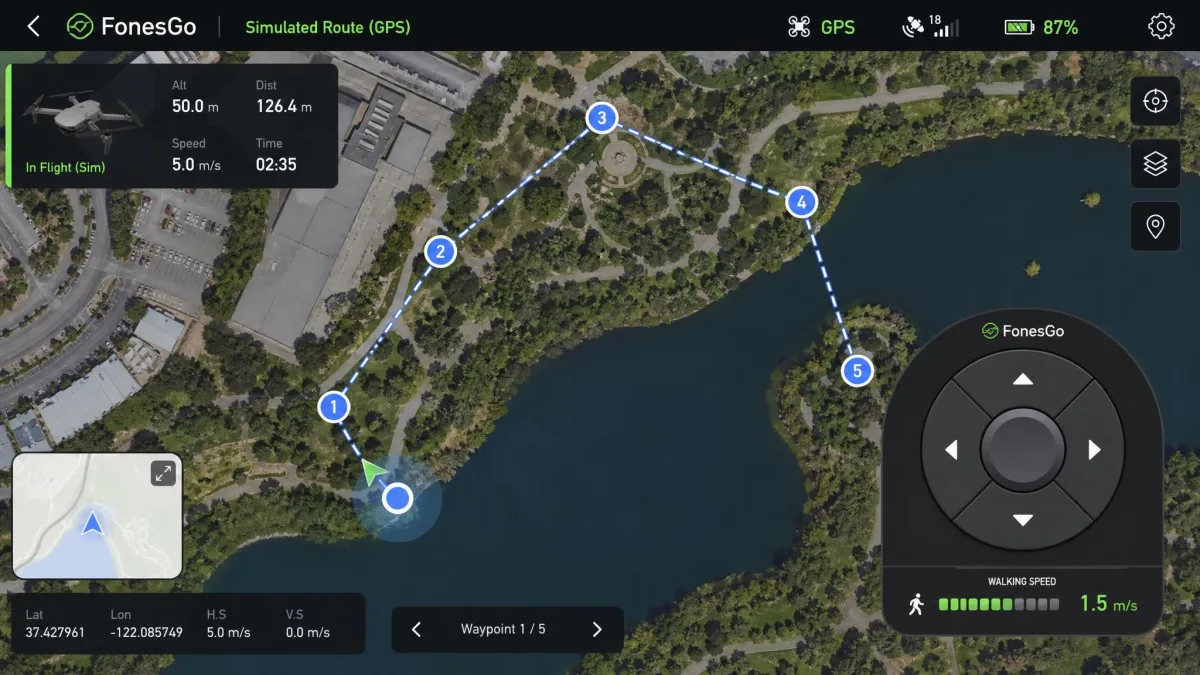
The joystick puts an on-screen pad over the map. You steer in real time instead of following a pre-drawn path. It is the mode built for real-time control: you can change direction as something appears, instead of waiting out a route.
Cooldown Timer and Historical Records
A built-in cooldown timer tells you how long to wait after a jump. The app also keeps historical records of places you've used, so you can return to a favorite spot without searching again. As a rule of thumb, wait roughly two hours before touching in-game items after a long teleport. The recommended cooldown scales with teleport distance, though, so no single wait time covers every jump.
GPX Import and Location Search
You can import a GPX file to replay a real recorded track. That's the closest thing here to convincing movement. The search box accepts plain addresses or coordinates. One catch matters: GPX import is available on the desktop app but not in the iOS or Android apps. The mobile apps generally feel less capable than the desktop build.
How to Use FonesGo Location Changer: Step by Step
That feature list only pays off once the phone is talking to the app. Setup is a multi-step chore rather than one click, so budget a few minutes the first time. The on-screen instructions walk you through each mode. That keeps the first teleport approachable despite the connection prerequisites.
Step 1: Install and Connect Your Device
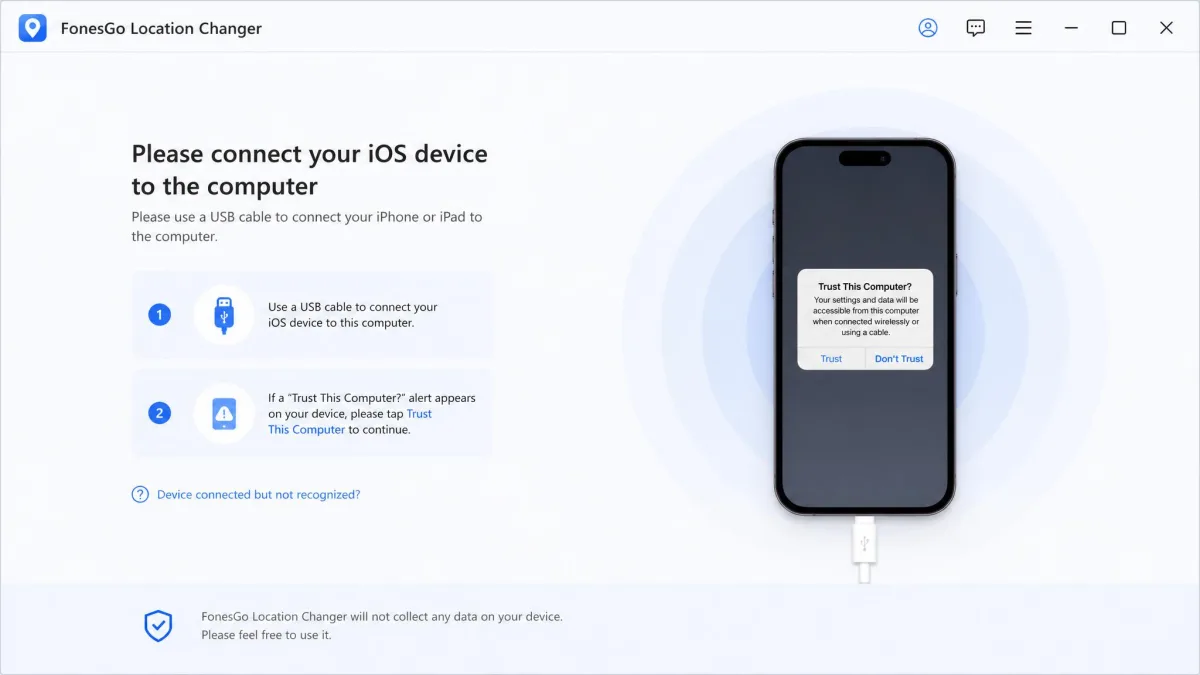
Download the desktop software, install it, and connect your phone with a USB cable. On Android, enable Developer Options and USB debugging. On iOS, tap Trust This Computer when the prompt appears. If the app doesn't see your handset, switch the USB connection mode from Charging Only to File Transfer. That's the fix for nearly every Android phone that goes undetected.
Use the cable that came with the phone. Charge-only cables are the second most common reason a device never appears in the app, right after the USB mode setting.
Step 2: Pick Your Destination on the Map
Open Teleport Mode and type an address or coordinates into the search field. Click the result, then confirm the pin. The phone's reported GPS location changes. Check it in a maps app before you open anything that matters.
Step 3: Simulate Movement Along a Route
Switch to Two-Spot or Multi-Spot, place your waypoints, set a speed, and start. Use the joystick instead when you want manual control. Whatever mode you choose, let the cooldown timer run down before you interact with a game.
Device and OS Compatibility (iOS and Android, No Jailbreak)
Those steps assume your handset is on a supported release, and the supported range is wide. FonesGo covers iOS 13 through the latest releases, and the vendor advertises compatibility up to iOS 27. iOS 18 therefore sits comfortably inside the supported range. On Android, the vendor page claims support up to Android 17. Confirmed support currently tops out at Android 16, so treat the top of that range as a claim rather than a guarantee. Android 15 is well inside it either way. The desktop app runs on Windows 11, 10, 8 and 7, and on macOS 10.12 or later.
No jailbreak is required on iOS and no root is required on Android. That is genuinely the case and not marketing language. One limit is worth repeating here. The tool cannot run phone-only, because a Windows or Mac machine has to stay in the loop for the desktop workflow that carries the full feature set.
FonesGo Location Changer Pricing and Plans
| Plan | Price | Notes |
|---|---|---|
| Desktop, monthly | $9.95 | Listed at $19.95 before discount |
| Desktop, quarterly | About $19.90 | Quoted at both $19.90 and $19.95 depending on storefront and region |
| Desktop, yearly | Roughly $39.95 to $49.95 | Listed at $39.95 in some places and $49.95 in others, and it moves with promotions |
| Desktop, lifetime | $79.95 | One-time license |
| Android app plan | $14.95 per month | Mobile app, sold separately |
The $79.95 lifetime license is the only plan we'd consider. Monthly billing on a tool you use in bursts is how you end up paying $79.95 anyway, across eight months instead of one. The annual tier is priced too close to lifetime to make sense.
There's a 30-day money-back guarantee, but read the conditions. Refunds are refused for buyer's remorse, for misread feature descriptions, and for auto-renewals you didn't cancel before the renewal date. They are also refused where the customer declines support troubleshooting. Refunds are the sore point on this product, so those exclusions are not academic.
Is the Free Trial Actually Usable?
A free trial download is available, and it is feature-limited rather than time-limited in any way the vendor documents. The full teleport and route workflow is only testable after you buy. That's the opposite of what you want when your real question is whether the app talks to your handset. Use the trial to confirm the software installs, sees your phone, and doesn't fight your antivirus. Then treat the 30-day window as your real evaluation period.
Pros and Cons
Pros
- One-click teleport that lands almost immediately on maps and social apps
- Two-Spot and Multi-Spot routes with adjustable walking, cycling and driving speeds
- On-screen joystick for real-time manual movement
- Works on iOS and Android without jailbreak or root
- Up to 15 devices at once, useful if you manage several accounts
- A $79.95 lifetime license instead of a permanent subscription
- Cooldown timer and historical location records built in
Cons
- Requires a Windows or Mac computer for the full workflow
- Setup is a multi-step process, not the one click the marketing implies
- Free trial is feature-limited, so you're buying partly on faith
- Occasional bugs and handset-specific misbehavior
- Inconsistent customer support and recurring refund complaints
- Antivirus software has flagged the installer in some cases
- GPX import is missing from the mobile apps
FonesGo Location Changer vs. the Alternatives
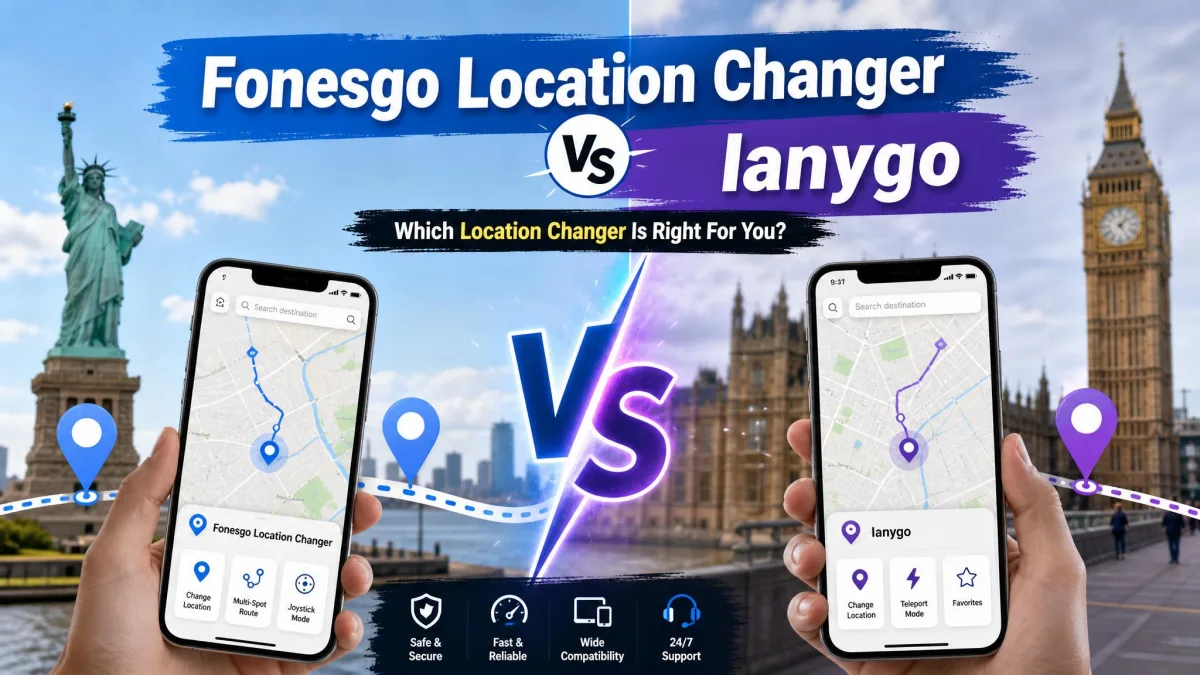
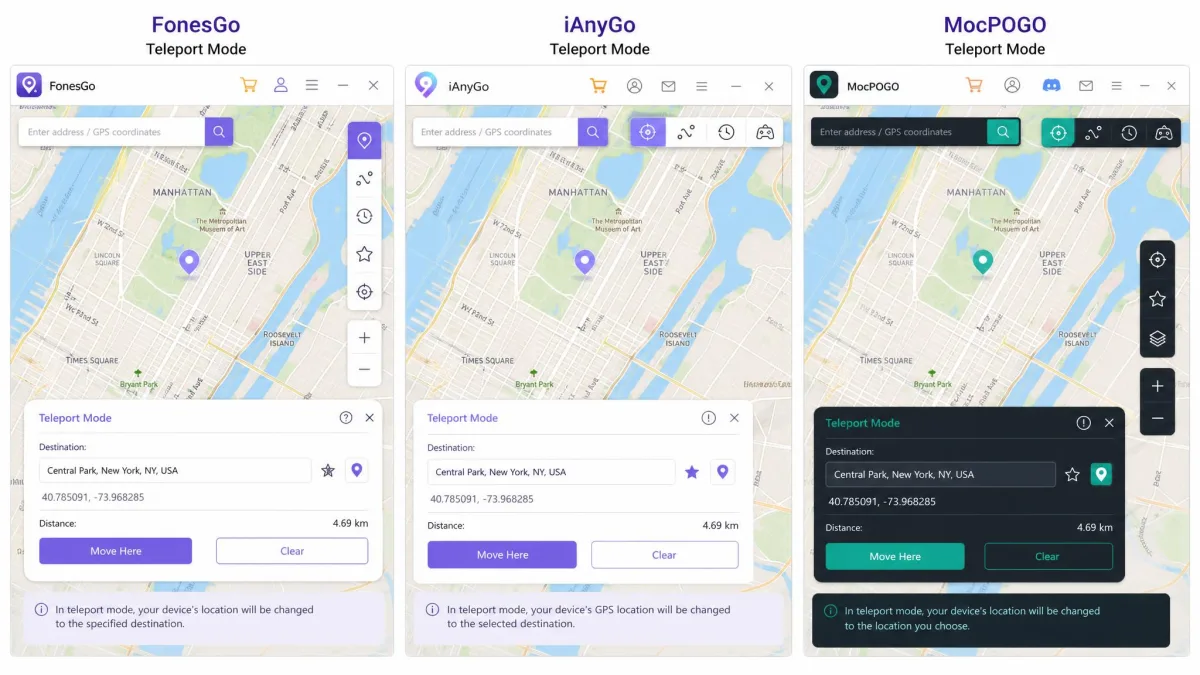
The two closest rivals are iAnyGo from Tenorshare and MocPOGO. All three do the same core job, and none of them requires a jailbreak.
| Feature | FonesGo Location Changer | iAnyGo | MocPOGO |
|---|---|---|---|
| Entry price | $9.95/mo | $12.95/mo | $9.95/mo |
| Lifetime option | $79.95 | Not listed | Not listed |
| Jailbreak or root | Not required | Not required | Not required |
| iOS support | iOS 13 to iOS 27 | iOS 14 to iOS 27 | Up to iOS 27 |
| Android support | Up to Android 17 (claimed) | Android 7 to Android 16 | Up to Android 17 |
| Simultaneous devices | 15 devices | 15 devices (desktop) | 15 devices |
| Route simulation | Two-Spot and Multi-Spot | Multi-spot | Yes |
| Joystick | Yes | Yes | Yes |
| Cooldown timer | Yes | Yes | Not documented |
| GPX import | Desktop only | Import and export | Desktop only |
| Free trial | Yes, feature-limited | 1 hour | Yes |
| Refund window | 30 days | 30 days | Not documented |
iAnyGo costs more at $12.95 per month, and $14.99 for its mobile apps. What you get for the difference is a 1-hour free trial that lets you try the real thing before paying, GPX export as well as import, and a 30-day guarantee. MocPOGO matches FonesGo's $9.95 entry price. It adds a Bluetooth mode that spoofs an iPhone from an Android phone, though its refund terms aren't published. One oddity stands out. FonesGo and MocPOGO present an identical three-plan structure at identical prices, which points to shared packaging rather than coincidence.
If you're weighing the wider field, our best virtual location changers guide covers more of these apps side by side. Our MockGo review is the closest structural comparison to this one. And the best Pokémon GO spoofers roundup is the place to start if games are your only reason for buying.
Frequently Asked Questions
Does the fake location stay put if I unplug the phone or reboot it?
Do I need a Windows machine, or will a Mac do?
Does it work with Pokémon GO?
Can it simulate walking or driving movement?
What happens to the 15-device allowance if I change handsets?
Can I buy the mobile app plan on its own?
Verdict: Should You Buy FonesGo Location Changer?
Buy it if you want a permanent license, you already work from a laptop, and route simulation matters to you. Choose iAnyGo instead if you'd rather test the real product for an hour before paying. And whichever you pick, treat the game account you use it on as one you can afford to lose.