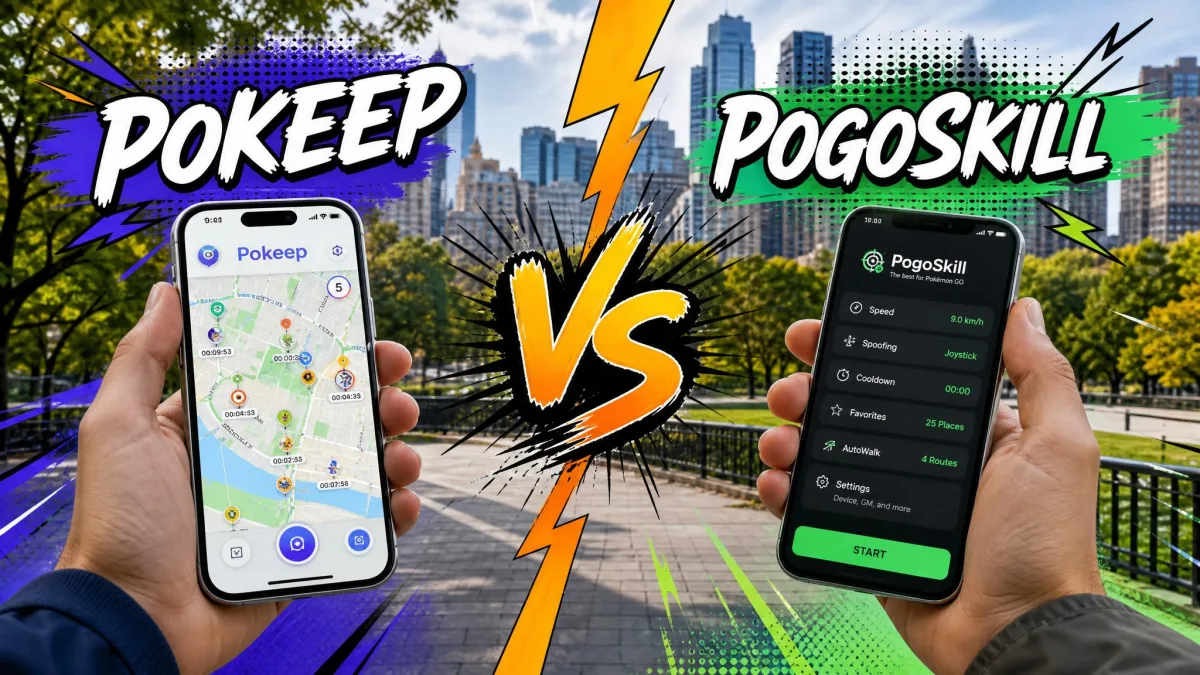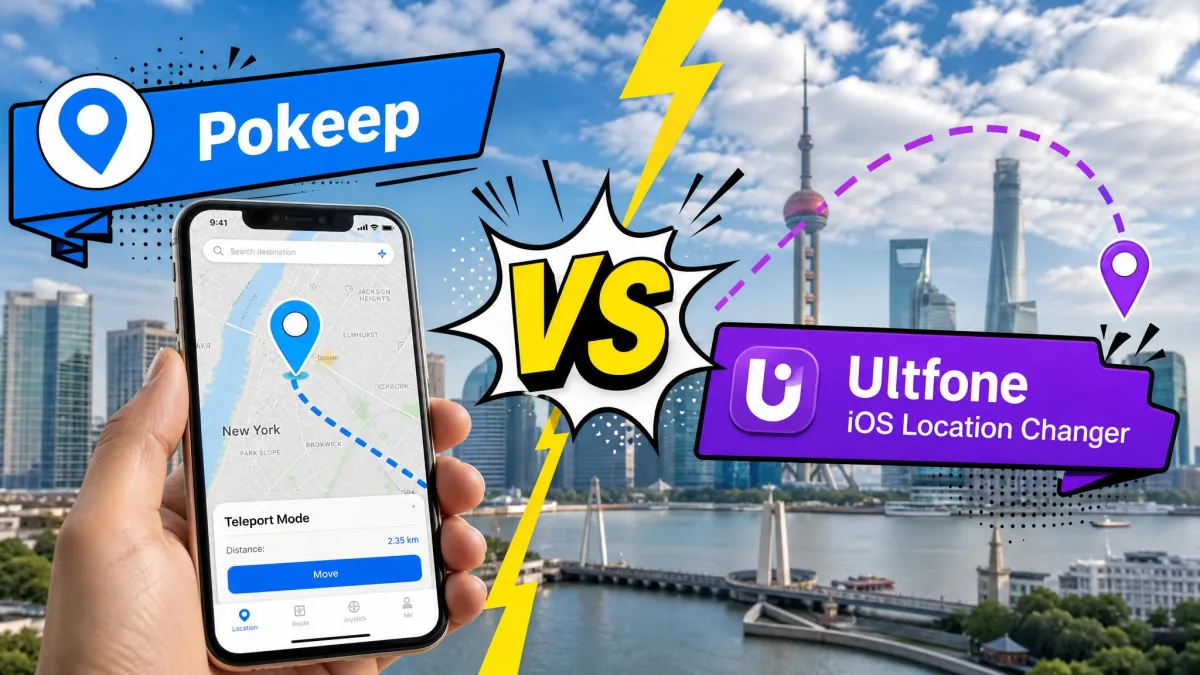
PoKeep is a desktop location changer that fakes the GPS coordinates your iPhone or Android phone reports to apps, so you appear anywhere in the world without moving. It is aimed at Pokemon GO players, at people testing geo-restricted content, and at anyone who wants to control what location their apps see.
The awkward part is trust. This is software that asks for deep access to your handset, and it sells itself on bypassing rules other companies wrote. It also carries a mixed reputation across scanners and review sites. We went through the product, its pricing, its setup requirements and its safety record to answer the only question that matters before you pay.
PoKeep Verdict at a Glance
What Is PoKeep?
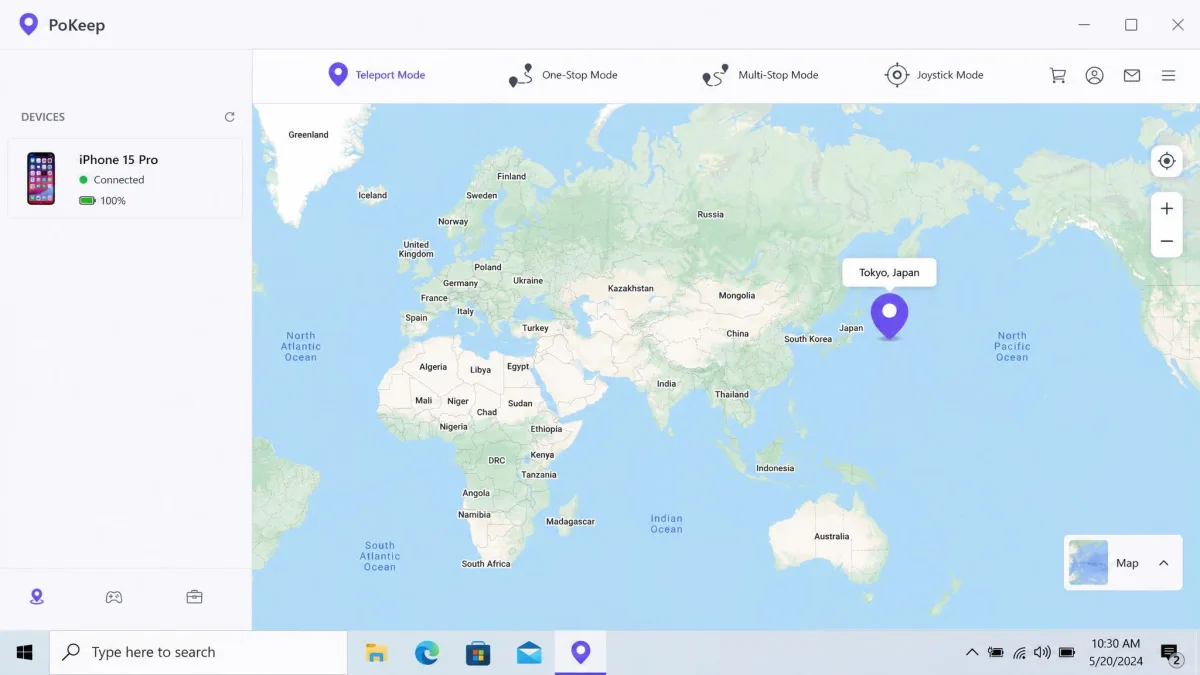
PoKeep is a GPS location changer sold as PoKeep Location Changer on its official site. You install a desktop client, connect your phone, and drop a pin on a map. Every app on the handset that reads location now sees that pin instead of where you are standing.
In our testing, the most important thing to understand up front is that this is a desktop-anchored tool rather than a standalone phone app. Nothing works until the Windows or Mac client is installed and the handset is tethered to it. If you were expecting to download something from an app store and tap a map, that is not this product.
The software ships in six interface languages, and the current Windows build is version 1.0.0 at 104.6 MB.
Who PoKeep Is For
The audience splits into a few clear groups:
- Players of walking games like Pokemon GO, Monster Hunter Now and Pikmin Bloom who want to move without physically walking.
- People who want to control what location their social apps and dating apps report.
- Anyone testing how an app or a browser behaves from a different region.
- Parents or partners dealing with tracking apps who want to manage what those apps see.
It is the wrong buy if you want a single-tap phone app, or if losing a game account would genuinely upset you.
Supported Platforms (iPhone, Android, No Jailbreak or Root)
PoKeep works without jailbreaking or rooting, which is the main reason people choose tools in this class. On the phone side it covers iOS 5 through iOS 26 and Android 6.0 and up, while on the desktop side you need Windows 10 or later, or macOS 11 or later.
A single licence covers 1 PC and 10 phones. Up to 10 iOS and Android devices can therefore sit under one purchase, which is generous next to most competitors.
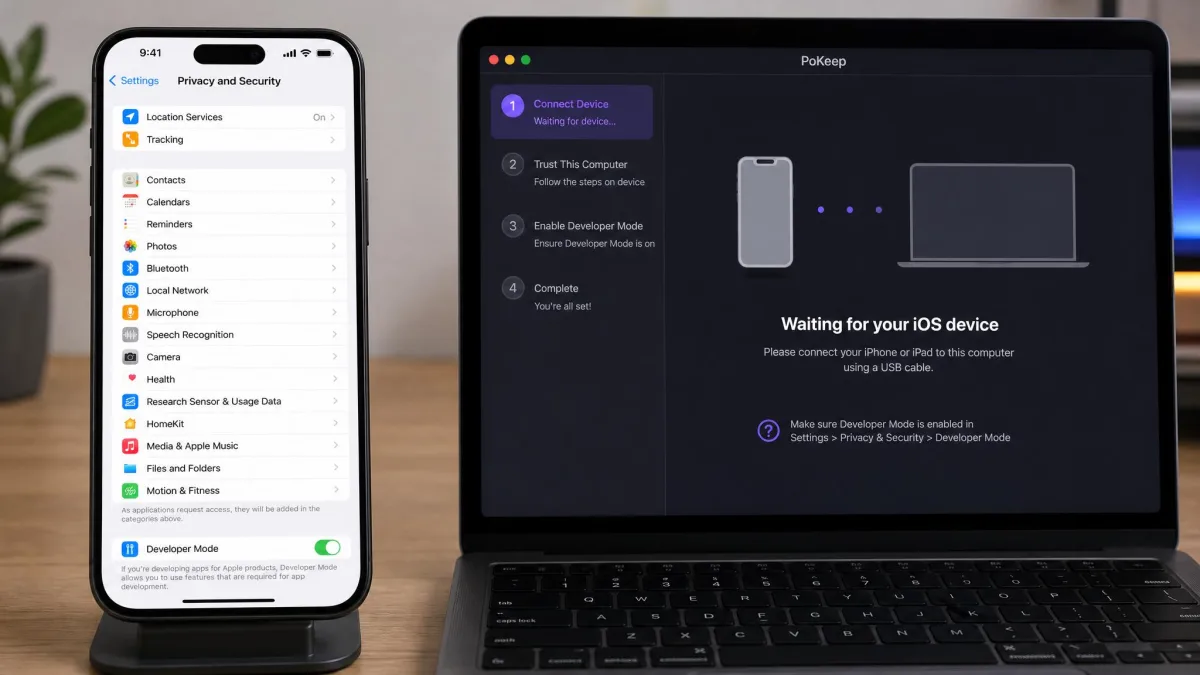
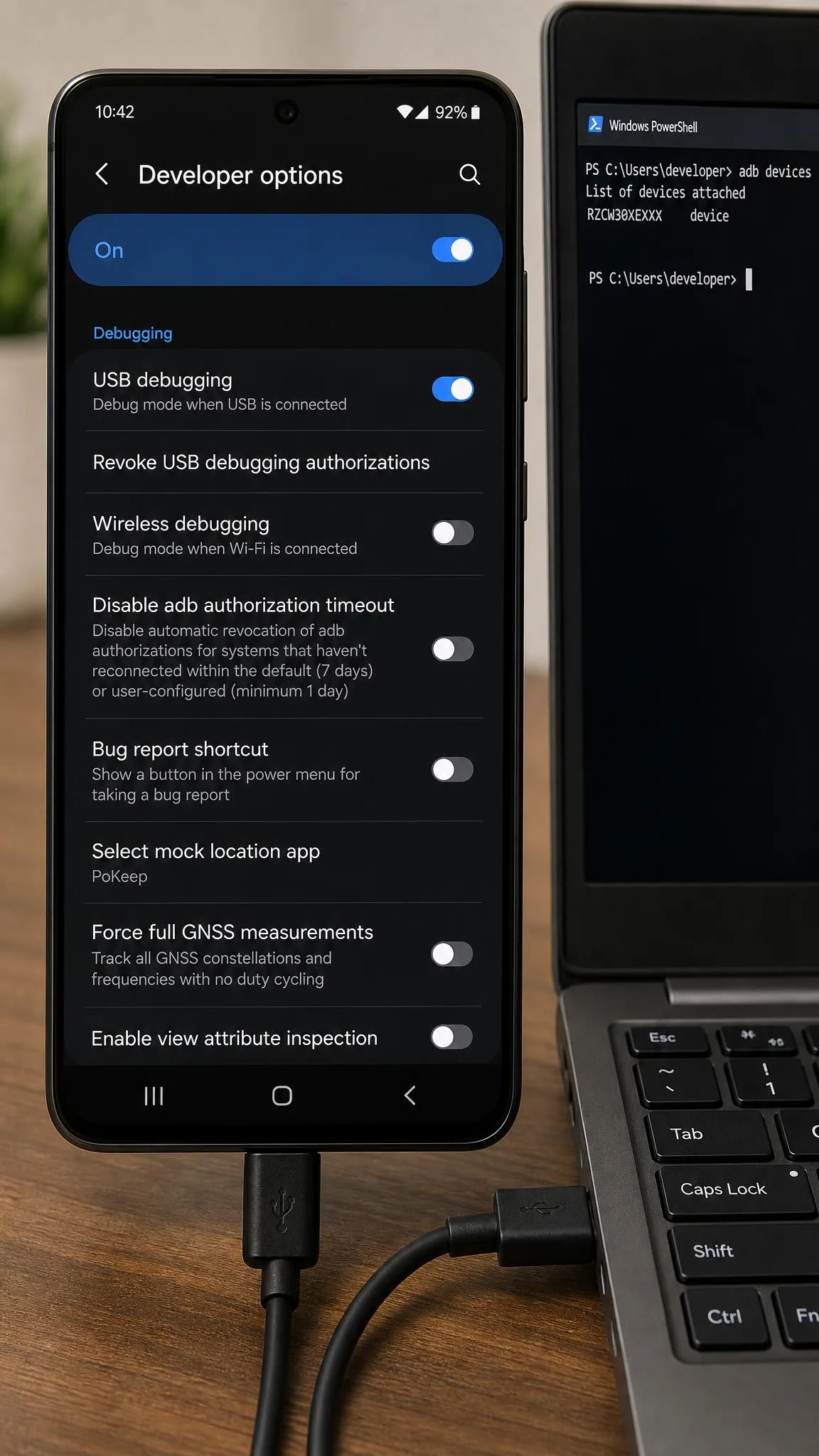
Setup carries genuine friction on both platforms. iOS Universal Mode requires enabling Developer Mode under Settings, Privacy and Security, then restarting the device, while Android requires USB Debugging in Developer Options plus selecting PoKeep as the Mock Location App. Wi-Fi and Bluetooth connections only become available after a first successful USB pairing, so the cable is unavoidable on day one.
Is PoKeep Safe and Legit?
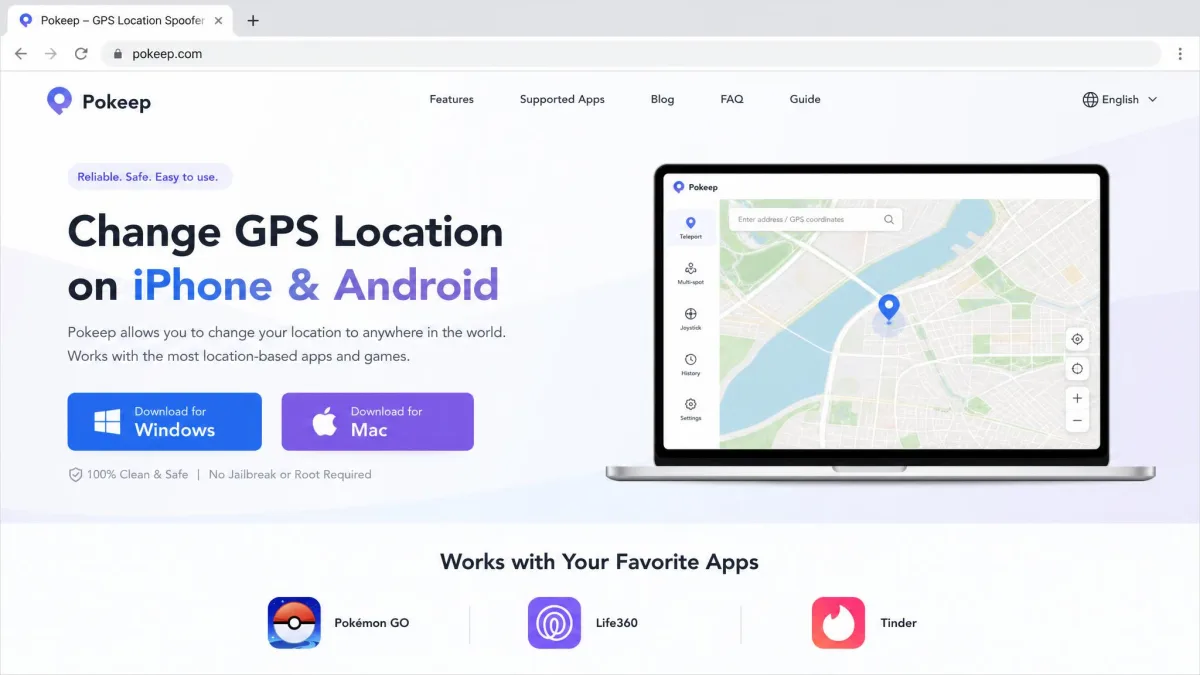
Platform support is the easy part, and trust is where this product gets complicated. PoKeep is a real, purchasable product from a live commercial site with a published refund policy, but it has almost no public track record. No ownership information, company name or founding date is published anywhere we could find.
What Security Scanners Say
Gridinsoft's safety report for pokeep.com assigns the domain a 4/100 trust score. The same report shows only 1 of 28 security vendors flagging it. Those two numbers point in opposite directions. A low automated trust score is not proof of malware, and a 1-in-28 flag rate routinely lands on GPS-spoofing utilities because of what the software does rather than what it contains. Treat it as a reason to download only from the official site, not as a verdict.
We also checked Scam Detector's validator report for a second automated opinion. Scores of this kind are generated by algorithm, and they should never be the only thing you weigh. The protection advice is unchanged whatever the scores say: install from the vendor domain only, keep your antivirus running, and pay with a method you can dispute.
What Real User Reviews Say (Trustpilot, Uptodown, SaaSHub)
Automated scores are one thing, and actual customers are another. Here the footprint is thin. PoKeep's Trustpilot reviews amount to a 4-star score across just 3 reviews, and with that few ratings on file a single new review moves the average, so the score is not settled. SaaSHub's PoKeep profile carries 0 reviews, and we looked for listings elsewhere and found none.
Uptodown's community rates the Windows build 5.0 out of 5, but that is across 2 reviews and 406 logged downloads. The vendor's own testimonials page currently shows zero reviews, so the marketing site offers no social proof of its own.
In this software category, the complaints that recur most often are activation failures and auto-renewing billing that is hard to cancel. PoKeep's monthly, quarterly and yearly tiers all auto-renew by default. Set a calendar reminder the day you buy.
Account Bans and Soft-Ban Risk
Scanner scores are not the real hazard here; account enforcement is. Spoofing a location-based game is against the publisher's rules regardless of which tool does it, and it helps to understand how GPS spoofing works and its risks before you decide the trade is worth it. Niantic's terms of service prohibit falsifying location data, and enforcement runs from temporary soft bans through to permanent account loss.
No cooldown timer removes that risk. A good one only reduces the obvious triggers, which is a different claim. Nobody publishes credible ban-rate figures for PoKeep specifically, so anyone quoting you a percentage is guessing.
PoKeep Features We Tested
Those safety caveats matter less once you see what the software actually does day to day.
Movement Modes: Joystick, Two-Spot, Multi-Stop, Teleport
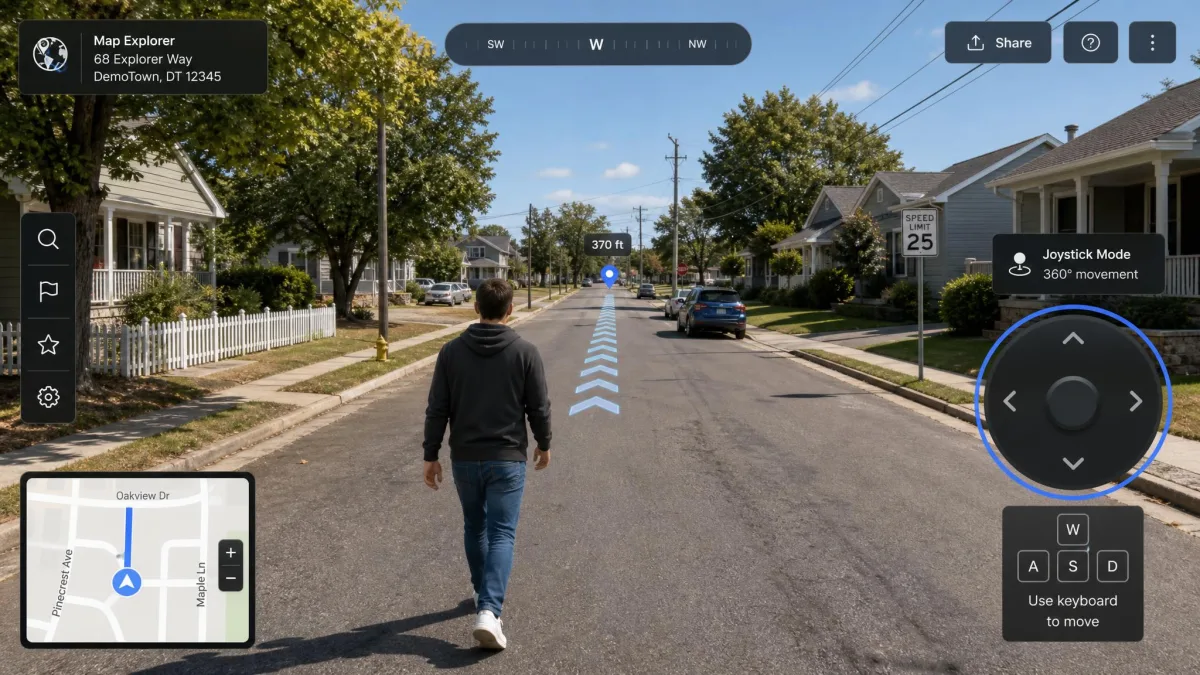
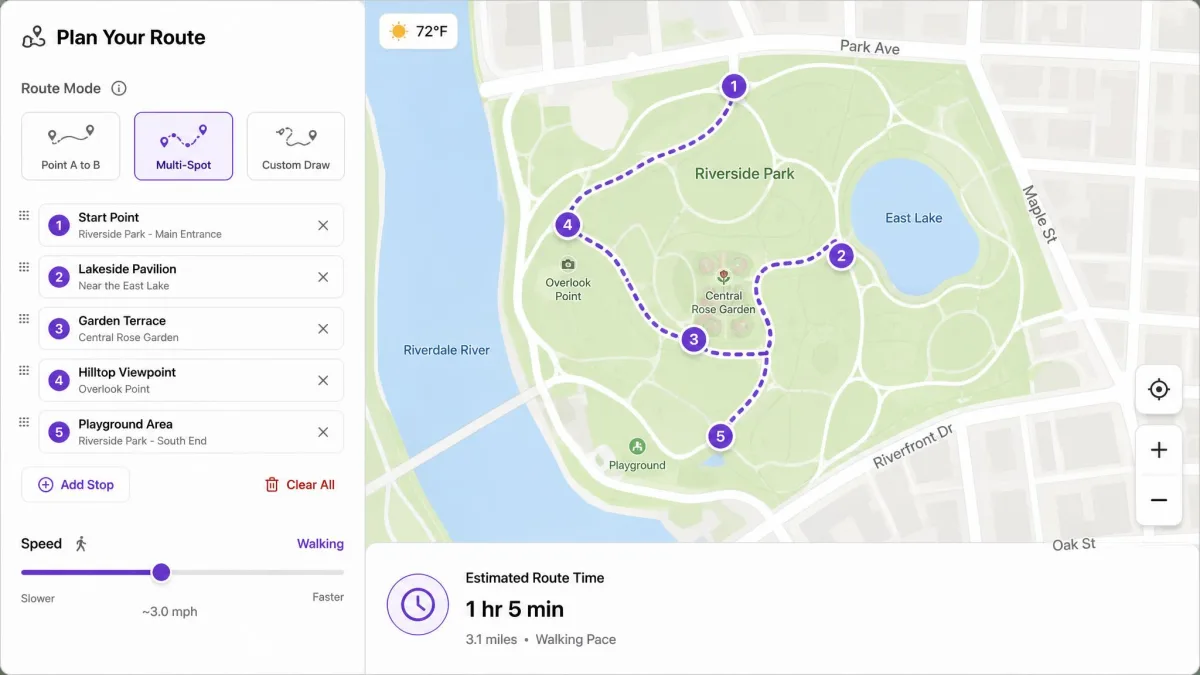
PoKeep ships four movement modes. The 360-degree joystick can be driven on screen or with the W, A, S and D keys, and two-spot movement walks a straight line between two points. Multi-spot follows a route you plot across several stops, while jump teleport moves you instantly with no simulated travel.
Joystick movement feels natural rather than robotic, which is what keeps walking-based games playable. Speed is adjustable across all the route modes, so you can pick a pace that reads as walking, cycling or driving.
Cooldown Timer and Realistic Movement
The built-in cooldown timer is the feature that earns its place. It does the distance-to-wait maths for you, and that is the difference between clean sessions and picking up strikes.
PoKeep's guidance scales the wait with jump distance, running roughly 30 seconds to 6 minutes for 1 to 10 km, and 11 to 45 minutes for 25 to 250 km. Longer hops climb to 60 to 90 minutes for 500 to 1000 km, and up to 120 minutes above 1500 km. Those bands are community-derived values for a third-party game rather than figures Niantic publishes. PoKeep advises padding each wait by an extra minute or two for clock drift, with two hours as the practical ceiling.
GPX Import, Favorite Routes, and History
You can import GPX files, save favourite routes and review location history, which matters if you run the same paths repeatedly. It is the difference between replotting a route every session and loading it in one click.
Multi-Device and Bluetooth Connection
The desktop client can manage several handsets at once. Bluetooth and Wi-Fi connections both work after that first USB pairing, which frees you from the cable for everyday sessions.
Long iOS jumps stay fiddly. For anything beyond 20 km, PoKeep instructs you to turn off Location Services, cellular and Wi-Fi before changing coordinates, then switch them back on. That toggling is a chore where it is easy to forget a step.
Which Apps and Games PoKeep Works With
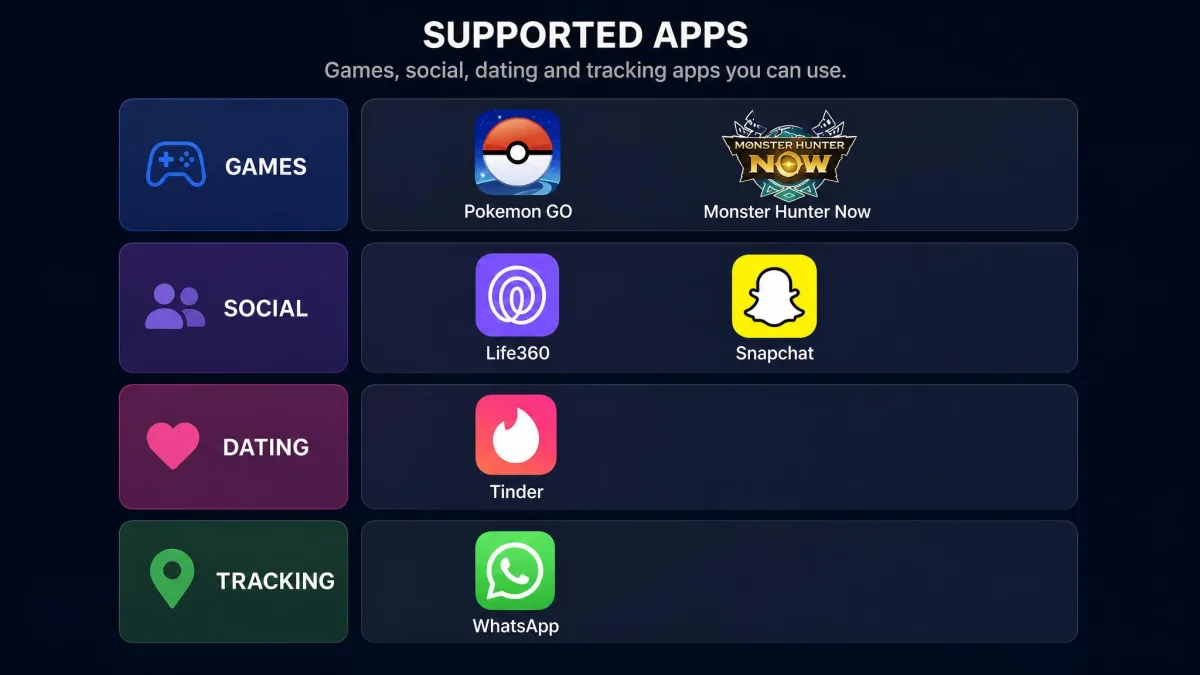
Those movement modes are only useful if your apps accept the result. Coverage is broad.
Location-Based Games
The vendor lists Pokemon GO, Monster Hunter Now, Ingress Prime, Pikmin Bloom, Jurassic World Alive, Geocaching and Minecraft Earth. Because PoKeep changes the location at system level rather than patching a game, coverage tends to extend to titles the vendor never names.
Social and Dating Apps
Supported social apps include WhatsApp, Instagram, Snapchat, TikTok, Facebook and Telegram. On the dating side the list runs Tinder, Bumble, Hinge, Grindr, Badoo and OkCupid. The same system-level approach applies, so an app that trusts the phone's reported position will trust the spoofed one.
Tracking Apps Like Life360
Life360, Find My iPhone, Google Maps and Apple Maps all read the changed location, because those apps consume the same location feed as everything else on the device.
How to Use PoKeep in 3 Steps
Getting there takes three steps, and only one of them is slow.
- Install the desktop client. Download it from the official site onto a Windows 10 or later PC, or a macOS 11 or later Mac.
- Connect your phone by USB. Accept the trust prompt, enable Developer Mode on iOS or USB Debugging on Android, and let the client pair. Wi-Fi and Bluetooth become options after this first pairing.
- Pick a mode and set the location. Drop a pin for a teleport, or choose joystick, two-spot or multi-spot to move, then watch the cooldown timer before you open a game.
Budget more time than you expect for step two, because everything after it is quick.
PoKeep Pricing: Free vs Paid Plans
Setup friction aside, the money question is simpler. There is a free trial, and it is capped at 25 trial sessions rather than a time window. Use it, because it is the only way to confirm the software connects to your specific handset before money changes hands.
Paid tiers on PoKeep's official pricing page run as follows:
- 1-Month licence: $9.95 (listed regular price $14.95)
- 1-Quarter licence: $19.95 (listed regular price $28.95)
- 1-Year licence: $39.95 (listed regular price $57.95)
- Lifetime licence: $89.95 (listed regular price $149.95)
Every plan carries a 30-day money-back guarantee. The monthly, quarterly and yearly plans auto-renew unless you cancel, while the lifetime plan is a one-time purchase. Given how the recurring tiers behave, the lifetime licence is the cleanest option if you know you will keep using it. The monthly is the cleanest if you will not.

Pros and Cons of PoKeep
Pros
- Four movement modes including a 360-degree joystick that moves naturally
- Built-in cooldown timer that calculates the wait for you
- Covers 1 PC and 10 phones on a single licence
- Works without jailbreaking or rooting, on iOS 5 through iOS 26 and Android 6.0 up
- GPX import, saved routes and location history
- 30-day money-back guarantee and a 25-session free trial
Cons
- Requires a Windows or Mac desktop app and a tethered phone
- Fiddly first setup: Developer Mode on iOS, USB Debugging on Android
- Long iOS jumps need Location Services, cellular and Wi-Fi toggled off and back on
- Very small public review footprint and no published company information
- Monthly, quarterly and yearly plans auto-renew by default
- Gridinsoft's scanner reports a low trust score for the domain
PoKeep Alternatives Worth Considering
If the thin review record bothers you, three competitors cover similar ground. For the fuller picture we keep an updated ranking of the best Pokemon GO spoofers we tested. There is also a broader guide to the best GPS spoofing apps for iPhone and Android if your use case is not gaming.
| Product | Monthly price | Lifetime price | Devices per licence | Cooldown timer |
|---|---|---|---|---|
 |
$9.95 | $89.95 | 1 PC and 10 phones | Yes |
 |
around $10.49 promo | $49.49 | 5 phones, unlimited computers | Yes |
 |
$9.95 | $79.95 | Multi-device | Not advertised |
 |
$9.95 one-time month | Not published | 1 PC and 1-5 phones | Not advertised |
iMyFone AnyTo is the value pick on lifetime cost at $49.49. It offers joystick, route modes, GPX import and a cooldown timer, and it binds up to 5 phones while placing no limit on computers.
Tenorshare iAnyGo offers a 7-day free trial on its subscription tiers. Read the buy page carefully. A one-time monthly licence at $9.95 sits alongside auto-renewing subscriptions priced far higher, so the number you see depends on which page you land on.
MocPOGO covers three movement simulation modes, joystick, GPX import and saved routes for $9.95 monthly or $79.95 lifetime. MyProsAndCons rates it 3.0 out of 5.
Two more desktop changers are worth a look if PoKeep's setup friction puts you off. We covered both in depth in our MockGo review and our FonesGo Location Changer review. None of these solves the underlying rule-violation problem, though, and they compete on price, device limits and how much of the cooldown arithmetic they handle for you.
Frequently Asked Questions
Is PoKeep safe to use?
What happens after a soft ban, and how long does it last?
Does PoKeep need jailbreak or root?
Does PoKeep work on Life360?
How do I uninstall PoKeep?
Final Verdict: Should You Use PoKeep?
PoKeep does what it advertises. The four movement modes are complete and the joystick handles well, so on function alone it holds its own in this category.
The reservations are about record rather than function. A 4-star Trustpilot average across 3 reviews is a very thin base. Add zero reviews on SaaSHub, zero on the vendor's own testimonials page and no published company details, and you have a product you are trusting largely on its own say-so. Gridinsoft's low trust score deserves the same treatment: worth knowing, not conclusive.
Our recommendation is narrow and practical. Run the 25-session trial first and confirm it connects to your exact handset. If it does and you plan to keep using it, buy the lifetime licence rather than a recurring plan. If lifetime cost is the deciding factor, buy iMyFone AnyTo instead at $49.49 and accept the lower device ceiling. Keep in mind throughout that no location changer can protect an account from the consequences of breaking a game's rules.