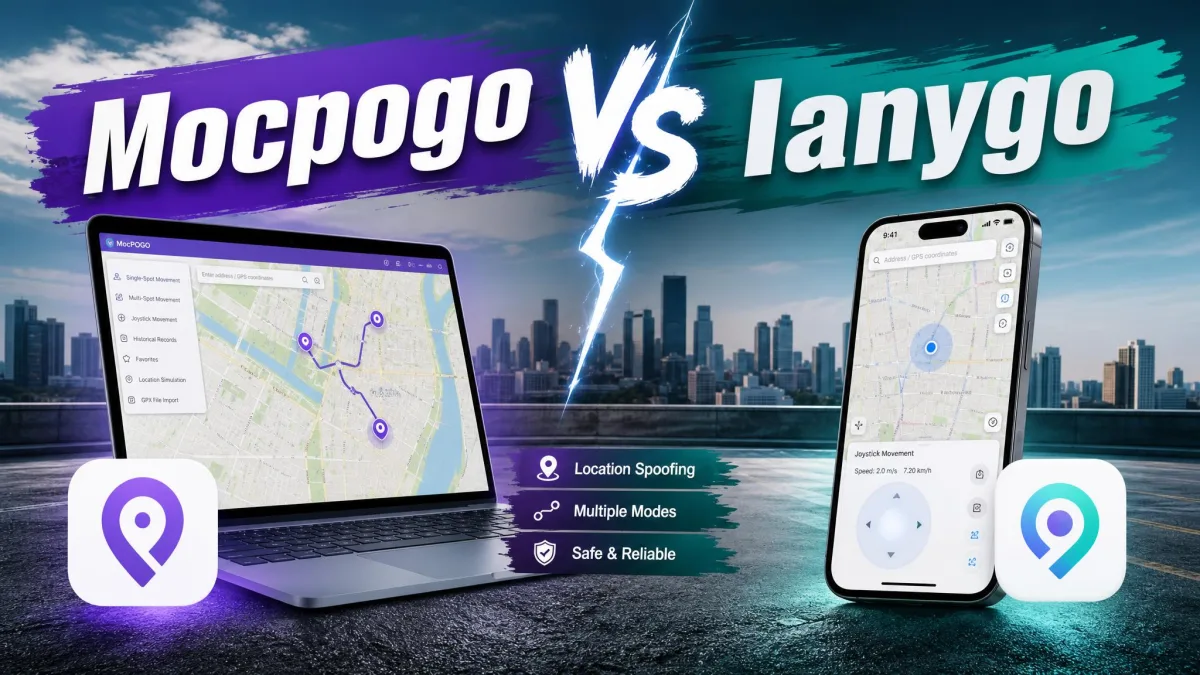
MocPOGO is a desktop GPS location changer. It moves an iPhone or Android phone to any point on a map in one click, then simulates walking, cycling or driving along a route you draw. FonesGo Location Changer does the same job from a near-identical map interface, with the same movement modes and the same 15-device ceiling.
This comparison decides which of the two is worth your money. On paper they look like the same product with different logos.
The overlap is heavy enough that the answer comes down to smaller things. Joystick behaviour during a long session, what the free trial actually lets you do, how the plans are priced per platform, and how each tool handles the cooldown timer. We ran both on Windows against an iPhone and an Android handset.
MocPOGO vs FonesGo at a Glance
| Product | Buy | One-click teleport | Movement modes | Joystick | Custom speed | GPX import | Multi-device | Cooldown timer | iOS support | Android support | Jailbreak required | Free trial | Starting price | Refund policy |
|---|---|---|---|---|---|---|---|---|---|---|---|---|---|---|
 |
Check price → | Yes | Two-spot, multi-spot, jump teleport | Yes, 360-degree plus WASD keys | 3.6 km/h to 100 km/h | Yes | Up to 15 devices | Yes | iOS 13 and later | Yes, no root | No | Yes | $9.95per month (desktop) | 30-day money-back guarantee |
 |
Check price | Yes | Two-spot, multi-spot, jump teleport | Yes, 360-degree | Up to 100 km/h | Yes | Up to 15 devices | Yes | iOS 13 and later | Yes, no root | No | Yes, feature-limited | $9.95per month | 30-day money-back guarantee |
What Is MocPOGO Location Changer?
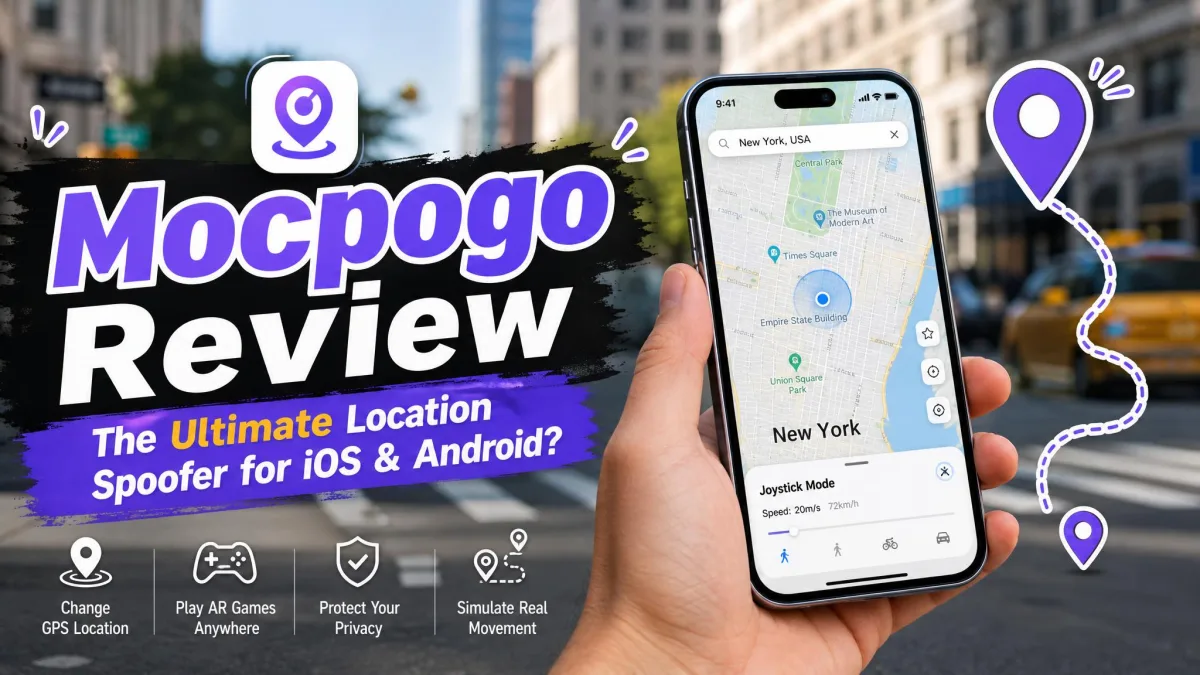
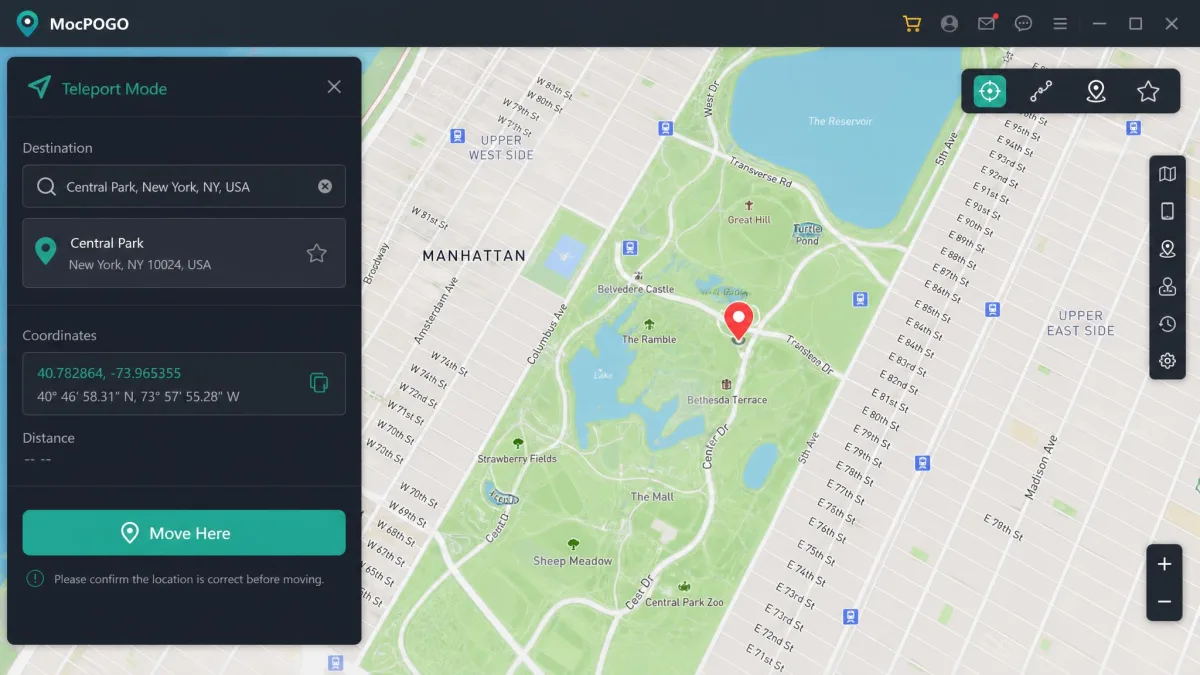
MocPOGO is a Windows and Mac application that overrides the GPS location your phone reports to every app on it. You connect the handset by USB or Wi-Fi, pick a spot on the map, and the phone believes it is standing there.
The virtual position is accepted by location-based games, mapping apps and social apps alike. The change happens at the system level rather than inside one app.
Key Features
- One-click teleport by place name, coordinates or a map pin
- Two-spot routes, multi-spot routes and jump teleport for stepwise movement
- A 360-degree joystick with WASD keyboard control for free walking
- Adjustable simulated speeds from 3.6 km/h up to 100 km/h
- GPX file import, saved favourite locations and historical route records
- A built-in cooldown timer and control of up to 15 devices at once
Supported Devices and Platforms
MocPOGO supports iOS 13 and later, and it runs on Android without root. No jailbreak or root is required on either platform. That is the biggest practical difference between a modern spoofing tool and the developer-mode workarounds people used to rely on.
The vendor also advertises coverage of the newest iOS release. That top-end number is a forward-looking marketing claim.
What Is FonesGo Location Changer?
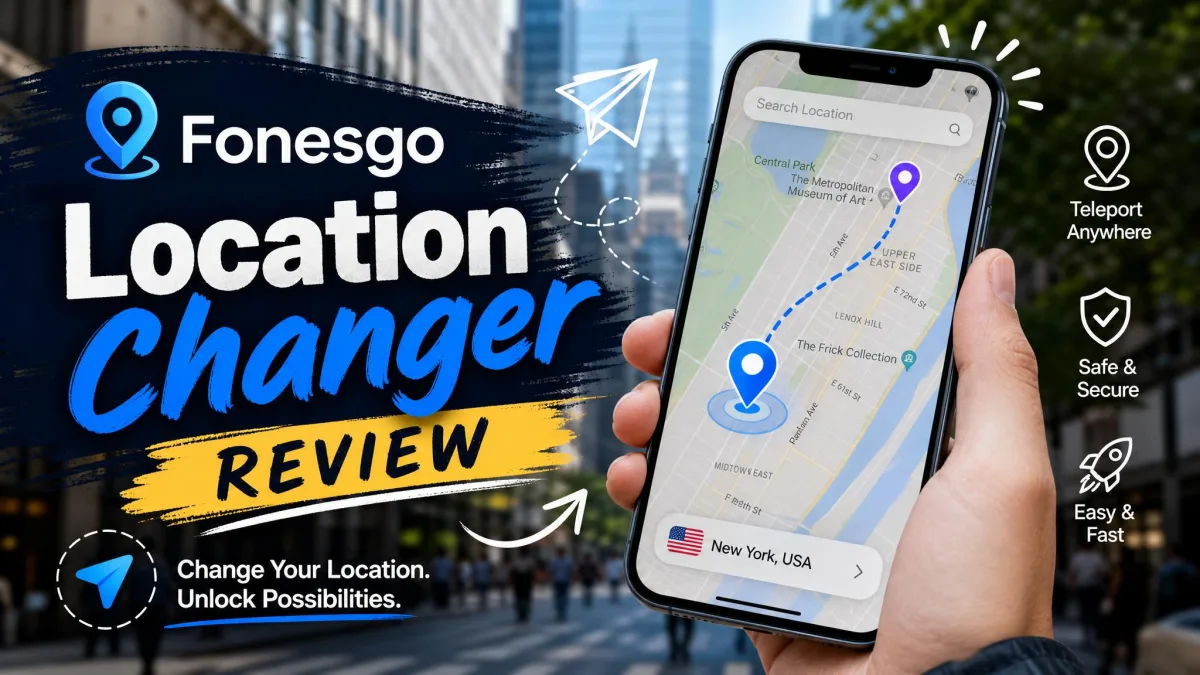
FonesGo Location Changer is the same category of tool from a different developer. It is a desktop app that changes the GPS location an iPhone or Android device reports, with route simulation layered on top.
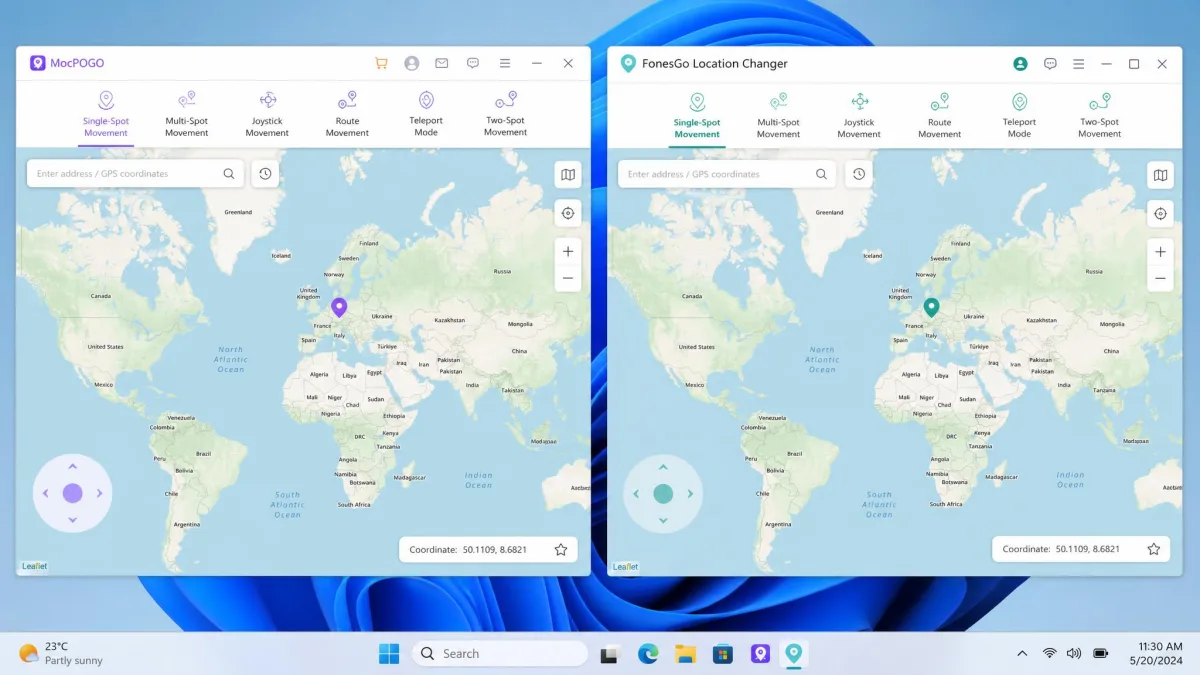
Its interface follows the same pattern of a search field, a world map and a row of mode buttons. Anyone moving between the two will feel at home within a minute.
Key Features
- One-click GPS change on both iOS and Android
- Two-spot and multi-spot route simulation plus jump teleport
- A 360-degree joystick with custom speed up to 100 km/h
- GPX import, saved favourites and historical records
- Cooldown timer display and USB or Wi-Fi connection
- Support for up to 15 devices, including Pokemon GO and Monster Hunter Now
Supported Devices and Platforms
FonesGo supports iOS 13 and later without jailbreak. The desktop client runs on Windows 11, 10, 8 and 7, and on macOS 10.12 or later. That macOS floor is unusually generous and covers machines a decade old.
There is also a companion FonesGo on Google Play for Android users. Full route control still lives on the desktop side.
Both tools need a Windows or Mac computer in the loop. Neither runs standalone on the phone for full desktop-grade route control, so factor a laptop into any plan to spoof on the move.
Feature-by-Feature Comparison
Changing GPS Location in One Click
Both apps do this identically well. You type a place name or a pair of coordinates, the map jumps to it, and a single confirmation button moves the device.
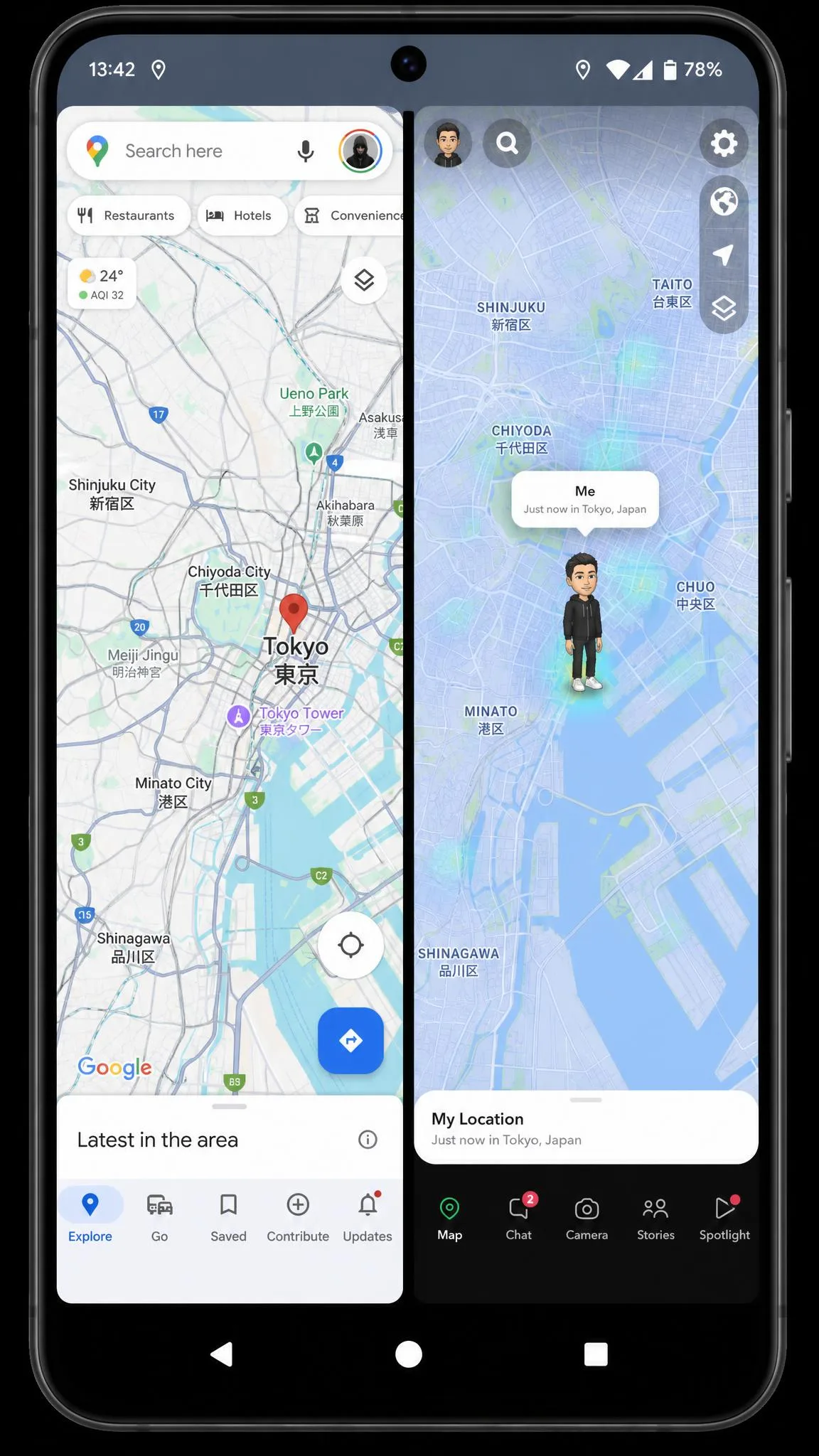
With FonesGo, the new position showed up straight away in Google Maps and in Snapchat, with no drift once it settled. That is the behaviour to expect from a clean fix on either tool.
The method is the same in both cases. The desktop client feeds a fabricated fix into the phone's positioning stack, which sits behind Apple's Core Location documentation on iOS and behind the mock-location provider on Android.
Movement Simulation: Two-Spot, Multi-Spot and Jump Teleport
Two-spot mode draws a straight path between where you are and where you want to be, then walks it at your chosen speed. Multi-spot lets you click a series of waypoints. The route then bends around streets rather than cutting through buildings.
Jump teleport moves in discrete hops rather than a continuous line, which suits games that dislike impossible velocities. All three modes are present on both sides, and the mode set is functionally the same.
Joystick Control and Custom Speeds
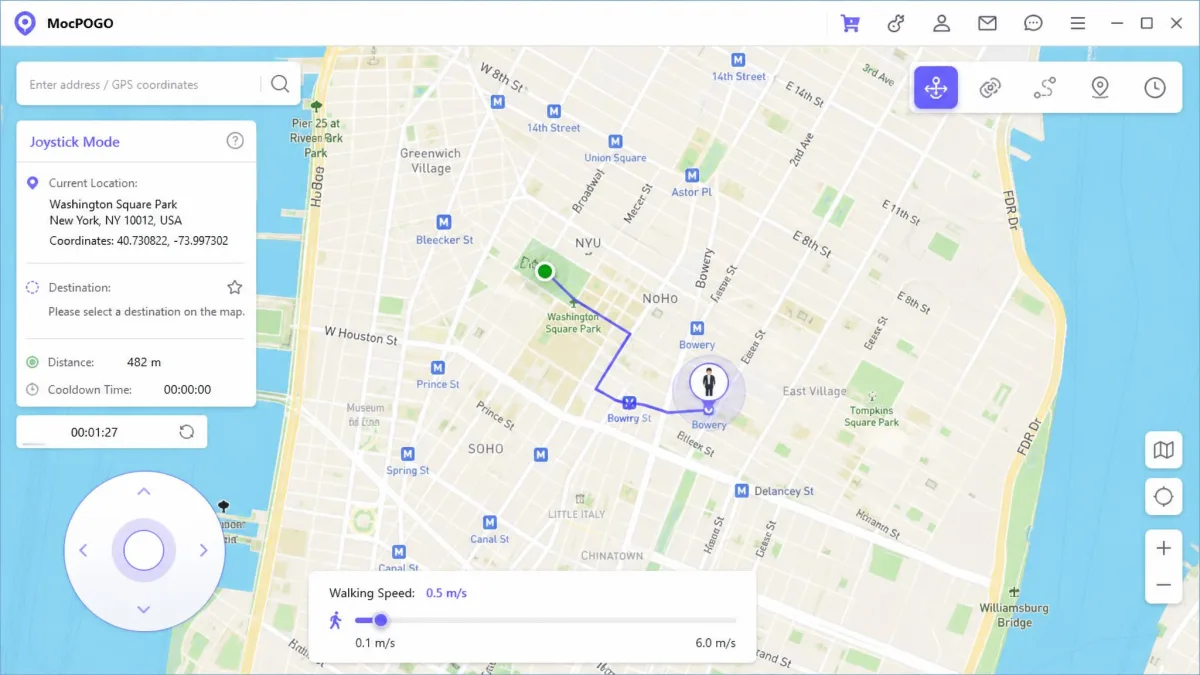
This is where MocPOGO pulls ahead. Joystick steering works from the on-screen dial or from W, A, S and D on the keyboard. The keyboard is the faster option during a long session, because your hand never leaves the desk.
FonesGo gives you the same 360-degree dial but leans on the mouse for it.
Speed is close to a tie. Both cap out at 100 km/h. MocPOGO additionally publishes a 3.6 km/h floor, which is roughly a slow walk and the setting you want if realistic movement matters.
GPX Import, Routes and Saved Locations
Both apps import GPX files, so a route recorded on a real walk can be replayed later. Both also save favourite locations and historical records. If you return to the same few spots regularly, this saves more time than any other feature here.
Multi-Device Control
MocPOGO controls up to 15 devices at once, and FonesGo spoofs up to 15 devices at once. The ceiling is identical.
Connection type matters more. Both support USB and Wi-Fi. Wi-Fi is what makes a 15-device session realistic, because cabling that many phones to one laptop is not something anyone wants to do twice.
Ease of Use and Setup
First-run setup takes a few minutes on either tool, and the friction is the same on both. On iPhone you connect by USB, tap Trust, and enter the passcode before the map will load. On Android you switch on developer options and USB debugging first.
Once that handshake is done, the map appears. Everything after it is point-and-click.
How to Change Your Location With MocPOGO
- Install MocPOGO on your Windows or Mac computer and open it.
- Connect your phone by USB, then tap Trust on iPhone or enable USB debugging on Android.
- Choose Teleport mode from the toolbar at the top right of the map.
- Type a destination in the search bar, or click directly on the map to drop a pin.
- Set a speed if you plan to move rather than jump, then confirm to apply the new GPS location.
How to Change Your Location With FonesGo
- Install FonesGo Location Changer and connect the device by USB or over Wi-Fi.
- Complete the trust prompt on iOS, or turn on developer options and USB debugging on Android.
- Pick Teleport mode, then search for the place you want or click the map.
- Confirm the move, and check the position in Google Maps before you open anything else.
- Switch to two-spot or multi-spot mode if you need simulated movement rather than a static pin.
Verify the new position in a mapping app before you launch a game. It takes five seconds and it catches the rare case where the fix has not applied cleanly.
Device and App Compatibility: iOS, Android, Pokemon GO, Social and Dating Apps
Both tools target the same install base. Both support iOS 13 and later, both work on Android without root, and both change location for every app on the device rather than one at a time.
For games, both name Pokemon GO explicitly, and FonesGo also names Monster Hunter Now. FonesGo holds up across recent iOS and Android builds in general use. Treat any specific model-and-version claim as something to verify inside the refund window.
Social and dating apps are the quieter half of this market. Changing your reported city moves your Tinder or Bumble pool and adjusts what Snapchat's map shows friends. Both tools handle that without extra configuration, because the spoofed fix is system-wide.
Pricing and Plans Compared
Pricing is where these two are hardest to separate. Their public pages advertise the same tiers at the same figures.
MocPOGO lists $9.95 per month for the Windows and Mac desktop plan, against a $19.95 regular price. Its iOS plan is $19.95 per month and its Android plan is $14.95 per month. The Android tier is discounted from a $29.95 regular price.
FonesGo lists $9.95 per month for its 1-month plan, with quarterly, annual and lifetime licences sitting above it. Those published tier prices shift with the standing coupon promotion, and the plan page renders its figures dynamically.
MocPOGO also offers an Android lifetime licence at around $59.95. Billed annually, the effective rate lands near $3.33 per month. Lifetime and annual prices move with frequent sitewide coupon promotions, so the checkout figure often differs from the list price.
MocPOGO's iOS pricing lands noticeably higher than its own desktop and Android tiers, and higher than comparable spoofers. That is the one clear pricing penalty in this comparison.
Both carry a 30-day money-back guarantee. MocPOGO applies its 30-day window only to the refundable circumstances listed in its refund policy. FonesGo states a 30-day guarantee across all products.
Safety, Cooldown Timers and Ban Risk
Both apps show a cooldown timer, and both vendors present it as the safety feature that keeps your account intact. That framing is optimistic.
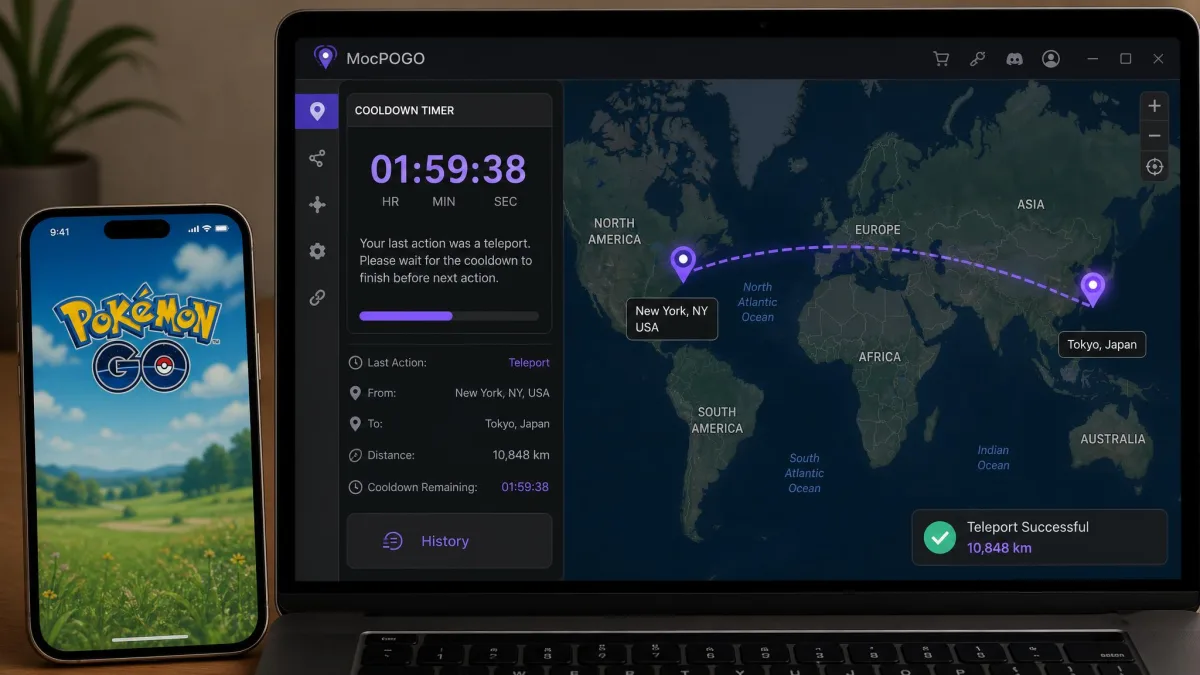
A cooldown timer lowers the odds of a soft ban but does not remove them. Account bans remain possible on either tool. Acting in-game before the cooldown expires triggers a soft ban, and after a long-distance teleport that wait can stretch to two hours. In our Pokemon GO testing, a jump to Santa Monica Pier carried roughly a 20-minute cooldown before play resumed normally.
The cooldown MocPOGO's timer tracks tops out at 2 hours and scales with teleport distance. That is the shape of the rule you should plan around.
Spoofing GPS breaches Niantic's Terms of Service, and enforcement runs from a warning strike to a permanent ban. No timer in either app changes that. Never spoof on an account you would be upset to lose.
MocPOGO Pros and Cons
With the risk picture set, here is how each tool nets out. MocPOGO first.
Pros
- WASD keyboard steering makes long joystick sessions far less tiring
- Published speed range from 3.6 km/h to 100 km/h covers realistic walking
- Controls up to 15 devices at once over USB or Wi-Fi
- Free trial download available before you pay
- Android lifetime and annual options undercut the monthly rate substantially
Cons
- The iOS plan at $19.95 per month is the most expensive tier here
- Activation and billing hiccups come up, alongside occasional device-compatibility and login failures
- The 30-day refund applies only to listed refundable circumstances
- Advertised newest-iOS coverage is a marketing claim, not a tested figure
FonesGo Pros and Cons
FonesGo's ledger reads differently, and it is stronger on the compatibility side.
Pros
- Held a stable connection through testing with no crashes and no GPS drift
- Desktop support reaches back to Windows 7 and macOS 10.12
- 30-day money-back guarantee stated across all products
- Names Monster Hunter Now alongside Pokemon GO
- Companion Android app published on Google Play
Cons
- The free trial is feature-limited, so movement modes only open up after purchase
- Behaviour can be inconsistent on certain iOS and Android builds
- Joystick control leans on the mouse with no keyboard equivalent
- Quarterly, annual and lifetime prices are not published as fixed figures
Alternatives Worth Considering
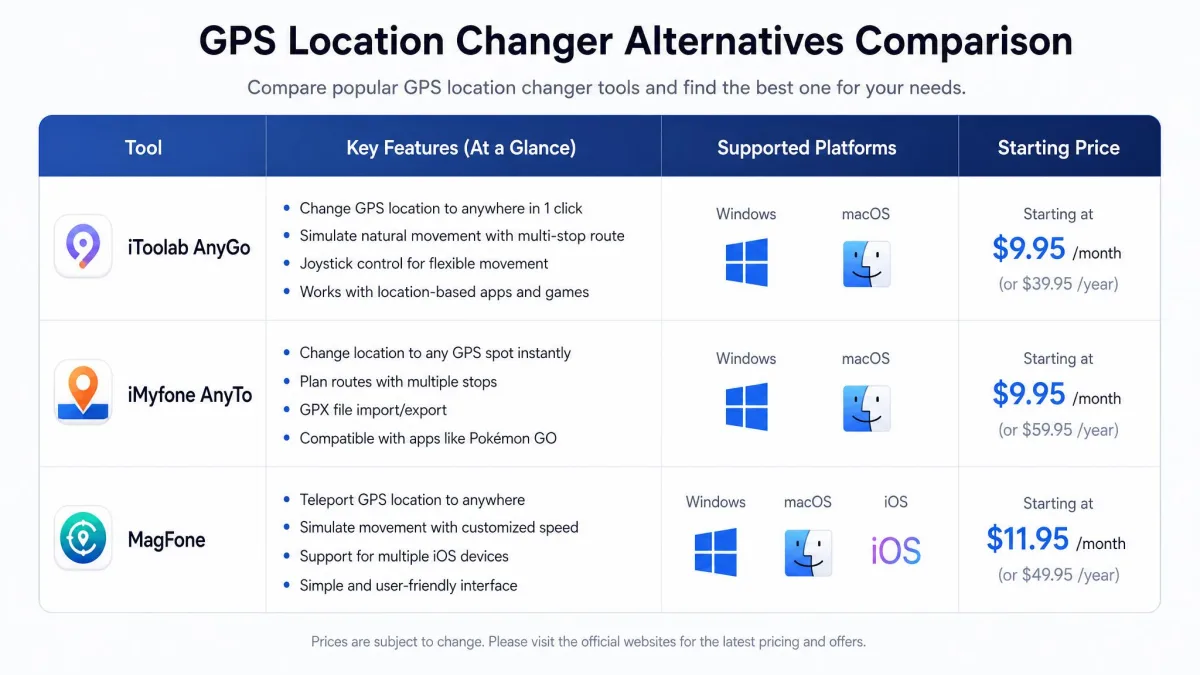
Those two ledgers will not suit everyone, so it is worth knowing what sits beside them. The crowd-sourced alternatives lists put iToolab AnyGo and iMyfone AnyTo at the top alongside MocPOGO itself. Both are mature desktop spoofers with the same one-click teleport and route simulation feature set, and both price in the same band.
MagFone Location Changer and UltFone iOS Location Changer are worth a look if your needs are iPhone-only. They concentrate their development there rather than splitting across platforms.
There is a free route too, though it is a thin one. On Android you can set a mock location provider through developer options, and on iOS you need Xcode and a Mac. Neither approach simulates movement convincingly or shows a cooldown timer. For anything repeated, the paid tools earn their price. Our guide to the best location changers for PC covers the wider field, and the GPS spoofing overview explains how the technique works underneath.
Which One Should You Choose?
Rather than repeat a recommendation, here are the four questions that actually decide it. Answer them honestly and the winner falls out on its own.
How long will you keep the licence? At one month the two open at the same figure, so there is nothing to weigh. Past three or four months the term pricing starts to matter, and an annual or lifetime Android licence changes the arithmetic sharply.
Which platform are you spoofing? An iPhone-only buyer pays the highest tier in this comparison, so it is worth pricing the iPhone-focused rivals before committing. An Android-only buyer has the cheapest path available.
How old is the computer doing the work? A Windows 7 box or a decade-old Mac narrows the field to one. Anything current runs both.
How much is the game account worth to you? If losing it would genuinely hurt, no feature on either side is worth the exposure, and the honest answer is to walk away from both.
Frequently Asked Questions
What happens to the spoofed location when I unplug the cable or close the app?
Does one licence cover more than one computer?
Will spoofing get me banned from Pokemon GO?
Do MocPOGO or FonesGo need jailbreak or root?
Can I run both tools on the same machine at the same time?
Do they work on the latest iOS version?
Can I control multiple devices at once?
How do I get my real GPS location back cleanly?
Final Verdict