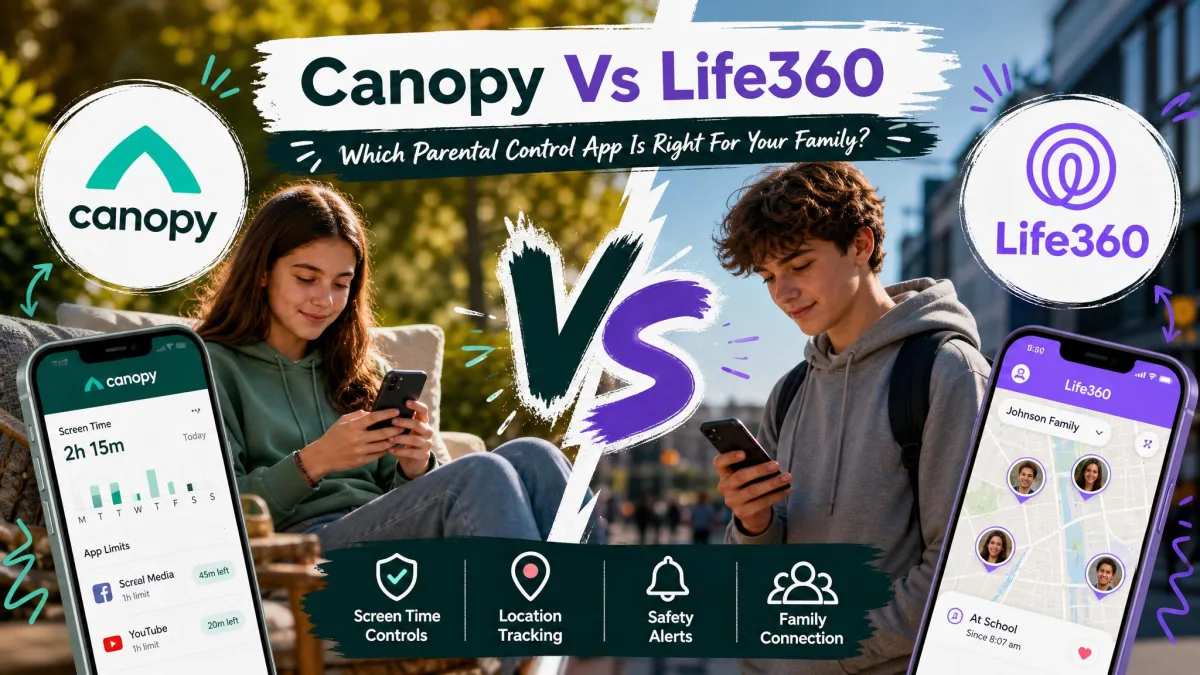
Most families arrive at this comparison with two very different worries sitting side by side. One is the worry about what a child sees on a phone late at night, and the other is the worry about where that child actually is at nine o'clock on a Friday. Canopy and Life360 were built to answer different halves of that question, which is why so many parents end up confused about which one they need. We spent time with both apps on family Android and iPhone handsets, comparing what each one blocks, what each one tracks, and what each one costs once the trial ends. The short version is that Canopy is a content filter with light location alerts, and Life360 is a location and driving safety app with no filtering at all. Below is the full breakdown, feature by feature, so you can pick the right tool instead of paying for both by default.
Canopy vs Life360 at a Glance
Canopy is a parental control app in the traditional sense. It sits on the child's device, scans images and web pages in real time, blocks pornography before it renders, flags nudity in outgoing photos, and gives a parent web blocking and screen time controls from a single account. Location alerts exist, but they are a secondary feature rather than the reason anyone buys it.
Life360 is a family location network. It shares everyone's position on a live map, sends alerts when a family member arrives at or leaves a saved Place, records driving behaviour, and offers SOS and crash detection. It has no web content filtering, no app blocking and no screen time limits at all, which surprises a lot of parents who assume a "family safety" app covers browsing too.
That difference drives everything else in this comparison, including price. Canopy charges per device, so a household with four phones needs a higher tier. Life360 charges one membership price for the whole Circle, so the cost per child falls as the family grows.
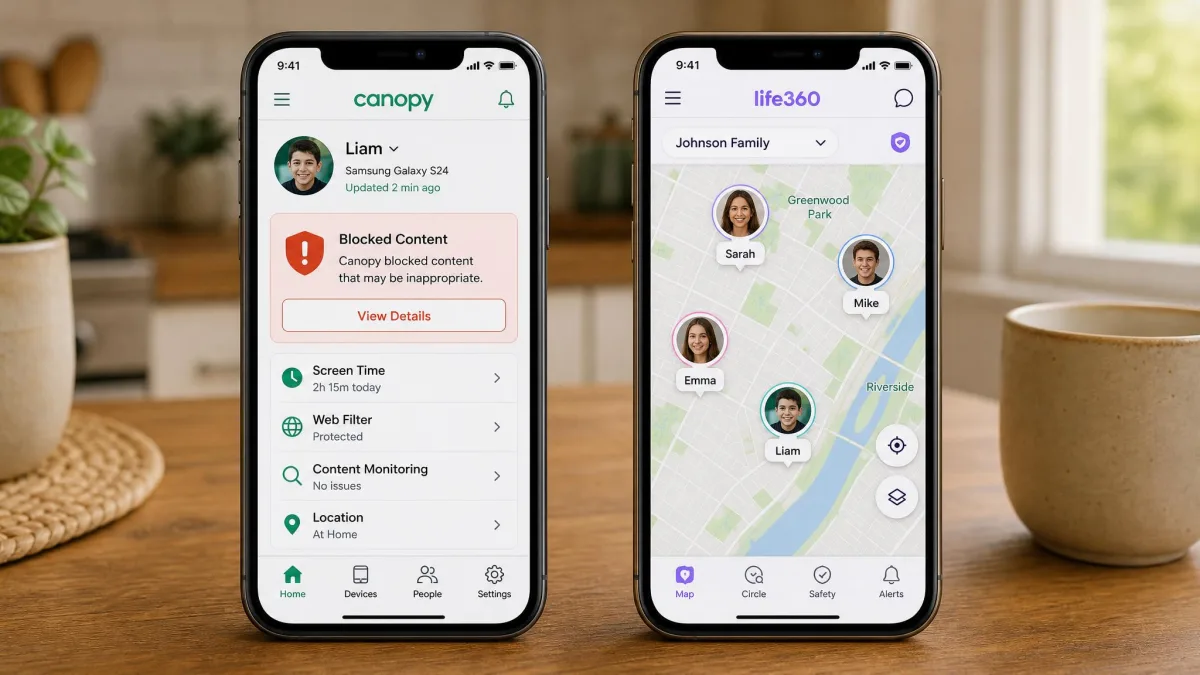
Quick Comparison Table: Canopy vs Life360
| Feature | Canopy | Life360 |
|---|---|---|
| Real-time content filtering | Yes, AI-based | No |
| Sexting/nudity detection | Yes, on outgoing photos | No |
| Web and app blocking | Yes | No |
| Screen time limits | Yes | No |
| GPS location | Yes, location alerts | Yes, core feature |
| Geofencing / place alerts | Yes | Yes, 2 Places free, 5 on Silver, unlimited on Gold |
| Driving reports and crash detection | No | Yes, crash detection on the free plan, driver reports on Gold |
| SOS | No | Yes, on the free plan |
| Social media monitoring | Browser-based only, not native apps | No |
| iOS support | iOS 12 and newer | iOS 17.2 and newer |
| Android support | Android 9 and newer | Android 10 and newer |
| Desktop and web | macOS 10.13+, Windows 10+, ChromeOS | No |
| Per-device limits | 1 / 3 / 10 devices by plan | Per Circle, not per device |
| Free plan | No, 1 week trial | Yes |
| Entry price | $8.33/month | $7.99/month (Silver) |
| Top-tier price | $12.50/month | $24.99/month (Platinum) |
What Each App Is Built to Do
The two products share a shelf in the app stores and almost nothing else. Reading each one's own description makes the split obvious, and it is worth doing before you compare price tags that are not measuring the same thing.
Canopy: Real-Time Content Filtering and Sexting Prevention
Canopy leads with an AI filter that inspects images and pages as they load rather than checking a blocklist after the fact. In practice that means pornography, lingerie and swimwear imagery can be filtered before it appears on screen, and the level of strictness is set per child rather than for the whole household. The same engine handles AI chatbot content, which is a newer category most parental control tools have not caught up with.
The sexting prevention feature is the one that sets Canopy apart from almost everything else on the market. It watches outgoing photos for nudity and warns before the image leaves the device, which addresses a risk that filtering alone cannot touch. Around that core, Canopy adds website and app blocking, screen time management, location alerts, removal prevention so a child cannot quietly uninstall it, and an accountability partner mode for adults who want a second pair of eyes on their own browsing. Phone and email support are both available, which is not universal in this category.
There is a real gap worth naming. Canopy's smart filtering works on the browser, so content inside the native TikTok and Instagram apps passes through untouched. If your concern is what a fourteen-year-old scrolls past inside a social feed, Canopy does not reach it, and no plan tier changes that.
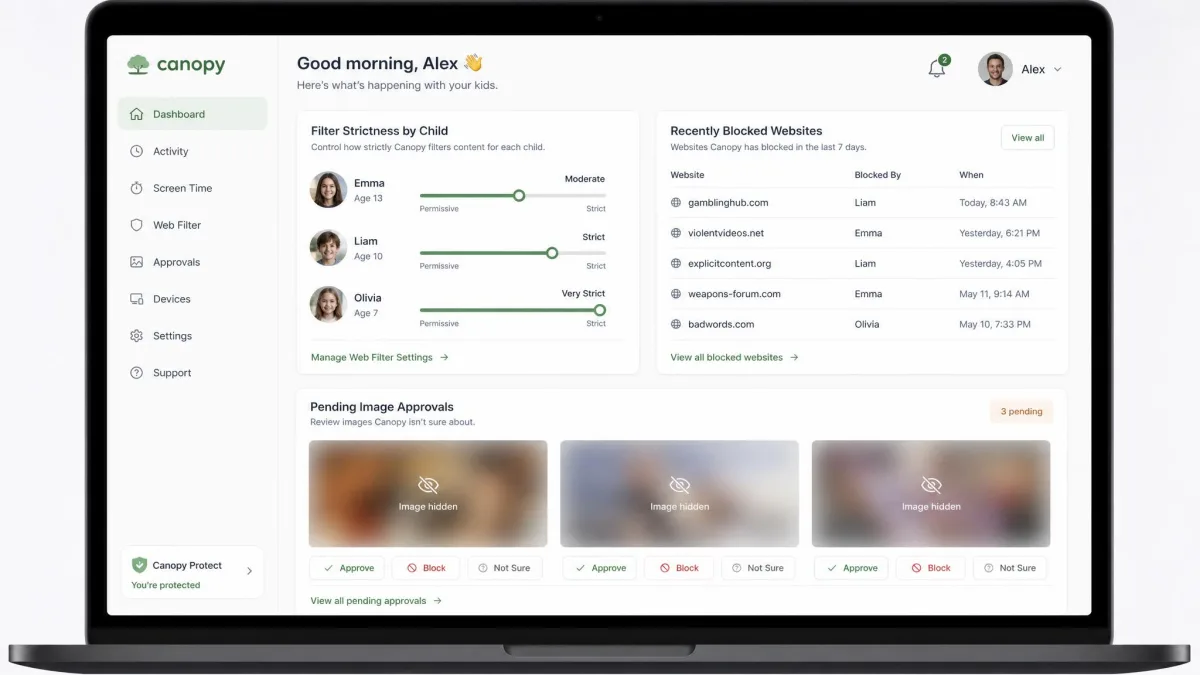
Life360: Family Location Sharing and Driving Safety
Life360 puts the whole family on one live map. Everyone in a Circle can see where the others are, and the app sends alerts when someone arrives at or leaves a saved Place such as school, home or a workplace. Location history lets a parent scroll back through the day rather than relying on a single snapshot.
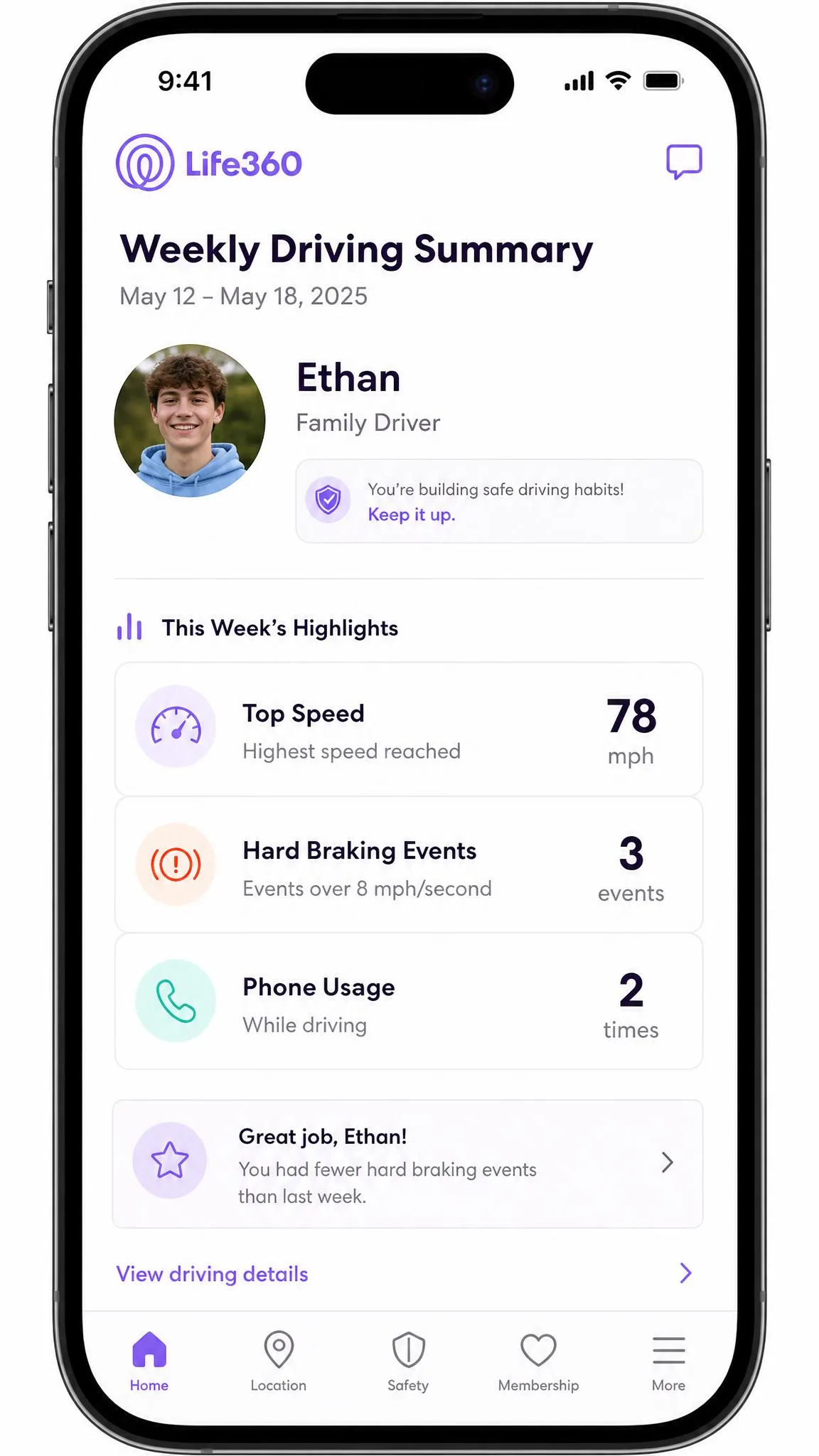
Driving is the second pillar. Life360 records trips, produces family driving summaries, and on the higher tiers breaks performance down into individual driver reports covering speed, hard braking and phone use behind the wheel. Crash detection, SOS alerts and emergency dispatch sit alongside that, backed at the paid tiers by roadside assistance, towing, stolen phone protection and stolen funds reimbursement. Tile tracker bundles extend the same map to bags and keys.
None of that touches what a child actually sees on the screen.
Location Tracking and Geofencing
Life360 wins this comparison outright, and it is not close. Its map is the product, so refresh rates, Places alerts and history are all built around keeping a family's positions current rather than treated as an add-on.
Place alerts are tiered. The free plan allows alerts for 2 Places and keeps 2 days of location history, which is enough to know when a child reaches school and gets home. Silver raises history to 7 days and Places to 5. Gold gives 30 days of location history and unlimited Places, which is the point at which a parent can build alerts around school, both grandparents, a job, a friend's house and a sports club without deleting one to add another.
The accuracy is good rather than flawless. Pins can land up to half a mile off, a family member can freeze at an old address for hours, and phantom trips nobody actually took occasionally appear in the drive history. Updates stop altogether when a phone is in battery saver mode, out of service, or has had its background location permission narrowed, and any of those three explains most of the "it says he is still at school" panics. In weak-signal and rural areas the refresh slows and the map stops feeling real-time, which is a limit of GPS rather than a fault in the app.
Canopy's location handling is much thinner. It sends location alerts, and that is broadly the extent of it. Canopy publishes no geofence radius figure, so how tightly you can draw a zone is not something we can state.
If a live map is your main requirement, Life360's free tier already delivers more location capability than any Canopy plan does at any price.
Content Filtering, Web Blocking, and Screen Time
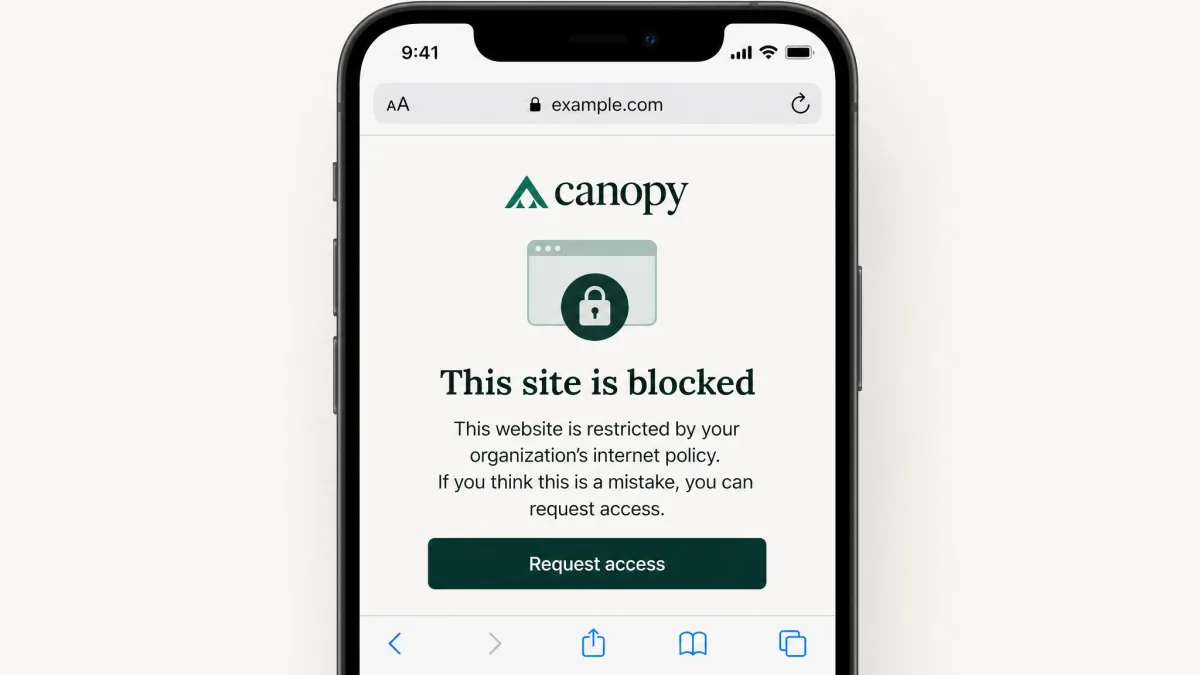
This section reverses the result completely. Life360 offers nothing here, so the comparison is between Canopy and an empty column.
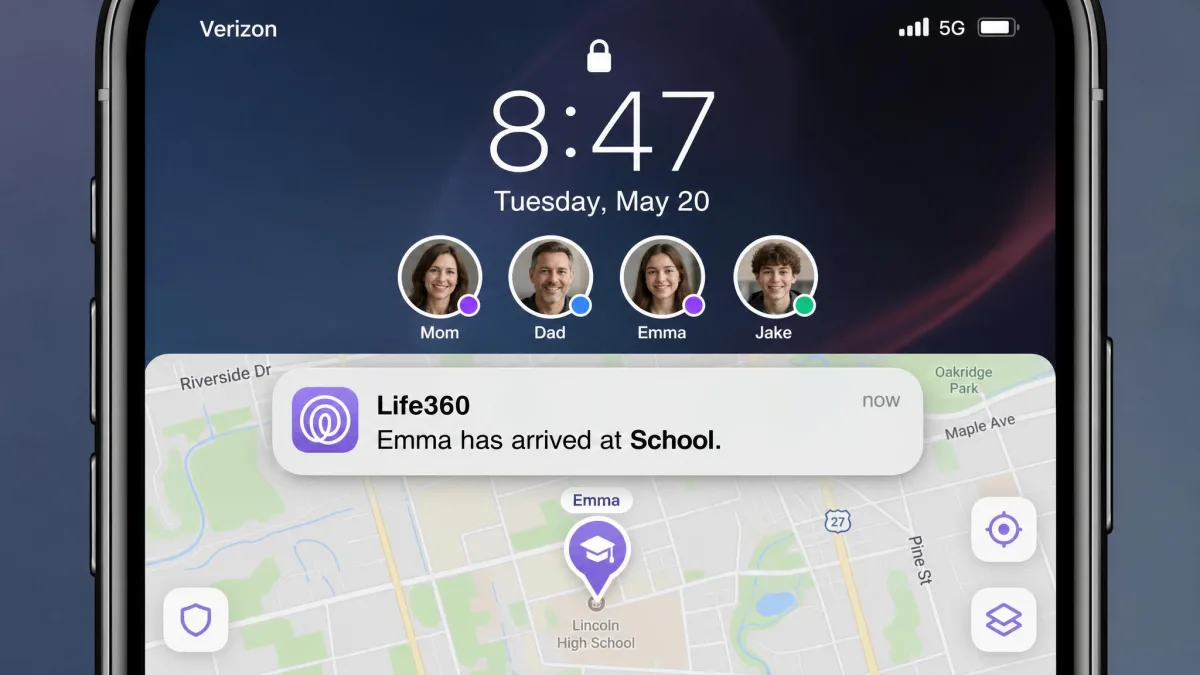
Canopy's filtering runs in real time on images and pages, blocking explicit material before it renders rather than after a page loads. Web and app blocking let a parent shut off specific sites and applications, and screen time management caps how long a device stays usable. Settings are per user, so an eight-year-old and a sixteen-year-old on the same account do not have to live under the same rules.
Two things temper that. The filter blurs benign images often enough that a parent works through the approval queue regularly, and it blocks legitimate pages without an obvious explanation, which makes ordinary schoolwork browsing feel obstructed until the filter is tuned. Expect the first fortnight to involve real maintenance rather than a set-and-forget install. Workarounds that get past the adult-content blocking do exist, so treat Canopy as a strong deterrent rather than a sealed system.
The browser boundary matters more than any of that. Because smart filtering does not operate inside non-browser apps, content in the native TikTok and Instagram clients is unfiltered. Blocking those apps outright is the only lever Canopy gives you there.
Canopy filters the browser, not the feed. If the risk you are worried about lives inside a social app, blocking the app is the only control that actually applies.
Alerts, Notifications, and Real-Time Monitoring
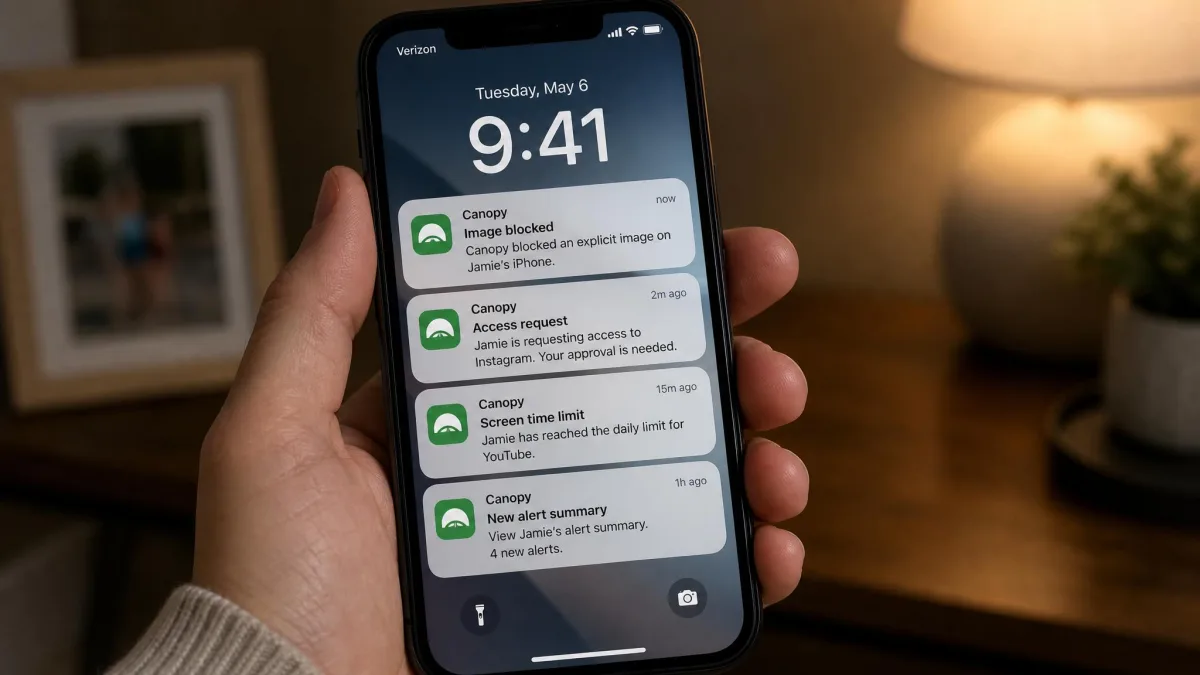
Both apps are alert-driven, but they alert on different events. Canopy notifies a parent when explicit content is detected or blocked, when a child requests access to something restricted, and when an outgoing photo trips the nudity check. Those notifications are the working surface of the app, and the approval queue is where most parents spend their time day to day.
Life360's alerts are movement-based. Arrivals and departures at saved Places, SOS signals, crash detection events and driving summaries are what land on your phone. Gold adds individual driver reports and emergency dispatch, so an alert can escalate into an actual response rather than just a message.
Neither app's monitoring is silent, and that is by design. Both are visible on the child's device, and Canopy in particular attracts objections from teens on privacy grounds because the parent view exposes essentially everything on the device. That conversation goes better when it happens before installation rather than after a blocked page prompts questions.
Pricing: Free Plans and Premium Tiers Compared
Price comparisons between these two apps mislead unless you account for how each one counts users. Canopy charges by device. Life360 charges by Circle.
Canopy Plans and Pricing
Canopy has three tiers, all quoted at the annual billing rate. Essential is $8.33 per month and covers 1 device. Plus is $9.99 per month for up to 3 devices. Premium is $12.50 per month and covers up to 10 devices, which is the plan most families with more than one child end up on.
There is no free plan. Canopy offers a 1 week free trial that can be cancelled at no cost, plus a 30 days money-back guarantee measured from account creation, so there is a reasonable window to decide.
One pricing wrinkle is worth flagging. Canopy's App Store listing shows in-app subscriptions running from $9.99 to $19.99 monthly and $99.99 to $149.99 yearly, higher than the annual-billed rates on Canopy's own plan page, so the amount charged depends on where you buy the subscription. Signing up through the App Store is convenient but not the cheapest route.

Life360 Free, Silver, Gold, and Platinum
Life360's free tier is genuinely usable, covering live location for the whole Circle, 2 days of location history, alerts for 2 Places, SOS and crash detection. Many families never pay a cent.
Silver is $7.99 per month, Gold is $14.99 per month and Platinum is $24.99 per month. Crucially, one membership price covers the whole Circle rather than each member, so a family of five pays the same as a couple. Silver adds 7 days of history, 5 Places, crime reports and $100 of stolen phone protection. Gold brings 30 days of history, unlimited Places, individual driver reports, emergency dispatch, roadside assistance, $25,000 in stolen funds reimbursement and $250 of phone theft protection. Platinum tops it off with 50-mile towing, $1,000,000 in stolen funds reimbursement, $500 of phone theft protection and credit monitoring. Paid tiers come with a 7-day free trial.
Annual membership rates differ by region and promotion, and the Silver, Gold and Platinum yearly figures do not line up across listings, so check the in-app price before committing to a year.

Device and Platform Support: iPhone, Android, and Web
Canopy reaches further across devices. It requires Android 9 or newer and iOS 12 or newer on mobile, and it also supports macOS 10.13 and later, Windows 10 and later, and ChromeOS. For a household where a child does homework on a laptop, that desktop coverage is the deciding factor, because filtering a phone while leaving a Windows machine open is only half a job.
Life360 is mobile only. There is no desktop or web client for a child device, and its iOS requirement is much newer at iOS 17.2 or later, which quietly rules out older hand-me-down iPhones that Canopy still supports. On Android, Life360 requires Android 10 or higher.
Both apps run across mixed households, so an Android parent and an iPhone child is not a problem for either one.
Older iPhones handed down to a younger sibling are the common trap here. Canopy runs on iOS 12 and up, while Life360 needs iOS 17.2, so a phone that predates that will not join the Circle.
Privacy, Data Handling, and What Your Family Shares
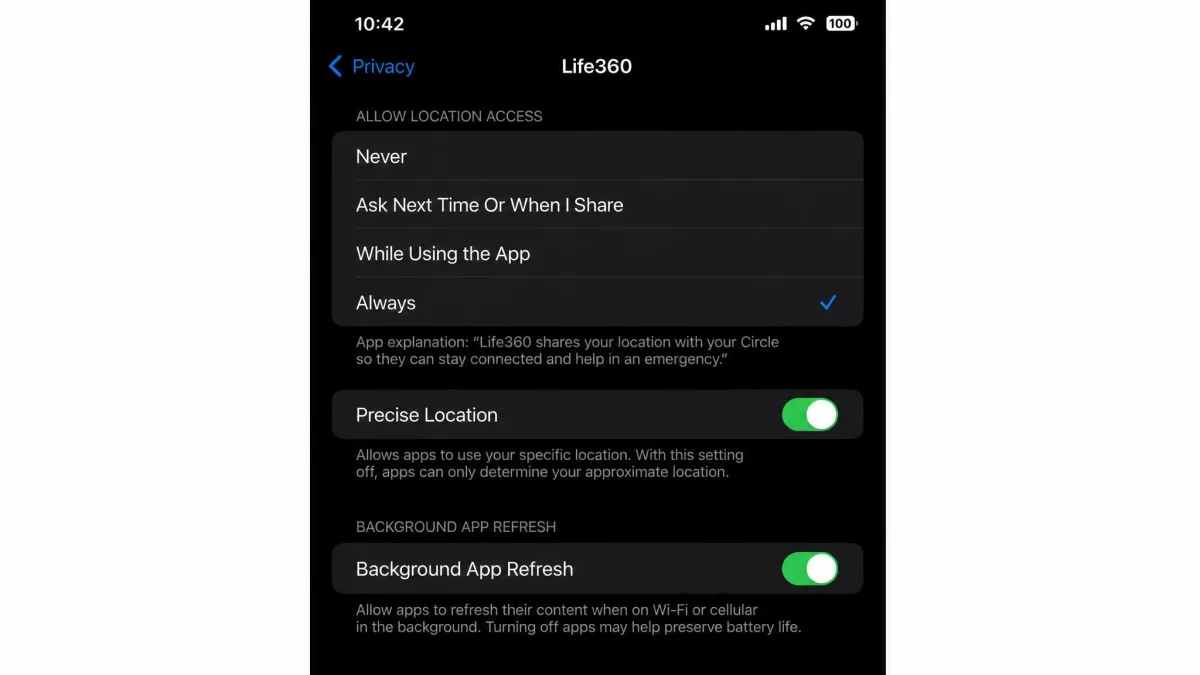
Life360 carries genuine history on this point, and it belongs in any honest comparison. In 2021, The Markup reported that Life360 sold precise location data to data brokers, serving 33 million people at the time. The data went to roughly 12 brokers including X-Mode, Cuebiq, Arity and SafeGraph, and those sales grew from $693,000 in 2016 to $16 million in 2020, close to a fifth of annual revenue. Life360 subsequently said it would stop selling precise location data to most brokers, keeping sales to Arity and aggregated data to PlacerAI.
That is the factual record rather than a reason to panic. Data security and data selling are separate questions, and it is the second one that tripped Life360 up. It does mean a family choosing Life360 should understand that continuous precise location is the product, and should read the current privacy policy rather than assume the 2021 arrangement is the one in force today.
Canopy's privacy question is different in shape. Nothing comparable has been reported about data sales, but the parent view exposes essentially everything on the child's device, and teens object to that on privacy grounds. There is a genuine trade to weigh between protection and a child's sense of autonomy, and it is worth reading FTC research on parental control tools before deciding how far to go. Pew Research has also documented that kids are getting devices younger, which pushes many of these conversations earlier than parents expect.
Ease of Setup and Everyday Use
Life360 is the easier install by a wide margin. A parent creates a Circle, family members join with a code, and the map populates within minutes. The ongoing work is mostly settings maintenance rather than active management.
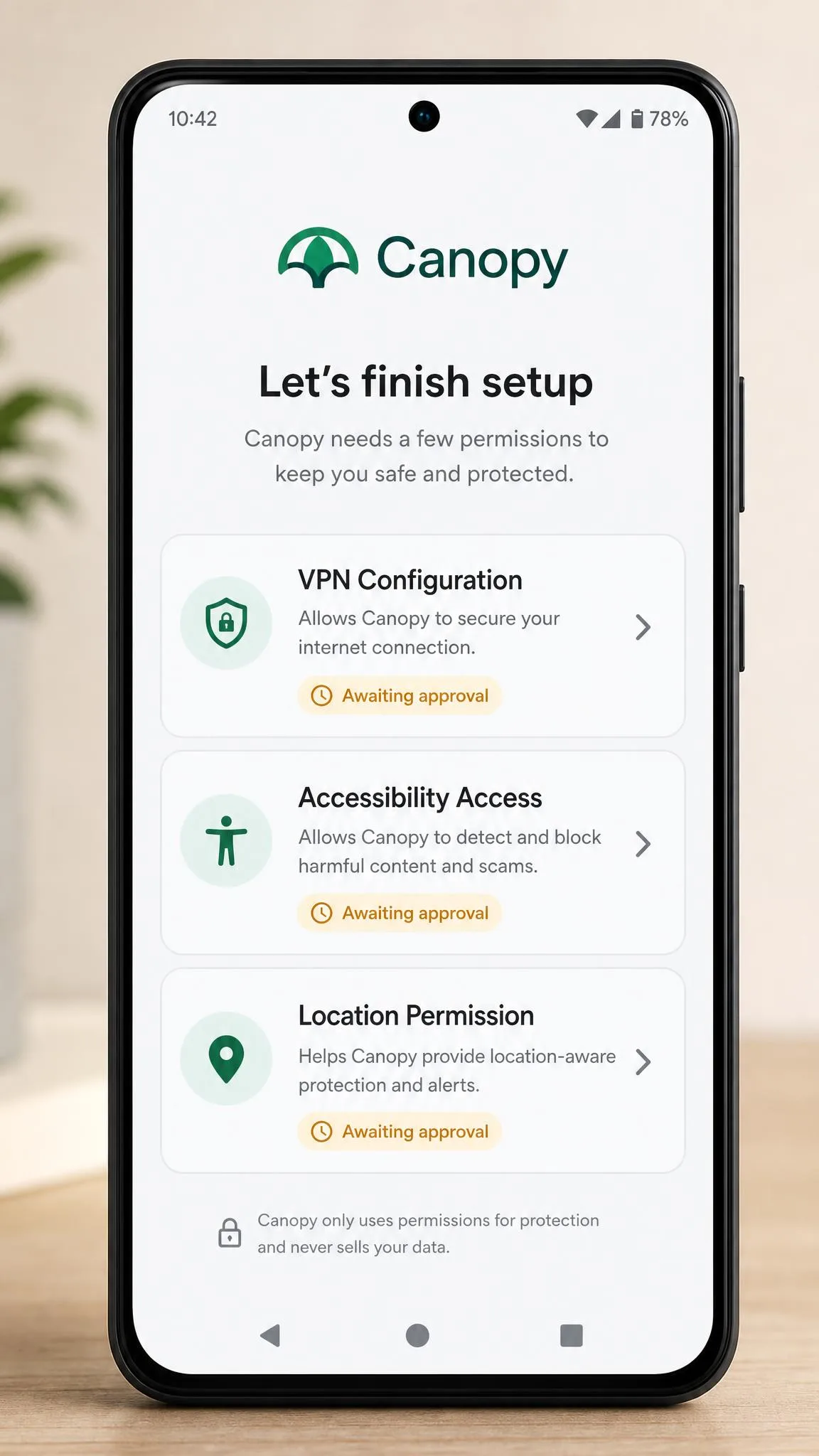
Canopy takes longer. Installation is fiddly on some Android models and demands a long chain of permissions, which trips up less technical parents and turns a five-minute job into an evening. Canopy also runs a VPN layer on the child's device, and that layer can interfere with WiFi captive-portal logins and break banking or streaming apps. If a school or hotel network stops working on a filtered phone, the VPN is usually the reason.
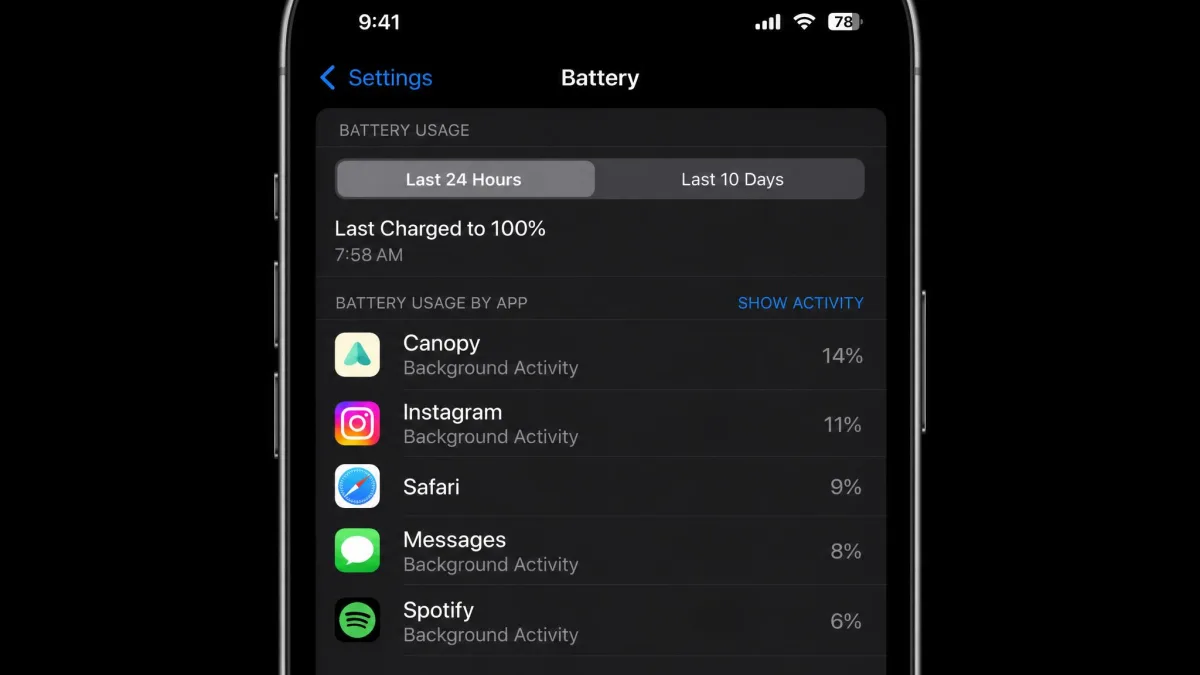
Battery is a running cost for both. Canopy's background VPN is a heavy consumer, with daily drain on the order of 22% recorded on iPhone. Life360 shortens battery life noticeably too, and its own guidance puts the cost near 10% over 24 hours, while independent testing measures phones draining 15-25% faster than baseline. Life360's drain can be tamed through settings, while location accuracy largely cannot.
We keep both apps on our own family handsets between reviews rather than uninstalling after testing, which is how the battery and permission problems above showed up in the first place.
Canopy Pros and Cons
Canopy is the more ambitious product and the more demanding one to live with. It does things no location app attempts, and it asks for more of your attention in return.
Pros
- Real-time AI filtering blocks explicit images and pages before they render
- Sexting prevention flags nudity in outgoing photos, a feature almost nothing else offers
- Web blocking, app blocking and screen time limits in one account
- Covers Windows, macOS and ChromeOS as well as phones
- Per-child settings, so siblings of different ages get different rules
- 1 week trial plus a 30 days money-back guarantee
- Phone and email support, and removal prevention on the child device
Cons
- Filtering does not reach inside native TikTok or Instagram, only their browser versions
- The approval queue needs regular attention because benign images get blurred
- Legitimate pages get blocked without a clear reason until the filter is tuned
- The VPN layer can break captive-portal WiFi logins, banking and streaming apps
- Heavy battery drain, on the order of 22% a day on iPhone
- No free plan, and the App Store purchase route costs more than buying direct
- Rated 3.8 out of 5 on the US App Store across about 1.3K ratings
Life360 Pros and Cons
Life360 is the more polished app and the narrower one. Judged as a location tool it is excellent, and judged as a parental control it barely qualifies.
Pros
- Best-in-class live family map with a genuinely useful free tier
- Places alerts, location history, SOS and crash detection out of the box
- Driving reports covering speed, hard braking and phone use
- One membership price covers the whole Circle rather than each member
- Emergency dispatch, roadside assistance, towing and theft protection on higher tiers
- Very easy setup, usually done in minutes
- Rated 4.8 out of 5 on the US App Store across roughly 3 million ratings
Cons
- No content filtering, no app blocking and no screen time controls whatsoever
- Sold precise location data to brokers until the 2021 investigation forced a change
- Pins can land up to half a mile off and members can freeze at an old address
- Phantom trips appear in drive history and updates stop in battery saver mode
- Battery cost of roughly 10% over 24 hours by the vendor's own figure, more in independent testing
- Mobile only, with no desktop or web coverage
- Requires iOS 17.2 or later, ruling out older iPhones
Which One Should You Choose?
The honest answer depends on which of the two parental worries is actually keeping you up, and for many households the answer changes as a child gets older.
Choose Canopy If...
Your child is young enough that explicit content is the primary risk, and you want a filter that blocks rather than reports. Choose it if you need screen time limits and website blocking, if homework happens on a Windows or Mac laptop as well as a phone, or if the sexting prevention feature answers a specific worry about a teenager's outgoing messages. Canopy suits families whose main goal is blocking explicit imagery. Households wanting a full monitoring suite tend to end up combining tools anyway.
Choose Life360 If...
Your child is old enough to travel independently and the questions you actually ask are about where and how safely. Choose it if you have a new driver in the house, because the driving reports and crash detection have no equivalent in Canopy. Choose it too if budget is tight, since the free tier covers live location, SOS and crash detection at no cost, and the paid tiers cover the whole family for one price.
Use Both If...
You have a filtering problem and a location problem at the same time, which describes most families with a teenager. Running Canopy on the child's devices and Life360 across the family covers both gaps for roughly $20 per month at Canopy Premium plus Life360 Silver. That is more than either alone, and it is still cheaper than a premium all-in-one suite that does neither job as well. It also buys you the peace of mind that neither app delivers on its own.

Other Parental Control Apps Worth Considering
Neither app is the only option, and a couple of alternatives close the gaps described above.
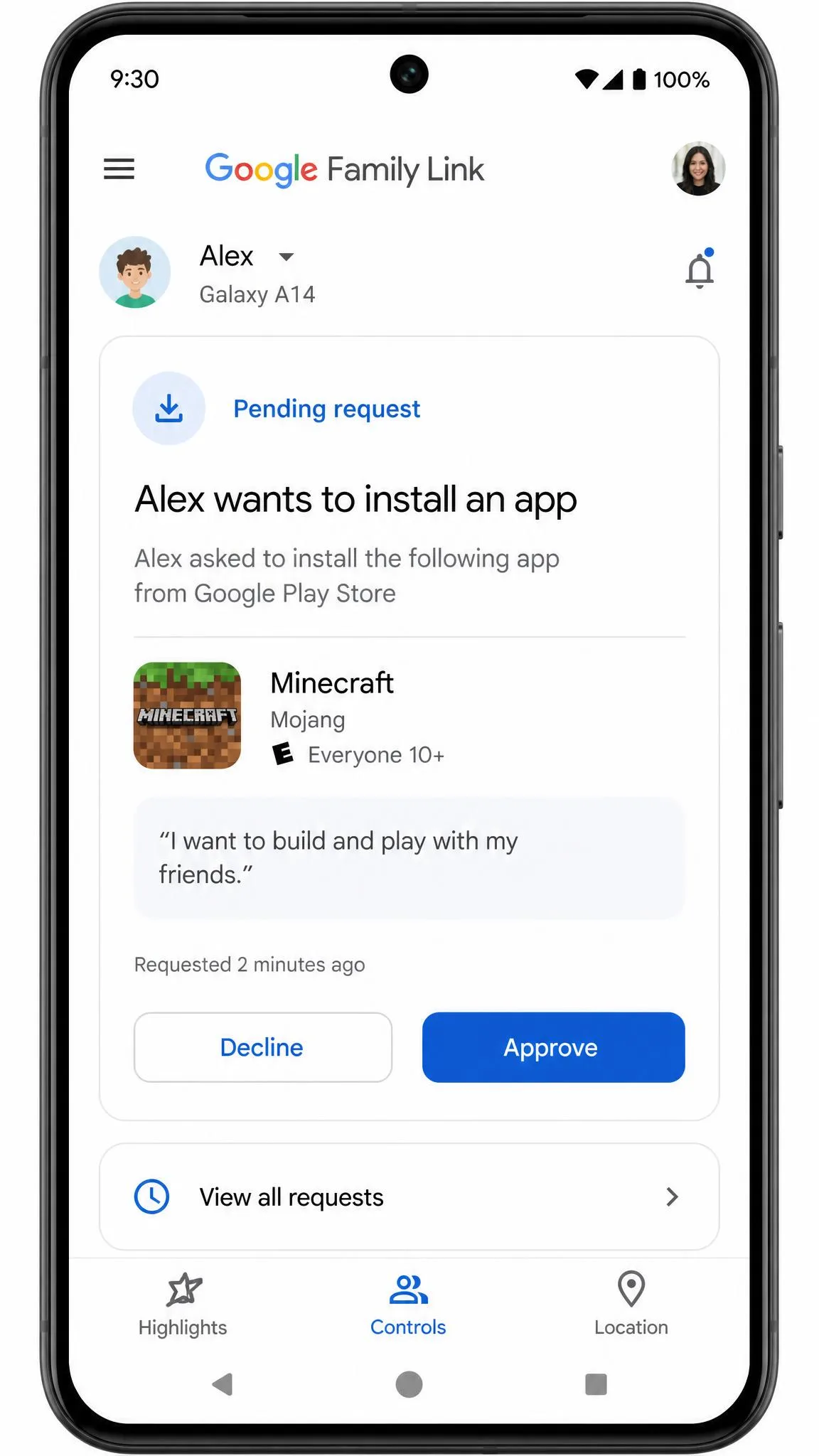
Google Family Link is free and covers app approvals, screen time limits and basic location on Android, which makes it the obvious starting point for an Android household before anyone pays for anything. Its content filtering is weaker than Canopy's, but the price is hard to argue with.
Bark takes a different approach, monitoring the content of messages and social accounts for signs of trouble and alerting a parent rather than blocking everything, which suits older teens who would resent a hard filter. Qustodio and Net Nanny both sit closer to Canopy, bundling filtering, screen time and location into one subscription with wider platform support. Kaspersky Safe Kids is the budget pick of that group. Apple's own Screen Time and Android's built-in controls cost nothing and are worth turning on regardless of what else you buy, since they cover app installs and purchase approvals that third-party tools sometimes miss.
The crash detection support documentation is also worth reading if driving safety is your reason for shortlisting a tracker, because it explains what the feature can and cannot detect.
Verdict: Canopy vs Life360 in 2026
Whatever you settle on now, plan to revisit it. The right answer moves with the child: a nine-year-old's biggest risk sits in a browser, a sixteen-year-old's sits behind a steering wheel, and the month a learner's permit arrives is the month the balance of spending should shift. Diary a review for the start of each school year, check whether the approval queue is still earning its keep, and remember that Canopy has no free plan to fall back on, so an unused subscription keeps billing until you cancel it.