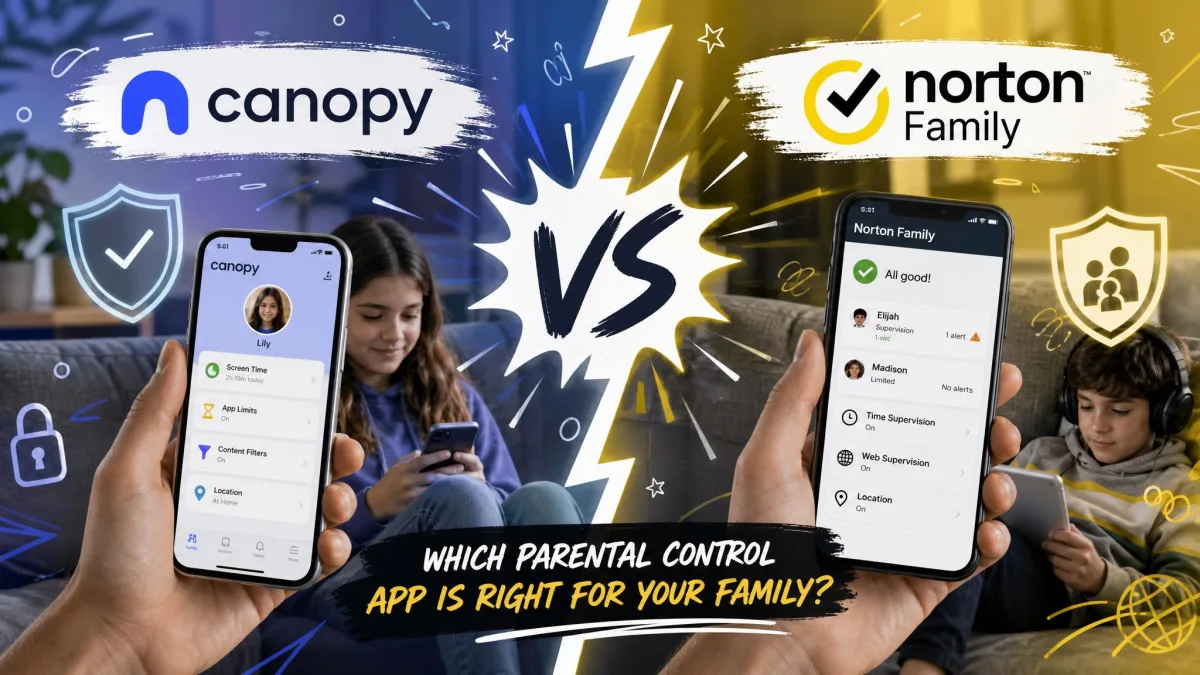
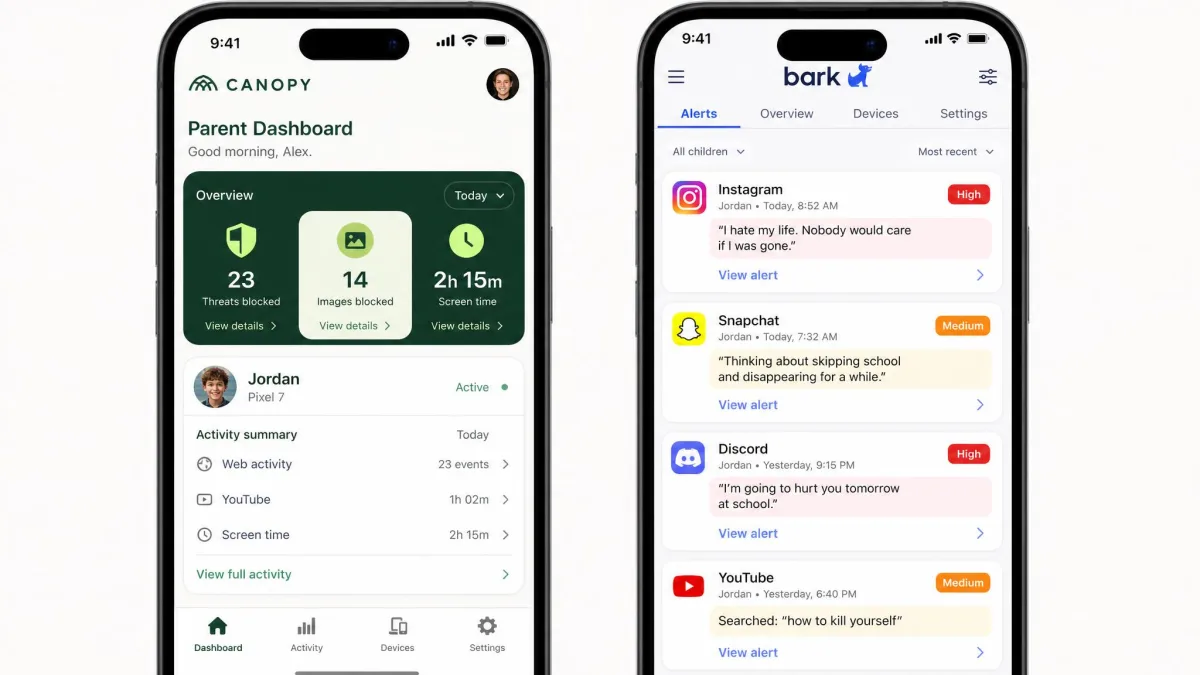
Canopy is a content filter. It uses AI to scan images and video as a page loads, and it blocks explicit material before a child ever sees it. Bark is a monitoring service. It reads what a child writes and receives across texts, email, YouTube and dozens of social apps, then emails parents an alert when something looks wrong.
That one structural difference decides almost everything else. Canopy suits younger kids who need a wall between them and explicit content on the open internet. Bark suits tweens and teens who already have social accounts and a group chat, where the risk is a conversation rather than a website.
We ran both apps side by side on family iOS and Android devices for several weeks, tracking setup friction, alert quality, blocking accuracy and what each one costs across a year. This head-to-head walks category by category, names a winner in each, and ends with the pick we would actually make.
Canopy vs Bark at a Glance
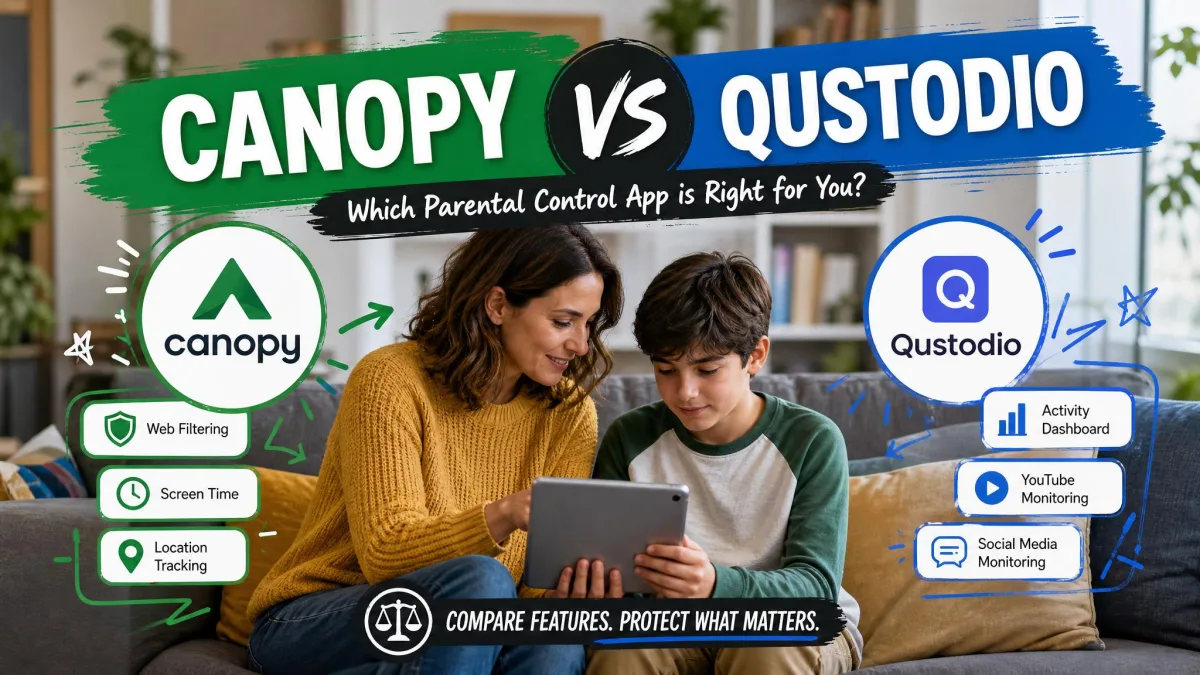
| Product | Canopy | Bark |
|---|---|---|
| Explicit-image blocking | Real-time AI scan, blocks before display | Alerts after detection, no live image block |
| Website and app blocking | Category and per-URL blocking on iOS and Android | Category blocking of sites and apps |
| Social and message monitoring | None, no text or email scanning | Texts, email, YouTube and 30+ apps |
| Screen time | Basic limits, no per-app limits | Schedules for school and bedtime |
| Location and geofencing | GPS check-ins, no safe-zone alerts | Real-time GPS plus safe-zone alerts |
| Removal prevention | Blocks uninstall and VPN bypass | No uninstall protection |
| Platforms supported | iOS, Android, desktop browsers | iOS and Android, iOS monitoring limited |
| Starting price | $8.33/month billed annually | $5/month for Bark Jr |
What Is Canopy?
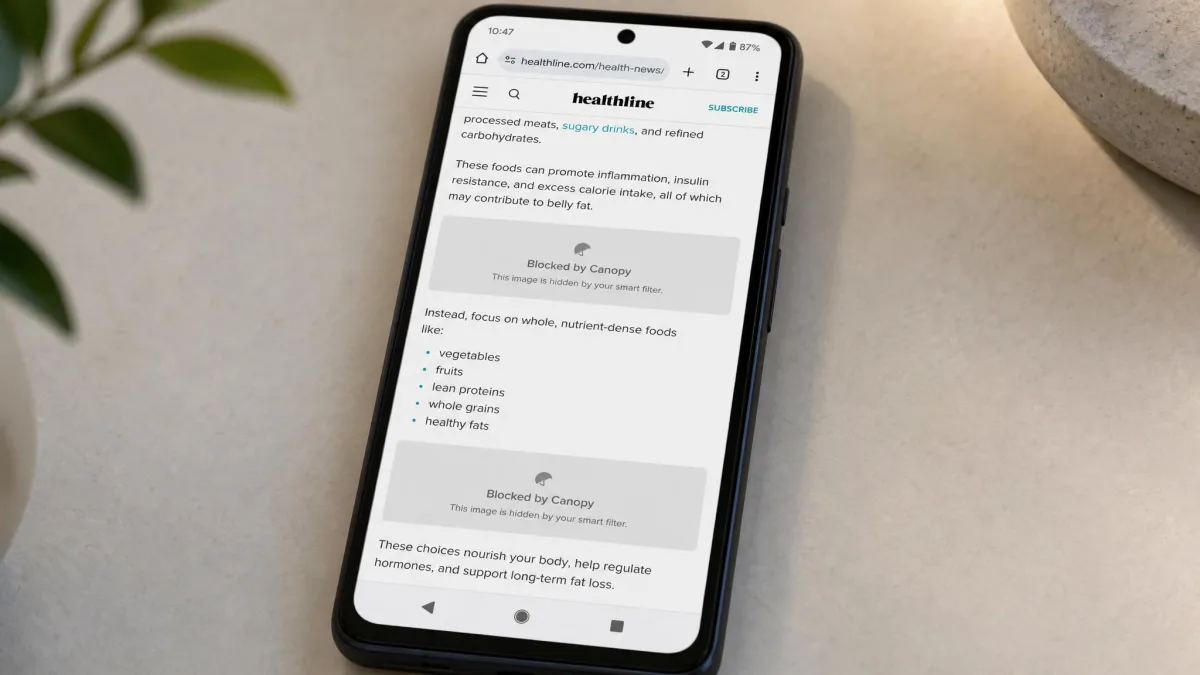
Canopy is a filtering app built around one idea: an explicit image should never reach the screen in the first place. Its smart filter analyzes pictures and video as a page loads and removes the ones it judges explicit, leaving the rest of the page intact.
Around that core it adds website blocking by category or individual URL, app blocking on iOS and Android, sexting prevention that blocks an outgoing explicit photo and alerts the parent, GPS location check-ins, removal prevention, and VPN blocking so a child cannot tunnel around the filter. Phone and email support are both offered.
What Canopy does not do is read anything. There is no text-message scanning, no email scanning and no social media monitoring. For parents of younger children that is a fair trade. For parents of teens it leaves a visible gap, because the conversations that worry them most are exactly the ones Canopy never sees.
What Is Bark?
Bark takes the opposite approach. Rather than standing between a child and the internet, it watches what happens and tells you about it. It monitors texts, email, YouTube, web searches, saved photos and videos, and 30+ apps and platforms, then raises alerts for cyberbullying, contact from online predators, signs of suicidal ideation, and explicit content.
The service also covers the practical controls families expect: screen time schedules for school hours and bedtime, website and app blocking by category, real-time GPS with safe-zone alerts, and check-ins for walking, biking and driving. One subscription covers unlimited children and devices, which matters a great deal in a house with three phones and a tablet.
Bark sells two tiers. Bark Jr drops message monitoring and keeps screen time, filtering and location, which makes it a genuine option for younger kids. Bark Premium is the full monitoring product.
Bark also sells hardware. Bark Home is $79 one-time or $6 per month and applies filtering and schedules to every device on your home network, including consoles and streaming boxes. The Bark Phone is $240 upfront or $10 per month over 24 months, on top of the subscription.
Pros and Cons of Canopy
Pros
- Real-time explicit image and video blocking, not after-the-fact alerts
- Sexting prevention blocks outgoing explicit photos and notifies parents
- Removal prevention and VPN blocking hold up against a determined child
- Website blocking works by category or by individual URL
- Phone support exists, which is rare in this category
Cons
- No text, email or social media monitoring at all
- No per-app screen time limits
- GPS check-ins only, with no safe-zone geofencing alerts
- The smart filter over-blocks medical images, artwork and fitness content
- Pricing is per device, so a bigger family pays more
Pros and Cons of Bark
Pros
- Monitors texts, email, YouTube and 30+ apps and platforms
- Alerts cover cyberbullying, predators, self-harm and explicit content
- One subscription covers unlimited children and devices
- Real-time GPS with safe-zone alerts and activity check-ins
- Bark Jr at $5 per month is the cheapest serious plan either company sells
Cons
- No uninstall protection, so a tech-savvy child can switch it off
- iOS monitoring is partial, and Instagram and Facebook DMs are out of reach
- Keyword scanning flags context-free words and produces alert fatigue
- Alerts can arrive well after the message that triggered them
- Support runs through automated email replies
Content Filtering: Canopy Blocks Explicit Images in Real Time
This is the category Canopy was built to win. Its filter examines the images on a page as it loads and strips the explicit ones, so a child on an unfamiliar site sees the article and not the pictures. Bark's blocking works from category lists rather than live image analysis, so a brand-new explicit page can slip through before it is categorized, and an explicit image arriving by message produces a notification rather than a block.
Canopy advertises 99.8% accuracy on explicit content, but that figure is a vendor benchmark and does not match what families see on borderline material. In our testing the filter reached past pornography and into medical images, artwork and fitness content, which meant a school biology search occasionally came back with holes in it. Parents can allow a site manually, but the friction is noticeable in the first week.
Canopy's sexting prevention is the feature with no equivalent on the other side. It blocks an explicit photo the child is about to send and alerts the parent, which turns a filter into an intervention.
Canopy installs its own VPN profile, and it will not sit alongside another VPN or some antivirus tools. Plan on removing conflicting software before setup, or the install stalls without a clear explanation.
Winner (Content Filtering)
Canopy, and not narrowly. Blocking an explicit image before it renders is a different level of protection from being told about it afterward.
Social Media and Message Monitoring: Bark's Core Strength
Canopy does not compete here. It scans no texts, no email and no social messages, so a parent worried about who is talking to their child gets nothing from it.
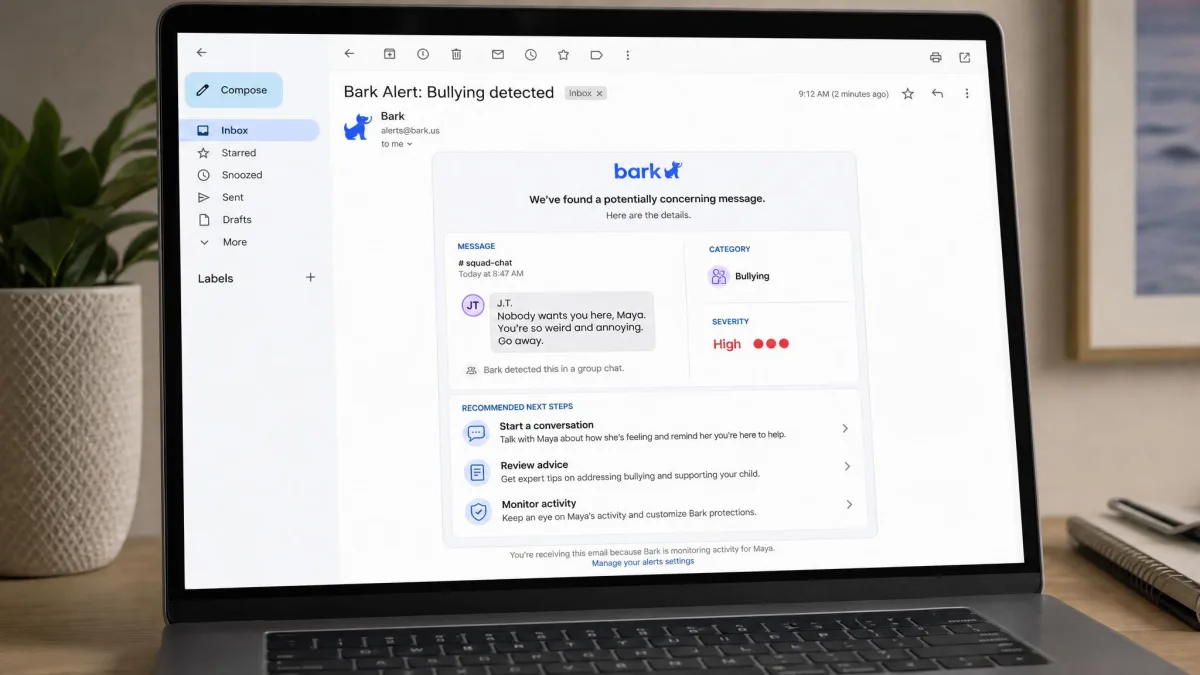
Bark reads across texts, email, YouTube, web searches, saved photos and videos, and 30+ apps and platforms, and it applies context rules rather than a blocklist. During testing it caught every inappropriate message and web search we planted and pushed the alert to the parent account immediately.
The problems show up over weeks rather than days. Keyword scanning flags context-free words, so a group chat about a horror film generates the same red banner as a genuine threat, and the alert fatigue that follows is the single biggest reason parents stop reading the emails. Some alerts also arrived days after the message that triggered them, and monitored devices occasionally dropped their connection without saying so.
Bark sees the conversations Canopy cannot, and Canopy blocks the images Bark only reports. Neither app covers both jobs.
— From our side-by-side testing
Winner (Monitoring and Alerts)
Bark, uncontested. It is the only one of the two that monitors anything a child writes or receives.
Screen Time Controls and Time Limits
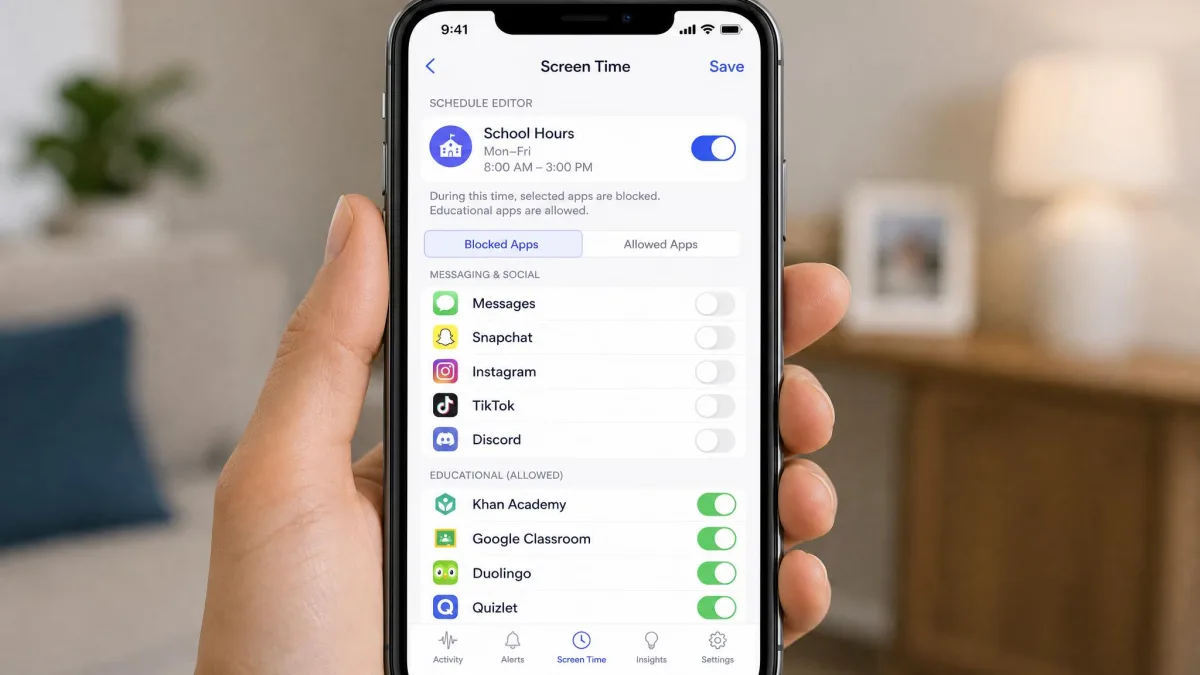
Both apps let you cut off access, but they think about time differently. Bark builds schedules: a school-hours rule, a bedtime rule, a free-time rule, each with its own allowed apps and websites. That maps neatly onto how a family day already runs.
Canopy offers basic limits and no per-app screen time limits, so you can restrict internet access but you cannot cap a single game at 30 minutes while leaving a homework app open. Families who want per-app control will feel that ceiling quickly.
Winner (Screen Time)
Bark. Schedules that follow the school day are more useful than a single blanket limit.
Location Tracking and Geofencing
Canopy offers GPS location check-ins, which tell you where a child is when you ask or when they confirm. There are no safe-zone geofencing alerts, so nothing fires automatically when a child leaves school grounds.
Bark supports real-time GPS with safe-zone alerts, plus check-ins for walking, biking and driving. Set a boundary around the school or a friend's street and the notification arrives on its own. That is the version of location tracking most parents picture when they buy one of these apps.
Winner (Location)
Bark, on the strength of automatic safe-zone alerts.
App and Website Blocking
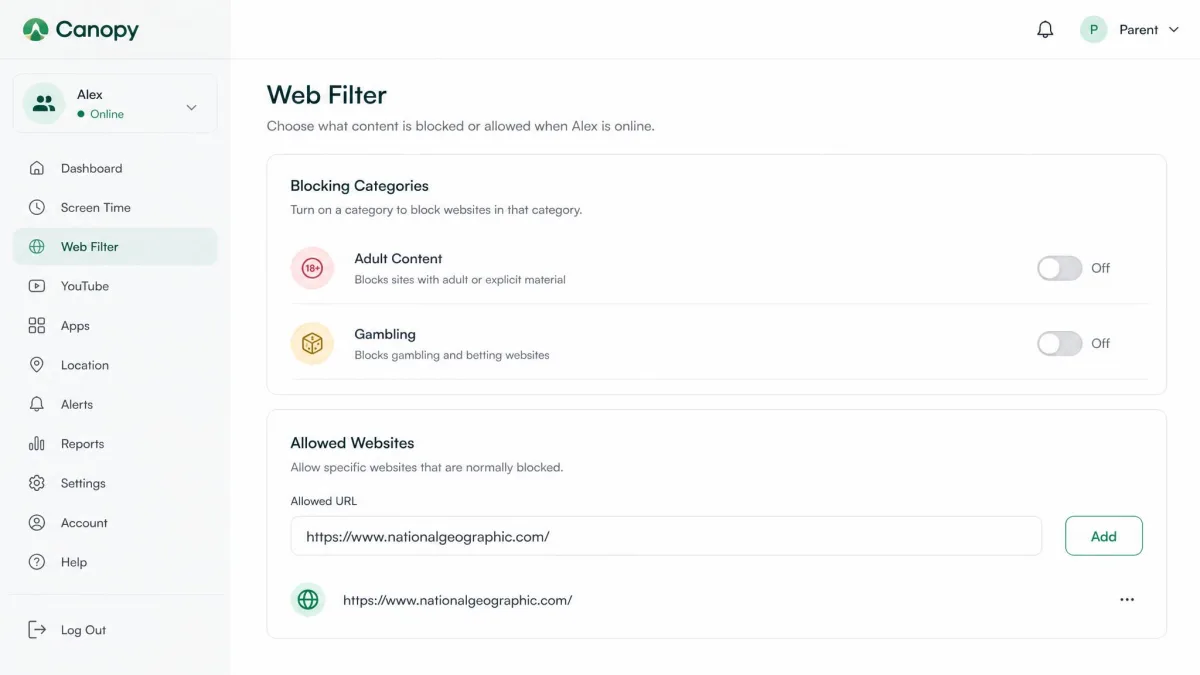
The two are closest here. Canopy blocks websites by category or by specific URL and blocks apps on both iOS and Android, which gives it finer control when you want to allow a site the category filter caught. Bark blocks sites and apps by category and applies those rules on a per-schedule basis.
Where Canopy pulls ahead is enforcement. Its VPN blocking stops kids from routing around the filter with a third-party VPN, which is the standard workaround a curious 14-year-old finds within a week. Bark's category rules do not defend themselves the same way.
Winner (App and Website Blocking)
Canopy, narrowly, for per-URL control and for holding the line against VPN workarounds.
Device and Platform Support: iOS, Android, Chromebook
Canopy runs on iOS, Android and desktop browsers. Chromebook and Windows coverage is not something Canopy documents on its own pages, so families running a school-issued Chromebook should not count on it.
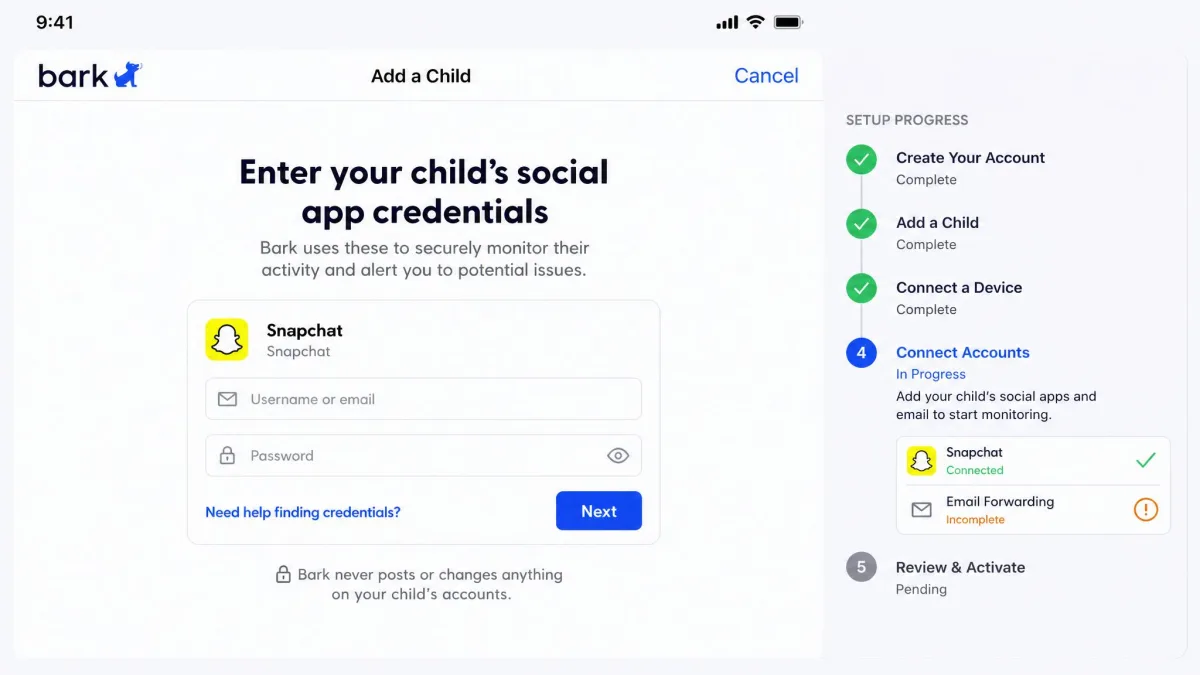
Bark runs on iOS and Android, and this is where the platform gap opens. On Android, setup connects most apps automatically. On iOS, setup requires entering each app's credentials and configuring email forwarding before monitoring works at all, and even then Facebook and Instagram direct messages cannot be monitored because of Apple's platform restrictions.
There is a second iOS limitation worth knowing before you buy. Bark's message and social monitoring on iPhone only syncs when the child's device shares a WiFi network with the setup, so activity at school or a friend's house can go unreported for hours.
Winner (Platform Support)
Canopy on iOS, Bark on Android. If your child uses an iPhone, Bark delivers a meaningfully smaller share of what it advertises.
Setup, Ease of Use, and Whether Kids Can Bypass It
Canopy's install is the fussier of the two on day one, mostly because of the VPN profile conflict described above. It can also interrupt phone calls or mimic an incoming call on the monitored device, which is odd enough that a child notices and asks about it. Battery drain comes up repeatedly in Canopy's one-star app store reviews, though Canopy states its battery use is nearly identical to a device without it.
Bark's Android setup is smooth and mostly automatic. Its iOS setup is the longest sit-down in this comparison, and it has to be repeated for each app you want covered.
Bypass resistance is the clearer split. Canopy's removal prevention holds up where Bark's does not, keeping the app in place when a child tries to delete it, and its VPN blocking closes the other obvious escape route. Bark has no uninstall protection, so a tech-savvy child can disable the controls by changing phone settings, and nothing tells you that has happened.
An app a child can switch off is not a control. If your teen is the kind who will look for the off switch, Bark needs a household rule behind it, or a Bark Phone where the controls sit at the device level.
Winner (Ease of Use)
Bark for day-one setup on Android. Canopy for staying installed, which matters more over a school year.
Pricing and Plans: Canopy Per-Device Tiers vs Bark Jr. and Bark Premium
Canopy charges by device count, and its published plan tiers make that structure plain. Essential is $8.33 per month billed annually and covers 1 device. Plus is $9.99 per month for up to 3 devices. Premium is $12.50 per month for up to 10 devices, which is the top tier.
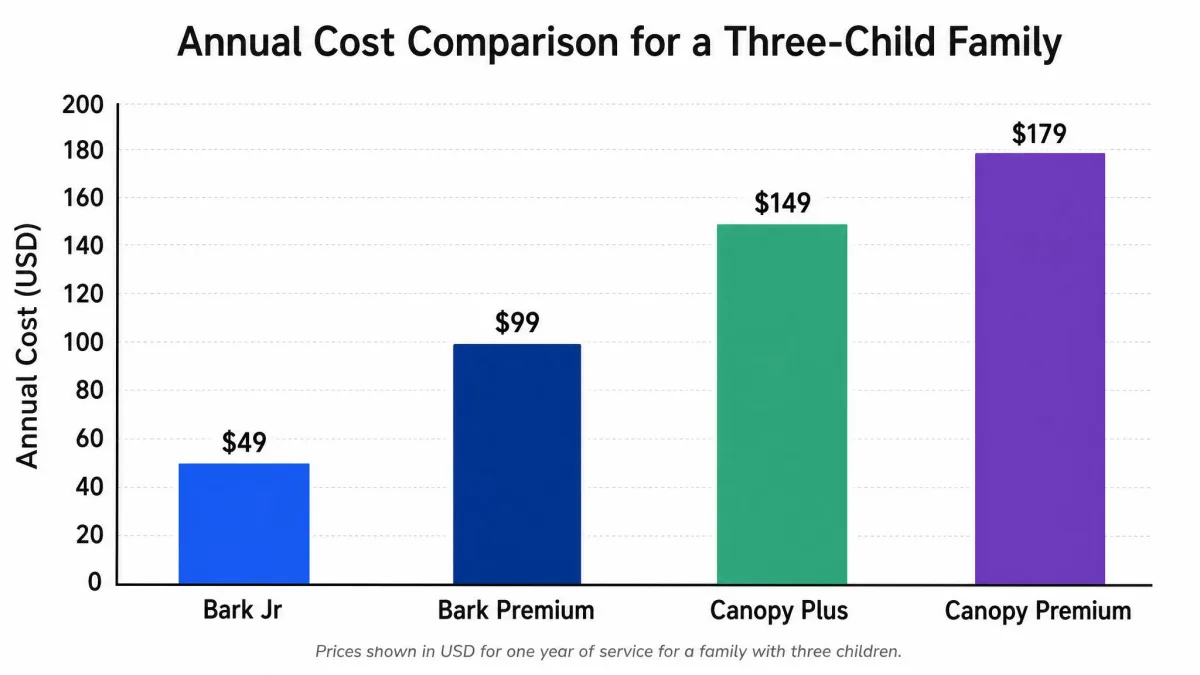
Bark charges by feature set, not device count, as its pricing documentation sets out. Bark Jr is $5 per month or $49 per year and covers screen time, filtering and location without message monitoring. Bark Premium is $14 per month or $99 per year and adds the full alert engine. One subscription covers unlimited children and devices at either tier.
Bark's iOS pricing is listed separately at $20 per month or $148 per year and bundles the Bark Sync smart charger, so read that line as a hardware bundle rather than a plain software tier before you assume iPhone costs more.
Canopy's advertised entry price moves with promotions, so the cheapest tier is quoted at both $7.99 and $8.33 per month depending on the page you land on. Check the pricing page total for the annual charge rather than the monthly headline.
Free Trials and Money-Back Guarantees
Canopy offers a one-week free trial and a 30-day money-back guarantee running from account creation. Bark offers a 7-day free trial with a credit card required up front, and a 30-day money-back guarantee as well.
Seven days is enough to test filtering accuracy but not enough to judge alert fatigue, which only shows itself after a few hundred notifications. Use the money-back window as the real trial period, and diary the date.
Winner (Value)
Bark. For a family with three children, Bark Premium at $99 per year covers every device, while Canopy Premium runs $12.50 per month for the same coverage and still monitors no messages.
Customer Support
Canopy runs phone support from 12PM to 8PM CT alongside email. That phone line is a genuine advantage in a category where almost nobody answers the phone. The caveat is that email support can go several days without a reply, and the line is unattended outside that window.
Bark's support routes through automated email replies, and reaching a human representative is difficult. For a service whose whole value is timely alerts, a slow support loop is more costly than it sounds.
Neither company impressed us here. Canopy takes it on the strength of having a number you can dial.
What Real Users Say About Canopy and Bark
The public review picture favors Bark by a wide margin, and the sample sizes explain part of why. Bark holds roughly 4.2 stars on the App Store from about 27,500 reviews and roughly 4.0 stars on Google Play from about 8,720 reviews. Canopy sits at 3.2 stars on the App Store on a much smaller review base, so its score shifts sharply, and its Google Play rating has drifted between 3.8 and 4.1 stars on Google Play across recent snapshots.
Read the one-star reviews on both sides rather than the averages. Canopy's cluster around battery drain and over-blocking. Bark's cluster around delayed alerts and devices that quietly stop reporting. Both patterns matched what we saw. The independent review pages for Bark customer feedback and Canopy customer feedback are worth a skim for the same reason.
Who Should Choose Canopy
Choose Canopy if your child is under about 12, the internet is the risk and the group chat is not yet, and you want explicit material stopped rather than reported. Canopy is a solid option for younger kids, particularly on an iPhone, where its filtering is unaffected by the platform limits that hobble Bark.
It is also the right pick if your child has already tried to remove a parental control app. Removal prevention and VPN blocking are the two features Bark cannot answer. Our full Canopy review goes deeper on how the filter behaves day to day.
Skip it if you have a teenager with social accounts. Canopy will not see the conversation you are worried about.

Who Should Choose Bark
Choose Bark if your child is a tween or teen, uses social apps and messaging, and the thing that keeps you awake is who is talking to them. It is also the obvious choice for a larger family, because unlimited devices under one subscription changes the annual maths entirely.
Bark Jr at $5 per month deserves a look from parents of younger kids who want screen time schedules and location without opening a child's messages. It is a lighter touch than Canopy and costs less. Our Bark review covers the alert engine in more detail.
Skip it if your child is on iPhone and message monitoring is the whole reason you are buying, or if they are likely to uninstall it.

Alternatives to Canopy and Bark
Neither app is the only answer. Kaspersky Safe Kids competes on price and bundles filtering with screen time and location, and we have compared it directly against both in Kaspersky Safe Kids vs Bark and Kaspersky Safe Kids vs Canopy.
Independent parental control roundups also rate the free platform tools higher than most parents expect. Apple Screen Time and Google Family Link are free, built into the platforms and better than most parents assume for time limits and app approval, though neither filters images or reads messages. Aura and Qustodio sit in the middle, mixing filtering with monitoring at a higher price.
Whichever you choose, understand what these services collect. COPPA governs how children's data is handled in the US, and the UN's guidance on child and youth safety online is a useful frame for deciding how much oversight is proportionate to your child's age.
Common Mistakes Parents Make
The most common error is buying monitoring for a child who needs filtering, or the reverse. A seven-year-old does not need their messages read; they need explicit images kept off the screen. A fifteen-year-old does not need a filter they will route around; they need someone to notice a conversation going wrong.
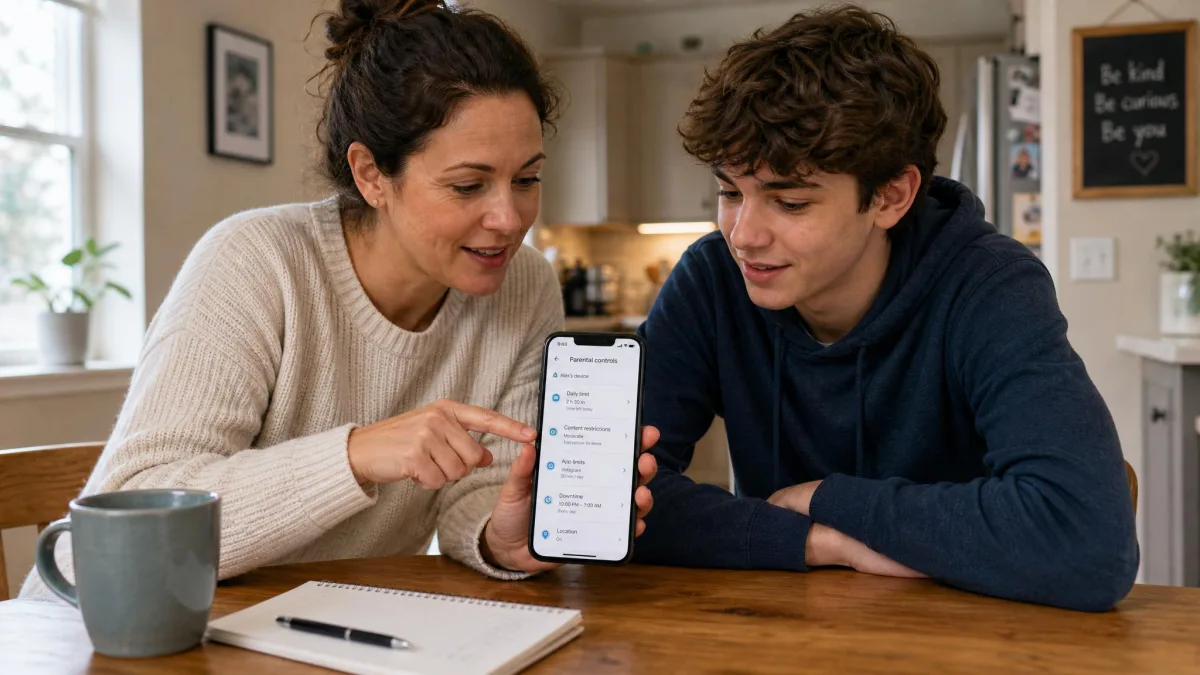
The second mistake is treating installation as the finish line. Alert fatigue ends more parental control subscriptions than any technical failure, and the fix is tuning what you act on rather than reading everything. The third is buying without telling the child. Every family we know that kept these apps in place past a school term had a conversation first about what was monitored and why.
Final Verdict: Canopy vs Bark
Bark is the better parental control app for most families in 2026. It covers more ground, it protects unlimited children and devices for one price, and its alerts catch the category of harm that worries parents of tweens and teens most. Its weaknesses are genuine, particularly on iPhone and around uninstall protection, but they are narrower than the gap Canopy leaves by not reading messages at all.
Canopy still wins outright in one scenario, and it is a common one. For a child under about 12, or for a child who has already tried to switch a control app off, Canopy's real-time image blocking and removal prevention do a job Bark cannot do. Some families genuinely need both, running Canopy on the filtering side and Bark Jr for schedules and location.