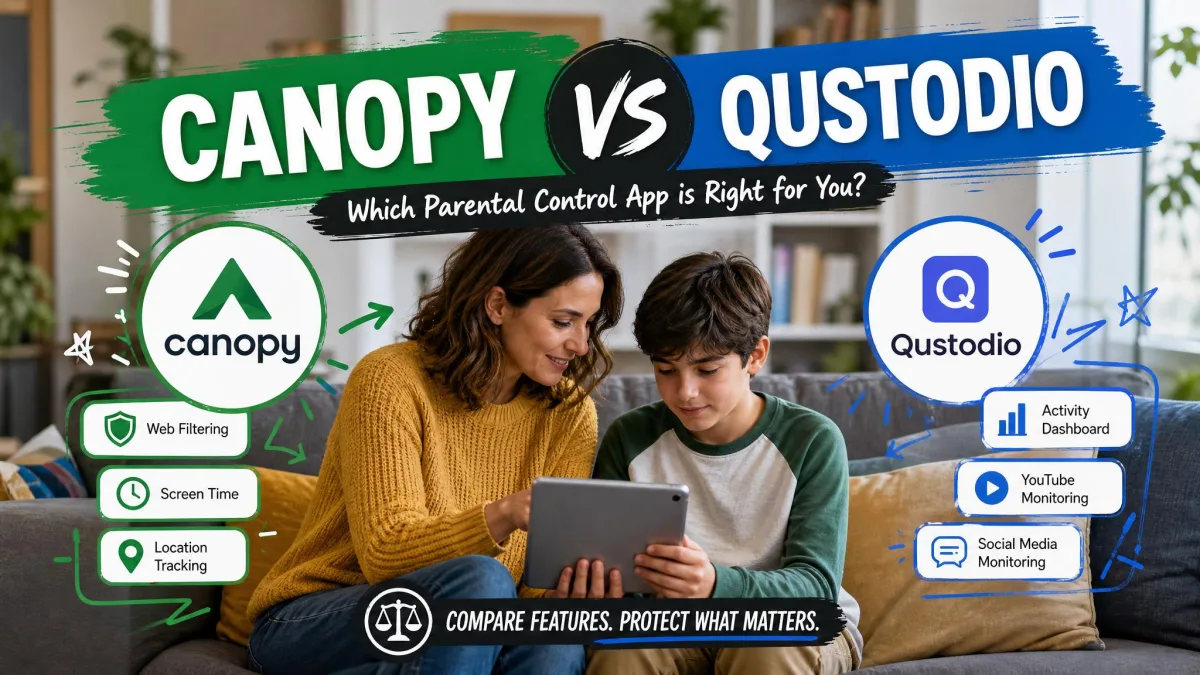
Most parental control decisions come down to one question that vendors rarely answer plainly: do you want to stop something before your child sees it, or do you want to know about it afterwards? Canopy is built around the first idea, and Qustodio is built around the second.
That single difference explains almost every other gap between these two apps. Canopy runs an AI filter that inspects images and video as a page loads and strips out explicit content in real time. Qustodio watches what happens across your child's devices, blocks whole categories of sites, enforces time limits, and sends you reports. If you buy the wrong one, you will not get a bad app, you will get an app that solves a problem you did not have.
We set both up on family devices, walked through the parent dashboards, and pushed on the parts that usually break: iOS restrictions, uninstall attempts, and blocking accuracy. Below is how the two compare feature by feature, what each costs, and which one we would put on a kid's phone in 2026.
Canopy vs Qustodio at a Glance
Here is the short version of how the two apps line up on the features parents ask about most. The detail behind each row follows further down.
| Product | Buy | Content filtering | Screen time | App blocking | Location tracking | Monitoring and reports | Removal prevention | Platforms supported | Free plan | Starting price |
|---|---|---|---|---|---|---|---|---|---|---|
 |
Check price → | Category-based web filtering with allow and block lists | Daily limits, schedules and device blocking routines | Yes, app and game blocking | Location tracking, geofencing unreliable in testing | Activity reports, YouTube and social monitoring, SMS and calls on Android | Yes, parent credentials required to uninstall | Windows, macOS, Android, iOS, Chromebook, Kindle | Yes, 1 device with 7-day activity reports | $59.95/year Basic, 5 devices |
 |
Check price | Real-time AI image and video filtering, blurs explicit content before it renders | Daily limits and schedules | Yes, app and website blocking | Location alerts and geofencing | Sexting and removal alerts, no message or email logging | Yes | Android, iOS, macOS, Windows, Chromebook | None, 7-day trial only | About $8.33/month billed annually |
Canopy Overview: AI Content Filtering
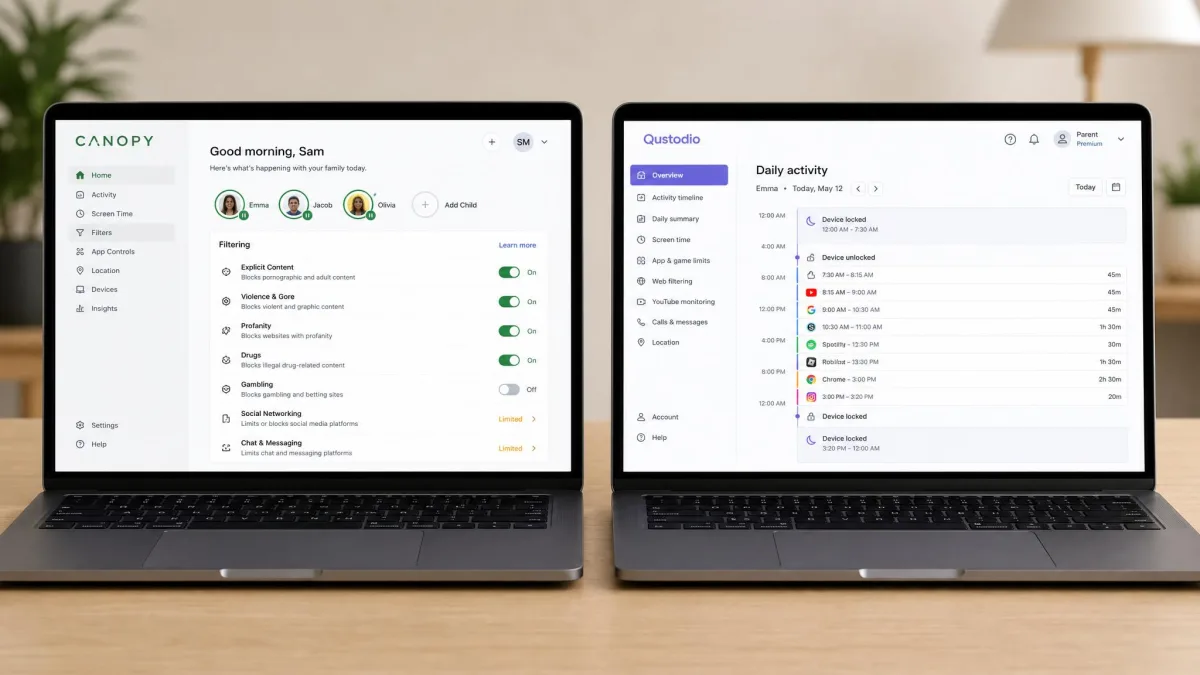
Canopy is a filtering app first and a management app second. Its parent company, NetSpark, spent 14 years building the image recognition engine that powers it, and that engine is the whole pitch. Rather than checking a URL against a category list, Canopy looks at the pictures and video on the page as they load and removes anything it reads as explicit.
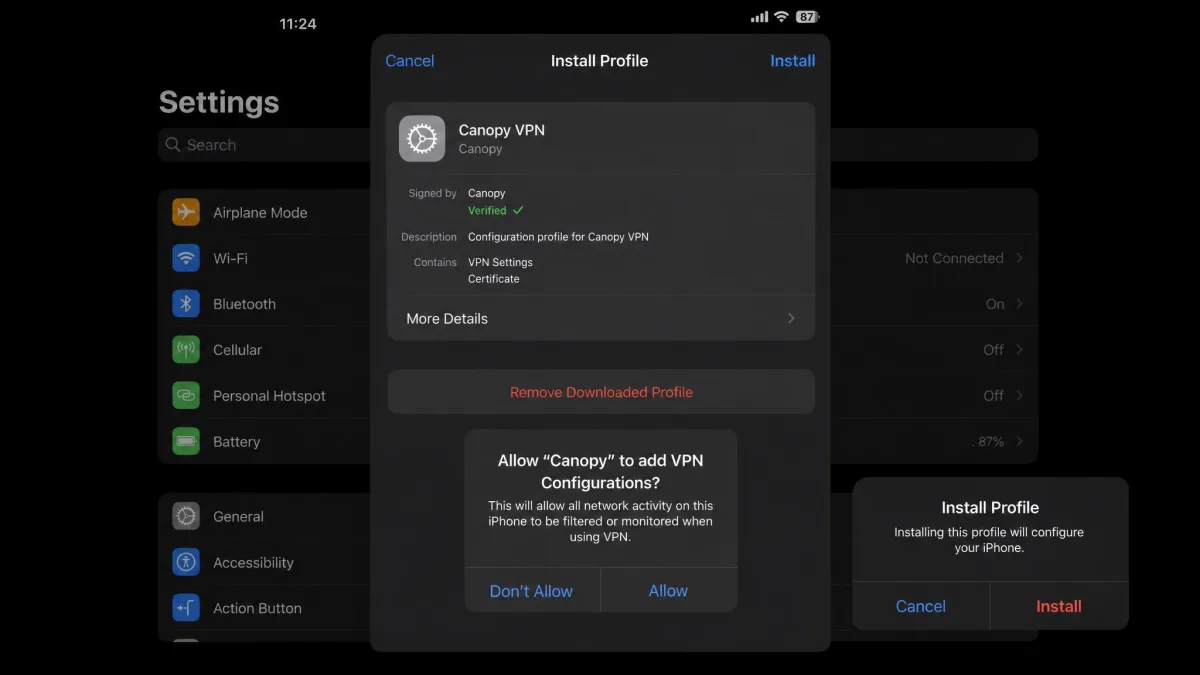
Our first install went onto an iPhone, which meant accepting a VPN configuration profile in Settings before the filter would do anything at all. With that profile live, we opened a mixed news site and watched the page paint normally while the photographs beside the text resolved as flat grey blocks, with little visible lag on the page. Some of the images caught that way were entirely innocuous, which is the trade the engine makes: it errs toward blurring, and safe pictures get caught alongside the ones you wanted stopped. No filter catches everything either, and Canopy's own accuracy claim of 99.8% for explicit-image detection is a vendor figure measured in controlled conditions rather than a guarantee for every site or app.
A smaller set of controls sits around that filter. You get app and website blocking, screen time management, and location alerts with geofencing, alongside sexting prevention alerts and removal prevention. There is also an accountability partner mode, which shares alerts with another adult rather than routing everything to one parent. SafeWise rates Canopy 4 out of 5 and names it best for blocking explicit content, which matches how the app feels to use.
Who Canopy Is Built For
Canopy suits parents of younger children and early teens whose main fear is accidental or curious exposure to pornography. The trade is that its scheduling, app blocking and location tracking feel thin next to full monitoring suites, so if you want a detailed picture of your child's digital day, this is not the app that gives it to you.
Qustodio Overview: Cross-Platform Monitoring
Qustodio comes at the same problem from the opposite direction. It says it protects 9 million families, and its dashboard is built to answer the question "what did my child actually do today" across every device they use.
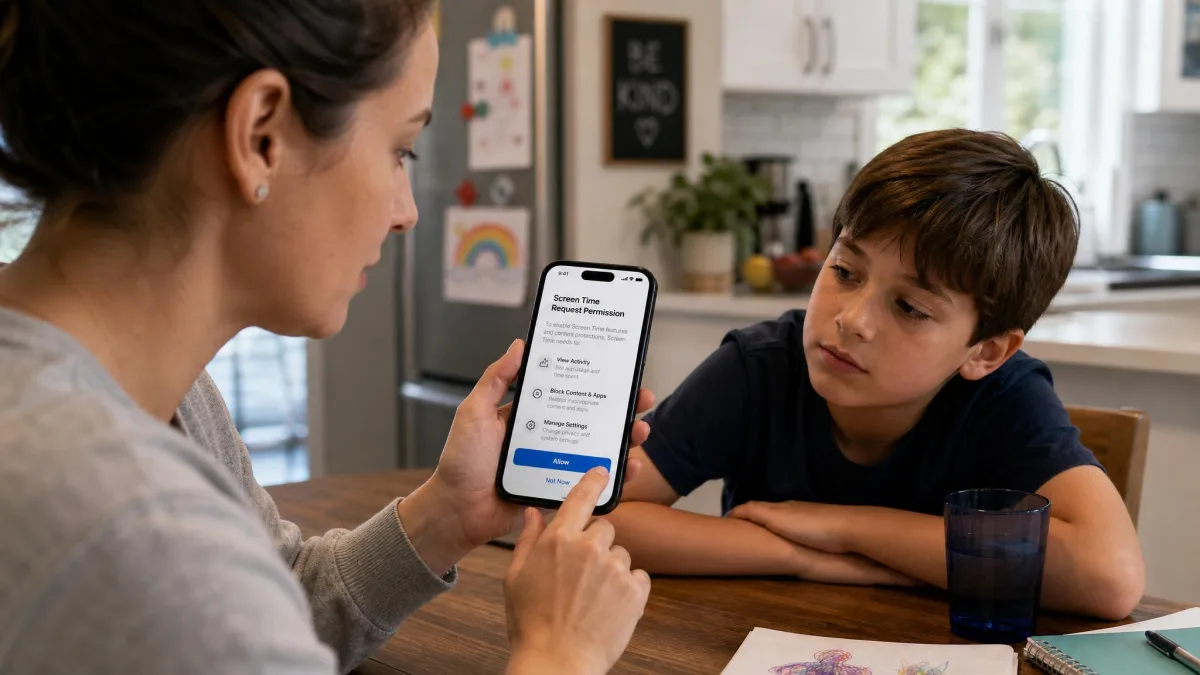
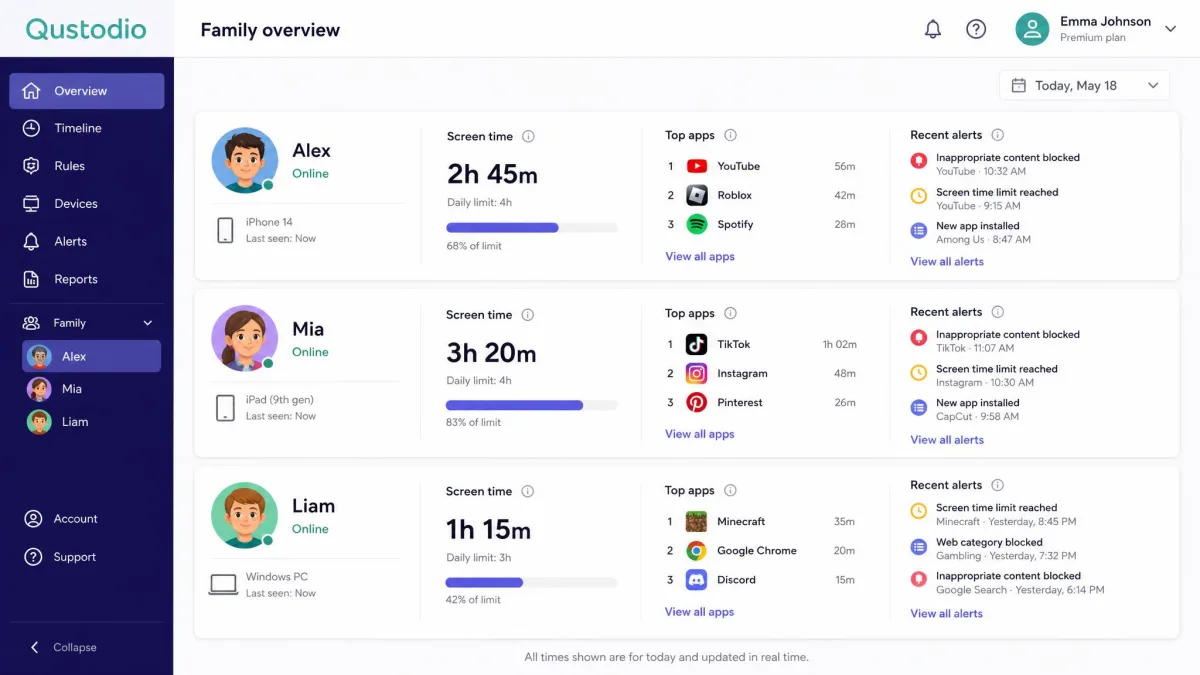
We tested the blocking the blunt way, by typing an adult site straight into the browser on a supervised Android phone. The page never loaded, the block notice came up with the child profile named on it, and by the time we switched back to the parent dashboard the attempt was already sitting in the alert column. That same dashboard was showing a laptop, a tablet and the phone in one view, with the screen time counters on each of them updating quickly enough to trust. Pulling several devices into one screen is the single thing that makes a multi-child household manageable.
The feature list behind that dashboard is long. Web content filtering by category, app and game blocking, screen time schedules and device blocking routines, and location tracking form the core, with call and SMS monitoring, a panic button, YouTube and social monitoring, activity reports, email alerts and uninstall protection layered on top. Where Qustodio disappoints is at the edges. Geofencing can fail to trigger reliably, and both the panic button and text message monitoring exist only on Android, which leaves iPhone families with a thinner version of the product than the feature list suggests.
Who Qustodio Is Built For
Qustodio fits parents of older children and teens, families with several kids on several devices, and anyone whose main concern is time and habits rather than explicit content. If your child is on Android, you get the fullest version of the app. If your household is all iPhone, you should read the platform section below before you commit.
Content Filtering: Real-Time Blocking vs Category Blocklists
This is the section that decides the comparison for most families, because the two apps do not filter the same thing.
Qustodio classifies destinations. A site falls into a category such as adult content, gambling or social media, and you allow or block that category, then tune the result with your own allow and block lists. It is fast, predictable, and easy to explain to a child. Its weakness is the one every blocklist has: a page that is new, miscategorised, or full of user-uploaded images can slip through intact.
Canopy classifies content. It does not care what the site is called, it cares what is on the screen, so it can leave a general-interest page open while removing the one explicit image on it. That is genuinely different protection, and it is why we would reach for Canopy for a nine-year-old. The limits are just as specific. Canopy does not read texts, emails, or content inside non-browser apps, and it cannot filter what plays inside Netflix, Hulu or Prime Video. It also refuses to work with privacy-focused browsers such as Brave and DuckDuckGo, so those have to be blocked outright, and a child who notices that pattern has found the seam.
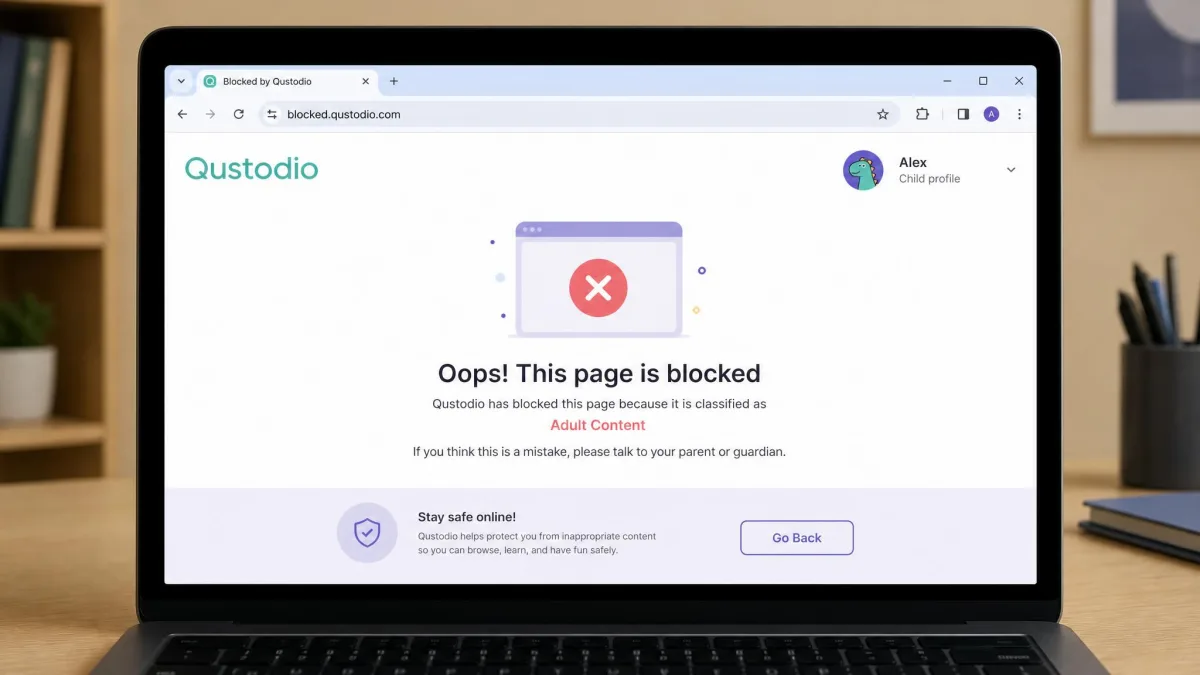
Qustodio decides whether your child can open the door. Canopy decides what they see once it is open.
The honest answer is that neither approach is complete on its own. Blocklists miss content on allowed pages, and image filtering misses everything that is not an image on a web page.
Set the filter to the age of the child, not the age of the household. Both apps let you apply different rules per child profile, and a single strict ruleset applied to a fifteen-year-old is the fastest way to get a workaround hunted down.
Screen Time and App Controls
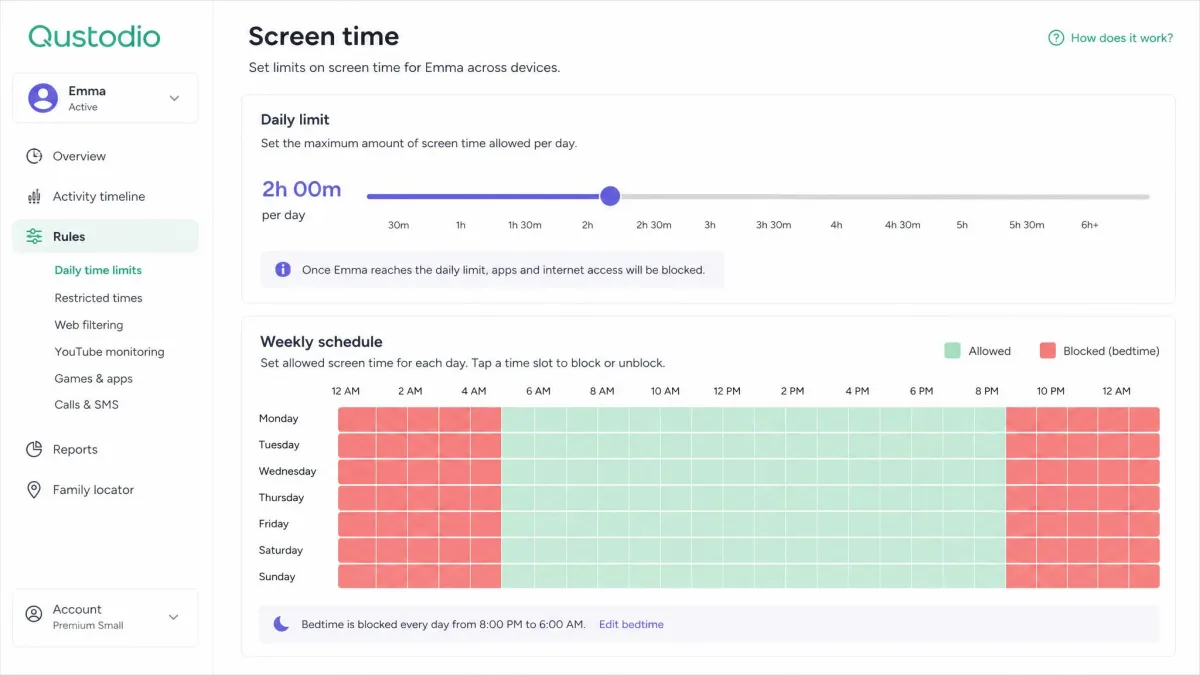
Both apps do daily limits and schedules, so the difference is depth. Qustodio layers device blocking routines on top of the limits, letting you shut a device down for homework or bedtime rather than just capping total minutes, and it blocks individual apps and games by name. Canopy offers daily limits, schedules, and app and website blocking, which covers the basics without the routine-level control.
The counters matter as much as the rules. Qustodio's update quickly enough that a child checking how much time is left sees an accurate number, which cuts the arguments considerably. Canopy's time management is functional, but it is clearly the secondary feature in an app built around filtering.
On iPhone and iPad, remember that Apple's Screen Time is already built into the operating system and free. It handles downtime, app limits and content restrictions natively, and it is worth turning on alongside either app rather than expecting a third-party tool to replace it.
Activity Monitoring, Alerts and Reporting
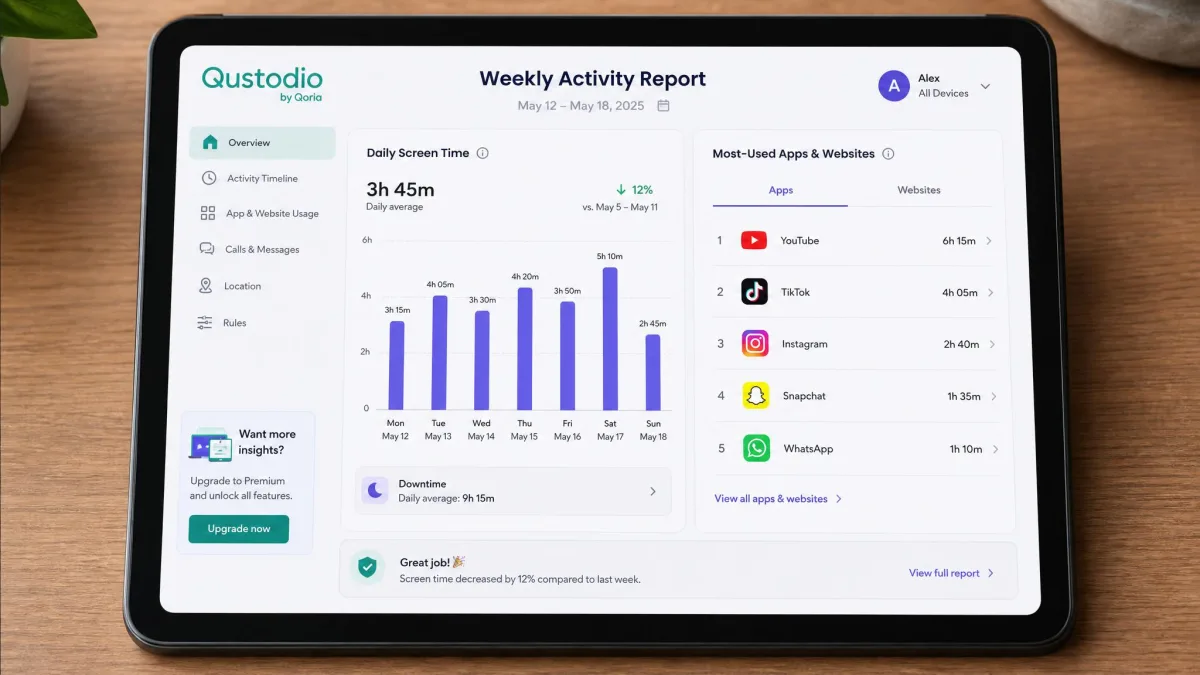
Here the two apps barely overlap. Qustodio produces daily and weekly activity reports, monitors YouTube and social activity, logs calls and SMS on Android, and emails alerts when a rule is broken. It is a reporting product, and the reports are the reason parents renew it.
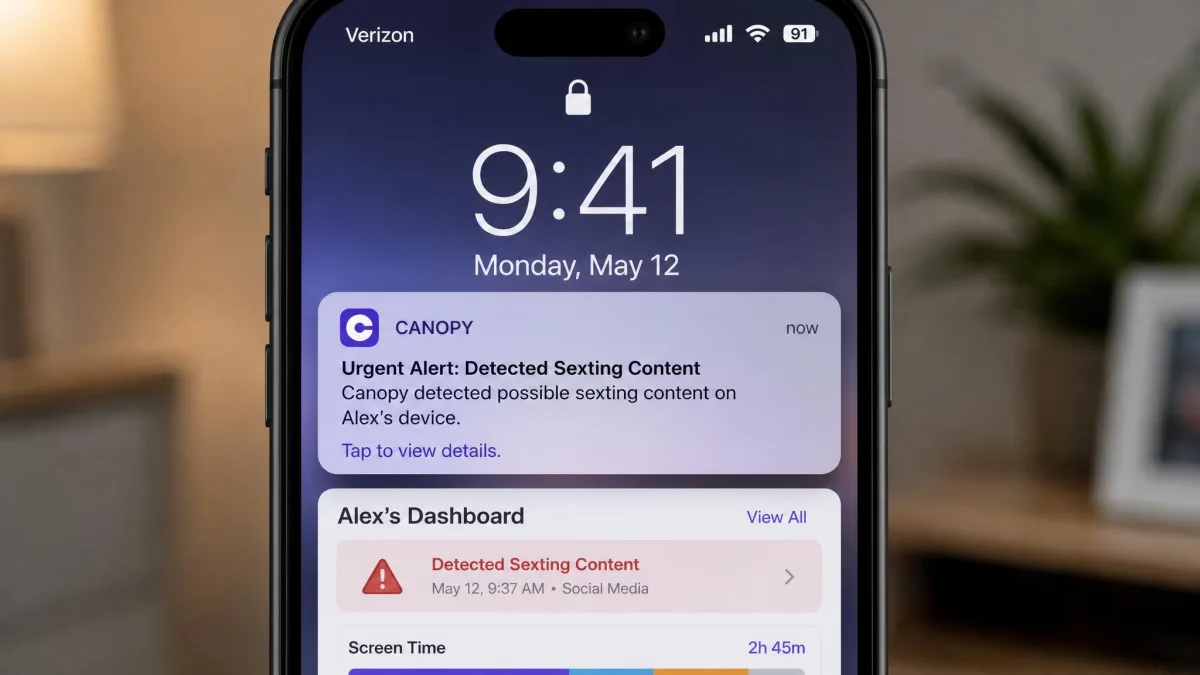
Canopy sends alerts rather than reports. It tells you when sexting behaviour is detected, when someone tries to remove the app, and when a location rule triggers. What arrives is a notification about a moment, not a record you can scroll back through. Whether that suits you depends on what you are after: a nudge when something goes wrong, or a log you can review at the end of the week.
If you want both layers, run Canopy's filtering on the younger child's device and Qustodio's reporting on the teen's. There is no rule that a household has to standardise on one app.
Ease of Setup and Day-to-Day Use
None of those features matter until the app is actually on the device, and setup is where platform, not brand, decides your afternoon. Android setup finishes in a few minutes. iPhone setup can stretch past an hour, because iOS throws extra security prompts and profile installations at you and some of those steps sit waiting on the device. That pattern holds for both apps, and it is worth blocking out real time for it rather than starting fifteen minutes before school.
Day to day, Qustodio's dashboard is the busier of the two, which is the point: it consolidates several devices and several children into one screen. Canopy's is calmer and shorter, because there are fewer things to configure. Neither app demands technical skill, but Qustodio rewards a parent who is willing to tune categories and schedules, while Canopy mostly asks you to install it and leave it alone.
Do the setup on the child's device with the child present, and explain what the app does and does not see. An app that is discovered rather than introduced turns into a harder conversation than the one you were avoiding.
Device and Platform Support (iOS, Android, Windows, Chromebook)
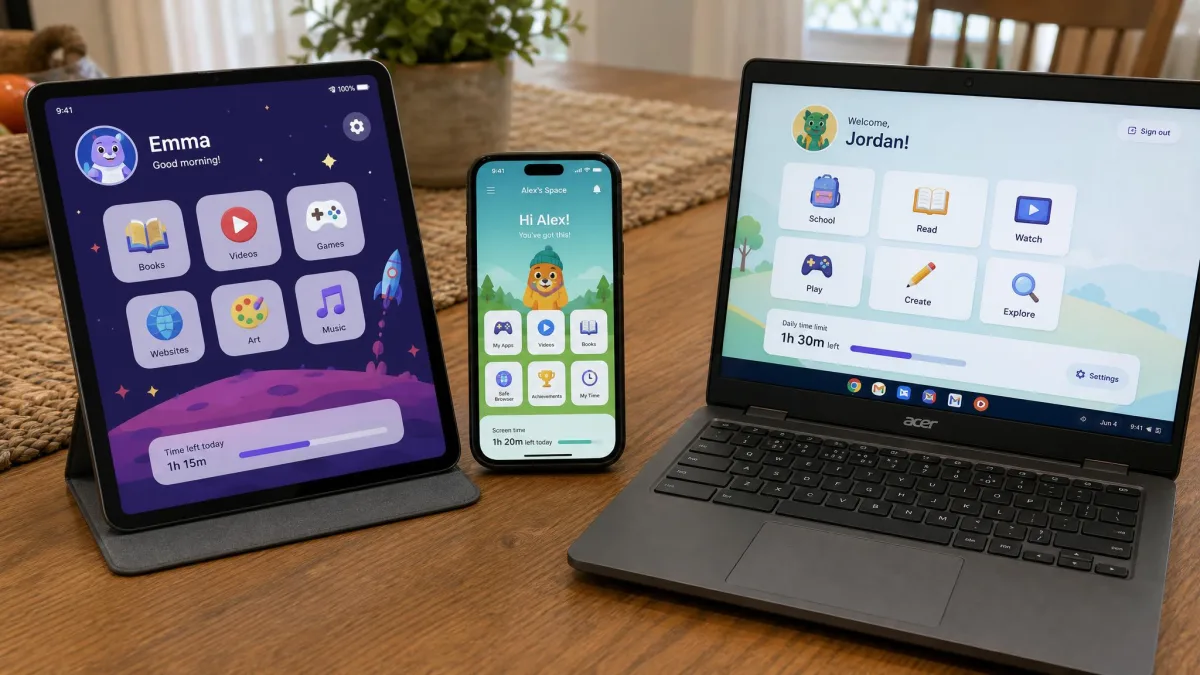
Canopy runs on Android, iOS, macOS, Windows and Chromebook. Qustodio covers Windows, macOS, Android, iOS, iPad, Chromebook and Kindle, with browser extensions for Chrome, Firefox, Edge and Safari. On paper Qustodio has the wider net, and Kindle support in particular is rare.
The real story is that both apps are strongest on Android and weakest on iOS, because Apple decides how much a third-party app is allowed to see. On Android, Qustodio can log calls and texts and offer a panic button. None of that exists on iPhone. Canopy leans on a VPN profile to filter traffic on iOS, and a determined child can switch that profile off, which is the same structural limitation dressed differently.
Do not assume feature parity across platforms. If your child uses an iPhone, check that the specific feature you are buying for actually works on iOS before you pay for a year.
Pricing and Plans Compared
Those platform gaps price differently than you would expect, and both vendors move their figures around, so treat the numbers below as the shape of the pricing rather than a quote.
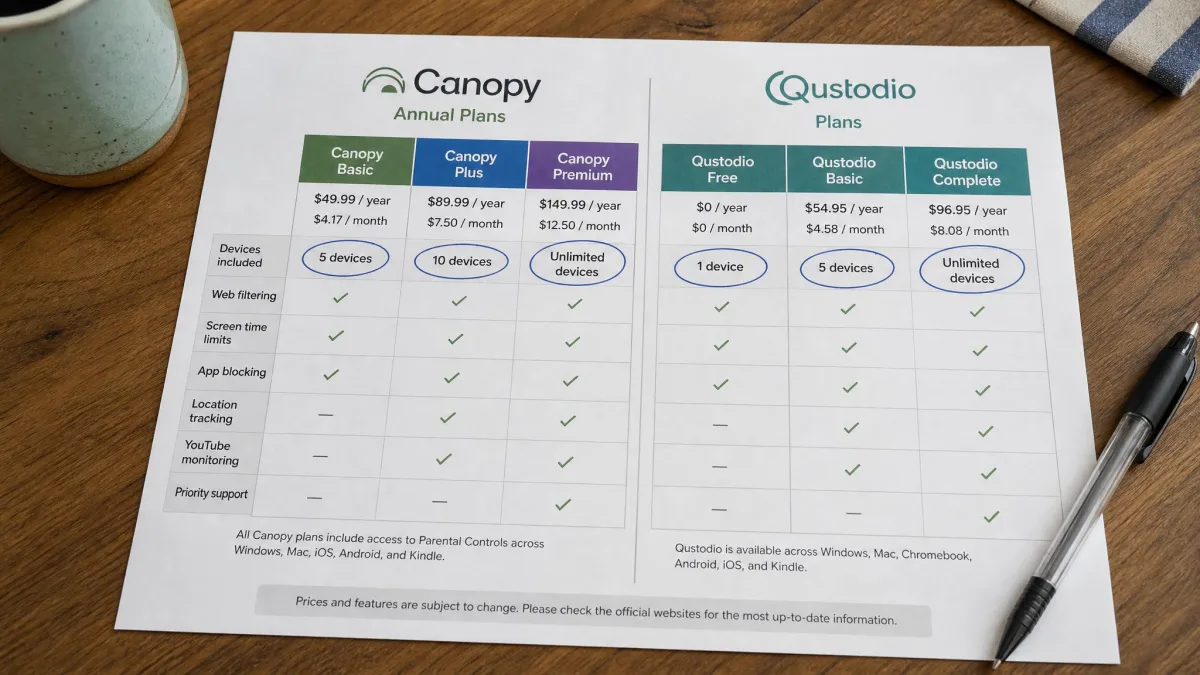
Canopy sells three annual tiers. Essential runs about $8.33 per month billed annually for a single device, though Canopy's tier prices shift with promotions and the plan you pick, so check the current rate at checkout. Plus runs about $9.99 per month billed annually for up to three devices, and annual-only billing means the headline monthly figure is really a lump sum. Premium runs about $12.50 per month billed annually for up to ten devices, but the top tier is described as unlimited in places and capped at ten devices in others, so confirm the cap before buying for a large family. There is no free tier, only a 7-day free trial.
Qustodio has a genuine free plan covering a single device with web filtering, screen time management and 7-day activity reports. Basic is listed at $59.95 per year and protects up to 5 devices, though Qustodio's list price varies by region and promotion and the site shows more than one annual figure for the same tier. Complete is listed at $104.95 per year with unlimited devices, and that annual figure differs between the vendor page and retail listings, so confirm it at checkout. Qustodio also carries a 30-day money-back guarantee.
Support is priced differently too. Canopy includes phone and email support, though phone support only answers during business hours. Qustodio's standard support is email only, with replies taking up to 48 hours, and priority support costs $12.99 as a Care Plus add-on to Basic or comes included with Complete.
Which One Is Better Value?
For one child on one device, Qustodio's free tier is unbeatable on price and Canopy has nothing to answer it with. For a household of three or more devices, the calculation flips depending on what you want: Qustodio Basic covers 5 devices for less than Canopy's three-device tier costs across a year, but you are buying monitoring rather than image filtering. If explicit content is the thing keeping you up at night, Canopy is the better spend even at the higher per-device rate, because nothing in Qustodio's plan does that job.
Privacy, Data Handling and Removal Prevention
Reporting depth carries a privacy cost, and it is not the same cost for both apps. Both collect data about children, which puts them squarely inside COPPA in the United States. Neither vendor's model is unusual for the category, but the amount of data they hold differs sharply.
Qustodio collects more, because reporting requires it: browsing history, app usage, location, and on Android, calls and messages. Canopy collects less, because it filters content in the moment rather than building a log of it. It does not log texts or emails at all, by design. If you are uneasy about a company holding a record of your teenager's messages, that difference should weigh heavily.
On removal prevention, both apps hold the line. Qustodio cannot be uninstalled from a child device without the parent's credentials, and Canopy's removal prevention stops a tech-savvy child from deleting the app off a managed device. The weak point on both is iOS profile handling rather than the apps themselves, since a child who finds and disables a VPN profile has not uninstalled anything, they have simply switched the protection off.
Canopy vs Qustodio: Pros and Cons
Pros
- Canopy: real-time AI filtering removes explicit images and video before a child sees them
- Canopy: no message or email logging, which preserves more of a child's privacy
- Canopy: strong removal prevention, and phone support alongside email
- Qustodio: a broad set of monitoring, reporting and screen time features across a whole household
- Qustodio: wide platform coverage including Chromebook and Kindle, and call and SMS logging on Android
Cons
- Canopy: no free plan, annual billing only, and thin scheduling and location features
- Canopy: cannot filter inside Netflix, Hulu or Prime Video, and blocks privacy browsers outright
- Qustodio: category filtering misses explicit images on allowed pages
- Qustodio: geofencing can be unreliable, and email-only support can take 48 hours
- Qustodio: on Trustpilot, 49% of Qustodio reviewers left one star, with slow replies and inaccurate reporting the dominant complaints
Alternatives to Canopy and Qustodio
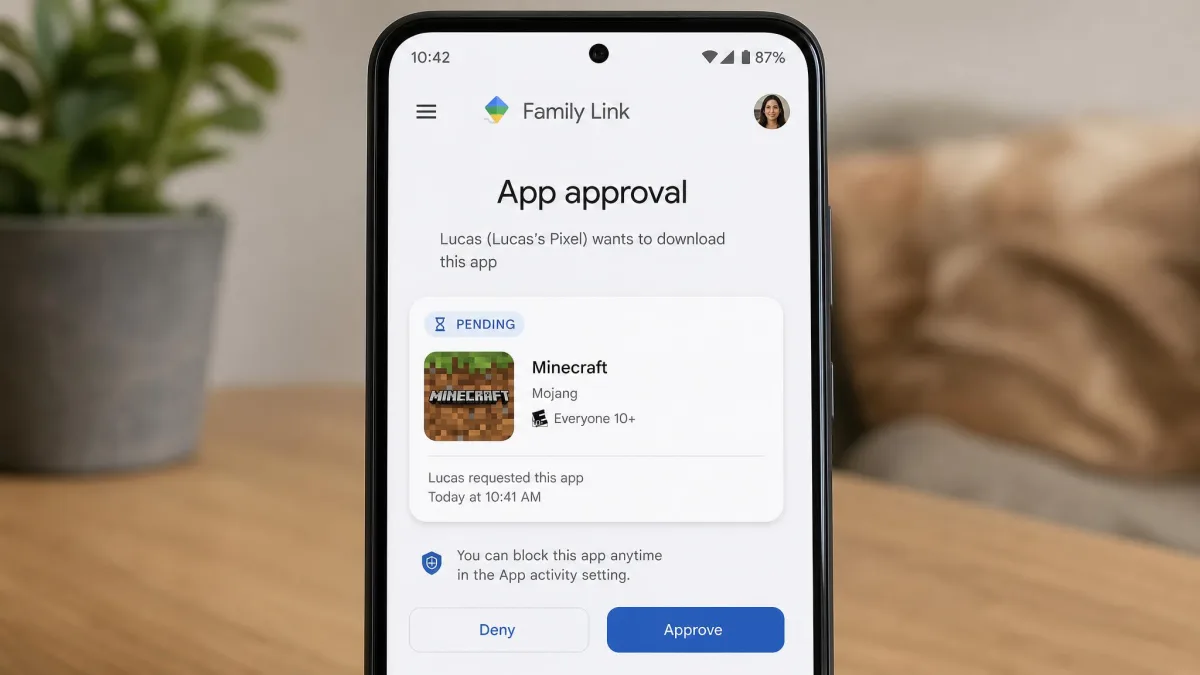
If neither app fits, two alternatives are worth a look before you spend anything. Google Family Link is free, handles app approval, screen time and location on Android, and is more than enough for a first phone. Apple's built-in Screen Time does the equivalent job on iPhone and iPad.
Beyond the free options, Kaspersky Safe Kids is the closest direct rival to both apps and undercuts them on price, while Bark takes a different route again by scanning messages and social accounts for signs of trouble rather than blocking sites. Pew Research data on teen social media use is a useful reality check on where teens actually spend their time before you pick a tool to manage it.
Verdict: Which Should You Choose?
There is no single winner here, because the two apps are not really competing for the same job. When it comes to blocking explicit content, Canopy is clearly ahead. When it comes to knowing what your child is doing across their devices, Qustodio is clearly ahead. What we can tell you is which failure you would rather risk.
Choose Canopy If Your Priority Is Blocking Explicit Content
Pick Canopy if your child is young, if pornography is your main worry, and if you would rather protect than surveil. It is the better app for a nine-year-old with a tablet, and its refusal to log messages is a feature for a lot of families rather than an omission. Budget for annual billing and accept that its screen time and location tools are basic.
Choose Qustodio If Your Priority Is Monitoring and Screen Time
Pick Qustodio if you have several children on several devices, if your worry is hours and habits rather than images, or if you want to try something before paying. On Android the paid plan gives you more visibility than anything Canopy offers, and the multi-device dashboard is what keeps a busy household from losing track. Just go in knowing that support is slow.