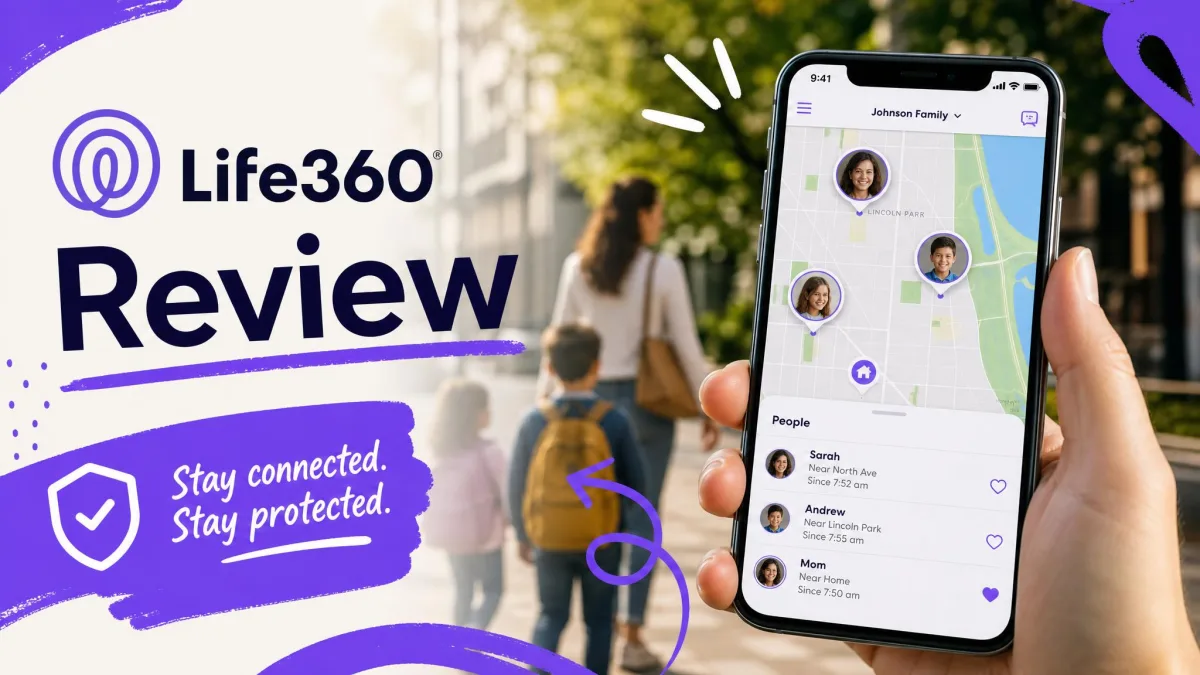
Life360 is a family location and safety app that puts everyone you choose into a private group, called a Circle, on one shared live map.
It's built for parents who want to know where their kids are, for adults keeping an eye on an older relative, and for couples who'd rather not send another "are you home yet?" text.
The free plan covers the live map, a short slice of location history and a couple of geofenced Places. The paid plans add driving reports, crash dispatch and identity protection.
Our view, after working through every tier and the company's record, is that Life360 is the most complete mainstream family tracker you can install today. It is also one of the easiest apps on your phone to overpay for, and plenty of families get exactly what they came for without ever leaving the free plan.
Life360 at a Glance: Our Verdict and Score
The score below weighs what the map and the safety features get right against what the billing record gets wrong.
This review covers the current iOS and Android builds, the published US plan terms, and the pattern of complaints families leave on the independent review platforms. Prices reflect August 2026.
What Is Life360 and How Does It Work?
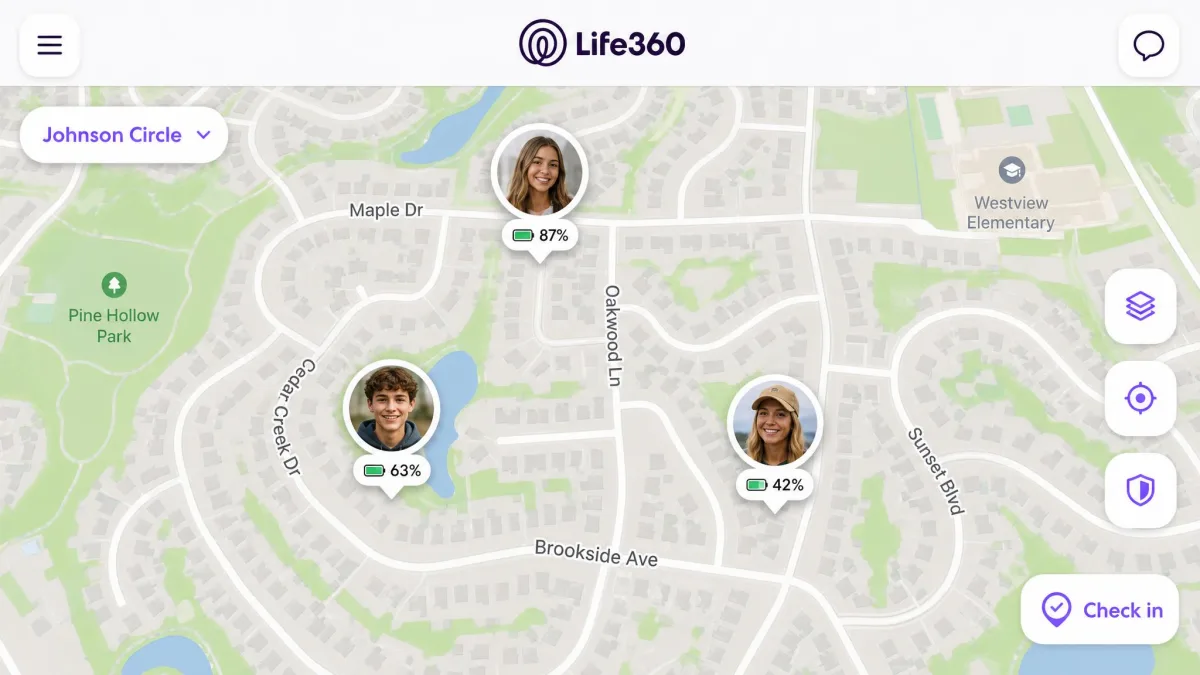
The app is a lot simpler than its plan menu suggests. You create a Circle, invite family members by link or code, and everyone who joins shows up as a pin on a shared map with their battery level beside their name. Updates run in the background, so nobody has to open anything for the map to stay current.
Around that map sit the extras:
- Geofenced Places that ping you on arrival and departure
- A rolling drive and location history
- Crash Detection, with an emergency dispatch layer on the upper tiers
- An SOS button with a silent alert
- Emergency contacts who sit outside the Circle
Life360, Inc. is a publicly traded company headquartered in San Mateo, California, listed on the ASX under the ticker 360 and on the Nasdaq under LIF. It has been around since 2007, though some profiles date it to 2008, when the app launched. It also owns Tile, bought for $205 million in November 2021, and the wearable tracker maker Jiobit, bought for $37 million the same year.
The app is a heavy one. iOS needs iOS 17.2 or later and the download weighs 567.2 MB, while Android needs Android 10 or newer plus GPS, an accelerometer, a gravity sensor and a gyroscope.
Life360 Features: What You Actually Get
The app splits into two halves. One is the map and everything built on top of it, and the other is what happens when something goes wrong.
Real-Time Location Sharing and Circles
The live map is why almost everyone installs this, and it's the part Life360 does best. In towns and cities with a strong signal, member pins land where they should and the map refreshes every few seconds.
Accuracy outdoors runs to within a few yards, and it drops off indoors or wherever the signal is weak.
Everyone in a Circle sees everyone else, and there's no one-way mode for a parent who wants to watch without being watched. How many people fit in a Circle isn't clear either. Life360 markets the free plan as covering the whole family, while a 99-member ceiling gets quoted elsewhere, so we wouldn't build a large Circle on the assumption that either figure holds.
Place Alerts and Geofencing
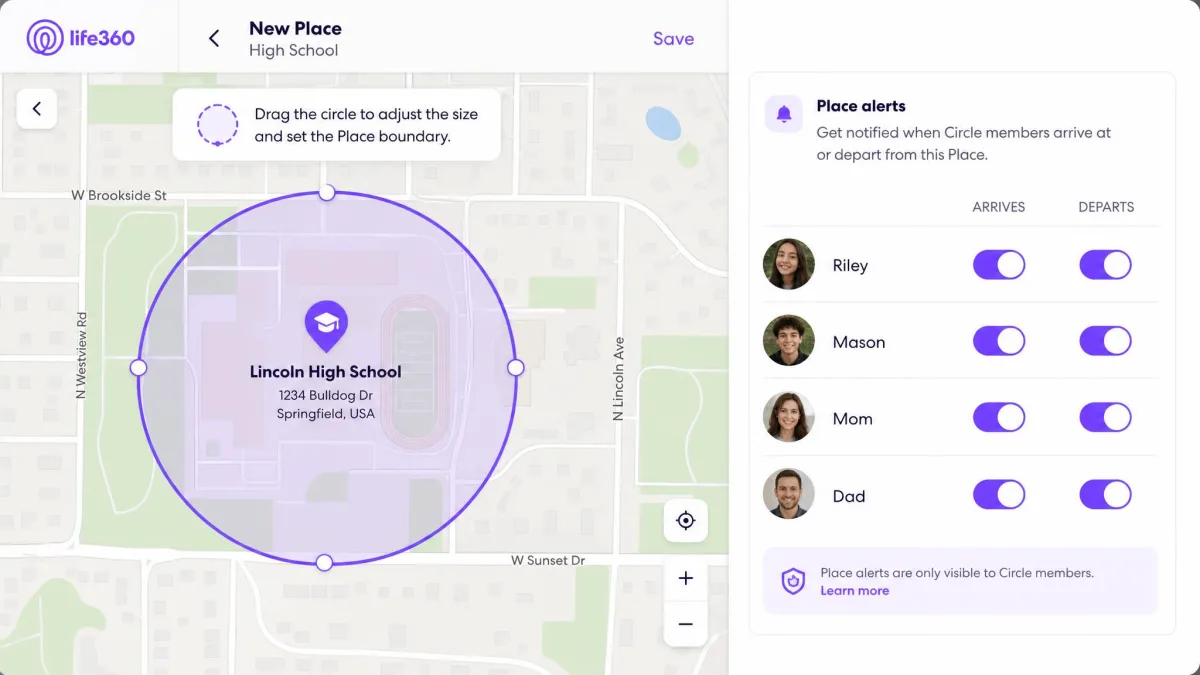
Places turn the map from something you check into something that tells you. Draw a geofence around a school, a workplace or a friend's house, and the app notifies the Circle when someone arrives or leaves.
Those alerts fire promptly in both directions once the fence is set.
They're also the most aggressively gated feature in the product. Free memberships get 2 Places, Silver raises that to 5 Places, and Gold and Platinum jump to 99 Places with an unlimited number of alerts.
Location History
Where Places cap how many spots you can watch, history caps how far back you can look. Free memberships keep 2 days of drive and location history, Silver keeps 7 days, and Gold and Platinum both keep 30 days.
That's the difference between answering "where were you this morning" and reconstructing a whole month.
The retention window covers drive history as well as location breadcrumbs, so when you downgrade a plan, anything older than your new tier's window stops being visible to the Circle.
Driving Reports and Crash Detection
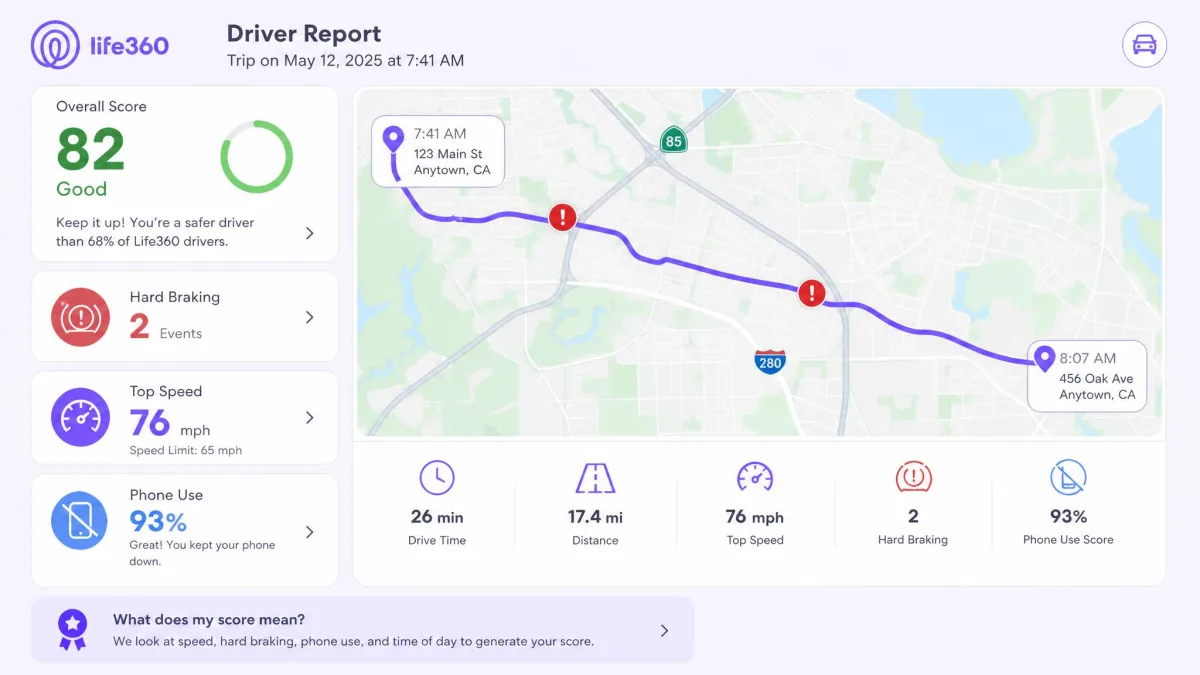
Driving is the feature families keep using once the novelty of the map wears off. Each individual driver report scores a trip on speed, hard braking, rapid acceleration and phone use, which gives a teen driver conversation something concrete to sit on.
Those reports are a paid feature, and the free plan doesn't include them.
Crash Detection runs off the phone's motion sensors and is built to pick up collisions above 25 mph. Crash alerts reach Circle members on every tier including free, while the 24/7 emergency dispatch layer that calls the driver and sends help is a Gold and Platinum feature.
It is not infallible. Crash Detection routinely misses rear-end knocks and fender benders, and it has failed to fire in confirmed serious crashes, including collisions that deployed airbags and wrote the vehicle off.
SOS and Emergency Assistance
SOS is the manual version of the same idea, for the moments a crash sensor was never going to catch. Holding the button starts a 15-second countdown, then pushes a silent alert carrying the member's location to the Circle and to their emergency contacts.
It arrives as a Critical Alert, so it makes a sound even on a phone set to silent.
Emergency contacts sit outside the Circle, so a grandparent or a neighbour can be told about an SOS or a detected crash without seeing anyone's location. Roadside assistance starts at Gold. Platinum adds towing, disaster response, medical assistance and travel support.
Digital Safety and Identity Protection
The upper tiers stop being a location product and start being an insurance bundle. Gold includes $250 of stolen phone protection and $25,000 of stolen funds reimbursement, alongside ID theft protection with credit monitoring and data breach alerts. Platinum raises stolen phone cover to $500 and lifts ID theft cover to $1 million per Circle member per year.
Whether that's good value depends on what you already have, because plenty of credit cards and home insurance policies include some ID theft help.
Life360 Plans and Pricing: Free vs Silver, Gold, and Platinum
Those features are gated across four tiers, and the steps between them are steep. One thing works in your favour, though. A membership covers the whole Circle rather than each member, so a household of six pays the same as a couple.
Paid memberships open with a 7-day free trial, one per account.
| Feature | Free | Silver | Gold | Platinum |
|---|---|---|---|---|
| Monthly price | $0 | $7.99 | $14.99 | $24.99 |
| Annual price | $0 | $79.99 | $149.99 | $249.99 |
| Location history | 2 days | 7 days | 30 days | 30 days |
| Places with alerts | 2 Places | 5 Places | 99 Places | 99 Places |
| Driver reports | No | No | Yes | Yes |
| Crash Detection alert | Yes | Yes | Yes | Yes |
| 24/7 emergency dispatch | No | No | Yes | Yes |
| Roadside assistance | No | No | Yes | Plus towing to 50 miles |
| Stolen phone protection | No | No | $250 | $500 |
| ID theft cover | No | No | $25,000 stolen funds | $1 million |
| Free trial | None | 7-day | 7-day | 7-day |
What the Free Plan Actually Includes
The free plan costs $0 and stays free indefinitely, with no expiry date and no card on file. For that you get:
- Real-time location for every Circle member, with their battery level
- 2 Places with arrival and departure alerts
- 2 days of location and drive history
- Crash Detection alerts to the Circle
- SOS alerts to the Circle and to your emergency contacts
- In-app family chat and check-in
What's missing is the paid safety net rather than the tracking. There are no driver reports, no 24/7 dispatch, no roadside cover and no identity protection.
Install the free tier and live with it for two or three weeks before deciding anything. The two ceilings that push families to upgrade are Places and history, and you'll know quickly whether either one actually bothers you.
Is Life360 Premium Worth Paying For?
Silver is the tier we'd think hardest about, because $7.99 a month buys three more Places and five more days of history and nothing else.
Gold is where the money starts doing something. Driver reports, 24/7 emergency dispatch, roadside assistance and the $25,000 stolen funds cover all arrive at once, and for a household with a new driver that bundle is the point of the app.
Platinum is a specialist purchase. Unless you want $1 million of ID theft cover per member and towing up to 50 miles, the extra hundred dollars a year over Gold is hard to justify.

We may earn a commission if you subscribe through the links on this page, and it never changes what we score or recommend.
Setup and Ease of Use
Whichever tier you land on, getting started works the same way, and the first pass through it is quick. You install the app, sign up with a phone number, verify with a code, create a Circle and send out invites.
Email verification is the step that stalls, because resent codes sometimes overlap or never arrive at all.
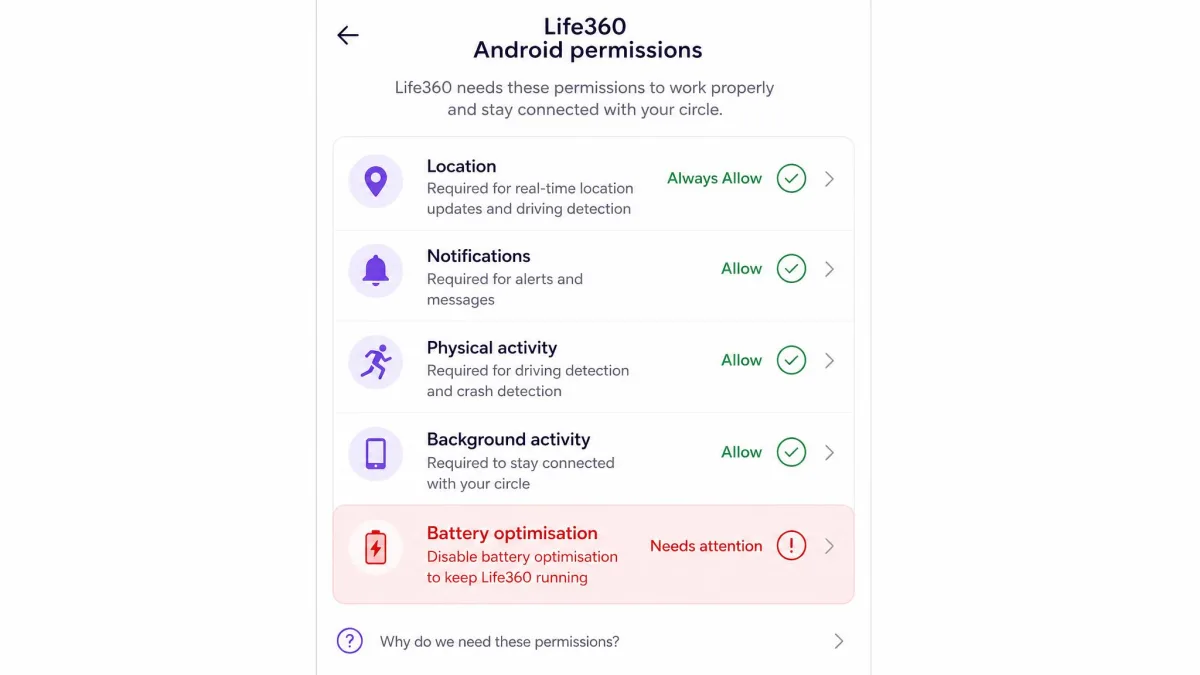
The longer job is permissions, and this is where families get caught out. Full accuracy means switching on a stack of them on every phone in the Circle:
- Location access set to Always, not "While Using"
- Motion and fitness activity
- Drive detection
- Crash detection
- Push notifications
On Android there's one more step. Open Settings, then Apps, then Life360, then Battery, and set the app to Unrestricted, because the system will otherwise throttle it in the background and locations quietly stop refreshing.
Once it's configured, the app runs smoothly on both iOS and Android with no lags or freezes. The map is the home screen, which is the right call.
Life360 Pros and Cons
Getting it running is the easy part, and the trade-offs only start to show once the app has settled into everyday use on everybody's phone.
Pros
- Accurate real-time location wherever the GPS signal is decent
- Crash Detection and driver reports built for teen drivers
- Place alerts fire promptly on arrival and departure
- SOS with a 15-second countdown and Critical Alert delivery
- A genuinely useful free tier with no expiry date
- One membership price covers the whole Circle
Cons
- Battery drain of roughly 10% to 20% of a day's charge
- Always-on location sharing raises real privacy concerns
- Gold and Platinum cost more than most families need to spend
- Teens can defeat it by revoking a permission or powering the phone off
- Android needs battery optimisation disabled to stay reliable
- Pins can freeze at an old address or land half a mile off
Privacy and Data Sharing: What Families Should Know
That always-on trade-off has a history, and it's the part of this review we'd want a family to read twice. In December 2021, an investigation by The Markup found Life360 was selling precise location data on its then 33 million users to roughly a dozen location data brokers. The company said in January 2022 that it would stop selling precise data to those brokers, while keeping precise sales to Arity and aggregated sales to Placer.ai.
A proposed class action over those sales followed in 2023, and it was voluntarily dismissed with prejudice that November. No compensation fund was created, and no court ruled on the practice.
There's a security record as well. An unsecured Android login API exposed the names and mobile numbers of 442,519 people, and the flaw was exploited in March 2024 before the database was listed for sale on a hacking forum that July. A separate June 2024 intrusion hit Tile's internal support platform through stolen credentials, and the company has never published how many Tile customers it affected.
None of this is unique to Life360, which is the uncomfortable part. Academic research on parental-control apps presented to the FTC catalogued 135 vulnerabilities across the tools it tested. A companion paper on the documented pitfalls of parental controls makes the same point about the category.
Every family safety app asks you to trade location privacy for peace of mind. The only question worth arguing about is who else ends up holding the data.
— Our read of the family safety category
Always-on sharing builds a permanent record of where your family goes, held by a company that has sold precise location data before. Decide what that record is for, and delete Circles you no longer use rather than leaving them running.
Battery Drain: How Bad It Is and How to Reduce It
Privacy is the cost you can't see. Battery is the one everybody notices in week one.
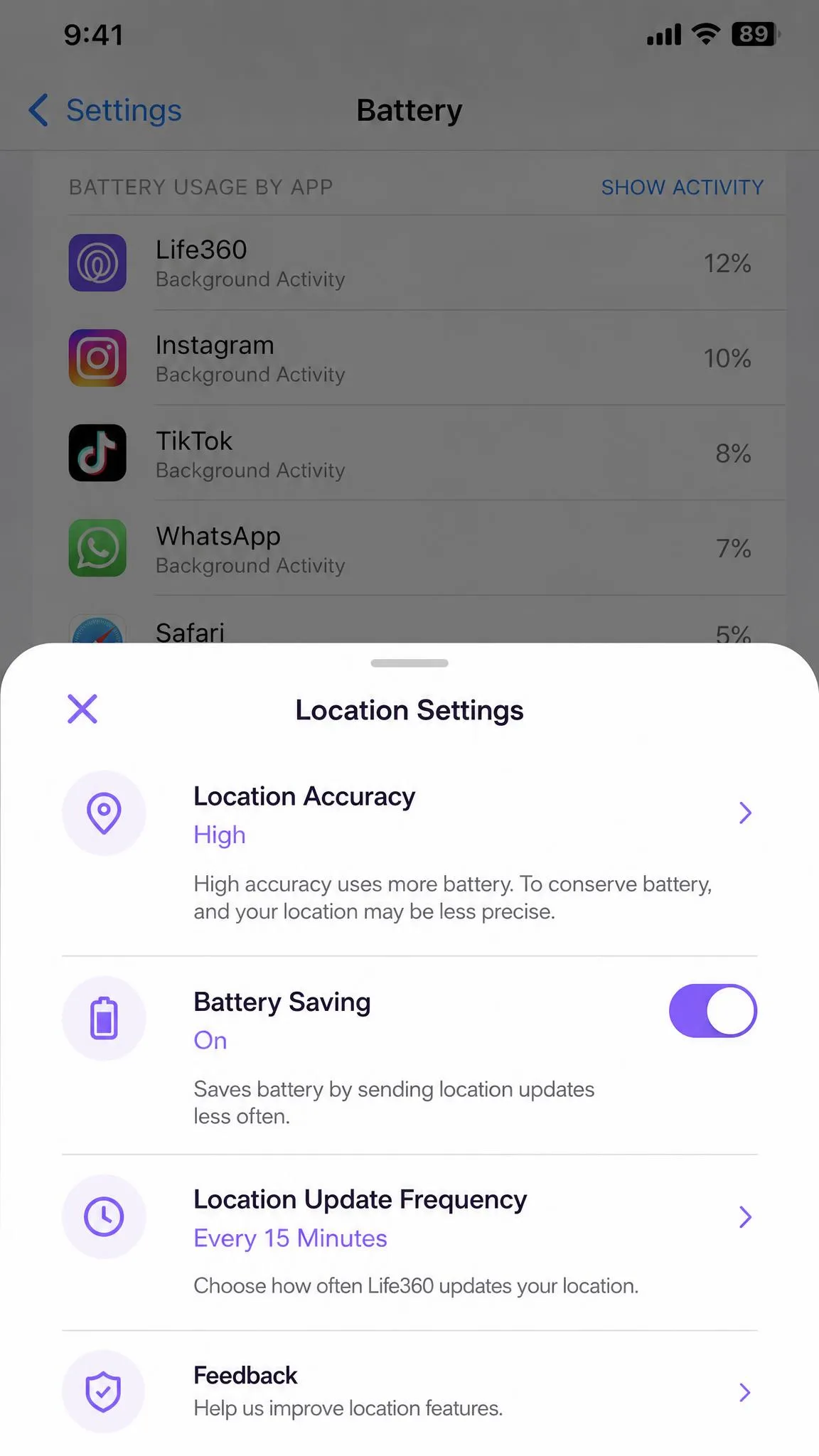
Expect Life360 to cost somewhere between 10% and 20% of a day's charge on a phone that runs it continuously. That range is wide because the cost swings with the handset, the signal strength, how much the phone moves and whether Crash Detection is on.
Drives are the expensive part, since the app pulls GPS and reads the accelerometer at once. That's why a teen driver's phone sits at the top of the range.
Most of the damage is fixable without switching location off:
- Turn on Battery Saving mode in the app, which cuts the sampling rate without disabling location
- Delete Places you no longer use, because every geofence is another thing to monitor
- Switch off Drive Detection for Circle members who don't drive
- Keep the app updated, since background location handling changes with each OS release
- Charge in the car on long trips rather than fighting the drain
Battery Saving mode is the single change that makes the most difference, and it costs you refresh speed rather than accuracy. Turn it on for every non-driver in the Circle, and leave it off for anyone whose driving you want scored.
Accuracy Problems and Where Life360 Falls Short
Battery drain is a problem you can manage with a few settings, whereas accuracy is largely out of your hands.
In weak-signal and rural areas the update rate slows and the map stops being real-time in any meaningful sense. That's a GPS limitation rather than a Life360 bug, but it lands hardest where a parent most wants a reliable pin.
The map can also be plainly wrong in ordinary use. Pins land up to half a mile off, members freeze at an old address for hours, and phantom trips show up in the drive history that nobody took.
Those failures cause real friction at home, because a stale pin looks exactly like a lie. Families end up arguing about where somebody was when the honest answer is that the app was out of date.
There's no offline tracking either. When a phone is off, out of signal or has location switched off, the Circle sees only the last known position and the timestamp attached to it. Check that timestamp before you act on a pin, especially on a school run or a pickup where a few hours of drift changes the plan.
Then there's the category of things Life360 simply doesn't do:
- No web or app filtering
- No site or app blocking
- No screen time management or schedules
- No social content or image scanning
- No message monitoring
Parents arriving from a full parental control app hit that wall fast.
Life360 vs the Alternatives
Those gaps are the reason to see what else is on the shelf before you commit to a subscription.
| Feature | Life360 | Apple Find My | Google Maps Location Sharing | Qustodio | Apple AirTag |
|---|---|---|---|---|---|
| Price | $0, or $7.99 to $24.99 a month | $0 | $0 | $59.95 to $109.95 a year | $29 one-off |
| Platforms | iOS 17.2 and Android 10 | Apple devices only | Android, iOS, web | Android, iOS, Windows, Mac | Needs iOS 26 |
| Live location | Yes | Yes | Yes | Yes | Only near another Apple device |
| Location history | 2 days to 30 days by tier | No | No | Yes | No |
| Place alerts | 2 Places to 99 Places | Arrival and departure only | No | My Places on Complete | No |
| Driving reports | Gold and above | No | No | No | No |
| Crash detection | Yes, dispatch on Gold and above | Handset feature, not Find My | No | No | No |
| SOS | Yes, 15-second countdown | No | No | Panic button | No |
| Filtering and screen time | No | Screen Time, separate feature | No | Yes | No |
| Group size | Circle, member cap unclear | 6 in Family Sharing | Per contact | 5 devices on Basic | Per tag |
Life360 vs Apple Find My
If your household is entirely on Apple hardware, Find My does the location half of this for nothing. It's free and built into iOS, iPadOS, macOS and watchOS with an Apple Account, and Family Sharing covers up to 6 people once the organiser switches sharing on. You get live location for people, devices and AirTags, arrival and departure notifications, offline finding through the crowd-sourced Find My network, and Precision Finding on newer hardware.
What it doesn't do is the safety layer. There are no driving reports, no tiered place alerts and no Android app, and crash detection on Apple devices is a hardware feature of newer iPhones and Watches rather than part of Find My.
For mixed households the choice is made for you. Our roundup of iPhone tracker apps, tested covers the all-Apple options in more depth.
Life360 vs Google Maps Location Sharing
Google's answer matches Life360 for reach and falls well short of it for ambition. Sharing is free inside Google Maps on Android and iOS, with viewing on desktop and mobile web, and it shows a person's real-time position, name and photo alongside their battery level and charging state. You can share for a set window or until you turn it off, and it fires arrival and departure notifications.
The gaps are large. There's no location history for other people, no geofenced place alerts, no driving reports, no crash detection, no SOS and no emergency dispatch.
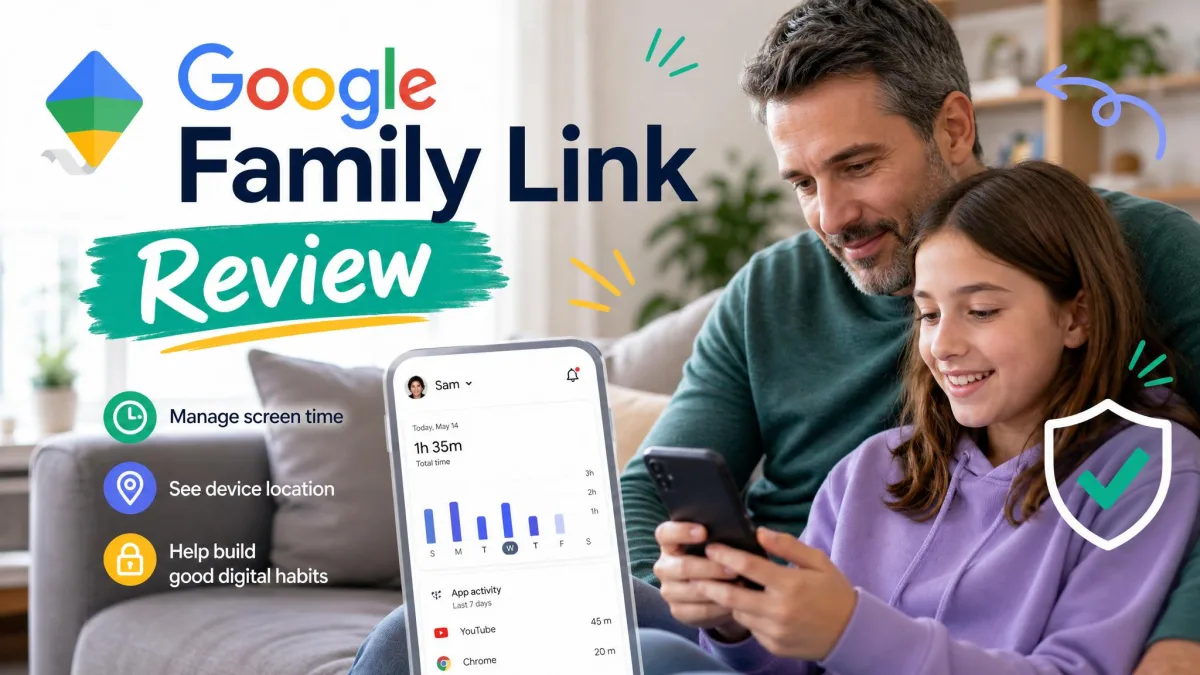
Parent-managed accounts run through Family Link instead, which we cover in our Google Family Link review. There are stronger options in our guide to Android GPS tracker apps, tested.
Life360 vs Dedicated Parental Control Apps
Where Life360 watches where a child is, a dedicated parental control app watches what they're doing. Qustodio runs $59.95 a year for up to 5 devices on Basic and $109.95 a year for unlimited devices on Complete, with a 30-day money-back guarantee. It adds web and app filtering, screen time limits, app blocking, a panic button and social monitoring. We compare Qustodio and Life360 head to head separately.
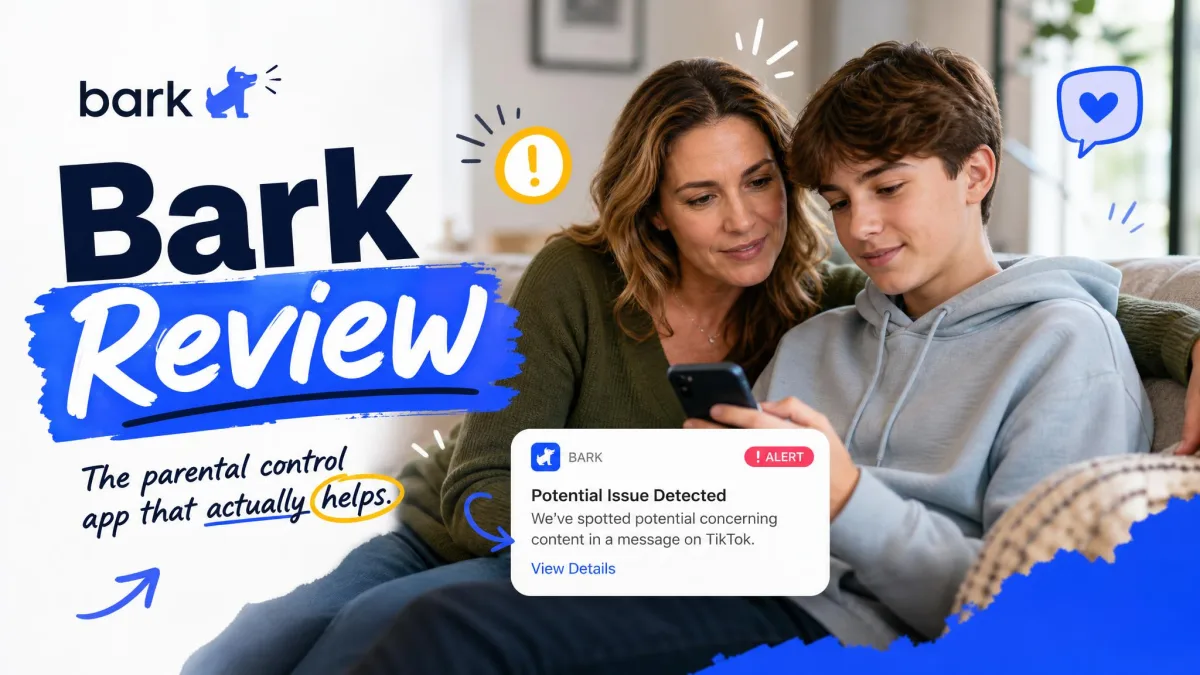
Bark takes the content-monitoring route at $49 a year for Bark Jr and $99 a year for Bark Premium after a 7-day free trial, scanning texts, email and social platforms for bullying, self-harm and predator signals. We cover how Bark and Life360 compare in full elsewhere.
Neither replaces Life360's driving reports or crash dispatch, and Life360 replaces neither one's filtering. Families with younger children usually need the filtering more than the map, so read our Qustodio review and our Bark review if content monitoring is the real problem.
Life360 vs Hardware Trackers (Jiobit, AirTag)
Hardware is the answer when the person you want to find doesn't carry a phone at all. Jiobit, which Life360 owns, is a cellular and GPS wearable that needs no phone of its own, with real-time tracking, geofences, a waterproof clip-on body and multi-day battery. The tracker costs roughly $130 to $150 depending on the promotion, and the required plan adds $99.99 billed yearly or $16.99 month to month.
Apple's AirTag is cheaper and does far less for this job. It's $29 for one and $99 for a four-pack with no subscription, and the second-generation model announced in January 2026 pushes Precision Finding up to 50% farther, though it needs an iPhone or iPad on iOS 26.
The limitation is structural. AirTag is Bluetooth only with no cellular or GPS, so its position updates depend on another Apple device passing nearby, and it offers no geofencing, driving reports, SOS or crash detection. Our roundup of the best phone tracker apps for families sets those trade-offs out side by side.
What Real Users Say: Life360 Customer Reviews and Complaints
The scoreboard on Life360 depends entirely on where you read it, and the gap between platforms is enormous.
| Platform | Score | Sample size | Dominant theme |
|---|---|---|---|
| Apple App Store | 4.8 out of 5 | Roughly 2.6 to 3 million ratings | Everyday use of the map |
| Google Play | 4.4 out of 5 | Roughly 2.17 million reviews | Everyday use of the map |
| Trustpilot | 1.6 out of 5 | Around 270 to 300 reviews | Billing and cancellation |
| Sitejabber | 1.7 out of 5 | 508 reviews | Billing and cancellation |
| ComplaintsBoard | 1.8 out of 5 | 9 reviews, 50 complaints | Billing and cancellation |
| Better Business Bureau | D-, not accredited | Three-year complaint window | Unanswered complaints |
The App Store community rates the app 4.8 out of 5, and Google Play's community gives it 4.4 out of 5 across roughly 2.17 million reviews. Trustpilot sits at 1.6 out of 5 for life360.com, with about 70% of ratings landing on one star. The Trustpilot profile is unclaimed, so none of those reviews carry a company reply.
ComplaintsBoard rates it 1.8 out of 5 across 9 reviews and 50 complaints, of which just two are marked resolved, a 4% resolution rate. The Better Business Bureau grades the business D- and does not accredit it, with nearly all recorded complaints unanswered. Letter grades do move as complaints age in and out of the three-year window.
The contradiction resolves once you notice what each platform collects. People rate the app in the store where they use it, and they rate the company on the review sites when something went wrong with money.
The complaints that dominate the independent review platforms are billing and cancellation, not the app's day-to-day behaviour. That's a customer service problem wearing a product review's clothes.
— Our read of the review platforms
Talking to Teens: Trust, Consent, and Ground Rules
Those complaints are about money. The harder conversation happens at home, and it's about consent.
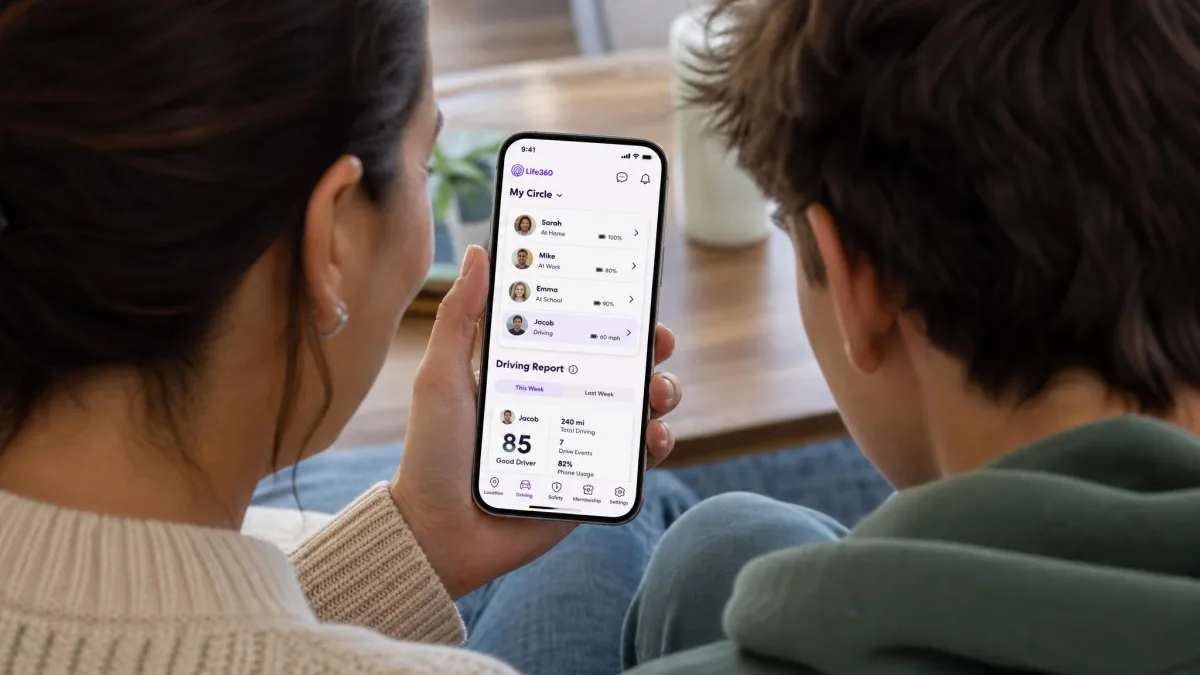
Location sharing lands badly with teenagers unless the ground rules are agreed up front, and that conversation about monitoring without invading their privacy matters far more than any setting in the app. Installed quietly, it reads as surveillance and gets treated accordingly.
They also have options. A teenager who wants out can force-quit the app, revoke the location permission, install a fake-GPS app on Android, or simply power the phone off, and the Circle is left looking at a stale pin.
That's why the technical fix is the weak one. Rules that hold up in daily life tend to look like this:
- Everyone in the Circle is visible to everyone else, parents included
- Say what the map is for, which is usually safety on the road rather than curfew enforcement
- Agree that you won't check it constantly, and then don't
- Treat a frozen pin as an app fault first, not as a lie
- Set a point where sharing gets reviewed, such as a birthday or the end of a school year
Customer Support, Cancellation, and Refunds
If those rules don't hold and you decide to stop paying, this is the part that trips families up.
Support looks reasonable on paper. Live chat runs 5am to 7pm PST seven days a week, there's email at support@life360.com and a phone line on (866) 277-2233. The Help Center articles are clear, and the chat window is easy enough to reach inside its posted hours.
It's the escalations that stall. Billing disputes and crash detection complaints are slow to get a response, and follow-up emails go unanswered often enough to be the loudest theme in the complaint record.
Cancelling is the roughest part of the product. It has to go through whichever store the membership was bought in, so the website sends members back to the App Store, Google Play or their web account, and that loop is easy to fail halfway through.
To cancel on an iPhone, open the Settings app, tap your name, choose Subscriptions, then tap Life360 and cancel. On Android, open the Google Play app, tap your profile icon, choose Payments and subscriptions, then Subscriptions, and cancel there.
Refunds are the bad news. Life360's terms state that it does not refund unused subscription time or fees, so cancelling leaves your access running to the end of the paid period rather than triggering a prorated refund.
Charges have also continued after cancellation attempts. That's how people end up blocking the payment or replacing the card to make it stop.
Who Should Use Life360 (and Who Should Skip It)
Put all of that together and the app suits a narrower group than its marketing suggests, though for that group it's hard to beat.
Life360 is a good fit if:
- You have a teen driver and want speed, braking and phone-use scores to talk about
- Your household mixes iPhones and Android phones
- You want one shared map that everyone in the family can see
- You'd use roadside assistance and ID theft cover, and would otherwise buy them separately
- An older relative living alone needs an SOS button they'll actually press
Skip it if:
- Everyone is on Apple hardware and you only need to find people
- What you need is filtering and screen time, which our list of free parental control apps we tested covers far better
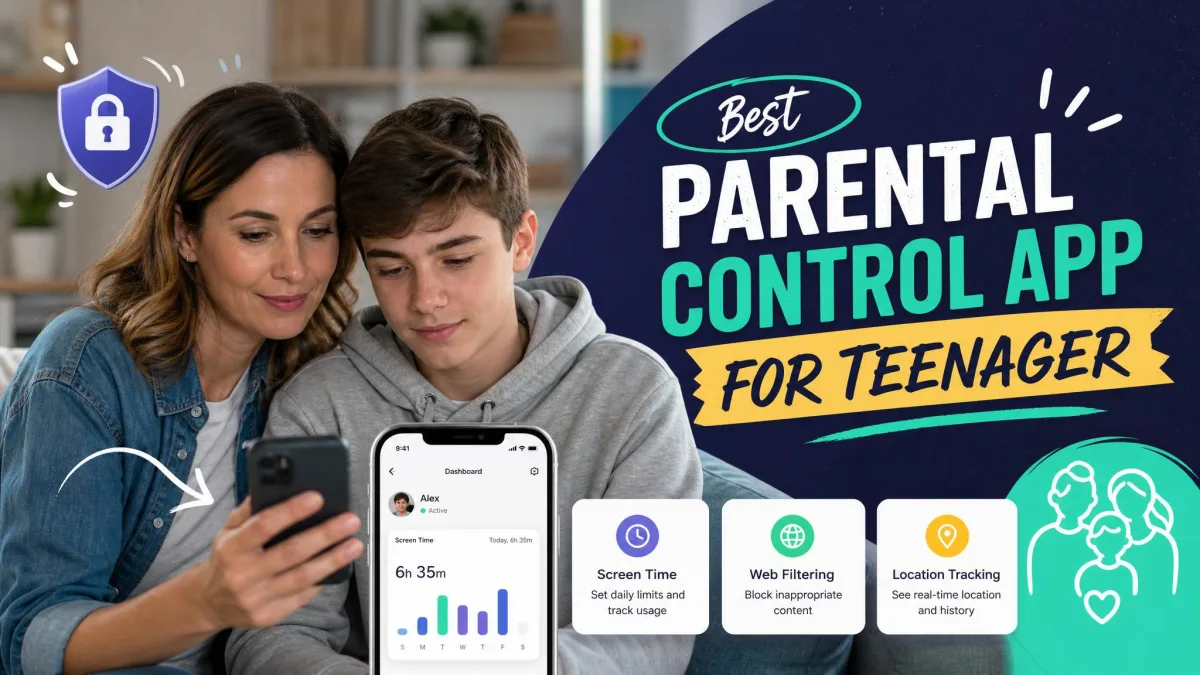
- Your children are young enough that content matters more than location, where parental control apps for teenagers and their younger-child equivalents are the better spend
- Nobody else in the house has agreed to be tracked
- Battery life on an older phone is already marginal
The Bottom Line: Is Life360 Worth It in 2026?
Life360 is worth installing for most families, and worth paying for in fewer cases than the plan page implies.
Run the free plan for a few weeks before you decide anything. If you never run out of Places and nobody in the Circle drives, no upgrade here is going to change your day.
Gold is the only tier we'd actively recommend buying, and mainly for households with a new driver. The driver reports and 24/7 dispatch are what you're really paying for, while Silver buys three more Places and five more days of history for $79.99 a year.
Knowing what the complaint record looks like, the one thing we'd do differently is simple. Subscribe through the App Store or Google Play rather than the website, so cancelling stays inside an account you already control.