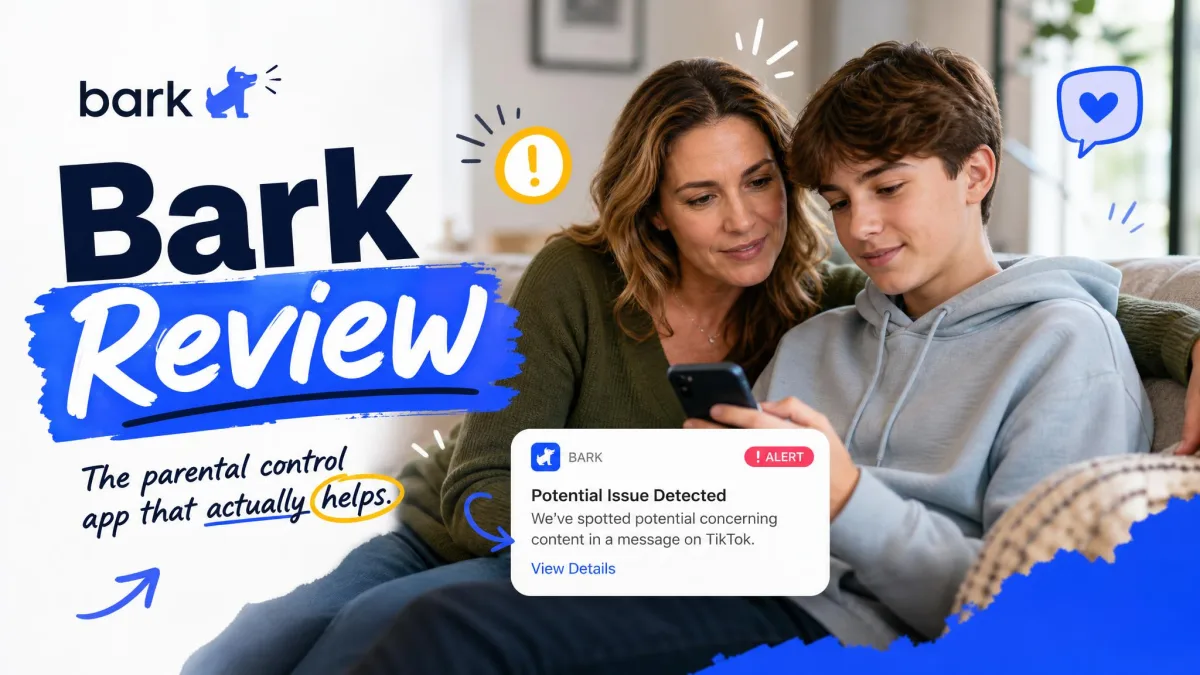
Bark is a parental control service that scans a child's texts, email and social media accounts with an AI model, then alerts you only when something in those conversations looks risky. It is a monitoring and alerting product first, and a blocking product second, which makes it very different from the screen time apps most parents try first.
It fits families who want oversight without reading every message their teenager sends, and who are willing to have an open conversation about the arrangement. It is the wrong tool for a parent who wants a full transcript of every chat, a browsing history log, or a silent install the child never notices.
Bark at a Glance: Our Verdict
Bark parental controls, at Bark's official site, has no connection to bark.com, the UK marketplace for hiring local services. Complaint pages and review threads about missed appointments or refunded bookings belong to that other company. This review covers the parental control app only.
What Is Bark?
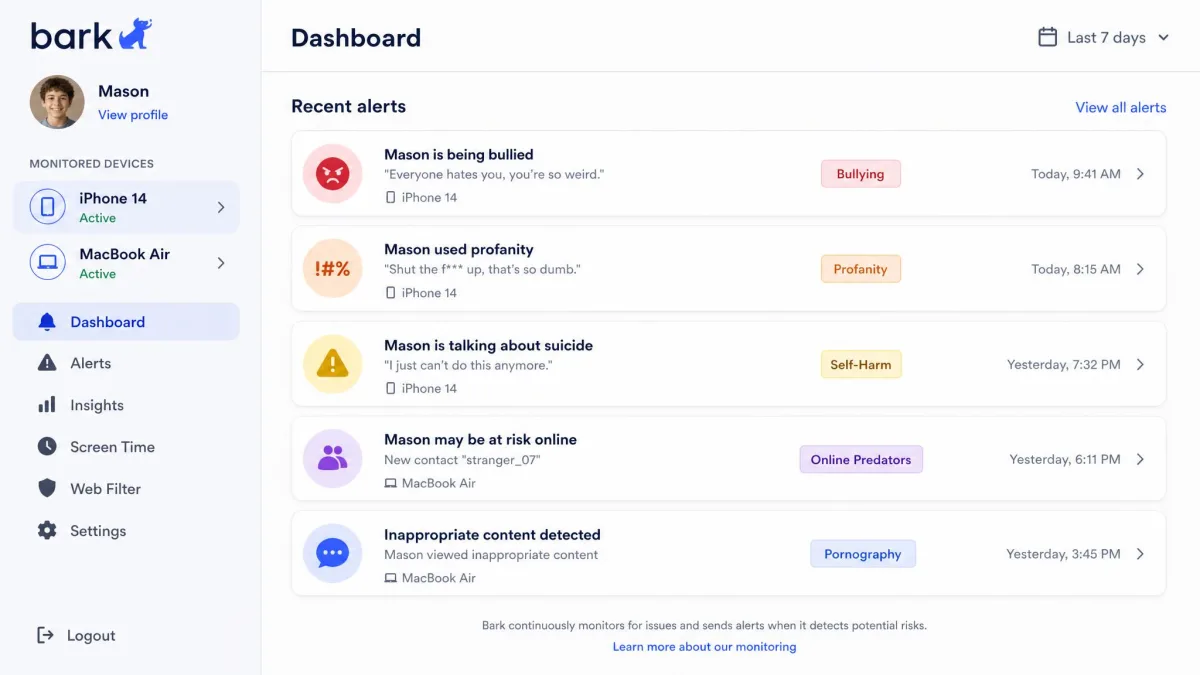
Before the pricing and the platform differences, it helps to be precise about what this service actually is. Bark is a family safety service built around content monitoring. You connect a child's device and their social accounts to a parent dashboard, and Bark's model reads what passes through those accounts. Instead of handing you the raw conversation, it surfaces the excerpts it judges concerning, with enough surrounding context that you can tell a joke from a genuine problem.
That design decision shapes everything else about the product. Bark shows flagged excerpts rather than the child's full message history, which suits families that want oversight without total surveillance and frustrates parents who expected to read everything.
Around that core, Bark has added the features you would expect from a general parental control app: website and app filtering, screen time schedules, and live location. It has also built hardware, including a phone, a smartwatch and a home network device, which exist mainly to close the gaps that Apple's and Google's operating systems leave open.
How Bark Works: Monitoring, Alerts, and Filtering
Bark sits between a child's accounts and the parent's phone. Once the connection is made, the service works quietly in the background and only interrupts you when its model decides something is worth your attention.
Content and social media monitoring
Bark monitors texts, email and a long list of social media apps and platforms. The company describes the list as 30 or more, though the count moves as Bark adds and drops platforms, and the roster that actually works is shorter on iPhone than on Android. Message content coverage is the widest available in this category, extending to services rivals ignore. When a track was flagged on Spotify, the alert arrived with the full lyrics pulled in so we could judge the context ourselves.
The first scan after setup reaches back roughly 60 days into social media history, so you get a picture of what has already happened rather than starting from zero.
One limit is worth knowing before you subscribe. Conversations are analysed in English, Spanish and Afrikaans, so non-English family chatter outside those languages is largely not analysed at all.
AI safety alerts and mood detection
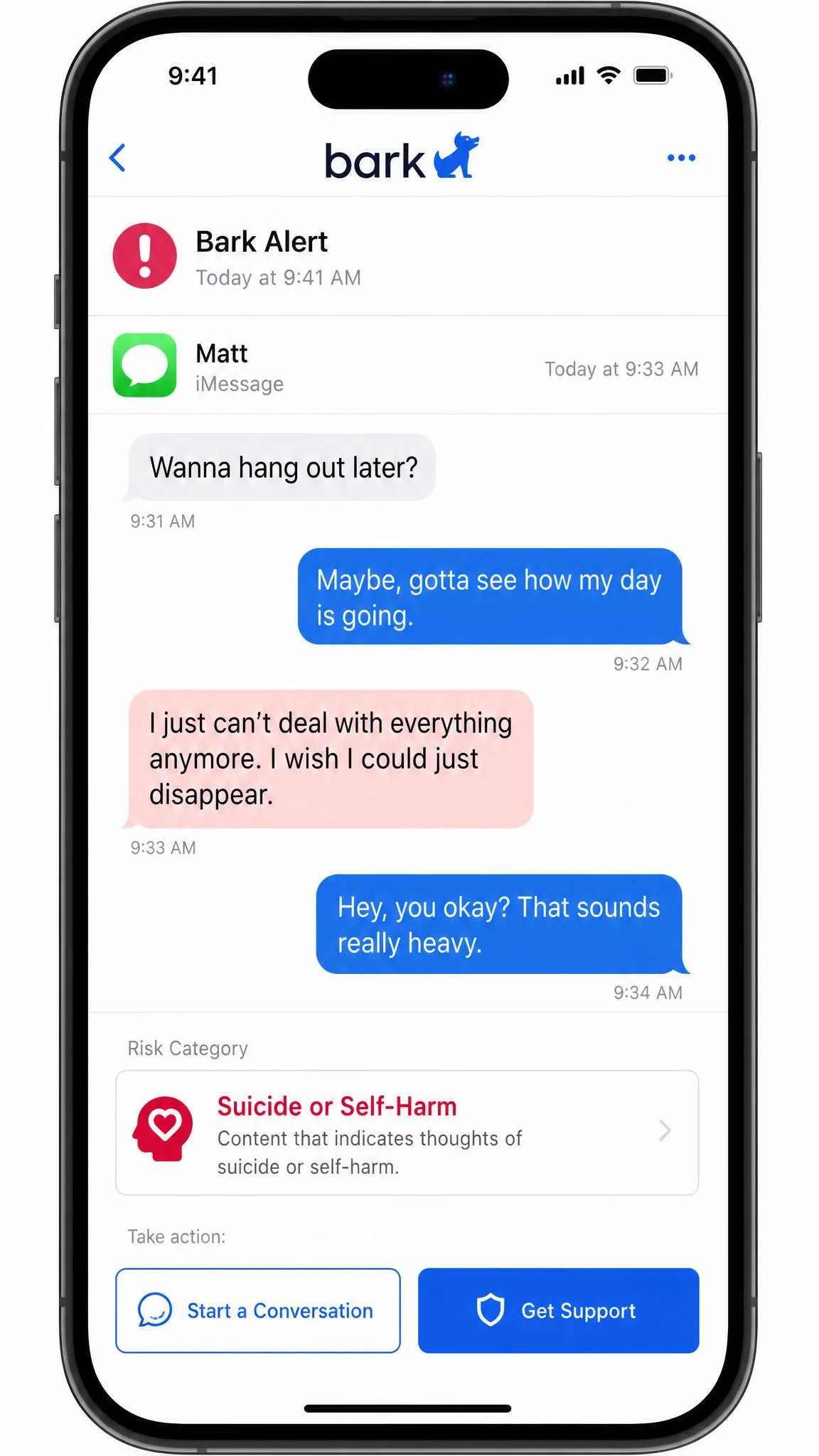
The model scans messages, images, video and audio against more than 29 risk categories, including bullying, suicidal ideation, sexual content, drug references and online predators. Bark says it has detected millions of severe self-harm and bullying situations, though those are cumulative vendor tallies that keep climbing and carry no published methodology, so treat them as marketing rather than measurement.
Accuracy is the part every parent asks about, and the honest answer is that detection is imperfect in both directions. Some risky content slips through unflagged, and a great deal of harmless content gets flagged. At higher sensitivity settings this becomes constant. A beer emoji in a friendly text triggered an alcohol warning, and a haircut appointment email came through as a possible self-harm risk. Alcohol and gambling references inside banner ads are enough to fire an alert, so you end up sifting notifications that have nothing to do with your child at all.
That said, sensitivity is adjustable, and turning it down is the standard fix once the alert volume becomes unmanageable. Doing that early is the difference between a service you keep and a service you mute.
Bark markets real-time alerts, and location check-ins do arrive immediately. Content alerts are a different story. They land on the dashboard rather than arriving instantly, and when we deliberately triggered risky site visits the notifications showed up later than we expected. Do not build a supervision plan that depends on a 24/7 instant warning.
Website and app filtering
Filtering works by category and by individual site. You switch off the categories you do not want your child to reach, add specific blocks, and the rules apply across the devices on the account. It is competent rather than clever, and it does what a school filter does.
The gap here is visibility. There is no browsing history view in the app-only product, so you can block a category but you cannot review where your child actually went. Parents who want a log will find this genuinely limiting.
Screen time limits and schedules
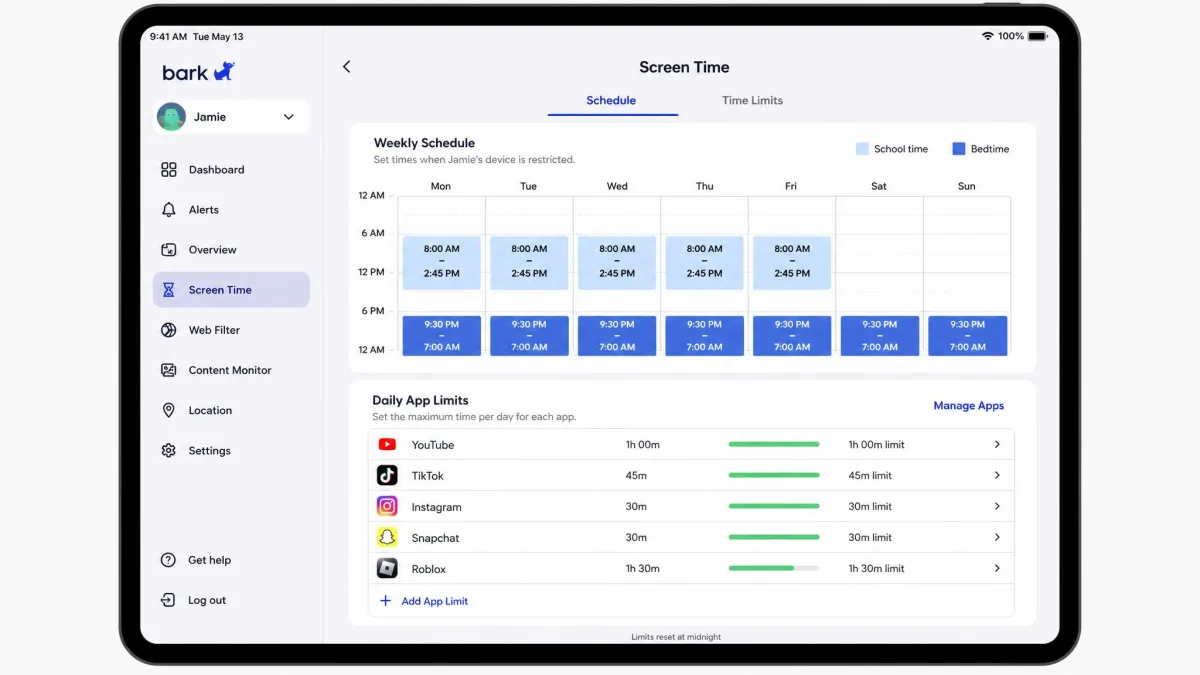
You get custom schedules and per-app daily limits, which cover bedtime, homework hours and the one game that eats every free minute. What you do not get on the standard app is a hard daily cap on total screen time. That control only arrives with the Bark Phone, which is a significant thing to discover after paying for a year.
Location tracking and the family map
Live GPS, location alerts and check-ins are all present, and the check-in notifications are the most reliable part of the whole location feature. Geo-fencing has been less dependable in our use, firing late or not at all often enough that we would not rely on it as the only signal that a child has arrived somewhere.
Running the app on a monitored phone also costs battery. The handset gets noticeably warm and drains faster than it did before, which matters if your teenager is already arriving home at 4 percent.
Bark Pricing: Plans and What Each One Costs
Coverage that wide is priced accordingly. Bark's plan structure is in transition, and the figures you see depend on where you look and which device you subscribe from. The App Store listing and most third-party reviews show the named tiers below. Bark's pricing page currently presents a platform split instead, listing a higher iPhone and iPad rate of around $20 per month or $148 per year against roughly $14 per month or $99 per year on Android. Check both before you commit, because Bark is mid-transition between the two framings.
| Plan | Monthly | Yearly | Devices covered |
|---|---|---|---|
| Bark Jr | $5.99 | $49.99 | Unlimited |
| Bark Premium | $14.99 | $99.99 | Unlimited |
| Bark Phone service | From $29 | Billed monthly | One handset |
| Bark Watch service | $15 | Billed monthly | One watch |
| Bark Home | From $6 | $79 one-time | Home network |
Every subscription covers unlimited devices and every child in the household, which is the single most parent-friendly thing about the pricing. A family with four kids pays the same as a family with one.
There is a 7-day free trial, and it requires payment details up front. Beyond that, the app subscription carries a 7-day money-back guarantee, and cancelling mid-term does not refund the unused time. Hardware is treated more generously: Bark Phone and Bark Watch come with a 60-day money-back guarantee on the device itself, with the clock starting the day it ships, though monthly service and data payments are not refundable.
Bark Jr vs Bark Premium
Bark Jr is the filtering, screen time and location plan. It leaves out the thing Bark is actually known for, which is content monitoring of texts, email and social apps. For a younger child who does not yet have social accounts, that is a sensible $5.99 per month. For anyone with a phone and a friend group, Jr is not the product you came here for.
Bark Premium adds the full monitoring layer and the AI alerts. If you are weighing the two, the honest test is whether your child sends messages you would want flagged. If they do, pay for Premium.

Bark Phone, Bark Watch, and Bark Home
The hardware exists because software alone cannot close every gap. Bark Phone service starts at $29 per month, with tiers at $29, $39, $49, $59 and $79 depending on data allowance, and the handset financed at $10 per month over 24 months. Bark Phone Pro finances a better handset at $25 per month over the same term. It is the only way to get contact approval and a genuine daily screen time cap.
Bark Watch runs $15 per month for service plus $10 per month over 24 months for the device, as set out on the same plans page, aimed at younger kids who need calling and location without a full phone. Bark Home is a $79 one-time purchase, or from $6 per month, and applies filtering at the router so games consoles and smart TVs fall under the same rules.
Bark on iPhone vs Android: What Changes
This is the section to read before you buy. On iPhone, text and social monitoring is materially narrower than on Android, because Apple restricts what any third-party app can reach. Bark works around this with a desktop scan, and the workaround is where the friction lives.
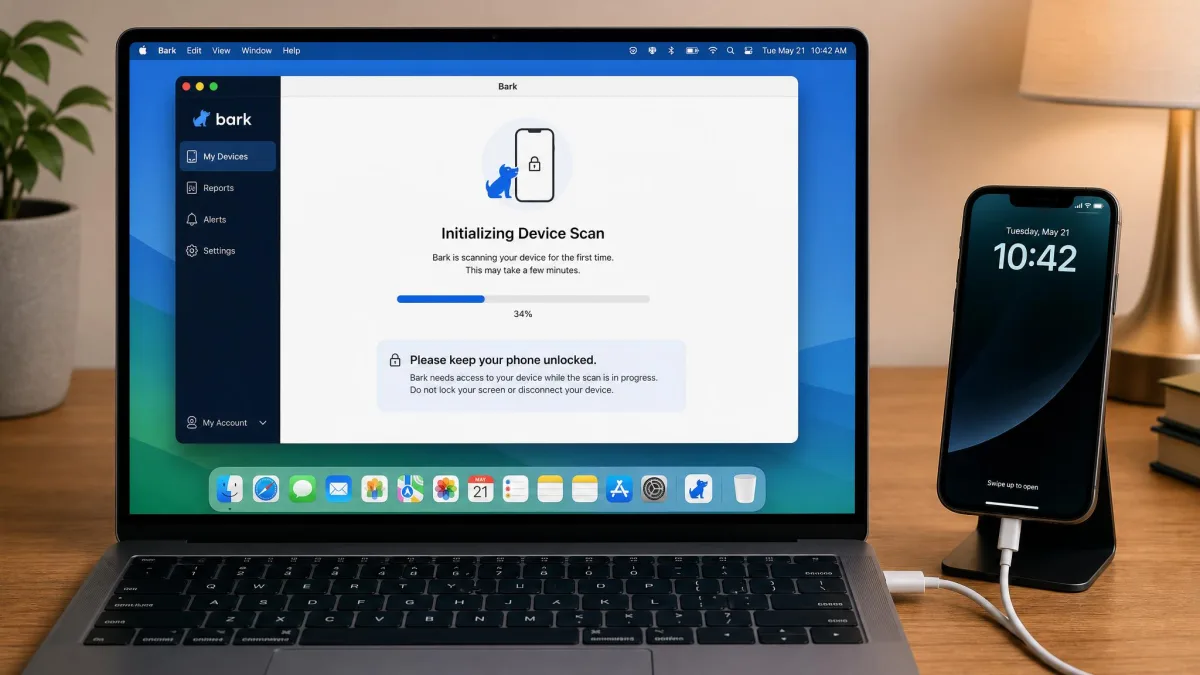
iOS setup is the slow path. The iPhone has to be plugged into a computer and scanned through the desktop app, which takes considerably longer than the Android route. After setup, iOS scans stall when the device is off the home Wi-Fi network, so coverage lapses whenever your child is out of the house for a stretch. That is precisely when many parents assume they are covered.
Android has the broader capability and a rougher install. The Android app is not distributed through the Google Play Store and has to be downloaded from Bark's own site, and the phone throws repeated security warnings while you push it through. It looks alarming and it is normal, but it is not a five-minute job.
Setting Up Bark: Installation Walkthrough
Setup runs roughly 20 to 45 minutes per child, and almost all of that time goes into entering each social account's password and waiting on the initial history scan. The sequence looks like this:
- Create the parent account and add a child profile on the dashboard.
- Install the app on the child's device, sideloading it on Android or running the cable-based desktop scan on iPhone.
- Enter the login for every social account you want monitored, one at a time.
- Approve the permissions the operating system prompts for, including the accessibility and screen time access Bark needs.
- Wait for the first history scan, which pulls back around 60 days of social activity.
- Set filtering categories, schedules and sensitivity before the first alerts start arriving.
Two things slow families down. The first is that you need the child's passcode and their account passwords, which makes the arrangement visible and negotiated rather than covert. In some households that conversation is the hardest part of the install. The second is the dashboard itself, which buries some settings; finding a specific control takes a few minutes of clicking around until the layout becomes familiar.
Set alert sensitivity on day one, before the first weekend of notifications arrives. Starting at the default and tuning down after you have been buried is how most parents end up ignoring the app entirely.
Bark Pros and Cons
Pros
- Widest message and social app coverage we have seen, including platforms competitors skip entirely
- AI alerts span more than 29 risk categories across text, images, video and audio
- Unlimited devices and unlimited children on every subscription tier
- Flagged excerpts with context preserve a degree of the child's privacy
- Hardware options close the screen time and contact gaps the app cannot
- 7-day free trial before you commit to a year
Cons
- False positives are frequent at higher sensitivity, from beer emoji to ad banners
- Content alerts land on the dashboard later than the real-time marketing implies
- iPhone monitoring is narrower, and scans stall off the home network
- No browsing history view, no call logs and no contact management in the app-only product
- Daily screen time caps require buying the Bark Phone
- Noticeable battery drain and warmth on the monitored handset
- Email-only support, with slow replies when a monitored phone stops working
What Bark Doesn't Do (and How Kids Bypass It)
The gaps are as defining as the coverage, and the biggest disappointments are absences rather than failures. What that feels like in practice is a Tuesday evening when your child mentions a site you have never heard of, you open the dashboard to see whether they went there, and there is nowhere in the app to look. The same dead end waits when you want to know who rang the house phone number your teenager has been avoiding. Bark does not hand you the full message archive either, by design, so the dashboard answers the question of what was concerning rather than the question of what happened.
Deleted messages are the clearest example of a feature that sounds broader than it is. On Android, Bark can catch some deleted texts, but only content it had already scanned before the child deleted it, and it never produces a full list of deleted messages. On iPhone, catching anything deleted depends on frequent backups and is explicitly not guaranteed. In practice you get alerts on what the scan happened to see, not a recoverable archive, so anything deleted quickly enough is simply gone.
As for bypassing, tech-savvy teenagers find workarounds, and the monitoring only holds while the child cooperates with the account passwords and device access it depends on. A new account you were never told about is invisible. A borrowed friend's phone is invisible. On iPhone, simply being away from home Wi-Fi is enough to leave a gap without anyone doing anything clever.
There is also a rarer failure worth flagging. Installing the profile on a new iPhone has in some cases knocked out cellular and Wi-Fi data entirely until the profile was removed.
Bark tells you what a careful adult would notice, not what a forensic tool would capture. Parents who understand that distinction before they pay are the ones who stay subscribed.
What Real Parents Say: Bark Reviews Across the Web
Those limits shape the reviews as much as the features do. Parent sentiment on Bark is unusually split, and the split itself is the most useful thing in it. The App Store community rates the app 4.2 out of 5 across roughly 35,000 ratings. Trustpilot reviews of the Bark app tell a very different story, sitting near 1.8 out of 5 with the large majority at one star, though that sample is far smaller and skews toward billing and cancellation complaints rather than monitoring performance. On Android the app sits at 3.9 out of 5.
Reading through them, the recurring app store complaints cluster on glitchy performance, long update cycles and setup hassle rather than on the quality of the alerts themselves. That pattern matches what we found. When Bark flags something, the flag is usually useful. Getting to that point, and keeping the installation healthy, is where the frustration lives. One parent's r/parenting_tech write-up lands in the same place, describing an app that earned its keep once the noise was tuned out.
Support is the other consistent sore point. It is email-only, and response times can be slow at exactly the moment they matter, which is when a monitored phone has stopped working properly.
Who Bark Is Best For, and Who Should Skip It
Bark is the right choice for a household with tweens or teens on Android who want to know about genuine risk without reading every conversation. It suits parents who have told their child that monitoring is happening, and who value covering four kids on one subscription. If your worry is the content of messages rather than the number of hours spent on a phone, this is the category leader.
Skip it if your children are iPhone-only and spend most of their week away from home Wi-Fi, because the coverage gaps will undercut the whole point. Skip it if you want a browsing log, call records or a hard daily time limit without buying hardware. Skip it too if you have a low tolerance for false alarms, because they are a permanent feature of how the model works rather than a bug awaiting a fix.
Younger families with no social accounts in play can look at Bark Jr, but at that stage a general screen time and filtering app may serve you just as well for less. If you are still mapping the category, the FTC's guidance on protecting kids online is a sober starting point on what monitoring can and cannot achieve.
Bark vs the Alternatives
| Feature | Bark | Qustodio | Life360 | Aura / Covenant Eyes |
|---|---|---|---|---|
| Price per month | $14.99 Premium, $5.99 Jr | $59.95/yr Basic, $109.95/yr Complete | $7.99 Silver to $24.99 Platinum | Aura approx. $32/mo annual; Covenant Eyes $19.99 |
| Platforms supported | iOS, Android, Chromebook, tablets | Windows, Mac, Android, iOS, Chromebook, Kindle | iOS, Android | Windows, Mac, iOS, Android |
| Social app monitoring | Yes, 30+ apps, narrower on iPhone | Limited, YouTube and app usage | No | Aura no; Covenant Eyes screen-image based |
| Content filtering | Yes, category and site blocking | Yes | No | Yes, both |
| Screen time | Schedules and per-app limits; daily caps need Bark Phone | Yes, daily limits and schedules | No | Aura yes; Covenant Eyes no |
| Location tracking | Yes, live GPS, alerts, check-ins | Yes | Yes, the core product | Aura no; Covenant Eyes no |
| Hardware options | Bark Phone, Bark Phone Pro, Bark Watch, Bark Home | None | None | None |
Qustodio is the closest all-round competitor and the better pick if screen time control is your real goal. It offers a free trial that does not require a card and a 30-day money-back guarantee, both of which Bark lacks, and its device coverage stretches to Windows and Kindle. What it does not do is read your child's messages.
Life360, whose family plan tiers start at $7.99 a month, is a location product, not a monitoring one. It is cheaper, it is excellent at the thing it does, and it will never tell you what a conversation contained. Families often run it alongside Bark rather than instead of it.
Aura bundles parental controls with identity theft protection, a VPN and credit monitoring for every family member, which is compelling if you are already shopping for those. Its family pricing moves constantly with promotions, so get a current quote rather than trusting any published figure. Covenant Eyes takes a different route again, analysing on-screen imagery and sending reports to an accountability partner at $19.99 per month for a family covering up to 10 users, with a 30-day money-back guarantee and no location tracking or social monitoring at all.
Is Bark Worth It? Final Verdict
Bark is worth it for the specific family it is built for. If you have Android-carrying teenagers, you want to know when something genuinely concerning appears in their messages, and you are comfortable with an arrangement your child knows about, nothing else covers as much ground for $14.99 per month across every device in the house. It buys the kind of peace of mind that matters here, which is hearing about the small number of conversations that need you.
The maths gets better the bigger your household is. At $99.99 a year covering every child and every device, a family of four is paying about $25 per child per year, which is where Bark stops competing with a cheap screen time app and starts looking like a bargain. A single-child household on an iPhone is the opposite case, paying the full rate for the thinnest version of the product.
If that is your situation and you still want Bark, the configuration to buy is the app plus a Bark Home at the router, or one of the routers with parental controls built in. The $79 box holds the filtering line for the whole house regardless of whether the phone is on Wi-Fi, which is the one gap you cannot tune your way out of. Whatever you buy, make the first-week decision consciously: pick your sensitivity level on the day you install, before the first weekend of alerts arrives, because the households that never make that call are the ones that cancel in month two.
Our judgement here rests on how Bark behaves in ordinary family use rather than on a controlled lab exercise: what the alerts catch, how often they misfire, how long setup takes on each platform, and which controls turn out not to exist. Where a claim comes from Bark's own marketing rather than observed behaviour, we have said so.
Frequently Asked Questions
How much does Bark cost per month?
Can Bark be bypassed or deleted by my child?
Does Bark see deleted texts?
What happens if my child changes a social media password?
Can Bark see Snapchat?
Does Bark cover a school-issued Chromebook?
What age is Bark best for?
Is my child's data secure?
How does Bark work across two households after a separation?