If your child's iPhone keeps slipping past the screen-time limits you set, or you are not sure what they actually watch, share, and message online, a parental monitoring app can close that gap. We tested nine of the best parental monitoring apps for iPhone in 2026, installing each on real iPhones running the latest iOS and running the same filtering, screen-time, and location checks against every one.
iOS is not Android, and that distinction shapes every recommendation below. Apple restricts what third-party apps can read and enforce on an iPhone, so features that work on a child's Android phone, such as deep message monitoring, are limited or unavailable here. We kept that reality front and center, because an app is only worth paying for if it delivers on the device your child actually carries. CDC data on children's screen time shows 50.4% of US teens ages 12 to 17 had four or more hours of daily screen time between July 2021 and December 2023.
To find out which apps actually hold up, we set up and used all nine ourselves, paid for the plans, and installed each management profile the way a parent would. Setup ran 15 to 30 minutes per device, and none of the apps proved bypass-proof. Qustodio came out on top for most families, pairing the deepest set of iPhone-friendly tools with a clean dashboard and a genuinely useful free plan.
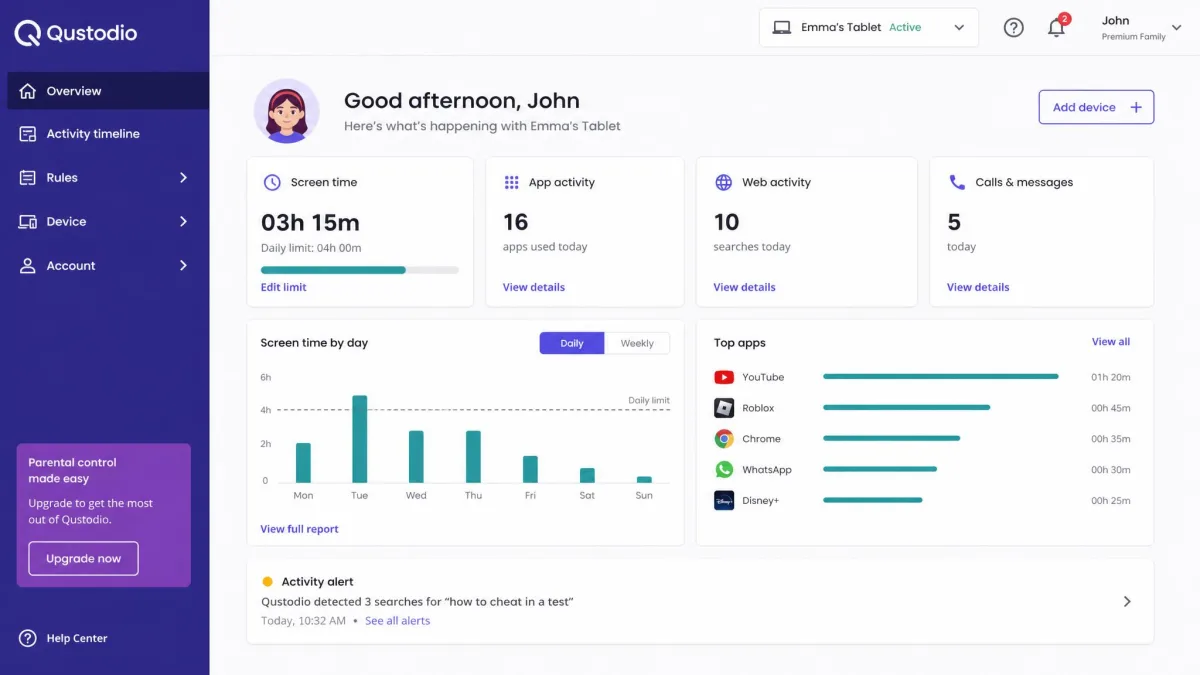
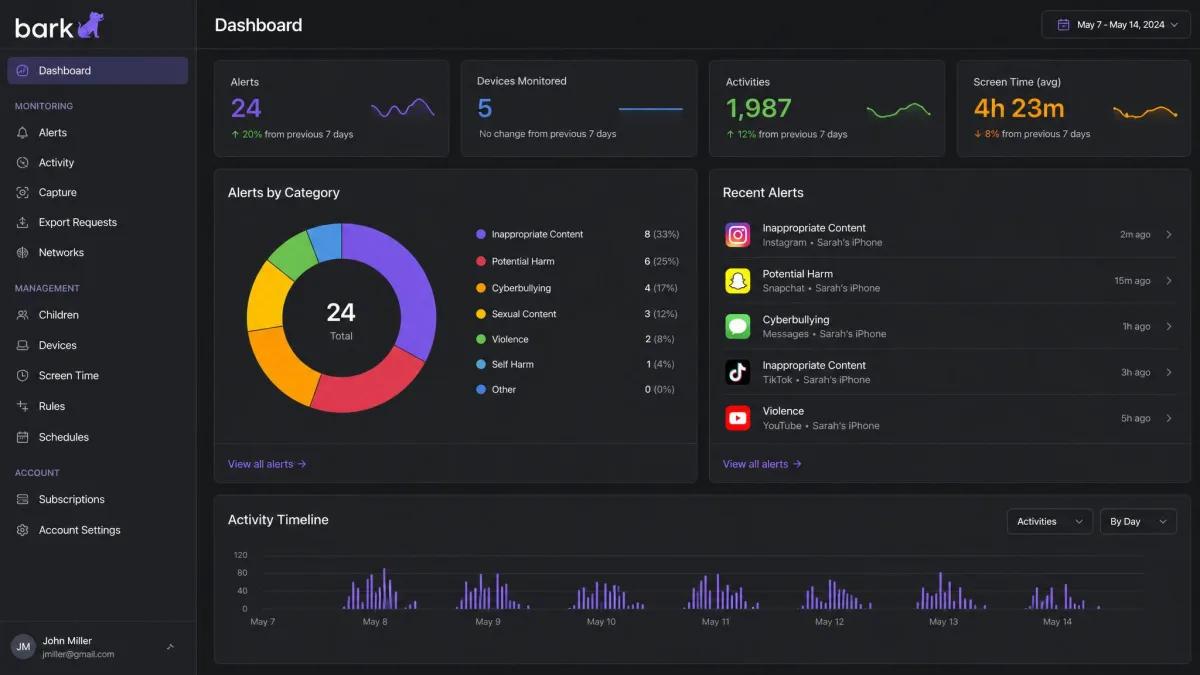
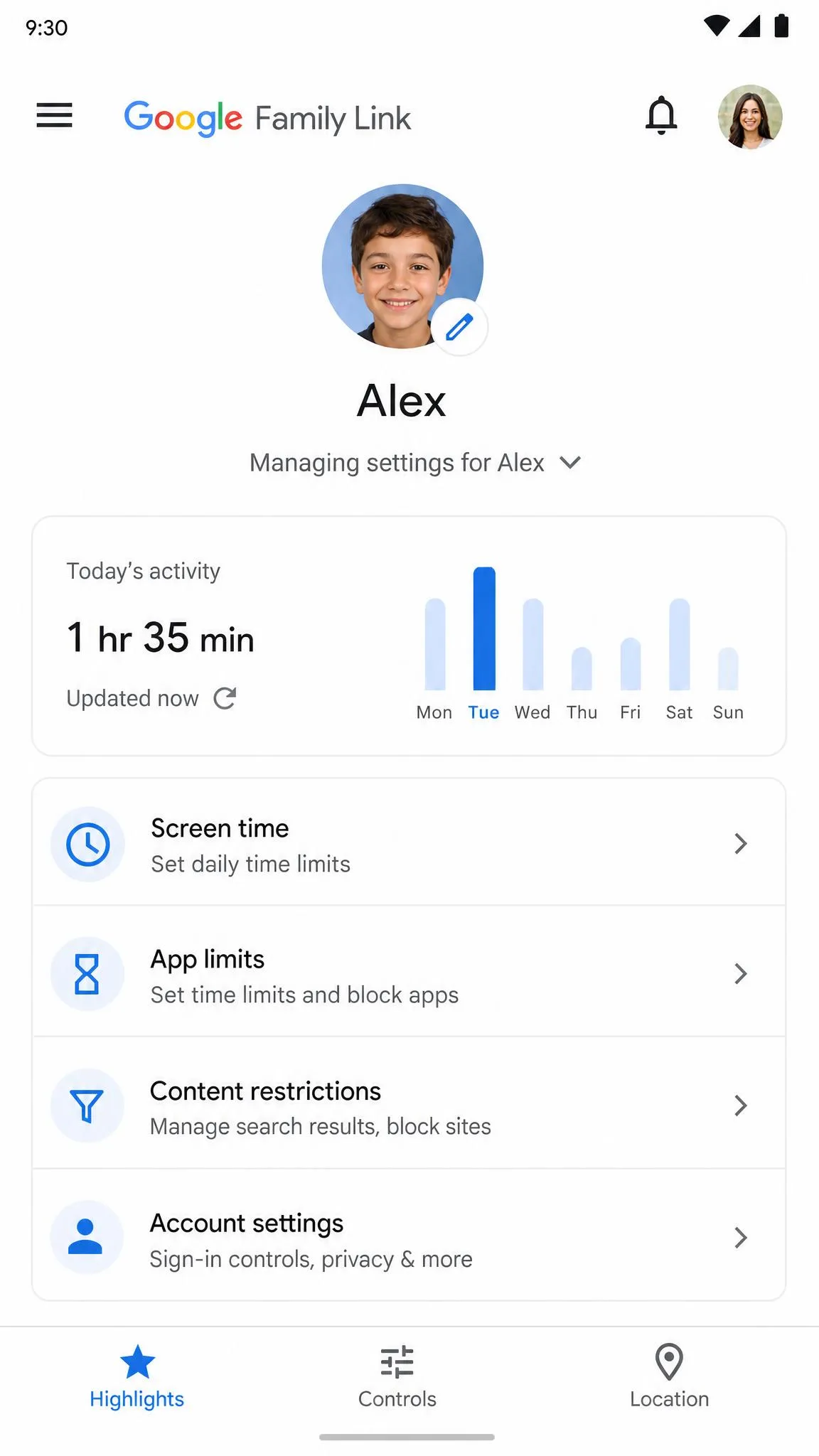
Quick Summary: The Best iPhone Parental Monitoring Apps at a Glance
Here is the list at a glance. Qustodio is the best overall pick, balancing filtering, screen time, and location behind a dashboard parents can navigate. Bark is the strongest for social media and message monitoring across the group. Aura bundles parental controls into a wider security suite. Norton Family focuses on web filtering and location but cannot block individual apps on iPhone. Mobicip offers the strictest filter at a budget price, at the cost of a fiddly setup. Net Nanny brings intelligent filtering and the longest track record, but it drains batteries and dropped Android in 2024. OurPact is the simplest screen-time tool, with standout per-app blocking. FamiSafe leads on location tracking and driving safety. Google Family Link rounds out the list because it is free, though it cannot supervise an iPhone.
How We Tested and Ranked These Apps
We ran every app in this roundup on iPhones running the latest iOS, and we treated each one the same way. Installation took 15 to 30 minutes per device, and on several apps we had to disable parts of Apple Screen Time to avoid conflicts. We tested web filtering by trying to load sites that should be blocked, watched whether time limits and schedules held, tracked how location pings behaved, and then tried to break the controls the way a curious teenager would.
We scored each app on five criteria. Depth of screen-time control, web and content filtering, location tracking, the parent dashboard, and how much of each advertised feature actually works on iPhone all counted. We paid for the plans ourselves, and the ratings are our own. Because no third-party app can read iMessage content or enforce device-wide screen time natively on iPhone, we graded every app against what iOS actually permits.
1. Qustodio - Best Overall Parental Monitoring App for iPhone

Qustodio
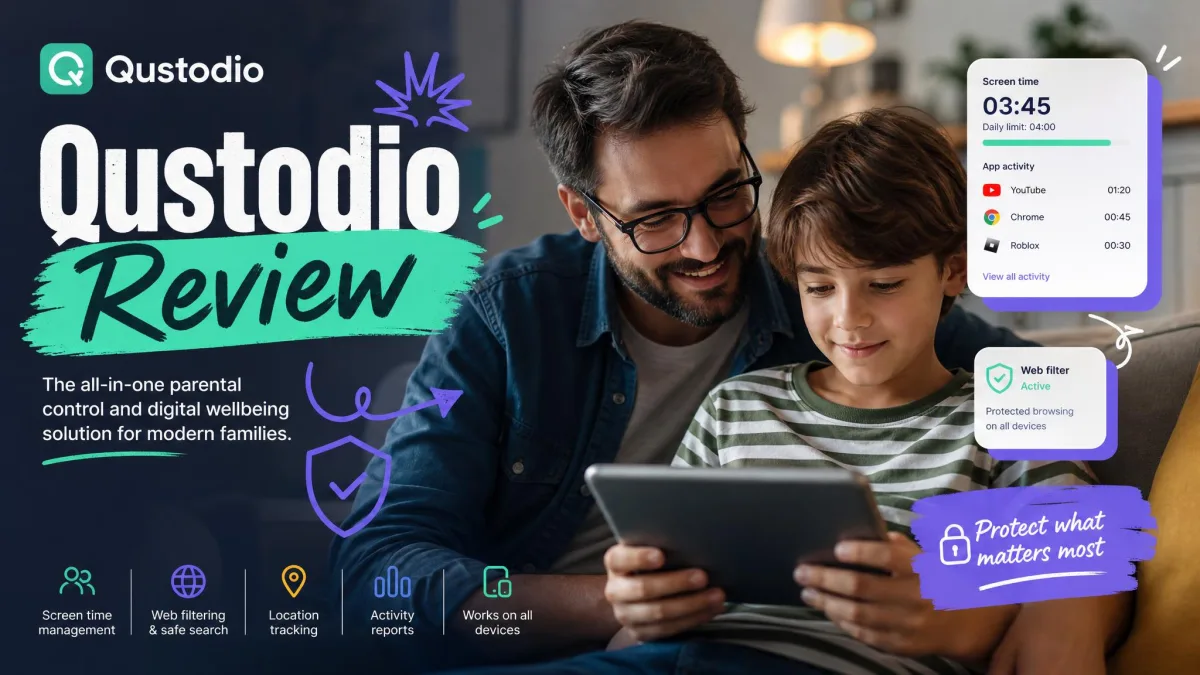
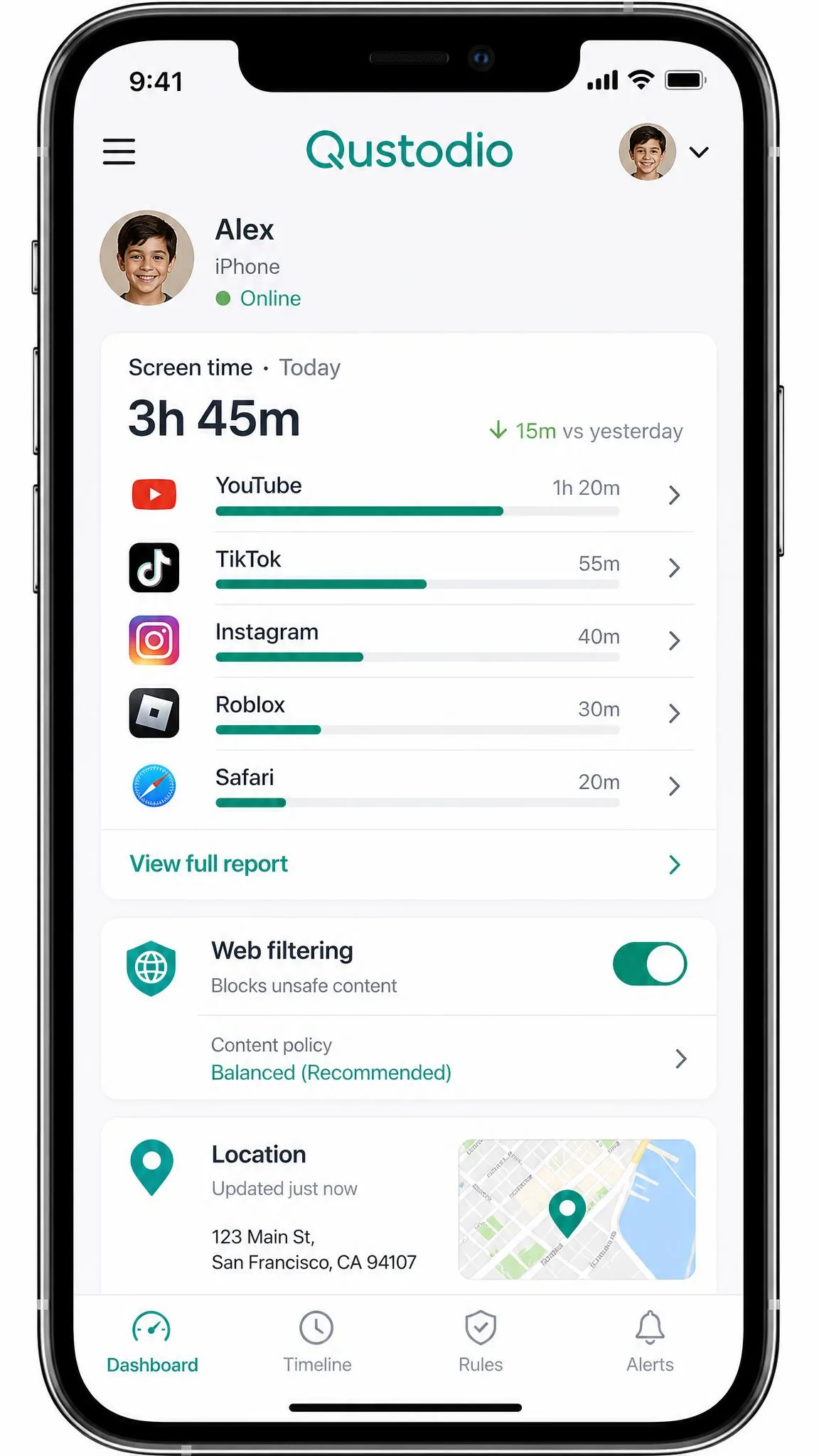
Qustodio earned our top spot because it covers the things iPhone parents care about most without overpromising on what iOS will not allow. Web filtering runs through a local VPN profile, which adds a modest battery drain and can conflict with other VPN apps, a tradeoff we watched play out when the test iPhone's own VPN competed with Qustodio's filter.
To test the filtering, we set the web filter to block adult content and tried to load sites that should trip it from Safari. Each one resolved to a Qustodio block page, and the attempt showed up in the parent dashboard within about 10 to 15 minutes. Location pings can lag roughly 5 minutes behind real time, and time blocks snap to full hours with no always-allow rule. You can start on the free plan for one device or Visit Qustodio to compare tiers.
Pros
- Clean parent dashboard with readable daily activity reports
- Strong web filtering and screen-time scheduling on iOS
- Free plan covers 1 device for trying before paying
Cons
- On iPhone, calls and SMS monitoring requires a Windows or Mac computer
- Web filtering drains the battery and can conflict with other VPN apps
- Location pings and activity data arrive a few minutes late
Best for: Families that want dependable filtering, screen-time schedules, and location on iPhone behind one clean dashboard. Skip if: You need real-time message reading on iPhone, which no iOS app can do, or live second-by-second location updates.
Pricing
Qustodio's Basic plan is $59.95 per year for up to 5 devices, and the Complete plan is $104.95 per year for unlimited devices. Exact figures vary by region and channel, since the App Store in-app listing shows $54.99 per year for 5 devices. Paid plans carry a 30-day money-back guarantee, and Care Plus support runs $12.99.
2. Bark - Best for Social Media & Message Monitoring

Bark
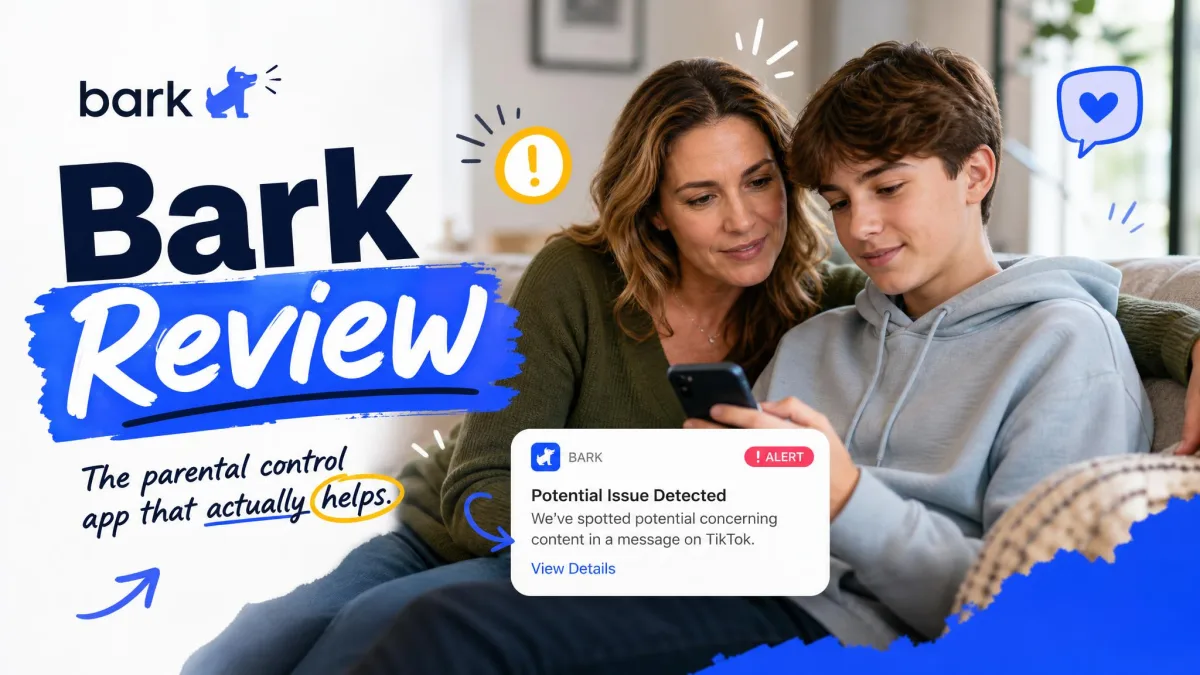
Where Qustodio blocks and schedules, Bark watches and alerts. It built its reputation on AI monitoring that flags worrying messages, images, and searches across 30+ platforms, then alerts you instead of dumping raw logs. On iPhone that monitoring depends on granting iCloud backup access, so alerts arrive hours after the fact, and the deeper text, photo, and video scanning relies on the Bark Sync charger, a physical accessory that scans the phone when it is plugged in.
We connected eight social accounts to Bark for a family test, which took about 20 minutes, and staged a concerning message to see how the alerting behaved. The flag did not arrive instantly, but within the same session an alert card surfaced in the parent app, summarizing the concern rather than reproducing the whole conversation. Bark shows only the content that triggered an alert, not the full history. See the full picture on the Visit Bark page.
Pros
- Best-in-class monitoring across 30+ platforms
- Alerts flag cyberbullying, predators, and self-harm language
- One subscription covers unlimited kids and devices
Cons
- On iPhone, monitoring runs through iCloud and lags by hours
- Deeper scanning needs the Bark Sync charger
- Only alert-triggered content is visible, not the full history
- Alert noise can over-flag playful or out-of-context messages
Best for: Parents who want early warnings about cyberbullying, predators, or self-harm language across social media and messages. Skip if: You want real-time message monitoring on iPhone, which is not possible, or a simple free tool.
Pricing
Bark Premium on iPhone runs $20 per month or $148 per year, and that iOS price bundles the Bark Sync charger that enables deeper scanning. Bark's App Store listing shows a different in-app rate of $14.99 per month or $99.99 per year, so the figure depends on where you buy. On Android, Premium is $14 per month or $99 per year, Bark Jr starts at $5 per month or $49 per year, and a 7-day free trial is available.
3. Aura - Best All-in-One Digital Safety App for iPhone

Aura
If Bark watches messages, Aura folds parental controls into a broader family-security suite. The Family plan bundles antivirus, a VPN, a password manager, and identity protection alongside content filtering, screen-time limits, and app blocking. Setup is genuinely fast, roughly 5 to 20 minutes end to end.
The filtering check gave Aura its score. We opened pages across the categories a parent would block, and Aura stopped 127 requests with just 2 false positives, the cleanest ratio of the group. The Pause the Internet button cut the child phone's internet access the moment we tapped it. Three caveats temper that result. Parental controls only run while Aura's VPN is enabled, there is no location tracking anywhere in the package, and a child can uninstall the app, with the parent notified afterward. Get Aura for the full plan lineup.
Pros
- Fast, beginner-friendly setup of roughly 5 to 20 minutes
- Excellent filtering with almost no false positives
- Bundles antivirus, VPN, password manager, and identity protection
Cons
- No location tracking anywhere in the package
- Parental controls only run while the Aura VPN is on
- Kids can uninstall the app, with the parent notified afterward
- Usage reports can count background processes as visits
Best for: Families that want parental controls bundled with broader security and identity protection in one subscription. Skip if: Location tracking or message monitoring matters to you.
Pricing
The Aura Kids plan, which carries the parental controls, is $10 per month billed annually ($13 monthly), and the Family plan that bundles the full security suite is $32 per month billed annually ($50 monthly). Every plan includes a 14-day free trial, and annual plans bought through aura.com come with a 60-day money-back guarantee.
4. Norton Family - Best for Web Filtering on iPhone

Norton Family
Aura bundles everything, but Norton Family keeps its focus on filtering, time limits, and location, and on iPhone it does those well. On iPhone there is no way to block or monitor individual apps, so Norton is limited to web, search, video, time, and location supervision.
Setup is the hardest of the group. We installed the configuration profile, tightened Apple's privacy settings, and then asked for a location ping on the child phone, and the update landed several minutes late in the dashboard. At one point the device read as offline even though it was clearly online. Web filtering on iPhone works only inside Norton's own in-app browser, and the mobile app is mostly a wrapper for the web dashboard. Location Supervision does work on iPhone with a 30-day history and Favorite Locations. Start with the standalone plan on the Visit Norton Family page.
Pros
- Dependable web, search, and video supervision on iPhone
- 30-day location history with Favorite Locations and Check In
- Access Request lets a child appeal a blocked site
Cons
- The hardest iOS setup of the group
- No per-app blocking or monitoring on iPhone
- Location and status updates are not real-time
- Mobile app is mostly a wrapper for the web dashboard
Best for: Parents focused on web filtering, screen-time schedules, and location who do not need per-app control on iPhone. Skip if: You want app-level blocking on iPhone or a fast, one-tap setup.
5. Mobicip - Best for Scheduling & Real-Time Alerts

Mobicip
Norton Family filters quietly, but Mobicip is the scheduler, with the strictest web filter of the group and real-time alerts on top. Setup on iOS is the tradeoff: it is split across three pieces, the web portal, Mobicip Monitor, and Mobicip Safe Browser, and the flow is confusing, with the web interface awkward on a phone screen. The filter is so strict it can over-block, and airline ticket sites and online classes are known to break on Apple devices.
The device-level test told the real story. We put a time limit on YouTube in the portal, opened a video on the child phone, and the filter let it play, a failed block we only caught when we checked the dashboard. The app timer also ran long, granting an extra 5 to 10 minutes past the set limit, and apps the parent previously allowed can get re-blocked after an update. It is the hardest filter to tune, but parents who want strict content control at a low price will find the value. Visit Mobicip for current plans.
Pros
- Strictest content filter of the group
- Budget pricing with a free BASIC plan for 2 devices
- Family Locator and remote device lock included
Cons
- Confusing three-part iOS setup
- Filter over-blocks legitimate sites
- On iOS, app timers run long and YouTube filtering can fail
Best for: Budget-minded families that want the strictest filtering plus scheduling on iOS. Skip if: You want a simple setup or per-app time controls that hold exactly to the limit.
6. Net Nanny - Best for Content Filtering

Net Nanny
Mobicip tunes the strictest filter, but Net Nanny brings intelligent filtering that has been around since 1996. Its web filter uses dynamic site analysis rather than simple category lists, and it earns its place here for content blocking plus a screen-time scheduler, location history, and a Family Feed. The tradeoff on iPhone is that filtering works through a VPN, which drops its connection periodically and leaves the child unfiltered until it is reset.
The battery drain showed up within a day. With Net Nanny's filter running, the test iPhone came to the end of the day noticeably low on battery, and we kept a charger close by. The VPN filter also dropped its connection on its own more than once, each time leaving the phone unfiltered until we reset it manually. The child app crashed a few times as well, briefly leaving the device without a filter. Net Nanny dropped Android support in 2024, so mixed-device families can no longer protect everything with one subscription. Compare plans on the Visit Net Nanny page.
Pros
- Intelligent web filtering with dynamic site analysis
- Solid screen-time scheduler and location history
- Longest track record in the category, founded in 1996
Cons
- VPN filter drops and needs manual resets
- Noticeable battery drain on the child's iPhone
- No per-app time limits on iOS
- Android support dropped in 2024
Best for: Families already all-in on iOS, Windows, or macOS that want strong content filtering with a long track record. Skip if: You have Android devices in the house or need per-app controls on iPhone.
Pricing
Net Nanny's Family Protection Pass is $54.99 per year for 5 devices at the promotional rate, with a regular price of $79.99 per year. A single-device plan runs $39.99 per year on promotion ($49.99 regular), and a 20-device Pass is $89.99 per year ($129.99 regular). Net Nanny's page states no free trial or money-back terms, so compare carefully before committing.
7. OurPact - Best for Simple Screen Time Limits

OurPact
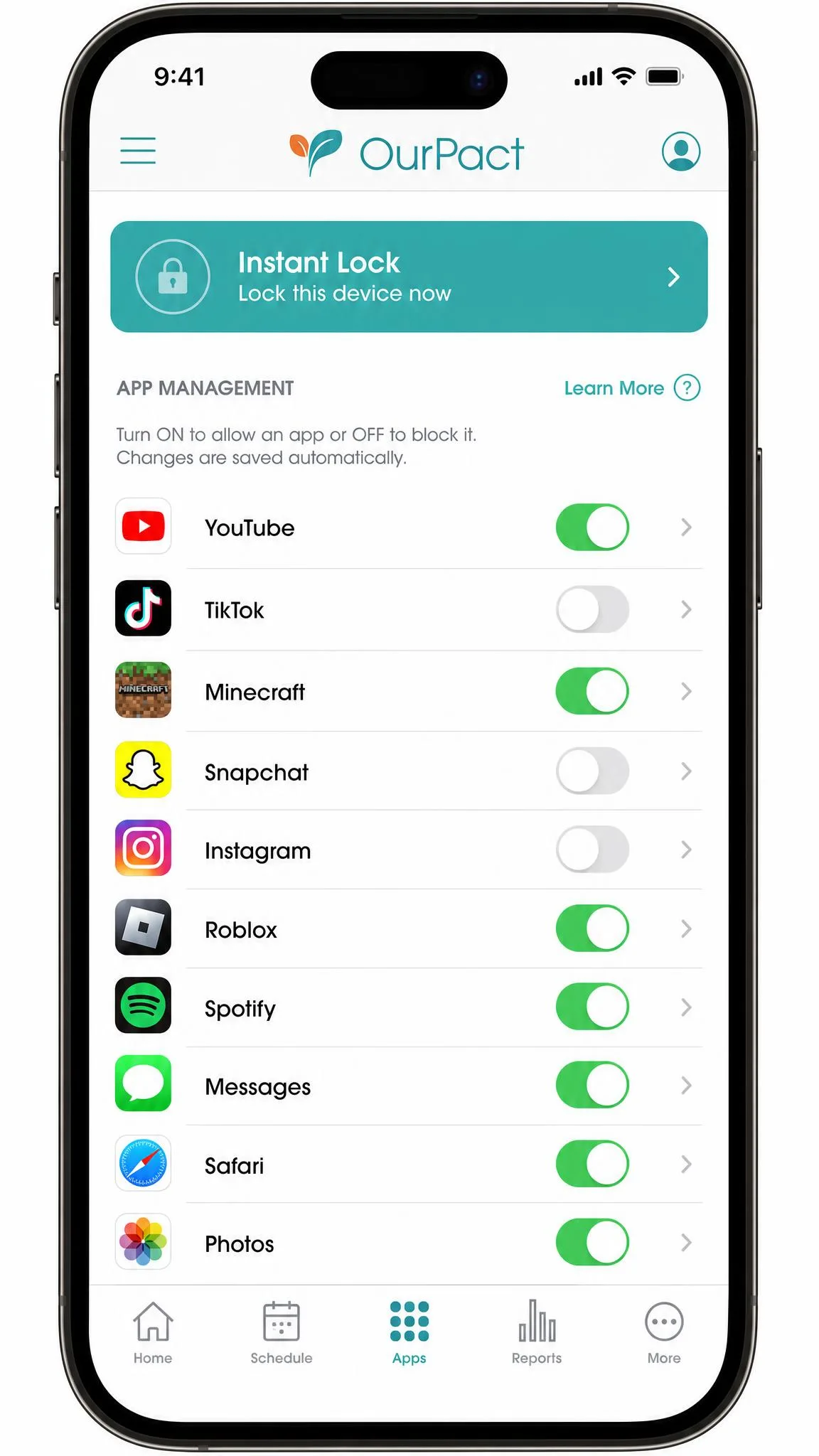
Net Nanny filters the web, but OurPact is the simplest screen-time tool of the bunch. Its whole job is letting you pause a child's iPhone, block apps, and set schedules, and its per-app blocking and hiding on iPhone is a real standout. Setup follows the school-iPad playbook: you download and trust an MDM profile in Safari on the child's phone, and the wired-configuration step is the most error-prone part of the setup.
In practice, OurPact's biggest weakness is reliability. We set a bedtime block on the child phone, and after the phone took an iOS update, the profile silently stopped enforcing it, so the device stayed active past the shutdown we had scheduled. The same window threw a device offline error while the child phone sat clearly online, and re-pairing the profile was the only way to restore control. On a non-supervised iPhone, a child who knows the passcode can also remove the profile from Settings. Visit OurPact for current pricing.
Pros
- Standout per-app blocking and hiding on iPhone
- Instant Lock and simple schedule controls
- Live location sharing with geofence alerts
Cons
- Frequent device offline errors
- iOS updates can break the MDM profile and force re-pairing
- Blocks can silently fail after an iOS update
- Profile can be removed from a non-supervised iPhone
Best for: Parents who want simple, visible screen-time control with per-app rules on iPhone. Skip if: You need dependable always-on enforcement or message content monitoring.
8. FamiSafe - Best for Location Tracking & Teen Driving Safety

FamiSafe
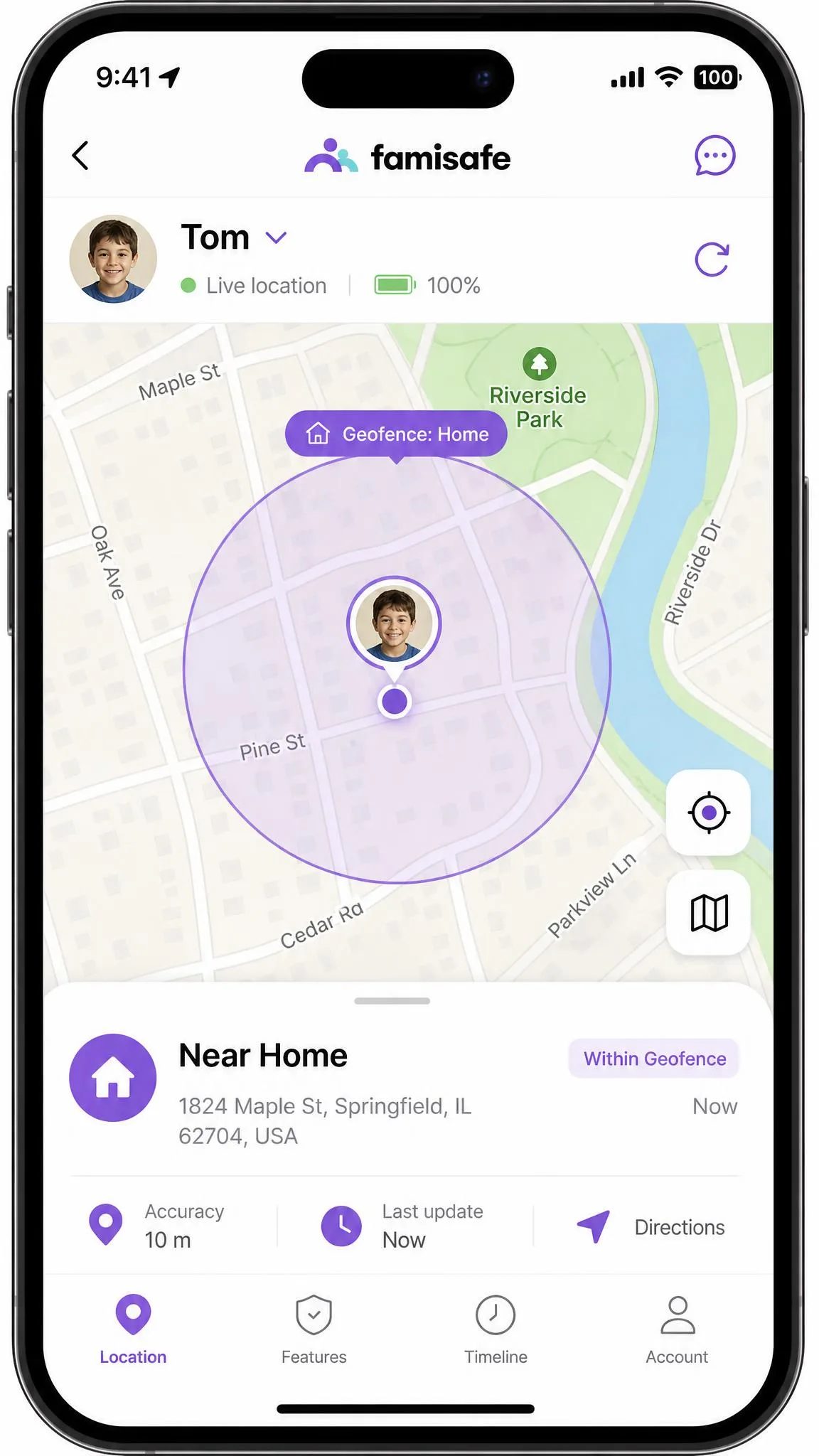
OurPact controls the screen, but FamiSafe is built for parents of teens who drive, and its location tracking is the best we tested. In our geofence test, we drew a 100-meter boundary around our test location, and within a couple of minutes of the phone leaving that circle, the parent app fired an alert with the exact address attached. Live updates kept arriving every 1 to 3 minutes with an exact address, so we could watch the phone move across the map. Driving reports, an SOS alert, and smart schedules tied to location make it a strong fit for the high-school years.
The weaknesses sit elsewhere. The web filter is basic and takes manual work, and it does not always catch inappropriate content on its own. Social media and YouTube monitoring is hit-or-miss, and location history drains the device's battery faster than normal. Some families pass on FamiSafe because its parent company, Wondershare, is Chinese-owned and they worry about data privacy. See FamiSafe for plan details.
Pros
- Best location tracking we tested, with 1 to 3 minute updates
- Geofence alerts fire within minutes of leaving a boundary
- Driving reports and SOS alert for teen drivers
Cons
- Basic web filter that needs manual tuning
- Social media and YouTube monitoring is hit-or-miss
- Location history drains the child's battery
- Data-privacy concerns about the Chinese parent company
Best for: Parents of older kids and teen drivers who need dependable location tracking and driving reports. Skip if: Strong web filtering or message monitoring matters more than location.
9. Google Family Link - Best Free Parental Monitoring App

Google Family Link
FamiSafe charges for its location engine, but Google Family Link is free, and that is its entire appeal on this list. The catch is significant: Family Link cannot supervise an iPhone at all. iPhones, iPads, and non-Chromebook computers cannot be supervised with Family Link, so on the iPhone in your child's hand you get Google-account-level controls inside Google apps only.
We confirmed the limit on the test bench. We installed Family Link on an iPhone and walked through adding a child's device, and the app could only supervise an Android phone or a Chromebook, with no path for the iPhone itself. It is a genuinely useful free companion for mixed-device families, since the parent side manages a child's Android device or Chromebook from the iPhone. If your child carries an iPhone, Family Link is not a real screen-time tool for that device. We kept it because it is free and useful for the Google side of family life. Google Family Link is free to set up.
Pros
- Completely free with no paid tier
- Manages a child's Android device or Chromebook from the parent's iPhone
- App limits and content filters for supervised devices
Cons
- Cannot supervise an iPhone at all
- Nothing device-wide on the child's iPhone
- Only Google-account-level controls inside Google apps
Best for: Families that want a free way to manage a child's Android device or Chromebook from an iPhone. Skip if: Your child carries an iPhone and needs real device-wide controls, where Apple Screen Time or a paid app is required.
Best iPhone Parental Monitoring Apps Compared (Comparison Table)
This table condenses what each app delivers on iPhone, with our own tested ratings.
| Product | Buy | Screen time limits | Web & content filtering | Social media & message monitoring | Location tracking | Price | Free plan | iOS compatibility |
|---|---|---|---|---|---|---|---|---|
|
Check price → | Schedules, daily limits, app timers, pause | Strong category filtering via local VPN | WhatsApp and Line on iPhone; calls and SMS need a computer | Yes, roughly 5-minute lag | Free / $59.95/yr Basic / $104.95/yr Complete | Yes, 1 device | iOS 15.0+; MDM and VPN profile |
|
Check price | Schedules and time limits | Allow and block categories | Best-in-class, 30+ platforms; on iOS via iCloud, not real-time | Yes, real-time GPS | $20/mo or $148/yr on iOS (includes Bark Sync) | No | iOS 15.1+; monitoring needs Bark Sync charger |
|
Check price | Custom limits, schedules, Pause the Internet | Strong, 127 blocked with 2 false positives in our test | None | No | Kids $10/mo or Family $32/mo (annual) | No, 14-day trial | iOS 16+; controls run while Aura VPN is on |
|
Check price | Schedules, daily limits, Instant Lock | Web supervision; on iOS only in Norton Browser | None | Yes, 30-day history on iPhone | $49.99/yr first year | No | iOS current plus 2 versions; no app-level blocking |
|
Check price | Limits and managed schedules | Strong, strict filtering | Limited, Facebook and Snapchat focus | Yes, Family Locator | Lite from $2.99/mo; Premium $7.99/mo (annual) | Yes, BASIC plan (2 devices) | iOS 15.6+ |
|
Check price | Scheduler; no per-app limits on iOS | Strong intelligent filtering | None | Yes, location history | Family Pass $54.99/yr (5 devices, promo) | No | iOS 11+; filtering via VPN |
|
Check price | Block schedules, Instant Lock, per-app rules | Web filter plus adult content block | Content Monitor screenshots on Premium+ | Yes, live plus geofencing | Premium $6.99/mo or $69.99/yr | Yes, limited tier (1 device) | iOS 15.0+; MDM profile |
|
Check price | Screen time control, smart schedules | Basic web filter | Explicit content detection; patchy on iOS | Yes, best-in-class, 1 to 3 minute updates | $59.99/yr (up to 30 devices) | No, 3-day trial | iOS supported; social monitoring limited |
|
Check price | Not on iPhone, Android and Chromebook only | Not on iPhone | None on iPhone | Not on iPhone | Free | Yes, fully free | Parent app only; cannot supervise iPhone |
What to Look for in an iPhone Parental Monitoring App
Every app here does something well, but the right one depends on your child's age, your goals, and what iOS allows. Keep these five criteria in mind, because the app that looks best on a vendor homepage is rarely the one that enforces best on the device your child actually carries.
Screen Time Limits and Schedules
The most valuable iPhone feature for most families is dependable screen-time control: daily limits, bedtime schedules, app pauses, and instant locks. Qustodio, OurPact, and Norton Family handle scheduling well, while Net Nanny and Mobicip are weaker on iOS because Apple blocks per-app time limits.
Web and Content Filtering
Filtering is where the apps differ most. On iPhone, web filtering generally runs through a VPN profile, which brings battery drain and connection drops, as we saw with Qustodio, Net Nanny, and Aura. A strict filter can over-block legitimate content, so look for a whitelist and a way for the child to appeal a block.
Social Media and Message Monitoring
If monitoring messages is your priority, know the iOS limit first: no third-party app can read iMessage content. Bark gets closest by working through iCloud backup access, though it reads what a backup holds rather than the live feed. Qustodio monitors WhatsApp and Line on iPhone. Everything else relies on alerts, screenshots, or usage reports rather than message content.
Location Tracking and Geofencing
Location features are not equal across the group. FamiSafe's location engine leads the group, so it is the pick for parents of teen drivers. Qustodio, Bark, Norton Family, Mobicip, Net Nanny, and OurPact all track location, though most lag a few minutes. Aura has none at all. For more, see our best iPhone tracker apps roundup.
Pricing and Subscriptions
Parental control apps are subscription products, and the genuinely free options are limited. Qustodio covers 1 device free, Mobicip covers 2, OurPact covers 1, and Google Family Link is free but cannot supervise an iPhone. Expect to pay $50 to $150 per year for a full setup, and check the refund window before committing.
In our testing, the app that filtered best on paper was not always the one that held up in daily use on the child's iPhone, and battery drain and connection drops decided more picks than feature lists did.
Before you pay for a year, test the app on the child's actual iPhone. Management profiles, VPN conflicts, and battery drain vary by device and iOS version, and a 7-day or 14-day trial tells you more than any feature list.
The most expensive plan is not the most protective. On iPhone, no third-party app can read iMessage content or enforce device-wide screen time natively, so pay for features that actually work on iOS.
Apple Screen Time vs. Third-Party Monitoring Apps: Do You Need One?
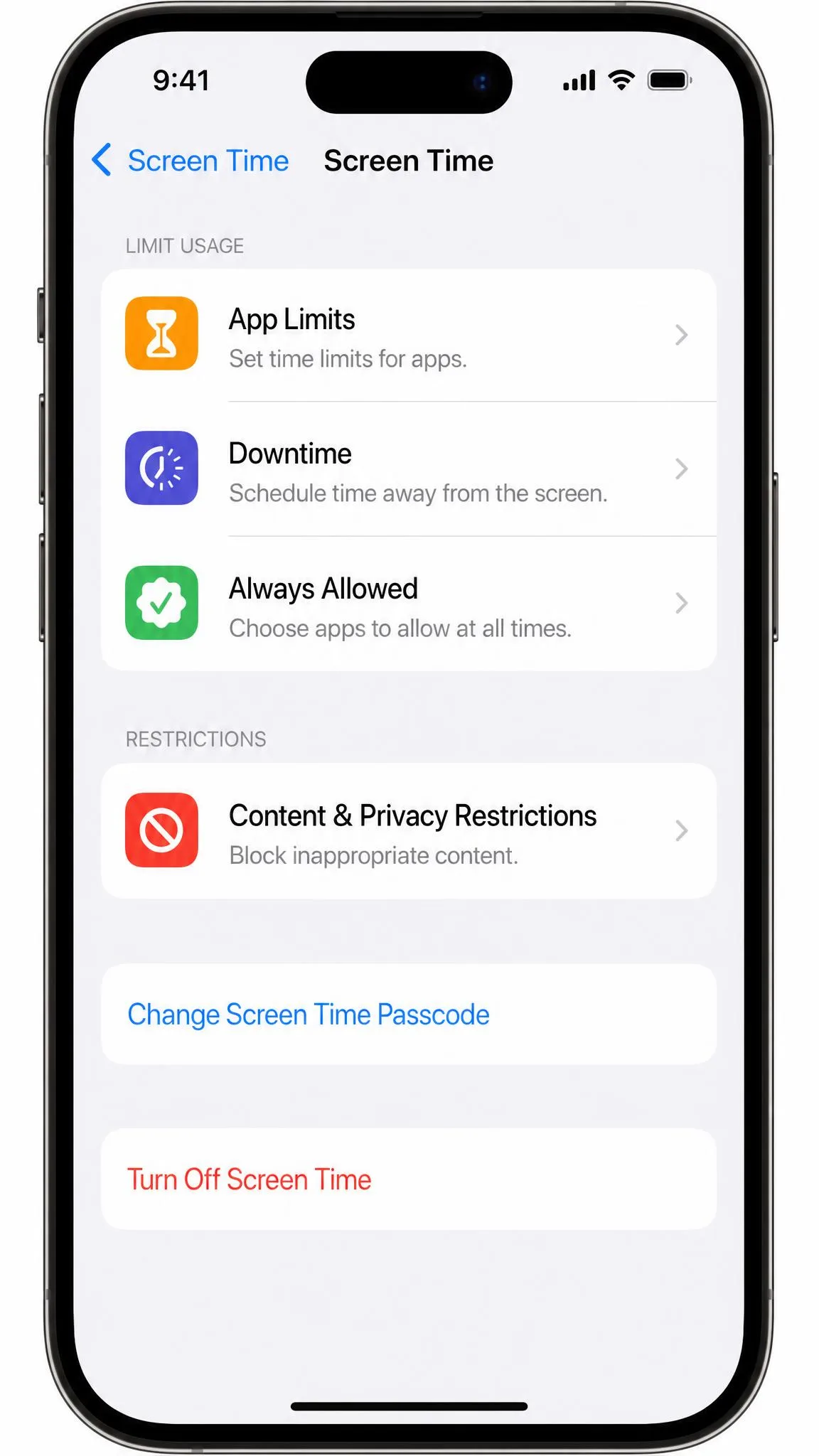
Apple Screen Time is free, built into iOS, and covers the basics: app limits, downtime, and content and privacy restrictions. For many families with younger children, it is genuinely enough, and setup takes a few minutes in Settings > Screen Time. But Screen Time adds no location tracking, no message content monitoring, and no cross-platform dashboard, and it is easy to turn off if your child knows the passcode.
Third-party apps fill those gaps by working around Apple's limits with MDM profiles, VPN profiles, or iCloud access, which is why setup takes 15 to 30 minutes. Oxford Internet Institute research on parental control apps finds these tools are an essential part of modern parenting for many families, but the real question is what you need beyond the built-in controls. If you only want basic limits, Screen Time plus an honest conversation may be enough. If you want location, message alerts, or detailed reports, a paid app earns its cost. For more, see our roundup of the best parental control apps for iPhone.
How to Set Up Parental Monitoring on an iPhone (Step by Step)
Most third-party parental control apps follow the same setup pattern on iPhone, and the whole job takes 15 to 30 minutes. Every app stays visible on the child's phone, so explain the controls rather than hide them.
- Install the child app on the iPhone you want to monitor, and install the matching parent app on your own phone first.
- Open Settings, tap Screen Time, and relax the parts that conflict with the third-party app. Some apps ask you to disable Screen Time entirely.
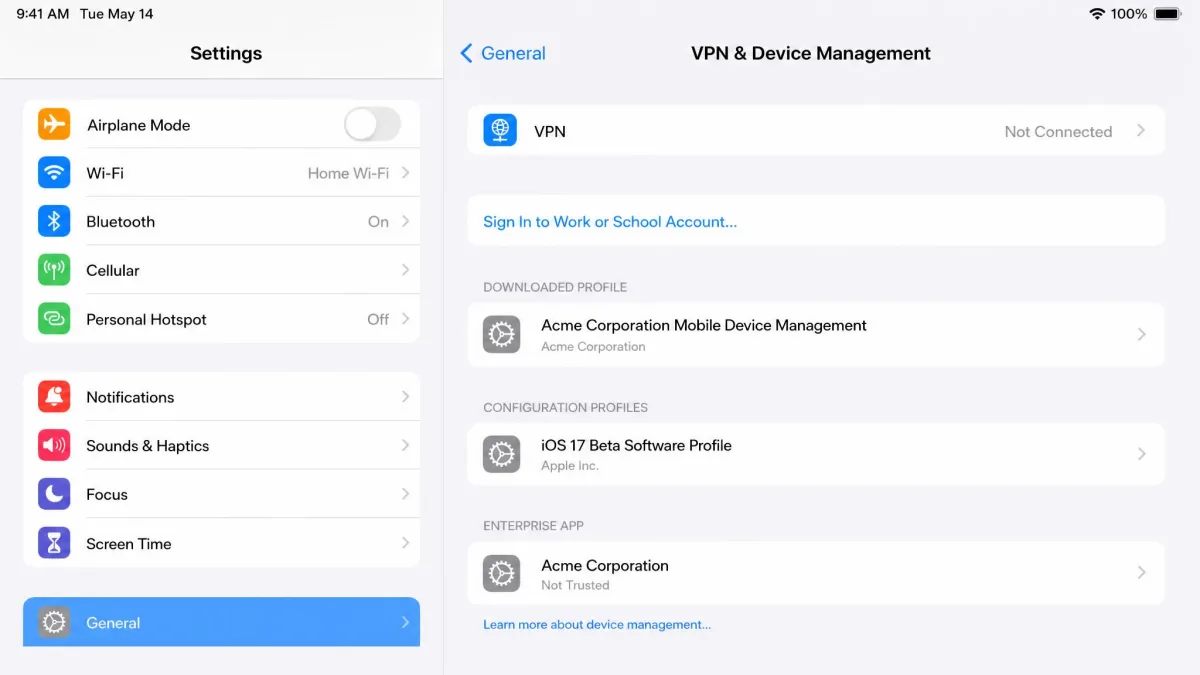
- Install the management profile the app asks for. Open Settings, tap General, tap VPN & Device Management, and approve the downloaded profile.
- Allow the app's VPN and network permissions. Open Settings, tap General, tap VPN & Device Management, and confirm the VPN connection.
- Grant iCloud access where the app asks for it. Bark needs iCloud backup access to monitor messages, so approve the permission during setup.
- Lock down the controls. Set a Screen Time passcode your child does not know, and on the child's phone open Settings, tap Screen Time, and set Content & Privacy Restrictions.
- Test the setup before you rely on it. Try loading a blocked site and confirm the block shows up in your parent dashboard within a few minutes.
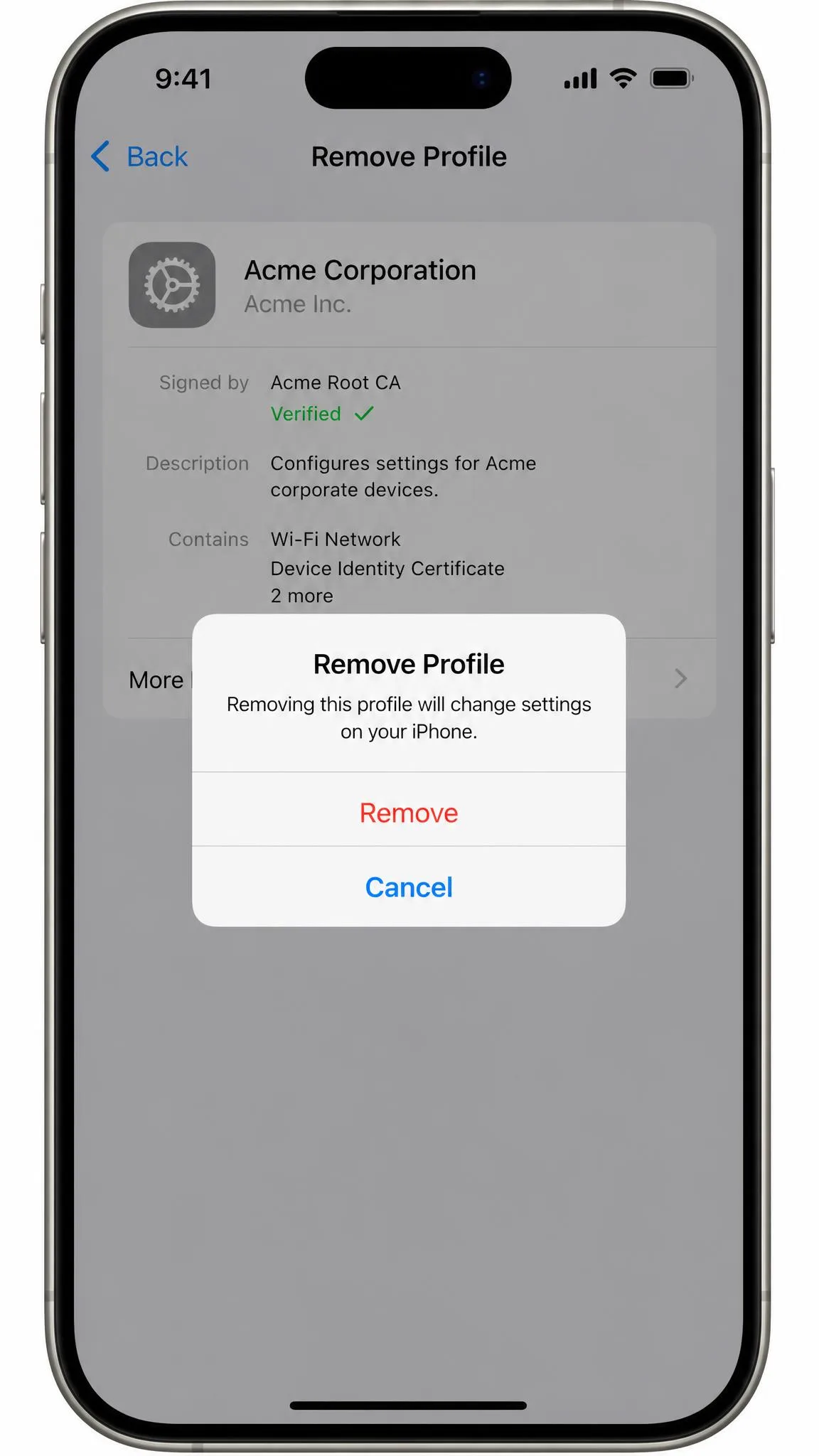
The management profile is visible in Settings under General, then VPN & Device Management, and can be removed from a non-supervised iPhone by someone who knows the passcode. That is normal for every app here.
Best Free Parental Monitoring Apps for iPhone
Free parental control on iPhone is thinner than most parents hope, and the honest answer starts with Apple's own tools. Apple Screen Time is the most capable free option, and it is built in. Among the apps here, Qustodio's free plan covers 1 device, Mobicip's BASIC plan covers 2 devices with no credit card required, and OurPact's free tier manages 1 child device with 5 manual blocks per month. Google Family Link is free but cannot supervise an iPhone.
If your child has an iPhone, start with Apple Screen Time, add Qustodio's free plan to close the gaps, and only pay when you need location, deeper reporting, or message alerts. Using parental controls to keep your kid safer online, as the FTC's guide puts it, is about layering the built-in options first and adding tools only where they solve a real problem.
Can My Child Bypass Parental Controls on iPhone?
Yes, and any app that claims otherwise is overpromising. In our testing, no app on an iPhone is bypass-proof. A tech-savvy kid can get around Apple Screen Time itself, disable a filtering VPN, delete the child app, or remove a management profile when they know the passcode. Children in our testing could disable the VPN or delete the app, and OurPact's profile can be removed from a non-supervised iPhone.
The practical countermeasures are modest but effective. Keep the Screen Time passcode private, use supervised-device tools like Apple Configurator where removal prevention matters, and rely on apps such as OurPact that add removal prevention on iOS 18. Most important, treat these apps as visibility and guidance tools that support a conversation, not as a substitute for talking with your child.
Frequently Asked Questions
Can parental control apps see my child's text messages on iPhone?
Is Apple Screen Time enough?
What is the best free parental monitoring app for iPhone?
Can my child bypass or remove parental controls?
Do parental control apps work without jailbreaking?
Is it legal to monitor my child's phone?
Can an Android parent manage a child's iPhone?
Final Thoughts: Which iPhone Parental Monitoring App Is Best for Your Family?
The right answer depends on the child and the goal. Bark is the strongest message monitor if you can accept the lag. Aura wins for families that want one security subscription. FamiSafe is the pick for parents of teen drivers. If you only need the basics, Apple Screen Time costs nothing. Whichever you land on, test it on the child's actual iPhone before you pay for a year, because setup friction and battery drain only show up in daily use.