Mobicip is a subscription parental control app that filters the web, sets screen time limits and tracks a child's location across iOS, Android, Windows, macOS, Chromebook and Kindle Fire, and for most families it is worth the money because almost nobody else covers six platforms at this price. It suits parents of primary and early secondary school children who want sensible rules on every device in the house without paying premium prices. It suits parents of older teenagers far less well, because the monitoring side of the product stops well short of what those parents usually want.
Setting the app up across a parent phone, an Android handset and a Windows 11 PC took about 5 minutes, and the filters and schedules arrived preconfigured from each child's age, so a workable rule set existed before we changed a single setting. What follows is a feature by feature account of what held up in daily use, which pricing tier you actually need, and where Mobicip falls short of Qustodio, Bark and Norton Family.
What Mobicip Actually Does Day to Day
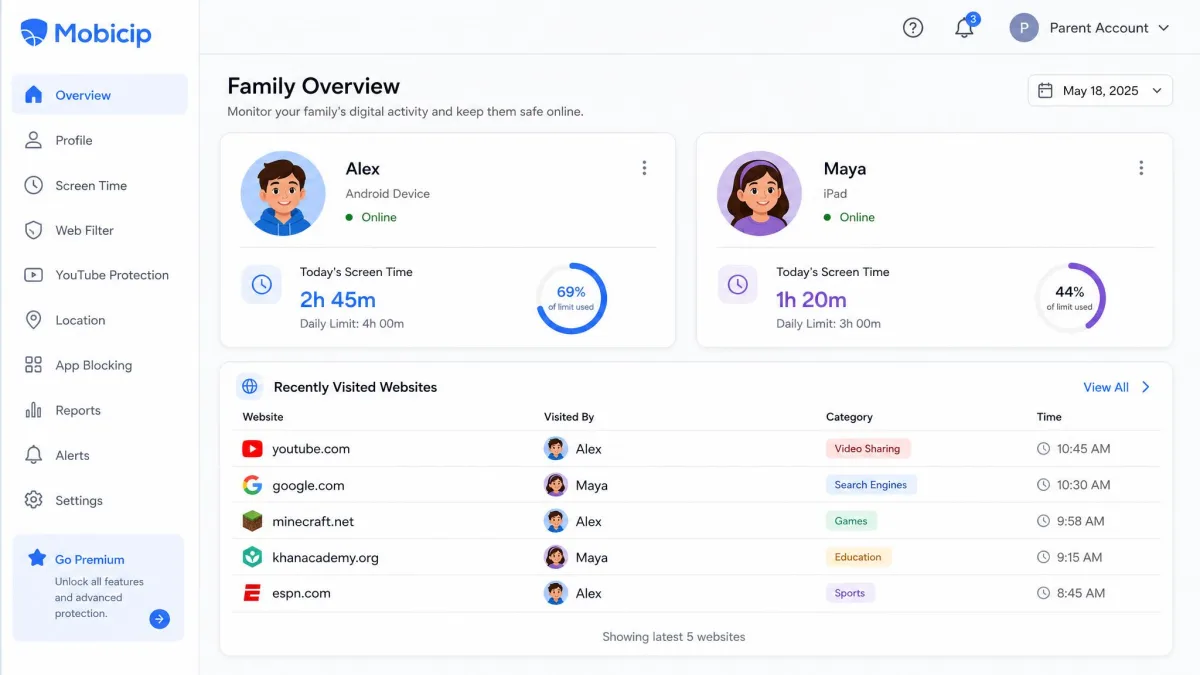
Everything in a Mobicip household runs from one dashboard, reachable from an Android phone, an iPhone or a browser, with a profile per child down the left and that child's day summarised on the right. Three features carry almost all of the weekly workload: the schedule editor, where you draw school hours and bedtime; the web filter, where you switch content categories on and off; and the family locator, where you check who arrived where. Everything else in the product sits a tab or two behind those three.
The rhythm that develops is short and repetitive. A child hits their daily limit, taps request in the child app, and an approve-or-reject notification lands on the parent phone within seconds. A geofence alert says the school run finished. On a Sunday you open the activity report and read the week. A parent who is not especially technical can build a full rule set in a single sitting and then touch the app for a couple of minutes a day after that.
Pros
- Cheaper than every major rival, on any tier
- Covers iOS, Android, Windows, macOS, Chromebook and Kindle Fire
- Schedules build in 5-minute blocks, which is finer than Qustodio allows
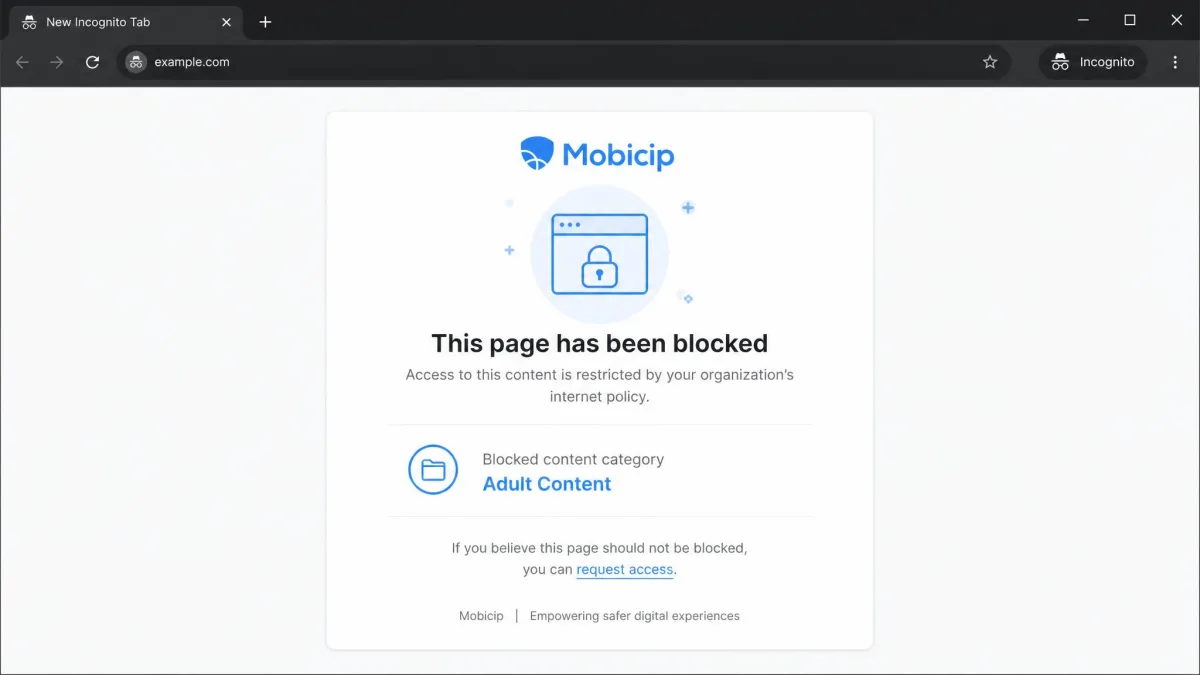
- Filtering keeps working in incognito and private browsing windows
- Genuinely free Basic plan, plus a 7-day free trial and a 30-day money-back guarantee
Cons
- No SMS or call monitoring of any kind
- Social media monitoring reaches only a handful of platforms
- Time limits apply to 3 app categories, never to one individual app
- The activity timeline is slow to refresh
- No dashboard list of the apps installed on a child's device

How We Evaluated Mobicip
We installed Mobicip the way a parent would, buying a subscription rather than accepting a vendor account, then running the parent app alongside child clients on an Android phone and a Windows 11 PC. Installing all three took roughly five minutes end to end. Building a complete rule set for one test device took under ten minutes once the app was on the phone.
From there we scored the app on the things that decide whether a family keeps paying: whether filters hold under pressure, whether schedules fire on time, whether location is accurate, how quickly activity data appears, how hard the app is to remove, and what support does when you ask it something. We also tried to break it, because a control that a child can switch off in thirty seconds is not really a control.
We treat setup friction as a scored criterion rather than a footnote, because the most common theme in negative customer reviews of Mobicip is difficulty getting it installed, and those complaints are usually resolved quickly once support gets involved.
What Is Mobicip?
Before we get into how those tests went, it helps to know what you are actually installing. Mobicip is a cross-platform parental control service that puts a small child client on each device you want to manage and hands the parent that single dashboard. It began as a filtered browser and has grown into a full monitoring suite covering web content, apps, screen time, YouTube, social scanning and location. Mobicip states that more than 2 million parents use the app, though that is a vendor marketing figure with no published methodology behind it.
The pitch is breadth. Where several rivals treat Windows or macOS as an afterthought, Mobicip ships a real client for six platforms, which matters in households where a child has a school Chromebook, a hand-me-down Kindle Fire and a share of the family PC.
Mobicip Pricing and Plans
That breadth would matter far less if the subscription were priced like its rivals, and pricing is where Mobicip makes its strongest argument. All paid plans bill annually, and the tiers differ mainly by how many devices they cover. A 7-day free trial of Premium features lets you test before committing, and every plan carries a 30-day money-back guarantee.
Mobicip Free (Basic)
The Basic plan is free and needs only an email address, but it strips features rather than time-limiting them. The location tool works without any history, and screen time reporting shows the current day only, where paid plans keep 30 days of activity. It is a fair way to see whether the child client installs cleanly on your particular devices, and a poor way to run a household long term.
Mobicip Lite
Lite costs $2.99 per month billed annually, which works out to $35.88 per year, and covers up to 5 devices. For a two-child family with a phone and a laptop each, this is the plan that fits.
Mobicip Standard
Standard costs $4.99 per month and raises the ceiling to 10 devices. The step up is worth taking when a tablet, a school Chromebook and a spare handset all need covering alongside the obvious phones.
Mobicip Premium
Premium costs $7.99 per month and covers up to 20 devices. Families managing more than 20 devices have to request a custom quote. Where App Limits and the Social Media Monitor sit is tier-dependent and worth checking before you buy: Mobicip's own pricing table currently shows the same 11-feature set on Lite, Standard and Premium, with only the device count changing, while several third-party plan breakdowns still put app timers and social monitoring behind Standard or Premium. Mobicip has shifted these two features between tiers across pricing revisions, so confirm on the checkout page which tier unlocks them before paying for a lower plan.
Is Mobicip Good Value?
Set against the field, yes, clearly. Qustodio's Basic plan runs $59.95 per year for 5 devices and Complete runs $109.95 per year. Norton Family is $49.99 per year for unlimited devices. Bark charges $14 per month on Android and $20 per month on iOS. Mobicip Lite at $35.88 per year undercuts all of them, and Standard still comes in below Norton Family while adding macOS and Kindle coverage that Norton does not offer.
| Plan | Price | Devices | Activity history | Family locator |
|---|---|---|---|---|
| Free | 1 device at a time | Current day only | No location history | |
| $2.99/month | 5 devices | 30 days | Yes | |
| $4.99/month | 10 devices | 30 days | Yes | |
| $7.99/month | 20 devices | 30 days | Yes |
Payment options change with your signup route. Buying directly takes credit cards only, while an app store purchase runs through Apple or Google billing instead. The card requirement for the free trial differs the same way depending on whether you sign up on the web or through an app store, so check the checkout screen before you start the trial.
Mobicip Features Tested
Screen Time Limits and Scheduling
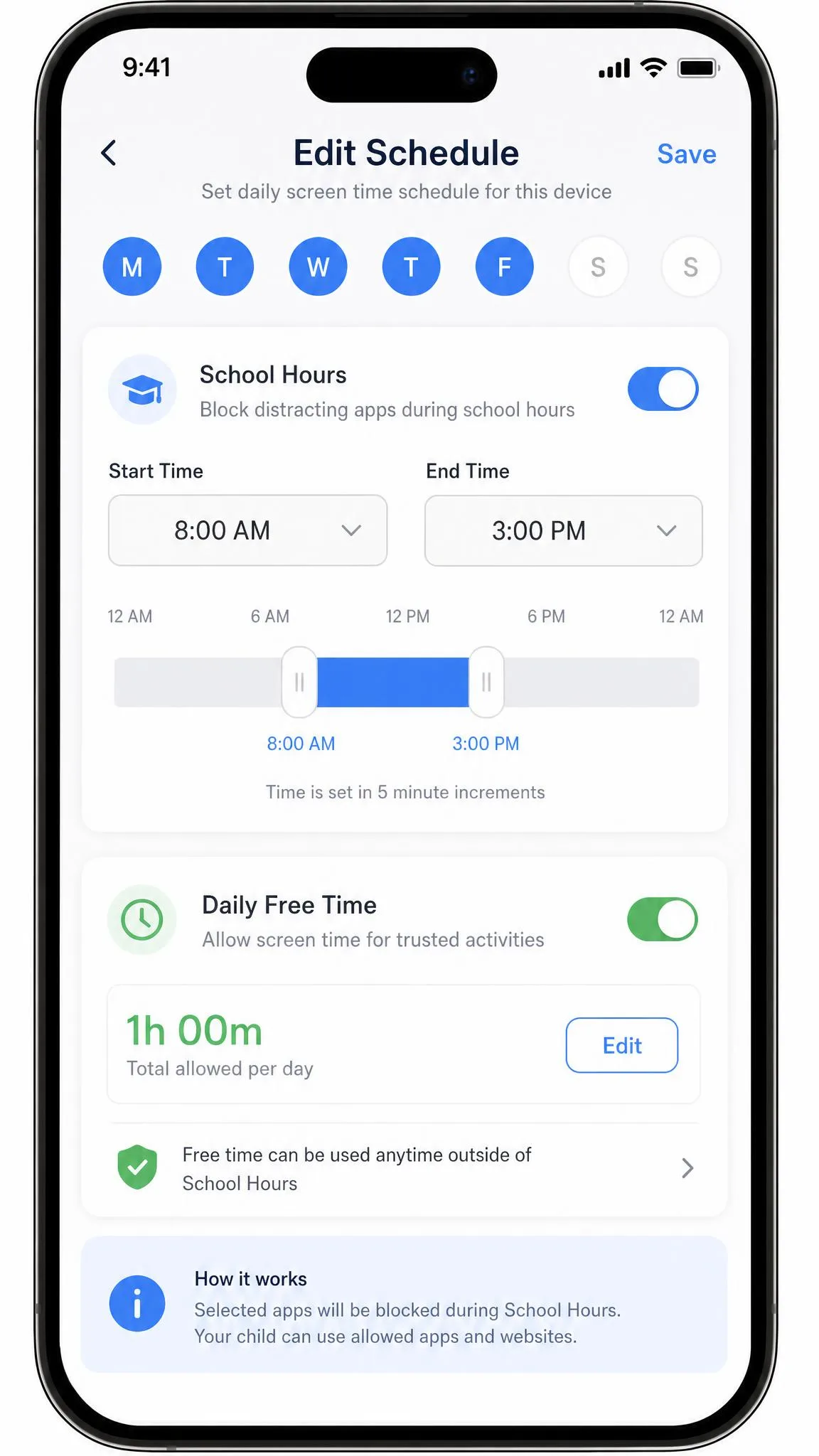
Scheduling is the strongest thing Mobicip does. Custom schedule blocks build in 5-minute increments, while daily limits and manual device locks move in 15-minute steps, so a bedtime that starts at 8:45pm is straightforward to express. Qustodio restricts everything to 15-minute increments by comparison. A school-hours schedule we set from 8am to 3pm locked the phone promptly the moment the window opened.
Alongside fixed schedules there is a Daily Free Time allowance, a Vacation Mode for holidays and a Family Time control that locks every device at once for meals. Children get a warning as their free time runs down and can request grace time from the child app, which arrives on the parent phone as a simple approve or reject notification. That request flow does more for household peace than any blocking feature.
Web Filtering and Content Categories
Filtering runs on predefined content categories plus your own blacklist, whitelist and a whitelist-only mode for younger children. Mobicip has expanded the category list across app updates, so the count you see in the dashboard depends on which version you are running. Qustodio publishes 25+ categories and Norton Family 45+, both of which give more granular control than Mobicip does.
In practice the filter held up in Chrome, Edge and Firefox, and kept blocking restricted categories in incognito and private windows, which is where cheaper filters usually fail. It also occasionally blocked harmless sites by mistake while still catching most genuinely inappropriate content. The manual blacklist was less consistent than the category filter, since blacklisted sites were blocked most of the time but a few still loaded. Category naming could be clearer as well, because Utilities in particular gives no indication of what it actually blocks.
Custom keyword filters carry no in-app explanation and can silently block large numbers of innocuous pages when a keyword has more than one meaning. Add keywords one at a time and check the activity log afterwards.
App Blocking and App Limits
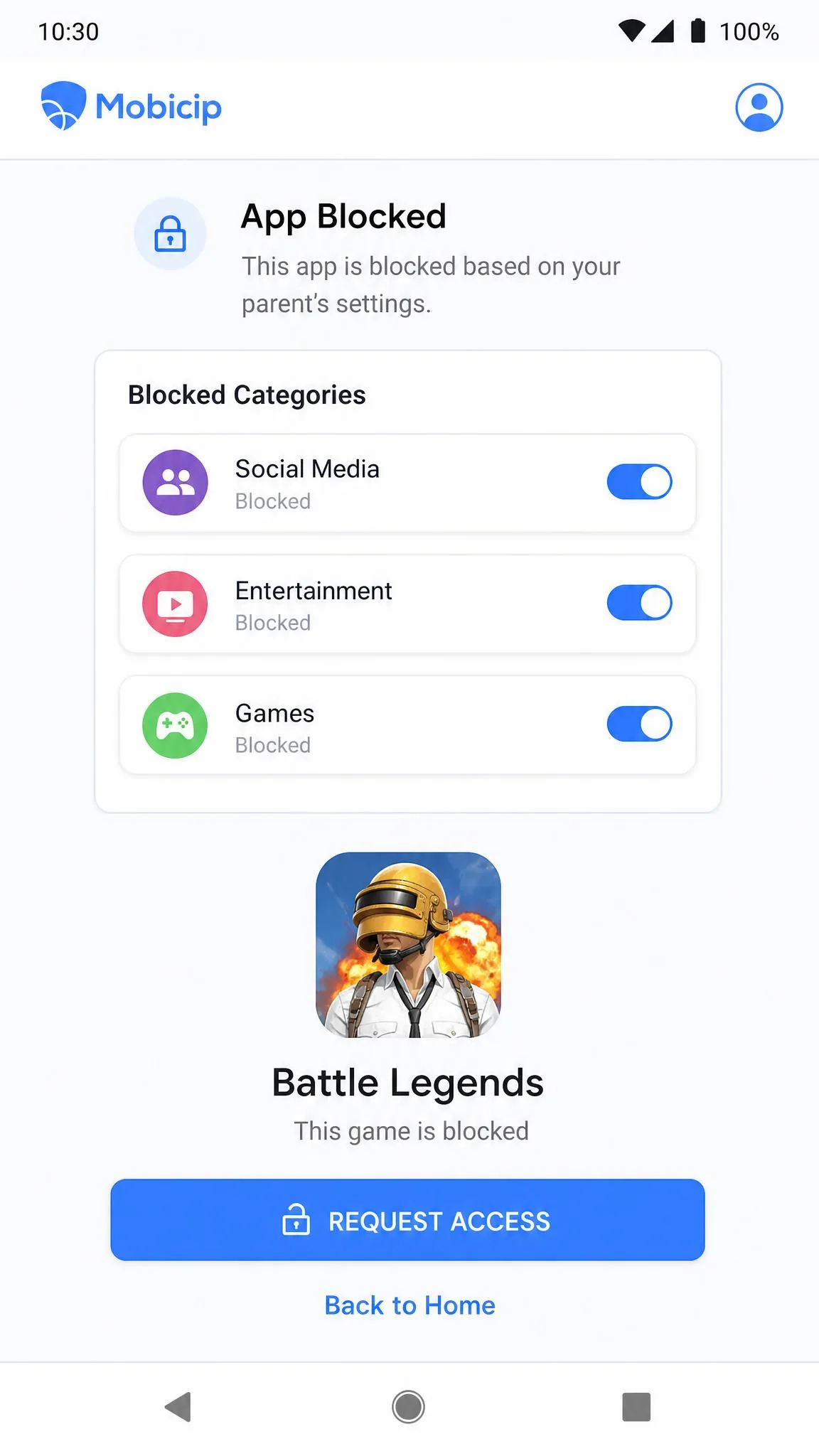
App restrictions are grouped into 3 categories: Social Media, Entertainment and Games. Category blocking caught everything we threw at it, including obscure titles, across roughly half a dozen game apps, and Mobicip also blocks apps preemptively at the app store so a child cannot simply reinstall. Every app rated 17+ in its app store is blocked by default, and that particular rule cannot be switched off.
The limitation is bluntness. Time limits apply to those 3 categories and never to an individual app, so you cannot allow an hour of one game and ten minutes of another. Blocking the Games category is equally indiscriminate, and puzzle, word and educational titles disappear along with everything else. Nothing in the dashboard lists which apps are installed on a child's device either, so blocking a specific app means spotting it in the activity log first. Qustodio's per-app time limits are the clear advantage there.
YouTube and Social Media Monitoring
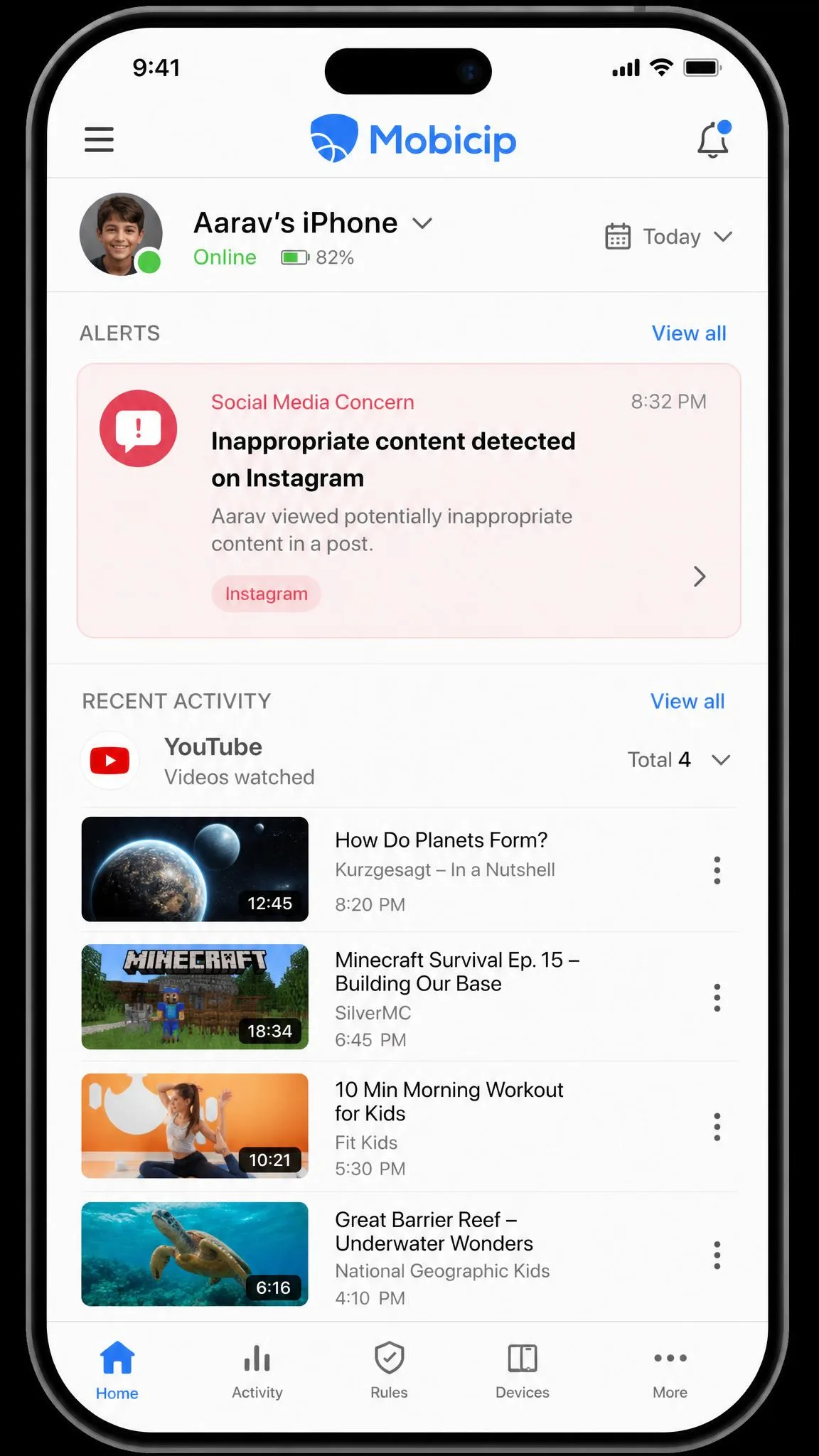
YouTube gets its own monitoring and filtering layer, which is sensible given how much of a child's screen time lands there. Social scanning flags 5 concern categories: bullying, sex, violence, drugs, and self-harm or suicide, and it surfaces those as alerts rather than dumping raw message logs on you.
The coverage behind those alerts is thin. Social monitoring reaches only a very small set of platforms, usually given as Facebook and Snapchat with Instagram sometimes added, and Instagram coverage has come and gone across releases, so the platform list in your account may be shorter than the marketing pages suggest. Snapchat monitoring does not work on iOS at all. Bark monitors more than 30 platforms including TikTok, Discord, Reddit and WhatsApp, and if that is your priority the comparison is not close.
Family Locator and Geofencing
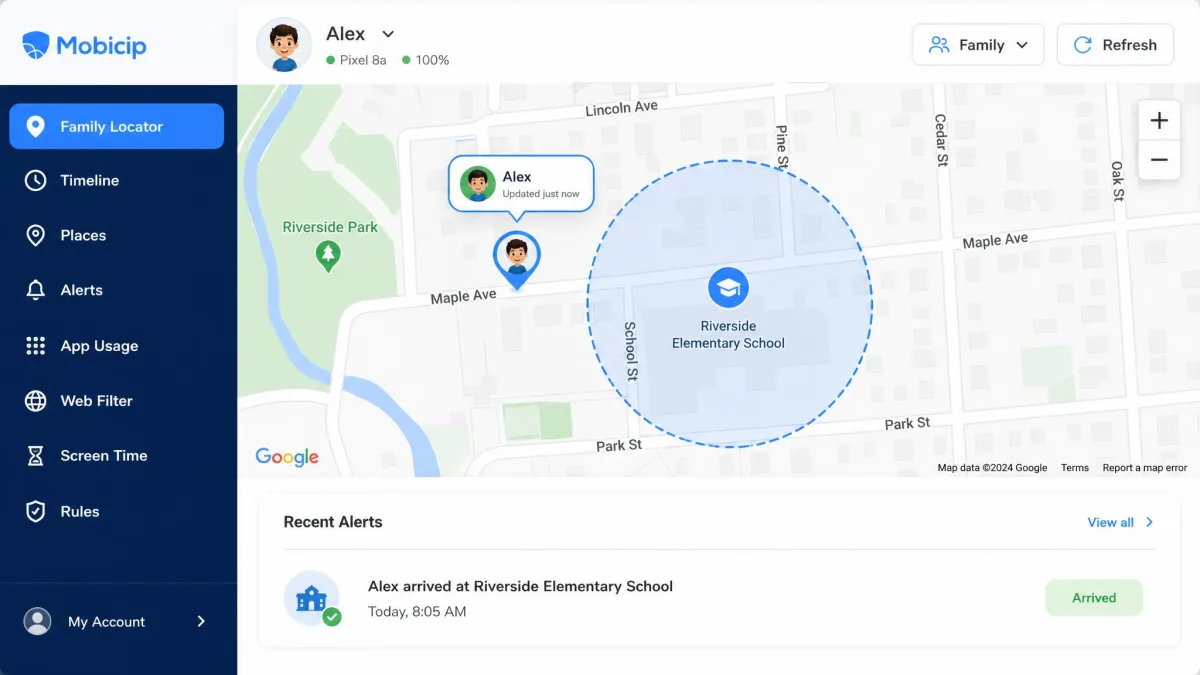
The family locator shows live location, keeps up to 30 days of history and supports geofenced zones with a radius of up to 1,000 metres, about 3,280 feet. Enter and exit alerts fire in both directions, and you can share your own location back with your children, which teenagers tend to accept more readily than one-way tracking.
Location readings landed accurately on Google Maps in our testing, and geofence alerts fired reliably for routine trips like the school run. The 1,000 metre ceiling sits between Bark's 650 feet and Norton Family's roughly 2 miles, and it is a sensible middle: large enough to cover a school campus, small enough that an arrival alert still means something.
Activity Reports and Alerts
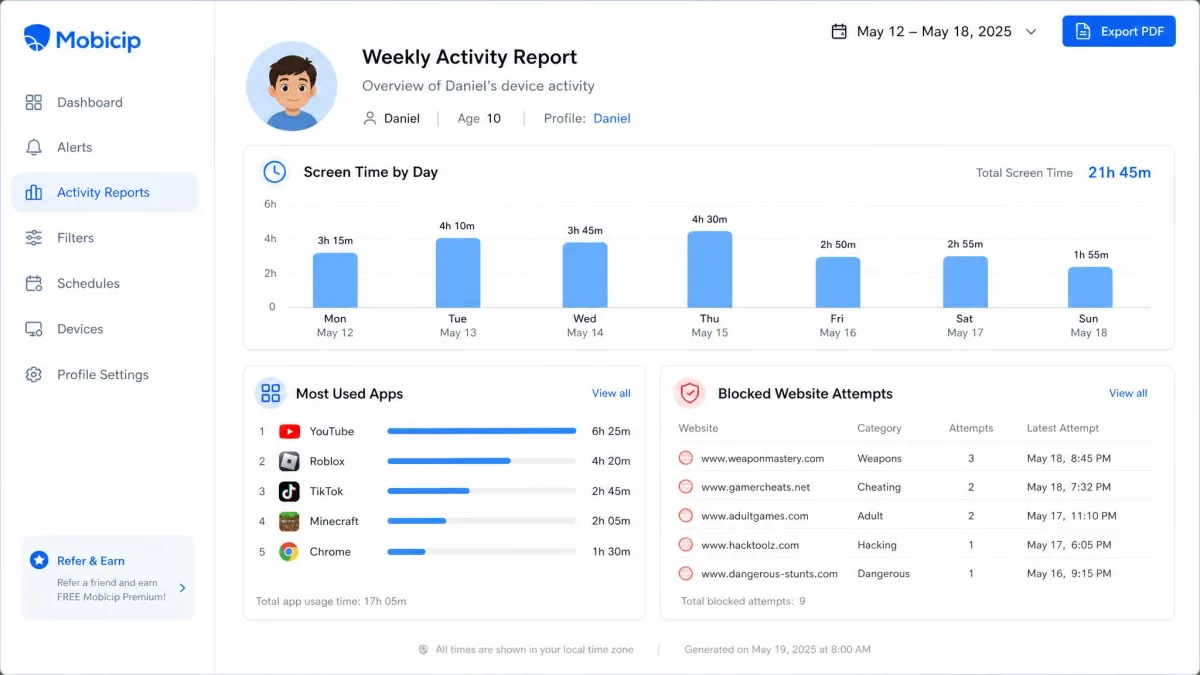
Reports pull browsing, app usage, screen time and search activity into a single timeline, with 30 days of history on any paid plan. Alerts cover geofence crossings, social concern flags, blocked attempts and unblock requests from the child app.
The weak point is freshness. The activity timeline is slow to refresh, so recent browsing and app usage can take a while to appear, and a parent checking in during the afternoon may be reading a partial picture. It works well for a weekly review and poorly for real-time supervision.
Remote Device Control and Uninstall Protection
Everything can be driven remotely: lock a device now, extend today's limit, approve an unblock request, or duplicate one child's settings onto another profile, which saves real time in larger families. Uninstall protection is built in, and the dashboard raises a notification whenever a child client goes offline.
Installation and Setup
Setting Up the Parent App
None of those features do anything until the app is on the devices, and that work begins on the parent phone. You create a family account, add a profile per child with their age, and the app builds a starting rule set from that age before you touch anything. Filters and schedules arrive preconfigured, which is the single best decision in the product, because it means a distracted parent ends up with something workable rather than nothing at all.
Setting Up the Child Device (iOS, Android, Windows, macOS, Chromebook, Kindle)
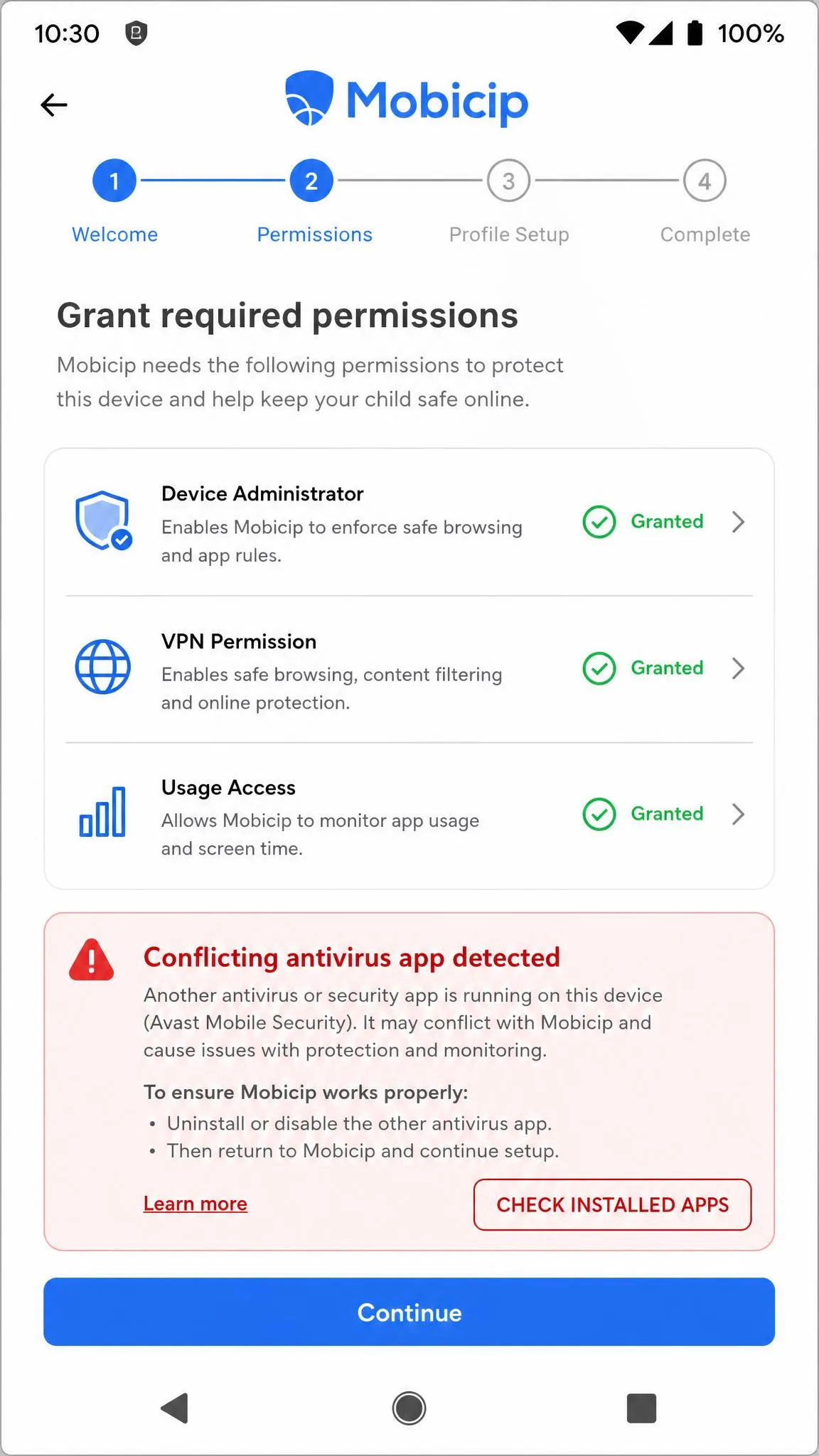
Child-device setup runs through a 5-step wizard including the permission grants each platform demands. The wizard warns about software that will conflict with monitoring, naming antivirus tools on Windows and Google Family Link on Android. Take that seriously, because Norton and Kaspersky antivirus have to be uninstalled before the Windows and Mac clients enforce rules properly.
One thing the wizard does not spell out is that on a shared computer, rules apply to the whole machine unless a separate Windows or macOS user profile exists for each child. Set those profiles up first if the family PC is shared, or a parent will find themselves locked out of a category at nine in the evening.
Ease of Use: Dashboard and Apps
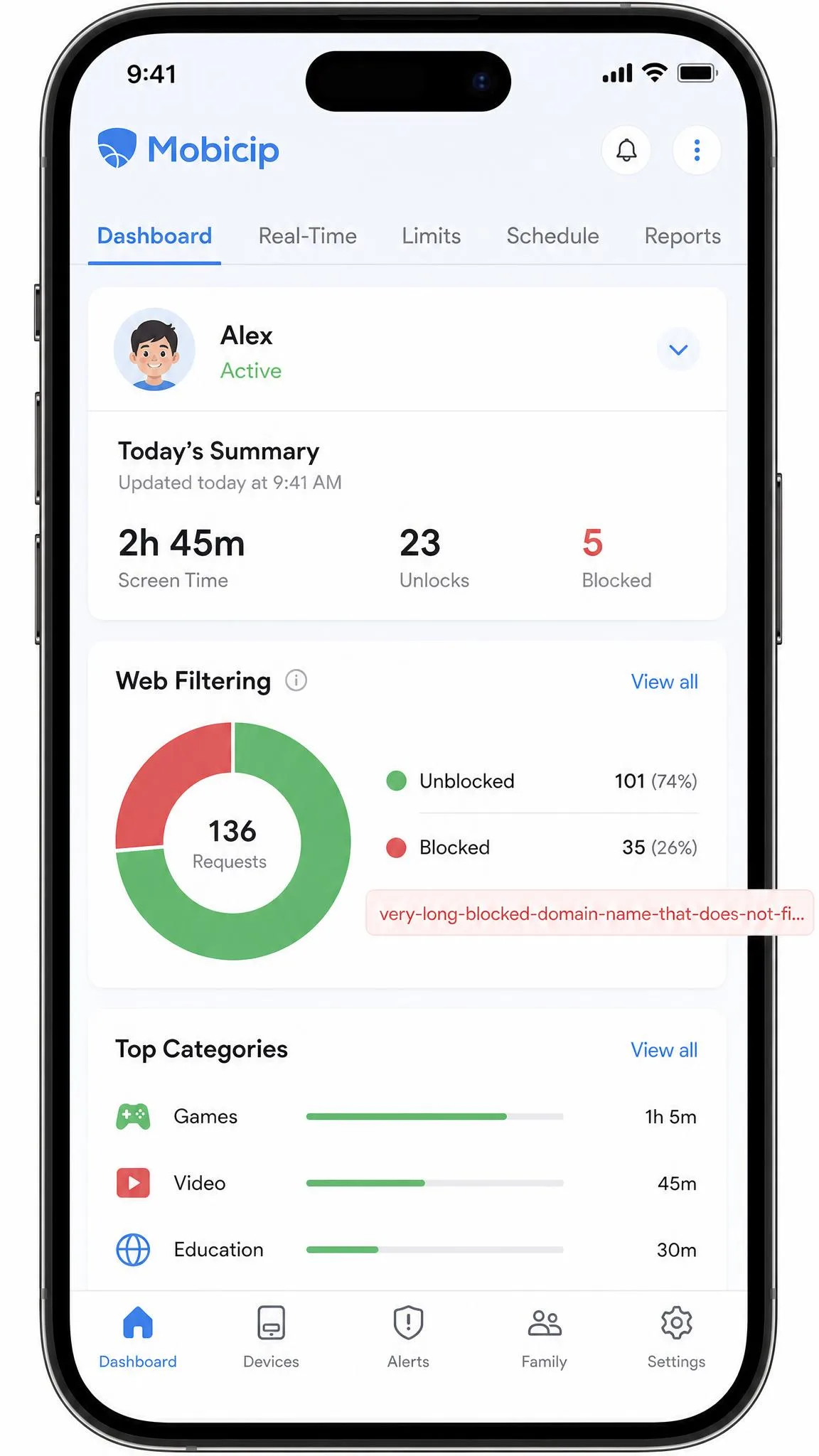
Once setup is behind you, the dashboard is where the rest of the relationship happens. The redesigned version is clean but hides behind tabs a lot of the data the previous one showed on a single page, so common checks take more taps than they used to. App Limits sit under Scheduling rather than with the app controls, which makes them easy to miss entirely. Blocked and unblocked states are shown as a greyed-out graphic rather than colour coding, and Mobicip adds a legend on the relevant pages precisely because it is not obvious.
Some documentation gaps compound this. The Social Media Monitor and the keyword filter ship with incomplete or missing in-app explanations, which forces a trip to the website to work out what they do. Mobile screens also feel cramped in places, with text occasionally overflowing its box or a word breaking across two lines. That said, the Android and iOS parent apps behave identically apart from Snapchat monitoring, and both ran without bugs across our review period.
Device and Platform Compatibility
Child apps run on iOS, Android, Windows, macOS, Chromebook and Kindle Fire, and parents can manage everything from Android, iOS or any web browser. That six-platform spread is the main reason to choose Mobicip over cheaper single-platform tools. Norton Family, for comparison, covers Windows, Android and iOS but does not support macOS at all.
Coverage quality is not uniform. The desktop child app runs quietly in the background without interrupting the child, which is what you want on a homework machine. Chromebook households, by contrast, can find the filter both over-blocking approved content and under-blocking what they wanted stopped, so budget some tuning time if a school Chromebook is the main device.
Mobicip Pros and Cons
The balance is easy to summarise. Mobicip gives you broad platform coverage, fine-grained scheduling and reliable web filtering for less money than anyone else charges, and it gives you very little insight into what your child is actually saying to other people. Which half matters more depends almost entirely on your child's age.
Can Kids Bypass Mobicip?
Controls are only as good as their weakest exit, so we tried the two routes children actually use, and both failed. Filtering continued in private browsing windows, and VPN connections were blocked outright rather than tunnelling around the filter. That puts Mobicip ahead of several rivals that a determined eleven-year-old defeats in an afternoon.
There is one real hole. A child left with Device Admin rights on an Android phone can revoke those rights in settings and uninstall the app without the parent password, although the dashboard raises a notification once the client goes offline. Check the Device Admin permission after setup on every Android handset, and treat an unexpected offline alert as a bypass attempt rather than a glitch.
Privacy, Data Collection and Safety
A control that survives a child's attempts to remove it is also a control that collects a great deal of data, which makes the privacy terms worth reading. Mobicip's privacy policy states that no personally identifiable data is sold to third parties without consent, and that stored data is protected with encryption, firewalls and SSL. For a product that logs a child's browsing and location, that is the baseline commitment you should be looking for, and it aligns with the expectations set by the COPPA children's privacy rules.
One caveat is worth reading closely. Account deletion and data deletion are handled separately, so removing the app alone does not clear stored activity data. If you stop subscribing, request data deletion explicitly rather than assuming that cancelling covers it.
Customer Support
A request like that data deletion goes through the same channel as every other question, and that channel is tickets and scheduled phone callbacks, with no live chat option. Ticket replies arrived within 24 hours and read as though a person wrote them, and a booked phone callback happened at the chosen time, which is not something every subscription service manages. The AI chatbot answered 4 out of 5 test questions directly, so it is useful for simple questions and no substitute for a ticket on the hard ones.
Setup difficulty is the most common theme in negative reader sentiment, and the Trustpilot reviews for Mobicip that raise it usually end with the problem resolved once support gets involved. If an install stalls, open a ticket early instead of persevering alone. Norton Family's live chat is the one clear support advantage among the rivals here.
Mobicip vs the Alternatives
Against the three apps parents most often shortlist alongside it, Mobicip wins on price and platform breadth and loses on message monitoring and filter granularity.
| Product | Mobicip | Qustodio | Bark | Norton Family |
|---|---|---|---|---|
| Screen time scheduling | 5-minute blocks, Vacation Mode, Family Time lock | 15-minute increments, custom routines | Scheduling with screen time rules | Time supervision and School Time |
| Web filtering categories | Varies by app version | 25+ | Category filtering | 45+ |
| App blocking | 3 category groups, no per-app timers | Per-app time limits | App blocking | App monitoring, not on iOS |
| Calls and SMS monitoring | Not offered on any tier | Calls and SMS monitoring | Text and message alerts | Not offered |
| Social media monitoring | Facebook and Snapchat, no Snapchat on iOS | Social message monitoring | 30+ platforms | Multi-platform supervision |
| Location and geofencing | Live location, 30 days history, 1,000m zones | Location with geofences | 650 ft zones | 2 miles zones, scheduled check-ins |
| Platforms supported | iOS, Android, Windows, macOS, Chromebook, Kindle | iOS, Android, Windows, macOS, Kindle | iOS, Android plus hardware | Windows, Android, iOS, no macOS |
| Devices per plan | 5 / 10 / 20 | 5 on Basic, unlimited on Complete | Unlimited | Unlimited |
| Starting price | $2.99/month | $59.95/year | $14/month | $49.99/year |
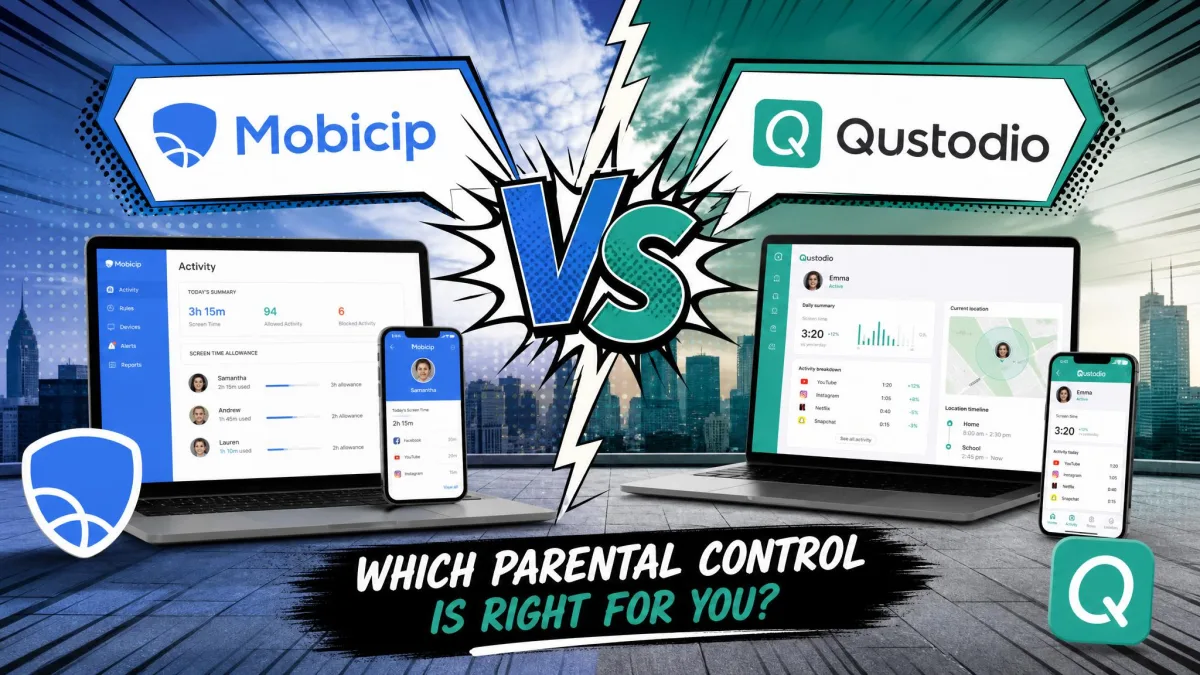
Choose Qustodio if per-app time limits and message monitoring matter, and you can absorb the higher price. Choose Bark if your child is a teenager and social platforms are the whole point. Choose Norton Family if you need unlimited devices across Windows and Android and value live chat support. Choose Mobicip if you want competent coverage of six platforms for the least money, which is broadly why it ranks 5th out of 27 parental control apps in SafetyDetectives' own roundup.
Who Should Use Mobicip?
Mobicip fits parents of children roughly aged 6 to 13 who need consistent rules across mixed hardware and want to build healthy digital habits without a fight over every device. It fits families with a school Chromebook or a Kindle Fire especially well, since those platforms are poorly served elsewhere. It fits budget-conscious households, because $35.88 a year is roughly a third of what Qustodio's full plan costs.
It does not fit parents of teenagers who need message-level insight, households where per-app time budgets are the goal, or anyone expecting real-time activity data. Those parents should look at Bark or Qustodio instead.
Frequently Asked Questions
Can Mobicip's controls be paused on a school network?
Can another adult help manage the Mobicip account?
What devices and platforms does Mobicip work on?
Does Mobicip have a free plan?
Can Mobicip monitor calls and SMS?
Does Mobicip slow down the device or drain battery?
Does Mobicip work offline?
Will my child know they are being monitored?
Final Verdict: Is Mobicip Worth It?
Mobicip earns 8.0 out of 10 from us and a straightforward recommendation for the family it is built for. What the entry plan costs buys you web filtering that survives incognito and VPN attempts, scheduling finer than most rivals allow, accurate location with 1,000 metre geofences, and clients for six platforms. Very little else in the category matches that combination, and the 7-day free trial plus a 30-day money-back guarantee makes trying it close to risk free.
The reservations are equally clear. Category-only app timers, a slow activity timeline and a monitoring layer that never reaches message content mean this is not the app for supervising a sixteen-year-old. Buy Mobicip to keep younger children safe online across a mixed pile of devices, and it will do that job well for less money than anyone else asks.