
Eyezy Review 2026: Is It Legit and Worth the Money?
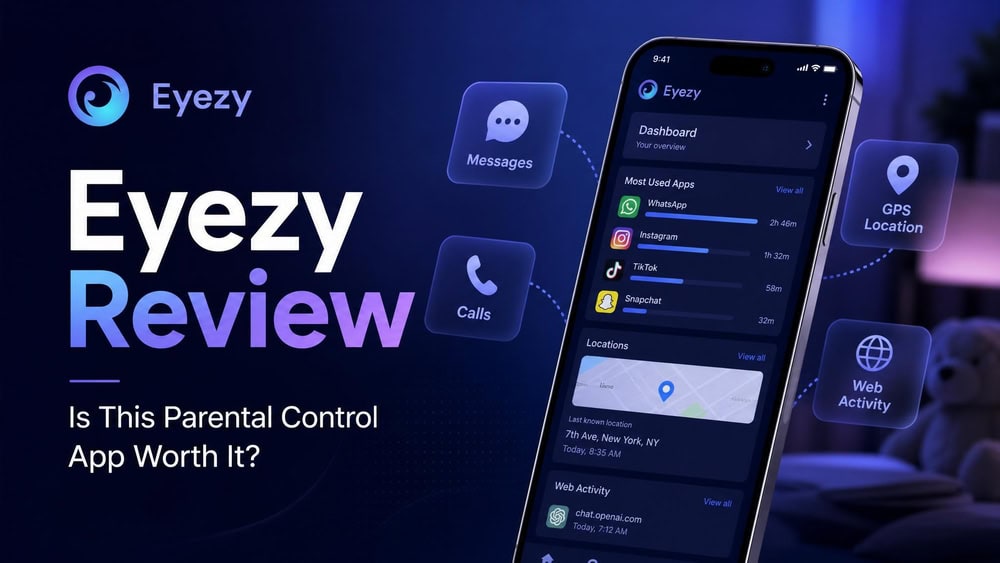
Eyezy is a phone-monitoring app marketed as a parental control tool, giving the account holder remote access to a target device's messages, location, calls, browsing history, and social media activity. It is a legitimate, working product rather than a scam, but "legit" and "worth the money" are different questions, and the second depends heavily on which phone you want to monitor and how much you will spend. We installed Eyezy on a test device and ran it for several weeks across iOS and Android to see where it delivers and where it falls short.
Eyezy Review: Quick Verdict
Eyezy is a capable, broadly featured monitoring app that does most of what it advertises, but it is held back by aggressive tier-gating, the absence of true parental-control tools like screen-time scheduling, and pricing that is hard to pin down before checkout. If you want covert message and social media monitoring on a single device, it is one of the more polished options in this category. If you want a transparent, child-facing parental control app with content filters and time limits, it is the wrong tool.
Check the Latest Eyezy PriceHow We Tested Eyezy
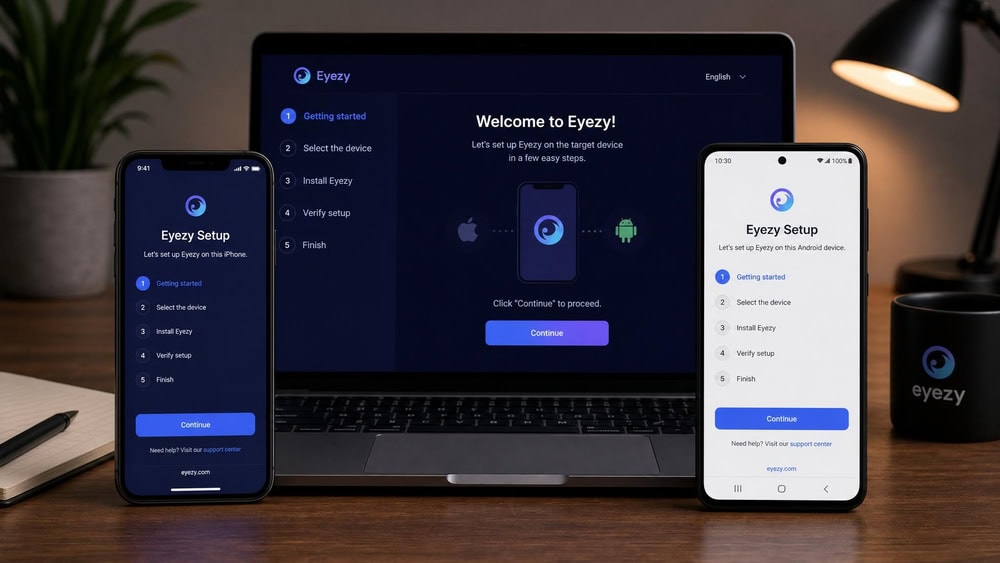
We approached Eyezy the way a parent would, starting from a fresh account and working through setup before touching the advanced features. We bought a subscription, installed the monitoring component on each test phone, and connected both devices to a single web dashboard that we checked daily.
On Android, we installed the companion app directly on a phone running Android 13 and granted the permissions the setup wizard requested. On iOS, we connected an iPhone running iOS 16 using its iCloud credentials, which is the method Eyezy uses for Apple devices. Over roughly three weeks we sent test messages, opened social apps, drove around the city to check location accuracy, and browsed the web to see what the dashboard captured and how quickly it appeared.
We also opened a support ticket to measure response time, read Eyezy's refund policy, and compared its plans against two close competitors. Where a number could not be confirmed from an official source, we say so rather than guess.
What Is Eyezy?
Eyezy is a remote phone-monitoring service. After you buy a subscription and link a target device to your account, the app quietly records activity on that phone and sends it to a web dashboard you log into from any browser. From there you can read messages, see call logs, follow the device on a map, review browsing history, and watch social media activity, all without holding the phone again.
Functionally, this is the same category of software often described as spyware or stalkerware when used without consent. Eyezy positions itself as a parental control and family-safety tool, and that framing is legitimate when a parent monitors a minor child's device that they own. The technology itself is neutral; the legality depends entirely on who is being monitored, a distinction we return to in the safety and legality section below.
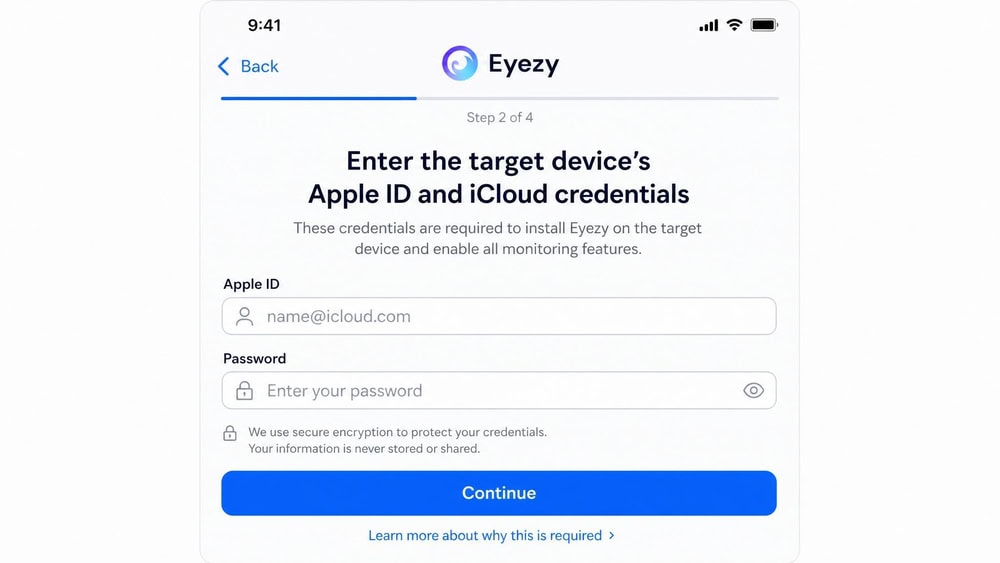
The data flow is straightforward. On Android, a small companion app runs on the target phone and uploads activity to Eyezy's servers. On iOS, the standard method installs no app; instead it syncs data from the device's iCloud backup using the Apple ID credentials you supply. That difference matters for what you can see and how reliably it updates, as we cover in the compatibility section.
The app is operated by FORTUNEX LIMITED, the developer name listed on its official App Store entry. Eyezy supports iPhone, iPad, Android phones, and Android tablets, but it does not monitor desktop or laptop computers.
Pros and Cons
Here is the short version of what we liked and what frustrated us after three weeks of daily use.
Pros
- Comprehensive monitoring across messages, calls, social media, GPS, and the keyboard
- Strong social media coverage, including WhatsApp, Instagram, Snapchat, and Facebook
- A clean, well-organized dashboard that is easy to navigate
- Stealth operation through its Invisible Shield hidden mode
- No jailbreak required for iOS monitoring
- A 14-day money-back guarantee on a first purchase
Cons
- Several headline features are gated to the higher Ultra tier
- No screen-time scheduling or app-time limits
- No content or web filtering to actively block material
- iOS monitoring requires the target's iCloud credentials
- Some Android features still expect a rooted device
- Per-month pricing is hard to confirm before checkout, and the higher tiers are expensive
Eyezy Features
Eyezy's feature set is broad, and the company gives each tool its own branded name. We walked through every module on the dashboard; below is how the core features performed and which ones are most likely to matter to you.
Keystroke Capture (Keylogger)
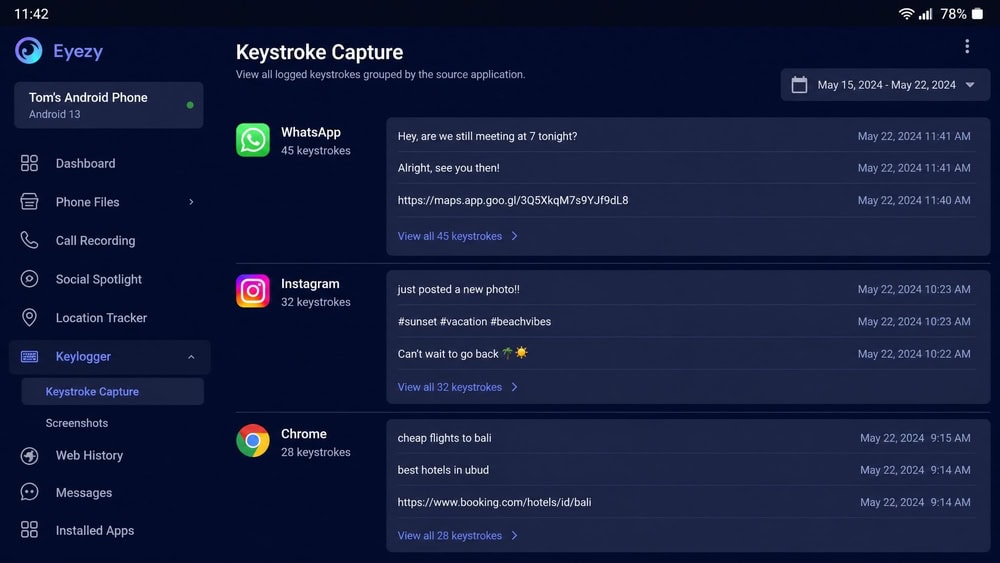
Keystroke Capture is Eyezy's keylogger. It records what is typed on the target device, which means it can surface text that other features miss, including messages in apps Eyezy does not parse directly and browser search queries. On our Android test phone it logged typed text reliably, grouping entries by the app. This is one of Eyezy's more powerful tools, and also one of the most invasive, so be deliberate about whether you actually need it.
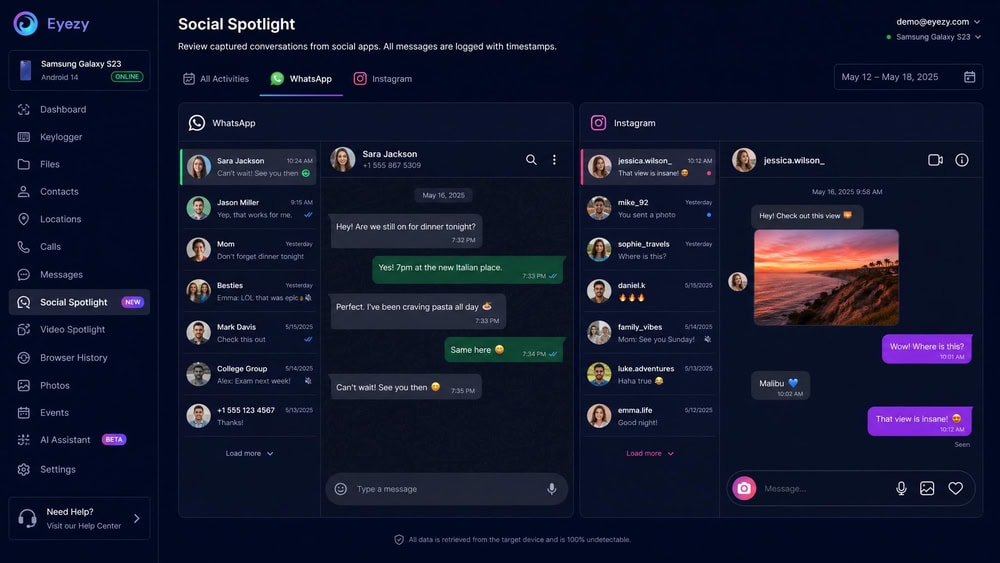
Social Spotlight (Social Media & WhatsApp Monitoring)
Social Spotlight is the feature most people buy Eyezy for. It monitors messaging and social apps, and in testing it captured activity from WhatsApp, Instagram, Snapchat, Facebook, and iMessage with timestamps. On Android the capture was consistent. This is where Eyezy is genuinely strong relative to parental control apps that often stop at native texts.
There is a catch. On Android, several of the deeper social and instant-messaging features, including full WhatsApp and Facebook capture, can require the target device to be rooted.
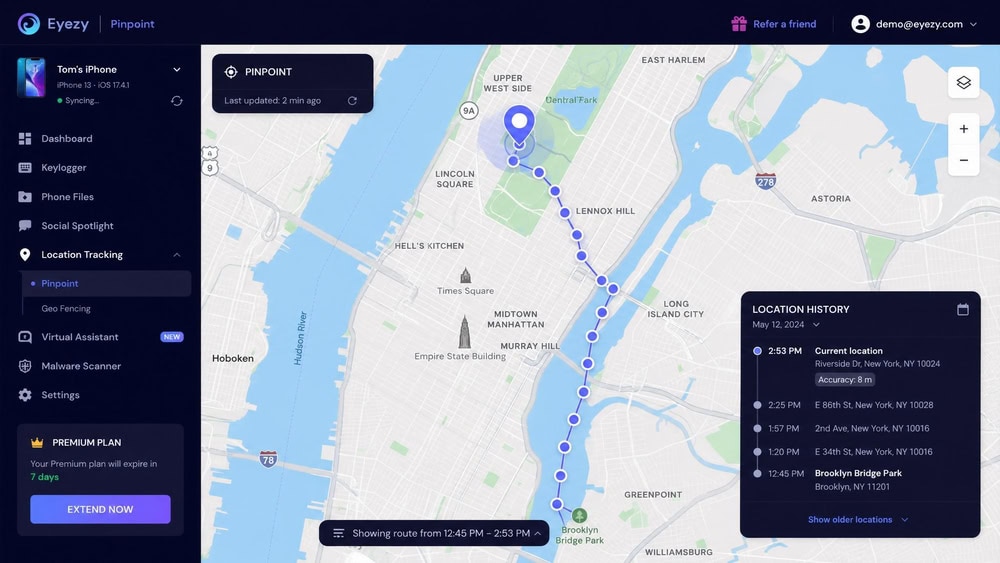
Pinpoint & Magic Alerts (GPS Location & Geofencing)
Pinpoint is Eyezy's real-time GPS location tool, and Magic Alerts is its geofencing layer. Together they place the device on a map and let you draw zones that trigger an alert when the phone enters or leaves them. In our drive testing, location updates were accurate to within a typical GPS margin in open areas, and geofence alerts fired reliably when we crossed a boundary set around a test address. For a parent who mainly wants to confirm a child arrived somewhere, this works well.
Phone Analyzer (Calls & Texts)
Phone Analyzer covers the basics: call logs and native text messages, along with contact details. It is unglamorous but dependable, listing incoming and outgoing calls with durations and timestamps and showing the full text of native SMS threads. If your concern is who a device is calling and texting, this is the module that answers it.
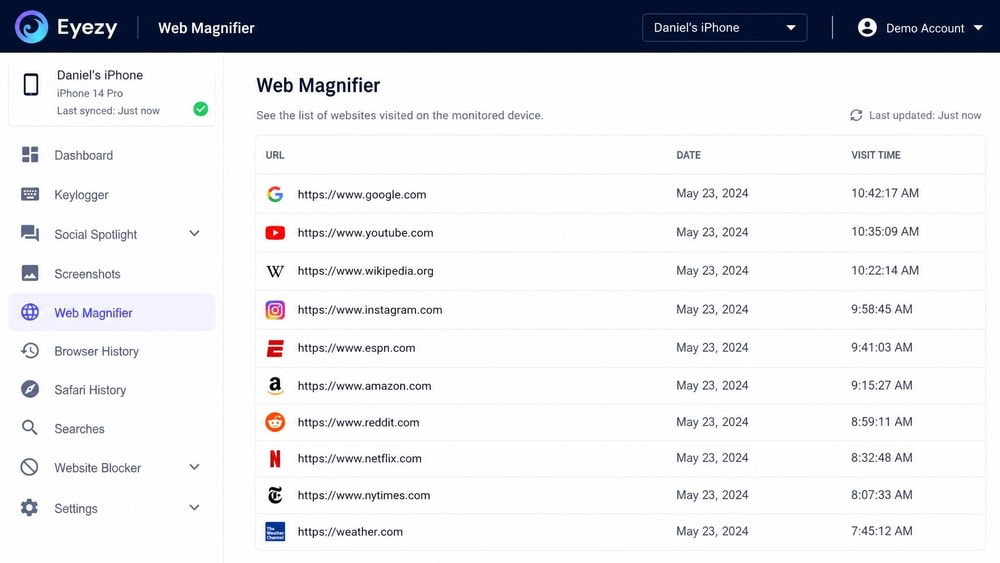
Web Magnifier (Browsing History)
Web Magnifier records the device's browsing history, showing visited URLs and timestamps. It captured the sites we visited on the test phone's default browser without trouble. It is a monitoring tool rather than a filter, though, which is an important distinction we expand on below: Web Magnifier tells you where the device has been online, but it does not block anything.
Connection Blocker (App & Website Blocking)
Connection Blocker is the closest Eyezy comes to a control rather than a monitoring feature. It lets you block specific apps and websites on the target device. It worked in our testing, but it is important to set expectations: it blocks named targets you choose, and it is not a category-based content filter that automatically screens out whole classes of inappropriate material. There is also no scheduling layer to limit when apps can be used.
Files Finder
Files Finder gives you access to photos and videos stored on the target device. It surfaced the images saved on our test phone, useful if your concern is what a device is capturing, though large media libraries take time to sync.
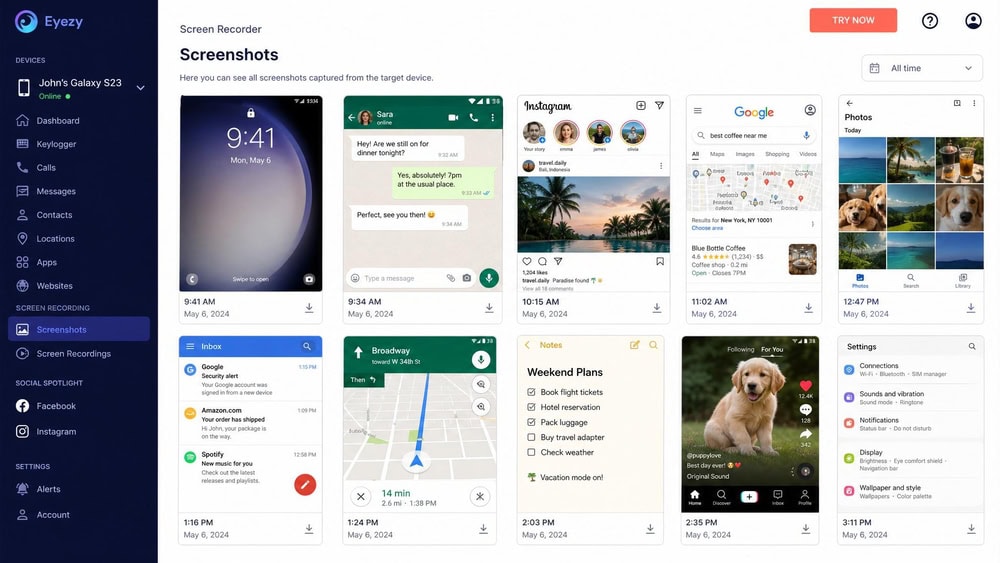
Screen Recorder
Screen Recorder periodically captures screenshots of the target device, giving you a visual record of on-screen activity that text logs cannot convey. It is one of the features more likely to sit on a higher plan tier, so check what your chosen plan includes.
Plans Breaker (Calendar, Notes, To-Do)
Plans Breaker rounds out the set by surfacing calendar events, notes, and to-do items from the target device. It is a minor feature next to the messaging and location tools, but it adds context about what a device's owner has scheduled.
Eyezy Pricing & Plans (Premium / Ultra / Family Kit)
Pricing is where Eyezy gets frustrating, and it is the biggest reason we hedge on the "worth the money" question. Eyezy does not publish clear numeric prices on its homepage, instead advertising a "less than a dollar a day" framing, and the actual per-month cost depends on the billing term and the active promotion. Eyezy offers three durations: 1-month, 3-month, and 12-month plans, and the longer the term, the lower the monthly rate.
There are three plan tiers. Premium is the entry plan and starts from about $7.99 per month on the annual plan, scaling up sharply on shorter terms; verify the live figure at checkout. Ultra adds the most invasive tools, including remote camera and microphone access, and starts around $19.99 per month on the annual plan, though this varies by source and promo. The Family Kit covers up to three devices, the figure we can state plainly; the dollar amount is reported inconsistently across sources, so treat any per-month number as approximate and confirm it at checkout.
There is no free version or free trial. Instead, Eyezy relies on a 14-day money-back guarantee, which applies to a first purchase, carries exclusions, and deducts a 9% payment-processing fee from the refund.
| Plan | Devices | Billing terms | Starting price (annual) | Notable additions |
|---|---|---|---|---|
| Premium | 1 | 1, 3, 12-month | From about $7.99/mo (verify at checkout) | Core monitoring suite |
| Ultra | 1 | 1, 3, 12-month | Around $19.99/mo (approx.) | Remote camera and microphone access |
| Family Kit | Up to 3 | 1, 3, 12-month | Reported figure varies (confirm at checkout) | Multi-device coverage |
Compatibility (iOS & Android - install / rooting / iCloud requirements)
Eyezy works differently depending on the operating system, and understanding that difference before you buy will save you frustration.
On iOS, no jailbreak is required. Eyezy monitors an iPhone or iPad by syncing from its iCloud backup, so you need the target device's iCloud credentials (the Apple ID and password). If the account has two-factor authentication enabled or iCloud backup is switched off, you will need physical access to complete setup. The iOS companion app requires iOS 15.0 or later. Because the method depends on iCloud sync rather than a live on-device app, data appears when the device backs up rather than instantly.
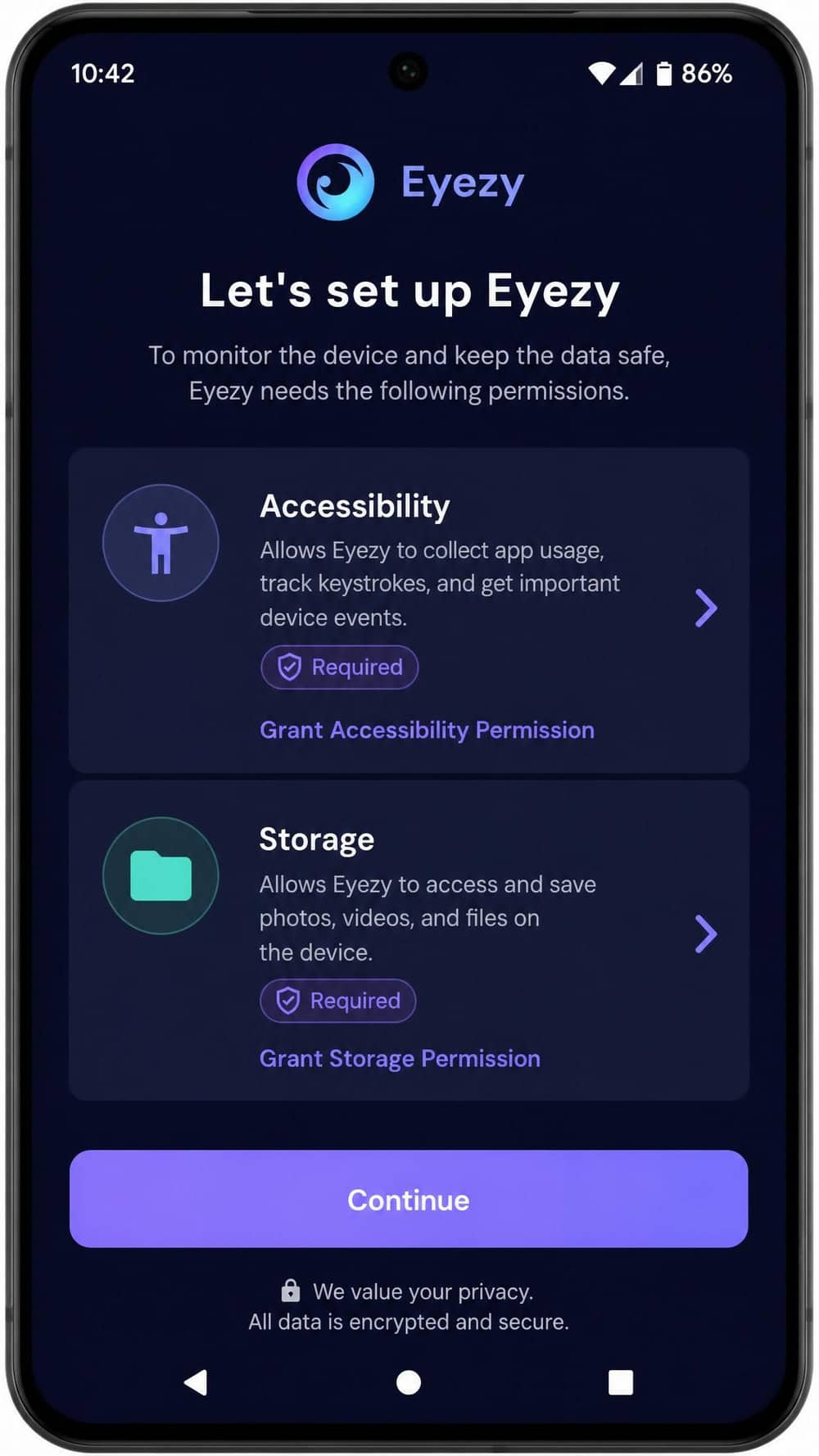
On Android, you install the companion app directly on the target phone, so brief physical access is required at setup. Basic monitoring does not require rooting. However, several deeper features, particularly full WhatsApp, Facebook, and certain Snapchat capture, can require the device to be rooted; verify the current requirements against Eyezy's compatibility page before you rely on any feature. Eyezy does not publish a clear, current minimum Android version, so before you buy it is worth checking the Play Store listing or Eyezy's compatibility policy for your specific device's Android version.
Across both platforms, Eyezy supports iPhone, iPad, Android phones, and Android tablets. It does not monitor desktops or computers, so this is strictly a mobile tool.
Ease of Use & Dashboard
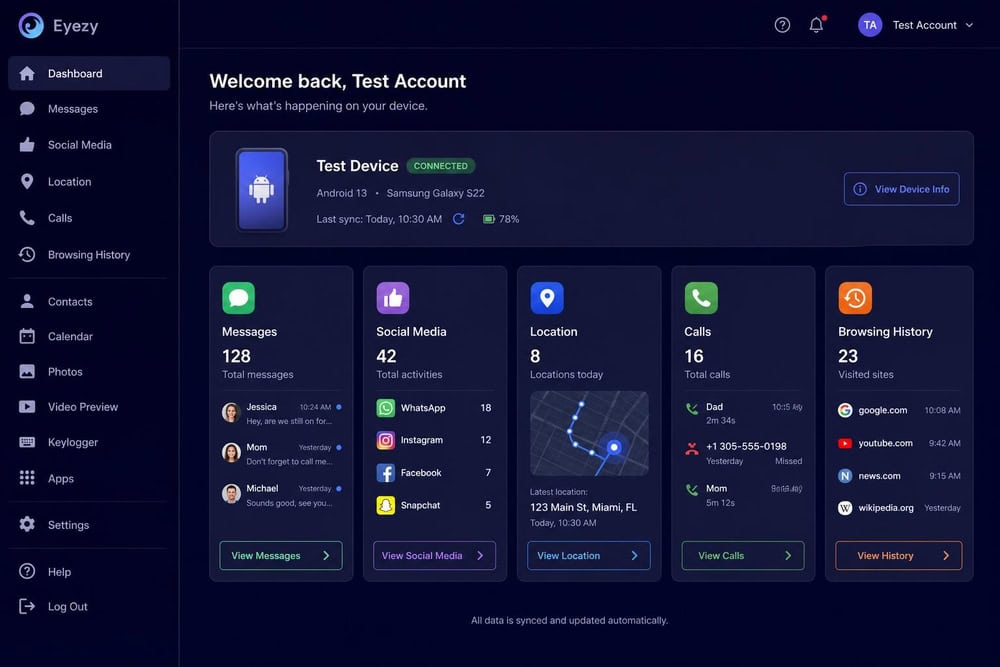
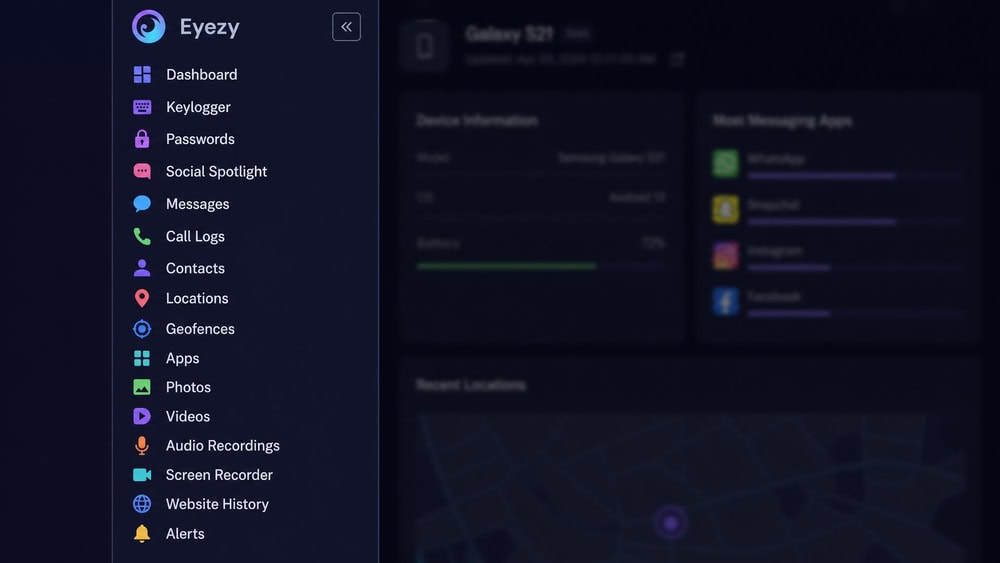
Setup aside, the day-to-day experience is one of Eyezy's strengths. The web dashboard is clean and logically organized, with each feature given its own labeled section in a left-hand menu. Jumping from messages to location to social media took a click each, and the layout did not require a manual.
The information density is well judged. Message threads read like a familiar chat interface, the location map is uncluttered, and call logs sit in a simple table. After three weeks we never hunted for where a type of data lived. For a category of software that is often clumsy, Eyezy's dashboard is genuinely pleasant to use, and that is part of why we rate the product as highly as we do.
The main friction is setup rather than daily use, and most of it comes from the platform requirements above rather than Eyezy's interface.
Is Eyezy Safe & Legal?
This is the most important section in this review, and it deserves a sober answer. The software is technically safe to install in the sense that it is a real, functioning product rather than malware. The legal and ethical questions are entirely separate, and they are serious.
Monitoring software like Eyezy is legal in many places when you monitor a minor child whose device you own, or a company-owned device with disclosed policies. It is generally illegal to install it on another adult's phone without their knowledge and consent, including a spouse or partner. The specifics vary by jurisdiction, so read up on the laws on monitoring someone's phone that apply where you live before you install anything.
On the data-security side, Eyezy transmits captured data to its servers and stores it in your account, so you are trusting a third party with extremely sensitive information. Eyezy describes its protection as bank-grade encryption and says that only the authorized account holder can view the data through their dashboard, with two-factor authentication available on the account. We could not independently verify a named encryption standard on an official Eyezy page; some third-party reviewers report that Eyezy uses AES-256 and RSA-4096 ciphers, but those specific figures come from reviewers rather than from Eyezy directly, so we would treat them as unconfirmed. As with any monitoring service, a central store of someone's messages and location is itself a privacy consideration worth weighing.
Eyezy Customer Support
Eyezy advertises 24/7 customer support, with email reachable at support@eyezy.com. In practice, our experience and the broader pattern from other reviewers is more mixed than the marketing suggests. Responses we received leaned automated, and several third-party reviews report slow or templated replies rather than the immediate help "24/7" implies. We could not confirm a live, staffed chat channel, so treat the 24/7 promise as advertised availability rather than guaranteed fast resolution. If responsive human support is a deciding factor for you, Eyezy is merely adequate.
Eyezy vs. Competitors
Eyezy's closest comparisons are uMobix and mSpy. All three cover the same core ground (social media, keylogging, GPS, and stealth), so the differences come down to pricing, platform requirements, and support. The dollar figures below are starting annual rates and should be confirmed at each vendor's checkout.
| Feature | Eyezy | uMobix | mSpy |
|---|---|---|---|
| Price (annual, from) | ~$7.99/mo | ~$12.49/mo | ~$11.66/mo |
| Social media monitoring | Yes (WhatsApp, IG, Snapchat, FB, iMessage) | Yes | Yes |
| Keylogger | Yes (Keystroke Capture) | Yes | Yes |
| GPS / Geofencing | Yes (Pinpoint + Magic Alerts) | Yes | Yes |
| Screen-time controls | No | Limited | Limited |
| Stealth mode | Yes (Invisible Shield) | Yes | Yes |
| iOS support | Yes (iOS 15.0+; iCloud sync) | Yes | Yes (iCloud / Apple ID) |
| Android support | Yes | Yes | Yes |
| Rooting/jailbreak required | No for basic; some features need root | No for basic | No for basic; Android needs brief physical access |
| Customer support | Email; 24/7 advertised (mixed feedback) | Live chat + email | 24/7 live chat + email |
On price, Eyezy's entry tier is the cheapest of the three on the annual term, but its higher tiers climb fast and its real-world cost is harder to confirm up front. uMobix and mSpy both offer clearer published pricing, and both advertise live chat where Eyezy leans on email. If support responsiveness and price transparency rank above feature breadth for you, the alternatives are worth a look.
What Real Users Say
User sentiment for Eyezy is genuinely mixed, which fits our own experience. On Trustpilot, Eyezy carries a rating of around 3.8 to 4 stars across several hundred reviews, landing it in "great" territory without being a runaway favorite. The iOS companion app shows a higher 4.7-star rating from roughly 4,800 ratings on the App Store, though that figure reflects the companion app listing specifically rather than overall satisfaction, so we would not read too much into it alone.
The recurring themes echo what we found: praise for the breadth of monitoring and the dashboard, frustration with pricing and the gap between advertised and actual support responsiveness, and complaints about features not working on certain devices. Reddit threads on monitoring apps surface the same caveats around platform requirements and the cost of the higher tiers.
Final Verdict: Is Eyezy Worth It?
After three weeks of hands-on testing, Eyezy is a legitimate, capable monitoring app that earns its place among the better-known options, but it is not for everyone and not the bargain its "less than a dollar a day" framing implies.
It is worth the money if you want covert, comprehensive monitoring of messages, social media, and location on a single device and value a clean dashboard. It is not worth it if you want a transparent parental control app with screen-time scheduling and content filtering, because Eyezy does not do those things, or if you are unwilling to navigate iCloud credentials on iOS and possible rooting on Android.
Check the Latest Eyezy PriceFrequently Asked Questions
Does Eyezy work without rooting or jailbreaking?
For iOS, no jailbreak is required. Eyezy monitors iPhones and iPads through iCloud sync using the target's Apple ID credentials. On Android, basic monitoring works without rooting, but several deeper social and messaging features can require the target device to be rooted, so verify the current requirements against Eyezy's compatibility page.
Is Eyezy hidden or undetectable?
Eyezy includes a stealth feature it calls Invisible Shield, which is designed to run the Android companion app without a visible icon. No monitoring app is guaranteed to be completely undetectable, and using one covertly on another adult's phone may be illegal where you live.
Can Eyezy monitor social media and deleted messages on WhatsApp, Instagram, and Snapchat?
Yes. Eyezy's Social Spotlight feature captured activity from WhatsApp, Instagram, Snapchat, Facebook, and iMessage in our testing. On Android, full capture of some of these apps can require a rooted device, and message recovery depends on what the app has logged before deletion.
Does Eyezy track real-time GPS location?
Yes. Eyezy's Pinpoint feature shows the device's GPS location on a map, and its Magic Alerts feature adds geofencing so you receive an alert when the device enters or leaves a zone you define. Location was accurate within a normal GPS margin in our drive testing.
How much does Eyezy cost, and is there a refund policy?
Eyezy offers Premium, Ultra, and Family Kit plans across 1-month, 3-month, and 12-month terms, with the Premium tier starting from about $7.99 per month on the annual plan; the exact figure depends on the term and current promotion, so confirm it at checkout. There is no free trial, but a 14-day money-back guarantee applies to a first purchase, with exclusions and a 9% payment-processing fee deducted.
Is it legal to use Eyezy on my child's or partner's phone?
It is generally legal to monitor a minor child whose device you own. Installing monitoring software on another adult's phone, including a partner's, without their knowledge and consent is illegal in many jurisdictions. Check the surveillance and consent laws that apply where you live before installing anything.

 mSpy Review
 UMobix Review
 Cocospy Review
 FlexiSPY Review
 HoverWatch Review
 SpyX Review