OurPact is a parental control app for iOS and Android that lets a parent block apps, schedule screen time, filter the web and see where a child's device is, all from a phone dashboard. It is built for parents who mainly want a remote off switch rather than a full monitoring suite, and on that narrow brief it works well enough to recommend with conditions. Reliability, a heavy first-time setup and a thin Android build are what stop it short of a clear yes.
We spent this review working through the parent app, the child app and the web dashboard, checking each feature against what the plans promise and against what parents report in day-to-day use. What follows covers pricing, the features we tested, the setup process, the iOS and Android split, how easily a child can get around it, and how OurPact compares with Qustodio, Bark and Boomerang.
OurPact Review at a Glance: Our Verdict and Rating
OurPact earns its place for one specific job. If your goal is to pull a child's apps offline at dinner, at bedtime or on demand, the instant block and grant buttons do that faster and with less fuss than most competitors, and the dashboard is clean enough that you are not hunting for the control you need.
The trouble starts when you want more than that. There are no activity reports, so you get control levers without any picture of what your child actually did with the device. Support runs through email only, and replies can be slow or fail to arrive at all despite an automated acknowledgement. Connectivity is the recurring complaint: the VPN profile that powers web filtering on iOS disconnects at random, and a device can drop off the dashboard without warning.
We judged OurPact the way a parent uses it, by setting up a child device from scratch, building schedules, blocking apps mid-session and then checking whether those blocks survived a restart and an operating system update.
What Is OurPact and Who Is It For?
OurPact is a subscription parental control service with a parent app, a companion app that lives on the child's device, and a browser dashboard that mirrors both. The parent side is where all the work happens: you add each child, pair their devices, then set blocks, schedules and allowances from a single screen.
The design assumption is that the parent decides and the child complies. There is no way for a child to earn screen time, set goals or take part in rule setting, so the app works as a one-way remote lock despite the collaborative framing in its marketing. That suits younger children and families who want firm boundaries. It suits older teenagers far less, both because the controls feel imposed and because a determined fifteen-year-old has several ways around them.
The other thing worth knowing up front is what OurPact does not attempt. There is no call or SMS monitoring, no YouTube viewing history, no geofencing alerts and no activity reports. If your reason for buying a parental control app is to know what your child is reading and saying, this is the wrong product and Bark is the obvious alternative.
OurPact Pricing: Free vs Premium vs Premium+
OurPact sells three tiers: a free plan, Premium at $6.99 per month, and Premium+ at $9.99 per month. Paying yearly brings Premium to $69.99, which works out at $5.83 per month, and Premium+ to $99.99, or $8.33 per month. Both paid plans cover up to 20 child devices, which is generous next to competitors that charge per device or cap you at five.
There is a 14-day free trial with full feature access, and given how long the first setup takes, you will want most of that fortnight before deciding.
| Plan | Devices | Location history | Screenshots | Price |
|---|---|---|---|---|
| Premium+ | Up to 20 | 30 days | Instant and automated | $9.99/mo |
| Premium | Up to 20 | 14 days | Not included | $6.99/mo |
| Free | 1 | Not included | Not included | Free |
What the free plan actually gives you
The free plan manages one child device only, with a single schedule, and the block allowance is limited enough that you will hit the ceiling in a normal week. It is described both as five blocks in total and as five block or grant actions per day, so the real ceiling depends on how the actions are counted. Either way, the free tier behaves more like a demo than a usable product, and the jump up to Premium is a large one.
Use it to confirm that the child app installs cleanly on the devices you own and that blocks land the way you expect. Do not plan a household around it.
Is Premium+ worth the upgrade?
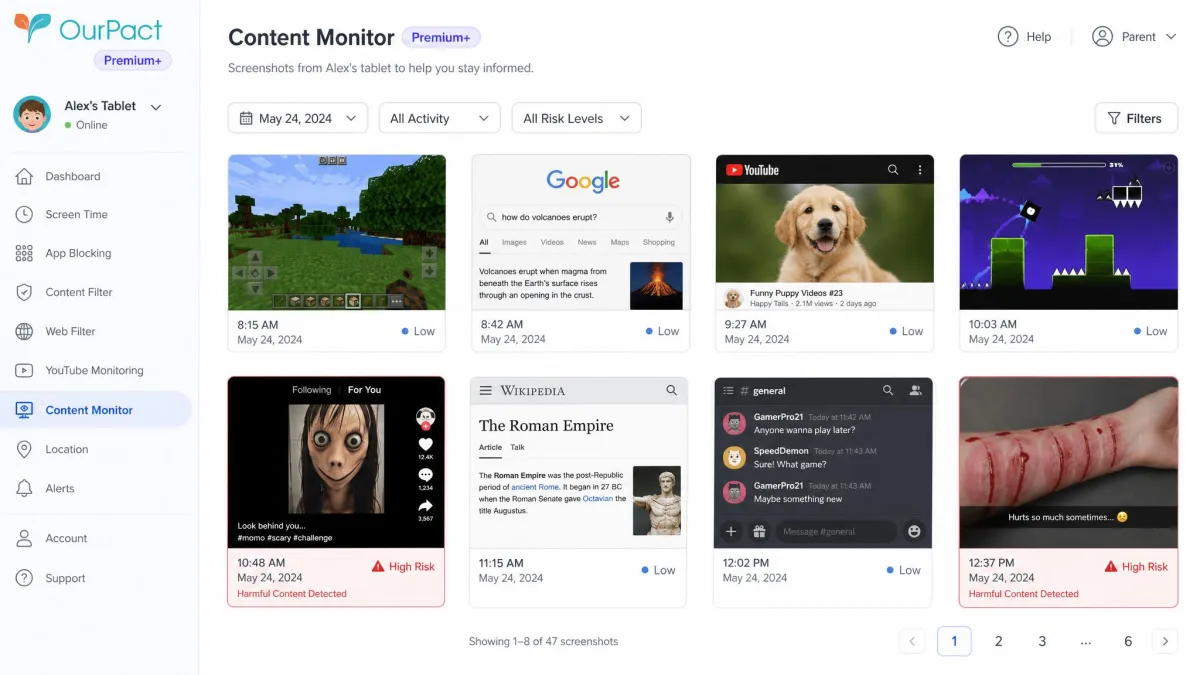
Premium+ adds the Content Monitor: instant and automated screenshots of the child's screen, AI flagging of harmful content, custom detection terms and an encrypted gallery for what it captures. It also stretches location history from 14 days to 30 days.
The extra three dollars a month is defensible if screenshots are the reason you are buying, and pointless if they are not. One practical catch matters here. Taking a live screenshot can minimise whatever the child is doing on screen, which tips them off that a capture happened, so the feature is less discreet than the plan page implies.
Start on monthly Premium rather than an annual plan. Refunds are issued only when the app is not working as advertised rather than as a general money-back guarantee, and refund outcomes vary case by case, so a year paid up front is a year you may not get back.
OurPact Features We Tested
App blocking and scheduled device blocks
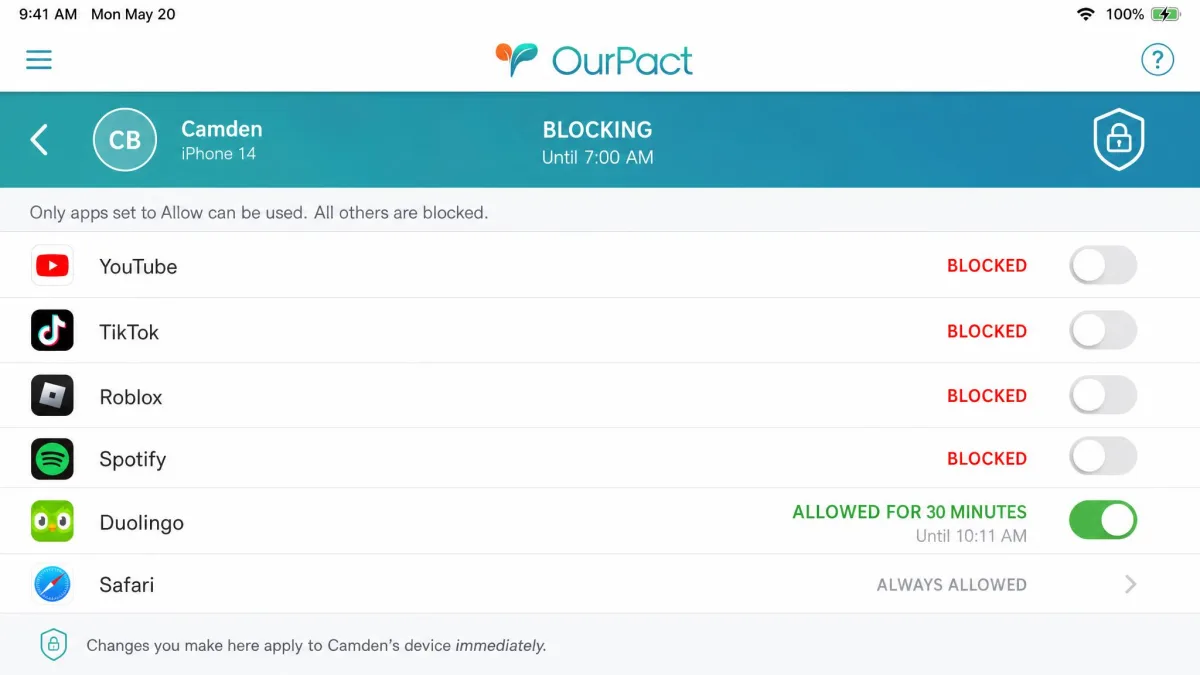
App blocking is the strongest part of the product. From the parent dashboard you can pull individual apps offline, grant one back for a set stretch, or block the whole device instantly with a single tap. Once the account exists, building a block schedule takes roughly two minutes, and the schedule editor is one of the clearer ones in this category.
On iOS you also get per-app time limits. Android does not have them, which changes how you use the app across a mixed-device family.
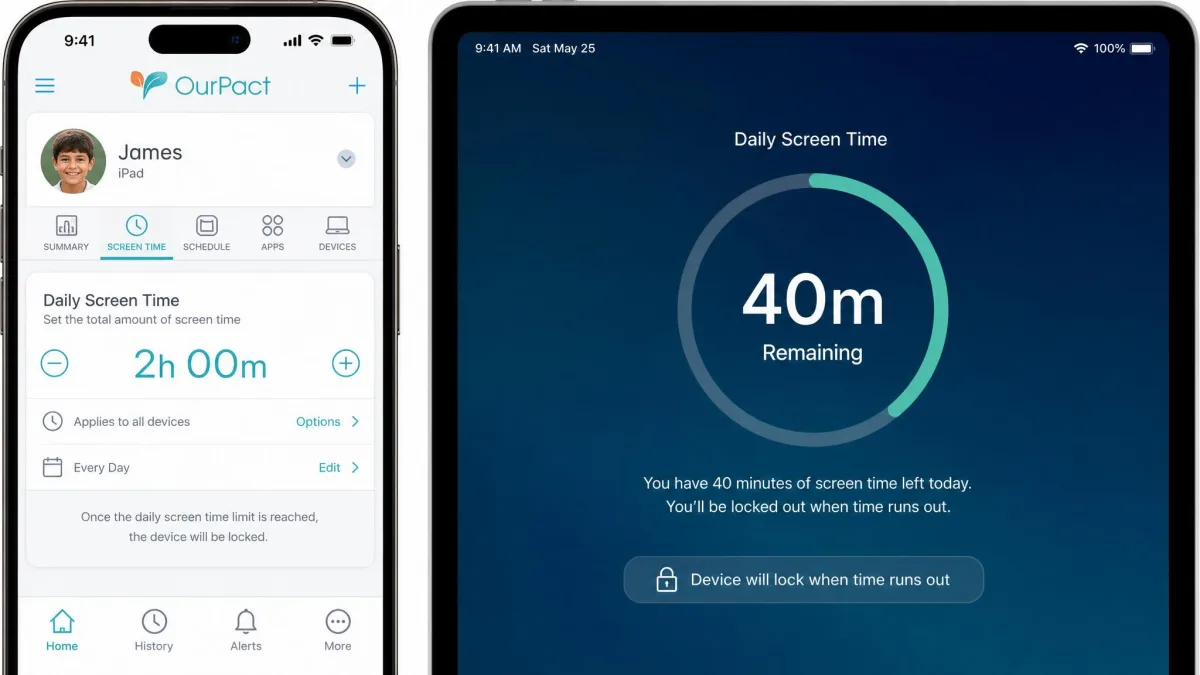
Screen time allowances and daily limits
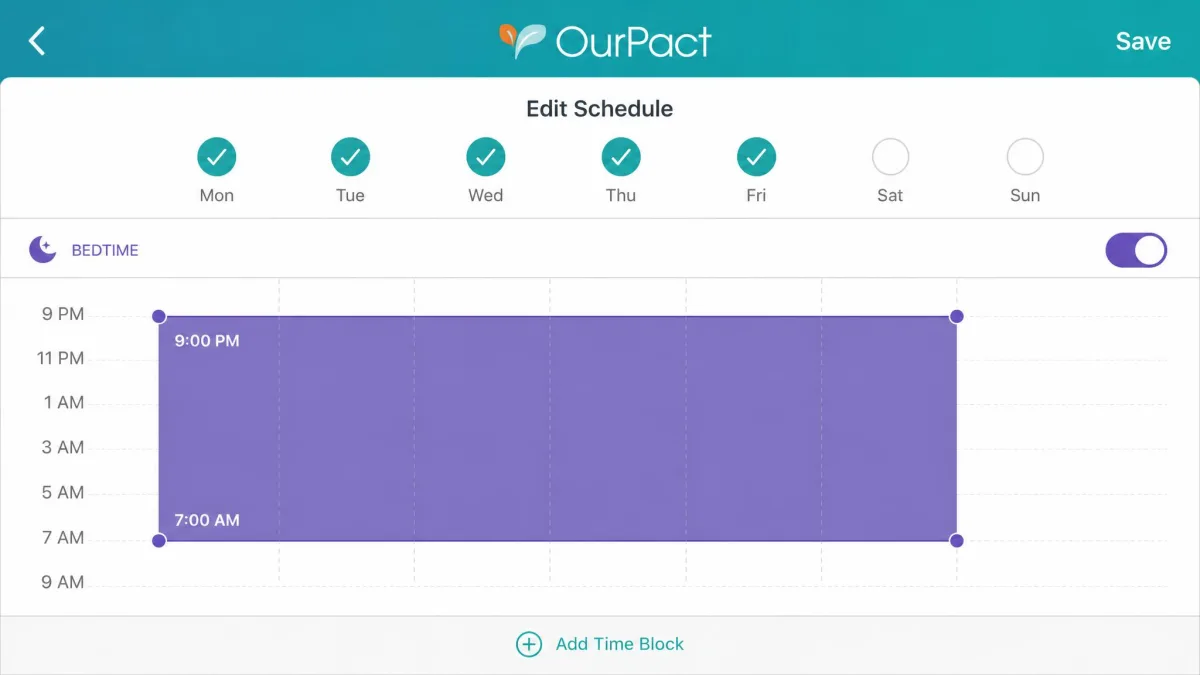
Screen time management covers daily allowances, recurring block schedules and an instant device lock. In practice most parents settle into two schedules, one for school hours and one for bedtime, and then use the manual grant button for everything else.
The allowance system works as advertised. What it will not do is show you where the time went, because there are no activity reports at all. You know a child used two hours; you do not know on what.
Web filtering and content blocking
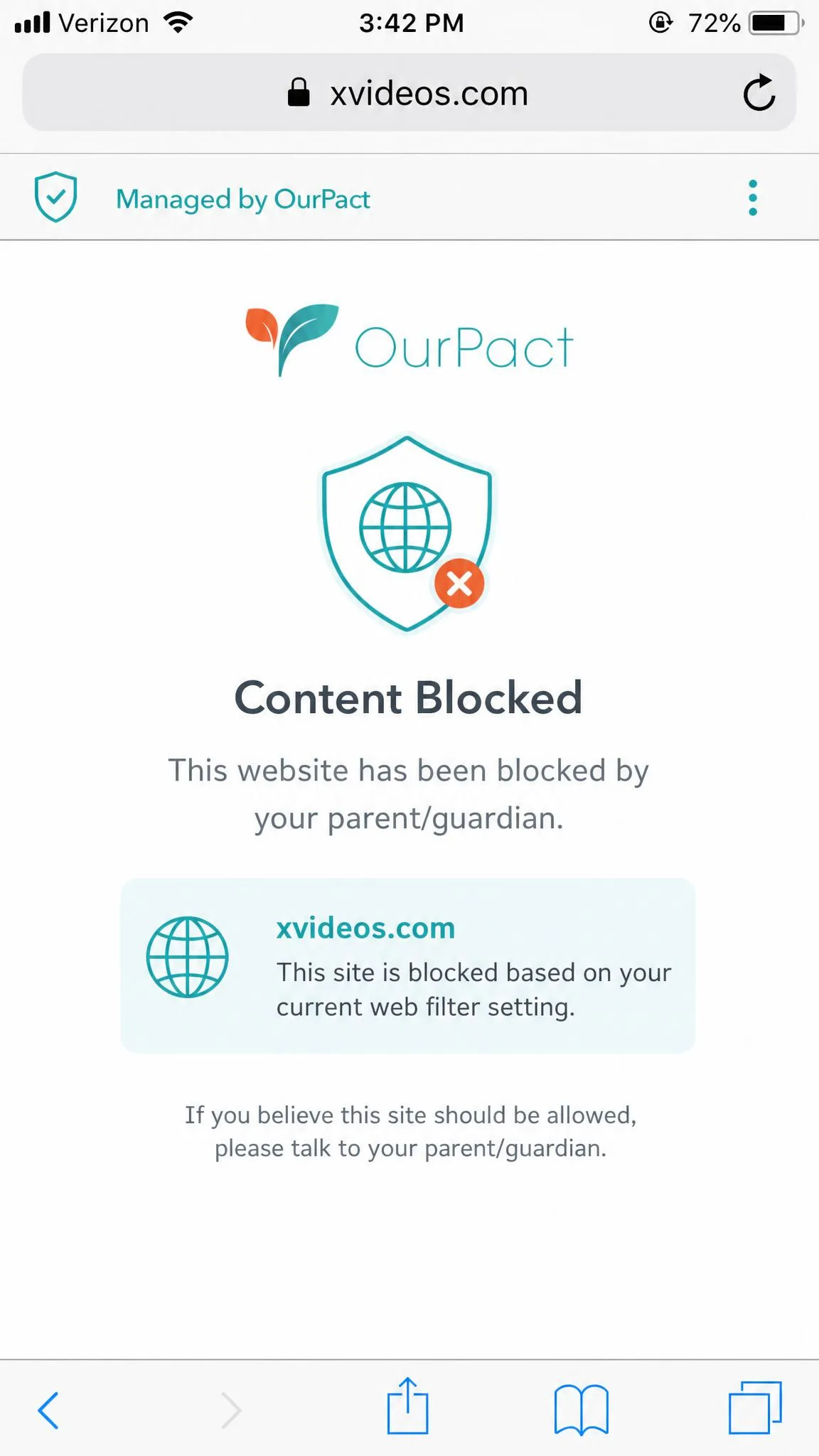
Web filtering blocks adult content, and it works differently depending on the platform. On iOS it leans on a VPN profile, and elsewhere it runs through a custom browser, both of which a tech-savvy teen can work around by switching browsers or disabling the profile.
Category-level control is thinner than Qustodio's, where you can allow or block whole content categories individually. OurPact's filter is closer to an on or off switch for adult material.
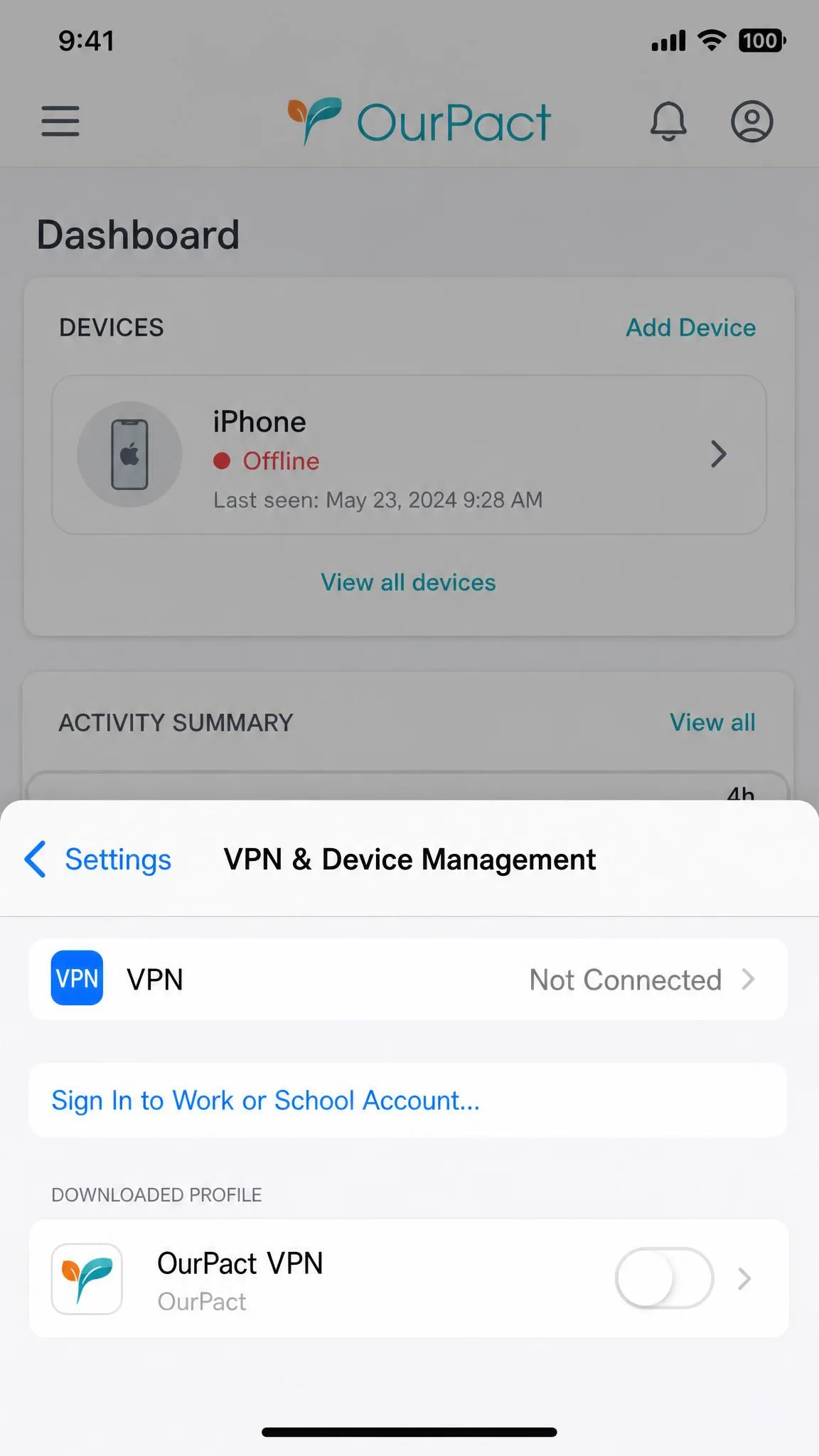
The iOS VPN profile is the weak point in the whole system. When it disconnects, and it does disconnect at random, web filtering stops silently and the device can drop off your dashboard without any alert telling you it happened.
Family locator and location tracking
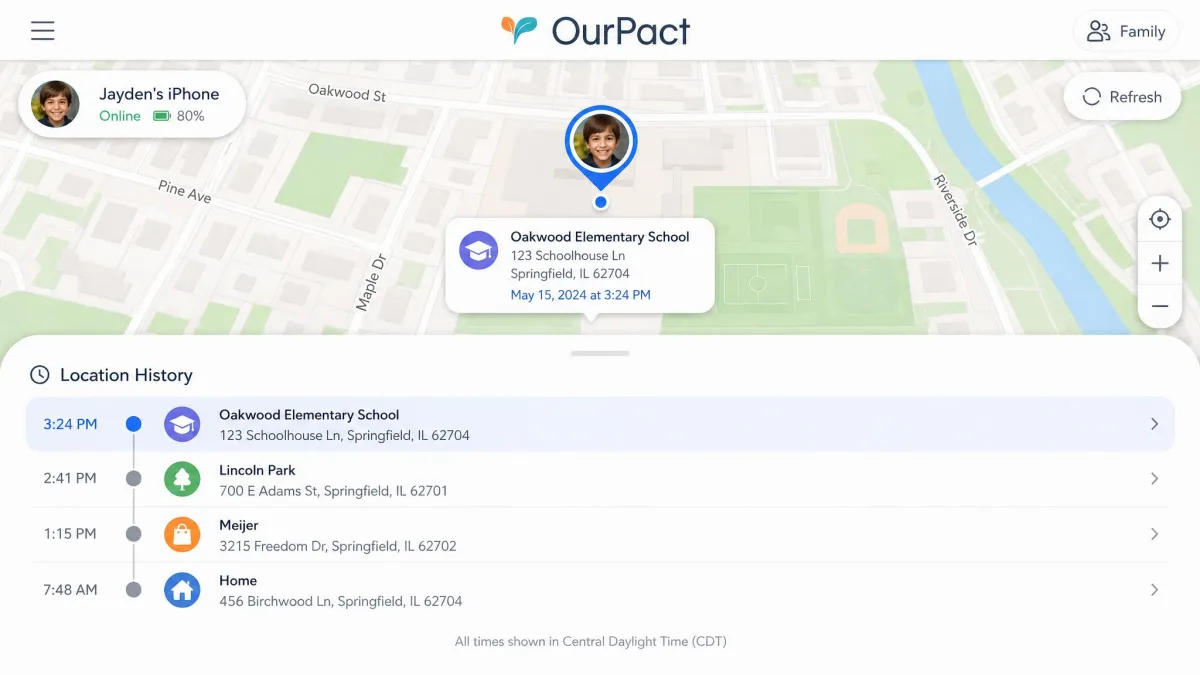
Live location sharing is included on both paid plans, with 14 days of location history on Premium and 30 days on Premium+. The map is readable and updates quickly enough for a school run.
The limitation is structural rather than a bug: location tracking follows the device rather than the child, so a phone left at home reads as the child being at home. There are also no geofencing alerts, so nothing tells you when a device arrives at or leaves a place. You have to open the app and look.
Text and message management
This is the clearest gap in the feature set. OurPact does not monitor calls or SMS, and it does not read social messages. Nothing in any tier gives you message content or contact lists.
On iOS the Content Monitor can flag concerning material it catches in a screenshot, including keyword terms you define yourself, which is the nearest thing OurPact offers to message oversight. It is a sampling tool, not a message log, and it should not be sold to yourself as one.
View and screenshots
The Premium+ Content Monitor takes instant screenshots on demand and automated ones on a schedule, stores them in an encrypted gallery, and runs AI checks for harmful content against both its own detection set and terms you add.
When it fires cleanly it is genuinely useful for a younger child. Set against the screen-minimising behaviour noted earlier, though, it is not covert, and any child who notices the pattern will learn to time their browsing around it.
Setup and Ease of Use
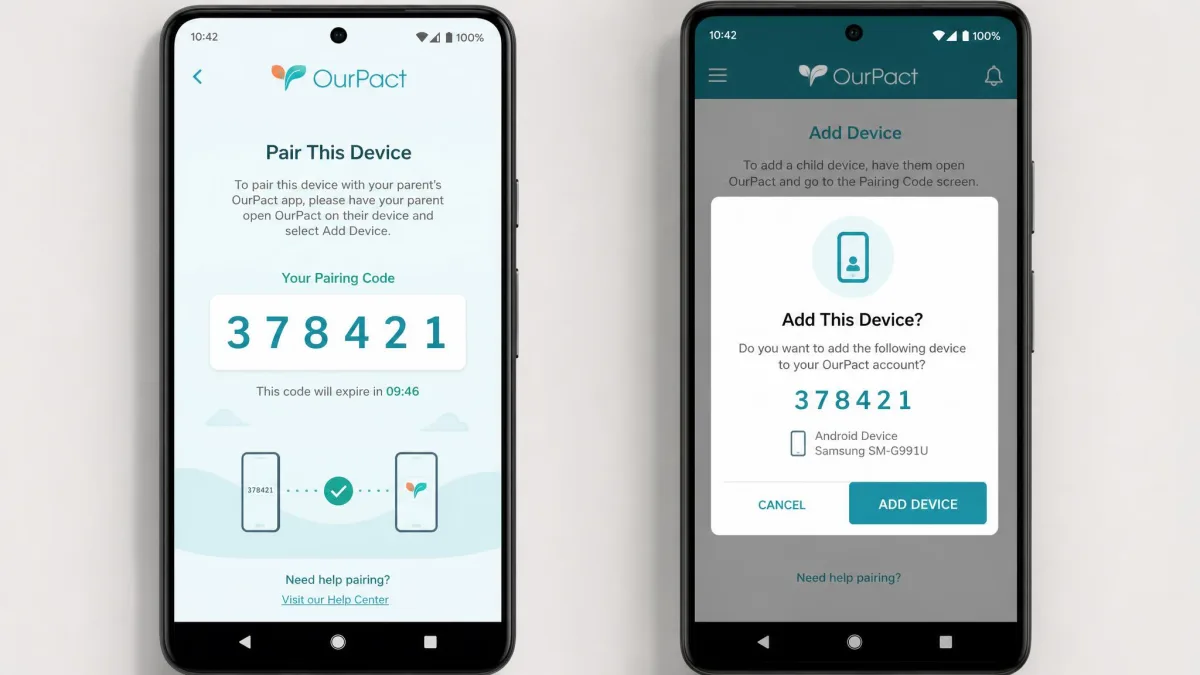
Initial setup runs both a parent app and a child app, account creation and a computer-side step, and the whole sequence can take over an hour. That is the single most important thing to know before you buy, because it also means setup effectively requires access to a desktop or laptop computer, so a phone-only household cannot complete it at all.
Setting up on iOS
The iOS path installs a device management profile and a VPN profile on the child's device, which is what gives OurPact its blocking power on Apple hardware. You approve both from the child's phone after connecting it to a computer, which is the step that catches most parents out.
Blocks can stop applying after an iOS update until the profile is reinstalled, so an Apple system update is worth treating as a prompt to check that your controls are still live. You can confirm what the current build supports on the iOS App Store listing before you start.
Setting up on Android
Android setup is shorter because it installs a companion app rather than management profiles. You grant accessibility and usage permissions, pair the device, and you are running.
The speed comes at a cost. The companion app can be uninstalled, its cached data cleared, or the phone booted into safe mode to sidestep controls, and each of those workarounds takes under a minute.
The parent dashboard day to day
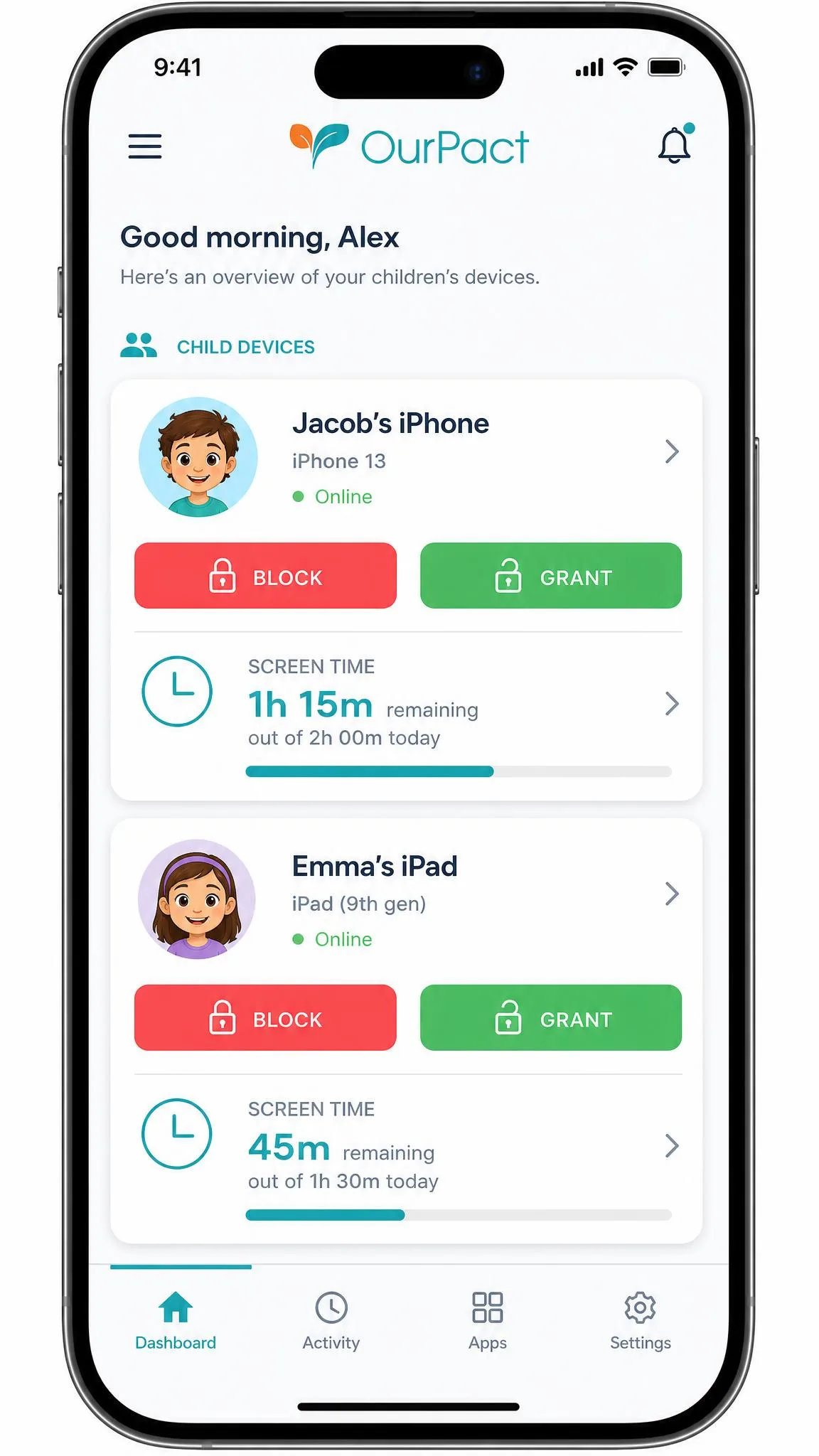
Daily use is the part of OurPact we would defend without qualification. The parent dashboard is clean and easy to read, and the instant block and grant buttons are the fastest part of daily use, which matters more than any feature list when you are trying to end screen time before dinner goes cold.
One long-running annoyance persists. The app sometimes reorders the app icons on a child's home screen, a glitch that has been reported for years and remains unfixed. It is cosmetic, and it still generates complaints from children every time it happens.
iOS vs Android: Where the Feature Gaps Are
OurPact was built around what Apple's device management framework allows, and Android has never caught up. Android lacks the per-app time limits, YouTube history and SMS keyword alerts the iOS build offers, so mixed-device families get uneven coverage from the same subscription.
That gap changes the buying decision rather than shading it. If every device in your house is an iPhone or iPad, OurPact is competitive. If your child is on Android, Boomerang and Qustodio both give you more control for less money, and Boomerang in particular offers per-app time limits that OurPact's Android build simply does not have.
Can Kids Bypass or Delete OurPact?
Easily, is the honest answer, and this is where OurPact struggles hardest against its price. On iOS a block can be defeated by switching off the VPN profile in Settings, removing the device management profile, or simply restarting the phone. None of those requires any technical skill beyond knowing where Settings lives.
Android is no better. Uninstalling the companion app, clearing its cached data or booting into safe mode all work, and all take under a minute. There is no meaningful Android uninstall protection to slow any of it down.
Treat OurPact as a boundary a young child will respect, not a lock a teenager cannot pick. If uninstall resistance is your main requirement, Boomerang's Android protection is materially stronger.
Where OurPact Falls Short
Reliability is the single most common theme in negative reviews, with connectivity drops making the subscription hard to justify for the parents who hit them. That, more than any missing feature, is what pulls our rating down.
The absence of activity reports is the second real weakness, because parents end up with control levers and no picture of behaviour. Support is the third: email only, with replies that can be slow or fail to arrive at all. Isolated accounts also describe the app disappearing from a device or a device being wiped, though that is not a widespread pattern and we would not weight it heavily.
Pros and Cons
Pros
- Instant block and grant is the fastest manual control in this category
- Clean, readable parent dashboard that needs no learning curve
- Up to 20 child devices on both paid plans
- 14-day free trial with full feature access
- Screenshots, AI content flagging and custom detection terms on Premium+
Cons
- First-time setup can take over an hour and needs a computer
- Connectivity drops on the iOS VPN profile leave filtering silently off
- Blocks can be defeated in under a minute on both platforms
- No activity reports, no call or SMS monitoring, no geofencing alerts
- Android build lacks per-app time limits and YouTube history
- Email-only support with unreliable reply times
What Other Parents Say
Sentiment on OurPact splits sharply by where you look. Apple's App Store community rates OurPact 4.4 out of 5 across roughly 56,650 ratings, which is a strong score across a very large sample. Testing publications land far lower, with SafeWise scoring it 2.5 out of 5 largely on setup burden and reliability.
Both readings are fair, and the split tells you something useful. Parents whose setup went cleanly and whose devices stay connected rate the app highly, because the daily experience is genuinely good. Parents who hit the connectivity problems rate it very low, because a parental control app that quietly stops controlling is worse than none. OurPact's Trustpilot listing carries only a handful of reviews, far too few to weigh against a sample the size of the App Store's, so we would read the 4.4 and the 2.5 as the two poles that matter.

OurPact vs the Alternatives
| Product | OurPact | Qustodio | Bark | Boomerang |
|---|---|---|---|---|
| App blocking | Yes, instant block and grant | Yes | Yes | Yes, with per-app limits |
| Screen time scheduling | Yes, schedules and allowances | Yes | Yes | Yes |
| Web filtering | Yes, adult content | Yes, category filtering | Yes | Yes |
| Location tracking | Live, 14 days history | Yes, with alerts | Yes, with check-ins | Yes, with geofences |
| Uninstall protection | Weak on Android | Moderate | Moderate | Strong on Android |
| Text and social monitoring | No | Yes on Android | Yes, core feature | Yes on Android |
| iOS depth | Strong | Strong | Strong via Bark Sync | Moderate |
| Android depth | Limited | Strong | Strong | Strong |
| Free tier | Yes, 1 device | Yes, 1 device | No, 7-day trial | No, 14-day trial |
| Price per month | $6.99 Premium | About $9.16 annual | $14 Android, $20 iOS | About $3.33 Family Pack |
OurPact vs Qustodio
Qustodio is the fuller product. It adds YouTube monitoring, social and message monitoring, calls and SMS on Android, location alerts and the activity reports OurPact does not have, and its web filtering works at category level rather than as a single adult-content switch.
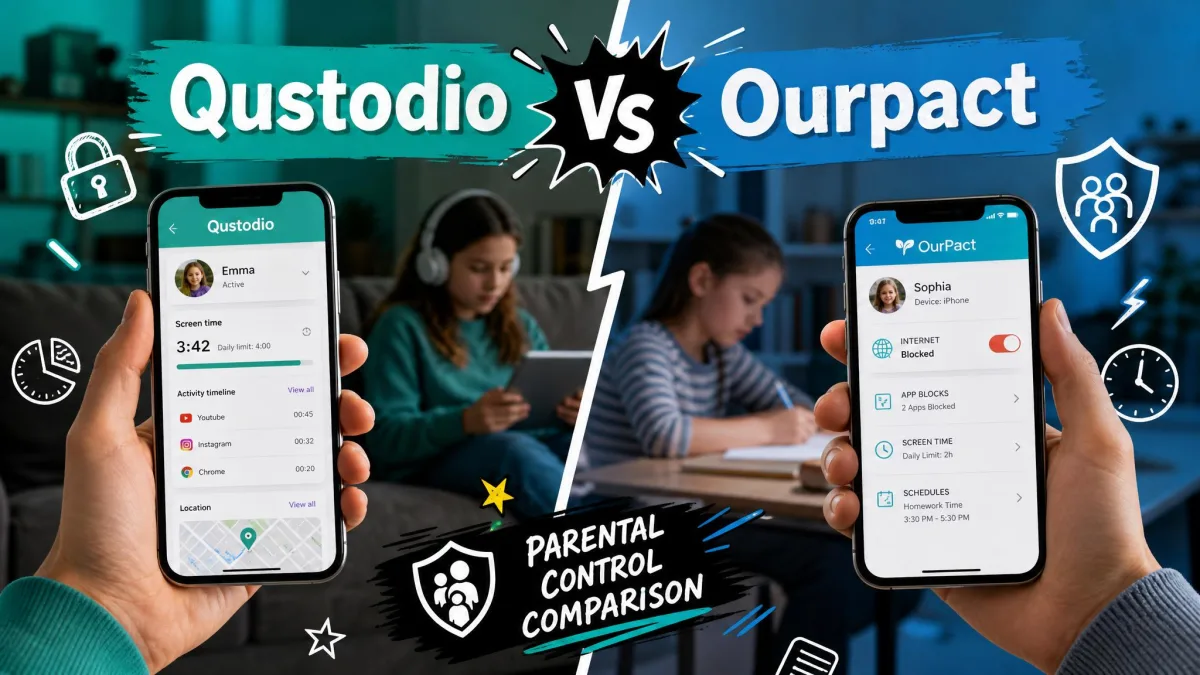
You pay for that breadth. The Complete plan covers unlimited devices at about $109.95 per year, though the yearly figure differs between listings, so treat it as approximate. Choose Qustodio if you want to understand your child's device use; choose OurPact if you only want to interrupt it. Our Qustodio vs OurPact comparison goes feature by feature.
OurPact vs Bark
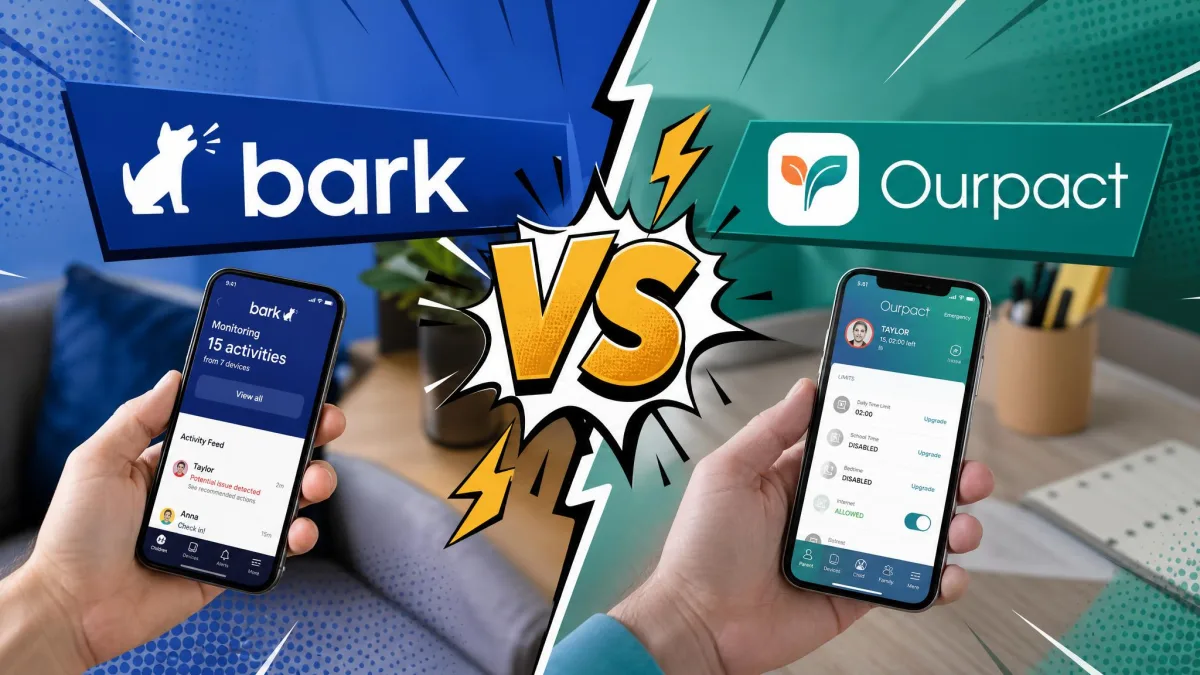
Bark solves a different problem. It monitors content across texts, email and social platforms and alerts you when something concerning appears, with screen time management and app blocking built around that core. It also sells its own phone and home router hardware, and it covers unlimited children and devices.
Bark for iOS is $20 per month or $148 per year, and Bark for Android is $14 per month or $99 per year, with a 7-day free trial. That is two to three times what OurPact costs, and it buys a completely different kind of oversight. Our Bark review goes deeper on whether that trade is worth making.
OurPact vs Boomerang
Boomerang is the value pick and the Android specialist. It is $19.99 per year for a single child device, or $39.99 per year for a Family Pack covering up to 10 child devices, with a 14-day trial that needs no payment details.
For that money you get app blocking with per-app time limits, schedules, web filtering, geofences, text and call monitoring on Android, YouTube history and strong Android uninstall protection. On Android specifically, Boomerang beats OurPact on features and on price at the same time, and OurPact's answer is a deeper iOS build and a nicer dashboard.
Customer Support and Help Resources
Support is email only. There is no phone line and no live chat, and replies can be slow or fail to arrive at all despite an automated acknowledgement landing in your inbox straight away. OurPact publishes no response-time target and no support hours on its contact page, so there is no commitment to hold it to.
The help centre covers the common setup failures reasonably well, and given how much of the friction in this product sits in that first hour, that is where you will spend your time. Plan on solving setup problems from documentation rather than from a support reply.
On privacy, parental control apps handle children's data and fall under the rules the FTC's guidance on children's privacy sets out for operators, which is worth reading before you install anything that captures screenshots.
Frequently Asked Questions
Is OurPact free?
Can my child delete or bypass OurPact?
Does OurPact work properly on Android?
What devices does OurPact support?
How much does OurPact cost per month?
Does OurPact monitor texts or social media?
How long does OurPact take to set up?
The Bottom Line: Should You Buy OurPact?
Buy OurPact if you have younger children on Apple devices, you want fast manual control over apps and screen time, and you do not need reports or message monitoring. On that job it is quick, clear and pleasant to use every day, and $6.99 per month for up to 20 devices is fair value for money.
Skip it if your child is on Android, if they are old enough to look up how to remove a profile, or if you want to know what they are doing rather than just when they can do it. Boomerang covers Android better for less, Qustodio gives you the reporting layer, and Bark handles content monitoring properly.
Use the 14-day free trial, and use all of it. Set up a device, run your schedules for a full week, and check whether anything drops off the dashboard. If it holds, OurPact will serve you well. If it does not, you will have learned that before paying for a year.