Bark is a monitoring app. It reads the content flowing through a child's texts, email and social accounts, and it sends you an alert when its AI spots something that looks like bullying, sexting, self-harm or contact from a predator. OurPact is a rules app instead. It blocks apps, schedules screen time, filters adult websites and locks a device on command, without reading a word of what your child writes.
So this comparison settles two questions: which of those two jobs are you actually buying, and which app does its job better on the phones your family already owns? We spent our time with both apps on iPhone and Android, and the gap between them turned out to be less about quality than about philosophy.
The short answer: which one should you pick?
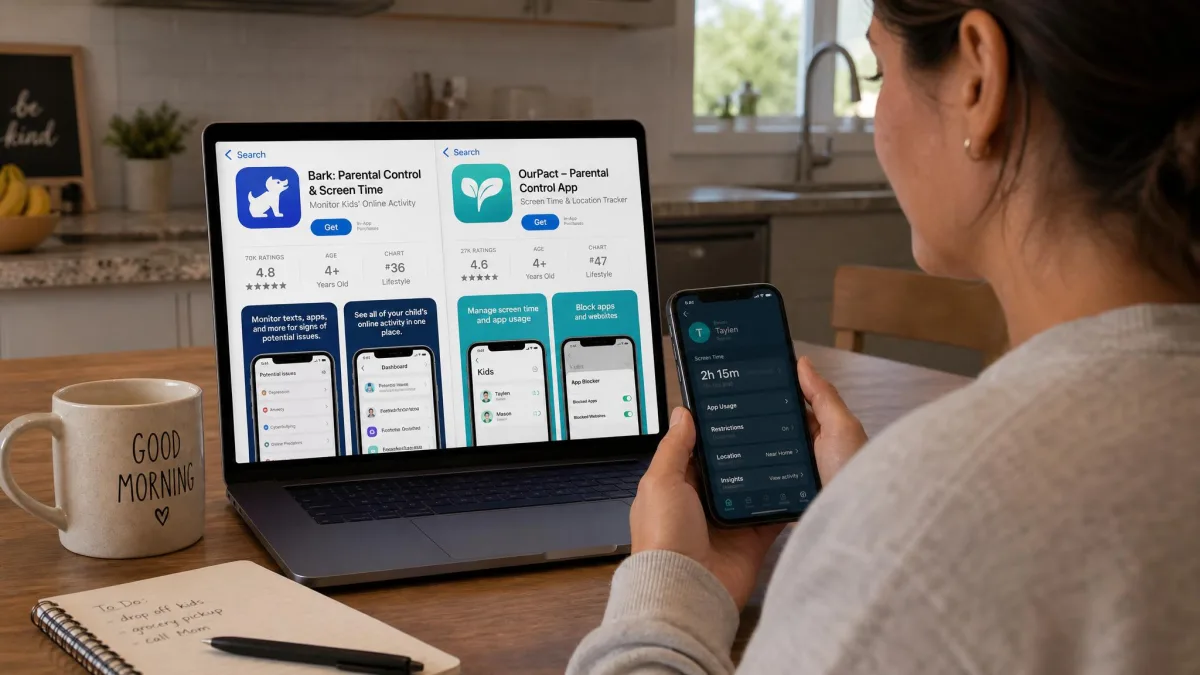
Most families are better served by OurPact, because daily screen time friction is the problem parents actually have, and OurPact solves it for less money and with a simpler install.
Bark wins for one specific parent: the parent of an older teen on social media who wants to know about a dangerous conversation without reading every message. Bark's AI reads across 30+ apps and platforms, including texts, email and social media. It surfaces the small number of messages worth your attention instead of dumping a transcript in your lap. For a 14-year-old on Snapchat and Discord, that is genuinely useful.
If the argument in your house is about dinner, bedtime and unapproved apps, buy OurPact. It is the better daily-driver tool for younger kids, its scheduling is more flexible than Bark's, and it costs a good deal less.
The mistake we see parents make is buying the monitoring app when the fight is really about screen time. Bark can schedule and block. But scheduling is not what it was built to do, and you pay a premium for AI monitoring you may never look at.
Bark vs OurPact at a glance
| Product | Bark | OurPact |
|---|---|---|
| Price (monthly) | $14 Premium, $5 Bark Jr | $6.99 Premium, $9.99 Premium+ |
| Price (annual) | $99 Premium, $49 Bark Jr | $69.99 Premium, $99.99 Premium+ |
| Free trial | 7-day, card required | 14-day |
| Platforms (iOS/Android) | Both, plus desktop and Wi-Fi devices | Both, one dashboard |
| Devices per plan | Unlimited children and devices | Up to 20 child devices |
| Screen time scheduling | Yes | Yes, multiple schedules plus instant lock |
| App blocking | Yes | Yes, with new-app alerts |
| Web filtering | Yes, content categories | Yes, adult content blocking |
| Text and social monitoring | Yes, 30+ apps with AI alerts | Screenshots with AI flagging on Premium+ only |
| Location tracking | Check-ins | Live location, 14 or 30 day history, arrival alerts |
| Alert type | AI risk alerts for bullying, sexting, self-harm | Screenshot review and new-app notices |
| Setup difficulty | Higher: APK sideload on Android, computer tether on iOS | Moderate: iOS profile install |
Bark: what it does best
Behind that table's monitoring row sits a whole philosophy. Bark's premise is that reading your child's messages is both impractical and corrosive, so an algorithm reads them instead and only speaks up when something matters. You install Bark once, connect the accounts you want covered, and then mostly forget it exists.
Getting to that point took us an evening. We tethered a test iPhone to a laptop, worked through the installer, and then sat watching a dashboard that stayed completely empty. Bark was back-scanning roughly 60 days of social media history, and the first entries took between 30 and 45 minutes to appear. When they finally did, two of the earliest flags were a beer mug emoji read as an alcohol alert and a haircut appointment email categorized as a self-harm risk.
Bark's monitoring and alerts
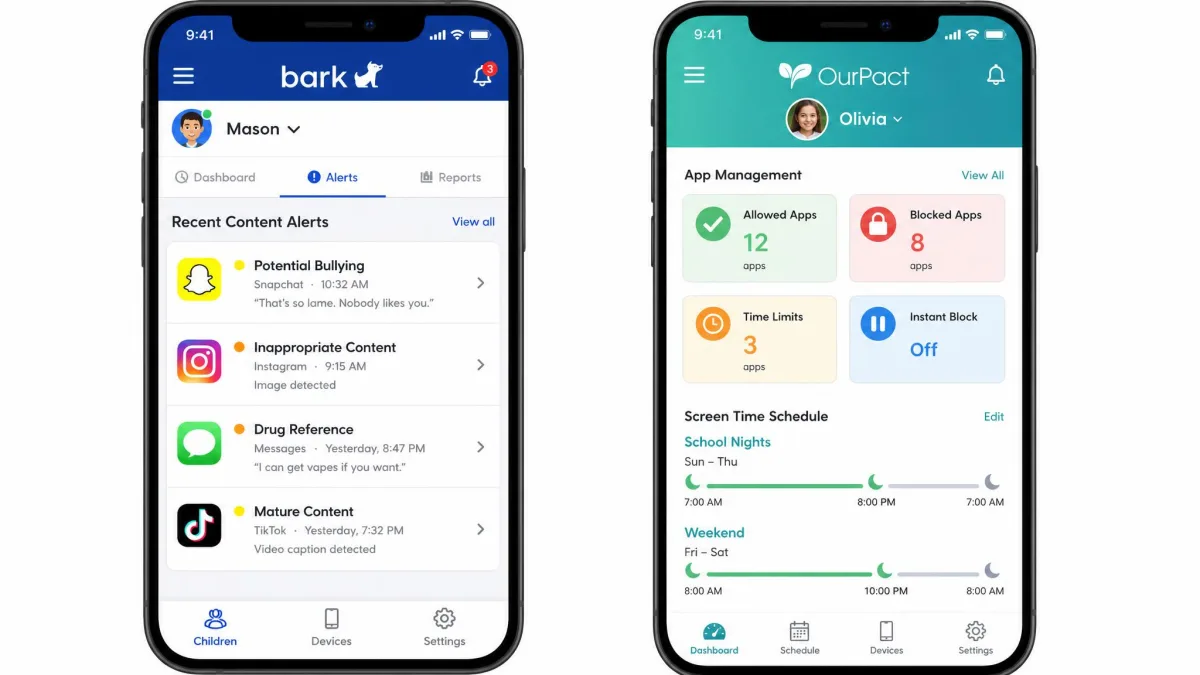
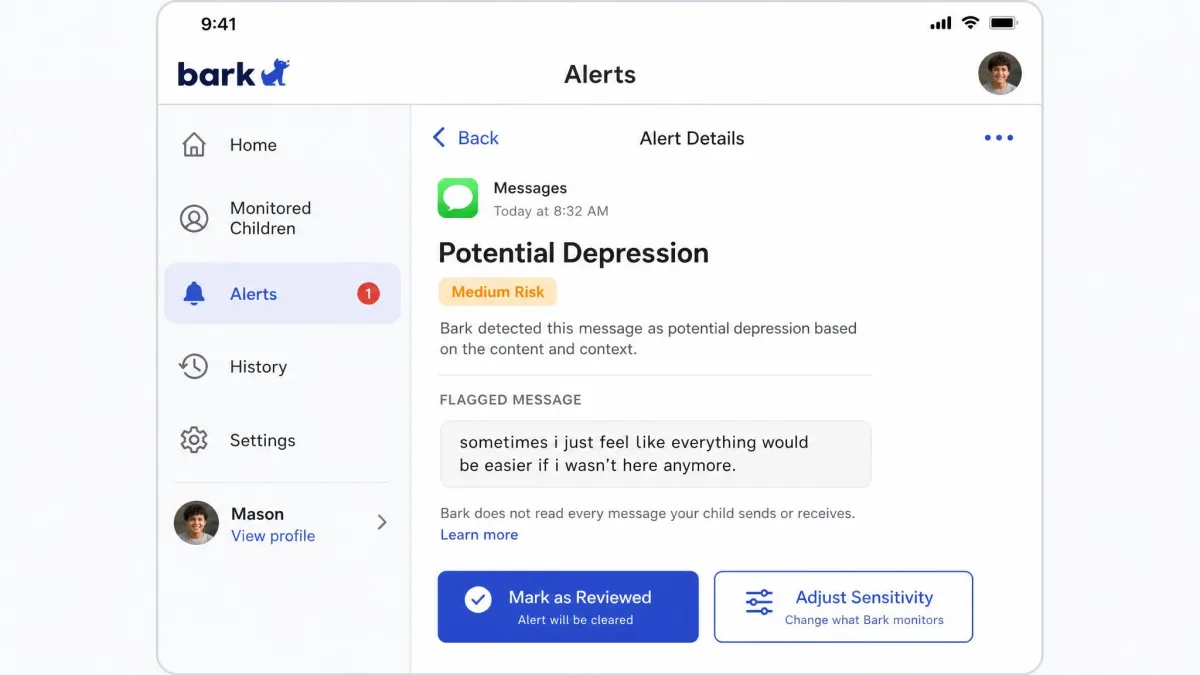
Bark covers 30+ apps and platforms, including text messages, email and the major social networks. It sorts what it finds into categories such as cyberbullying, sexting, self-harm, drugs and predatory contact. Each alert shows you the flagged content in context, plus a short note on why it fired, which is far more useful than a bare notification.
Accuracy is the part worth understanding before you pay. Bark is tuned to over-report rather than miss, and that tuning shows in the first fortnight. Sensitivity can be dialed down with help from Bark's support team, which cuts the repeat false flags considerably. It is a conversation you have to start yourself, though.
The monitoring is also not truly instant, despite how the category is usually sold. Some alerts arrive well after the message did, and some never trigger at all. Treat Bark as a safety net that catches most of what matters, not as a live feed.
Monitoring an older teen's private messages without telling them is the fastest way to lose their trust and their cooperation. Both apps work far better as an agreed arrangement than as a secret one. Tell your child what is being monitored, what is not, and what would make you look.
Bark's screen time and filtering tools
Bark does schedule screen time and block websites and apps, working from content categories rather than a per-app list. Its web filtering is honest about its limits: you see only the results that match its content filters, never a complete browsing or search history. If you wanted a full log of every site visited, this is not that.
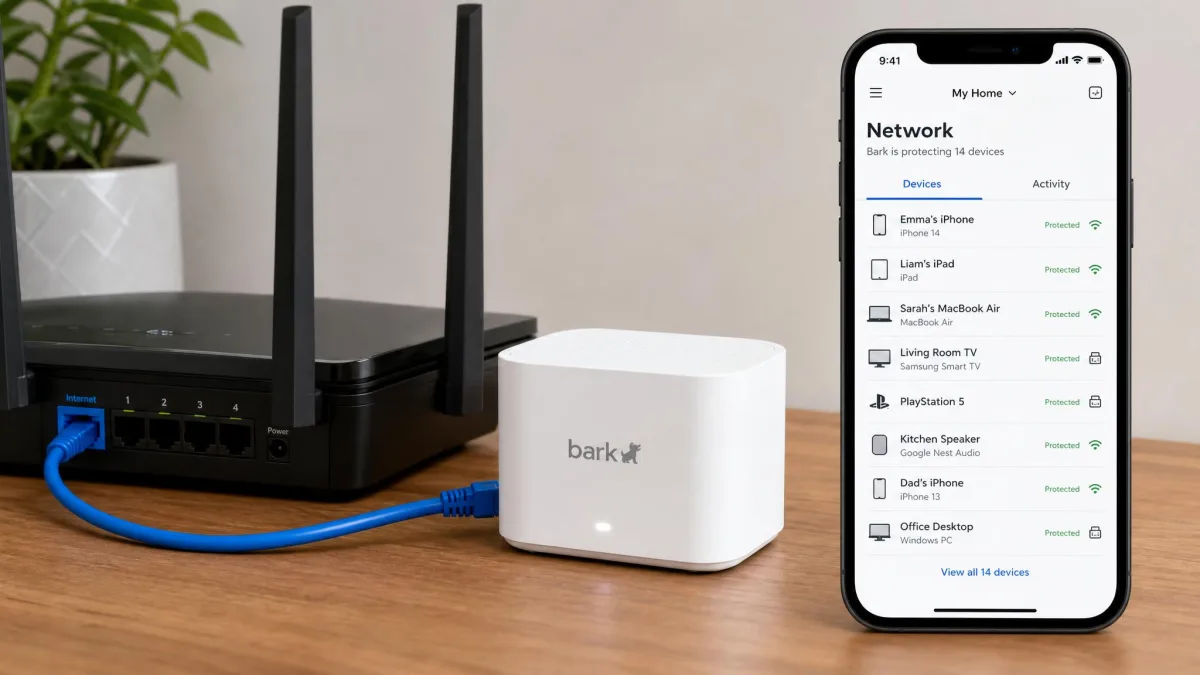
Browser monitoring is also easier to set up and more complete on Android than on iPhone, which is a recurring theme running through this comparison. Bark Home extends filtering to the whole Wi-Fi network for $79 one time or $6 per month. That is how you cover a games console or a smart TV.
Bark pros and cons
Pros
- AI monitoring across 30+ apps, including texts and email, with clearly categorized alerts
- One subscription covers every child and device in the household
- Uninstall protection: removing Bark from a child's phone needs a code from the parent dashboard
- Bark Jr at $5 per month is a genuinely cheap screen time and location tier
- Optional hardware, including Bark Home Wi-Fi filtering and the Bark Phone
Cons
- False positives are frequent until you ask support to lower sensitivity
- Alerts are not real time, and some never arrive
- Setup is the hardest of the two, especially the Android APK download
- Noticeable battery drain and phone heat on the monitored device
- The dashboard takes time to learn, and monitoring, screen time and location controls are not laid out intuitively
OurPact: what it does best
OurPact takes the opposite position. It does not want to read your child's messages at all; it wants to decide when and whether the phone works. Everything in the app points at that goal, and the result is a tool a parent can operate on a weeknight.
Our install went faster than Bark's by an order of magnitude. We pushed the management profile onto a test iPad, tapped out a school-day block and a bedtime block on the scheduling grid, and both held all week. Then an iOS update landed, and the blocks quietly stopped applying until we reinstalled the profile. On the same device, the dashboard has twice shown a phone as offline while it was sitting on the desk, online.
OurPact's screen time and scheduling
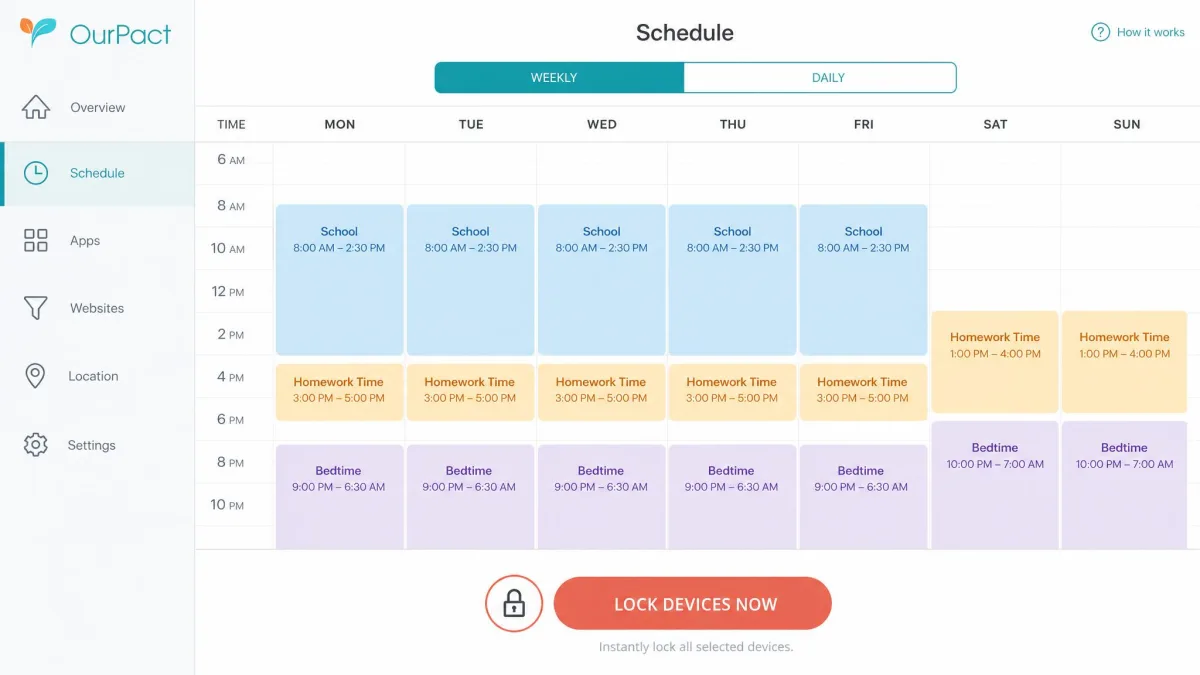
You build block schedules by tapping out blocks of time on a grid. A school-day schedule, a homework schedule and a bedtime schedule can coexist and repeat automatically. Next to them sits an instant lock button. That is the feature parents end up using most: one tap, and the device is down until you release it.
Premium and Premium+ both cover up to 20 child devices, and a single child profile can pair to several of them. So a kid with a phone, an iPad and a school laptop stays as one entry on your dashboard rather than three. That structure keeps the screen manageable as the number of devices in a house grows.
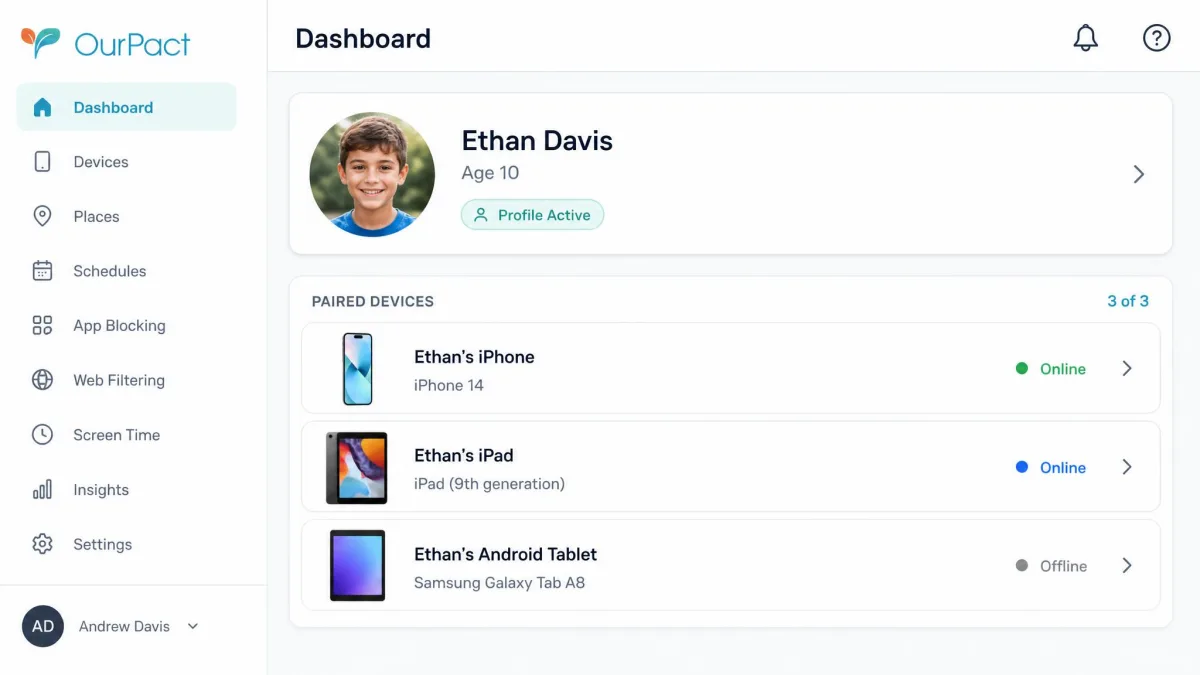
OurPact's app blocking and web filtering
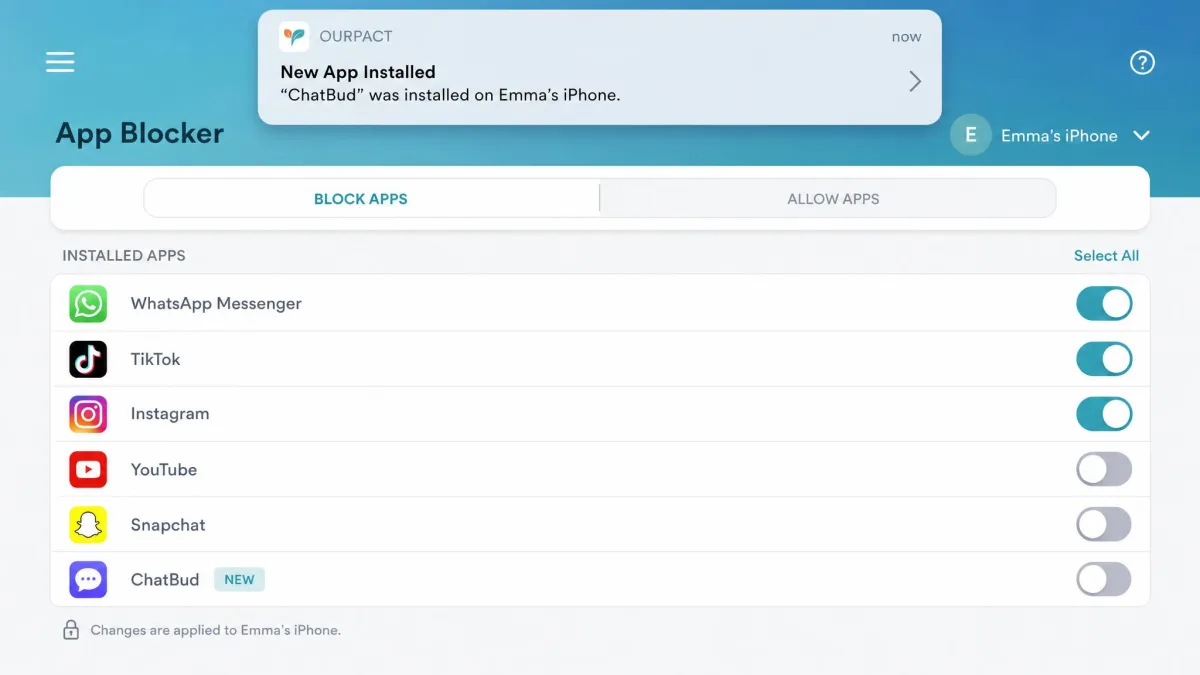
App blocking is per-app rather than category-based, and OurPact notifies you whenever a new app is installed. That is how you catch the messaging app your child downloaded after the last conversation about messaging apps. The web filter blocks adult content across browsers.
Premium+ adds View. It captures periodic screenshots of the child's screen and uses AI to flag concerning ones into an encrypted gallery. This is the closest OurPact comes to monitoring, though it is worth being clear about what it is not. View flags a concern only after a screenshot has been captured and reviewed, so there is no live keyword alerting. Screen Time View also behaves less reliably on iPhone than on Android, because of Apple's restrictions on what any third-party app may see.
OurPact pros and cons
Pros
- The most flexible scheduling of the two, with repeating blocks plus one-tap instant lock
- Per-app blocking with alerts when a new app is installed
- Live location, arrival alerts and location history for 14 days on Premium or 30 days on Premium+
- Mixed iPhone and Android households run from a single dashboard
- A longer free trial than Bark's, so you get more time to judge it
Cons
- No message or email content monitoring at any tier
- Relies on an iOS management profile that can stop applying after an iOS update until reinstalled
- The profile can conflict with a school-issued profile on the same iPad
- Its VPN profile disconnects at random on some devices, dropping the dashboard link
- On iOS the app sometimes reports a device as offline while it is online
Feature-by-feature comparison
Content filtering and app blocking
OurPact wins app blocking on precision. You choose apps individually, you get told when a new one appears, and blocks apply immediately. Bark blocks by category, which is faster to set up across many devices but a good deal blunter. Choosing to block social media blocks all of it, including the app your child uses to talk to their grandmother.
On web filtering the two are close. Bark's category filtering is broader, and Bark Home extends it across the whole network, while OurPact's adult content blocking is simpler and confined to the device.
Screen time management and schedules
This one is not close. OurPact's repeating schedules and instant lock are built for the job, and changing tonight's rules is a five-second task. Bark schedules screen time competently, but it treats the job as a secondary feature, and its controls sit in a dashboard that takes a while to learn.
Before you set a limit you cannot defend, it helps to know what normal looks like. Common Sense Media's research on teen screen time is a useful baseline.
Text and social media monitoring
Bark wins this outright, because OurPact does not compete here. Bark reads across 30+ apps and platforms and alerts on the categories most parents worry about. OurPact's View captures and flags screenshots after the fact, which will catch a pattern over several days. It will not tell you tonight that a stranger is messaging your child.
Coverage does differ by platform, though. Bark's iOS monitoring reaches a smaller set of apps than Android does, and the supported-app count shifts as Apple's restrictions and app APIs change.
Location tracking
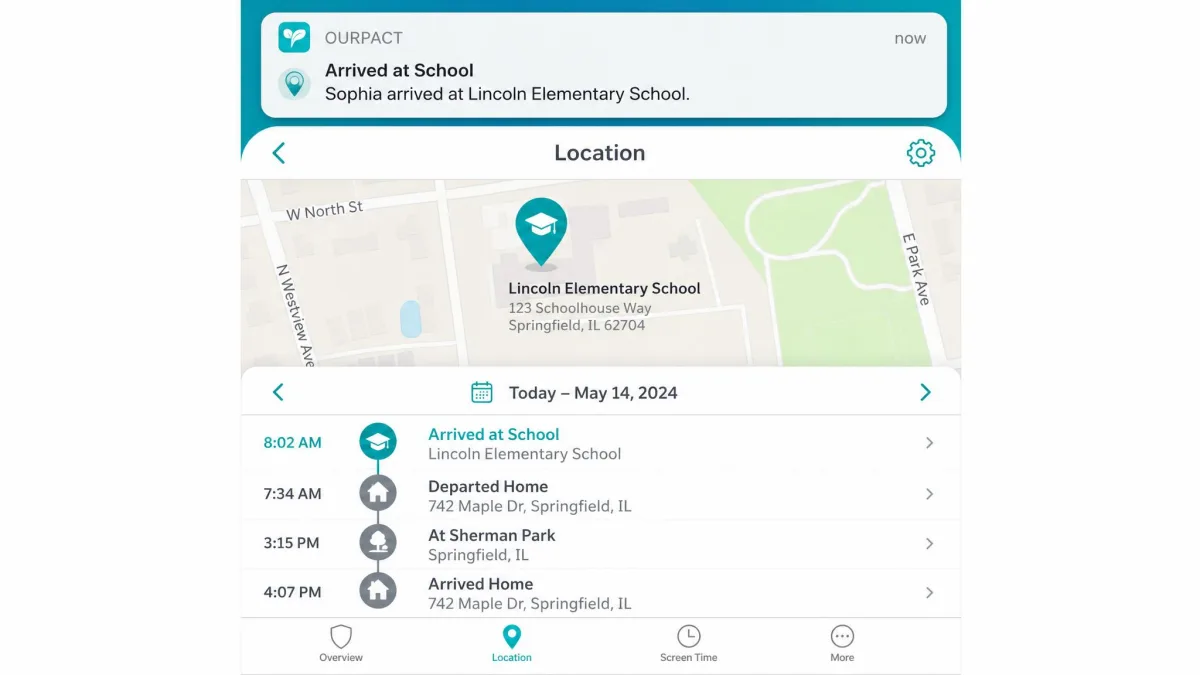
OurPact is stronger. It offers live location, arrival alerts and location history, 14 days on Premium and 30 days on Premium+. In practice the location updates arrive intermittently rather than continuously. Read the map as a recent position, not as a live trace.
Bark handles location as check-ins instead, which is enough to confirm a child arrived somewhere and not much more. If knowing where a child is matters as much as knowing what they are saying, OurPact is the better half of that pair.
iOS vs Android support
Both apps run on iPhone and Android, and both are meaningfully more capable on Android, because Apple limits what any parental control app can see. Bark's browser monitoring is easier to set up and more complete there, and its supported-app coverage is wider too. OurPact's Screen Time View is likewise less reliable on iOS.
OurPact handles mixed households better in daily use. It keeps iPhone and Android children on one dashboard, with one child profile per kid regardless of what they carry. For the baseline rules Apple builds in for free, Apple Screen Time is worth setting up alongside either app.
Setup and ease of installation
OurPact is the easier install. On iOS you push a management profile to the child's device, which takes a few minutes per phone. On Android it is a standard app install. The profile, rather than the setup itself, is the weak point here. It can stop applying after an iOS update, and it can conflict with a school-issued profile on the same iPad.
Bark asks more of you up front. Android setup requires downloading the APK directly, which triggers Play Protect security warnings you have to click past. iOS setup requires tethering the phone to a computer, then waiting out that 60-day back-scan. Set aside an evening rather than a coffee break.
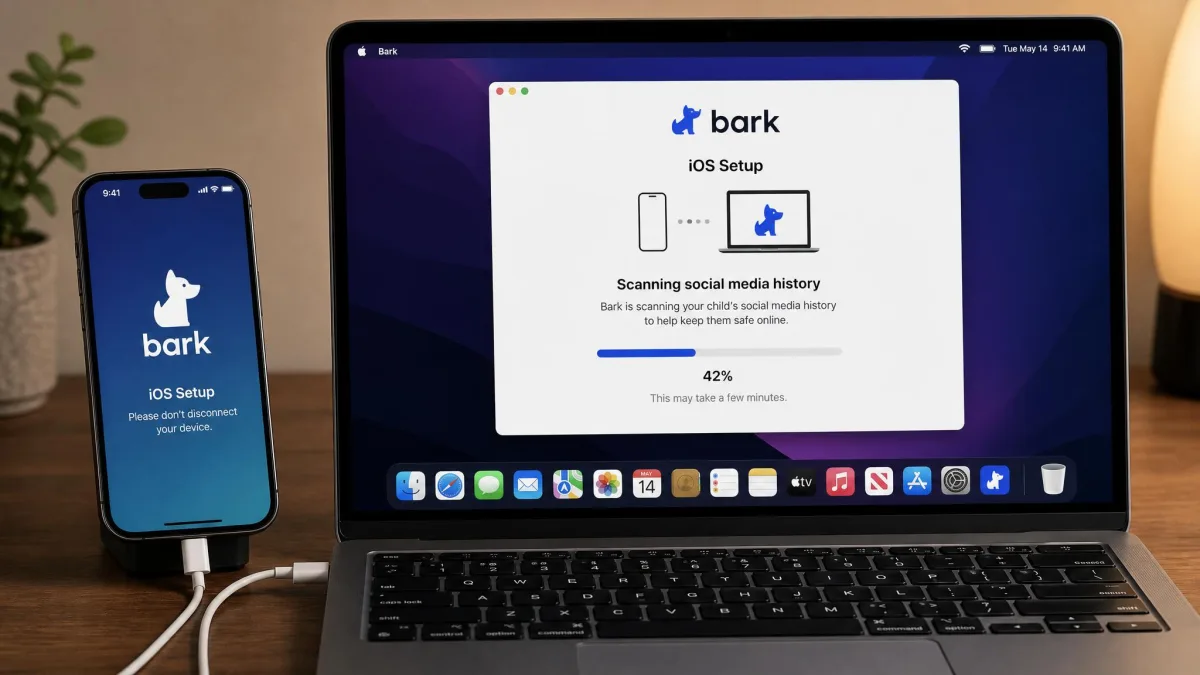
Budget an evening for Bark and ten minutes for OurPact. The install is the single biggest practical difference between them.
Pricing and plans compared
Bark pricing
Bark tiers by what it watches, where OurPact tiers by how much it shows you. Bark Premium is $14 per month plus tax, or $99 per year. That covers the full monitoring, screen time, filtering and location feature set. Bark Jr costs $5 per month plus tax, or $49 annually, and drops content monitoring in favour of screen time, filtering and location check-ins. The 7-day free trial requires a credit card up front.
Bark states no device cap for household use. What each device actually gets still depends on which platforms it supports. Hardware is billed separately, and Bark Home is $79 one time or $6 per month, and Bark Phone service runs $29 per month with device payments from $10 per month over 24 months. Bark Premium pricing is listed on Bark's own site.

OurPact pricing
OurPact Premium is $6.99 per month, or $69.99 billed yearly, which works out to about $5.83 per month. Premium+ is $9.99 per month or $99.99 billed yearly, and it adds the View screenshot feature plus 30-day location history. Both paid plans cover up to 20 child devices, and the free trial runs 14 days.
A free tier also exists. It manages one child device with a small number of manual blocks per month and a single automated schedule, though OurPact's free tier limits vary by app version and are not itemized on the current pricing page.

Which one offers better value
OurPact Premium costs $69.99 a year against Bark Premium's $99. For most households the cheaper app is also the more useful one, because rules get used daily and monitoring alerts do not. Bark's value case is unlimited household coverage. A family with four children on five devices each still pays $99, and that is where OurPact's 20-device ceiling starts to matter.
The rating gap deserves reading carefully rather than at face value. The App Store community rates OurPact 4.4 out of 5 across more than 56,650 ratings. Bark sits at about 4.2 on the App Store, but about 1.8 on Trustpilot across 94 reviews. Those Trustpilot complaints concentrate on billing and cancellation, not on the monitoring app. The recurring themes are device balances owed when a Bark Phone contract ends early, and refurbishment fees on returned hardware.
Refund terms differ too, and they are worth knowing before you pay. Bark hardware comes with a 60-day money-back guarantee. Monthly service and data payments are not refundable, and damage during use can be charged back to you. Bark does not publish a subscription refund window, and outcomes after the 7-day free trial ends are handled case by case.
OurPact is stricter on paper and softer in practice. It generally does not issue refunds or partial credits, though it will review a request case by case within 30 days of purchase for subscriptions bought directly on its website. Anything bought through the App Store or Google Play has to be refunded by the store instead.
Which app should you choose?
Choose Bark if...
- Your child is a teenager with active social media accounts, and you want to know about a dangerous conversation without reading every message.
- You have several children on several devices, and unlimited household coverage saves you real money.
- You want Wi-Fi level filtering for consoles and TVs through Bark Home.
- You would rather see a false alarm than miss something, and you will call support to tune the sensitivity down.
Choose OurPact if...
- The argument in your house is about screen time, not about what your child is saying.
- You want per-app blocking and repeating schedules you can change in seconds.
- You want live location and arrival alerts rather than check-ins.
- You have a mixed iPhone and Android household and want one dashboard for all of it.
- You want a longer window to decide before you pay.
Both apps are stronger on Android than on iPhone, because Apple restricts what any third-party parental control app can see. If your child is on an iPhone, expect a smaller feature set from either choice than the marketing implies.
Alternatives worth considering
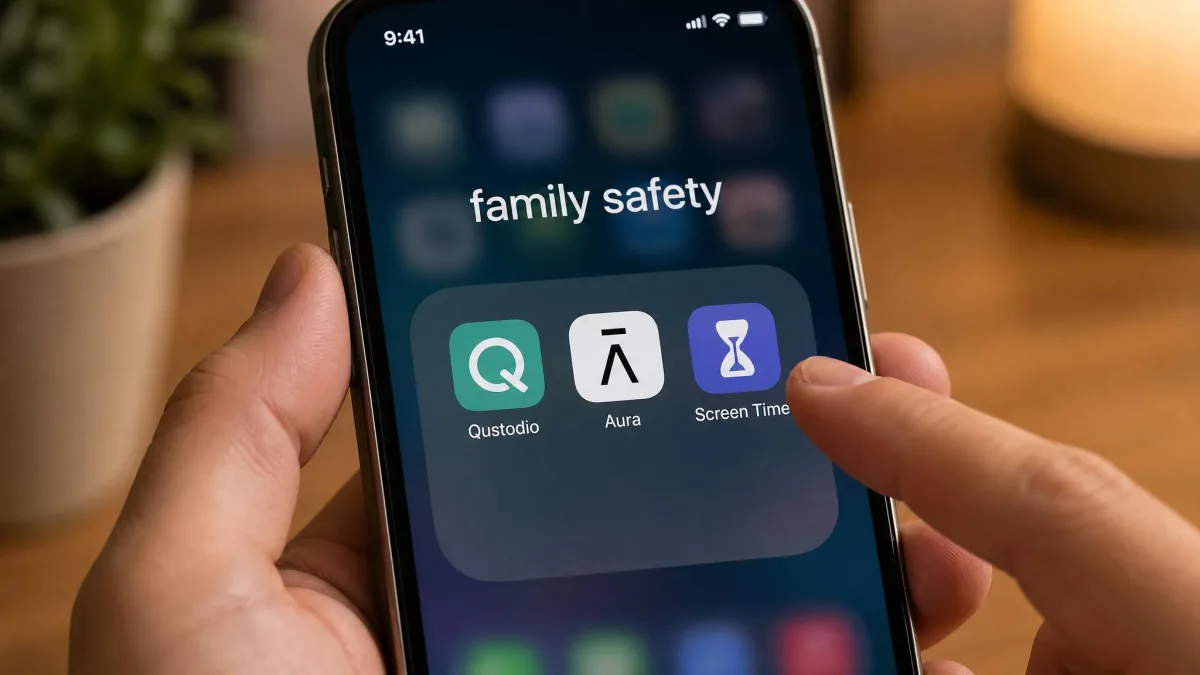
If neither app quite fits, the parental control field is unusually well populated. Qustodio sits between these two, offering both monitoring and rules with a gentler learning curve than Bark. Aura bundles parental controls into a broader online safety and identity package, which suits families who want one subscription rather than three. Apple's own Screen Time and Android's built-in family tools are free, and for a younger child on a first device those basics are often enough.
For head-to-head detail on the closest matchups, see our comparisons of Bark vs FamiSafe, Bark vs Google Family Link, Bark vs Net Nanny, Canopy vs OurPact, Bark vs Norton Family, Bark vs Qustodio, Kaspersky Safe Kids vs OurPact and Kids360 vs OurPact.
Frequently asked questions
Can I use Bark and OurPact together?
Which is better for younger children?
What should I do when an alert fires?
What happens to monitoring after a factory reset or a new Apple ID?
What should I change first if the phone's battery becomes intolerable?
Is monitoring a child's messages legal?
Final verdict
If you are still deciding, two conditions settle it faster than any feature list. The first is household size. Count the devices you actually need to manage, and if the number is heading past twenty, Bark's unlimited household coverage is the one thing OurPact cannot match at any price.
The second is your child's age. Under about ten, there is little in a message stream worth screening, and the whole value sits in schedules and block lists. With a teenager on Snapchat or Discord, the calculation flips. Nothing OurPact offers replaces an alert that tells you a stranger is messaging your child.
Everything else is a matter of taste, and whichever you pick, the app is the smaller half of the job. Rules only hold when your child knows what they are and why. Both of these tools are better used to enforce an agreement than to replace one.